drive FORD ECOSPORT 2020 Owner's Manual
[x] Cancel search | Manufacturer: FORD, Model Year: 2020, Model line: ECOSPORT, Model: FORD ECOSPORT 2020Pages: 448, PDF Size: 16.57 MB
Page 60 of 448
PRINCIPLE OF OPERATION
The system allows you to program keyswith restricted driving modes to promotegood driving habits. All but one of the keysprogrammed to the vehicle can beactivated with these restricted modes.
Any keys that have not been programmedare referred to as administrator keys oradmin keys. These can be used to:
•Create a MyKey.
•Program configurable MyKey settings.
•Clear all MyKey features.
When you have created a MyKey, you canaccess the following information using theinformation display:
•How many admin keys and MyKeys areprogrammed to your vehicle.
•The total distance your vehicle hastraveled using a MyKey.
Note: All MyKeys are programmed to thesame settings. You cannot program themindividually.
Note:For vehicles with keyless start, whenboth a MyKey and an admin key are present,the admin fob will be recognized by thevehicle to start the engine.
Non-configurable Settings
The following settings cannot be changedby an admin key user:
•Seatbelt minder. You cannot disablethis feature. The audio system willmute when the front seat occupants'seatbelts are not fastened.
•Early low fuel. The low-fuel warningactivates earlier, giving the MyKey usermore time to refuel.
•Driver assist features, if equipped onyour vehicle, are forced on: parking aid,blind spot information system (BLIS)with cross traffic alert, lane departurewarning and forward collision warningsystem.
Configurable Settings
WARNING: Do not set MyKeymaximum speed limit to a limit that willprevent the driver from maintaining asafe speed considering posted speedlimits and prevailing road conditions. Thedriver is always responsible to drive inaccordance with local laws andprevailing conditions. Failure to do socould result in accident or injury.
With an admin key, you can configurecertain MyKey settings when you firstcreate a MyKey and before you recycle thekey or restart the vehicle.
56
EcoSport (CBW) Canada/United States of America, Vehicles Built From: 17-06-2019, LN1J-19A321-ZFA enUSA, Edition date: 201904, First-PrintingMyKey™ (If Equipped)
Page 62 of 448
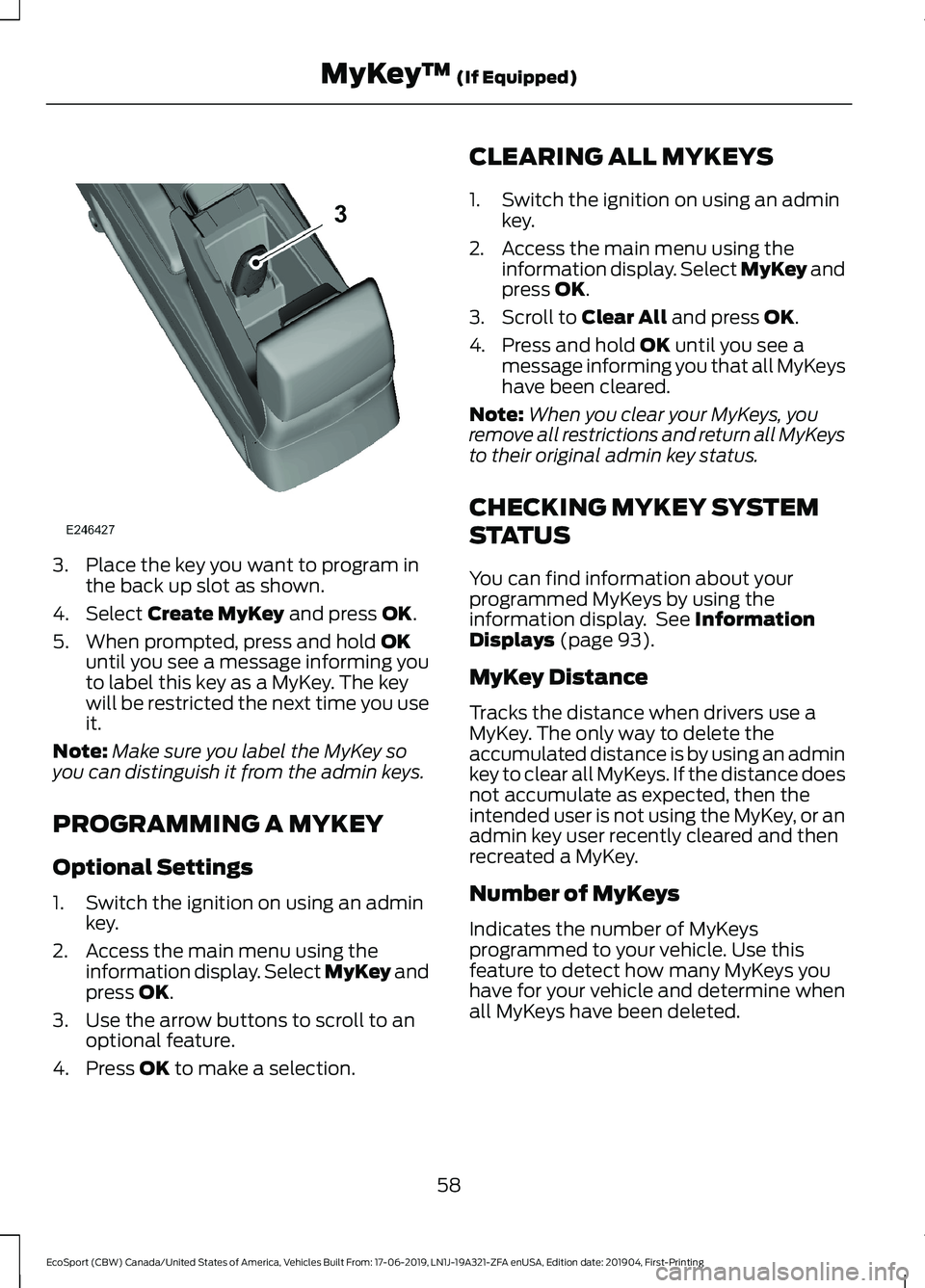
3.Place the key you want to program inthe back up slot as shown.
4.Select Create MyKey and press OK.
5.When prompted, press and hold OKuntil you see a message informing youto label this key as a MyKey. The keywill be restricted the next time you useit.
Note:Make sure you label the MyKey soyou can distinguish it from the admin keys.
PROGRAMMING A MYKEY
Optional Settings
1.Switch the ignition on using an adminkey.
2.Access the main menu using theinformation display. Select MyKey andpress OK.
3.Use the arrow buttons to scroll to anoptional feature.
4.Press OK to make a selection.
CLEARING ALL MYKEYS
1.Switch the ignition on using an adminkey.
2.Access the main menu using theinformation display. Select MyKey andpress OK.
3.Scroll to Clear All and press OK.
4.Press and hold OK until you see amessage informing you that all MyKeyshave been cleared.
Note:When you clear your MyKeys, youremove all restrictions and return all MyKeysto their original admin key status.
CHECKING MYKEY SYSTEM
STATUS
You can find information about yourprogrammed MyKeys by using theinformation display. See InformationDisplays (page 93).
MyKey Distance
Tracks the distance when drivers use aMyKey. The only way to delete theaccumulated distance is by using an adminkey to clear all MyKeys. If the distance doesnot accumulate as expected, then theintended user is not using the MyKey, or anadmin key user recently cleared and thenrecreated a MyKey.
Number of MyKeys
Indicates the number of MyKeysprogrammed to your vehicle. Use thisfeature to detect how many MyKeys youhave for your vehicle and determine whenall MyKeys have been deleted.
58
EcoSport (CBW) Canada/United States of America, Vehicles Built From: 17-06-2019, LN1J-19A321-ZFA enUSA, Edition date: 201904, First-PrintingMyKey™ (If Equipped)
Page 64 of 448

LOCKING AND UNLOCKING
Note:All doors will be unlocked 10 secondsafter the airbag deploys due to impact andfollowing this the hazard warning flasherswill flash.
Power Door Locks
The power door lock switch is located atthe front part of the front inner handles.
Press the top button once. Thedoors will unlock.A
Door lock indication.B
Press the button once. Thedoors will lock.C
Door Lock Indicator
A LED on the power door lock controlilluminates when you lock the door.
They will remain illuminated for up to fiveminutes after you switch the ignition off.
Door Lock Switch Inhibitor
When you electronically lock your vehiclewhile the ignition is off, the power door lockswitch will no longer operate after twentyseconds. You must unlock your vehicle withthe remote control, or switch the ignitionon to restore function to these switches.You can switch this feature on or off in theinformation display See InformationMessages (page 96).
Autolock
The autolock feature will lock all the doorswhen:
•all doors and swing gate are closed,
•the ignition is on,
•you shift into any gear putting thevehicle in motion, and
•the vehicle attains a speed greater than10 mph (20 km/h)
If you open one or more doors, the autolockfeature will repeat when:
•the vehicle speed has been less than9.3 mph (15 km/h) for at least twoseconds; and
•your vehicle meets the autolockconditions again.
Remote Control
You can use the remote control any timethe vehicle is not running.
When the ignition is on and your vehiclespeed is at or below 3.1 mph (5 km/h), youcan use the remote control to lock andunlock the doors.
Unlocking the Doors
Note: You can unlock the driver door withthe key. Use the key when the remotecontrol is not functioning.
60
EcoSport (CBW) Canada/United States of America, Vehicles Built From: 17-06-2019, LN1J-19A321-ZFA enUSA, Edition date: 201904, First-PrintingDoors and Locks
Page 65 of 448
Note: When you lock your vehicle forseveral weeks, the remote control switchesoff. Your vehicle must be unlocked and theengine started using the key. Unlocking andstarting your vehicle once will enable theremote control.
Press this button to unlock alldoors. Turn signals will flashonce.
Reprogramming the UnlockingFunction
You can reprogram the unlocking functionto unlock only driver´s door at the firstpress and unlock the others at the secondpress, if this last was performed withinthree seconds after the first press. To doso, using the remote control, press andhold lock and unlock buttons together forfour seconds. Turn signals will flash twice.To revert, repeat the process. You can alsoreprogram it using the cluster menu. SeeInformation Messages (page 96).
Locking the Doors
Press the button to lock all thedoors. The direction indicatorswill flash.
Press the button again within threeseconds to confirm that all the doors areclosed. The doors will lock again, the hornwill sound once and the direction indicatorswill flash if all the doors and the luggagecompartment are closed.
Note:If hood or luggage compartment isopen when you press the button once, thedirection indicators will not flash. Thisindicates your vehicle did not lock. If a reardoor, the luggage compartment or the hoodis open (on vehicles with an anti-theftalarm) when you press the button againwithin three seconds, the horn sounds twiceand the direction indicators will not flash.This indicates your vehicle locked but thereis one or more items open.
Note:The direction indicators will flash aslocking feedback only when ignition is OFF.
Automatic Relocking (If Equipped)
The doors will relock automatically if youdo not open a door within 45 seconds ofunlocking the doors with the remotecontrol. The door locks and the alarm willreturn to their previous state.
This feature will be disabled when youreceive the vehicle.You can switch thisfeature on or off in the information display.See Information Displays (page 93).
Locking and Unlocking the Doorswith the Key
Note:Do not leave your keys in your vehicle.
Locking with the Key
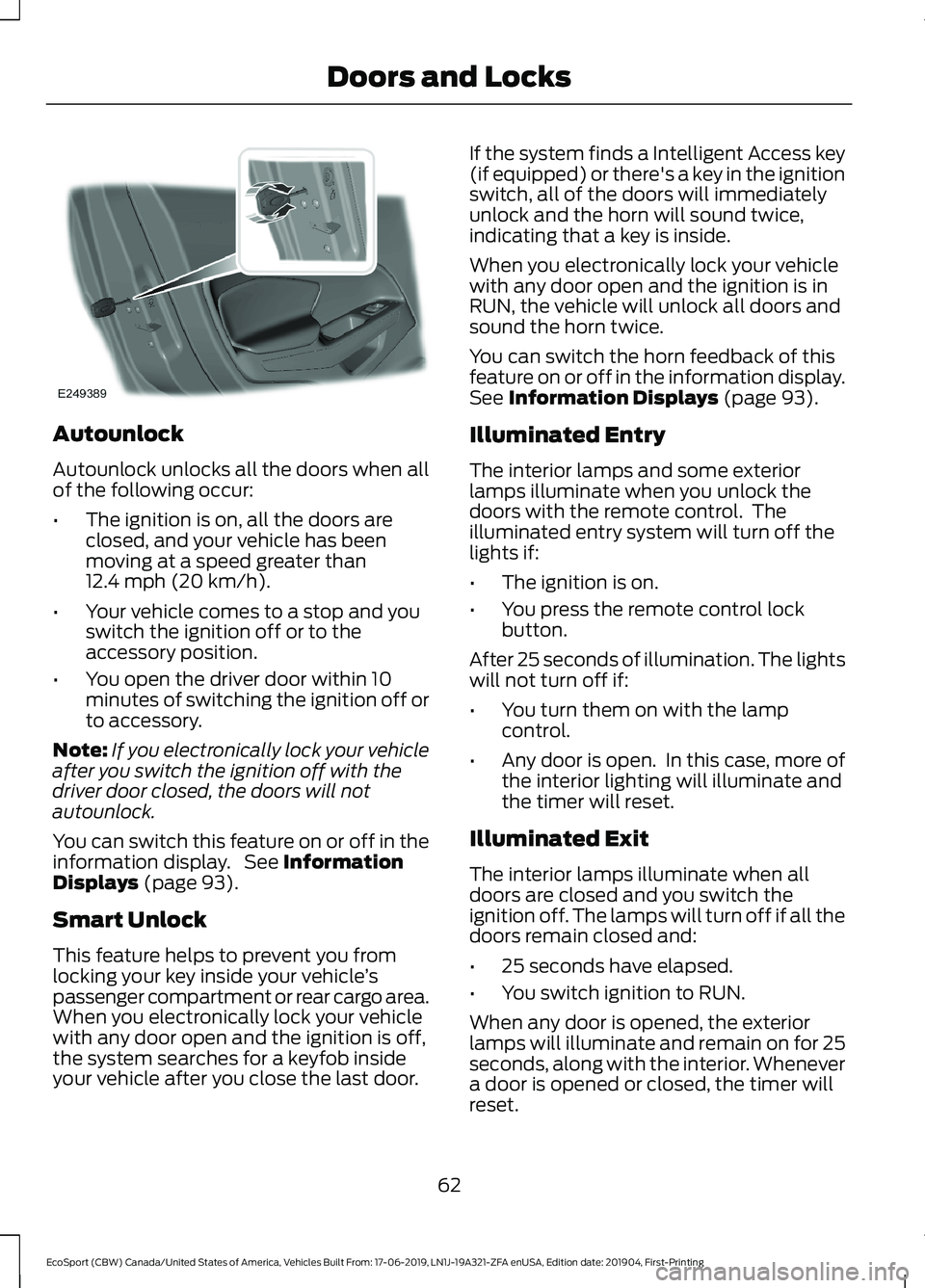
Turn the top of the key toward the front ofyour vehicle.
Unlocking with the Key
Note: If the child safety locks are on andyou pull the interior handle, you will onlyswitch off the emergency locking, not thechild safety lock. You can only open thedoors using the external door handle.
Note:If the doors have been unlocked usingthis method, the doors must be lockedindividually until the central locking functionhas been repaired.
Turn the top of the key toward the rear ofyour vehicle. You can unlock all otherdoors individually by pulling the interiordoor handles.
Note:When the central locking functionfails to operate, lock the doors individuallyusing the key in the position shown.
61
EcoSport (CBW) Canada/United States of America, Vehicles Built From: 17-06-2019, LN1J-19A321-ZFA enUSA, Edition date: 201904, First-PrintingDoors and Locks
Page 66 of 448
Autounlock
Autounlock unlocks all the doors when allof the following occur:
•The ignition is on, all the doors areclosed, and your vehicle has beenmoving at a speed greater than12.4 mph (20 km/h).
•Your vehicle comes to a stop and youswitch the ignition off or to theaccessory position.
•You open the driver door within 10minutes of switching the ignition off orto accessory.
Note:If you electronically lock your vehicleafter you switch the ignition off with thedriver door closed, the doors will notautounlock.
You can switch this feature on or off in theinformation display. See InformationDisplays (page 93).
Smart Unlock
This feature helps to prevent you fromlocking your key inside your vehicle’spassenger compartment or rear cargo area.When you electronically lock your vehiclewith any door open and the ignition is off,the system searches for a keyfob insideyour vehicle after you close the last door.
If the system finds a Intelligent Access key(if equipped) or there's a key in the ignitionswitch, all of the doors will immediatelyunlock and the horn will sound twice,indicating that a key is inside.
When you electronically lock your vehiclewith any door open and the ignition is inRUN, the vehicle will unlock all doors andsound the horn twice.
You can switch the horn feedback of thisfeature on or off in the information display.See Information Displays (page 93).
Illuminated Entry
The interior lamps and some exteriorlamps illuminate when you unlock thedoors with the remote control. Theilluminated entry system will turn off thelights if:
•The ignition is on.
•You press the remote control lockbutton.
After 25 seconds of illumination. The lightswill not turn off if:
•You turn them on with the lampcontrol.
•Any door is open. In this case, more ofthe interior lighting will illuminate andthe timer will reset.
Illuminated Exit
The interior lamps illuminate when alldoors are closed and you switch theignition off. The lamps will turn off if all thedoors remain closed and:
•25 seconds have elapsed.
•You switch ignition to RUN.
When any door is opened, the exteriorlamps will illuminate and remain on for 25seconds, along with the interior. Whenevera door is opened or closed, the timer willreset.
62
EcoSport (CBW) Canada/United States of America, Vehicles Built From: 17-06-2019, LN1J-19A321-ZFA enUSA, Edition date: 201904, First-PrintingDoors and Locks
Page 68 of 448
Note:Your vehicle remains locked forlonger than three days, the system will enteran energy-saving mode. This is to reducethe discharge of your vehicle battery. Whenyour vehicle is unlocked while in this mode,the reaction time of the system may be alittle longer than normal. To exit theenergy-saving mode, unlock your vehicle.
With your intelligent access key within 5 ft(1 m) of your vehicle, touch the unlocksensor on the back of the door handle fora brief period and then pull on the doorhandle to unlock, being careful to nottouch the lock sensor at the same time orpulling the door handle too quickly. Theintelligent access system requires a briefdelay to authenticate your intelligentaccess key fob.
Note:Keep the door handle clean to makesure the system operates correctly.
Note:A valid passive key must be locatedwithin the detection range of that door.
One long flash of the direction indicatorsconfirms that all the doors and swing gatehave been unlocked and that the alarm (ifequipped) has been disarmed.
Unlocking only Driver Door
If the unlocking function is reprogrammedso that only the driver door is unlocked SeeRemote Control (page 51). Note thefollowing:
If the driver door is the first door which isunlocked, the other doors and swing gatewill remain locked. All the other doors canbe unlocked from inside your vehicle bypressing the unlock button located at thefront part of the front inner handles. Doorscan be unlocked individually by pulling theinterior door handles on those doors.
If the front passenger door is the first doorwhich is unlocked, all the doors will beunlocked.
Disabled Keys
Any keys left inside your vehicle interiorwhen it is locked will be disabled.
You cannot use a disabled key to switchthe ignition on or start the engine.
You must enable all Intelligent Accessagain in order to use them.
To enable all your Intelligent Access,unlock your vehicle using a passive key orthe remote control unlocking function.
All Intelligent Access will then be enabledif you switch the ignition on or your vehicleis started using a valid key.
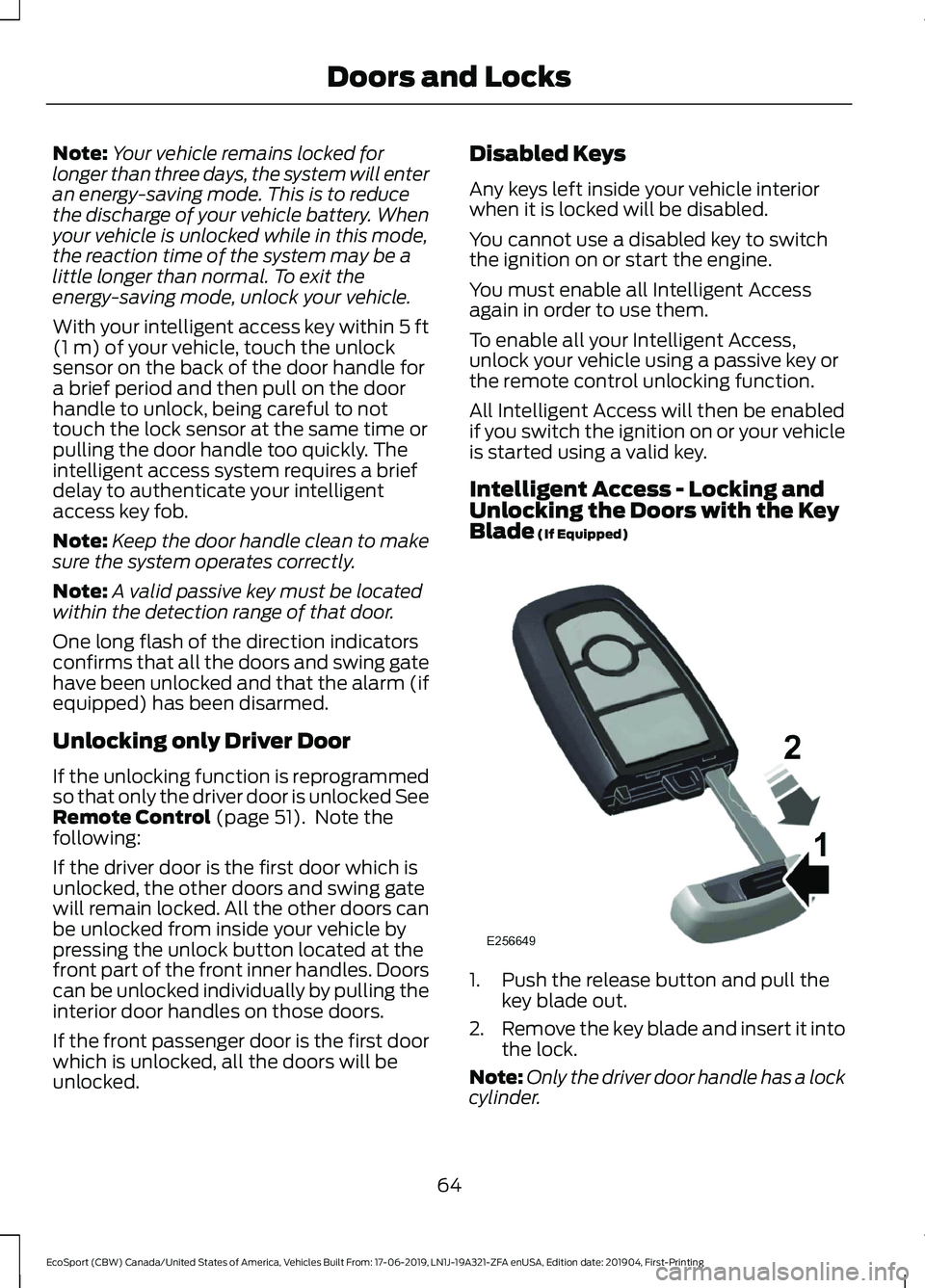
Intelligent Access - Locking andUnlocking the Doors with the KeyBlade (If Equipped)
1.Push the release button and pull thekey blade out.
2.Remove the key blade and insert it intothe lock.
Note:Only the driver door handle has a lockcylinder.
64
EcoSport (CBW) Canada/United States of America, Vehicles Built From: 17-06-2019, LN1J-19A321-ZFA enUSA, Edition date: 201904, First-PrintingDoors and Locks
Page 71 of 448
PASSIVE ANTI-THEFT
SYSTEM
Principle of Operation
The system prevents someone fromstarting the engine with an incorrectlycoded key.
Note: The system is not compatible withnon-Ford aftermarket remote start systems.Use of these systems may result in enginestarting problems and a loss of securityprotection
Note:Metallic objects, electronic devicesor a second coded key on the same keychain may result in vehicle startingproblems, especially if they are too close tothe key when starting your vehicle. Preventthese objects from touching the coded keywhen starting your vehicle. Switch theignition off, move all objects on the keychain away from the coded key and restartyour vehicle if a problem occurs.
Note: Do not leave a duplicate coded keyin your vehicle. Always take your keys andlock all doors when leaving your vehicle.
SecuriLock®
The system is an engine immobilizationsystem. It is designed to help prevent theengine from being started unless a codedkey programmed to your vehicle is used.Using the wrong key may prevent theengine from starting. A message mayappear in the information display.
If you are unable to start the engine with acorrectly coded key, a malfunction hashappened and a message may appear inthe information display.
Automatic Arming
When you switch the ignition off the engineimmobilizer will arm automatically after ashort time.
Automatic Disarming
When you switch the ignition on, the engineimmobilizer will disarm automatically if acorrectly coded key is used. If you areunable to start the engine with a correctlycoded key, have your vehicle checked byan Authorized Dealer.
Replacement Keys
Note:Your vehicle comes equipped withtwo remote controls with a folding key bladeor two intelligent access keys.
The remote controls with a folding keyblade functions as a programmed ignitionkey that operates all the locks and startsthe vehicle, as well as a remote control.
The intelligent access key functions as aprogrammed key that operates the driverdoor lock and activates the intelligentaccess with push button start system, aswell as a remote control.
If your programmed transmitters orstandard SecuriLock® coded keys are lostor stolen and you do not have an extracoded key, you will need to have yourvehicle towed to an authorized dealer. Youneed to erase the key codes from yourvehicle and program new coded keys.
Store an extra programmed key away fromthe vehicle in a safe place to help preventany inconveniences. See your authorizeddealer to purchase additional spare orreplacement keys. Have replacement keyscoded together with recoding yourremaining keys.
Note:Have all of your remaining keyserased and recoded if you lose a key. Havereplacement keys coded together withrecoding your remaining keys. See anauthorized dealer for further information.
Note:Do not shield your keys with metalobjects. This may prevent the receiver fromrecognizing a coded key.
67
EcoSport (CBW) Canada/United States of America, Vehicles Built From: 17-06-2019, LN1J-19A321-ZFA enUSA, Edition date: 201904, First-PrintingSecurity
Page 74 of 448
If the alarm is triggered, the alarm horn willsound for 30 seconds and the hazardwarning flasher will flash for five minutes.
Any further attempts to perform one of theabove will trigger the alarm again.
Arming the Alarm
With ignition OFF and doors closed, lockthe vehicle via Remote Control or exteriordoor handle. Alarm will be armed after 20seconds.
Arming the alarm can also be achieved bylocking the vehicle using the trim switcheswhile a side door is open and closing alldoors, or using the driver's door cylinder.In these two last cases, alarm will bearmed after 20 seconds.
Note:Alarm will arm due to an auto-relock.See Doors and Locks (page 60).
Disarming the Alarm
Vehicles Without Intelligent AccessSystem
Disarm and silence the alarm by unlockingthe doors with the key and switching yourvehicle on with a correctly coded key orunlocking the doors with the remotecontrol.
Vehicles with Intelligent AccessSystem
Note:A valid intelligent access key mustbe located within the detection range ofthat door for entry.
Disarm the alarm by performing aintelligent access entry, or switching yourvehicle on, or unlocking the vehicle withthe remote control.
Disarm the alarm by performing a keylessentry, or switching your vehicle on, orunlocking the vehicle with the remotecontrol.
70
EcoSport (CBW) Canada/United States of America, Vehicles Built From: 17-06-2019, LN1J-19A321-ZFA enUSA, Edition date: 201904, First-PrintingSecurity
Page 83 of 448
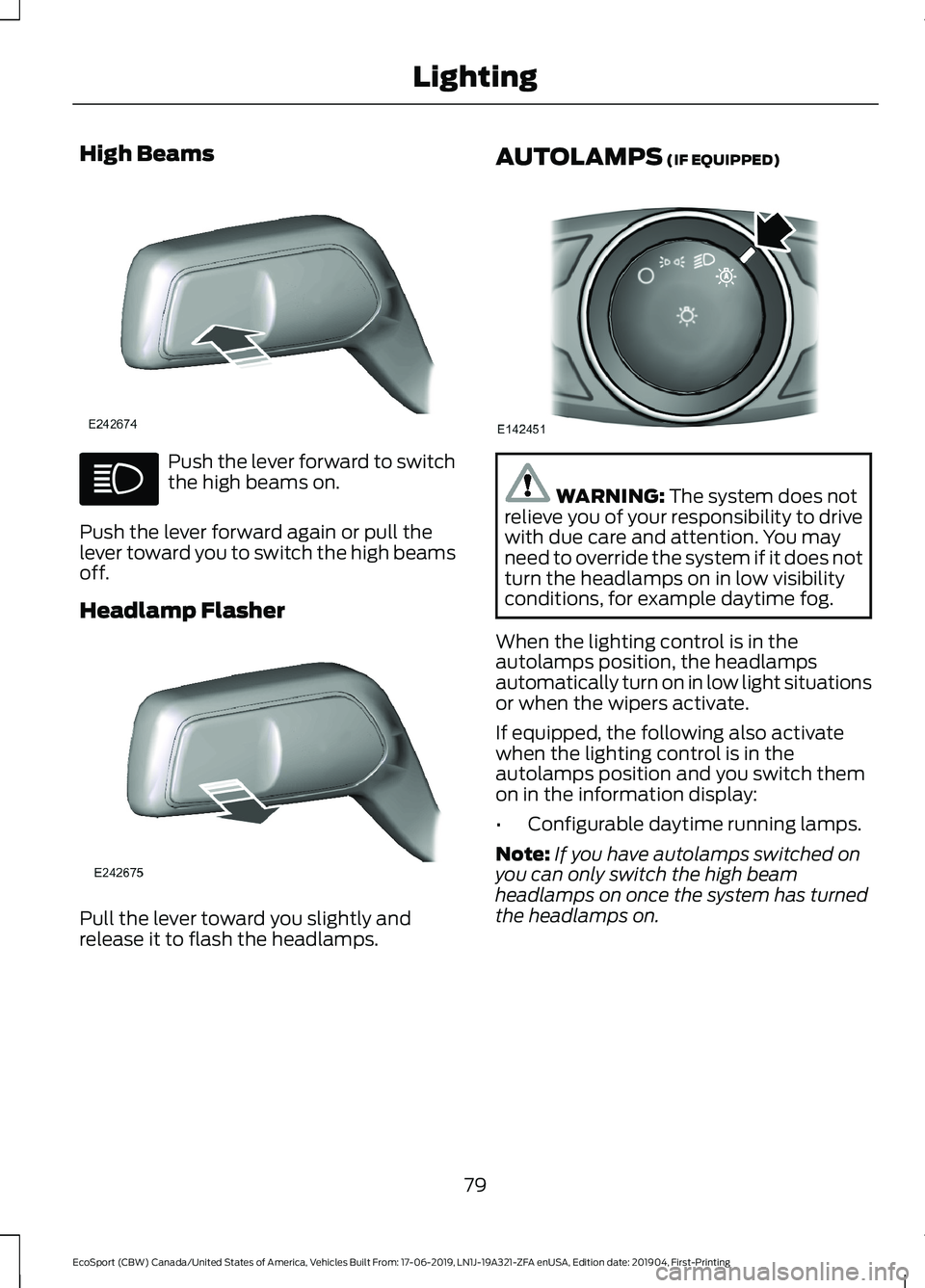
High Beams
Push the lever forward to switchthe high beams on.
Push the lever forward again or pull thelever toward you to switch the high beamsoff.
Headlamp Flasher
Pull the lever toward you slightly andrelease it to flash the headlamps.
AUTOLAMPS (IF EQUIPPED)
WARNING: The system does notrelieve you of your responsibility to drivewith due care and attention. You mayneed to override the system if it does notturn the headlamps on in low visibilityconditions, for example daytime fog.
When the lighting control is in theautolamps position, the headlampsautomatically turn on in low light situationsor when the wipers activate.
If equipped, the following also activatewhen the lighting control is in theautolamps position and you switch themon in the information display:
•Configurable daytime running lamps.
Note:If you have autolamps switched onyou can only switch the high beamheadlamps on once the system has turnedthe headlamps on.
79
EcoSport (CBW) Canada/United States of America, Vehicles Built From: 17-06-2019, LN1J-19A321-ZFA enUSA, Edition date: 201904, First-PrintingLighting
Page 88 of 448
POWER WINDOWS
WARNING: Do not leave childrenunattended in your vehicle and do notlet them play with the power windows.Failure to follow this instruction couldresult in personal injury.
WARNING: When closing thepower windows, verify they are free ofobstruction and make sure that childrenand pets are not in the proximity of thewindow openings.
Note:If the power window is operatedmany times on a short period the switchmay be inactivated for some moment toavoid overheat on power window system.
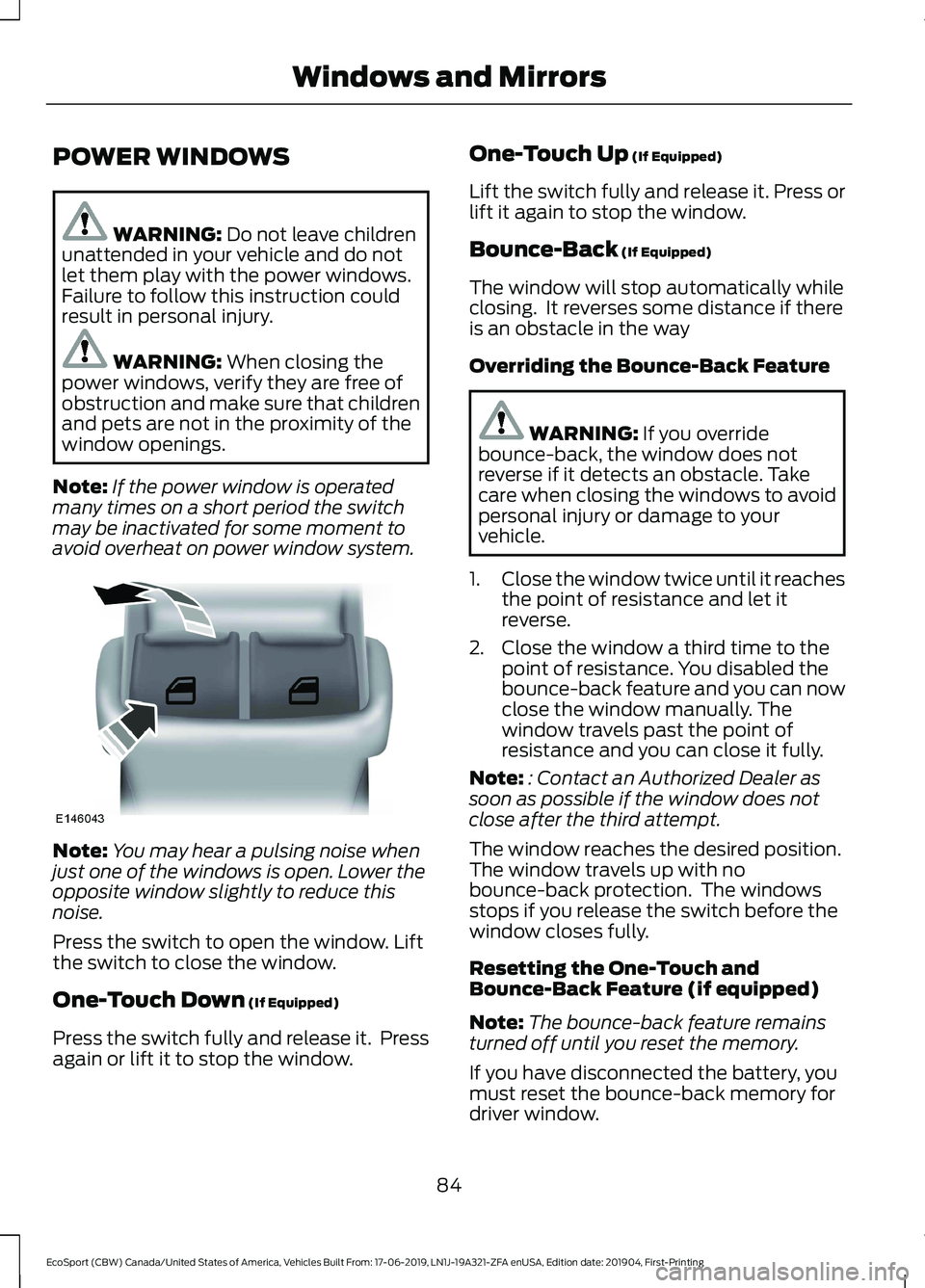
Note:You may hear a pulsing noise whenjust one of the windows is open. Lower theopposite window slightly to reduce thisnoise.
Press the switch to open the window. Liftthe switch to close the window.
One-Touch Down (If Equipped)
Press the switch fully and release it. Pressagain or lift it to stop the window.
One-Touch Up (If Equipped)
Lift the switch fully and release it. Press orlift it again to stop the window.
Bounce-Back (If Equipped)
The window will stop automatically whileclosing. It reverses some distance if thereis an obstacle in the way
Overriding the Bounce-Back Feature
WARNING: If you overridebounce-back, the window does notreverse if it detects an obstacle. Takecare when closing the windows to avoidpersonal injury or damage to yourvehicle.
1.Close the window twice until it reachesthe point of resistance and let itreverse.
2.Close the window a third time to thepoint of resistance. You disabled thebounce-back feature and you can nowclose the window manually. Thewindow travels past the point ofresistance and you can close it fully.
Note:: Contact an Authorized Dealer assoon as possible if the window does notclose after the third attempt.
The window reaches the desired position.The window travels up with nobounce-back protection. The windowsstops if you release the switch before thewindow closes fully.
Resetting the One-Touch andBounce-Back Feature (if equipped)
Note:The bounce-back feature remainsturned off until you reset the memory.
If you have disconnected the battery, youmust reset the bounce-back memory fordriver window.
84
EcoSport (CBW) Canada/United States of America, Vehicles Built From: 17-06-2019, LN1J-19A321-ZFA enUSA, Edition date: 201904, First-PrintingWindows and Mirrors