light FORD EDGE 2011 1.G Service Manual
[x] Cancel search | Manufacturer: FORD, Model Year: 2011, Model line: EDGE, Model: FORD EDGE 2011 1.GPages: 403, PDF Size: 2.9 MB
Page 86 of 403
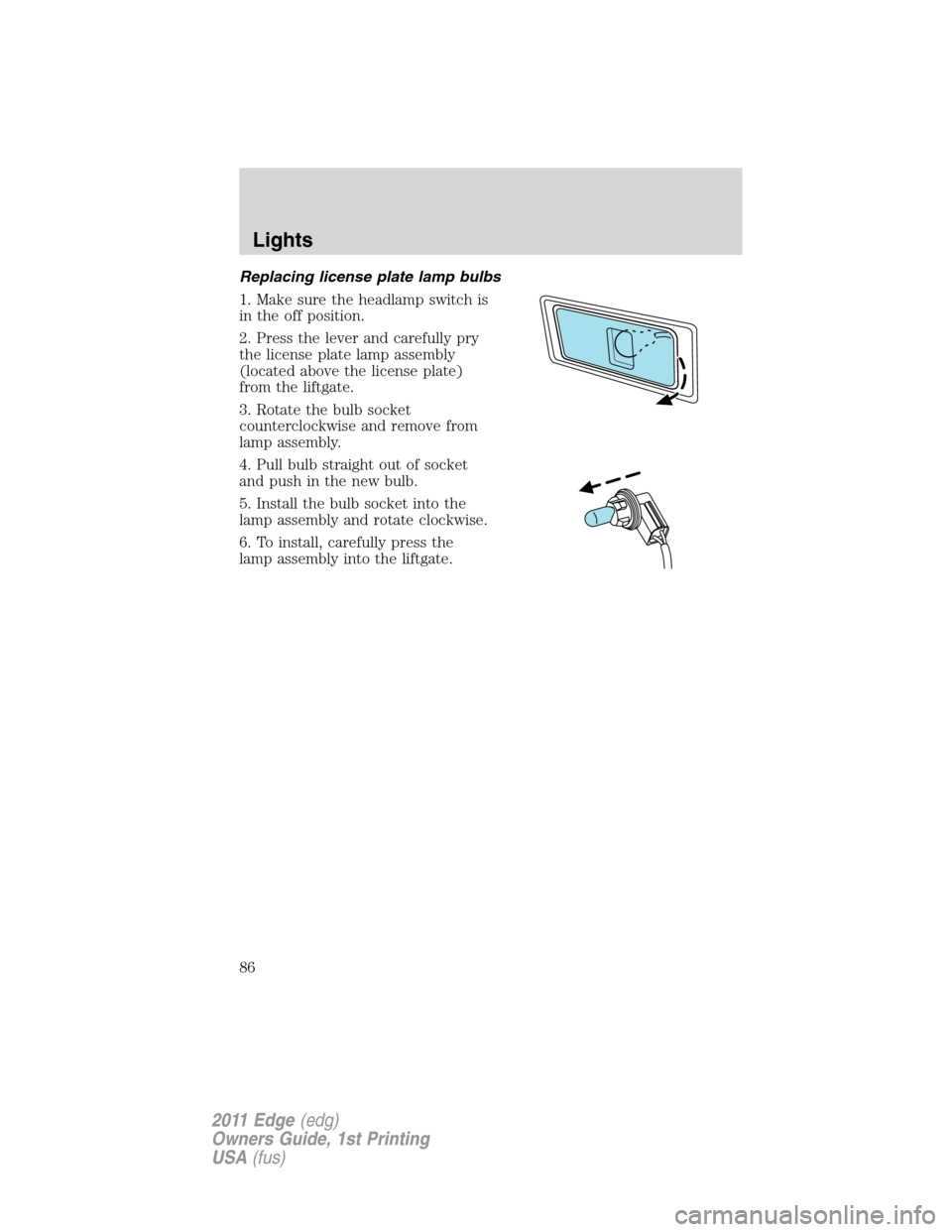
Replacing license plate lamp bulbs
1. Make sure the headlamp switch is
in the off position.
2. Press the lever and carefully pry
the license plate lamp assembly
(located above the license plate)
from the liftgate.
3. Rotate the bulb socket
counterclockwise and remove from
lamp assembly.
4. Pull bulb straight out of socket
and push in the new bulb.
5. Install the bulb socket into the
lamp assembly and rotate clockwise.
6. To install, carefully press the
lamp assembly into the liftgate.
Lights
86
2011 Edge(edg)
Owners Guide, 1st Printing
USA(fus)
Page 87 of 403
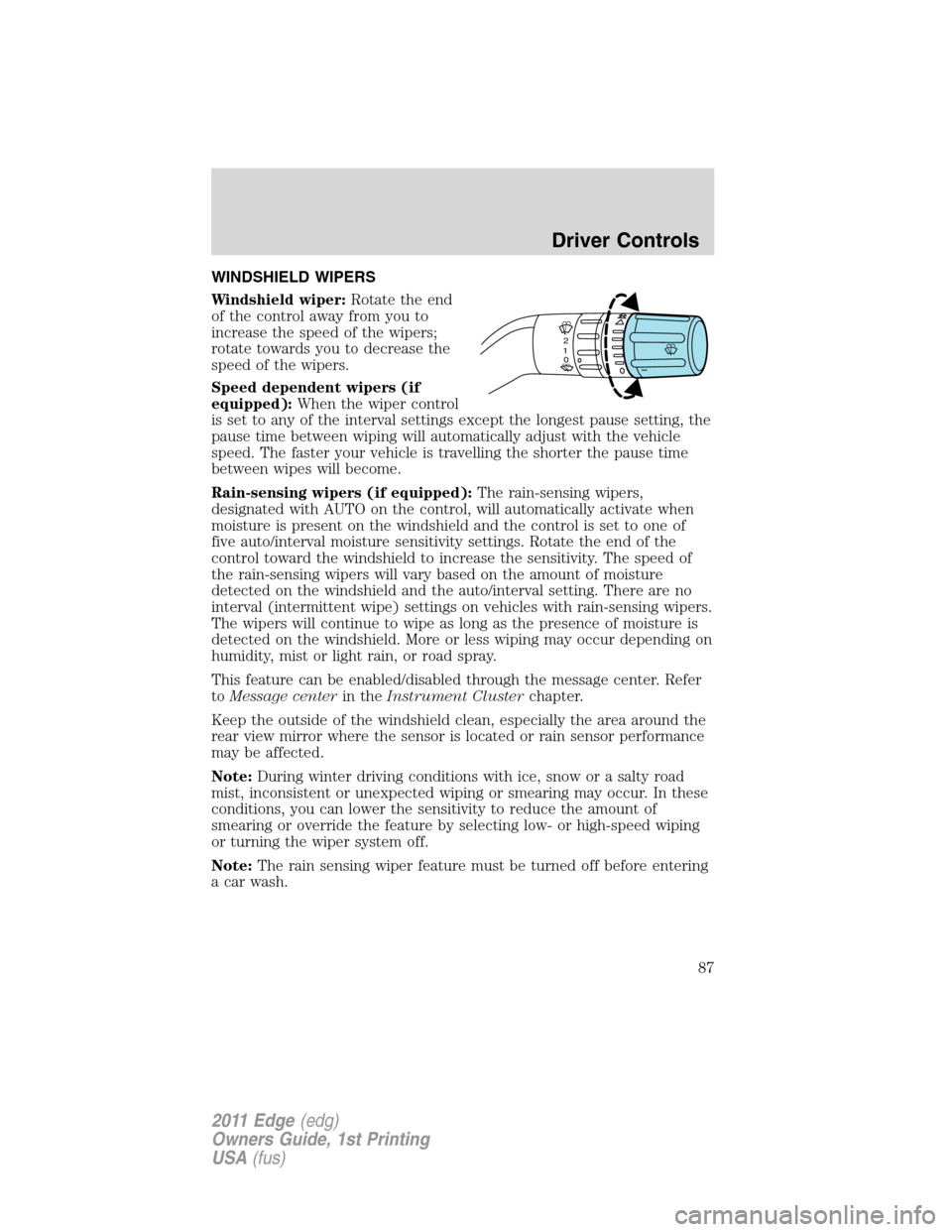
WINDSHIELD WIPERS
Windshield wiper:Rotate the end
of the control away from you to
increase the speed of the wipers;
rotate towards you to decrease the
speed of the wipers.
Speed dependent wipers (if
equipped):When the wiper control
is set to any of the interval settings except the longest pause setting, the
pause time between wiping will automatically adjust with the vehicle
speed. The faster your vehicle is travelling the shorter the pause time
between wipes will become.
Rain-sensing wipers (if equipped):The rain-sensing wipers,
designated with AUTO on the control, will automatically activate when
moisture is present on the windshield and the control is set to one of
five auto/interval moisture sensitivity settings. Rotate the end of the
control toward the windshield to increase the sensitivity. The speed of
the rain-sensing wipers will vary based on the amount of moisture
detected on the windshield and the auto/interval setting. There are no
interval (intermittent wipe) settings on vehicles with rain-sensing wipers.
The wipers will continue to wipe as long as the presence of moisture is
detected on the windshield. More or less wiping may occur depending on
humidity, mist or light rain, or road spray.
This feature can be enabled/disabled through the message center. Refer
toMessage centerin theInstrument Clusterchapter.
Keep the outside of the windshield clean, especially the area around the
rear view mirror where the sensor is located or rain sensor performance
may be affected.
Note:During winter driving conditions with ice, snow or a salty road
mist, inconsistent or unexpected wiping or smearing may occur. In these
conditions, you can lower the sensitivity to reduce the amount of
smearing or override the feature by selecting low- or high-speed wiping
or turning the wiper system off.
Note:The rain sensing wiper feature must be turned off before entering
a car wash.
2
1
0
Driver Controls
87
2011 Edge(edg)
Owners Guide, 1st Printing
USA(fus)
Page 88 of 403
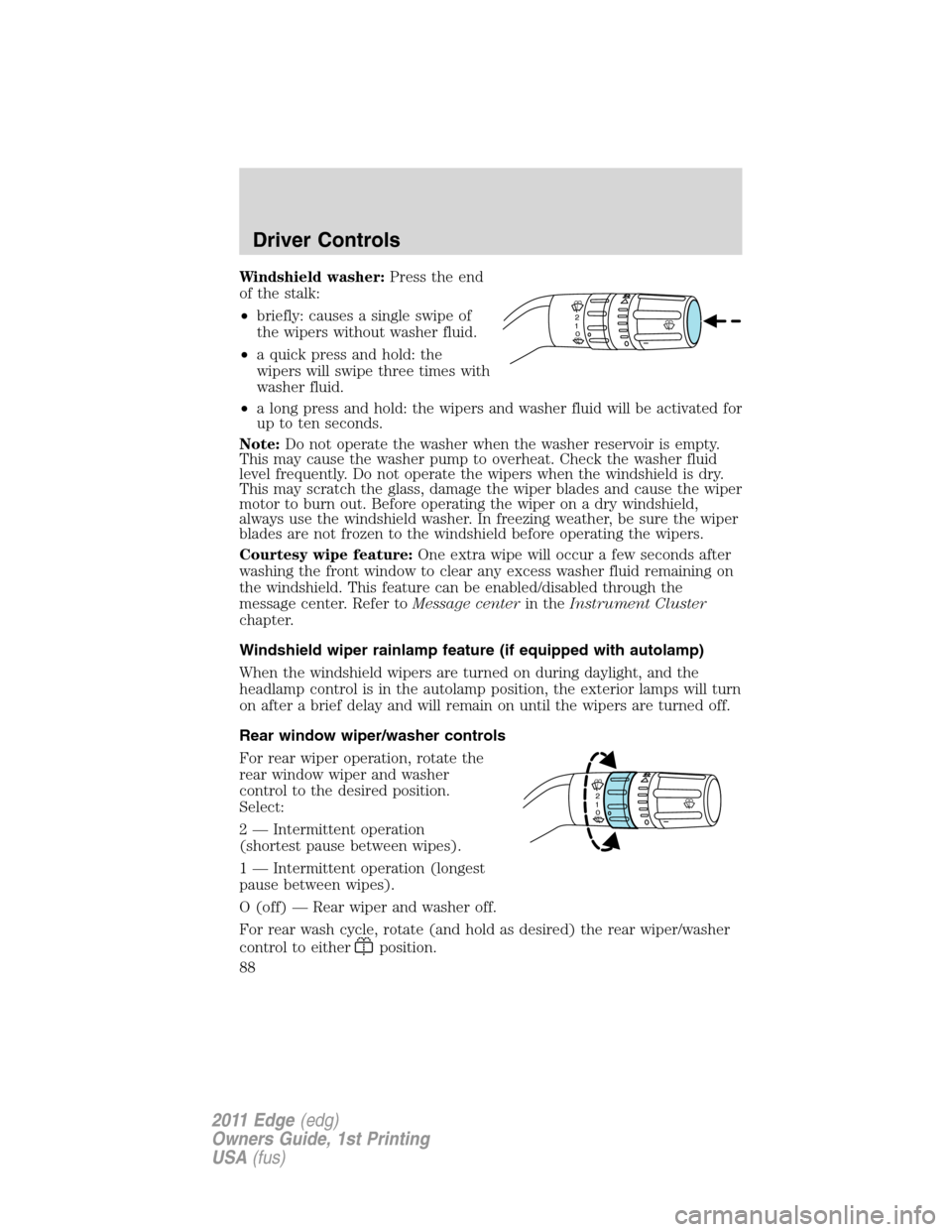
Windshield washer:Press the end
of the stalk:
•briefly: causes a single swipe of
the wipers without washer fluid.
•a quick press and hold: the
wipers will swipe three times with
washer fluid.
•a long press and hold: the wipers and washer fluid will be activated for
up to ten seconds.
Note:Do not operate the washer when the washer reservoir is empty.
This may cause the washer pump to overheat. Check the washer fluid
level frequently. Do not operate the wipers when the windshield is dry.
This may scratch the glass, damage the wiper blades and cause the wiper
motor to burn out. Before operating the wiper on a dry windshield,
always use the windshield washer. In freezing weather, be sure the wiper
blades are not frozen to the windshield before operating the wipers.
Courtesy wipe feature:One extra wipe will occur a few seconds after
washing the front window to clear any excess washer fluid remaining on
the windshield. This feature can be enabled/disabled through the
message center. Refer toMessage centerin theInstrument Cluster
chapter.
Windshield wiper rainlamp feature (if equipped with autolamp)
When the windshield wipers are turned on during daylight, and the
headlamp control is in the autolamp position, the exterior lamps will turn
on after a brief delay and will remain on until the wipers are turned off.
Rear window wiper/washer controls
For rear wiper operation, rotate the
rear window wiper and washer
control to the desired position.
Select:
2 — Intermittent operation
(shortest pause between wipes).
1 — Intermittent operation (longest
pause between wipes).
O (off) — Rear wiper and washer off.
For rear wash cycle, rotate (and hold as desired) the rear wiper/washer
control to either
position.
2
1
0
2
1
0
Driver Controls
88
2011 Edge(edg)
Owners Guide, 1st Printing
USA(fus)
Page 90 of 403
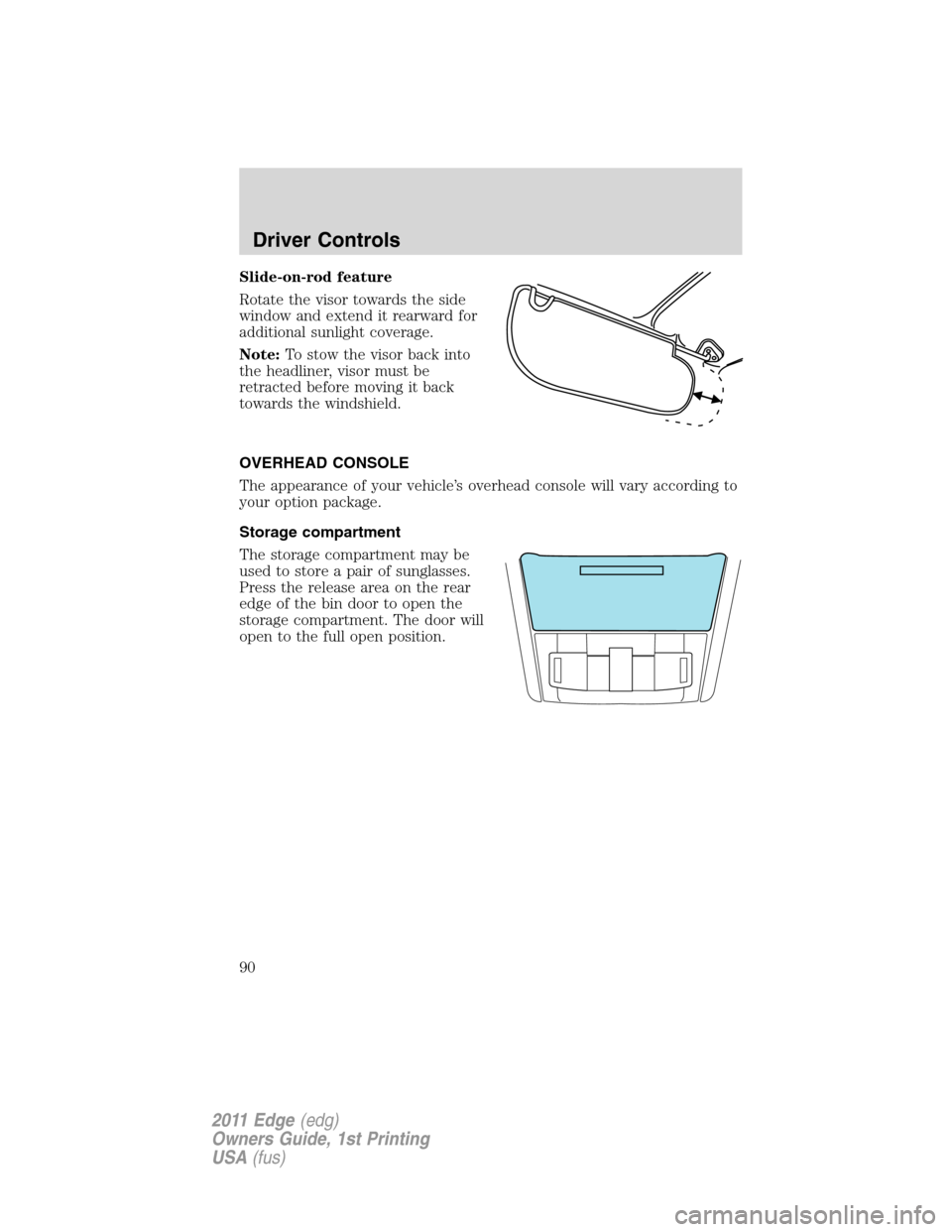
Slide-on-rod feature
Rotate the visor towards the side
window and extend it rearward for
additional sunlight coverage.
Note:To stow the visor back into
the headliner, visor must be
retracted before moving it back
towards the windshield.
OVERHEAD CONSOLE
The appearance of your vehicle’s overhead console will vary according to
your option package.
Storage compartment
The storage compartment may be
used to store a pair of sunglasses.
Press the release area on the rear
edge of the bin door to open the
storage compartment. The door will
open to the full open position.
Driver Controls
90
2011 Edge(edg)
Owners Guide, 1st Printing
USA(fus)
Page 91 of 403
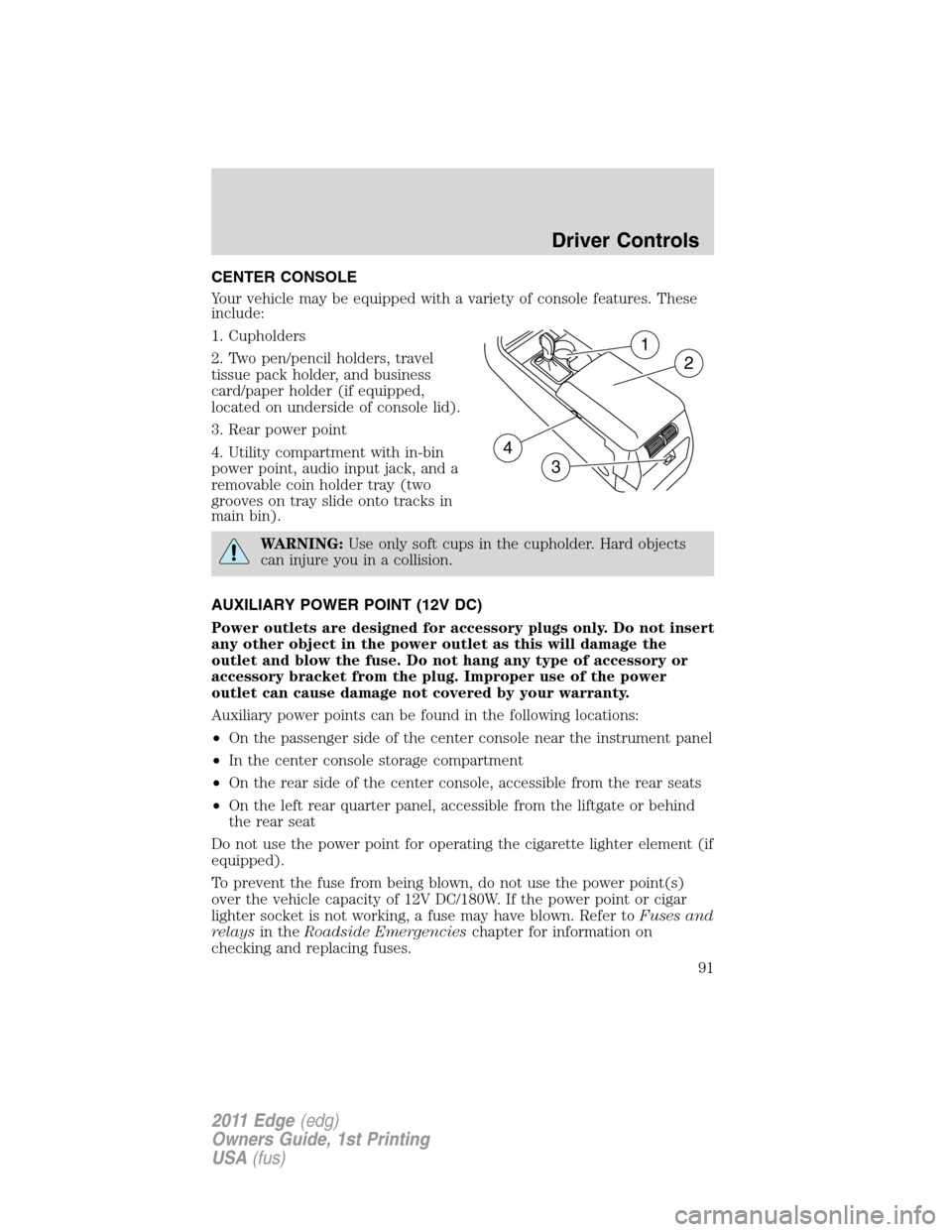
CENTER CONSOLE
Your vehicle may be equipped with a variety of console features. These
include:
1. Cupholders
2. Two pen/pencil holders, travel
tissue pack holder, and business
card/paper holder (if equipped,
located on underside of console lid).
3. Rear power point
4. Utility compartment with in-bin
power point, audio input jack, and a
removable coin holder tray (two
grooves on tray slide onto tracks in
main bin).
WARNING:Use only soft cups in the cupholder. Hard objects
can injure you in a collision.
AUXILIARY POWER POINT (12V DC)
Power outlets are designed for accessory plugs only. Do not insert
any other object in the power outlet as this will damage the
outlet and blow the fuse. Do not hang any type of accessory or
accessory bracket from the plug. Improper use of the power
outlet can cause damage not covered by your warranty.
Auxiliary power points can be found in the following locations:
•On the passenger side of the center console near the instrument panel
•In the center console storage compartment
•On the rear side of the center console, accessible from the rear seats
•On the left rear quarter panel, accessible from the liftgate or behind
the rear seat
Do not use the power point for operating the cigarette lighter element (if
equipped).
To prevent the fuse from being blown, do not use the power point(s)
over the vehicle capacity of 12V DC/180W. If the power point or cigar
lighter socket is not working, a fuse may have blown. Refer toFuses and
relaysin theRoadside Emergencieschapter for information on
checking and replacing fuses.
1
2
3
4
Driver Controls
91
2011 Edge(edg)
Owners Guide, 1st Printing
USA(fus)
Page 94 of 403
Automatic dimming interior rear view mirror (if equipped)
The interior rear view mirror has an auto-dimming function. The
electronic day/night mirror will change from the normal (high reflective)
state to the non-glare (darkened) state when bright lights (glare) reach
the mirror. When the mirror detects bright light from behind the vehicle,
it will automatically adjust (darken) to minimize glare.
The mirror will automatically return to the normal state whenever the
vehicle is placed in R (Reverse) to ensure a bright clear view when
backing up.
Do not block the sensors on the front and back of the interior
rear view mirror since this may impair proper mirror
performance.
Note:A rear center passenger and/or raised rear center headrest (if
equipped) may also block the light from reaching the sensor.
Do not clean the housing or glass of any mirror with harsh
abrasives, fuel or other petroleum-based cleaning products.
EXTERIOR MIRRORS
Power side view mirrors
WARNING:Do not adjust the mirror while the vehicle is in
motion.
To adjust your mirrors:
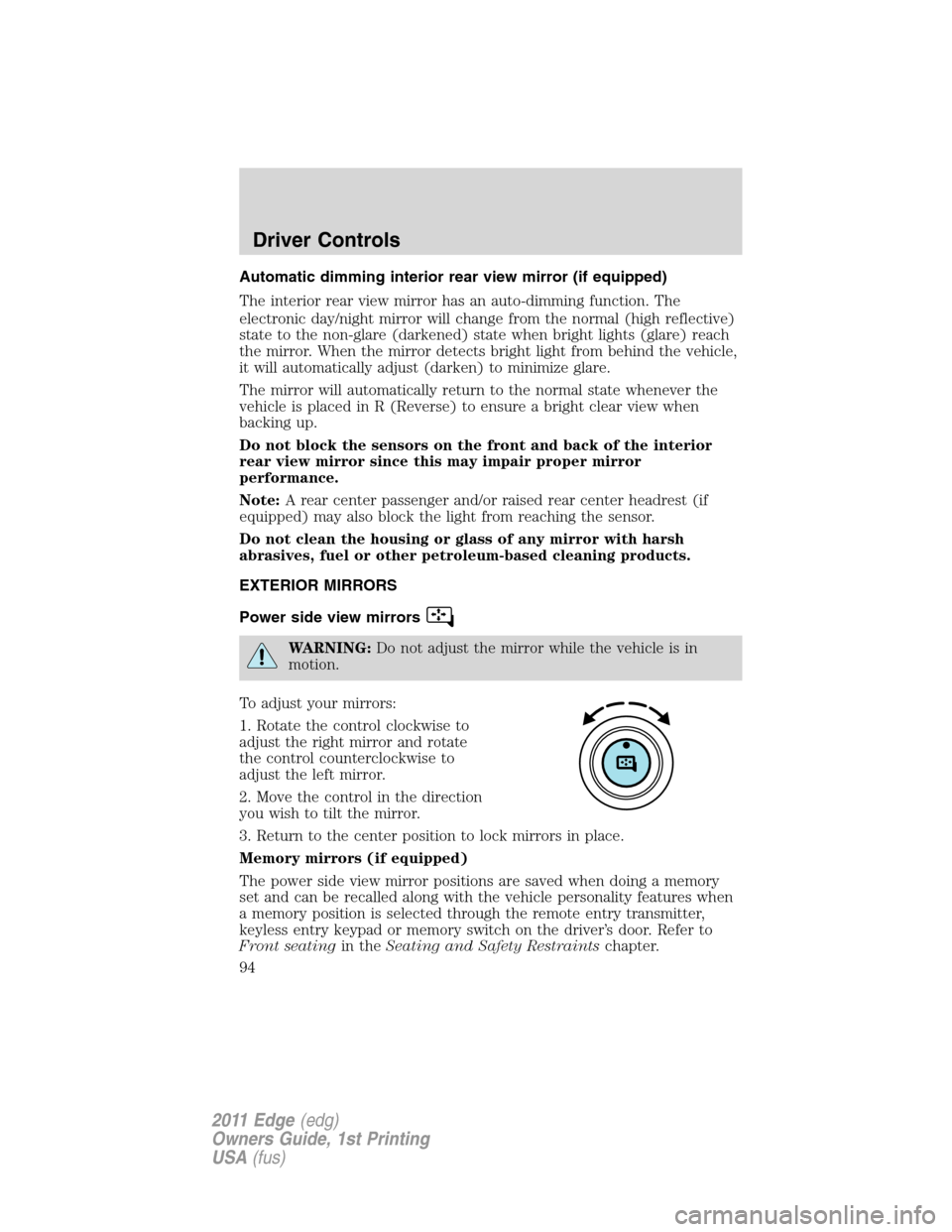
1. Rotate the control clockwise to
adjust the right mirror and rotate
the control counterclockwise to
adjust the left mirror.
2. Move the control in the direction
you wish to tilt the mirror.
3. Return to the center position to lock mirrors in place.
Memory mirrors (if equipped)
The power side view mirror positions are saved when doing a memory
set and can be recalled along with the vehicle personality features when
a memory position is selected through the remote entry transmitter,
keyless entry keypad or memory switch on the driver’s door. Refer to
Front seatingin theSeating and Safety Restraintschapter.
Driver Controls
94
2011 Edge(edg)
Owners Guide, 1st Printing
USA(fus)
Page 96 of 403
Using speed control
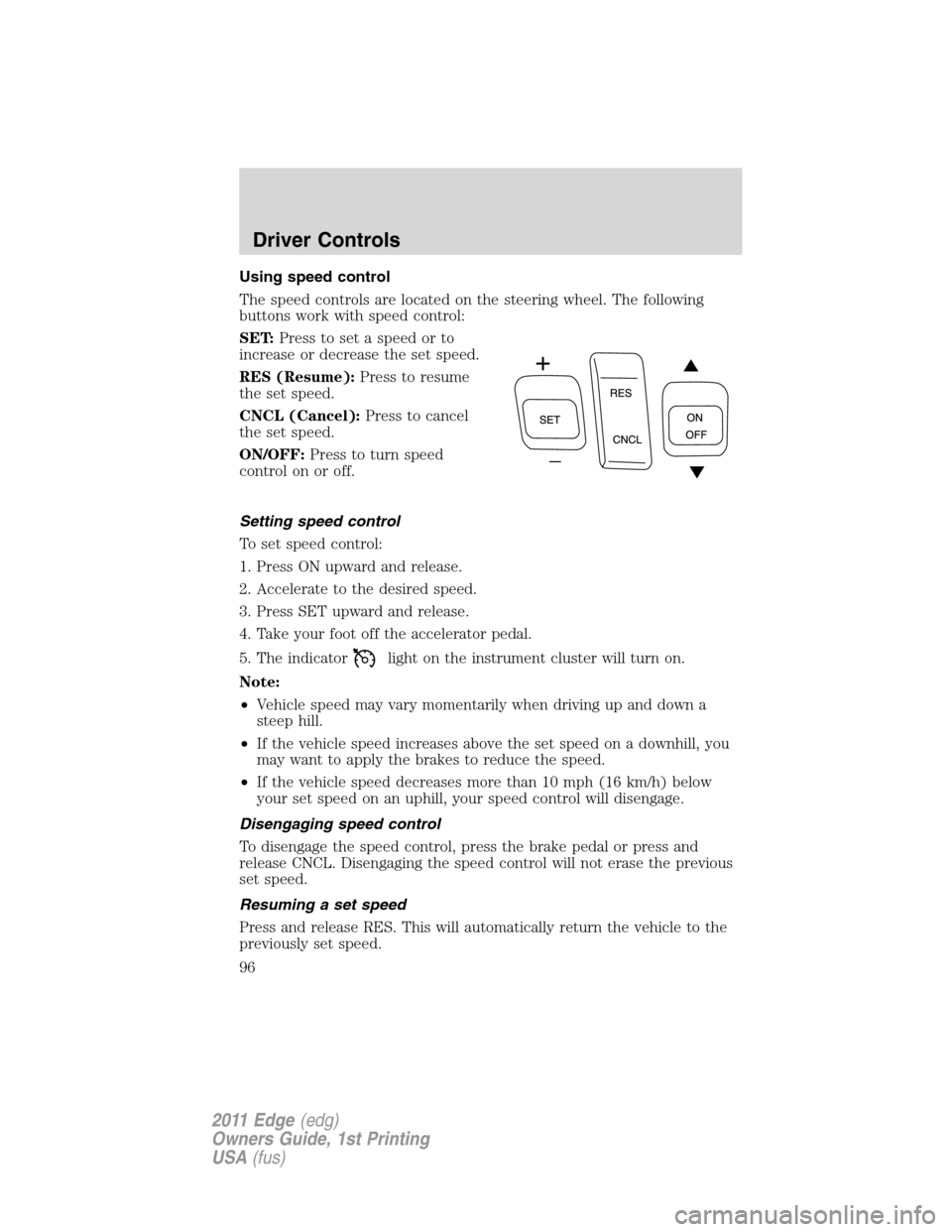
The speed controls are located on the steering wheel. The following
buttons work with speed control:
SET:Press to set a speed or to
increase or decrease the set speed.
RES (Resume):Press to resume
the set speed.
CNCL (Cancel):Press to cancel
the set speed.
ON/OFF:Press to turn speed
controlonoroff.
Setting speed control
To set speed control:
1. Press ON upward and release.
2. Accelerate to the desired speed.
3. Press SET upward and release.
4. Take your foot off the accelerator pedal.
5. The indicator
light on the instrument cluster will turn on.
Note:
•Vehicle speed may vary momentarily when driving up and down a
steep hill.
•If the vehicle speed increases above the set speed on a downhill, you
may want to apply the brakes to reduce the speed.
•If the vehicle speed decreases more than 10 mph (16 km/h) below
your set speed on an uphill, your speed control will disengage.
Disengaging speed control
To disengage the speed control, press the brake pedal or press and
release CNCL. Disengaging the speed control will not erase the previous
set speed.
Resuming a set speed
Press and release RES. This will automatically return the vehicle to the
previously set speed.
Driver Controls
96
2011 Edge(edg)
Owners Guide, 1st Printing
USA(fus)
Page 99 of 403
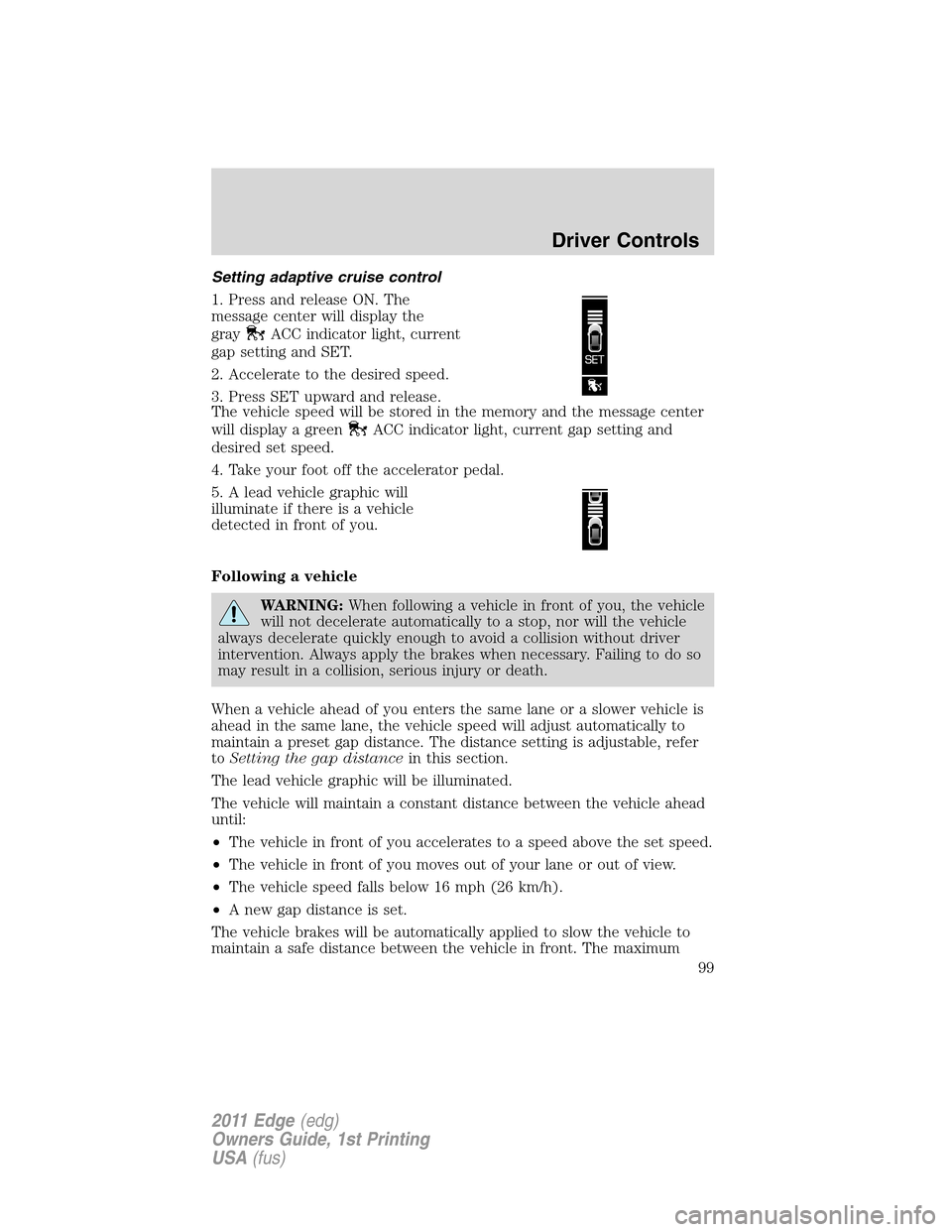
Setting adaptive cruise control
1. Press and release ON. The
message center will display the
gray
ACC indicator light, current
gap setting and SET.
2. Accelerate to the desired speed.
3. Press SET upward and release.
The vehicle speed will be stored in the memory and the message center
will display a green
ACC indicator light, current gap setting and
desired set speed.
4. Take your foot off the accelerator pedal.
5. A lead vehicle graphic will
illuminate if there is a vehicle
detected in front of you.
Following a vehicle
WARNING:When following a vehicle in front of you, the vehicle
will not decelerate automatically to a stop, nor will the vehicle
always decelerate quickly enough to avoid a collision without driver
intervention. Always apply the brakes when necessary. Failing to do so
may result in a collision, serious injury or death.
When a vehicle ahead of you enters the same lane or a slower vehicle is
ahead in the same lane, the vehicle speed will adjust automatically to
maintain a preset gap distance. The distance setting is adjustable, refer
toSetting the gap distancein this section.
The lead vehicle graphic will be illuminated.
The vehicle will maintain a constant distance between the vehicle ahead
until:
•The vehicle in front of you accelerates to a speed above the set speed.
•The vehicle in front of you moves out of your lane or out of view.
•The vehicle speed falls below 16 mph (26 km/h).
•A new gap distance is set.
The vehicle brakes will be automatically applied to slow the vehicle to
maintain a safe distance between the vehicle in front. The maximum
Driver Controls
99
2011 Edge(edg)
Owners Guide, 1st Printing
USA(fus)
Page 101 of 403
Disengaging adaptive cruise control
Press the brake pedal or press CNCL to disengage the adaptive cruise
control. The last set speed will be displayed with a strikethrough.
Disengaging the adaptive cruise control will not erase your previous set
speed.
Overriding adaptive cruise control
WARNING:Whenever the driver is overriding the ACC by
pressing the accelerator pedal, the ACC will not automatically
apply the brakes to maintain separation from any vehicle ahead.
The set speed and gap distance can be overridden by pressing the
accelerator pedal.
When the driver is overriding ACC, the green
ACC light is
illuminated, and the follow vehicle is not displayed in the message
center. When the accelerator is released, the ACC function will operate
again and vehicle speed will decrease to the set speed, or a lower speed
if following a slower vehicle.
Changing the set speed
There are three ways to change the set speed:
•Accelerate or brake to the desired speed and press SET upward and
release.
•Increase or decrease the speed by holding SET upward or downward
until the desired set speed is shown on the message center. The
vehicle speed will gradually change to the selected speed.
•Increase or decrease the speed in increments of 1 mph (2 km/h) by
briefly pressing the SET upward or downward.
The ACC may apply the brakes to slow the vehicle down to the new set
speed. The set speed will display continuously in the message center
while ACC is active.
Resuming the set speed
Press and release RES/CNCL. This will automatically return the vehicle
to the previously set speed. The set speed will display continuously in
the message center while ACC is active.
Note:Resume should only be used if the driver is aware of the set speed
and intends to return to it.
Low speed automatic cancellation
ACC is not functional at vehicle speeds below 16 mph (26 km/h). Once
the vehicle speed drops below 16 mph (26 km/h), an audible alarm will
sound and the automatic braking will be released.
Driver Controls
101
2011 Edge(edg)
Owners Guide, 1st Printing
USA(fus)
Page 105 of 403
WARNING:Do not use tires sizes other than those
recommended because this can affect the normal operation of
ACC. Failing to do so may result in a loss of vehicle control, which
could result in serious injury.
Switching to normal cruise control
You can manually change from adaptive cruise control (ACC) to normal
cruise control through the message center. Refer toMessage centerin
theInstrument Clusterchapter. If normal cruise control is selected, the
ACC indicator light will be replaced with a
cruise control indicator
light. The gap setting will not be displayed, the system will not
automatically respond to lead vehicles and automatic braking will not be
activated. The system will default to ACC when the engine is started.
WARNING:Normal cruise control will not brake due to slower
vehicles. Always be aware of which mode is selected and apply
the brakes when necessary.
STEERING WHEEL CONTROLS
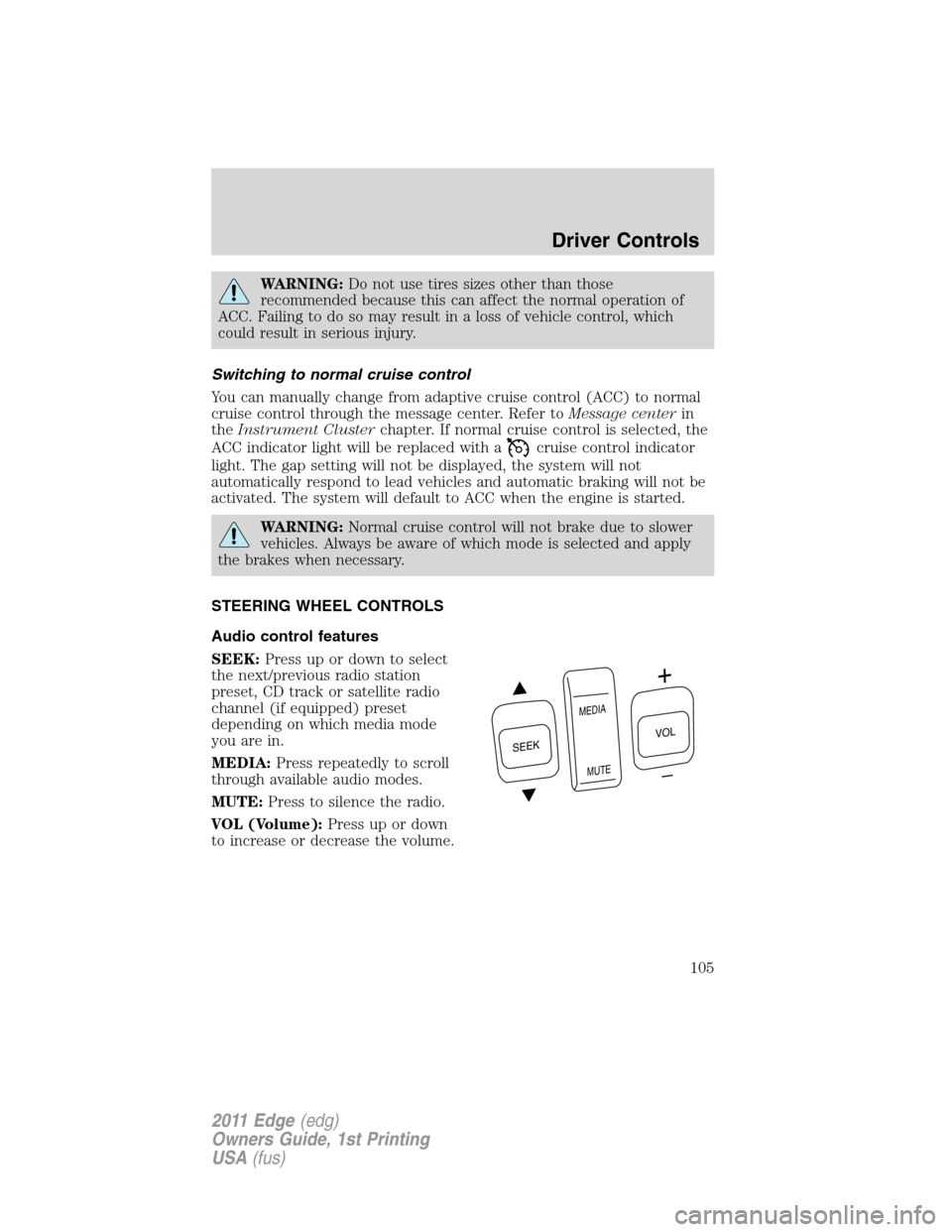
Audio control features
SEEK:Press up or down to select
the next/previous radio station
preset, CD track or satellite radio
channel (if equipped) preset
depending on which media mode
you are in.
MEDIA:Press repeatedly to scroll
through available audio modes.
MUTE:Press to silence the radio.
VOL (Volume):Press up or down
to increase or decrease the volume.
S
E
E
K
M
E
D
IA
M
U
T
E
VOL
Driver Controls
105
2011 Edge(edg)
Owners Guide, 1st Printing
USA(fus)