clock FORD EDGE 2014 1.G User Guide
[x] Cancel search | Manufacturer: FORD, Model Year: 2014, Model line: EDGE, Model: FORD EDGE 2014 1.GPages: 540, PDF Size: 7.52 MB
Page 421 of 540
SETTINGS
Press to select any of the following:
•Clock
•Display
•Sound
•Vehicle
•Settings
•Help
HOME
Press to access your home screen. Depending on your vehicle’s option
package and software, your screens may vary in appearance from the
descriptions in this section. Your features may also be limited depending
on your market. Check with your authorized dealer for availability.
INFORMATION
Press to select any of the following:
•SYNC Services
•Sirius Travel Link
•Alerts
•Calendar
•SYNC Apps
If the icon is yellow, seeAlertsin theInformationsection of this
chapter.
ENTERTAINMENT
Press to select any of the following:
•AM
•FM
•SIRIUS
•CD
•USB
•BT Stereo
•SD Card
•A/V In
420MyFord Touch® (If Equipped)
2014 Edge(edg)
Owners Guide gf, 2nd Printing, March 2014
USA(fus)
Page 471 of 540
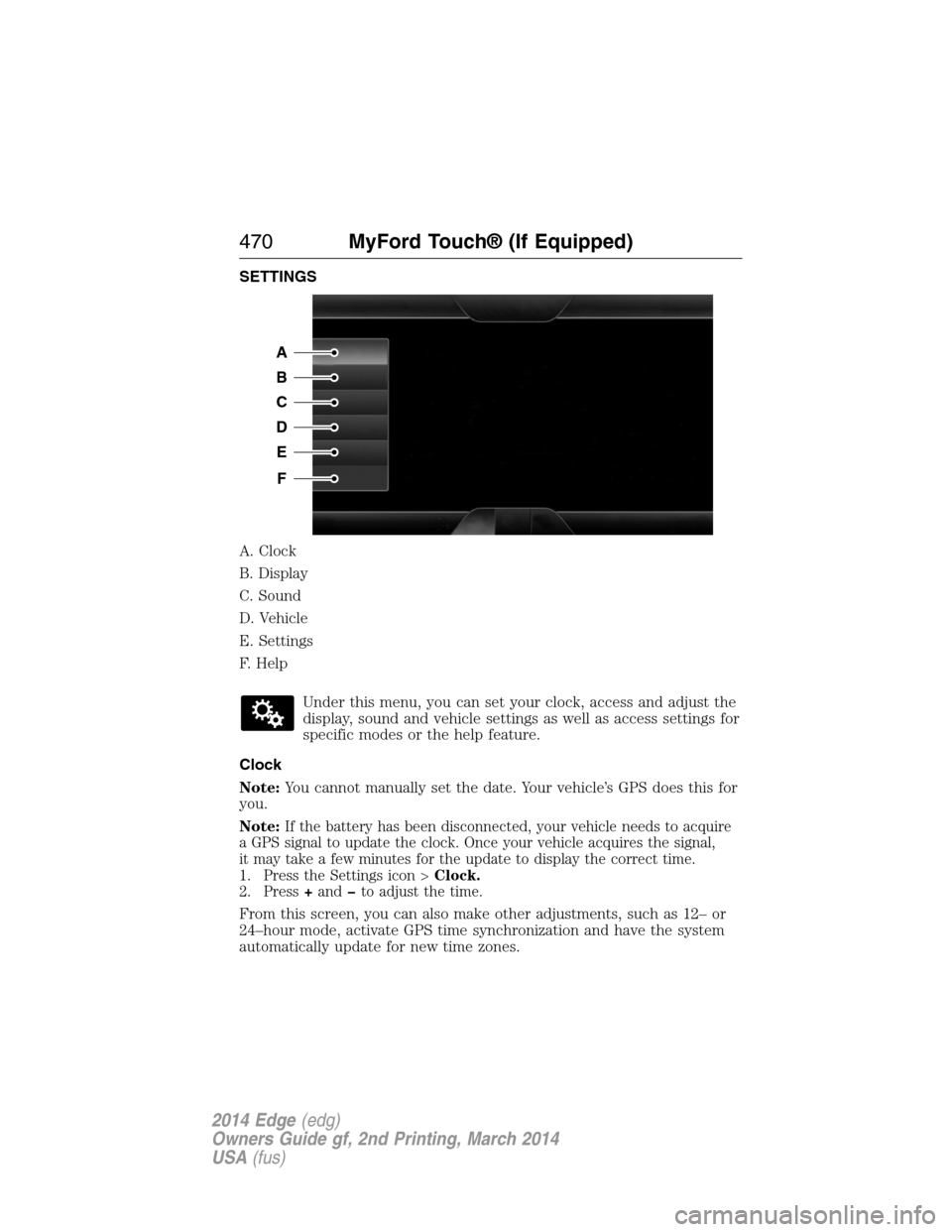
SETTINGS
A. Clock
B. Display
C. Sound
D. Vehicle
E. Settings
F. Help
Under this menu, you can set your clock, access and adjust the
display, sound and vehicle settings as well as access settings for
specific modes or the help feature.
Clock
Note:You cannot manually set the date. Your vehicle’s GPS does this for
you.
Note:
If the battery has been disconnected, your vehicle needs to acquire
a GPS signal to update the clock. Once your vehicle acquires the signal,
it may take a few minutes for the update to display the correct time.
1. Press the Settings icon >Clock.
2. Press+andto adjust the time.
From this screen, you can also make other adjustments, such as 12– or
24–hour mode, activate GPS time synchronization and have the system
automatically update for new time zones.
A
B
C
D
E
F
470MyFord Touch® (If Equipped)
2014 Edge(edg)
Owners Guide gf, 2nd Printing, March 2014
USA(fus)
Page 534 of 540
replacement, specifications ...340
servicing ..................................284
Blind Spot Information
System .......................................214
Booster seats ...............................22
Brakes ........................................192
anti-lock ...................................192
anti-lock brake system (ABS)
warning light ...........................192
brake warning light ................192
fluid, checking and adding ....283
fluid, refill capacities ..............336
fluid, specifications .................336
lubricant specifications ..........336
parking ....................................193
shift interlock ..........................183
trailer .......................................238
C
Capacities for refilling fluids ....336
Cargo management system ......225
Cargo net ...................................224
CD ..............................351, 356–357
CD player ..........................349, 443
CD voice commands .................444
Cell phone use ............................16
Changing a tire .........................328
Child safety restraints ..........28, 30
Child safety seats
attaching with tether straps ....30
automatic locking mode
(retractor) .................................36
LATCH .......................................28
Child safety seats - booster
seats .............................................22
Cleaning the touchscreen ........421Cleaning your vehicle ...............296
engine compartment ..............298
instrument panel ....................300
interior .....................................300
plastic parts ............................297
washing ....................................296
waxing .....................................298
wheels ......................................302
wiper blades ............................299
Climate control (see Air
conditioning or Heating) ..........131
Climate voice commands .........484
Clock ..................................351, 470
Collision Warning System .........219
Compass Display .......................115
Console ......................................161
overhead ..................................161
Coolant ......................................275
checking and adding ..............275
refill capacities ........................336
specifications ..........................336
Cross Traffic Alert ....................214
Cruise control ...........................204
Customer Assistance ................246
Ford Extended Service Plan...346
Getting roadside assistance ...246
Getting the service
you need .................................252
Ordering additional
owner’s literature ...................258
Utilizing the
Mediation/Arbitration
Program ...................................256
D
Defrost ...............131–132, 134, 136
rear window ............................140
Index533
2014 Edge(edg)
Owners Guide gf, 2nd Printing, March 2014
USA(fus)
Page 539 of 540
Setting a destination by
voice ...........................................485
Settings ......................................470
Setting the clock ...............351, 470
Side air curtain ...........................53
Side-curtain airbags system .......53
SIRIUS® satellite radio ....351, 438
SIRIUS satellite radio voice
commands .................................440
SIRIUS Travel Link ...................462
SIRIUS Travel Link voice
commands .................................464
SOS Post Crash Alert .................45
Spark plugs,
specifications .....................335, 340
Specification chart,
lubricants ...................................336
Stability system .........................197
Starting your vehicle ................164
jump starting ..........................249
push button start system .......163
Steering wheel ............................86
controls ......................................86
tilting .........................................86
Supplemental Restraint System
(SRS) (see airbags) ....................46
Supported media file types ......448
Supported player, media
formats and metadata
information ................................448
SYNC® AppLink™ ...................396
SYNC® customer
support ..............................368, 422
SYNC® Services ................393, 459
System settings .........................473T
Temperature control
(see Climate
control) ......131–132, 134, 136, 482
Text messaging .................380, 454
Text messaging (sending,
downloading, deleting) .....380, 382
Tilt steering wheel ......................86
Tires ...........................308–309, 328
alignment ................................322
care ..........................................308
changing ..........................328, 330
checking the pressure ............318
inflating ...................................316
label .........................................315
replacing ..................................320
rotating ....................................322
safety practices .......................321
sidewall information ...............311
snow tires and chains ............323
spare tire .................................328
terminology .............................310
tire grades ...............................309
treadwear ........................309, 318
Touchscreen features
(climate) ....................................482
Towing .......................234, 240–241
recreational towing .................241
trailer towing ..........................234
wrecker ....................................240
Traction control ........................195
Traffic, Directions and
Information ................................393
Traffic preferences ...................489
Trailer sway control ..................235
Transmission
brake-shift interlock (BSI) ....183
538Index
2014 Edge(edg)
Owners Guide gf, 2nd Printing, March 2014
USA(fus)