Climate FORD EDGE 2014 1.G Owner's Guide
[x] Cancel search | Manufacturer: FORD, Model Year: 2014, Model line: EDGE, Model: FORD EDGE 2014 1.GPages: 540, PDF Size: 7.52 MB
Page 420 of 540
Note:Some features are not available while your vehicle is moving.
Note:Your system is equipped with a feature that allows you to access
and control audio features for 30 minutes after you switch the ignition
off (and no doors open).
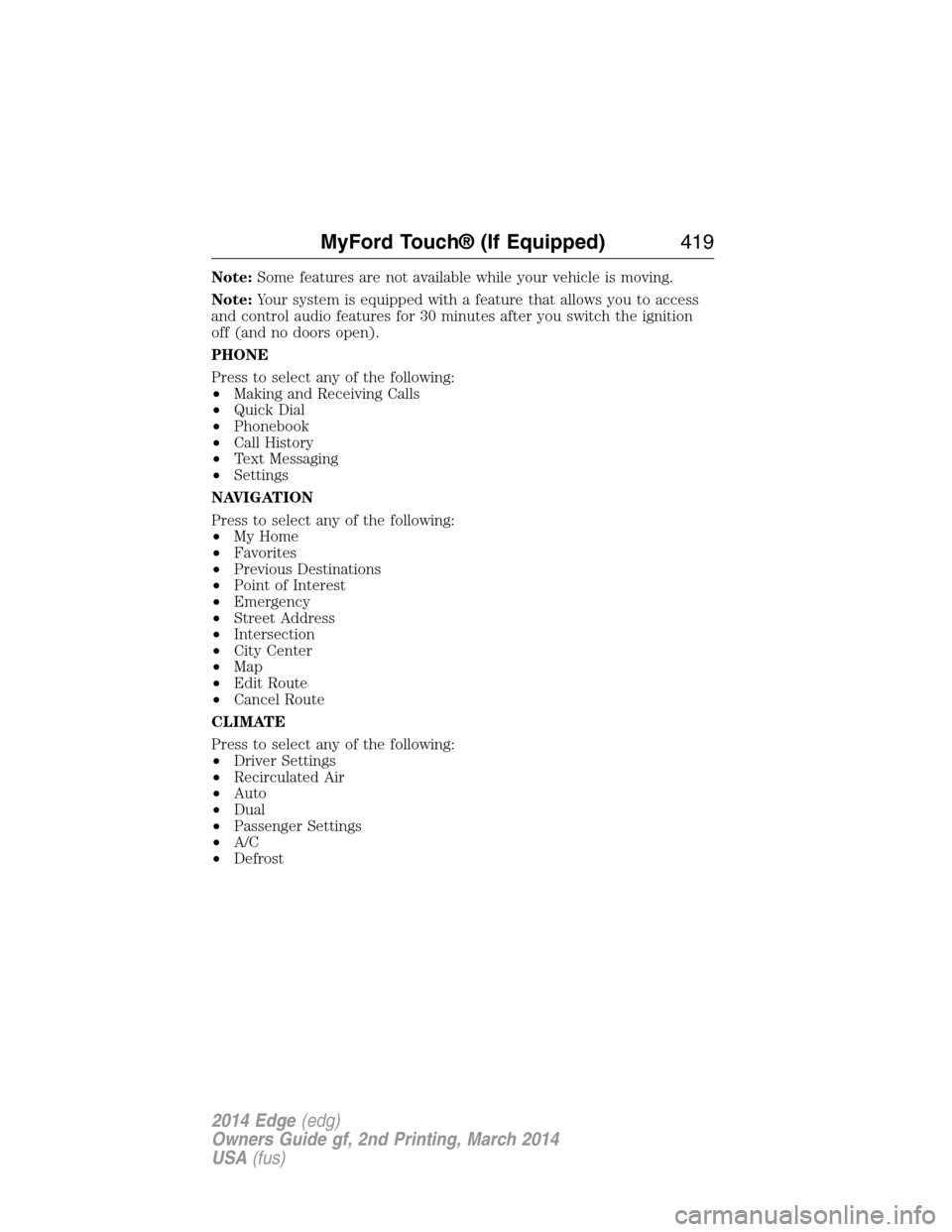
PHONE
Press to select any of the following:
•Making and Receiving Calls
•Quick Dial
•Phonebook
•Call History
•Text Messaging
•Settings
NAVIGATION
Press to select any of the following:
•My Home
•Favorites
•Previous Destinations
•Point of Interest
•Emergency
•Street Address
•Intersection
•City Center
•Map
•Edit Route
•Cancel Route
CLIMATE
Press to select any of the following:
•Driver Settings
•Recirculated Air
•Auto
•Dual
•Passenger Settings
•A/C
•Defrost
MyFord Touch® (If Equipped)419
2014 Edge(edg)
Owners Guide gf, 2nd Printing, March 2014
USA(fus)
Page 422 of 540
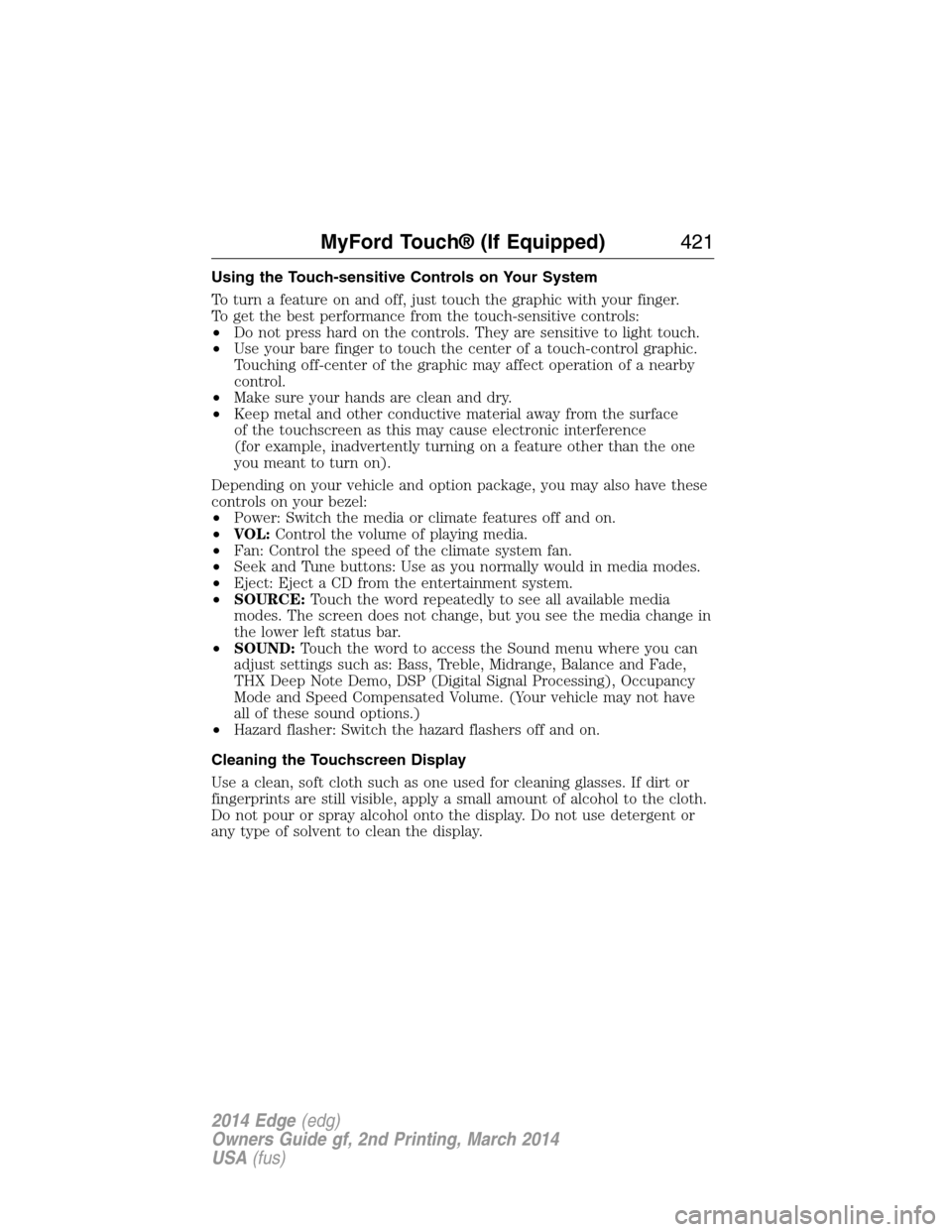
Using the Touch-sensitive Controls on Your System
To turn a feature on and off, just touch the graphic with your finger.
To get the best performance from the touch-sensitive controls:
•Do not press hard on the controls. They are sensitive to light touch.
•Use your bare finger to touch the center of a touch-control graphic.
Touching off-center of the graphic may affect operation of a nearby
control.
•Make sure your hands are clean and dry.
•Keep metal and other conductive material away from the surface
of the touchscreen as this may cause electronic interference
(for example, inadvertently turning on a feature other than the one
you meant to turn on).
Depending on your vehicle and option package, you may also have these
controls on your bezel:
•Power: Switch the media or climate features off and on.
•VOL:Control the volume of playing media.
•Fan: Control the speed of the climate system fan.
•Seek and Tune buttons: Use as you normally would in media modes.
•Eject: Eject a CD from the entertainment system.
•SOURCE:Touch the word repeatedly to see all available media
modes. The screen does not change, but you see the media change in
the lower left status bar.
•SOUND:Touch the word to access the Sound menu where you can
adjust settings such as: Bass, Treble, Midrange, Balance and Fade,
THX Deep Note Demo, DSP (Digital Signal Processing), Occupancy
Mode and Speed Compensated Volume. (Your vehicle may not have
all of these sound options.)
•Hazard flasher: Switch the hazard flashers off and on.
Cleaning the Touchscreen Display
Use a clean, soft cloth such as one used for cleaning glasses. If dirt or
fingerprints are still visible, apply a small amount of alcohol to the cloth.
Do not pour or spray alcohol onto the display. Do not use detergent or
any type of solvent to clean the display.
MyFord Touch® (If Equipped)421
2014 Edge(edg)
Owners Guide gf, 2nd Printing, March 2014
USA(fus)
Page 429 of 540
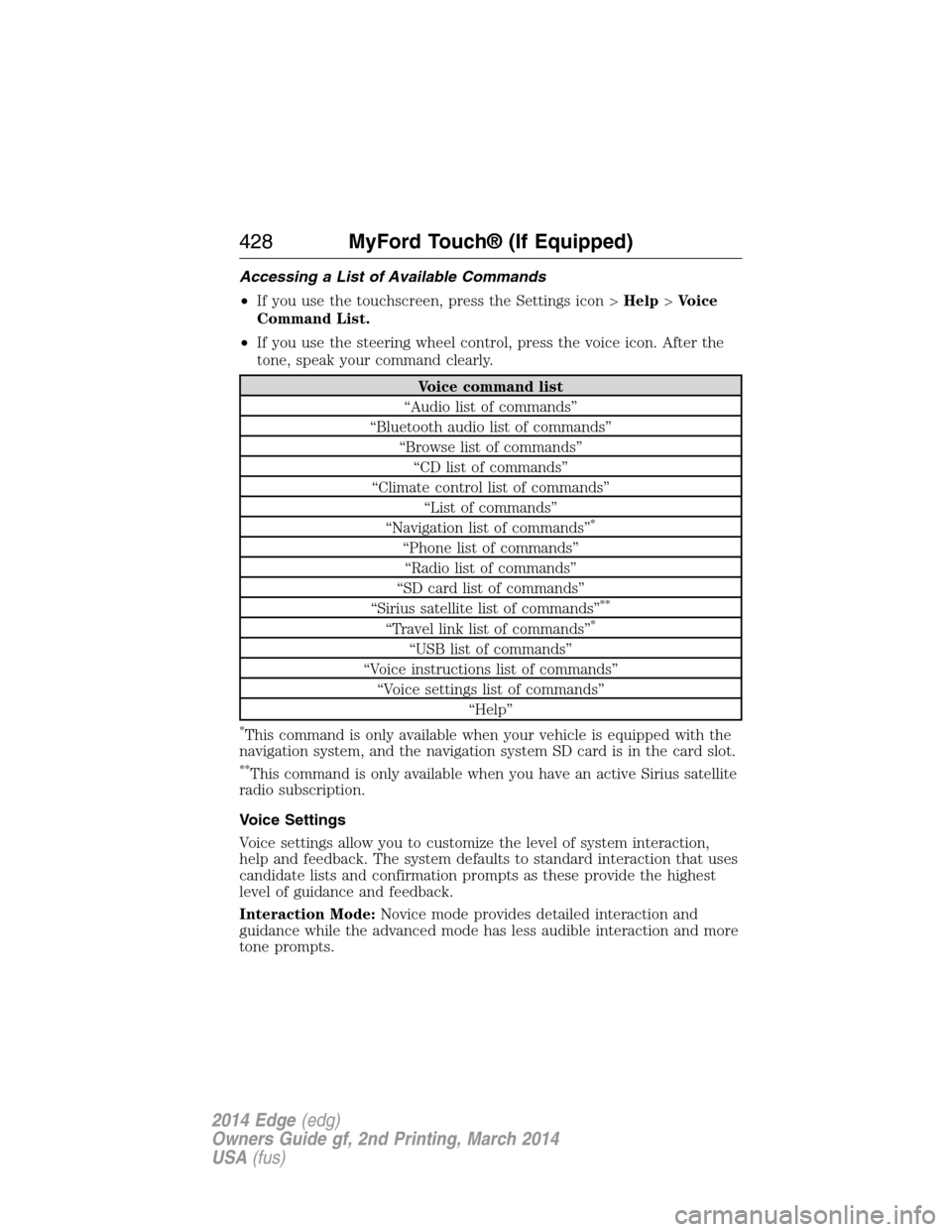
Accessing a List of Available Commands
•If you use the touchscreen, press the Settings icon >Help>Voice
Command List.
•If you use the steering wheel control, press the voice icon. After the
tone, speak your command clearly.
Voice command list
“Audio list of commands”
“Bluetooth audio list of commands”
“Browse list of commands”
“CD list of commands”
“Climate control list of commands”
“List of commands”
“Navigation list of commands”
*
“Phone list of commands”
“Radio list of commands”
“SD card list of commands”
“Sirius satellite list of commands”
**
“Travel link list of commands”*
“USB list of commands”
“Voice instructions list of commands”
“Voice settings list of commands”
“Help”
*This command is only available when your vehicle is equipped with the
navigation system, and the navigation system SD card is in the card slot.
**This command is only available when you have an active Sirius satellite
radio subscription.
Voice Settings
Voice settings allow you to customize the level of system interaction,
help and feedback. The system defaults to standard interaction that uses
candidate lists and confirmation prompts as these provide the highest
level of guidance and feedback.
Interaction Mode:Novice mode provides detailed interaction and
guidance while the advanced mode has less audible interaction and more
tone prompts.
428MyFord Touch® (If Equipped)
2014 Edge(edg)
Owners Guide gf, 2nd Printing, March 2014
USA(fus)
Page 475 of 540
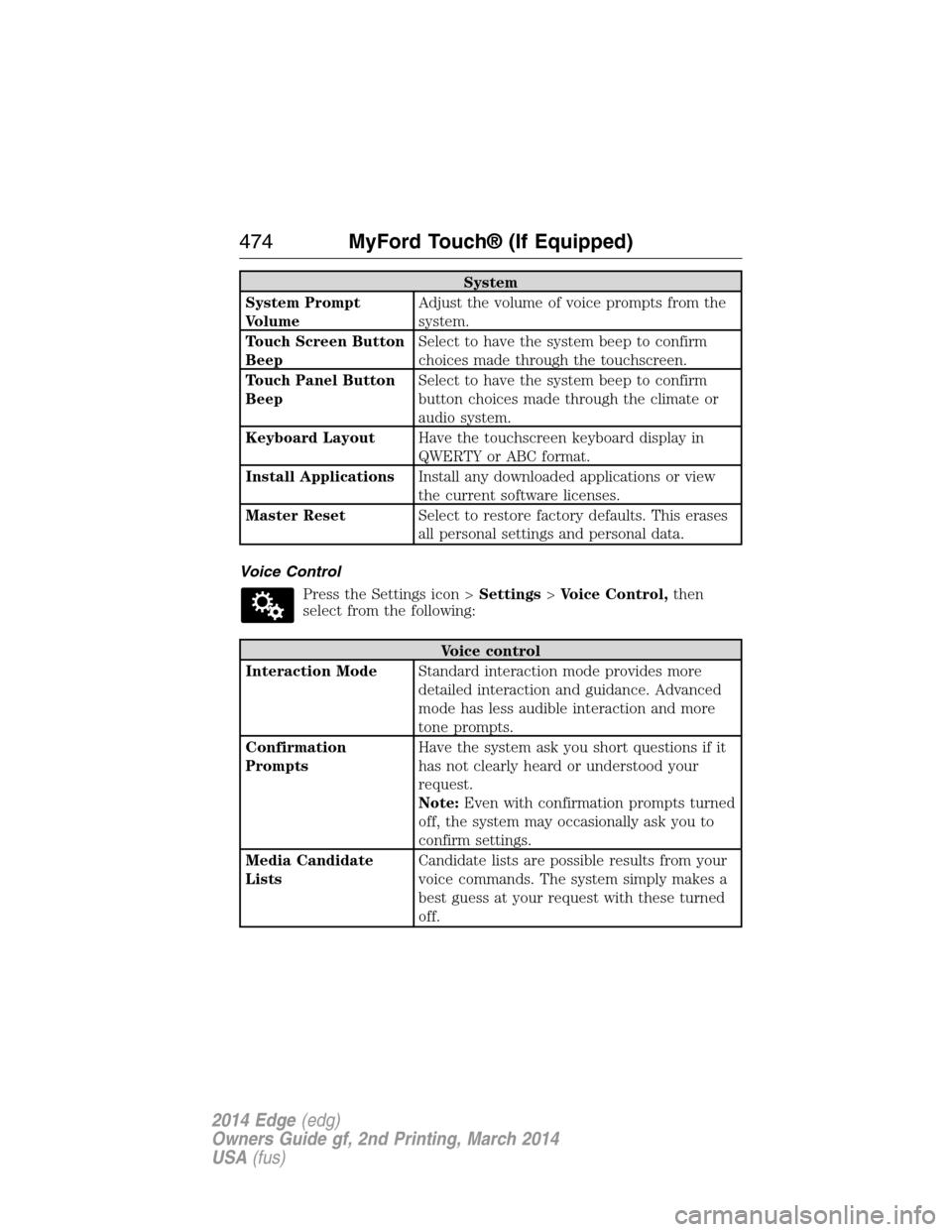
System
System Prompt
VolumeAdjust the volume of voice prompts from the
system.
Touch Screen Button
BeepSelect to have the system beep to confirm
choices made through the touchscreen.
Touch Panel Button
BeepSelect to have the system beep to confirm
button choices made through the climate or
audio system.
Keyboard LayoutHave the touchscreen keyboard display in
QWERTY or ABC format.
Install ApplicationsInstall any downloaded applications or view
the current software licenses.
Master ResetSelect to restore factory defaults. This erases
all personal settings and personal data.
Voice Control
Press the Settings icon >Settings>Voice Control,then
select from the following:
Voice control
Interaction ModeStandard interaction mode provides more
detailed interaction and guidance. Advanced
mode has less audible interaction and more
tone prompts.
Confirmation
PromptsHave the system ask you short questions if it
has not clearly heard or understood your
request.
Note:Even with confirmation prompts turned
off, the system may occasionally ask you to
confirm settings.
Media Candidate
ListsCandidate lists are possible results from your
voice commands. The system simply makes a
best guess at your request with these turned
off.
474MyFord Touch® (If Equipped)
2014 Edge(edg)
Owners Guide gf, 2nd Printing, March 2014
USA(fus)
Page 483 of 540
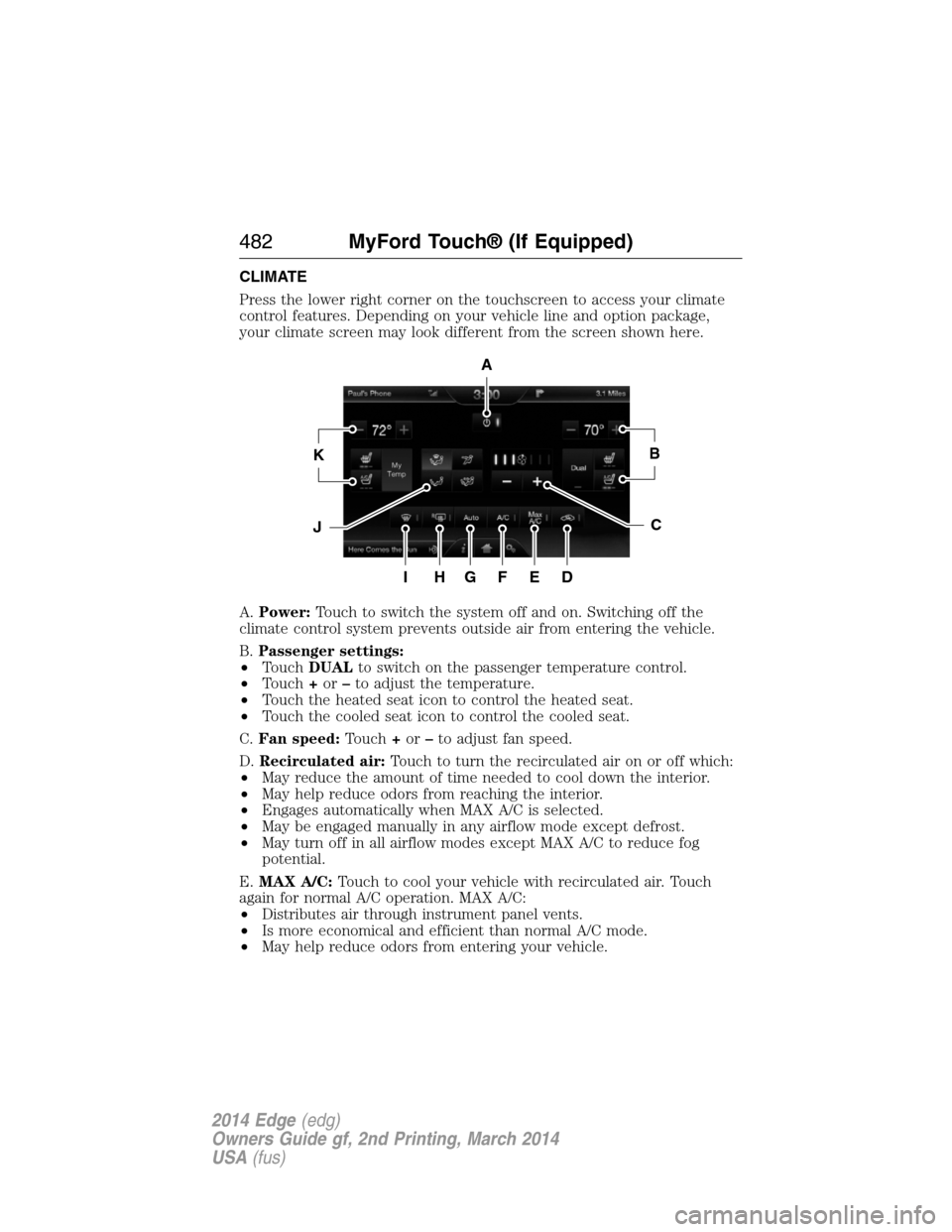
CLIMATE
Press the lower right corner on the touchscreen to access your climate
control features. Depending on your vehicle line and option package,
your climate screen may look different from the screen shown here.
A.Power:Touch to switch the system off and on. Switching off the
climate control system prevents outside air from entering the vehicle.
B.Passenger settings:
•TouchDUALto switch on the passenger temperature control.
•Touch+or–to adjust the temperature.
•Touch the heated seat icon to control the heated seat.
•Touch the cooled seat icon to control the cooled seat.
C.Fan speed:Touch+or–to adjust fan speed.
D.Recirculated air:Touch to turn the recirculated air on or off which:
•May reduce the amount of time needed to cool down the interior.
•May help reduce odors from reaching the interior.
•Engages automatically when MAX A/C is selected.
•May be engaged manually in any airflow mode except defrost.
•May turn off in all airflow modes except MAX A/C to reduce fog
potential.
E.MAX A/C:Touch to cool your vehicle with recirculated air. Touch
again for normal A/C operation. MAX A/C:
•Distributes air through instrument panel vents.
•Is more economical and efficient than normal A/C mode.
•May help reduce odors from entering your vehicle.
A
KB
JC
IHGFED
482MyFord Touch® (If Equipped)
2014 Edge(edg)
Owners Guide gf, 2nd Printing, March 2014
USA(fus)
Page 485 of 540
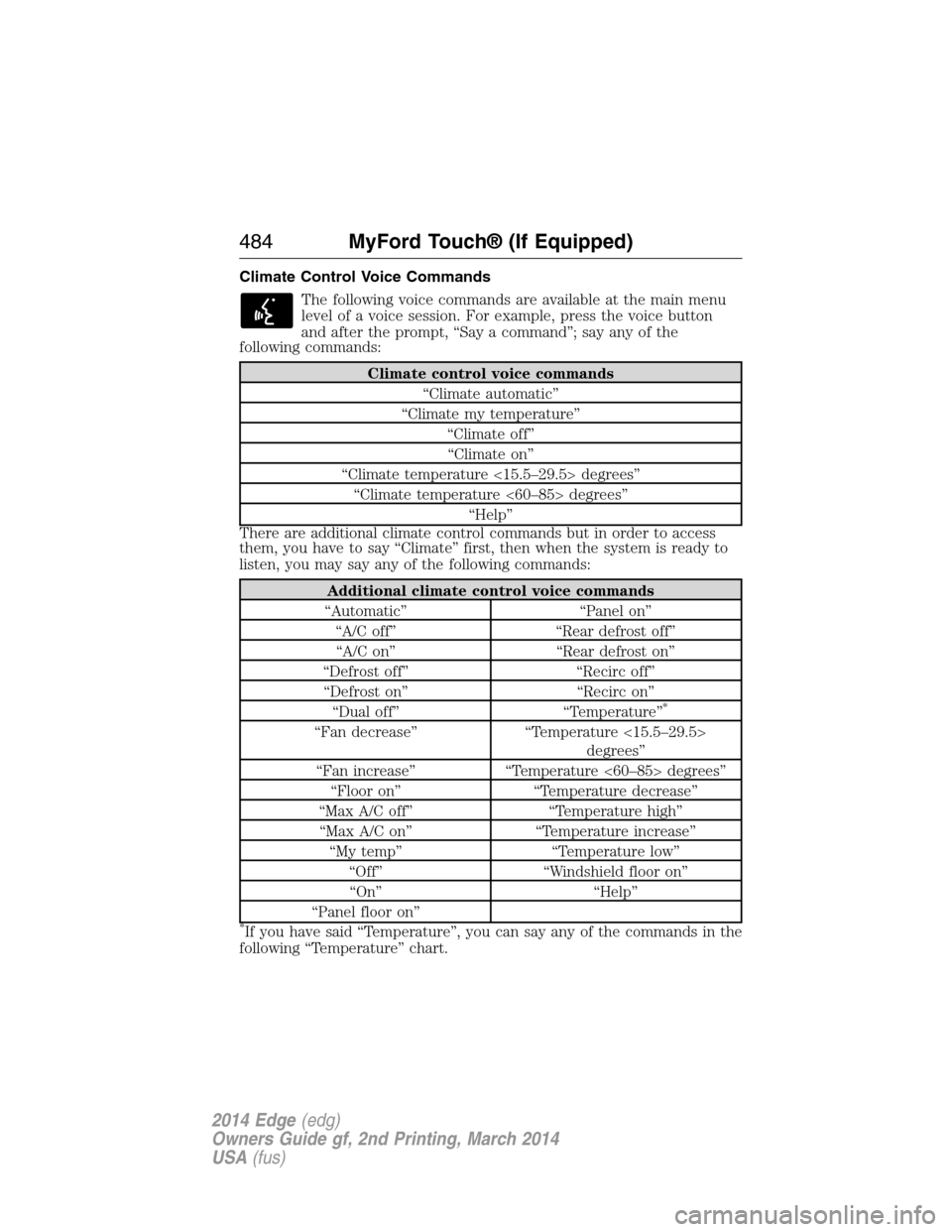
Climate Control Voice Commands
The following voice commands are available at the main menu
level of a voice session. For example, press the voice button
and after the prompt, “Say a command”; say any of the
following commands:
Climate control voice commands
“Climate automatic”
“Climate my temperature”
“Climate off”
“Climate on”
“Climate temperature <15.5–29.5> degrees”
“Climate temperature <60–85> degrees”
“Help”
There are additional climate control commands but in order to access
them, you have to say “Climate” first, then when the system is ready to
listen, you may say any of the following commands:
Additional climate control voice commands
“Automatic” “Panel on”
“A/C off” “Rear defrost off”
“A/C on” “Rear defrost on”
“Defrost off” “Recirc off”
“Defrost on” “Recirc on”
“Dual off” “Temperature”
*
“Fan decrease” “Temperature <15.5–29.5>
degrees”
“Fan increase” “Temperature <60–85> degrees”
“Floor on” “Temperature decrease”
“Max A/C off” “Temperature high”
“Max A/C on” “Temperature increase”
“My temp” “Temperature low”
“Off” “Windshield floor on”
“On” “Help”
“Panel floor on”
*If you have said “Temperature”, you can say any of the commands in the
following “Temperature” chart.
484MyFord Touch® (If Equipped)
2014 Edge(edg)
Owners Guide gf, 2nd Printing, March 2014
USA(fus)
Page 531 of 540
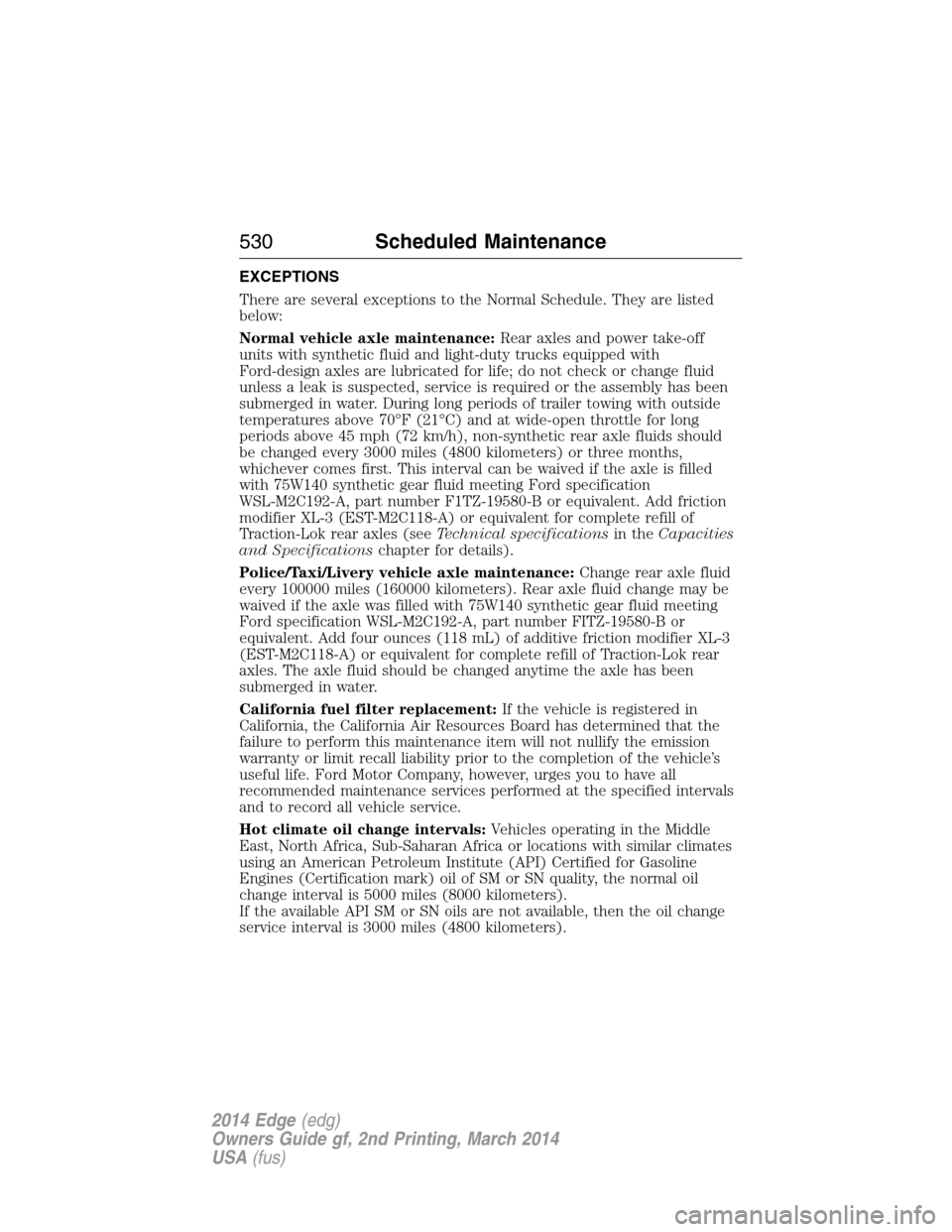
EXCEPTIONS
There are several exceptions to the Normal Schedule. They are listed
below:
Normal vehicle axle maintenance:Rear axles and power take-off
units with synthetic fluid and light-duty trucks equipped with
Ford-design axles are lubricated for life; do not check or change fluid
unless a leak is suspected, service is required or the assembly has been
submerged in water. During long periods of trailer towing with outside
temperatures above 70°F (21°C) and at wide-open throttle for long
periods above 45 mph (72 km/h), non-synthetic rear axle fluids should
be changed every 3000 miles (4800 kilometers) or three months,
whichever comes first. This interval can be waived if the axle is filled
with 75W140 synthetic gear fluid meeting Ford specification
WSL-M2C192-A, part number F1TZ-19580-B or equivalent. Add friction
modifier XL-3 (EST-M2C118-A) or equivalent for complete refill of
Traction-Lok rear axles (seeTechnical specificationsin theCapacities
and Specificationschapter for details).
Police/Taxi/Livery vehicle axle maintenance:Change rear axle fluid
every 100000 miles (160000 kilometers). Rear axle fluid change may be
waived if the axle was filled with 75W140 synthetic gear fluid meeting
Ford specification WSL-M2C192-A, part number FITZ-19580-B or
equivalent. Add four ounces (118 mL) of additive friction modifier XL-3
(EST-M2C118-A) or equivalent for complete refill of Traction-Lok rear
axles. The axle fluid should be changed anytime the axle has been
submerged in water.
California fuel filter replacement:If the vehicle is registered in
California, the California Air Resources Board has determined that the
failure to perform this maintenance item will not nullify the emission
warranty or limit recall liability prior to the completion of the vehicle’s
useful life. Ford Motor Company, however, urges you to have all
recommended maintenance services performed at the specified intervals
and to record all vehicle service.
Hot climate oil change intervals:Vehicles operating in the Middle
East, North Africa, Sub-Saharan Africa or locations with similar climates
using an American Petroleum Institute (API) Certified for Gasoline
Engines (Certification mark) oil of SM or SN quality, the normal oil
change interval is 5000 miles (8000 kilometers).
If the available API SM or SN oils are not available, then the oil change
service interval is 3000 miles (4800 kilometers).
530Scheduled Maintenance
2014 Edge(edg)
Owners Guide gf, 2nd Printing, March 2014
USA(fus)
Page 534 of 540
replacement, specifications ...340
servicing ..................................284
Blind Spot Information
System .......................................214
Booster seats ...............................22
Brakes ........................................192
anti-lock ...................................192
anti-lock brake system (ABS)
warning light ...........................192
brake warning light ................192
fluid, checking and adding ....283
fluid, refill capacities ..............336
fluid, specifications .................336
lubricant specifications ..........336
parking ....................................193
shift interlock ..........................183
trailer .......................................238
C
Capacities for refilling fluids ....336
Cargo management system ......225
Cargo net ...................................224
CD ..............................351, 356–357
CD player ..........................349, 443
CD voice commands .................444
Cell phone use ............................16
Changing a tire .........................328
Child safety restraints ..........28, 30
Child safety seats
attaching with tether straps ....30
automatic locking mode
(retractor) .................................36
LATCH .......................................28
Child safety seats - booster
seats .............................................22
Cleaning the touchscreen ........421Cleaning your vehicle ...............296
engine compartment ..............298
instrument panel ....................300
interior .....................................300
plastic parts ............................297
washing ....................................296
waxing .....................................298
wheels ......................................302
wiper blades ............................299
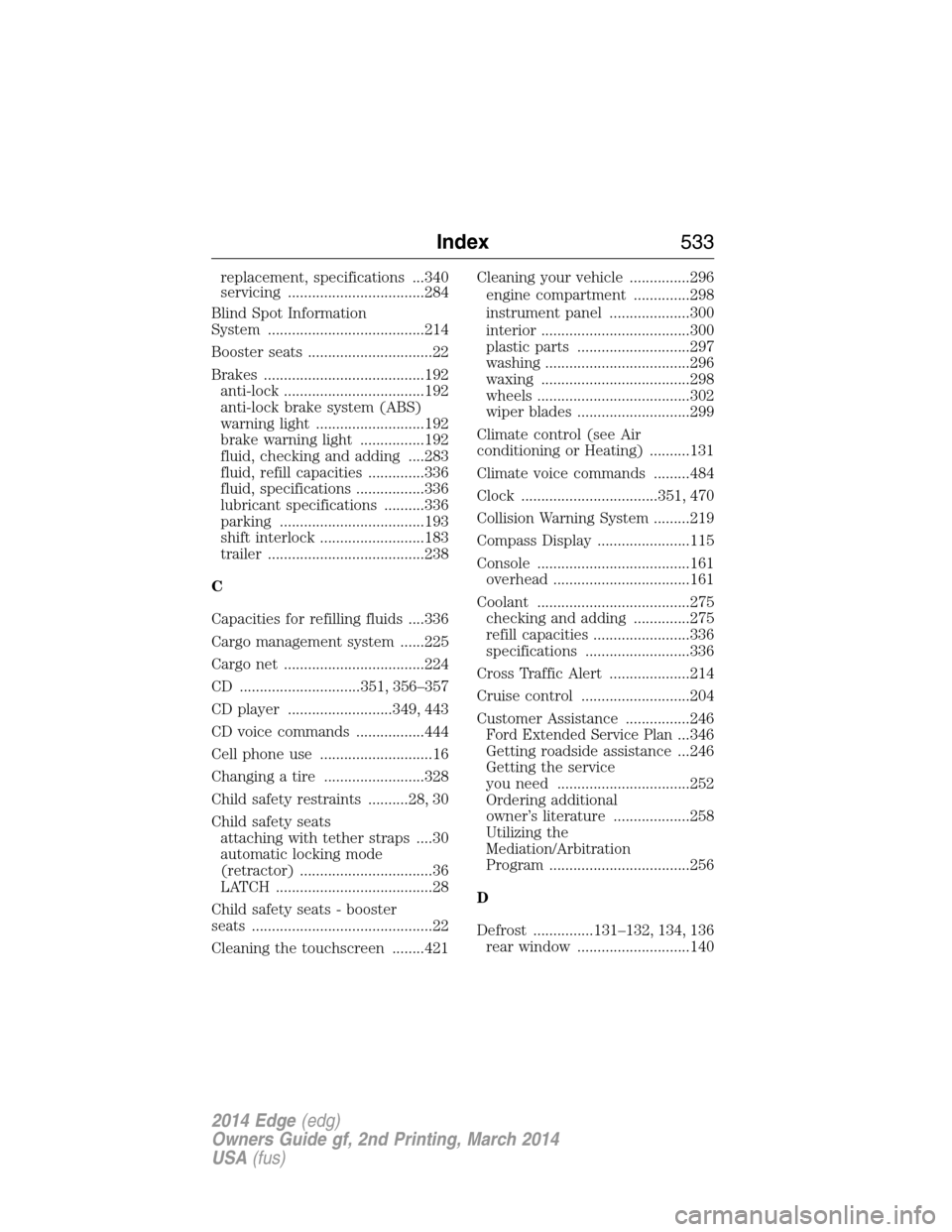
Climate control (see Air
conditioning or Heating) ..........131
Climate voice commands .........484
Clock ..................................351, 470
Collision Warning System .........219
Compass Display .......................115
Console ......................................161
overhead ..................................161
Coolant ......................................275
checking and adding ..............275
refill capacities ........................336
specifications ..........................336
Cross Traffic Alert ....................214
Cruise control ...........................204
Customer Assistance ................246
Ford Extended Service Plan...346
Getting roadside assistance ...246
Getting the service
you need .................................252
Ordering additional
owner’s literature ...................258
Utilizing the
Mediation/Arbitration
Program ...................................256
D
Defrost ...............131–132, 134, 136
rear window ............................140
Index533
2014 Edge(edg)
Owners Guide gf, 2nd Printing, March 2014
USA(fus)
Page 539 of 540
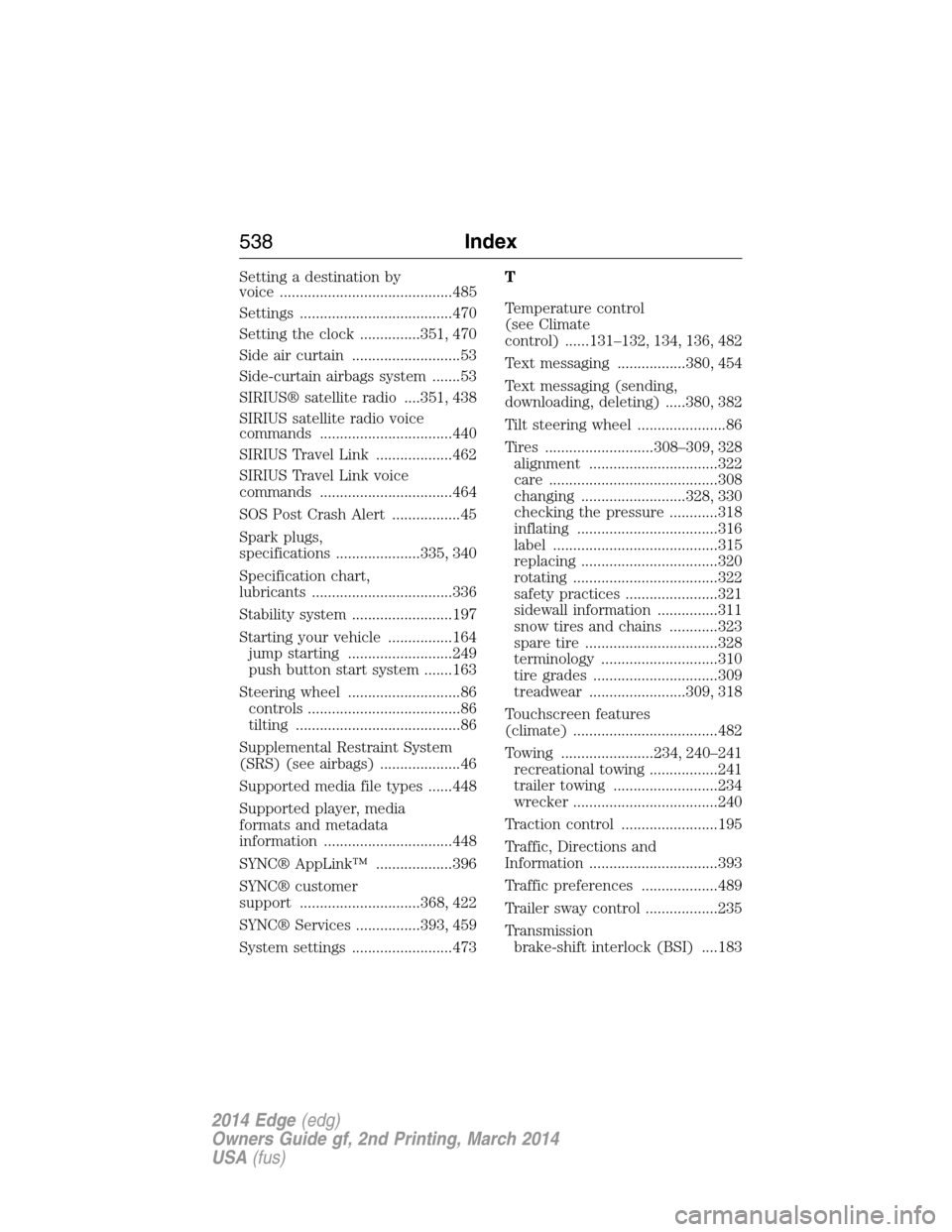
Setting a destination by
voice ...........................................485
Settings ......................................470
Setting the clock ...............351, 470
Side air curtain ...........................53
Side-curtain airbags system .......53
SIRIUS® satellite radio ....351, 438
SIRIUS satellite radio voice
commands .................................440
SIRIUS Travel Link ...................462
SIRIUS Travel Link voice
commands .................................464
SOS Post Crash Alert .................45
Spark plugs,
specifications .....................335, 340
Specification chart,
lubricants ...................................336
Stability system .........................197
Starting your vehicle ................164
jump starting ..........................249
push button start system .......163
Steering wheel ............................86
controls ......................................86
tilting .........................................86
Supplemental Restraint System
(SRS) (see airbags) ....................46
Supported media file types ......448
Supported player, media
formats and metadata
information ................................448
SYNC® AppLink™ ...................396
SYNC® customer
support ..............................368, 422
SYNC® Services ................393, 459
System settings .........................473T
Temperature control
(see Climate
control) ......131–132, 134, 136, 482
Text messaging .................380, 454
Text messaging (sending,
downloading, deleting) .....380, 382
Tilt steering wheel ......................86
Tires ...........................308–309, 328
alignment ................................322
care ..........................................308
changing ..........................328, 330
checking the pressure ............318
inflating ...................................316
label .........................................315
replacing ..................................320
rotating ....................................322
safety practices .......................321
sidewall information ...............311
snow tires and chains ............323
spare tire .................................328
terminology .............................310
tire grades ...............................309
treadwear ........................309, 318
Touchscreen features
(climate) ....................................482
Towing .......................234, 240–241
recreational towing .................241
trailer towing ..........................234
wrecker ....................................240
Traction control ........................195
Traffic, Directions and
Information ................................393
Traffic preferences ...................489
Trailer sway control ..................235
Transmission
brake-shift interlock (BSI) ....183
538Index
2014 Edge(edg)
Owners Guide gf, 2nd Printing, March 2014
USA(fus)