seats FORD EDGE 2014 1.G Owner's Guide
[x] Cancel search | Manufacturer: FORD, Model Year: 2014, Model line: EDGE, Model: FORD EDGE 2014 1.GPages: 540, PDF Size: 7.52 MB
Page 138 of 540
E.MAX A/C:Press the button to maximize cooling. Recirculated air
flows through the instrument panel vents, air conditioning automatically
turns on, and the fan automatically adjusts to the highest speed.
F.A/C:Press the button to turn air conditioning compressor on or off.
Use air conditioning with recirculated air to improve cooling performance
and efficiency.
G.AUTO:Press the button to turn on automatic operation. Select the
desired temperature using the temperature control. The system adjusts
fan speed, air distribution, air conditioning operation, and selects outside
air or recirculated air to heat or cool the vehicle in order to maintain the
desired temperature. You can also use theAUTObutton to turn off dual
zone operation by pressing and holding the button for more than two
seconds.
H.Heated rear window:Turns the heated rear window on and off.
SeeHeated windows and mirrorslater in this chapter for more
information. If your vehicle is equipped with heated mirrors, this button
turns them on also.
I.Defrost:Press the button to distribute air to the windshield vents and
de-mister. Air distribution to instrument panel and footwell vents turn
off. You can use this setting to defog and clear the windshield of a thin
covering of ice.
GENERAL OPERATING TIPS
General Hints
Note:
Prolonged use of recirculated air may cause the windows to fog up.
Note:You may feel a small amount of air from the footwell air vents
regardless of the air distribution setting.
Note:To reduce humidity build-up inside your vehicle, do not drive with
the system switched off or with recirculated air always switched on.
Note:Do not place objects under the front seats as this may interfere
with the airflow to the rear seats.
Note:Remove any snow, ice or leaves from the air intake area at the
base of the windshield.
Note:To improve the time to reach comfort in hot weather, drive with
the windows slightly open for 2-3 minutes after start-up or until your
vehicle airs out.
Climate Control137
2014 Edge(edg)
Owners Guide gf, 2nd Printing, March 2014
USA(fus)
Page 143 of 540
REMOTE START (IF EQUIPPED)
The remote start feature allows you to pre-condition the interior of your
vehicle. The climate control system works to achieve comfort according
to your previous settings.
Note:You cannot adjust the system during remote start operation.
Turn the ignition on to return the system to its previous settings. You
can now make adjustments normally, but you need to turn certain
vehicle-dependent features back on, such as:
•Heated seats.
•Cooled seats.
•Heated steering wheel.
•Heated mirrors.
•Heated rear window.
You can adjust the default remote start settings using the information
display controls. See theInformation Displayschapter.
Automatic Climate Systems
Automatic Settings
You can set the climate control to operate in AUTO mode through the
information display setting: Remote Start > Climate Control > Heater –
A/C > Auto. The climate control system automatically sets the interior
temperature to 72°F (22°C).
In hot weather, the system is set to 72°F (22°C). Cooled seats are set to
high (if available, and selected to AUTO in the information display).
In moderate weather, the system either heats or cools (based on
previous settings). The rear defroster, heated mirrors and heated/cooled
seats are not automatically turned on.
In cold weather, the system is set to 72°F (22°C). The heated seats and
heated steering wheel are set to high (if available, and selected to AUTO
in the information display). The rear defroster and heated mirrors are
automatically turned on.
142Climate Control
2014 Edge(edg)
Owners Guide gf, 2nd Printing, March 2014
USA(fus)
Page 145 of 540
SITTING IN THE CORRECT POSITION
WARNING:Sitting improperly out of position or with the seat
back reclined too far can take off weight from the seat cushion
and affect the decision of the passenger sensing system, resulting in
serious injury or death in a crash. Always sit upright against your seat
back, with your feet on the floor.
WARNING:Do not recline the seat back as this can cause the
occupant to slide under the seat’s safety belt, resulting in severe
personal injury in the event of a crash.
WARNING:Do not place objects higher than the seat backs to
reduce the risk of injury in a crash or during heavy braking or
when stopping suddenly.
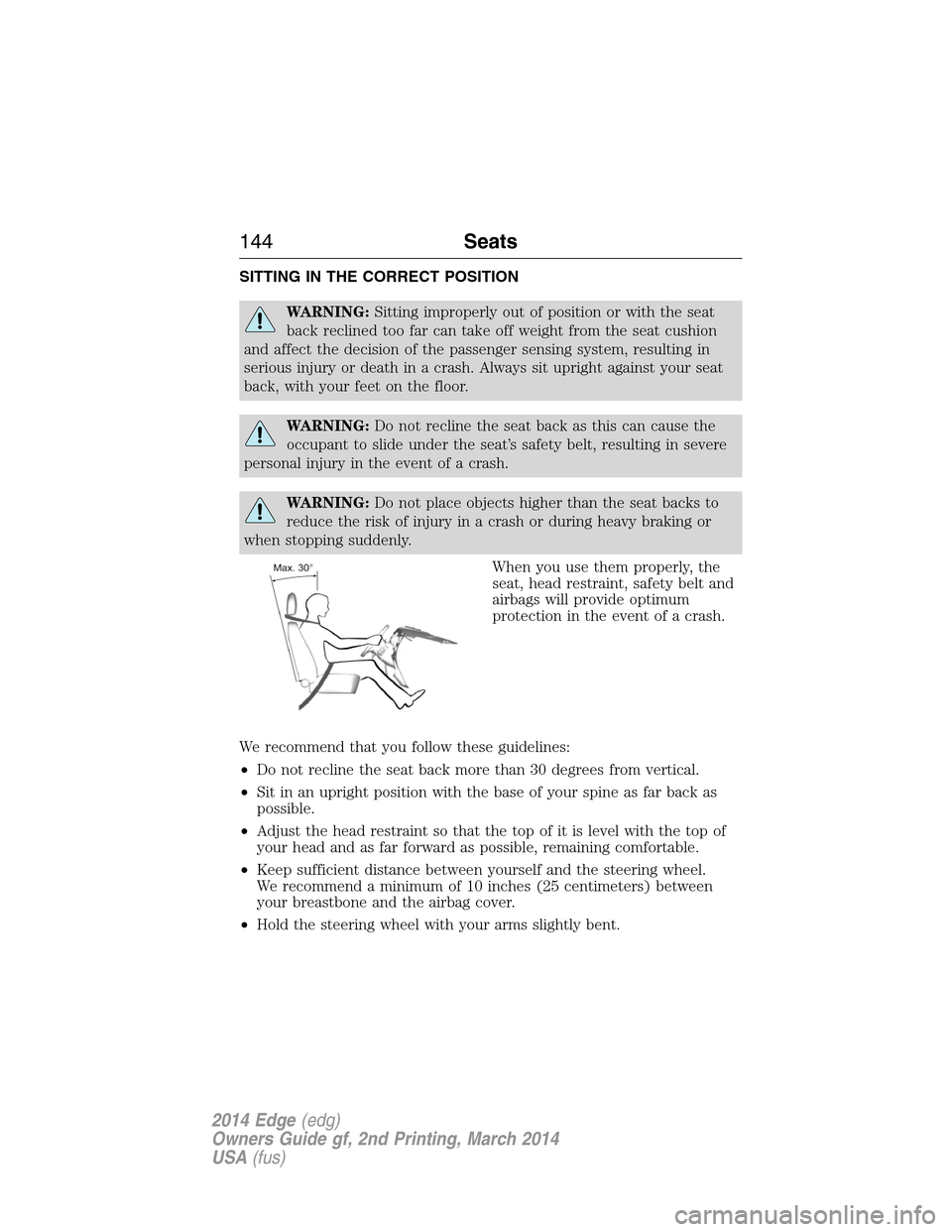
When you use them properly, the
seat, head restraint, safety belt and
airbags will provide optimum
protection in the event of a crash.
We recommend that you follow these guidelines:
•Do not recline the seat back more than 30 degrees from vertical.
•Sit in an upright position with the base of your spine as far back as
possible.
•Adjust the head restraint so that the top of it is level with the top of
your head and as far forward as possible, remaining comfortable.
•Keep sufficient distance between yourself and the steering wheel.
We recommend a minimum of 10 inches (25 centimeters) between
your breastbone and the airbag cover.
•Hold the steering wheel with your arms slightly bent.
144Seats
2014 Edge(edg)
Owners Guide gf, 2nd Printing, March 2014
USA(fus)
Page 146 of 540
•Bend your legs slightly so that you can press the pedals fully.
•Position the shoulder strap of the safety belt over the center of your
shoulder and position the lap strap tightly across your hips.
Make sure that your driving position is comfortable and that you can
maintain full control of your vehicle.
HEAD RESTRAINTS
WARNING:To minimize the risk of neck injury in the event of a
crash, the driver and passenger occupants should not sit in or
operate the vehicle, until the head restraint is placed in its proper
position. The driver should never adjust the head restraint while the
vehicle is in motion.
WARNING:The adjustable head restraint is a safety device.
Whenever possible it should be installed and properly adjusted
when the seat is occupied.
WARNING:Install the head restraint properly to minimize the
risk of neck injury in the event of a crash.
Note:Before adjusting any head restraint, adjust the seatback to an
upright driving or riding position. Properly adjust the head restraint so
that the top of the head restraint is even with the top of your head and
positioned as close as possible to the back of your head. For occupants
of extremely tall stature, adjust the head restraint to its full up position.
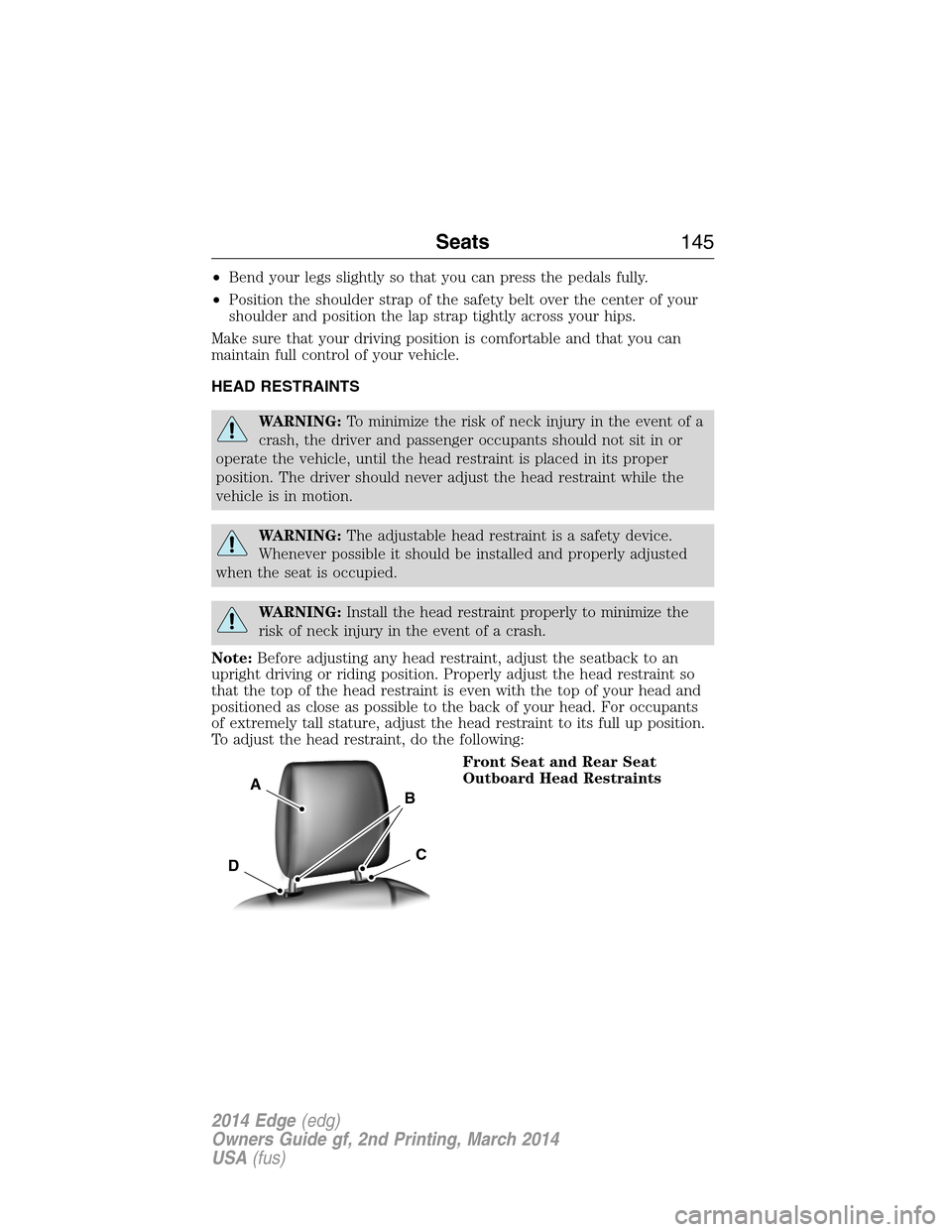
To adjust the head restraint, do the following:
Front Seat and Rear Seat
Outboard Head Restraints
A
C
B
D
Seats145
2014 Edge(edg)
Owners Guide gf, 2nd Printing, March 2014
USA(fus)
Page 147 of 540
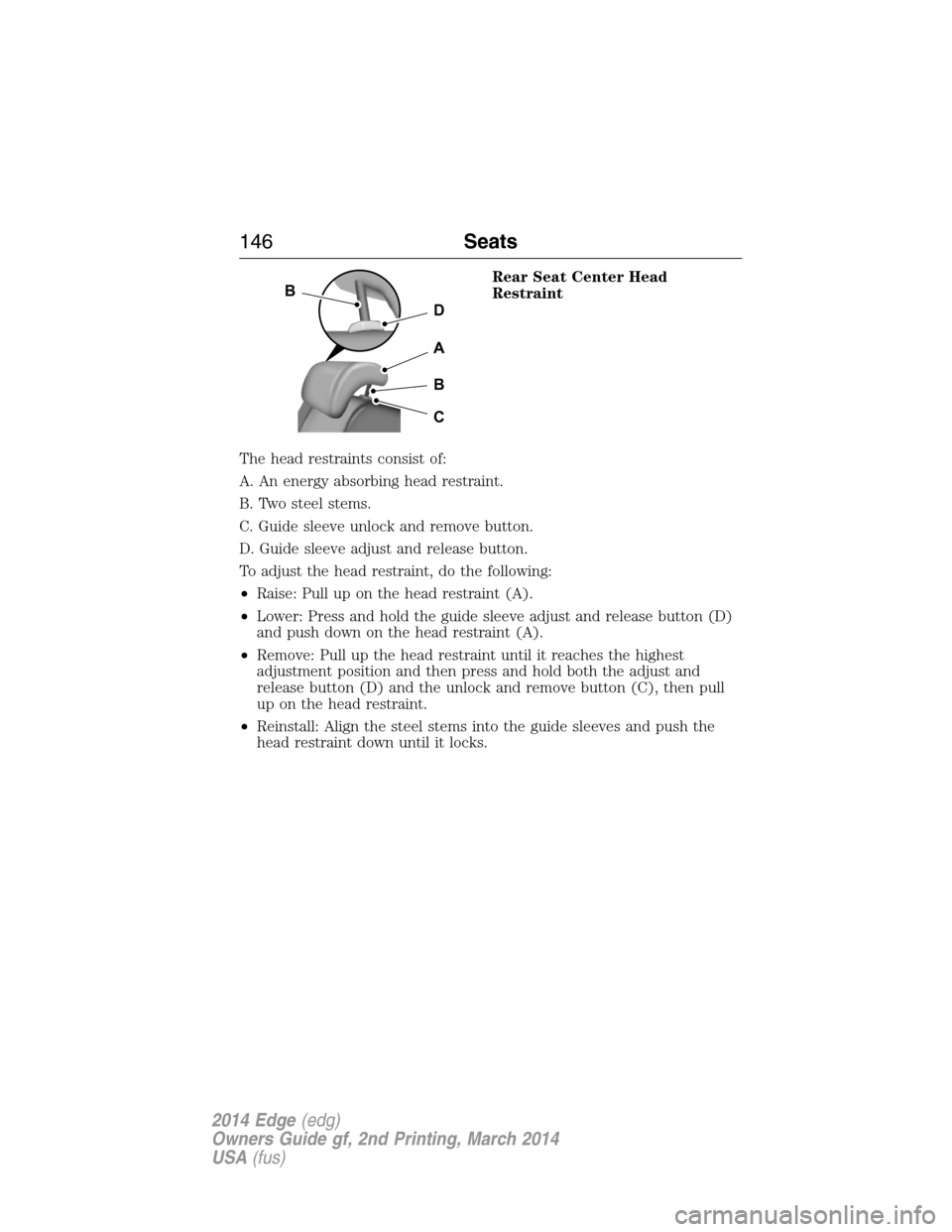
Rear Seat Center Head
Restraint
The head restraints consist of:
A. An energy absorbing head restraint.
B. Two steel stems.
C. Guide sleeve unlock and remove button.
D. Guide sleeve adjust and release button.
To adjust the head restraint, do the following:
•Raise: Pull up on the head restraint (A).
•Lower: Press and hold the guide sleeve adjust and release button (D)
and push down on the head restraint (A).
•Remove: Pull up the head restraint until it reaches the highest
adjustment position and then press and hold both the adjust and
release button (D) and the unlock and remove button (C), then pull
up on the head restraint.
•Reinstall: Align the steel stems into the guide sleeves and push the
head restraint down until it locks.
D
B
A
B
C
146Seats
2014 Edge(edg)
Owners Guide gf, 2nd Printing, March 2014
USA(fus)
Page 148 of 540
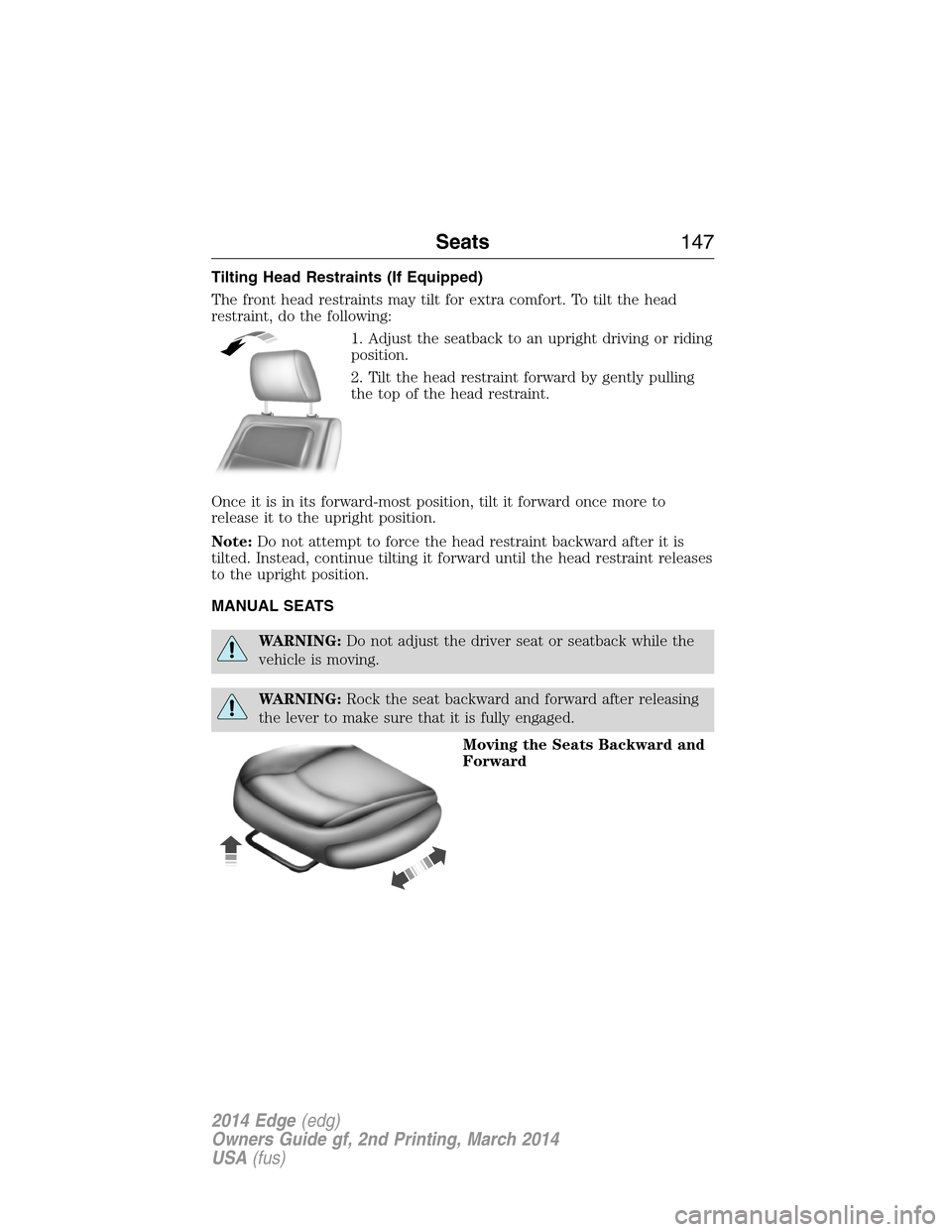
Tilting Head Restraints (If Equipped)
The front head restraints may tilt for extra comfort. To tilt the head
restraint, do the following:
1. Adjust the seatback to an upright driving or riding
position.
2. Tilt the head restraint forward by gently pulling
the top of the head restraint.
Once it is in its forward-most position, tilt it forward once more to
release it to the upright position.
Note:Do not attempt to force the head restraint backward after it is
tilted. Instead, continue tilting it forward until the head restraint releases
to the upright position.
MANUAL SEATS
WARNING:Do not adjust the driver seat or seatback while the
vehicle is moving.
WARNING:Rock the seat backward and forward after releasing
the lever to make sure that it is fully engaged.
Moving the Seats Backward and
Forward
Seats147
2014 Edge(edg)
Owners Guide gf, 2nd Printing, March 2014
USA(fus)
Page 149 of 540
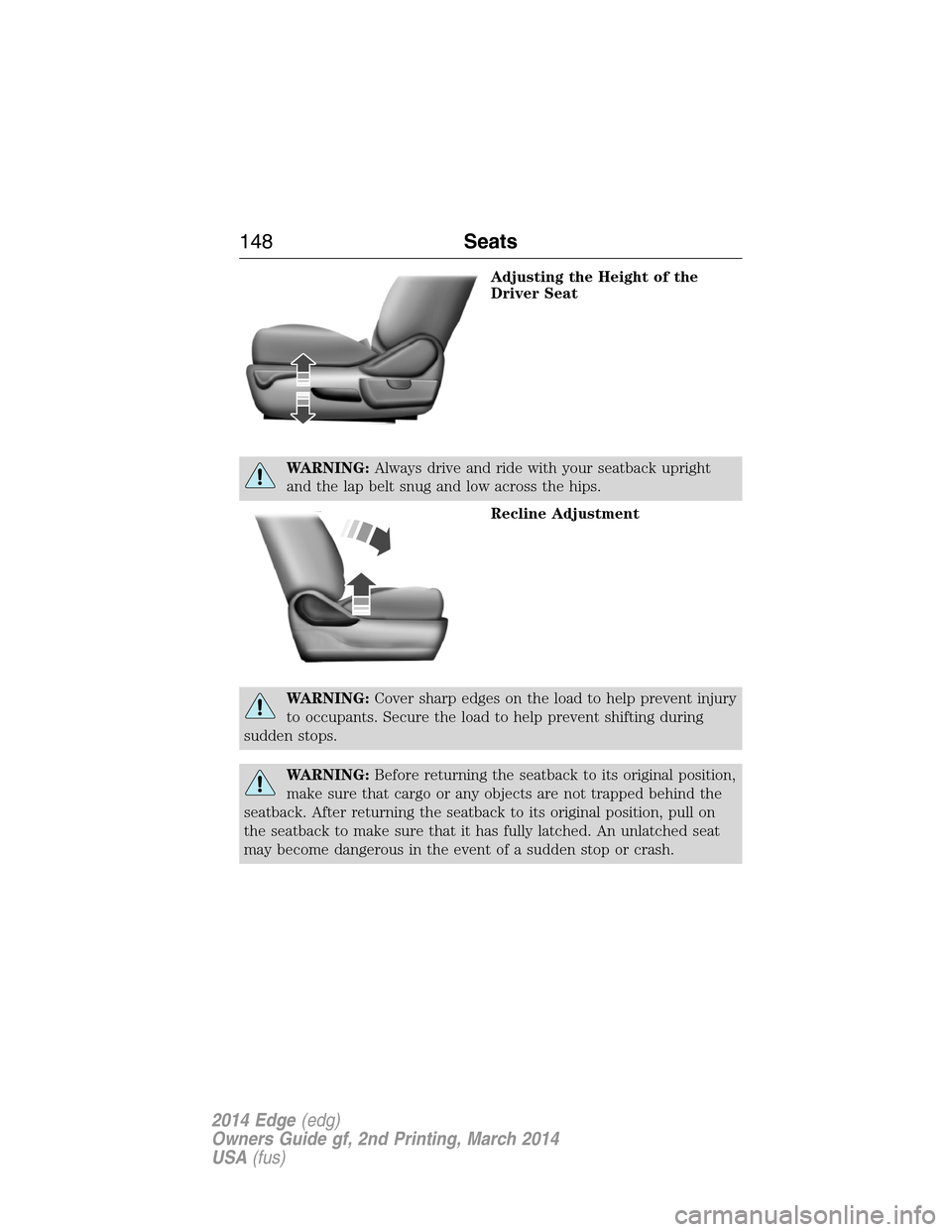
Adjusting the Height of the
Driver Seat
WARNING:Always drive and ride with your seatback upright
and the lap belt snug and low across the hips.
Recline Adjustment
WARNING:Cover sharp edges on the load to help prevent injury
to occupants. Secure the load to help prevent shifting during
sudden stops.
WARNING:Before returning the seatback to its original position,
make sure that cargo or any objects are not trapped behind the
seatback. After returning the seatback to its original position, pull on
the seatback to make sure that it has fully latched. An unlatched seat
may become dangerous in the event of a sudden stop or crash.
148Seats
2014 Edge(edg)
Owners Guide gf, 2nd Printing, March 2014
USA(fus)
Page 150 of 540
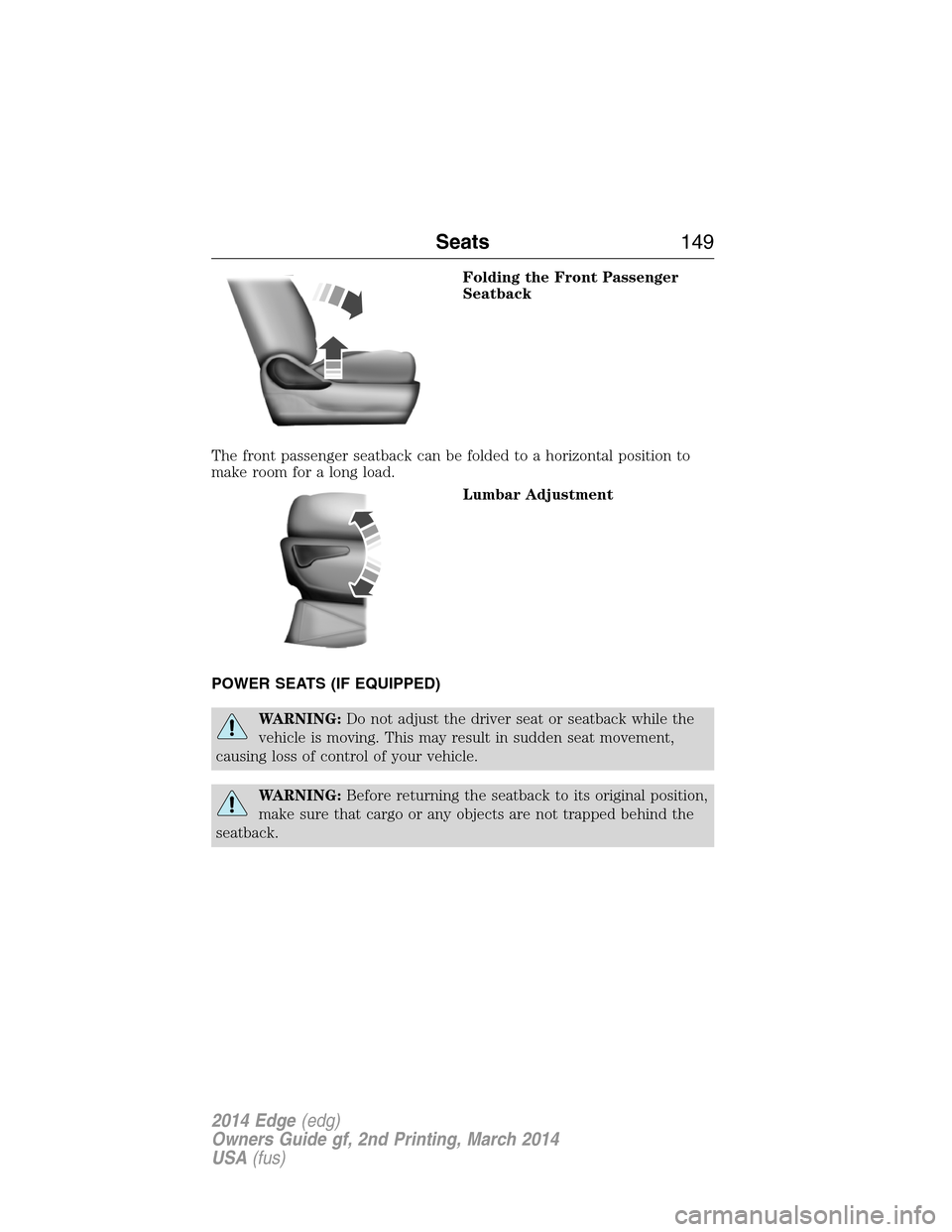
Folding the Front Passenger
Seatback
The front passenger seatback can be folded to a horizontal position to
make room for a long load.
Lumbar Adjustment
POWER SEATS (IF EQUIPPED)
WARNING:Do not adjust the driver seat or seatback while the
vehicle is moving. This may result in sudden seat movement,
causing loss of control of your vehicle.
WARNING:Before returning the seatback to its original position,
make sure that cargo or any objects are not trapped behind the
seatback.
Seats149
2014 Edge(edg)
Owners Guide gf, 2nd Printing, March 2014
USA(fus)
Page 151 of 540
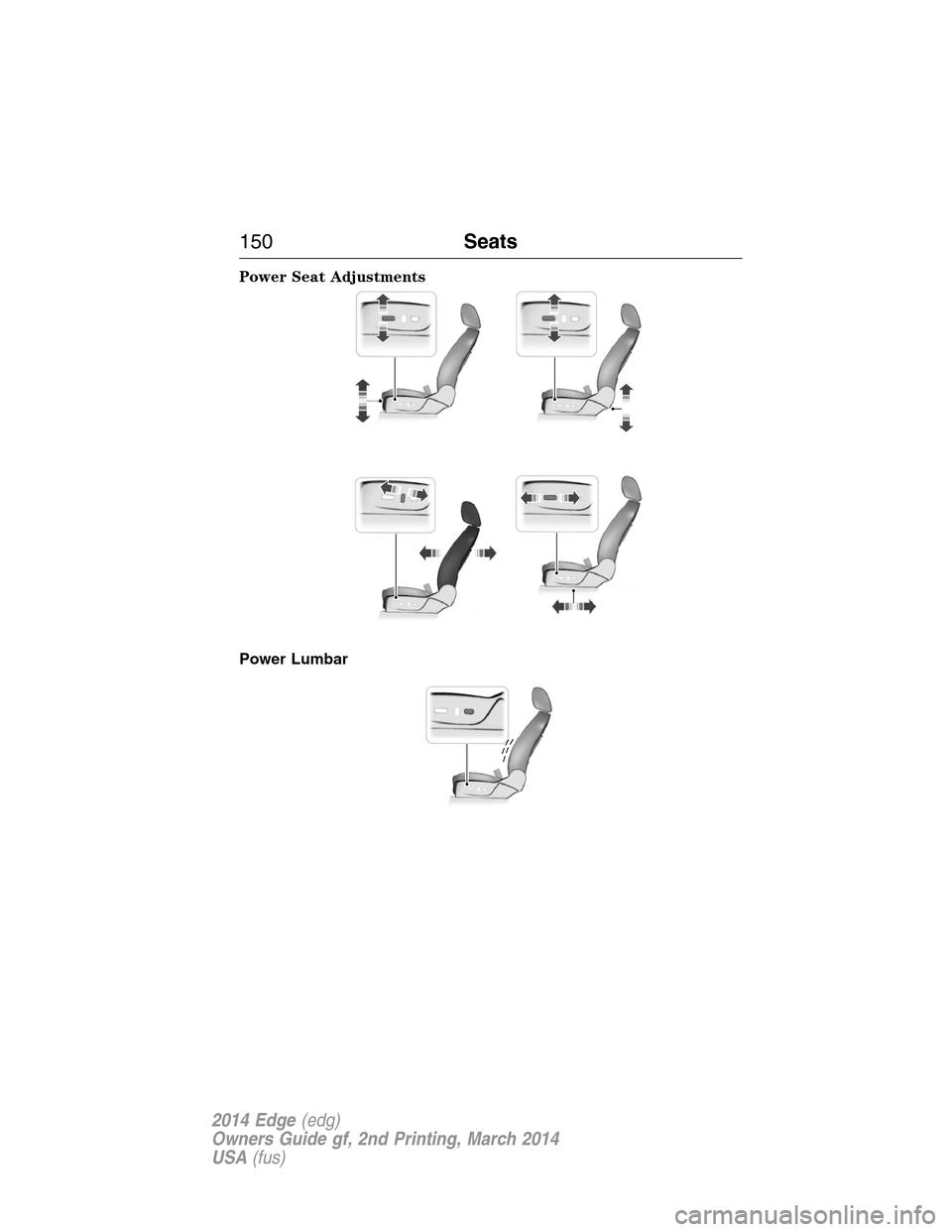
Power Seat Adjustments
Power Lumbar
150Seats
2014 Edge(edg)
Owners Guide gf, 2nd Printing, March 2014
USA(fus)
Page 152 of 540
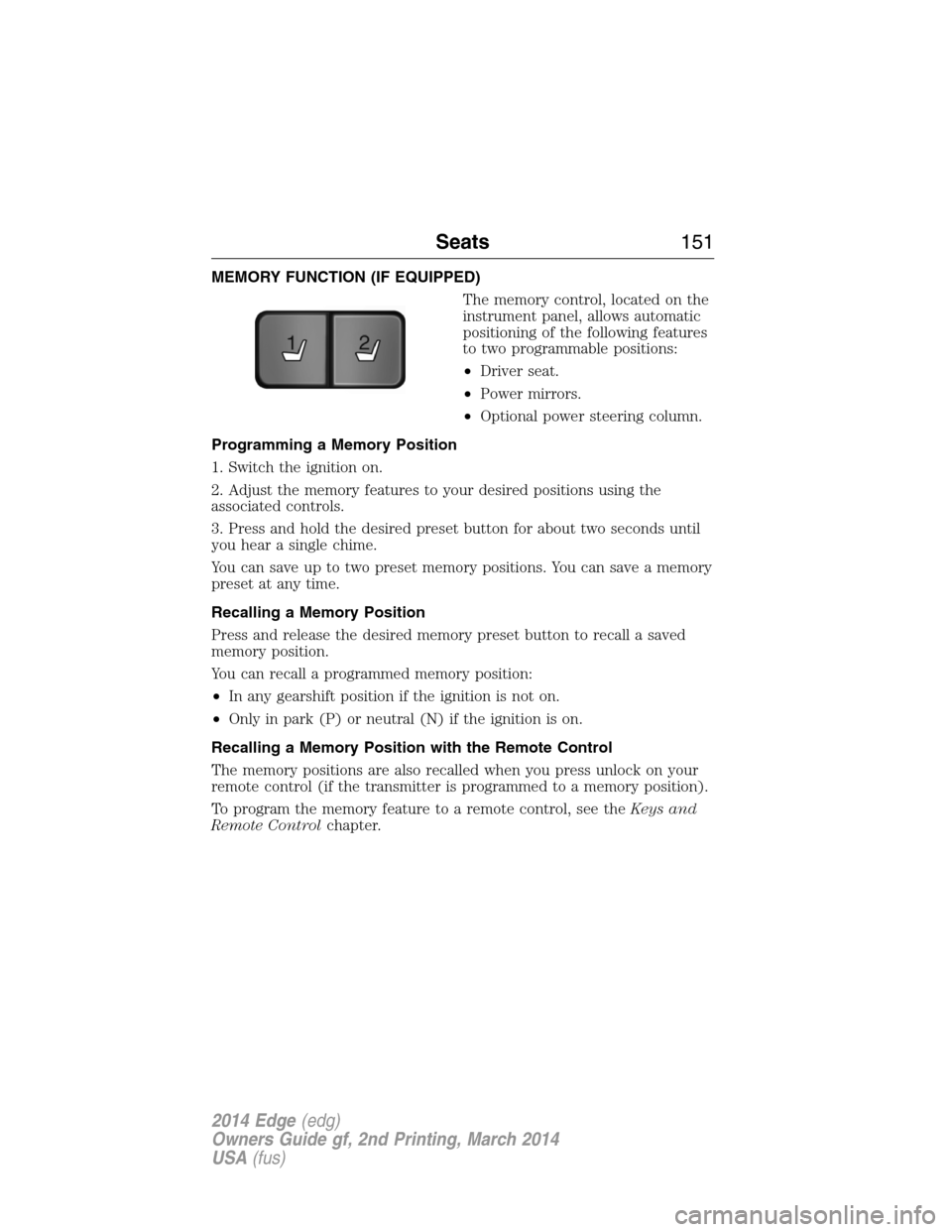
MEMORY FUNCTION (IF EQUIPPED)
The memory control, located on the
instrument panel, allows automatic
positioning of the following features
to two programmable positions:
•Driver seat.
•Power mirrors.
•Optional power steering column.
Programming a Memory Position
1. Switch the ignition on.
2. Adjust the memory features to your desired positions using the
associated controls.
3. Press and hold the desired preset button for about two seconds until
you hear a single chime.
You can save up to two preset memory positions. You can save a memory
preset at any time.
Recalling a Memory Position
Press and release the desired memory preset button to recall a saved
memory position.
You can recall a programmed memory position:
•In any gearshift position if the ignition is not on.
•Only in park (P) or neutral (N) if the ignition is on.
Recalling a Memory Position with the Remote Control
The memory positions are also recalled when you press unlock on your
remote control (if the transmitter is programmed to a memory position).
To program the memory feature to a remote control, see theKeys and
Remote Controlchapter.
21
Seats151
2014 Edge(edg)
Owners Guide gf, 2nd Printing, March 2014
USA(fus)