warning FORD EDGE 2014 1.G Service Manual
[x] Cancel search | Manufacturer: FORD, Model Year: 2014, Model line: EDGE, Model: FORD EDGE 2014 1.GPages: 540, PDF Size: 7.52 MB
Page 93 of 540
AUTOLAMPS
WARNING:In severe weather conditions, it may be necessary to
switch your headlamps on manually.
Note:If the vehicle is equipped with autolamps, it will have the
windshield wiper rainlamp feature.When the windshield wipers are
turned to low- or high-speed wiping during daylight, and the headlamp
control is in the autolamp position, the exterior lamps will turn on after
a brief delay and will remain on until the wipers are turned off.
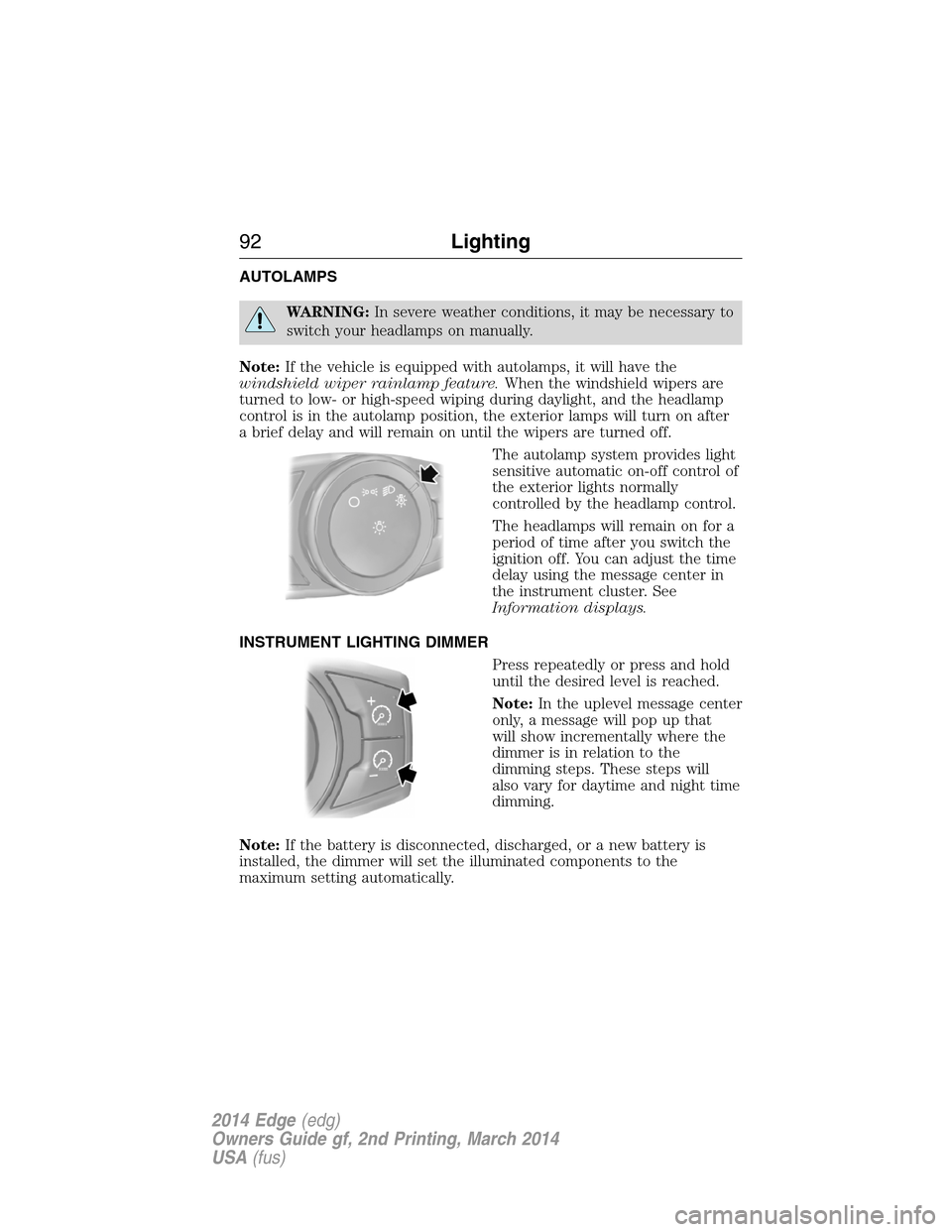
The autolamp system provides light
sensitive automatic on-off control of
the exterior lights normally
controlled by the headlamp control.
The headlamps will remain on for a
period of time after you switch the
ignition off. You can adjust the time
delay using the message center in
the instrument cluster. See
Information displays.
INSTRUMENT LIGHTING DIMMER
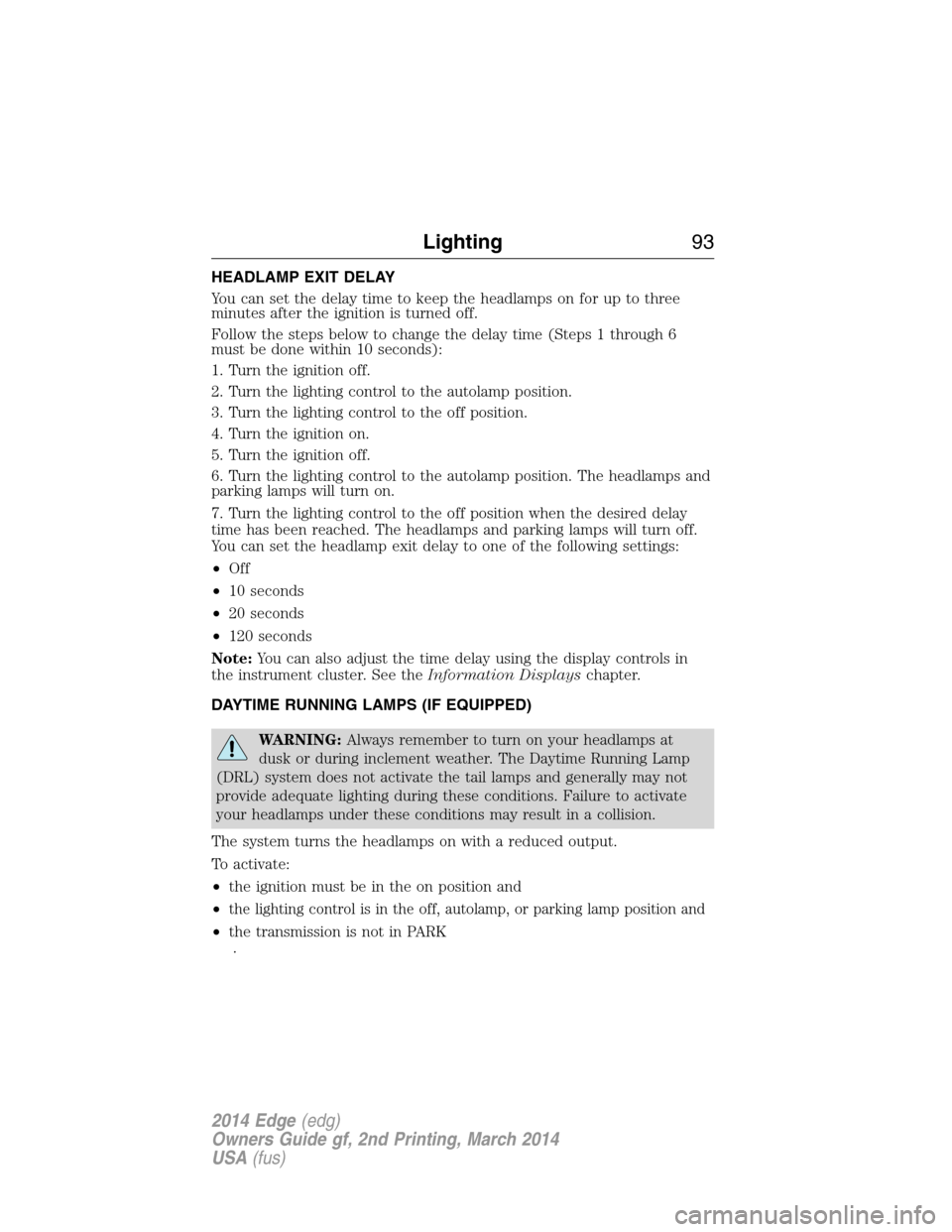
Press repeatedly or press and hold
until the desired level is reached.
Note:In the uplevel message center
only, a message will pop up that
will show incrementally where the
dimmer is in relation to the
dimming steps. These steps will
also vary for daytime and night time
dimming.
Note:If the battery is disconnected, discharged, or a new battery is
installed, the dimmer will set the illuminated components to the
maximum setting automatically.
92Lighting
2014 Edge(edg)
Owners Guide gf, 2nd Printing, March 2014
USA(fus)
Page 94 of 540
HEADLAMP EXIT DELAY
You can set the delay time to keep the headlamps on for up to three
minutes after the ignition is turned off.
Follow the steps below to change the delay time (Steps 1 through 6
must be done within 10 seconds):
1. Turn the ignition off.
2. Turn the lighting control to the autolamp position.
3. Turn the lighting control to the off position.
4. Turn the ignition on.
5. Turn the ignition off.
6. Turn the lighting control to the autolamp position. The headlamps and
parking lamps will turn on.
7. Turn the lighting control to the off position when the desired delay
time has been reached. The headlamps and parking lamps will turn off.
You can set the headlamp exit delay to one of the following settings:
•Off
•10 seconds
•20 seconds
•120 seconds
Note:You can also adjust the time delay using the display controls in
the instrument cluster. See theInformation Displayschapter.
DAYTIME RUNNING LAMPS (IF EQUIPPED)
WARNING:Always remember to turn on your headlamps at
dusk or during inclement weather. The Daytime Running Lamp
(DRL) system does not activate the tail lamps and generally may not
provide adequate lighting during these conditions. Failure to activate
your headlamps under these conditions may result in a collision.
The system turns the headlamps on with a reduced output.
To activate:
•the ignition must be in the on position and
•
the lighting control is in the off, autolamp, or parking lamp position and
•the transmission is not in PARK
.
Lighting93
2014 Edge(edg)
Owners Guide gf, 2nd Printing, March 2014
USA(fus)
Page 98 of 540
POWER WINDOWS
WARNING:Do not leave children unattended in your vehicle
and do not let children play with the power windows. They may
seriously injure themselves.
WARNING:When closing the power windows, you should verify
they are free of obstructions and make sure that children and
pets are not in the proximity of the window openings.
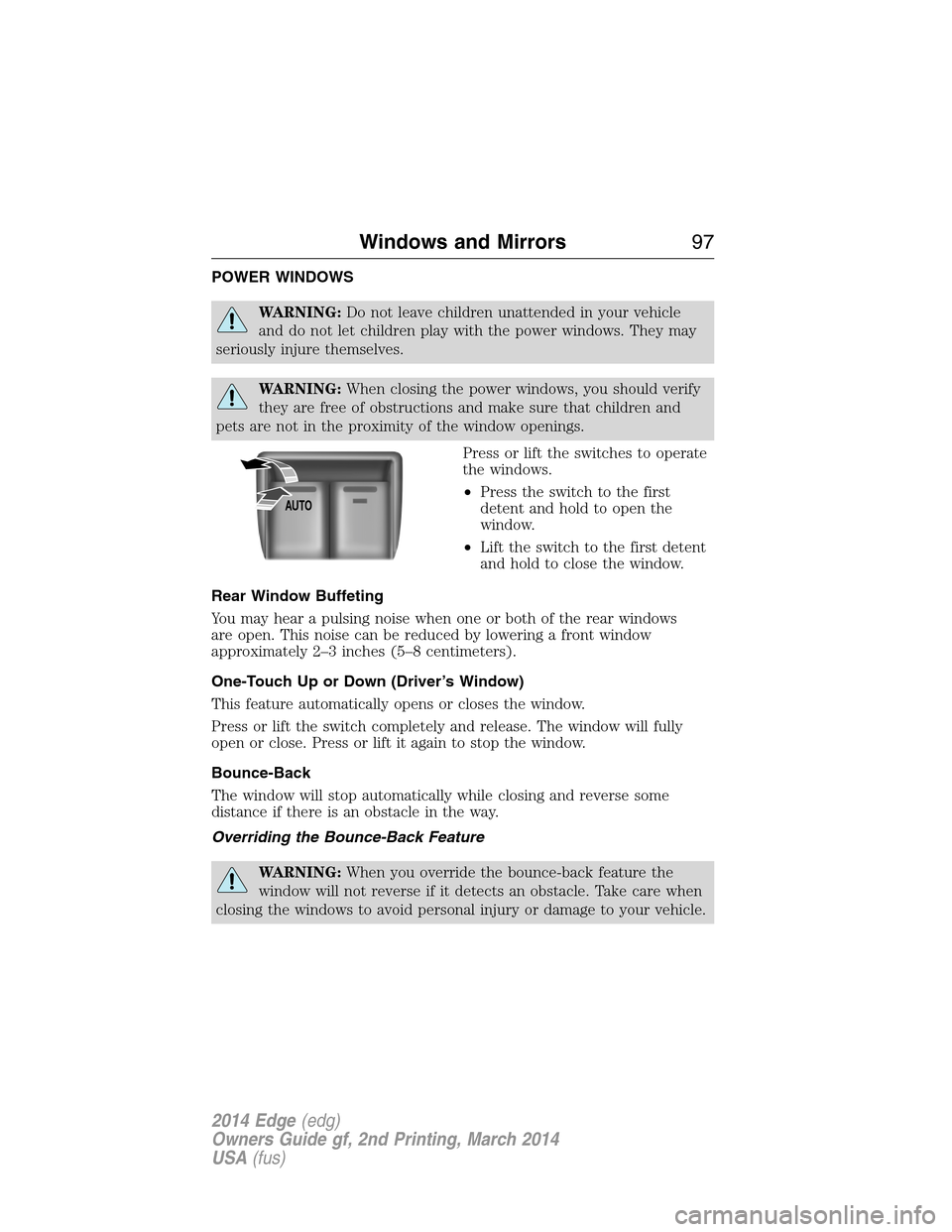
Press or lift the switches to operate
the windows.
•Press the switch to the first
detent and hold to open the
window.
•Lift the switch to the first detent
and hold to close the window.
Rear Window Buffeting
You may hear a pulsing noise when one or both of the rear windows
are open. This noise can be reduced by lowering a front window
approximately 2–3 inches (5–8 centimeters).
One-Touch Up or Down (Driver’s Window)
This feature automatically opens or closes the window.
Press or lift the switch completely and release. The window will fully
open or close. Press or lift it again to stop the window.
Bounce-Back
The window will stop automatically while closing and reverse some
distance if there is an obstacle in the way.
Overriding the Bounce-Back Feature
WARNING:When you override the bounce-back feature the
window will not reverse if it detects an obstacle. Take care when
closing the windows to avoid personal injury or damage to your vehicle.
AUTO
Windows and Mirrors97
2014 Edge(edg)
Owners Guide gf, 2nd Printing, March 2014
USA(fus)
Page 99 of 540
Pull up the window switch and hold within two seconds of the window
reaching the bounce-back position. The window will travel up with no
bounce-back protection. The window will stop if you release the switch
before the window is fully closed.
Accessory Delay
You can use the window switches for several minutes after you switch
the ignition off, or until you open either front door.
Window Lock
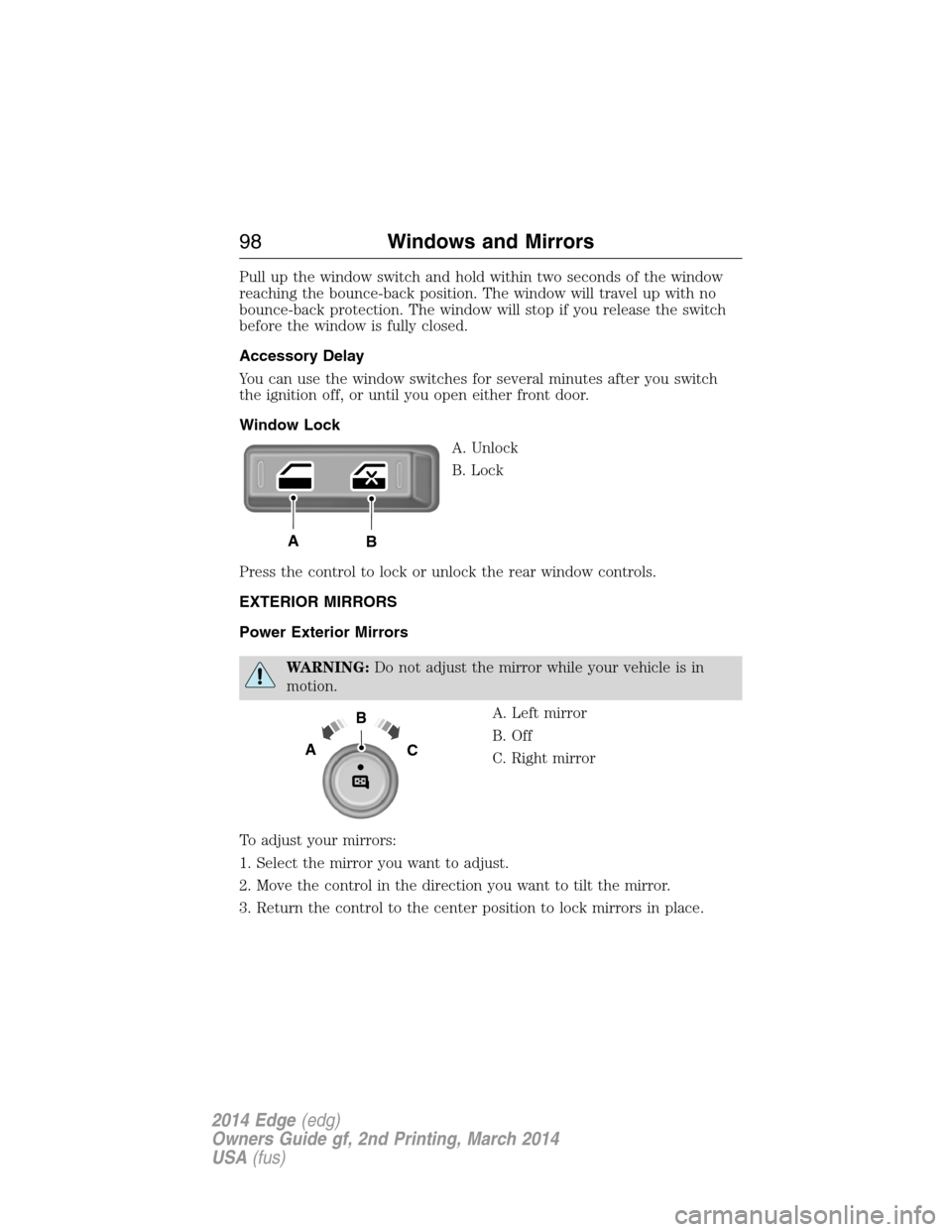
A. Unlock
B. Lock
Press the control to lock or unlock the rear window controls.
EXTERIOR MIRRORS
Power Exterior Mirrors
WARNING:Do not adjust the mirror while your vehicle is in
motion.
A. Left mirror
B. Off
C. Right mirror
To adjust your mirrors:
1. Select the mirror you want to adjust.
2. Move the control in the direction you want to tilt the mirror.
3. Return the control to the center position to lock mirrors in place.
AB
B
AC
98Windows and Mirrors
2014 Edge(edg)
Owners Guide gf, 2nd Printing, March 2014
USA(fus)
Page 100 of 540
Foldaway Exterior Mirrors
Push the mirror toward the door window glass. Make sure that you fully
engage the mirror in its support when returning it to its original position.
Heated Exterior Mirror (If Equipped)
The heated exterior mirrors switch on with the heated rear window. See
Heated Windows and Mirrorsin theClimate Controlchapter.
Memory Mirrors (If Equipped)
You can save and recall the mirror positions through the memory
function. SeeMemory functionin theSeatschapter.
Signal Indicator Mirrors (If Equipped)
The outer portion of the appropriate mirror housing blinks when you
activate the turn signal.
Integrated Blind Spot Mirrors (If Equipped)
WARNING:Objects in the blind spot mirror are closer than they
appear.
Blind spot mirrors have an integrated convex mirror built into the upper
outboard corner of the exterior mirrors. They are designed to assist you
by increasing visibility along the side of your vehicle.
Check the main mirror first before a lane change, then check the blind
spot mirror. If no vehicles are present in the blind spot mirror and the
traffic in the adjacent lane is at a safe distance, signal that you are going
to change lanes. Glance over your shoulder to verify traffic is clear, and
carefully change lanes.
Windows and Mirrors99
2014 Edge(edg)
Owners Guide gf, 2nd Printing, March 2014
USA(fus)
Page 101 of 540
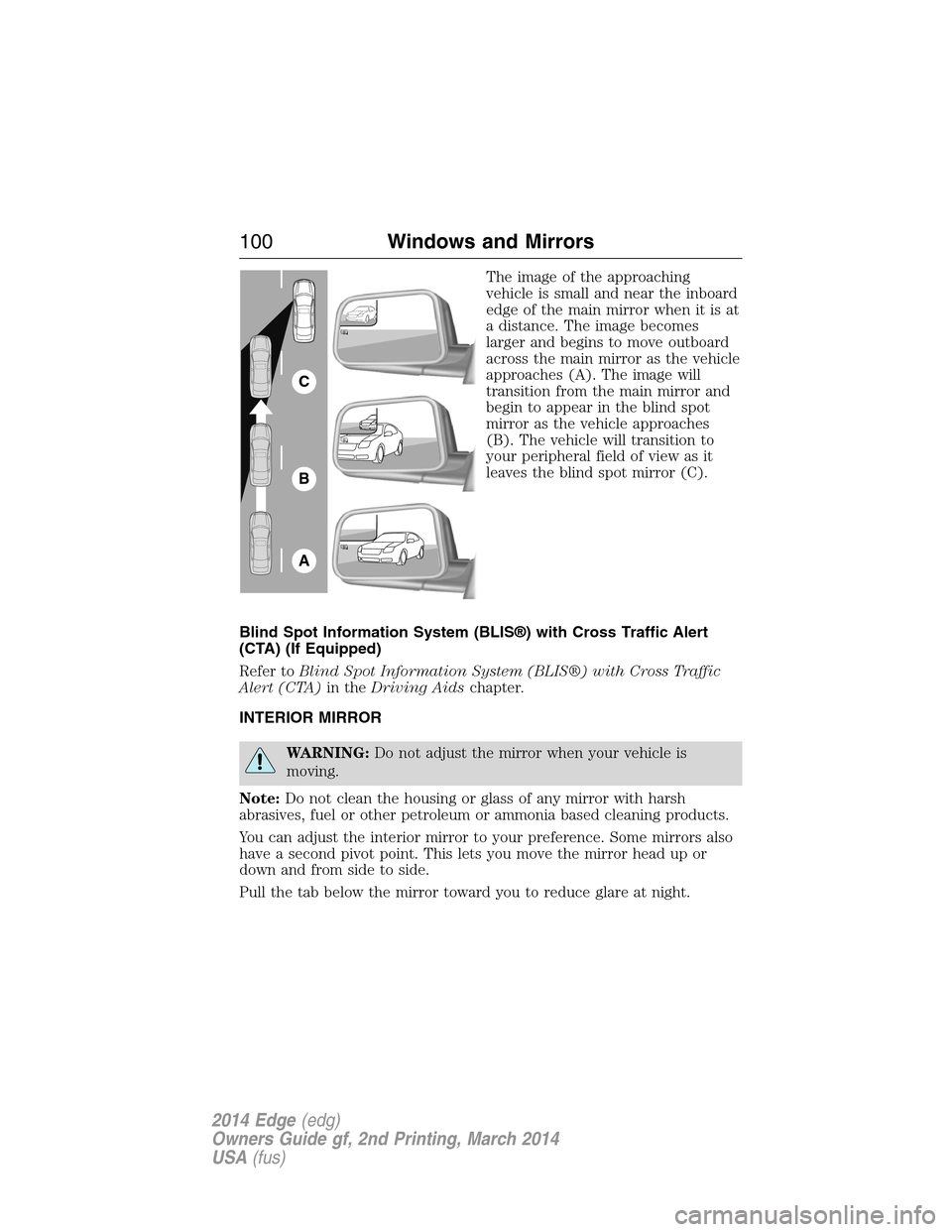
The image of the approaching
vehicle is small and near the inboard
edge of the main mirror when it is at
a distance. The image becomes
larger and begins to move outboard
across the main mirror as the vehicle
approaches (A). The image will
transition from the main mirror and
begin to appear in the blind spot
mirror as the vehicle approaches
(B). The vehicle will transition to
your peripheral field of view as it
leaves the blind spot mirror (C).
Blind Spot Information System (BLIS®) with Cross Traffic Alert
(CTA) (If Equipped)
Refer toBlind Spot Information System (BLIS®) with Cross Traffic
Alert (CTA)in theDriving Aidschapter.
INTERIOR MIRROR
WARNING:Do not adjust the mirror when your vehicle is
moving.
Note:Do not clean the housing or glass of any mirror with harsh
abrasives, fuel or other petroleum or ammonia based cleaning products.
You can adjust the interior mirror to your preference. Some mirrors also
have a second pivot point. This lets you move the mirror head up or
down and from side to side.
Pull the tab below the mirror toward you to reduce glare at night.
A
B
C
100Windows and Mirrors
2014 Edge(edg)
Owners Guide gf, 2nd Printing, March 2014
USA(fus)
Page 103 of 540
PANORAMIC VISTA ROOF® AND POWER SUNSHADES
(IF EQUIPPED)
WARNING:Do not let children play with the panoramic Vista
Roof® and power sunshade or leave children unattended in the
vehicle. They may seriously hurt themselves.
WARNING:When closing the panoramic Vista Roof® and power
sunshade, you should verify that it is free of obstructions and
ensure that children and/or pets are not in the proximity of the
panoramic Vista Roof® and power sunshade opening.
Note:Do not attempt to move the sunshades manually or sunshade
damage or malfunction may occur. The sunshade track clips are designed
to release the sunshade crossbar in order to prevent damage to the
system. If this occurs the sunshade crossbar ends may just need to be
slid back into position to regain proper function. See your authorized
dealer for proper moonroof or sunshade operating, diagnostic or repair
instructions.
Note:If the moonroof is excessively operated, the glass and shade
motors will go into a fail-safe jog mode (manual intermittent operation)
to prevent overheating or damage to the motor. The motors will return
to normal operation after a period of idle time.
The moonroof and sunshade controls are located on the overhead
console.
The moonroof and sunshade have a one-touch open and close feature.
To stop motion during one-touch operation, press the control a second
time.
102Windows and Mirrors
2014 Edge(edg)
Owners Guide gf, 2nd Printing, March 2014
USA(fus)
Page 106 of 540
Type 2
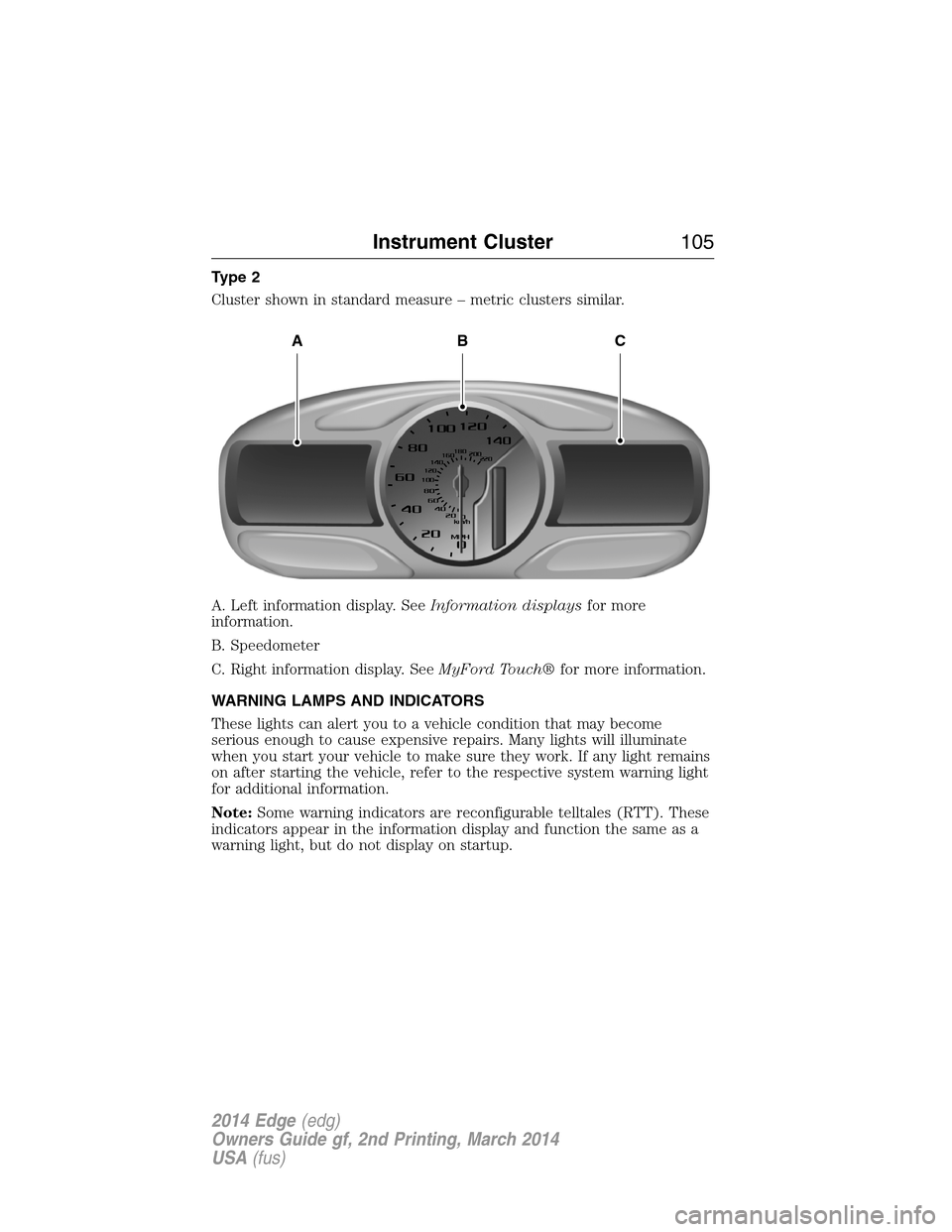
Cluster shown in standard measure – metric clusters similar.
A. Left information display. SeeInformation displaysfor more
information.
B. Speedometer
C. Right information display. SeeMyFord Touch®for more information.
WARNING LAMPS AND INDICATORS
These lights can alert you to a vehicle condition that may become
serious enough to cause expensive repairs. Many lights will illuminate
when you start your vehicle to make sure they work. If any light remains
on after starting the vehicle, refer to the respective system warning light
for additional information.
Note:Some warning indicators are reconfigurable telltales (RTT). These
indicators appear in the information display and function the same as a
warning light, but do not display on startup.
ABC
Instrument Cluster105
2014 Edge(edg)
Owners Guide gf, 2nd Printing, March 2014
USA(fus)
Page 107 of 540
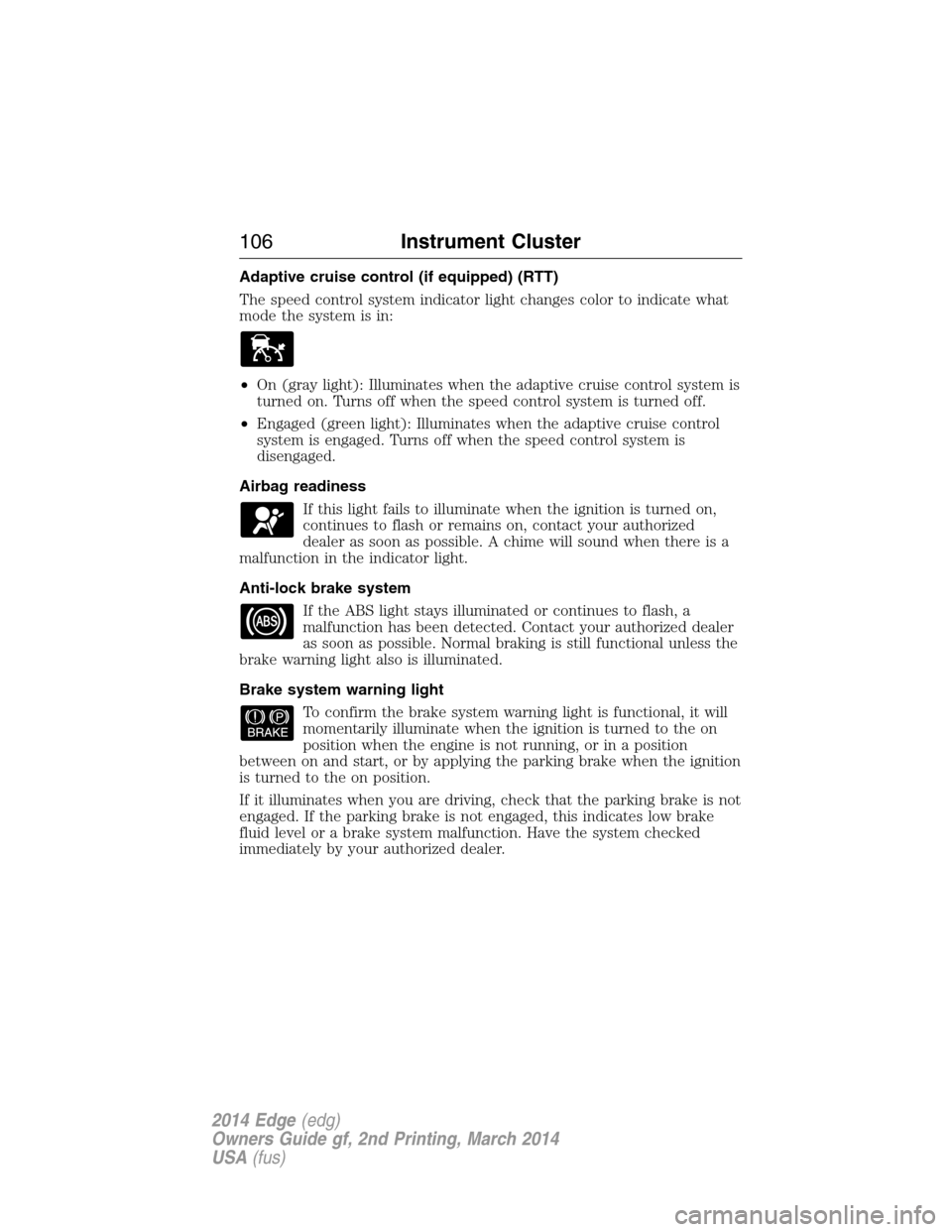
Adaptive cruise control (if equipped) (RTT)
The speed control system indicator light changes color to indicate what
mode the system is in:
•On (gray light): Illuminates when the adaptive cruise control system is
turned on. Turns off when the speed control system is turned off.
•Engaged (green light): Illuminates when the adaptive cruise control
system is engaged. Turns off when the speed control system is
disengaged.
Airbag readiness
If this light fails to illuminate when the ignition is turned on,
continues to flash or remains on, contact your authorized
dealer as soon as possible. A chime will sound when there is a
malfunction in the indicator light.
Anti-lock brake system
If the ABS light stays illuminated or continues to flash, a
malfunction has been detected. Contact your authorized dealer
as soon as possible. Normal braking is still functional unless the
brake warning light also is illuminated.
Brake system warning light
To confirm the brake system warning light is functional, it will
momentarily illuminate when the ignition is turned to the on
position when the engine is not running, or in a position
between on and start, or by applying the parking brake when the ignition
is turned to the on position.
If it illuminates when you are driving, check that the parking brake is not
engaged. If the parking brake is not engaged, this indicates low brake
fluid level or a brake system malfunction. Have the system checked
immediately by your authorized dealer.
106Instrument Cluster
2014 Edge(edg)
Owners Guide gf, 2nd Printing, March 2014
USA(fus)
Page 108 of 540
WARNING:Driving a vehicle with the brake system warning
light on is dangerous. A significant decrease in braking
performance may occur. It will take you longer to stop the vehicle.
Have the vehicle checked by your authorized dealer as soon as possible.
Driving extended distances with the parking brake engaged can cause
brake failure and the risk of personal injury.
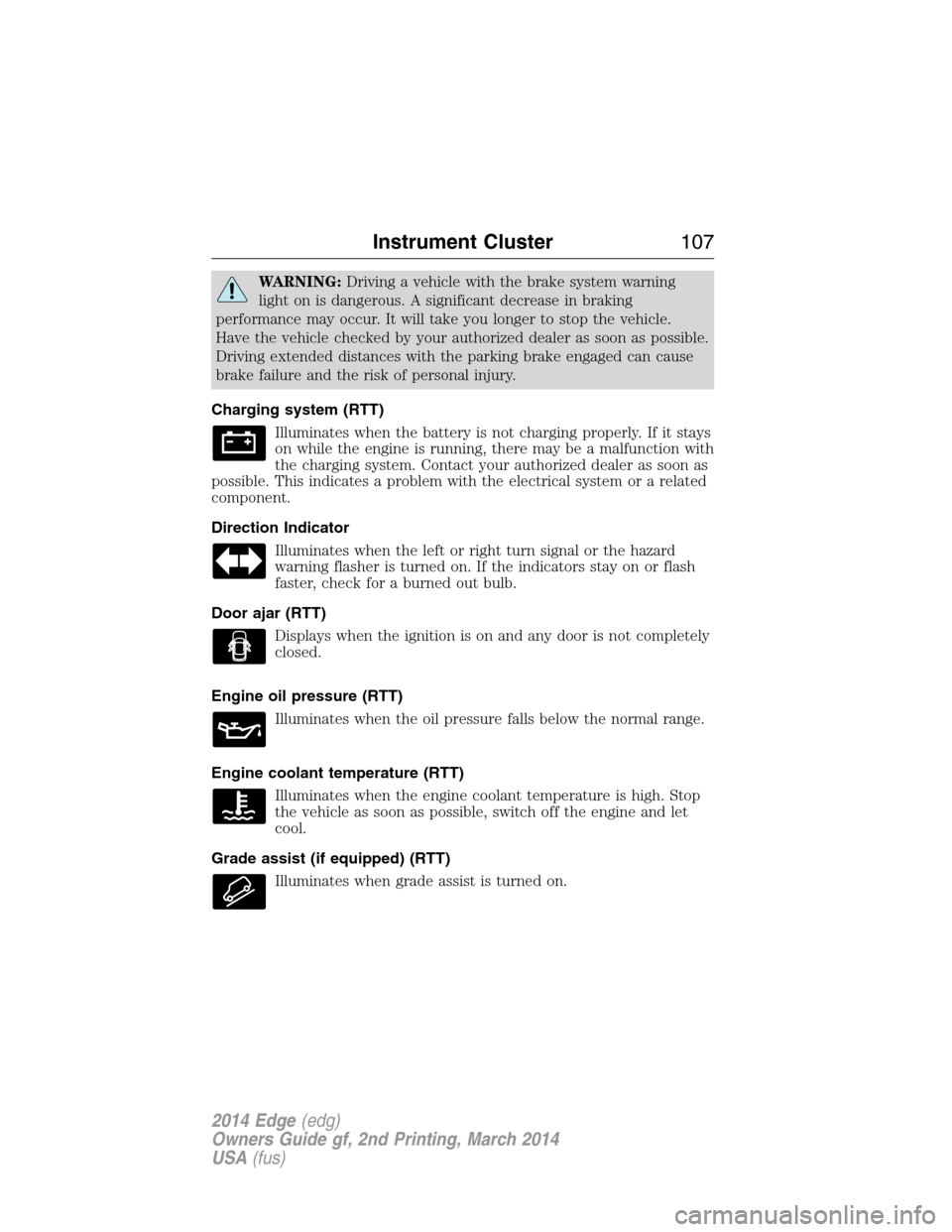
Charging system (RTT)
Illuminates when the battery is not charging properly. If it stays
on while the engine is running, there may be a malfunction with
the charging system. Contact your authorized dealer as soon as
possible. This indicates a problem with the electrical system or a related
component.
Direction Indicator
Illuminates when the left or right turn signal or the hazard
warning flasher is turned on. If the indicators stay on or flash
faster, check for a burned out bulb.
Door ajar (RTT)
Displays when the ignition is on and any door is not completely
closed.
Engine oil pressure (RTT)
Illuminates when the oil pressure falls below the normal range.
Engine coolant temperature (RTT)
Illuminates when the engine coolant temperature is high. Stop
the vehicle as soon as possible, switch off the engine and let
cool.
Grade assist (if equipped) (RTT)
Illuminates when grade assist is turned on.
Instrument Cluster107
2014 Edge(edg)
Owners Guide gf, 2nd Printing, March 2014
USA(fus)