brake FORD EDGE 2014 1.G Owners Manual
[x] Cancel search | Manufacturer: FORD, Model Year: 2014, Model line: EDGE, Model: FORD EDGE 2014 1.GPages: 540, PDF Size: 7.52 MB
Page 5 of 540
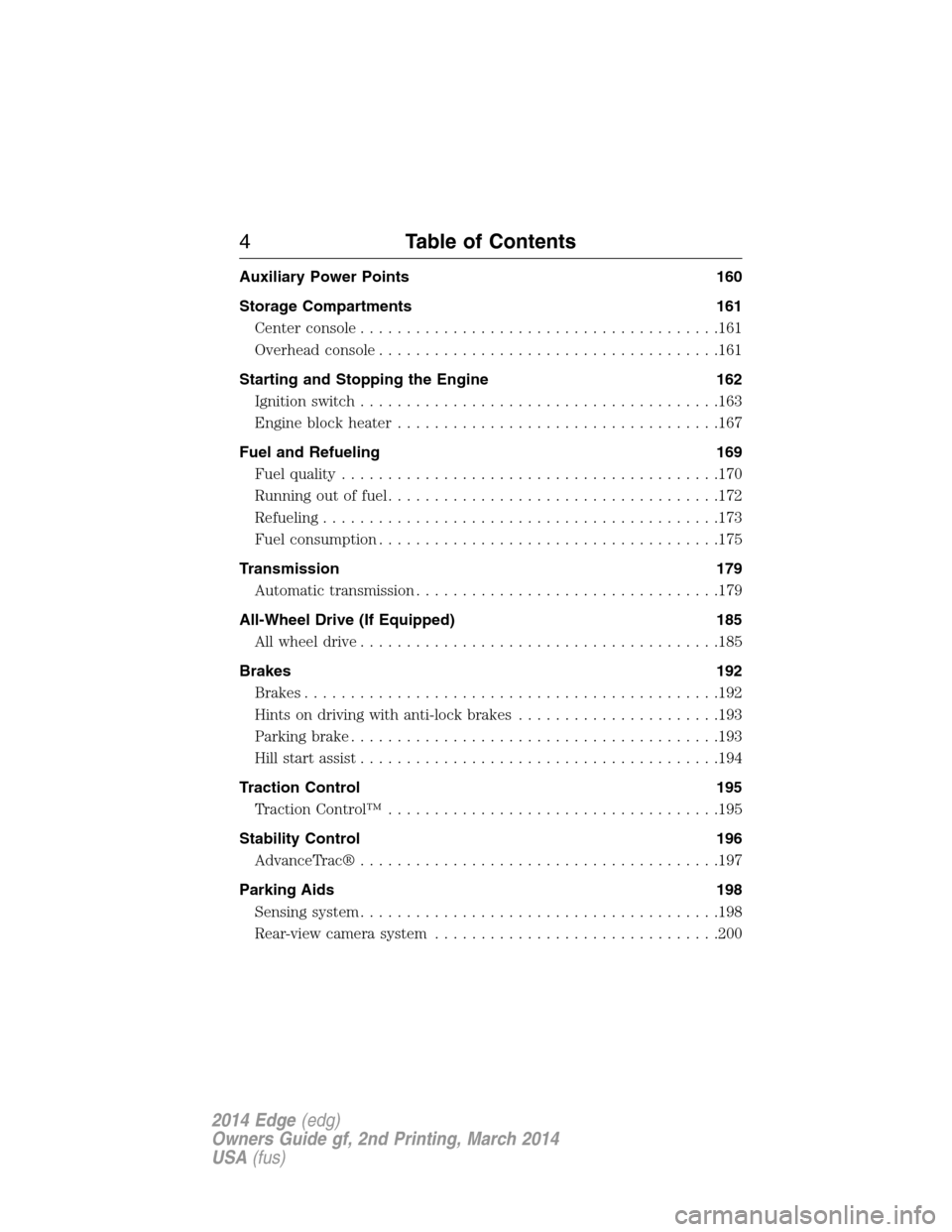
Auxiliary Power Points 160
Storage Compartments 161
Center console.......................................161
Overhead console.....................................161
Starting and Stopping the Engine 162
Ignition switch.......................................163
Engine block heater...................................167
Fuel and Refueling 169
Fuel quality.........................................170
Running out of fuel....................................172
Refueling...........................................173
Fuel consumption.....................................175
Transmission 179
Automatic transmission.................................179
All-Wheel Drive (If Equipped) 185
All wheel drive.......................................185
Brakes 192
Brakes.............................................192
Hints on driving with anti-lock brakes......................193
Parking brake........................................193
Hill start assist.......................................194
Traction Control 195
TractionControl™ ....................................195
Stability Control 196
AdvanceTrac®.......................................197
Parking Aids 198
Sensing system.......................................198
Rear-view camera system...............................200
4Table of Contents
2014 Edge(edg)
Owners Guide gf, 2nd Printing, March 2014
USA(fus)
Page 7 of 540
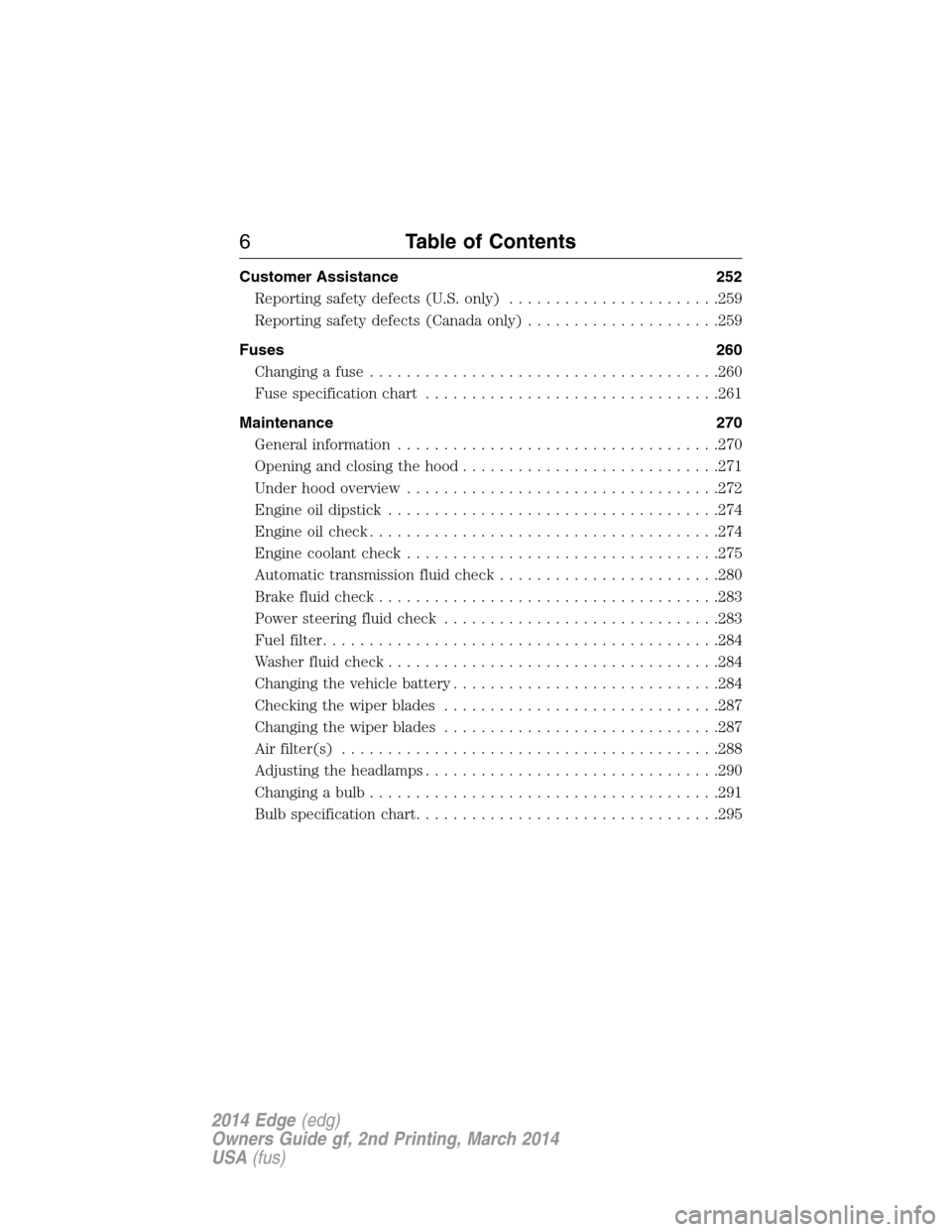
Customer Assistance 252
Reporting safety defects (U.S. only).......................259
Reporting safety defects (Canada only).....................259
Fuses 260
Changing a fuse......................................260
Fuse specification chart................................261
Maintenance 270
General information...................................270
Opening and closing the hood............................271
Under hood overview..................................272
Engine oil dipstick....................................274
Engine oil check......................................274
Engine coolant check..................................275
Automatic transmission fluid check........................280
Brake fluid check.....................................283
Power steering fluid check..............................283
Fuel filter...........................................284
Washer fluid check....................................284
Changing the vehicle battery.............................284
Checking the wiper blades..............................287
Changing the wiper blades..............................287
Air filter(s).........................................288
Adjusting the headlamps................................290
Changing a bulb......................................291
Bulb specification chart.................................295
6Table of Contents
2014 Edge(edg)
Owners Guide gf, 2nd Printing, March 2014
USA(fus)
Page 11 of 540
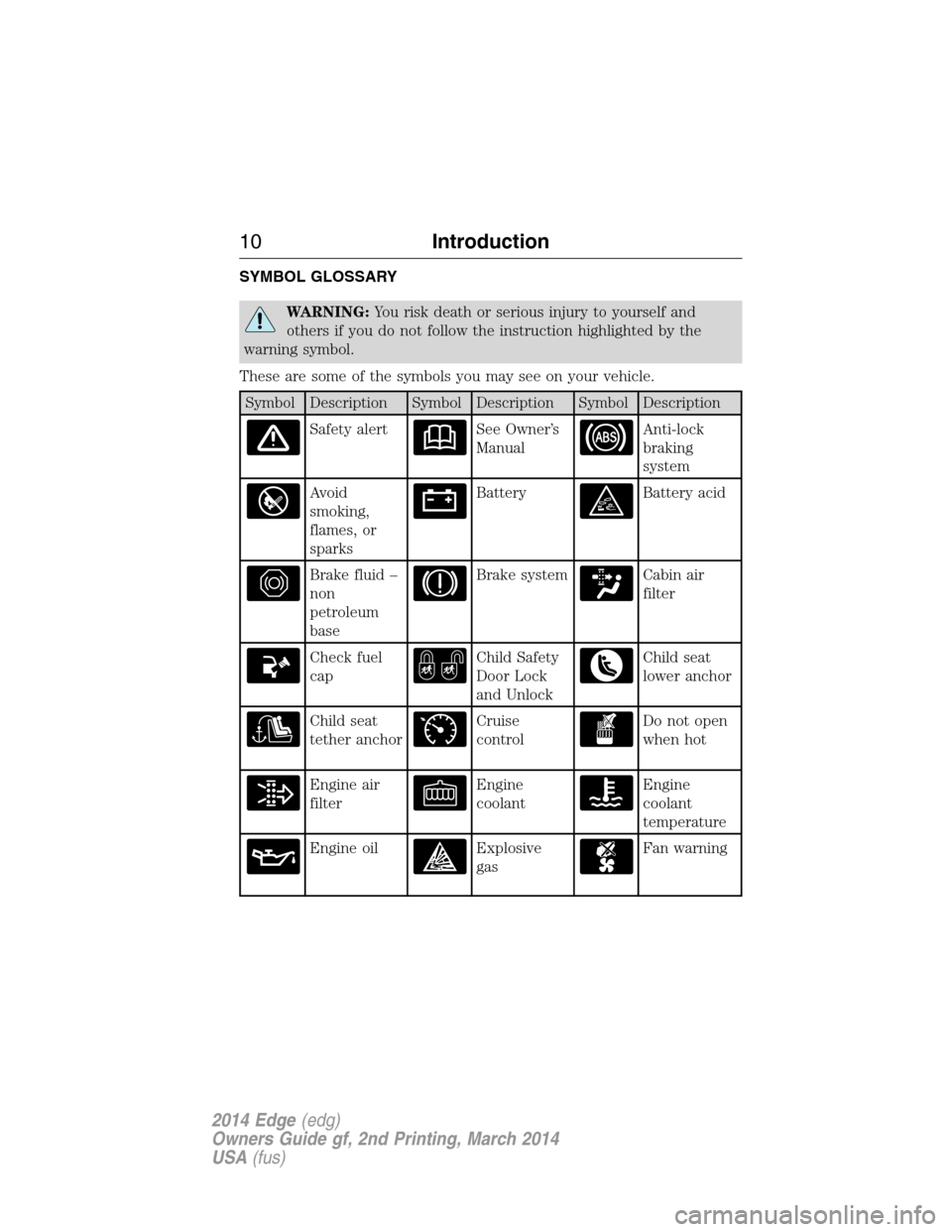
SYMBOL GLOSSARY
WARNING:You risk death or serious injury to yourself and
others if you do not follow the instruction highlighted by the
warning symbol.
These are some of the symbols you may see on your vehicle.
Symbol Description Symbol Description Symbol Description
Safety alertSee Owner’s
ManualAnti-lock
braking
system
Avoid
smoking,
flames, or
sparksBatteryBattery acid
Brake fluid –
non
petroleum
baseBrake systemCabin air
filter
Check fuel
capChild Safety
Door Lock
and UnlockChild seat
lower anchor
Child seat
tether anchorCruise
controlDo not open
when hot
Engine air
filterEngine
coolantEngine
coolant
temperature
Engine oilExplosive
gasFan warning
10Introduction
2014 Edge(edg)
Owners Guide gf, 2nd Printing, March 2014
USA(fus)
Page 12 of 540
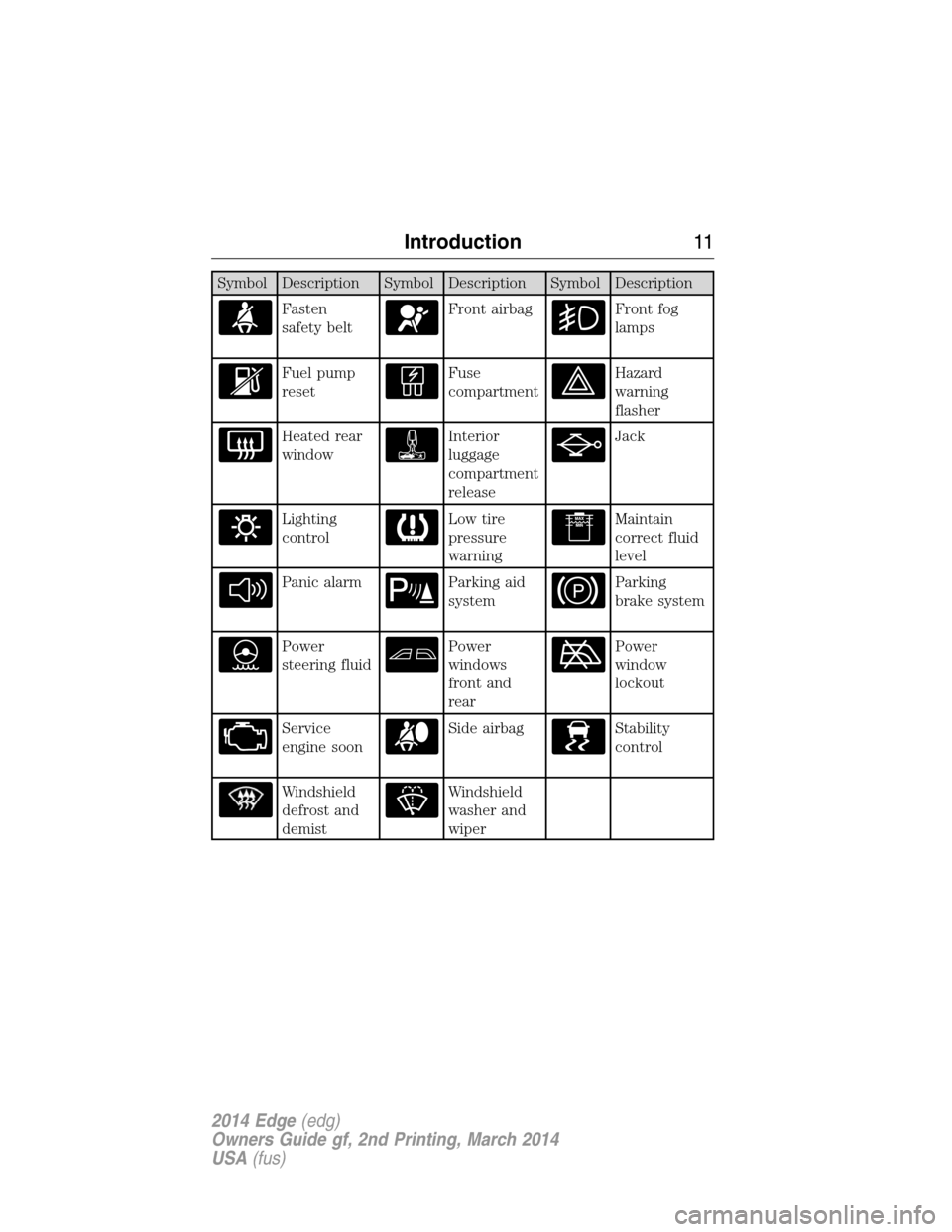
Symbol Description Symbol Description Symbol Description
Fasten
safety beltFront airbagFront fog
lamps
Fuel pump
resetFuse
compartmentHazard
warning
flasher
Heated rear
windowInterior
luggage
compartment
releaseJack
Lighting
controlLow tire
pressure
warningMaintain
correct fluid
level
Panic alarmParking aid
systemParking
brake system
Power
steering fluidPower
windows
front and
rearPower
window
lockout
Service
engine soonSide airbagStability
control
Windshield
defrost and
demistWindshield
washer and
wiper
Introduction11
2014 Edge(edg)
Owners Guide gf, 2nd Printing, March 2014
USA(fus)
Page 13 of 540
DATA RECORDING
Service Data Recording
Service data recorders in your vehicle are capable of collecting and
storing diagnostic information about your vehicle. This potentially
includes information about the performance or status of various systems
and modules in the vehicle, such as engine, throttle, steering or brake
systems. In order to properly diagnose and service your vehicle, Ford
Motor Company, Ford of Canada, and service and repair facilities may
access or share among them vehicle diagnostic information received
through a direct connection to your vehicle when diagnosing or servicing
your vehicle. Additionally, when your vehicle is in for service or repair,
Ford Motor Company, Ford of Canada, and service and repair facilities
may access or share among them data for vehicle improvement purposes.
For U.S. only (if equipped), if you choose to use the SYNC® Vehicle
Health Report, you consent that certain diagnostic information may also
be accessed electronically by Ford Motor Company and Ford authorized
service facilities, and that the diagnostic information may be used for any
purpose. See theSYNC®chapter for more information.
Event Data Recording
This vehicle is equipped with an event data recorder (EDR).
The main purpose of an EDR is to record, in certain crash or near
crash-like situations, such as an airbag deployment or hitting a
road obstacle; this data will assist in understanding how a
vehicle’s systems performed. The EDR is designed to record data
related to vehicle dynamics and safety systems for a short period
of time, typically 30 seconds or less. The EDR in this vehicle is
designed to record such data as:
•How various systems in your vehicle were operating;
•Whether or not the driver and passenger safety belts were
buckled/fastened;
•How far (if at all) the driver was depressing the accelerator
and/or the brake pedal;
•How fast the vehicle was travelling;
•Where the driver was positioning the steering wheel.
This data can help provide a better understanding of the
circumstances in which crashes and injuries occur.
12Introduction
2014 Edge(edg)
Owners Guide gf, 2nd Printing, March 2014
USA(fus)
Page 38 of 540
WARNING:The belt and retractor assembly must be replaced if
the safety belt assembly automatic locking retractor feature or
any other safety belt function is not operating properly when checked
by an authorized dealer. Failure to replace the belt and retractor
assembly could increase the risk of injury in crashes.
All safety restraints in the vehicle are combination lap and shoulder
belts. The driver safety belt has the first type of locking mode. The front
outboard passenger and rear seat safety belts have both types of locking
modes described as follows:
Vehicle Sensitive Mode
This is the normal retractor mode, which allows free shoulder belt length
adjustment to your movements and locking in response to vehicle
movement. For example, if the driver brakes suddenly or turns a corner
sharply, or the vehicle receives an impact of about 5 mph (8 km/h) or
more, the combination safety belts will lock to help reduce forward
movement of the driver and passengers.
In addition, the retractor is designed to lock if the webbing is pulled out
too quickly. If this occurs, let the belt retract slightly and pull webbing
out again in a slow and controlled manner.
Automatic Locking Mode
In this mode, the shoulder belt is automatically pre-locked. The belt will
still retract to remove any slack in the shoulder belt. The automatic
locking mode is not available on the driver safety belt.
When to Use the Automatic Locking Mode
This mode should be used any time a child safety seat, except a booster,
is installed in passenger front or rear seating positions. Children 12 years
old and under should be properly restrained in a rear seating position
whenever possible. See theChild Safetychapter.
Safety Belts37
2014 Edge(edg)
Owners Guide gf, 2nd Printing, March 2014
USA(fus)
Page 42 of 540
Deactivating and Activating the Belt-Minder™ Feature
WARNING:While the system allows you to deactivate it, this
system is designed to improve your chances of being safely
belted and surviving an accident. We recommend you leave the system
activated for yourself and others who may use the vehicle. To reduce
the risk of injury, do not deactivate or activate the system while driving
the vehicle.
Note:The driver and front passenger warning are deactivated and
activated independently. When deactivating or activating one seating
position, do not buckle the other position as this will terminate the
process.
Read Steps1-4thoroughly before proceeding with the programming
procedure.
Before following the procedure, make sure that:
•The parking brake is set.
•The transmission is in park (P).
•The ignition is off.
•The driver and front passenger safety belts are unbuckled.
1. Turn the ignition on. Do not start the engine.
2. Wait until the safety belt warning light turns off (about 1–2 minutes).
•Step 3 must be completed within 50 seconds after the safety belt
warning light turns off.
3. For the seating position being disabled, buckle then unbuckle the
safety belt three times at a moderate speed, ending in the unbuckled
state.
•After Step 3, the safety belt warning light will be turned on for three
seconds.
4. Within about seven seconds of the light turning off, buckle then
unbuckle the safety belt. The safety belt warning light will flash for
confirmation.
•This will disable the feature for that seating position if it is currently
enabled.
•This will enable the feature for that seating position if it is currently
disabled.
Safety Belts41
2014 Edge(edg)
Owners Guide gf, 2nd Printing, March 2014
USA(fus)
Page 65 of 540
Remote Starting the Vehicle
Note:You must press each button within three seconds of each other.
Your vehicle will not remote start and the horn will not sound if you do
not follow this sequence.
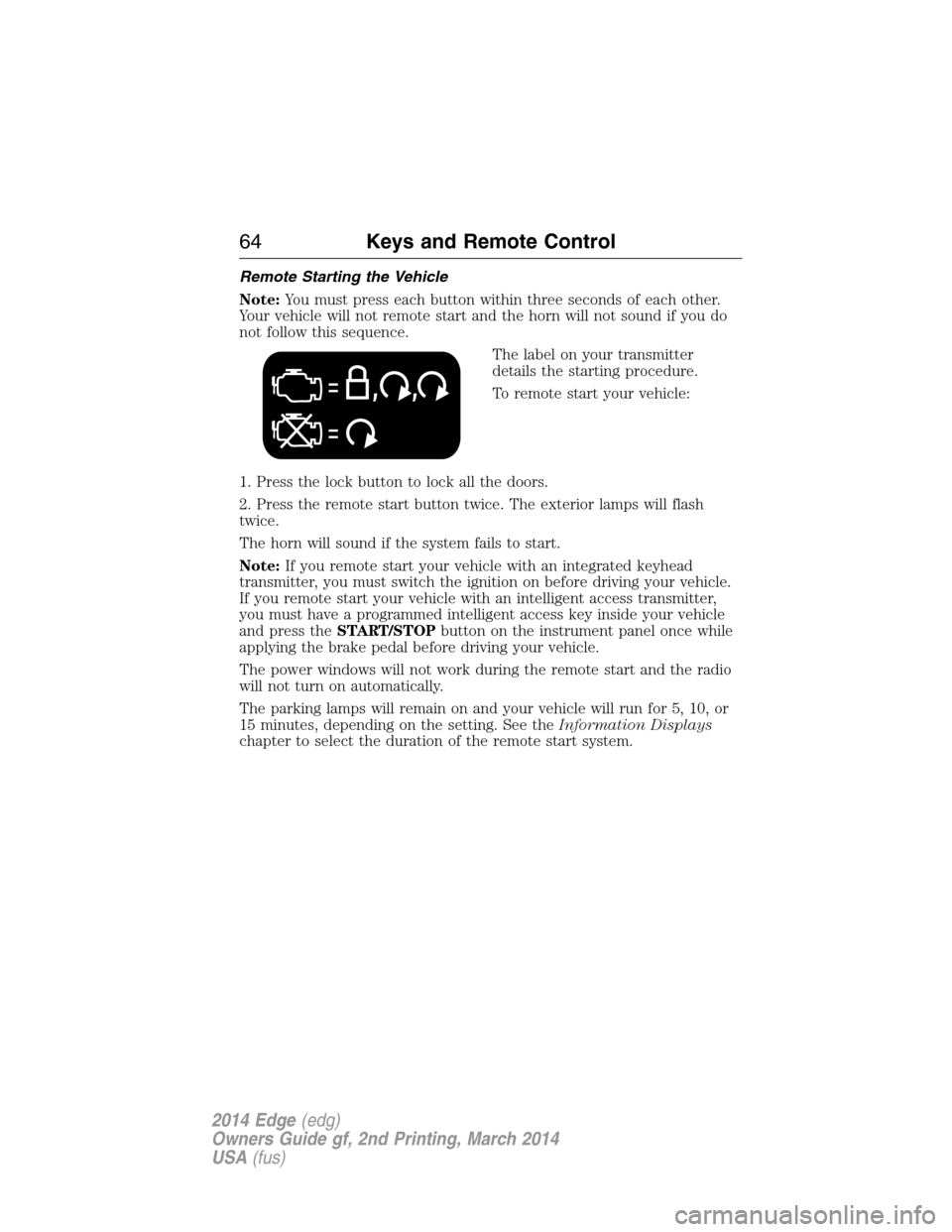
The label on your transmitter
details the starting procedure.
To remote start your vehicle:
1. Press the lock button to lock all the doors.
2. Press the remote start button twice. The exterior lamps will flash
twice.
The horn will sound if the system fails to start.
Note:If you remote start your vehicle with an integrated keyhead
transmitter, you must switch the ignition on before driving your vehicle.
If you remote start your vehicle with an intelligent access transmitter,
you must have a programmed intelligent access key inside your vehicle
and press theSTART/STOPbutton on the instrument panel once while
applying the brake pedal before driving your vehicle.
The power windows will not work during the remote start and the radio
will not turn on automatically.
The parking lamps will remain on and your vehicle will run for 5, 10, or
15 minutes, depending on the setting. See theInformation Displays
chapter to select the duration of the remote start system.
64Keys and Remote Control
2014 Edge(edg)
Owners Guide gf, 2nd Printing, March 2014
USA(fus)
Page 84 of 540
The key will start the vehicle’s engine and will operate the remote entry
system (if the new key is an integrated keyhead transmitter) if it has
been successfully programmed.
Wait 20 seconds and repeat Steps 1 through 8 if the key was not
successfully programmed. Take your vehicle to your authorized dealer to
have the new key programmed if you are still unsuccessful.
Wait 20 seconds and then repeat this procedure from Step 1 to program
an additional key.
Programming a Spare Intelligent Access Key (If Equipped)
Note:A maximum of four intelligent access keys can be programmed to
your vehicle. You must take your vehicle and all access keys to your
authorized dealer to be erased and reprogrammed if you would like to
replace a previously programmed access key with a new access key, or if
you already have four access keys programmed to your vehicle.
You must have two previously programmed intelligent access keys inside
the vehicle and the new unprogrammed intelligent access keys readily
accessible. See your authorized dealer to have the spare key
programmed if two previously programmed keys are not available.
Make sure that the vehicle is off before beginning this procedure. Make
sure that all doors are closed before beginning and that they remain
closed throughout the procedure. Perform all steps within 30 seconds of
starting the sequence. Stop and wait for at least one minute before
starting again if any steps are performed out of sequence.
Read and understand the entire procedure before you begin.
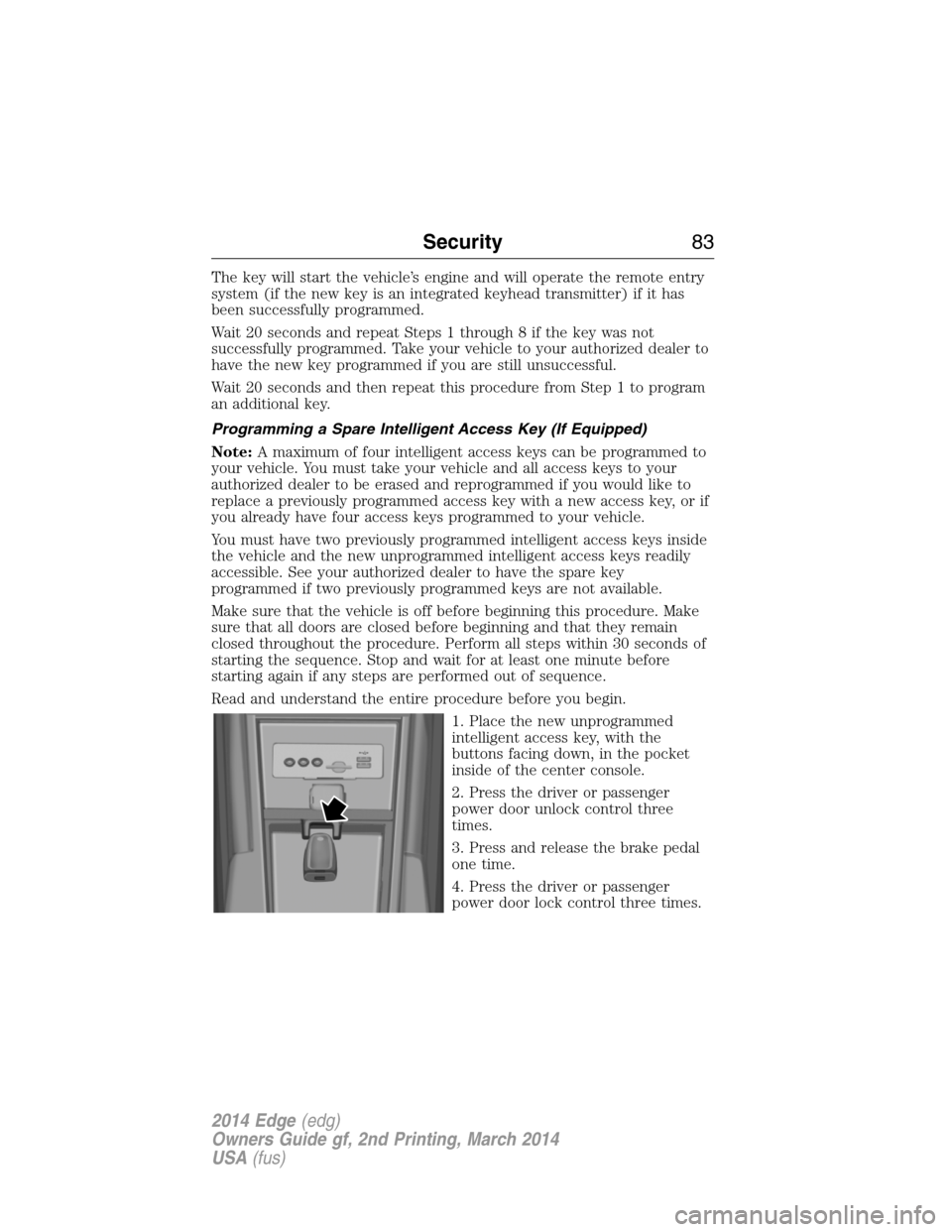
1. Place the new unprogrammed
intelligent access key, with the
buttons facing down, in the pocket
inside of the center console.
2. Press the driver or passenger
power door unlock control three
times.
3. Press and release the brake pedal
one time.
4. Press the driver or passenger
power door lock control three times.
Security83
2014 Edge(edg)
Owners Guide gf, 2nd Printing, March 2014
USA(fus)
Page 85 of 540
5. Press and release the brake pedal one time. The indicator on the
START/STOPbutton should begin to rapidly flash, indicating the
programming mode has been entered and two programmed intelligent
access keys have been detected in the vehicle.
6. Press theSTART/STOPbutton within one minute. A message will
appear in the information display indicating that the new intelligent
access key was programmed.
7. Remove the intelligent access key from the center console pocket and
press the unlock button on the newly programmed intelligent access key
to exit programming mode.
8. Verify that the remote entry functions operate (press lock then
unlock, making sure you end in unlock) and that the vehicle starts with
new intelligent access key.
ANTI-THEFT ALARM (IF EQUIPPED)
The system will warn you of unauthorized entry to your vehicle.
The turn signal lamps will flash and sound the horn up to a total of 10
times when:
•any door, the hood or the luggage compartment is opened without
using the keypad, the remote control or the intelligent access
transmitter (if equipped)
•the ignition is turned on with an invalid key.
Take all keys and remote controls to an authorized dealer if there is any
potential alarm problem with your vehicle.
Arming the Alarm
The system is ready to arm whenever the ignition is off. Lock the vehicle
to arm the alarm.
The turn signal lamps will flash once after locking the vehicle to indicate
the alarm is in the pre-armed mode. It will become fully armed in
20 seconds.
84Security
2014 Edge(edg)
Owners Guide gf, 2nd Printing, March 2014
USA(fus)