maintenance FORD EDGE 2014 1.G Owners Manual
[x] Cancel search | Manufacturer: FORD, Model Year: 2014, Model line: EDGE, Model: FORD EDGE 2014 1.GPages: 540, PDF Size: 7.52 MB
Page 2 of 540
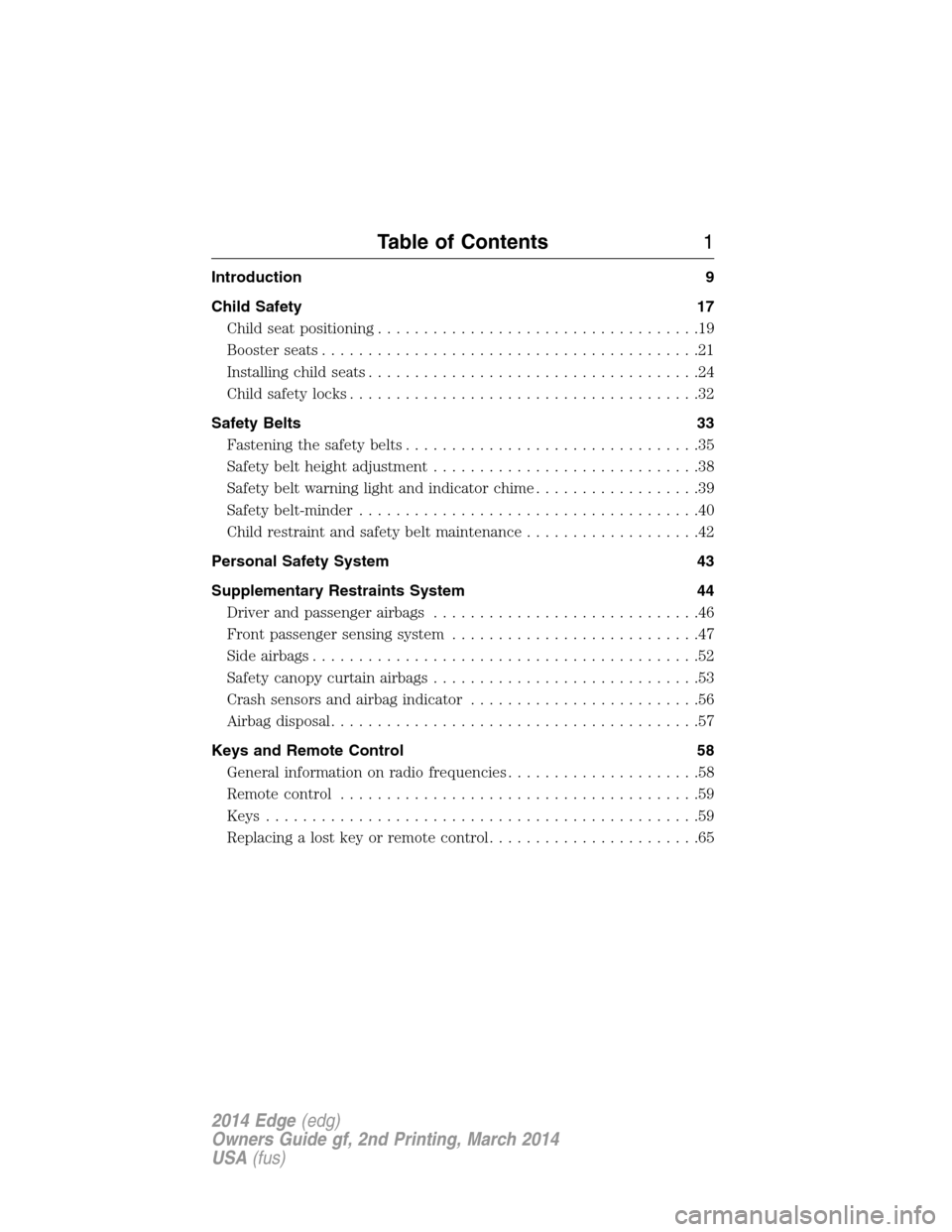
Introduction 9
Child Safety 17
Child seat positioning...................................19
Booster seats.........................................21
Installing child seats....................................24
Child safety locks......................................32
Safety Belts 33
Fastening the safety belts................................35
Safety belt height adjustment.............................38
Safetybeltwarninglightandindicatorchime..................39
Safety belt-minder.....................................40
Child restraint and safety belt maintenance...................42
Personal Safety System 43
Supplementary Restraints System 44
Driver and passenger airbags.............................46
Front passenger sensing system...........................47
Side airbags..........................................52
Safety canopy curtain airbags.............................53
Crash sensors and airbag indicator.........................56
Airbag disposal........................................57
Keys and Remote Control 58
General information on radio frequencies.....................58
Remote control.......................................59
Keys...............................................59
Replacing a lost key or remote control.......................65
Table of Contents1
2014 Edge(edg)
Owners Guide gf, 2nd Printing, March 2014
USA(fus)
Page 7 of 540
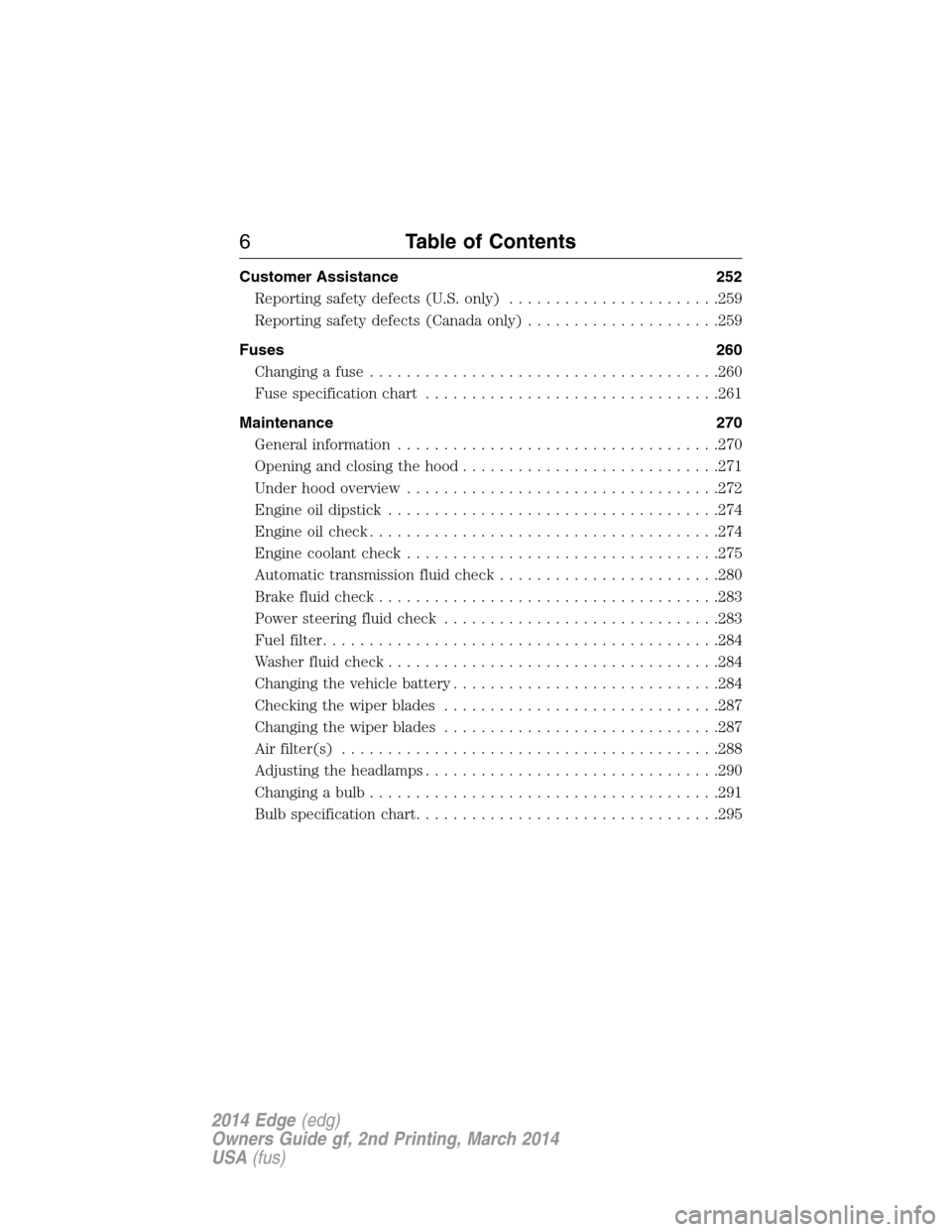
Customer Assistance 252
Reporting safety defects (U.S. only).......................259
Reporting safety defects (Canada only).....................259
Fuses 260
Changing a fuse......................................260
Fuse specification chart................................261
Maintenance 270
General information...................................270
Opening and closing the hood............................271
Under hood overview..................................272
Engine oil dipstick....................................274
Engine oil check......................................274
Engine coolant check..................................275
Automatic transmission fluid check........................280
Brake fluid check.....................................283
Power steering fluid check..............................283
Fuel filter...........................................284
Washer fluid check....................................284
Changing the vehicle battery.............................284
Checking the wiper blades..............................287
Changing the wiper blades..............................287
Air filter(s).........................................288
Adjusting the headlamps................................290
Changing a bulb......................................291
Bulb specification chart.................................295
6Table of Contents
2014 Edge(edg)
Owners Guide gf, 2nd Printing, March 2014
USA(fus)
Page 9 of 540
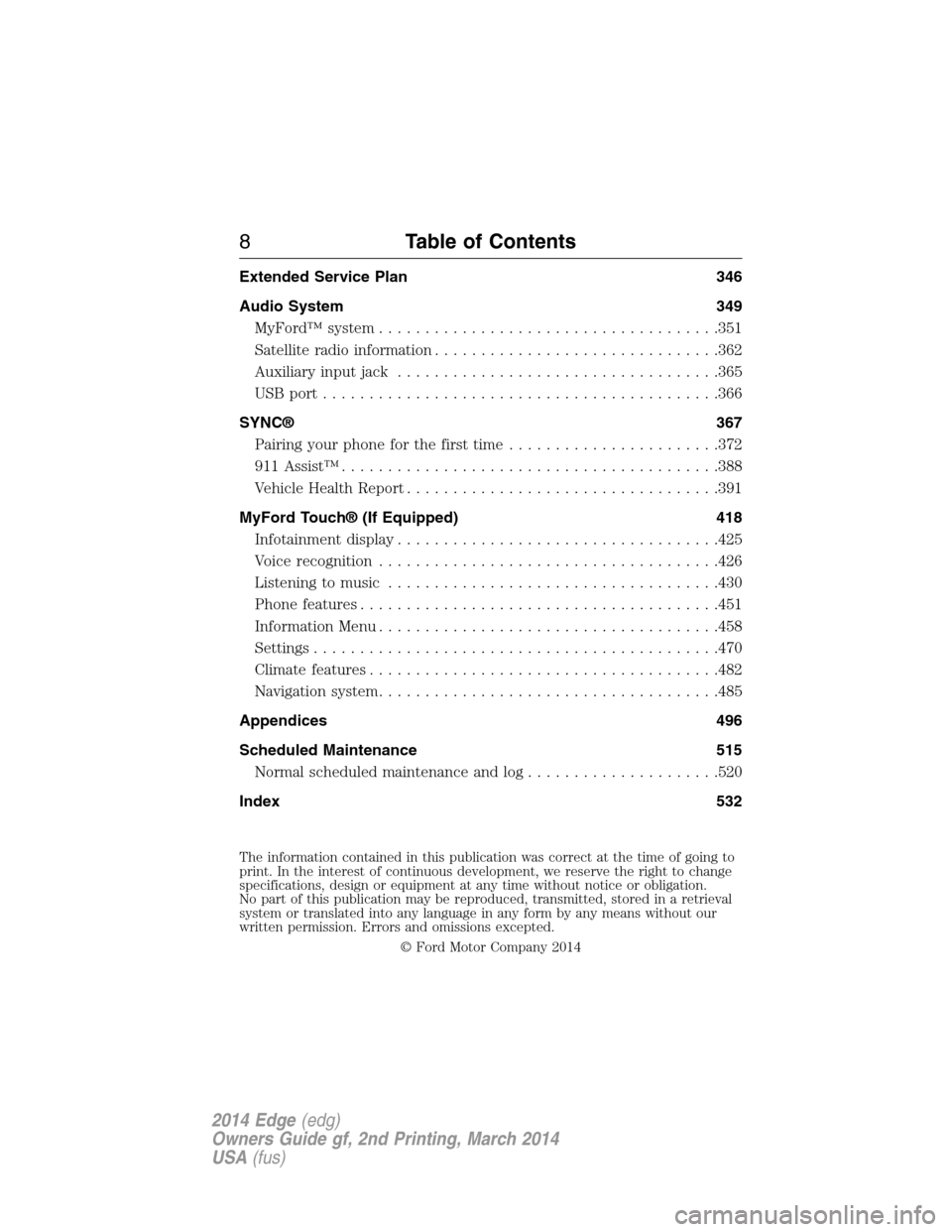
Extended Service Plan 346
Audio System 349
MyFord™ system.....................................351
Satellite radio information...............................362
Auxiliary input jack...................................365
USB port...........................................366
SYNC® 367
Pairing your phone for the first time.......................372
911 Assist™.........................................388
Vehicle Health Report..................................391
MyFord Touch® (If Equipped) 418
Infotainment display...................................425
Voice recognition.....................................426
Listening to music....................................430
Phone features.......................................451
Information Menu.....................................458
Settings............................................470
Climatefeatures......................................482
Navigation system.....................................485
Appendices 496
Scheduled Maintenance 515
Normal scheduled maintenance and log.....................520
Index 532
The information contained in this publication was correct at the time of going to
print. In the interest of continuous development, we reserve the right to change
specifications, design or equipment at any time without notice or obligation.
No part of this publication may be reproduced, transmitted, stored in a retrieval
system or translated into any language in any form by any means without our
written permission. Errors and omissions excepted.
© Ford Motor Company 2014
8Table of Contents
2014 Edge(edg)
Owners Guide gf, 2nd Printing, March 2014
USA(fus)
Page 15 of 540
CALIFORNIA PROPOSITION 65
WARNING:Some constituents of engine exhaust, certain vehicle
components, certain fluids contained in vehicles and certain
products of component wear contain or emit chemicals known to
the State of California to cause cancer and birth defects or other
reproductive harm.
PERCHLORATE MATERIAL
Note:Certain components in your vehicle, such as airbag modules,
safety belt pretensioners, and remote control batteries, may contain
perchlorate material. Special handling may apply for service or vehicle
end of life disposal. See www.dtsc.ca.gov/hazardouswaste/perchlorate for
more information.
FORD CREDIT (U.S. ONLY)
Ford Credit offers a full range of financing and lease plans to help you
acquire your vehicle. If you have financed or leased your vehicle through
Ford Credit, thank you for your business.
For your convenience, we offer a number of ways to contact us, as well
as help manage your account.
Phone: 1-800-727-7000
For more information regarding Ford Credit, as well as access to
Account Manager, please go to www.fordcredit.com.
REPLACEMENT PARTS RECOMMENDATION
Your vehicle has been built to the highest standards using quality parts.
We recommend that you demand the use of genuine Ford and Motorcraft
parts whenever your vehicle requires scheduled maintenance or repair.
You can clearly identify genuine Ford and Motorcraft parts by looking for
the Ford, FoMoCo or Motorcraft branding on the parts or their packaging.
Scheduled Maintenance and Mechanical Repairs
One of the best ways for you to make sure that your vehicle provides years
of service is to have it maintained in line with our recommendations using
parts that conform to the specifications detailed in this owner’s manual.
Genuine Ford and Motorcraft parts meet or exceed these specifications.
14Introduction
2014 Edge(edg)
Owners Guide gf, 2nd Printing, March 2014
USA(fus)
Page 43 of 540
One-time Belt-Minder™ Disable
If at any time the driver or front passenger quickly buckles then
unbuckles the safety belt for that seating position, the system is disabled
for the current ignition cycle. The feature will enable during the same
ignition cycle if the occupant buckles and remains buckled for about
30 seconds. Confirmation is not given for the one-time disable.
CHILD RESTRAINT AND SAFETY BELT MAINTENANCE
Inspect the vehicle safety belts and child safety seat systems periodically
to make sure they work properly and are not damaged. Inspect the
vehicle and child seat safety belts to make sure there are no nicks, tears
or cuts. Replace if necessary. All vehicle safety belt assemblies, including
retractors, buckles, front safety belt buckle assemblies, buckle support
assemblies (slide bar-if equipped), shoulder belt height adjusters (if
equipped), shoulder belt guide on seat back (if equipped), child safety
seat LATCH and tether anchors, and attaching hardware, should be
inspected after a crash. Read the child restraint manufacturer’s
instructions for additional inspection and maintenance information
specific to the child restraint.
Ford Motor Company recommends that all safety belt assemblies in use
in vehicles involved in a crash be replaced. However, if the crash was
minor and an authorized dealer finds that the belts do not show damage
and continue to operate properly, they do not need to be replaced.
Safety belt assemblies not in use during a crash should also be inspected
and replaced if either damage or improper operation is noted.
For proper care of soiled safety belts, seeCleaning the Interiorin the
Vehicle Carechapter.
42Safety Belts
2014 Edge(edg)
Owners Guide gf, 2nd Printing, March 2014
USA(fus)
Page 46 of 540
The airbags are a supplemental restraint system and are designed to
work with the safety belts to help protect the driver and right front
passenger from certain upper body injuries. Airbags do not inflate slowly;
there is a risk of injury from a deploying airbag.
Note:You will hear a loud bang and see a cloud of harmless powdery
residue if an airbag deploys. This is normal.
The airbags inflate and deflate rapidly upon activation. After airbag
deployment, it is normal to notice a smoke-like, powdery residue or
smell the burnt propellant. This may consist of cornstarch, talcum
powder (to lubricate the bag) or sodium compounds (for example,
baking soda) that result from the combustion process that inflates the
airbag. Small amounts of sodium hydroxide may be present which may
irritate the skin and eyes, but none of the residue is toxic.
While the system is designed to help reduce serious injuries, contact
with a deploying airbag may also cause abrasions or swelling. Temporary
hearing loss is also a possibility as a result of the noise associated with
a deploying airbag. Because airbags must inflate rapidly and with
considerable force, there is the risk of death or serious injuries, such as
fractures, facial and eye injuries or internal injuries, particularly to
occupants who are not properly restrained or are otherwise out of
position at the time of airbag deployment. Thus, it is extremely
important that occupants be properly restrained as far away from the
airbag module as possible while maintaining vehicle control.
Routine maintenance of the airbags is not required.
SOS POST-CRASH ALERT SYSTEM™
The system flashes the turn signal lamps and sounds the horn
(intermittently) in the event of a serious impact that deploys an airbag
equipped on your vehicle, such as front, side, side curtain or Safety
Canopy.
The horn and lamps will turn off when:
•You press the hazard control button.
•You press the panic button (if equipped) on the remote entry
transmitter.
•Your vehicle runs out of power.
Supplementary Restraints System45
2014 Edge(edg)
Owners Guide gf, 2nd Printing, March 2014
USA(fus)
Page 57 of 540
CRASH SENSORS AND AIRBAG INDICATOR
WARNING:Modifying or adding equipment to the front end of
your vehicle (including frame, bumper, front end body structure
and tow hooks) may affect the performance of the airbag system,
increasing the risk of injury. Do not modify the front end of your
vehicle.
Your vehicle has a collection of crash and occupant sensors which
provide information to the restraints control module. The restraints
control module deploys (activates) the front safety belt pretensioners,
driver airbag, passenger airbag, seat mounted side airbags, and the
Safety Canopy. Based on the type of accident (frontal impact, side
impact or rollover) the restraints control module will deploy the
appropriate safety devices.
The restraints control module also monitors the readiness of the above
safety devices plus the crash and occupant sensors. The readiness of the
safety system is indicated by a warning indicator light in the instrument
cluster or by a backup tone if the warning light is not working. See the
Instrument Clusterchapter. Routine maintenance of the airbag is not
required.
A difficulty with the system is indicated by one or more of the following:
•The readiness light will either flash or stay lit.
•The readiness light will not illuminate immediately after the
ignition is turned on.
•A series of five beeps will be heard. The tone pattern will repeat
periodically until the problem or light are repaired.
If any of these things happen, even intermittently, have the supplemental
restraint system serviced at an authorized dealer immediately. Unless
serviced, the system may not function properly in the event of a crash.
The safety belt pretensioners and the airbag supplemental restraint
system are designed to activate when the vehicle sustains frontal or
sideways deceleration sufficient to cause the restraints control module to
deploy a safety device or when a certain likelihood of a rollover event is
detected by the rollover sensor.
56Supplementary Restraints System
2014 Edge(edg)
Owners Guide gf, 2nd Printing, March 2014
USA(fus)
Page 110 of 540
Service engine soon
Theservice engine soonindicator light illuminates when
the ignition is first turned to the on position to check the
bulb and to indicate whether the vehicle is ready for
Inspection/Maintenance (I/M) testing. Normally, the “service engine soon”
light will stay on until the engine is cranked, then turn itself off if no
malfunctions are present. However, if after 15 seconds the “service
engine soon” light blinks eight times, it means that the vehicle is not
ready for I/M testing. See theReadiness for inspection/maintenance
(I/M) testingin theFuel and Refuelingchapter.
Solid illumination after the engine is started indicates the on-board
diagnostics system (OBD-II) has detected a malfunction. Refer to
On-board diagnostics (OBD-II)in theFuel and Refuelingchapter.
If the light is blinking, engine misfire is occurring which could damage
your catalytic converter. Drive in a moderate fashion (avoid heavy
acceleration and deceleration) and have your vehicle serviced
immediately by your authorized dealer.
WARNING:Under engine misfire conditions, excessive exhaust
temperatures could damage the catalytic converter, the fuel
system, interior floor coverings or other vehicle components, possibly
causing a fire.
Speed control (if equipped) (RTT)
The speed control system indicator light changes color to
indicate what mode the system is in:
•On (gray light–type 1 and type 2): Illuminates when the speed control
system is turned on. Turns off when the speed control system is
turned off.
•Engaged (grey light-type 1, green light-type 2): Illuminates when the
speed control system is engaged. Turns off when the speed control
system is disengaged.
Instrument Cluster109
2014 Edge(edg)
Owners Guide gf, 2nd Printing, March 2014
USA(fus)
Page 128 of 540
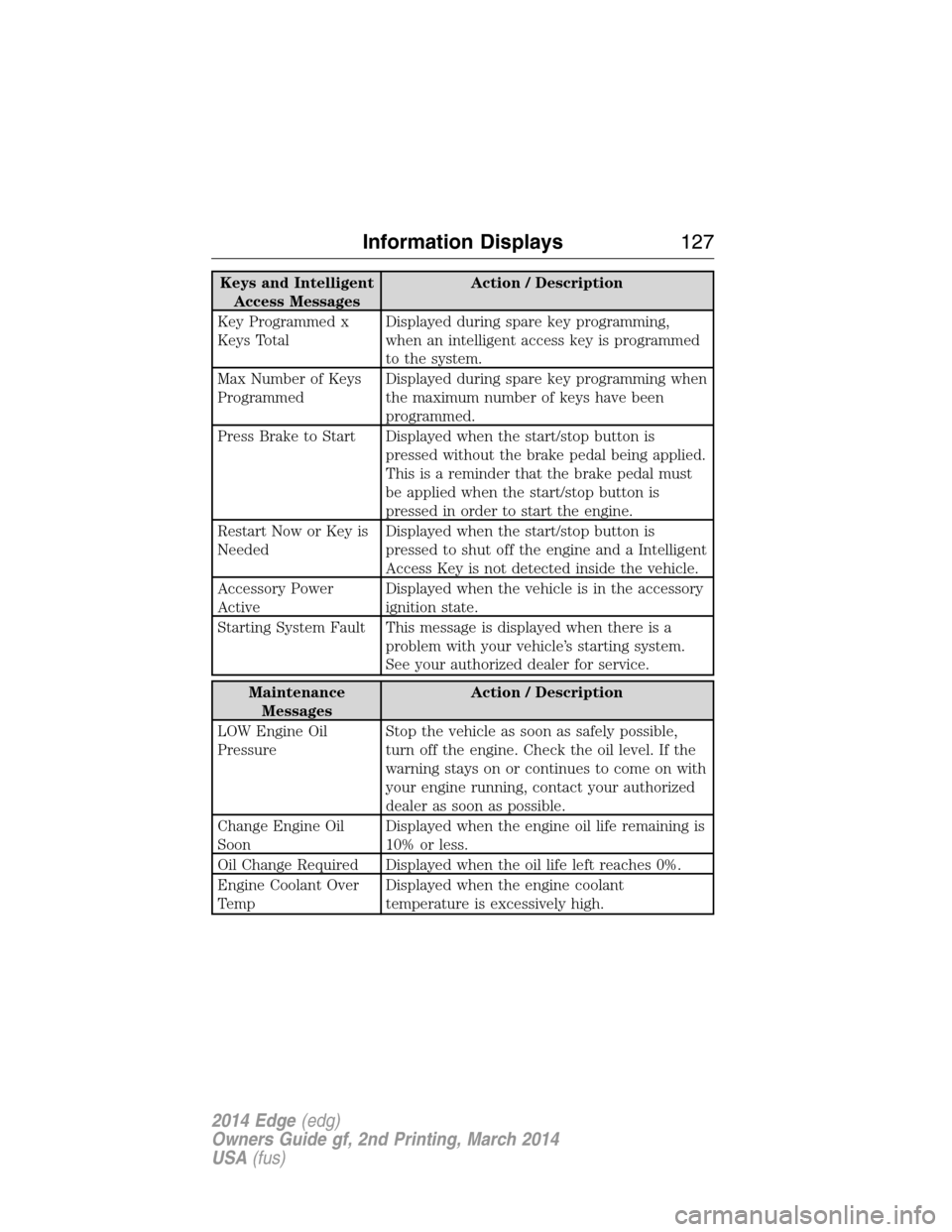
Keys and Intelligent
Access MessagesAction / Description
Key Programmed x
Keys TotalDisplayed during spare key programming,
when an intelligent access key is programmed
to the system.
Max Number of Keys
ProgrammedDisplayed during spare key programming when
the maximum number of keys have been
programmed.
Press Brake to Start Displayed when the start/stop button is
pressed without the brake pedal being applied.
This is a reminder that the brake pedal must
be applied when the start/stop button is
pressed in order to start the engine.
Restart Now or Key is
NeededDisplayed when the start/stop button is
pressed to shut off the engine and a Intelligent
Access Key is not detected inside the vehicle.
Accessory Power
ActiveDisplayed when the vehicle is in the accessory
ignition state.
Starting System Fault This message is displayed when there is a
problem with your vehicle’s starting system.
See your authorized dealer for service.
Maintenance
MessagesAction / Description
LOW Engine Oil
PressureStop the vehicle as soon as safely possible,
turn off the engine. Check the oil level. If the
warning stays on or continues to come on with
your engine running, contact your authorized
dealer as soon as possible.
Change Engine Oil
SoonDisplayed when the engine oil life remaining is
10% or less.
Oil Change Required Displayed when the oil life left reaches 0%.
Engine Coolant Over
TempDisplayed when the engine coolant
temperature is excessively high.
Information Displays127
2014 Edge(edg)
Owners Guide gf, 2nd Printing, March 2014
USA(fus)
Page 129 of 540
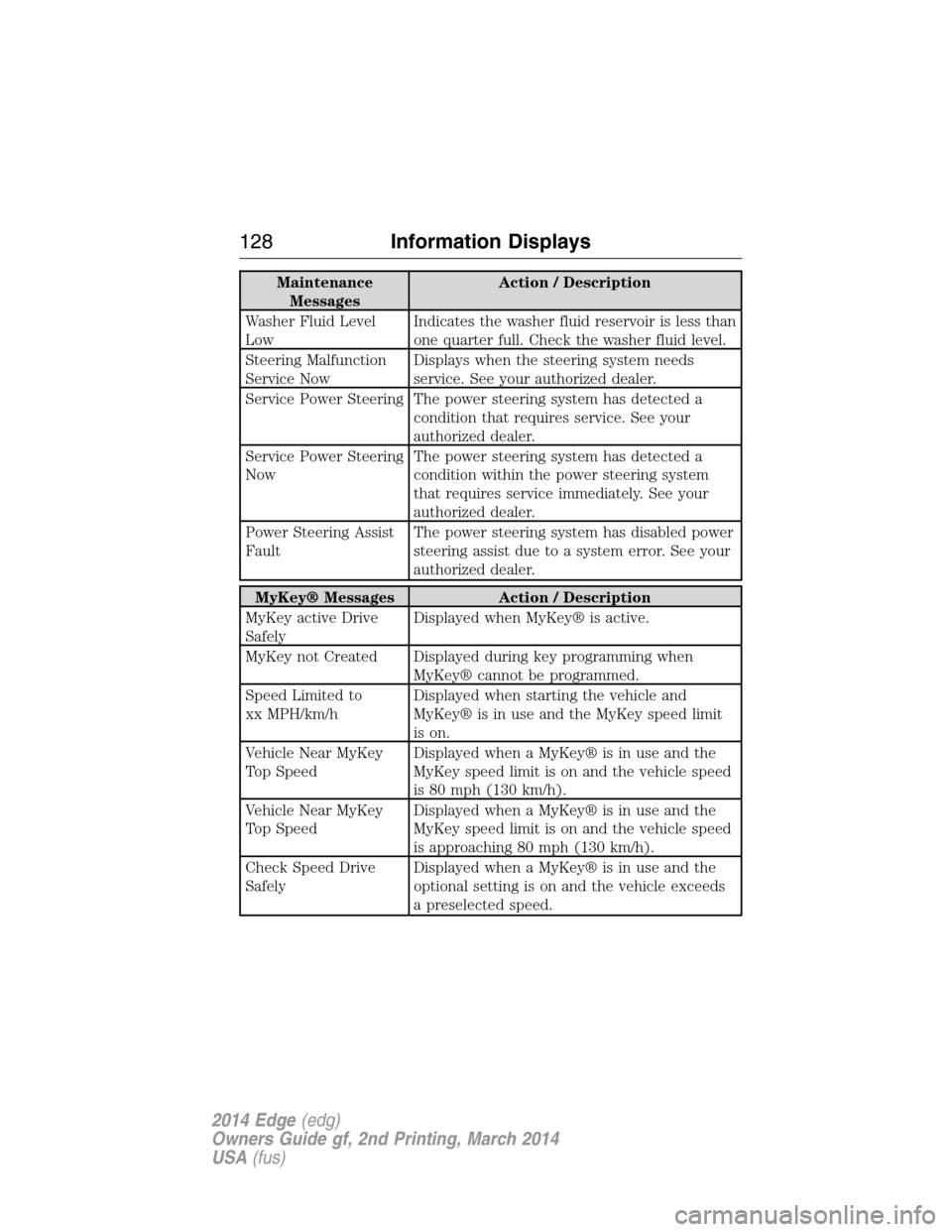
Maintenance
MessagesAction / Description
Washer Fluid Level
LowIndicates the washer fluid reservoir is less than
one quarter full. Check the washer fluid level.
Steering Malfunction
Service NowDisplays when the steering system needs
service. See your authorized dealer.
Service Power Steering The power steering system has detected a
condition that requires service. See your
authorized dealer.
Service Power Steering
NowThe power steering system has detected a
condition within the power steering system
that requires service immediately. See your
authorized dealer.
Power Steering Assist
FaultThe power steering system has disabled power
steering assist due to a system error. See your
authorized dealer.
MyKey® Messages Action / Description
MyKey active Drive
SafelyDisplayed when MyKey® is active.
MyKey not Created Displayed during key programming when
MyKey® cannot be programmed.
Speed Limited to
xx MPH/km/hDisplayed when starting the vehicle and
MyKey® is in use and the MyKey speed limit
is on.
Vehicle Near MyKey
Top SpeedDisplayed when a MyKey® is in use and the
MyKey speed limit is on and the vehicle speed
is 80 mph (130 km/h).
Vehicle Near MyKey
Top SpeedDisplayed when a MyKey® is in use and the
MyKey speed limit is on and the vehicle speed
is approaching 80 mph (130 km/h).
Check Speed Drive
SafelyDisplayed when a MyKey® is in use and the
optional setting is on and the vehicle exceeds
a preselected speed.
128Information Displays
2014 Edge(edg)
Owners Guide gf, 2nd Printing, March 2014
USA(fus)