instrument panel FORD EDGE 2015 2.G Owner's Manual
[x] Cancel search | Manufacturer: FORD, Model Year: 2015, Model line: EDGE, Model: FORD EDGE 2015 2.GPages: 508, PDF Size: 6.2 MB
Page 329 of 508
VEHICLE IDENTIFICATION
NUMBER
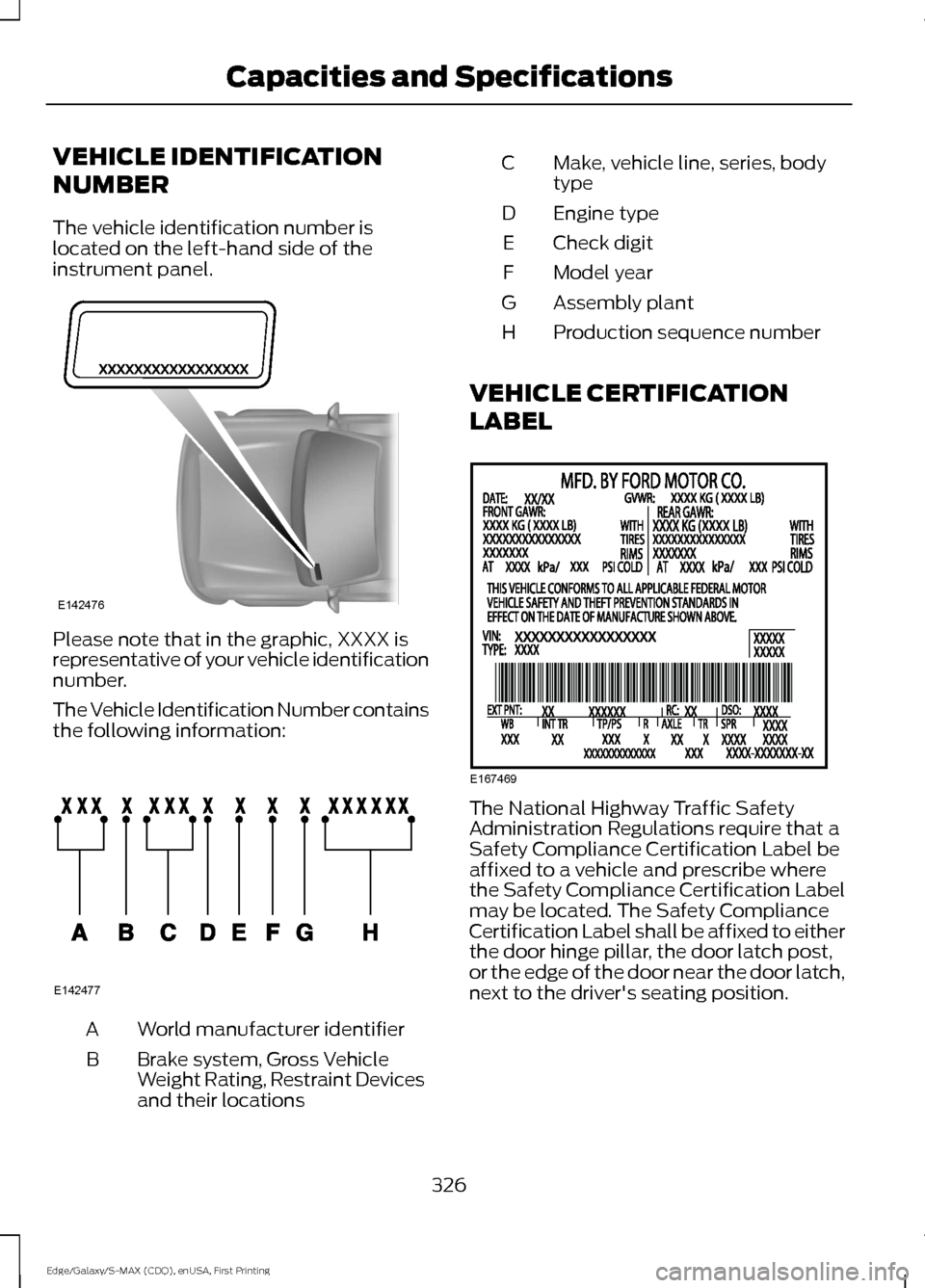
The vehicle identification number is
located on the left-hand side of the
instrument panel.
Please note that in the graphic, XXXX is
representative of your vehicle identification
number.
The Vehicle Identification Number contains
the following information:
World manufacturer identifier
A
Brake system, Gross Vehicle
Weight Rating, Restraint Devices
and their locations
B Make, vehicle line, series, body
type
C
Engine type
D
Check digit
E
Model year
F
Assembly plant
G
Production sequence number
H
VEHICLE CERTIFICATION
LABEL The National Highway Traffic Safety
Administration Regulations require that a
Safety Compliance Certification Label be
affixed to a vehicle and prescribe where
the Safety Compliance Certification Label
may be located. The Safety Compliance
Certification Label shall be affixed to either
the door hinge pillar, the door latch post,
or the edge of the door near the door latch,
next to the driver's seating position.
326
Edge/Galaxy/S-MAX (CDQ), enUSA, First Printing Capacities and SpecificationsE142476 E142477 E167469
Page 380 of 508
Description and action
Display
2. Scroll to browse indexed media files on the device, and
then press the OK button.
Resets the USB index. After the new indexing is complete,
you can choose what to play from the USB song library.
Reset USB
* You can use the buttons at the bottom of the audio display to jump to a certain
alphabetical category quickly. You can also use the letters on the audio system's numeric
keypad to jump in the list.
USB 2
(If Equipped)
Your vehicle may come equipped with an
additional USB port. If so, USB 1 will be
located at the front of the vehicle at the
bottom of the instrument panel. USB 2 will
be located inside the storage compartment
of the vehicle's center console.
You can plug in an additional USB device
into the second USB port. To switch
between the two connected USB devices
using voice commands, say, "USB1" or
"USB2". Saying "USB" defaults to the most
recently played USB device.
Note: SYNC only supports one connected
iOS (Apple) devices at a time (whichever
one you plug in first). When you connect a
second iOS device, the systems charges it,
but does not support playback from it.
Line In Audio
To access the Line In audio source, start a
voice session and say, "Line in" or "Aux".
Bluetooth Devices and System
Settings
You can access these menus using the
audio display. See
Using SYNC™ With
Your Phone (page 358). Voice Commands for Audio
Sources
Your voice system allows you to change
audio sources with a simple voice
command. Press the voice button and say,
"Audio" when prompted, and
then any of the following
commands: "AUDIO"
"AM"
"AM1"
"AM autoset" or "AM2"
"Bluetooth
Page 401 of 508
The system automatically saves any
updates you make to the settings.
Display
You can adjust the touchscreen display
through the touchscreen or by pressing the
voice button on your steering wheel
controls and when prompted, say, "Display
settings".
Press the Settings icon >
Display, to access and make
adjustments using the
touchscreen.
• Brightness
allows you to make the
screen display brighter or dimmer.
• Auto DIM
, when set to On, lets you use
the Auto Dim Manual Offset feature.
When set to
Off, screen brightness
does not change.
• Mode
allows you to set the screen to
a certain brightness or have the system
automatically change based on the
outside light level, or turn the display
off.
• If you select
AUTO or NIGHT, you
have the options of turning the
display's Auto Dim feature on or off
and changing the Auto Dim Manual
Offset feature.
• Auto Dim Manual Offset
allows you
to adjust screen dimming as the
outside lighting conditions change from
day to night. This feature also allows
you to adjust screen brightness using
the instrument panel dimming control.
• Edit Wallpaper
•You can have your touchscreen
display the default photo or upload
your own. Uploading Photos for Your Home
Screen Wallpaper
Note:
You cannot load photos directly from
your camera. You must access the photos
either from your USB mass storage device
or from an SD card.
Note: Photographs with extremely large
dimensions (such as 2048 x 1536) may not
be compatible and appear as a blank
(black) image on the display.
Your system allows you to upload and view
up to 32 photos. To access, press the Settings
icon >
Display > Edit
Wallpaper, and then follow the
system prompts to upload your
photographs.
Only photographs that meet the following
conditions display:
• Compatible file formats are as follows:
.jpg, .gif, .png, .bmp
• Each file must be 1.5 MB or less.
• Recommended dimensions: 800 x 384
Sound Press the
Settings icon >
Sound, then select from the
following: Sound
Bass
Midrange Treble
Set Balance and Fade
DSP*
398
Edge/Galaxy/S-MAX (CDQ), enUSA, First Printing MyFord Touch
™
(If Equipped)E142607 E142607 E142607
Page 443 of 508
Touch Dual to switch separate passenger side temperature controls off and
on. When you switch off Dual, the passenger side temperature changes to
match the driver side temperature.
Note:
The passenger side temperature and the Dual indicator automatically
turn on when the passenger is adjusting their temperature control.
Fan speed:
Touch + or - to increase or decrease the volume of air circulated
in your vehicle.
C
Note:
When the system is controlling the fan speed automatically, all the fan
speed indicators turn off.
Recirculated air:
Touch the button to switch between outside air and
recirculated air. When you select recirculated air, the air currently in the
passenger compartment recirculates. This may reduce the time needed to cool
the interior (when used with
A/C) and may reduce unwanted odors from
entering your vehicle.
D
Note:
Recirculated air may turn off automatically (or be prevented from turning
on) in all airflow modes except Max A/C to reduce risk of fogging. Recirculated
air may also turn on and off automatically in Panel or Panel and Floor airflow
modes during hot weather in order to improve cooling efficiency.
Max A/C:
Touch the button to maximize cooling. Recirculated air flows through
the instrument panel vents, air conditioning automatically turns on, and the fan
automatically adjusts to the highest speed.
E
A/C:
Touch the button to switch air conditioning compressor on or off. Use air
conditioning with recirculated air to improve cooling performance and efficiency.
F
Note:
In certain conditions (such as when using Max Defrost), the air
conditioning compressor may continue to operate even after you switch off the
air conditioning with the
A/C button.
Auto:
Touch the button to switch on automatic operation. Select the desired
temperature using the temperature control. The system adjusts fan speed, air
distribution, air conditioning operation, and selects outside air or recirculated
air to heat or cool the vehicle in order to maintain the desired temperature. You
can also use the
Auto button to switch off dual zone operation by touching
and holding the button for more than two seconds.
G
Heated rear window:
Turns the heated rear window on and off. See Heated
Windows and Mirrors (page 131).
H
Max Defrost:
Touch the button to maximize defrosting. Outside air flows
through the windshield vents, fan automatically adjusts to the highest speed
and the temperature dial returns to the full heat position. You can use this
setting to defog or clear a thin covering of ice from the windshield. The heated
rear window also automatically turns on when you select Max Defrost.
I
Air distribution control:
Touch these buttons to switch airflow from the
windshield, instrument panel, or footwell vents on or off. The system can
distribute air through any combination of these vents.
J
440
Edge/Galaxy/S-MAX (CDQ), enUSA, First Printing MyFord Touch
™
(If Equipped)
Page 499 of 508
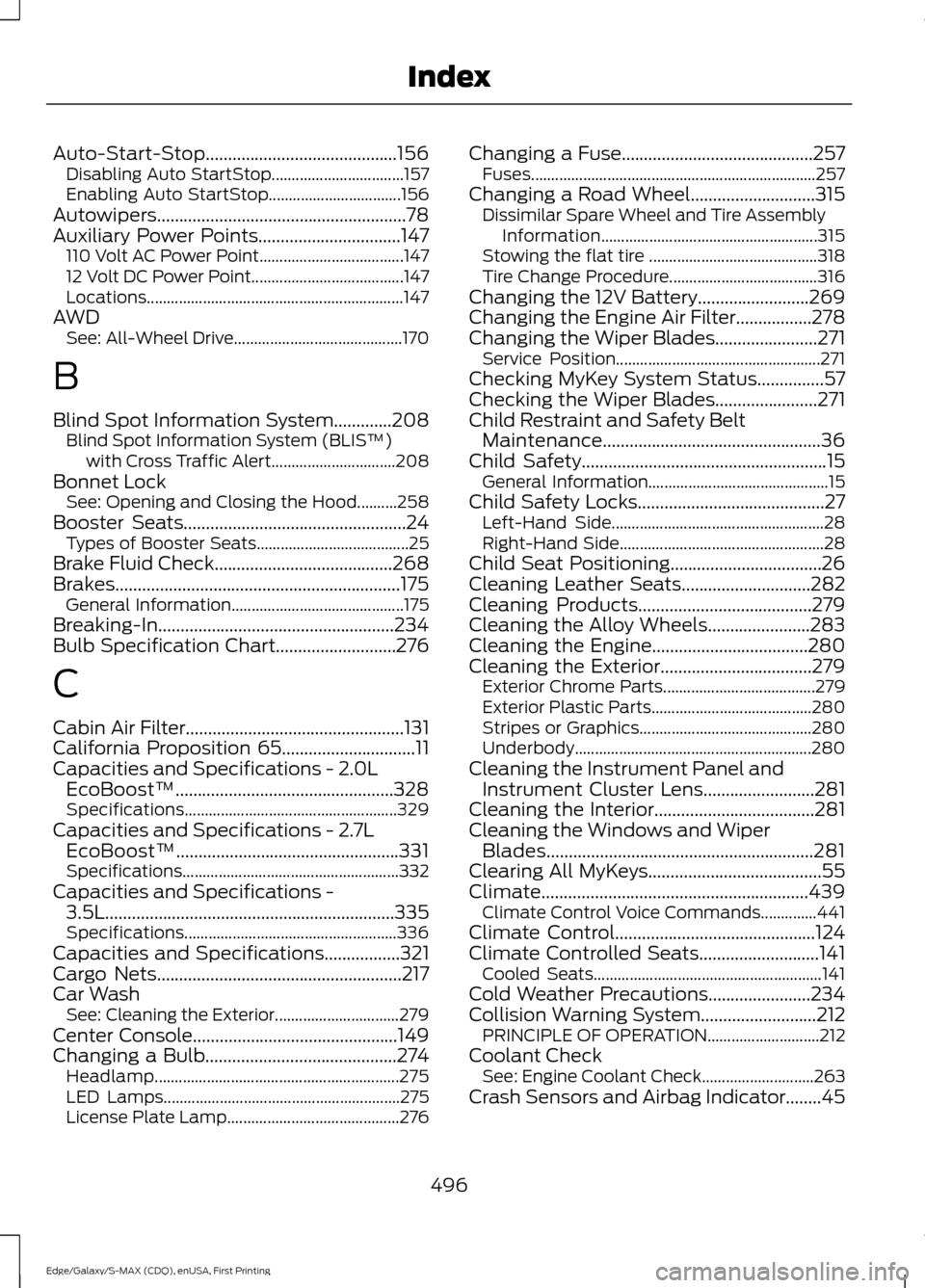
Auto-Start-Stop...........................................156
Disabling Auto StartStop................................. 157
Enabling Auto StartStop................................. 156
Autowipers........................................................78
Auxiliary Power Points................................147 110 Volt AC Power Point.................................... 147
12 Volt DC Power Point...................................... 147
Locations................................................................ 147
AWD See: All-Wheel Drive.......................................... 170
B
Blind Spot Information System.............208 Blind Spot Information System (BLIS ™)
with Cross Traffic Alert............................... 208
Bonnet Lock See: Opening and Closing the Hood..........258
Booster Seats..................................................24 Types of Booster Seats...................................... 25
Brake Fluid Check........................................268
Brakes................................................................175 General Information........................................... 175
Breaking-In.....................................................234
Bulb Specification Chart...........................276
C
Cabin Air Filter.................................................131
California Proposition 65..............................11
Capacities and Specifications - 2.0L EcoBoost™.................................................328
Specifications..................................................... 329
Capacities and Specifications - 2.7L EcoBoost™..................................................331
Specifications...................................................... 332
Capacities and Specifications - 3.5L.................................................................335
Specifications..................................................... 336
Capacities and Specifications.................321
Cargo Nets.......................................................217
Car Wash See: Cleaning the Exterior............................... 279
Center Console
..............................................149
Changing a Bulb...........................................274
Headlamp............................................................. 275
LED Lamps........................................................... 275
License Plate Lamp........................................... 276Changing a Fuse...........................................257
Fuses....................................................................... 257
Changing a Road Wheel............................315 Dissimilar Spare Wheel and Tire Assembly
Information...................................................... 315
Stowing the flat tire .......................................... 318
Tire Change Procedure..................................... 316
Changing the 12V Battery.........................269
Changing the Engine Air Filter.................278
Changing the Wiper Blades.......................271 Service Position................................................... 271
Checking MyKey System Status
...............57
Checking the Wiper Blades.......................271
Child Restraint and Safety Belt Maintenance
.................................................36
Child Safety.......................................................15
General Information............................................. 15
Child Safety Locks..........................................27 Left-Hand Side..................................................... 28
Right-Hand Side................................................... 28
Child Seat Positioning..................................26
Cleaning Leather Seats.............................282
Cleaning Products
.......................................279
Cleaning the Alloy Wheels.......................283
Cleaning the Engine...................................280
Cleaning the Exterior
..................................279
Exterior Chrome Parts...................................... 279
Exterior Plastic Parts........................................ 280
Stripes or Graphics........................................... 280
Underbody........................................................... 280
Cleaning the Instrument Panel and Instrument Cluster Lens.........................281
Cleaning the Interior....................................281
Cleaning the Windows and Wiper Blades............................................................281
Clearing All MyKeys.......................................55
Climate
............................................................439
Climate Control Voice Commands..............441
Climate Control
.............................................124
Climate Controlled Seats...........................141 Cooled Seats......................................................... 141
Cold Weather Precautions.......................234
Collision Warning System..........................212 PRINCIPLE OF OPERATION............................ 212
Coolant Check See: Engine Coolant Check............................ 263
Crash Sensors and Airbag Indicator
........45
496
Edge/Galaxy/S-MAX (CDQ), enUSA, First Printing Index