weight FORD EDGE 2015 2.G Owner's Guide
[x] Cancel search | Manufacturer: FORD, Model Year: 2015, Model line: EDGE, Model: FORD EDGE 2015 2.GPages: 508, PDF Size: 6.2 MB
Page 303 of 508
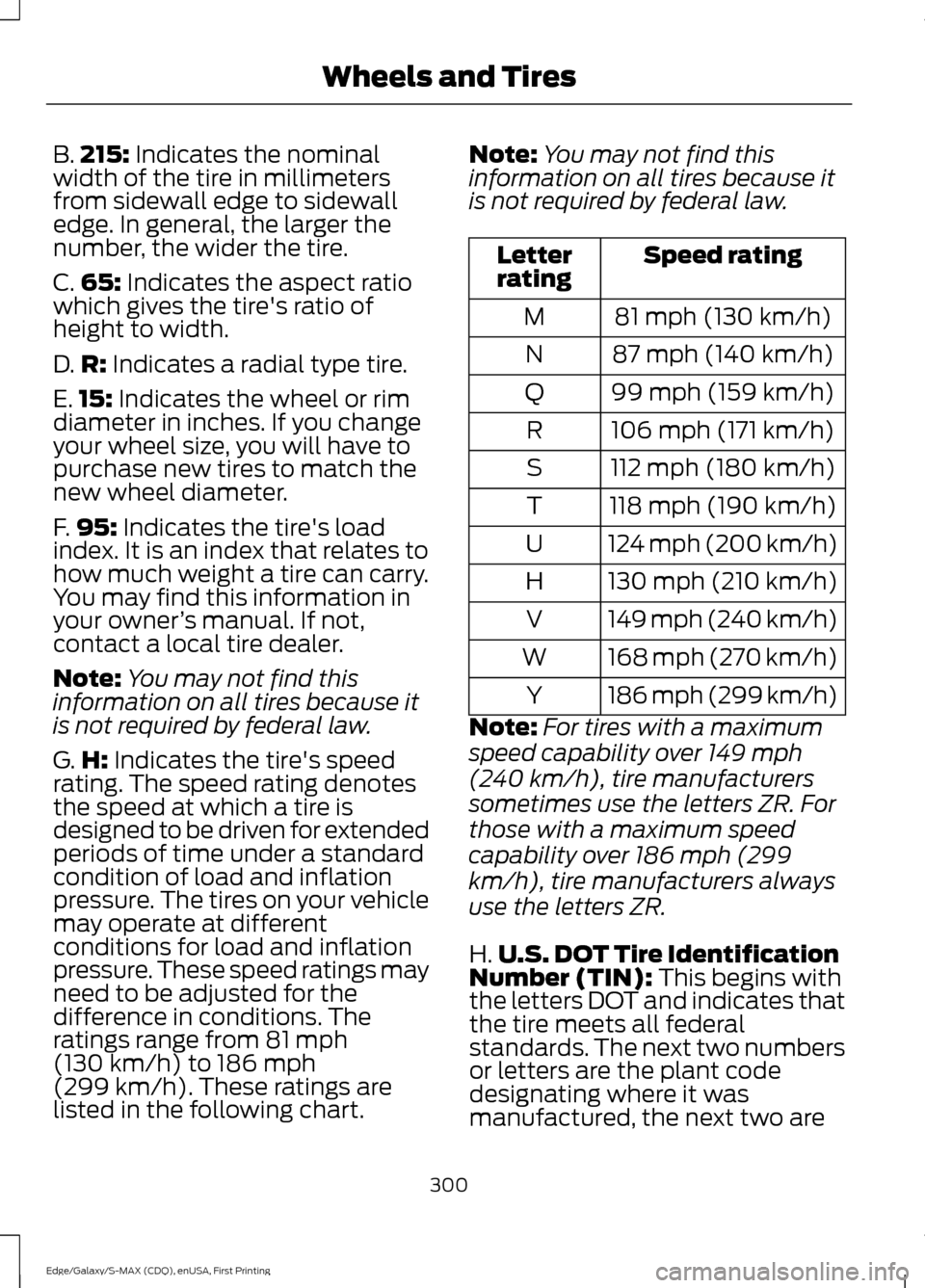
B.
215: Indicates the nominal
width of the tire in millimeters
from sidewall edge to sidewall
edge. In general, the larger the
number, the wider the tire.
C. 65:
Indicates the aspect ratio
which gives the tire's ratio of
height to width.
D. R:
Indicates a radial type tire.
E. 15:
Indicates the wheel or rim
diameter in inches. If you change
your wheel size, you will have to
purchase new tires to match the
new wheel diameter.
F. 95:
Indicates the tire's load
index. It is an index that relates to
how much weight a tire can carry.
You may find this information in
your owner ’s manual. If not,
contact a local tire dealer.
Note: You may not find this
information on all tires because it
is not required by federal law.
G. H:
Indicates the tire's speed
rating. The speed rating denotes
the speed at which a tire is
designed to be driven for extended
periods of time under a standard
condition of load and inflation
pressure. The tires on your vehicle
may operate at different
conditions for load and inflation
pressure. These speed ratings may
need to be adjusted for the
difference in conditions. The
ratings range from
81 mph
(130 km/h) to 186 mph
(299 km/h)
. These ratings are
listed in the following chart. Note:
You may not find this
information on all tires because it
is not required by federal law. Speed rating
Letter
rating
81 mph (130 km/h)
M
87 mph (140 km/h)
N
99 mph (159 km/h)
Q
106 mph (171 km/h)
R
112 mph (180 km/h)
S
118 mph (190 km/h)
T
124 mph (200 km/h)
U
130 mph (210 km/h)
H
149 mph (240 km/h)
V
168 mph (270 km/h)
W
186 mph (299 km/h)
Y
Note: For tires with a maximum
speed capability over 149 mph
(240 km/h), tire manufacturers
sometimes use the letters ZR. For
those with a maximum speed
capability over 186 mph (299
km/h), tire manufacturers always
use the letters ZR.
H. U.S. DOT Tire Identification
Number (TIN):
This begins with
the letters DOT and indicates that
the tire meets all federal
standards. The next two numbers
or letters are the plant code
designating where it was
manufactured, the next two are
300
Edge/Galaxy/S-MAX (CDQ), enUSA, First Printing Wheels and Tires
Page 320 of 508
WARNINGS
Never get underneath a vehicle that
is supported only by a jack. If your
vehicle slips off the jack, you or
someone else could be seriously injured. Do not attempt to change a tire on
the side of the vehicle close to
moving traffic. Pull far enough off the
road to avoid the danger of being hit when
operating the jack or changing the wheel. Always use the jack provided as
original equipment with your vehicle.
If using a jack other than the one
provided as original equipment with your
vehicle, make sure the jack capacity is
adequate for the vehicle weight, including
any vehicle cargo or modifications. Note:
Passengers should not remain in your
vehicle when the vehicle is being jacked.
1. Park on a level surface, set the parking
brake and activate the hazard flashers.
2. Place the transmission in park (P) and
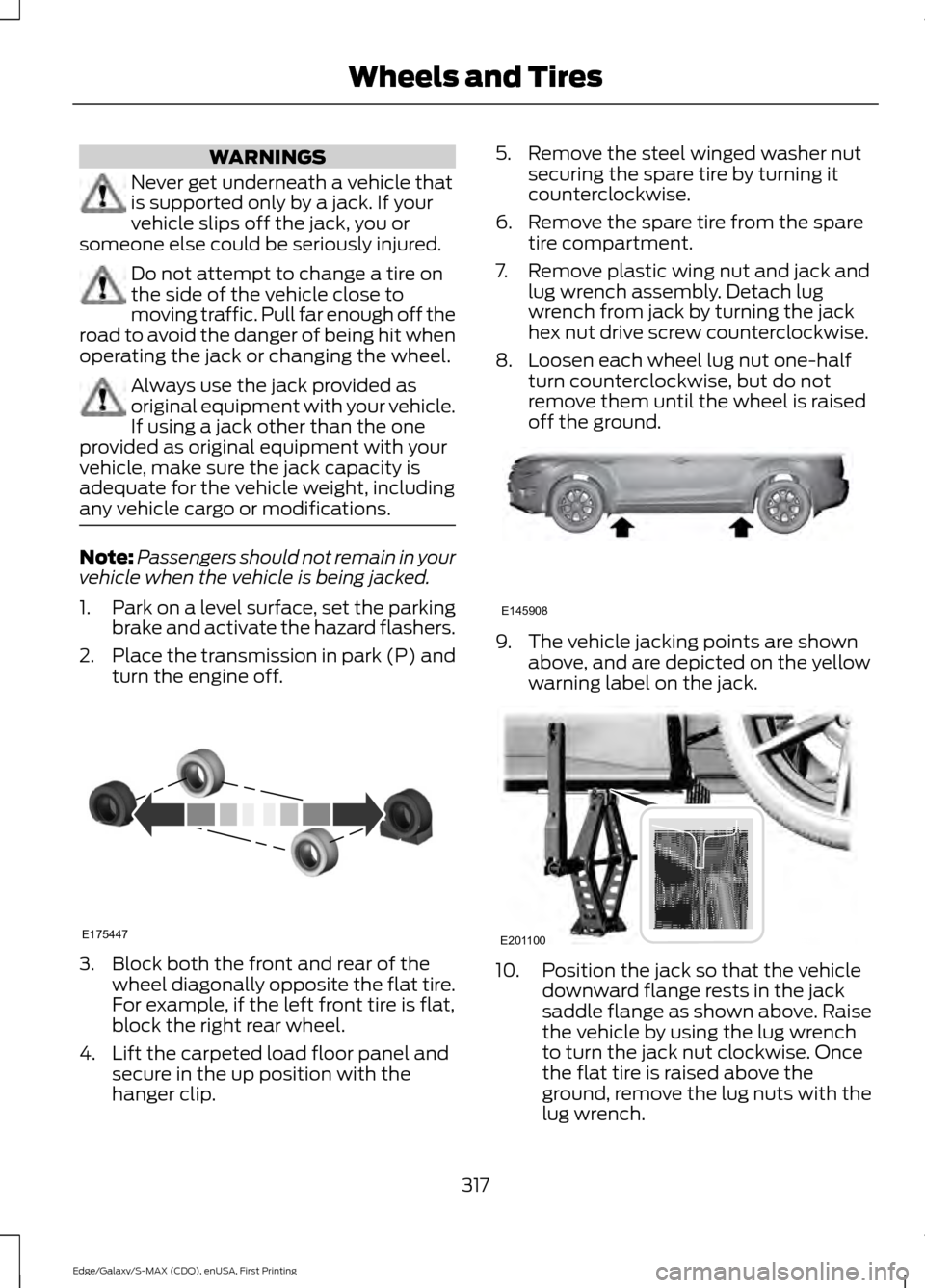
turn the engine off. 3. Block both the front and rear of the
wheel diagonally opposite the flat tire.
For example, if the left front tire is flat,
block the right rear wheel.
4. Lift the carpeted load floor panel and secure in the up position with the
hanger clip. 5. Remove the steel winged washer nut
securing the spare tire by turning it
counterclockwise.
6. Remove the spare tire from the spare tire compartment.
7. Remove plastic wing nut and jack and lug wrench assembly. Detach lug
wrench from jack by turning the jack
hex nut drive screw counterclockwise.
8. Loosen each wheel lug nut one-half turn counterclockwise, but do not
remove them until the wheel is raised
off the ground. 9. The vehicle jacking points are shown
above, and are depicted on the yellow
warning label on the jack. 10. Position the jack so that the vehicle
downward flange rests in the jack
saddle flange as shown above. Raise
the vehicle by using the lug wrench
to turn the jack nut clockwise. Once
the flat tire is raised above the
ground, remove the lug nuts with the
lug wrench.
317
Edge/Galaxy/S-MAX (CDQ), enUSA, First Printing Wheels and TiresE175447 E145908 E201100
Page 329 of 508
VEHICLE IDENTIFICATION
NUMBER
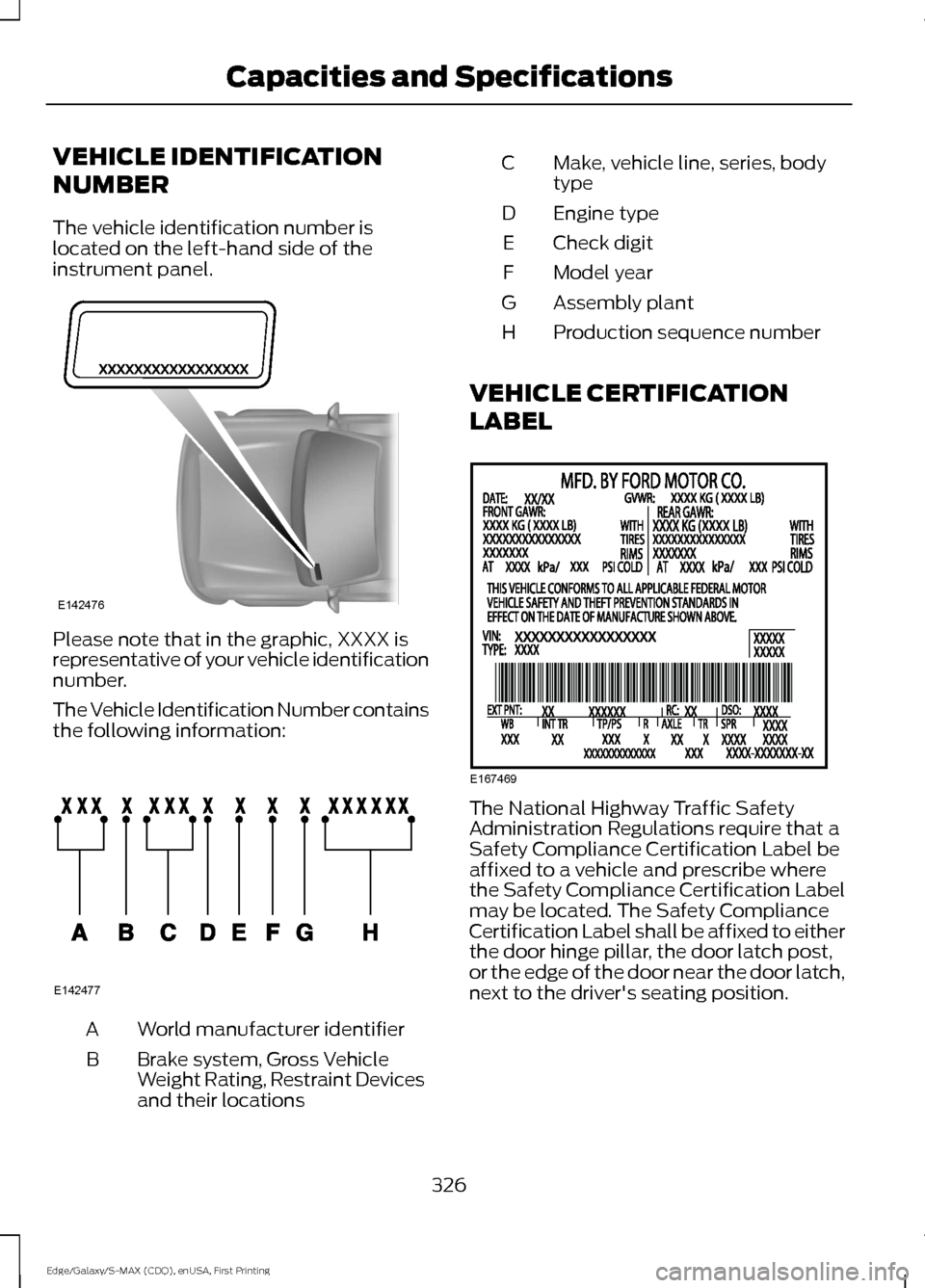
The vehicle identification number is
located on the left-hand side of the
instrument panel.
Please note that in the graphic, XXXX is
representative of your vehicle identification
number.
The Vehicle Identification Number contains
the following information:
World manufacturer identifier
A
Brake system, Gross Vehicle
Weight Rating, Restraint Devices
and their locations
B Make, vehicle line, series, body
type
C
Engine type
D
Check digit
E
Model year
F
Assembly plant
G
Production sequence number
H
VEHICLE CERTIFICATION
LABEL The National Highway Traffic Safety
Administration Regulations require that a
Safety Compliance Certification Label be
affixed to a vehicle and prescribe where
the Safety Compliance Certification Label
may be located. The Safety Compliance
Certification Label shall be affixed to either
the door hinge pillar, the door latch post,
or the edge of the door near the door latch,
next to the driver's seating position.
326
Edge/Galaxy/S-MAX (CDQ), enUSA, First Printing Capacities and SpecificationsE142476 E142477 E167469
Page 455 of 508
For maximum vehicle performance, keep
the following information in mind when
adding accessories or equipment to your
vehicle:
•
When adding accessories, equipment,
passengers and luggage to your
vehicle, do not exceed the total weight
capacity of the vehicle or of the front
or rear axle (GVWR or GAWR as
indicated on the Safety Compliance
Certification label). Ask an authorized
dealer for specific weight information.
• The Federal Communications
Commission (FCC) and Canadian
Radio Telecommunications
Commission (CRTC) regulate the use
of mobile communications systems
that are equipped with radio
transmitters, for example, two-way
radios, telephones and theft alarms.
Any such equipment installed in your
vehicle should comply with Federal
Communications Commission (FCC)
and Canadian Radio
Telecommunications Commission
(CRTC) regulations and should be
installed only by an authorized dealer.
• Mobile communications systems may
harm the operation of your vehicle,
particularly if their manufacturer did
not design them specifically for
automotive use.
• If you or an authorized Ford dealer add
any non-Ford electrical or electronic
accessories or components to your
vehicle, you may adversely affect
battery performance and durability. In
addition, you may also adversely affect
the performance of other electrical
systems in the vehicle.
452
Edge/Galaxy/S-MAX (CDQ), enUSA, First Printing Accessories
Page 504 of 508
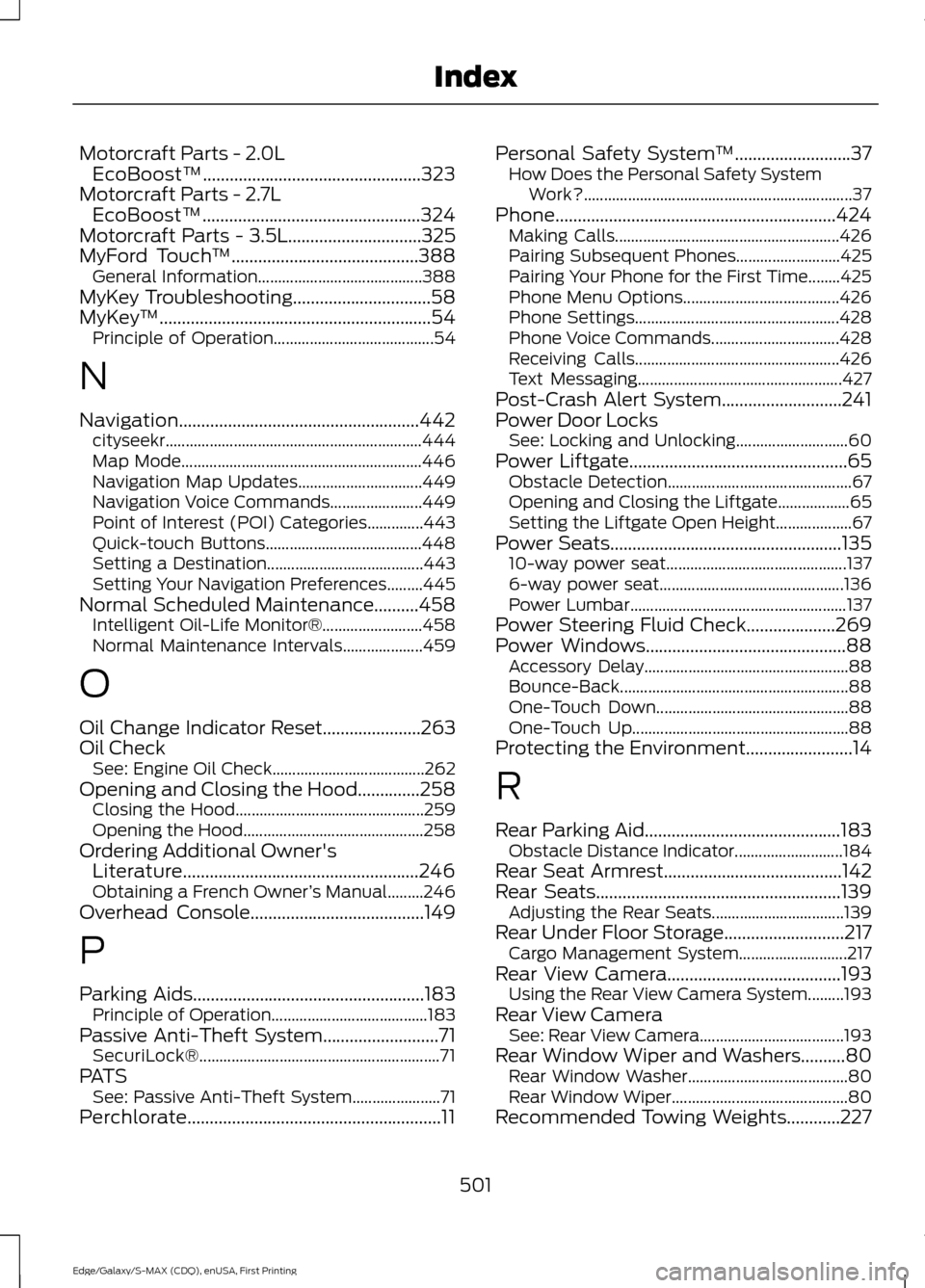
Motorcraft Parts - 2.0L
EcoBoost™.................................................323
Motorcraft Parts - 2.7L EcoBoost™.................................................324
Motorcraft Parts - 3.5L..............................325
MyFord Touch ™..........................................388
General Information......................................... 388
MyKey Troubleshooting...............................58
MyKey ™
.............................................................54
Principle of Operation........................................ 54
N
Navigation......................................................442 cityseekr................................................................ 444
Map Mode............................................................ 446
Navigation Map Updates............................... 449
Navigation Voice Commands....................... 449
Point of Interest (POI) Categories..............443
Quick-touch Buttons....................................... 448
Setting a Destination....................................... 443
Setting Your Navigation Preferences.........445
Normal Scheduled Maintenance..........458 Intelligent Oil-Life Monitor®......................... 458
Normal Maintenance Intervals.................... 459
O
Oil Change Indicator Reset......................263
Oil Check See: Engine Oil Check...................................... 262
Opening and Closing the Hood..............258 Closing the Hood............................................... 259
Opening the Hood............................................. 258
Ordering Additional Owner's Literature.....................................................246
Obtaining a French Owner ’s Manual.........246
Overhead Console.......................................149
P
Parking Aids....................................................183 Principle of Operation....................................... 183
Passive Anti-Theft System..........................71 SecuriLock®............................................................ 71
PATS See: Passive Anti-Theft System...................... 71
Perchlorate.........................................................11 Personal Safety System
™
..........................37
How Does the Personal Safety System
Work?................................................................... 37
Phone...............................................................424 Making Calls........................................................ 426
Pairing Subsequent Phones.......................... 425
Pairing Your Phone for the First Time........425
Phone Menu Options....................................... 426
Phone Settings................................................... 428
Phone Voice Commands................................ 428
Receiving Calls................................................... 426
Text Messaging................................................... 427
Post-Crash Alert System...........................241
Power Door Locks See: Locking and Unlocking............................ 60
Power Liftgate.................................................65 Obstacle Detection.............................................. 67
Opening and Closing the Liftgate.................. 65
Setting the Liftgate Open Height................... 67
Power Seats....................................................135 10-way power seat............................................. 137
6-way power seat.............................................. 136
Power Lumbar...................................................... 137
Power Steering Fluid Check....................269
Power Windows.............................................88 Accessory Delay................................................... 88
Bounce-Back......................................................... 88
One-Touch Down................................................ 88
One-Touch Up...................................................... 88
Protecting the Environment........................14
R
Rear Parking Aid............................................183 Obstacle Distance Indicator........................... 184
Rear Seat Armrest
........................................142
Rear Seats.......................................................139 Adjusting the Rear Seats................................. 139
Rear Under Floor Storage
...........................217
Cargo Management System........................... 217
Rear View Camera
.......................................193
Using the Rear View Camera System.........193
Rear View Camera See: Rear View Camera.................................... 193
Rear Window Wiper and Washers..........80 Rear Window Washer........................................ 80
Rear Window Wiper............................................ 80
Recommended Towing Weights............227
501
Edge/Galaxy/S-MAX (CDQ), enUSA, First Printing Index