ignition FORD EDGE 2015 2.G Owners Manual
[x] Cancel search | Manufacturer: FORD, Model Year: 2015, Model line: EDGE, Model: FORD EDGE 2015 2.GPages: 508, PDF Size: 6.2 MB
Page 6 of 508
Overhead Console.......................................149
Starting and Stopping the Engine
General Information....................................150
Ignition Switch
...............................................150
Keyless Starting -
Vehicles With: Push
Button Start...............................................150
Starting a Gasoline Engine.........................151
Engine Block Heater....................................154
Unique Driving Character- istics
Auto-Start-Stop...........................................156
Fuel and Refueling
Safety Precautions......................................158
Fuel Quality
....................................................159
Fuel Filler Funnel Location........................159
Running Out of Fuel....................................159
Refueling.........................................................160
Fuel Consumption
........................................162
Emission Control System..........................163
Transmission
Automatic Transmission
...........................166
All-Wheel Drive
Using All-Wheel Drive.................................170
Brakes
General Information
.....................................175
Hints on Driving With Anti-Lock Brakes............................................................175
Electric Parking Brake
.................................176
Hill Start Assist..............................................178
Traction Control
Principle of Operation
................................180
Using Traction Control...............................180 Stability Control
Principle of Operation..................................181
Using Stability Control................................182
Parking Aids
Principle of Operation.................................183
Rear Parking Aid............................................183
Front Parking Aid
..........................................184
Side Sensing System..................................185
Active Park Assist.........................................187
Rear View Camera.......................................193
Cruise Control
Principle of Operation................................196
Using Cruise Control
...................................196
Using Adaptive Cruise Control.................197
Driving Aids
Driver Alert.....................................................203
Lane Keeping System................................204
Blind Spot Information System.............208
Steering.............................................................212
Collision Warning System..........................212
Front View Camera......................................214
Drive Control
...................................................215
Load Carrying
Rear Under Floor Storage
...........................217
Cargo Nets
.......................................................217
Roof Racks and Load Carriers..................217
Load Limit........................................................218
Towing
Towing a Trailer
............................................226
Trailer Sway Control
....................................227
Recommended Towing Weights............227
Essential Towing Checks..........................229
Transporting the Vehicle............................231
3
Edge/Galaxy/S-MAX (CDQ), enUSA, First Printing Table of Contents
Page 37 of 508
If the safety belt is too short when fully
extended, a safety belt extension assembly
can be obtained from an authorized dealer.
Use only extensions manufactured by the
same supplier as the safety belt.
Manufacturer identification is on a label
located either at the end of the webbing
or on the retractor behind the trim. Also,
use the safety belt extension only if the
safety belt is too short for you when fully
extended.
SAFETY BELT HEIGHT
ADJUSTMENT
WARNING
Position the safety belt height
adjuster so that the belt rests across
the middle of your shoulder. Failure
to adjust the safety belt properly could
reduce the effectiveness of the safety belt
and increase the risk of injury in a crash. Adjust the height of the shoulder belt so
the belt rests across the middle of your
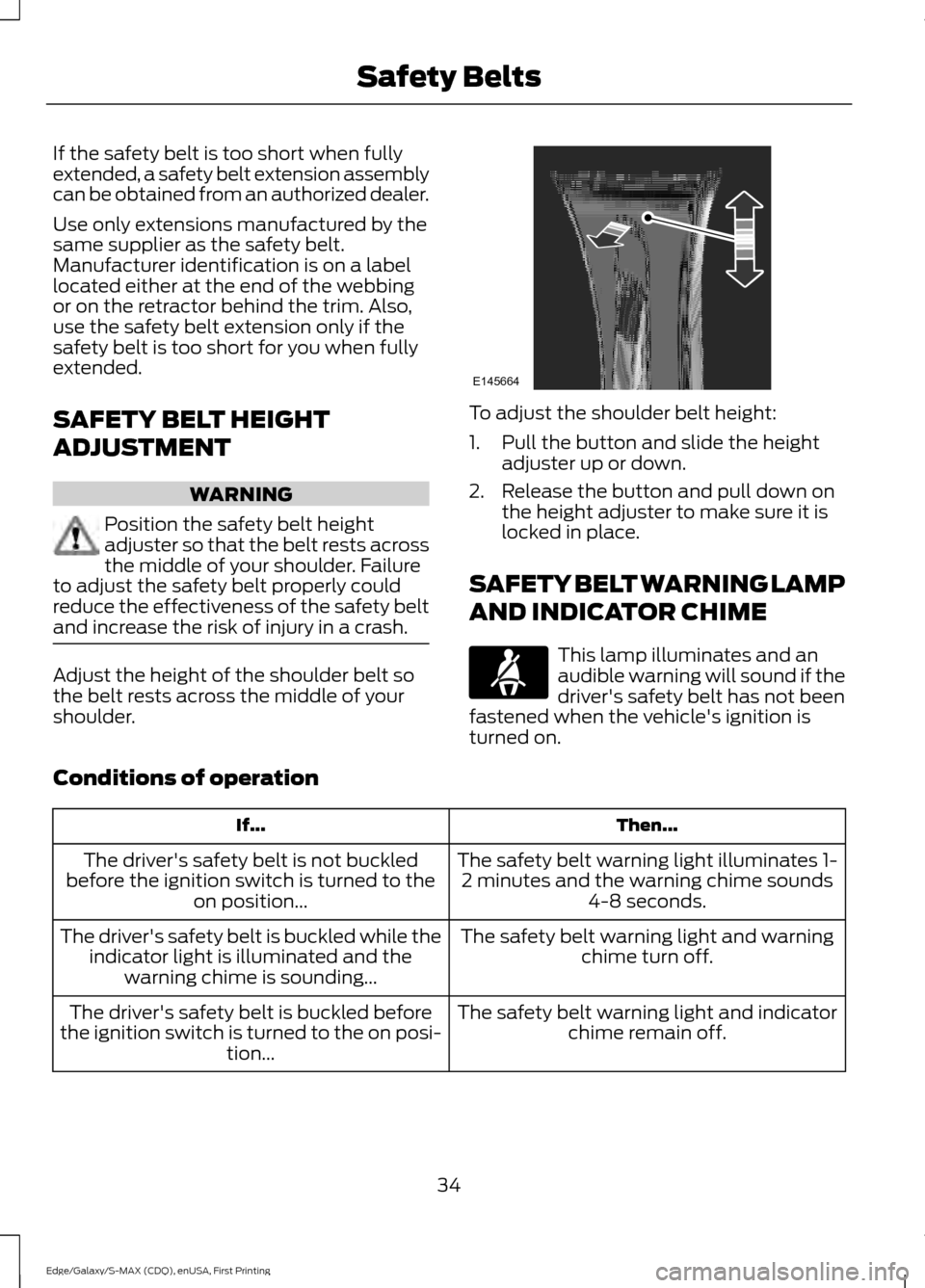
shoulder. To adjust the shoulder belt height:
1. Pull the button and slide the height
adjuster up or down.
2. Release the button and pull down on the height adjuster to make sure it is
locked in place.
SAFETY BELT WARNING LAMP
AND INDICATOR CHIME This lamp illuminates and an
audible warning will sound if the
driver's safety belt has not been
fastened when the vehicle's ignition is
turned on.
Conditions of operation Then...
If...
The safety belt warning light illuminates 1-2 minutes and the warning chime sounds 4-8 seconds.
The driver's safety belt is not buckled
before the ignition switch is turned to the on position...
The safety belt warning light and warningchime turn off.
The driver's safety belt is buckled while the
indicator light is illuminated and the warning chime is sounding...
The safety belt warning light and indicatorchime remain off.
The driver's safety belt is buckled before
the ignition switch is turned to the on posi- tion...
34
Edge/Galaxy/S-MAX (CDQ), enUSA, First Printing Safety BeltsE145664
Page 38 of 508
SAFETY BELT MINDER
Belt-Minder™
This feature supplements the safety belt
warning function by providing additional
reminders that intermittently sound a tone
and illuminate the safety belt warning light
when you are in the driver seat or you have
a front seat passenger and a safety belt is
unbuckled.
The system uses information from the
front passenger sensing system to
determine if a front seat passenger is
present and therefore potentially in need
of a warning. To avoid the system turning
on the Belt-Minder feature for objects you
place on the front passenger seat, only the
front seat passengers receive warnings as
determined by the front passenger sensing
system.
If the Belt-Minder warnings expire
(warnings for about five minutes) for one
passenger (driver or front passenger), the
other passenger can still cause the
Belt-Minder feature to turn on. Then...
If...
The Belt-Minder feature will not activate.
You and the front seat passenger buckle
your safety belts before you switch the
ignition on or less than 1– 2 minutes elapse
after you switch the ignition on...
The Belt-Minder feature activates, the
safety belt warning light illuminates and a
warning tone sounds for 6 seconds every
25 seconds, repeating for about 5 minutes
or until you and the front seat passenger
buckle your safety belts.
You or the front seat passenger do not
buckle your safety belts before your vehicle
reaches at least 6 mph (9.7 km/h) and 1–
2
minutes elapse after you switch the ignition
on...
The Belt-Minder feature activates, the
safety belt warning light illuminates and a
warning tone sounds for 6 seconds every
25 seconds, repeating for about 5 minutes
or until you and the front seat passenger
buckle your safety belts.
The safety belt for the driver or front
passenger is unbuckled for about 1 minute
while the vehicle is traveling at least 6 mph
(9.7 km/h) and more than 1–
2 minutes
elapse after you switch the ignition on...
35
Edge/Galaxy/S-MAX (CDQ), enUSA, First Printing Safety Belts
Page 39 of 508
Deactivating and Activating the
Belt-Minder Feature
WARNING
While the system allows you to
switch this feature off, the intent of
the system is to remind you to wear
your safety belt to improve your chance to
survive an accident. We recommend you
leave the system switched on for yourself
and others who may use the vehicle. Note:
The driver and front passenger
warnings switch on and off independently.
When you perform this procedure for one
seating position, do not buckle the other
position as this will terminate the process.
Read Steps 1–4 thoroughly before
proceeding with the programming
procedure.
Before following the procedure, make sure
that:
• The parking brake is set.
• The transmission is in park (P) or
neutral (N).
• The ignition is off.
• The driver and front passenger safety
belts are unbuckled.
1. Switch the ignition on. Do not start the
vehicle.
2. Wait until the safety belt warning light turns off (about 1 minute). After Step
2, wait an additional 5 seconds before
proceeding with Step 3. Once you start
Step 3, you must complete the
procedure within 30 seconds.
3. For the seating position you are switching off, buckle then unbuckle the
safety belt three times at a moderate
speed, ending in the unbuckled state.
After Step 3, the safety belt warning
light turns on. 4. While the safety belt warning light is
on, buckle and then unbuckle the
safety belt. After Step 4, the safety belt
warning light flashes for confirmation.
• This will switch the feature off for that
seating position if it is currently on.
• This will switch the feature on for that
seating position if it is currently off.
CHILD RESTRAINT AND
SAFETY BELT MAINTENANCE
Inspect the vehicle safety belts and child
safety seat systems periodically to make
sure they work properly and are not
damaged. Inspect the vehicle and child
seat safety belts to make sure there are no
nicks, tears or cuts. Replace if necessary.
All vehicle safety belt assemblies, including
retractors, buckles, front safety belt buckle
assemblies, buckle support assemblies
(slide bar-if equipped), shoulder belt
height adjusters (if equipped), shoulder
belt guide on seat back (if equipped), child
safety seat LATCH and tether anchors, and
attaching hardware, should be inspected
after a crash. Read the child restraint
manufacturer's instructions for additional
inspection and maintenance information
specific to the child restraint.
Ford Motor Company recommends that
all safety belt assemblies in use in vehicles
involved in a crash be replaced. However,
if the crash was minor and an authorized
dealer finds that the belts do not show
damage and continue to operate properly,
they do not need to be replaced. Safety
belt assemblies not in use during a crash
should also be inspected and replaced if
either damage or improper operation is
noted.
Properly care for safety belts. See Vehicle
Care (page 279).
36
Edge/Galaxy/S-MAX (CDQ), enUSA, First Printing Safety Belts
Page 43 of 508
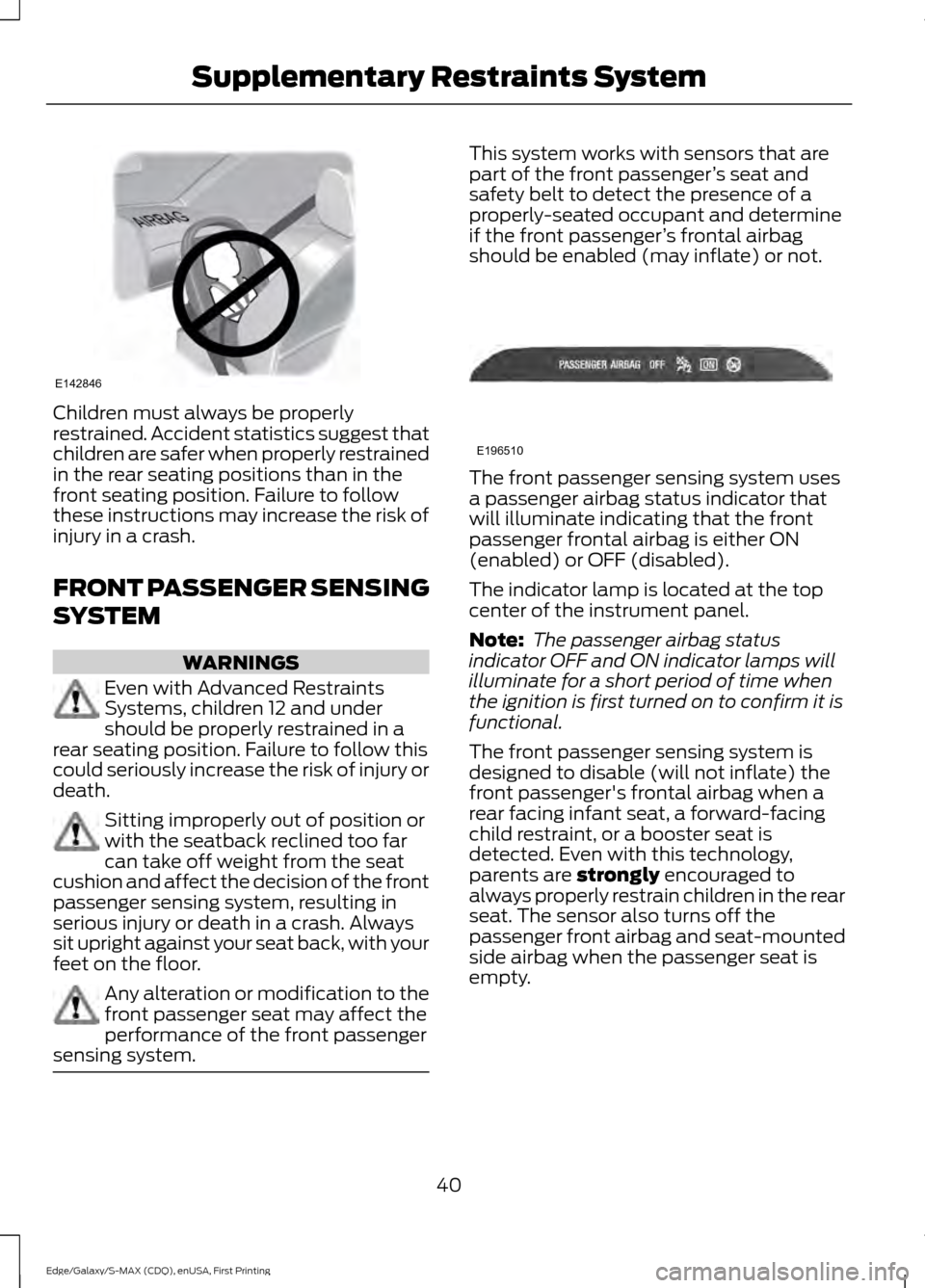
Children must always be properly
restrained. Accident statistics suggest that
children are safer when properly restrained
in the rear seating positions than in the
front seating position. Failure to follow
these instructions may increase the risk of
injury in a crash.
FRONT PASSENGER SENSING
SYSTEM
WARNINGS
Even with Advanced Restraints
Systems, children 12 and under
should be properly restrained in a
rear seating position. Failure to follow this
could seriously increase the risk of injury or
death. Sitting improperly out of position or
with the seatback reclined too far
can take off weight from the seat
cushion and affect the decision of the front
passenger sensing system, resulting in
serious injury or death in a crash. Always
sit upright against your seat back, with your
feet on the floor. Any alteration or modification to the
front passenger seat may affect the
performance of the front passenger
sensing system. This system works with sensors that are
part of the front passenger
’s seat and
safety belt to detect the presence of a
properly-seated occupant and determine
if the front passenger ’s frontal airbag
should be enabled (may inflate) or not. The front passenger sensing system uses
a passenger airbag status indicator that
will illuminate indicating that the front
passenger frontal airbag is either ON
(enabled) or OFF (disabled).
The indicator lamp is located at the top
center of the instrument panel.
Note:
The passenger airbag status
indicator OFF and ON indicator lamps will
illuminate for a short period of time when
the ignition is first turned on to confirm it is
functional.
The front passenger sensing system is
designed to disable (will not inflate) the
front passenger's frontal airbag when a
rear facing infant seat, a forward-facing
child restraint, or a booster seat is
detected. Even with this technology,
parents are strongly encouraged to
always properly restrain children in the rear
seat. The sensor also turns off the
passenger front airbag and seat-mounted
side airbag when the passenger seat is
empty.
40
Edge/Galaxy/S-MAX (CDQ), enUSA, First Printing Supplementary Restraints SystemE142846 E196510
Page 48 of 508
· Crash sensors and monitoring
system with a readiness
indicator. See Crash Sensors
and Airbag Indicator (page 45).
Children 12 years old and under should
always be properly restrained in the rear
seats. The Safety Canopy will not interfere
with children restrained using a properly
installed child or booster seat because it
is designed to inflate downward from the
headliner above the doors along the side
window opening.
The design and development of the Safety
Canopy included recommended testing
procedures that were developed by a
group of automotive safety experts known
as the Side Airbag Technical Working
Group. These recommended testing
procedures help reduce the risk of injuries
related to the deployment of side airbags
(including the Safety Canopy).
CRASH SENSORS AND
AIRBAG INDICATOR WARNING
Modifying or adding equipment to
the front end of the vehicle (including
frame, bumper, front end body
structure and tow hooks) may affect the
performance of the airbag system,
increasing the risk of injury. Do not modify
the front end of the vehicle. Your vehicle has a collection of crash and
occupant sensors which provide
information to the restraints control
module. The restraints control module
deploys (activates) the front safety belt
pretensioners, driver airbag, passenger airbag, knee airbag(s), seat mounted side
airbags, the Safety Canopy and optional
rear inflatable safety belts. Based on the
type of crash (frontal impact or side
impact), the restraints control module will
deploy the appropriate safety devices.
The restraints control module also
monitors the readiness of the above safety
devices plus the crash and occupant
sensors. The readiness of the safety
system is indicated by a warning indicator
light in the instrument cluster or by a
backup tone if the warning light is not
working. Routine maintenance of the
airbag is not required.
A difficulty with the system is indicated by
one or more of the following:
The readiness light will not
illuminate immediately after the
ignition is turned on.
• The readiness light will either flash or
stay lit.
• A series of five beeps will be heard. The
tone pattern will repeat periodically
until the problem, the light or both are
repaired.
If any of these things happen, even
intermittently, have the supplemental
restraint system serviced at an authorized
dealer immediately. Unless serviced, the
system may not function properly in the
event of a crash.
The safety belt pretensioners and the front
airbag supplemental restraint system are
designed to activate when the vehicle
sustains frontal deceleration sufficient to
cause the restraints control module to
deploy a safety device.
45
Edge/Galaxy/S-MAX (CDQ), enUSA, First Printing Supplementary Restraints System
Page 54 of 508
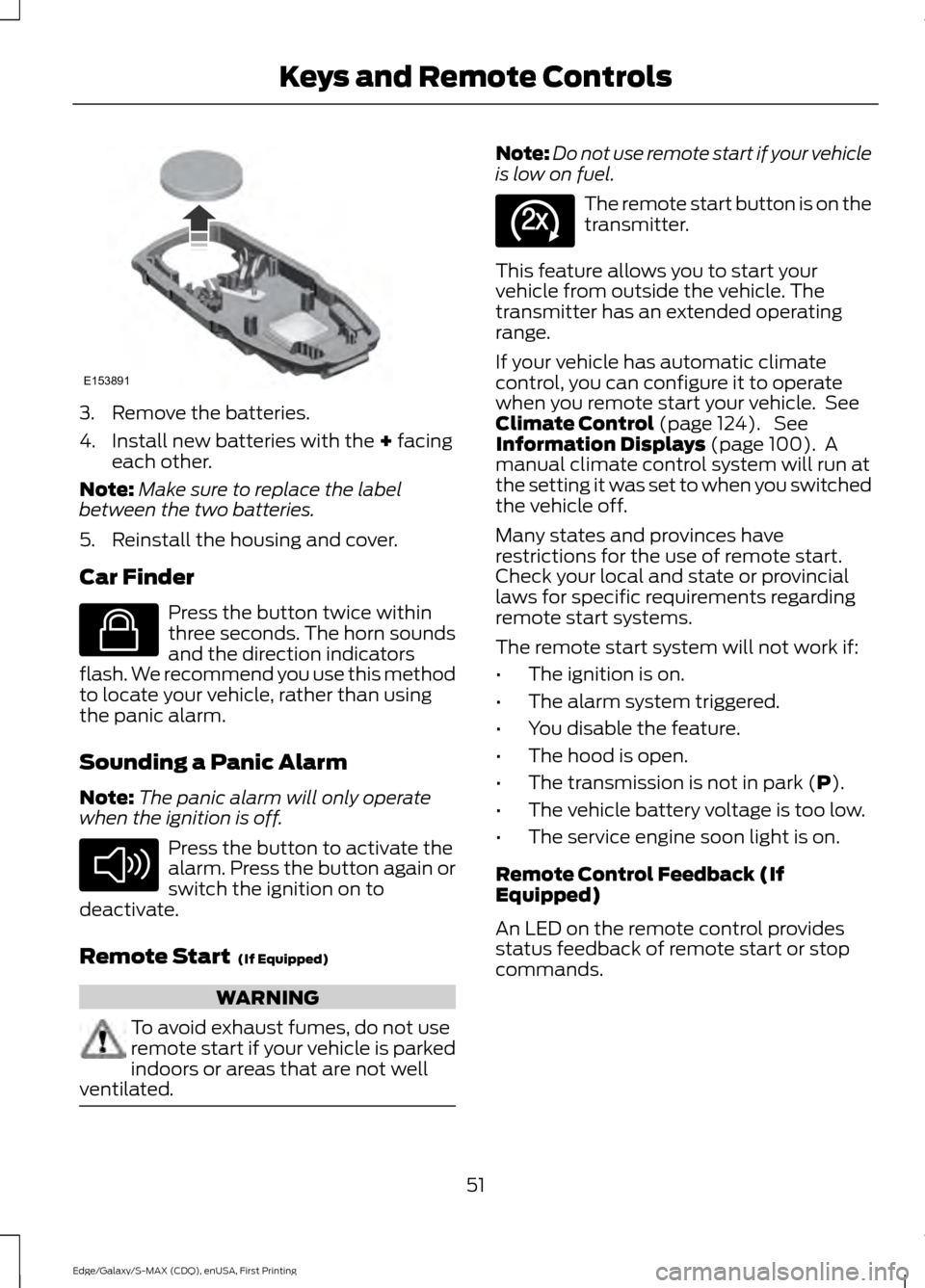
3. Remove the batteries.
4. Install new batteries with the + facing
each other.
Note: Make sure to replace the label
between the two batteries.
5. Reinstall the housing and cover.
Car Finder Press the button twice within
three seconds. The horn sounds
and the direction indicators
flash. We recommend you use this method
to locate your vehicle, rather than using
the panic alarm.
Sounding a Panic Alarm
Note: The panic alarm will only operate
when the ignition is off. Press the button to activate the
alarm. Press the button again or
switch the ignition on to
deactivate.
Remote Start
(If Equipped) WARNING
To avoid exhaust fumes, do not use
remote start if your vehicle is parked
indoors or areas that are not well
ventilated. Note:
Do not use remote start if your vehicle
is low on fuel. The remote start button is on the
transmitter.
This feature allows you to start your
vehicle from outside the vehicle. The
transmitter has an extended operating
range.
If your vehicle has automatic climate
control, you can configure it to operate
when you remote start your vehicle. See
Climate Control
(page 124). See
Information Displays (page 100). A
manual climate control system will run at
the setting it was set to when you switched
the vehicle off.
Many states and provinces have
restrictions for the use of remote start.
Check your local and state or provincial
laws for specific requirements regarding
remote start systems.
The remote start system will not work if:
• The ignition is on.
• The alarm system triggered.
• You disable the feature.
• The hood is open.
• The transmission is not in park (
P).
• The vehicle battery voltage is too low.
• The service engine soon light is on.
Remote Control Feedback (If
Equipped)
An LED on the remote control provides
status feedback of remote start or stop
commands.
51
Edge/Galaxy/S-MAX (CDQ), enUSA, First Printing Keys and Remote ControlsE153891 E138623 E138624 E138625
Page 55 of 508
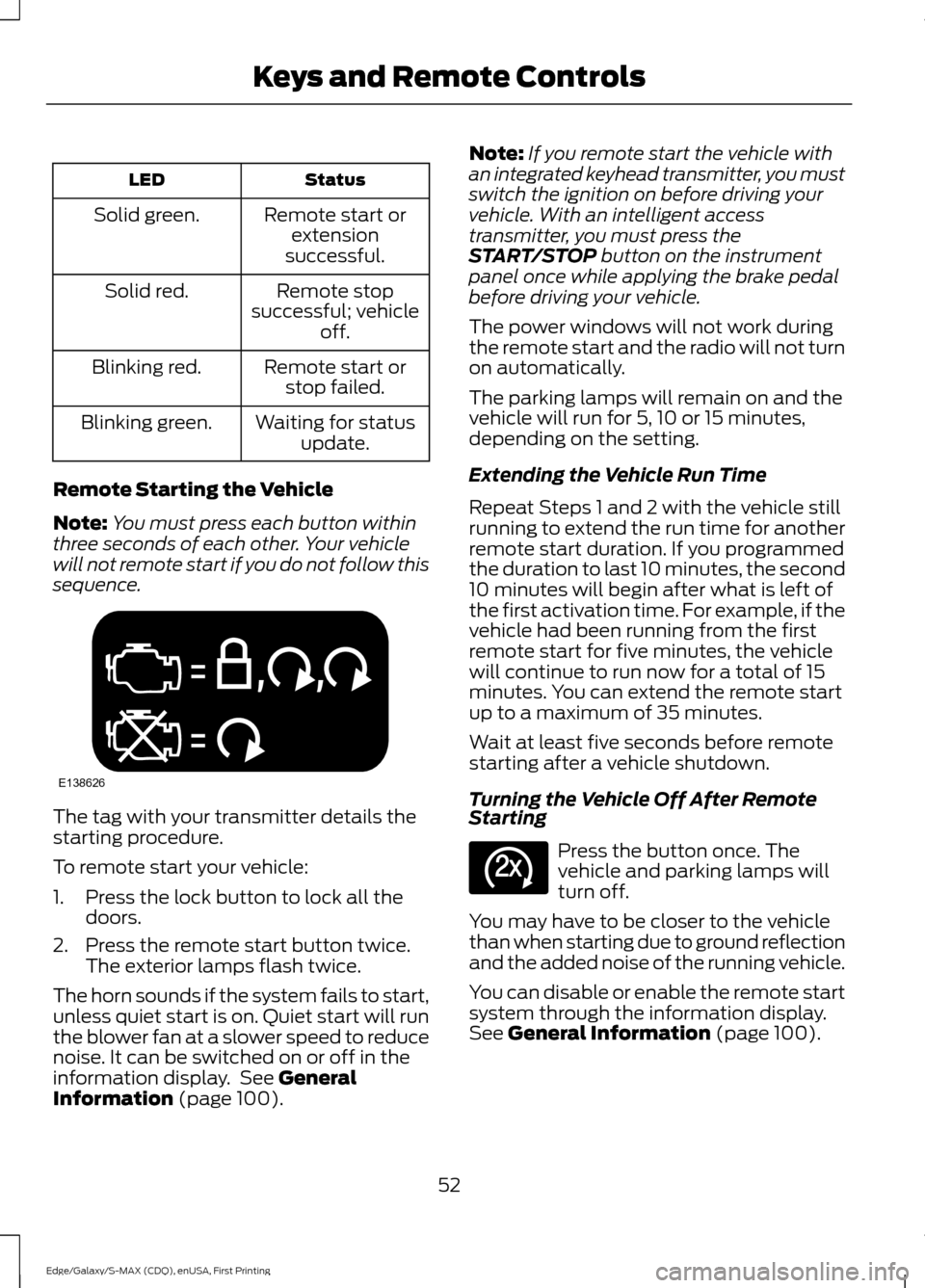
Status
LED
Remote start orextension
successful.
Solid green.
Remote stop
successful; vehicle off.
Solid red.
Remote start orstop failed.
Blinking red.
Waiting for statusupdate.
Blinking green.
Remote Starting the Vehicle
Note: You must press each button within
three seconds of each other. Your vehicle
will not remote start if you do not follow this
sequence. The tag with your transmitter details the
starting procedure.
To remote start your vehicle:
1. Press the lock button to lock all the
doors.
2. Press the remote start button twice. The exterior lamps flash twice.
The horn sounds if the system fails to start,
unless quiet start is on. Quiet start will run
the blower fan at a slower speed to reduce
noise. It can be switched on or off in the
information display. See General
Information (page 100). Note:
If you remote start the vehicle with
an integrated keyhead transmitter, you must
switch the ignition on before driving your
vehicle. With an intelligent access
transmitter, you must press the
START/STOP
button on the instrument
panel once while applying the brake pedal
before driving your vehicle.
The power windows will not work during
the remote start and the radio will not turn
on automatically.
The parking lamps will remain on and the
vehicle will run for 5, 10 or 15 minutes,
depending on the setting.
Extending the Vehicle Run Time
Repeat Steps 1 and 2 with the vehicle still
running to extend the run time for another
remote start duration. If you programmed
the duration to last 10 minutes, the second
10 minutes will begin after what is left of
the first activation time. For example, if the
vehicle had been running from the first
remote start for five minutes, the vehicle
will continue to run now for a total of 15
minutes. You can extend the remote start
up to a maximum of 35 minutes.
Wait at least five seconds before remote
starting after a vehicle shutdown.
Turning the Vehicle Off After Remote
Starting Press the button once. The
vehicle and parking lamps will
turn off.
You may have to be closer to the vehicle
than when starting due to ground reflection
and the added noise of the running vehicle.
You can disable or enable the remote start
system through the information display.
See
General Information (page 100).
52
Edge/Galaxy/S-MAX (CDQ), enUSA, First Printing Keys and Remote ControlsE138626 E138625
Page 58 of 508
•
Various vehicle speed minders can be
set. Once you select a speed, it will be
shown in the display, followed by an
audible tone when the preselected
vehicle speed is exceeded.
• Audio system maximum volume of
45%. A message will be shown in the
display when you attempt to exceed
the limited volume. Also, the
speed-sensitive or compensated
automatic volume control will be
disabled.
• Always on setting. When this is
selected, you will not be able to switch
off Advance Trac or traction control,
911 Assist or Emergency Assist, or the
do not disturb feature (if your vehicle
is equipped with these features).
CREATING A MYKEY
Use the information display to create a
MyKey:
1. Insert the key you want to program into
the ignition. If your vehicle is equipped with
a push-button start, place the intelligent
access key fob into the backup slot. The
location of your backup slot is in another
chapter. See Starting and Stopping the
Engine (page 150).
2. Switch the ignition on.
3. Access the main menu on the
information display controls, and select
Settings
then MyKey by pressing OK or
the > button.
4. Press
OK or the > button to select
Create MyKey.
5. When prompted, hold the
OK button
until you see a message informing you to
label this key as a MyKey. The key will be
restricted at the next start. MyKey is successfully created. Make sure
you label it so you can distinguish it from
the admin keys.
You can also program configurable
settings for the key(s). See
Programming/Changing Configurable
Settings
.
Programming/Changing
Configurable Settings
Use the information display to access your
configurable MyKey settings.
1. Switch the ignition on using an admin key or fob.
2. Access the main menu on the information display controls, and select
Settings
, then MyKey by pressing OK
or > button.
3. Use the arrow buttons to get to a feature.
4. Press
OK or > to make a selection.
Note: You can clear or change your MyKey
settings at any time during the same key
cycle as you created the MyKey. Once you
have switched the vehicle off, however, you
will need an admin key to change or clear
your MyKey settings.
CLEARING ALL MYKEYS
You can clear or change your MyKey
settings using the information display
control on the steering wheel. See
Information Displays
(page 100).
Switch the ignition on using an admin key
or fob.
55
Edge/Galaxy/S-MAX (CDQ), enUSA, First Printing MyKey
™
Page 63 of 508
LOCKING AND UNLOCKING
You can use the power door lock control
or the remote control to lock and unlock
your vehicle.
Power Door Locks
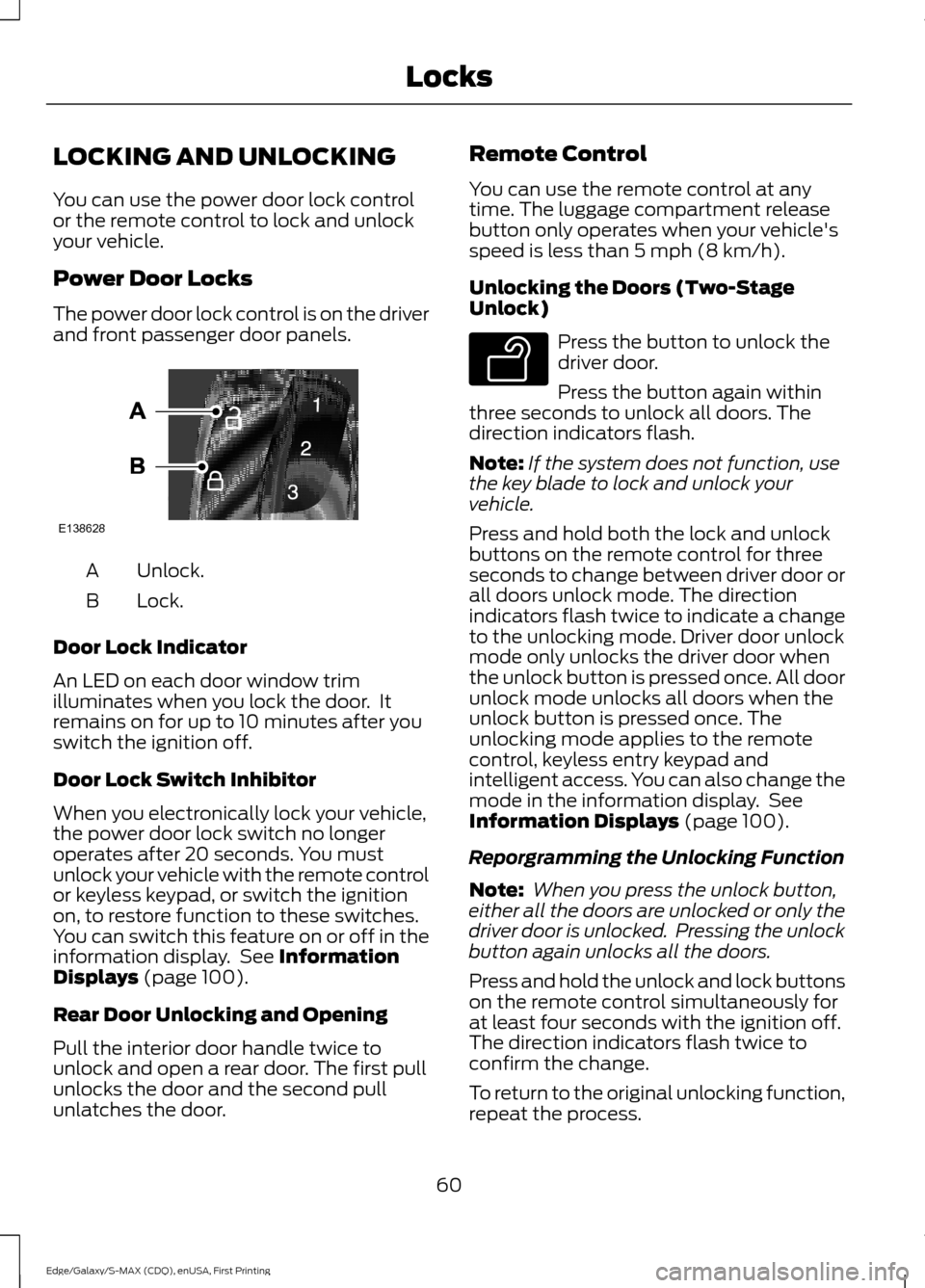
The power door lock control is on the driver
and front passenger door panels.
Unlock.
A
Lock.
B
Door Lock Indicator
An LED on each door window trim
illuminates when you lock the door. It
remains on for up to 10 minutes after you
switch the ignition off.
Door Lock Switch Inhibitor
When you electronically lock your vehicle,
the power door lock switch no longer
operates after 20 seconds. You must
unlock your vehicle with the remote control
or keyless keypad, or switch the ignition
on, to restore function to these switches.
You can switch this feature on or off in the
information display. See Information
Displays (page 100).
Rear Door Unlocking and Opening
Pull the interior door handle twice to
unlock and open a rear door. The first pull
unlocks the door and the second pull
unlatches the door. Remote Control
You can use the remote control at any
time. The luggage compartment release
button only operates when your vehicle's
speed is less than
5 mph (8 km/h).
Unlocking the Doors (Two-Stage
Unlock) Press the button to unlock the
driver door.
Press the button again within
three seconds to unlock all doors. The
direction indicators flash.
Note: If the system does not function, use
the key blade to lock and unlock your
vehicle.
Press and hold both the lock and unlock
buttons on the remote control for three
seconds to change between driver door or
all doors unlock mode. The direction
indicators flash twice to indicate a change
to the unlocking mode. Driver door unlock
mode only unlocks the driver door when
the unlock button is pressed once. All door
unlock mode unlocks all doors when the
unlock button is pressed once. The
unlocking mode applies to the remote
control, keyless entry keypad and
intelligent access. You can also change the
mode in the information display. See
Information Displays
(page 100).
Reporgramming the Unlocking Function
Note: When you press the unlock button,
either all the doors are unlocked or only the
driver door is unlocked. Pressing the unlock
button again unlocks all the doors.
Press and hold the unlock and lock buttons
on the remote control simultaneously for
at least four seconds with the ignition off.
The direction indicators flash twice to
confirm the change.
To return to the original unlocking function,
repeat the process.
60
Edge/Galaxy/S-MAX (CDQ), enUSA, First Printing LocksE138628 E138629