oil change FORD EDGE 2015 2.G Owners Manual
[x] Cancel search | Manufacturer: FORD, Model Year: 2015, Model line: EDGE, Model: FORD EDGE 2015 2.GPages: 508, PDF Size: 6.2 MB
Page 7 of 508
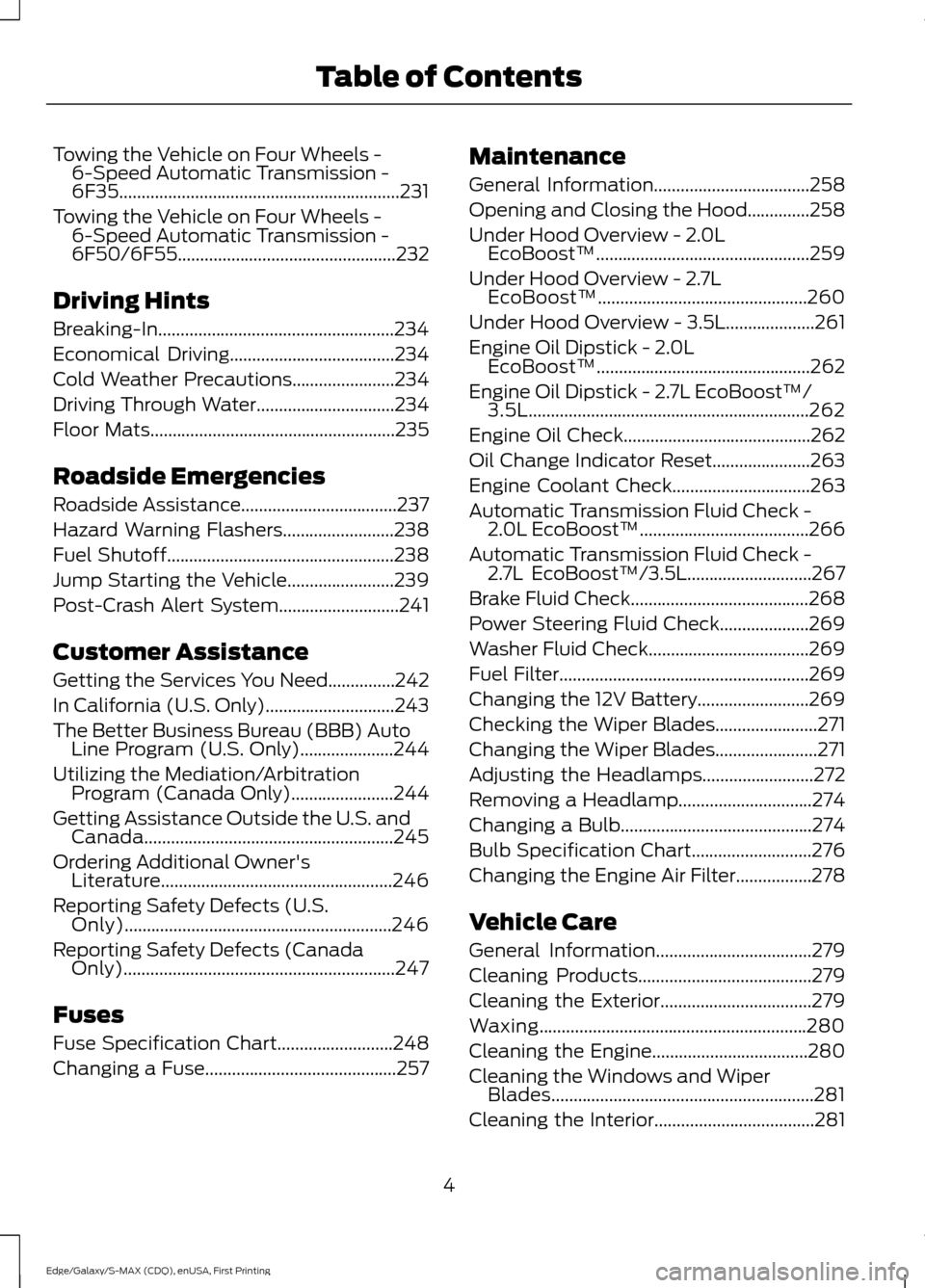
Towing the Vehicle on Four Wheels -
6-Speed Automatic Transmission -
6F35...............................................................231
Towing the Vehicle on Four Wheels - 6-Speed Automatic Transmission -
6F50/6F55.................................................232
Driving Hints
Breaking-In.....................................................234
Economical Driving.....................................234
Cold Weather Precautions.......................234
Driving Through Water...............................234
Floor Mats
.......................................................235
Roadside Emergencies
Roadside Assistance...................................237
Hazard Warning Flashers.........................238
Fuel Shutoff
...................................................238
Jump Starting the Vehicle........................239
Post-Crash Alert System
...........................241
Customer Assistance
Getting the Services You Need...............242
In California (U.S. Only)
.............................243
The Better Business Bureau (BBB) Auto Line Program (U.S. Only).....................244
Utilizing the Mediation/Arbitration Program (Canada Only).......................244
Getting Assistance Outside the U.S. and Canada........................................................245
Ordering Additional Owner's Literature....................................................246
Reporting Safety Defects (U.S. Only)............................................................246
Reporting Safety Defects (Canada Only).............................................................247
Fuses
Fuse Specification Chart..........................248
Changing a Fuse...........................................257 Maintenance
General Information
...................................258
Opening and Closing the Hood..............258
Under Hood Overview -
2.0L
EcoBoost™................................................259
Under Hood Overview -
2.7L
EcoBoost™...............................................260
Under Hood Overview - 3.5L....................261
Engine Oil Dipstick -
2.0L
EcoBoost™................................................262
Engine Oil Dipstick -
2.7L EcoBoost™/
3.5L...............................................................262
Engine Oil Check..........................................262
Oil Change Indicator Reset......................263
Engine Coolant Check
...............................263
Automatic Transmission Fluid Check - 2.0L EcoBoost™
......................................266
Automatic Transmission Fluid Check - 2.7L EcoBoost™/3.5L............................267
Brake Fluid Check........................................268
Power Steering Fluid Check
....................269
Washer Fluid Check....................................269
Fuel Filter
........................................................269
Changing the 12V Battery
.........................269
Checking the Wiper Blades.......................271
Changing the Wiper Blades.......................271
Adjusting the Headlamps
.........................272
Removing a Headlamp..............................274
Changing a Bulb...........................................274
Bulb Specification Chart...........................276
Changing the Engine Air Filter.................278
Vehicle Care
General Information
...................................279
Cleaning Products
.......................................279
Cleaning the Exterior..................................279
Waxing............................................................280
Cleaning the Engine...................................280
Cleaning the Windows and Wiper Blades...........................................................281
Cleaning the Interior....................................281
4
Edge/Galaxy/S-MAX (CDQ), enUSA, First Printing Table of Contents
Page 120 of 508
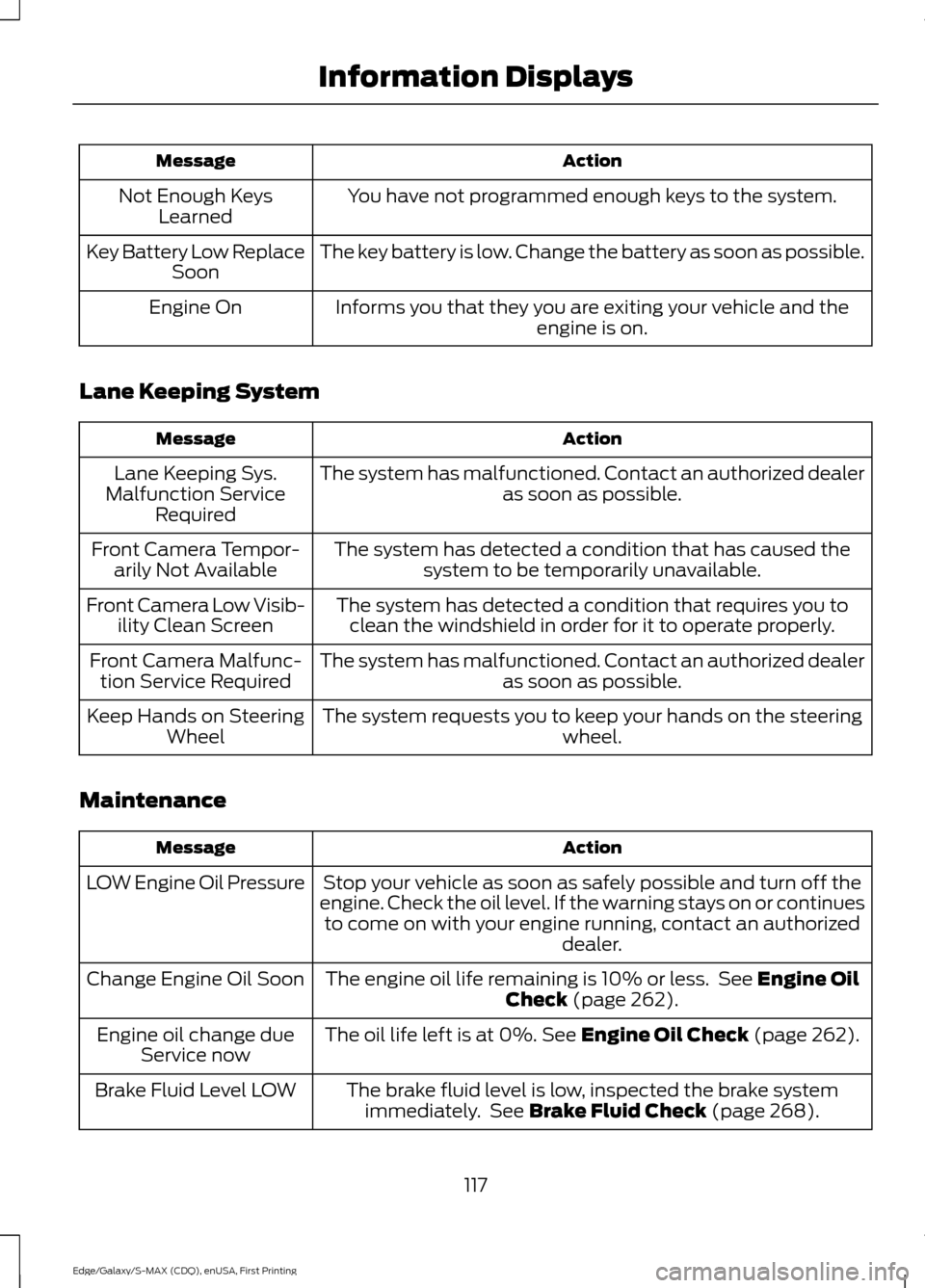
Action
Message
You have not programmed enough keys to the system.
Not Enough Keys
Learned
The key battery is low. Change the battery as soon as possible.
Key Battery Low Replace
Soon
Informs you that they you are exiting your vehicle and the engine is on.
Engine On
Lane Keeping System Action
Message
The system has malfunctioned. Contact an authorized dealer as soon as possible.
Lane Keeping Sys.
Malfunction Service Required
The system has detected a condition that has caused thesystem to be temporarily unavailable.
Front Camera Tempor-
arily Not Available
The system has detected a condition that requires you toclean the windshield in order for it to operate properly.
Front Camera Low Visib-
ility Clean Screen
The system has malfunctioned. Contact an authorized dealeras soon as possible.
Front Camera Malfunc-
tion Service Required
The system requests you to keep your hands on the steering wheel.
Keep Hands on Steering
Wheel
Maintenance Action
Message
Stop your vehicle as soon as safely possible and turn off the
engine. Check the oil level. If the warning stays on or continues to come on with your engine running, contact an authorized dealer.
LOW Engine Oil Pressure
The engine oil life remaining is 10% or less. See Engine Oil
Check (page 262).
Change Engine Oil Soon
The oil life left is at 0%.
See Engine Oil Check (page 262).
Engine oil change due
Service now
The brake fluid level is low, inspected the brake systemimmediately. See
Brake Fluid Check (page 268).
Brake Fluid Level LOW
117
Edge/Galaxy/S-MAX (CDQ), enUSA, First Printing Information Displays
Page 237 of 508
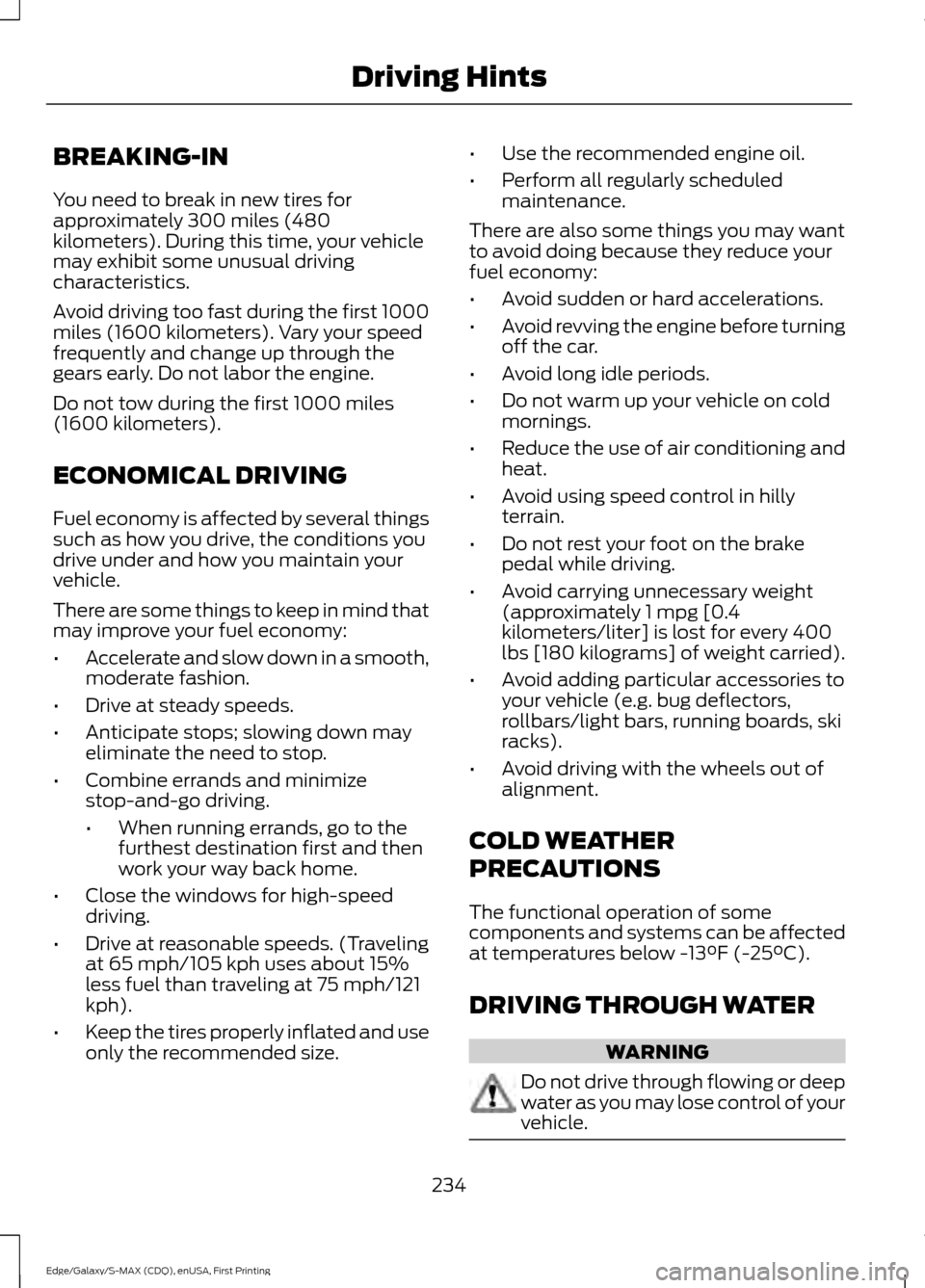
BREAKING-IN
You need to break in new tires for
approximately 300 miles (480
kilometers). During this time, your vehicle
may exhibit some unusual driving
characteristics.
Avoid driving too fast during the first 1000
miles (1600 kilometers). Vary your speed
frequently and change up through the
gears early. Do not labor the engine.
Do not tow during the first 1000 miles
(1600 kilometers).
ECONOMICAL DRIVING
Fuel economy is affected by several things
such as how you drive, the conditions you
drive under and how you maintain your
vehicle.
There are some things to keep in mind that
may improve your fuel economy:
•
Accelerate and slow down in a smooth,
moderate fashion.
• Drive at steady speeds.
• Anticipate stops; slowing down may
eliminate the need to stop.
• Combine errands and minimize
stop-and-go driving.
•When running errands, go to the
furthest destination first and then
work your way back home.
• Close the windows for high-speed
driving.
• Drive at reasonable speeds. (Traveling
at 65 mph/105 kph uses about 15%
less fuel than traveling at 75 mph/121
kph).
• Keep the tires properly inflated and use
only the recommended size. •
Use the recommended engine oil.
• Perform all regularly scheduled
maintenance.
There are also some things you may want
to avoid doing because they reduce your
fuel economy:
• Avoid sudden or hard accelerations.
• Avoid revving the engine before turning
off the car.
• Avoid long idle periods.
• Do not warm up your vehicle on cold
mornings.
• Reduce the use of air conditioning and
heat.
• Avoid using speed control in hilly
terrain.
• Do not rest your foot on the brake
pedal while driving.
• Avoid carrying unnecessary weight
(approximately 1 mpg [0.4
kilometers/liter] is lost for every 400
lbs [180 kilograms] of weight carried).
• Avoid adding particular accessories to
your vehicle (e.g. bug deflectors,
rollbars/light bars, running boards, ski
racks).
• Avoid driving with the wheels out of
alignment.
COLD WEATHER
PRECAUTIONS
The functional operation of some
components and systems can be affected
at temperatures below -13°F (-25°C).
DRIVING THROUGH WATER WARNING
Do not drive through flowing or deep
water as you may lose control of your
vehicle.
234
Edge/Galaxy/S-MAX (CDQ), enUSA, First Printing Driving Hints
Page 266 of 508
WARNINGS
Only add oil when the engine is cold.
If the engine is hot, wait 10 minutes
for the engine to cool down.
Do not remove the filler cap when
the engine is running.
1. Remove the engine oil filler cap.
2. Add engine oil that meets Ford
specifications. See Maintenance
(page 258).
3. Wipe off any spilled oil.
4. Replace the engine oil filler cap. Turn it clockwise until you feel a strong
resistance.
Note: Do not add oil further than the
maximum mark. Oil levels above the
maximum mark may cause engine damage.
Note: Soak up any spillage with an
absorbent cloth immediately.
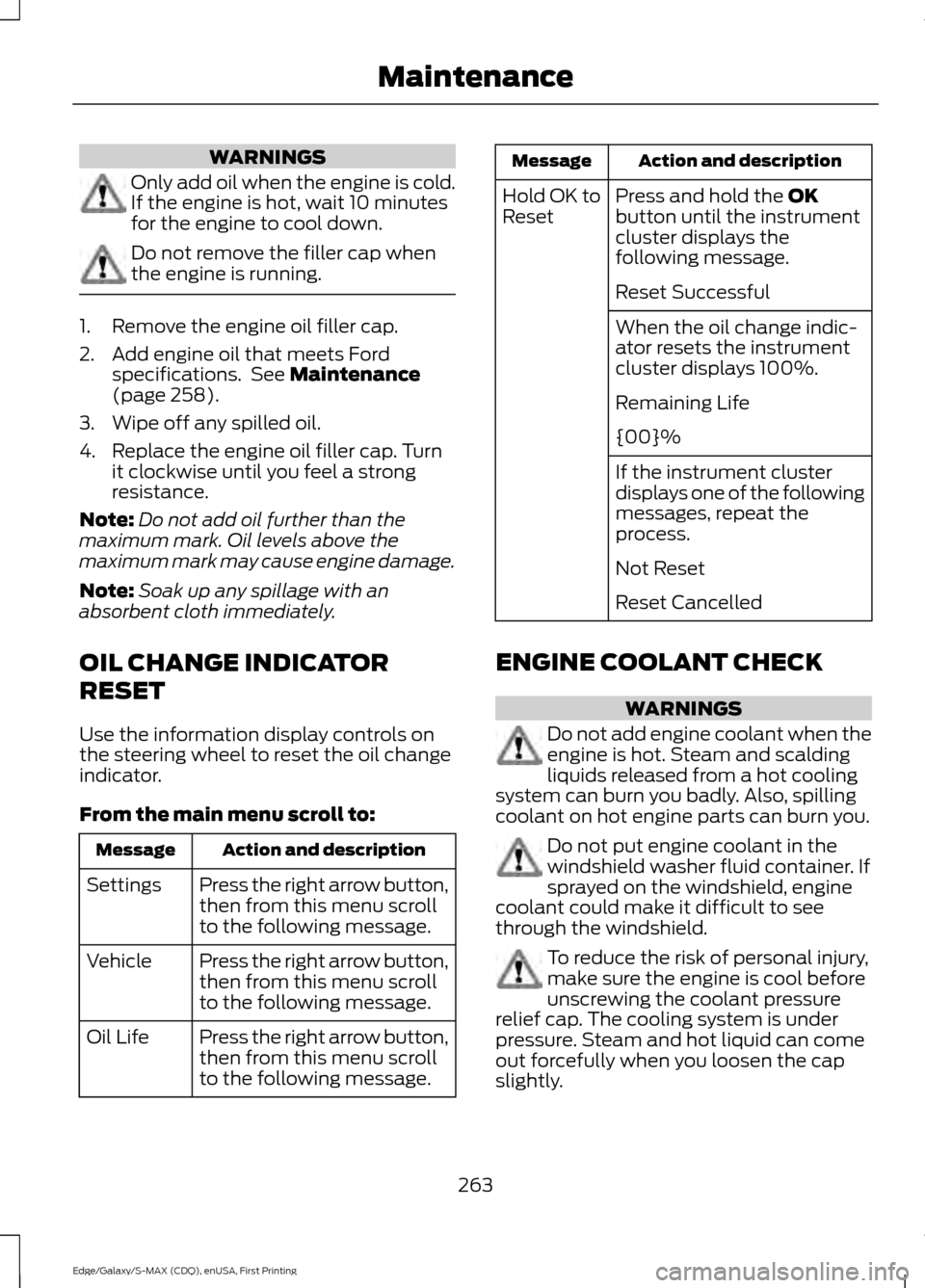
OIL CHANGE INDICATOR
RESET
Use the information display controls on
the steering wheel to reset the oil change
indicator.
From the main menu scroll to: Action and description
Message
Press the right arrow button,
then from this menu scroll
to the following message.
Settings
Press the right arrow button,
then from this menu scroll
to the following message.
Vehicle
Press the right arrow button,
then from this menu scroll
to the following message.
Oil Life Action and description
Message
Press and hold the
OK
button until the instrument
cluster displays the
following message.
Hold OK to
Reset
Reset Successful
When the oil change indic-
ator resets the instrument
cluster displays 100%.
Remaining Life
{00}%
If the instrument cluster
displays one of the following
messages, repeat the
process.
Not Reset
Reset Cancelled
ENGINE COOLANT CHECK WARNINGS
Do not add engine coolant when the
engine is hot. Steam and scalding
liquids released from a hot cooling
system can burn you badly. Also, spilling
coolant on hot engine parts can burn you. Do not put engine coolant in the
windshield washer fluid container. If
sprayed on the windshield, engine
coolant could make it difficult to see
through the windshield. To reduce the risk of personal injury,
make sure the engine is cool before
unscrewing the coolant pressure
relief cap. The cooling system is under
pressure. Steam and hot liquid can come
out forcefully when you loosen the cap
slightly.
263
Edge/Galaxy/S-MAX (CDQ), enUSA, First Printing Maintenance
Page 287 of 508
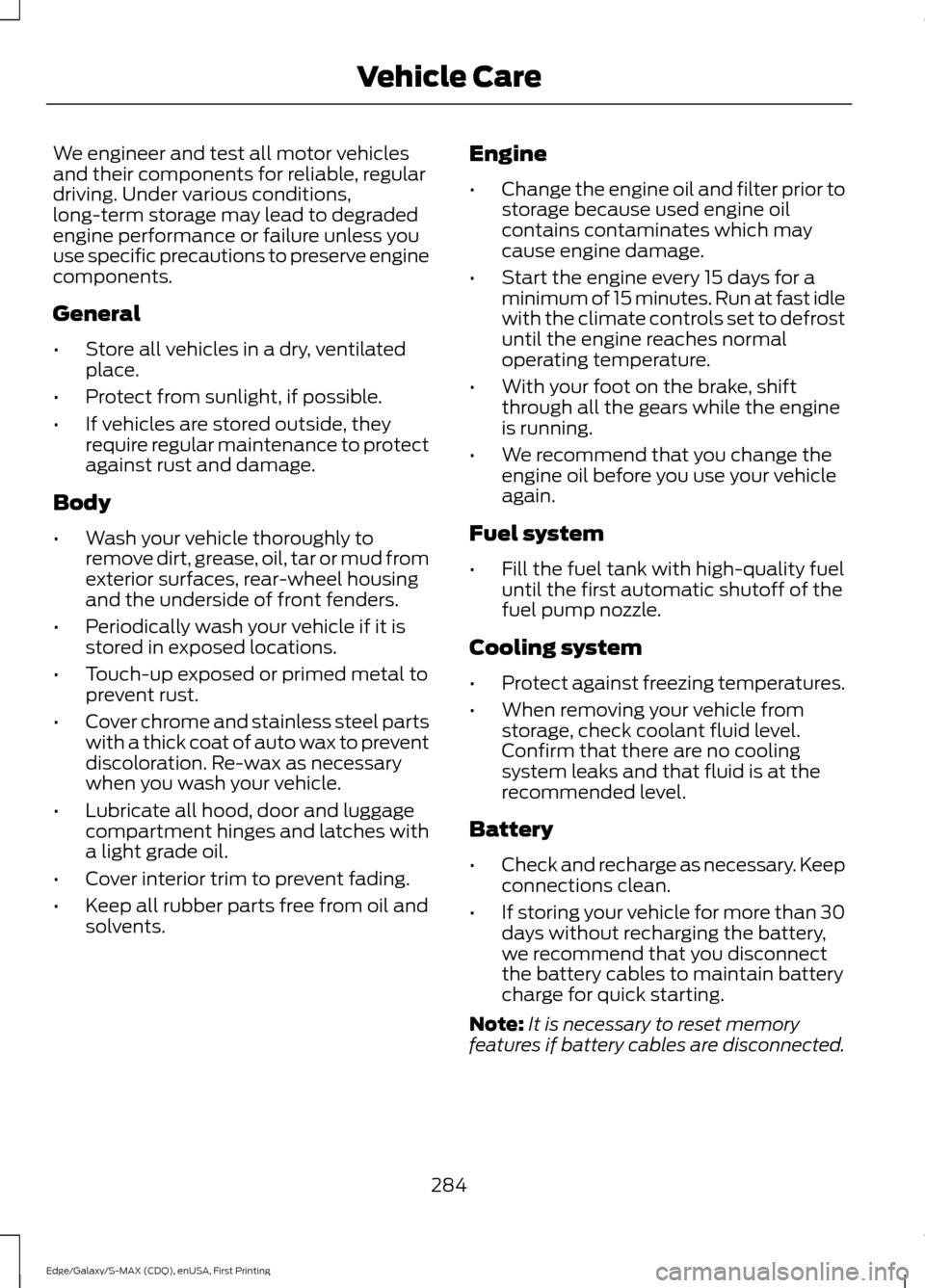
We engineer and test all motor vehicles
and their components for reliable, regular
driving. Under various conditions,
long-term storage may lead to degraded
engine performance or failure unless you
use specific precautions to preserve engine
components.
General
•
Store all vehicles in a dry, ventilated
place.
• Protect from sunlight, if possible.
• If vehicles are stored outside, they
require regular maintenance to protect
against rust and damage.
Body
• Wash your vehicle thoroughly to
remove dirt, grease, oil, tar or mud from
exterior surfaces, rear-wheel housing
and the underside of front fenders.
• Periodically wash your vehicle if it is
stored in exposed locations.
• Touch-up exposed or primed metal to
prevent rust.
• Cover chrome and stainless steel parts
with a thick coat of auto wax to prevent
discoloration. Re-wax as necessary
when you wash your vehicle.
• Lubricate all hood, door and luggage
compartment hinges and latches with
a light grade oil.
• Cover interior trim to prevent fading.
• Keep all rubber parts free from oil and
solvents. Engine
•
Change the engine oil and filter prior to
storage because used engine oil
contains contaminates which may
cause engine damage.
• Start the engine every 15 days for a
minimum of 15 minutes. Run at fast idle
with the climate controls set to defrost
until the engine reaches normal
operating temperature.
• With your foot on the brake, shift
through all the gears while the engine
is running.
• We recommend that you change the
engine oil before you use your vehicle
again.
Fuel system
• Fill the fuel tank with high-quality fuel
until the first automatic shutoff of the
fuel pump nozzle.
Cooling system
• Protect against freezing temperatures.
• When removing your vehicle from
storage, check coolant fluid level.
Confirm that there are no cooling
system leaks and that fluid is at the
recommended level.
Battery
• Check and recharge as necessary. Keep
connections clean.
• If storing your vehicle for more than 30
days without recharging the battery,
we recommend that you disconnect
the battery cables to maintain battery
charge for quick starting.
Note: It is necessary to reset memory
features if battery cables are disconnected.
284
Edge/Galaxy/S-MAX (CDQ), enUSA, First Printing Vehicle Care
Page 331 of 508
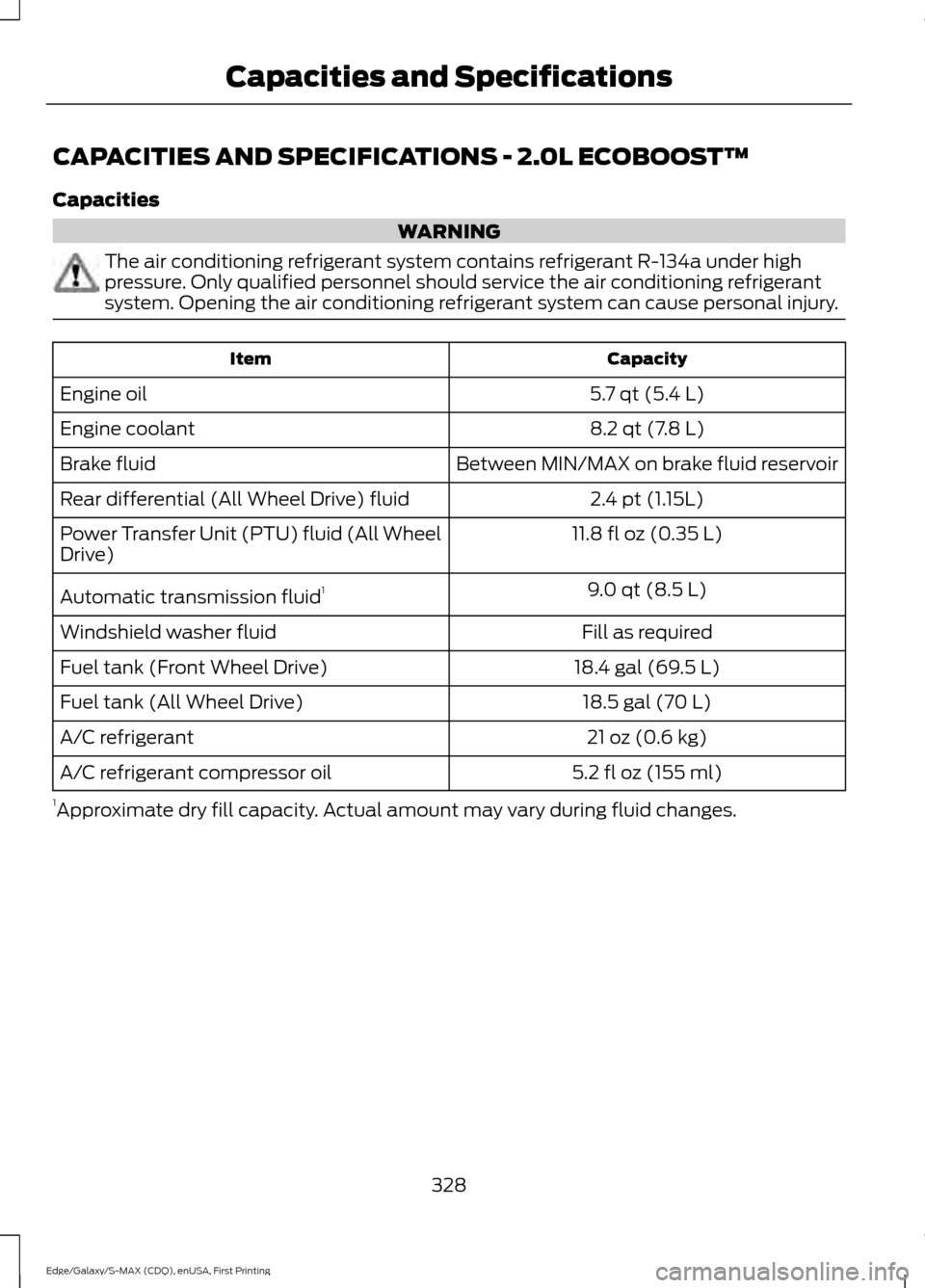
CAPACITIES AND SPECIFICATIONS - 2.0L ECOBOOST™
Capacities
WARNING
The air conditioning refrigerant system contains refrigerant R-134a under high
pressure. Only qualified personnel should service the air conditioning refrigerant
system. Opening the air conditioning refrigerant system can cause personal injury.
Capacity
Item
5.7 qt (5.4 L)
Engine oil
8.2 qt (7.8 L)
Engine coolant
Between MIN/MAX on brake fluid reservoir
Brake fluid
2.4 pt (1.15L)
Rear differential (All Wheel Drive) fluid
11.8 fl oz (0.35 L)
Power Transfer Unit (PTU) fluid (All Wheel
Drive)
9.0 qt (8.5 L)
Automatic transmission fluid 1
Fill as required
Windshield washer fluid
18.4 gal (69.5 L)
Fuel tank (Front Wheel Drive)
18.5 gal (70 L)
Fuel tank (All Wheel Drive)
21 oz (0.6 kg)
A/C refrigerant
5.2 fl oz (155 ml)
A/C refrigerant compressor oil
1 Approximate dry fill capacity. Actual amount may vary during fluid changes.
328
Edge/Galaxy/S-MAX (CDQ), enUSA, First Printing Capacities and Specifications
Page 335 of 508
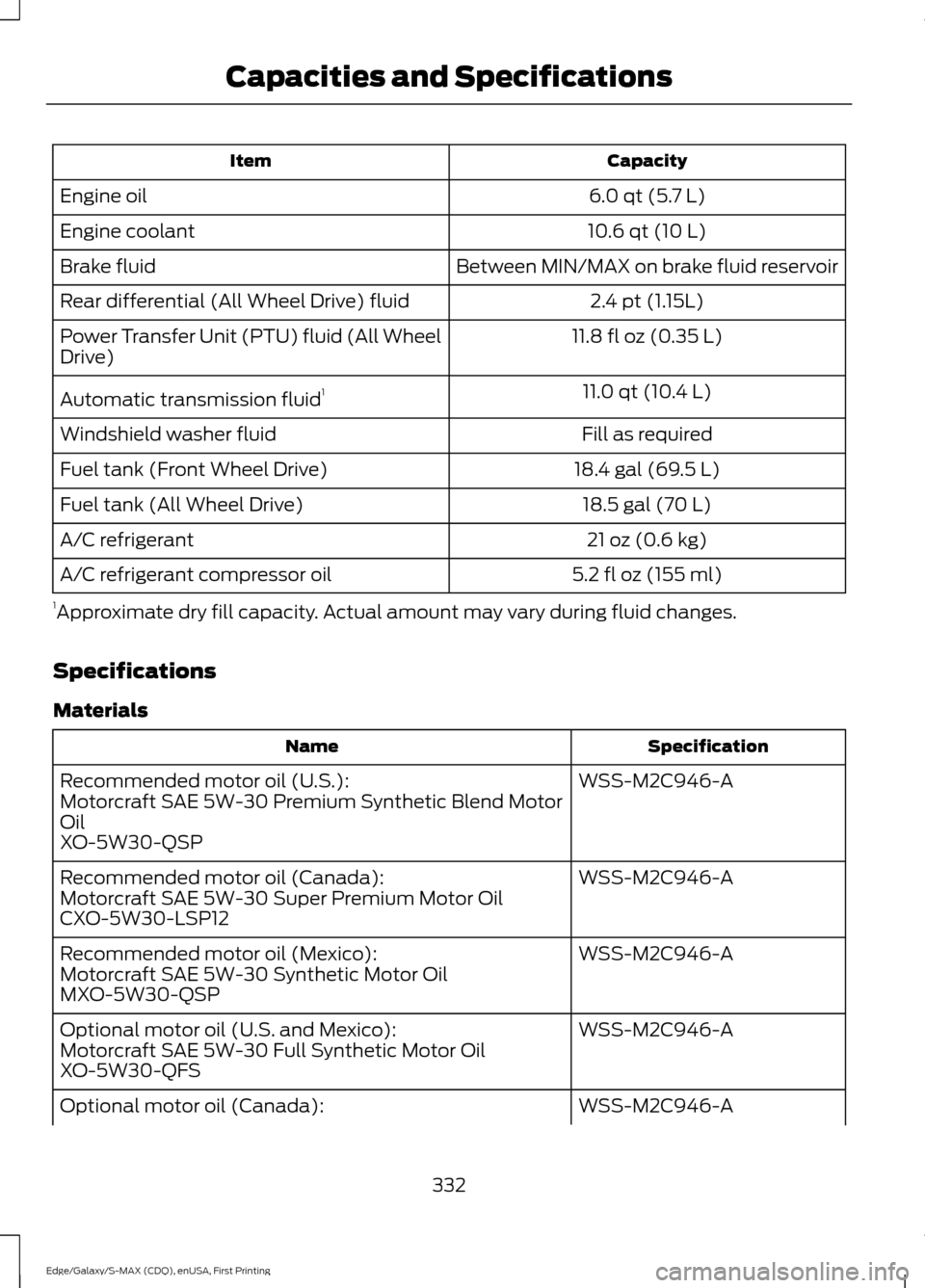
Capacity
Item
6.0 qt (5.7 L)
Engine oil
10.6 qt (10 L)
Engine coolant
Between MIN/MAX on brake fluid reservoir
Brake fluid
2.4 pt (1.15L)
Rear differential (All Wheel Drive) fluid
11.8 fl oz (0.35 L)
Power Transfer Unit (PTU) fluid (All Wheel
Drive)
11.0 qt (10.4 L)
Automatic transmission fluid 1
Fill as required
Windshield washer fluid
18.4 gal (69.5 L)
Fuel tank (Front Wheel Drive)
18.5 gal (70 L)
Fuel tank (All Wheel Drive)
21 oz (0.6 kg)
A/C refrigerant
5.2 fl oz (155 ml)
A/C refrigerant compressor oil
1 Approximate dry fill capacity. Actual amount may vary during fluid changes.
Specifications
Materials Specification
Name
WSS-M2C946-A
Recommended motor oil (U.S.):
Motorcraft SAE 5W-30 Premium Synthetic Blend Motor
Oil
XO-5W30-QSP
WSS-M2C946-A
Recommended motor oil (Canada):
Motorcraft SAE 5W-30 Super Premium Motor Oil
CXO-5W30-LSP12
WSS-M2C946-A
Recommended motor oil (Mexico):
Motorcraft SAE 5W-30 Synthetic Motor Oil
MXO-5W30-QSP
WSS-M2C946-A
Optional motor oil (U.S. and Mexico):
Motorcraft SAE 5W-30 Full Synthetic Motor Oil
XO-5W30-QFS
WSS-M2C946-A
Optional motor oil (Canada):
332
Edge/Galaxy/S-MAX (CDQ), enUSA, First Printing Capacities and Specifications
Page 338 of 508
Note:
Ford recommends using DOT 4 Low
Viscosity (LV) High Performance Brake Fluid
or equivalent meeting WSS-M6C65-A2. Use
of any fluid other than the recommended
fluid may cause degraded brake
performance and not meet the Ford
performance standards. Keep brake fluid
clean and dry. Contamination with dirt,
water, petroleum products or other
materials may result in brake system
damage and possible failure. Note:
Automatic transmissions that require
MERCON LV transmission fluid should only
use MERCON LV transmission fluid. The
use of any other fluid may cause
transmission damage.
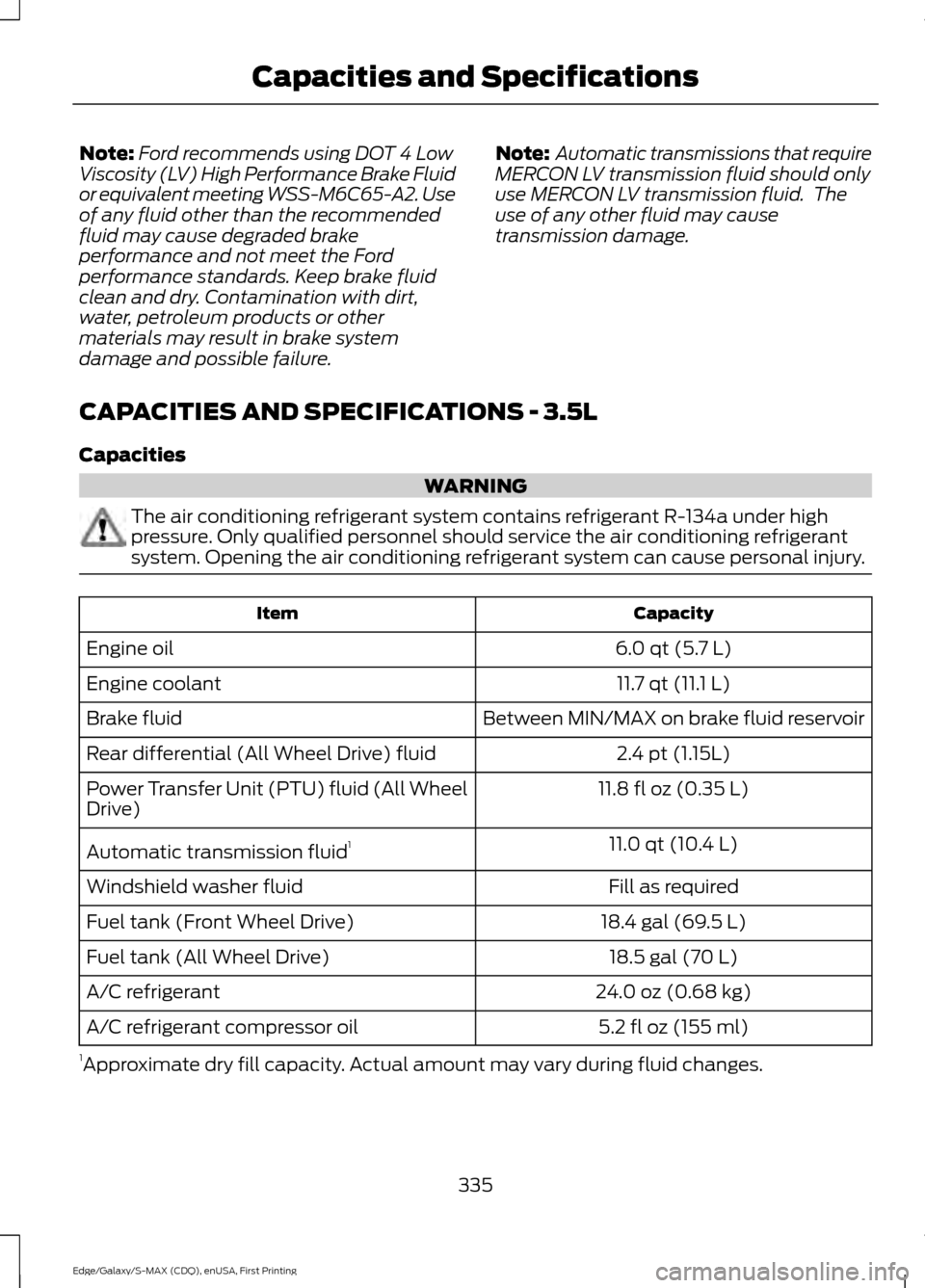
CAPACITIES AND SPECIFICATIONS - 3.5L
Capacities WARNING
The air conditioning refrigerant system contains refrigerant R-134a under high
pressure. Only qualified personnel should service the air conditioning refrigerant
system. Opening the air conditioning refrigerant system can cause personal injury.
Capacity
Item
6.0 qt (5.7 L)
Engine oil
11.7 qt (11.1 L)
Engine coolant
Between MIN/MAX on brake fluid reservoir
Brake fluid
2.4 pt (1.15L)
Rear differential (All Wheel Drive) fluid
11.8 fl oz (0.35 L)
Power Transfer Unit (PTU) fluid (All Wheel
Drive)
11.0 qt (10.4 L)
Automatic transmission fluid 1
Fill as required
Windshield washer fluid
18.4 gal (69.5 L)
Fuel tank (Front Wheel Drive)
18.5 gal (70 L)
Fuel tank (All Wheel Drive)
24.0 oz (0.68 kg)
A/C refrigerant
5.2 fl oz (155 ml)
A/C refrigerant compressor oil
1 Approximate dry fill capacity. Actual amount may vary during fluid changes.
335
Edge/Galaxy/S-MAX (CDQ), enUSA, First Printing Capacities and Specifications
Page 458 of 508
GENERAL MAINTENANCE
INFORMATION
Why Maintain Your Vehicle?
Carefully following the maintenance
schedule helps protect against major repair
expenses resulting from neglect or
inadequate maintenance and may help to
increase the value of your vehicle when
you sell or trade it. Keep all receipts for
completed maintenance with your vehicle.
We have established regular maintenance
intervals for your vehicle based upon
rigorous testing. It is important that you
have your vehicle serviced at the proper
times. These intervals serve two purposes;
one is to maintain the reliability of your
vehicle and the second is to keep your cost
of owning your vehicle down.
It is your responsibility to have all
scheduled maintenance performed and to
make sure that the materials used meet
the specifications identified in this owner's
manual. See Capacities and
Specifications (page 321).
Failure to perform scheduled maintenance
invalidates warranty coverage on parts
affected by the lack of maintenance.
Why Maintain Your Vehicle at Your
Dealership?
Factory-Trained Technicians
Service technicians participate in extensive
factory-sponsored certification training to
help them become experts on the
operation of your vehicle. Ask your
dealership about the training and
certification their technicians have
received. Genuine Ford and Motorcraft®
Replacement Parts
Dealerships stock Ford, Motorcraft and
Ford-authorized branded re-manufactured
replacement parts. These parts meet or
exceed our specifications. Parts installed
at your dealership carry a nationwide
24-month or unlimited mile (kilometer)
parts and labor limited warranty.
If you do not use Ford authorized parts they
may not meet our specifications and
depending on the part, it could affect
emissions compliance.
Convenience
Many dealerships have extended evening
and Saturday hours to make your service
visit more convenient and they offer one
stop shopping. They can perform any
services that are required on your vehicle,
from general maintenance to collision
repairs.
Note:
Not all dealers have extended hours
or body shops. Please contact your dealer
for details.
Protecting Your Investment
Maintenance is an investment that pays
dividends in the form of improved
reliability, durability and resale value. To
maintain the proper performance of your
vehicle and its emission control systems,
make sure you have scheduled
maintenance performed at the designated
intervals.
Your vehicle is equipped with the
Intelligent Oil-Life Monitor system, which
displays a message in the information
display at the proper oil change interval.
This interval may be up to one year or
10000 miles (16000 kilometers).
455
Edge/Galaxy/S-MAX (CDQ), enUSA, First Printing Scheduled Maintenance
Page 459 of 508
When the oil change message appears in
the information display, it is time for an oil
change. Make sure you perform the oil
change within two weeks or 500 miles
(800 kilometers) of the message
appearing. Make sure you reset the
Intelligent Oil-Life Monitor after each oil
change. See Oil Change Indicator Reset
(page 263).
If your information display resets
prematurely or becomes inoperative, you
should perform the oil change interval at
six months or 5000 miles (8000
kilometers) from your last oil change.
Never exceed one year or 10000 miles
(16000 kilometers) between oil change
intervals.
Your vehicle is very sophisticated and built
with multiple, complex, performance
systems. Every manufacturer develops
these systems using different
specifications and performance features.
That is why it is important to rely upon your
dealership to properly diagnose and repair
your vehicle.
Ford Motor Company has recommended
maintenance intervals for various parts
and component systems based upon
engineering testing. Ford Motor Company
relies upon this testing to determine the
most appropriate mileage for replacement
of oils and fluids to protect your vehicle at
the lowest overall cost to you and
recommends against maintenance
schedules that deviate from the scheduled
maintenance information.
We strongly recommend the use of only
genuine Ford, Motorcraft or
Ford-authorized re-manufactured
replacement parts engineered for your
vehicle. Additives and Chemicals
This owner's manual and the Ford
Workshop Manual list the recommended
additives and chemicals for your vehicle.
We do not recommend using chemicals or
additives not approved by us as part of
your vehicle
’s normal maintenance. Please
consult your warranty information.
Oils, Fluids and Flushing
In many cases, fluid discoloration is a
normal operating characteristic and, by
itself, does not necessarily indicate a
concern or that the fluid needs to be
changed. However, a qualified expert, such
as the factory-trained technicians at your
dealership, should inspect discolored fluids
that also show signs of overheating or
foreign material contamination
immediately.
Make sure to change your vehicle ’s oils and
fluids at the specified intervals or in
conjunction with a repair. Flushing is a
viable way to change fluid for many vehicle
sub-systems during scheduled
maintenance. It is critical that systems are
flushed only with new fluid that is the same
as that required to fill and operate the
system or using a Ford-approved flushing
chemical.
Owner Checks and Services
Make sure you perform the following basic
maintenance checks and inspections every
month or at six-month intervals.
456
Edge/Galaxy/S-MAX (CDQ), enUSA, First Printing Scheduled Maintenance