warning FORD EDGE 2016 2.G Owners Manual
[x] Cancel search | Manufacturer: FORD, Model Year: 2016, Model line: EDGE, Model: FORD EDGE 2016 2.GPages: 451, PDF Size: 6.18 MB
Page 359 of 451
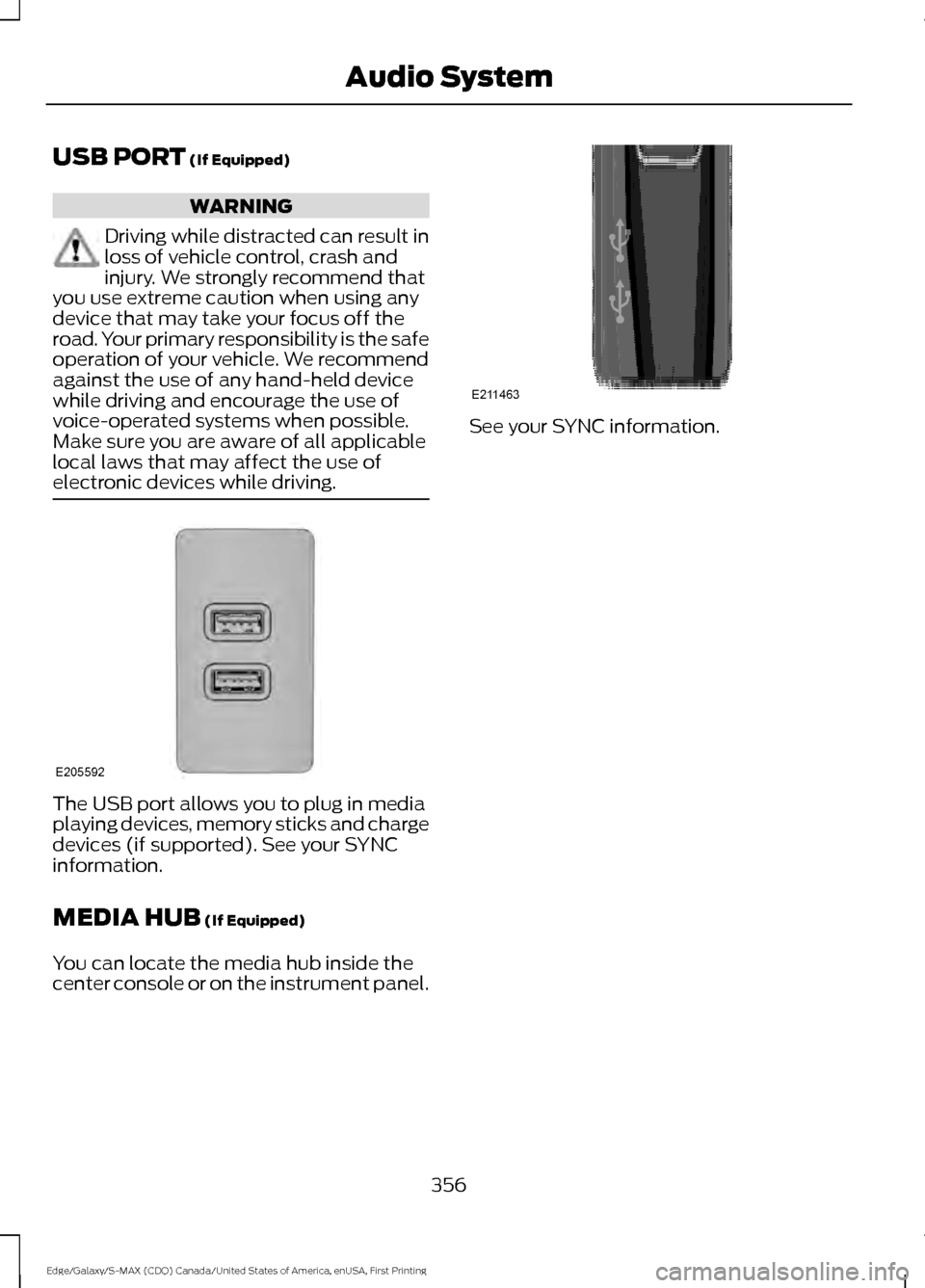
USB PORT (If Equipped)
WARNING
Driving while distracted can result in
loss of vehicle control, crash and
injury. We strongly recommend that
you use extreme caution when using any
device that may take your focus off the
road. Your primary responsibility is the safe
operation of your vehicle. We recommend
against the use of any hand-held device
while driving and encourage the use of
voice-operated systems when possible.
Make sure you are aware of all applicable
local laws that may affect the use of
electronic devices while driving. The USB port allows you to plug in media
playing devices, memory sticks and charge
devices (if supported). See your SYNC
information.
MEDIA HUB
(If Equipped)
You can locate the media hub inside the
center console or on the instrument panel. See your SYNC information.
356
Edge/Galaxy/S-MAX (CDQ) Canada/United States of America, enUSA, First Printing Audio SystemE205592 E211463
Page 361 of 451
Sunday, 10:30am-7:30pm EST.
In the United States, call 1-800-392-3673.
In Canada, call 1-800-565-3673.
Times are subject to change due to
holidays.
SYNC Owner Account
Why do I need a SYNC owner account?
•
Essential for keeping up with the latest
software downloads available for
SYNC.
• Access to customer support for any
questions you may have.
Driving Restrictions
For your safety, certain features are
speed-dependent and restricted when your
vehicle is traveling over 3 mi (5 km).
Safety Information WARNING
Driving while distracted can result in
loss of vehicle control, crash and
injury. We strongly recommend that
you use extreme caution when using any
device that may take your focus off the
road. Your primary responsibility is the safe
operation of your vehicle. We recommend
against the use of any hand-held device
while driving and encourage the use of
voice-operated systems when possible.
Make sure you are aware of all applicable
local laws that may affect the use of
electronic devices while driving. When using SYNC:
•
Do not operate playing devices if the
power cords or cables are broken, split
or damaged. Place cords and cables
out of the way, so they do not interfere
with the operation of pedals, seats,
compartments or safe driving abilities.
• Do not leave playing devices in your
vehicle during extreme conditions as it
could cause them damage. See your
device's manual for further information.
• Do not attempt to service or repair the
system. See an authorized dealer.
Privacy Information
When a cellular phone is connected to
SYNC, the system creates a profile within
your vehicle that is linked to that cellular
phone. This profile is created in order to
offer you more cellular features and to
operate more efficiently. Among other
things, this profile may contain data about
your cellular phone book, text messages
(read and unread), and call history,
including history of calls when your cellular
phone was not connected to the system.
In addition, if you connect a media device,
the system creates and retains an index of
supported media content. The system also
records a short development log of
approximately 10 minutes of all recent
system activity. The log profile and other
system data may be used to improve the
system and help diagnose any problems
that may occur.
The cellular profile, media device index,
and development log will remain in the
vehicle unless you delete them and are
generally accessible only in the vehicle
when the cellular phone or media player
is connected. If you no longer plan to use
the system or the vehicle, we recommend
you perform a Master Reset to erase all
stored information.
358
Edge/Galaxy/S-MAX (CDQ) Canada/United States of America, enUSA, First Printing SYNC™
Page 376 of 451
SYNC™ APPLICATIONS AND
SERVICES (If Equipped)
In order for the following features to work,
your cellular phone must be compatible
with SYNC. To check your phone's
compatibility, visit www.SYNCMyRide.com,
www.SYNCMyRide.ca or
www.syncmaroute.ca.
• 911 Assist: Can alert 911 in the event of
an emergency.
• SYNC AppLink: Allows you to connect
to and use certain applications such as
Spotify and Glympse (if your phone is
compatible).
These features may require activation.
Available AppLink enabled apps vary by
market.
911 Assist WARNINGS
Unless the 911 Assist setting is set on
before a crash, the system will not
dial for help which could delay
response time, potentially increasing the
risk of serious injury or death after a crash. Do not wait for 911 Assist to make an
emergency call if you can do it
yourself. Dial emergency services
immediately to avoid delayed response
time which could increase the risk of
serious injury or death after a crash. If you
do not hear 911 Assist within five seconds
of the crash, the system or phone may be
damaged or non-functional. Always place your phone in a secure
location in your vehicle so it does not
become a projectile or get damaged
in a crash. Failure to do so may cause
serious injury to someone or damage the
phone which could prevent 911 Assist from
working properly. Note:
The SYNC 911 Assist feature must be
set on before the incident.
Note: The SYNC 911 Assist feature only
operates in the U.S., Canada or in a territory
in which 911 is the emergency number.
Note: Before setting this feature on, make
sure that you read the 911 Assist Privacy
Notice later in this section for important
information.
Note: If any user switches 911 Assist to on
or off, that setting applies for all paired
phones. If 911 Assist is switched off, either
a voice message plays or a display message
or an icon comes on when your vehicle is
started and after a previously paired phone
connects.
Note: Every phone operates differently.
While SYNC 911 Assist works with most
cellular phones, some may have trouble
using this feature.
If a crash deploys an airbag (excluding
knee airbags and rear inflatable safety
belts [if equipped]) or activates the fuel
pump shut-off, your SYNC-equipped
vehicle may be able to contact emergency
services by dialing 911 through a paired and
connected Bluetooth-enabled phone. You
can learn more about the 911 Assist
feature, visit www.SYNCMyRide.com,
www.SYNCMyRide.ca or
www.syncmaroute.ca.
See
Supplementary Restraints System
(page 38). Important information about
airbag deployment is in this chapter.
See
Roadside Emergencies (page 238).
Important information about the fuel pump
shut-off is in this chapter.
373
Edge/Galaxy/S-MAX (CDQ) Canada/United States of America, enUSA, First Printing SYNC™
Page 404 of 451
Check every month
Engine oil level.
Function of all interior and exterior lights.
Tires (including spare) for wear and proper pressure. Windshield washer fluid level. Check every six months
Battery connections. Clean if necessary.
Body and door drain holes for obstructions. Clean if necessary. Cooling system fluid level and coolant strength.
Door weatherstrips for wear. Lubricate if necessary.
Hinges, latches and outside locks for proper operation. Lubricate if necessary. Parking brake for proper operation.
Safety belts and seat latches for wear and function.
Safety warning lamps (brake, ABS, airbag and safety belt) for operation.
Washer spray and wiper operation. Clean or replace blades as necessary.
Multi-Point Inspection
In order to keep your vehicle running right,
it is important to have the systems on your
vehicle checked regularly. This can help
identify potential issues and prevent major
problems. We recommend having the
following multi-point inspection performed
at every scheduled maintenance interval
to help make sure your vehicle keeps
running great.
401
Edge/Galaxy/S-MAX (CDQ) Canada/United States of America, enUSA, First Printing Scheduled Maintenance
Page 405 of 451
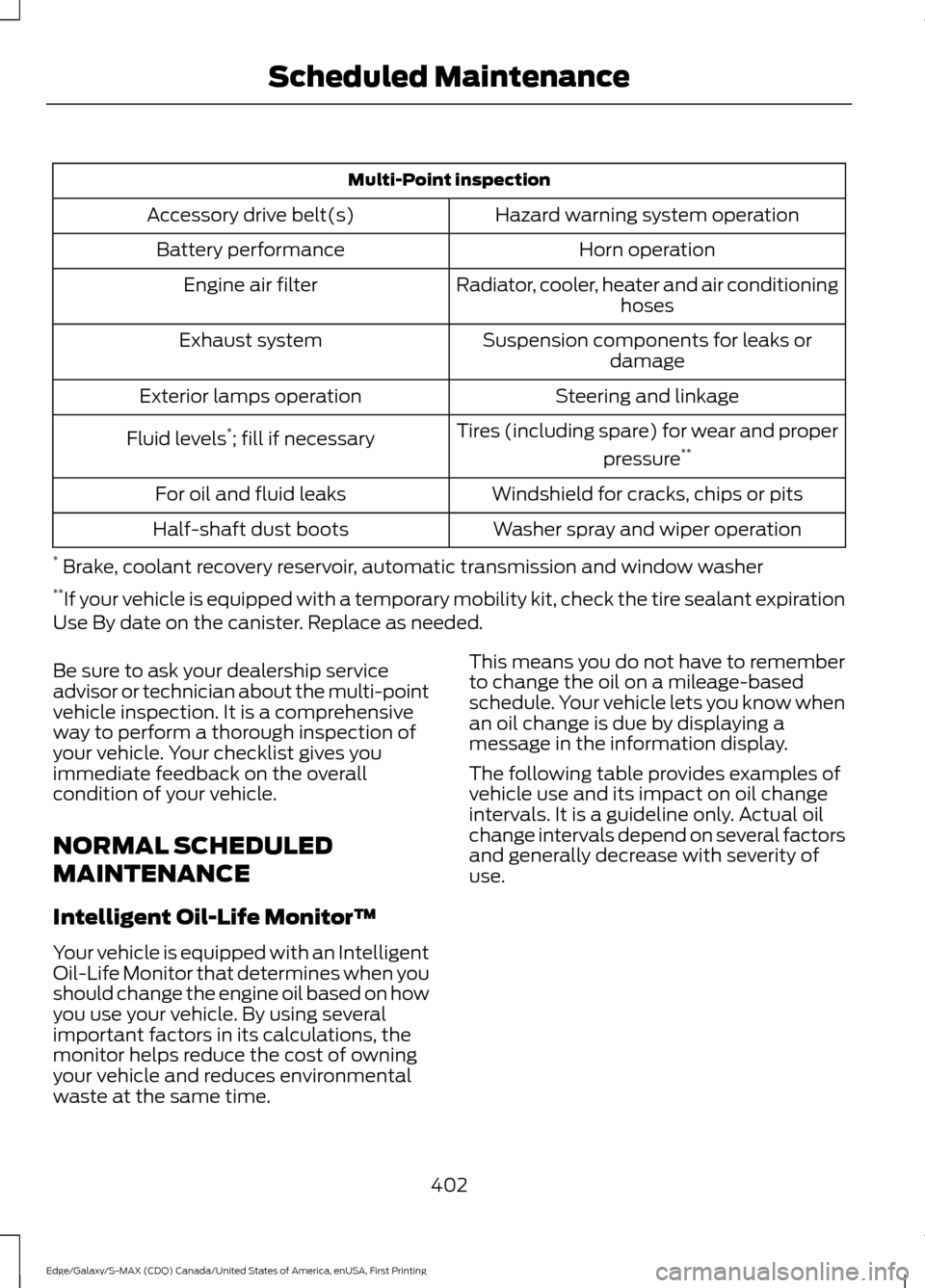
Multi-Point inspection
Hazard warning system operation
Accessory drive belt(s)
Horn operation
Battery performance
Radiator, cooler, heater and air conditioninghoses
Engine air filter
Suspension components for leaks ordamage
Exhaust system
Steering and linkage
Exterior lamps operation
Tires (including spare) for wear and properpressure**
Fluid levels *
; fill if necessary
Windshield for cracks, chips or pits
For oil and fluid leaks
Washer spray and wiper operation
Half-shaft dust boots
* Brake, coolant recovery reservoir, automatic transmission and window washer
** If your vehicle is equipped with a temporary mobility kit, check the tire sealant expiration
Use By date on the canister. Replace as needed.
Be sure to ask your dealership service
advisor or technician about the multi-point
vehicle inspection. It is a comprehensive
way to perform a thorough inspection of
your vehicle. Your checklist gives you
immediate feedback on the overall
condition of your vehicle.
NORMAL SCHEDULED
MAINTENANCE
Intelligent Oil-Life Monitor™
Your vehicle is equipped with an Intelligent
Oil-Life Monitor that determines when you
should change the engine oil based on how
you use your vehicle. By using several
important factors in its calculations, the
monitor helps reduce the cost of owning
your vehicle and reduces environmental
waste at the same time. This means you do not have to remember
to change the oil on a mileage-based
schedule. Your vehicle lets you know when
an oil change is due by displaying a
message in the information display.
The following table provides examples of
vehicle use and its impact on oil change
intervals. It is a guideline only. Actual oil
change intervals depend on several factors
and generally decrease with severity of
use.
402
Edge/Galaxy/S-MAX (CDQ) Canada/United States of America, enUSA, First Printing Scheduled Maintenance
Page 433 of 451
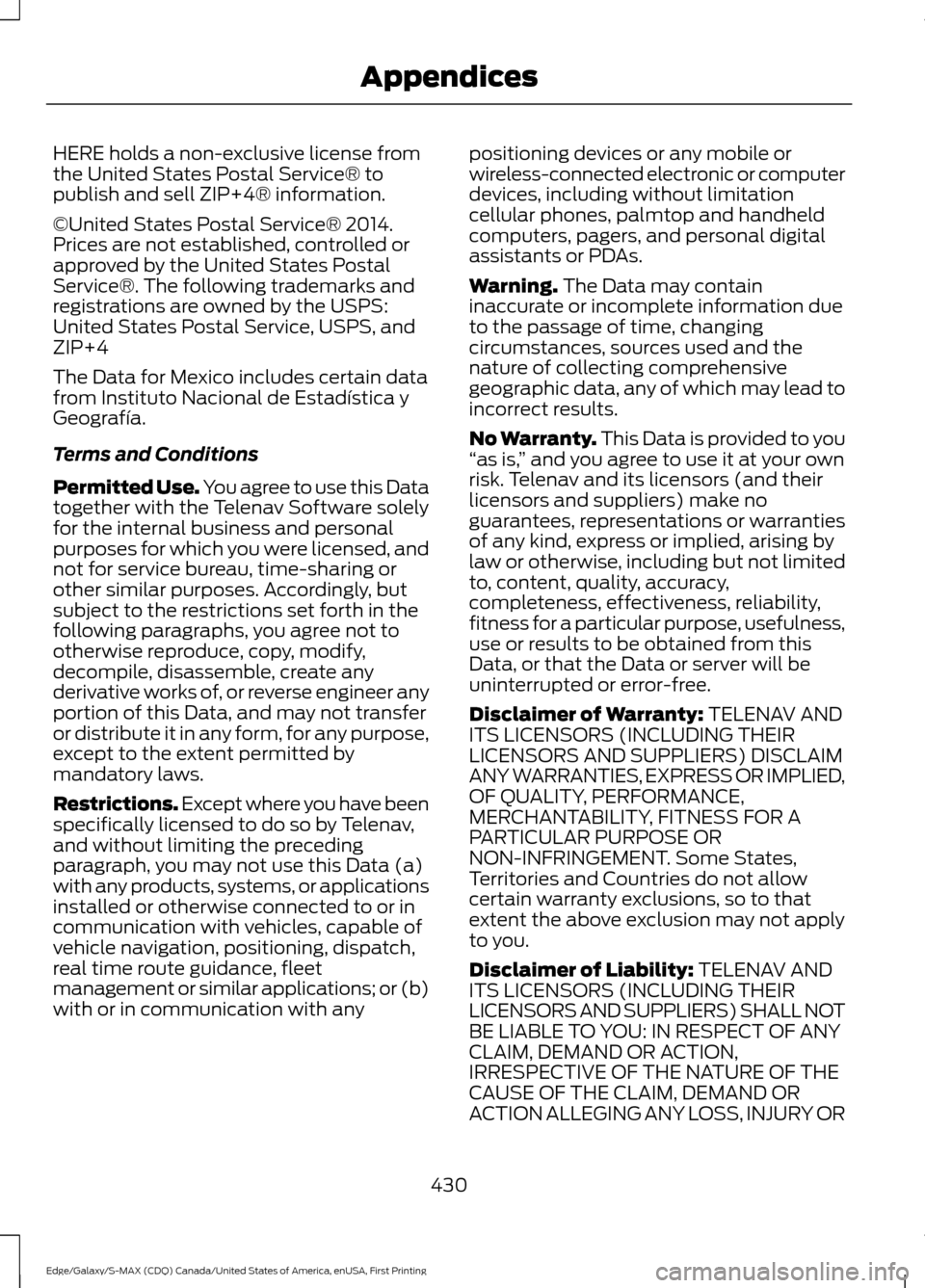
HERE holds a non-exclusive license from
the United States Postal Service® to
publish and sell ZIP+4® information.
©United States Postal Service® 2014.
Prices are not established, controlled or
approved by the United States Postal
Service®. The following trademarks and
registrations are owned by the USPS:
United States Postal Service, USPS, and
ZIP+4
The Data for Mexico includes certain data
from Instituto Nacional de Estadística y
Geografía.
Terms and Conditions
Permitted Use. You agree to use this Data
together with the Telenav Software solely
for the internal business and personal
purposes for which you were licensed, and
not for service bureau, time-sharing or
other similar purposes. Accordingly, but
subject to the restrictions set forth in the
following paragraphs, you agree not to
otherwise reproduce, copy, modify,
decompile, disassemble, create any
derivative works of, or reverse engineer any
portion of this Data, and may not transfer
or distribute it in any form, for any purpose,
except to the extent permitted by
mandatory laws.
Restrictions. Except where you have been
specifically licensed to do so by Telenav,
and without limiting the preceding
paragraph, you may not use this Data (a)
with any products, systems, or applications
installed or otherwise connected to or in
communication with vehicles, capable of
vehicle navigation, positioning, dispatch,
real time route guidance, fleet
management or similar applications; or (b)
with or in communication with any
positioning devices or any mobile or
wireless-connected electronic or computer
devices, including without limitation
cellular phones, palmtop and handheld
computers, pagers, and personal digital
assistants or PDAs.
Warning. The Data may contain
inaccurate or incomplete information due
to the passage of time, changing
circumstances, sources used and the
nature of collecting comprehensive
geographic data, any of which may lead to
incorrect results.
No Warranty.
This Data is provided to you
“ as is, ” and you agree to use it at your own
risk. Telenav and its licensors (and their
licensors and suppliers) make no
guarantees, representations or warranties
of any kind, express or implied, arising by
law or otherwise, including but not limited
to, content, quality, accuracy,
completeness, effectiveness, reliability,
fitness for a particular purpose, usefulness,
use or results to be obtained from this
Data, or that the Data or server will be
uninterrupted or error-free.
Disclaimer of Warranty:
TELENAV AND
ITS LICENSORS (INCLUDING THEIR
LICENSORS AND SUPPLIERS) DISCLAIM
ANY WARRANTIES, EXPRESS OR IMPLIED,
OF QUALITY, PERFORMANCE,
MERCHANTABILITY, FITNESS FOR A
PARTICULAR PURPOSE OR
NON-INFRINGEMENT. Some States,
Territories and Countries do not allow
certain warranty exclusions, so to that
extent the above exclusion may not apply
to you.
Disclaimer of Liability:
TELENAV AND
ITS LICENSORS (INCLUDING THEIR
LICENSORS AND SUPPLIERS) SHALL NOT
BE LIABLE TO YOU: IN RESPECT OF ANY
CLAIM, DEMAND OR ACTION,
IRRESPECTIVE OF THE NATURE OF THE
CAUSE OF THE CLAIM, DEMAND OR
ACTION ALLEGING ANY LOSS, INJURY OR
430
Edge/Galaxy/S-MAX (CDQ) Canada/United States of America, enUSA, First Printing Appendices
Page 436 of 451
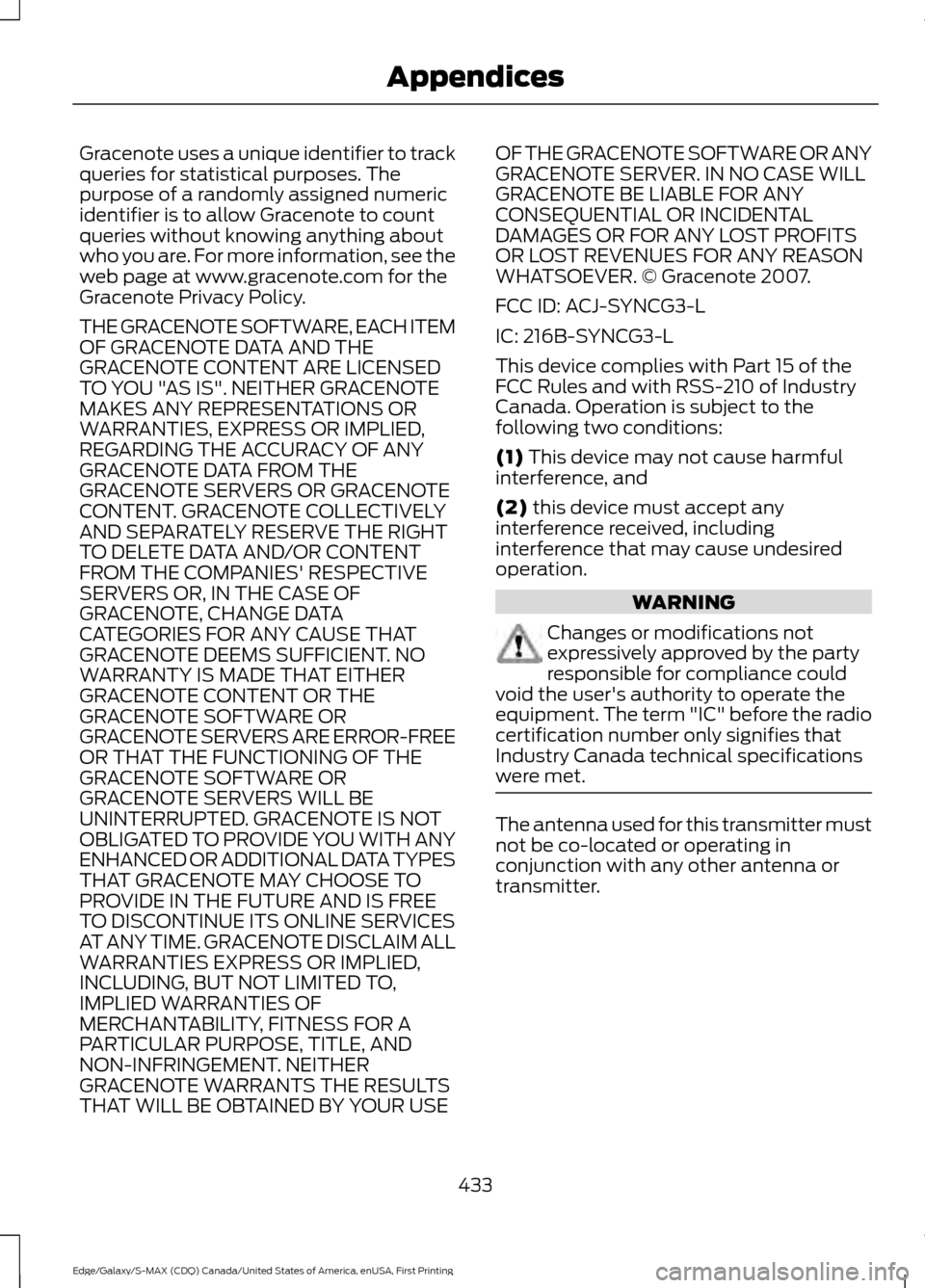
Gracenote uses a unique identifier to track
queries for statistical purposes. The
purpose of a randomly assigned numeric
identifier is to allow Gracenote to count
queries without knowing anything about
who you are. For more information, see the
web page at www.gracenote.com for the
Gracenote Privacy Policy.
THE GRACENOTE SOFTWARE, EACH ITEM
OF GRACENOTE DATA AND THE
GRACENOTE CONTENT ARE LICENSED
TO YOU "AS IS". NEITHER GRACENOTE
MAKES ANY REPRESENTATIONS OR
WARRANTIES, EXPRESS OR IMPLIED,
REGARDING THE ACCURACY OF ANY
GRACENOTE DATA FROM THE
GRACENOTE SERVERS OR GRACENOTE
CONTENT. GRACENOTE COLLECTIVELY
AND SEPARATELY RESERVE THE RIGHT
TO DELETE DATA AND/OR CONTENT
FROM THE COMPANIES' RESPECTIVE
SERVERS OR, IN THE CASE OF
GRACENOTE, CHANGE DATA
CATEGORIES FOR ANY CAUSE THAT
GRACENOTE DEEMS SUFFICIENT. NO
WARRANTY IS MADE THAT EITHER
GRACENOTE CONTENT OR THE
GRACENOTE SOFTWARE OR
GRACENOTE SERVERS ARE ERROR-FREE
OR THAT THE FUNCTIONING OF THE
GRACENOTE SOFTWARE OR
GRACENOTE SERVERS WILL BE
UNINTERRUPTED. GRACENOTE IS NOT
OBLIGATED TO PROVIDE YOU WITH ANY
ENHANCED OR ADDITIONAL DATA TYPES
THAT GRACENOTE MAY CHOOSE TO
PROVIDE IN THE FUTURE AND IS FREE
TO DISCONTINUE ITS ONLINE SERVICES
AT ANY TIME. GRACENOTE DISCLAIM ALL
WARRANTIES EXPRESS OR IMPLIED,
INCLUDING, BUT NOT LIMITED TO,
IMPLIED WARRANTIES OF
MERCHANTABILITY, FITNESS FOR A
PARTICULAR PURPOSE, TITLE, AND
NON-INFRINGEMENT. NEITHER
GRACENOTE WARRANTS THE RESULTS
THAT WILL BE OBTAINED BY YOUR USE
OF THE GRACENOTE SOFTWARE OR ANY
GRACENOTE SERVER. IN NO CASE WILL
GRACENOTE BE LIABLE FOR ANY
CONSEQUENTIAL OR INCIDENTAL
DAMAGES OR FOR ANY LOST PROFITS
OR LOST REVENUES FOR ANY REASON
WHATSOEVER. © Gracenote 2007.
FCC ID: ACJ-SYNCG3-L
IC: 216B-SYNCG3-L
This device complies with Part 15 of the
FCC Rules and with RSS-210 of Industry
Canada. Operation is subject to the
following two conditions:
(1) This device may not cause harmful
interference, and
(2)
this device must accept any
interference received, including
interference that may cause undesired
operation. WARNING
Changes or modifications not
expressively approved by the party
responsible for compliance could
void the user's authority to operate the
equipment. The term "IC" before the radio
certification number only signifies that
Industry Canada technical specifications
were met. The antenna used for this transmitter must
not be co-located or operating in
conjunction with any other antenna or
transmitter.
433
Edge/Galaxy/S-MAX (CDQ) Canada/United States of America, enUSA, First Printing Appendices
Page 440 of 451
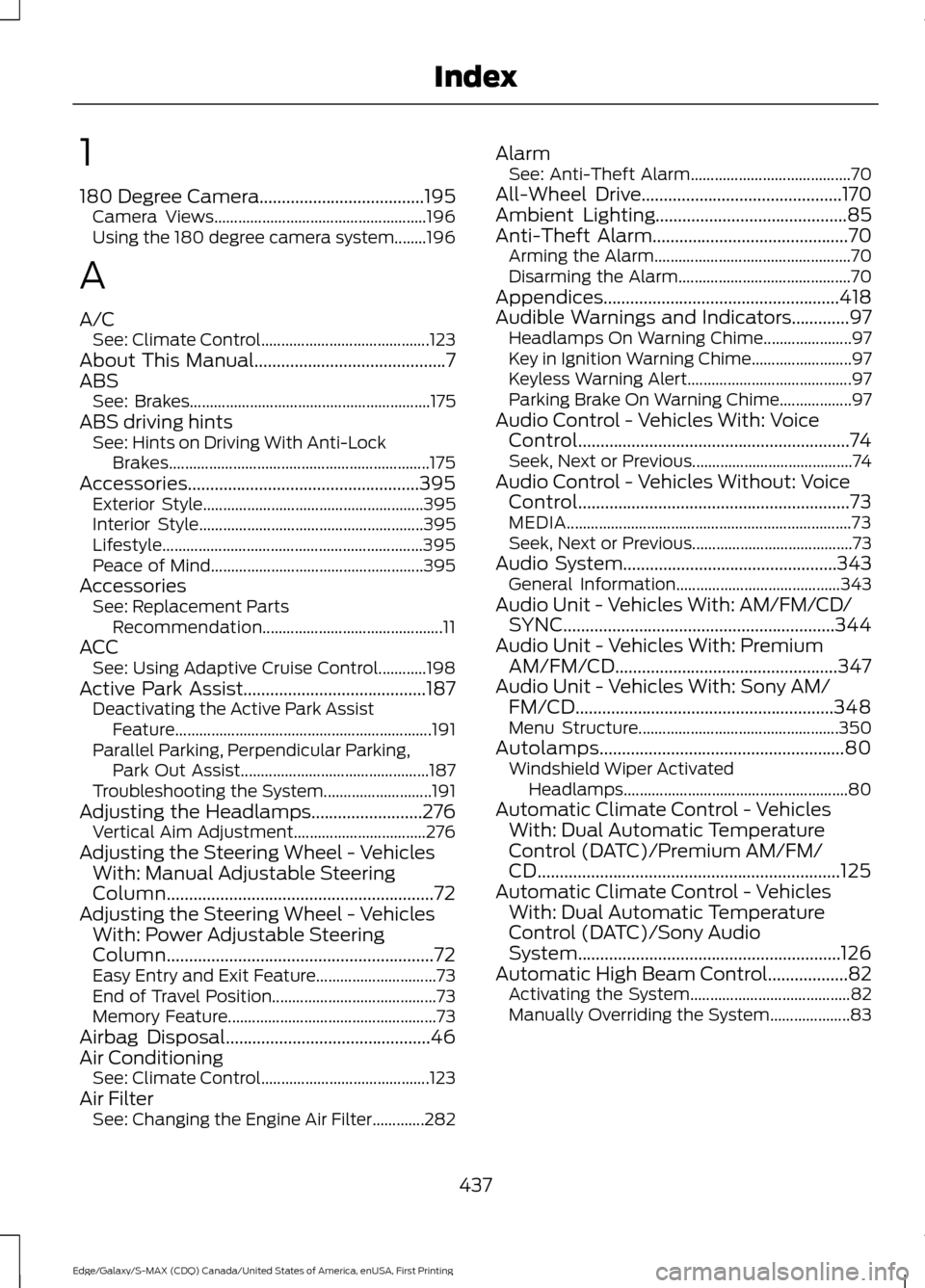
1
180 Degree Camera.....................................195
Camera Views..................................................... 196
Using the 180 degree camera system........196
A
A/C See: Climate Control.......................................... 123
About This Manual...........................................7
ABS See: Brakes............................................................ 175
ABS driving hints See: Hints on Driving With Anti-Lock
Brakes................................................................. 175
Accessories....................................................395 Exterior Style....................................................... 395
Interior Style........................................................ 395
Lifestyle................................................................. 395
Peace of Mind..................................................... 395
Accessories See: Replacement Parts
Recommendation............................................. 11
ACC See: Using Adaptive Cruise Control............198
Active Park Assist.........................................187 Deactivating the Active Park Assist
Feature ................................................................ 191
Parallel Parking, Perpendicular Parking, Park Out Assist............................................... 187
Troubleshooting the System........................... 191
Adjusting the Headlamps.........................276 Vertical Aim Adjustment................................. 276
Adjusting the Steering Wheel - Vehicles With: Manual Adjustable Steering
Column
............................................................72
Adjusting the Steering Wheel - Vehicles With: Power Adjustable Steering
Column
............................................................72
Easy Entry and Exit Feature.............................. 73
End of Travel Position......................................... 73
Memory Feature.................................................... 73
Airbag Disposal
..............................................46
Air Conditioning See: Climate Control.......................................... 123
Air Filter See: Changing the Engine Air Filter.............282 Alarm
See: Anti-Theft Alarm........................................ 70
All-Wheel Drive
.............................................170
Ambient Lighting...........................................85
Anti-Theft Alarm............................................70 Arming the Alarm................................................. 70
Disarming the Alarm........................................... 70
Appendices.....................................................418
Audible Warnings and Indicators.............97 Headlamps On Warning Chime...................... 97
Key in Ignition Warning Chime......................... 97
Keyless Warning Alert......................................... 97
Parking Brake On Warning Chime.................. 97
Audio Control - Vehicles With: Voice Control.............................................................74
Seek, Next or Previous........................................ 74
Audio Control - Vehicles Without: Voice Control
.............................................................73
MEDIA....................................................................... 73
Seek, Next or Previous........................................ 73
Audio System................................................343 General Information......................................... 343
Audio Unit - Vehicles With: AM/FM/CD/ SYNC.............................................................344
Audio Unit - Vehicles With: Premium AM/FM/CD..................................................347
Audio Unit - Vehicles With: Sony AM/ FM/CD..........................................................348
Menu Structure.................................................. 350
Autolamps.......................................................80 Windshield Wiper Activated
Headlamps........................................................80
Automatic Climate Control - Vehicles With: Dual Automatic Temperature
Control (DATC)/Premium AM/FM/
CD....................................................................125
Automatic Climate Control - Vehicles With: Dual Automatic Temperature
Control (DATC)/Sony Audio
System...........................................................126
Automatic High Beam Control..................82 Activating the System........................................ 82
Manually Overriding the System.................... 83
437
Edge/Galaxy/S-MAX (CDQ) Canada/United States of America, enUSA, First Printing Index
Page 442 of 451
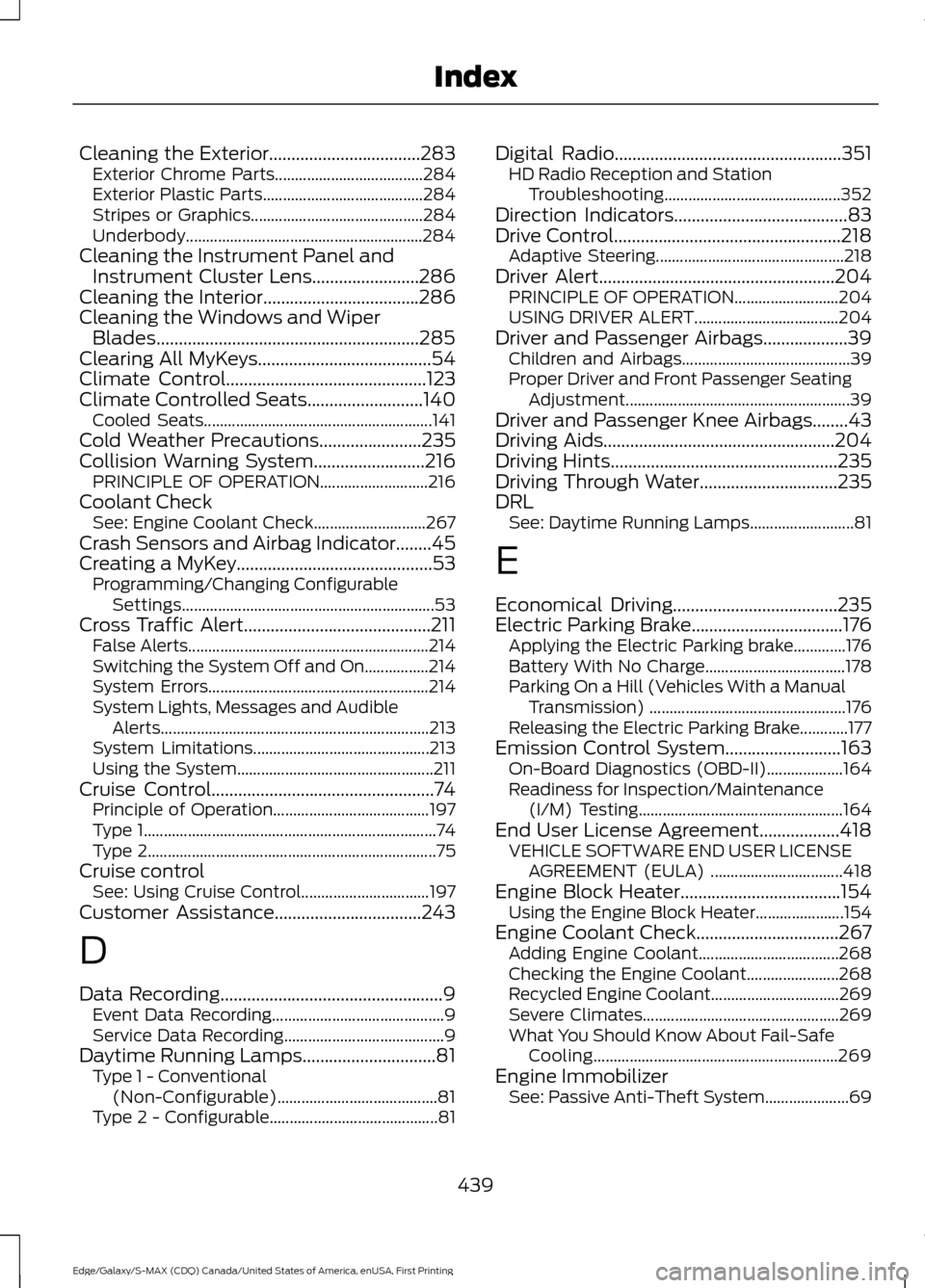
Cleaning the Exterior..................................283
Exterior Chrome Parts..................................... 284
Exterior Plastic Parts........................................ 284
Stripes or Graphics........................................... 284
Underbody........................................................... 284
Cleaning the Instrument Panel and Instrument Cluster Lens........................286
Cleaning the Interior...................................286
Cleaning the Windows and Wiper Blades...........................................................285
Clearing All MyKeys.......................................54
Climate Control.............................................123
Climate Controlled Seats..........................140
Cooled Seats......................................................... 141
Cold Weather Precautions
.......................235
Collision Warning System.........................216 PRINCIPLE OF OPERATION........................... 216
Coolant Check See: Engine Coolant Check............................ 267
Crash Sensors and Airbag Indicator
........45
Creating a MyKey............................................53 Programming/Changing Configurable
Settings............................................................... 53
Cross Traffic Alert..........................................211 False Alerts............................................................ 214
Switching the System Off and On................214
System Errors....................................................... 214
System Lights, Messages and Audible Alerts................................................................... 213
System Limitations............................................ 213
Using the System................................................. 211
Cruise Control
..................................................74
Principle of Operation....................................... 197
Type 1........................................................................\
. 74
Type 2........................................................................\
75
Cruise control See: Using Cruise Control................................ 197
Customer Assistance
.................................243
D
Data Recording
..................................................9
Event Data Recording........................................... 9
Service Data Recording........................................ 9
Daytime Running Lamps..............................81 Type 1 - Conventional
(Non-Configurable)........................................ 81
Type 2 - Configurable.......................................... 81Digital Radio...................................................351
HD Radio Reception and Station
Troubleshooting............................................ 352
Direction Indicators.......................................83
Drive Control
...................................................218
Adaptive Steering............................................... 218
Driver Alert.....................................................204 PRINCIPLE OF OPERATION.......................... 204
USING DRIVER ALERT.................................... 204
Driver and Passenger Airbags...................39 Children and Airbags.......................................... 39
Proper Driver and Front Passenger Seating Adjustment........................................................ 39
Driver and Passenger Knee Airbags........43
Driving Aids....................................................204
Driving Hints
...................................................235
Driving Through Water...............................235
DRL See: Daytime Running Lamps.......................... 81
E
Economical Driving.....................................235
Electric Parking Brake
..................................176
Applying the Electric Parking brake.............176
Battery With No Charge................................... 178
Parking On a Hill (Vehicles With a Manual Transmission) ................................................. 176
Releasing the Electric Parking Brake............177
Emission Control System..........................163 On-Board Diagnostics (OBD-II)................... 164
Readiness for Inspection/Maintenance (I/M) Testing................................................... 164
End User License Agreement..................418 VEHICLE SOFTWARE END USER LICENSE
AGREEMENT (EULA) ................................. 418
Engine Block Heater....................................154 Using the Engine Block Heater...................... 154
Engine Coolant Check................................267 Adding Engine Coolant................................... 268
Checking the Engine Coolant....................... 268
Recycled Engine Coolant................................ 269
Severe Climates................................................. 269
What You Should Know About Fail-Safe Cooling............................................................. 269
Engine Immobilizer See: Passive Anti-Theft System..................... 69
439
Edge/Galaxy/S-MAX (CDQ) Canada/United States of America, enUSA, First Printing Index
Page 444 of 451
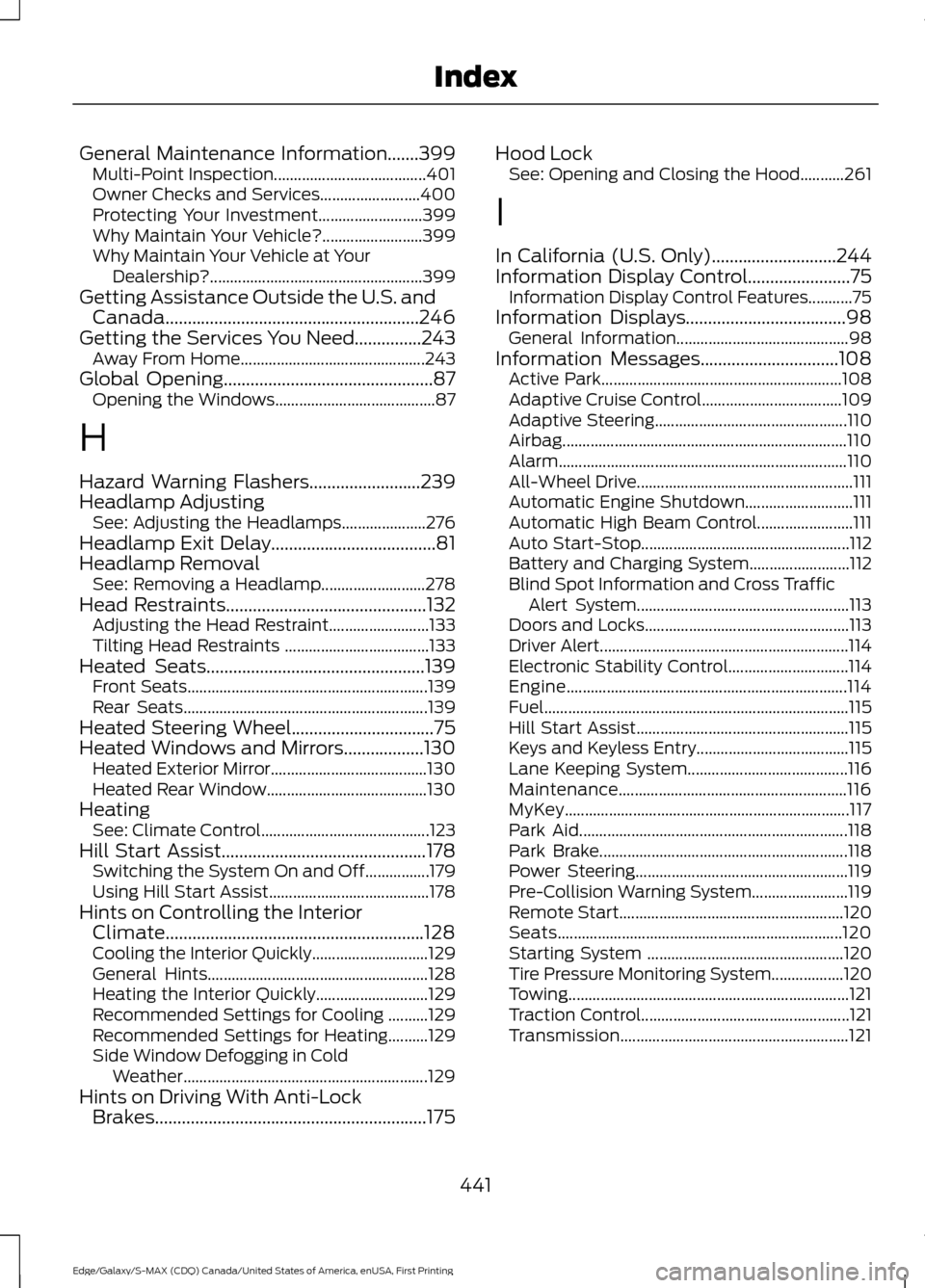
General Maintenance Information.......399
Multi-Point Inspection...................................... 401
Owner Checks and Services......................... 400
Protecting Your Investment.......................... 399
Why Maintain Your Vehicle?......................... 399
Why Maintain Your Vehicle at Your Dealership?..................................................... 399
Getting Assistance Outside the U.S. and Canada.........................................................246
Getting the Services You Need...............243 Away From Home.............................................. 243
Global Opening...............................................87 Opening the Windows........................................ 87
H
Hazard Warning Flashers.........................239
Headlamp Adjusting See: Adjusting the Headlamps..................... 276
Headlamp Exit Delay.....................................81
Headlamp Removal See: Removing a Headlamp.......................... 278
Head Restraints.............................................132
Adjusting the Head Restraint......................... 133
Tilting Head Restraints .................................... 133
Heated Seats
.................................................139
Front Seats............................................................ 139
Rear Seats............................................................. 139
Heated Steering Wheel
................................75
Heated Windows and Mirrors..................130 Heated Exterior Mirror....................................... 130
Heated Rear Window........................................ 130
Heating See: Climate Control.......................................... 123
Hill Start Assist
..............................................178
Switching the System On and Off................179
Using Hill Start Assist........................................ 178
Hints on Controlling the Interior Climate..........................................................128
Cooling the Interior Quickly............................. 129
General Hints....................................................... 128
Heating the Interior Quickly............................ 129
Recommended Settings for Cooling ..........129
Recommended Settings for Heating..........129
Side Window Defogging in Cold Weather............................................................. 129
Hints on Driving With Anti-Lock Brakes.............................................................175 Hood Lock
See: Opening and Closing the Hood...........261
I
In California (U.S. Only)............................244
Information Display Control
.......................75
Information Display Control Features...........75
Information Displays
....................................98
General Information........................................... 98
Information Messages
...............................108
Active Park............................................................ 108
Adaptive Cruise Control................................... 109
Adaptive Steering................................................ 110
Airbag....................................................................... 110
Alarm........................................................................\
110
All-Wheel Drive...................................................... 111
Automatic Engine Shutdown........................... 111
Automatic High Beam Control........................ 111
Auto Start-Stop.................................................... 112
Battery and Charging System......................... 112
Blind Spot Information and Cross Traffic Alert System..................................................... 113
Doors and Locks................................................... 113
Driver Alert.............................................................. 114
Electronic Stability Control.............................. 114
Engine...................................................................... 114
Fuel........................................................................\
.... 115
Hill Start Assist..................................................... 115
Keys and Keyless Entry...................................... 115
Lane Keeping System........................................ 116
Maintenance......................................................... 116
MyKey....................................................................... 117
Park Aid................................................................... 118
Park Brake.............................................................. 118
Power Steering..................................................... 119
Pre-Collision Warning System........................ 119
Remote Start........................................................ 120
Seats....................................................................... 120
Starting System ................................................. 120
Tire Pressure Monitoring System.................. 120
Towing...................................................................... 121
Traction Control.................................................... 121
Transmission......................................................... 121
441
Edge/Galaxy/S-MAX (CDQ) Canada/United States of America, enUSA, First Printing Index