lights FORD EDGE 2016 2.G Owner's Manual
[x] Cancel search | Manufacturer: FORD, Model Year: 2016, Model line: EDGE, Model: FORD EDGE 2016 2.GPages: 451, PDF Size: 6.18 MB
Page 296 of 451
Tire valve connector.
G
Accessory power plug.
H
Casing/housing.
I
Bike/raft/sports ball adapters.
J
General Information WARNING
Failure to follow these guidelines
could result in an increased risk of
loss of vehicle control, injury or death.
Note:
Do not use the kit if you have severely
damaged a tire. Only seal punctures located
within the tire tread with the kit.
Do not attempt to repair punctures larger
than ¼ inch (6 millimeters) or damage to
the tire's sidewall. The tire may not
completely seal.
Loss of air pressure may adversely affect
tire performance. For this reason:
Note: Do not drive the vehicle above
50 mph (80 km/h).
Note: Do not drive further than
120 mi
(200 km). Drive only to the closest
authorized Ford dealer or tire repair shop to
have your tire inspected.
• Drive carefully and avoid abrupt
steering maneuvers.
• Periodically monitor tire inflation
pressure in the affected tire; if the tire
is losing pressure, have the vehicle
towed.
• Read the information in the Tips for
Use of the Kit section to make sure safe
operation of the kit and your vehicle.
Tips for Use of the Kit
To ensure safe operation of the kit: •
Read all instructions and cautions fully.
• Before operating the kit, make sure
your vehicle is safely off the road and
away from moving traffic. Switch on
the hazard lights.
• Always set the parking brake to ensure
the vehicle does not move
unexpectedly.
• Do not remove any foreign objects,
such as nails or screws, from the tire.
• When using the kit, leave the engine
running (only if the vehicle is outdoors
or in a well-ventilated area) so the
compressor does not drain the
vehicle's battery.
• Do not allow the compressor to
operate continuously for more than 15
minutes. This will help prevent the
compressor from overheating.
• Never leave the kit unattended during
operation.
• Sealant compound contains latex.
Those with latex sensitivities should
use appropriate precautions to avoid
an allergic reaction.
• Keep the kit away from children.
• Only use the kit when the ambient
temperature is between
-22°F (-30°C)
and 158°F (70°C).
• Only use the sealing compound before
the use-by date. The use-by date is on
a label on the sealant canister, which
you can see through the rectangular
viewing window on the bottom of the
compressor. Check the use-by date
regularly and replace the canister after
four years of non-use.
• Do not store the kit unsecured inside
the passenger compartment of the
vehicle as it may cause injury during a
sudden stop or crash. Always store the
kit in its original location.
293
Edge/Galaxy/S-MAX (CDQ) Canada/United States of America, enUSA, First Printing Wheels and Tires
Page 297 of 451
•
After sealant use, an authorized Ford
dealer must replace the tire pressure
monitoring system sensor and valve
stem on the wheel.
• Operating the kit could cause an
electrical disturbance in radio, CD and
DVD player operation. * When inflation only is required
for a tire or other objects, the
selector must be in the Air
position.
What to do When a Tire Is
Punctured
You can repair a tire puncture within the
tire's tread area in two stages with the kit.
• In the first stage, inflate the tire with a
sealing compound and air. After you
inflate the tire, you will need to drive
the vehicle a short distance (about 4
miles [6 kilometers]) to distribute the
sealant in the tire.
• In the second stage, check the tire
pressure and adjust, if necessary, to the
vehicle's specified tire inflation
pressure.
First Stage: Inflating the Tire with
Sealing Compound and Air WARNINGS
Do not stand directly over the kit
while inflating the tire. If you notice
any unusual bulges or deformations
in the tire's sidewall during inflation, stop
and call roadside assistance. If the tire does not inflate to the
recommended tire pressure within
15 minutes, stop and call roadside
assistance. Do not run the engine during kit
operation unless the vehicle is
outdoors or in a well-ventilated area. Preparation: Park the vehicle in a safe, level
and secure area, away from moving traffic.
Switch the hazard lights on. Apply the
parking brake and switch the engine off.
Inspect the flat tire for visible damage.
Sealant compound contains latex. Use
appropriate precautions to avoid any
allergic reactions.
Do not remove any foreign object that has
pierced the tire. If a puncture is located in
the tire sidewall, stop and call roadside
assistance.
1. Remove the valve cap from the tire
valve.
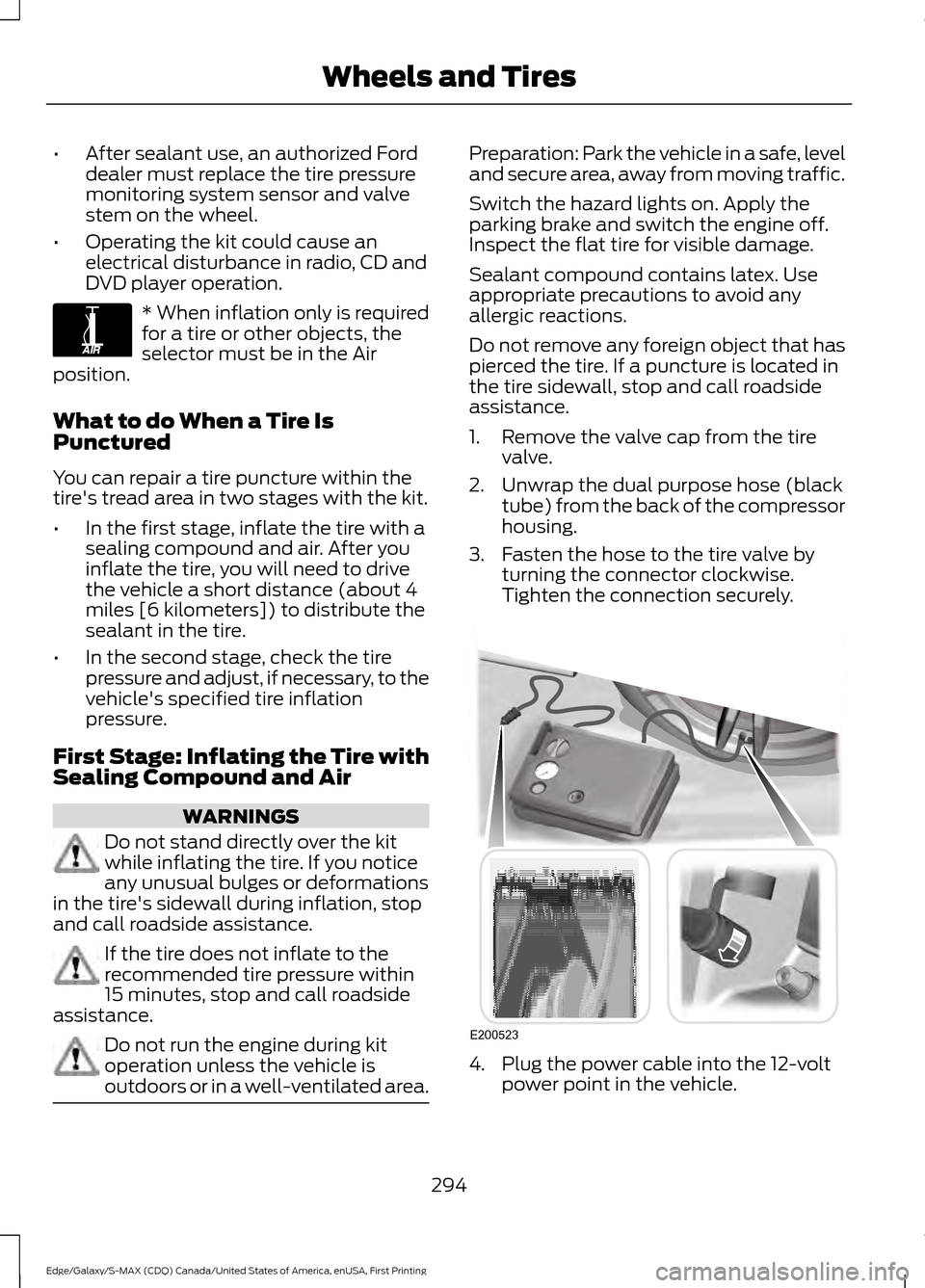
2. Unwrap the dual purpose hose (black tube) from the back of the compressor
housing.
3. Fasten the hose to the tire valve by turning the connector clockwise.
Tighten the connection securely. 4. Plug the power cable into the 12-volt
power point in the vehicle.
294
Edge/Galaxy/S-MAX (CDQ) Canada/United States of America, enUSA, First Printing Wheels and TiresE175978 E200523
Page 371 of 451
Description and action
Menu
Item
Press the OK button to access, and then scroll
through a list of pre-defined messages to send.
Reply to
sender
Press the
OK button to call the sender of the
message.
Call sender
Press the
OK button to forward the message to
anyone in your phonebook or call history. You can
also choose to enter a number.
Forward
msg.
Sending, Downloading and Deleting
Your Text Messages
1. Press the
PHONE button. 2. Select the text messaging option, and
then press the
OK button.
Choose from the following options: Description and action
Menu
Item
Allows you to send a new text message based on a pre-defined set of 15
messages.
New
Allows you to read the full message and, in addition, provides the option to
have the system read the message to you. To go to the next message, select
the
More option. This allows you to reply to the sender, call the sender or
forward the message.
View
Allows you to delete current text messages from the system (not your cellular
phone). The audio display indicates when the system has deleted all your
text messages.
Delete
Allows you to delete all messages or manually trigger a download of all
unread messages from your cellular phone.
More...
Sending a Text Message
Note: You can only send a text message to
one recipient at a time.
1. Select the send option when the desired selection highlights in the audio
display.
2. Select the confirmation option when the contact appears. 3. Press the OK button again to confirm
when the system asks if you want to
send the message. A pre-defined
signature appears on each text
message.
Note: You can send text messages either
by choosing a contact from the phonebook
and selecting the text option from the audio
display or by replying to a received message
in the inbox.
368
Edge/Galaxy/S-MAX (CDQ) Canada/United States of America, enUSA, First Printing SYNC™
Page 404 of 451
Check every month
Engine oil level.
Function of all interior and exterior lights.
Tires (including spare) for wear and proper pressure. Windshield washer fluid level. Check every six months
Battery connections. Clean if necessary.
Body and door drain holes for obstructions. Clean if necessary. Cooling system fluid level and coolant strength.
Door weatherstrips for wear. Lubricate if necessary.
Hinges, latches and outside locks for proper operation. Lubricate if necessary. Parking brake for proper operation.
Safety belts and seat latches for wear and function.
Safety warning lamps (brake, ABS, airbag and safety belt) for operation.
Washer spray and wiper operation. Clean or replace blades as necessary.
Multi-Point Inspection
In order to keep your vehicle running right,
it is important to have the systems on your
vehicle checked regularly. This can help
identify potential issues and prevent major
problems. We recommend having the
following multi-point inspection performed
at every scheduled maintenance interval
to help make sure your vehicle keeps
running great.
401
Edge/Galaxy/S-MAX (CDQ) Canada/United States of America, enUSA, First Printing Scheduled Maintenance
Page 442 of 451
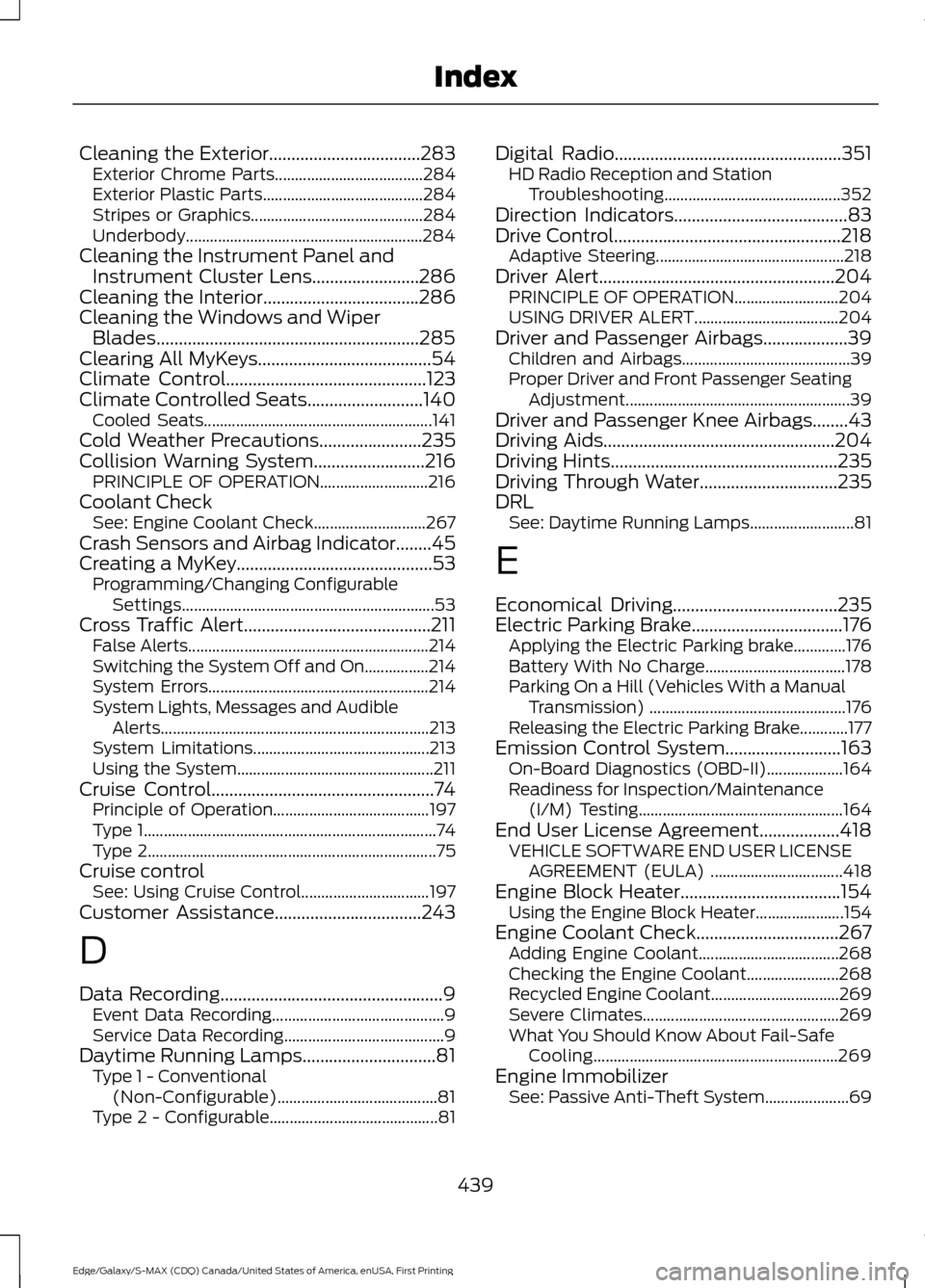
Cleaning the Exterior..................................283
Exterior Chrome Parts..................................... 284
Exterior Plastic Parts........................................ 284
Stripes or Graphics........................................... 284
Underbody........................................................... 284
Cleaning the Instrument Panel and Instrument Cluster Lens........................286
Cleaning the Interior...................................286
Cleaning the Windows and Wiper Blades...........................................................285
Clearing All MyKeys.......................................54
Climate Control.............................................123
Climate Controlled Seats..........................140
Cooled Seats......................................................... 141
Cold Weather Precautions
.......................235
Collision Warning System.........................216 PRINCIPLE OF OPERATION........................... 216
Coolant Check See: Engine Coolant Check............................ 267
Crash Sensors and Airbag Indicator
........45
Creating a MyKey............................................53 Programming/Changing Configurable
Settings............................................................... 53
Cross Traffic Alert..........................................211 False Alerts............................................................ 214
Switching the System Off and On................214
System Errors....................................................... 214
System Lights, Messages and Audible Alerts................................................................... 213
System Limitations............................................ 213
Using the System................................................. 211
Cruise Control
..................................................74
Principle of Operation....................................... 197
Type 1........................................................................\
. 74
Type 2........................................................................\
75
Cruise control See: Using Cruise Control................................ 197
Customer Assistance
.................................243
D
Data Recording
..................................................9
Event Data Recording........................................... 9
Service Data Recording........................................ 9
Daytime Running Lamps..............................81 Type 1 - Conventional
(Non-Configurable)........................................ 81
Type 2 - Configurable.......................................... 81Digital Radio...................................................351
HD Radio Reception and Station
Troubleshooting............................................ 352
Direction Indicators.......................................83
Drive Control
...................................................218
Adaptive Steering............................................... 218
Driver Alert.....................................................204 PRINCIPLE OF OPERATION.......................... 204
USING DRIVER ALERT.................................... 204
Driver and Passenger Airbags...................39 Children and Airbags.......................................... 39
Proper Driver and Front Passenger Seating Adjustment........................................................ 39
Driver and Passenger Knee Airbags........43
Driving Aids....................................................204
Driving Hints
...................................................235
Driving Through Water...............................235
DRL See: Daytime Running Lamps.......................... 81
E
Economical Driving.....................................235
Electric Parking Brake
..................................176
Applying the Electric Parking brake.............176
Battery With No Charge................................... 178
Parking On a Hill (Vehicles With a Manual Transmission) ................................................. 176
Releasing the Electric Parking Brake............177
Emission Control System..........................163 On-Board Diagnostics (OBD-II)................... 164
Readiness for Inspection/Maintenance (I/M) Testing................................................... 164
End User License Agreement..................418 VEHICLE SOFTWARE END USER LICENSE
AGREEMENT (EULA) ................................. 418
Engine Block Heater....................................154 Using the Engine Block Heater...................... 154
Engine Coolant Check................................267 Adding Engine Coolant................................... 268
Checking the Engine Coolant....................... 268
Recycled Engine Coolant................................ 269
Severe Climates................................................. 269
What You Should Know About Fail-Safe Cooling............................................................. 269
Engine Immobilizer See: Passive Anti-Theft System..................... 69
439
Edge/Galaxy/S-MAX (CDQ) Canada/United States of America, enUSA, First Printing Index
Page 449 of 451
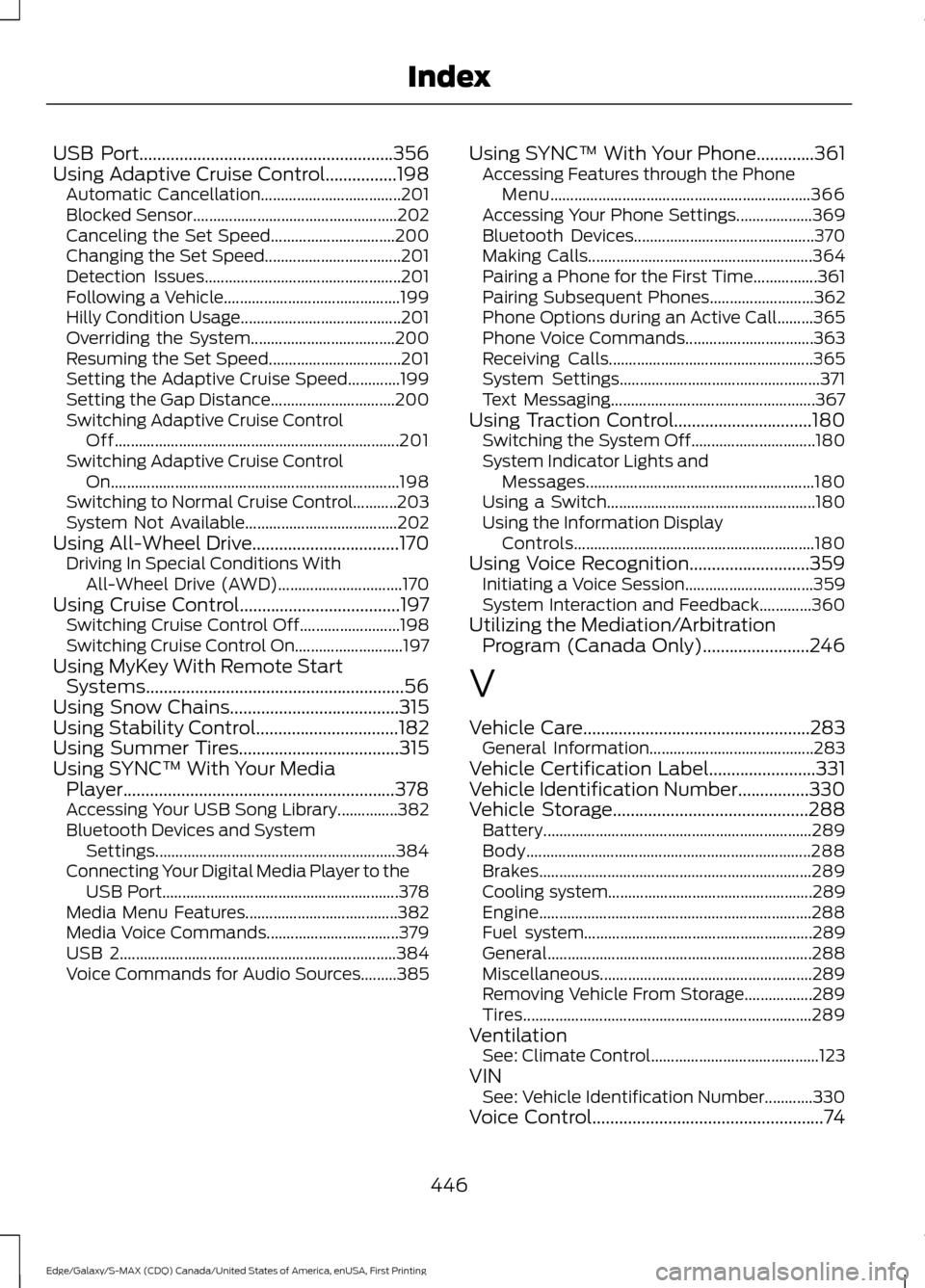
USB Port.........................................................356
Using Adaptive Cruise Control................198
Automatic Cancellation................................... 201
Blocked Sensor................................................... 202
Canceling the Set Speed............................... 200
Changing the Set Speed.................................. 201
Detection Issues................................................. 201
Following a Vehicle............................................ 199
Hilly Condition Usage........................................ 201
Overriding the System.................................... 200
Resuming the Set Speed................................. 201
Setting the Adaptive Cruise Speed.............199
Setting the Gap Distance............................... 200
Switching Adaptive Cruise Control Off....................................................................... 201
Switching Adaptive Cruise Control On........................................................................\
198
Switching to Normal Cruise Control...........203
System Not Available...................................... 202
Using All-Wheel Drive.................................170 Driving In Special Conditions With
All-Wheel Drive (AWD)............................... 170
Using Cruise Control....................................197
Switching Cruise Control Off......................... 198
Switching Cruise Control On........................... 197
Using MyKey With Remote Start Systems
..........................................................56
Using Snow Chains......................................315
Using Stability Control................................182
Using Summer Tires
....................................315
Using SYNC™ With Your Media Player.............................................................378
Accessing Your USB Song Library...............382
Bluetooth Devices and System Settings............................................................ 384
Connecting Your Digital Media Player to the USB Port........................................................... 378
Media Menu Features...................................... 382
Media Voice Commands................................. 379
USB 2..................................................................... 384
Voice Commands for Audio Sources.........385 Using SYNC™ With Your Phone.............361
Accessing Features through the Phone
Menu................................................................. 366
Accessing Your Phone Settings................... 369
Bluetooth Devices............................................. 370
Making Calls........................................................ 364
Pairing a Phone for the First Time................361
Pairing Subsequent Phones.......................... 362
Phone Options during an Active Call.........365
Phone Voice Commands................................ 363
Receiving Calls................................................... 365
System Settings.................................................. 371
Text Messaging................................................... 367
Using Traction Control...............................180 Switching the System Off............................... 180
System Indicator Lights and Messages......................................................... 180
Using a Switch.................................................... 180
Using the Information Display Controls............................................................ 180
Using Voice Recognition...........................359 Initiating a Voice Session................................ 359
System Interaction and Feedback.............360
Utilizing the Mediation/Arbitration Program (Canada Only)
........................246
V
Vehicle Care
...................................................283
General Information......................................... 283
Vehicle Certification Label........................331
Vehicle Identification Number................330
Vehicle Storage
............................................288
Battery................................................................... 289
Body....................................................................... 288
Brakes.................................................................... 289
Cooling system................................................... 289
Engine.................................................................... 288
Fuel system......................................................... 289
General.................................................................. 288
Miscellaneous..................................................... 289
Removing Vehicle From Storage.................289
Tires........................................................................\
289
Ventilation See: Climate Control.......................................... 123
VIN See: Vehicle Identification Number............330
Voice Control
....................................................74
446
Edge/Galaxy/S-MAX (CDQ) Canada/United States of America, enUSA, First Printing Index