center console FORD EDGE 2016 2.G Owners Manual
[x] Cancel search | Manufacturer: FORD, Model Year: 2016, Model line: EDGE, Model: FORD EDGE 2016 2.GPages: 451, PDF Size: 6.18 MB
Page 6 of 451
Storage Compartments
Center Console..............................................149
Overhead Console.......................................149
Starting and Stopping the Engine
General Information....................................150
Keyless Starting - Vehicles With: Push Button Start
...............................................150
Starting a Gasoline Engine.........................151
Engine Block Heater....................................154
Unique Driving Character- istics
Auto-Start-Stop...........................................156
Fuel and Refueling
Safety Precautions......................................158
Fuel Quality
....................................................159
Fuel Filler Funnel Location........................159
Running Out of Fuel....................................159
Refueling.........................................................160
Fuel Consumption
........................................162
Emission Control System..........................163
Transmission
Automatic Transmission
...........................166
All-Wheel Drive
Using All-Wheel Drive.................................170
Brakes
General Information
.....................................175
Hints on Driving With Anti-Lock Brakes............................................................175
Electric Parking Brake
.................................176
Hill Start Assist..............................................178
Traction Control
Principle of Operation
................................180 Using Traction Control...............................180
Stability Control
Principle of Operation..................................181
Using Stability Control................................182
Parking Aids
Principle of Operation.................................183
Rear Parking Aid............................................183
Front Parking Aid
..........................................184
Side Sensing System..................................185
Active Park Assist.........................................187
Rear View Camera........................................192
180 Degree Camera.....................................195
Cruise Control
Principle of Operation.................................197
Using Cruise Control
....................................197
Using Adaptive Cruise Control................198
Driving Aids
Driver Alert.....................................................204
Lane Keeping System
................................205
Blind Spot Information System
.............209
Cross Traffic Alert..........................................211
Steering............................................................214
Collision Warning System.........................216
Drive Control
...................................................218
Load Carrying
Rear Under Floor Storage
..........................219
Cargo Nets.......................................................219
Roof Racks and Load Carriers.................219
Load Limit
.......................................................220
Towing
Towing a Trailer.............................................227
Trailer Sway Control...................................228
Recommended Towing Weights
...........228
3
Edge/Galaxy/S-MAX (CDQ) Canada/United States of America, enUSA, First Printing Table of Contents
Page 45 of 451
feet comfortably extended on the floor.
Sitting improperly can increase the chance
of injury in a crash event. For example, if
an occupant slouches, lies down, turns
sideways, sits forward, leans forward or
sideways, or puts one or both feet up, the
chance of injury during a crash is greatly
increased.
If you think that the status of the passenger
airbag off indicator lamp is incorrect, check
for the following:
•
Objects lodged underneath the seat
• Objects between the seat cushion and
the center console
• Objects hanging off the seat back
• Objects stowed in the seat back map
pocket
• Objects placed on the occupant's lap
• Cargo interference with the seat
• Other passengers pushing or pulling on
the seat
• Rear passenger feet and knees resting
or pushing on the seat
The conditions listed above may cause the
weight of a properly seated occupant to
be incorrectly interpreted by the front
passenger sensing system. The person in
the front passenger seat may appear
heavier or lighter due to the conditions
described in the list above. Make sure the front passenger
sensing system is operating
properly. See Crash Sensors
and Airbag Indicator (page 45).
If the airbag readiness light is lit, do the
following:
The driver and adult passengers should
check for objects lodged underneath the
front passenger seat, or cargo interfering
with the seat. If there are lodged objects, or cargo is
interfering with the seat, take the following
steps to remove the obstruction:
•
Pull the vehicle over.
• Turn the vehicle off.
• Driver and adult passengers should
check for any objects lodged
underneath the front passenger seat
or cargo interfering with the seat.
• Remove the obstruction(s) (if found).
• Restart the vehicle.
• Wait at least two minutes and verify
that the airbag readiness light is no
longer illuminated.
• If the airbag readiness light remains
illuminated, this may or may not be a
problem due to the front passenger
sensing system.
Do not attempt to repair or service the
system. Take your vehicle immediately to
an authorized dealer.
If it is necessary to modify an advanced
front airbag system to accommodate a
person with disabilities, contact the Ford
Customer Relationship Center. See
Getting the Services You Need
(page
243).
SIDE AIRBAGS WARNINGS
Do not place objects or mount
equipment on or near the airbag
cover, on the side of the seatbacks
(of the front seats), or in front seat areas
that may come into contact with a
deploying airbag. Failure to follow these
instructions may increase the risk of
personal injury in the event of a crash.
42
Edge/Galaxy/S-MAX (CDQ) Canada/United States of America, enUSA, First Printing Supplementary Restraints System
Page 71 of 451
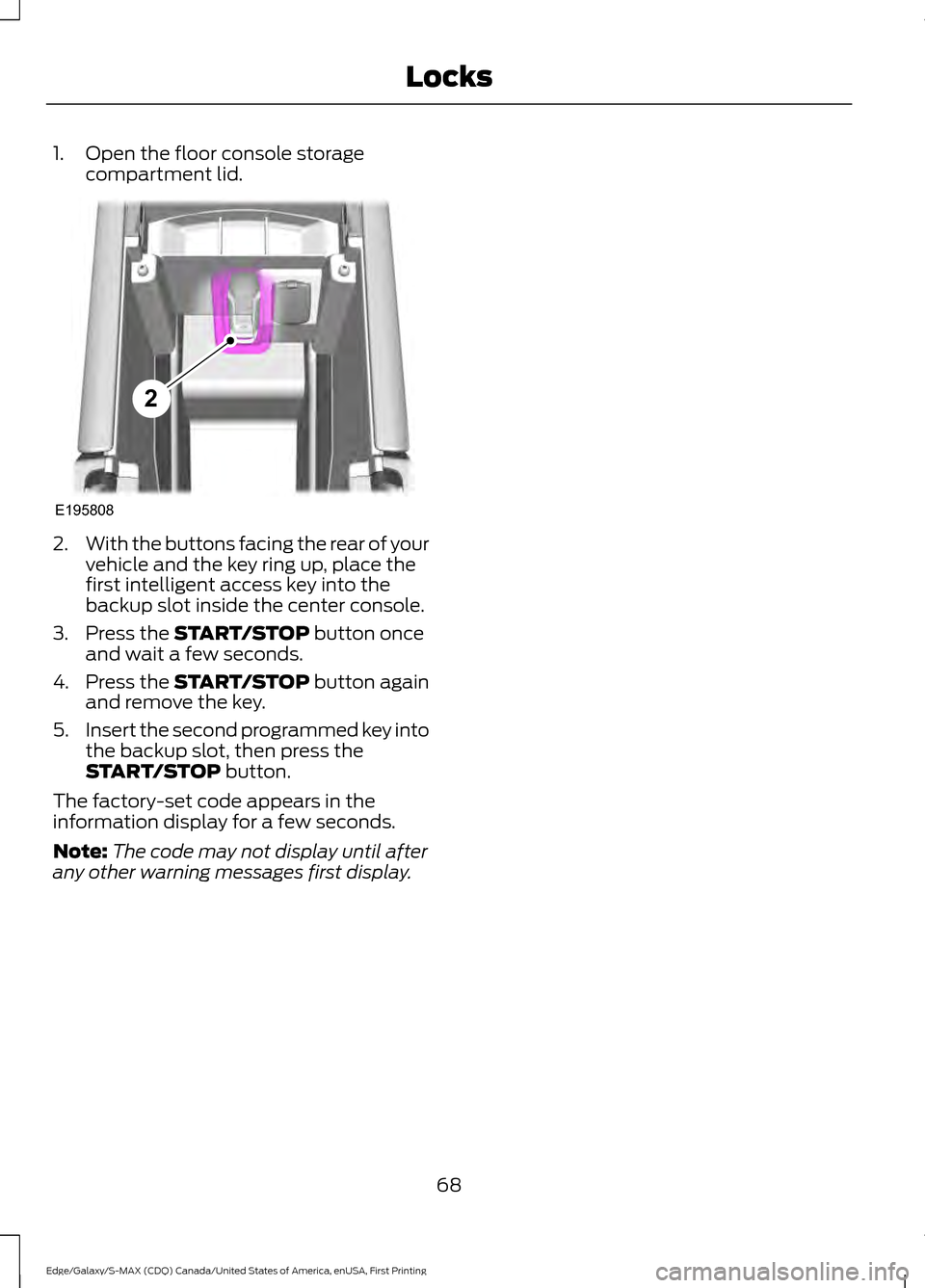
1. Open the floor console storage
compartment lid. 2.
With the buttons facing the rear of your
vehicle and the key ring up, place the
first intelligent access key into the
backup slot inside the center console.
3. Press the START/STOP button once
and wait a few seconds.
4. Press the
START/STOP button again
and remove the key.
5. Insert the second programmed key into
the backup slot, then press the
START/STOP
button.
The factory-set code appears in the
information display for a few seconds.
Note: The code may not display until after
any other warning messages first display.
68
Edge/Galaxy/S-MAX (CDQ) Canada/United States of America, enUSA, First Printing LocksE195808
2
Page 132 of 451
In mild weather, you can improve your fuel
economy when using the climate control
system by using outside air instead of air
conditioning.
•
Turn the temperature control knob(s)
so the interior temperature is set to
60°F (15.5°C).
• Set the air distribution to panel or floor
(or both).
• Press A/C to turn the air conditioning
off.
• Press the recirculated air button so
fresh air enters the vehicle.
• Press the small fan button until the fan
is at its lowest setting.
Automatic Climate Control
Note: Adjusting the settings when your
vehicle interior is extremely hot or cold is
not necessary. The system automatically
adjusts to heat or cool the cabin to your
selected temperature as quickly as possible.
For the system to function efficiently, the
instrument panel and side air vents should
be fully open.
Note: If you select
AUTO during cold
outside temperatures, the system directs
airflow to the windshield and side window
vents. In addition, the fan may run at a
slower speed until the engine warms up.
Note: If you select AUTO during hot outside
temperatures, or when the inside of the
vehicle is hot, the system automatically uses
recirculated air to maximize interior cooling.
When the interior reaches the selected
temperature, the system automatically
switches to using outside air.
Heating the Interior Quickly
1. Press the
AUTO button.
2. Adjust the temperature control to the desired setting. Recommended Settings for
Heating
1. Press the
AUTO button.
2. Adjust the temperature control to the desired setting. Use 72°F (22°C) as a
starting point, then adjust the setting
as necessary.
Cooling the Interior Quickly
Press the
MAX A/C button.
Recommended Settings for
Cooling
1. Press the
AUTO button.
2. Adjust the temperature control to the desired setting. Use 72°F (22°C) as a
starting point, then adjust the setting
as necessary.
Side Window Defogging in Cold
Weather
1. Press the defrost and panel buttons.
2. Select
A/C.
3. Adjust the temperature control to maintain comfort. Use 72°F (22°C) as
a starting point, then adjust the setting
as necessary.
4. Set the fan to the highest speed.
5. Direct the outer instrument panel air vents toward the side windows.
6. To increase the airflow to the outer instrument panel vents, close the air
vents in the middle of the instrument
panel and in the rear of the center
console.
129
Edge/Galaxy/S-MAX (CDQ) Canada/United States of America, enUSA, First Printing Climate Control
Page 143 of 451
The rear seat heat controls are located on
the rear of the center console.
Press the heated seat symbol to cycle
through the various heat settings and off.
More indicator lights indicate warmer
settings.
The heated seat module resets at every
ignition run cycle. While the ignition is on,
press the high or low heated seat switch
to enable heating mode. When activated,
they will turn off automatically when you
turn the engine off.
CLIMATE CONTROLLED SEATS
(If Equipped)
Heated Seats WARNING
Persons who are unable to feel pain
to the skin because of advanced age,
chronic illness, diabetes, spinal cord
injury, medication, alcohol use, exhaustion,
or other physical conditions, must exercise
care when using the seat heater. The seat
heater may cause burns even at low
temperatures, especially if used for long
periods of time. Do not place anything on
the seat that insulates against heat, such
as a blanket or cushion, because this may
cause the seat heater to overheat. Do not
puncture the seat with pins, needles, or
other pointed objects because this may
damage the heating element which may
cause the seat heater to overheat. An
overheated seat may cause serious
personal injury. Note:
Do not do the following:
• Place heavy objects on the seat.
• Operate the seat heater if water or any
other liquid spills on the seat. Allow the
seat to dry thoroughly.
• Operate the heated seats unless the
engine is running. Doing so can cause
the battery to lose charge. Touch the heated seat symbol to cycle
through the various heat settings and off.
More indicator lights indicate warmer
settings.
140
Edge/Galaxy/S-MAX (CDQ) Canada/United States of America, enUSA, First Printing SeatsE146322 E146322
Page 150 of 451
12 Volt DC Power Point
WARNING
Do not plug optional electrical
accessories into the cigar lighter
socket (if equipped). Improper use
of the lighter can cause damage not
covered by your warranty, and can result
in fire or serious injury. Note:
If used when the vehicle is not
running, the battery will discharge. There
may be insufficient power to restart your
vehicle.
Note: Do not insert objects other than an
accessory plug into the power point. This
will damage the outlet and blow the fuse.
Note: Do not hang any type of accessory or
accessory bracket from the plug.
Note: Do not use the power point over the
vehicle capacity of 12 volt DC 180 watts or
a fuse may blow.
Note: Do not use the power point for
operating a cigar lighter element.
Note: Improper use of the power point can
cause damage not covered by your
warranty.
Note: Always keep the power point caps
closed when not in use.
Run the vehicle for full capacity use of the
power point. To prevent the battery from
discharging accidentally:
• Do not use the power point longer than
necessary when the vehicle is not
running.
• Do not leave devices plugged in
overnight or when you park your vehicle
for extended periods.
Locations
Power points may be in the following
locations: •
On the center console.
• Inside the center console.
• On the rear of the console.
• In the cargo area.
110 Volt AC Power Point (If Equipped) WARNING
Do not keep electrical devices
plugged in the power point whenever
the device is not in use. Do not use
any extension cord with the 110 volt AC
power point, since it will defeat the safety
protection design. Doing so my cause the
power point to overload due to powering
multiple devices that can reach beyond
the 150 watt load limit and could result in
fire or serious injury. Note:
Keep the vehicle running to use the
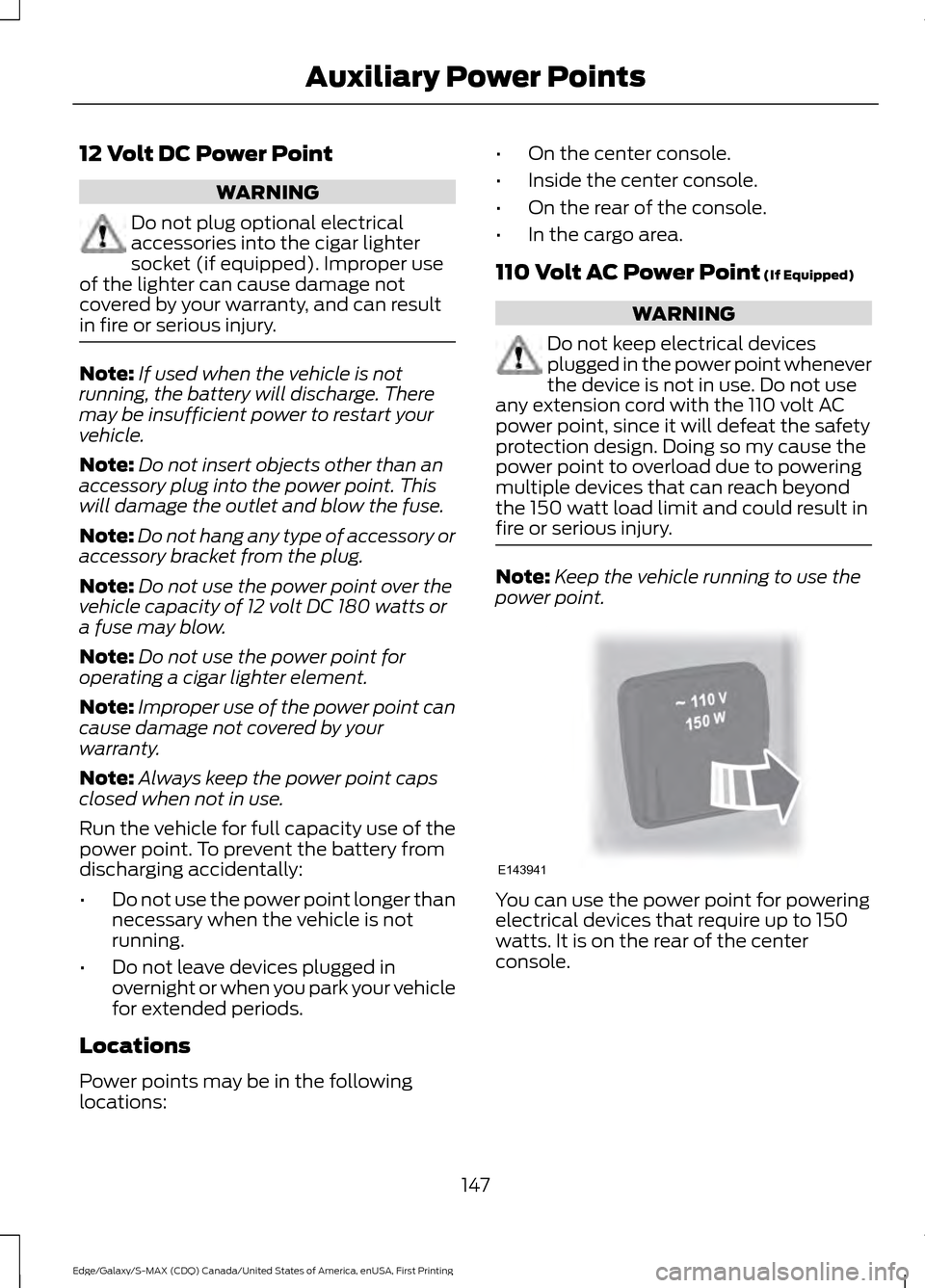
power point. You can use the power point for powering
electrical devices that require up to 150
watts. It is on the rear of the center
console.
147
Edge/Galaxy/S-MAX (CDQ) Canada/United States of America, enUSA, First Printing Auxiliary Power PointsE143941
Page 152 of 451
CENTER CONSOLE
Stow items in the cup holder carefully as
items may become loose during hard
braking, acceleration or crashes, including
hot drinks which may spill.
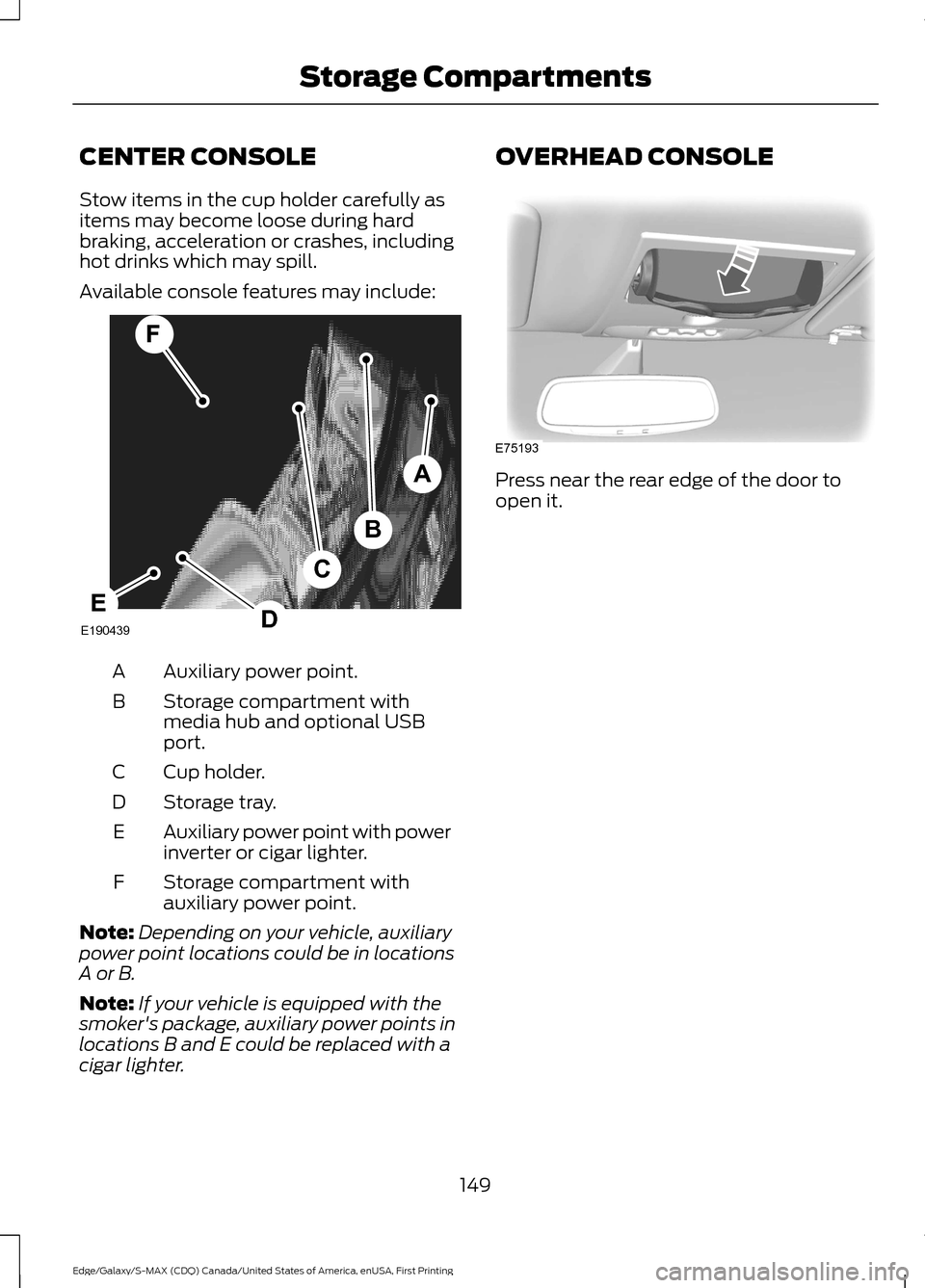
Available console features may include:
Auxiliary power point.
A
Storage compartment with
media hub and optional USB
port.
B
Cup holder.
C
Storage tray.
D
Auxiliary power point with power
inverter or cigar lighter.
E
Storage compartment with
auxiliary power point.
F
Note: Depending on your vehicle, auxiliary
power point locations could be in locations
A or B.
Note: If your vehicle is equipped with the
smoker's package, auxiliary power points in
locations B and E could be replaced with a
cigar lighter. OVERHEAD CONSOLE
Press near the rear edge of the door to
open it.
149
Edge/Galaxy/S-MAX (CDQ) Canada/United States of America, enUSA, First Printing Storage CompartmentsA
B
F
C
DEE190439 E75193
Page 160 of 451
•
You press the accelerator and the
brake pedal at the same time.
• The driver safety belt becomes
unfastened or the driver door is ajar.
• The transmission is moved from drive
(D).
• Your vehicle is moving.
• The interior compartment does not
meet customer comfort when air
conditioning or heat is on.
• Fogging of the windows could occur
and the air conditioning is on.
• The battery is not within optimal
operating conditions.
• The maximum engine off time is
exceeded.
• When you press the Auto StartStop
button while the engine is stopped
automatically.
• The heated windshield is turned on.
Any of the following conditions may result
in an automatic restart of the engine:
• The blower fan speed is increased or
the climate control temperature is
changed.
• An electrical accessory is turned on or
plugged in.
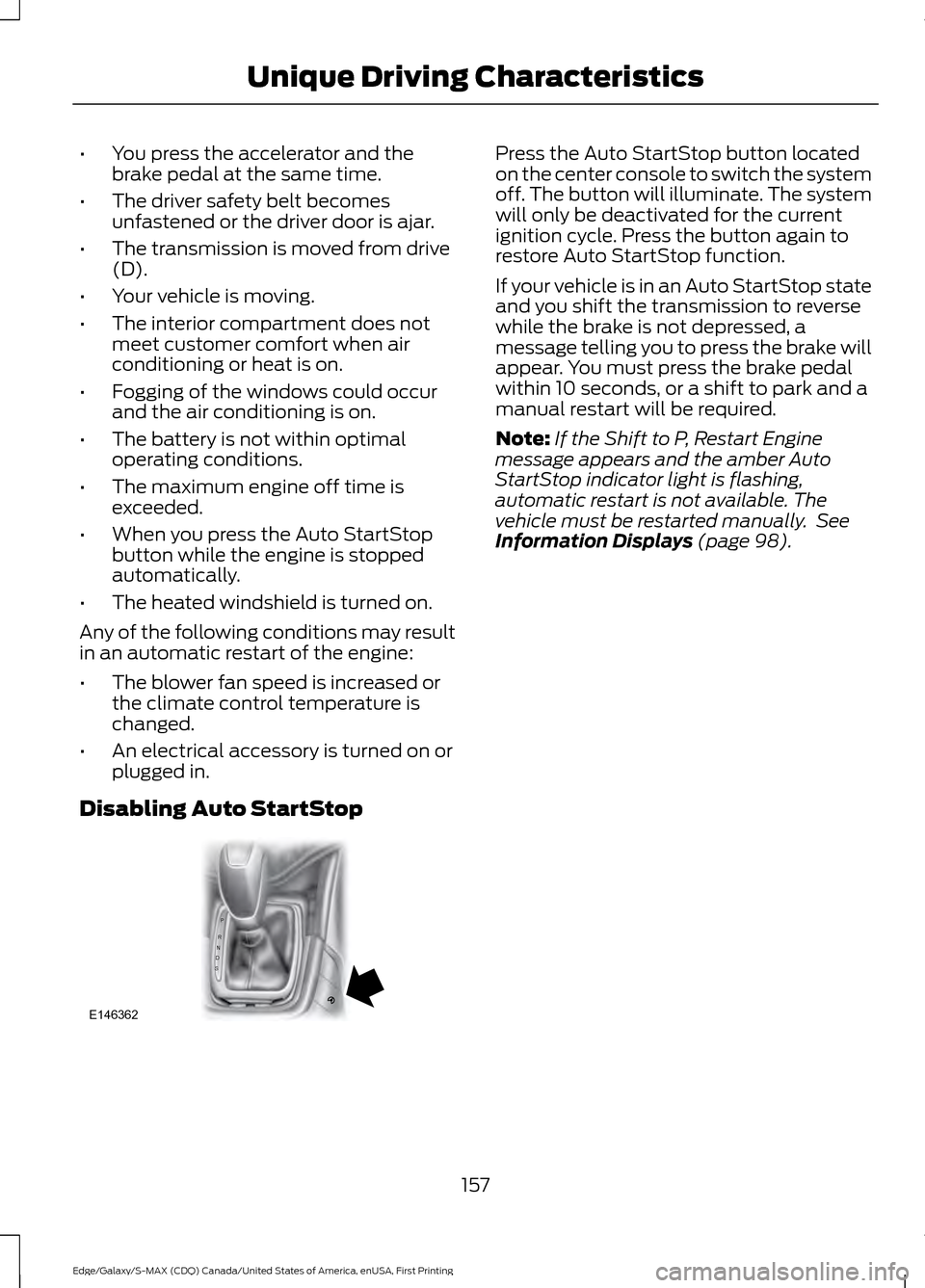
Disabling Auto StartStop Press the Auto StartStop button located
on the center console to switch the system
off. The button will illuminate. The system
will only be deactivated for the current
ignition cycle. Press the button again to
restore Auto StartStop function.
If your vehicle is in an Auto StartStop state
and you shift the transmission to reverse
while the brake is not depressed, a
message telling you to press the brake will
appear. You must press the brake pedal
within 10 seconds, or a shift to park and a
manual restart will be required.
Note:
If the Shift to P, Restart Engine
message appears and the amber Auto
StartStop indicator light is flashing,
automatic restart is not available. The
vehicle must be restarted manually. See
Information Displays (page 98).
157
Edge/Galaxy/S-MAX (CDQ) Canada/United States of America, enUSA, First Printing Unique Driving CharacteristicsP
R
N
D
S
E146362
Page 179 of 451
ELECTRIC PARKING BRAKE
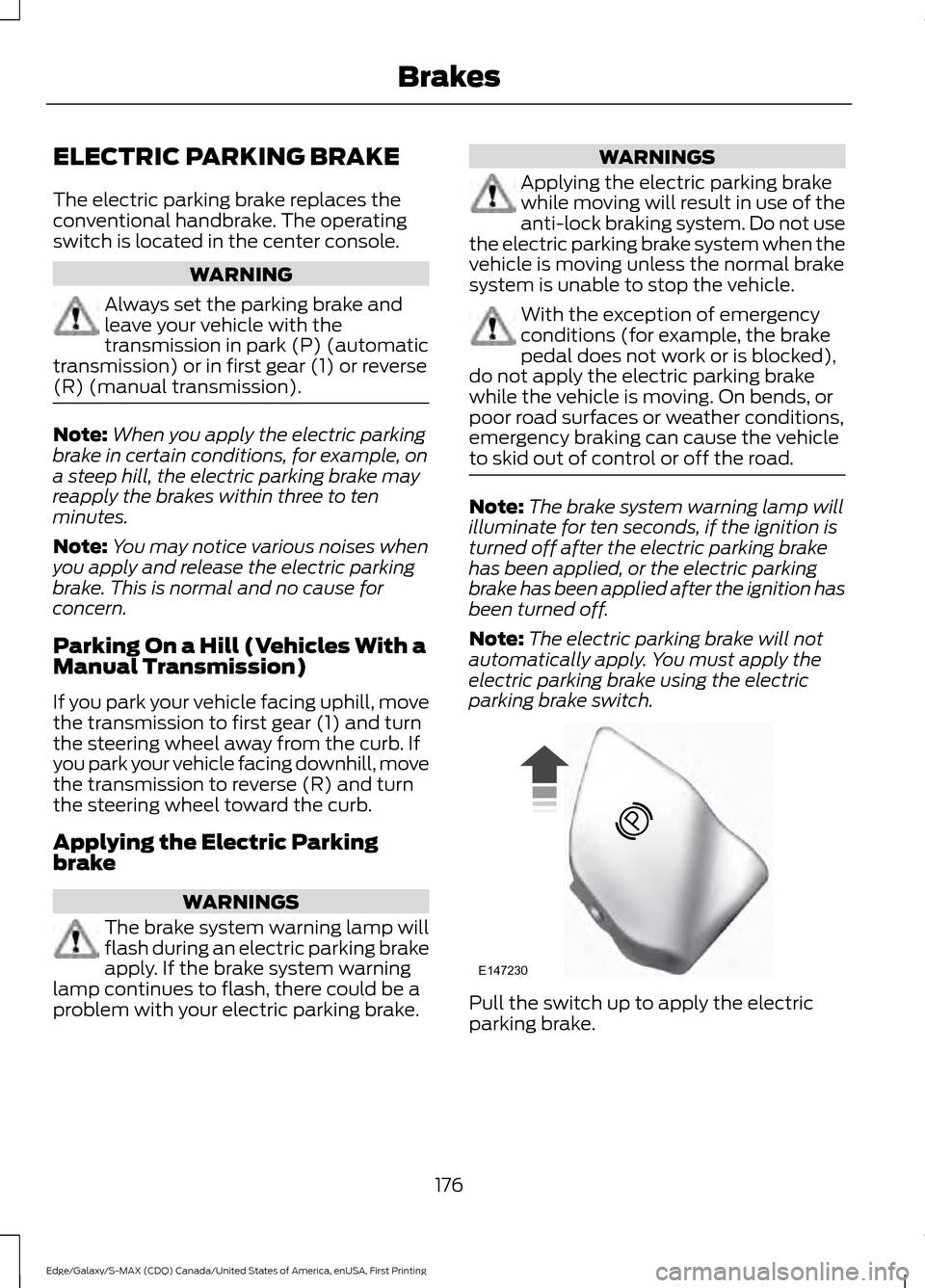
The electric parking brake replaces the
conventional handbrake. The operating
switch is located in the center console.
WARNING
Always set the parking brake and
leave your vehicle with the
transmission in park (P) (automatic
transmission) or in first gear (1) or reverse
(R) (manual transmission). Note:
When you apply the electric parking
brake in certain conditions, for example, on
a steep hill, the electric parking brake may
reapply the brakes within three to ten
minutes.
Note: You may notice various noises when
you apply and release the electric parking
brake. This is normal and no cause for
concern.
Parking On a Hill (Vehicles With a
Manual Transmission)
If you park your vehicle facing uphill, move
the transmission to first gear (1) and turn
the steering wheel away from the curb. If
you park your vehicle facing downhill, move
the transmission to reverse (R) and turn
the steering wheel toward the curb.
Applying the Electric Parking
brake WARNINGS
The brake system warning lamp will
flash during an electric parking brake
apply. If the brake system warning
lamp continues to flash, there could be a
problem with your electric parking brake. WARNINGS
Applying the electric parking brake
while moving will result in use of the
anti-lock braking system. Do not use
the electric parking brake system when the
vehicle is moving unless the normal brake
system is unable to stop the vehicle. With the exception of emergency
conditions (for example, the brake
pedal does not work or is blocked),
do not apply the electric parking brake
while the vehicle is moving. On bends, or
poor road surfaces or weather conditions,
emergency braking can cause the vehicle
to skid out of control or off the road. Note:
The brake system warning lamp will
illuminate for ten seconds, if the ignition is
turned off after the electric parking brake
has been applied, or the electric parking
brake has been applied after the ignition has
been turned off.
Note: The electric parking brake will not
automatically apply. You must apply the
electric parking brake using the electric
parking brake switch. Pull the switch up to apply the electric
parking brake.
176
Edge/Galaxy/S-MAX (CDQ) Canada/United States of America, enUSA, First Printing BrakesE147230
Page 184 of 451
PRINCIPLE OF OPERATION
WARNINGS
Vehicle modifications involving
braking system, aftermarket roof
racks, suspension, steering system,
tire construction and wheel and tire size
may change the handling characteristics
of your vehicle and may adversely affect
the performance of the electronic stability
control system. In addition, installing any
stereo loudspeakers may interfere with
and adversely affect the electronic stability
control system. Install any aftermarket
stereo loudspeaker as far as possible from
the front center console, the tunnel, and
the front seats in order to minimize the risk
of interfering with the electronic stability
control sensors. Reducing the
effectiveness of the electronic stability
control system could lead to an increased
risk of loss of vehicle control, vehicle
rollover, personal injury and death. Remember that even advanced
technology cannot defy the laws of
physics. It’
s always possible to lose
control of a vehicle due to inappropriate
driver input for the conditions. Aggressive
driving on any road condition can cause
you to lose control of your vehicle
increasing the risk of personal injury or
property damage. Activation of the
electronic stability control system is an
indication that at least some of the tires
have exceeded their ability to grip the road;
this could reduce the operator ’s ability to
control the vehicle potentially resulting in
a loss of vehicle control, vehicle rollover,
personal injury and death. If your electronic
stability control system activates, SLOW
DOWN. The system automatically turns on each
time you switch the ignition on. If a driving condition activates either the
stability control or the traction control
system you may experience the following
conditions:
•
The stability and traction control light
flashes.
• Your vehicle slows down.
• Reduced engine power.
• A vibration in the brake pedal.
• The brake pedal is stiffer than usual.
• If the driving condition is severe and
your foot is not on the brake, the brake
pedal may move as the systems
applies higher brake forces.
The stability control system has several
features built into it to help you maintain
control of your vehicle:
Electronic Stability Control
The system enhances your vehicle ’s ability
to prevent skids or lateral slides by
applying brakes to one or more of the
wheels individually and, if necessary,
reducing engine power.
Roll Stability Control
The system enhances your vehicle ’s ability
to prevent rollovers by detecting your
vehicle ’s roll motion and the rate at which
it changes by applying the brakes to one
or more wheels individually.
Traction Control
The system enhances your vehicle ’s ability
to maintain traction of the wheels by
detecting and controlling wheel spin. See
Using Traction Control (page 180).
181
Edge/Galaxy/S-MAX (CDQ) Canada/United States of America, enUSA, First Printing Stability Control