center console FORD EDGE 2016 2.G User Guide
[x] Cancel search | Manufacturer: FORD, Model Year: 2016, Model line: EDGE, Model: FORD EDGE 2016 2.GPages: 451, PDF Size: 6.18 MB
Page 191 of 451
•
A foreign object damages or obstructs
the front or rear bumper or side
sensors.
• The correct tire size is not in use on your
vehicle (for example, a mini-spare tire).
Using Active Park Assist - Parallel
Parking Press the button located on the
center console near the gearshift
lever or the right side of the
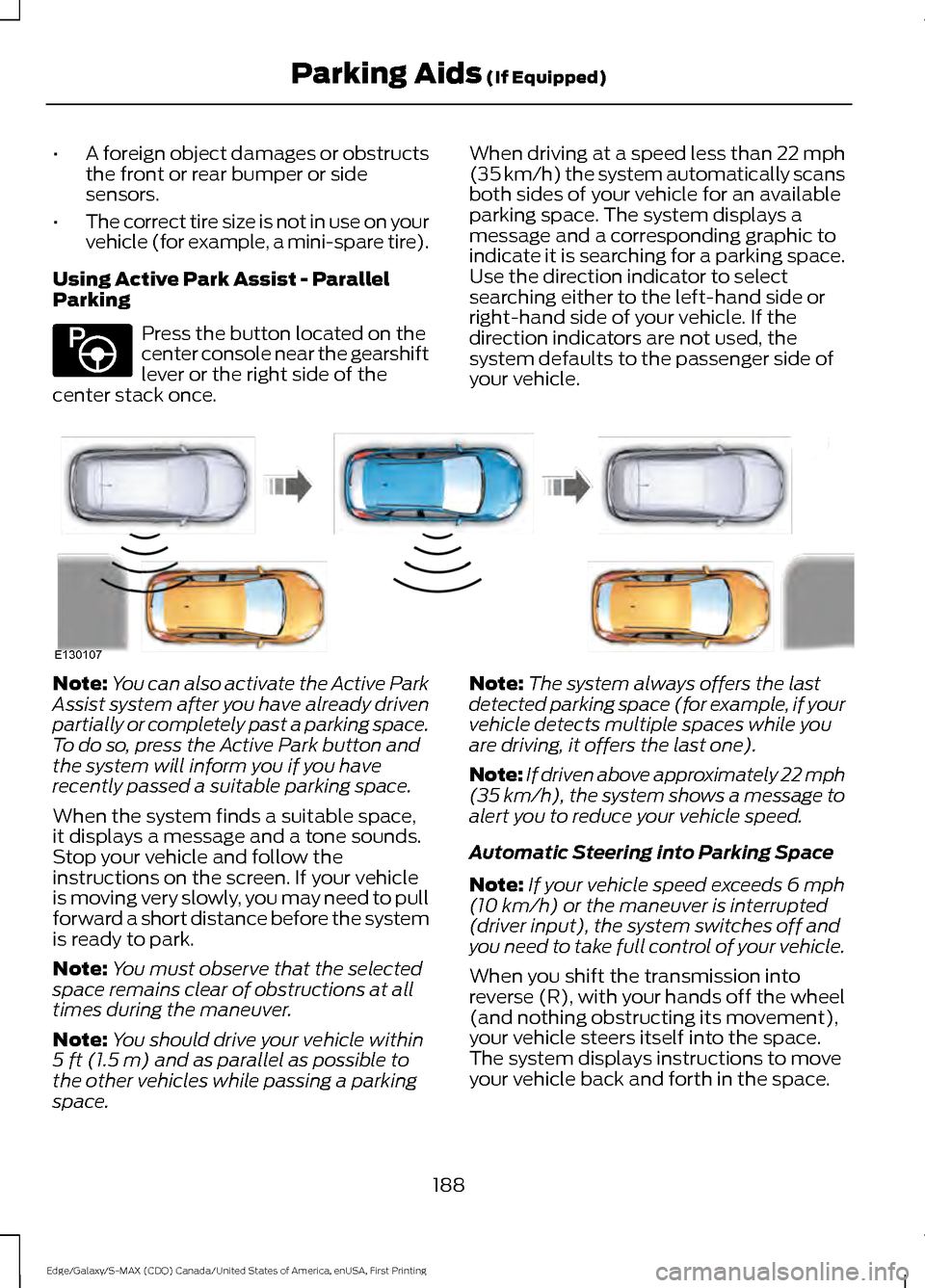
center stack once. When driving at a speed less than 22 mph
(35 km/h) the system automatically scans
both sides of your vehicle for an available
parking space. The system displays a
message and a corresponding graphic to
indicate it is searching for a parking space.
Use the direction indicator to select
searching either to the left-hand side or
right-hand side of your vehicle. If the
direction indicators are not used, the
system defaults to the passenger side of
your vehicle.Note:
You can also activate the Active Park
Assist system after you have already driven
partially or completely past a parking space.
To do so, press the Active Park button and
the system will inform you if you have
recently passed a suitable parking space.
When the system finds a suitable space,
it displays a message and a tone sounds.
Stop your vehicle and follow the
instructions on the screen. If your vehicle
is moving very slowly, you may need to pull
forward a short distance before the system
is ready to park.
Note: You must observe that the selected
space remains clear of obstructions at all
times during the maneuver.
Note: You should drive your vehicle within
5 ft (1.5 m) and as parallel as possible to
the other vehicles while passing a parking
space. Note:
The system always offers the last
detected parking space (for example, if your
vehicle detects multiple spaces while you
are driving, it offers the last one).
Note: If driven above approximately 22 mph
(35 km/h)
, the system shows a message to
alert you to reduce your vehicle speed.
Automatic Steering into Parking Space
Note: If your vehicle speed exceeds
6 mph
(10 km/h) or the maneuver is interrupted
(driver input), the system switches off and
you need to take full control of your vehicle.
When you shift the transmission into
reverse (R), with your hands off the wheel
(and nothing obstructing its movement),
your vehicle steers itself into the space.
The system displays instructions to move
your vehicle back and forth in the space.
188
Edge/Galaxy/S-MAX (CDQ) Canada/United States of America, enUSA, First Printing Parking Aids
(If Equipped)E146186 E130107
Page 192 of 451
When you think your vehicle is properly
parked, or you hear a solid tone from the
parking aid (accompanied by a display
message and a chime), bring your vehicle
to a complete stop.
When automatic steering is complete, the
system displays a message and a tone
sounds, indicating that the active park
assist process is finished. You are
responsible for checking the parking job
and making any necessary corrections
before leaving your vehicle.
Using Active Park Assist -
Perpendicular Parking Press the button located on the
center console near the gearshift
lever or the right side of the
center stack twice.
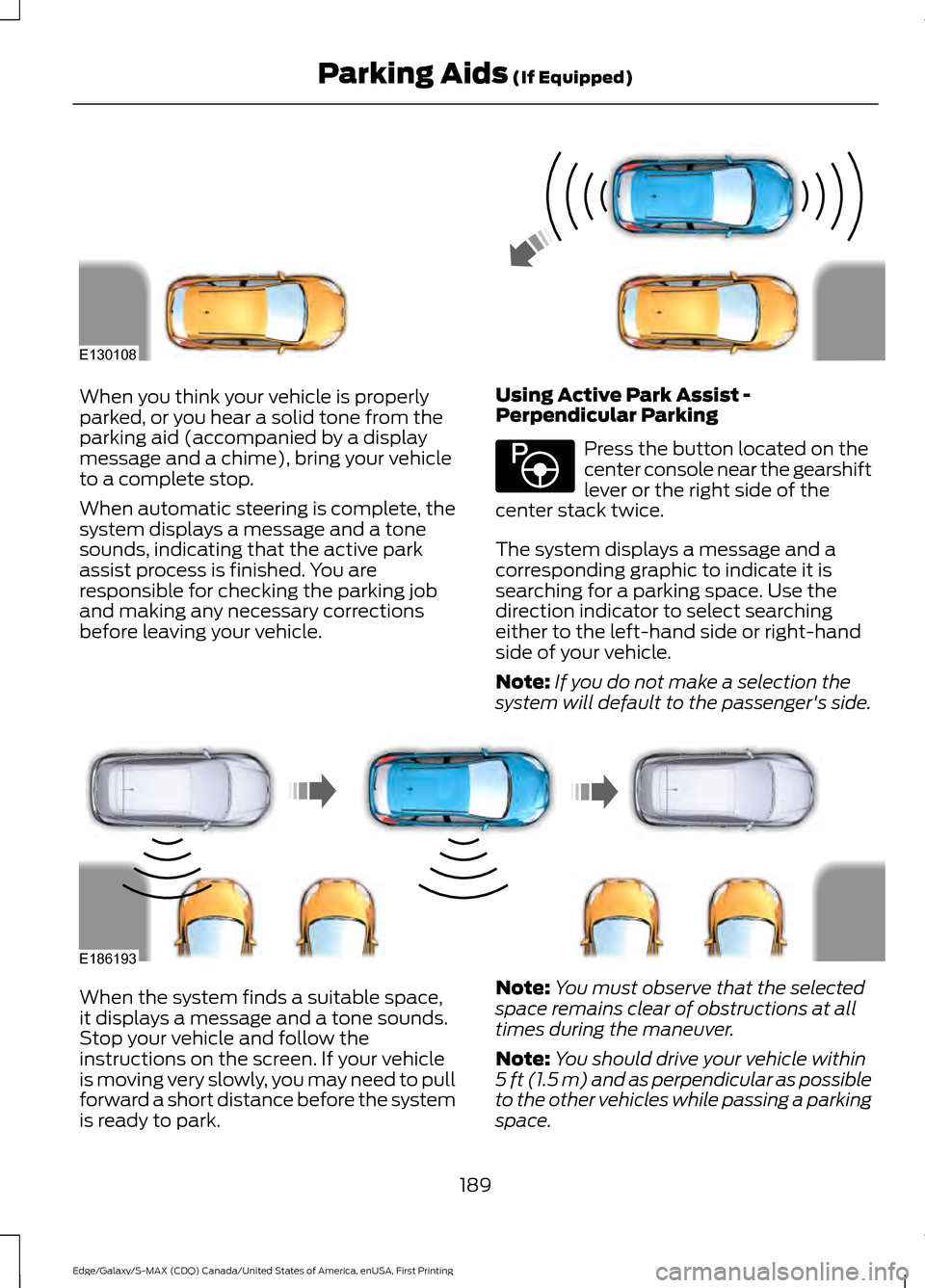
The system displays a message and a
corresponding graphic to indicate it is
searching for a parking space. Use the
direction indicator to select searching
either to the left-hand side or right-hand
side of your vehicle.
Note: If you do not make a selection the
system will default to the passenger's side. When the system finds a suitable space,
it displays a message and a tone sounds.
Stop your vehicle and follow the
instructions on the screen. If your vehicle
is moving very slowly, you may need to pull
forward a short distance before the system
is ready to park.
Note:
You must observe that the selected
space remains clear of obstructions at all
times during the maneuver.
Note: You should drive your vehicle within
5 ft (1.5 m) and as perpendicular as possible
to the other vehicles while passing a parking
space.
189
Edge/Galaxy/S-MAX (CDQ) Canada/United States of America, enUSA, First Printing Parking Aids (If Equipped)E130108 E146186 E186193
Page 359 of 451
USB PORT (If Equipped)
WARNING
Driving while distracted can result in
loss of vehicle control, crash and
injury. We strongly recommend that
you use extreme caution when using any
device that may take your focus off the
road. Your primary responsibility is the safe
operation of your vehicle. We recommend
against the use of any hand-held device
while driving and encourage the use of
voice-operated systems when possible.
Make sure you are aware of all applicable
local laws that may affect the use of
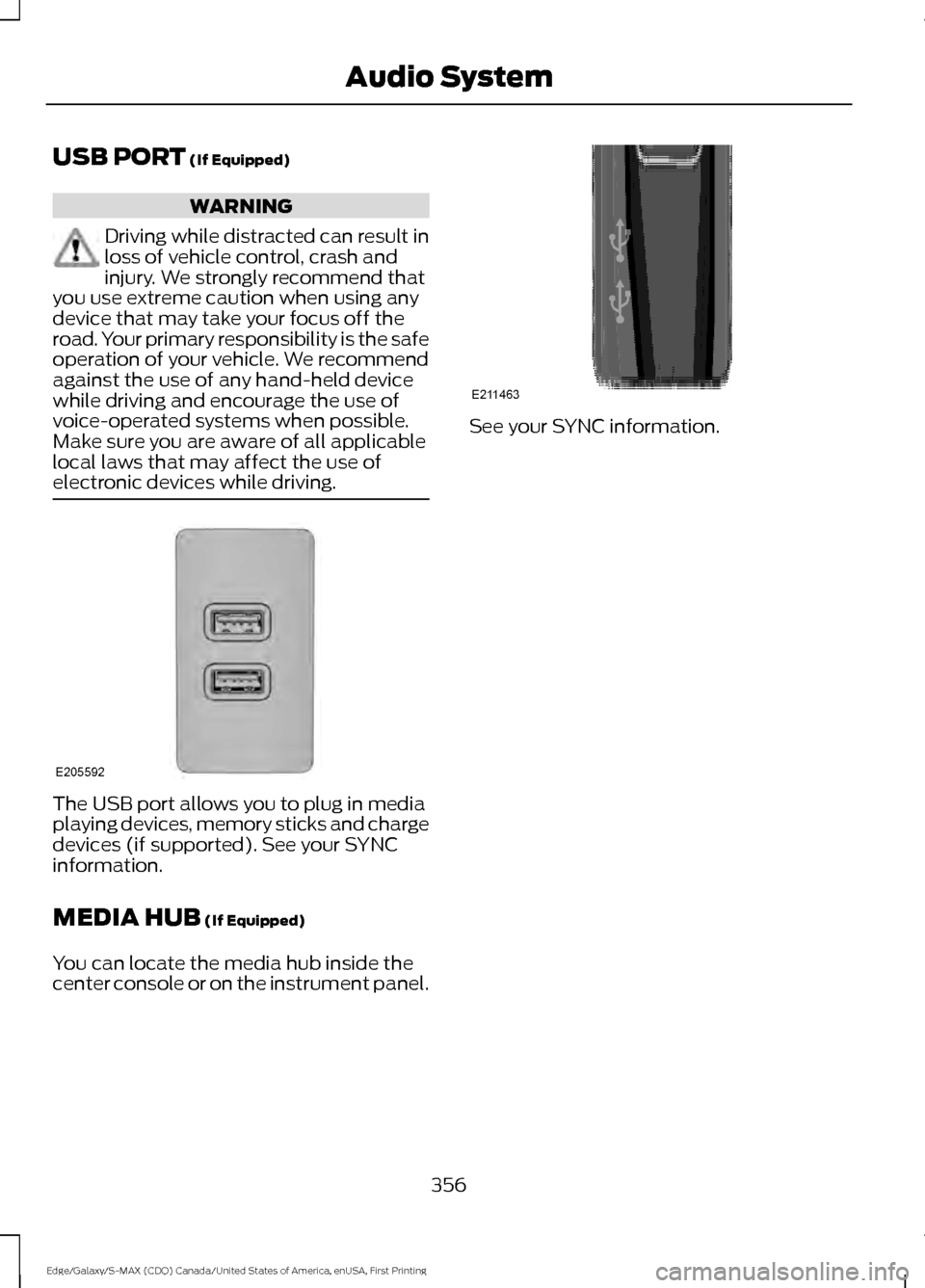
electronic devices while driving. The USB port allows you to plug in media
playing devices, memory sticks and charge
devices (if supported). See your SYNC
information.
MEDIA HUB
(If Equipped)
You can locate the media hub inside the
center console or on the instrument panel. See your SYNC information.
356
Edge/Galaxy/S-MAX (CDQ) Canada/United States of America, enUSA, First Printing Audio SystemE205592 E211463
Page 387 of 451
Description and Action
Display
2. Scroll to browse indexed media files on the device, and
then press the OK button.
Resets the USB index. After the new indexing is complete,
you can choose what to play from the USB song library.
Reset USB
* You can use the buttons at the bottom of the audio display to jump to a certain
alphabetical category quickly. You can also use the letters on the audio system's numeric
keypad to jump in the list.
Using Voice Commands
You can access and view your USB songs
using voice commands.
Plug the device into your vehicle's USB
port.
Press the voice button and when
prompted, say any of the following
commands: Accessing and Viewing USB Media
(browse | search | show) all (album |
albums)
(browse | search | show) all (artist |
artists)
(browse | search | show) all (genre |
genres)
(browse | search | show) all (playlist |
playlists)
(browse | search | show) all (song | songs
| title | titles | file | files | track | tracks)
(browse | search | show) album ___
(browse | search | show) artist ___
(browse | search | show) genre ___
(browse | search | show) playlist ___ USB 2
(If Equipped)
Your vehicle may come equipped with an
additional USB port. If so, USB 1 is located
at the front of the vehicle at the bottom of
the instrument panel. USB 2 is located
inside the storage compartment of the
vehicle's center console.
You can plug in an additional USB device
into the second USB port.
You can access both USB devices by using
voice commands.
To access a USB device press the voice
button and when prompted say: Voice command
USB 1
USB 2
Note: SYNC only supports one connected
iOS (Apple) devices at a time (whichever
one you plug in first). When you connect a
second iOS device, the systems charges it,
but does not support playback from it.
Bluetooth Devices and System
Settings
You can access these menus using the
audio display. See
Using SYNC™ With
Your Phone (page 361).
384
Edge/Galaxy/S-MAX (CDQ) Canada/United States of America, enUSA, First Printing SYNC™
Page 441 of 451
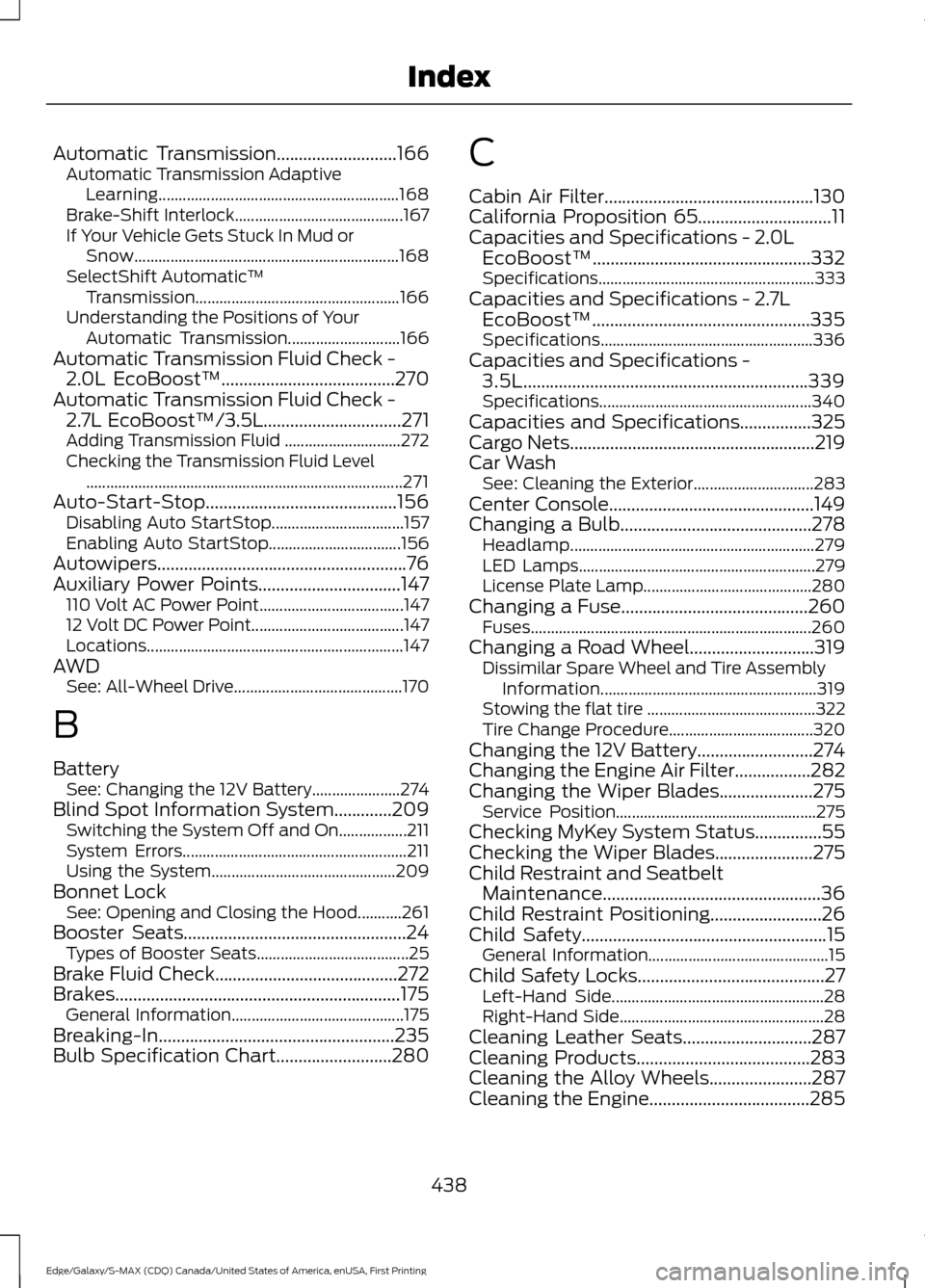
Automatic Transmission...........................166
Automatic Transmission Adaptive
Learning............................................................ 168
Brake-Shift Interlock.......................................... 167
If Your Vehicle Gets Stuck In Mud or Snow.................................................................. 168
SelectShift Automatic ™
Transmission................................................... 166
Understanding the Positions of Your Automatic Transmission............................ 166
Automatic Transmission Fluid Check - 2.0L EcoBoost™.......................................270
Automatic Transmission Fluid Check - 2.7L EcoBoost™/3.5L...............................271
Adding Transmission Fluid ............................. 272
Checking the Transmission Fluid Level ........................................................................\
....... 271
Auto-Start-Stop...........................................156 Disabling Auto StartStop................................. 157
Enabling Auto StartStop................................. 156
Autowipers........................................................76
Auxiliary Power Points................................147 110 Volt AC Power Point.................................... 147
12 Volt DC Power Point...................................... 147
Locations................................................................ 147
AWD See: All-Wheel Drive.......................................... 170
B
Battery See: Changing the 12V Battery...................... 274
Blind Spot Information System.............209 Switching the System Off and On.................211
System Errors........................................................ 211
Using the System.............................................. 209
Bonnet Lock See: Opening and Closing the Hood...........261
Booster Seats..................................................24 Types of Booster Seats...................................... 25
Brake Fluid Check.........................................272
Brakes................................................................175 General Information........................................... 175
Breaking-In.....................................................235
Bulb Specification Chart..........................280 C
Cabin Air Filter...............................................130
California Proposition 65..............................11
Capacities and Specifications - 2.0L
EcoBoost™.................................................332
Specifications...................................................... 333
Capacities and Specifications - 2.7L EcoBoost™.................................................335
Specifications..................................................... 336
Capacities and Specifications - 3.5L................................................................339
Specifications..................................................... 340
Capacities and Specifications................325
Cargo Nets
.......................................................219
Car Wash See: Cleaning the Exterior.............................. 283
Center Console
..............................................149
Changing a Bulb...........................................278 Headlamp............................................................. 279
LED Lamps........................................................... 279
License Plate Lamp.......................................... 280
Changing a Fuse..........................................260 Fuses...................................................................... 260
Changing a Road Wheel............................319 Dissimilar Spare Wheel and Tire Assembly
Information...................................................... 319
Stowing the flat tire .......................................... 322
Tire Change Procedure.................................... 320
Changing the 12V Battery..........................274
Changing the Engine Air Filter.................282
Changing the Wiper Blades.....................275 Service Position.................................................. 275
Checking MyKey System Status...............55
Checking the Wiper Blades......................275
Child Restraint and Seatbelt Maintenance
.................................................36
Child Restraint Positioning.........................26
Child Safety.......................................................15
General Information............................................. 15
Child Safety Locks..........................................27 Left-Hand Side..................................................... 28
Right-Hand Side................................................... 28
Cleaning Leather Seats.............................287
Cleaning Products
.......................................283
Cleaning the Alloy Wheels.......................287
Cleaning the Engine....................................285
438
Edge/Galaxy/S-MAX (CDQ) Canada/United States of America, enUSA, First Printing Index