cruise control FORD EDGE 2016 2.G Owners Manual
[x] Cancel search | Manufacturer: FORD, Model Year: 2016, Model line: EDGE, Model: FORD EDGE 2016 2.GPages: 451, PDF Size: 6.18 MB
Page 5 of 451
Audio Control - Vehicles Without: Voice
Control............................................................73
Audio Control - Vehicles With: Voice Control............................................................74
Voice Control....................................................74
Cruise Control
..................................................74
Information Display Control.......................75
Heated Steering Wheel................................75
Wipers and Washers
Windshield Wipers
.........................................76
Autowipers........................................................76
Windshield Washers
......................................77
Rear Window Wiper and Washers...........78
Lighting
General Information
......................................79
Lighting Control
..............................................79
Autolamps.......................................................80
Instrument Lighting Dimmer......................81
Headlamp Exit Delay.....................................81
Daytime Running Lamps..............................81
Automatic High Beam Control..................82
Direction Indicators.......................................83
Interior Lamps
.................................................83
Ambient Lighting...........................................85
Windows and Mirrors
Power Windows
.............................................86
Global Opening...............................................87
Exterior Mirrors
................................................87
Interior Mirror
...................................................89
Sun Visors.........................................................89
Moonroof..........................................................89
Instrument Cluster
Gauges................................................................91
Warning Lamps and Indicators................94
Audible Warnings and Indicators
.............97 Information Displays
General Information.....................................98
Information Messages
...............................108
Climate Control
Manual Climate Control - Vehicles With: Electronic Manual Temperature
Control (EMTC).........................................123
Automatic Climate Control - Vehicles With: Dual Automatic Temperature
Control (DATC)/Premium AM/FM/
CD...................................................................125
Automatic Climate Control - Vehicles With: Dual Automatic Temperature
Control (DATC)/Sony Audio
System
..........................................................126
Hints on Controlling the Interior Climate.........................................................128
Heated Windows and Mirrors..................130
Cabin Air Filter...............................................130
Remote Start
.................................................130
Seats
Sitting in the Correct Position..................132
Head Restraints
.............................................132
Manual Seats
.................................................134
Power Seats....................................................134
Memory Function
.........................................136
Rear Seats
.......................................................138
Heated Seats.................................................139
Climate Controlled Seats..........................140
Rear Seat Armrest.........................................141
Universal Garage Door Opener
Universal Garage Door Opener
...............142
Auxiliary Power Points
Auxiliary Power Points................................147
2
Edge/Galaxy/S-MAX (CDQ) Canada/United States of America, enUSA, First Printing Table of Contents
Page 6 of 451
Storage Compartments
Center Console..............................................149
Overhead Console.......................................149
Starting and Stopping the Engine
General Information....................................150
Keyless Starting - Vehicles With: Push Button Start
...............................................150
Starting a Gasoline Engine.........................151
Engine Block Heater....................................154
Unique Driving Character- istics
Auto-Start-Stop...........................................156
Fuel and Refueling
Safety Precautions......................................158
Fuel Quality
....................................................159
Fuel Filler Funnel Location........................159
Running Out of Fuel....................................159
Refueling.........................................................160
Fuel Consumption
........................................162
Emission Control System..........................163
Transmission
Automatic Transmission
...........................166
All-Wheel Drive
Using All-Wheel Drive.................................170
Brakes
General Information
.....................................175
Hints on Driving With Anti-Lock Brakes............................................................175
Electric Parking Brake
.................................176
Hill Start Assist..............................................178
Traction Control
Principle of Operation
................................180 Using Traction Control...............................180
Stability Control
Principle of Operation..................................181
Using Stability Control................................182
Parking Aids
Principle of Operation.................................183
Rear Parking Aid............................................183
Front Parking Aid
..........................................184
Side Sensing System..................................185
Active Park Assist.........................................187
Rear View Camera........................................192
180 Degree Camera.....................................195
Cruise Control
Principle of Operation.................................197
Using Cruise Control
....................................197
Using Adaptive Cruise Control................198
Driving Aids
Driver Alert.....................................................204
Lane Keeping System
................................205
Blind Spot Information System
.............209
Cross Traffic Alert..........................................211
Steering............................................................214
Collision Warning System.........................216
Drive Control
...................................................218
Load Carrying
Rear Under Floor Storage
..........................219
Cargo Nets.......................................................219
Roof Racks and Load Carriers.................219
Load Limit
.......................................................220
Towing
Towing a Trailer.............................................227
Trailer Sway Control...................................228
Recommended Towing Weights
...........228
3
Edge/Galaxy/S-MAX (CDQ) Canada/United States of America, enUSA, First Printing Table of Contents
Page 11 of 451
Brake system
Cabin air filter
Check fuel cap
Child safety door lock or unlock
Child seat lower anchor
Child seat tether anchor
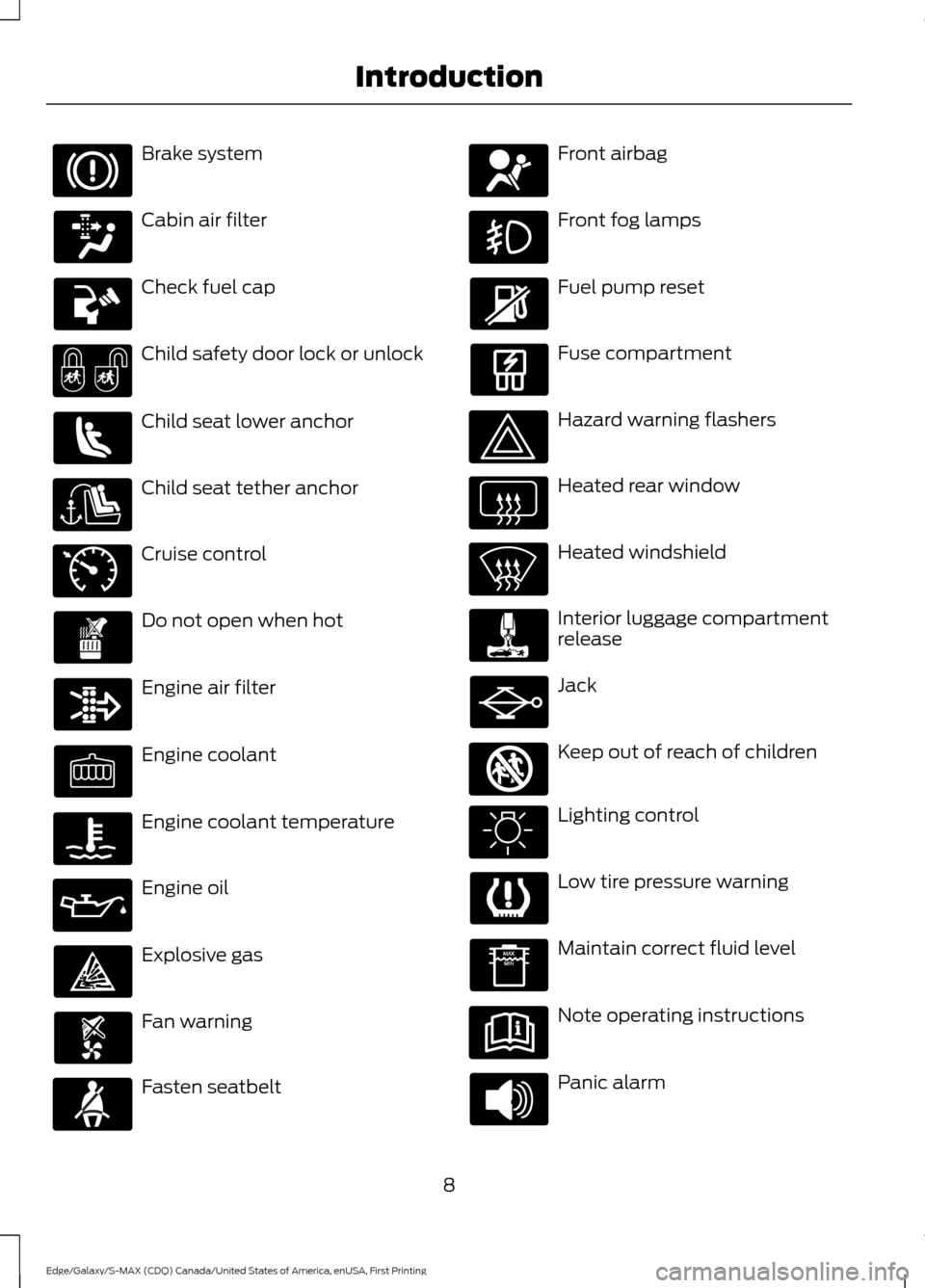
Cruise control
Do not open when hot
Engine air filter
Engine coolant
Engine coolant temperature
Engine oil
Explosive gas
Fan warning
Fasten seatbelt Front airbag
Front fog lamps
Fuel pump reset
Fuse compartment
Hazard warning flashers
Heated rear window
Heated windshield
Interior luggage compartment
release
Jack
Keep out of reach of children
Lighting control
Low tire pressure warning
Maintain correct fluid level
Note operating instructions
Panic alarm
8
Edge/Galaxy/S-MAX (CDQ) Canada/United States of America, enUSA, First Printing Introduction E71340 E161353
Page 55 of 451
PRINCIPLE OF OPERATION
MyKey allows you to program keys with
restricted driving modes to promote good
driving habits. All but one of the keys can
be activated with these restricted modes.
Any keys that remain unprogrammed are
referred to as administrator keys or admin
keys. They can be used to:
•
Create a MyKey.
• Program configurable MyKey settings.
• Clear all MyKey features.
When you have created a MyKey, you can
access the following information by using
the information display to determine:
• How many admin keys and MyKeys are
programmed to your vehicle.
• The total distance your vehicle traveled
with a MyKey.
Note: Switch the vehicle on to use the
system.
Note: All MyKeys are programmed to the
same settings. You cannot program them
individually.
Note: For vehicles equipped with
push-button start, when both a MyKey and
an admin remote transmitter are present,
the admin remote transmitter will be
recognized by the vehicle while switching
the vehicle on to start the vehicle. Non-configurable Settings
The following settings cannot be changed
by an admin key user:
•
Safety belt reminder. You cannot
disable this feature. The audio system
will mute when the front seat
passengers’ safety belts are not
fastened.
• Early low fuel or charge. The low-fuel
or low charge warning activates earlier,
giving the MyKey user more time to
refuel or recharge.
• Driver assist features, if equipped on
your vehicle, are forced on: parking aid
and Blind Spot Information System
(BLIS) with cross traffic alert.
• Satellite radio adult content
restrictions, if equipped on your vehicle.
Configurable Settings
With an admin key, you can configure
certain MyKey settings when you first
create a MyKey and before you recycle the
key or restart the vehicle. You can also
change the settings afterward with an
admin key.
• A vehicle speed limit can be set.
Warnings will be shown in the display
followed by an audible tone when your
vehicle reaches the set speed. You
cannot override the set speed by fully
depressing the accelerator pedal or by
setting cruise control. WARNING
Do not set MyKey maximum speed
limit to a limit that will prevent the
driver from maintaining a safe speed
considering posted speed limits and
prevailing road conditions. The driver is
always responsible to drive in accordance
with local laws and prevailing conditions.
Failure to do so could result in accident or
injury. 52
Edge/Galaxy/S-MAX (CDQ) Canada/United States of America, enUSA, First Printing MyKey
™
Page 77 of 451
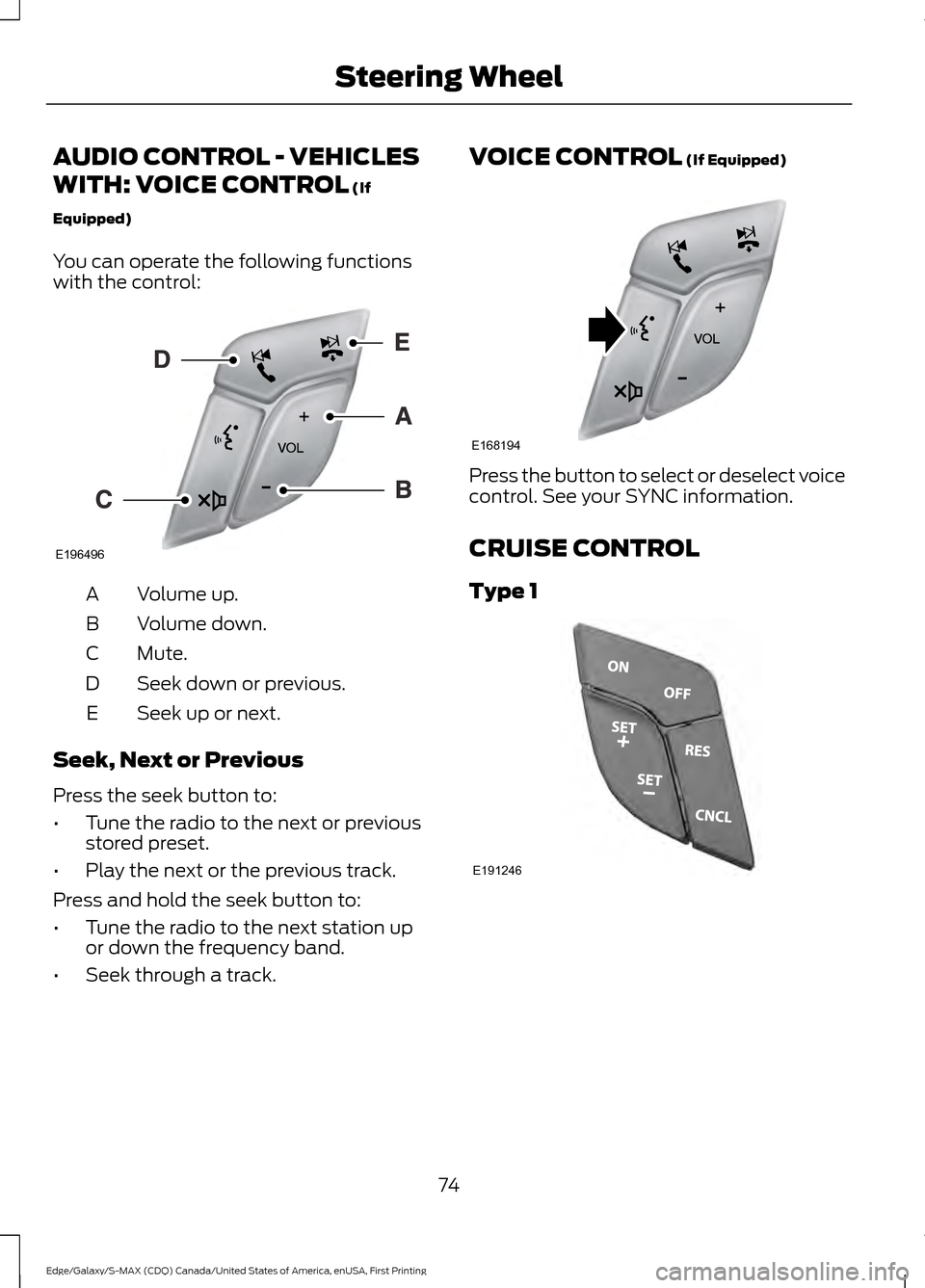
AUDIO CONTROL - VEHICLES
WITH: VOICE CONTROL (If
Equipped)
You can operate the following functions
with the control: Volume up.
A
Volume down.
B
Mute.
C
Seek down or previous.
D
Seek up or next.
E
Seek, Next or Previous
Press the seek button to:
• Tune the radio to the next or previous
stored preset.
• Play the next or the previous track.
Press and hold the seek button to:
• Tune the radio to the next station up
or down the frequency band.
• Seek through a track. VOICE CONTROL
(If Equipped)
Press the button to select or deselect voice
control. See your SYNC information.
CRUISE CONTROL
Type 1
74
Edge/Galaxy/S-MAX (CDQ) Canada/United States of America, enUSA, First Printing Steering WheelE196496 E168194 E191246
Page 78 of 451
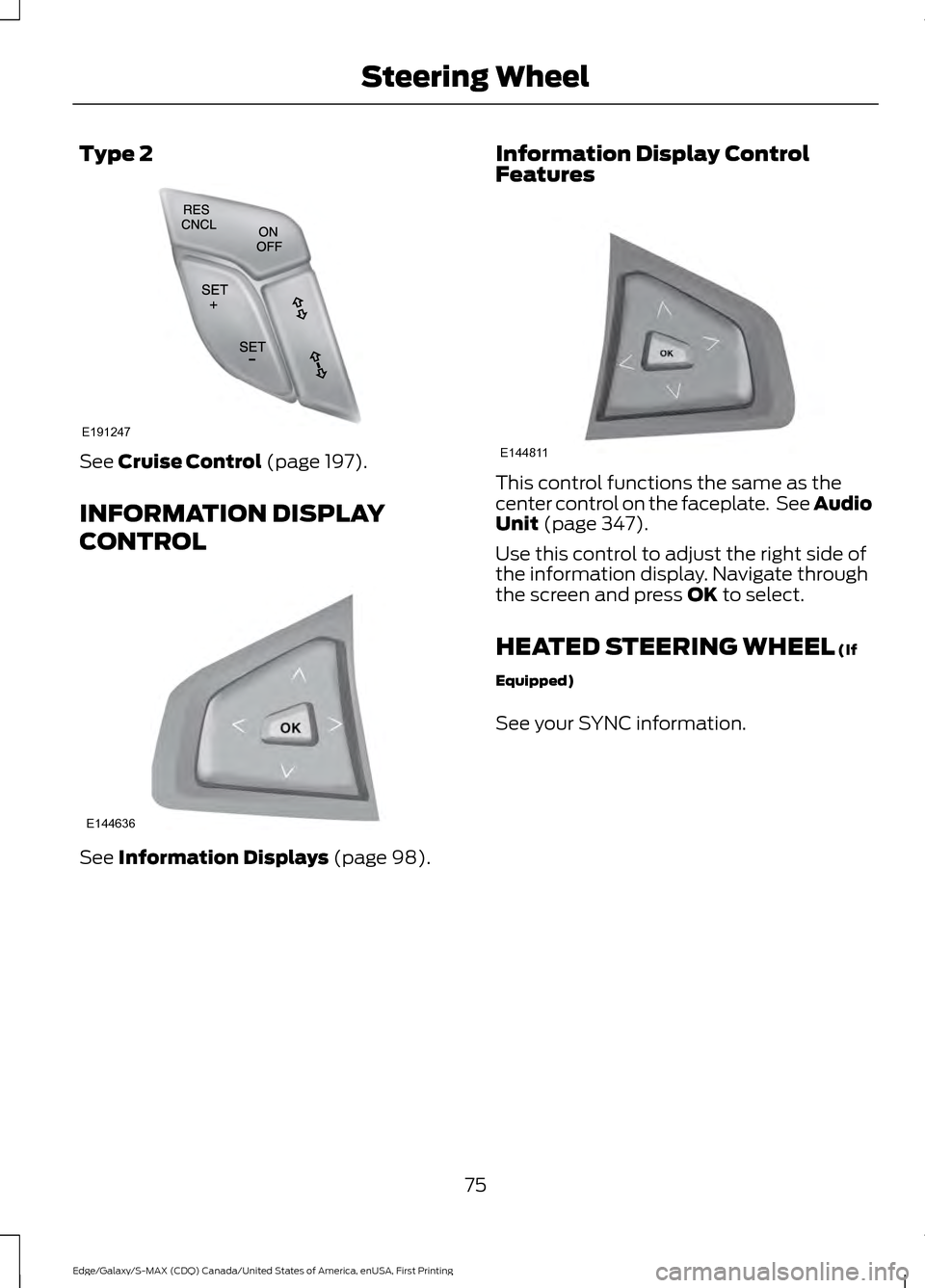
Type 2
See Cruise Control (page 197).
INFORMATION DISPLAY
CONTROL See
Information Displays (page 98). Information Display Control
Features This control functions the same as the
center control on the faceplate. See Audio
Unit
(page 347).
Use this control to adjust the right side of
the information display. Navigate through
the screen and press
OK to select.
HEATED STEERING WHEEL
(If
Equipped)
See your SYNC information.
75
Edge/Galaxy/S-MAX (CDQ) Canada/United States of America, enUSA, First Printing Steering WheelE191247 E144636 E144811
Page 97 of 451
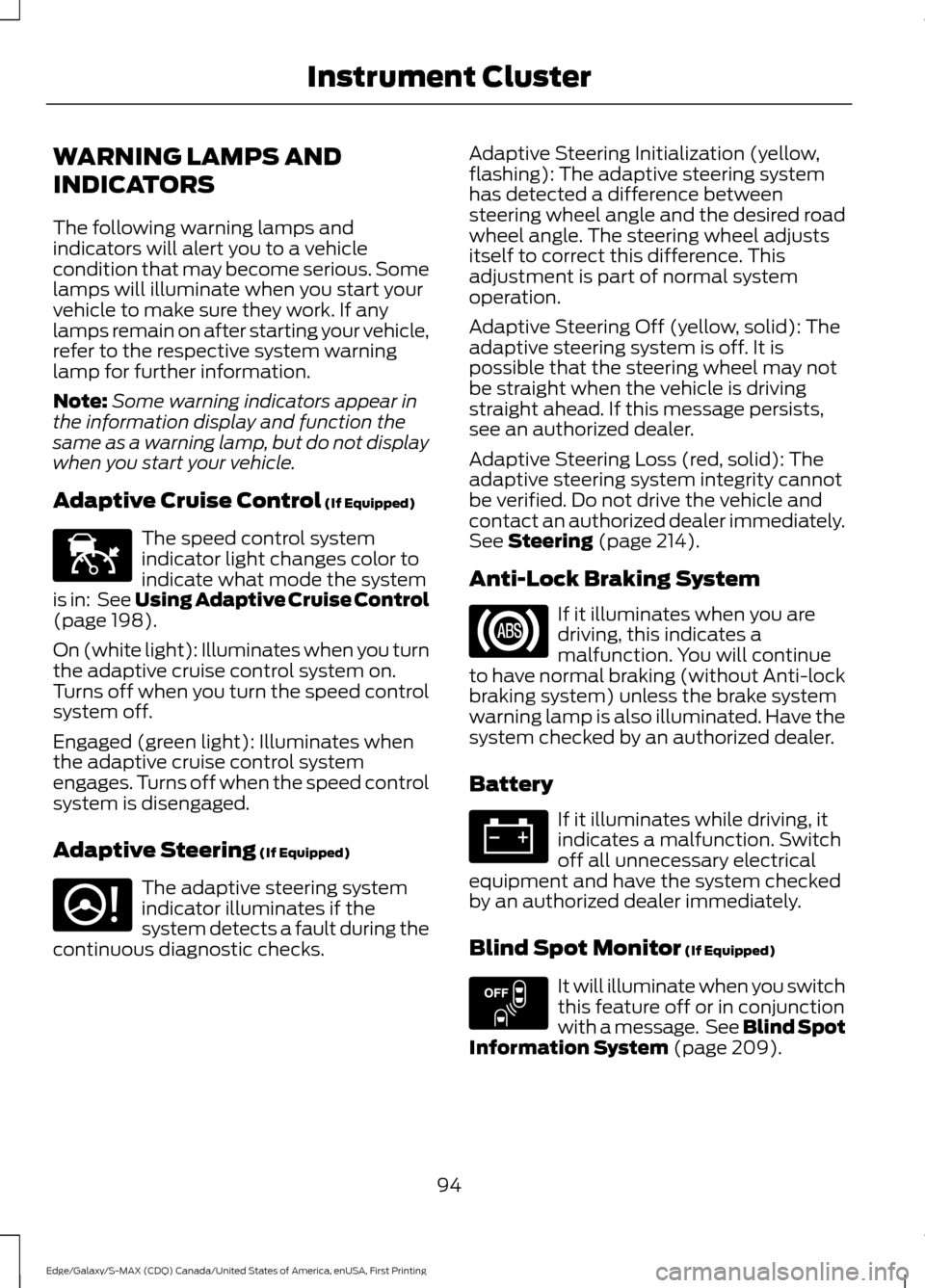
WARNING LAMPS AND
INDICATORS
The following warning lamps and
indicators will alert you to a vehicle
condition that may become serious. Some
lamps will illuminate when you start your
vehicle to make sure they work. If any
lamps remain on after starting your vehicle,
refer to the respective system warning
lamp for further information.
Note:
Some warning indicators appear in
the information display and function the
same as a warning lamp, but do not display
when you start your vehicle.
Adaptive Cruise Control (If Equipped) The speed control system
indicator light changes color to
indicate what mode the system
is in: See Using Adaptive Cruise Control
(page
198).
On (white light): Illuminates when you turn
the adaptive cruise control system on.
Turns off when you turn the speed control
system off.
Engaged (green light): Illuminates when
the adaptive cruise control system
engages. Turns off when the speed control
system is disengaged.
Adaptive Steering
(If Equipped) The adaptive steering system
indicator illuminates if the
system detects a fault during the
continuous diagnostic checks. Adaptive Steering Initialization (yellow,
flashing): The adaptive steering system
has detected a difference between
steering wheel angle and the desired road
wheel angle. The steering wheel adjusts
itself to correct this difference. This
adjustment is part of normal system
operation.
Adaptive Steering Off (yellow, solid): The
adaptive steering system is off. It is
possible that the steering wheel may not
be straight when the vehicle is driving
straight ahead. If this message persists,
see an authorized dealer.
Adaptive Steering Loss (red, solid): The
adaptive steering system integrity cannot
be verified. Do not drive the vehicle and
contact an authorized dealer immediately.
See
Steering (page 214).
Anti-Lock Braking System If it illuminates when you are
driving, this indicates a
malfunction. You will continue
to have normal braking (without Anti-lock
braking system) unless the brake system
warning lamp is also illuminated. Have the
system checked by an authorized dealer.
Battery If it illuminates while driving, it
indicates a malfunction. Switch
off all unnecessary electrical
equipment and have the system checked
by an authorized dealer immediately.
Blind Spot Monitor
(If Equipped) It will illuminate when you switch
this feature off or in conjunction
with a message. See Blind Spot
Information System
(page 209).
94
Edge/Galaxy/S-MAX (CDQ) Canada/United States of America, enUSA, First Printing Instrument ClusterE144524 E223375 E151262
Page 98 of 451
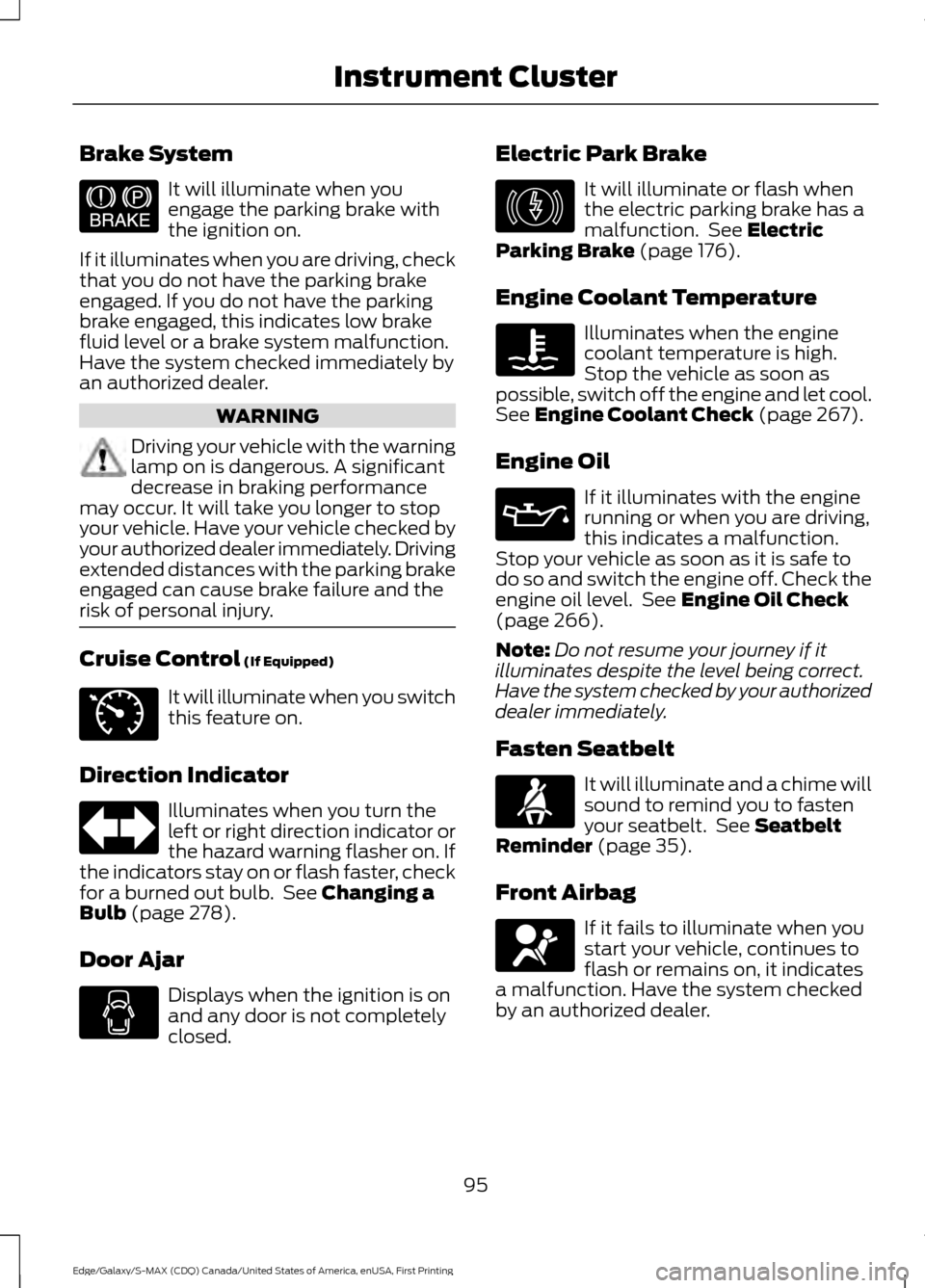
Brake System
It will illuminate when you
engage the parking brake with
the ignition on.
If it illuminates when you are driving, check
that you do not have the parking brake
engaged. If you do not have the parking
brake engaged, this indicates low brake
fluid level or a brake system malfunction.
Have the system checked immediately by
an authorized dealer. WARNING
Driving your vehicle with the warning
lamp on is dangerous. A significant
decrease in braking performance
may occur. It will take you longer to stop
your vehicle. Have your vehicle checked by
your authorized dealer immediately. Driving
extended distances with the parking brake
engaged can cause brake failure and the
risk of personal injury. Cruise Control (If Equipped)
It will illuminate when you switch
this feature on.
Direction Indicator Illuminates when you turn the
left or right direction indicator or
the hazard warning flasher on. If
the indicators stay on or flash faster, check
for a burned out bulb. See
Changing a
Bulb (page 278).
Door Ajar Displays when the ignition is on
and any door is not completely
closed. Electric Park Brake It will illuminate or flash when
the electric parking brake has a
malfunction. See
Electric
Parking Brake (page 176).
Engine Coolant Temperature Illuminates when the engine
coolant temperature is high.
Stop the vehicle as soon as
possible, switch off the engine and let cool.
See
Engine Coolant Check (page 267).
Engine Oil If it illuminates with the engine
running or when you are driving,
this indicates a malfunction.
Stop your vehicle as soon as it is safe to
do so and switch the engine off. Check the
engine oil level. See
Engine Oil Check
(page 266).
Note: Do not resume your journey if it
illuminates despite the level being correct.
Have the system checked by your authorized
dealer immediately.
Fasten Seatbelt It will illuminate and a chime will
sound to remind you to fasten
your seatbelt. See
Seatbelt
Reminder (page 35).
Front Airbag If it fails to illuminate when you
start your vehicle, continues to
flash or remains on, it indicates
a malfunction. Have the system checked
by an authorized dealer.
95
Edge/Galaxy/S-MAX (CDQ) Canada/United States of America, enUSA, First Printing Instrument ClusterE144522 E71340 E146190
Page 99 of 451
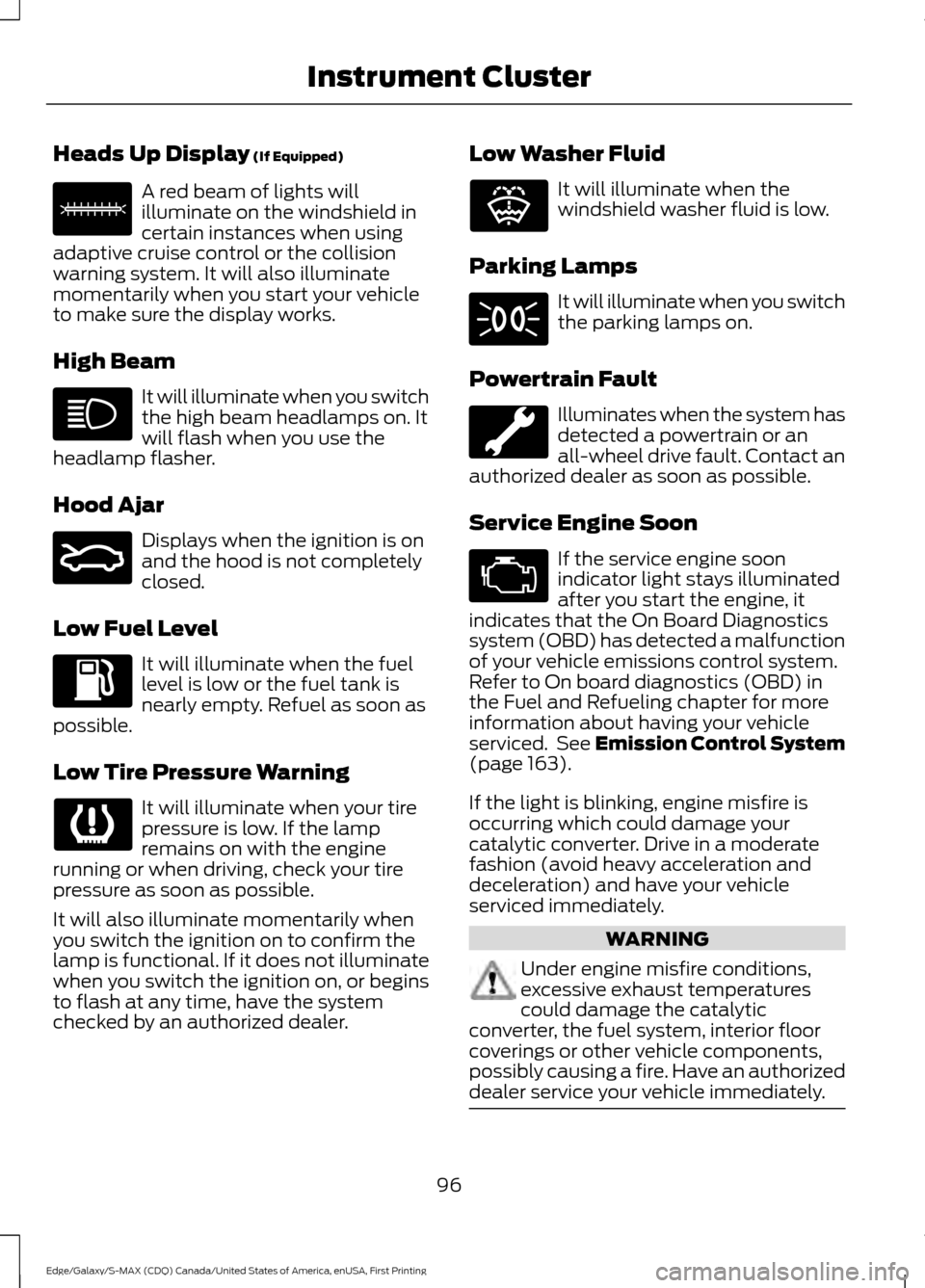
Heads Up Display (If Equipped)
A red beam of lights will
illuminate on the windshield in
certain instances when using
adaptive cruise control or the collision
warning system. It will also illuminate
momentarily when you start your vehicle
to make sure the display works.
High Beam It will illuminate when you switch
the high beam headlamps on. It
will flash when you use the
headlamp flasher.
Hood Ajar Displays when the ignition is on
and the hood is not completely
closed.
Low Fuel Level It will illuminate when the fuel
level is low or the fuel tank is
nearly empty. Refuel as soon as
possible.
Low Tire Pressure Warning It will illuminate when your tire
pressure is low. If the lamp
remains on with the engine
running or when driving, check your tire
pressure as soon as possible.
It will also illuminate momentarily when
you switch the ignition on to confirm the
lamp is functional. If it does not illuminate
when you switch the ignition on, or begins
to flash at any time, have the system
checked by an authorized dealer. Low Washer Fluid It will illuminate when the
windshield washer fluid is low.
Parking Lamps It will illuminate when you switch
the parking lamps on.
Powertrain Fault Illuminates when the system has
detected a powertrain or an
all-wheel drive fault. Contact an
authorized dealer as soon as possible.
Service Engine Soon If the service engine soon
indicator light stays illuminated
after you start the engine, it
indicates that the On Board Diagnostics
system (OBD) has detected a malfunction
of your vehicle emissions control system.
Refer to On board diagnostics (OBD) in
the Fuel and Refueling chapter for more
information about having your vehicle
serviced. See Emission Control System
(page
163).
If the light is blinking, engine misfire is
occurring which could damage your
catalytic converter. Drive in a moderate
fashion (avoid heavy acceleration and
deceleration) and have your vehicle
serviced immediately. WARNING
Under engine misfire conditions,
excessive exhaust temperatures
could damage the catalytic
converter, the fuel system, interior floor
coverings or other vehicle components,
possibly causing a fire. Have an authorized
dealer service your vehicle immediately. 96
Edge/Galaxy/S-MAX (CDQ) Canada/United States of America, enUSA, First Printing Instrument ClusterE156133 E159324 E132353
Page 103 of 451
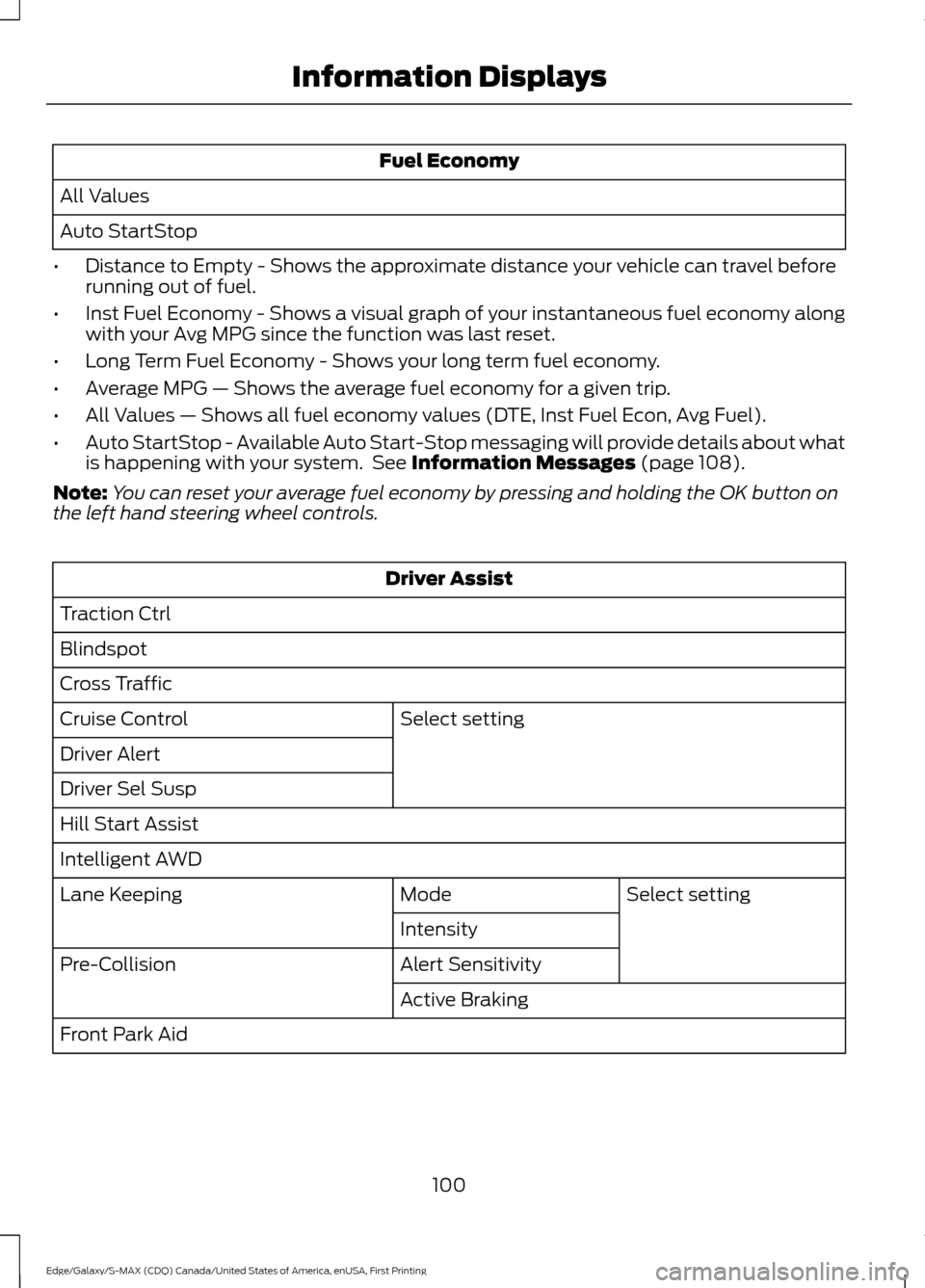
Fuel Economy
All Values
Auto StartStop
• Distance to Empty - Shows the approximate distance your vehicle can travel before
running out of fuel.
• Inst Fuel Economy - Shows a visual graph of your instantaneous fuel economy along
with your Avg MPG since the function was last reset.
• Long Term Fuel Economy - Shows your long term fuel economy.
• Average MPG — Shows the average fuel economy for a given trip.
• All Values — Shows all fuel economy values (DTE, Inst Fuel Econ, Avg Fuel).
• Auto StartStop - Available Auto Start-Stop messaging will provide details about what
is happening with your system. See Information Messages (page 108).
Note: You can reset your average fuel economy by pressing and holding the OK button on
the left hand steering wheel controls. Driver Assist
Traction Ctrl
Blindspot
Cross Traffic Select setting
Cruise Control
Driver Alert
Driver Sel Susp
Hill Start Assist
Intelligent AWD
Select setting
Mode
Lane Keeping
Intensity
Alert Sensitivity
Pre-Collision
Active Braking
Front Park Aid
100
Edge/Galaxy/S-MAX (CDQ) Canada/United States of America, enUSA, First Printing Information Displays