sensor FORD EDGE 2018 Workshop Manual
[x] Cancel search | Manufacturer: FORD, Model Year: 2018, Model line: EDGE, Model: FORD EDGE 2018Pages: 557, PDF Size: 7.02 MB
Page 311 of 557
•
After sealant use, an authorized Ford
dealer must replace the tire pressure
monitoring system sensor and valve
stem on the wheel.
• Operating the kit could cause an
electrical disturbance in radio, CD and
DVD player operation. * When inflation only is required
for a tire or other objects, the
selector must be in the Air
position.
What to do When a Tire Is
Punctured
You can repair a tire puncture within the
tire's tread area in two stages with the kit.
• In the first stage, inflate the tire with a
sealing compound and air. After you
inflate the tire, you will need to drive
the vehicle a short distance 4 mi
(6 km) to distribute the sealant in the
tire.
• In the second stage, check the tire
pressure and adjust, if necessary, to the
vehicle's specified tire inflation
pressure.
First Stage: Inflating the Tire with
Sealing Compound and Air WARNING:
Do not stand directly
over the kit while inflating the tire. If you
notice any unusual bulges or deformations
in the tire's sidewall during inflation, stop
and call roadside assistance. WARNING: If the tire does not inflate
to the recommended tire pressure within
15 minutes, stop and call roadside
assistance. WARNING:
Do not run the engine
when operating the air compressor unless
the vehicle is outdoors or in a
well-ventilated area.
Preparation: Park the vehicle in a safe, level
and secure area, away from moving traffic.
Switch the hazard lights on. Apply the
parking brake and switch the engine off.
Inspect the flat tire for visible damage.
Sealant compound contains latex. Use
appropriate precautions to avoid any
allergic reactions.
Do not remove any foreign object that has
pierced the tire. If a puncture is located in
the tire sidewall, stop and call roadside
assistance.
1. Remove the valve cap from the tire valve.
2. Unwrap the dual purpose hose (black tube) from the back of the compressor
housing.
3. Fasten the hose to the tire valve by turning the connector clockwise.
Tighten the connection securely.
308
Edge (CDQ) Canada/United States of America, enUSA, Edition date: 201706, Third-Printing- Wheels and TiresE175978
Page 330 of 557
•
Make sure that you have the
correct tire and wheel size.
• Lubricate the tire bead and
wheel bead seat area again.
• Stand at a minimum of 12 ft
(3.66 m) away from the wheel
and tire assembly.
• Use both eye and ear
protection. WARNING:
For a mounting
pressure more than 20 psi
(1.38 bar) greater than the
maximum pressure, a Ford dealer
or other tire service professional
should do the mounting. WARNING:
Always inflate
steel carcass tires with a remote
air fill with the person inflating
standing at a minimum of
12 ft
(3.66 m) away from the wheel
and tire assembly.
Important: Remember to replace
the wheel valve stems when the
road tires are replaced on your
vehicle.
The two front tires or two rear tires
should generally be replaced as a
pair.
The tire pressure sensors mounted
in the wheels (originally installed
on your vehicle) are not designed
to be used in aftermarket wheels. The use of wheels or tires not
recommended by Ford Motor
Company may affect the
operation of your tire pressure
monitoring system.
If the tire pressure monitoring
system indicator is flashing, the
system is malfunctioning. Your
replacement tire might be
incompatible with your tire
pressure monitoring system, or
some component of the system
may be damaged.
Safety Practices
WARNING:
If your vehicle is
stuck in snow, mud or sand, do not
rapidly spin the tires; spinning the
tires can tear the tire and cause
an explosion. A tire can explode in
as little as three to five seconds. WARNING:
Do not spin the
wheels at over 34 mph (55 km/h).
The tires may fail and injure a
passenger or bystander.
Driving habits have a great deal
to do with your tire mileage and
safety.
*Observe posted speed limits
*Avoid fast starts, stops and turns
*Avoid potholes and objects on
the road
*Do not run over curbs or hit the
tire against a curb when parking
327
Edge (CDQ) Canada/United States of America, enUSA, Edition date: 201706, Third-Printing- Wheels and Tires
Page 333 of 557
The tires on your vehicle may have
all-weather treads to provide traction in
rain and snow. However, in some climates,
you may need to use snow tires and cables.
Your vehicle may not be compatible with
snow chain or cable usage with the
factory-fitted wheels and tires.
Follow these guidelines when using snow
tires and traction device:
•
If possible, avoid fully loading your
vehicle.
• Purchase chains or cables from a
manufacturer that clearly labels body
to tire dimension restrictions.
• Use no larger than 10 mm cables or
chains ONLY on the front axle with
235/60R18 tires. Do not use chains or
cables on any other size tires.
• The snow chains or cables must be
mounted in pairs on the front axle.
• When driving with tire cables, do not
exceed 30 mph (48 km/h) or the
maximum speed recommended by the
chain manufacturer, whichever is less.
• Drive cautiously. If you hear the cables
rub or bang against the vehicle, stop
and re-tighten them. If this does not
work, remove the cables to prevent
vehicle damage.
• Remove the cables when you no longer
need them. Do not use cables on dry
roads.
• If a temporary spare tire is mounted on
your vehicle, do not use snow chains
on the axle with the temporary spare
tire.
If you have any questions regarding snow
chains or cables, please contact an
authorized dealer. TIRE PRESSURE MONITORING
SYSTEM WARNING:
The tire pressure
monitoring system is not a substitute for
manually checking tire pressures. You
should periodically check tire pressures
using a pressure gauge. Failure to correctly
maintain tire pressures could increase the
risk of tire failure, loss of control, vehicle
rollover and personal injury.
Note: You should only use tire sealants in
roadside emergencies as they may cause
damage to the tire pressure monitoring
system sensor.
Note: If the tire pressure monitoring system
sensor becomes damaged, it may not
function. Each tire, including the spare (if
provided), should be checked
monthly when cold and inflated
to the inflation pressure recommended by
the vehicle manufacturer on the vehicle
placard or tire inflation pressure label. (If
your vehicle has tires of a different size
than the size indicated on the vehicle
placard or tire inflation pressure label, you
should determine the proper tire inflation
pressure for those tires).
As an added safety feature, your vehicle
has been equipped with a Tire Pressure
Monitoring System (TPMS) that
illuminates a low tire pressure telltale
when one or more of your tires is
significantly under-inflated. Accordingly,
when the low tire pressure telltale
illuminates, you should stop and check
your tires as soon as possible, and inflate
330
Edge (CDQ) Canada/United States of America, enUSA, Edition date: 201706, Third-Printing- Wheels and Tires
Page 334 of 557
them to the proper pressure. Driving on a
significantly under-inflated tire causes the
tire to overheat and can lead to tire failure.
Under-inflation also reduces fuel efficiency
and tire tread life, and may affect the
vehicle
’s handling and stopping ability.
Please note that the TPMS is not a
substitute for proper tire maintenance, and
it is the driver ’s responsibility to maintain
correct tire pressure, even if under-inflation
has not reached the level to trigger
illumination of the TPMS low tire pressure
telltale.
Your vehicle has also been equipped with
a TPMS malfunction indicator to indicate
when the system is not operating properly.
The TPMS malfunction indicator is
combined with the low tire pressure
telltale. When the system detects a
malfunction, the telltale will flash for
approximately one minute and then remain
continuously illuminated. This sequence
will continue upon subsequent vehicle
start-ups as long as the malfunction exists.
When the malfunction indicator is
illuminated, the system may not be able
to detect or signal low tire pressure as
intended. TPMS malfunctions may occur
for a variety of reasons, including the
installation of replacement or alternate
tires or wheels on the vehicle that prevent
the TPMS from functioning properly.
Always check the TPMS malfunction
telltale after replacing one or more tires or
wheels on your vehicle to ensure that the
replacement or alternate tires and wheels
allow the TPMS to continue to function
properly.
This device complies with Part 15 of the
FCC Rules and with License exempt RSS
Standards of Industry Canada. Operation
is subject to the following two conditions:
1. This device may not cause harmful interference, and 2. This device must accept any
interference received, including
interference that may cause undesired
operation.
Note: Changes or modifications not
expressively approved by the party
responsible for compliance could void the
user's authority to operate the equipment.
The term "IC:" before the radio certification
number only signifies that Industry Canada
technical specifications were met.
Changing Tires With a Tire
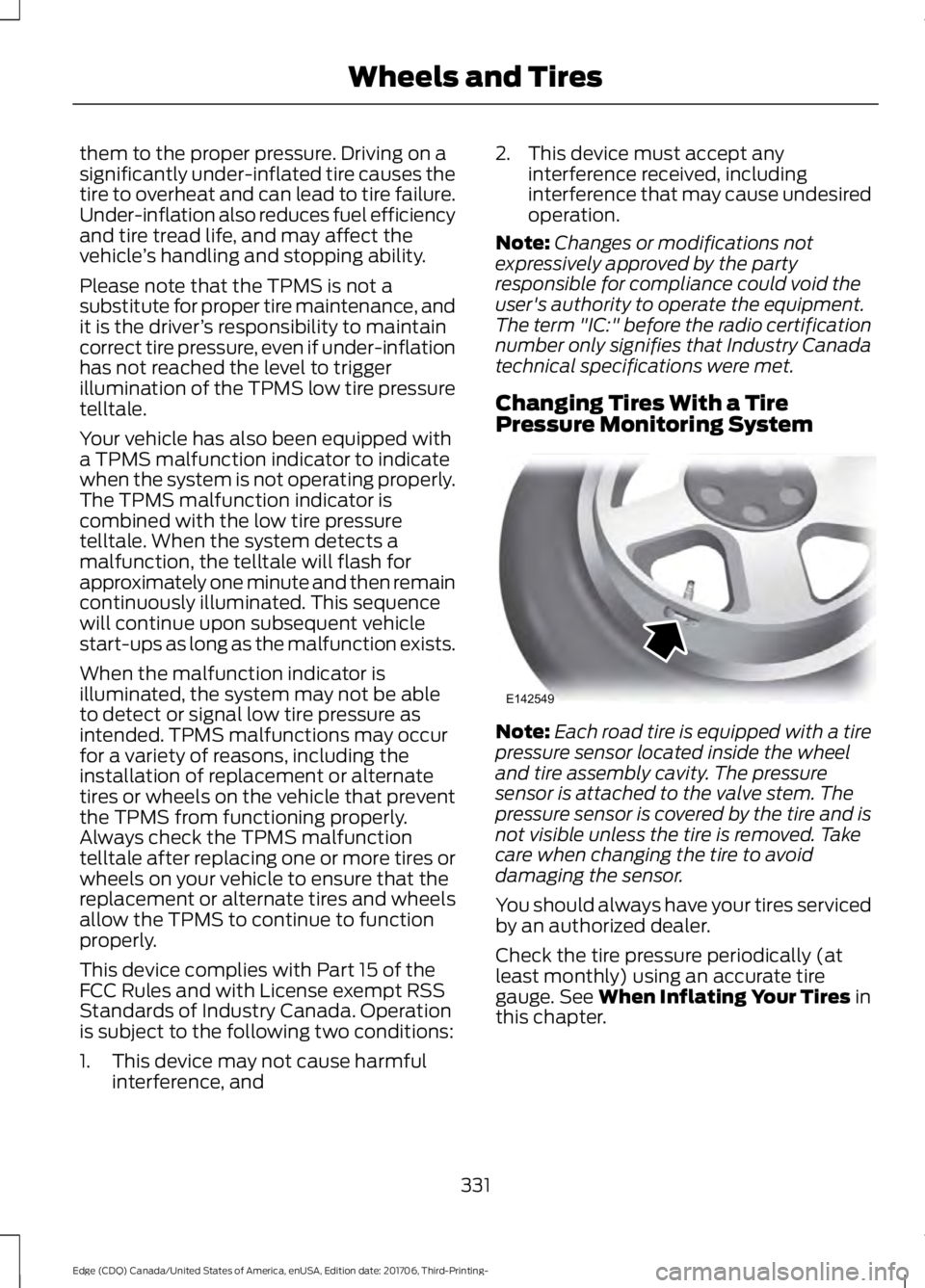
Pressure Monitoring System Note:
Each road tire is equipped with a tire
pressure sensor located inside the wheel
and tire assembly cavity. The pressure
sensor is attached to the valve stem. The
pressure sensor is covered by the tire and is
not visible unless the tire is removed. Take
care when changing the tire to avoid
damaging the sensor.
You should always have your tires serviced
by an authorized dealer.
Check the tire pressure periodically (at
least monthly) using an accurate tire
gauge. See When Inflating Your Tires in
this chapter.
331
Edge (CDQ) Canada/United States of America, enUSA, Edition date: 201706, Third-Printing- Wheels and TiresE142549
Page 337 of 557
How Temperature Affects Your Tire
Pressure
The tire pressure monitoring system
monitors tire pressure in each pneumatic
tire. While driving in a normal manner, a
typical passenger tire inflation pressure
may increase about 2
–4 psi (14– 28 kPa)
from a cold start situation. If the vehicle is
stationary overnight with the outside
temperature significantly lower than the
daytime temperature, the tire pressure may
decrease about 3 psi (21 kPa) for a drop of
30°F (17°C) in ambient temperature. This
lower pressure value may be detected by
the tire pressure monitoring system as
being significantly lower than the
recommended inflation pressure and
activate the system warning light for low
tire pressure. If the low tire pressure
warning light is on, visually check each tire
to verify that no tire is flat. If one or more
tires are flat, repair as necessary. Check
the air pressure in the road tires. If any tire
is under-inflated, carefully drive the vehicle
to the nearest location where air can be
added to the tires. Inflate all the tires to
the recommended inflation pressure.
CHANGING A ROAD WHEEL WARNING:
Do not use tire sealants
as they may damage the tire pressure
monitoring system. WARNING:
If the tire pressure
monitor sensor becomes damaged it may
not function. Note:
The use of tire sealant may damage
your tire pressure monitoring system and
should only be used in roadside
emergencies. If you must use a sealant, the
Ford Tire Mobility Kit sealant should be
used. The tire pressure monitoring system
sensor and valve stem on the wheel must
be replaced by an authorized dealer after
use of the sealant.
Note: The tire pressure monitoring system
indicator light will illuminate when the spare
tire is in use. To restore the full function of
the monitoring system, all road wheels
equipped with tire pressure monitoring
sensors must be mounted on the vehicle.
If you get a flat tire while driving, do not
apply the brake heavily. Instead, gradually
decrease your speed. Hold the steering
wheel firmly and slowly move to a safe
place on the side of the road.
Have a flat serviced by an authorized
dealer in order to prevent damage to the
tire pressure monitoring system sensors.
See
Tire Pressure Monitoring System
(page 330). Replace the spare tire with a
road tire as soon as possible. During
repairing or replacing of the flat tire, have
an authorized dealer inspect the tire
pressure monitoring system sensor for
damage.
Dissimilar Spare Wheel and Tire
Assembly Information WARNING:
Failure to follow these
guidelines could result in an increased risk
of loss of vehicle control, injury or death.
334
Edge (CDQ) Canada/United States of America, enUSA, Edition date: 201706, Third-Printing- Wheels and Tires
Page 397 of 557
To Access Using Voice Commands
Press the voice button then when prompted say:
Action and Description
Menu Item
Say the name of the application after the tone.
The app should start. When an app is running through SYNC, you can press the voice button and speak commands specific to the app, for example "Play Playlist Road Trip".
mobile (apps |
applications)
Use this command to discover the available voice commands.
help
SYNC Mobile App Voice Commands
The following voice commands are always available: Action and Description
Menu Item
SYNC prompts you to say the name of an
app to start it on SYNC.
mobile (apps | applications)
SYNC lists all of the currently available
mobile apps.
list [mobile] (apps | applications)
Searches your connected mobile device for
SYNC-compatible mobile apps.
find [new] [mobile] (apps | applications)
help
You can say the name of a mobile app at any time to start the mobile app on SYNC.
App Permissions
App permissions are organized by groups.
You can grant these group permissions
individually. You can change a permission
group status any time when not driving, by
using the settings menu. When you launch an app using SYNC, the
system may ask you to grant certain
permissions, for example:
•
To allow your vehicle to provide vehicle
information to the app such as, but not
limited to: Fuel level, fuel economy, fuel
consumption, engine speed, rain
sensor, odometer, VIN, external
temperature, gear position, tire
pressure, and head lamp status.
• To allow your vehicle to provide driving
characteristic information such as, but
not limited to: MyKey, seat belt status,
engine revolutions per minute, gear
position, braking events, steering wheel
angle, and accelerator pedal position.
394
Edge (CDQ) Canada/United States of America, enUSA, Edition date: 201706, Third-Printing- SYNC™ (If Equipped)
Page 495 of 557
For a complete listing of the accessories
that are available for your vehicle, please
contact your authorized dealer or visit the
online store web site:
Web Address (United States)
www.Accessories.Ford.com Web Address (Canada)
www.Accessories.Ford.ca
Ford Motor Company will repair or replace
any properly authorized dealer-installed
Ford Original Accessory found to be
defective in factory-supplied materials or
workmanship during the warranty period,
as well as any component damaged by the
defective accessories.
Ford Motor Company warrants your
vehicle's accessory through the warranty
that provides the greatest benefit:
• 24 months, unlimited mileage.
• The remainder of your new vehicle
limited warranty.
Contact an authorized dealer for details
and a copy of the warranty.
Exterior Style
• Hood protector.
• Side window deflectors*.
• Splash guards.
Interior Style
• Ambient lighting.
• Floor liners.
• Floor mats.
• Rear seat entertainment system*. Lifestyle
•
Ash cup or coin holder.
• Cargo organization and management.
• Cross bars*.
• In-vehicle safe.
• Roof rack and carriers*.
• SUV camping tent*.
• Tablet cradle.
• Trailer hitches, wiring harnesses and
accessories.
Peace of Mind
• Bumper protector.
• Car cover*.
• Cargo area protector.
• Cargo security shade.
• Keyless entry keypad.
• Remote start.
• Roadside assistance kit.
• Vehicle security.
• Warning sensor system.
• Wheel locks.
*Ford Licensed Accessory. The accessory
manufacturer designs, develops and
therefore warrants Ford Licensed
Accessories, and does not design or test
these accessories to Ford Motor Company
engineering requirements. Contact an
authorized Ford dealer for the accessory
manufacturer's limited warranty details
and request a copy of the Ford Licensed
Accessories product limited warranty from
the accessory manufacturer.
492
Edge (CDQ) Canada/United States of America, enUSA, Edition date: 201706, Third-Printing- Accessories
Page 548 of 557
Child Safety........................................................17
General Information............................................. 17
Child Safety Locks.........................................30 Left-Hand Side....................................................... 31
Right-Hand Side.................................................... 31
Cleaning Leather Seats
............................300
Cleaning Products.......................................296
Materials............................................................... 296
Cleaning the Engine...................................298
Cleaning the Exterior..................................296 Cleaning the Headlamps................................ 297
Exterior Chrome Parts...................................... 297
Exterior Plastic Parts......................................... 297
Stripes or Graphics............................................ 297
Underbody............................................................ 297
Under Hood.......................................................... 297
Cleaning the Instrument Panel and Instrument Cluster Lens........................299
Cleaning the Interior...................................299 Mirrors.................................................................... 299
Cleaning the Wheels...................................301
Cleaning the Windows and Wiper Blades
...........................................................298
Clearing All MyKeys.......................................59
Climate............................................................444
Climate Control
.............................................128
Climate Controlled Seats..........................149 Cooled Seats........................................................ 149
Cold Weather Precautions.......................246
Coolant Check See: Engine Coolant Check............................ 279
Crash Sensors and Airbag Indicator.......49
Creating a MyKey
...........................................58
Programming and Changing Configurable
Settings............................................................... 58
Cross Traffic Alert
........................................223
Blocked Sensors................................................. 225
Switching the System Off and On...............225
System Errors...................................................... 225
System Lights, Messages and Audible Alerts.................................................................. 225
System Limitations........................................... 225
Using the Cross Traffic Alert System..........223
Cruise Control
.................................................80
Principle of Operation..................................... 209
Type One................................................................. 80
Type Two................................................................ 80Cruise control
See: Using Cruise Control.............................. 209
Customer Assistance
.................................253
D
Data Recording
..................................................9
Event Data Recording.......................................... 10
Service Data Recording........................................ 9
Daytime Running Lamps
.............................87
Type One - Conventional
(Non-Configurable)........................................ 87
Type Two - Configurable................................... 87
Digital Radio
..................................................369
HD Radio Reception and Station
Troubleshooting............................................ 370
Direction Indicators
.......................................89
Doors and Locks.............................................63
Drive Control
.................................................230
Adaptive Steering.............................................. 230
Driver Alert
......................................................216
PRINCIPLE OF OPERATION........................... 216
USING DRIVER ALERT...................................... 216
Driver and Passenger Airbags....................43 Children and Airbags.......................................... 44
Proper Driver and Front Passenger Seating Adjustment........................................................ 43
Driver and Passenger Knee Airbags.........47
Driving Aids
.....................................................216
Driving Hints..................................................246
Driving Through Water...............................246
DRL See: Daytime Running Lamps......................... 87
E
Economical Driving
.....................................246
Electric Parking Brake.................................187 Applying the Electric Parking brake.............187
Battery With No Charge................................... 189
Releasing the Electric Parking Brake..........188
Electromagnetic Compatibility...............514
Emission Law
..................................................173
Noise Emissions Warranty, Prohibited
Tampering Acts and Maintenance..........174
Tampering With a Noise Control System............................................................... 173
545
Edge (CDQ) Canada/United States of America, enUSA, Edition date: 201706, Third-Printing- Index
Page 555 of 557
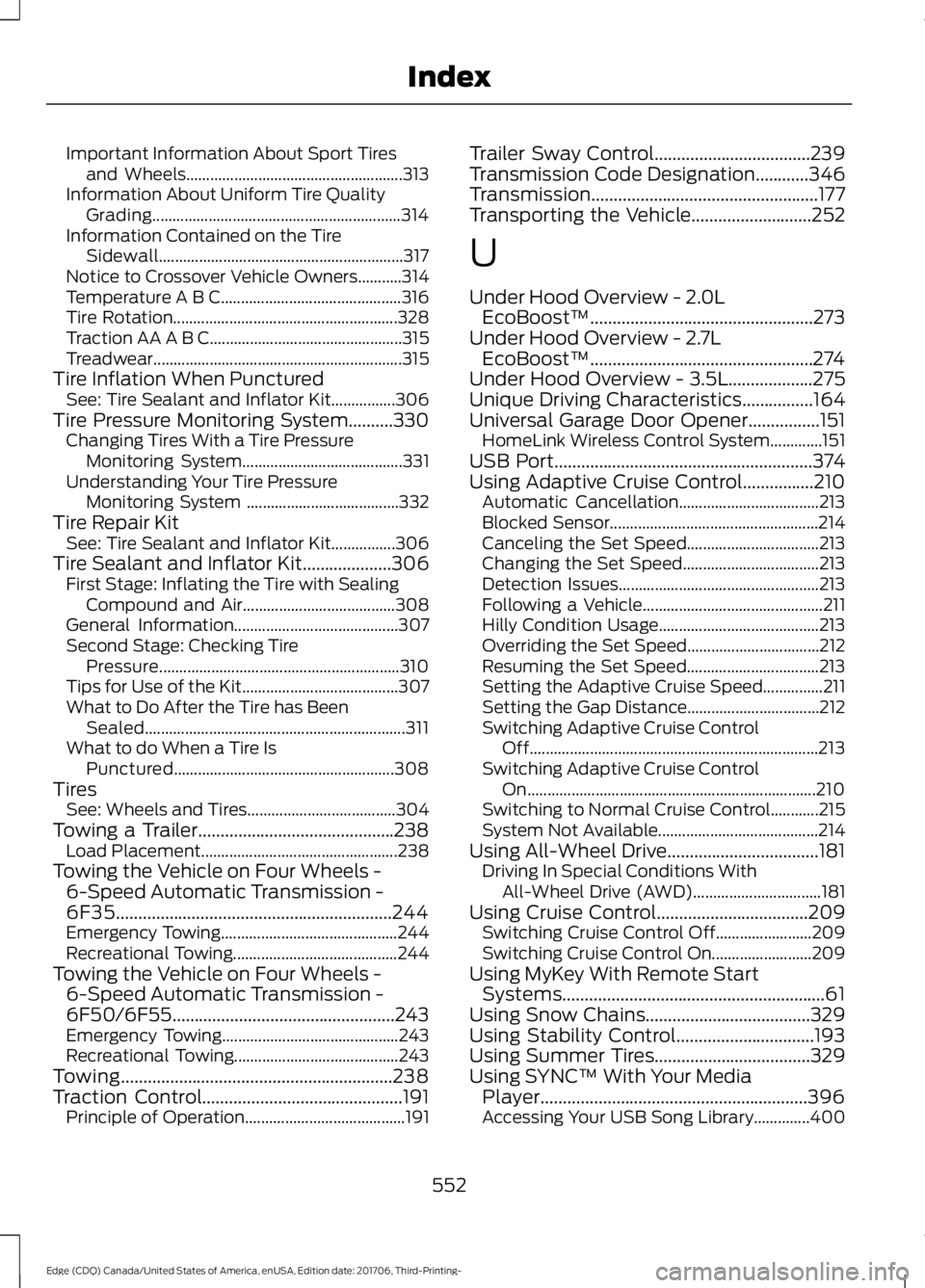
Important Information About Sport Tires
and Wheels...................................................... 313
Information About Uniform Tire Quality Grading.............................................................. 314
Information Contained on the Tire Sidewall............................................................. 317
Notice to Crossover Vehicle Owners...........314
Temperature A B C............................................. 316
Tire Rotation........................................................ 328
Traction AA A B C................................................ 315
Treadwear.............................................................. 315
Tire Inflation When Punctured See: Tire Sealant and Inflator Kit................306
Tire Pressure Monitoring System..........330 Changing Tires With a Tire Pressure
Monitoring System........................................ 331
Understanding Your Tire Pressure Monitoring System ...................................... 332
Tire Repair Kit See: Tire Sealant and Inflator Kit................306
Tire Sealant and Inflator Kit....................306 First Stage: Inflating the Tire with Sealing
Compound and Air...................................... 308
General Information......................................... 307
Second Stage: Checking Tire Pressure............................................................ 310
Tips for Use of the Kit....................................... 307
What to Do After the Tire has Been Sealed................................................................. 311
What to do When a Tire Is Punctured....................................................... 308
Tires See: Wheels and Tires..................................... 304
Towing a Trailer............................................238 Load Placement................................................. 238
Towing the Vehicle on Four Wheels - 6-Speed Automatic Transmission -
6F35..............................................................244
Emergency Towing............................................ 244
Recreational Towing......................................... 244
Towing the Vehicle on Four Wheels - 6-Speed Automatic Transmission -
6F50/6F55..................................................243
Emergency Towing............................................ 243
Recreational Towing......................................... 243
Towing.............................................................238
Traction Control.............................................191
Principle of Operation........................................ 191Trailer Sway Control...................................239
Transmission Code Designation
............346
Transmission...................................................177
Transporting the Vehicle...........................252
U
Under Hood Overview - 2.0L EcoBoost™..................................................273
Under Hood Overview - 2.7L EcoBoost™..................................................274
Under Hood Overview - 3.5L...................275
Unique Driving Characteristics
................164
Universal Garage Door Opener................151 HomeLink Wireless Control System.............151
USB Port
..........................................................374
Using Adaptive Cruise Control................210 Automatic Cancellation................................... 213
Blocked Sensor.................................................... 214
Canceling the Set Speed................................. 213
Changing the Set Speed.................................. 213
Detection Issues.................................................. 213
Following a Vehicle............................................. 211
Hilly Condition Usage........................................ 213
Overriding the Set Speed................................. 212
Resuming the Set Speed................................. 213
Setting the Adaptive Cruise Speed...............211
Setting the Gap Distance................................. 212
Switching Adaptive Cruise Control Off........................................................................\
213
Switching Adaptive Cruise Control On........................................................................\
210
Switching to Normal Cruise Control............215
System Not Available........................................ 214
Using All-Wheel Drive..................................181 Driving In Special Conditions With
All-Wheel Drive (AWD)................................ 181
Using Cruise Control
..................................209
Switching Cruise Control Off........................209
Switching Cruise Control On......................... 209
Using MyKey With Remote Start Systems...........................................................61
Using Snow Chains.....................................329
Using Stability Control...............................193
Using Summer Tires...................................329
Using SYNC™ With Your Media Player............................................................396
Accessing Your USB Song Library..............400
552
Edge (CDQ) Canada/United States of America, enUSA, Edition date: 201706, Third-Printing- Index