rear door FORD EDGE 2019 User Guide
[x] Cancel search | Manufacturer: FORD, Model Year: 2019, Model line: EDGE, Model: FORD EDGE 2019Pages: 547, PDF Size: 40.86 MB
Page 71 of 547
From the Instrument Panel
With the transmission in park
(P), press the button on the
instrument panel.
Remote Control Press the button twice within
three seconds.
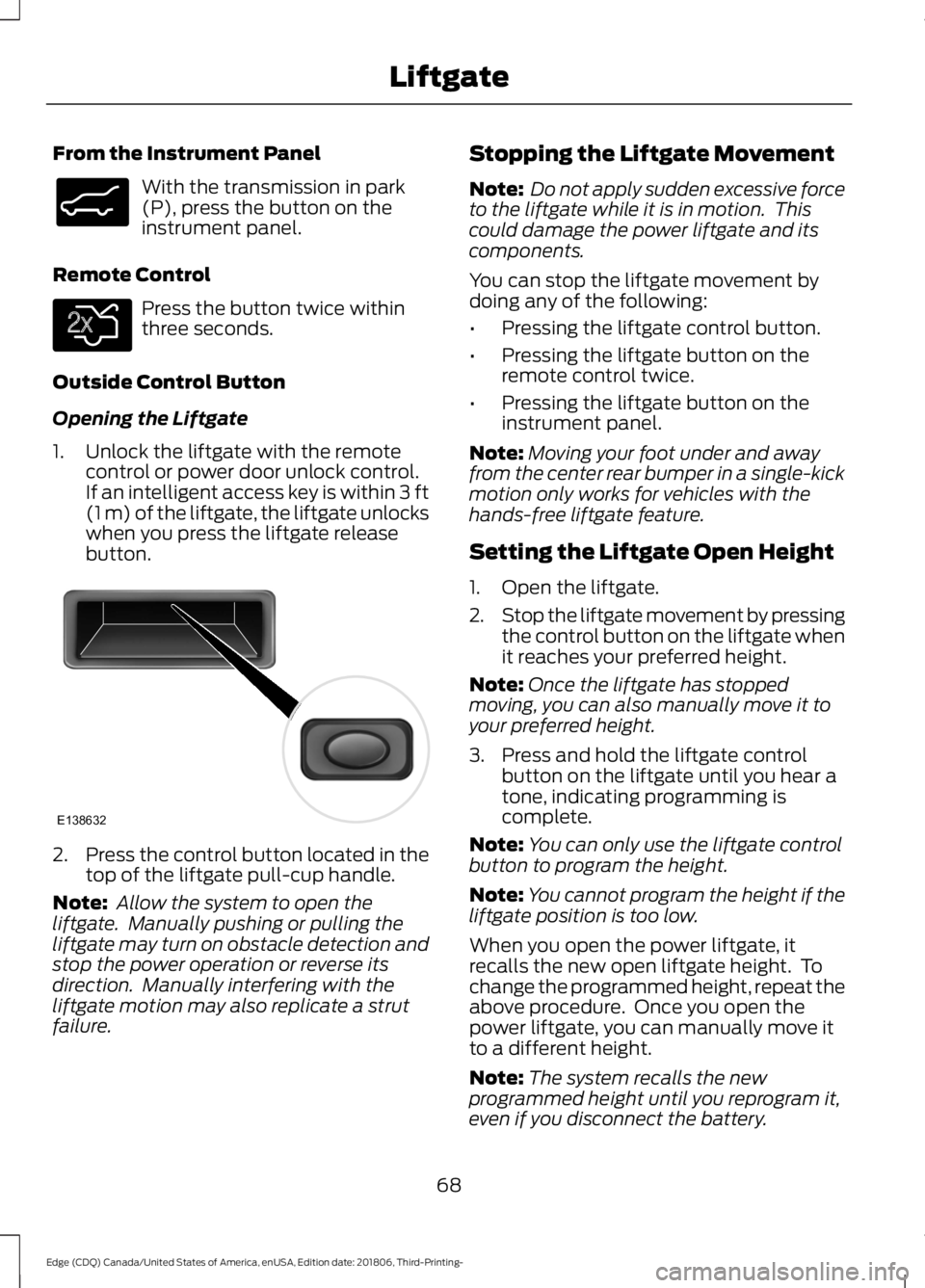
Outside Control Button
Opening the Liftgate
1. Unlock the liftgate with the remote control or power door unlock control.
If an intelligent access key is within 3 ft
(1 m) of the liftgate, the liftgate unlocks
when you press the liftgate release
button. 2.
Press the control button located in the
top of the liftgate pull-cup handle.
Note: Allow the system to open the
liftgate. Manually pushing or pulling the
liftgate may turn on obstacle detection and
stop the power operation or reverse its
direction. Manually interfering with the
liftgate motion may also replicate a strut
failure. Stopping the Liftgate Movement
Note:
Do not apply sudden excessive force
to the liftgate while it is in motion. This
could damage the power liftgate and its
components.
You can stop the liftgate movement by
doing any of the following:
• Pressing the liftgate control button.
• Pressing the liftgate button on the
remote control twice.
• Pressing the liftgate button on the
instrument panel.
Note: Moving your foot under and away
from the center rear bumper in a single-kick
motion only works for vehicles with the
hands-free liftgate feature.
Setting the Liftgate Open Height
1. Open the liftgate.
2. Stop the liftgate movement by pressing
the control button on the liftgate when
it reaches your preferred height.
Note: Once the liftgate has stopped
moving, you can also manually move it to
your preferred height.
3. Press and hold the liftgate control button on the liftgate until you hear a
tone, indicating programming is
complete.
Note: You can only use the liftgate control
button to program the height.
Note: You cannot program the height if the
liftgate position is too low.
When you open the power liftgate, it
recalls the new open liftgate height. To
change the programmed height, repeat the
above procedure. Once you open the
power liftgate, you can manually move it
to a different height.
Note: The system recalls the new
programmed height until you reprogram it,
even if you disconnect the battery.
68
Edge (CDQ) Canada/United States of America, enUSA, Edition date: 201806, Third-Printing- LiftgateE138633 E138630 E138632
Page 72 of 547
When operating the power liftgate after
you have programmed a lower height than
fully open, you can fully open the liftgate
by manually pushing it upward to the
maximum open position.
Obstacle Detection
When Closing
The system stops when it detects an
obstacle. A tone sounds and the system
reverses to open. Once you remove the
obstacle, you can power close the liftgate.
Note:
Entering your vehicle while the
liftgate is closing can cause your vehicle to
bounce and activate obstacle detection. To
prevent this, let the power liftgate close
completely before you enter your vehicle.
Before driving off, check the instrument
cluster for a liftgate or door ajar message or
warning indicator. Failure to do this could
result in unintentionally leaving the liftgate
open while driving.
When Opening
The system stops when it detects an
obstacle and a tone sounds. Once you
remove the obstacle, you can continue to
operate the liftgate.
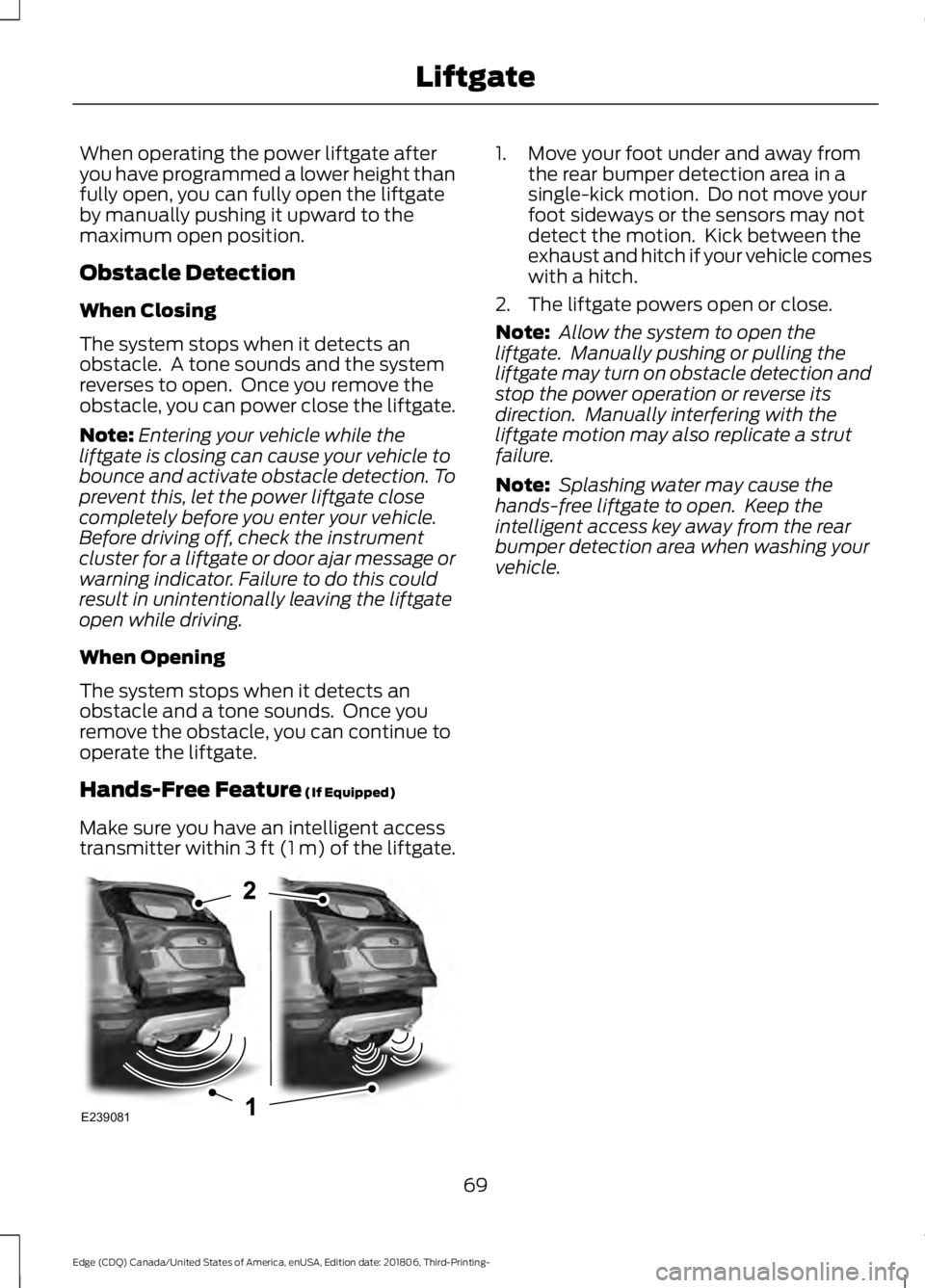
Hands-Free Feature (If Equipped)
Make sure you have an intelligent access
transmitter within
3 ft (1 m) of the liftgate. 1. Move your foot under and away from
the rear bumper detection area in a
single-kick motion. Do not move your
foot sideways or the sensors may not
detect the motion. Kick between the
exhaust and hitch if your vehicle comes
with a hitch.
2. The liftgate powers open or close.
Note: Allow the system to open the
liftgate. Manually pushing or pulling the
liftgate may turn on obstacle detection and
stop the power operation or reverse its
direction. Manually interfering with the
liftgate motion may also replicate a strut
failure.
Note: Splashing water may cause the
hands-free liftgate to open. Keep the
intelligent access key away from the rear
bumper detection area when washing your
vehicle.
69
Edge (CDQ) Canada/United States of America, enUSA, Edition date: 201806, Third-Printing- LiftgateE239081
Page 84 of 547
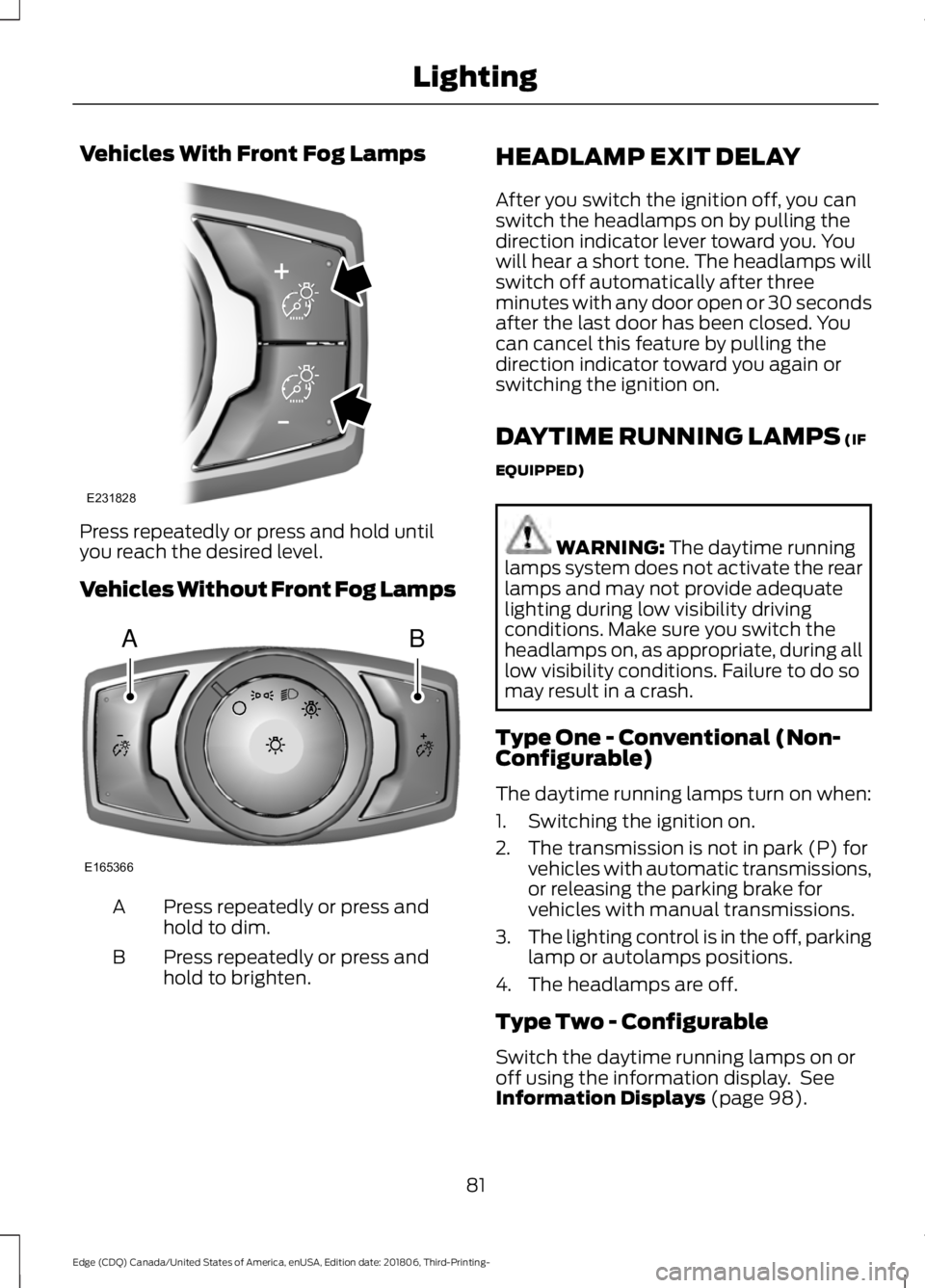
Vehicles With Front Fog Lamps
Press repeatedly or press and hold until
you reach the desired level.
Vehicles Without Front Fog Lamps
Press repeatedly or press and
hold to dim.
A
Press repeatedly or press and
hold to brighten.
B HEADLAMP EXIT DELAY
After you switch the ignition off, you can
switch the headlamps on by pulling the
direction indicator lever toward you. You
will hear a short tone. The headlamps will
switch off automatically after three
minutes with any door open or 30 seconds
after the last door has been closed. You
can cancel this feature by pulling the
direction indicator toward you again or
switching the ignition on.
DAYTIME RUNNING LAMPS (IF
EQUIPPED) WARNING:
The daytime running
lamps system does not activate the rear
lamps and may not provide adequate
lighting during low visibility driving
conditions. Make sure you switch the
headlamps on, as appropriate, during all
low visibility conditions. Failure to do so
may result in a crash.
Type One - Conventional (Non-
Configurable)
The daytime running lamps turn on when:
1. Switching the ignition on.
2. The transmission is not in park (P) for vehicles with automatic transmissions,
or releasing the parking brake for
vehicles with manual transmissions.
3. The lighting control is in the off, parking
lamp or autolamps positions.
4. The headlamps are off.
Type Two - Configurable
Switch the daytime running lamps on or
off using the information display. See
Information Displays
(page 98).
81
Edge (CDQ) Canada/United States of America, enUSA, Edition date: 201806, Third-Printing- LightingE231828 AB
E165366
Page 88 of 547
When the interior lamp function is on and
you open a door, the courtesy and door
lamps turn on.
Note:
The indicator lamp lights amber
when the door function is off.
Individual Map Lamps
Press a map lens to switch individual map
lamps on and off independently.
Rear Interior Lamps
The rear interior lamps may be above the
rear seat or above the rear windows. Press to switch the lamps on or
off.
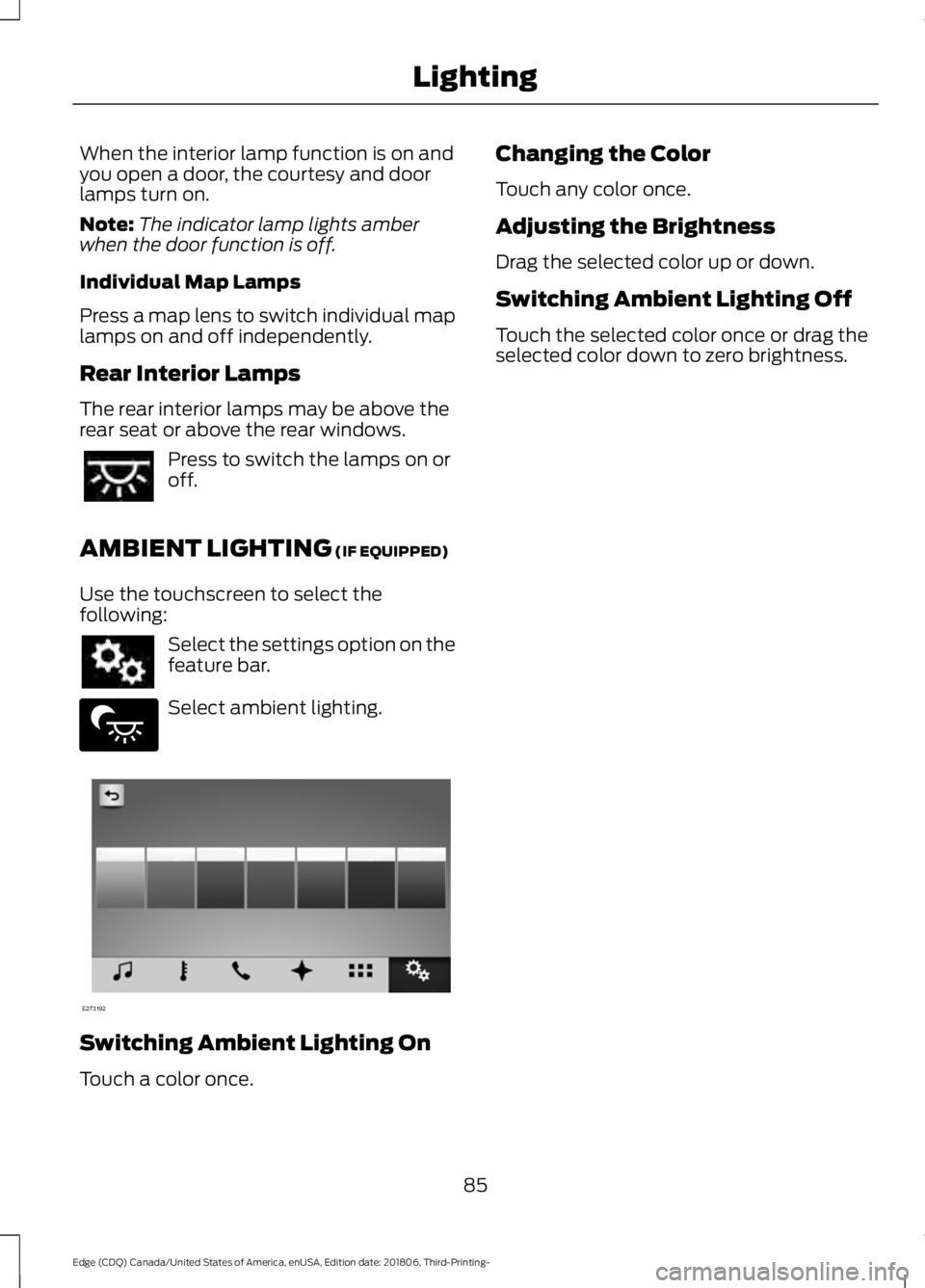
AMBIENT LIGHTING (IF EQUIPPED)
Use the touchscreen to select the
following: Select the settings option on the
feature bar.
Select ambient lighting.
Switching Ambient Lighting On
Touch a color once. Changing the Color
Touch any color once.
Adjusting the Brightness
Drag the selected color up or down.
Switching Ambient Lighting Off
Touch the selected color once or drag the
selected color down to zero brightness.
85
Edge (CDQ) Canada/United States of America, enUSA, Edition date: 201806, Third-Printing- Lighting E279027 E273192
Page 90 of 547
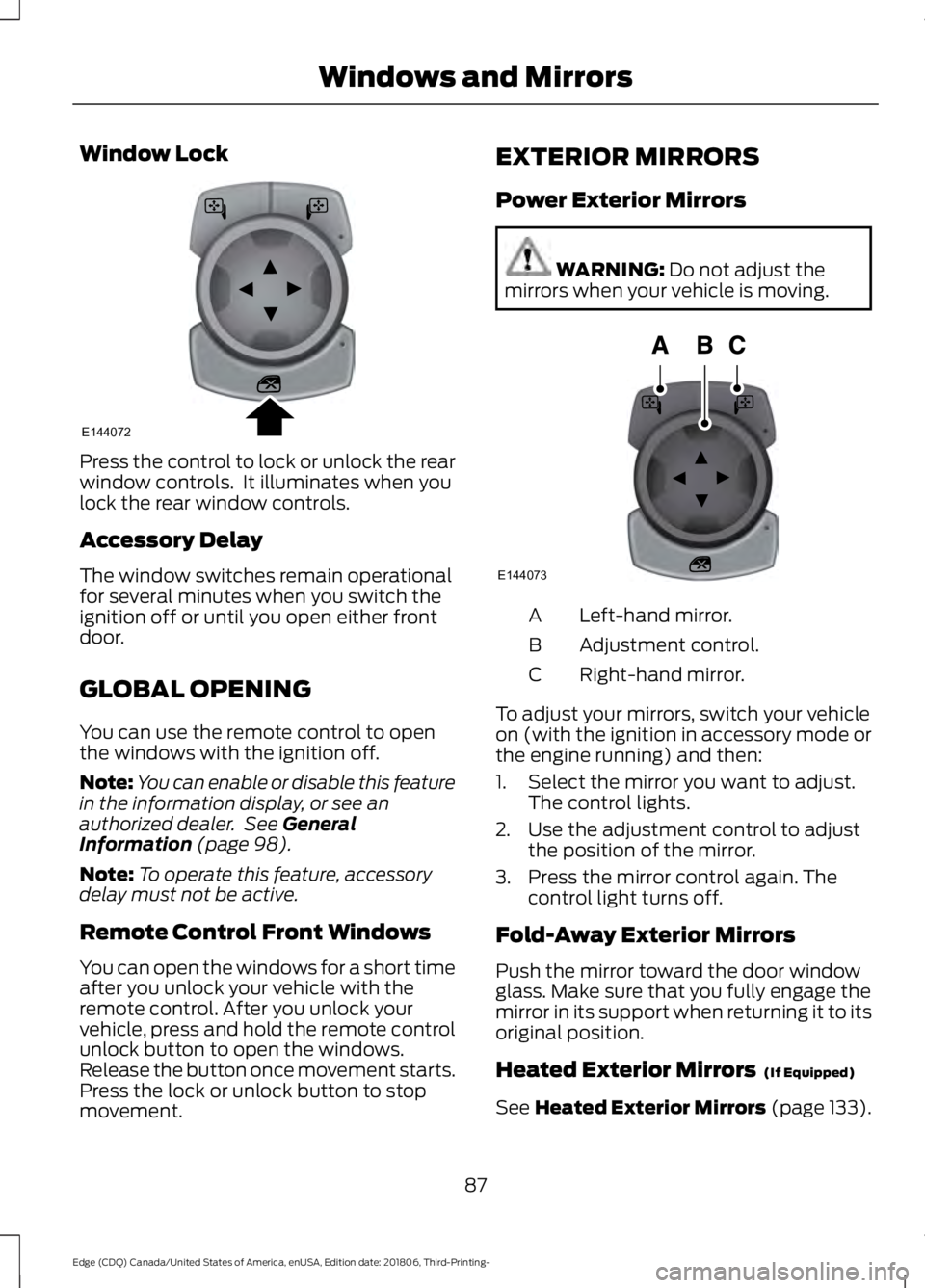
Window Lock
Press the control to lock or unlock the rear
window controls. It illuminates when you
lock the rear window controls.
Accessory Delay
The window switches remain operational
for several minutes when you switch the
ignition off or until you open either front
door.
GLOBAL OPENING
You can use the remote control to open
the windows with the ignition off.
Note:
You can enable or disable this feature
in the information display, or see an
authorized dealer. See General
Information (page 98).
Note: To operate this feature, accessory
delay must not be active.
Remote Control Front Windows
You can open the windows for a short time
after you unlock your vehicle with the
remote control. After you unlock your
vehicle, press and hold the remote control
unlock button to open the windows.
Release the button once movement starts.
Press the lock or unlock button to stop
movement. EXTERIOR MIRRORS
Power Exterior Mirrors WARNING:
Do not adjust the
mirrors when your vehicle is moving. Left-hand mirror.
A
Adjustment control.
B
Right-hand mirror.
C
To adjust your mirrors, switch your vehicle
on (with the ignition in accessory mode or
the engine running) and then:
1. Select the mirror you want to adjust. The control lights.
2. Use the adjustment control to adjust the position of the mirror.
3. Press the mirror control again. The control light turns off.
Fold-Away Exterior Mirrors
Push the mirror toward the door window
glass. Make sure that you fully engage the
mirror in its support when returning it to its
original position.
Heated Exterior Mirrors
(If Equipped)
See
Heated Exterior Mirrors (page 133).
87
Edge (CDQ) Canada/United States of America, enUSA, Edition date: 201806, Third-Printing- Windows and MirrorsE144072 E144073
Page 116 of 547
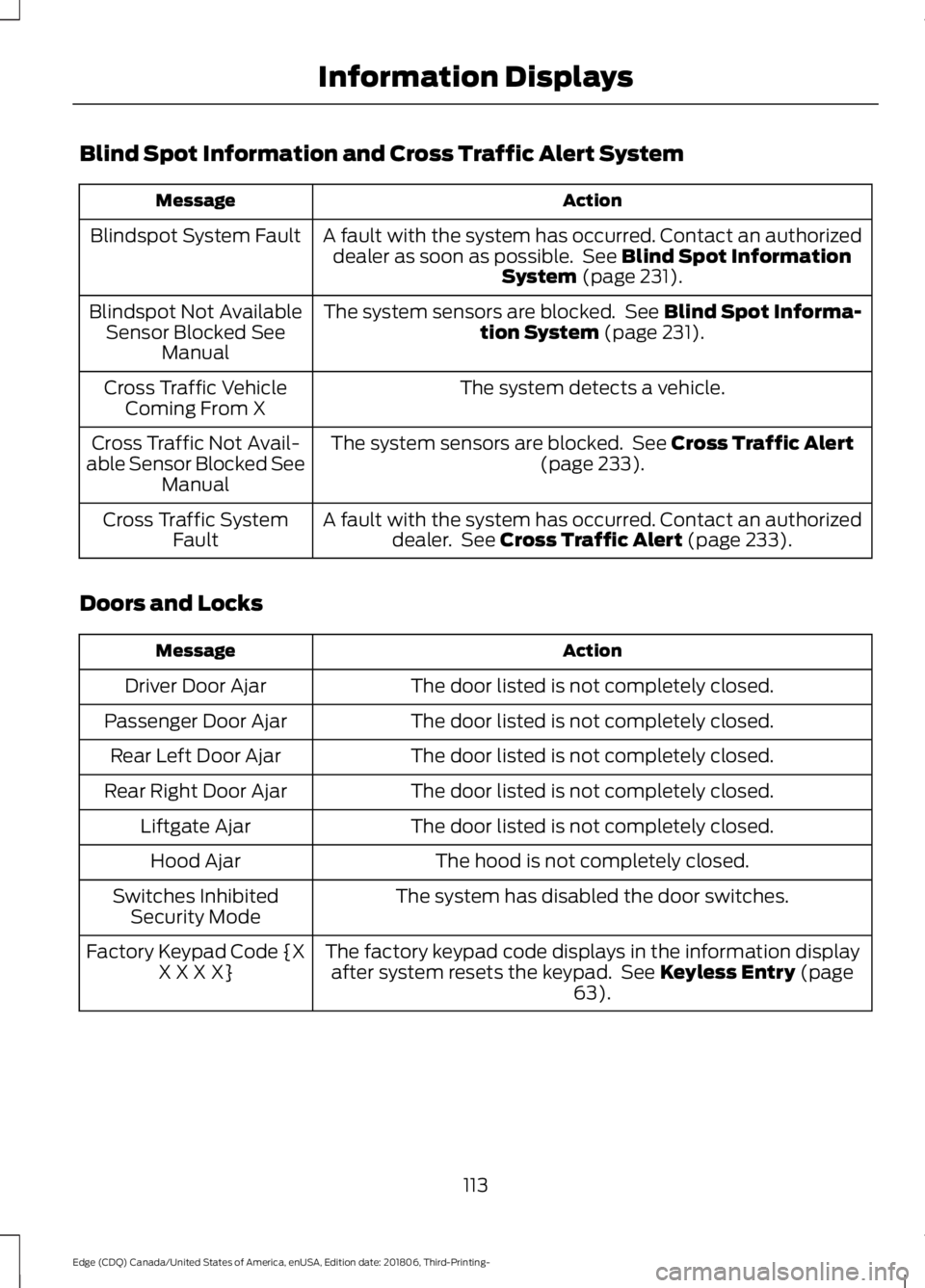
Blind Spot Information and Cross Traffic Alert System
Action
Message
A fault with the system has occurred. Contact an authorizeddealer as soon as possible. See Blind Spot Information
System (page 231).
Blindspot System Fault
The system sensors are blocked. See
Blind Spot Informa-
tion System (page 231).
Blindspot Not Available
Sensor Blocked See Manual
The system detects a vehicle.
Cross Traffic Vehicle
Coming From X
The system sensors are blocked. See
Cross Traffic Alert
(page 233).
Cross Traffic Not Avail-
able Sensor Blocked See Manual
A fault with the system has occurred. Contact an authorizeddealer. See
Cross Traffic Alert (page 233).
Cross Traffic System
Fault
Doors and Locks Action
Message
The door listed is not completely closed.
Driver Door Ajar
The door listed is not completely closed.
Passenger Door Ajar
The door listed is not completely closed.
Rear Left Door Ajar
The door listed is not completely closed.
Rear Right Door Ajar
The door listed is not completely closed.
Liftgate Ajar
The hood is not completely closed.
Hood Ajar
The system has disabled the door switches.
Switches Inhibited
Security Mode
The factory keypad code displays in the information displayafter system resets the keypad. See
Keyless Entry (page
63).
Factory Keypad Code {X
X X X X}
113
Edge (CDQ) Canada/United States of America, enUSA, Edition date: 201806, Third-Printing- Information Displays
Page 157 of 547
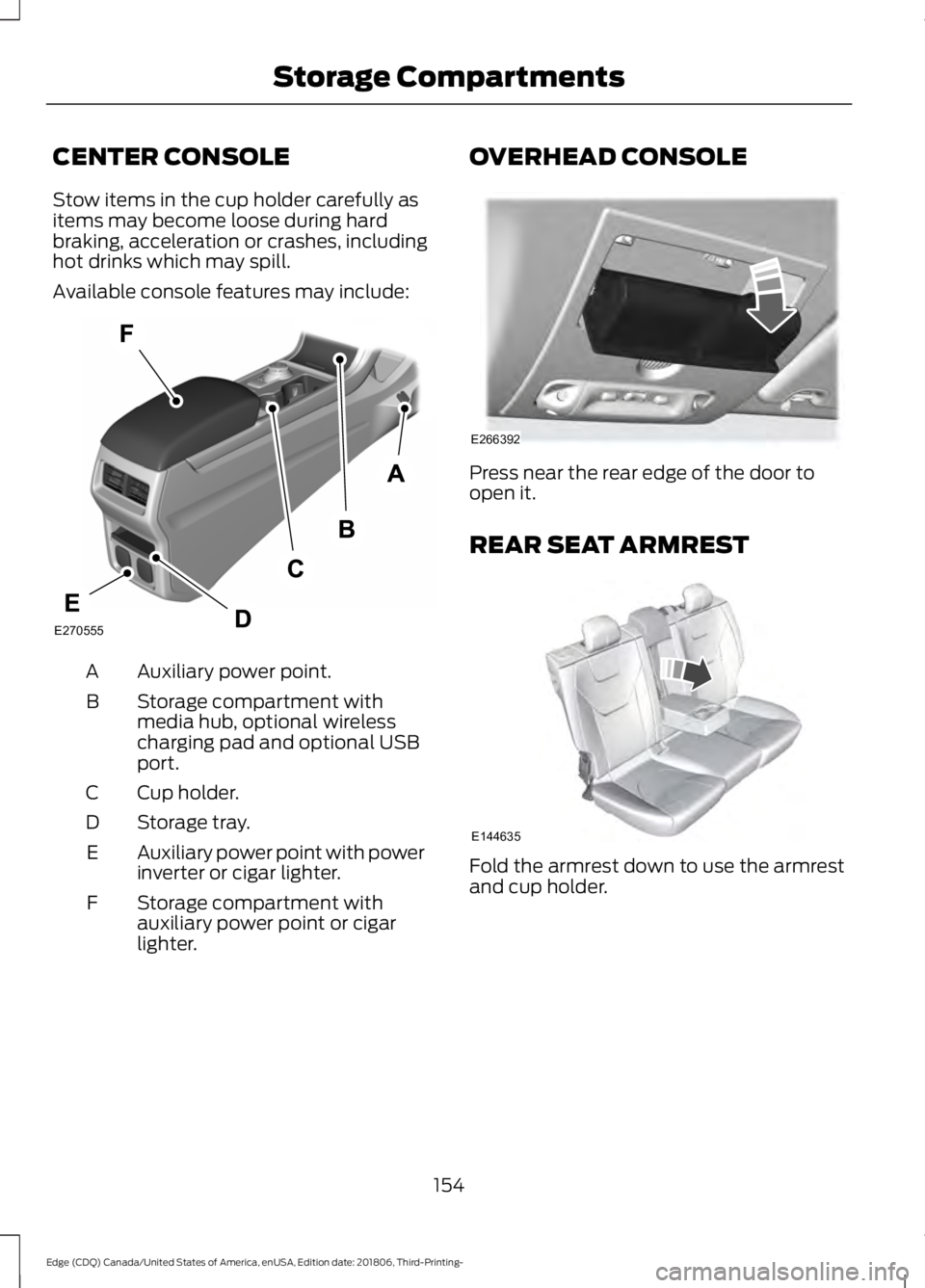
CENTER CONSOLE
Stow items in the cup holder carefully as
items may become loose during hard
braking, acceleration or crashes, including
hot drinks which may spill.
Available console features may include:
Auxiliary power point.
A
Storage compartment with
media hub, optional wireless
charging pad and optional USB
port.
B
Cup holder.
C
Storage tray.
D
Auxiliary power point with power
inverter or cigar lighter.
E
Storage compartment with
auxiliary power point or cigar
lighter.
F OVERHEAD CONSOLE Press near the rear edge of the door to
open it.
REAR SEAT ARMREST
Fold the armrest down to use the armrest
and cup holder.
154
Edge (CDQ) Canada/United States of America, enUSA, Edition date: 201806, Third-Printing- Storage CompartmentsE270555 E266392 E144635
Page 160 of 547
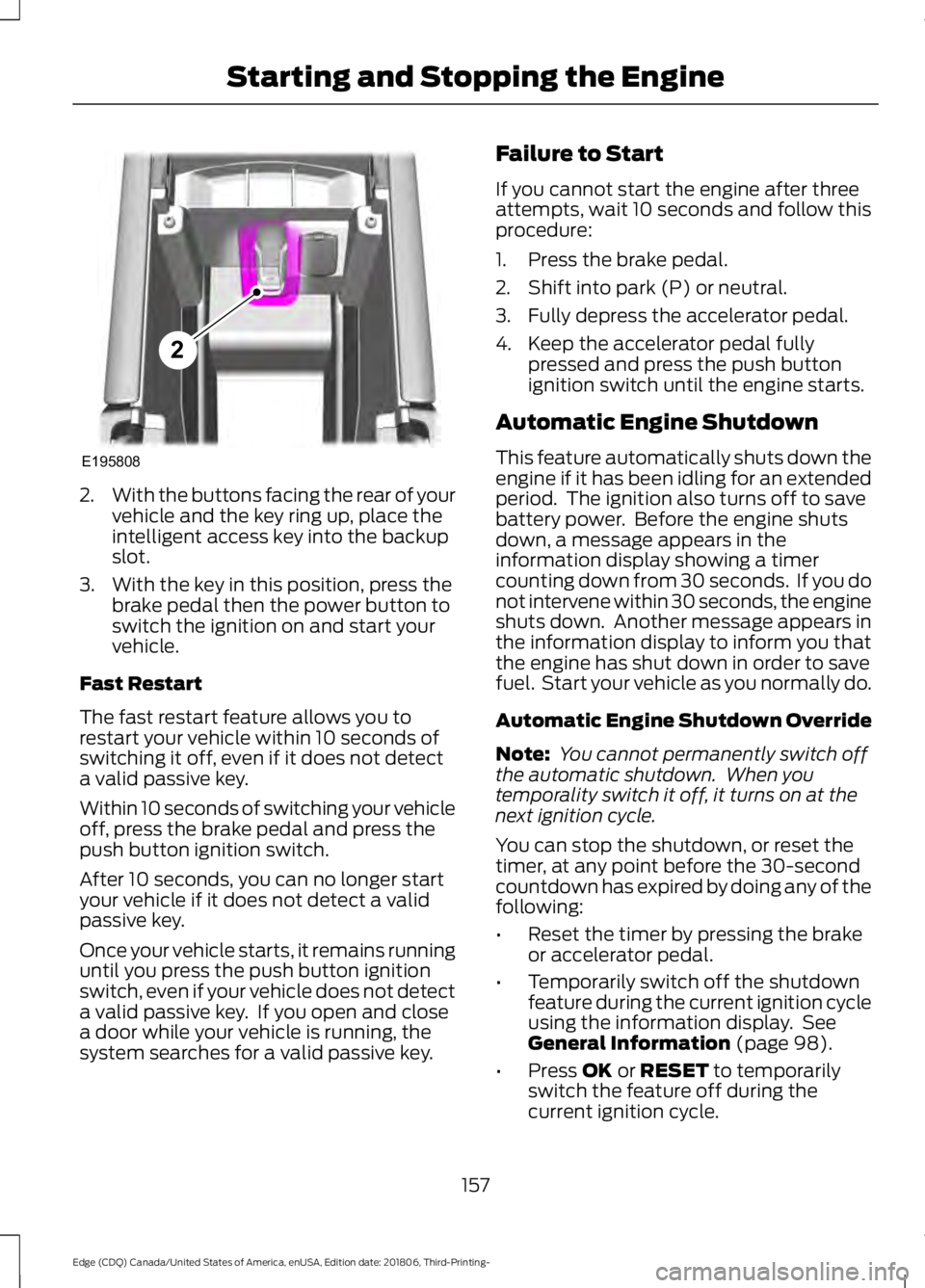
2.
With the buttons facing the rear of your
vehicle and the key ring up, place the
intelligent access key into the backup
slot.
3. With the key in this position, press the brake pedal then the power button to
switch the ignition on and start your
vehicle.
Fast Restart
The fast restart feature allows you to
restart your vehicle within 10 seconds of
switching it off, even if it does not detect
a valid passive key.
Within 10 seconds of switching your vehicle
off, press the brake pedal and press the
push button ignition switch.
After 10 seconds, you can no longer start
your vehicle if it does not detect a valid
passive key.
Once your vehicle starts, it remains running
until you press the push button ignition
switch, even if your vehicle does not detect
a valid passive key. If you open and close
a door while your vehicle is running, the
system searches for a valid passive key. Failure to Start
If you cannot start the engine after three
attempts, wait 10 seconds and follow this
procedure:
1. Press the brake pedal.
2. Shift into park (P) or neutral.
3. Fully depress the accelerator pedal.
4. Keep the accelerator pedal fully
pressed and press the push button
ignition switch until the engine starts.
Automatic Engine Shutdown
This feature automatically shuts down the
engine if it has been idling for an extended
period. The ignition also turns off to save
battery power. Before the engine shuts
down, a message appears in the
information display showing a timer
counting down from 30 seconds. If you do
not intervene within 30 seconds, the engine
shuts down. Another message appears in
the information display to inform you that
the engine has shut down in order to save
fuel. Start your vehicle as you normally do.
Automatic Engine Shutdown Override
Note: You cannot permanently switch off
the automatic shutdown. When you
temporality switch it off, it turns on at the
next ignition cycle.
You can stop the shutdown, or reset the
timer, at any point before the 30-second
countdown has expired by doing any of the
following:
• Reset the timer by pressing the brake
or accelerator pedal.
• Temporarily switch off the shutdown
feature during the current ignition cycle
using the information display. See
General Information (page 98).
• Press
OK or RESET to temporarily
switch the feature off during the
current ignition cycle.
157
Edge (CDQ) Canada/United States of America, enUSA, Edition date: 201806, Third-Printing- Starting and Stopping the EngineE195808
2
Page 168 of 547
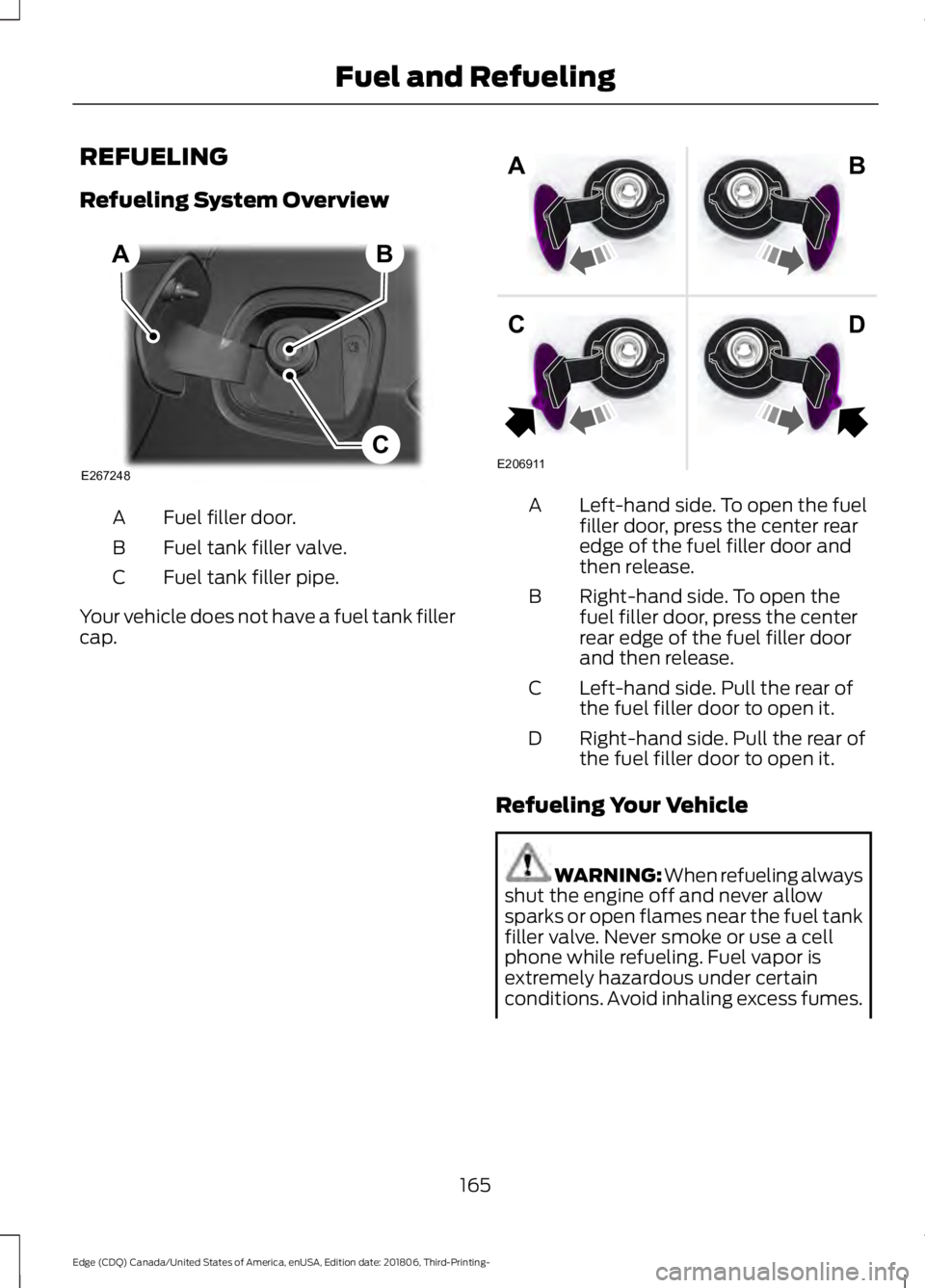
REFUELING
Refueling System Overview
Fuel filler door.
A
Fuel tank filler valve.
B
Fuel tank filler pipe.
C
Your vehicle does not have a fuel tank filler
cap. Left-hand side. To open the fuel
filler door, press the center rear
edge of the fuel filler door and
then release.
A
Right-hand side. To open the
fuel filler door, press the center
rear edge of the fuel filler door
and then release.
B
Left-hand side. Pull the rear of
the fuel filler door to open it.
C
Right-hand side. Pull the rear of
the fuel filler door to open it.
D
Refueling Your Vehicle WARNING: When refueling always
shut the engine off and never allow
sparks or open flames near the fuel tank
filler valve. Never smoke or use a cell
phone while refueling. Fuel vapor is
extremely hazardous under certain
conditions. Avoid inhaling excess fumes.
165
Edge (CDQ) Canada/United States of America, enUSA, Edition date: 201806, Third-Printing- Fuel and RefuelingE267248
B
C
A E206911
AB
CD
Page 205 of 547
Possible Cause
Symptom
Vehicles or objects bordering the space may not be
correctly parked.
Your vehicle stopped too far past the parking space.
The tires may not be correctly installed or maintained.
For example, not inflated correctly, improper size, or of
different sizes.
A repair or alteration changes the detection capabilities.
A parked vehicle has a high attachment. For example,
a salt sprayer, snowplow or moving truck bed.
The parking space length or position of parked objects
changes after your vehicle passes the space.
The temperature around your vehicle quickly changes.
For example, driving from a heated garage into the cold,
or after leaving a car wash.
REAR VIEW CAMERA WARNING: The rear view camera
system is a reverse aid supplement
device that still requires the driver to use
it in conjunction with the interior and
exterior mirrors for maximum coverage. WARNING: Objects that are close
to either corner of the bumper or under
the bumper, might not be seen on the
screen due to the limited coverage of the
camera system. WARNING: Reverse your vehicle
slowly. Failure to follow this instruction
could result in the loss of control of your
vehicle, personal injury or death. WARNING:
Use caution when the
rear cargo door is ajar. If the rear cargo
door is ajar, the camera will be out of
position and the video image may be
incorrect. All guidelines disappear when
the rear cargo door is ajar. Failure to
follow this instruction could result in
personal injury. WARNING:
Use caution when
turning camera features on or off when
the transmission is not in park (P). Make
sure your vehicle is not moving.
The rear view camera system provides a
video image of the area behind your
vehicle.
During operation, lines appear in the
display which represent your vehicle ’s path
and proximity to objects behind your
vehicle.
202
Edge (CDQ) Canada/United States of America, enUSA, Edition date: 201806, Third-Printing- Parking Aids