cruise control FORD EDGE 2019 Owners Manual
[x] Cancel search | Manufacturer: FORD, Model Year: 2019, Model line: EDGE, Model: FORD EDGE 2019Pages: 547, PDF Size: 40.86 MB
Page 5 of 547
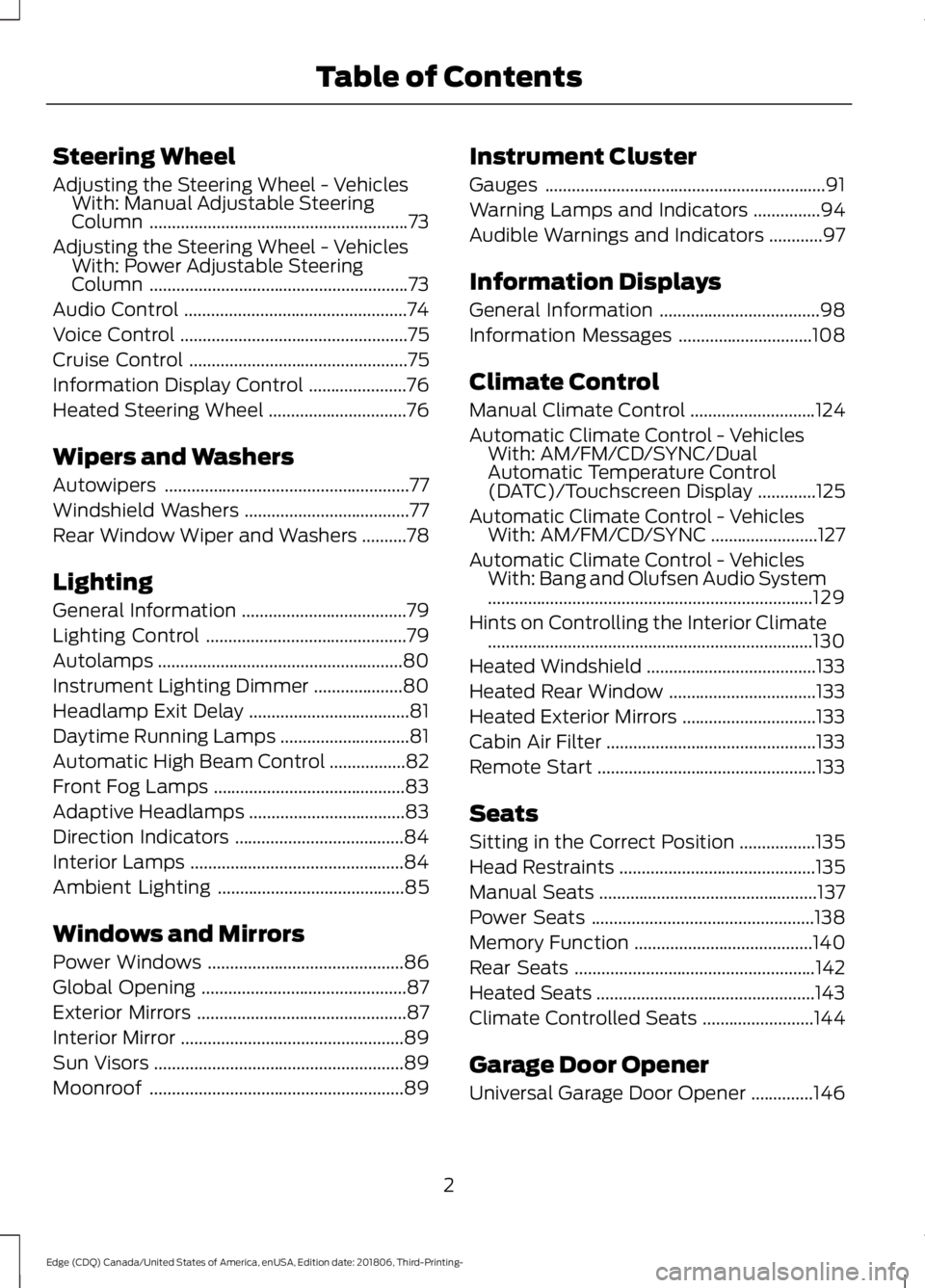
Steering Wheel
Adjusting the Steering Wheel - Vehicles
With: Manual Adjustable Steering
Column ..........................................................73
Adjusting the Steering Wheel - Vehicles With: Power Adjustable Steering
Column ..........................................................
73
Audio Control ..................................................
74
Voice Control ...................................................
75
Cruise Control .................................................
75
Information Display Control ......................
76
Heated Steering Wheel ...............................
76
Wipers and Washers
Autowipers .......................................................
77
Windshield Washers .....................................
77
Rear Window Wiper and Washers ..........
78
Lighting
General Information .....................................
79
Lighting Control .............................................
79
Autolamps .......................................................
80
Instrument Lighting Dimmer ....................
80
Headlamp Exit Delay ....................................
81
Daytime Running Lamps .............................
81
Automatic High Beam Control .................
82
Front Fog Lamps ...........................................
83
Adaptive Headlamps ...................................
83
Direction Indicators ......................................
84
Interior Lamps ................................................
84
Ambient Lighting ..........................................
85
Windows and Mirrors
Power Windows ............................................
86
Global Opening ..............................................
87
Exterior Mirrors ...............................................
87
Interior Mirror ..................................................
89
Sun Visors ........................................................
89
Moonroof .........................................................
89Instrument Cluster
Gauges
...............................................................
91
Warning Lamps and Indicators ...............
94
Audible Warnings and Indicators ............
97
Information Displays
General Information ....................................
98
Information Messages ..............................
108
Climate Control
Manual Climate Control ............................
124
Automatic Climate Control - Vehicles With: AM/FM/CD/SYNC/Dual
Automatic Temperature Control
(DATC)/Touchscreen Display .............
125
Automatic Climate Control - Vehicles With: AM/FM/CD/SYNC ........................
127
Automatic Climate Control - Vehicles With: Bang and Olufsen Audio System
........................................................................\
.
129
Hints on Controlling the Interior Climate ........................................................................\
.
130
Heated Windshield ......................................
133
Heated Rear Window .................................
133
Heated Exterior Mirrors ..............................
133
Cabin Air Filter ...............................................
133
Remote Start .................................................
133
Seats
Sitting in the Correct Position .................
135
Head Restraints ............................................
135
Manual Seats .................................................
137
Power Seats ..................................................
138
Memory Function ........................................
140
Rear Seats ......................................................
142
Heated Seats .................................................
143
Climate Controlled Seats .........................
144
Garage Door Opener
Universal Garage Door Opener ..............
146
2
Edge (CDQ) Canada/United States of America, enUSA, Edition date: 201806, Third-Printing- Table of Contents
Page 6 of 547
Auxiliary Power Points
Auxiliary Power Points
................................151
Wireless Accessory Charging ..................
152
Storage Compartments
Center Console .............................................
154
Overhead Console .......................................
154
Rear Seat Armrest .......................................
154
Starting and Stopping the Engine
General Information ...................................
155
Keyless Starting ...........................................
155
Starting a Gasoline Engine ......................
156
Engine Block Heater ...................................
158
Unique Driving Characteristics
Auto-Start-Stop ..........................................
160
Fuel and Refueling
Safety Precautions ......................................
162
Fuel Quality ....................................................
162
Fuel Filler Funnel Location .......................
163
Running Out of Fuel ...................................
163
Refueling .........................................................
165
Fuel Consumption .......................................
167
Engine Emission Control
Emission Law ................................................
169
Catalytic Converter .....................................
170
Transmission
Automatic Transmission ...........................
173
All-Wheel Drive
Using All-Wheel Drive ................................
179Brakes
General Information
...................................
184
Hints on Driving With Anti-Lock Brakes ........................................................................\
.
184
Electric Parking Brake ................................
185
Hill Start Assist ............................................
186
Traction Control
Principle of Operation ...............................
188
Using Traction Control ..............................
188
Stability Control
Principle of Operation ...............................
189
Using Stability Control ..............................
190
Parking Aids
Principle of Operation ................................
192
Rear Parking Aid ...........................................
192
Front Parking Aid .........................................
193
Side Sensing System .................................
194
Active Park Assist ........................................
196
Rear View Camera .....................................
202
180 Degree Camera ...................................
205
Cruise Control
Principle of Operation ...............................
207
Using Cruise Control ..................................
207
Using Adaptive Cruise Control - Vehicles With: Adaptive Cruise Control With
Stop and Go .............................................
208
Using Adaptive Cruise Control - Vehicles With: Adaptive Cruise Control With
Stop and Go/Lane Centering ..............
215
Driving Aids
Driver Alert .....................................................
225
Lane Keeping System ...............................
226
Blind Spot Information System ..............
231
Cross Traffic Alert .......................................
233
Steering ..........................................................
235
3
Edge (CDQ) Canada/United States of America, enUSA, Edition date: 201806, Third-Printing- Table of Contents
Page 11 of 547
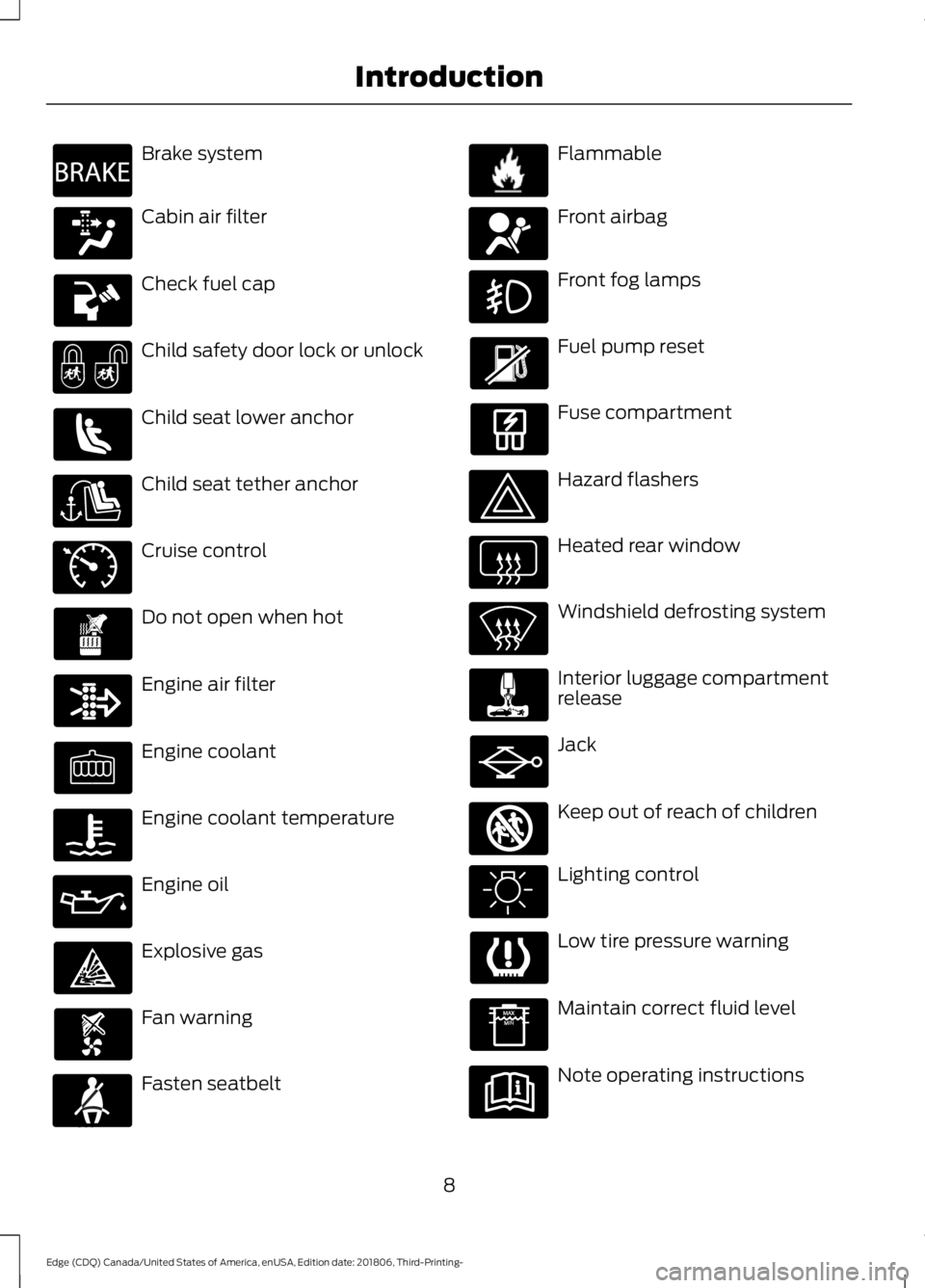
Brake system
Cabin air filter
Check fuel cap
Child safety door lock or unlock
Child seat lower anchor
Child seat tether anchor
Cruise control
Do not open when hot
Engine air filter
Engine coolant
Engine coolant temperature
Engine oil
Explosive gas
Fan warning
Fasten seatbelt Flammable
Front airbag
Front fog lamps
Fuel pump reset
Fuse compartment
Hazard flashers
Heated rear window
Windshield defrosting system
Interior luggage compartment
release
Jack
Keep out of reach of children
Lighting control
Low tire pressure warning
Maintain correct fluid level
Note operating instructions
8
Edge (CDQ) Canada/United States of America, enUSA, Edition date: 201806, Third-Printing- IntroductionE270480 E71340 E71880 E231160 E67017 E161353
Page 21 of 547
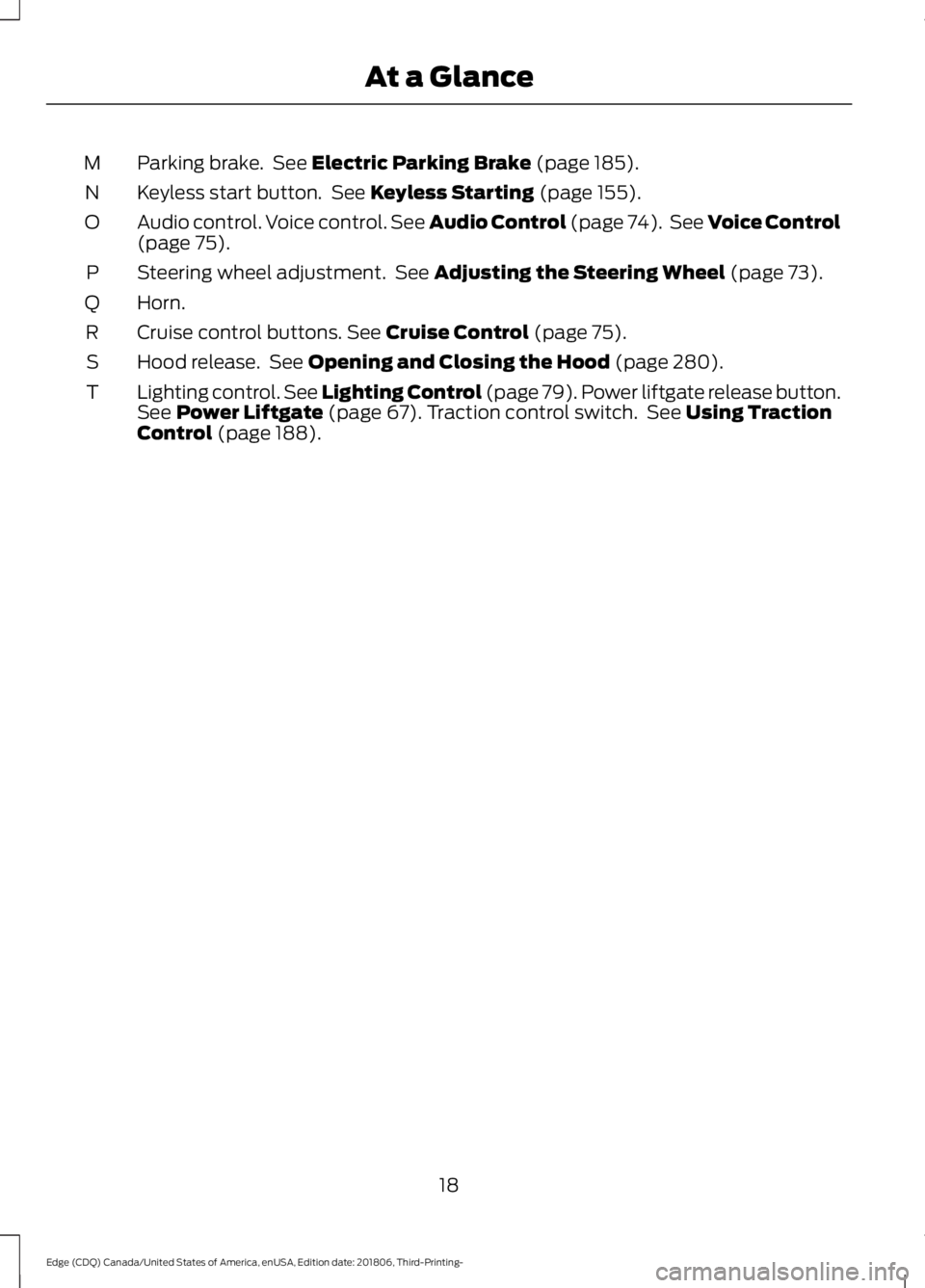
Parking brake. See Electric Parking Brake (page 185).
M
Keyless start button. See
Keyless Starting (page 155).
N
Audio control. Voice control. See Audio Control (page 74). See Voice Control
(page
75).
O
Steering wheel adjustment. See
Adjusting the Steering Wheel (page 73).
P
Horn.
Q
Cruise control buttons.
See Cruise Control (page 75).
R
Hood release. See
Opening and Closing the Hood (page 280).
S
Lighting control. See Lighting Control (page 79). Power liftgate release button.
Se
e Power Liftgate (page 67). Traction control switch. See Using Traction
Control (page 188).
T
18
Edge (CDQ) Canada/United States of America, enUSA, Edition date: 201806, Third-Printing- At a Glance
Page 59 of 547
•
A vehicle speed limit can be set.
Warnings will be shown in the display
followed by an audible tone when your
vehicle reaches the set speed. You
cannot override the set speed by fully
depressing the accelerator pedal or by
setting cruise control. WARNING: Do not set MyKey
maximum speed limit to a limit that will
prevent the driver from maintaining a
safe speed considering posted speed
limits and prevailing road conditions. The
driver is always responsible to drive in
accordance with local laws and
prevailing conditions. Failure to do so
could result in accident or injury.
• Various vehicle speed minders can be
set. Once you select a speed, it will be
shown in the display, followed by an
audible tone when the preselected
vehicle speed is exceeded.
• Audio system maximum volume of
45%. A message will be shown in the
display when you attempt to exceed
the limited volume. Also, the
speed-sensitive or compensated
automatic volume control will be
disabled.
• Always on setting. When this is
selected, you will not be able to switch
off AdvanceTrac ™ or traction control,
911 Assist or Emergency Assistance, or
the do not disturb feature (if your
vehicle is equipped with these
features).
CREATING A MYKEY
Use the information display to create a
MyKey: 1.
Insert the key you want to program into
the ignition. If your vehicle is equipped
with a push-button start, place the
remote control into the backup slot.
See
Starting a Gasoline Engine
(page 156).
2. Switch the ignition on.
3. Access the main menu in the information display and then scroll
through the menus to change the
settings of your MyKey. From the
MyKey menu select the option Create
MyKey. See
Information Displays
(page 98).
4. When prompted, hold the
OK button
until you see a message informing you
to label this key as a MyKey. The
programmed restrictions apply when
you key off, open and close the driver
door and restart your vehicle with the
programmed key or transmitter.
MyKey is successfully created. Make sure
you label it so you can distinguish it from
the admin keys.
You can also program configurable
settings for the key(s). See
Programming
and Changing Configurable Settings.
Programming and Changing
Configurable Settings
Use the information display to access your
configurable MyKey settings.
1. Switch the ignition on using an admin key or transmitter you want to program.
2. Access the main menu in the information display and then scroll
through the menus to change the
settings of your MyKey. See
Information Displays
(page 98).
56
Edge (CDQ) Canada/United States of America, enUSA, Edition date: 201806, Third-Printing- MyKey
™
Page 78 of 547
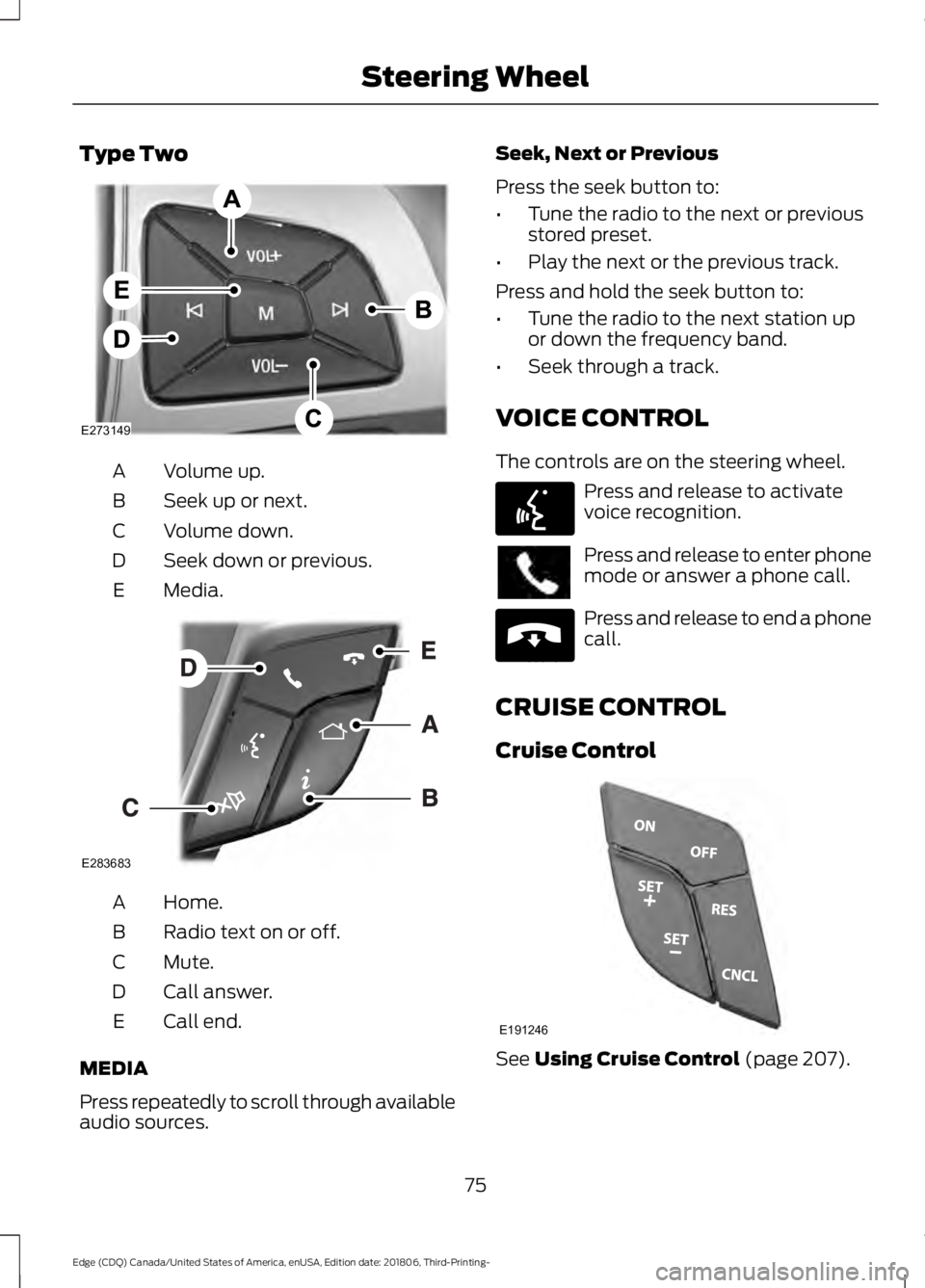
Type Two
Volume up.
A
Seek up or next.
B
Volume down.
C
Seek down or previous.
D
Media.
E Home.
A
Radio text on or off.
B
Mute.
C
Call answer.
D
Call end.
E
MEDIA
Press repeatedly to scroll through available
audio sources. Seek, Next or Previous
Press the seek button to:
•
Tune the radio to the next or previous
stored preset.
• Play the next or the previous track.
Press and hold the seek button to:
• Tune the radio to the next station up
or down the frequency band.
• Seek through a track.
VOICE CONTROL
The controls are on the steering wheel. Press and release to activate
voice recognition.
Press and release to enter phone
mode or answer a phone call.
Press and release to end a phone
call.
CRUISE CONTROL
Cruise Control See Using Cruise Control (page 207).
75
Edge (CDQ) Canada/United States of America, enUSA, Edition date: 201806, Third-Printing- Steering WheelE273149 E283683 E142599 E265040 E191246
Page 79 of 547
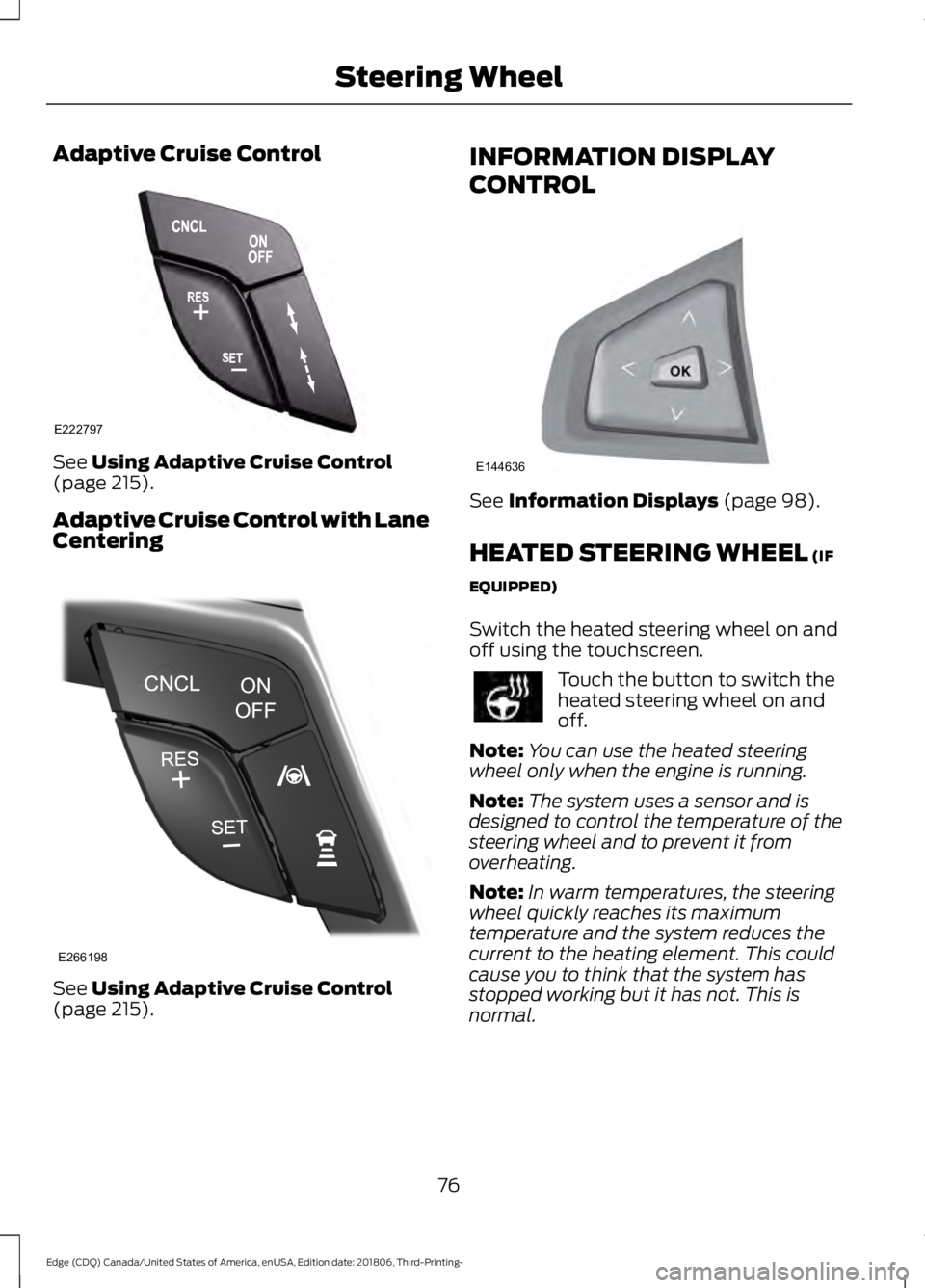
Adaptive Cruise Control
See Using Adaptive Cruise Control
(page 215).
Adaptive Cruise Control with Lane
Centering See
Using Adaptive Cruise Control
(page 215). INFORMATION DISPLAY
CONTROL
See
Information Displays (page 98).
HEATED STEERING WHEEL
(IF
EQUIPPED)
Switch the heated steering wheel on and
off using the touchscreen. Touch the button to switch the
heated steering wheel on and
off.
Note: You can use the heated steering
wheel only when the engine is running.
Note: The system uses a sensor and is
designed to control the temperature of the
steering wheel and to prevent it from
overheating.
Note: In warm temperatures, the steering
wheel quickly reaches its maximum
temperature and the system reduces the
current to the heating element. This could
cause you to think that the system has
stopped working but it has not. This is
normal.
76
Edge (CDQ) Canada/United States of America, enUSA, Edition date: 201806, Third-Printing- Steering WheelE222797 E266198 E144636
Page 97 of 547
WARNING LAMPS AND
INDICATORS
The following warning lamps and
indicators alert you to a vehicle condition
that may become serious. Some lamps
illuminate when you start your vehicle to
make sure they work. If any lamps remain
on after starting your vehicle, refer to the
respective system warning lamp for further
information.
Note:
Some warning indicators appear in
the information display and function the
same as a warning lamp, but do not display
when you start your vehicle.
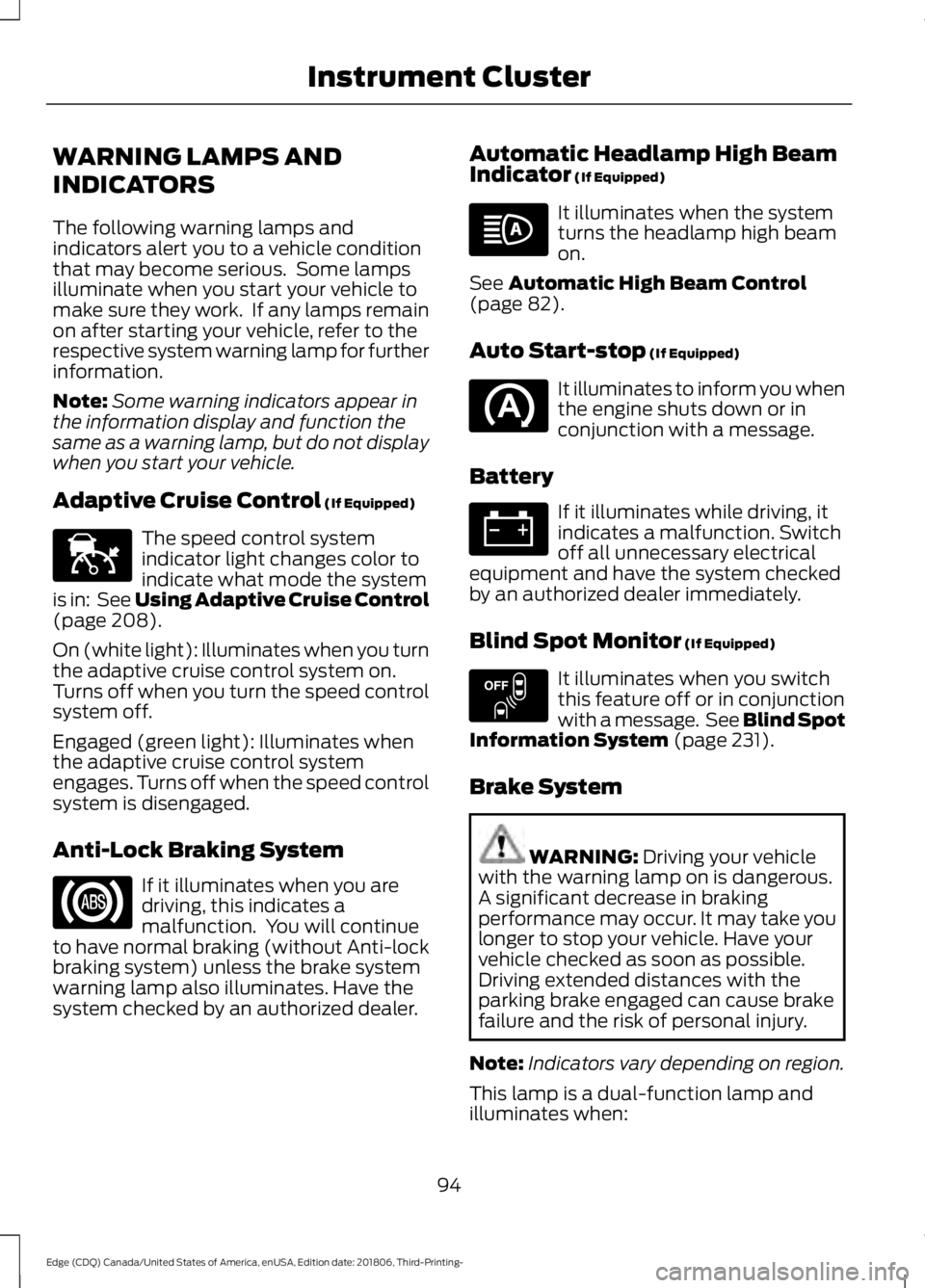
Adaptive Cruise Control (If Equipped) The speed control system
indicator light changes color to
indicate what mode the system
is in: See Using Adaptive Cruise Control
(page
208).
On (white light): Illuminates when you turn
the adaptive cruise control system on.
Turns off when you turn the speed control
system off.
Engaged (green light): Illuminates when
the adaptive cruise control system
engages. Turns off when the speed control
system is disengaged.
Anti-Lock Braking System If it illuminates when you are
driving, this indicates a
malfunction. You will continue
to have normal braking (without Anti-lock
braking system) unless the brake system
warning lamp also illuminates. Have the
system checked by an authorized dealer. Automatic Headlamp High Beam
Indicator
(If Equipped) It illuminates when the system
turns the headlamp high beam
on.
See
Automatic High Beam Control
(page 82).
Auto Start-stop
(If Equipped) It illuminates to inform you when
the engine shuts down or in
conjunction with a message.
Battery If it illuminates while driving, it
indicates a malfunction. Switch
off all unnecessary electrical
equipment and have the system checked
by an authorized dealer immediately.
Blind Spot Monitor
(If Equipped) It illuminates when you switch
this feature off or in conjunction
with a message. See Blind Spot
Information System
(page 231).
Brake System WARNING:
Driving your vehicle
with the warning lamp on is dangerous.
A significant decrease in braking
performance may occur. It may take you
longer to stop your vehicle. Have your
vehicle checked as soon as possible.
Driving extended distances with the
parking brake engaged can cause brake
failure and the risk of personal injury.
Note: Indicators vary depending on region.
This lamp is a dual-function lamp and
illuminates when:
94
Edge (CDQ) Canada/United States of America, enUSA, Edition date: 201806, Third-Printing- Instrument ClusterE144524 E151262
Page 98 of 547
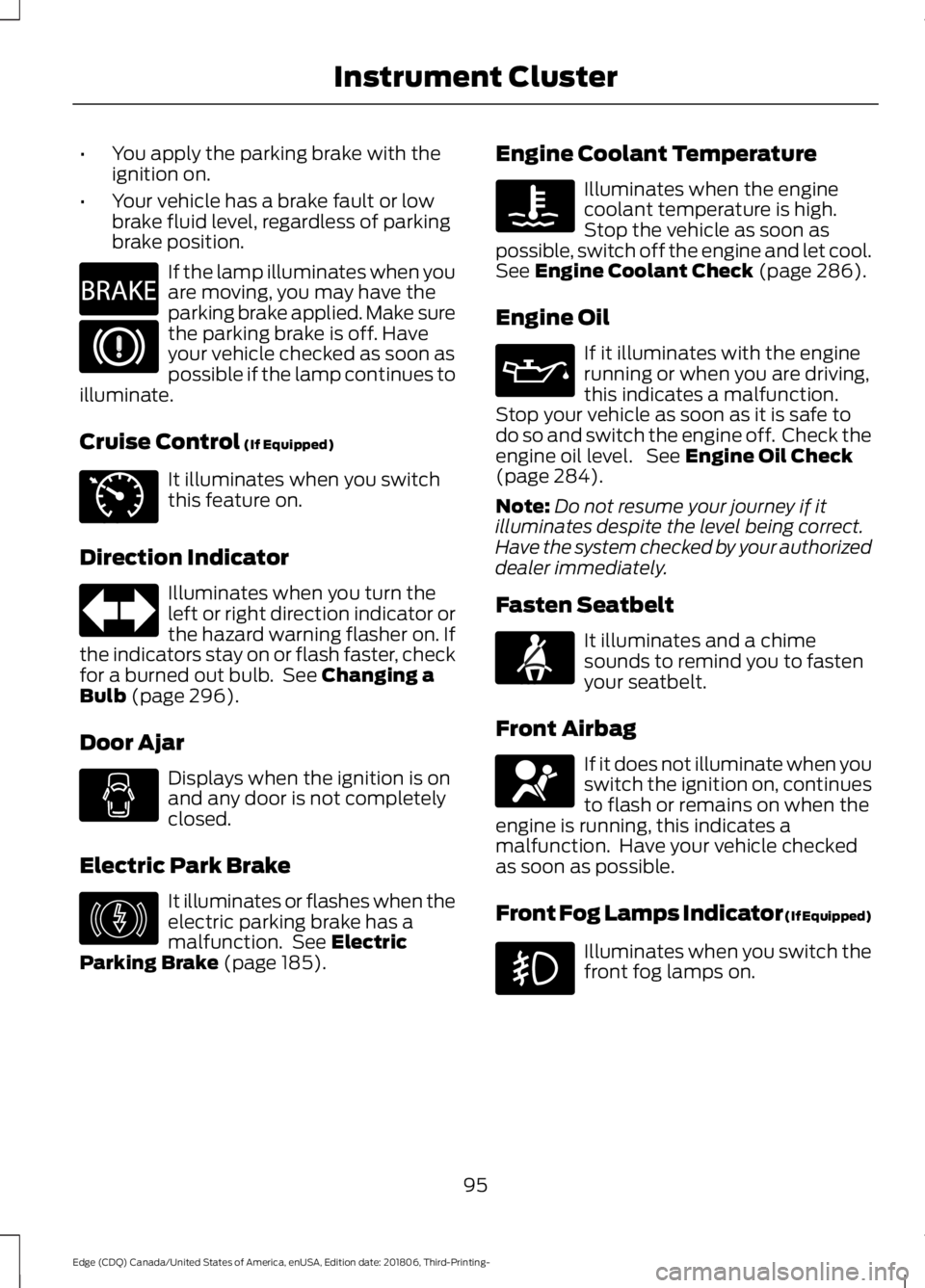
•
You apply the parking brake with the
ignition on.
• Your vehicle has a brake fault or low
brake fluid level, regardless of parking
brake position. If the lamp illuminates when you
are moving, you may have the
parking brake applied. Make sure
the parking brake is off. Have
your vehicle checked as soon as
possible if the lamp continues to
illuminate.
Cruise Control (If Equipped) It illuminates when you switch
this feature on.
Direction Indicator Illuminates when you turn the
left or right direction indicator or
the hazard warning flasher on. If
the indicators stay on or flash faster, check
for a burned out bulb. See
Changing a
Bulb (page 296).
Door Ajar Displays when the ignition is on
and any door is not completely
closed.
Electric Park Brake It illuminates or flashes when the
electric parking brake has a
malfunction. See
Electric
Parking Brake (page 185). Engine Coolant Temperature Illuminates when the engine
coolant temperature is high.
Stop the vehicle as soon as
possible, switch off the engine and let cool.
See
Engine Coolant Check (page 286).
Engine Oil If it illuminates with the engine
running or when you are driving,
this indicates a malfunction.
Stop your vehicle as soon as it is safe to
do so and switch the engine off. Check the
engine oil level. See
Engine Oil Check
(page 284).
Note: Do not resume your journey if it
illuminates despite the level being correct.
Have the system checked by your authorized
dealer immediately.
Fasten Seatbelt It illuminates and a chime
sounds to remind you to fasten
your seatbelt.
Front Airbag If it does not illuminate when you
switch the ignition on, continues
to flash or remains on when the
engine is running, this indicates a
malfunction. Have your vehicle checked
as soon as possible.
Front Fog Lamps Indicator (If Equipped) Illuminates when you switch the
front fog lamps on.
95
Edge (CDQ) Canada/United States of America, enUSA, Edition date: 201806, Third-Printing- Instrument ClusterE270480 E71340 E146190 E71880 E67017
Page 103 of 547
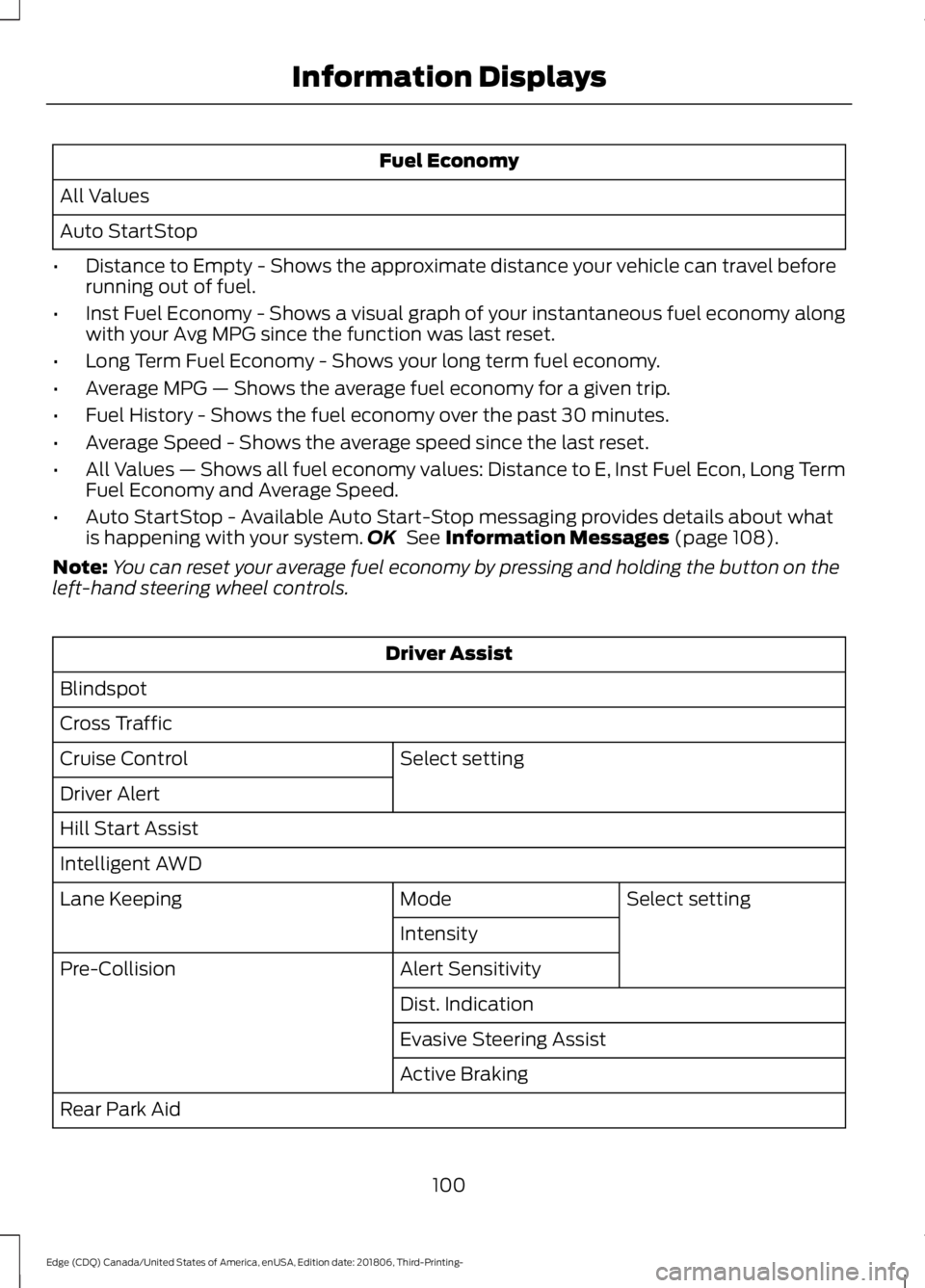
Fuel Economy
All Values
Auto StartStop
• Distance to Empty - Shows the approximate distance your vehicle can travel before
running out of fuel.
• Inst Fuel Economy - Shows a visual graph of your instantaneous fuel economy along
with your Avg MPG since the function was last reset.
• Long Term Fuel Economy - Shows your long term fuel economy.
• Average MPG — Shows the average fuel economy for a given trip.
• Fuel History - Shows the fuel economy over the past 30 minutes.
• Average Speed - Shows the average speed since the last reset.
• All Values — Shows all fuel economy values: Distance to E, Inst Fuel Econ, Long Term
Fuel Economy and Average Speed.
• Auto StartStop - Available Auto Start-Stop messaging provides details about what
is happening with your system. OK See Information Messages (page 108).
Note: You can reset your average fuel economy by pressing and holding the button on the
left-hand steering wheel controls. Driver Assist
Blindspot
Cross Traffic Select setting
Cruise Control
Driver Alert
Hill Start Assist
Intelligent AWD
Select setting
Mode
Lane Keeping
Intensity
Alert Sensitivity
Pre-Collision
Dist. Indication
Evasive Steering Assist
Active Braking
Rear Park Aid
100
Edge (CDQ) Canada/United States of America, enUSA, Edition date: 201806, Third-Printing- Information Displays