mirror FORD EDGE 2023 User Guide
[x] Cancel search | Manufacturer: FORD, Model Year: 2023, Model line: EDGE, Model: FORD EDGE 2023Pages: 504, PDF Size: 14.96 MB
Page 215 of 504
ADAPTIVE CRUISE CONTROL
LIMITATIONS
Sensor Limitations
WARNING: On rare occasions,detection issues can occur due to theroad infrastructures, for example bridges,tunnels and safety barriers. In thesecases, the system may brake late orunexpectedly. At all times, you areresponsible for controlling your vehicle,supervising the system and intervening,if required.
WARNING: If the systemmalfunctions, have your vehicle checkedas soon as possible.
WARNING: Large contrasts inoutside lighting can limit sensorperformance.
WARNING: The system only warnsof vehicles detected by the radar sensor.In some cases there may be no warningor a delayed warning. Apply the brakeswhen necessary. Failure to follow thisinstruction could result in personal injuryor death.
WARNING: The system may notdetect stationary or slow movingvehicles below 6 mph (10 km/h).
WARNING: The system does notdetect pedestrians or objects in the road.
WARNING: The system does notdetect oncoming vehicles in the samelane.
WARNING: The system may notoperate properly if the sensor is blocked.Keep the windshield free fromobstruction.
WARNING: The sensor mayincorrectly track lane markings as otherstructures or objects. This can result ina false or missed warning.
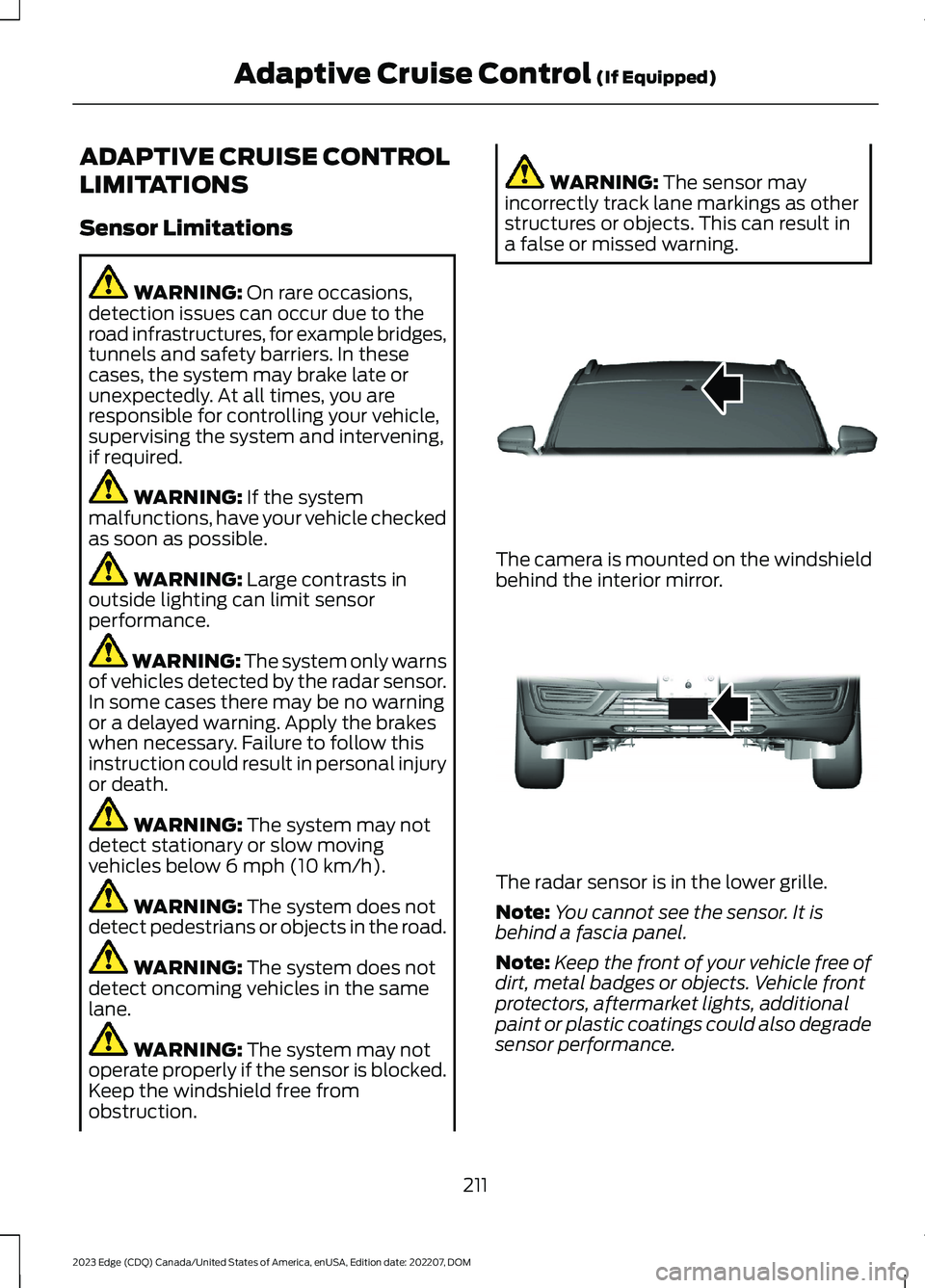
The camera is mounted on the windshieldbehind the interior mirror.
The radar sensor is in the lower grille.
Note:You cannot see the sensor. It isbehind a fascia panel.
Note:Keep the front of your vehicle free ofdirt, metal badges or objects. Vehicle frontprotectors, aftermarket lights, additionalpaint or plastic coatings could also degradesensor performance.
211
2023 Edge (CDQ) Canada/United States of America, enUSA, Edition date: 202207, DOMAdaptive Cruise Control (If Equipped)E307893 E307892
Page 232 of 504
WHAT IS BLIND SPOT
INFORMATION SYSTEM
BLIS with Cross-traffic Alert
Blind spot information system detectsvehicles that may have entered the blindspot zone.
HOW DOES BLIND SPOT
INFORMATION SYSTEM WORK
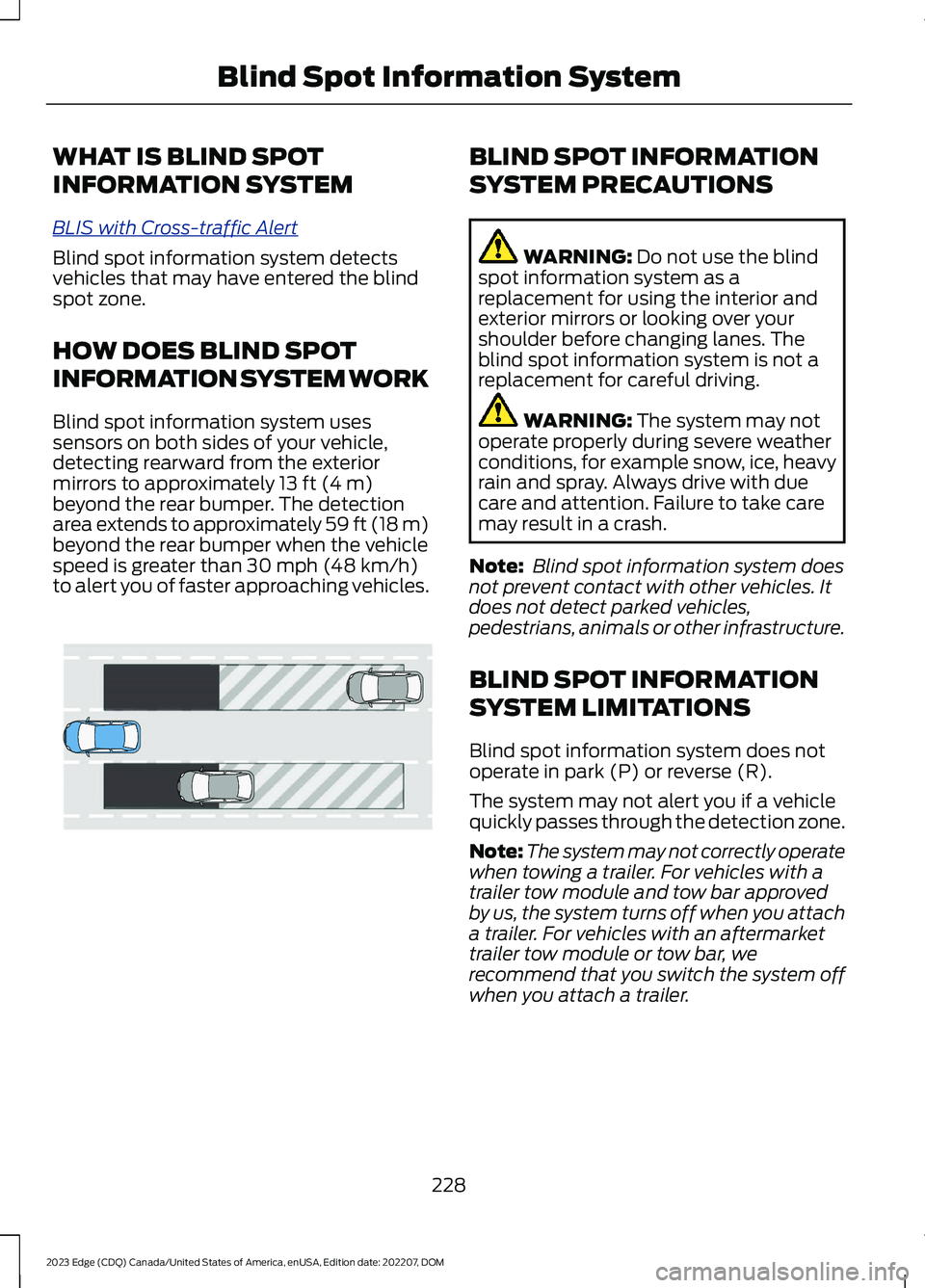
Blind spot information system usessensors on both sides of your vehicle,detecting rearward from the exteriormirrors to approximately 13 ft (4 m)beyond the rear bumper. The detectionarea extends to approximately 59 ft (18 m)beyond the rear bumper when the vehiclespeed is greater than 30 mph (48 km/h)to alert you of faster approaching vehicles.
BLIND SPOT INFORMATION
SYSTEM PRECAUTIONS
WARNING: Do not use the blindspot information system as areplacement for using the interior andexterior mirrors or looking over yourshoulder before changing lanes. Theblind spot information system is not areplacement for careful driving.
WARNING: The system may notoperate properly during severe weatherconditions, for example snow, ice, heavyrain and spray. Always drive with duecare and attention. Failure to take caremay result in a crash.
Note: Blind spot information system doesnot prevent contact with other vehicles. Itdoes not detect parked vehicles,pedestrians, animals or other infrastructure.
BLIND SPOT INFORMATION
SYSTEM LIMITATIONS
Blind spot information system does notoperate in park (P) or reverse (R).
The system may not alert you if a vehiclequickly passes through the detection zone.
Note:The system may not correctly operatewhen towing a trailer. For vehicles with atrailer tow module and tow bar approvedby us, the system turns off when you attacha trailer. For vehicles with an aftermarkettrailer tow module or tow bar, werecommend that you switch the system offwhen you attach a trailer.
228
2023 Edge (CDQ) Canada/United States of America, enUSA, Edition date: 202207, DOMBlind Spot Information SystemE255695
Page 234 of 504
BLIND SPOT INFORMATION
SYSTEM INDICATORS
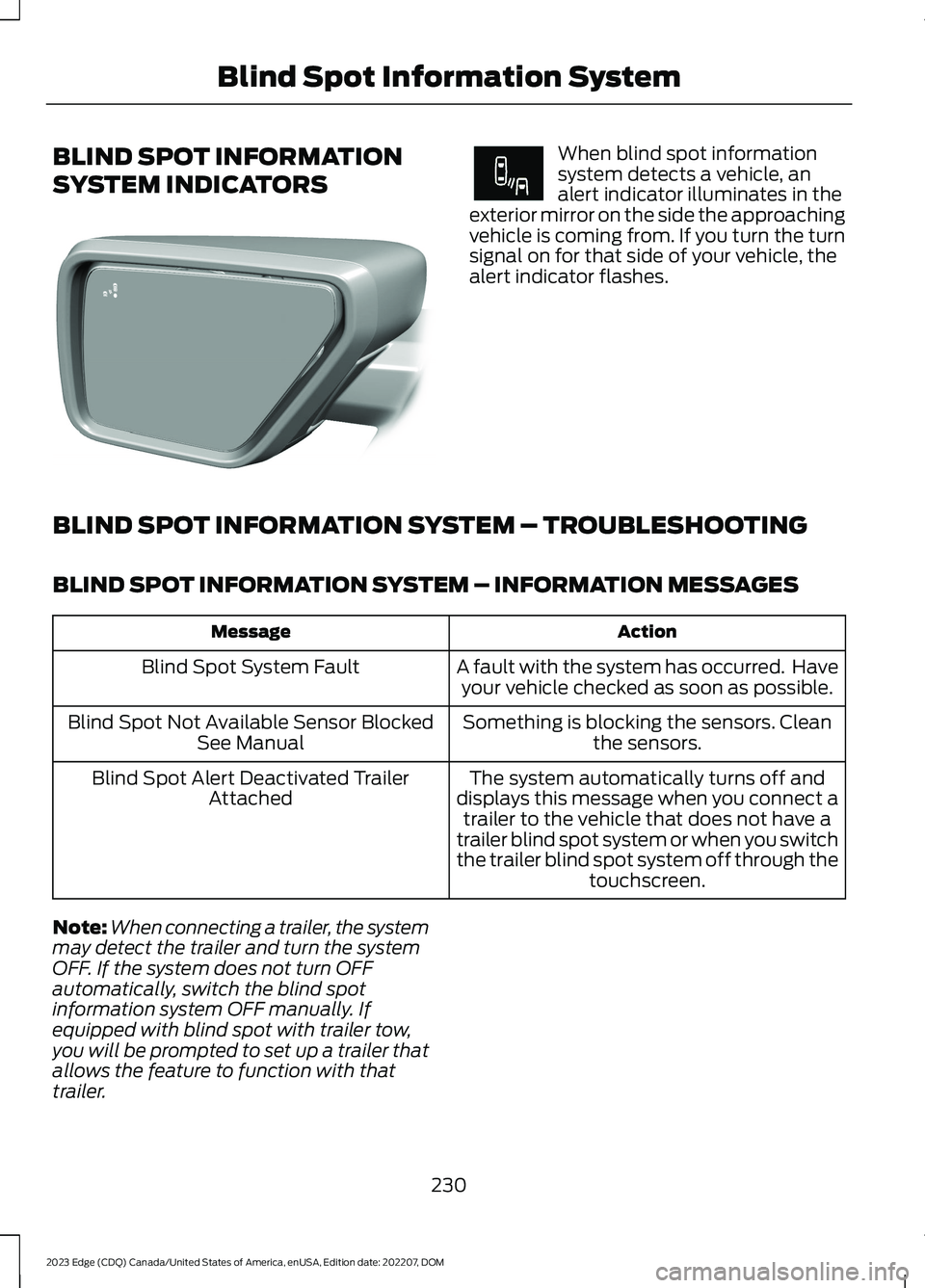
When blind spot informationsystem detects a vehicle, analert indicator illuminates in theexterior mirror on the side the approachingvehicle is coming from. If you turn the turnsignal on for that side of your vehicle, thealert indicator flashes.
BLIND SPOT INFORMATION SYSTEM – TROUBLESHOOTING
BLIND SPOT INFORMATION SYSTEM – INFORMATION MESSAGES
ActionMessage
A fault with the system has occurred. Haveyour vehicle checked as soon as possible.Blind Spot System Fault
Something is blocking the sensors. Cleanthe sensors.Blind Spot Not Available Sensor BlockedSee Manual
The system automatically turns off anddisplays this message when you connect atrailer to the vehicle that does not have atrailer blind spot system or when you switchthe trailer blind spot system off through thetouchscreen.
Blind Spot Alert Deactivated TrailerAttached
Note:When connecting a trailer, the systemmay detect the trailer and turn the systemOFF. If the system does not turn OFFautomatically, switch the blind spotinformation system OFF manually. Ifequipped with blind spot with trailer tow,you will be prompted to set up a trailer thatallows the feature to function with thattrailer.
230
2023 Edge (CDQ) Canada/United States of America, enUSA, Edition date: 202207, DOMBlind Spot Information SystemE309137 E249861E249861
Page 235 of 504
WHAT IS CROSS TRAFFIC
ALERT
The system alerts you of vehiclesapproaching from the sides behind yourvehicle when you shift into reverse (R).
HOW DOES CROSS TRAFFIC
ALERT WORK
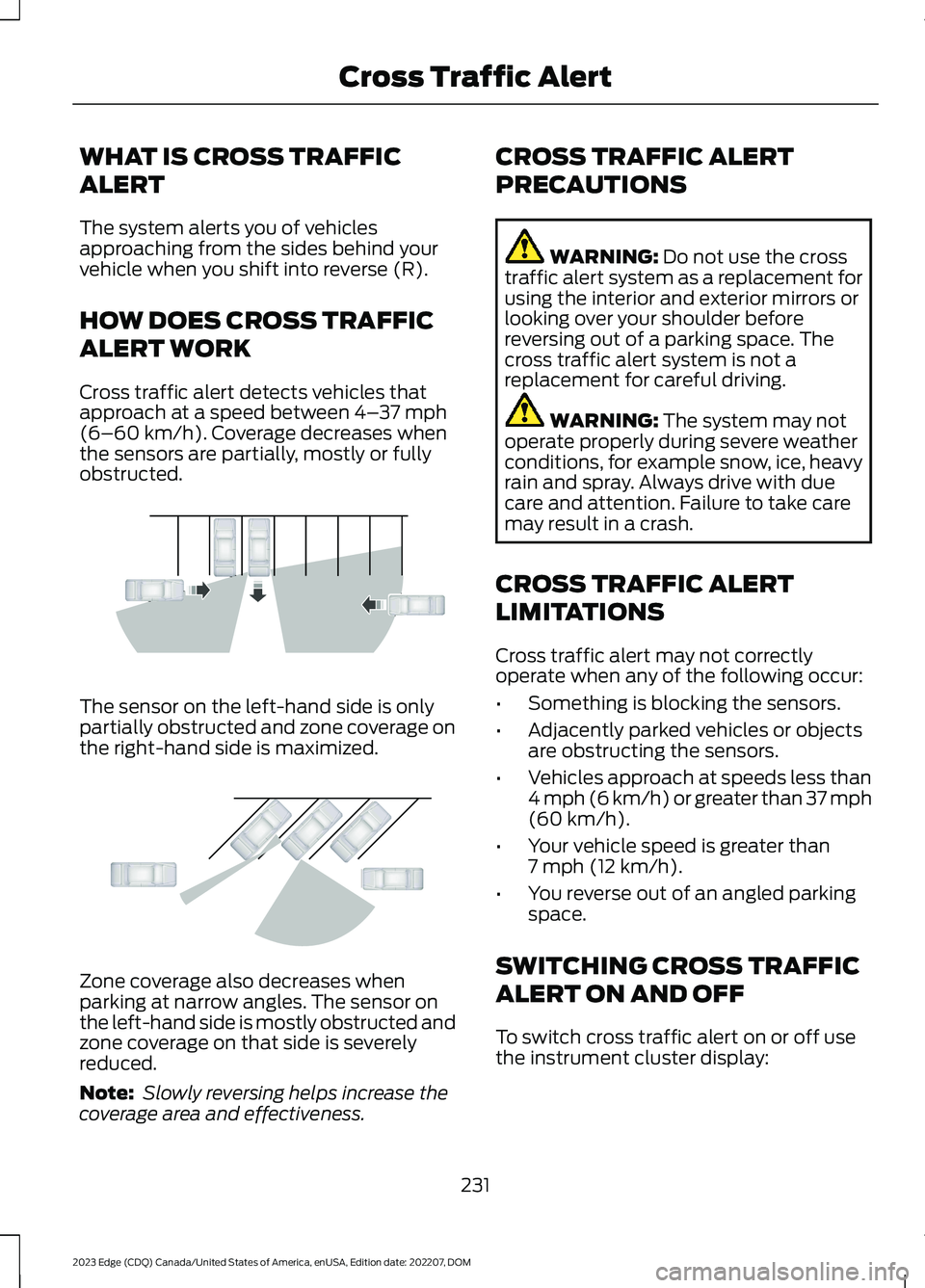
Cross traffic alert detects vehicles thatapproach at a speed between 4–37 mph(6–60 km/h). Coverage decreases whenthe sensors are partially, mostly or fullyobstructed.
The sensor on the left-hand side is onlypartially obstructed and zone coverage onthe right-hand side is maximized.
Zone coverage also decreases whenparking at narrow angles. The sensor onthe left-hand side is mostly obstructed andzone coverage on that side is severelyreduced.
Note: Slowly reversing helps increase thecoverage area and effectiveness.
CROSS TRAFFIC ALERT
PRECAUTIONS
WARNING: Do not use the crosstraffic alert system as a replacement forusing the interior and exterior mirrors orlooking over your shoulder beforereversing out of a parking space. Thecross traffic alert system is not areplacement for careful driving.
WARNING: The system may notoperate properly during severe weatherconditions, for example snow, ice, heavyrain and spray. Always drive with duecare and attention. Failure to take caremay result in a crash.
CROSS TRAFFIC ALERT
LIMITATIONS
Cross traffic alert may not correctlyoperate when any of the following occur:
•Something is blocking the sensors.
•Adjacently parked vehicles or objectsare obstructing the sensors.
•Vehicles approach at speeds less than4 mph (6 km/h) or greater than 37 mph(60 km/h).
•Your vehicle speed is greater than7 mph (12 km/h).
•You reverse out of an angled parkingspace.
SWITCHING CROSS TRAFFIC
ALERT ON AND OFF
To switch cross traffic alert on or off usethe instrument cluster display:
231
2023 Edge (CDQ) Canada/United States of America, enUSA, Edition date: 202207, DOMCross Traffic AlertE142440 E142441
Page 236 of 504
1.Using the instrument cluster displaycontrols on the steering wheel, selectDriver Assist.
2.Switch Cross Traffic Alert on or off.
LOCATING THE CROSS
TRAFFIC ALERT SENSORS
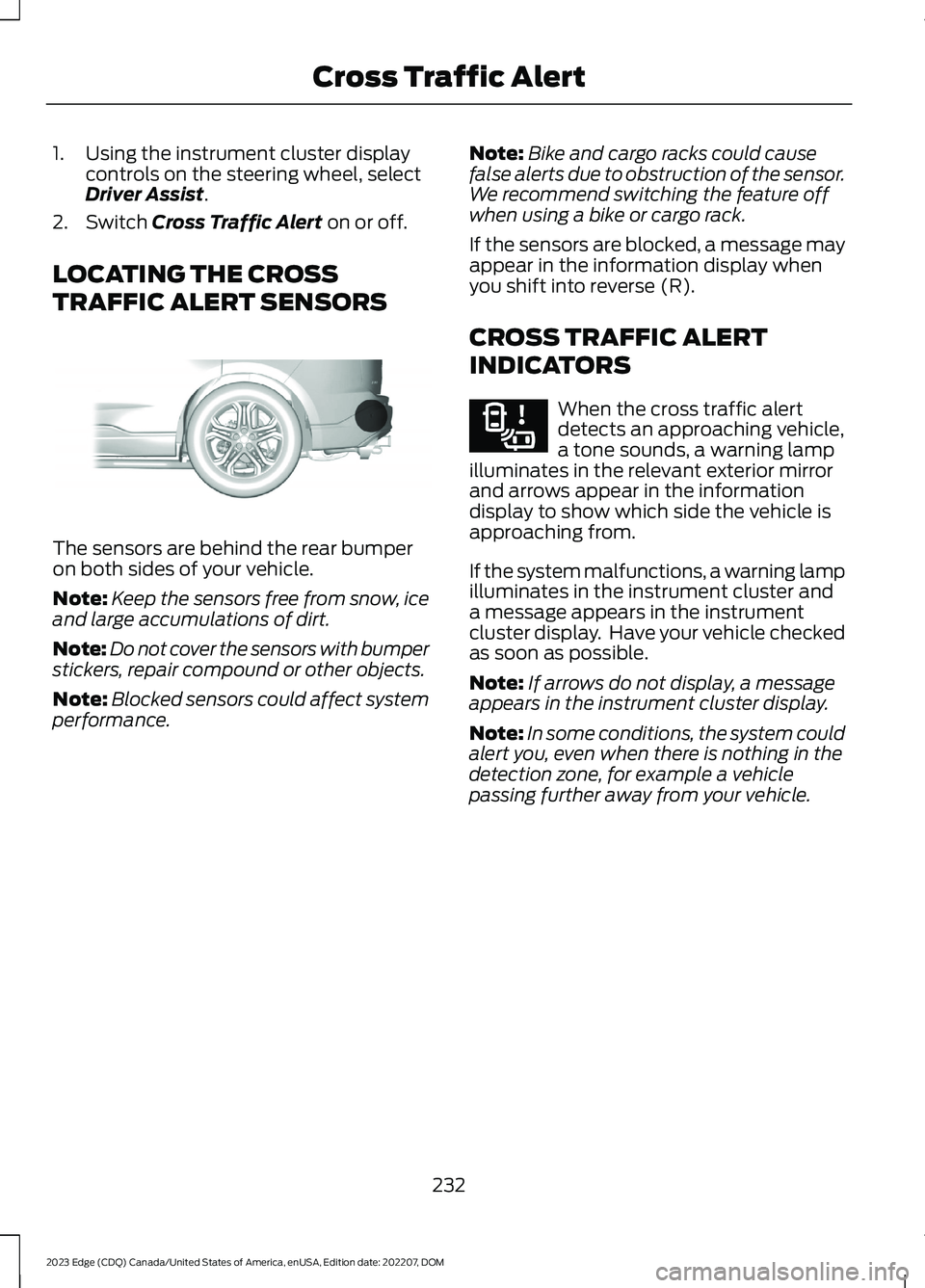
The sensors are behind the rear bumperon both sides of your vehicle.
Note:Keep the sensors free from snow, iceand large accumulations of dirt.
Note:Do not cover the sensors with bumperstickers, repair compound or other objects.
Note:Blocked sensors could affect systemperformance.
Note:Bike and cargo racks could causefalse alerts due to obstruction of the sensor.We recommend switching the feature offwhen using a bike or cargo rack.
If the sensors are blocked, a message mayappear in the information display whenyou shift into reverse (R).
CROSS TRAFFIC ALERT
INDICATORS
When the cross traffic alertdetects an approaching vehicle,a tone sounds, a warning lampilluminates in the relevant exterior mirrorand arrows appear in the informationdisplay to show which side the vehicle isapproaching from.
If the system malfunctions, a warning lampilluminates in the instrument cluster anda message appears in the instrumentcluster display. Have your vehicle checkedas soon as possible.
Note:If arrows do not display, a messageappears in the instrument cluster display.
Note:In some conditions, the system couldalert you, even when there is nothing in thedetection zone, for example a vehiclepassing further away from your vehicle.
232
2023 Edge (CDQ) Canada/United States of America, enUSA, Edition date: 202207, DOMCross Traffic AlertE205199 E268294
Page 245 of 504
WHAT IS DRIVER ALERT
Driver Alert System
The feature alerts you with a pop upwarning and a tone if it determines thatyou are becoming drowsy or if your drivingdeteriorates.
HOW DOES DRIVER ALERT
WORK
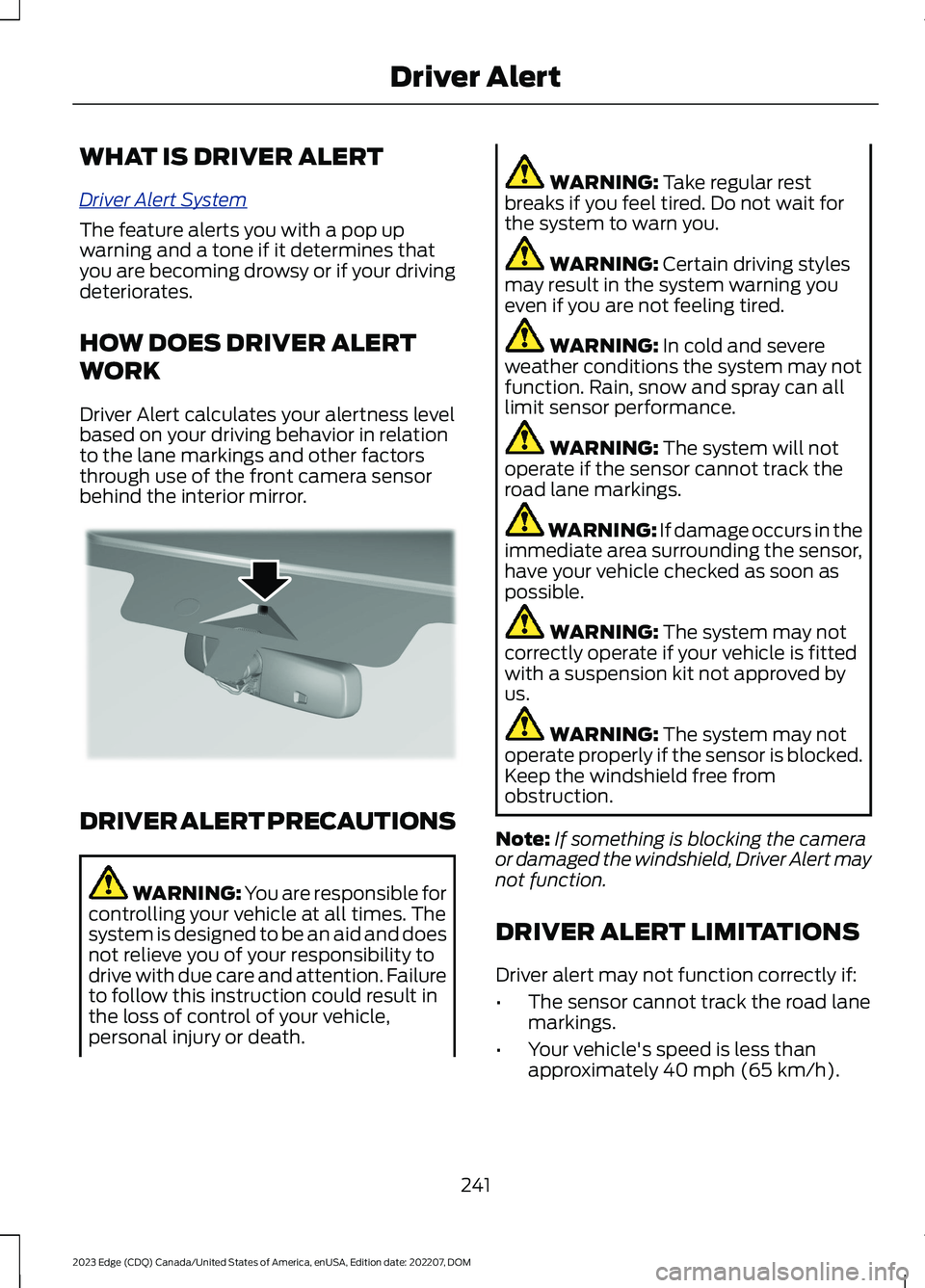
Driver Alert calculates your alertness levelbased on your driving behavior in relationto the lane markings and other factorsthrough use of the front camera sensorbehind the interior mirror.
DRIVER ALERT PRECAUTIONS
WARNING: You are responsible forcontrolling your vehicle at all times. Thesystem is designed to be an aid and doesnot relieve you of your responsibility todrive with due care and attention. Failureto follow this instruction could result inthe loss of control of your vehicle,personal injury or death.
WARNING: Take regular restbreaks if you feel tired. Do not wait forthe system to warn you.
WARNING: Certain driving stylesmay result in the system warning youeven if you are not feeling tired.
WARNING: In cold and severeweather conditions the system may notfunction. Rain, snow and spray can alllimit sensor performance.
WARNING: The system will notoperate if the sensor cannot track theroad lane markings.
WARNING: If damage occurs in theimmediate area surrounding the sensor,have your vehicle checked as soon aspossible.
WARNING: The system may notcorrectly operate if your vehicle is fittedwith a suspension kit not approved byus.
WARNING: The system may notoperate properly if the sensor is blocked.Keep the windshield free fromobstruction.
Note:If something is blocking the cameraor damaged the windshield, Driver Alert maynot function.
DRIVER ALERT LIMITATIONS
Driver alert may not function correctly if:
•The sensor cannot track the road lanemarkings.
•Your vehicle's speed is less thanapproximately 40 mph (65 km/h).
241
2023 Edge (CDQ) Canada/United States of America, enUSA, Edition date: 202207, DOMDriver AlertE309385
Page 284 of 504
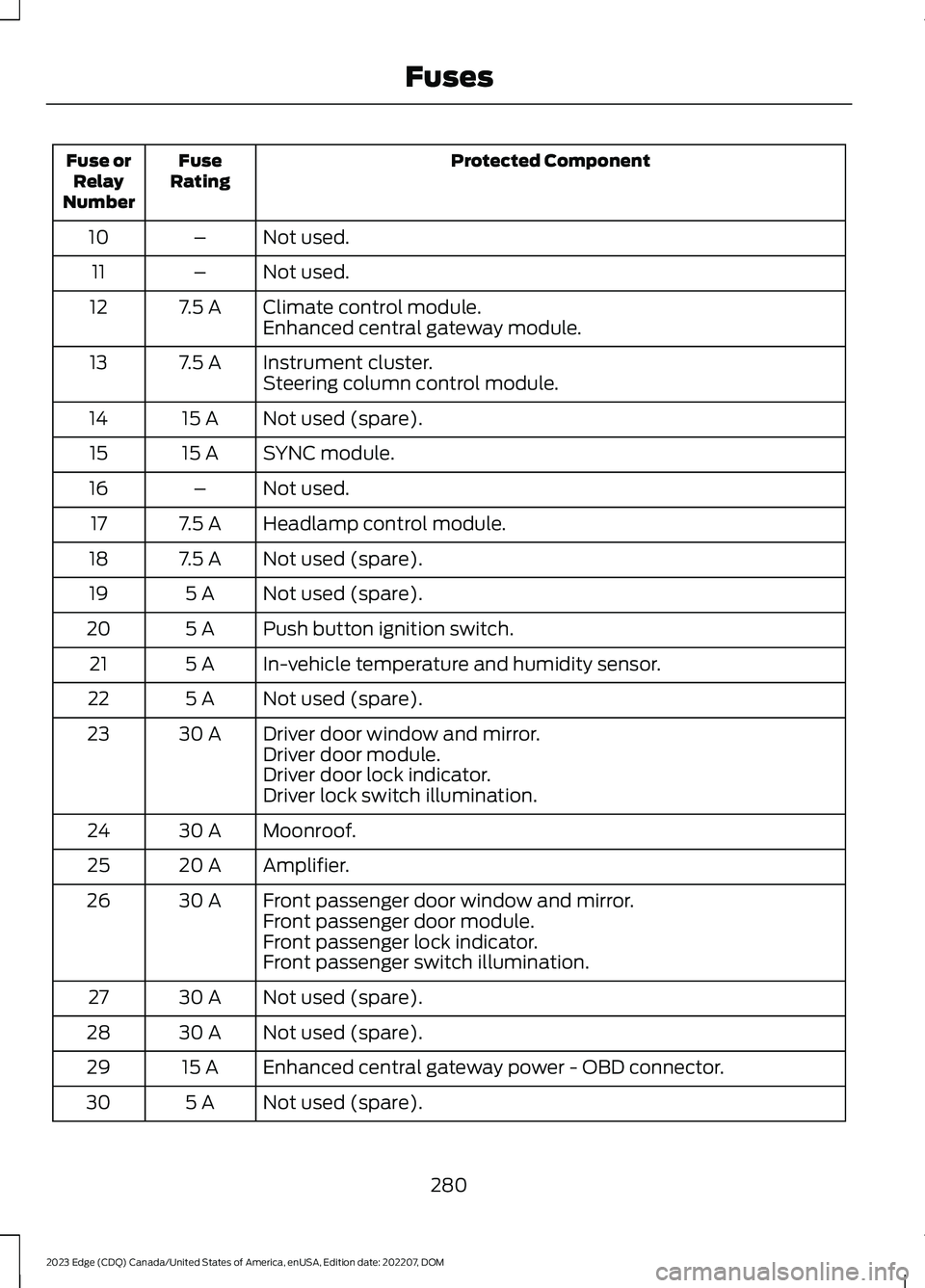
Protected ComponentFuseRatingFuse orRelayNumber
Not used.–10
Not used.–11
Climate control module.7.5 A12Enhanced central gateway module.
Instrument cluster.7.5 A13Steering column control module.
Not used (spare).15 A14
SYNC module.15 A15
Not used.–16
Headlamp control module.7.5 A17
Not used (spare).7.5 A18
Not used (spare).5 A19
Push button ignition switch.5 A20
In-vehicle temperature and humidity sensor.5 A21
Not used (spare).5 A22
Driver door window and mirror.30 A23Driver door module.Driver door lock indicator.Driver lock switch illumination.
Moonroof.30 A24
Amplifier.20 A25
Front passenger door window and mirror.30 A26Front passenger door module.Front passenger lock indicator.Front passenger switch illumination.
Not used (spare).30 A27
Not used (spare).30 A28
Enhanced central gateway power - OBD connector.15 A29
Not used (spare).5 A30
280
2023 Edge (CDQ) Canada/United States of America, enUSA, Edition date: 202207, DOMFuses
Page 285 of 504
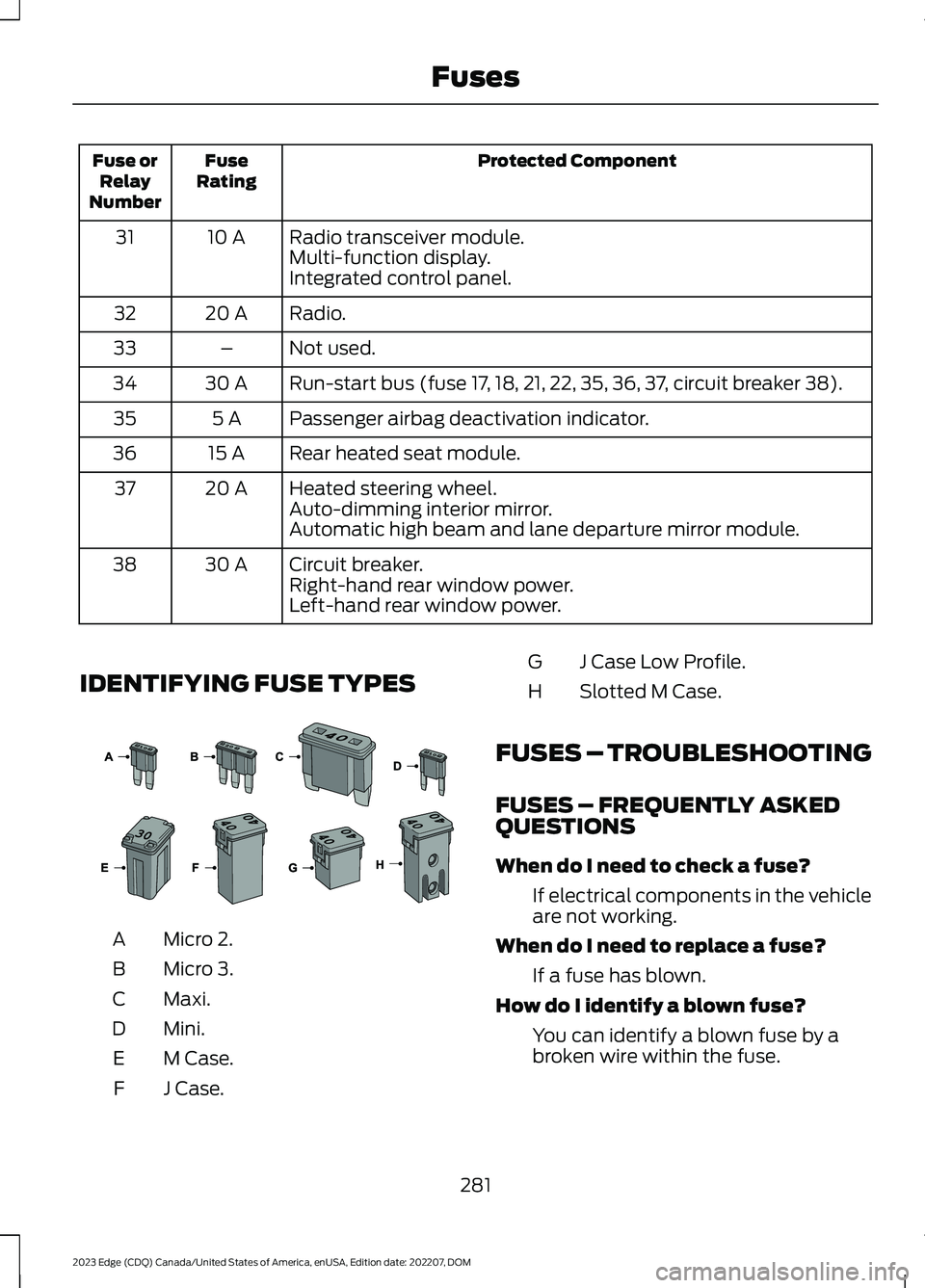
Protected ComponentFuseRatingFuse orRelayNumber
Radio transceiver module.10 A31Multi-function display.Integrated control panel.
Radio.20 A32
Not used.–33
Run-start bus (fuse 17, 18, 21, 22, 35, 36, 37, circuit breaker 38).30 A34
Passenger airbag deactivation indicator.5 A35
Rear heated seat module.15 A36
Heated steering wheel.20 A37Auto-dimming interior mirror.Automatic high beam and lane departure mirror module.
Circuit breaker.30 A38Right-hand rear window power.Left-hand rear window power.
IDENTIFYING FUSE TYPES
Micro 2.A
Micro 3.B
Maxi.C
Mini.D
M Case.E
J Case.F
J Case Low Profile.G
Slotted M Case.H
FUSES – TROUBLESHOOTING
FUSES – FREQUENTLY ASKEDQUESTIONS
When do I need to check a fuse?
If electrical components in the vehicleare not working.
When do I need to replace a fuse?
If a fuse has blown.
How do I identify a blown fuse?
You can identify a blown fuse by abroken wire within the fuse.
281
2023 Edge (CDQ) Canada/United States of America, enUSA, Edition date: 202207, DOMFuses E267379
Page 485 of 504
1
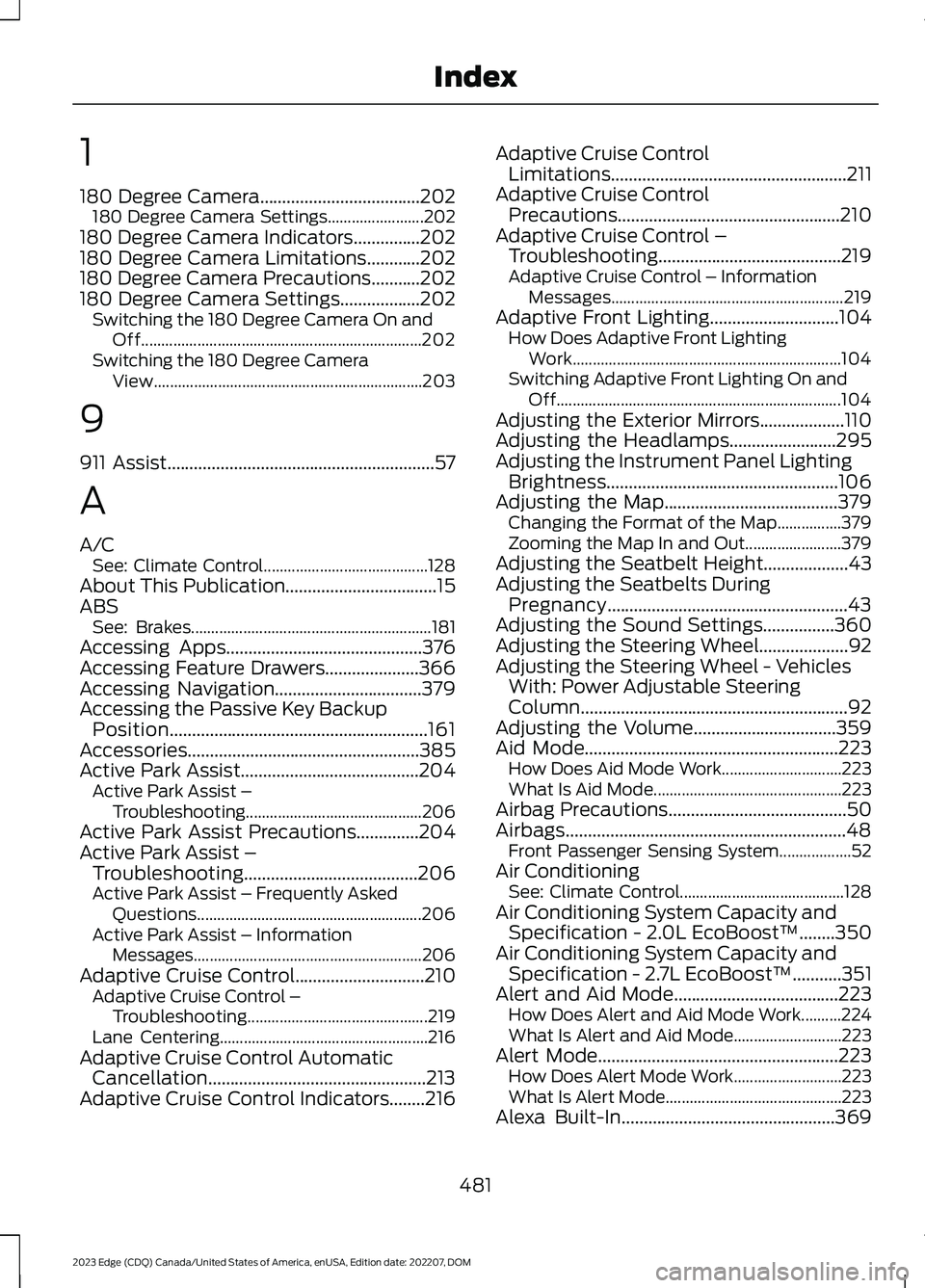
180 Degree Camera....................................202180 Degree Camera Settings........................202180 Degree Camera Indicators...............202180 Degree Camera Limitations............202180 Degree Camera Precautions...........202180 Degree Camera Settings..................202Switching the 180 Degree Camera On andOff......................................................................202Switching the 180 Degree CameraView...................................................................203
9
911 Assist............................................................57
A
A/CSee: Climate Control.........................................128About This Publication..................................15ABSSee: Brakes............................................................181Accessing Apps............................................376Accessing Feature Drawers.....................366Accessing Navigation.................................379Accessing the Passive Key BackupPosition..........................................................161Accessories....................................................385Active Park Assist........................................204Active Park Assist –Troubleshooting............................................206Active Park Assist Precautions..............204Active Park Assist –Troubleshooting.......................................206Active Park Assist – Frequently AskedQuestions........................................................206Active Park Assist – InformationMessages.........................................................206Adaptive Cruise Control.............................210Adaptive Cruise Control –Troubleshooting.............................................219Lane Centering....................................................216Adaptive Cruise Control AutomaticCancellation.................................................213Adaptive Cruise Control Indicators........216
Adaptive Cruise ControlLimitations.....................................................211Adaptive Cruise ControlPrecautions..................................................210Adaptive Cruise Control –Troubleshooting.........................................219Adaptive Cruise Control – InformationMessages..........................................................219Adaptive Front Lighting.............................104How Does Adaptive Front LightingWork...................................................................104Switching Adaptive Front Lighting On andOff.......................................................................104Adjusting the Exterior Mirrors...................110Adjusting the Headlamps........................295Adjusting the Instrument Panel LightingBrightness....................................................106Adjusting the Map.......................................379Changing the Format of the Map................379Zooming the Map In and Out........................379Adjusting the Seatbelt Height...................43Adjusting the Seatbelts DuringPregnancy......................................................43Adjusting the Sound Settings................360Adjusting the Steering Wheel....................92Adjusting the Steering Wheel - VehiclesWith: Power Adjustable SteeringColumn............................................................92Adjusting the Volume................................359Aid Mode.........................................................223How Does Aid Mode Work..............................223What Is Aid Mode...............................................223Airbag Precautions........................................50Airbags...............................................................48Front Passenger Sensing System..................52Air ConditioningSee: Climate Control.........................................128Air Conditioning System Capacity andSpecification - 2.0L EcoBoost™........350Air Conditioning System Capacity andSpecification - 2.7L EcoBoost™...........351Alert and Aid Mode.....................................223How Does Alert and Aid Mode Work..........224What Is Alert and Aid Mode...........................223Alert Mode......................................................223How Does Alert Mode Work...........................223What Is Alert Mode............................................223Alexa Built-In................................................369
481
2023 Edge (CDQ) Canada/United States of America, enUSA, Edition date: 202207, DOMIndex
Page 486 of 504
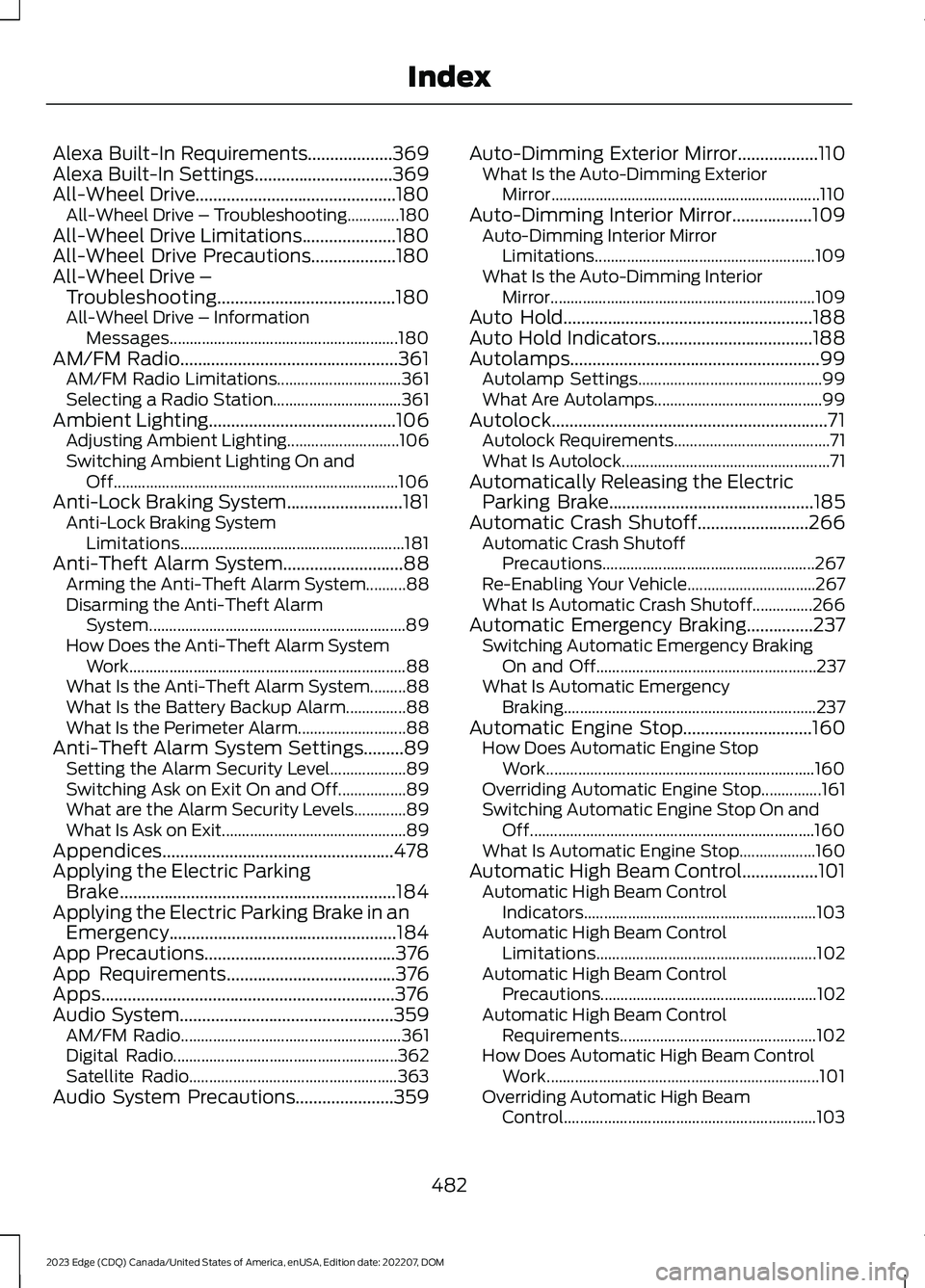
Alexa Built-In Requirements...................369Alexa Built-In Settings...............................369All-Wheel Drive.............................................180All-Wheel Drive – Troubleshooting.............180All-Wheel Drive Limitations.....................180All-Wheel Drive Precautions...................180All-Wheel Drive –Troubleshooting........................................180All-Wheel Drive – InformationMessages.........................................................180AM/FM Radio.................................................361AM/FM Radio Limitations...............................361Selecting a Radio Station................................361Ambient Lighting..........................................106Adjusting Ambient Lighting............................106Switching Ambient Lighting On andOff.......................................................................106Anti-Lock Braking System..........................181Anti-Lock Braking SystemLimitations........................................................181Anti-Theft Alarm System...........................88Arming the Anti-Theft Alarm System..........88Disarming the Anti-Theft AlarmSystem................................................................89How Does the Anti-Theft Alarm SystemWork.....................................................................88What Is the Anti-Theft Alarm System.........88What Is the Battery Backup Alarm...............88What Is the Perimeter Alarm...........................88Anti-Theft Alarm System Settings.........89Setting the Alarm Security Level...................89Switching Ask on Exit On and Off.................89What are the Alarm Security Levels.............89What Is Ask on Exit..............................................89Appendices....................................................478Applying the Electric ParkingBrake..............................................................184Applying the Electric Parking Brake in anEmergency...................................................184App Precautions...........................................376App Requirements......................................376Apps..................................................................376Audio System................................................359AM/FM Radio.......................................................361Digital Radio........................................................362Satellite Radio....................................................363Audio System Precautions......................359
Auto-Dimming Exterior Mirror..................110What Is the Auto-Dimming ExteriorMirror...................................................................110Auto-Dimming Interior Mirror..................109Auto-Dimming Interior MirrorLimitations.......................................................109What Is the Auto-Dimming InteriorMirror..................................................................109Auto Hold........................................................188Auto Hold Indicators...................................188Autolamps........................................................99Autolamp Settings..............................................99What Are Autolamps..........................................99Autolock..............................................................71Autolock Requirements.......................................71What Is Autolock....................................................71Automatically Releasing the ElectricParking Brake..............................................185Automatic Crash Shutoff.........................266Automatic Crash ShutoffPrecautions.....................................................267Re-Enabling Your Vehicle................................267What Is Automatic Crash Shutoff...............266Automatic Emergency Braking...............237Switching Automatic Emergency BrakingOn and Off.......................................................237What Is Automatic EmergencyBraking...............................................................237Automatic Engine Stop.............................160How Does Automatic Engine StopWork...................................................................160Overriding Automatic Engine Stop...............161Switching Automatic Engine Stop On andOff.......................................................................160What Is Automatic Engine Stop...................160Automatic High Beam Control.................101Automatic High Beam ControlIndicators..........................................................103Automatic High Beam ControlLimitations.......................................................102Automatic High Beam ControlPrecautions......................................................102Automatic High Beam ControlRequirements.................................................102How Does Automatic High Beam ControlWork....................................................................101Overriding Automatic High BeamControl...............................................................103
482
2023 Edge (CDQ) Canada/United States of America, enUSA, Edition date: 202207, DOMIndex