door lock FORD ESCAPE 2002 1.G Owners Manual
[x] Cancel search | Manufacturer: FORD, Model Year: 2002, Model line: ESCAPE, Model: FORD ESCAPE 2002 1.GPages: 280, PDF Size: 2.75 MB
Page 9 of 280
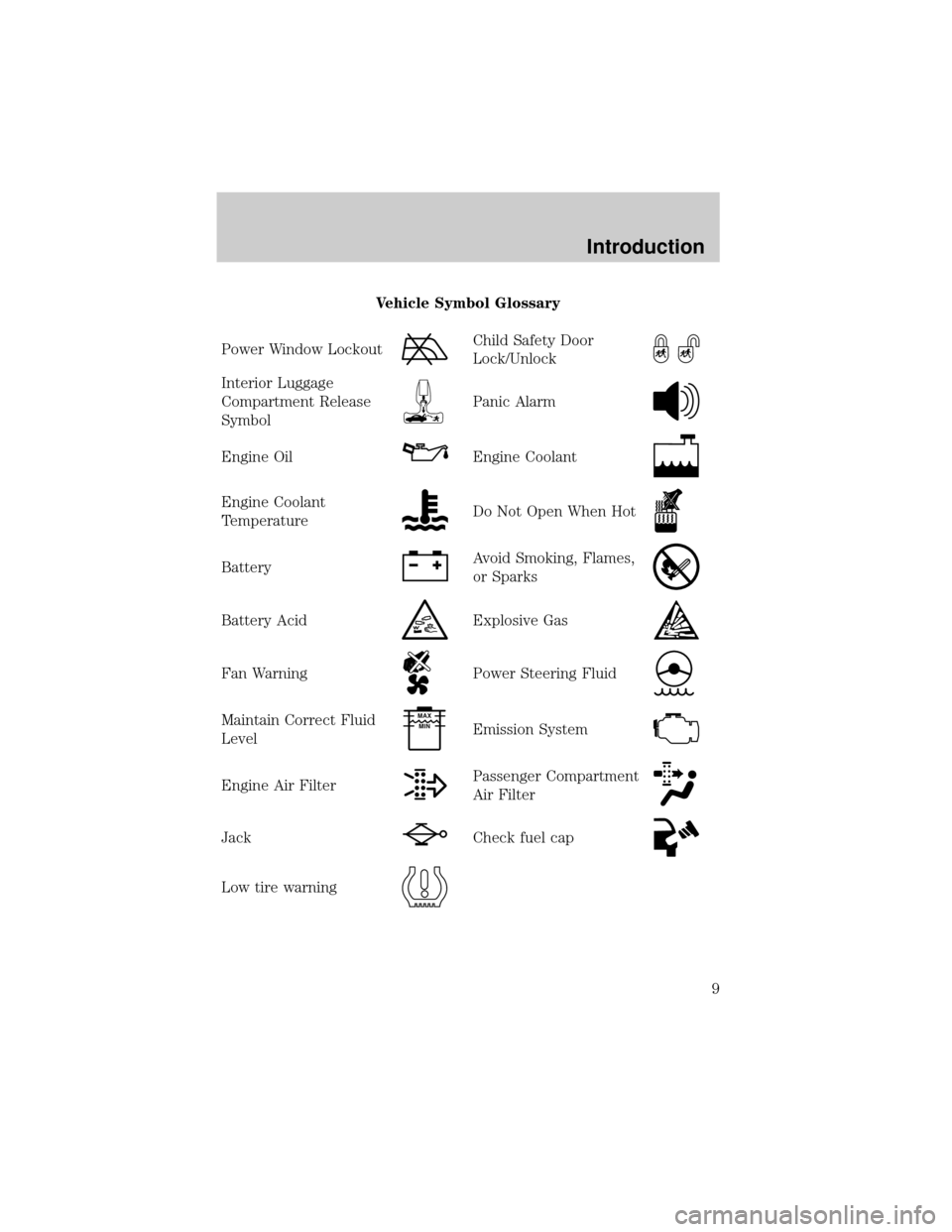
Vehicle Symbol Glossary
Power Window Lockout
Child Safety Door
Lock/Unlock
Interior Luggage
Compartment Release
Symbol
Panic Alarm
Engine OilEngine Coolant
Engine Coolant
TemperatureDo Not Open When Hot
BatteryAvoid Smoking, Flames,
or Sparks
Battery AcidExplosive Gas
Fan WarningPower Steering Fluid
Maintain Correct Fluid
LevelMAX
MIN
Emission System
Engine Air FilterPassenger Compartment
Air Filter
JackCheck fuel cap
Low tire warning
Introduction
9
Page 59 of 280
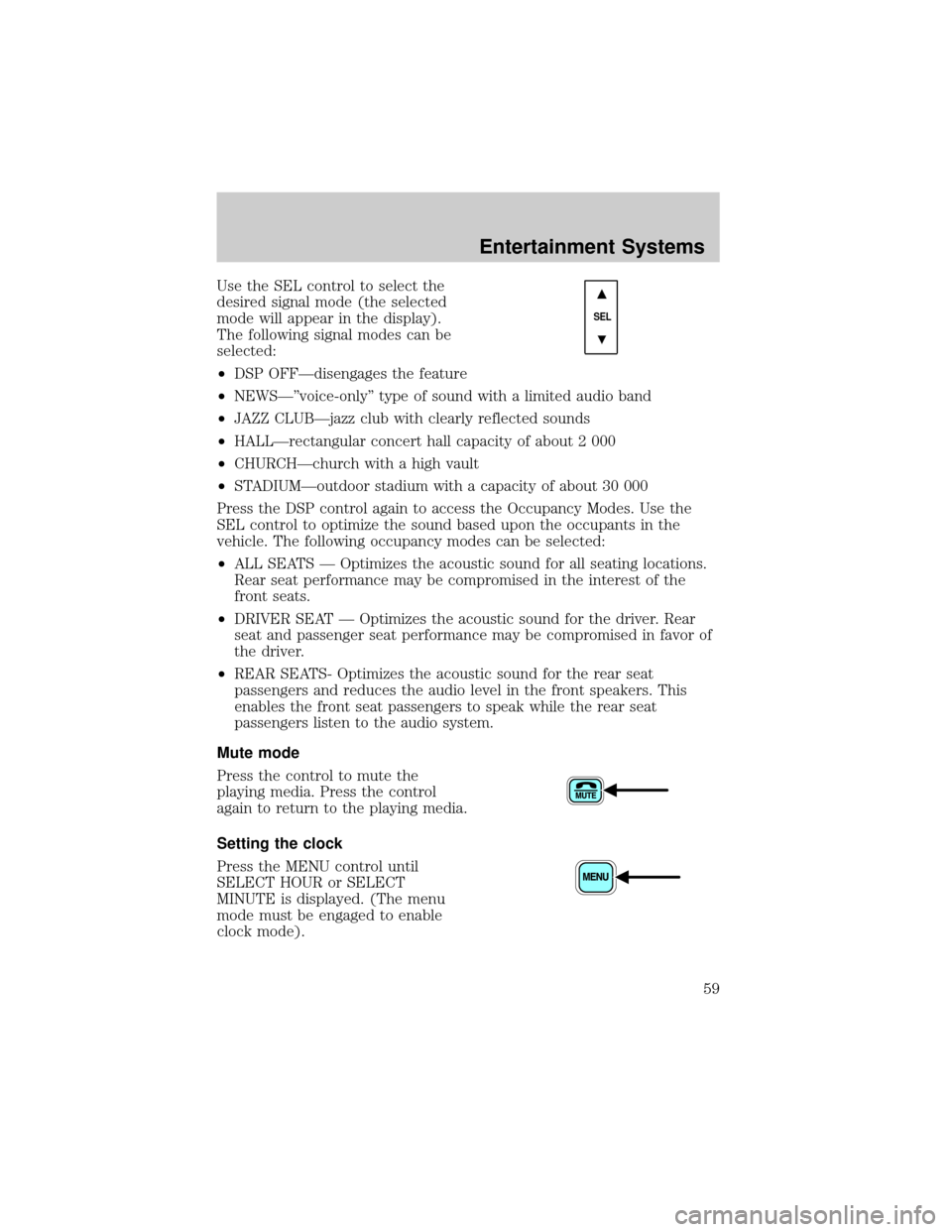
Use the SEL control to select the
desired signal mode (the selected
mode will appear in the display).
The following signal modes can be
selected:
²DSP OFFÐdisengages the feature
²NEWSкvoice-onlyº type of sound with a limited audio band
²JAZZ CLUBÐjazz club with clearly reflected sounds
²HALLÐrectangular concert hall capacity of about 2 000
²CHURCHÐchurch with a high vault
²STADIUMÐoutdoor stadium with a capacity of about 30 000
Press the DSP control again to access the Occupancy Modes. Use the
SEL control to optimize the sound based upon the occupants in the
vehicle. The following occupancy modes can be selected:
²ALL SEATS Ð Optimizes the acoustic sound for all seating locations.
Rear seat performance may be compromised in the interest of the
front seats.
²DRIVER SEAT Ð Optimizes the acoustic sound for the driver. Rear
seat and passenger seat performance may be compromised in favor of
the driver.
²REAR SEATS- Optimizes the acoustic sound for the rear seat
passengers and reduces the audio level in the front speakers. This
enables the front seat passengers to speak while the rear seat
passengers listen to the audio system.
Mute mode
Press the control to mute the
playing media. Press the control
again to return to the playing media.
Setting the clock
Press the MENU control until
SELECT HOUR or SELECT
MINUTE is displayed. (The menu
mode must be engaged to enable
clock mode).
SEL
Entertainment Systems
59
Page 71 of 280
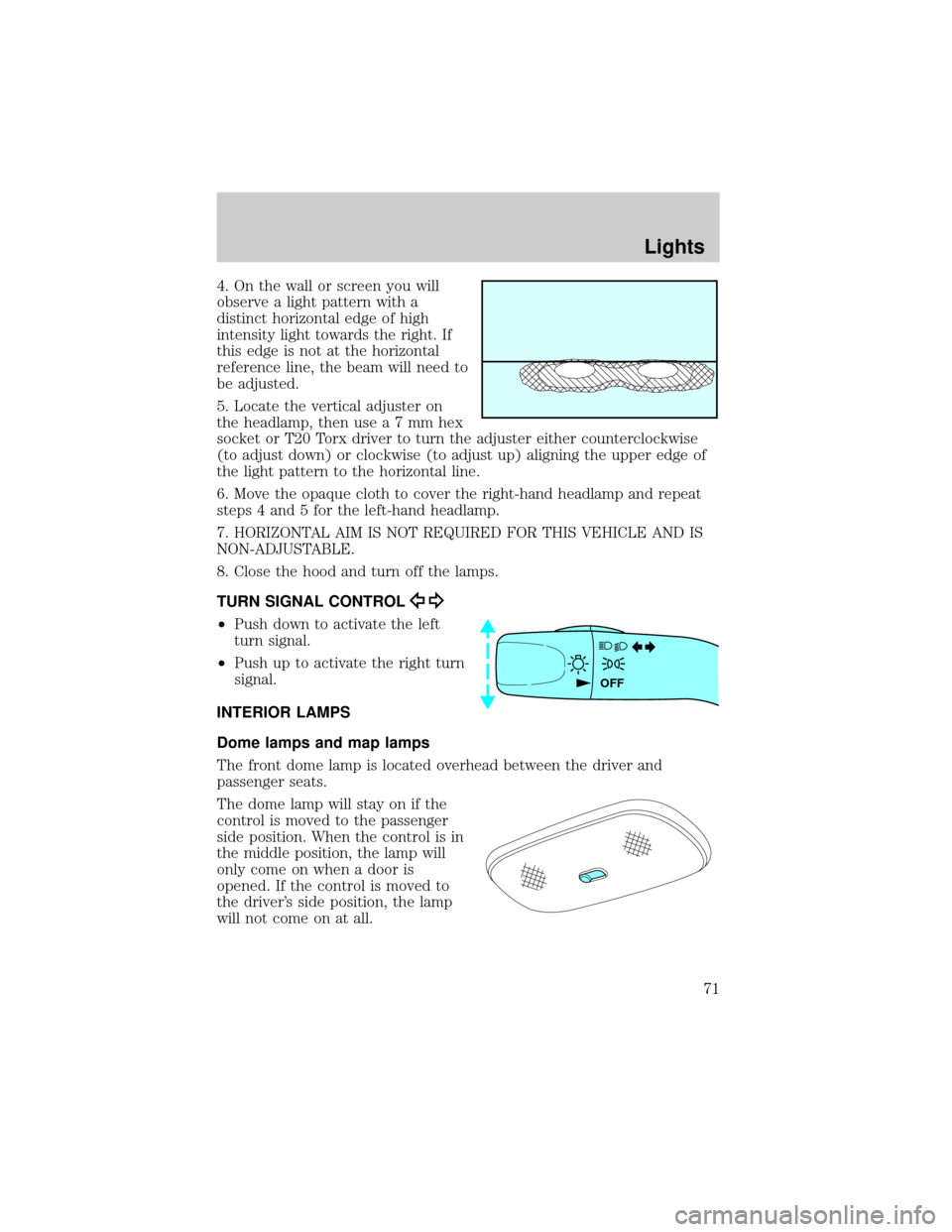
4. On the wall or screen you will
observe a light pattern with a
distinct horizontal edge of high
intensity light towards the right. If
this edge is not at the horizontal
reference line, the beam will need to
be adjusted.
5. Locate the vertical adjuster on
the headlamp, then usea7mmhex
socket or T20 Torx driver to turn the adjuster either counterclockwise
(to adjust down) or clockwise (to adjust up) aligning the upper edge of
the light pattern to the horizontal line.
6. Move the opaque cloth to cover the right-hand headlamp and repeat
steps 4 and 5 for the left-hand headlamp.
7. HORIZONTAL AIM IS NOT REQUIRED FOR THIS VEHICLE AND IS
NON-ADJUSTABLE.
8. Close the hood and turn off the lamps.
TURN SIGNAL CONTROL
²Push down to activate the left
turn signal.
²Push up to activate the right turn
signal.
INTERIOR LAMPS
Dome lamps and map lamps
The front dome lamp is located overhead between the driver and
passenger seats.
The dome lamp will stay on if the
control is moved to the passenger
side position. When the control is in
the middle position, the lamp will
only come on when a door is
opened. If the control is moved to
the driver's side position, the lamp
will not come on at all.
OFF
Lights
71
Page 72 of 280
With the control in the middle position, the dome lamp will illuminate
whenever any door is opened. If any door has been opened from the
outside, the lamp will remain on for 15 seconds after the door is shut.
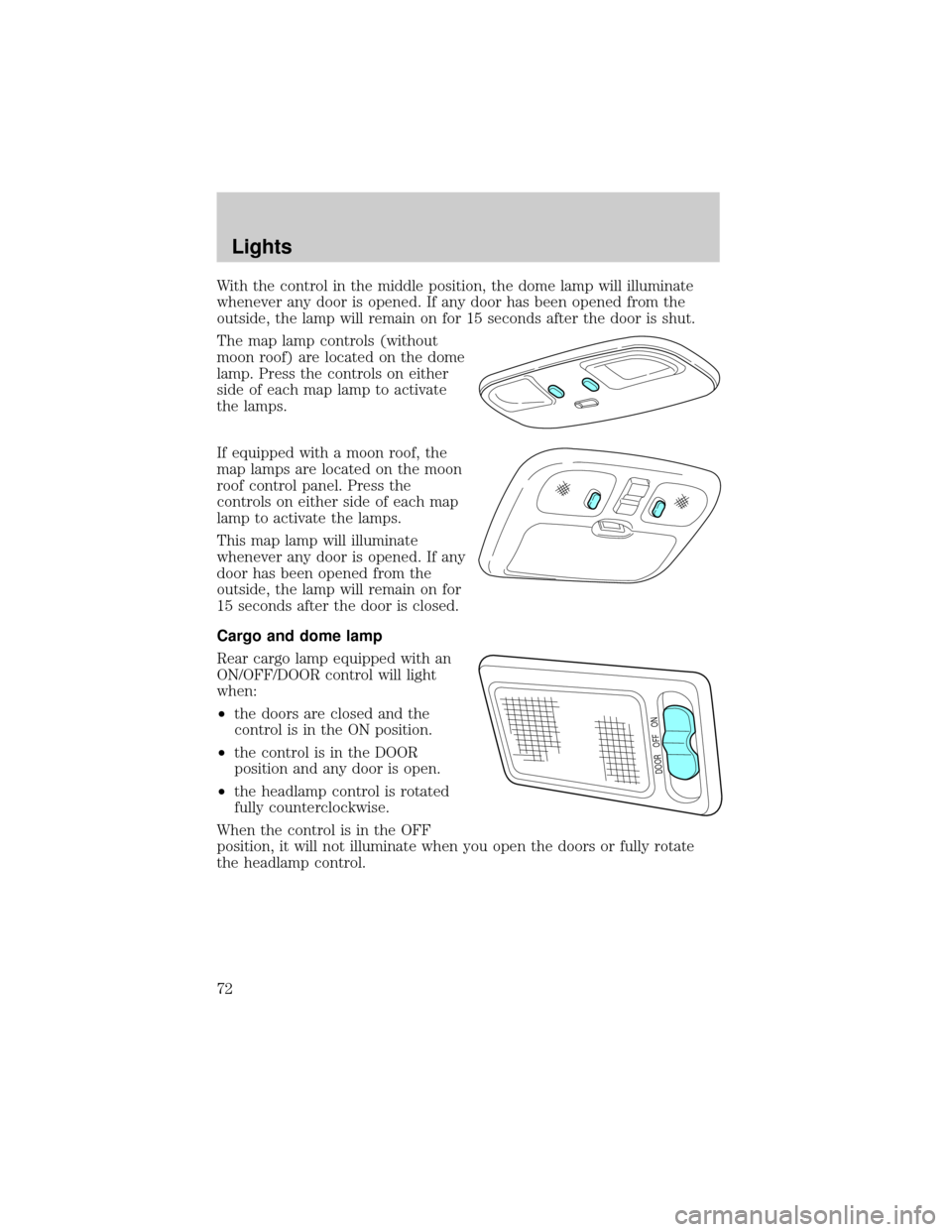
The map lamp controls (without
moon roof) are located on the dome
lamp. Press the controls on either
side of each map lamp to activate
the lamps.
If equipped with a moon roof, the
map lamps are located on the moon
roof control panel. Press the
controls on either side of each map
lamp to activate the lamps.
This map lamp will illuminate
whenever any door is opened. If any
door has been opened from the
outside, the lamp will remain on for
15 seconds after the door is closed.
Cargo and dome lamp
Rear cargo lamp equipped with an
ON/OFF/DOOR control will light
when:
²the doors are closed and the
control is in the ON position.
²the control is in the DOOR
position and any door is open.
²the headlamp control is rotated
fully counterclockwise.
When the control is in the OFF
position, it will not illuminate when you open the doors or fully rotate
the headlamp control.
DOOR OFF ON
Lights
72
Page 102 of 280
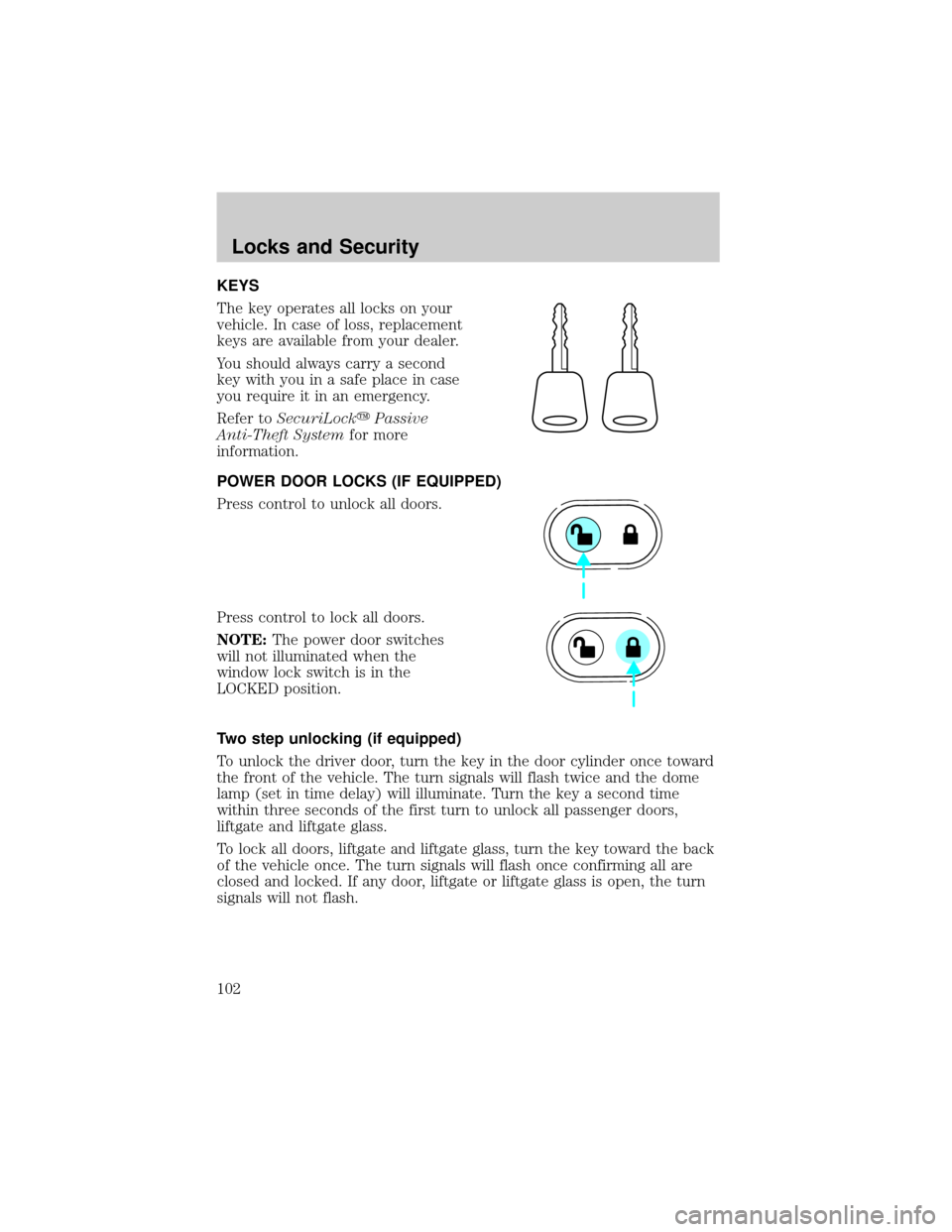
KEYS
The key operates all locks on your
vehicle. In case of loss, replacement
keys are available from your dealer.
You should always carry a second
key with you in a safe place in case
you require it in an emergency.
Refer toSecuriLockyPassive
Anti-Theft Systemfor more
information.
POWER DOOR LOCKS (IF EQUIPPED)
Press control to unlock all doors.
Press control to lock all doors.
NOTE:The power door switches
will not illuminated when the
window lock switch is in the
LOCKED position.
Two step unlocking (if equipped)
To unlock the driver door, turn the key in the door cylinder once toward
the front of the vehicle. The turn signals will flash twice and the dome
lamp (set in time delay) will illuminate. Turn the key a second time
within three seconds of the first turn to unlock all passenger doors,
liftgate and liftgate glass.
To lock all doors, liftgate and liftgate glass, turn the key toward the back
of the vehicle once. The turn signals will flash once confirming all are
closed and locked. If any door, liftgate or liftgate glass is open, the turn
signals will not flash.
Locks and Security
102
Page 103 of 280
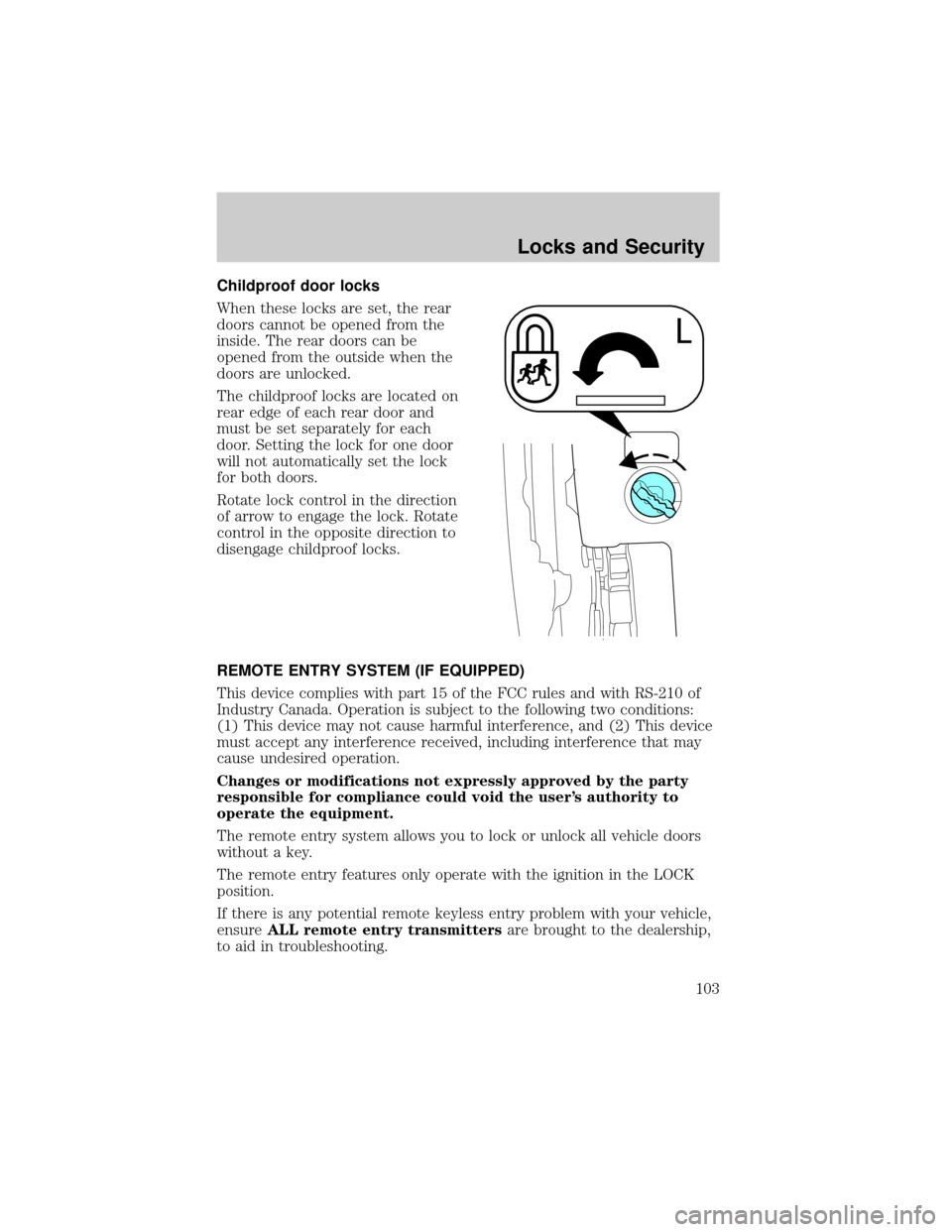
Childproof door locks
When these locks are set, the rear
doors cannot be opened from the
inside. The rear doors can be
opened from the outside when the
doors are unlocked.
The childproof locks are located on
rear edge of each rear door and
must be set separately for each
door. Setting the lock for one door
will not automatically set the lock
for both doors.
Rotate lock control in the direction
of arrow to engage the lock. Rotate
control in the opposite direction to
disengage childproof locks.
REMOTE ENTRY SYSTEM (IF EQUIPPED)
This device complies with part 15 of the FCC rules and with RS-210 of
Industry Canada. Operation is subject to the following two conditions:
(1) This device may not cause harmful interference, and (2) This device
must accept any interference received, including interference that may
cause undesired operation.
Changes or modifications not expressly approved by the party
responsible for compliance could void the user's authority to
operate the equipment.
The remote entry system allows you to lock or unlock all vehicle doors
without a key.
The remote entry features only operate with the ignition in the LOCK
position.
If there is any potential remote keyless entry problem with your vehicle,
ensureALL remote entry transmittersare brought to the dealership,
to aid in troubleshooting.
Locks and Security
103
Page 104 of 280
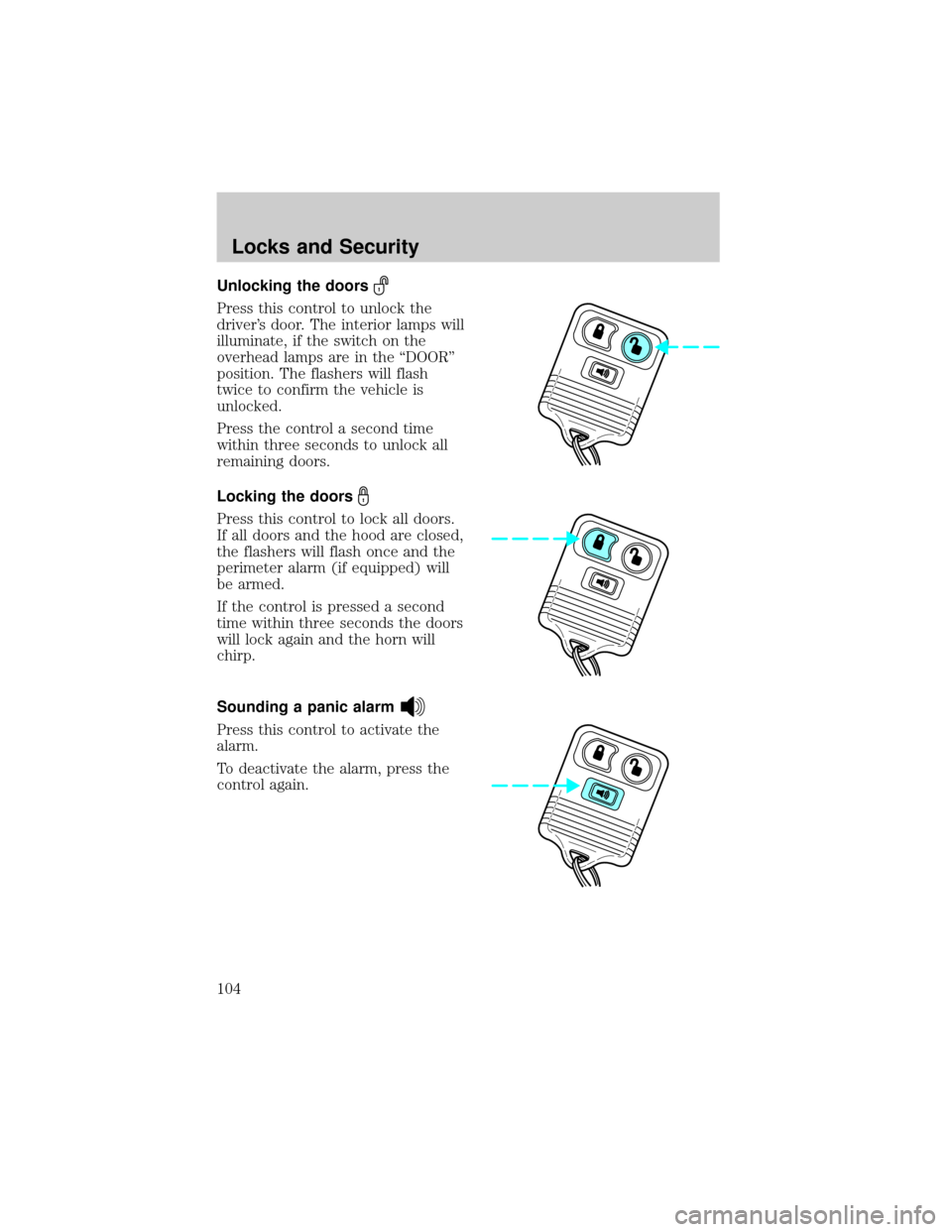
Unlocking the doors
Press this control to unlock the
driver's door. The interior lamps will
illuminate, if the switch on the
overhead lamps are in the ªDOORº
position. The flashers will flash
twice to confirm the vehicle is
unlocked.
Press the control a second time
within three seconds to unlock all
remaining doors.
Locking the doors
Press this control to lock all doors.
If all doors and the hood are closed,
the flashers will flash once and the
perimeter alarm (if equipped) will
be armed.
If the control is pressed a second
time within three seconds the doors
will lock again and the horn will
chirp.
Sounding a panic alarm
Press this control to activate the
alarm.
To deactivate the alarm, press the
control again.
Locks and Security
104
Page 106 of 280
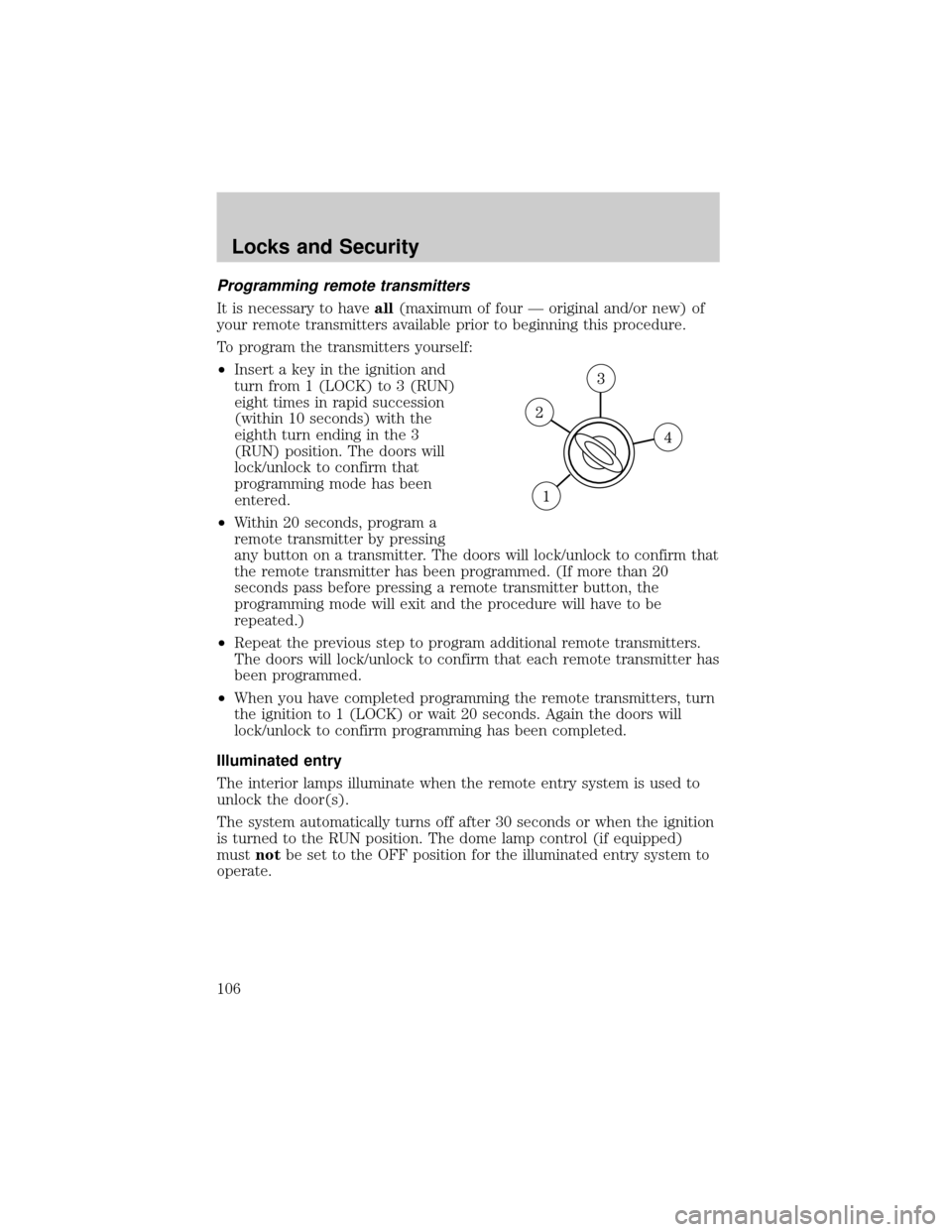
Programming remote transmitters
It is necessary to haveall(maximum of four Ð original and/or new) of
your remote transmitters available prior to beginning this procedure.
To program the transmitters yourself:
²Insert a key in the ignition and
turn from 1 (LOCK) to 3 (RUN)
eight times in rapid succession
(within 10 seconds) with the
eighth turn ending in the 3
(RUN) position. The doors will
lock/unlock to confirm that
programming mode has been
entered.
²Within 20 seconds, program a
remote transmitter by pressing
any button on a transmitter. The doors will lock/unlock to confirm that
the remote transmitter has been programmed. (If more than 20
seconds pass before pressing a remote transmitter button, the
programming mode will exit and the procedure will have to be
repeated.)
²Repeat the previous step to program additional remote transmitters.
The doors will lock/unlock to confirm that each remote transmitter has
been programmed.
²When you have completed programming the remote transmitters, turn
the ignition to 1 (LOCK) or wait 20 seconds. Again the doors will
lock/unlock to confirm programming has been completed.
Illuminated entry
The interior lamps illuminate when the remote entry system is used to
unlock the door(s).
The system automatically turns off after 30 seconds or when the ignition
is turned to the RUN position. The dome lamp control (if equipped)
mustnotbe set to the OFF position for the illuminated entry system to
operate.
Locks and Security
106
Page 107 of 280
The inside lights will not turn off if:
²they have been turned on in the dome lamp control or
²any door is open
The battery saver will shut off the interior lamps 40 minutes after the
ignition has been turned to the OFF position.
SECURILOCKYPASSIVE ANTI-THEFT SYSTEM
SecuriLockypassive anti-theft system is an engine immobilization
system. This system prevents the engine from being started unless a
coded key programmed to your vehicleis used.
The SecuriLockypassive anti-theft system is not compatible with
non-Ford aftermarket remote start systems. Use of these systems may
result in vehicle starting problems and a loss of security protection.
Automatic arming
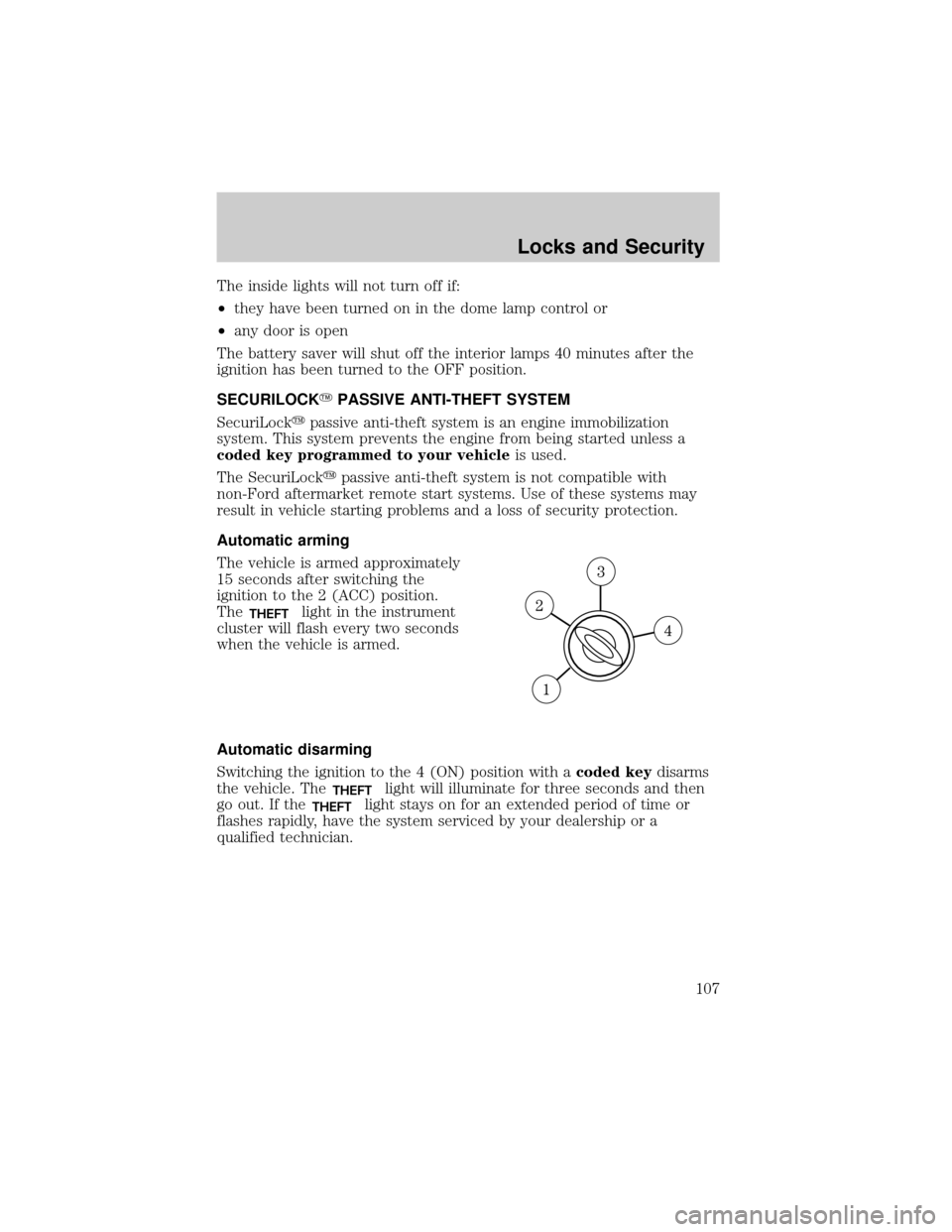
The vehicle is armed approximately
15 seconds after switching the
ignition to the 2 (ACC) position.
The
THEFTlight in the instrument
cluster will flash every two seconds
when the vehicle is armed.
Automatic disarming
Switching the ignition to the 4 (ON) position with acoded keydisarms
the vehicle. The
THEFTlight will illuminate for three seconds and then
go out. If the
THEFTlight stays on for an extended period of time or
flashes rapidly, have the system serviced by your dealership or a
qualified technician.
Locks and Security
107
Page 111 of 280
PERIMETER ALARM SYSTEM (IF EQUIPPED)
The perimeter anti-theft system will help prevent your vehicle from
unauthorized entry.
If there is any potential perimeter anti-theft problem with your vehicle,
ensureALL remote entry transmittersare brought to the dealership,
to aid in troubleshooting.
Arming the system
When armed, this system will help protect your vehicle from
unauthorized entry. When unauthorized entry occurs, the system will
flash the headlamps, parking lamps and will sound the horn.
The system is ready to arm whenever the key is removed from the
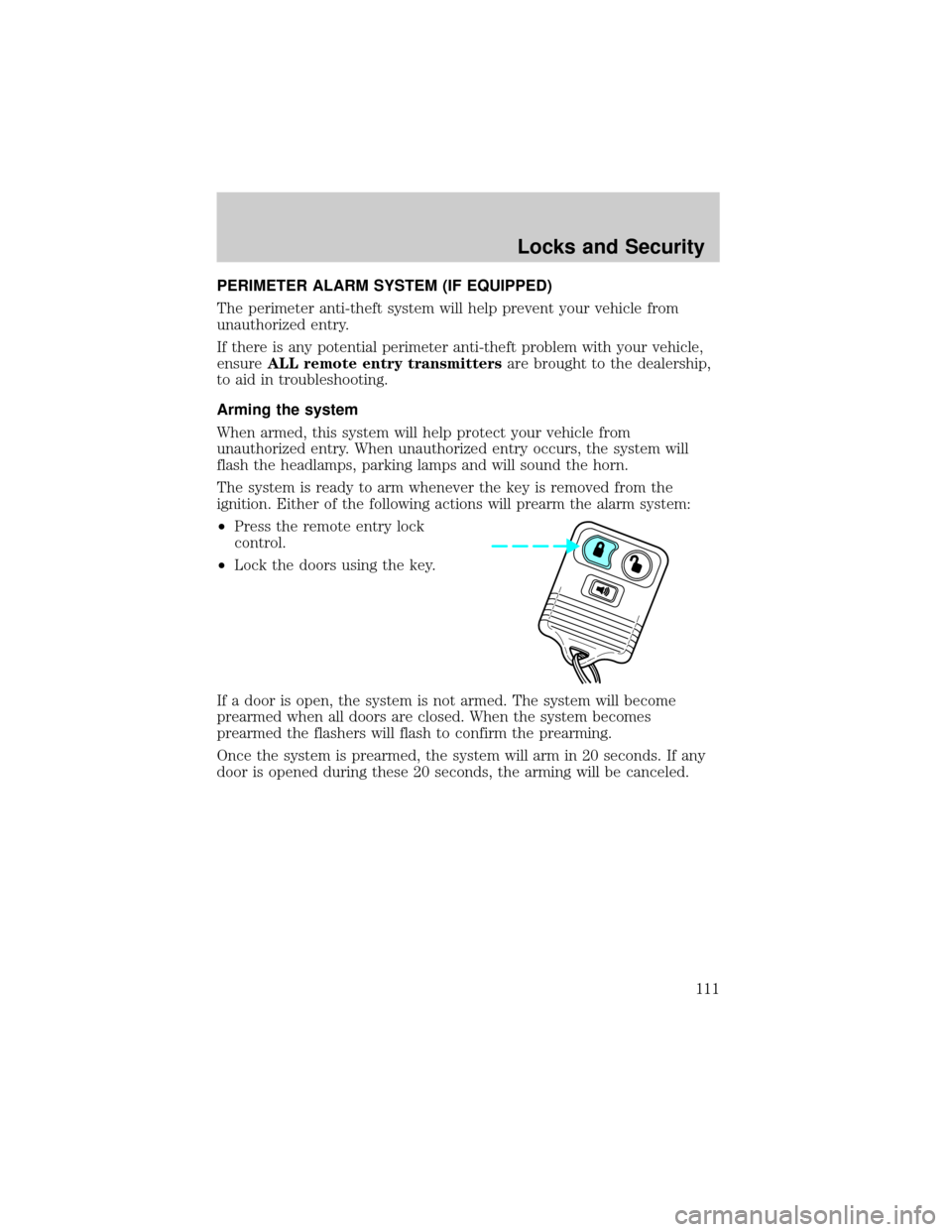
ignition. Either of the following actions will prearm the alarm system:
²Press the remote entry lock
control.
²Lock the doors using the key.
If a door is open, the system is not armed. The system will become
prearmed when all doors are closed. When the system becomes
prearmed the flashers will flash to confirm the prearming.
Once the system is prearmed, the system will arm in 20 seconds. If any
door is opened during these 20 seconds, the arming will be canceled.
Locks and Security
111