lock FORD ESCAPE 2005 1.G User Guide
[x] Cancel search | Manufacturer: FORD, Model Year: 2005, Model line: ESCAPE, Model: FORD ESCAPE 2005 1.GPages: 272, PDF Size: 15.08 MB
Page 40 of 272
2. Measure the height from the center of your headlamp to the ground
and mark a 2.4 meter (8 foot) horizontal reference line on the vertical
wall or screen at this height (a piece of masking tape works well). The
center of the lamp is marked by a 3.0 mm circle on the headlamp lens.
3. Turn on the low beam headlamps to illuminate the wall or screen and
open the hood. Cover the left-hand headlamp with an opaque cloth.
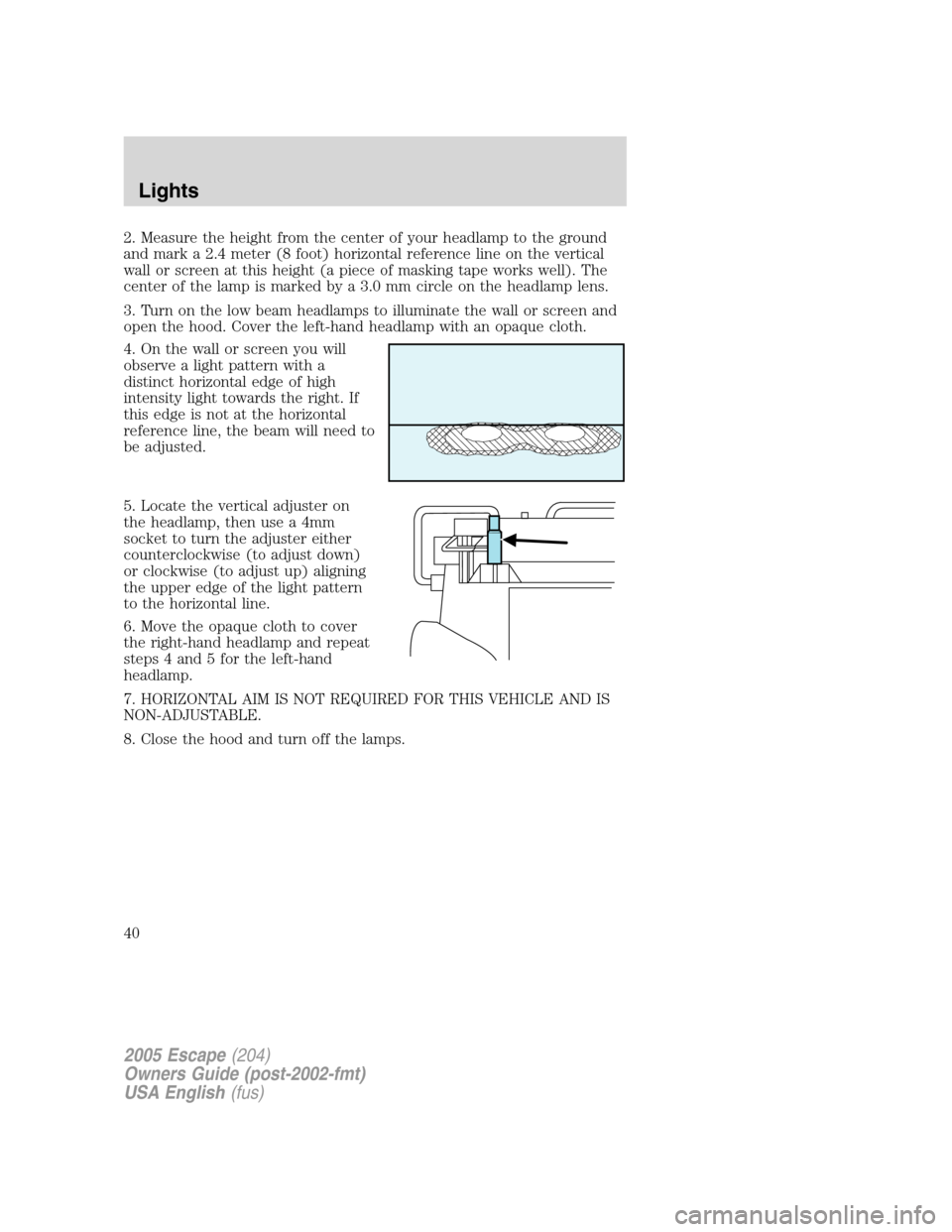
4. On the wall or screen you will
observe a light pattern with a
distinct horizontal edge of high
intensity light towards the right. If
this edge is not at the horizontal
reference line, the beam will need to
be adjusted.
5. Locate the vertical adjuster on
the headlamp, then use a 4mm
socket to turn the adjuster either
counterclockwise (to adjust down)
or clockwise (to adjust up) aligning
the upper edge of the light pattern
to the horizontal line.
6. Move the opaque cloth to cover
the right-hand headlamp and repeat
steps 4 and 5 for the left-hand
headlamp.
7. HORIZONTAL AIM IS NOT REQUIRED FOR THIS VEHICLE AND IS
NON-ADJUSTABLE.
8. Close the hood and turn off the lamps.
2005 Escape(204)
Owners Guide (post-2002-fmt)
USA English(fus)
Lights
40
Page 46 of 272
1. Make sure the headlamp switch is
in the OFF position and then open
the liftgate to expose the lamp
assemblies.
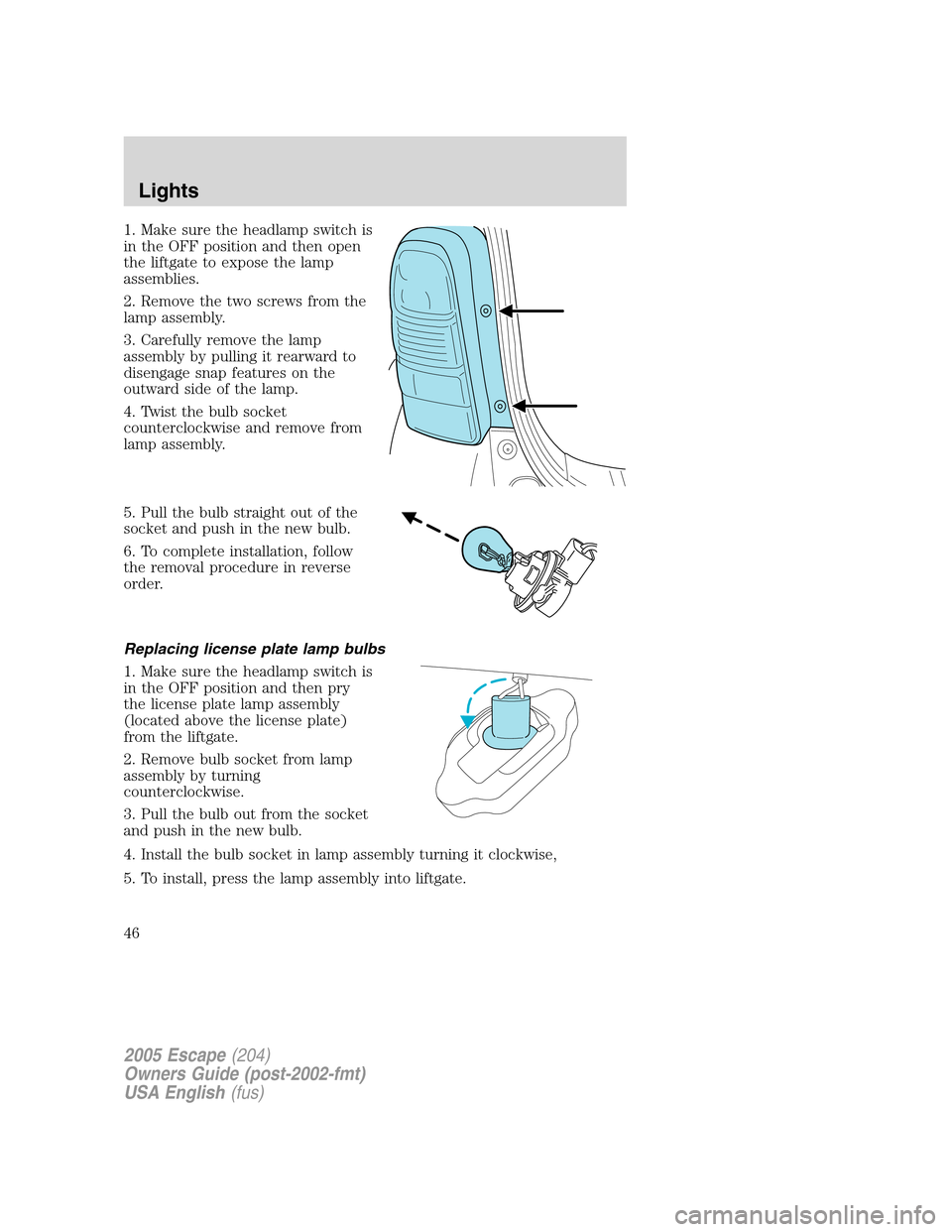
2. Remove the two screws from the
lamp assembly.
3. Carefully remove the lamp
assembly by pulling it rearward to
disengage snap features on the
outward side of the lamp.
4. Twist the bulb socket
counterclockwise and remove from
lamp assembly.
5. Pull the bulb straight out of the
socket and push in the new bulb.
6. To complete installation, follow
the removal procedure in reverse
order.
Replacing license plate lamp bulbs
1. Make sure the headlamp switch is
in the OFF position and then pry
the license plate lamp assembly
(located above the license plate)
from the liftgate.
2. Remove bulb socket from lamp
assembly by turning
counterclockwise.
3. Pull the bulb out from the socket
and push in the new bulb.
4. Install the bulb socket in lamp assembly turning it clockwise,
5. To install, press the lamp assembly into liftgate.
2005 Escape(204)
Owners Guide (post-2002-fmt)
USA English(fus)
Lights
46
Page 49 of 272
Rear window wiper/washer controls
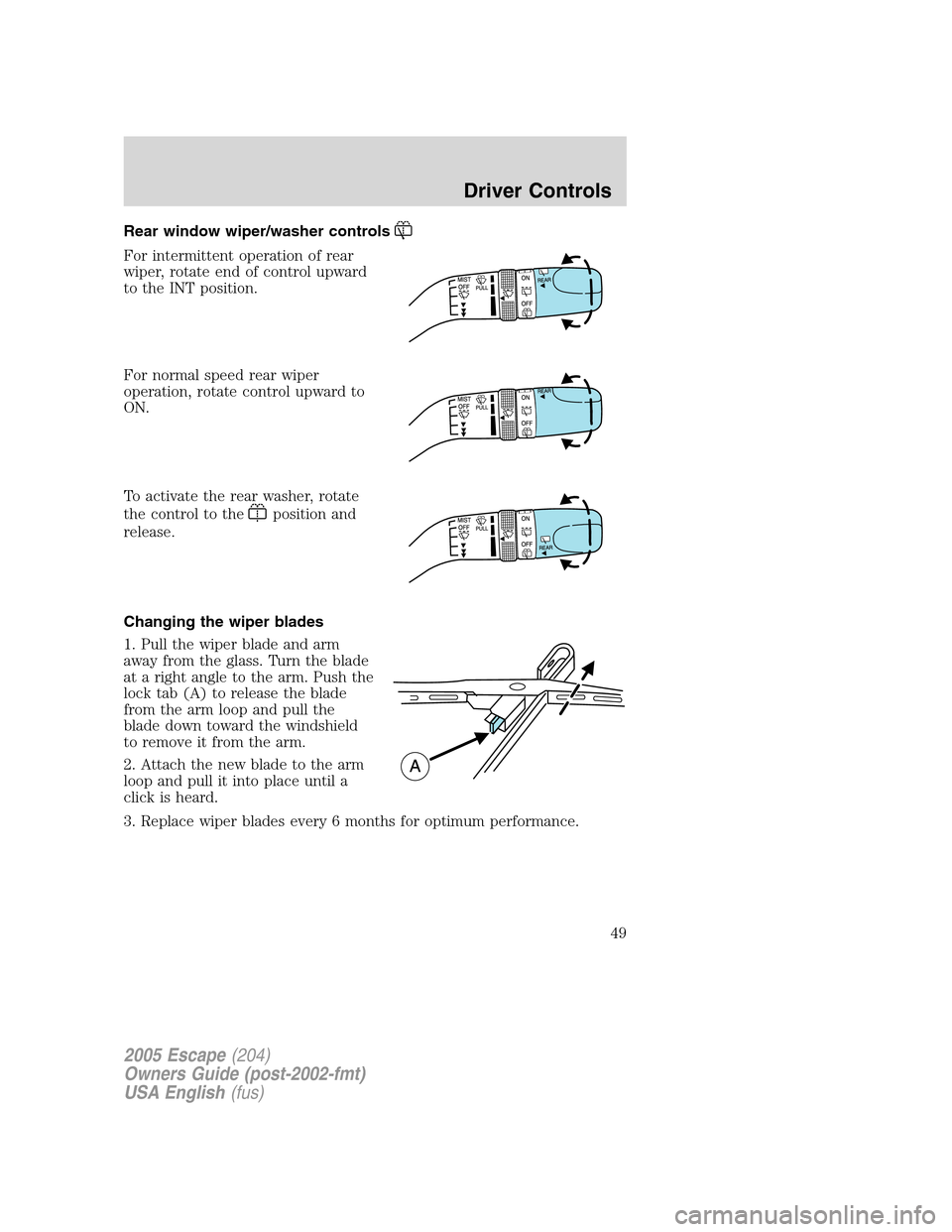
For intermittent operation of rear
wiper, rotate end of control upward
to the INT position.
For normal speed rear wiper
operation, rotate control upward to
ON.
To activate the rear washer, rotate
the control to the
position and
release.
Changing the wiper blades
1. Pull the wiper blade and arm
away from the glass. Turn the blade
at a right angle to the arm. Push the
lock tab (A) to release the blade
from the arm loop and pull the
blade down toward the windshield
to remove it from the arm.
2. Attach the new blade to the arm
loop and pull it into place until a
click is heard.
3. Replace wiper blades every 6 months for optimum performance.
2005 Escape(204)
Owners Guide (post-2002-fmt)
USA English(fus)
Driver Controls
49
Page 50 of 272
TILT STEERING WHEEL (IF EQUIPPED)
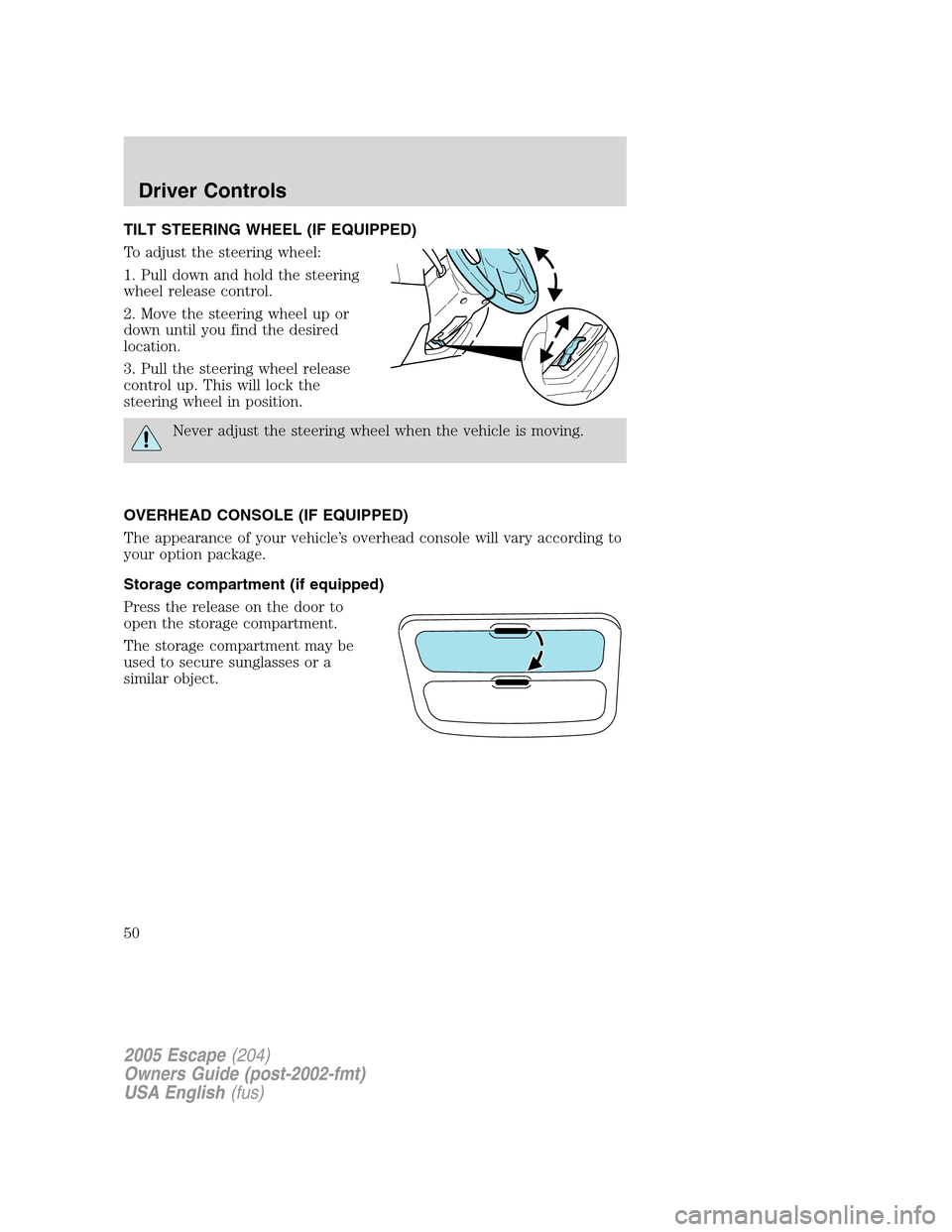
To adjust the steering wheel:
1. Pull down and hold the steering
wheel release control.
2. Move the steering wheel up or
down until you find the desired
location.
3. Pull the steering wheel release
control up. This will lock the
steering wheel in position.
Never adjust the steering wheel when the vehicle is moving.
OVERHEAD CONSOLE (IF EQUIPPED)
The appearance of your vehicle’s overhead console will vary according to
your option package.
Storage compartment (if equipped)
Press the release on the door to
open the storage compartment.
The storage compartment may be
used to secure sunglasses or a
similar object.
2005 Escape(204)
Owners Guide (post-2002-fmt)
USA English(fus)
Driver Controls
50
Page 53 of 272

POWER WINDOWS (IF EQUIPPED)
When closing the power windows, you should verify they are free
of obstructions and ensure that children and/or pets are not in
the proximity of the window openings.
Press and hold the bottom part of
the rocker switch to open the
window. Press and hold the top part
of the rocker switch to close the
window.
Note:The window switches will not
illuminate when the window lock
control is in the LOCKED position.
One touch down
Allows the driver’s window to open
fully without holding the control
down. Press completely down on
AUTO and release quickly. Press
again to stop.
Window lock (if equipped)
The window lock feature disables all
the power windows except the
driver’s.
To lock out all the window controls
except for the driver’s window press
the right side of the control.
Note:The window switches will not illuminate when the window control
is in the LOCKED position.
Press the left side to restore the window controls.
Accessory delay
With accessory delay, the window switches, moon roof (if equipped) and
audio system may be used for up to ten minutes after the ignition switch
is turned to the OFF position or until any door is opened.
2005 Escape(204)
Owners Guide (post-2002-fmt)
USA English(fus)
Driver Controls
53
Page 54 of 272
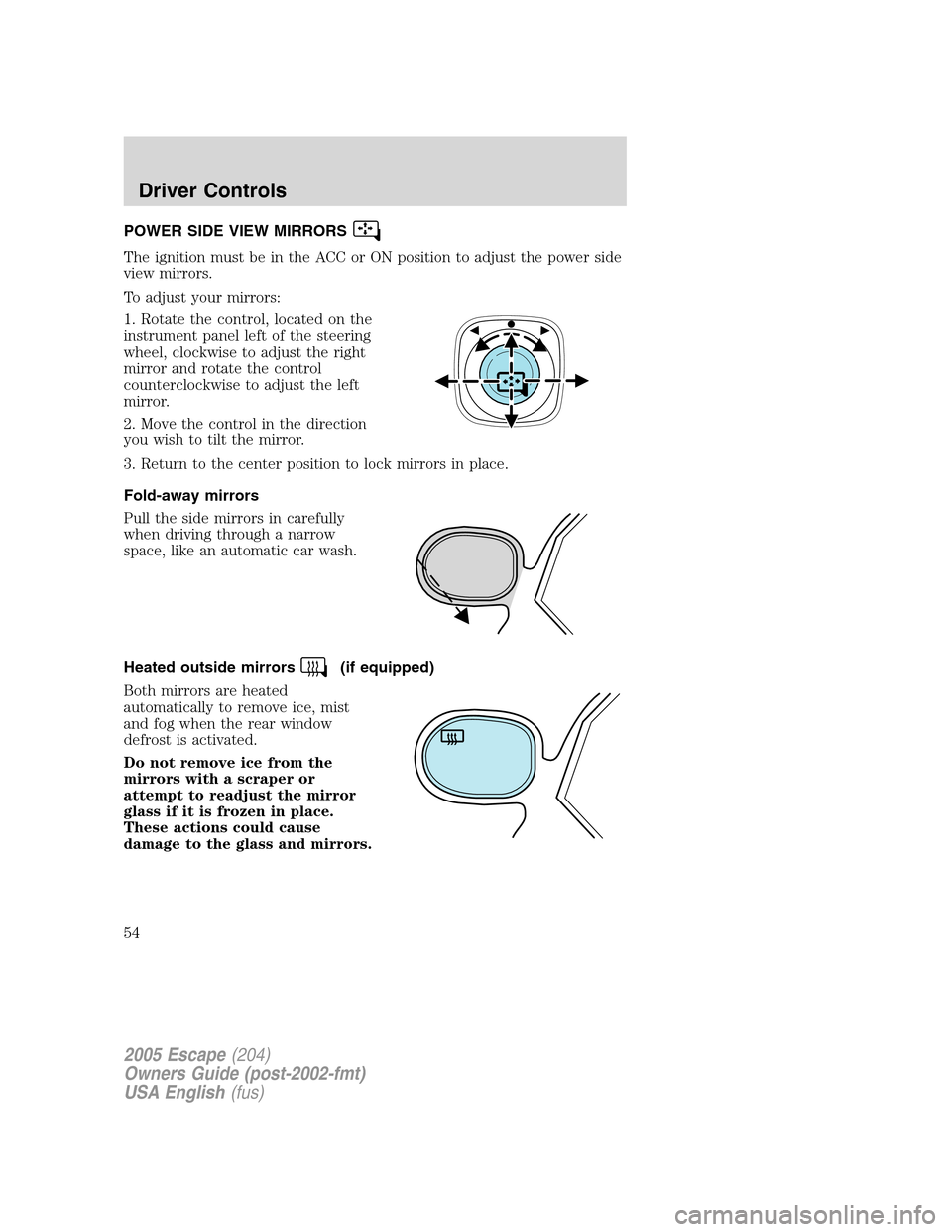
POWER SIDE VIEW MIRRORS
The ignition must be in the ACC or ON position to adjust the power side
view mirrors.
To adjust your mirrors:
1. Rotate the control, located on the
instrument panel left of the steering
wheel, clockwise to adjust the right
mirror and rotate the control
counterclockwise to adjust the left
mirror.
2. Move the control in the direction
you wish to tilt the mirror.
3. Return to the center position to lock mirrors in place.
Fold-away mirrors
Pull the side mirrors in carefully
when driving through a narrow
space, like an automatic car wash.
Heated outside mirrors
(if equipped)
Both mirrors are heated
automatically to remove ice, mist
and fog when the rear window
defrost is activated.
Do not remove ice from the
mirrors with a scraper or
attempt to readjust the mirror
glass if it is frozen in place.
These actions could cause
damage to the glass and mirrors.
2005 Escape(204)
Owners Guide (post-2002-fmt)
USA English(fus)
Driver Controls
54
Page 55 of 272
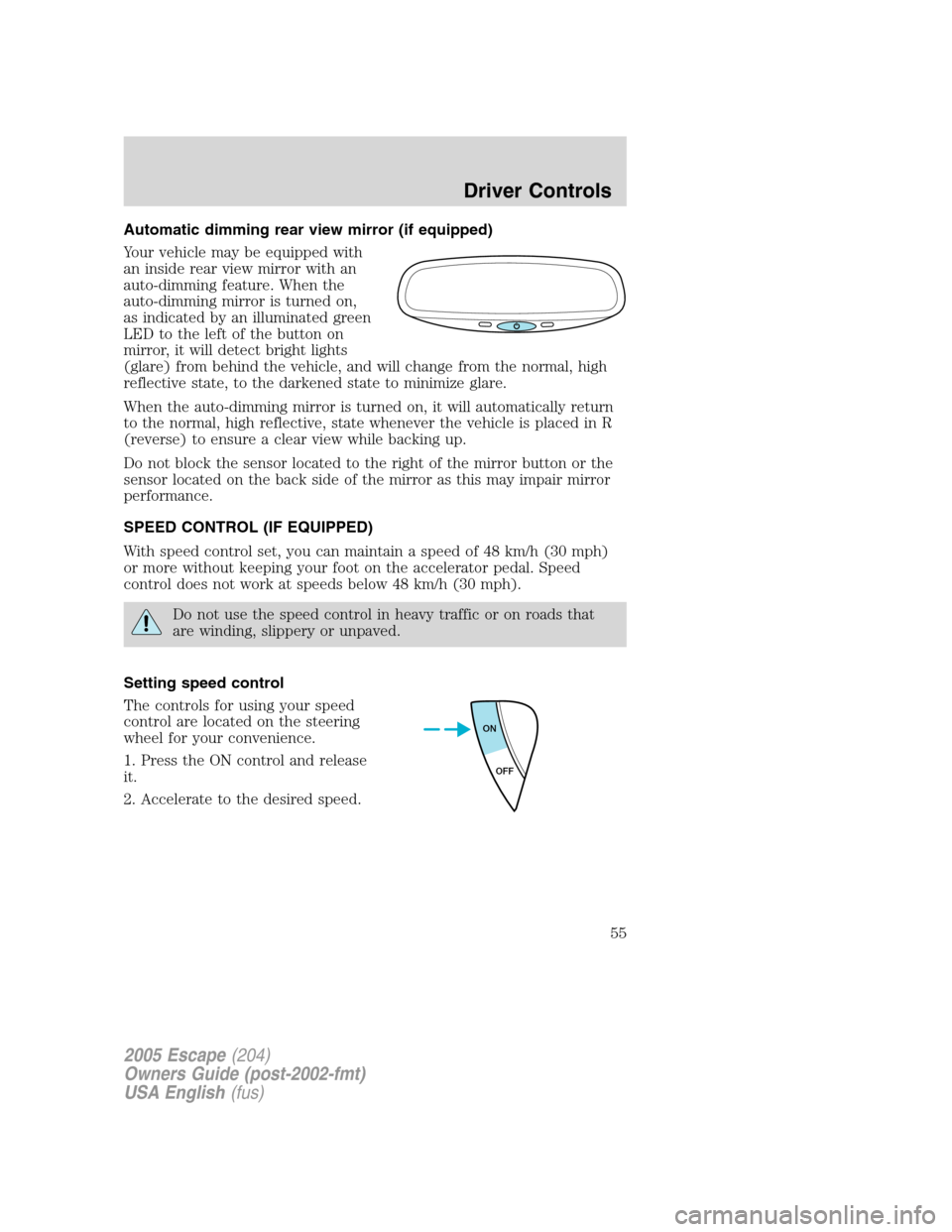
Automatic dimming rear view mirror (if equipped)
Your vehicle may be equipped with
an inside rear view mirror with an
auto-dimming feature. When the
auto-dimming mirror is turned on,
as indicated by an illuminated green
LED to the left of the button on
mirror, it will detect bright lights
(glare) from behind the vehicle, and will change from the normal, high
reflective state, to the darkened state to minimize glare.
When the auto-dimming mirror is turned on, it will automatically return
to the normal, high reflective, state whenever the vehicle is placed in R
(reverse) to ensure a clear view while backing up.
Do not block the sensor located to the right of the mirror button or the
sensor located on the back side of the mirror as this may impair mirror
performance.
SPEED CONTROL (IF EQUIPPED)
With speed control set, you can maintain a speed of 48 km/h (30 mph)
or more without keeping your foot on the accelerator pedal. Speed
control does not work at speeds below 48 km/h (30 mph).
Do not use the speed control in heavy traffic or on roads that
are winding, slippery or unpaved.
Setting speed control
The controls for using your speed
control are located on the steering
wheel for your convenience.
1. Press the ON control and release
it.
2. Accelerate to the desired speed.
ON
OFF
2005 Escape(204)
Owners Guide (post-2002-fmt)
USA English(fus)
Driver Controls
55
Page 63 of 272
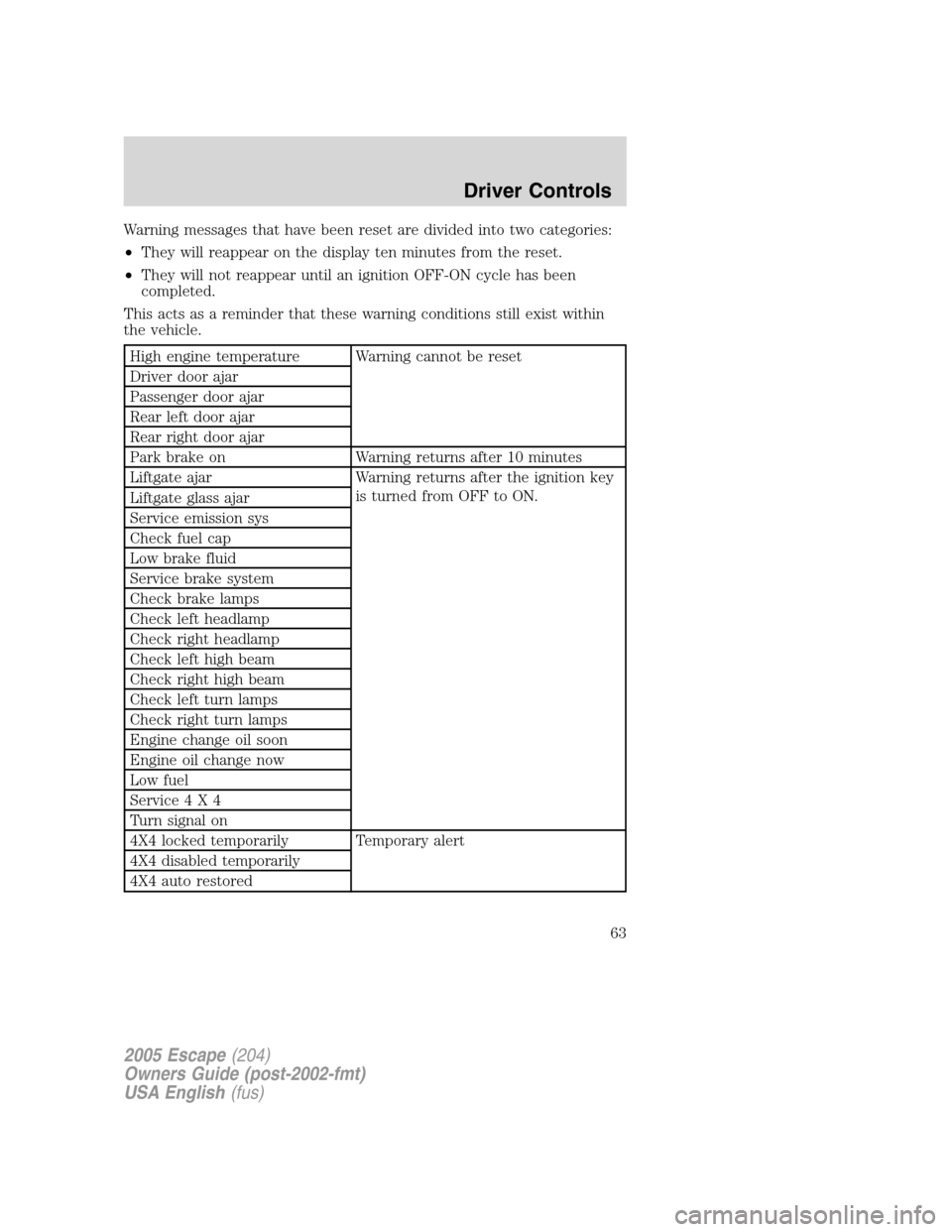
Warning messages that have been reset are divided into two categories:
•They will reappear on the display ten minutes from the reset.
•They will not reappear until an ignition OFF-ON cycle has been
completed.
This acts as a reminder that these warning conditions still exist within
the vehicle.
High engine temperature Warning cannot be reset
Driver door ajar
Passenger door ajar
Rear left door ajar
Rear right door ajar
Park brake on Warning returns after 10 minutes
Liftgate ajar Warning returns after the ignition key
is turned from OFF to ON.
Liftgate glass ajar
Service emission sys
Check fuel cap
Low brake fluid
Service brake system
Check brake lamps
Check left headlamp
Check right headlamp
Check left high beam
Check right high beam
Check left turn lamps
Check right turn lamps
Engine change oil soon
Engine oil change now
Low fuel
Service4X4
Turn signal on
4X4 locked temporarily Temporary alert
4X4 disabled temporarily
4X4 auto restored
2005 Escape(204)
Owners Guide (post-2002-fmt)
USA English(fus)
Driver Controls
63
Page 65 of 272
CHECK LEFT OR RIGHT TURN LAMPS.Displayed when the turn
signals are activated and at least one is burned out. Check the lamps as
soon as safely possible and have the burned out lamp replaced.
LOW FUEL.Displayed as an early reminder of a low fuel condition.
SERVICE 4X4.Displayed when the 4X4 is not operating properly. If the
warning stays on or continues to come on, contact your dealer as soon as
possible.
TURN SIGNAL ON.Displayed when the turn signal is activated and the
vehicle is driven more that 0.8 km (1/2 mile).
4X4 LOCKED TEMPORARILY.Displayed when the 4X4 is temporarily
locked. If the warning stays on or continues to come on, contact your
dealer as soon as possible.
4X4 DISABLED TEMPORARILY.Displayed when the 4X4 is
temporarily disabled. If the warning stays on or continues to come on,
contact your dealer as soon as possible.
4X4 AUTO RESTORED.Displayed when the 4X4 is restored to normal
operations.
ENGINE OIL CHANGE SOON/ENGINE OIL CHANGE NOW.
Displayed when the engine oil life remaining is 5% or less. When oil life
left is between 5% and 0%, the ENGINE OIL CHANGE SOON message
will be displayed. When oil life left reaches 0%, the ENGINE OIL
CHANGE NOW message will be displayed.
An oil change is required whenever indicated by the message center.
USE ONLY RECOMMENDED ENGINE OILS.
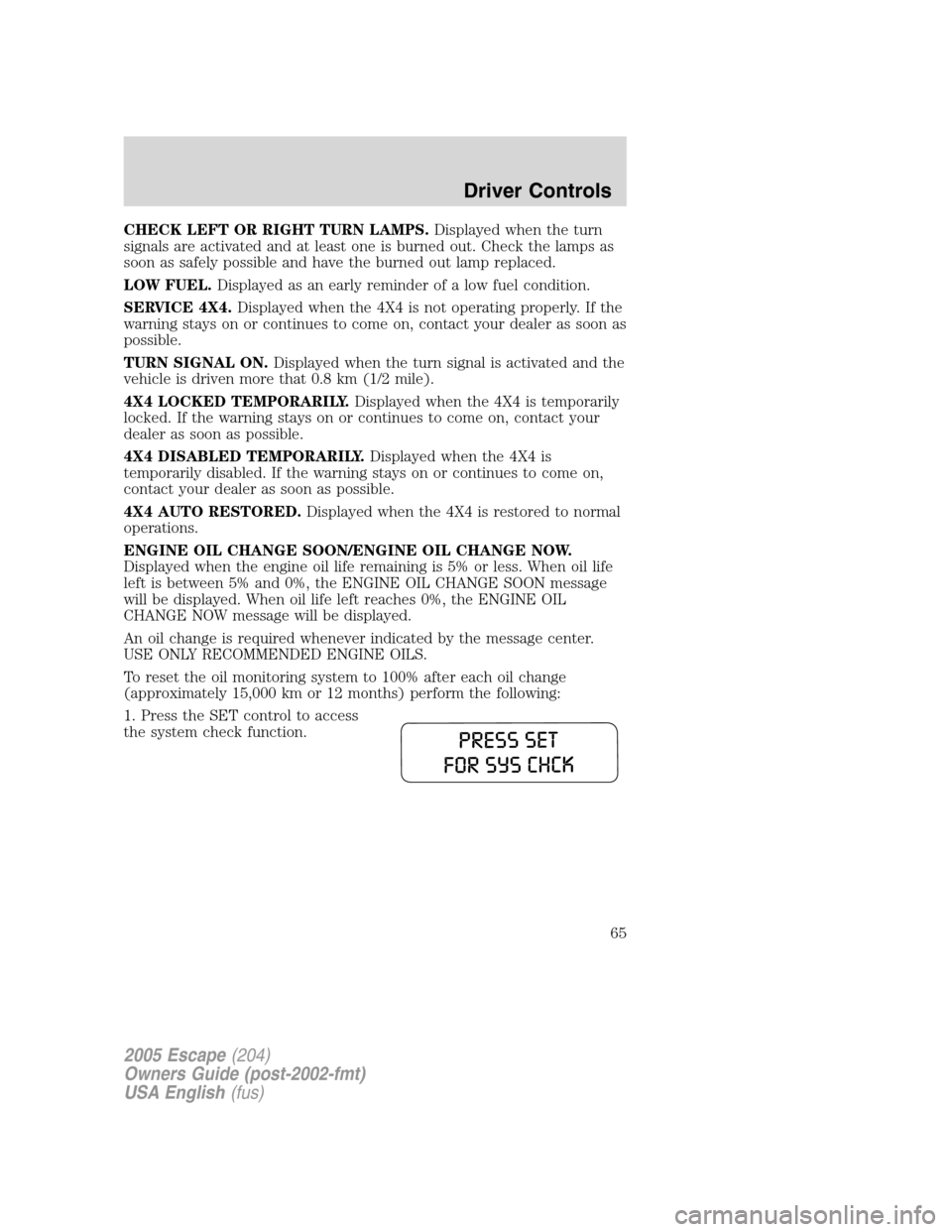
To reset the oil monitoring system to 100% after each oil change
(approximately 15,000 km or 12 months) perform the following:
1. Press the SET control to access
the system check function.
2005 Escape(204)
Owners Guide (post-2002-fmt)
USA English(fus)
Driver Controls
65
Page 71 of 272
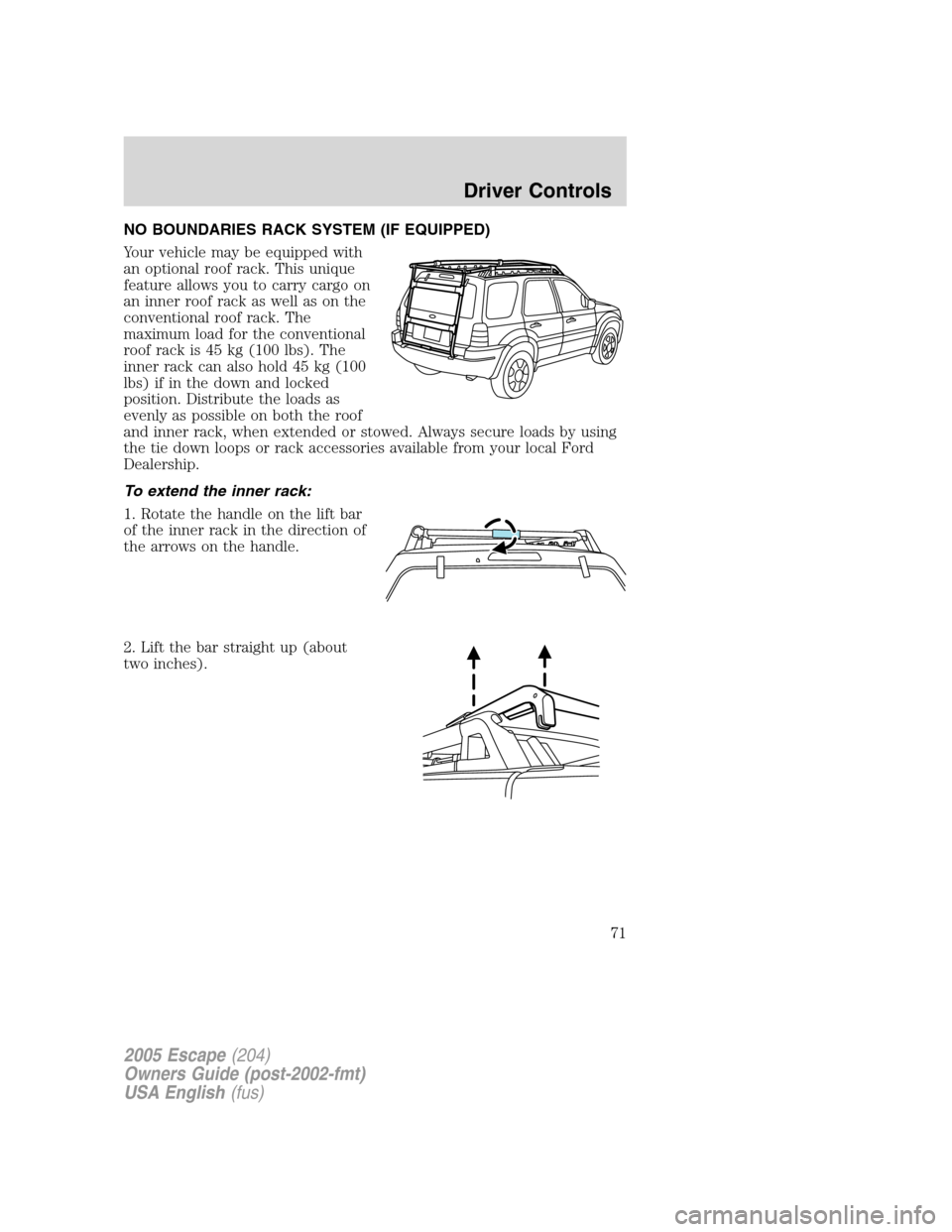
NO BOUNDARIES RACK SYSTEM (IF EQUIPPED)
Your vehicle may be equipped with
an optional roof rack. This unique
feature allows you to carry cargo on
an inner roof rack as well as on the
conventional roof rack. The
maximum load for the conventional
roof rack is 45 kg (100 lbs). The
inner rack can also hold 45 kg (100
lbs) if in the down and locked
position. Distribute the loads as
evenly as possible on both the roof
and inner rack, when extended or stowed. Always secure loads by using
the tie down loops or rack accessories available from your local Ford
Dealership.
To extend the inner rack:
1. Rotate the handle on the lift bar
of the inner rack in the direction of
the arrows on the handle.
2. Lift the bar straight up (about
two inches).
2005 Escape(204)
Owners Guide (post-2002-fmt)
USA English(fus)
Driver Controls
71