keyless FORD ESCAPE 2013 3.G Owners Manual
[x] Cancel search | Manufacturer: FORD, Model Year: 2013, Model line: ESCAPE, Model: FORD ESCAPE 2013 3.GPages: 423, PDF Size: 4.59 MB
Page 1 of 423
Introduction
About This Manual...........................................7
Symbols Glossary.............................................7
Data Recording..................................................9
California Proposition 65.............................10
Perchlorate........................................................10
Ford Credit..........................................................11
Replacement PartsRecommendation........................................11
Special Notices.................................................11
Mobile Communications Equipment.....................................................12
Export Unique Options..................................13
Child Safety
General Information.......................................14
Child Seats.........................................................16
Child Seat Positioning...................................16
Booster Seats....................................................17
Installing Child Seats.....................................19
Child Safety Locks.........................................24
Safety Belts
Principle of Operation..................................26
Fastening the Safety Belts..........................27
Safety Belt Height Adjustment................30
Safety Belt Warning Lamp and Indicator Chime.............................................................30
Safety Belt Minder..........................................31
Child Restraint and Safety Belt Maintenance................................................33
Personal Safety System ™
Personal Safety System ™..........................34
Supplementary Restraints System
Principle of Operation..................................35
Driver and Passenger Airbags...................36
Knee Airbag.......................................................37 Front Passenger Sensing System.............37
Side Airbags.....................................................40
Safety Canopy®..............................................41
Crash Sensors and Airbag Indicator........42
Airbag Disposal...............................................43
Keys and Remote Controls
Principle of Operation..................................44
General Information on Radio
Frequencies..................................................44
Remote Control..............................................44
Replacing a Lost Key or Remote Control...........................................................48
MyKey®
Principle of Operation..................................49
Creating a MyKey...........................................49
Clearing All MyKeys.......................................50
Checking MyKey System Status..............50
Using MyKey With Remote Start Systems.........................................................50
MyKey Troubleshooting................................51
Locks
Locking and Unlocking.................................54
Manual Liftgate...............................................57
Power Liftgate..................................................57
Keyless Entry...................................................60
Security
Passive Anti-Theft System.........................62
Anti-Theft Alarm............................................63
Steering Wheel
Adjusting the Steering Wheel...................64
Audio Control..................................................64
Voice Control...................................................66
Cruise Control.................................................66
Information Display Control......................66
1
Table of Contents
Page 3 of 423
Starting and Stopping theEngine
General Information....................................135
Ignition Switch...............................................135
Keyless Starting.............................................135
Starting a Gasoline Engine........................137
Engine Block Heater....................................138
Fuel and Refueling
Safety Precautions......................................140
Fuel Quality......................................................141
Running Out of Fuel......................................141
Refueling..........................................................142
Emission Control System..........................143
Fuel Consumption........................................145
Transmission
Automatic Transmission............................147
Hill Start Assist..............................................149
Four-Wheel Drive
Using Four-Wheel Drive..............................151
Brakes
General Information....................................156
Hints on Driving With Anti-Lock Brakes...........................................................156
Parking Brake..................................................157
Traction Control
Principle of Operation.................................158
Using Traction Control................................158
Stability Control
Principle of Operation.................................159
Using Stability Control...............................160
Parking Aids
Parking Aid.......................................................161 Active Park Assist.........................................163
Rear View Camera........................................167
Cruise Control
Principle of Operation.................................170
Using Cruise Control....................................170
Driving Aids
Blind Spot Monitor........................................171
Eco Mode.........................................................175
Steering............................................................176
Load Carrying
Rear Under Floor Storage...........................177
Luggage Covers..............................................177
Roof Racks and Load Carriers..................178
Load Limit........................................................179
Towing
Towing a Trailer.............................................188
Trailer Sway Control....................................188
Recommended Towing Weights............188
Essential Towing Checks..........................190
Towing Points.................................................191
Transporting the Vehicle............................192
Towing the Vehicle on Four Wheels......192
Driving Hints
Breaking-In.....................................................194
Economical Driving......................................194
Driving Through Water...............................194
Floor Mats.......................................................195
Roadside Emergencies
Roadside Assistance...................................197
Hazard Warning Flashers..........................198
Fuel Cut-Off Switch....................................198
Jump-Starting the Vehicle........................198
3
Table of Contents
Page 54 of 423

LOCKING AND UNLOCKING
You can use the power door lock control
or the remote control to lock and unlock
the vehicle.
Power Door Locks
Unlock
A
Lock
B
Remote Control
The remote control can be used any time
the vehicle is not running.
Unlocking the Doors (Two-Stage
Unlock)
Press the button to unlock the
driver ’s door.
Press the button again within
three seconds to unlock all doors. The turn
signals will flash.
Press and hold both the lock and unlock
buttons on the remote control for four
seconds to disable or enable two-stage
unlocking. Disabling two-stage unlocking
allows all vehicle doors to unlock with one
press of the button. The turn signals will
flash twice to indicate the unlocking mode
was changed. The unlocking mode will be
applied to the remote control, keyless entry
keypad and intelligent access. Intelligent access at the driver
’s door will
unlock all doors when two-stage unlocking
is disabled.
Locking the Doors
Press the button to lock all the
doors. The turn signals will
illuminate.
Press the button again within three
seconds to confirm that all the doors are
closed. The doors will lock again, the horn
will chirp and the turn signals will
illuminate if all the doors and the luggage
compartment are closed.
Note: If locking was not successful or any
door or the liftgate is not closed, or if the
hood is not closed on vehicles equipped
with a perimeter alarm or remote start, the
horn will chirp twice and the lamps will not
flash.
Power Liftgate (if equipped)
WARNINGS
Make sure all persons are clear of the
liftgate area before using power
liftgate control.
Make sure the liftgate is closed to
prevent exhaust fumes from being
drawn into the vehicle. This will also
prevent passengers and cargo from falling
out. If you must drive with the liftgate open,
keep the vents open so outside air comes
into the vehicle.
Note: Be careful when opening or closing
the liftgate in a garage or other enclosed
area to avoid damaging the liftgate.
Press twice within three seconds
to open or close the liftgate, or
to reverse the movement. See
Power Liftgate (page 57).
54
Locks
E138628
E138629
E138623
E138630
Page 55 of 423
Activating Intelligent Access (If
Equipped)
The intelligent access key must be within
3 feet (1 meter) of the vehicle.
At the Front Doors
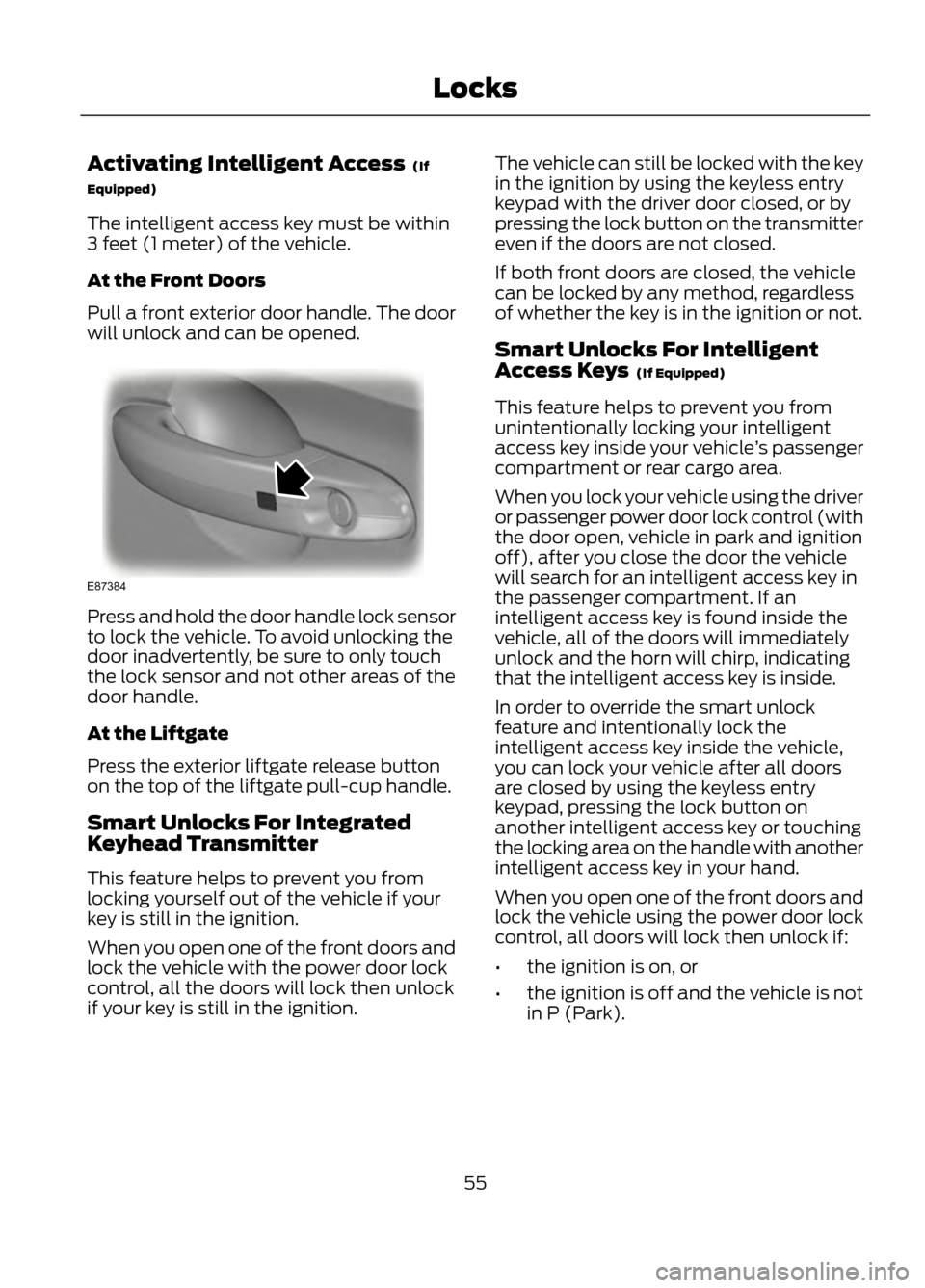
Pull a front exterior door handle. The door
will unlock and can be opened.
Press and hold the door handle lock sensor
to lock the vehicle. To avoid unlocking the
door inadvertently, be sure to only touch
the lock sensor and not other areas of the
door handle.
At the Liftgate
Press the exterior liftgate release button
on the top of the liftgate pull-cup handle.
Smart Unlocks For Integrated
Keyhead Transmitter
This feature helps to prevent you from
locking yourself out of the vehicle if your
key is still in the ignition.
When you open one of the front doors and
lock the vehicle with the power door lock
control, all the doors will lock then unlock
if your key is still in the ignition.The vehicle can still be locked with the key
in the ignition by using the keyless entry
keypad with the driver door closed, or by
pressing the lock button on the transmitter
even if the doors are not closed.
If both front doors are closed, the vehicle
can be locked by any method, regardless
of whether the key is in the ignition or not.
Smart Unlocks For Intelligent
Access Keys (If Equipped)
This feature helps to prevent you from
unintentionally locking your intelligent
access key inside your vehicle
’s passenger
compartment or rear cargo area.
When you lock your vehicle using the driver
or passenger power door lock control (with
the door open, vehicle in park and ignition
off), after you close the door the vehicle
will search for an intelligent access key in
the passenger compartment. If an
intelligent access key is found inside the
vehicle, all of the doors will immediately
unlock and the horn will chirp, indicating
that the intelligent access key is inside.
In order to override the smart unlock
feature and intentionally lock the
intelligent access key inside the vehicle,
you can lock your vehicle after all doors
are closed by using the keyless entry
keypad, pressing the lock button on
another intelligent access key or touching
the locking area on the handle with another
intelligent access key in your hand.
When you open one of the front doors and
lock the vehicle using the power door lock
control, all doors will lock then unlock if:
• the ignition is on, or
• the ignition is off and the vehicle is not
in P (Park).
55
Locks
E87384
Page 60 of 423
KEYLESS ENTRY (IF EQUIPPED)
SECURICODE™ KEYLESS ENTRY
KEYPAD
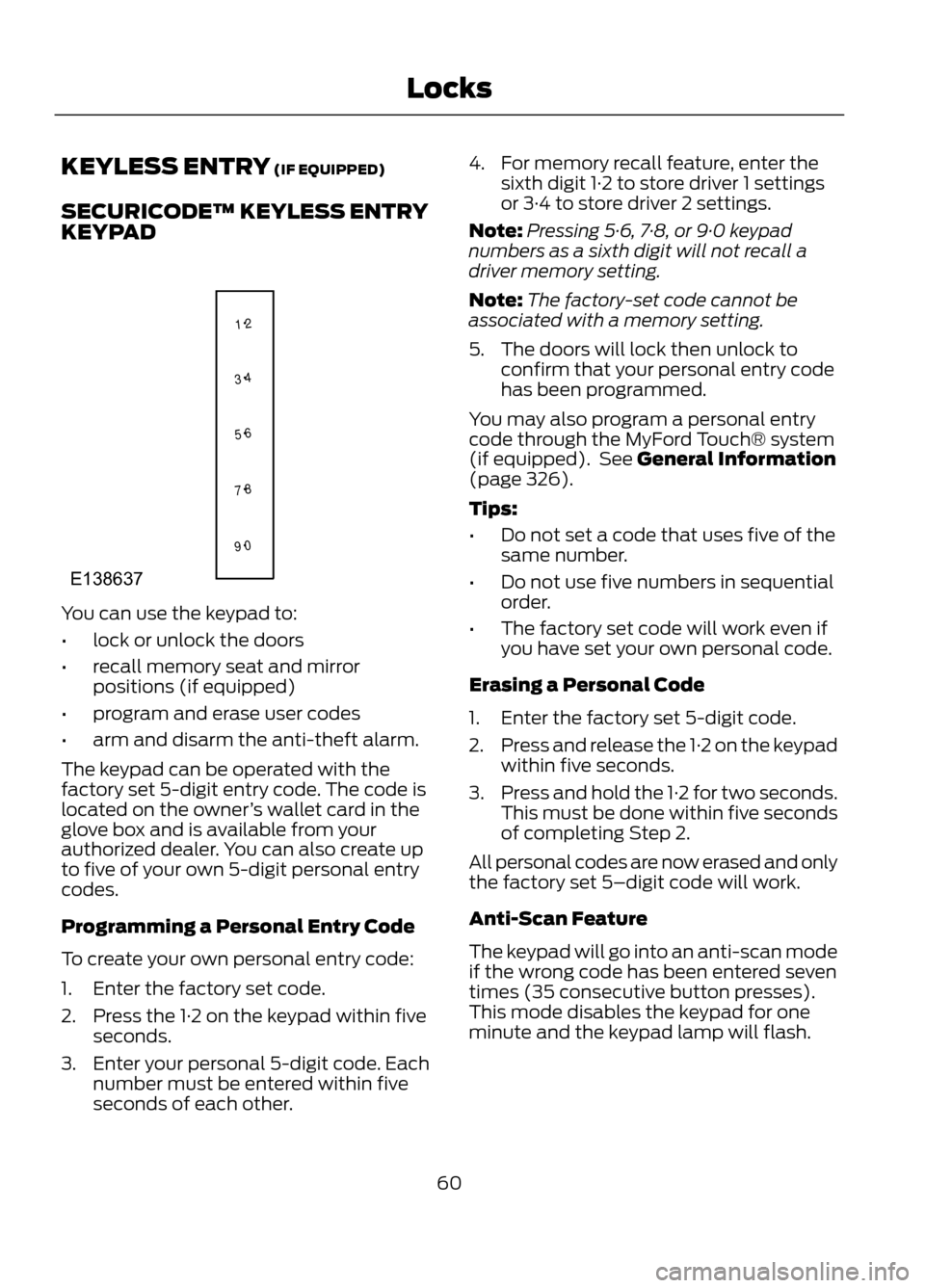
You can use the keypad to:
•lock or unlock the doors
• recall memory seat and mirror
positions (if equipped)
• program and erase user codes
• arm and disarm the anti-theft alarm.
The keypad can be operated with the
factory set 5-digit entry code. The code is
located on the owner ’s wallet card in the
glove box and is available from your
authorized dealer. You can also create up
to five of your own 5-digit personal entry
codes.
Programming a Personal Entry Code
To create your own personal entry code:
1. Enter the factory set code.
2. Press the 1·2 on the keypad within five seconds.
3. Enter your personal 5-digit code. Each number must be entered within five
seconds of each other. 4. For memory recall feature, enter the
sixth digit 1·2 to store driver 1 settings
or 3·4 to store driver 2 settings.
Note: Pressing 5·6, 7·8, or 9·0 keypad
numbers as a sixth digit will not recall a
driver memory setting.
Note: The factory-set code cannot be
associated with a memory setting.
5. The doors will lock then unlock to confirm that your personal entry code
has been programmed.
You may also program a personal entry
code through the MyFord Touch® system
(if equipped). See General Information
(page 326).
Tips:
• Do not set a code that uses five of the
same number.
• Do not use five numbers in sequential
order.
• The factory set code will work even if
you have set your own personal code.
Erasing a Personal Code
1. Enter the factory set 5-digit code.
2. Press and release the 1·2 on the keypad
within five seconds.
3. Press and hold the 1·2 for two seconds.
This must be done within five seconds
of completing Step 2.
All personal codes are now erased and only
the factory set 5–digit code will work.
Anti-Scan Feature
The keypad will go into an anti-scan mode
if the wrong code has been entered seven
times (35 consecutive button presses).
This mode disables the keypad for one
minute and the keypad lamp will flash.
60
Locks
1 2
3 4
5 6
7 8
9 0
E138637
Page 63 of 423
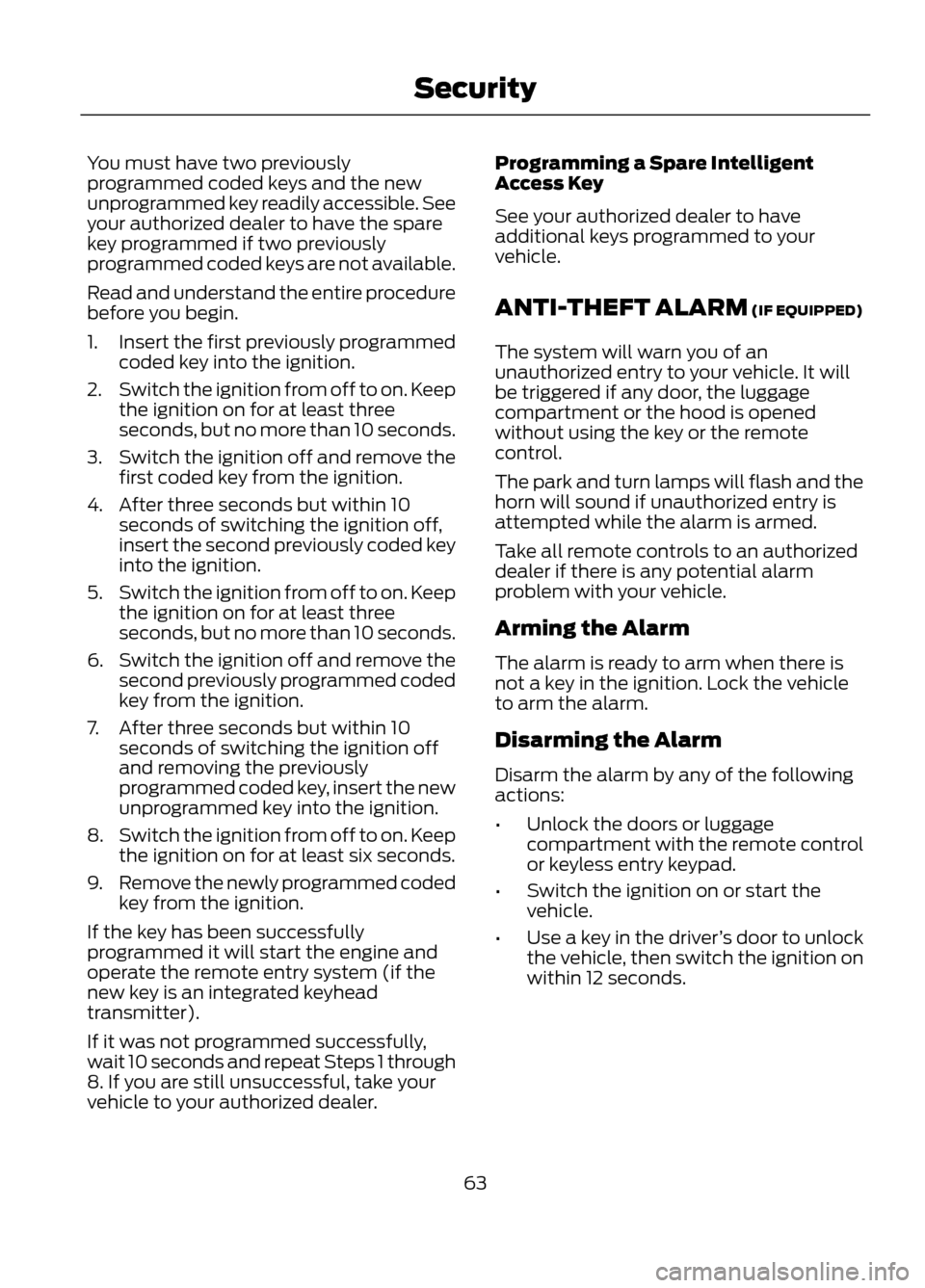
You must have two previously
programmed coded keys and the new
unprogrammed key readily accessible. See
your authorized dealer to have the spare
key programmed if two previously
programmed coded keys are not available.
Read and understand the entire procedure
before you begin.
1.Insert the first previously programmed
coded key into the ignition.
2. Switch the ignition from off to on. Keep
the ignition on for at least three
seconds, but no more than 10 seconds.
3. Switch the ignition off and remove the
first coded key from the ignition.
4. After three seconds but within 10 seconds of switching the ignition off,
insert the second previously coded key
into the ignition.
5. Switch the ignition from off to on. Keep
the ignition on for at least three
seconds, but no more than 10 seconds.
6. Switch the ignition off and remove the
second previously programmed coded
key from the ignition.
7. After three seconds but within 10 seconds of switching the ignition off
and removing the previously
programmed coded key, insert the new
unprogrammed key into the ignition.
8. Switch the ignition from off to on. Keep
the ignition on for at least six seconds.
9. Remove the newly programmed coded
key from the ignition.
If the key has been successfully
programmed it will start the engine and
operate the remote entry system (if the
new key is an integrated keyhead
transmitter).
If it was not programmed successfully,
wait 10 seconds and repeat Steps 1 through
8. If you are still unsuccessful, take your
vehicle to your authorized dealer. Programming a Spare Intelligent
Access Key
See your authorized dealer to have
additional keys programmed to your
vehicle.
ANTI-THEFT ALARM (IF EQUIPPED)
The system will warn you of an
unauthorized entry to your vehicle. It will
be triggered if any door, the luggage
compartment or the hood is opened
without using the key or the remote
control.
The park and turn lamps will flash and the
horn will sound if unauthorized entry is
attempted while the alarm is armed.
Take all remote controls to an authorized
dealer if there is any potential alarm
problem with your vehicle.
Arming the Alarm
The alarm is ready to arm when there is
not a key in the ignition. Lock the vehicle
to arm the alarm.
Disarming the Alarm
Disarm the alarm by any of the following
actions:
•
Unlock the doors or luggage
compartment with the remote control
or keyless entry keypad.
• Switch the ignition on or start the
vehicle.
• Use a key in the driver ’s door to unlock
the vehicle, then switch the ignition on
within 12 seconds.
63
Security
Page 90 of 423
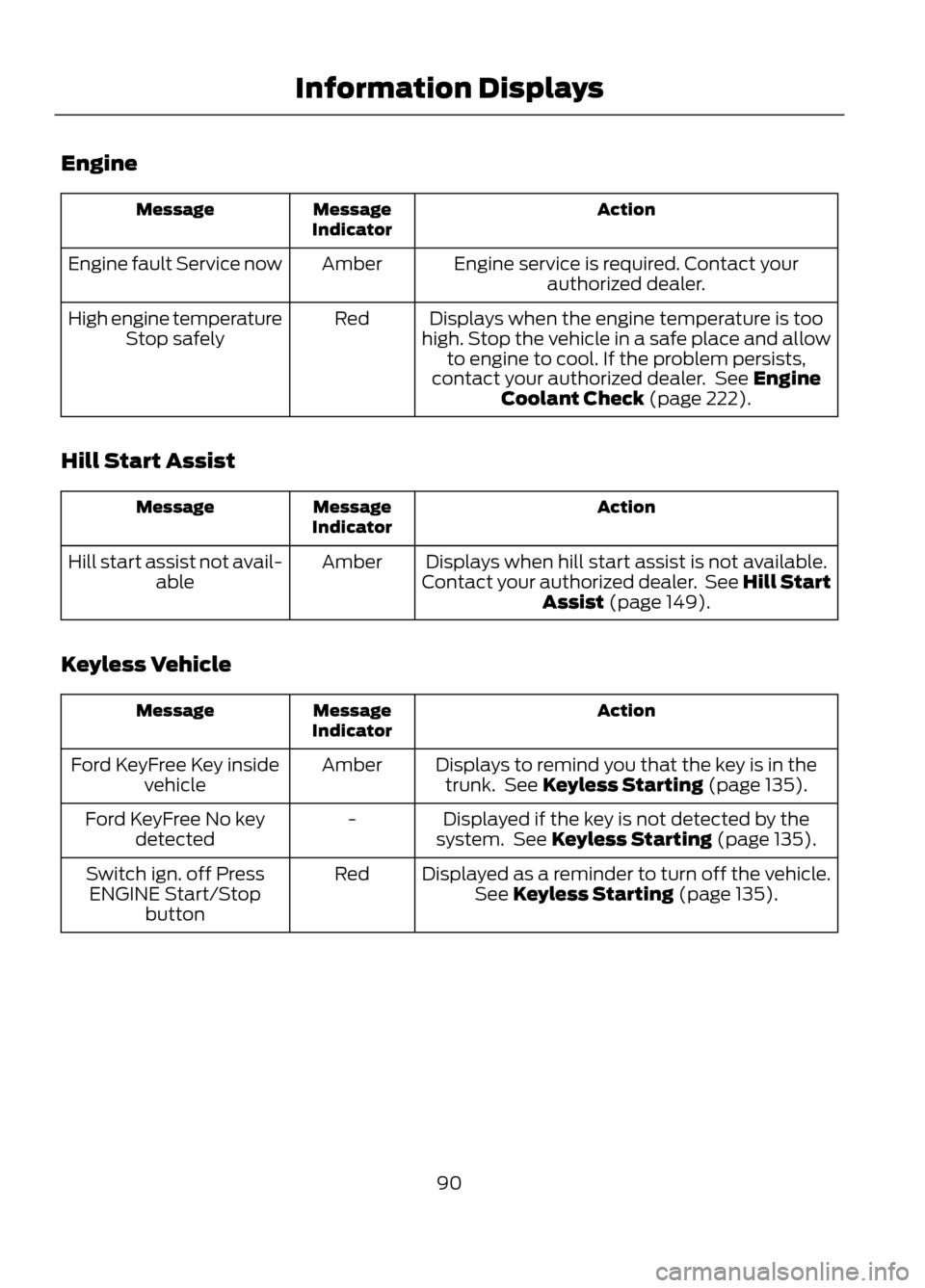
Engine
Action
Message
Indicator
Message
Engine service is required. Contact yourauthorized dealer.
Amber
Engine fault Service now
Displays when the engine temperature is too
high. Stop the vehicle in a safe place and allow to engine to cool. If the problem persists,
contact your authorized dealer. See Engine Coolant Check (page 222).
Red
High engine temperature
Stop safely
Hill Start Assist
Action
Message
Indicator
Message
Displays when hill start assist is not available.
Contact your authorized dealer. See Hill Start Assist (page 149).
Amber
Hill start assist not avail-
able
Keyless Vehicle
Action
Message
Indicator
Message
Displays to remind you that the key is in thetrunk. See Keyless Starting (page 135).
Amber
Ford KeyFree Key inside
vehicle
Displayed if the key is not detected by the
system. See Keyless Starting (page 135).
-
Ford KeyFree No key
detected
Displayed as a reminder to turn off the vehicle.See Keyless Starting (page 135).
Red
Switch ign. off Press
ENGINE Start/Stop button
90
Information Displays
Page 91 of 423
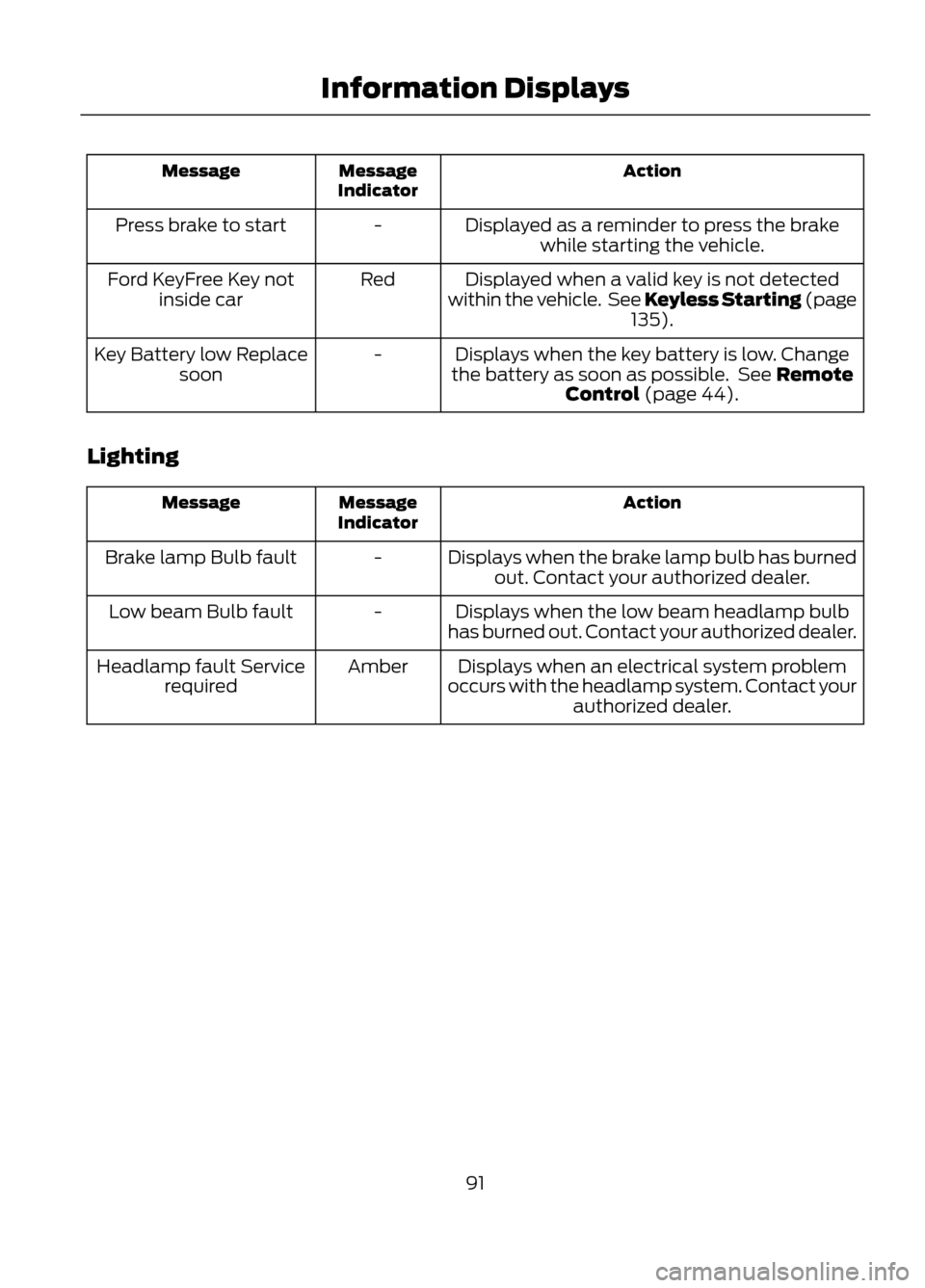
Action
Message
Indicator
Message
Displayed as a reminder to press the brakewhile starting the vehicle.
-
Press brake to start
Displayed when a valid key is not detected
within the vehicle. See Keyless Starting (page 135).
Red
Ford KeyFree Key not
inside car
Displays when the key battery is low. Change
the battery as soon as possible. See Remote Control (page 44).
-
Key Battery low Replace
soon
Lighting
Action
Message
Indicator
Message
Displays when the brake lamp bulb has burnedout. Contact your authorized dealer.
-
Brake lamp Bulb fault
Displays when the low beam headlamp bulb
has burned out. Contact your authorized dealer.
-
Low beam Bulb fault
Displays when an electrical system problem
occurs with the headlamp system. Contact your authorized dealer.
Amber
Headlamp fault Service
required
91
Information Displays
Page 135 of 423
GENERAL INFORMATION
If you disconnect the battery, your vehicle
may exhibit some unusual driving
characteristics for approximately 5 miles
(8 kilometers) after you reconnect it. This
is because the engine management system
must realign itself with the engine. You can
disregard any unusual driving
characteristics during this period.
WARNINGS
Extended idling at high engine
speeds can produce very high
temperatures in the engine and
exhaust system, creating the risk of fire or
other damage.
Do not park, idle or drive your vehicle
on dry grass or other dry ground
cover. The emission system heats up
the engine compartment and exhaust
system, creating the risk of fire.
Do not start the engine in a closed
garage or in other enclosed areas.
Exhaust fumes can be toxic. Always
open the garage door before you start the
engine.
If you smell exhaust fumes inside
your vehicle, have your vehicle
checked by your authorized dealer
immediately. Do not drive your vehicle if
you smell exhaust fumes.
This system meets all Canadian
interference-causing equipment standard
requirements regulating the impulse
electrical field or radio noise.
When you start the engine, avoid pressing
the accelerator pedal before and during
operation. Only use the accelerator pedal
when you have difficulty starting the
engine. IGNITION SWITCH
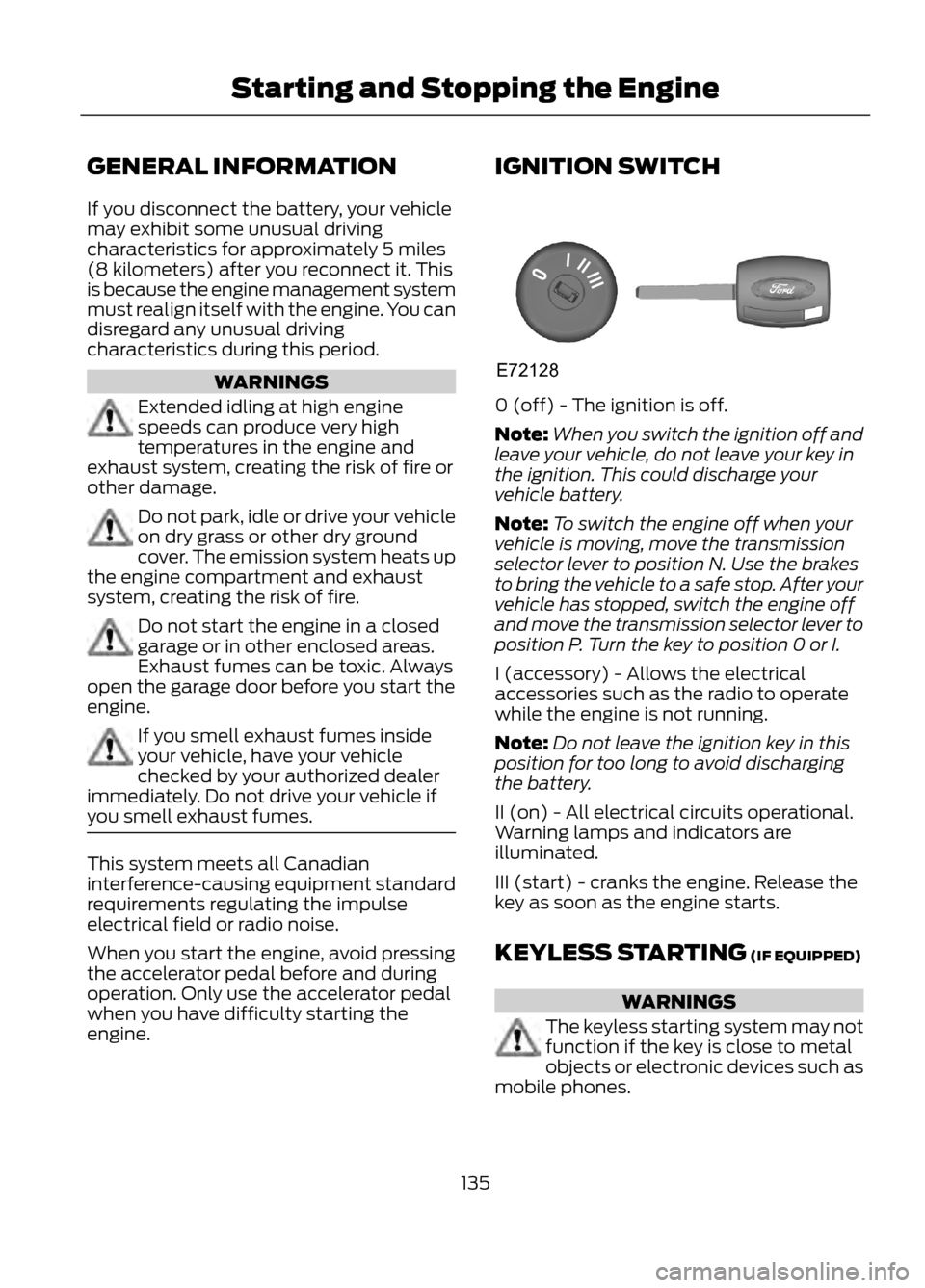
0 (off) - The ignition is off.
Note:
When you switch the ignition off and
leave your vehicle, do not leave your key in
the ignition. This could discharge your
vehicle battery.
Note: To switch the engine off when your
vehicle is moving, move the transmission
selector lever to position N. Use the brakes
to bring the vehicle to a safe stop. After your
vehicle has stopped, switch the engine off
and move the transmission selector lever to
position P. Turn the key to position 0 or I.
I (accessory) - Allows the electrical
accessories such as the radio to operate
while the engine is not running.
Note: Do not leave the ignition key in this
position for too long to avoid discharging
the battery.
II (on) - All electrical circuits operational.
Warning lamps and indicators are
illuminated.
III (start) - cranks the engine. Release the
key as soon as the engine starts.
KEYLESS STARTING (IF EQUIPPED)
WARNINGS
The keyless starting system may not
function if the key is close to metal
objects or electronic devices such as
mobile phones.
135
Starting and Stopping the Engine
E72128
Page 141 of 423
FUEL QUALITY
Note:We recommend that you use only
high quality fuel without additives or other
engine treatments.
Do not use leaded gasoline or gasoline with
additives containing other metallic
compounds (e.g. manganese-based). They
could damage the emission system.
Choosing the Right Fuel
Note: Use of any fuel other than those
recommended may cause powertrain
damage, a loss of vehicle performance and
repairs may not be covered under warranty.
If your vehicle is not a flexible fuel vehicle,
then only use unleaded fuel or unleaded
fuel blended with a maximum of 15%
ethanol. Do not use fuel ethanol (E85),
diesel fuel, fuel methanol, leaded fuel or
any other fuel because it could damage or
impair the emission control system.
The use of leaded fuel is prohibited by law.
Your vehicle was not designed to use fuel
or fuel additives with metallic compounds,
including manganese-based additives.
Octane Recommendations
Regular unleaded gasoline with a pump
(R+M)/2 octane rating of 87 is
recommended. Some fuel stations offer
fuels posted as regular with an octane
rating below 87, particularly in high altitude
areas. Fuels with octane levels below 87
are not recommended.
Note: Premium fuel will provide improved
performance for vehicles with EcoBoost®
engines and is recommended for severe duty
use such as trailer tow. Do not be concerned if your engine
sometimes knocks lightly. However, if it
knocks heavily while you are using fuel with
the recommended octane rating, see your
authorized dealer to prevent any engine
damage.
RUNNING OUT OF FUEL
Avoid running out of fuel because this
situation may have an adverse effect on
powertrain components.
If you have run out of fuel:
•
You may need to cycle the ignition from
off to on several times after refueling
to allow the fuel system to pump the
fuel from the tank to the engine. On
restarting, cranking time will take a few
seconds longer than normal. With
keyless ignition, just start the engine.
Crank time will be longer than usual.
• Normally, adding 1 gallon (3.8 liters) of
fuel is enough to restart the engine. If
the vehicle is out of fuel and on a steep
grade, more than 1 gallon (3.8 liters)
may be required.
• The service engine soon indicator may
come on. For more information on the
service engine soon indicator, See
Warning Lamps and Indicators
(page 80).
Refilling With a Portable Fuel
Container
WARNINGS
Do not insert the nozzle of portable
fuel containers or aftermarket
funnels into the capless fuel system.
This could damage the fuel system and its
seal, and may cause fuel to run onto the
ground instead of filling the tank, which
could result in serious personal injury.
141
Fuel and Refueling