USB FORD ESCAPE 2014 3.G Owner's Guide
[x] Cancel search | Manufacturer: FORD, Model Year: 2014, Model line: ESCAPE, Model: FORD ESCAPE 2014 3.GPages: 428, PDF Size: 16.6 MB
Page 360 of 428
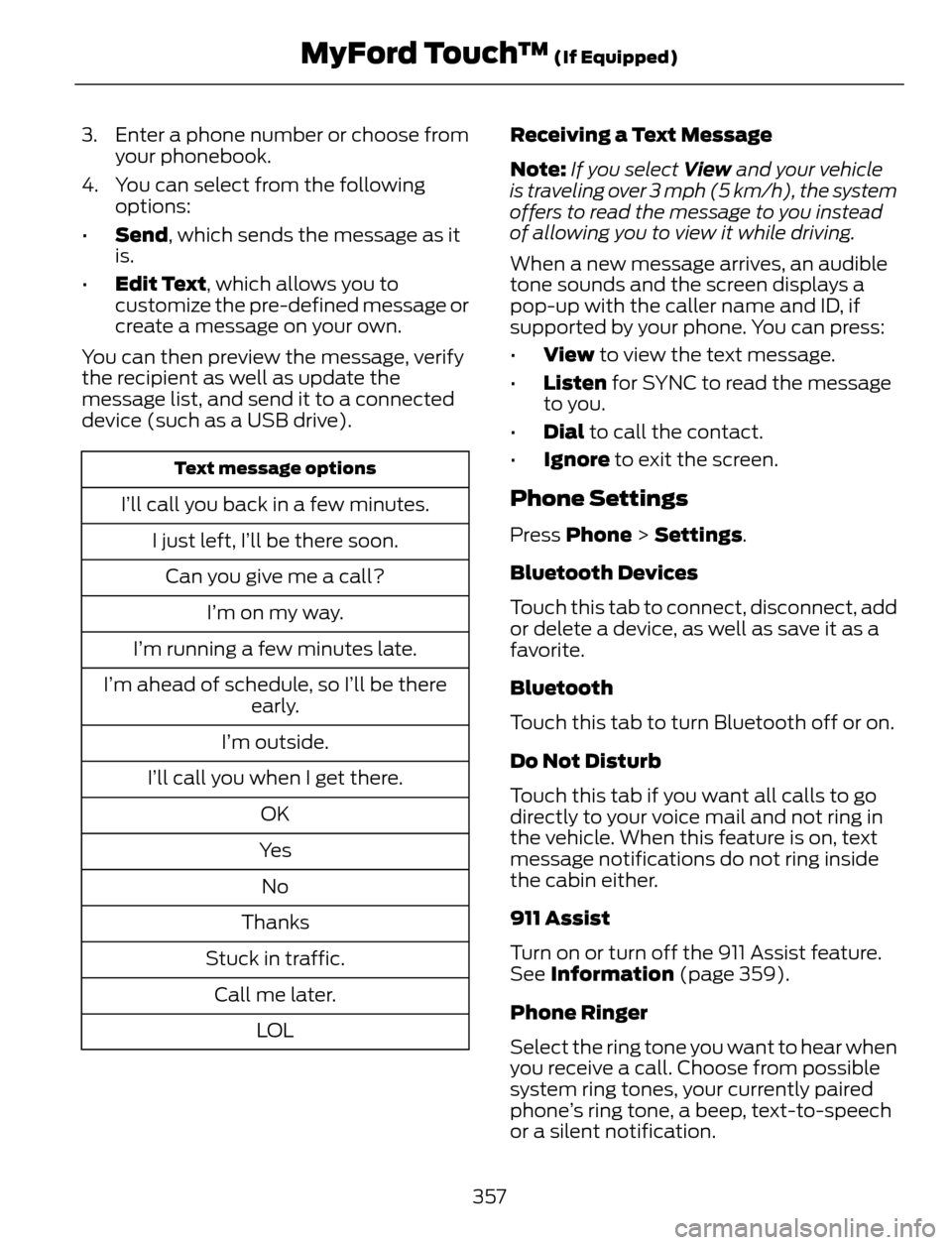
3. Enter a phone number or choose from
your phonebook.
4. You can select from the following
options:
•Send, which sends the message as it
is.
•Edit Text, which allows you to
customize the pre-defined message or
create a message on your own.
You can then preview the message, verify
the recipient as well as update the
message list, and send it to a connected
device (such as a USB drive).
Text message options
I’ll call you back in a few minutes.
I just left, I’ll be there soon.
Can you give me a call?
I’m on my way.
I’m running a few minutes late.
I’m ahead of schedule, so I’ll be there
early.
I’m outside.
I’ll call you when I get there.
OK
Ye s
No
Thanks
Stuck in traffic.
Call me later.
LO LReceiving a Text Message
Note:If you select View and your vehicle
is traveling over 3 mph (5 km/h), the system
offers to read the message to you instead
of allowing you to view it while driving.
When a new message arrives, an audible
tone sounds and the screen displays a
pop-up with the caller name and ID, if
supported by your phone. You can press:
•View to view the text message.
•Listen for SYNC to read the message
to you.
•Dial to call the contact.
•Ignore to exit the screen.Phone Settings
Press Phone > Settings.
Bluetooth Devices
Touch this tab to connect, disconnect, add
or delete a device, as well as save it as a
favorite.
Bluetooth
Touch this tab to turn Bluetooth off or on.
Do Not Disturb
Touch this tab if you want all calls to go
directly to your voice mail and not ring in
the vehicle. When this feature is on, text
message notifications do not ring inside
the cabin either.
911 Assist
Turn on or turn off the 911 Assist feature.
See Information (page 359).
Phone Ringer
Select the ring tone you want to hear when
you receive a call. Choose from possible
system ring tones, your currently paired
phone’s ring tone, a beep, text-to-speech
or a silent notification.
357
MyFord Touch™ (If Equipped)
Page 420 of 428
Daytime Running Lamps.............................75Vehicles With Halogen Headlamps...............75
Vehicle With High Intensity Discharge
Headlamps.........................................................75
Digital Audio..................................................279HD Radio Reception and Station
Troubleshooting...........................................280
Direction Indicators........................................75
Driver and Passenger Airbags...................36
Children and Airbags...........................................37
Proper Driver and Front Passenger Seating
Adjustment........................................................36
Driving Aids.....................................................160
Driving Hints...................................................183
Driving Through Water...............................184
DRL
See: Daytime Running Lamps.........................75
E
Eco Mode.........................................................164Resetting Eco Mode..........................................164
Type 1......................................................................164
Type 2 and 3.........................................................164
Economical Driving......................................183
Emission Control System...........................132
On-Board Diagnostics (OBD-II)....................133
Readiness for Inspection/Maintenance
(I/M) Testing....................................................133
End User License Agreement..................382SYNC® End User License Agreement
(EULA)..............................................................382
Engine Block Heater....................................126Using the Engine Block Heater.......................127Engine Coolant Check.................................212Adding Engine Coolant.....................................212
Checking the Engine Coolant.........................212
Recycled Engine Coolant.................................214
Severe Climates..................................................214
What You Should Know About Fail-Safe
Cooling...............................................................214
Engine ImmobilizerSee: Passive Anti-Theft System.....................64Engine Oil Check............................................211Adding Engine Oil.................................................211
Resetting the Oil Life Monitoring
System...............................................................212
Engine Oil Dipstick - 1.6L
EcoBoost™...................................................211
Engine Oil Dipstick - 2.0L
EcoBoost™/2.5L.........................................211
Engine Specifications.................................261
Drivebelt Routing................................................261Entertainment..............................................336A/V Inputs............................................................352
AM/FM Radio......................................................338
Bluetooth Audio..................................................351
Browsing Device Content...............................336
CD............................................................................347
SD Card Slot and USB Port...........................348
SIRIUS® Satellite Radio (If
Activated)........................................................343
Supported Media Players, Formats and
Metadata Information..................................351
Essential Towing Checks...........................179Before Towing a Trailer....................................180
Hitches....................................................................179
Launching or Retrieving a Boat or Personal
Watercraft (PWC)........................................180
Safety Chains.......................................................179
Trailer Brakes........................................................179
Trailer Lamps........................................................179
When Towing a Trailer......................................180
Event Data RecordingSee: Data Recording..............................................9Export Unique Options..................................13
Exterior Mirrors................................................79
Blind Spot Monitor..............................................80
Fold-Away Exterior Mirrors...............................79
Heated Exterior Mirrors......................................79
Integrated Blind Spot Mirrors..........................80
Memory Mirrors....................................................80
Power Exterior Mirrors........................................79
F
Fastening the Safety Belts..........................27How to Extract Safety Belts in the Rear
Outboard Positions........................................29
Restraint of Pregnant Women.........................27
Safety Belt Extension Assembly....................29
Safety Belt Locking Modes...............................28
Floor Mats.......................................................184
Fog Lamps - Front
See: Front Fog Lamps.........................................75
417
Index
Page 426 of 428
Tire Pressure Monitoring System............251Changing Tires With a Tire Pressure
Monitoring System.......................................252
Understanding Your Tire Pressure
Monitoring System ......................................252
TiresSee: Wheels and Tires.....................................234Towing a Trailer..............................................176Load Placement..................................................176Towing Points.................................................181Installing the Recovery Hook..........................181
Recovery Hook Location...................................181
Towing the Vehicle on Four Wheels.............181
Towing the Vehicle on Four
Wheels...........................................................182
Emergency Towing.............................................182
Recreational Towing..........................................182
Towing...............................................................176
Traction Control.............................................147
Principle of Operation.......................................147Trailer Sway Control.....................................177
Transmission Code Designation............264
Transmission..................................................136
Transmission
See: Transmission..............................................136Transporting the Vehicle.............................181
Trip Computer.................................................90
All Value....................................................................91
Average Fuel...........................................................91
Distance to E...........................................................91
Resetting the Trip Computer...........................90
Trip Odometer........................................................91
Trip Timer.................................................................91
U
Under Hood Overview - 1.6L
EcoBoost™................................................208
Under Hood Overview - 2.0L
EcoBoost™................................................209
Under Hood Overview - 2.5L....................210
Universal Garage Door Opener................116
HomeLink Wireless Control System.............116USB Port.........................................................284
Using Cruise Control....................................159
Switching Cruise Control Off.........................159
Switching Cruise Control On..........................159
Using Four-Wheel Drive............................140Driving in Special Conditions With
Four-Wheel Drive..........................................140
Using MyKey With Remote Start
Systems...........................................................51
Using Snow Chains.....................................250
Using Stability Control...............................149
AdvanceTrac® with Roll Stability Control™
(RSC®)..............................................................149
Using SYNC™ With Your Media
Player.............................................................307
Accessing Your Play Menu................................311
Connecting Your Digital Media Player to the
USB Port...........................................................307
Media Menu Features......................................309
Media Voice Commands.................................307
System Settings..................................................312
What's Playing?.................................................307
Using SYNC™ With Your Phone...........290Accessing Features through the Phone
Menu..................................................................294
Accessing Your Phone Settings....................297
Making Calls........................................................293
Pairing a Phone for the First Time................291
Pairing Subsequent Phones...........................291
Phone Options during an Active Call.........293
Phone Voice Commands.................................291
Receiving Calls....................................................293
System Settings.................................................298
Text Messaging..................................................296
Using Traction Control................................147System Indicator Lights and
Messages...........................................................147
Using Voice Recognition...........................288Initiating a Voice Session................................288
System Interaction and Feedback..............289
Utilizing the Mediation/Arbitration
Program (Canada Only).........................192
V
Vehicle Care....................................................227General Information..........................................227Vehicle Certification Label.......................263
Vehicle Identification Number................263
423
Index