start FORD ESCAPE 2014 3.G Owners Manual
[x] Cancel search | Manufacturer: FORD, Model Year: 2014, Model line: ESCAPE, Model: FORD ESCAPE 2014 3.GPages: 428, PDF Size: 16.6 MB
Page 4 of 428
Introduction
About This Manual...........................................7
Symbols Glossary.............................................7
Data Recording..................................................9
California Proposition 65..............................11
Perchlorate.........................................................11
Ford Credit..........................................................11
Replacement Parts
Recommendation........................................11
Special Notices................................................12
Mobile Communications
Equipment.....................................................12
Export Unique Options..................................13
Child Safety
General Information.......................................14
Child Seat Positioning...................................15
Booster Seats....................................................17
Installing Child Seats.....................................19
Child Safety Locks.........................................24
Safety Belts
Principle of Operation..................................26
Fastening the Safety Belts..........................27
Safety Belt Height Adjustment................30
Safety Belt Warning Lamp and Indicator
Chime.............................................................30
Safety Belt Minder..........................................31
Child Restraint and Safety Belt
Maintenance................................................32
Personal Safety System™
Personal Safety System™..........................34
Supplementary Restraints
System
Principle of Operation..................................35
Driver and Passenger Airbags...................36
Knee Airbag.......................................................37
Front Passenger Sensing System.............37Side Airbags.....................................................40
Safety Canopy™.............................................41
Crash Sensors and Airbag Indicator........42
Airbag Disposal...............................................43
Keys and Remote Controls
General Information on Radio
Frequencies..................................................44
Remote Control..............................................44
Replacing a Lost Key or Remote
Control...........................................................48
MyKey™
Principle of Operation..................................49
Creating a MyKey...........................................50
Clearing All MyKeys.......................................50
Checking MyKey System Status..............50
Using MyKey With Remote Start
Systems..........................................................51
MyKey Troubleshooting...............................52
Locks
Locking and Unlocking.................................55
Manual Liftgate..............................................58
Power Liftgate.................................................59
Keyless Entry....................................................62
Security
Passive Anti-Theft System........................64
Anti-Theft Alarm............................................65
Steering Wheel
Adjusting the Steering Wheel...................66
Audio Control..................................................66
Voice Control...................................................68
Cruise Control.................................................68
Information Display Control......................68
Wipers and Washers
Windshield Wipers.........................................70
1
Table of Contents
Page 5 of 428
Autowipers........................................................70
Windshield Washers.......................................71
Rear Window Wiper and Washers............71
Lighting
Lighting Control...............................................73
Autolamps.........................................................73
Instrument Lighting Dimmer......................74
Headlamp Exit Delay....................................74
Daytime Running Lamps.............................75
Front Fog Lamps.............................................75
Direction Indicators........................................75
Interior Lamps..................................................75
Ambient Lighting.............................................77
Windows and Mirrors
Power Windows..............................................78
Exterior Mirrors................................................79
Interior Mirror...................................................80
Sun Visors..........................................................81
Moonroof............................................................81
Instrument Cluster
Gauges...............................................................83
Warning Lamps and Indicators................84
Audible Warnings and Indicators.............87
Information Displays
General Information.....................................88
Trip Computer.................................................90
Information Messages..................................91
Climate Control
Manual Climate Control.............................101
Automatic Climate Control......................102
Hints on Controlling the Interior
Climate........................................................104
Heated Windows and Mirrors..................107
Cabin Air Filter................................................107Remote Start..................................................107
Seats
Sitting in the Correct Position.................109
Head Restraints............................................109
Manual Seats...................................................111
Power Seats.....................................................112
Memory Function...........................................113
Rear Seats........................................................114
Heated Seats...................................................115
Rear Seat Armrest.........................................115
Universal Garage Door
Opener
Universal Garage Door Opener................116
Auxiliary Power Points
Auxiliary Power Points................................120
Storage Compartments
Center Console..............................................122
Overhead Console........................................122
Starting and Stopping the
Engine
General Information....................................123
Ignition Switch...............................................123
Keyless Starting.............................................123
Starting a Gasoline Engine........................124
Engine Block Heater....................................126
Fuel and Refueling
Safety Precautions.......................................128
Fuel Quality.....................................................129
Running Out of Fuel.....................................129
Refueling..........................................................130
Emission Control System...........................132
Fuel Consumption........................................134
2
Table of Contents
Page 6 of 428
Transmission
Automatic Transmission............................136
Hill Start Assist..............................................138
Four-Wheel Drive
Principle of Operation................................140
Using Four-Wheel Drive............................140
Brakes
General Information....................................145
Hints on Driving With Anti-Lock
Brakes...........................................................145
Parking Brake.................................................146
Hill Start Assist..............................................146
Traction Control
Principle of Operation.................................147
Using Traction Control................................147
Stability Control
Principle of Operation................................148
Using Stability Control...............................149
Parking Aids
Parking Aid......................................................150
Active Park Assist.........................................152
Rear View Camera.......................................156
Cruise Control
Principle of Operation.................................159
Using Cruise Control....................................159
Driving Aids
Blind Spot Monitor......................................160
Eco Mode.........................................................164
Steering............................................................164
Load Carrying
Rear Under Floor Storage.........................166Luggage Covers.............................................166
Roof Racks and Load Carriers..................167
Load Limit.......................................................168
Towing
Towing a Trailer..............................................176
Trailer Sway Control.....................................177
Recommended Towing Weights.............177
Essential Towing Checks...........................179
Towing Points.................................................181
Transporting the Vehicle.............................181
Towing the Vehicle on Four Wheels......182
Driving Hints
Breaking-In......................................................183
Economical Driving......................................183
Driving Through Water...............................184
Floor Mats.......................................................184
Roadside Emergencies
Roadside Assistance..................................186
Hazard Warning Flashers...........................187
Fuel Shutoff....................................................187
Jump-Starting the Vehicle........................187
Customer Assistance
Getting the Services You Need...............190
In California (U.S. Only)..............................191
The Better Business Bureau (BBB) Auto
Line Program (U.S. Only)......................192
Utilizing the Mediation/Arbitration
Program (Canada Only)........................192
Getting Assistance Outside the U.S. and
Canada.........................................................193
Ordering Additional Owner's
Literature.....................................................194
Reporting Safety Defects (U.S.
Only).............................................................194
Reporting Safety Defects (Canada
Only).............................................................195
3
Table of Contents
Page 35 of 428
Deactivating and Activating the
Belt-Minder Feature
WARNING
While the system allows you to
deactivate it, this system is designed
to improve your chances of being
safely belted and surviving an accident.
We recommend you leave the system
activated for yourself and others who may
use your vehicle. To reduce the risk of
injury, do not deactivate or activate the
system while driving your vehicle.
Note:The driver and front passenger
warning are deactivated and activated
independently. When deactivating or
activating one seating position, do not
buckle the other position as this will
terminate the process.
Read Steps 1 - 4 thoroughly before
proceeding with the programming
procedure.
Before following the procedure, make sure
that:
• the parking brake is set
• the transmission selector lever is in
position P
• the ignition is off
• the driver and front passenger safety
belts are unbuckled.
1. Turn the ignition on. Do not start the
engine.
2. Wait until the safety belt warning light
turns off (about one minute). After
Step 2, wait an additional five seconds
before proceeding with Step 3. Once
Step 3 is started, the procedure must
be completed within 60 seconds.3. For the seating position being disabled,
buckle then unbuckle the safety belt
four times at a moderate speed, ending
in the unbuckled state. After Step 3,
the safety belt warning light will turn
on.
4. While the safety belt warning light is
on, buckle and then unbuckle the
safety belt. After Step 4, the safety belt
warning light will flash for confirmation.
• This will disable the feature for that
seating position if it is currently
enabled.
• This will enable the feature for that
seating position if it is currently
disabled.
CHILD RESTRAINT AND
SAFETY BELT MAINTENANCE
Inspect the vehicle safety belts and child
safety seat systems periodically to make
sure they work properly and are not
damaged. Inspect the vehicle and child
seat safety belts to make sure there are no
nicks, tears or cuts. Replace if necessary.
All vehicle safety belt assemblies, including
retractors, buckles, front safety belt buckle
assemblies, buckle support assemblies
(slide bar-if equipped), shoulder belt
height adjusters (if equipped), shoulder
belt guide on seat back (if equipped), child
safety seat LATCH and tether anchors, and
attaching hardware, should be inspected
after a crash. Read the child restraint
manufacturer's instructions for additional
inspection and maintenance information
specific to the child restraint.
32
Safety Belts
Page 41 of 428
This system works with sensors that are
part of the front passenger’s seat and
safety belt to detect the presence of a
properly–seated occupant and determine
if the front passenger’s frontal airbag
should be enabled (may inflate) or not.
E145987
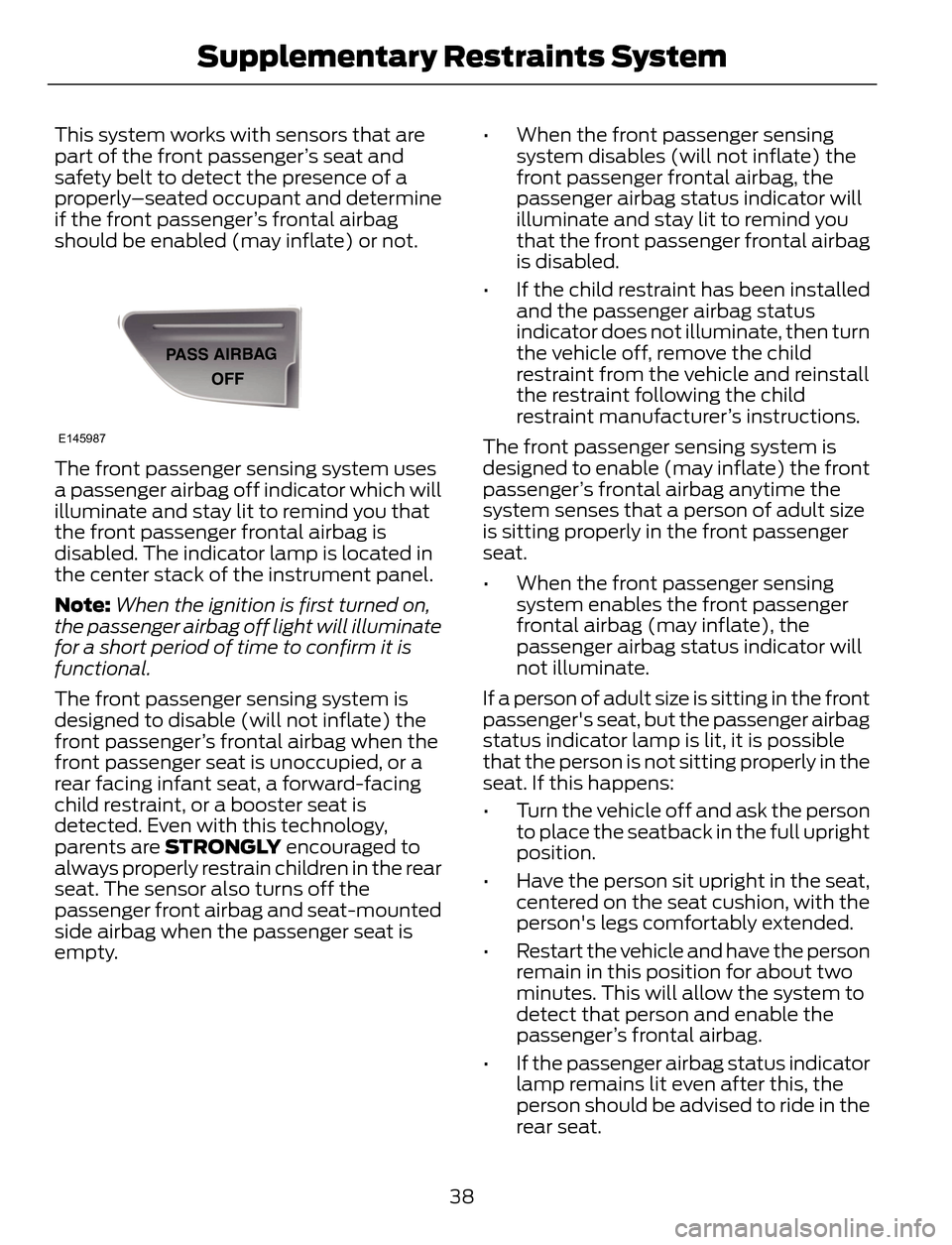
The front passenger sensing system uses
a passenger airbag off indicator which will
illuminate and stay lit to remind you that
the front passenger frontal airbag is
disabled. The indicator lamp is located in
the center stack of the instrument panel.
Note:When the ignition is first turned on,
the passenger airbag off light will illuminate
for a short period of time to confirm it is
functional.
The front passenger sensing system is
designed to disable (will not inflate) the
front passenger’s frontal airbag when the
front passenger seat is unoccupied, or a
rear facing infant seat, a forward-facing
child restraint, or a booster seat is
detected. Even with this technology,
parents are STRONGLY encouraged to
always properly restrain children in the rear
seat. The sensor also turns off the
passenger front airbag and seat-mounted
side airbag when the passenger seat is
empty.• When the front passenger sensing
system disables (will not inflate) the
front passenger frontal airbag, the
passenger airbag status indicator will
illuminate and stay lit to remind you
that the front passenger frontal airbag
is disabled.
• If the child restraint has been installed
and the passenger airbag status
indicator does not illuminate, then turn
the vehicle off, remove the child
restraint from the vehicle and reinstall
the restraint following the child
restraint manufacturer’s instructions.
The front passenger sensing system is
designed to enable (may inflate) the front
passenger’s frontal airbag anytime the
system senses that a person of adult size
is sitting properly in the front passenger
seat.
• When the front passenger sensing
system enables the front passenger
frontal airbag (may inflate), the
passenger airbag status indicator will
not illuminate.
If a person of adult size is sitting in the front
passenger's seat, but the passenger airbag
status indicator lamp is lit, it is possible
that the person is not sitting properly in the
seat. If this happens:
• Turn the vehicle off and ask the person
to place the seatback in the full upright
position.
• Have the person sit upright in the seat,
centered on the seat cushion, with the
person's legs comfortably extended.
• Restart the vehicle and have the person
remain in this position for about two
minutes. This will allow the system to
detect that person and enable the
passenger’s frontal airbag.
• If the passenger airbag status indicator
lamp remains lit even after this, the
person should be advised to ride in the
rear seat.
38
Supplementary Restraints System
Page 42 of 428
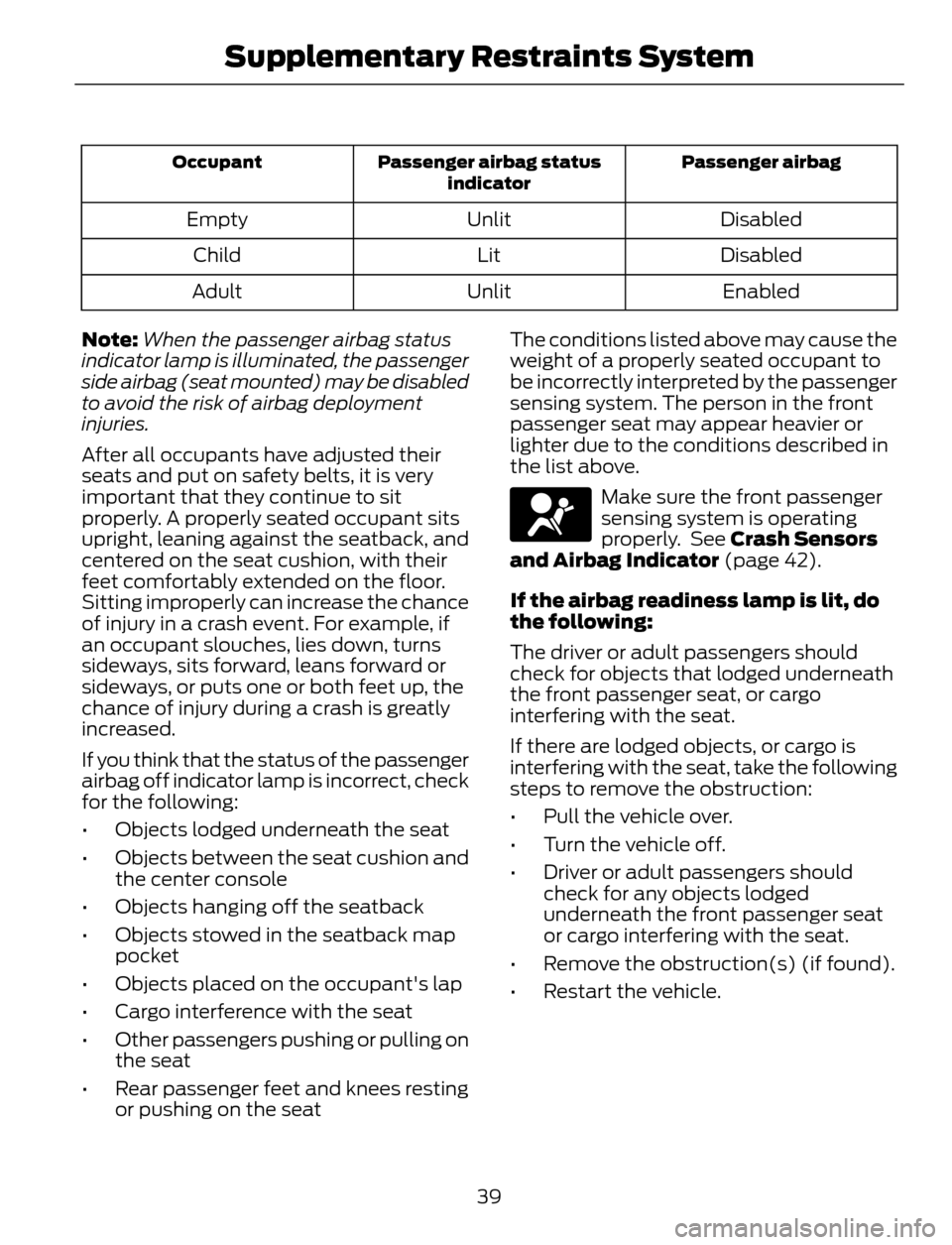
Passenger airbag Passenger airbag status
indicator Occupant
Disabled Unlit Empty
Disabled Lit Child
Enabled Unlit Adult
Note:When the passenger airbag status
indicator lamp is illuminated, the passenger
side airbag (seat mounted) may be disabled
to avoid the risk of airbag deployment
injuries.
After all occupants have adjusted their
seats and put on safety belts, it is very
important that they continue to sit
properly. A properly seated occupant sits
upright, leaning against the seatback, and
centered on the seat cushion, with their
feet comfortably extended on the floor.
Sitting improperly can increase the chance
of injury in a crash event. For example, if
an occupant slouches, lies down, turns
sideways, sits forward, leans forward or
sideways, or puts one or both feet up, the
chance of injury during a crash is greatly
increased.
If you think that the status of the passenger
airbag off indicator lamp is incorrect, check
for the following:
• Objects lodged underneath the seat
• Objects between the seat cushion and
the center console
• Objects hanging off the seatback
• Objects stowed in the seatback map
pocket
• Objects placed on the occupant's lap
• Cargo interference with the seat
• Other passengers pushing or pulling on
the seat
• Rear passenger feet and knees resting
or pushing on the seatThe conditions listed above may cause the
weight of a properly seated occupant to
be incorrectly interpreted by the passenger
sensing system. The person in the front
passenger seat may appear heavier or
lighter due to the conditions described in
the list above.
Make sure the front passenger
sensing system is operating
properly. See Crash Sensors
and Airbag Indicator (page 42).
If the airbag readiness lamp is lit, do
the following:
The driver or adult passengers should
check for objects that lodged underneath
the front passenger seat, or cargo
interfering with the seat.
If there are lodged objects, or cargo is
interfering with the seat, take the following
steps to remove the obstruction:
• Pull the vehicle over.
• Turn the vehicle off.
• Driver or adult passengers should
check for any objects lodged
underneath the front passenger seat
or cargo interfering with the seat.
• Remove the obstruction(s) (if found).
• Restart the vehicle.
39
Supplementary Restraints System
Page 47 of 428
GENERAL INFORMATION ON
RADIO FREQUENCIES
This device complies with Part 15 of the
FCC Rules and with Industry Canada
license-exempt RSS standard(s).
Operation is subject to the following two
conditions: (1) This device may not cause
harmful interference, and (2) This device
must accept any interference received,
including interference that may cause
undesired operation.
Note:Changes or modifications not
expressively approved by the party
responsible for compliance could void the
user's authority to operate the equipment.
The term IC before the radio certification
number only signifies that Industry Canada
technical specifications were met.
The typical operating range for your
transmitter is approximately 33 feet (10
meters). Vehicles with the remote start
feature will have a greater range. One of
the following could cause a decrease in
operating range:
• weather conditions
• nearby radio towers
• structures around the vehicle
• other vehicles parked next to your
vehicle
The radio frequency used by your remote
control can also be used by other short
distance radio transmissions, for example
amateur radios, medical equipment,
wireless headphones, remote controls and
alarm systems. If the frequencies are
jammed, you will not be able to use your
remote control. You can lock and unlock
the doors with the key.
Note:Make sure to lock your vehicle before
leaving it unattended.
Note:If you are in range, the remote control
will operate if you press any button
unintentionally.
Intelligent Access (If Equipped)
The system uses a radio frequency signal
to communicate with your vehicle and
authorize your vehicle to unlock when one
of the following conditions are met:
• You touch the inside of the front
exterior door handle.
• You press the luggage compartment
button.
• You press a button on the transmitter.
If excessive radio frequency interference
is present in the area or if the transmitter
battery is low, you may need to
mechanically unlock your door. You can
use the mechanical key blade in your
intelligent access key to open the driver
door in this situation. See Remote
Control (page 44).
REMOTE CONTROL
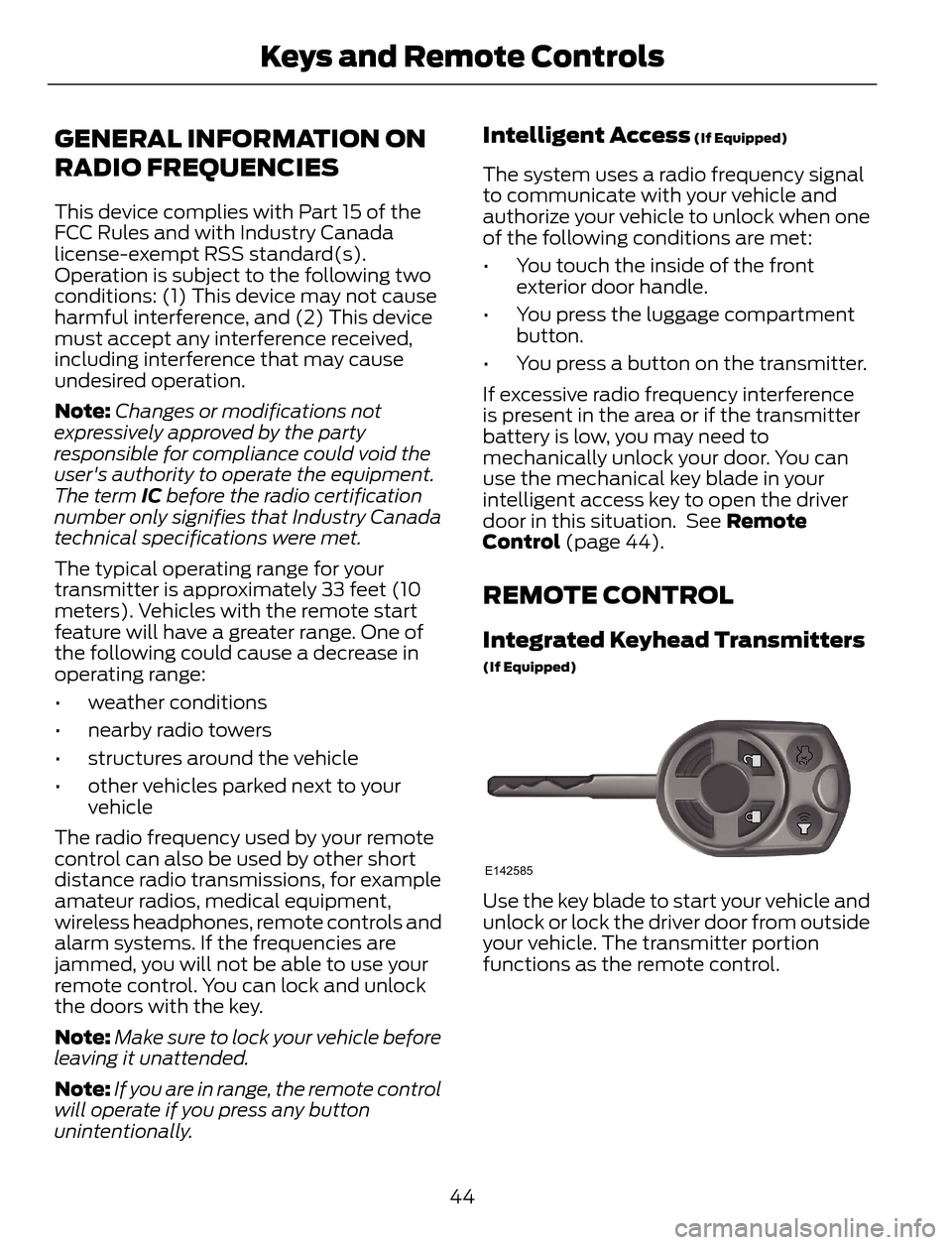
Integrated Keyhead Transmitters
(If Equipped)
E142585
Use the key blade to start your vehicle and
unlock or lock the driver door from outside
your vehicle. The transmitter portion
functions as the remote control.
44
Keys and Remote Controls
Page 48 of 428
E138615
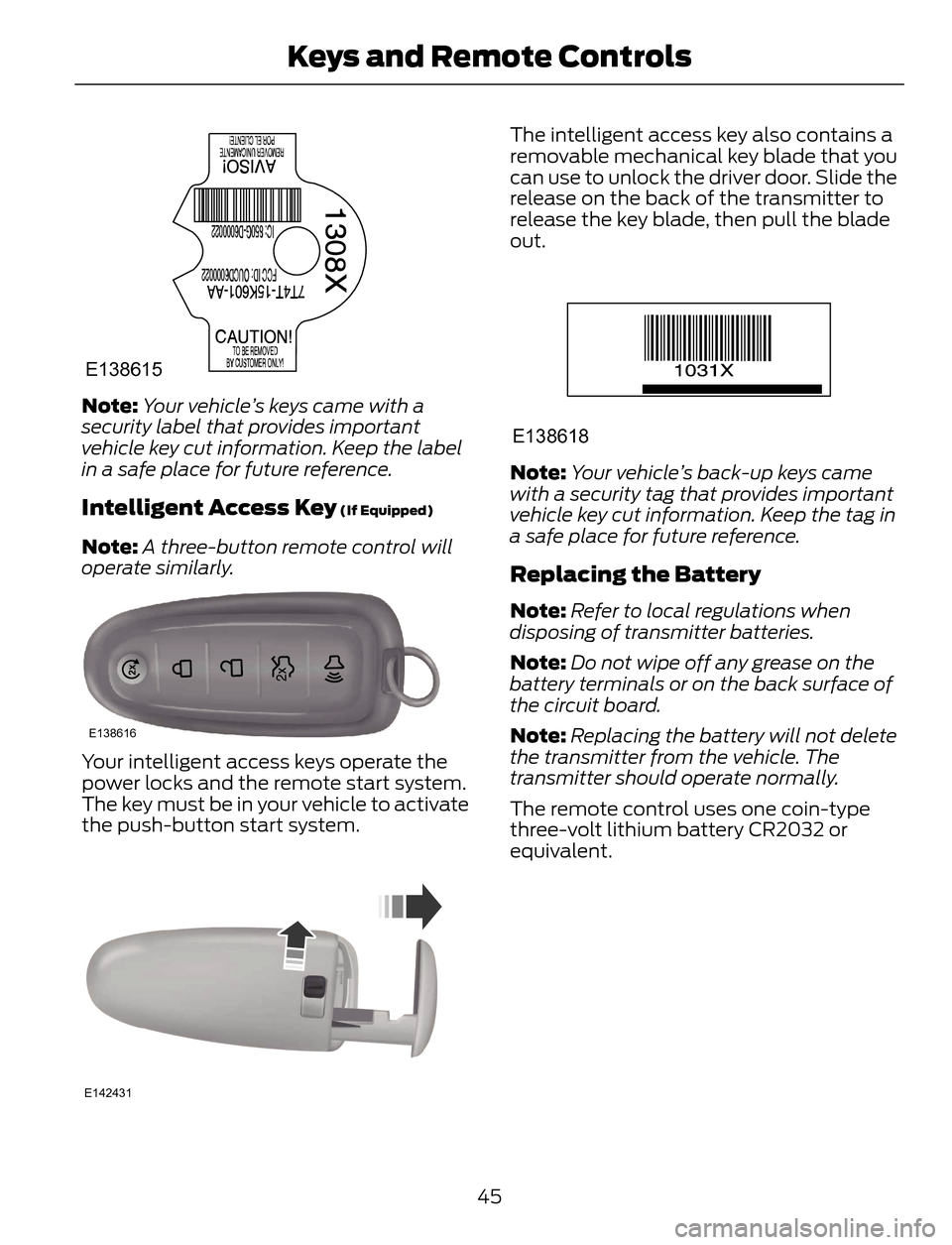
Note:Your vehicle’s keys came with a
security label that provides important
vehicle key cut information. Keep the label
in a safe place for future reference.
Intelligent Access Key (If Equipped)
Note:A three-button remote control will
operate similarly.
E138616
Your intelligent access keys operate the
power locks and the remote start system.
The key must be in your vehicle to activate
the push-button start system.
E142431
The intelligent access key also contains a
removable mechanical key blade that you
can use to unlock the driver door. Slide the
release on the back of the transmitter to
release the key blade, then pull the blade
out.
E138618
Note:Your vehicle’s back-up keys came
with a security tag that provides important
vehicle key cut information. Keep the tag in
a safe place for future reference.
Replacing the Battery
Note:Refer to local regulations when
disposing of transmitter batteries.
Note:Do not wipe off any grease on the
battery terminals or on the back surface of
the circuit board.
Note:Replacing the battery will not delete
the transmitter from the vehicle. The
transmitter should operate normally.
The remote control uses one coin-type
three-volt lithium battery CR2032 or
equivalent.
45
Keys and Remote Controls
Page 50 of 428
Note:If locking was not successful or if any
door or the liftgate is open, or if the hood is
open on vehicles with a perimeter alarm or
remote start, the horn will sound twice and
the lamps will not flash.
Sounding a Panic Alarm
Note:The panic alarm will only operate
when the ignition is off.
E138624
Press the button to activate the
alarm. Press the button again or
turn the ignition on to deactivate.
Remote Start (If Equipped)
WARNING
To avoid exhaust fumes, do not use
remote start if your vehicle is parked
indoors or areas that are not well
ventilated.
Note:Do not use remote start if your vehicle
is low on fuel.
E138625
The remote start button is on the
transmitter.
This feature allows you to start your
vehicle from outside the vehicle. The
transmitter has an extended operating
range.
Vehicles with automatic climate control
can be configured to operate when the
vehicle is remote started. See Automatic
Climate Control (page 102).
Many states and provinces have
restrictions for the use of remote start.
Check your local and state or provincial
laws for specific requirements regarding
remote start systems.
The remote start system will not work if:
• the ignition is on
• the alarm system is triggered
• you disable the feature• the hood is open
• the transmission is not in P
• the vehicle battery voltage is too low
• the service engine soon indicator was
on the last time your vehicle was
driven.
Remote Starting the Vehicle
Note:You must press each button within
three seconds of each other. Your vehicle
will not remote start and the horn will not
sound if you do not follow this sequence.
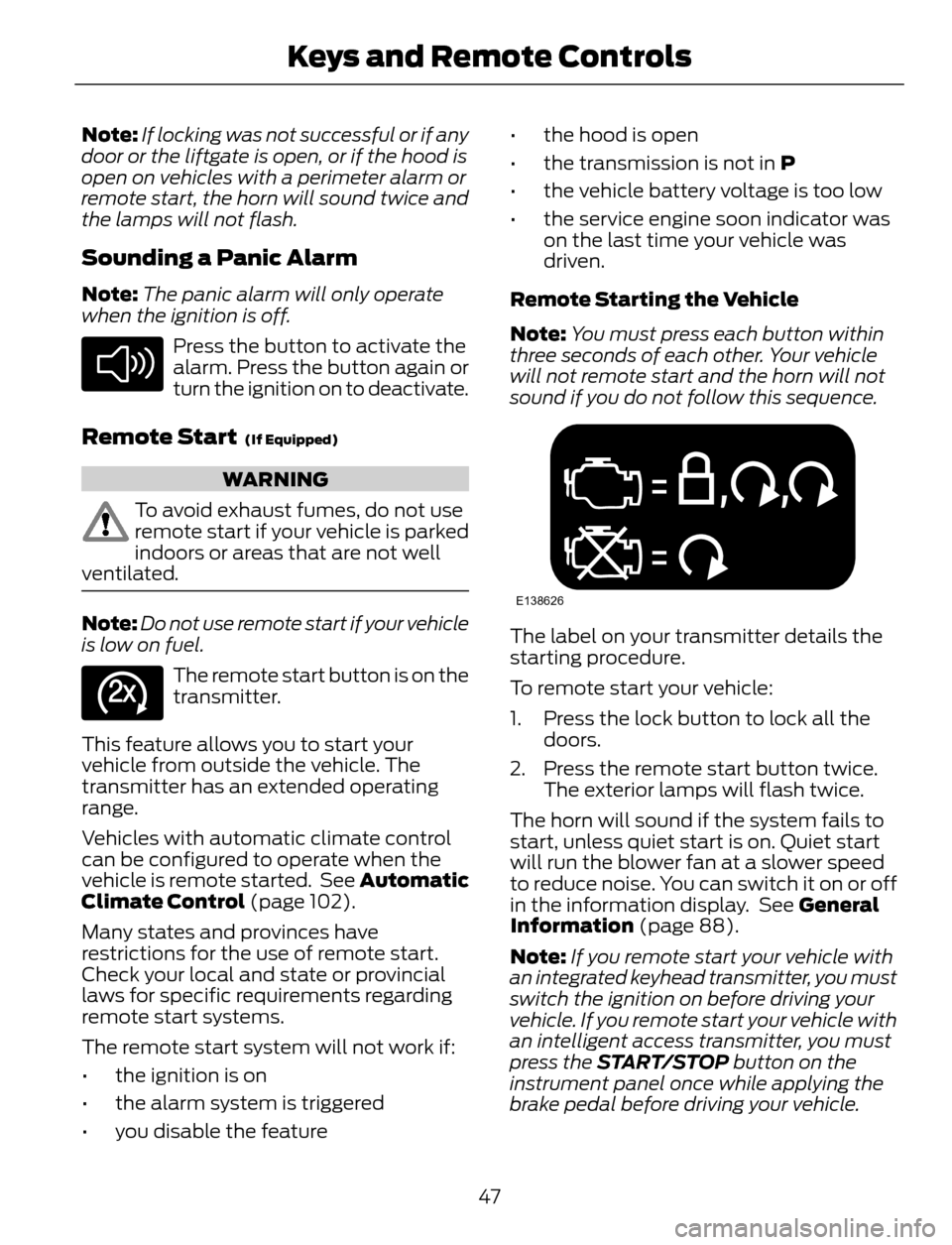
E138626
The label on your transmitter details the
starting procedure.
To remote start your vehicle:
1. Press the lock button to lock all the
doors.
2. Press the remote start button twice.
The exterior lamps will flash twice.
The horn will sound if the system fails to
start, unless quiet start is on. Quiet start
will run the blower fan at a slower speed
to reduce noise. You can switch it on or off
in the information display. See General
Information (page 88).
Note:If you remote start your vehicle with
an integrated keyhead transmitter, you must
switch the ignition on before driving your
vehicle. If you remote start your vehicle with
an intelligent access transmitter, you must
press the START/STOP button on the
instrument panel once while applying the
brake pedal before driving your vehicle.
47
Keys and Remote Controls
Page 51 of 428
The power windows will be inhibited during
the remote start and the radio will not turn
on automatically.
The parking lamps will remain on and the
vehicle will run for 5, 10, or 15 minutes,
depending on the setting.
Extending the Vehicle Run Time
Repeat Steps 1 and 2 with the vehicle still
running to extend the run time for another
remote start duration. If the duration is set
to last 10 minutes, the duration will extend
by another 10 minutes. For example, if the
vehicle had been running from the first
remote start for five minutes, the vehicle
will continue to run now for a total of 20
minutes. You can only extend the remote
start once. Some late build vehicles may
be able to restart up to 30 minutes.
Wait at least five seconds before remote
starting after a vehicle shutdown.
Turning the Vehicle Off After Remote
Starting
E138625
Press the button once. The
parking lamps will turn off.
You may have to be closer to the
vehicle than when starting due to ground
reflection and the added noise of the
running vehicle.
You can disable or enable the remote start
system through the information display.
See General Information (page 88).
REPLACING A LOST KEY OR
REMOTE CONTROL
Replacement keys or remote controls can
be purchased from an authorized dealer.
Authorized dealers can program remote
controls for your vehicle. See Passive
Anti-Theft System (page 64).
To re-program the passive anti-theft
system see an authorized dealer.
48
Keys and Remote Controls