light FORD ESCAPE 2016 3.G Manual Online
[x] Cancel search | Manufacturer: FORD, Model Year: 2016, Model line: ESCAPE, Model: FORD ESCAPE 2016 3.GPages: 393, PDF Size: 5.85 MB
Page 289 of 393
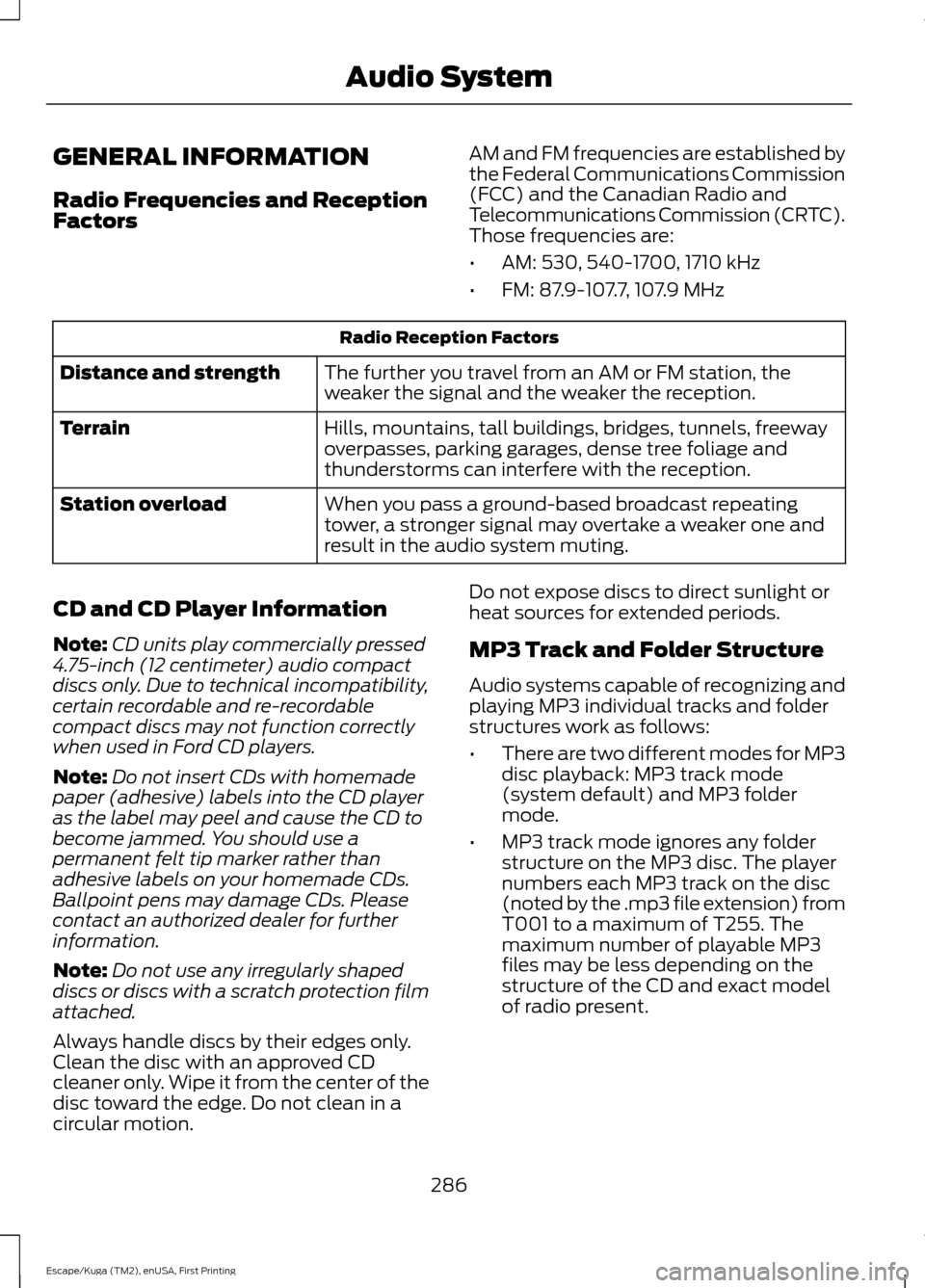
GENERAL INFORMATION
Radio Frequencies and Reception
Factors
AM and FM frequencies are established by
the Federal Communications Commission
(FCC) and the Canadian Radio and
Telecommunications Commission (CRTC).
Those frequencies are:
•
AM: 530, 540-1700, 1710 kHz
• FM: 87.9-107.7, 107.9 MHz Radio Reception Factors
The further you travel from an AM or FM station, the
weaker the signal and the weaker the reception.
Distance and strength
Hills, mountains, tall buildings, bridges, tunnels, freeway
overpasses, parking garages, dense tree foliage and
thunderstorms can interfere with the reception.
Terrain
When you pass a ground-based broadcast repeating
tower, a stronger signal may overtake a weaker one and
result in the audio system muting.
Station overload
CD and CD Player Information
Note: CD units play commercially pressed
4.75-inch (12 centimeter) audio compact
discs only. Due to technical incompatibility,
certain recordable and re-recordable
compact discs may not function correctly
when used in Ford CD players.
Note: Do not insert CDs with homemade
paper (adhesive) labels into the CD player
as the label may peel and cause the CD to
become jammed. You should use a
permanent felt tip marker rather than
adhesive labels on your homemade CDs.
Ballpoint pens may damage CDs. Please
contact an authorized dealer for further
information.
Note: Do not use any irregularly shaped
discs or discs with a scratch protection film
attached.
Always handle discs by their edges only.
Clean the disc with an approved CD
cleaner only. Wipe it from the center of the
disc toward the edge. Do not clean in a
circular motion. Do not expose discs to direct sunlight or
heat sources for extended periods.
MP3 Track and Folder Structure
Audio systems capable of recognizing and
playing MP3 individual tracks and folder
structures work as follows:
•
There are two different modes for MP3
disc playback: MP3 track mode
(system default) and MP3 folder
mode.
• MP3 track mode ignores any folder
structure on the MP3 disc. The player
numbers each MP3 track on the disc
(noted by the .mp3 file extension) from
T001 to a maximum of T255. The
maximum number of playable MP3
files may be less depending on the
structure of the CD and exact model
of radio present.
286
Escape/Kuga (TM2), enUSA, First Printing Audio System
Page 299 of 393
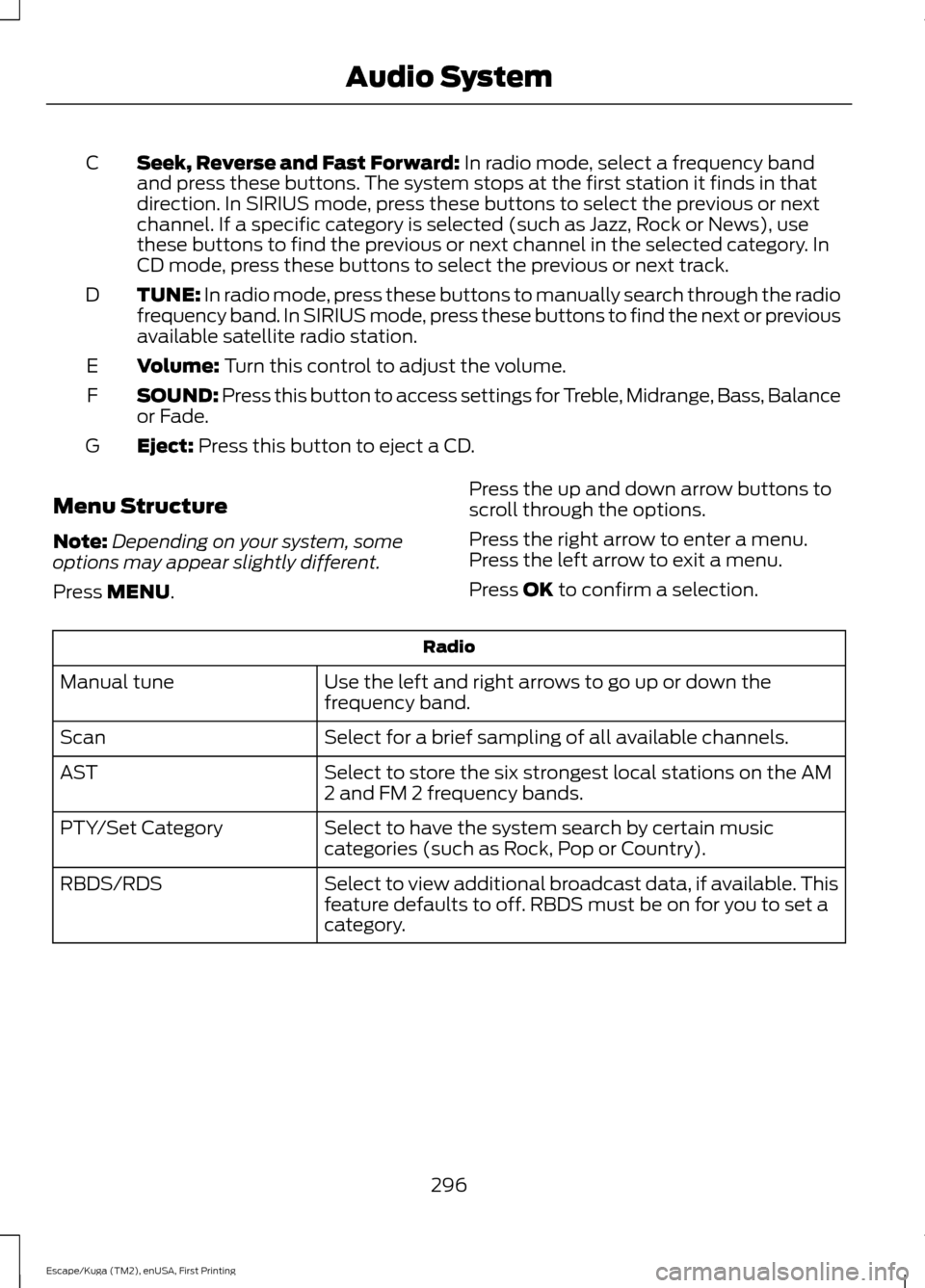
Seek, Reverse and Fast Forward: In radio mode, select a frequency band
and press these buttons. The system stops at the first station it finds in that
direction. In SIRIUS mode, press these buttons to select the previous or next
channel. If a specific category is selected (such as Jazz, Rock or News), use
these buttons to find the previous or next channel in the selected category. In
CD mode, press these buttons to select the previous or next track.
C
TUNE:
In radio mode, press these buttons to manually search through the radio
frequency band. In SIRIUS mode, press these buttons to find the next or previous
available satellite radio station.
D
Volume:
Turn this control to adjust the volume.
E
SOUND: Press this button to access settings for Treble, Midrange, Bass, Balance
or Fade.
F
Eject:
Press this button to eject a CD.
G
Menu Structure
Note: Depending on your system, some
options may appear slightly different.
Press
MENU. Press the up and down arrow buttons to
scroll through the options.
Press the right arrow to enter a menu.
Press the left arrow to exit a menu.
Press OK to confirm a selection. Radio
Use the left and right arrows to go up or down the
frequency band.
Manual tune
Select for a brief sampling of all available channels.
Scan
Select to store the six strongest local stations on the AM
2 and FM 2 frequency bands.
AST
Select to have the system search by certain music
categories (such as Rock, Pop or Country).
PTY/Set Category
Select to view additional broadcast data, if available. This
feature defaults to off. RBDS must be on for you to set a
category.
RBDS/RDS
296
Escape/Kuga (TM2), enUSA, First Printing Audio System
Page 302 of 393
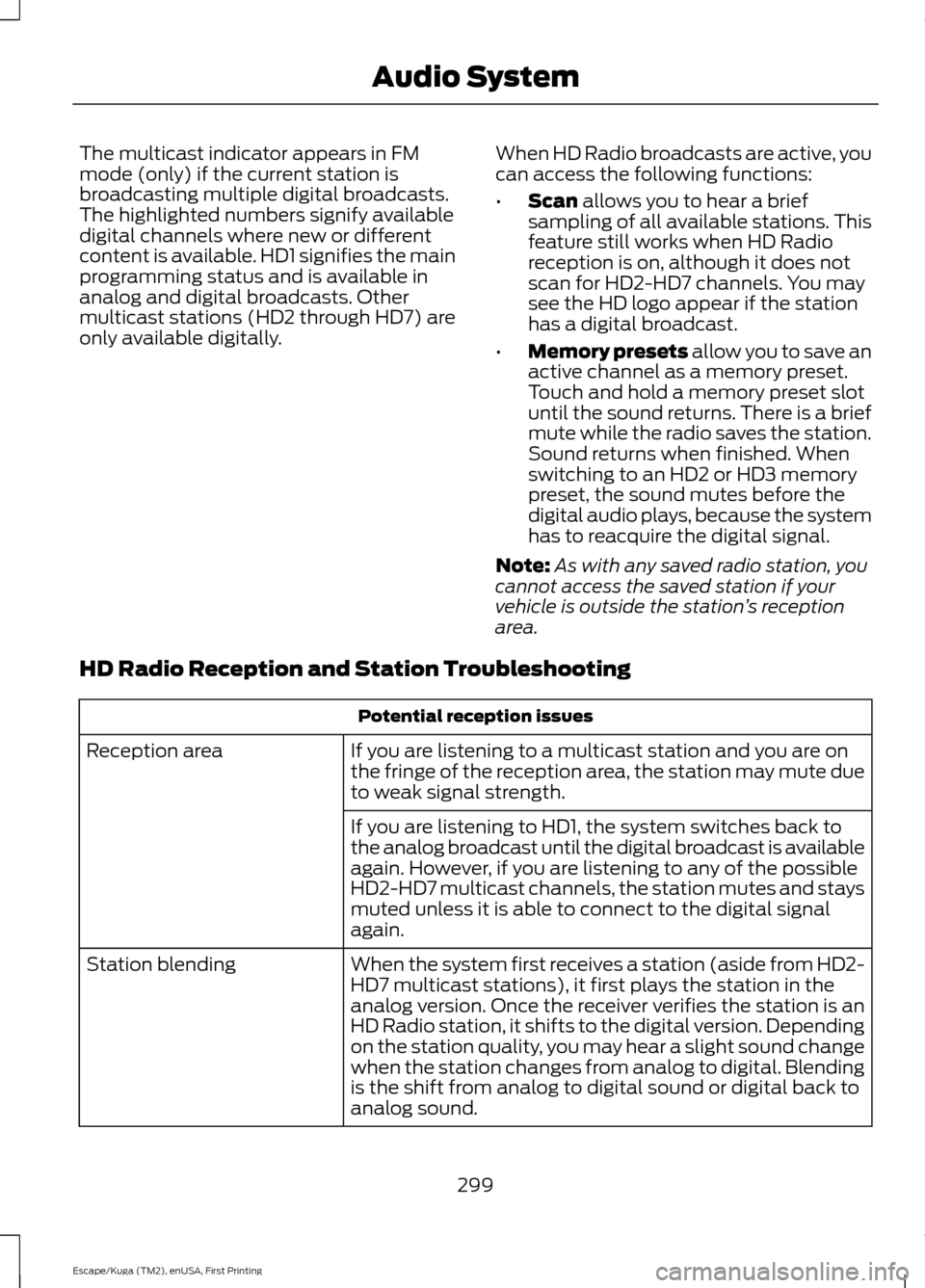
The multicast indicator appears in FM
mode (only) if the current station is
broadcasting multiple digital broadcasts.
The highlighted numbers signify available
digital channels where new or different
content is available. HD1 signifies the main
programming status and is available in
analog and digital broadcasts. Other
multicast stations (HD2 through HD7) are
only available digitally.
When HD Radio broadcasts are active, you
can access the following functions:
•
Scan allows you to hear a brief
sampling of all available stations. This
feature still works when HD Radio
reception is on, although it does not
scan for HD2-HD7 channels. You may
see the HD logo appear if the station
has a digital broadcast.
• Memory presets
allow you to save an
active channel as a memory preset.
Touch and hold a memory preset slot
until the sound returns. There is a brief
mute while the radio saves the station.
Sound returns when finished. When
switching to an HD2 or HD3 memory
preset, the sound mutes before the
digital audio plays, because the system
has to reacquire the digital signal.
Note: As with any saved radio station, you
cannot access the saved station if your
vehicle is outside the station ’s reception
area.
HD Radio Reception and Station Troubleshooting Potential reception issues
If you are listening to a multicast station and you are on
the fringe of the reception area, the station may mute due
to weak signal strength.
Reception area
If you are listening to HD1, the system switches back to
the analog broadcast until the digital broadcast is available
again. However, if you are listening to any of the possible
HD2-HD7 multicast channels, the station mutes and stays
muted unless it is able to connect to the digital signal
again.
When the system first receives a station (aside from HD2-
HD7 multicast stations), it first plays the station in the
analog version. Once the receiver verifies the station is an
HD Radio station, it shifts to the digital version. Depending
on the station quality, you may hear a slight sound change
when the station changes from analog to digital. Blending
is the shift from analog to digital sound or digital back to
analog sound.
Station blending
299
Escape/Kuga (TM2), enUSA, First Printing Audio System
Page 318 of 393
Description and action
Menu
Item
Press the OK button to access, and then scroll
through a list of pre-defined messages to send.
Reply to
sender
Press the
OK button to call the sender of the
message.
Call sender
Press the
OK button to forward the message to
anyone in your phonebook or call history. You can
also choose to enter a number.
Forward
msg.
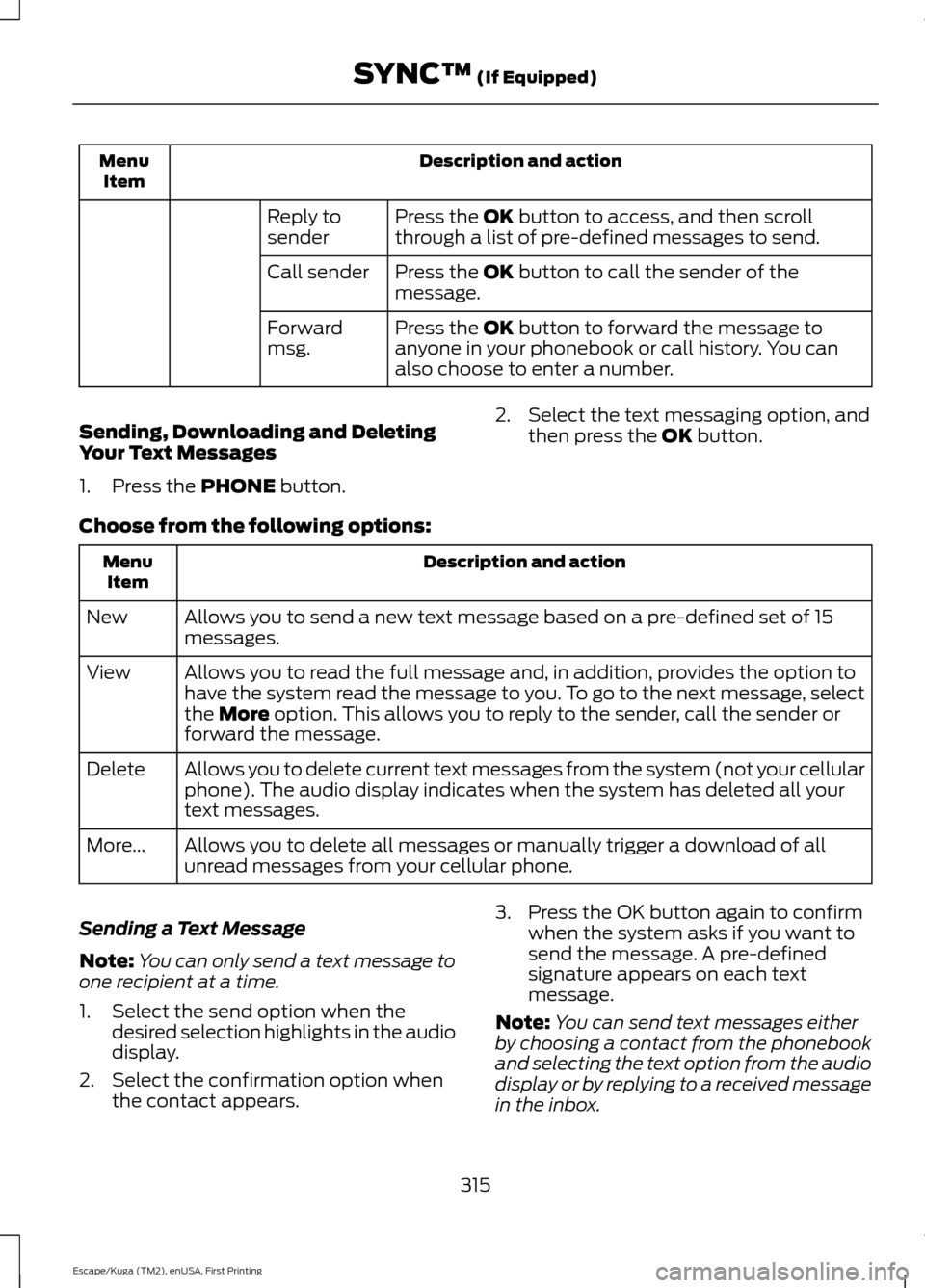
Sending, Downloading and Deleting
Your Text Messages
1. Press the
PHONE button. 2. Select the text messaging option, and
then press the
OK button.
Choose from the following options: Description and action
Menu
Item
Allows you to send a new text message based on a pre-defined set of 15
messages.
New
Allows you to read the full message and, in addition, provides the option to
have the system read the message to you. To go to the next message, select
the
More option. This allows you to reply to the sender, call the sender or
forward the message.
View
Allows you to delete current text messages from the system (not your cellular
phone). The audio display indicates when the system has deleted all your
text messages.
Delete
Allows you to delete all messages or manually trigger a download of all
unread messages from your cellular phone.
More...
Sending a Text Message
Note: You can only send a text message to
one recipient at a time.
1. Select the send option when the desired selection highlights in the audio
display.
2. Select the confirmation option when the contact appears. 3. Press the OK button again to confirm
when the system asks if you want to
send the message. A pre-defined
signature appears on each text
message.
Note: You can send text messages either
by choosing a contact from the phonebook
and selecting the text option from the audio
display or by replying to a received message
in the inbox.
315
Escape/Kuga (TM2), enUSA, First Printing SYNC™
(If Equipped)
Page 345 of 393
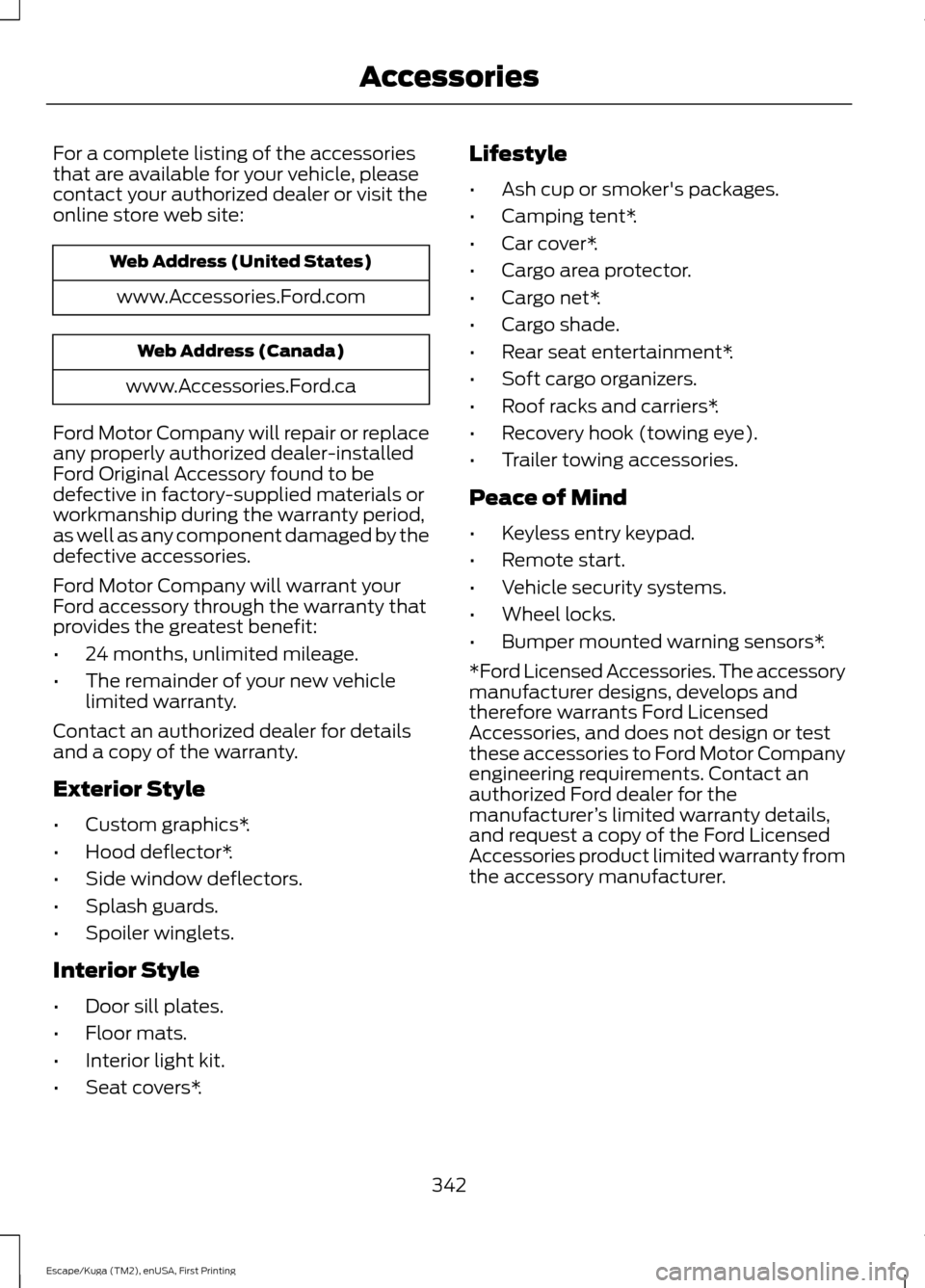
For a complete listing of the accessories
that are available for your vehicle, please
contact your authorized dealer or visit the
online store web site:
Web Address (United States)
www.Accessories.Ford.com Web Address (Canada)
www.Accessories.Ford.ca
Ford Motor Company will repair or replace
any properly authorized dealer-installed
Ford Original Accessory found to be
defective in factory-supplied materials or
workmanship during the warranty period,
as well as any component damaged by the
defective accessories.
Ford Motor Company will warrant your
Ford accessory through the warranty that
provides the greatest benefit:
• 24 months, unlimited mileage.
• The remainder of your new vehicle
limited warranty.
Contact an authorized dealer for details
and a copy of the warranty.
Exterior Style
• Custom graphics*.
• Hood deflector*.
• Side window deflectors.
• Splash guards.
• Spoiler winglets.
Interior Style
• Door sill plates.
• Floor mats.
• Interior light kit.
• Seat covers*. Lifestyle
•
Ash cup or smoker's packages.
• Camping tent*.
• Car cover*.
• Cargo area protector.
• Cargo net*.
• Cargo shade.
• Rear seat entertainment*.
• Soft cargo organizers.
• Roof racks and carriers*.
• Recovery hook (towing eye).
• Trailer towing accessories.
Peace of Mind
• Keyless entry keypad.
• Remote start.
• Vehicle security systems.
• Wheel locks.
• Bumper mounted warning sensors*.
*Ford Licensed Accessories. The accessory
manufacturer designs, develops and
therefore warrants Ford Licensed
Accessories, and does not design or test
these accessories to Ford Motor Company
engineering requirements. Contact an
authorized Ford dealer for the
manufacturer ’s limited warranty details,
and request a copy of the Ford Licensed
Accessories product limited warranty from
the accessory manufacturer.
342
Escape/Kuga (TM2), enUSA, First Printing Accessories
Page 351 of 393
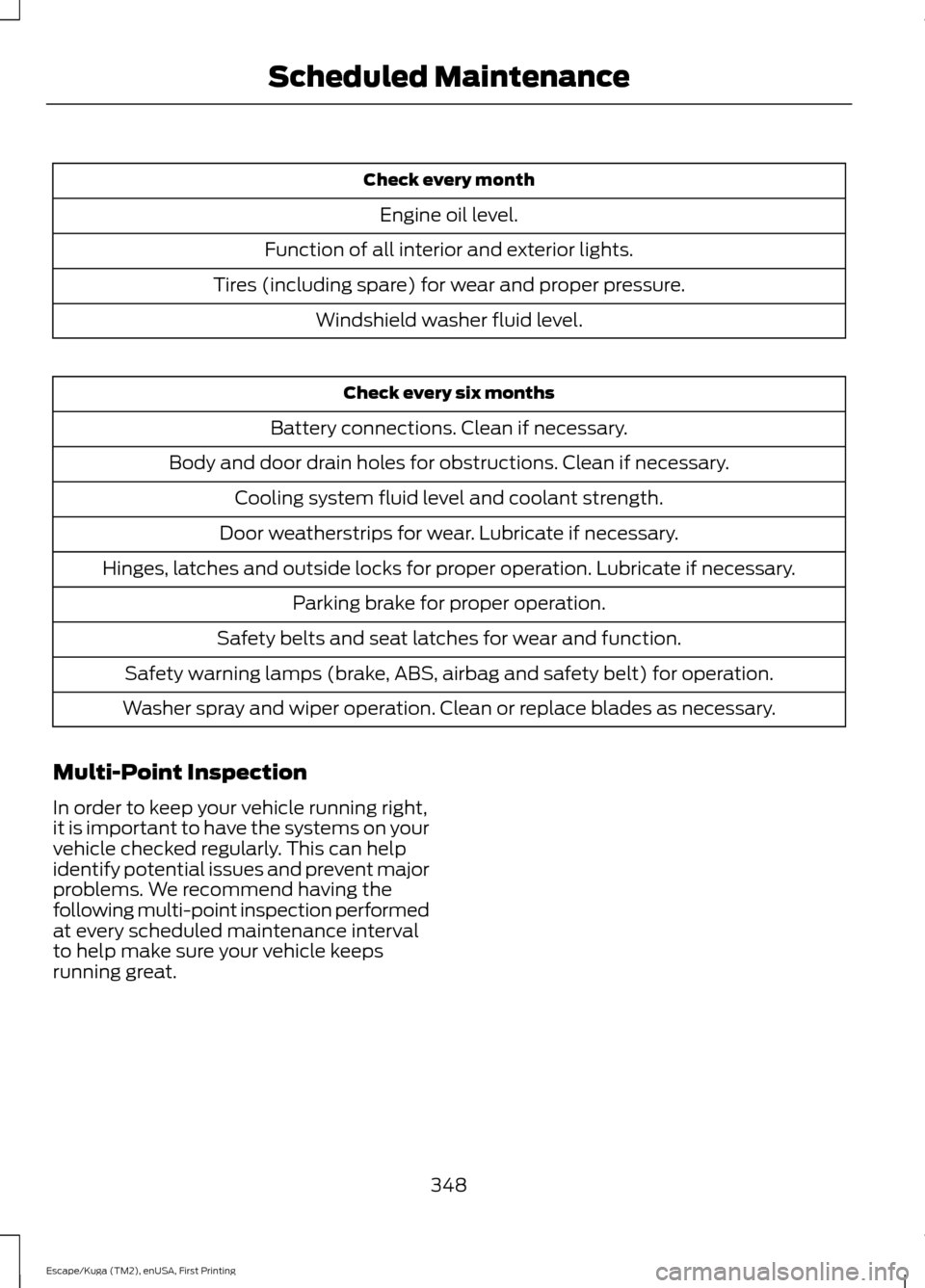
Check every month
Engine oil level.
Function of all interior and exterior lights.
Tires (including spare) for wear and proper pressure. Windshield washer fluid level. Check every six months
Battery connections. Clean if necessary.
Body and door drain holes for obstructions. Clean if necessary. Cooling system fluid level and coolant strength.
Door weatherstrips for wear. Lubricate if necessary.
Hinges, latches and outside locks for proper operation. Lubricate if necessary. Parking brake for proper operation.
Safety belts and seat latches for wear and function.
Safety warning lamps (brake, ABS, airbag and safety belt) for operation.
Washer spray and wiper operation. Clean or replace blades as necessary.
Multi-Point Inspection
In order to keep your vehicle running right,
it is important to have the systems on your
vehicle checked regularly. This can help
identify potential issues and prevent major
problems. We recommend having the
following multi-point inspection performed
at every scheduled maintenance interval
to help make sure your vehicle keeps
running great.
348
Escape/Kuga (TM2), enUSA, First Printing Scheduled Maintenance
Page 356 of 393
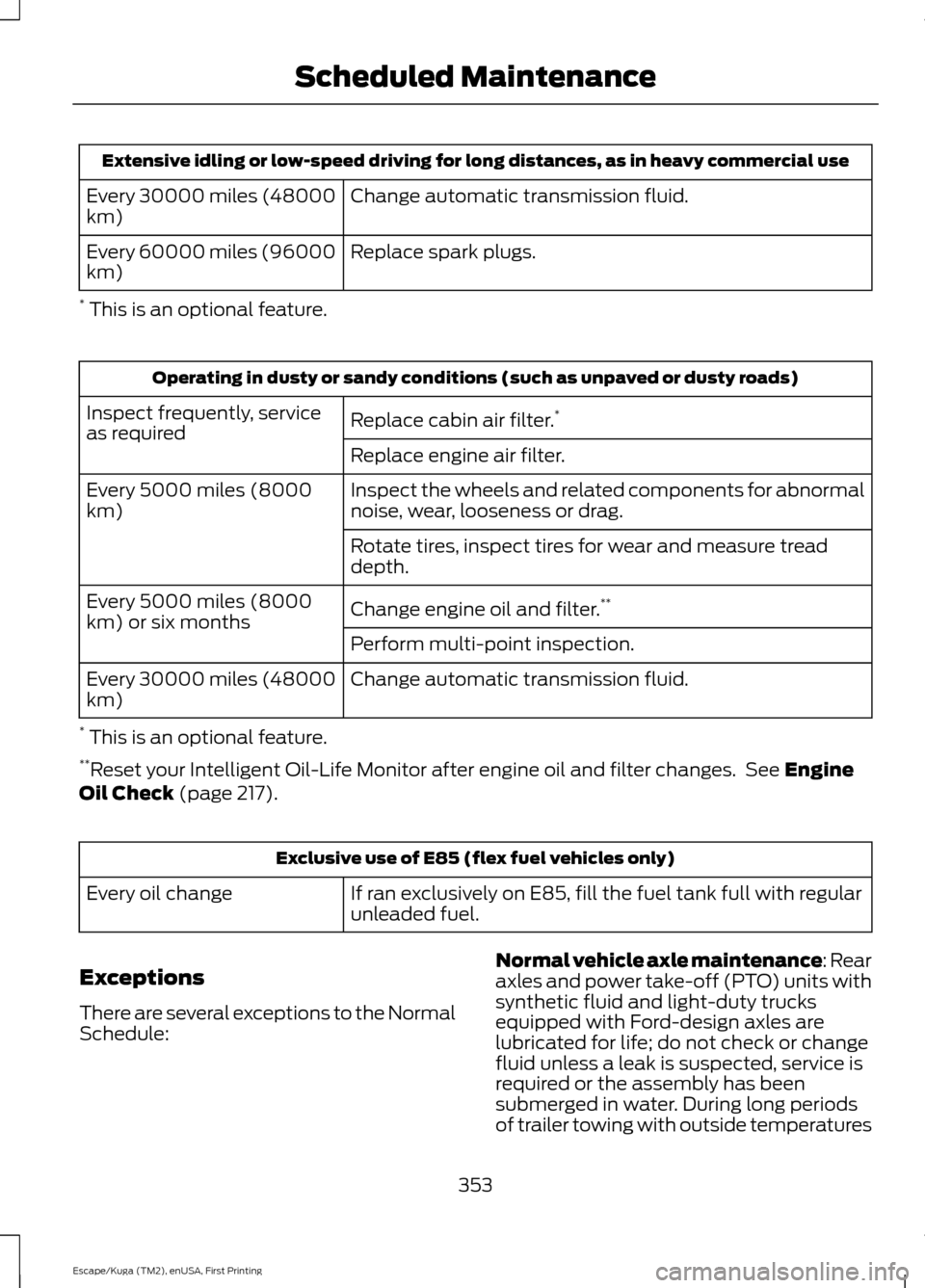
Extensive idling or low-speed driving for long distances, as in heavy commercial use
Change automatic transmission fluid.
Every 30000 miles (48000
km)
Replace spark plugs.
Every 60000 miles (96000
km)
* This is an optional feature. Operating in dusty or sandy conditions (such as unpaved or dusty roads)
Replace cabin air filter. *
Inspect frequently, service
as required
Replace engine air filter.
Inspect the wheels and related components for abnormal
noise, wear, looseness or drag.
Every 5000 miles (8000
km)
Rotate tires, inspect tires for wear and measure tread
depth.
Change engine oil and filter.**
Every 5000 miles (8000
km) or six months
Perform multi-point inspection.
Change automatic transmission fluid.
Every 30000 miles (48000
km)
* This is an optional feature.
** Reset your Intelligent Oil-Life Monitor after engine oil and filter changes. See Engine
Oil Check (page 217). Exclusive use of E85 (flex fuel vehicles only)
If ran exclusively on E85, fill the fuel tank full with regular
unleaded fuel.
Every oil change
Exceptions
There are several exceptions to the Normal
Schedule: Normal vehicle axle maintenance: Rear
axles and power take-off (PTO) units with
synthetic fluid and light-duty trucks
equipped with Ford-design axles are
lubricated for life; do not check or change
fluid unless a leak is suspected, service is
required or the assembly has been
submerged in water. During long periods
of trailer towing with outside temperatures
353
Escape/Kuga (TM2), enUSA, First Printing Scheduled Maintenance
Page 386 of 393
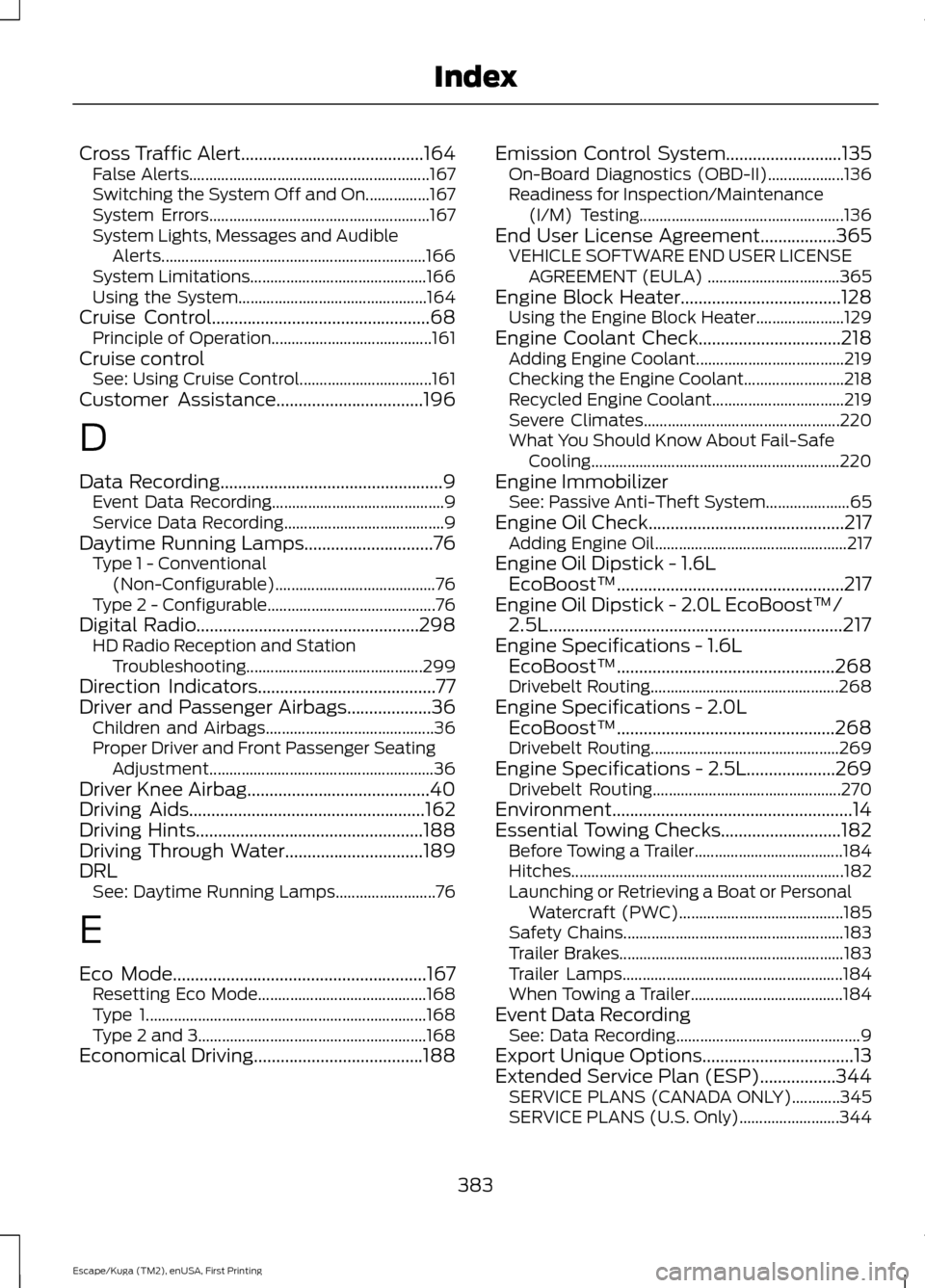
Cross Traffic Alert.........................................164
False Alerts............................................................ 167
Switching the System Off and On................167
System Errors....................................................... 167
System Lights, Messages and Audible Alerts.................................................................. 166
System Limitations............................................ 166
Using the System............................................... 164
Cruise Control.................................................68 Principle of Operation........................................ 161
Cruise control See: Using Cruise Control................................. 161
Customer Assistance.................................196
D
Data Recording
..................................................9
Event Data Recording........................................... 9
Service Data Recording........................................ 9
Daytime Running Lamps.............................76 Type 1 - Conventional
(Non-Configurable)........................................ 76
Type 2 - Configurable.......................................... 76
Digital Radio
..................................................298
HD Radio Reception and Station
Troubleshooting............................................ 299
Direction Indicators
........................................77
Driver and Passenger Airbags...................36 Children and Airbags.......................................... 36
Proper Driver and Front Passenger Seating Adjustment........................................................ 36
Driver Knee Airbag.........................................40
Driving Aids
.....................................................162
Driving Hints...................................................188
Driving Through Water...............................189
DRL See: Daytime Running Lamps......................... 76
E
Eco Mode
.........................................................167
Resetting Eco Mode.......................................... 168
Type 1...................................................................... 168
Type 2 and 3......................................................... 168
Economical Driving......................................188 Emission Control System
..........................135
On-Board Diagnostics (OBD-II)................... 136
Readiness for Inspection/Maintenance (I/M) Testing................................................... 136
End User License Agreement.................365 VEHICLE SOFTWARE END USER LICENSE
AGREEMENT (EULA) ................................. 365
Engine Block Heater
....................................128
Using the Engine Block Heater...................... 129
Engine Coolant Check
................................218
Adding Engine Coolant..................................... 219
Checking the Engine Coolant......................... 218
Recycled Engine Coolant................................. 219
Severe Climates................................................. 220
What You Should Know About Fail-Safe Cooling.............................................................. 220
Engine Immobilizer See: Passive Anti-Theft System..................... 65
Engine Oil Check............................................217 Adding Engine Oil................................................ 217
Engine Oil Dipstick - 1.6L EcoBoost™...................................................217
Engine Oil Dipstick - 2.0L EcoBoost™/ 2.5L..................................................................217
Engine Specifications - 1.6L EcoBoost™.................................................268
Drivebelt Routing............................................... 268
Engine Specifications - 2.0L EcoBoost™.................................................268
Drivebelt Routing............................................... 269
Engine Specifications - 2.5L....................269 Drivebelt Routing............................................... 270
Environment......................................................14
Essential Towing Checks...........................182 Before Towing a Trailer..................................... 184
Hitches.................................................................... 182
Launching or Retrieving a Boat or Personal Watercraft (PWC)......................................... 185
Safety Chains....................................................... 183
Trailer Brakes........................................................ 183
Trailer Lamps....................................................... 184
When Towing a Trailer...................................... 184
Event Data Recording See: Data Recording.............................................. 9
Export Unique Options..................................13
Extended Service Plan (ESP).................344 SERVICE PLANS (CANADA ONLY)............345
SERVICE PLANS (U.S. Only)......................... 344
383
Escape/Kuga (TM2), enUSA, First Printing Index
Page 388 of 393
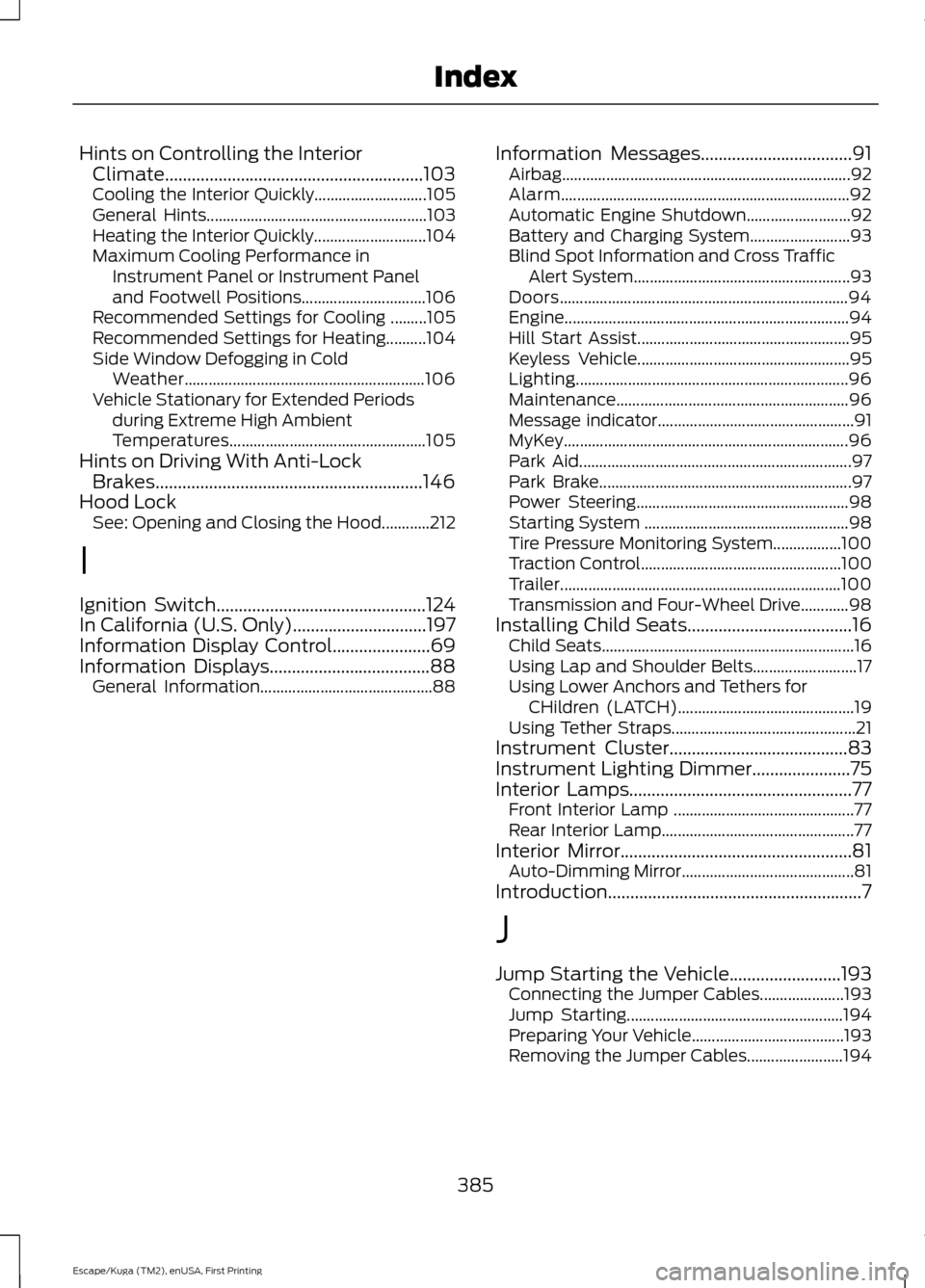
Hints on Controlling the Interior
Climate..........................................................103
Cooling the Interior Quickly............................ 105
General Hints....................................................... 103
Heating the Interior Quickly............................ 104
Maximum Cooling Performance in Instrument Panel or Instrument Panel
and Footwell Positions............................... 106
Recommended Settings for Cooling .........105
Recommended Settings for Heating..........104
Side Window Defogging in Cold Weather............................................................ 106
Vehicle Stationary for Extended Periods during Extreme High Ambient
Temperatures................................................. 105
Hints on Driving With Anti-Lock Brakes............................................................146
Hood Lock See: Opening and Closing the Hood............212
I
Ignition Switch...............................................124
In California (U.S. Only)..............................197
Information Display Control......................69
Information Displays....................................88
General Information........................................... 88Information Messages
..................................91
Airbag........................................................................\
92
Alarm........................................................................\
92
Automatic Engine Shutdown.......................... 92
Battery and Charging System......................... 93
Blind Spot Information and Cross Traffic Alert System...................................................... 93
Doors........................................................................\
94
Engine....................................................................... 94
Hill Start Assist..................................................... 95
Keyless Vehicle..................................................... 95
Lighting.................................................................... 96
Maintenance.......................................................... 96
Message indicator................................................. 91
MyKey....................................................................... 96
Park Aid.................................................................... 97
Park Brake............................................................... 97
Power Steering..................................................... 98
Starting System ................................................... 98
Tire Pressure Monitoring System.................100
Traction Control.................................................. 100
Trailer...................................................................... 100
Transmission and Four-Wheel Drive............98
Installing Child Seats.....................................16 Child Seats............................................................... 16
Using Lap and Shoulder Belts.......................... 17
Using Lower Anchors and Tethers for CHildren (LATCH)............................................ 19
Using Tether Straps.............................................. 21
Instrument Cluster
........................................83
Instrument Lighting Dimmer......................75
Interior Lamps..................................................77
Front Interior Lamp ............................................. 77
Rear Interior Lamp................................................ 77
Interior Mirror....................................................81 Auto-Dimming Mirror........................................... 81
Introduction.........................................................7
J
Jump Starting the Vehicle.........................193 Connecting the Jumper Cables..................... 193
Jump Starting...................................................... 194
Preparing Your Vehicle...................................... 193
Removing the Jumper Cables........................ 194
385
Escape/Kuga (TM2), enUSA, First Printing Index
Page 389 of 393
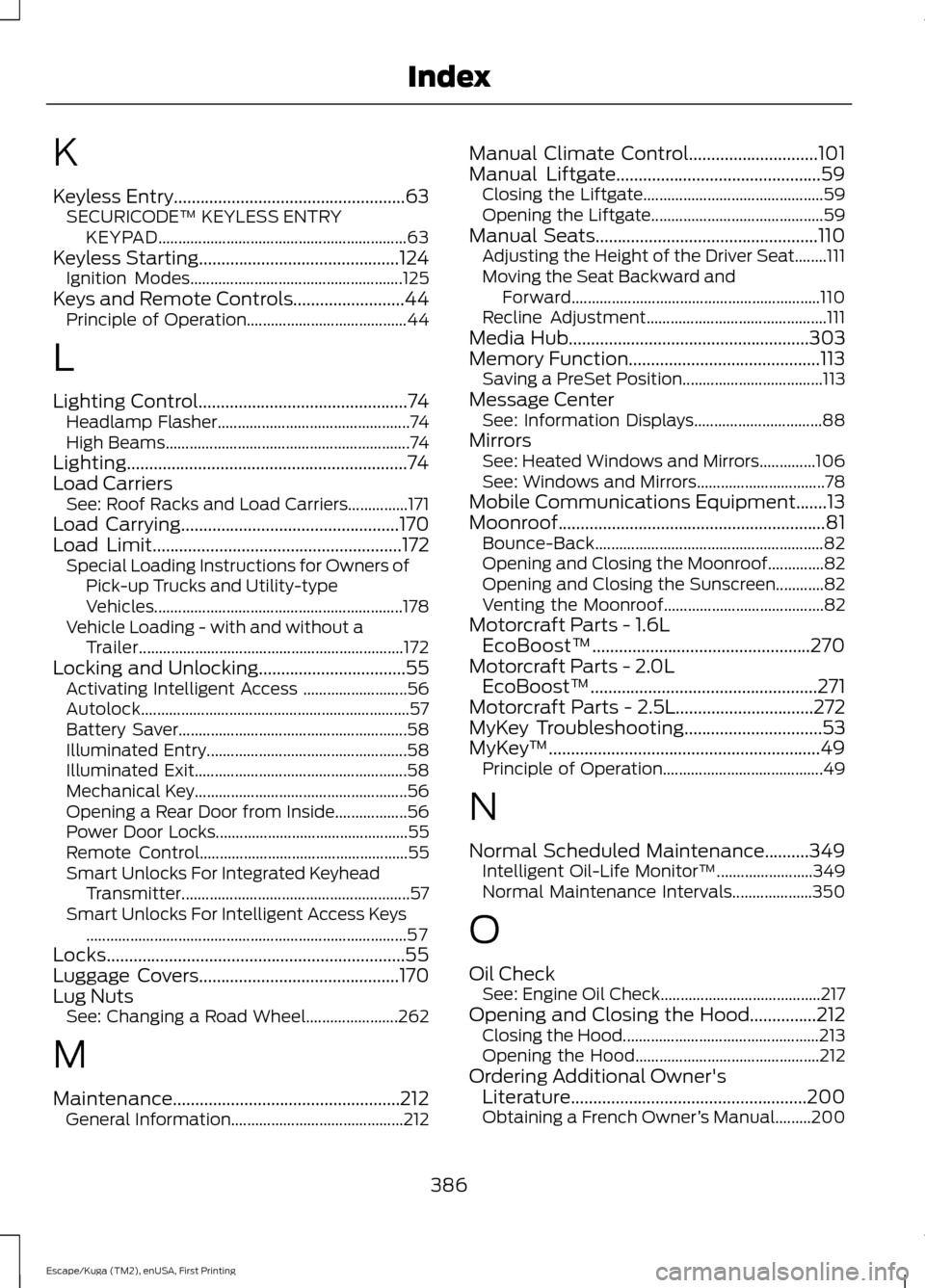
K
Keyless Entry....................................................63
SECURICODE™ KEYLESS ENTRY
KEYPAD.............................................................. 63
Keyless Starting.............................................124 Ignition Modes..................................................... 125
Keys and Remote Controls.........................44 Principle of Operation........................................ 44
L
Lighting Control
...............................................74
Headlamp Flasher................................................ 74
High Beams............................................................. 74
Lighting...............................................................74
Load Carriers See: Roof Racks and Load Carriers...............171
Load Carrying
.................................................170
Load Limit........................................................172 Special Loading Instructions for Owners of
Pick-up Trucks and Utility-type
Vehicles.............................................................. 178
Vehicle Loading - with and without a Trailer.................................................................. 172
Locking and Unlocking.................................55 Activating Intelligent Access .......................... 56
Autolock................................................................... 57
Battery Saver......................................................... 58
Illuminated Entry.................................................. 58
Illuminated Exit..................................................... 58
Mechanical Key..................................................... 56
Opening a Rear Door from Inside.................. 56
Power Door Locks................................................ 55
Remote Control.................................................... 55
Smart Unlocks For Integrated Keyhead Transmitter......................................................... 57
Smart Unlocks For Intelligent Access Keys ........................................................................\
........ 57
Locks...................................................................55
Luggage Covers.............................................170
Lug Nuts See: Changing a Road Wheel....................... 262
M
Maintenance...................................................212 General Information........................................... 212Manual Climate Control
.............................101
Manual Liftgate..............................................59
Closing the Liftgate............................................. 59
Opening the Liftgate........................................... 59
Manual Seats
..................................................110
Adjusting the Height of the Driver Seat........111
Moving the Seat Backward and
Forward.............................................................. 110
Recline Adjustment............................................. 111
Media Hub
......................................................303
Memory Function...........................................113 Saving a PreSet Position................................... 113
Message Center See: Information Displays................................ 88
Mirrors See: Heated Windows and Mirrors..............106
See: Windows and Mirrors................................ 78
Mobile Communications Equipment.......13
Moonroof............................................................81 Bounce-Back......................................................... 82
Opening and Closing the Moonroof..............82
Opening and Closing the Sunscreen............82
Venting the Moonroof........................................ 82
Motorcraft Parts - 1.6L EcoBoost™.................................................270
Motorcraft Parts - 2.0L EcoBoost™ ...................................................
271
Motorcraft Parts - 2.5L...............................272
MyKey Troubleshooting
...............................53
MyKey ™.............................................................49
Principle of Operation........................................ 49
N
Normal Scheduled Maintenance..........349 Intelligent Oil-Life Monitor™........................ 349
Normal Maintenance Intervals.................... 350
O
Oil Check See: Engine Oil Check........................................ 217
Opening and Closing the Hood...............212 Closing the Hood ................................................. 213
Opening the Hood.............................................. 212
Ordering Additional Owner's Literature.....................................................200
Obtaining a French Owner ’s Manual.........200
386
Escape/Kuga (TM2), enUSA, First Printing Index