ESP FORD ESCAPE 2017 3.G Owner's Manual
[x] Cancel search | Manufacturer: FORD, Model Year: 2017, Model line: ESCAPE, Model: FORD ESCAPE 2017 3.GPages: 486, PDF Size: 6.34 MB
Page 152 of 486
When driving at slow speeds off road under
high load conditions, use a low gear when
possible. Low gear operation will maximize
the engine and transmission cooling
capability.
Under severe operating conditions, the air
conditioning may cycle on and off to
prevent the engine from overheating.
Basic Operating Principles
•
Drive slower in strong crosswinds which
can affect the normal steering
characteristics of your vehicle.
• When driving your vehicle on surfaces
made slippery by loose sand, water,
gravel, snow or ice proceed with care.
If Your Vehicle leaves the Road
If your vehicle leaves the road, reduce your
vehicle speed and avoid severe braking.
When your vehicle speed has been reduced
ease your vehicle back onto the road. Do
not turn the steering wheel sharply while
returning your vehicle to the road.
It may be safer to stay on the shoulder of
the road and slow down gradually before
returning to the road. You may lose control
if you do not slow down or if you turn the
steering wheel too sharply or abruptly.
It may be less risky to strike small objects,
such as freeway reflectors, with minor
damage to your vehicle rather than
attempt a sudden return to the road which
could cause your vehicle to slide sideways
out of control or roll over. Remember, your
safety and the safety of others should be
your primary concern.
Emergency Maneuvers
In an unavoidable emergency situation
where a sudden sharp turn must be made,
remember to avoid over-driving your
vehicle (i.e. turn the steering wheel only as
rapidly and as far as required to avoid the
emergency). Excessive steering can result in loss of vehicle control. Apply smooth
pressure to the accelerator pedal or brake
pedal when changes in vehicle speed are
required. Avoid abrupt steering,
acceleration and braking. This could result
in an increased risk of vehicle roll over, loss
of vehicle control and personal injury. Use
all available road surface to bring your
vehicle to a safe direction of travel.
In the event of an emergency stop, avoid
skidding the tires and do not attempt any
sharp steering wheel movements.
If your vehicle goes from one type of
surface to another (i.e. from concrete to
gravel) there will be a change in the way
your vehicle responds to a maneuver (i.e.
steering, acceleration or braking).
Sand
When driving over sand, try to keep all four
wheels on the most solid area of the trail.
Avoid reducing the tire pressures but shift
to a lower gear and drive steadily through
the terrain. Apply the accelerator slowly
and avoid excessive wheel slip.
Do not drive your vehicle in deep sand for
an extended period of time. This will cause
the system to overheat. A message will be
displayed in the information display. See
(page 89).
To resume operation, switch the ignition
off and allow the system to cool down for
a minimum of 15 minutes. After the system
has cooled down, a message will be
displayed briefly in the information display.
See
(page 89).
When driving at slow speeds in deep sand
under high outside temperatures, use a low
gear when possible. Low gear operation
will maximize the engine and transmission
cooling capability.
149
Escape/Kuga (TM2), enUSA, First Printing Four-Wheel Drive
(If Equipped)
Page 159 of 486
Note:
The electric parking brake drive away
release makes starting on a hill easier. This
feature will release the parking brake
automatically when the vehicle has
sufficient drive force to move up the hill. To
assure drive away release when starting
uphill, press the accelerator pedal quickly.
Driving with a Trailer
Depending on the slope and the weight of
the trailer, your vehicle and trailer may roll
backwards slightly when you start on a
slope.
To prevent this from happening, do the
following:
1. Pull the switch up and hold it in this position.
2. Drive your vehicle, then release the switch when you notice that the engine
has developed sufficient driving force.
Battery With No Charge WARNING
You will not be able to apply or
release the electric parking brake if
the battery is low or has no charge.
If the battery is low or has no charge, use
jumper cables and a booster battery.
HILL START ASSIST
WARNINGS
The system does not replace the
parking brake. When you leave your
vehicle, always apply the parking
brake and shift the transmission into park
(P) (automatic transmission) or first gear
(1) (manual transmission). You must remain in your vehicle once
you have activated the system. WARNINGS
During all times, you are responsible
for controlling your vehicle,
supervising the system and
intervening, if required. If the engine is revved excessively, or
if a malfunction is detected, the
system will be deactivated.
The system makes it easier to pull away
when your vehicle is on a slope without the
need to use the parking brake.
When the system is active, your vehicle will
remain stationary on the slope for two to
three seconds after you release the brake
pedal. This allows you time to move your
foot from the brake to the accelerator
pedal. The brakes release automatically
when the engine has sufficient torque to
prevent your vehicle from rolling down the
grade. This is an advantage when pulling
away on a slope, for example from a car
park ramp, traffic lights or when reversing
uphill into a parking space.
The system will activate automatically on
any slope that will cause significant vehicle
rollback. For vehicles with a manual
transmission, you can switch this feature
off using the information display. See
Information Displays (page 89). The
system will remain on or off depending on
how it was last set.
Note: There is no warning lamp to indicate
the system is either on or off.
Note: If your vehicle is equipped with Auto
Hold, Hill Start Assist will not be available
while Auto Hold is active.
Using Hill Start Assist
1. Bring your vehicle to a complete standstill. Keep the brake pedal
pressed and select an uphill gear (for
example, first (1) when facing uphill or
reverse (R) when facing downhill).
156
Escape/Kuga (TM2), enUSA, First Printing Brakes
Page 168 of 486
•
The anti-lock brake system is
activated.
• The traction control system is
activated.
ACTIVE PARK ASSIST (If Equipped)
Parallel Parking, Perpendicular
Parking, Parallel Park Out Assist WARNINGS
You must remain in your vehicle
when the system turns on. At all
times, you are responsible for
controlling your vehicle, supervising the
system and intervening, if required. Failure
to take care may result in the loss of
control of your vehicle, serious personal
injury or death. The sensors may not detect objects
in heavy rain or other conditions that
cause interference.
Active park assist does not apply the
brakes under any circumstances.
Note:
The driver is always responsible for
controlling the vehicle, supervising the
system and intervening if required by
grabbing the steering wheel or pushing the
active park assist button.
Note: The Blind Spot Information System
does not detect traffic alongside or behind
your vehicle during a park assist maneuver.
The system detects an available parallel
or perpendicular parking space and
automatically steers your vehicle into the
space (hands-free) while you control the
accelerator, transmission selector and
brakes. The system visually and audibly
guides you to park your vehicle.
If you are uncomfortable with the proximity
to any vehicle or object, you may choose
to override the system. Parallel Park Out Assist automatically
steers your vehicle out of a parallel parking
space (hands-free) while you control the
accelerator, transmission selector and
brakes. The system visually and audibly
guides you to enter traffic.
The system may not correctly operate in
any of the following conditions:
•
You use a spare tire or a tire
significantly worn more than the other
tires.
• One or more tires are improperly
inflated.
• You try to park on a tight curve.
• Something passes between the front
bumper and the parking space (a
pedestrian or cyclist).
• The edge of the neighboring parked
vehicle is high off the ground (for
example, a bus, tow truck or flatbed
truck).
• The weather conditions are poor
(heavy rain, snow, fog, etc).
Note: Keep the sensors, located on the
bumper or fascia, free from snow, ice and
large accumulations of dirt. Covered sensors
can affect the system's accuracy. Do not
clean the sensors with sharp objects.
Note: The sensors may not detect objects
with surfaces that absorb ultrasonic waves
or cause ultrasonic interference (motorcycle
exhaust, truck air brakes or horns).
Do not use the system if:
• You have attached a bike rack, trailer
or other object near the sensors on the
front or rear of your vehicle.
• You have attached an overhanging
object (surfboard) to the roof.
• A foreign object damages or obstructs
the front or rear bumper or side
sensors.
• The correct tire size is not in use on your
vehicle (for example, a mini-spare tire).
165
Escape/Kuga (TM2), enUSA, First Printing Parking Aids
Page 169 of 486
Using Active Park Assist - Parallel
Parking
Press the button located on the
center console near the
transmission selector or the right
side of the center stack once.
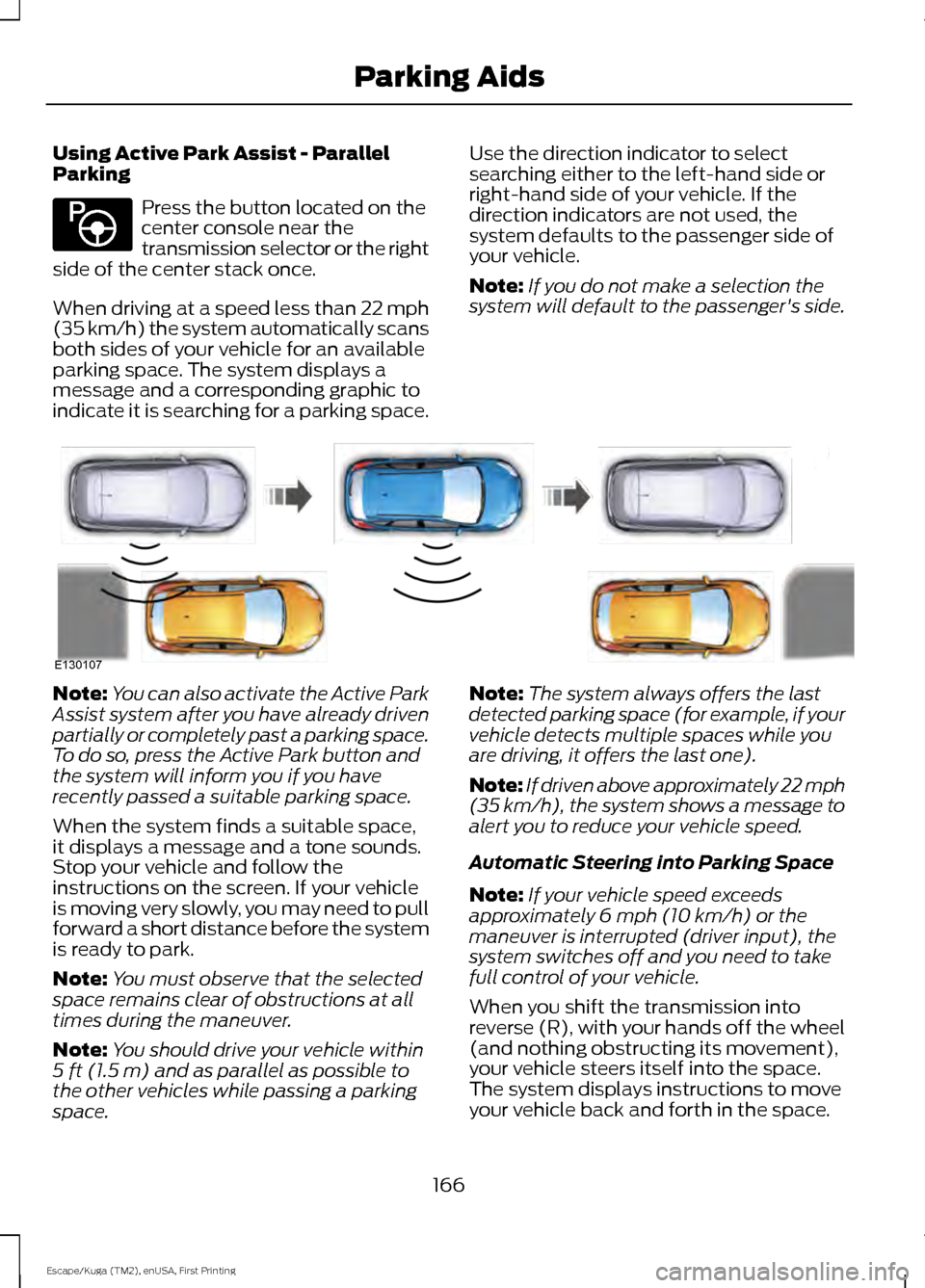
When driving at a speed less than 22 mph
(35 km/h) the system automatically scans
both sides of your vehicle for an available
parking space. The system displays a
message and a corresponding graphic to
indicate it is searching for a parking space. Use the direction indicator to select
searching either to the left-hand side or
right-hand side of your vehicle. If the
direction indicators are not used, the
system defaults to the passenger side of
your vehicle.
Note:
If you do not make a selection the
system will default to the passenger's side. Note:
You can also activate the Active Park
Assist system after you have already driven
partially or completely past a parking space.
To do so, press the Active Park button and
the system will inform you if you have
recently passed a suitable parking space.
When the system finds a suitable space,
it displays a message and a tone sounds.
Stop your vehicle and follow the
instructions on the screen. If your vehicle
is moving very slowly, you may need to pull
forward a short distance before the system
is ready to park.
Note: You must observe that the selected
space remains clear of obstructions at all
times during the maneuver.
Note: You should drive your vehicle within
5 ft (1.5 m) and as parallel as possible to
the other vehicles while passing a parking
space. Note:
The system always offers the last
detected parking space (for example, if your
vehicle detects multiple spaces while you
are driving, it offers the last one).
Note: If driven above approximately 22 mph
(35 km/h)
, the system shows a message to
alert you to reduce your vehicle speed.
Automatic Steering into Parking Space
Note: If your vehicle speed exceeds
approximately
6 mph (10 km/h) or the
maneuver is interrupted (driver input), the
system switches off and you need to take
full control of your vehicle.
When you shift the transmission into
reverse (R), with your hands off the wheel
(and nothing obstructing its movement),
your vehicle steers itself into the space.
The system displays instructions to move
your vehicle back and forth in the space.
166
Escape/Kuga (TM2), enUSA, First Printing Parking AidsE146186 E130107
Page 170 of 486
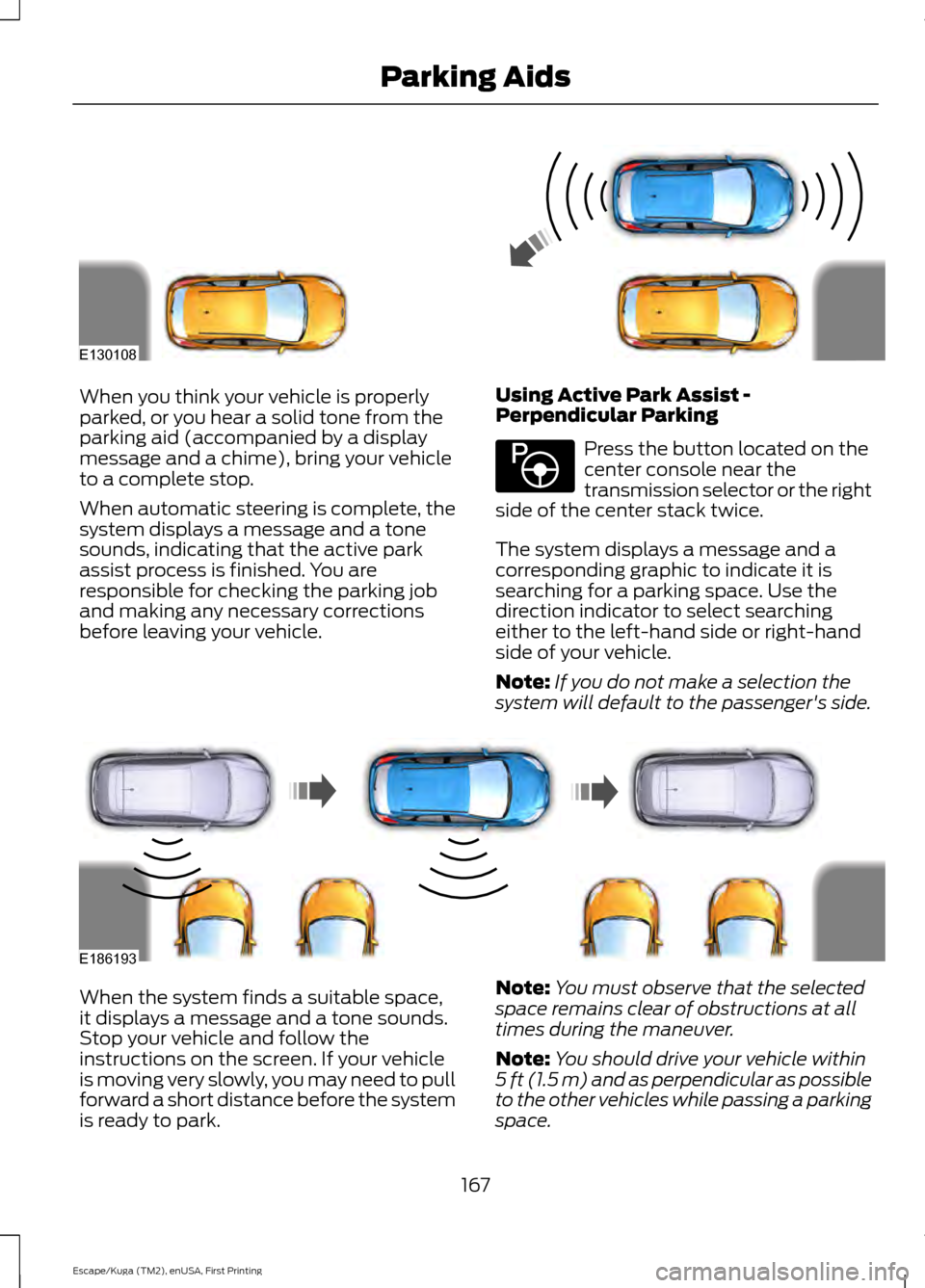
When you think your vehicle is properly
parked, or you hear a solid tone from the
parking aid (accompanied by a display
message and a chime), bring your vehicle
to a complete stop.
When automatic steering is complete, the
system displays a message and a tone
sounds, indicating that the active park
assist process is finished. You are
responsible for checking the parking job
and making any necessary corrections
before leaving your vehicle.
Using Active Park Assist -
Perpendicular Parking Press the button located on the
center console near the
transmission selector or the right
side of the center stack twice.
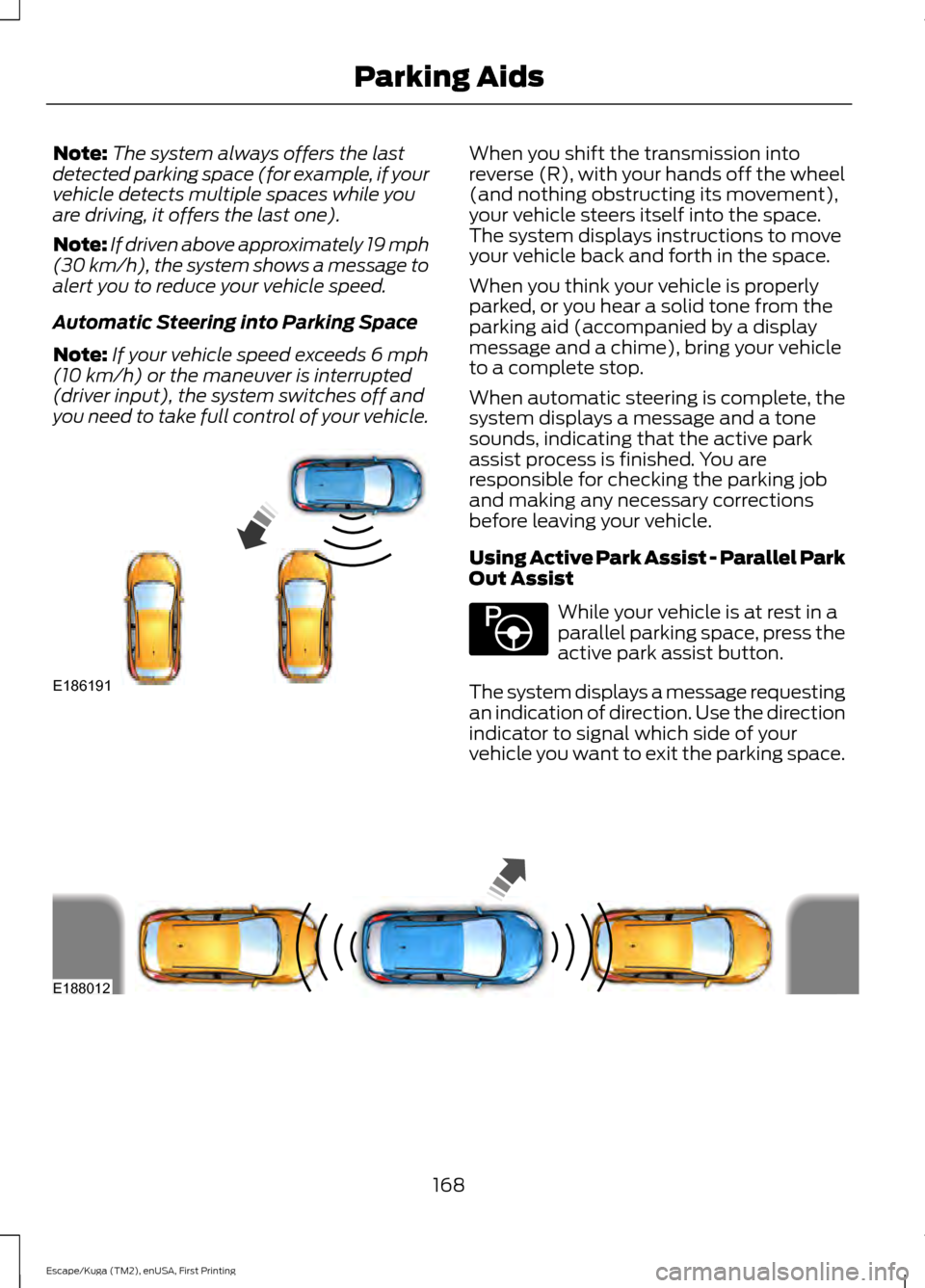
The system displays a message and a
corresponding graphic to indicate it is
searching for a parking space. Use the
direction indicator to select searching
either to the left-hand side or right-hand
side of your vehicle.
Note: If you do not make a selection the
system will default to the passenger's side. When the system finds a suitable space,
it displays a message and a tone sounds.
Stop your vehicle and follow the
instructions on the screen. If your vehicle
is moving very slowly, you may need to pull
forward a short distance before the system
is ready to park.
Note:
You must observe that the selected
space remains clear of obstructions at all
times during the maneuver.
Note: You should drive your vehicle within
5 ft (1.5 m) and as perpendicular as possible
to the other vehicles while passing a parking
space.
167
Escape/Kuga (TM2), enUSA, First Printing Parking AidsE130108 E146186 E186193
Page 171 of 486
Note:
The system always offers the last
detected parking space (for example, if your
vehicle detects multiple spaces while you
are driving, it offers the last one).
Note: If driven above approximately 19 mph
(30 km/h), the system shows a message to
alert you to reduce your vehicle speed.
Automatic Steering into Parking Space
Note: If your vehicle speed exceeds
6 mph
(10 km/h) or the maneuver is interrupted
(driver input), the system switches off and
you need to take full control of your vehicle. When you shift the transmission into
reverse (R), with your hands off the wheel
(and nothing obstructing its movement),
your vehicle steers itself into the space.
The system displays instructions to move
your vehicle back and forth in the space.
When you think your vehicle is properly
parked, or you hear a solid tone from the
parking aid (accompanied by a display
message and a chime), bring your vehicle
to a complete stop.
When automatic steering is complete, the
system displays a message and a tone
sounds, indicating that the active park
assist process is finished. You are
responsible for checking the parking job
and making any necessary corrections
before leaving your vehicle.
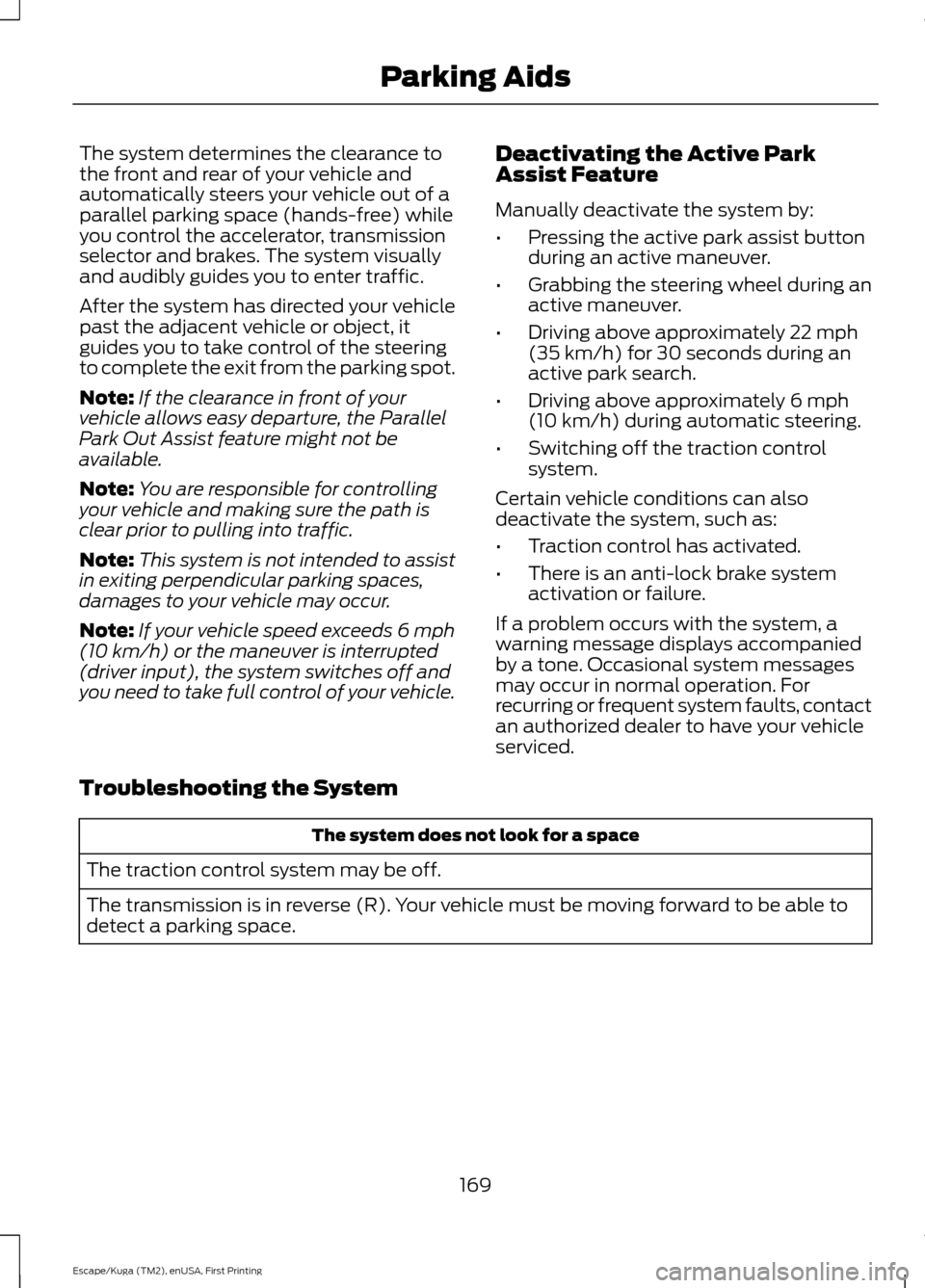
Using Active Park Assist - Parallel Park
Out Assist
While your vehicle is at rest in a
parallel parking space, press the
active park assist button.
The system displays a message requesting
an indication of direction. Use the direction
indicator to signal which side of your
vehicle you want to exit the parking space. 168
Escape/Kuga (TM2), enUSA, First Printing Parking AidsE186191 E146186 E188012
Page 172 of 486
The system determines the clearance to
the front and rear of your vehicle and
automatically steers your vehicle out of a
parallel parking space (hands-free) while
you control the accelerator, transmission
selector and brakes. The system visually
and audibly guides you to enter traffic.
After the system has directed your vehicle
past the adjacent vehicle or object, it
guides you to take control of the steering
to complete the exit from the parking spot.
Note:
If the clearance in front of your
vehicle allows easy departure, the Parallel
Park Out Assist feature might not be
available.
Note: You are responsible for controlling
your vehicle and making sure the path is
clear prior to pulling into traffic.
Note: This system is not intended to assist
in exiting perpendicular parking spaces,
damages to your vehicle may occur.
Note: If your vehicle speed exceeds 6 mph
(10 km/h) or the maneuver is interrupted
(driver input), the system switches off and
you need to take full control of your vehicle. Deactivating the Active Park
Assist Feature
Manually deactivate the system by:
•
Pressing the active park assist button
during an active maneuver.
• Grabbing the steering wheel during an
active maneuver.
• Driving above approximately
22 mph
(35 km/h) for 30 seconds during an
active park search.
• Driving above approximately
6 mph
(10 km/h) during automatic steering.
• Switching off the traction control
system.
Certain vehicle conditions can also
deactivate the system, such as:
• Traction control has activated.
• There is an anti-lock brake system
activation or failure.
If a problem occurs with the system, a
warning message displays accompanied
by a tone. Occasional system messages
may occur in normal operation. For
recurring or frequent system faults, contact
an authorized dealer to have your vehicle
serviced.
Troubleshooting the System The system does not look for a space
The traction control system may be off.
The transmission is in reverse (R). Your vehicle must be moving forward to be able to
detect a parking space.
169
Escape/Kuga (TM2), enUSA, First Printing Parking Aids
Page 178 of 486
Note:
You erase the set speed when you
switch the system off.
USING ADAPTIVE CRUISE
CONTROL (If Equipped) WARNINGS
The system is not a crash warning or
avoidance system. You must
intervene if the system does not
detect a vehicle in front of you. When you use the system you are
responsible for maintaining the
correct distance and speed. Always
pay attention to the traffic conditions and
intervene when the system is not
maintaining a suitable speed or distance. The system does not relieve you of
your responsibility to drive with due
care and attention.
The system does not brake for slow
or stationary vehicles, pedestrians,
objects in the road, oncoming and
crossing vehicles. Do not use the system in poor
visibility, specifically fog, heavy rain,
spray or snow.
Do not use the system on icy or
slippery roads.
Do not use the system when entering
or leaving a freeway.
Note:
Only use the system when conditions
are favorable, for example on freeways and
main roads with steady free flowing traffic.
Note: The radar sensor has a limited field
of vision. In some situations it may detect a
vehicle other than the one expected or not
detect any vehicle at all. Note:
When you switch the system on, it is
possible that you will hear some unusual
sounds during automatic braking. This is
normal and caused by the automatic
braking system.
Note: Keep the front of your vehicle free
from dirt, metal badges or objects. This
includes vehicle front protectors and
additional lights which may prevent the
sensor from operating.
The system is designed to help you
maintain a gap from the vehicle in front of
you. If there is no vehicle in front of you the
system will maintain a set speed. The
system is intended to provide enhanced
operation of your vehicle when following
other vehicles which are in the same lane
and traveling in the same direction.
The system is based on the use of a radar
sensor which projects a beam directly
forward of your vehicle. This beam will
detect any vehicle ahead within the
system's range.
The radar sensor is located behind the
front grille.
175
Escape/Kuga (TM2), enUSA, First Printing Cruise Control
Page 182 of 486
You will hear an audible tone and a
message will be shown in the display. You
must then intervene and adapt your driving
and speed to vehicles in front of you.
An automatic cancel can occur if:
•
Your vehicle speed falls below
approximately 17 mph (25 km/h).
• The tires lose traction.
• The brake temperature is too high, for
example when driving on mountainous
or hilly roads.
• The engine speed is too low.
• The radar sensor is covered.
• You apply the parking brake.
Forward Alert Function WARNINGS
Never wait for a crash warning. When
driving you are responsible for
maintaining the correct distance and
speed, even when the system is used. The system will only react to vehicles
in front of you traveling in the same
direction and will not react to slow
or stationary vehicles. Never drive in a manner to provoke
the system. The system is designed
to assist in emergencies only.
Warnings may be absent, triggered
late or triggered unnecessarily due
to detection beam issues. See Using
Adaptive Cruise Control (page 175). Note:
The brake support system only
reduces the crash speed if you brake
immediately once alerted.
Note: If you depress the brake pedal quick
enough, you will maintain full braking. This
is regardless of how much force you apply
to the pedal. Note:
Brake support prepares the braking
system for rapid braking by gently applying
the brake. You may notice a slight jerk.
Note: Crash alerts will only occur when you
switch the system on. Brake support is
always on and you can not turn it off.
Note: You can use the system with or
without switching the adaptive cruise
control system on.
Note: The system uses the same radar
sensors as adaptive cruise control and
therefore has the same limitations. See
Using Adaptive Cruise Control (page 175).
The system is designed to assist you by
warning you of the risk of a crash with the
vehicle in front of you.
The system is designed to alert you by
warning chimes and a visual warning in the
information display.
Brake support is turned on to enable full
braking effectiveness and reduce the
severity of a crash with the vehicle in front
of you.
Adjusting the Warning Sensitivity
This will determine how early the system
alerts you. You can adjust the sensitivity
using the steering wheel controls.
179
Escape/Kuga (TM2), enUSA, First Printing Cruise Control
Page 183 of 486
DRIVER ALERT (If Equipped)
WARNING
The system is designed to aid the
driver. It is not intended to replace
your attention and judgment. You are
still responsible to drive with due care and
attention. Note:
The system will store the on or off
setting in the information display menu
through ignition cycles.
Note: If enabled in the menu, the system
will be active at speeds above
40 mph
(64 km/h). When below the activation
speed, the information display will inform
you that the system is unavailable.
Note: The system works as long as one lane
marking can be detected by the camera.
Note: If the camera is blocked or if the
windshield is damaged, the system may not
function.
Note: The system may not be available in
poor weather or other low visibility
conditions.
The system automatically monitors your
driving behavior using various inputs
including the front camera sensor.
If the system detects that your driving
alertness is reduced below a certain
threshold, the system will alert you using
a chime and a message in the information
display.
Using Driver Alert
Switching the system on and off
You may switch the system on or off
through the information display. See
General Information
(page 89). When
activated, the system will monitor your
alertness level based upon your driving
behavior in relation to the lane markings,
and other factors. System Warnings
Note:
The system will not issue warnings
below approximately
40 mph (64 km/h).
The warning system is in two stages. At
first the system issues a temporary warning
that you need to take a rest. This message
will only appear for a short time. If the
system detects further reduction in driving
alertness, another warning may be issued
which will remain in the information display
for a longer time. Press OK on the steering
wheel control to clear the warning.
System Display
When active the system will run
automatically in the background and only
issue a warning if required. You can view
the status at any time using the
information display. See
General
Information (page 89).
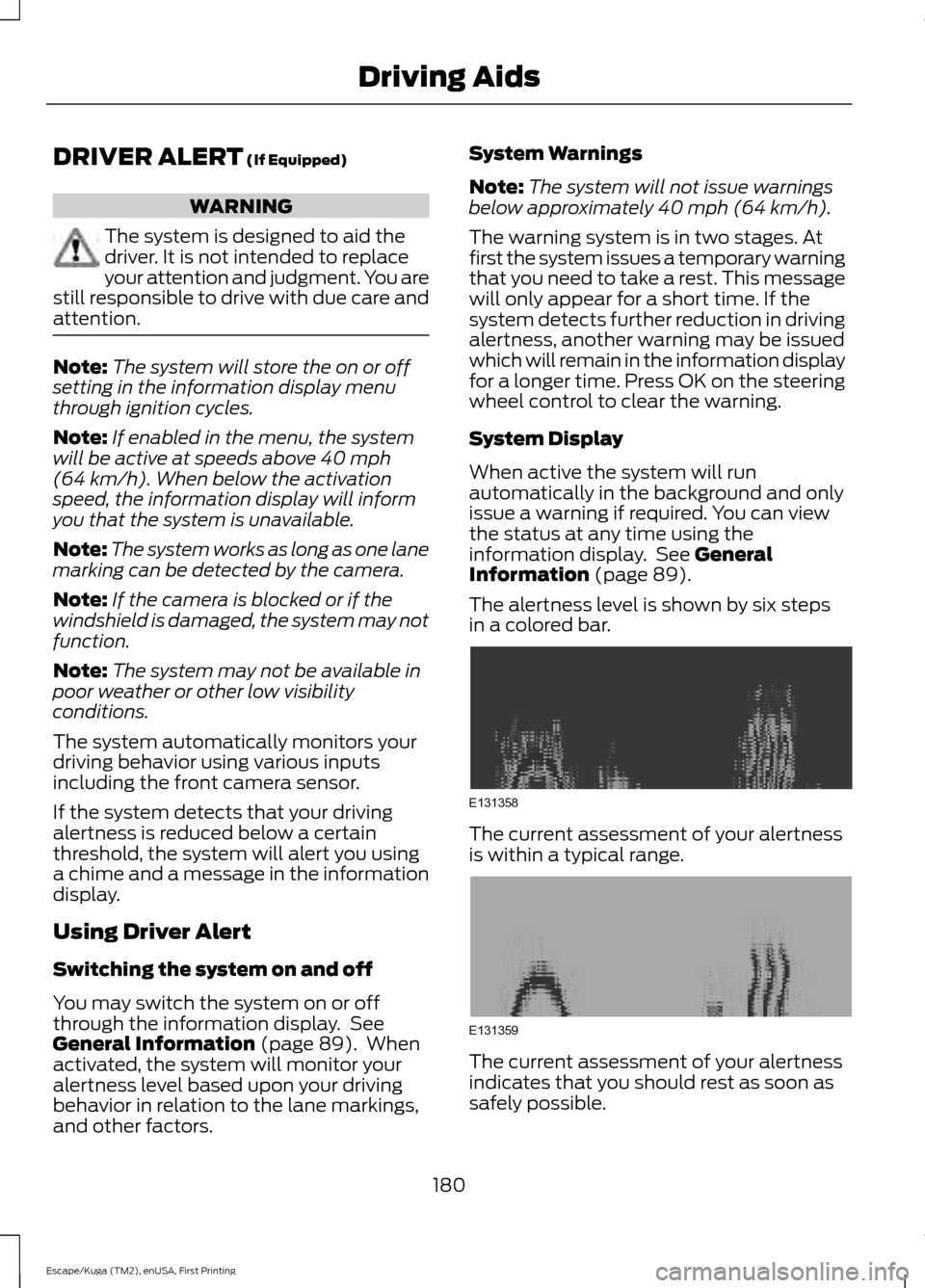
The alertness level is shown by six steps
in a colored bar. The current assessment of your alertness
is within a typical range.
The current assessment of your alertness
indicates that you should rest as soon as
safely possible.
180
Escape/Kuga (TM2), enUSA, First Printing Driving AidsE131358 E131359