airbag off FORD ESCAPE 2019 User Guide
[x] Cancel search | Manufacturer: FORD, Model Year: 2019, Model line: ESCAPE, Model: FORD ESCAPE 2019Pages: 509, PDF Size: 6.69 MB
Page 140 of 509
Stopping the Engine When Your
Vehicle is Stationary
Vehicles with an Ignition Key
1. Shift into park (P).
2. Apply the parking brake.
3. Turn the key to the off position.
Vehicles with Keyless Start
1. Shift into park (P).
2. Apply the parking brake.
3. Press the push button ignition switch.
Note:
The ignition, all electrical circuits and
all warning lamps and indicators will be
turned off.
Stopping the Engine When Your
Vehicle is Moving WARNING: Switching off the
engine when your vehicle is still moving
results in a significant decrease in
braking assistance. Higher effort is
required to apply the brakes and to stop
your vehicle. A significant decrease in
steering assistance could also occur. The
steering does not lock, but higher effort
could be required to steer your vehicle.
When you switch the ignition off, some
electrical circuits, for example airbags,
also turn off. If you unintentionally switch
the ignition off, shift into neutral (N) and
restart the engine.
Vehicles with an Ignition Key
1. Shift into neutral and use the brakes to
bring your vehicle to a safe stop.
2. When your vehicle has stopped, shift into park (P) and switch the ignition
off.
3. Apply the parking brake. Vehicles with Keyless Start
1.
Shift into neutral and use the brakes to
bring your vehicle to a safe stop.
2. When your vehicle has stopped, shift into park (P).
3. Press and hold the push button ignition
switch, or press it three times within
two seconds.
4. Apply the parking brake.
Guarding Against Exhaust Fumes WARNING:
Exhaust leaks may
result in entry of harmful and potentially
lethal fumes into the passenger
compartment. If you smell exhaust
fumes inside your vehicle, have your
vehicle inspected immediately. Do not
drive if you smell exhaust fumes.
Important Ventilating Information
If you stop your vehicle and then leave the
engine idling for long periods, we
recommend that you do one of the
following:
• Open the windows at least 1 in (3 cm).
• Set your climate control to outside air.
ENGINE BLOCK HEATER
(IF
EQUIPPED) WARNING:
Failure to follow
engine block heater instructions could
result in property damage or serious
personal injury. WARNING:
Do not use your heater
with ungrounded electrical systems or
two-pronged adapters. There is a risk of
electrical shock.
137
Escape (TM2) Canada/United States of America, enUSA, Edition date: 201807, Second-Printing Starting and Stopping the Engine
Page 227 of 509
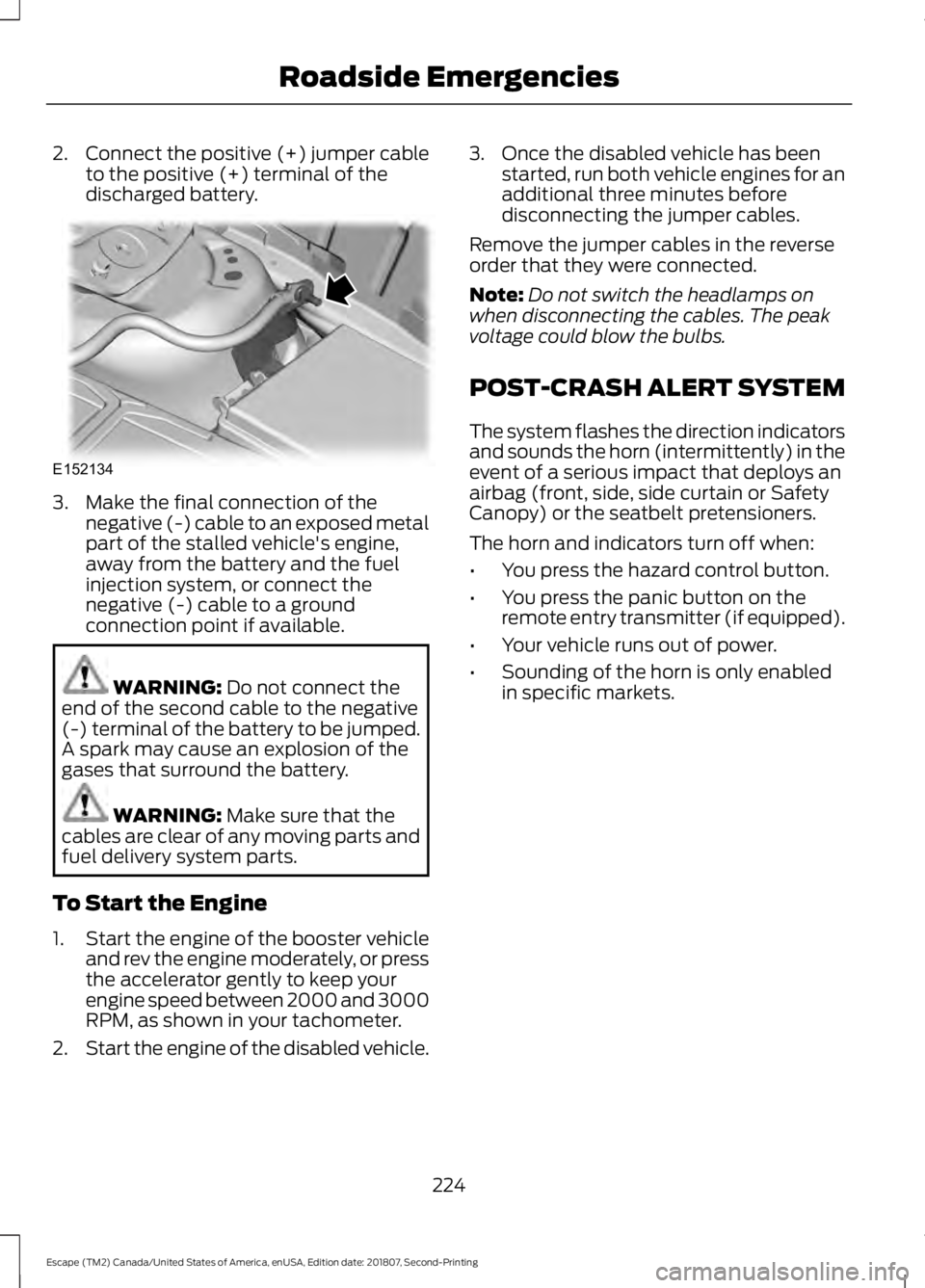
2.
Connect the positive (+) jumper cable
to the positive (+) terminal of the
discharged battery. 3. Make the final connection of the
negative (-) cable to an exposed metal
part of the stalled vehicle's engine,
away from the battery and the fuel
injection system, or connect the
negative (-) cable to a ground
connection point if available. WARNING: Do not connect the
end of the second cable to the negative
(-) terminal of the battery to be jumped.
A spark may cause an explosion of the
gases that surround the battery. WARNING:
Make sure that the
cables are clear of any moving parts and
fuel delivery system parts.
To Start the Engine
1. Start the engine of the booster vehicle
and rev the engine moderately, or press
the accelerator gently to keep your
engine speed between 2000 and 3000
RPM, as shown in your tachometer.
2. Start the engine of the disabled vehicle. 3. Once the disabled vehicle has been
started, run both vehicle engines for an
additional three minutes before
disconnecting the jumper cables.
Remove the jumper cables in the reverse
order that they were connected.
Note: Do not switch the headlamps on
when disconnecting the cables. The peak
voltage could blow the bulbs.
POST-CRASH ALERT SYSTEM
The system flashes the direction indicators
and sounds the horn (intermittently) in the
event of a serious impact that deploys an
airbag (front, side, side curtain or Safety
Canopy) or the seatbelt pretensioners.
The horn and indicators turn off when:
• You press the hazard control button.
• You press the panic button on the
remote entry transmitter (if equipped).
• Your vehicle runs out of power.
• Sounding of the horn is only enabled
in specific markets.
224
Escape (TM2) Canada/United States of America, enUSA, Edition date: 201807, Second-Printing Roadside EmergenciesE152134
Page 273 of 509
To clean the windshield and wiper blades:
•
Clean the windshield with a
non-abrasive glass cleaner. When
cleaning the interior of the windshield,
avoid getting any glass cleaner on the
instrument panel or door panels. Wipe
any glass cleaner off these surfaces
immediately.
• For windshields contaminated with
tree sap, chemicals, wax or bugs, clean
the entire windshield using steel wool
(no greater than 0000 grade) in a
circular motion and rinse with water.
• Clean the wiper blades with isopropyl
rubbing alcohol or windshield washer
concentrate.
Note: Do not use razor blades or other
sharp objects to clean or remove decals
from the inside of the heated rear window.
The vehicle warranty does not cover
damage caused to the heated rear window
grid lines.
CLEANING THE INTERIOR WARNING: Do not use cleaning
solvents, bleach or dye on the vehicle's
seatbelts, as these actions may weaken
the belt webbing. WARNING:
On vehicles equipped
with seat-mounted airbags, do not use
chemical solvents or strong detergents.
Such products could contaminate the
side airbag system and affect
performance of the side airbag in a crash. For fabric, carpets, cloth seats and seats
equipped with side airbags:
•
Remove dust and loose dirt with a
vacuum cleaner.
• Remove light stains and soil with
Motorcraft Professional Strength
Carpet & Upholstery Cleaner.
• If grease or tar is present on the
material, spot-clean the area first with
Motorcraft Spot and Stain Remover. In
Canada, use Motorcraft Multi-Purpose
Cleaner.
• If a ring forms on the fabric after spot
cleaning, clean the entire area
immediately (but do not oversaturate)
or the ring will set.
• Do not use household cleaning
products or glass cleaners, which can
stain and discolor the fabric and affect
the flame retardant abilities of the seat
materials.
Mirrors
Do not clean the housing or glass of any
mirror with harsh abrasives, fuel or other
petroleum or ammonia-based cleaning
products.
CLEANING THE INSTRUMENT
PANEL AND INSTRUMENT
CLUSTER LENS WARNING:
Do not use chemical
solvents or strong detergents when
cleaning the steering wheel or
instrument panel to avoid contamination
of the airbag system.
Note: Follow the same procedure as
cleaning leather seats for cleaning leather
instrument panels and leather interior trim
surfaces. See
Cleaning Leather Seats
(page 271).
270
Escape (TM2) Canada/United States of America, enUSA, Edition date: 201807, Second-Printing Vehicle Care
Page 352 of 509
SYNC™ APPLICATIONS AND
SERVICES
In order for the following features to work,
your cellular phone must be compatible
with SYNC. To check your phone's
compatibility, visit www.SYNCMyRide.com,
www.SYNCMyRide.ca or
www.syncmaroute.ca.
•
911 Assist: Can alert 911 in the event of
an emergency.
• SYNC AppLink: Allows you to connect
to and use certain applications (if your
phone is compatible).
These features may require activation.
Available AppLink enabled apps vary by
market.
911 Assist WARNING: Unless the 911 Assist
setting is set on before a crash, the
system will not dial for help which could
delay response time, potentially
increasing the risk of serious injury or
death after a crash. WARNING:
Do not wait for 911
Assist to make an emergency call if you
can do it yourself. Dial emergency
services immediately to avoid delayed
response time which could increase the
risk of serious injury or death after a
crash. If you do not hear 911 Assist within
five seconds of the crash, the system or
phone may be damaged or
non-functional. WARNING:
Always place your
phone in a secure location in your vehicle
so it does not become a projectile or get
damaged in a crash. Failure to do so may
cause serious injury to someone or
damage the phone which could prevent
911 Assist from working properly.
Note: The SYNC 911 Assist feature must be
set on before the incident.
Note: The SYNC 911 Assist feature only
operates in the U.S., Canada or in a territory
in which 911 is the emergency number.
Note: Before setting this feature on, make
sure that you read the 911 Assist Privacy
Notice later in this section for important
information.
Note: If any user switches 911 Assist to on
or off, that setting applies for all paired
phones. If you switch on 911 Assist, either a
voice message plays or a display message
or an icon comes on when you start your
vehicle and after a previously paired phone
connects.
Note: Every phone operates differently.
While SYNC 911 Assist works with most
cellular phones, some may have trouble
using this feature.
If a crash deploys an airbag (excluding
knee airbags and rear inflatable safety
belts [if equipped]) or activates the fuel
pump shut-off, your SYNC-equipped
vehicle may be able to contact emergency
services by dialing 911 through a paired and
connected Bluetooth enabled phone. You
can learn more about the 911 Assist
feature, visit www.SYNCMyRide.com,
www.SYNCMyRide.ca or
www.syncmaroute.ca.
See
Supplementary Restraints System
(page 41). Important information about
airbag deployment is in this chapter.
349
Escape (TM2) Canada/United States of America, enUSA, Edition date: 201807, Second-Printing SYNC™
(If Equipped)
Page 353 of 509
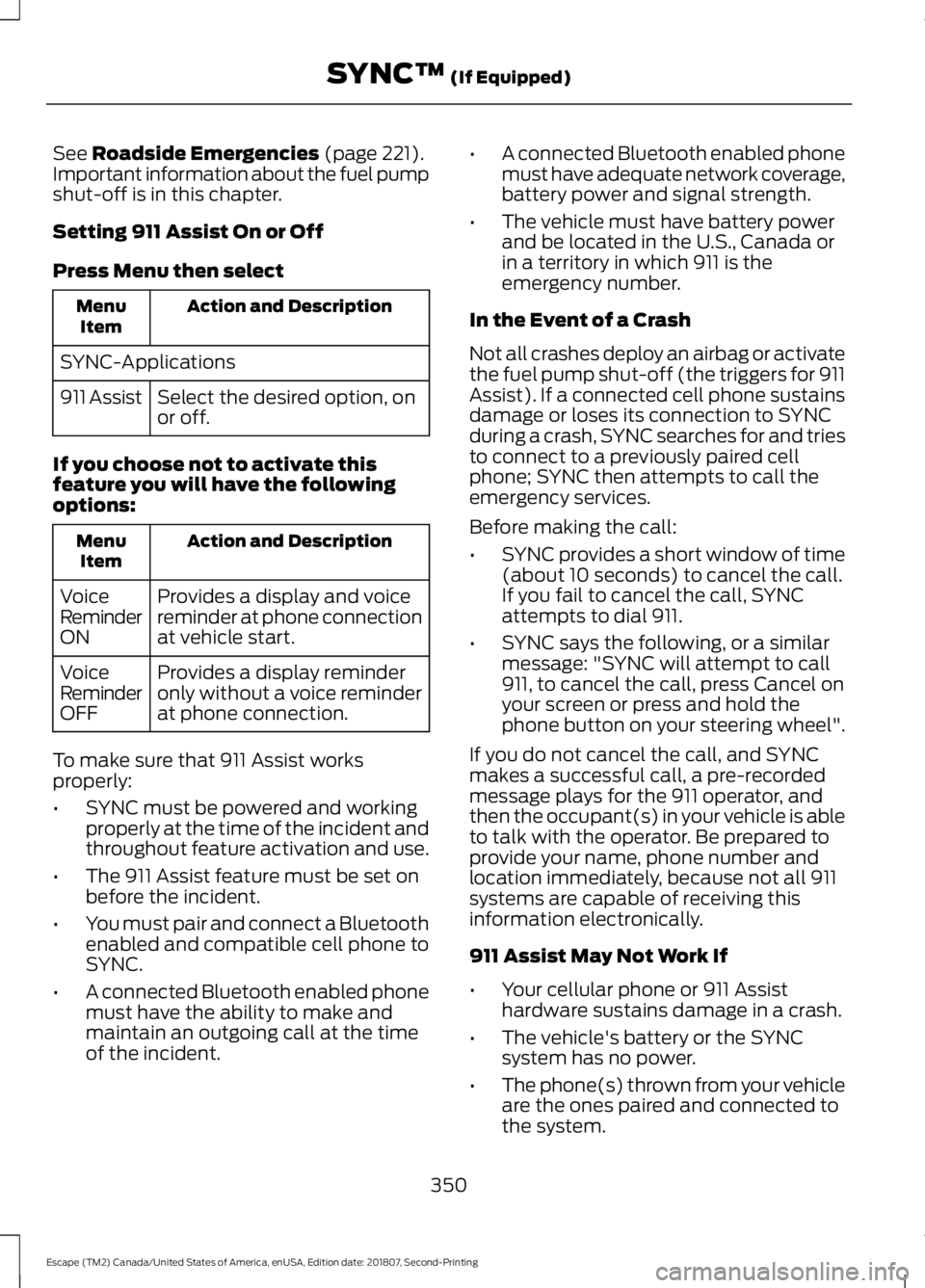
See Roadside Emergencies (page 221).
Important information about the fuel pump
shut-off is in this chapter.
Setting 911 Assist On or Off
Press Menu then select Action and Description
Menu
Item
SYNC-Applications Select the desired option, on
or off.
911 Assist
If you choose not to activate this
feature you will have the following
options: Action and Description
Menu
Item
Provides a display and voice
reminder at phone connection
at vehicle start.
Voice
Reminder
ON
Provides a display reminder
only without a voice reminder
at phone connection.
Voice
Reminder
OFF
To make sure that 911 Assist works
properly:
• SYNC must be powered and working
properly at the time of the incident and
throughout feature activation and use.
• The 911 Assist feature must be set on
before the incident.
• You must pair and connect a Bluetooth
enabled and compatible cell phone to
SYNC.
• A connected Bluetooth enabled phone
must have the ability to make and
maintain an outgoing call at the time
of the incident. •
A connected Bluetooth enabled phone
must have adequate network coverage,
battery power and signal strength.
• The vehicle must have battery power
and be located in the U.S., Canada or
in a territory in which 911 is the
emergency number.
In the Event of a Crash
Not all crashes deploy an airbag or activate
the fuel pump shut-off (the triggers for 911
Assist). If a connected cell phone sustains
damage or loses its connection to SYNC
during a crash, SYNC searches for and tries
to connect to a previously paired cell
phone; SYNC then attempts to call the
emergency services.
Before making the call:
• SYNC provides a short window of time
(about 10 seconds) to cancel the call.
If you fail to cancel the call, SYNC
attempts to dial 911.
• SYNC says the following, or a similar
message: "SYNC will attempt to call
911, to cancel the call, press Cancel on
your screen or press and hold the
phone button on your steering wheel".
If you do not cancel the call, and SYNC
makes a successful call, a pre-recorded
message plays for the 911 operator, and
then the occupant(s) in your vehicle is able
to talk with the operator. Be prepared to
provide your name, phone number and
location immediately, because not all 911
systems are capable of receiving this
information electronically.
911 Assist May Not Work If
• Your cellular phone or 911 Assist
hardware sustains damage in a crash.
• The vehicle's battery or the SYNC
system has no power.
• The phone(s) thrown from your vehicle
are the ones paired and connected to
the system.
350
Escape (TM2) Canada/United States of America, enUSA, Edition date: 201807, Second-Printing SYNC™
(If Equipped)
Page 354 of 509
911 Assist Privacy Notice
When you switch on 911 Assist, it may
disclose to emergency services that your
vehicle has been in a crash involving the
deployment of an airbag or activation of
the fuel pump shut-off. Certain versions or
updates to 911 Assist may also be capable
of electronically or verbally disclosing to
911 operators your vehicle location or other
details about your vehicle or crash to assist
911 operators to provide the most
appropriate emergency services. If you do
not want to disclose this information, do
not switch the feature on.
SYNC Mobile Apps
The system enables voice and steering
wheel control of SYNC AppLink enabled
smartphone apps. When an app is running
through AppLink, you can control main
features of the app through voice
commands and steering wheel controls.
Note:
You must pair and connect your
smartphone to SYNC to access AppLink.
Note: iPhone users need to connect the
phone to the USB port.
Note: Android users need to connect the
phone to SYNC using Bluetooth.
Note: For information on available apps,
supported smartphone devices and
troubleshooting tips please visit the local
website.
Note: Availability of SYNC AppLink enabled
Apps will vary by region. Note:
Make sure you have an active account
for the app that you have downloaded.
Some apps work automatically with no
setup. Other apps want you to configure
your personal settings and personalize your
experience by creating stations or favorites.
We recommend you do this at home or
outside of your vehicle.
Note: AppLink is not available if your
vehicle is equipped with the MyFord Touch
system.
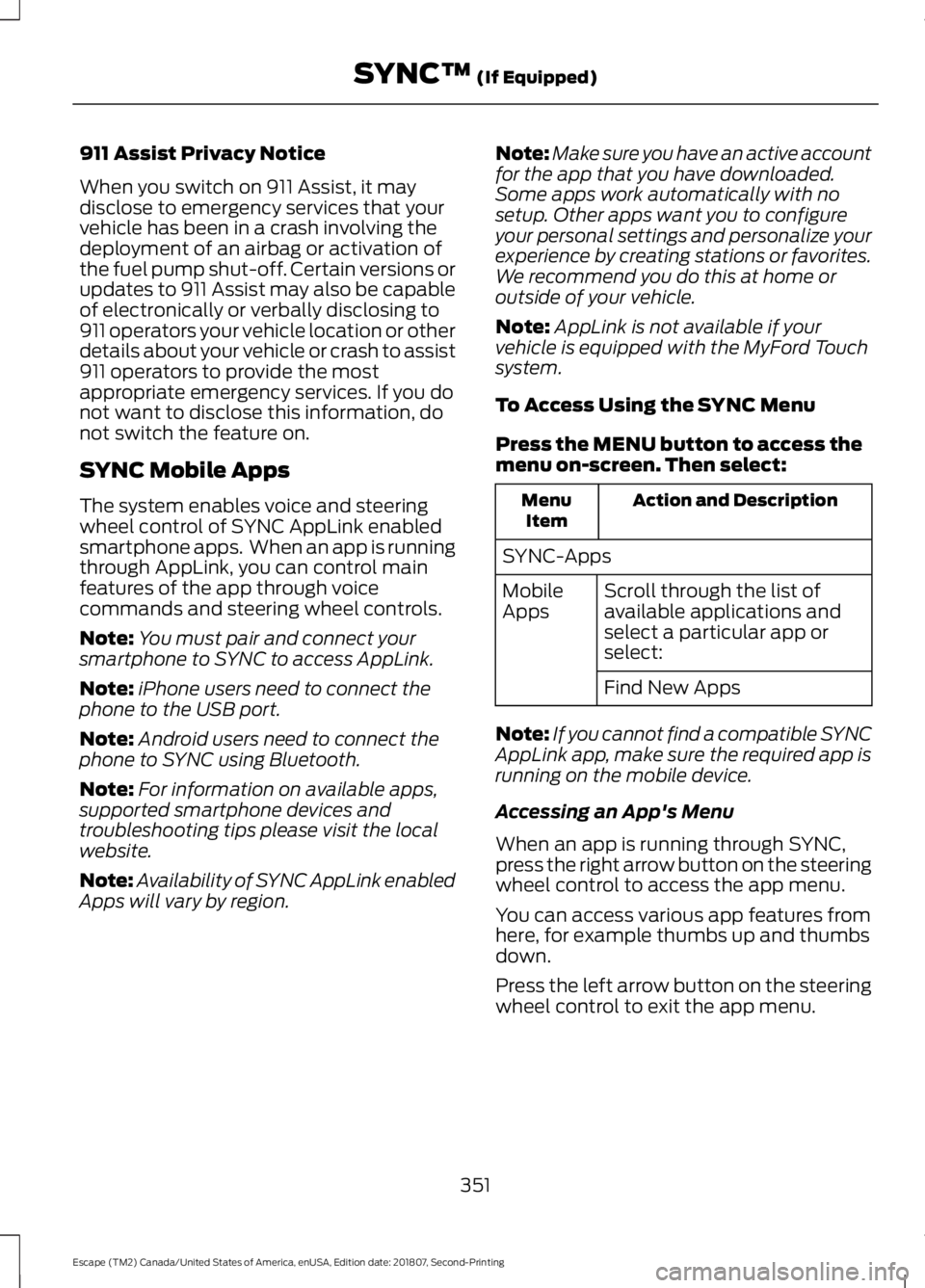
To Access Using the SYNC Menu
Press the MENU button to access the
menu on-screen. Then select: Action and Description
Menu
Item
SYNC-Apps Scroll through the list of
available applications and
select a particular app or
select:
Mobile
Apps
Find New Apps
Note: If you cannot find a compatible SYNC
AppLink app, make sure the required app is
running on the mobile device.
Accessing an App's Menu
When an app is running through SYNC,
press the right arrow button on the steering
wheel control to access the app menu.
You can access various app features from
here, for example thumbs up and thumbs
down.
Press the left arrow button on the steering
wheel control to exit the app menu.
351
Escape (TM2) Canada/United States of America, enUSA, Edition date: 201807, Second-Printing SYNC™
(If Equipped)
Page 381 of 509
Note:
Every phone operates differently.
While SYNC 911 Assist works with most
cellular phones, some may have trouble
using this feature.
If a crash deploys an airbag (excluding
knee airbags and rear inflatable safety
belts [if equipped]) or activates the fuel
pump shut-off, your SYNC-equipped
vehicle may be able to contact emergency
services by dialing 911 through a paired and
connected Bluetooth enabled phone. You
can learn more about the 911 Assist
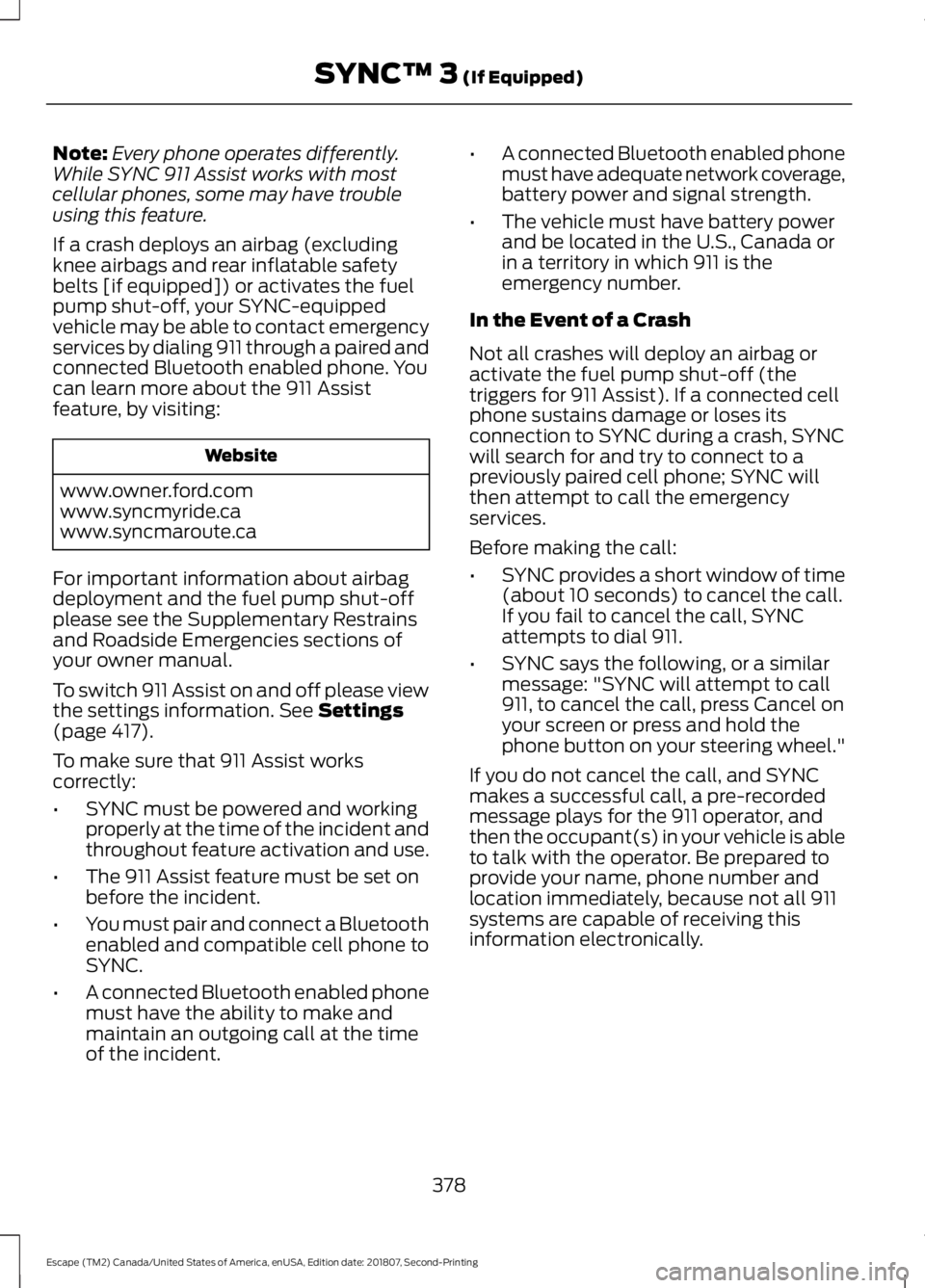
feature, by visiting: Website
www.owner.ford.com
www.syncmyride.ca
www.syncmaroute.ca
For important information about airbag
deployment and the fuel pump shut-off
please see the Supplementary Restrains
and Roadside Emergencies sections of
your owner manual.
To switch 911 Assist on and off please view
the settings information. See Settings
(page 417).
To make sure that 911 Assist works
correctly:
• SYNC must be powered and working
properly at the time of the incident and
throughout feature activation and use.
• The 911 Assist feature must be set on
before the incident.
• You must pair and connect a Bluetooth
enabled and compatible cell phone to
SYNC.
• A connected Bluetooth enabled phone
must have the ability to make and
maintain an outgoing call at the time
of the incident. •
A connected Bluetooth enabled phone
must have adequate network coverage,
battery power and signal strength.
• The vehicle must have battery power
and be located in the U.S., Canada or
in a territory in which 911 is the
emergency number.
In the Event of a Crash
Not all crashes will deploy an airbag or
activate the fuel pump shut-off (the
triggers for 911 Assist). If a connected cell
phone sustains damage or loses its
connection to SYNC during a crash, SYNC
will search for and try to connect to a
previously paired cell phone; SYNC will
then attempt to call the emergency
services.
Before making the call:
• SYNC provides a short window of time
(about 10 seconds) to cancel the call.
If you fail to cancel the call, SYNC
attempts to dial 911.
• SYNC says the following, or a similar
message: "SYNC will attempt to call
911, to cancel the call, press Cancel on
your screen or press and hold the
phone button on your steering wheel."
If you do not cancel the call, and SYNC
makes a successful call, a pre-recorded
message plays for the 911 operator, and
then the occupant(s) in your vehicle is able
to talk with the operator. Be prepared to
provide your name, phone number and
location immediately, because not all 911
systems are capable of receiving this
information electronically.
378
Escape (TM2) Canada/United States of America, enUSA, Edition date: 201807, Second-Printing SYNC™ 3
(If Equipped)
Page 382 of 509
911 Assist May Not Work If
•
Your cellular phone or 911 Assist
hardware sustains damage in a crash.
• The vehicle's battery or the SYNC
system has no power.
• The phone(s) thrown from your vehicle
are the ones paired and connected to
the system.
911 Assist Privacy Notice
When you switch on 911 Assist, it may
disclose to emergency services that your
vehicle has been in a crash involving the
deployment of an airbag or activation of
the fuel pump shut-off. Certain versions or
updates to 911 Assist may also be capable
of electronically or verbally disclosing to
911 operators your vehicle location or other
details about your vehicle or crash to assist
911 operators to provide the most
appropriate emergency services. If you do
not want to disclose this information, do
not switch the feature on.
Safety Information WARNING: Driving while
distracted can result in loss of vehicle
control, crash and injury. We strongly
recommend that you use extreme
caution when using any device that may
take your focus off the road. Your
primary responsibility is the safe
operation of your vehicle. We
recommend against the use of any
hand-held device while driving and
encourage the use of voice-operated
systems when possible. Make sure you
are aware of all applicable local laws
that may affect the use of electronic
devices while driving. •
Do not attempt to service or repair the
system. Have an authorized dealer
check your vehicle.
• Do not operate playing devices if the
power cords or cables are broken, split
or damaged. Place cords and cables
out of the way, so they do not interfere
with the operation of pedals, seats,
compartments or safe driving abilities.
• Do not leave playing devices in your
vehicle during extreme conditions as it
could cause them damage. See your
device's user guide for further
information.
• For your safety, some SYNC 3 functions
are speed-dependent. Their use is
limited to when your vehicle is traveling
at speeds under 3 mph (5 km/h). Make
sure that you review your device's
manual before using it with SYNC 3.
Speed-restricted Features
Some features of this system may be too
difficult to use while your vehicle is moving
so they are restricted from use unless your
vehicle is stationary.
• Screens crowded with information,
such as Point of Interest reviews and
ratings, SiriusXM Traffic and Travel Link
sports scores, movie times or ski
conditions.
• Any action that requires you to use a
keyboard is restricted, such as entering
a navigation destination or editing
information.
• All lists are limited so the user can view
fewer entries (such as phone contacts
or recent phone call entries).
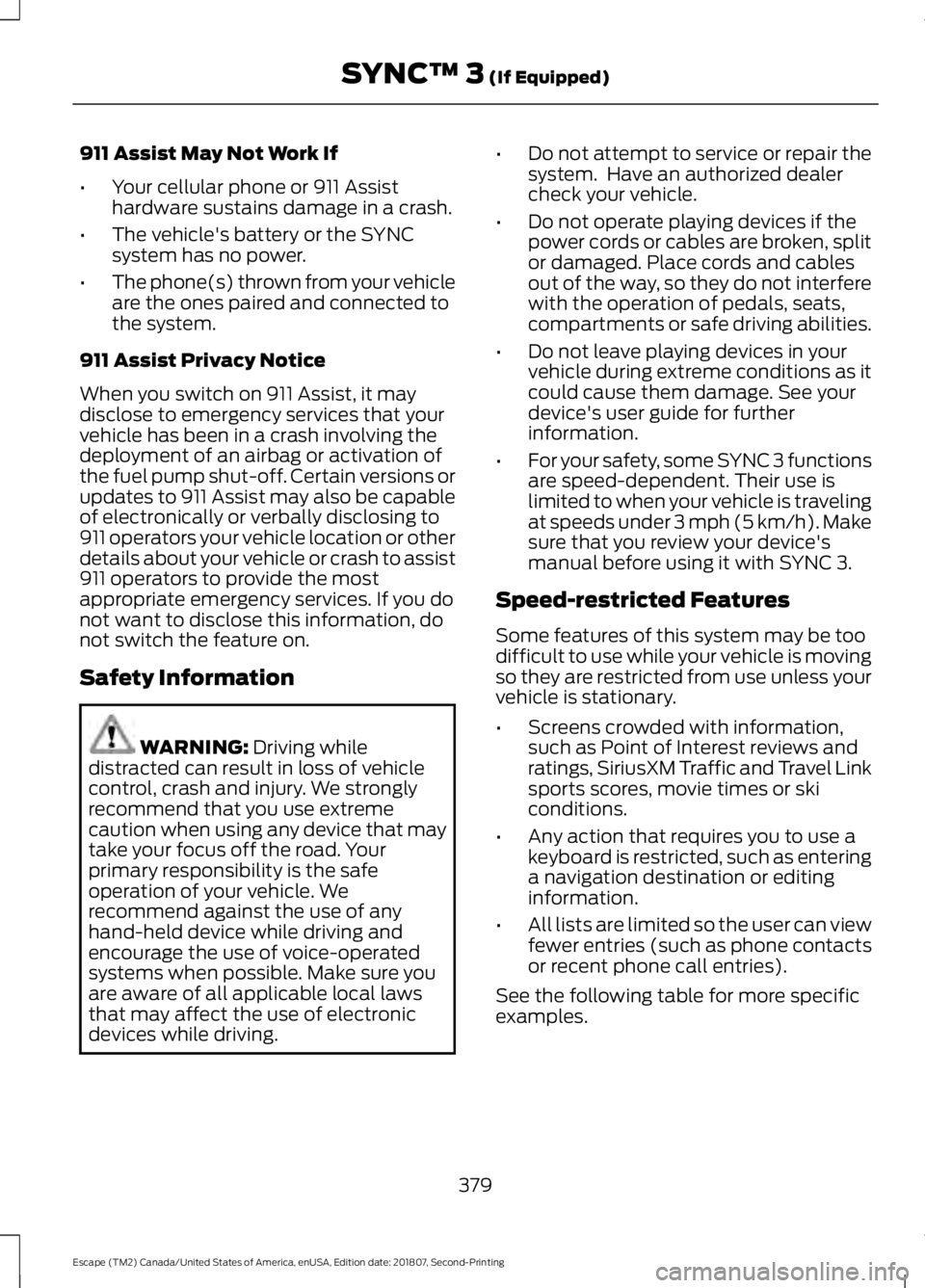
See the following table for more specific
examples.
379
Escape (TM2) Canada/United States of America, enUSA, Edition date: 201807, Second-Printing SYNC™ 3
(If Equipped)
Page 498 of 509
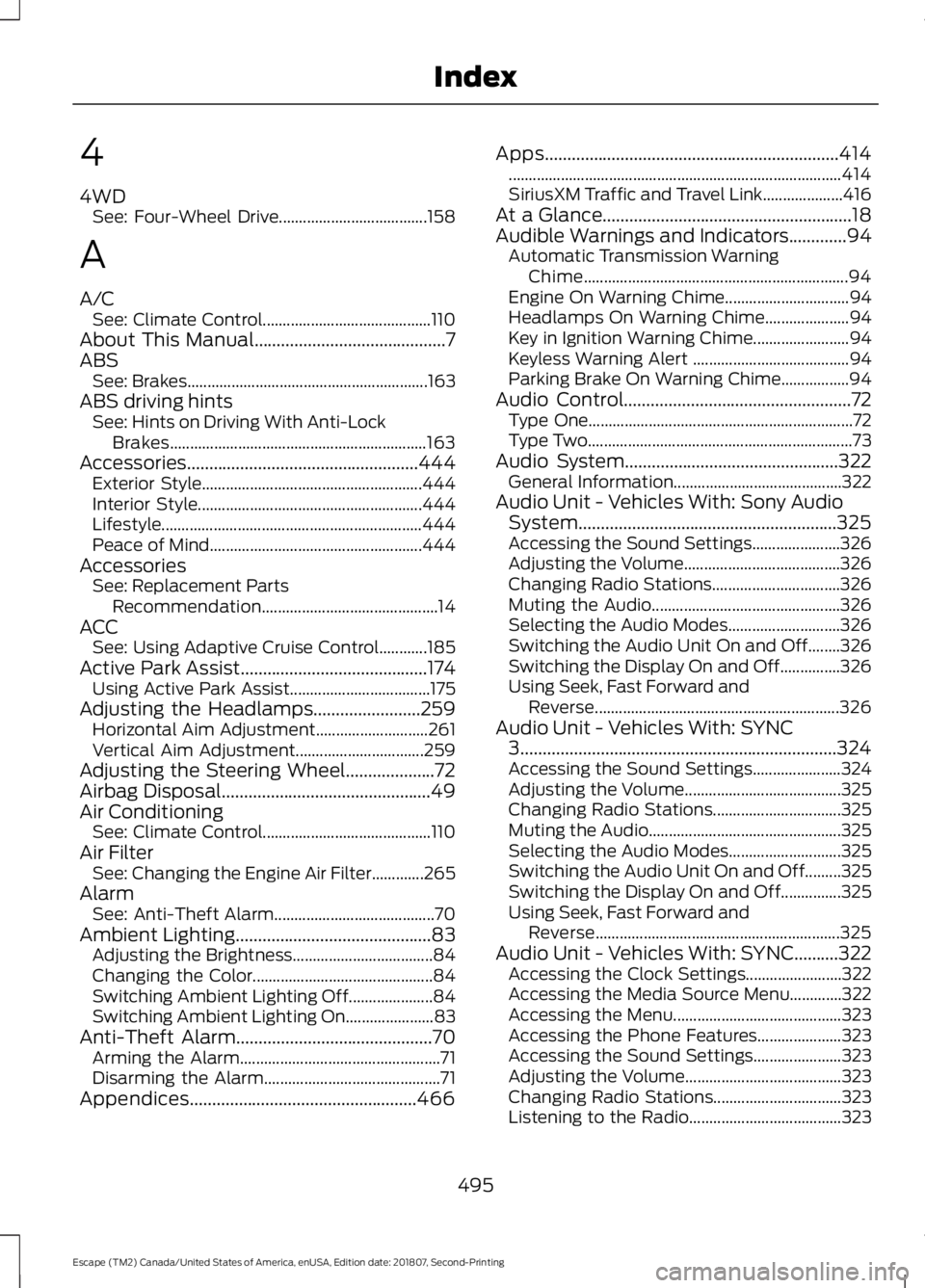
4
4WD
See: Four-Wheel Drive..................................... 158
A
A/C See: Climate Control.......................................... 110
About This Manual...........................................7
ABS See: Brakes............................................................ 163
ABS driving hints See: Hints on Driving With Anti-Lock
Brakes................................................................ 163
Accessories....................................................444 Exterior Style....................................................... 444
Interior Style........................................................ 444
Lifestyle................................................................. 444
Peace of Mind..................................................... 444
Accessories See: Replacement Parts
Recommendation............................................ 14
ACC See: Using Adaptive Cruise Control............185
Active Park Assist..........................................174 Using Active Park Assist................................... 175
Adjusting the Headlamps
........................259
Horizontal Aim Adjustment............................ 261
Vertical Aim Adjustment................................ 259
Adjusting the Steering Wheel....................72
Airbag Disposal
...............................................49
Air Conditioning See: Climate Control.......................................... 110
Air Filter See: Changing the Engine Air Filter.............265
Alarm See: Anti-Theft Alarm........................................ 70
Ambient Lighting
............................................83
Adjusting the Brightness................................... 84
Changing the Color............................................. 84
Switching Ambient Lighting Off..................... 84
Switching Ambient Lighting On...................... 83
Anti-Theft Alarm............................................70 Arming the Alarm.................................................. 71
Disarming the Alarm............................................ 71
Appendices...................................................466 Apps..................................................................414
........................................................................\
........... 414
SiriusXM Traffic and Travel Link.................... 416
At a Glance........................................................18
Audible Warnings and Indicators
.............94
Automatic Transmission Warning
Chime.................................................................. 94
Engine On Warning Chime............................... 94
Headlamps On Warning Chime..................... 94
Key in Ignition Warning Chime........................ 94
Keyless Warning Alert ....................................... 94
Parking Brake On Warning Chime.................94
Audio Control
...................................................72
Type One.................................................................. 72
Type Two.................................................................. 73
Audio System................................................322 General Information.......................................... 322
Audio Unit - Vehicles With: Sony Audio System..........................................................325
Accessing the Sound Settings...................... 326
Adjusting the Volume....................................... 326
Changing Radio Stations................................ 326
Muting the Audio............................................... 326
Selecting the Audio Modes............................ 326
Switching the Audio Unit On and Off........326
Switching the Display On and Off...............326
Using Seek, Fast Forward and Reverse............................................................. 326
Audio Unit - Vehicles With: SYNC 3
.......................................................................324
Accessing the Sound Settings...................... 324
Adjusting the Volume....................................... 325
Changing Radio Stations................................ 325
Muting the Audio................................................ 325
Selecting the Audio Modes............................ 325
Switching the Audio Unit On and Off.........325
Switching the Display On and Off...............325
Using Seek, Fast Forward and Reverse............................................................. 325
Audio Unit - Vehicles With: SYNC..........322 Accessing the Clock Settings........................ 322
Accessing the Media Source Menu.............322
Accessing the Menu.......................................... 323
Accessing the Phone Features..................... 323
Accessing the Sound Settings...................... 323
Adjusting the Volume....................................... 323
Changing Radio Stations................................ 323
Listening to the Radio...................................... 323
495
Escape (TM2) Canada/United States of America, enUSA, Edition date: 201807, Second-Printing Index
Page 500 of 509
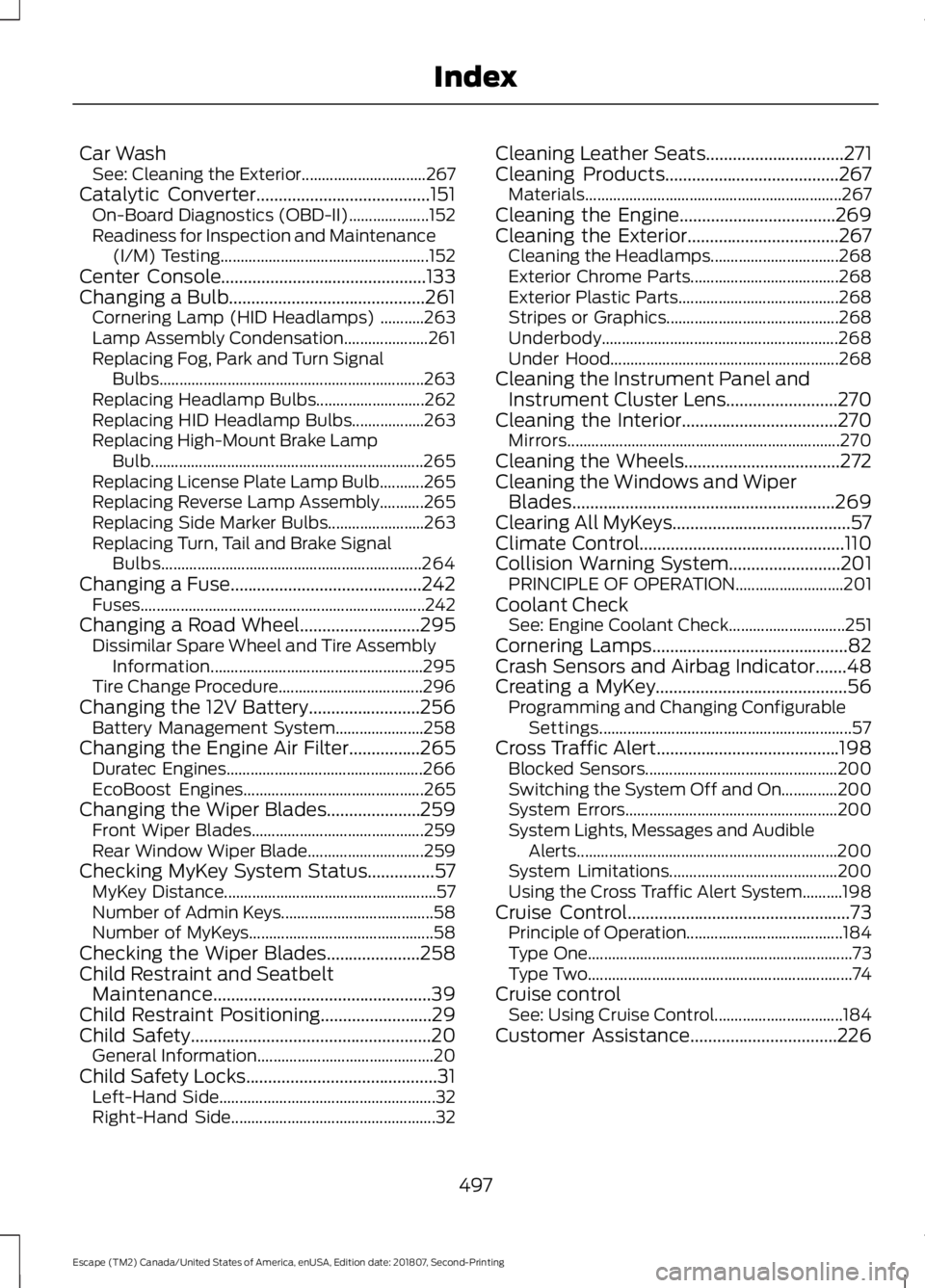
Car Wash
See: Cleaning the Exterior............................... 267
Catalytic Converter.......................................151 On-Board Diagnostics (OBD-II).................... 152
Readiness for Inspection and Maintenance (I/M) Testing.................................................... 152
Center Console..............................................133
Changing a Bulb............................................261 Cornering Lamp (HID Headlamps) ...........263
Lamp Assembly Condensation..................... 261
Replacing Fog, Park and Turn Signal Bulbs.................................................................. 263
Replacing Headlamp Bulbs........................... 262
Replacing HID Headlamp Bulbs.................. 263
Replacing High-Mount Brake Lamp Bulb.................................................................... 265
Replacing License Plate Lamp Bulb...........265
Replacing Reverse Lamp Assembly...........265
Replacing Side Marker Bulbs........................ 263
Replacing Turn, Tail and Brake Signal Bulbs................................................................. 264
Changing a Fuse...........................................242 Fuses....................................................................... 242
Changing a Road Wheel
...........................295
Dissimilar Spare Wheel and Tire Assembly
Information..................................................... 295
Tire Change Procedure.................................... 296
Changing the 12V Battery.........................256 Battery Management System...................... 258
Changing the Engine Air Filter................265 Duratec Engines................................................. 266
EcoBoost Engines............................................. 265
Changing the Wiper Blades.....................259 Front Wiper Blades........................................... 259
Rear Window Wiper Blade............................. 259
Checking MyKey System Status
...............57
MyKey Distance..................................................... 57
Number of Admin Keys...................................... 58
Number of MyKeys.............................................. 58
Checking the Wiper Blades
.....................258
Child Restraint and Seatbelt Maintenance.................................................39
Child Restraint Positioning.........................29
Child Safety......................................................20 General Information............................................ 20
Child Safety Locks...........................................31 Left-Hand Side...................................................... 32
Right-Hand Side................................................... 32Cleaning Leather Seats...............................271
Cleaning Products.......................................267
Materials................................................................ 267
Cleaning the Engine...................................269
Cleaning the Exterior..................................267 Cleaning the Headlamps................................ 268
Exterior Chrome Parts..................................... 268
Exterior Plastic Parts........................................ 268
Stripes or Graphics........................................... 268
Underbody........................................................... 268
Under Hood......................................................... 268
Cleaning the Instrument Panel and Instrument Cluster Lens
.........................270
Cleaning the Interior...................................270
Mirrors.................................................................... 270
Cleaning the Wheels...................................272
Cleaning the Windows and Wiper Blades...........................................................269
Clearing All MyKeys........................................57
Climate Control..............................................110
Collision Warning System.........................201 PRINCIPLE OF OPERATION........................... 201
Coolant Check See: Engine Coolant Check............................. 251
Cornering Lamps
............................................82
Crash Sensors and Airbag Indicator.......48
Creating a MyKey...........................................56 Programming and Changing Configurable
Settings............................................................... 57
Cross Traffic Alert.........................................198 Blocked Sensors................................................ 200
Switching the System Off and On..............200
System Errors..................................................... 200
System Lights, Messages and Audible Alerts................................................................. 200
System Limitations.......................................... 200
Using the Cross Traffic Alert System..........198
Cruise Control
..................................................73
Principle of Operation.......................................184
Type One.................................................................. 73
Type Two.................................................................. 74
Cruise control See: Using Cruise Control................................ 184
Customer Assistance
.................................226
497
Escape (TM2) Canada/United States of America, enUSA, Edition date: 201807, Second-Printing Index