cruise control FORD ESCAPE 2019 User Guide
[x] Cancel search | Manufacturer: FORD, Model Year: 2019, Model line: ESCAPE, Model: FORD ESCAPE 2019Pages: 509, PDF Size: 6.69 MB
Page 188 of 509
Canceling the Set Speed
Press the button, or tap the
brake pedal to cancel the set
speed.
Note: The system remembers the set
speed.
Resuming the Set Speed Press to resume the set speed.
Switching Cruise Control Off Press and release the button
when the system is in standby
mode or switch the ignition off.
Note: You erase the set speed when you
switch the system off.
USING ADAPTIVE CRUISE
CONTROL (IF EQUIPPED) WARNING:
Always pay close
attention to changing road conditions
when using adaptive cruise control. The
system does not replace attentive
driving. Failing to pay attention to the
road may result in a crash, serious injury
or death. WARNING:
Do not use the
adaptive cruise control when entering or
leaving a highway, on roads with
intersections or roundabouts or
non-vehicular traffic or roads that are
winding, slippery, unpaved, or steep
slopes. WARNING:
Do not use the system
in poor visibility, for example fog, heavy
rain, spray or snow. WARNING:
Do not use the system
when towing a trailer that has
aftermarket electronic trailer brake
controls. Failure to follow this instruction
could result in the loss of control of your
vehicle, personal injury or death. WARNING:
Do not use tire sizes
other than those recommended because
this can affect the normal operation of
the system. Failure to do so may result
in a loss of vehicle control, which could
result in serious injury. WARNING: Adaptive cruise control
may not detect stationary or slow
moving vehicles below 6 mph (10 km/h). WARNING: Adaptive cruise control
does not detect pedestrians or objects
in the road. WARNING: Adaptive cruise control
does not detect oncoming vehicles in the
same lane. WARNING: Adaptive cruise control
is not a crash warning or avoidance
system.
The system adjusts your vehicle speed to
maintain the set gap between you and the
vehicle in front of you in the same lane.
You can select four gap settings.
The system uses a radar sensor which
projects a beam directly in front of your
vehicle.
185
Escape (TM2) Canada/United States of America, enUSA, Edition date: 201807, Second-Printing Cruise Control E265297
Page 189 of 509
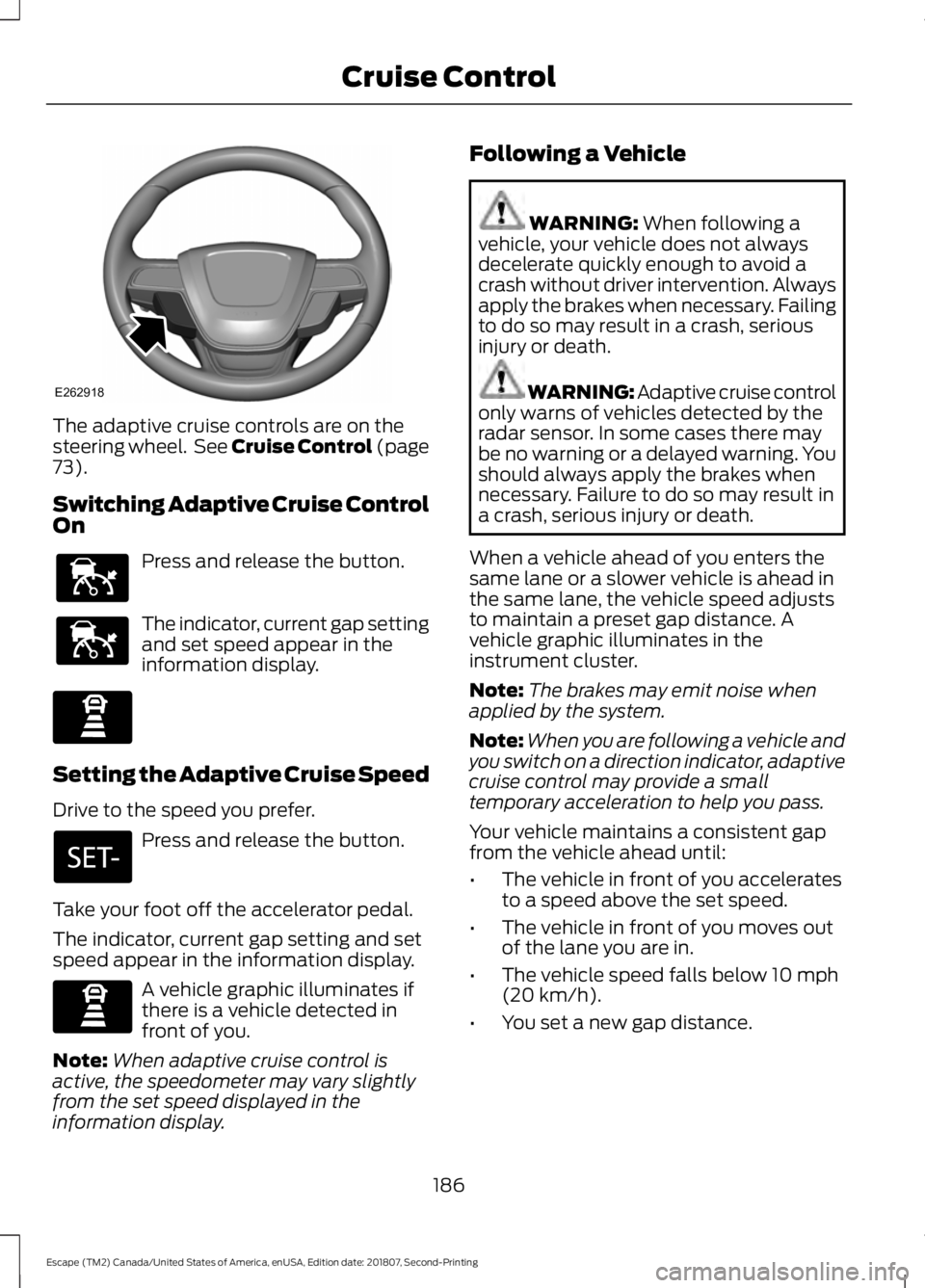
The adaptive cruise controls are on the
steering wheel. See Cruise Control (page
73).
Switching Adaptive Cruise Control
On Press and release the button.
The indicator, current gap setting
and set speed appear in the
information display.
Setting the Adaptive Cruise Speed
Drive to the speed you prefer.
Press and release the button.
Take your foot off the accelerator pedal.
The indicator, current gap setting and set
speed appear in the information display. A vehicle graphic illuminates if
there is a vehicle detected in
front of you.
Note: When adaptive cruise control is
active, the speedometer may vary slightly
from the set speed displayed in the
information display. Following a Vehicle WARNING:
When following a
vehicle, your vehicle does not always
decelerate quickly enough to avoid a
crash without driver intervention. Always
apply the brakes when necessary. Failing
to do so may result in a crash, serious
injury or death. WARNING: Adaptive cruise control
only warns of vehicles detected by the
radar sensor. In some cases there may
be no warning or a delayed warning. You
should always apply the brakes when
necessary. Failure to do so may result in
a crash, serious injury or death.
When a vehicle ahead of you enters the
same lane or a slower vehicle is ahead in
the same lane, the vehicle speed adjusts
to maintain a preset gap distance. A
vehicle graphic illuminates in the
instrument cluster.
Note: The brakes may emit noise when
applied by the system.
Note: When you are following a vehicle and
you switch on a direction indicator, adaptive
cruise control may provide a small
temporary acceleration to help you pass.
Your vehicle maintains a consistent gap
from the vehicle ahead until:
• The vehicle in front of you accelerates
to a speed above the set speed.
• The vehicle in front of you moves out
of the lane you are in.
• The vehicle speed falls below
10 mph
(20 km/h).
• You set a new gap distance.
186
Escape (TM2) Canada/United States of America, enUSA, Edition date: 201807, Second-Printing Cruise ControlE262918 E144529 E144529 E247590 E247590
Page 190 of 509
The system applies the brakes to slow your
vehicle to maintain a safe gap distance
from the vehicle in front. The system only
applies limited braking. You can override
the system by applying the brakes.
If the system determines that its maximum
braking level is not sufficient, an audible
warning sounds, a message appears in the
information display and an indicator
flashes when the system continues to
brake. Take immediate action.
Setting the Gap Distance
You can decrease or increase the distance
between your vehicle and the vehicle in
front by pressing the gap control.
Press and release to decrease
the gap distance.
Press and release to increase the
gap distance.
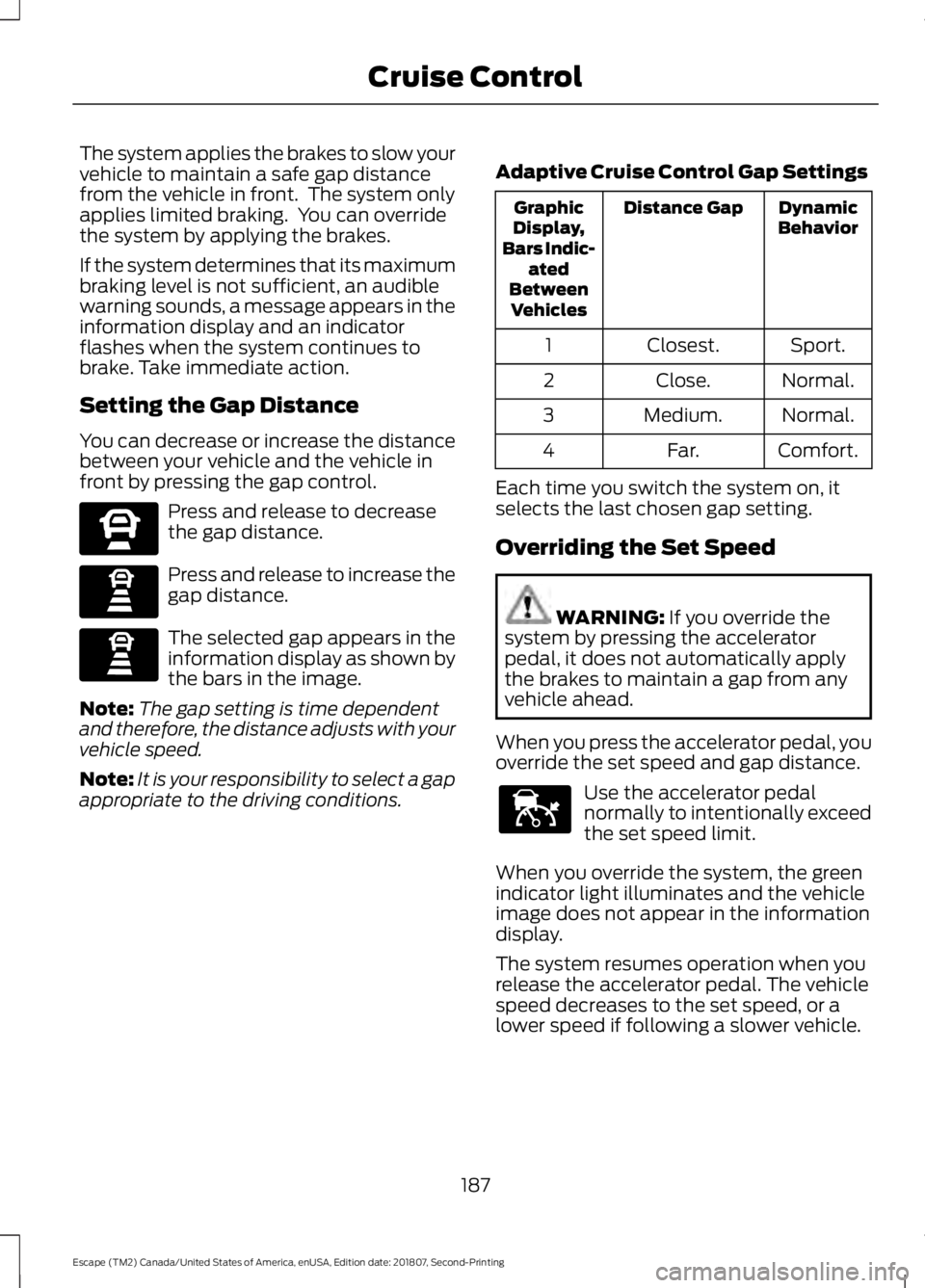
The selected gap appears in the
information display as shown by
the bars in the image.
Note: The gap setting is time dependent
and therefore, the distance adjusts with your
vehicle speed.
Note: It is your responsibility to select a gap
appropriate to the driving conditions. Adaptive Cruise Control Gap Settings Dynamic
Behavior
Distance Gap
Graphic
Display,
Bars Indic- ated
Between Vehicles
Sport.
Closest.
1
Normal.
Close.
2
Normal.
Medium.
3
Comfort.
Far.
4
Each time you switch the system on, it
selects the last chosen gap setting.
Overriding the Set Speed WARNING: If you override the
system by pressing the accelerator
pedal, it does not automatically apply
the brakes to maintain a gap from any
vehicle ahead.
When you press the accelerator pedal, you
override the set speed and gap distance. Use the accelerator pedal
normally to intentionally exceed
the set speed limit.
When you override the system, the green
indicator light illuminates and the vehicle
image does not appear in the information
display.
The system resumes operation when you
release the accelerator pedal. The vehicle
speed decreases to the set speed, or a
lower speed if following a slower vehicle.
187
Escape (TM2) Canada/United States of America, enUSA, Edition date: 201807, Second-Printing Cruise ControlE270557 E247590 E247590 E144529
Page 191 of 509
Changing the Set Speed
Press and release to increase the
set speed in small increments.
Press and release to decrease
the set speed in small
increments.
Press and hold either button to change the
set speed in large increments. Release the
button when you reach the speed you
prefer.
The system may apply the brakes to slow
the vehicle to the new set speed. The set
speed displays continuously in the
information display when the system is
active.
Canceling the Set Speed Press and release the button or
tap the brake pedal.
The set speed does not erase.
Resuming the Set Speed Press and release the button.
Your vehicle speed returns to the
previously set speed and gap setting. The
set speed displays continuously in the
information display when the system is
active.
Note: Only use resume if you are aware of
the set speed and intend to return to it.
Automatic Cancellation
The system does not operate below
12 mph (20 km/h).
Automatic cancellation can also occur if:
• The tires lose traction.
• The engine speed is too low.
• You apply the parking brake. Note:
If the engine speed drops too low, an
audible warning sounds and a message
appears in the information display.
Automatic braking releases.
Hilly Condition Usage
You should select a lower gear when the
system is active in situations such as
prolonged downhill driving on steep
grades, for example in mountainous areas.
The system needs additional engine
braking in these situations to reduce the
load on the vehicle ’s regular brake system
to prevent it from overheating.
Note: An audible alarm sounds and the
system shuts down if it applies brakes for
an extended period of time. This allows the
brakes to cool. The system functions
normally again after the brakes cool.
Switching Adaptive Cruise Control
Off Press and release the button
when the system is in standby
mode, or switch the ignition off.
Note: You erase the set speed and gap
setting when you switch the system off.
Detection Issues WARNING:
On rare occasions,
detection issues can occur due to the
road infrastructures, for example bridges,
tunnels and safety barriers. In these
cases, the system may brake late or
unexpectedly. At all times, you are
responsible for controlling your vehicle,
supervising the system and intervening,
if required. WARNING:
If the system
malfunctions, have your vehicle checked
as soon as possible.
188
Escape (TM2) Canada/United States of America, enUSA, Edition date: 201807, Second-Printing Cruise ControlE265299 E265299 E144529
Page 192 of 509
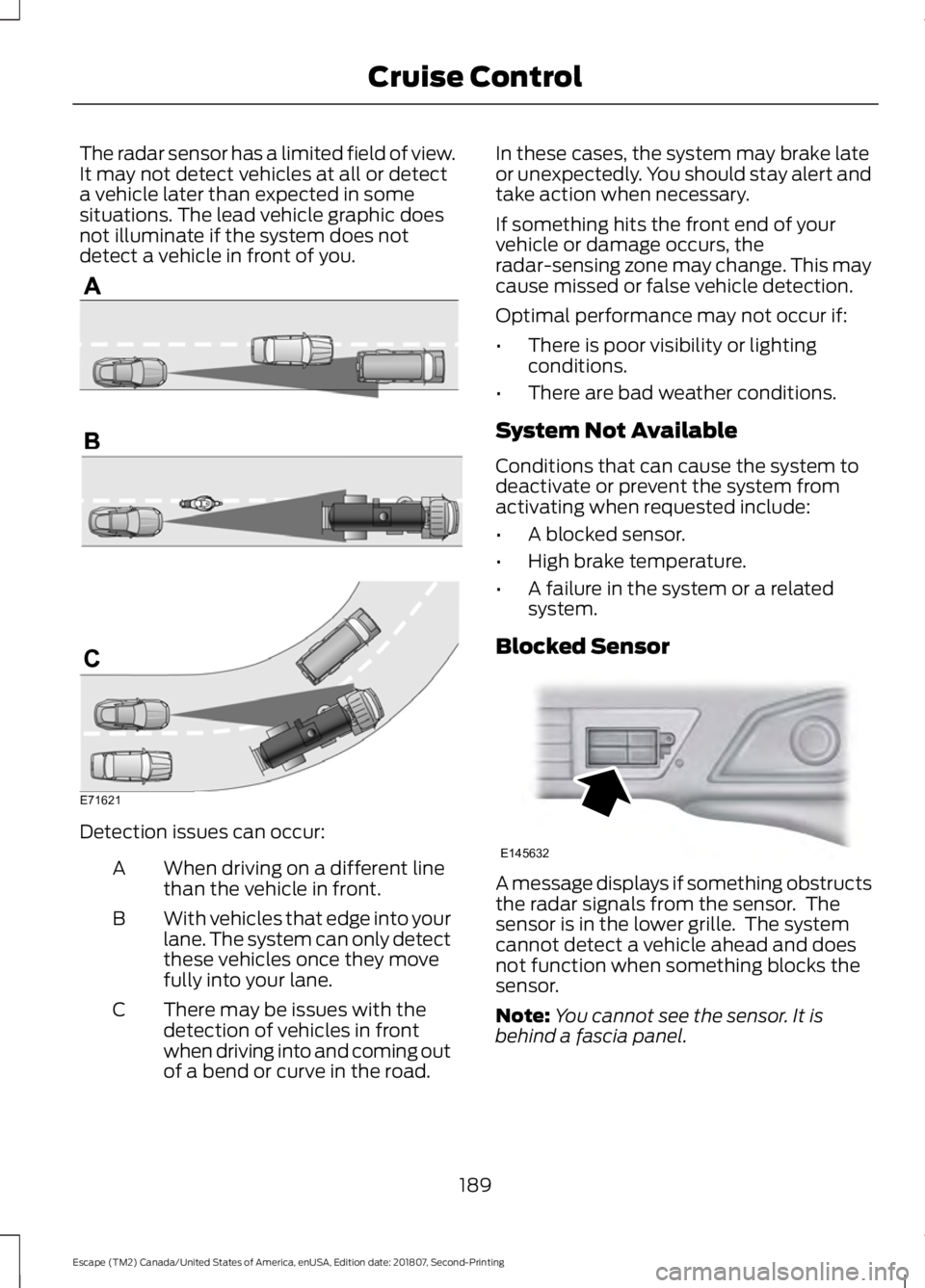
The radar sensor has a limited field of view.
It may not detect vehicles at all or detect
a vehicle later than expected in some
situations. The lead vehicle graphic does
not illuminate if the system does not
detect a vehicle in front of you.
Detection issues can occur:
When driving on a different line
than the vehicle in front.
A
With vehicles that edge into your
lane. The system can only detect
these vehicles once they move
fully into your lane.
B
There may be issues with the
detection of vehicles in front
when driving into and coming out
of a bend or curve in the road.
C In these cases, the system may brake late
or unexpectedly. You should stay alert and
take action when necessary.
If something hits the front end of your
vehicle or damage occurs, the
radar-sensing zone may change. This may
cause missed or false vehicle detection.
Optimal performance may not occur if:
•
There is poor visibility or lighting
conditions.
• There are bad weather conditions.
System Not Available
Conditions that can cause the system to
deactivate or prevent the system from
activating when requested include:
• A blocked sensor.
• High brake temperature.
• A failure in the system or a related
system.
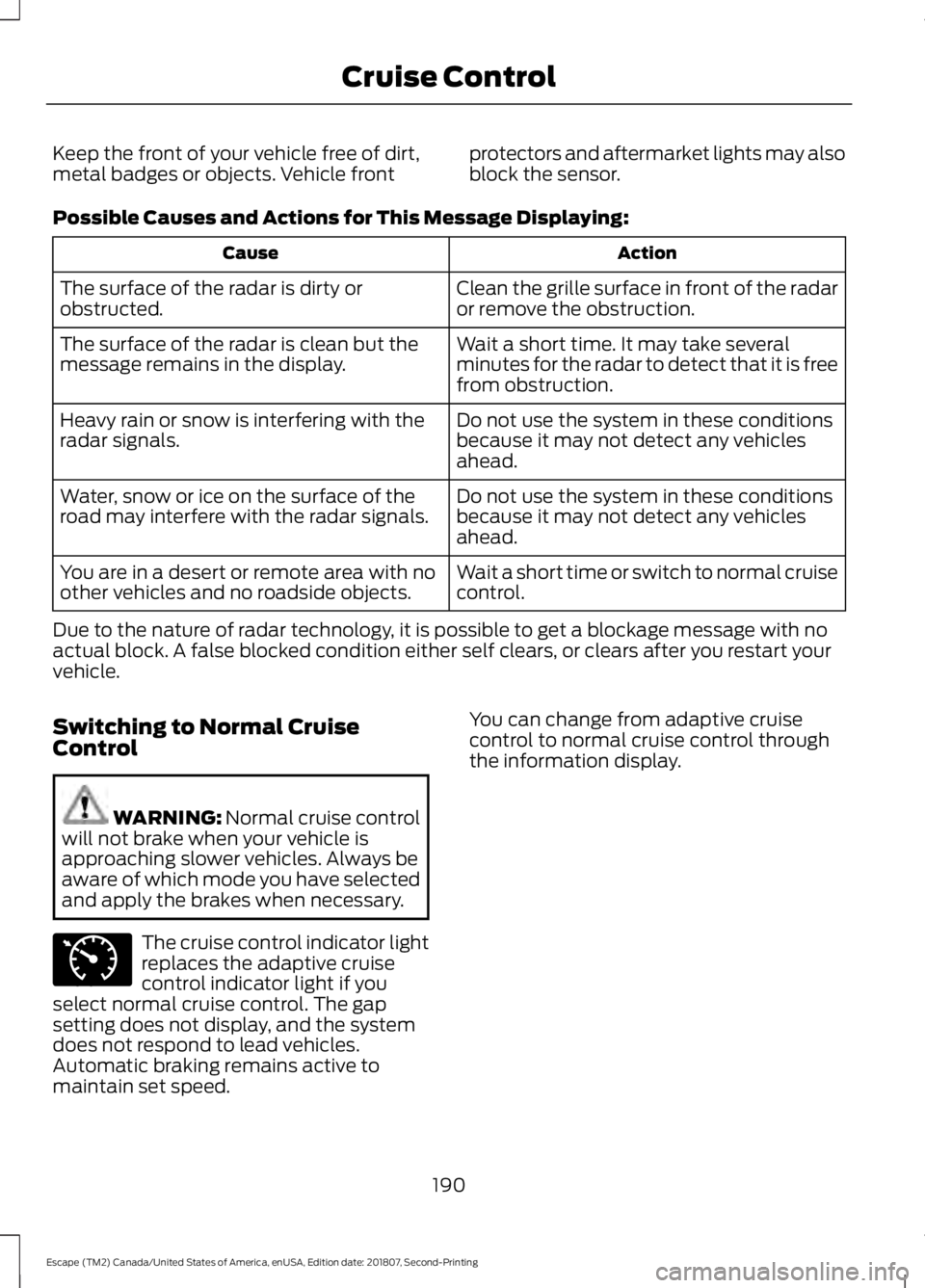
Blocked Sensor A message displays if something obstructs
the radar signals from the sensor. The
sensor is in the lower grille. The system
cannot detect a vehicle ahead and does
not function when something blocks the
sensor.
Note:
You cannot see the sensor. It is
behind a fascia panel.
189
Escape (TM2) Canada/United States of America, enUSA, Edition date: 201807, Second-Printing Cruise ControlE71621 E145632
Page 193 of 509
Keep the front of your vehicle free of dirt,
metal badges or objects. Vehicle front
protectors and aftermarket lights may also
block the sensor.
Possible Causes and Actions for This Message Displaying: Action
Cause
Clean the grille surface in front of the radar
or remove the obstruction.
The surface of the radar is dirty or
obstructed.
Wait a short time. It may take several
minutes for the radar to detect that it is free
from obstruction.
The surface of the radar is clean but the
message remains in the display.
Do not use the system in these conditions
because it may not detect any vehicles
ahead.
Heavy rain or snow is interfering with the
radar signals.
Do not use the system in these conditions
because it may not detect any vehicles
ahead.
Water, snow or ice on the surface of the
road may interfere with the radar signals.
Wait a short time or switch to normal cruise
control.
You are in a desert or remote area with no
other vehicles and no roadside objects.
Due to the nature of radar technology, it is possible to get a blockage message with no
actual block. A false blocked condition either self clears, or clears after you restart your
vehicle.
Switching to Normal Cruise
Control WARNING: Normal cruise control
will not brake when your vehicle is
approaching slower vehicles. Always be
aware of which mode you have selected
and apply the brakes when necessary. The cruise control indicator light
replaces the adaptive cruise
control indicator light if you
select normal cruise control. The gap
setting does not display, and the system
does not respond to lead vehicles.
Automatic braking remains active to
maintain set speed. You can change from adaptive cruise
control to normal cruise control through
the information display.
190
Escape (TM2) Canada/United States of America, enUSA, Edition date: 201807, Second-Printing Cruise ControlE71340
Page 222 of 509
•
Transmissions give their best fuel
economy when operated in the top
cruise gear and with steady pressure
on the gas pedal.
• Four-wheel-drive operation (if
equipped) is less fuel efficient than
two-wheel-drive operation.
• Close the windows for high-speed
driving.
DRIVING THROUGH WATER WARNING: Do not drive through
flowing or deep water as you may lose
control of your vehicle.
Note: Driving through standing water can
cause vehicle damage.
Note: Engine damage can occur if water
enters the air filter.
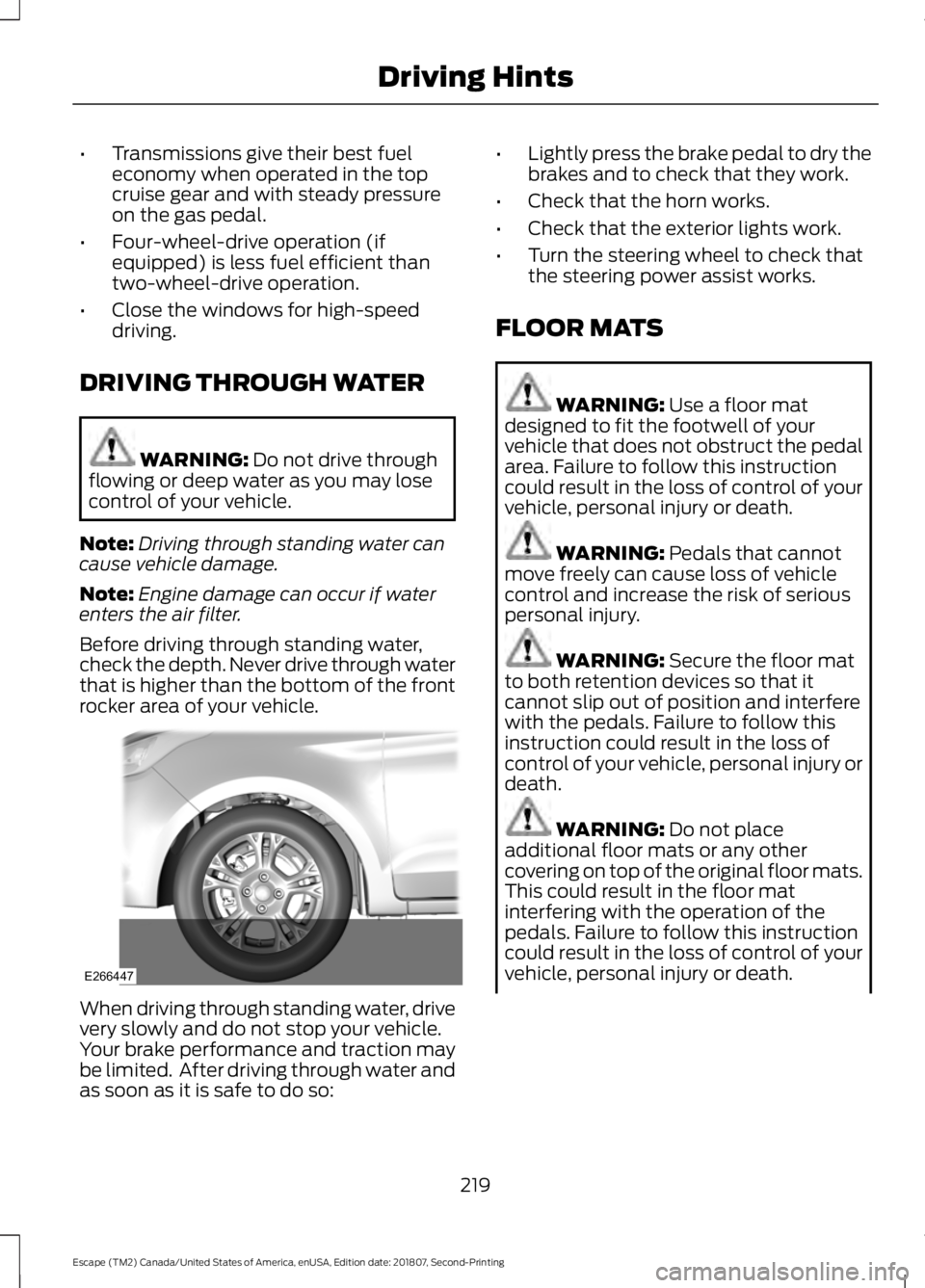
Before driving through standing water,
check the depth. Never drive through water
that is higher than the bottom of the front
rocker area of your vehicle. When driving through standing water, drive
very slowly and do not stop your vehicle.
Your brake performance and traction may
be limited. After driving through water and
as soon as it is safe to do so: •
Lightly press the brake pedal to dry the
brakes and to check that they work.
• Check that the horn works.
• Check that the exterior lights work.
• Turn the steering wheel to check that
the steering power assist works.
FLOOR MATS WARNING:
Use a floor mat
designed to fit the footwell of your
vehicle that does not obstruct the pedal
area. Failure to follow this instruction
could result in the loss of control of your
vehicle, personal injury or death. WARNING:
Pedals that cannot
move freely can cause loss of vehicle
control and increase the risk of serious
personal injury. WARNING:
Secure the floor mat
to both retention devices so that it
cannot slip out of position and interfere
with the pedals. Failure to follow this
instruction could result in the loss of
control of your vehicle, personal injury or
death. WARNING:
Do not place
additional floor mats or any other
covering on top of the original floor mats.
This could result in the floor mat
interfering with the operation of the
pedals. Failure to follow this instruction
could result in the loss of control of your
vehicle, personal injury or death.
219
Escape (TM2) Canada/United States of America, enUSA, Edition date: 201807, Second-Printing Driving HintsE266447
Page 498 of 509
4
4WD
See: Four-Wheel Drive..................................... 158
A
A/C See: Climate Control.......................................... 110
About This Manual...........................................7
ABS See: Brakes............................................................ 163
ABS driving hints See: Hints on Driving With Anti-Lock
Brakes................................................................ 163
Accessories....................................................444 Exterior Style....................................................... 444
Interior Style........................................................ 444
Lifestyle................................................................. 444
Peace of Mind..................................................... 444
Accessories See: Replacement Parts
Recommendation............................................ 14
ACC See: Using Adaptive Cruise Control............185
Active Park Assist..........................................174 Using Active Park Assist................................... 175
Adjusting the Headlamps
........................259
Horizontal Aim Adjustment............................ 261
Vertical Aim Adjustment................................ 259
Adjusting the Steering Wheel....................72
Airbag Disposal
...............................................49
Air Conditioning See: Climate Control.......................................... 110
Air Filter See: Changing the Engine Air Filter.............265
Alarm See: Anti-Theft Alarm........................................ 70
Ambient Lighting
............................................83
Adjusting the Brightness................................... 84
Changing the Color............................................. 84
Switching Ambient Lighting Off..................... 84
Switching Ambient Lighting On...................... 83
Anti-Theft Alarm............................................70 Arming the Alarm.................................................. 71
Disarming the Alarm............................................ 71
Appendices...................................................466 Apps..................................................................414
........................................................................\
........... 414
SiriusXM Traffic and Travel Link.................... 416
At a Glance........................................................18
Audible Warnings and Indicators
.............94
Automatic Transmission Warning
Chime.................................................................. 94
Engine On Warning Chime............................... 94
Headlamps On Warning Chime..................... 94
Key in Ignition Warning Chime........................ 94
Keyless Warning Alert ....................................... 94
Parking Brake On Warning Chime.................94
Audio Control
...................................................72
Type One.................................................................. 72
Type Two.................................................................. 73
Audio System................................................322 General Information.......................................... 322
Audio Unit - Vehicles With: Sony Audio System..........................................................325
Accessing the Sound Settings...................... 326
Adjusting the Volume....................................... 326
Changing Radio Stations................................ 326
Muting the Audio............................................... 326
Selecting the Audio Modes............................ 326
Switching the Audio Unit On and Off........326
Switching the Display On and Off...............326
Using Seek, Fast Forward and Reverse............................................................. 326
Audio Unit - Vehicles With: SYNC 3
.......................................................................324
Accessing the Sound Settings...................... 324
Adjusting the Volume....................................... 325
Changing Radio Stations................................ 325
Muting the Audio................................................ 325
Selecting the Audio Modes............................ 325
Switching the Audio Unit On and Off.........325
Switching the Display On and Off...............325
Using Seek, Fast Forward and Reverse............................................................. 325
Audio Unit - Vehicles With: SYNC..........322 Accessing the Clock Settings........................ 322
Accessing the Media Source Menu.............322
Accessing the Menu.......................................... 323
Accessing the Phone Features..................... 323
Accessing the Sound Settings...................... 323
Adjusting the Volume....................................... 323
Changing Radio Stations................................ 323
Listening to the Radio...................................... 323
495
Escape (TM2) Canada/United States of America, enUSA, Edition date: 201807, Second-Printing Index
Page 500 of 509
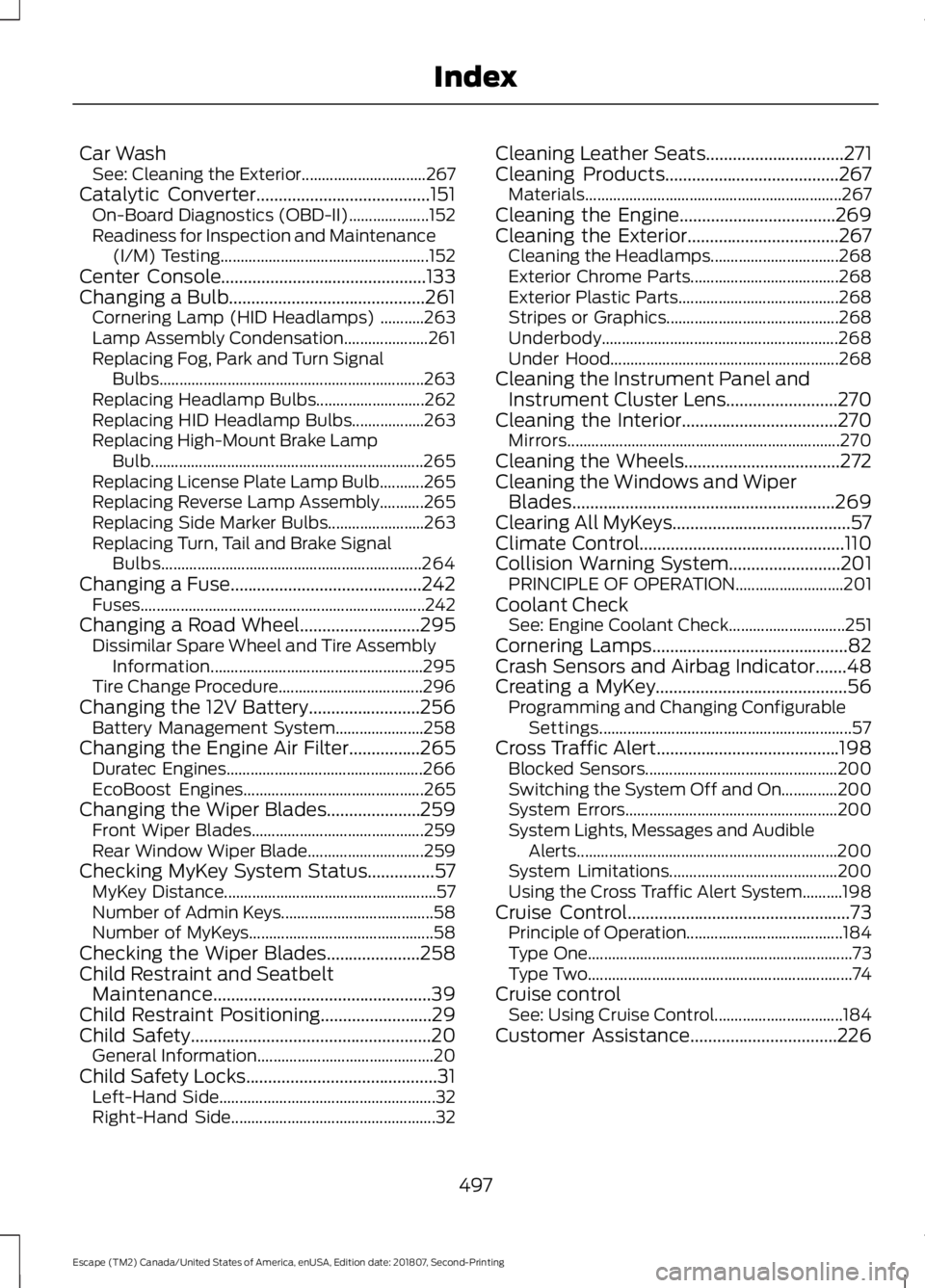
Car Wash
See: Cleaning the Exterior............................... 267
Catalytic Converter.......................................151 On-Board Diagnostics (OBD-II).................... 152
Readiness for Inspection and Maintenance (I/M) Testing.................................................... 152
Center Console..............................................133
Changing a Bulb............................................261 Cornering Lamp (HID Headlamps) ...........263
Lamp Assembly Condensation..................... 261
Replacing Fog, Park and Turn Signal Bulbs.................................................................. 263
Replacing Headlamp Bulbs........................... 262
Replacing HID Headlamp Bulbs.................. 263
Replacing High-Mount Brake Lamp Bulb.................................................................... 265
Replacing License Plate Lamp Bulb...........265
Replacing Reverse Lamp Assembly...........265
Replacing Side Marker Bulbs........................ 263
Replacing Turn, Tail and Brake Signal Bulbs................................................................. 264
Changing a Fuse...........................................242 Fuses....................................................................... 242
Changing a Road Wheel
...........................295
Dissimilar Spare Wheel and Tire Assembly
Information..................................................... 295
Tire Change Procedure.................................... 296
Changing the 12V Battery.........................256 Battery Management System...................... 258
Changing the Engine Air Filter................265 Duratec Engines................................................. 266
EcoBoost Engines............................................. 265
Changing the Wiper Blades.....................259 Front Wiper Blades........................................... 259
Rear Window Wiper Blade............................. 259
Checking MyKey System Status
...............57
MyKey Distance..................................................... 57
Number of Admin Keys...................................... 58
Number of MyKeys.............................................. 58
Checking the Wiper Blades
.....................258
Child Restraint and Seatbelt Maintenance.................................................39
Child Restraint Positioning.........................29
Child Safety......................................................20 General Information............................................ 20
Child Safety Locks...........................................31 Left-Hand Side...................................................... 32
Right-Hand Side................................................... 32Cleaning Leather Seats...............................271
Cleaning Products.......................................267
Materials................................................................ 267
Cleaning the Engine...................................269
Cleaning the Exterior..................................267 Cleaning the Headlamps................................ 268
Exterior Chrome Parts..................................... 268
Exterior Plastic Parts........................................ 268
Stripes or Graphics........................................... 268
Underbody........................................................... 268
Under Hood......................................................... 268
Cleaning the Instrument Panel and Instrument Cluster Lens
.........................270
Cleaning the Interior...................................270
Mirrors.................................................................... 270
Cleaning the Wheels...................................272
Cleaning the Windows and Wiper Blades...........................................................269
Clearing All MyKeys........................................57
Climate Control..............................................110
Collision Warning System.........................201 PRINCIPLE OF OPERATION........................... 201
Coolant Check See: Engine Coolant Check............................. 251
Cornering Lamps
............................................82
Crash Sensors and Airbag Indicator.......48
Creating a MyKey...........................................56 Programming and Changing Configurable
Settings............................................................... 57
Cross Traffic Alert.........................................198 Blocked Sensors................................................ 200
Switching the System Off and On..............200
System Errors..................................................... 200
System Lights, Messages and Audible Alerts................................................................. 200
System Limitations.......................................... 200
Using the Cross Traffic Alert System..........198
Cruise Control
..................................................73
Principle of Operation.......................................184
Type One.................................................................. 73
Type Two.................................................................. 74
Cruise control See: Using Cruise Control................................ 184
Customer Assistance
.................................226
497
Escape (TM2) Canada/United States of America, enUSA, Edition date: 201807, Second-Printing Index
Page 503 of 509
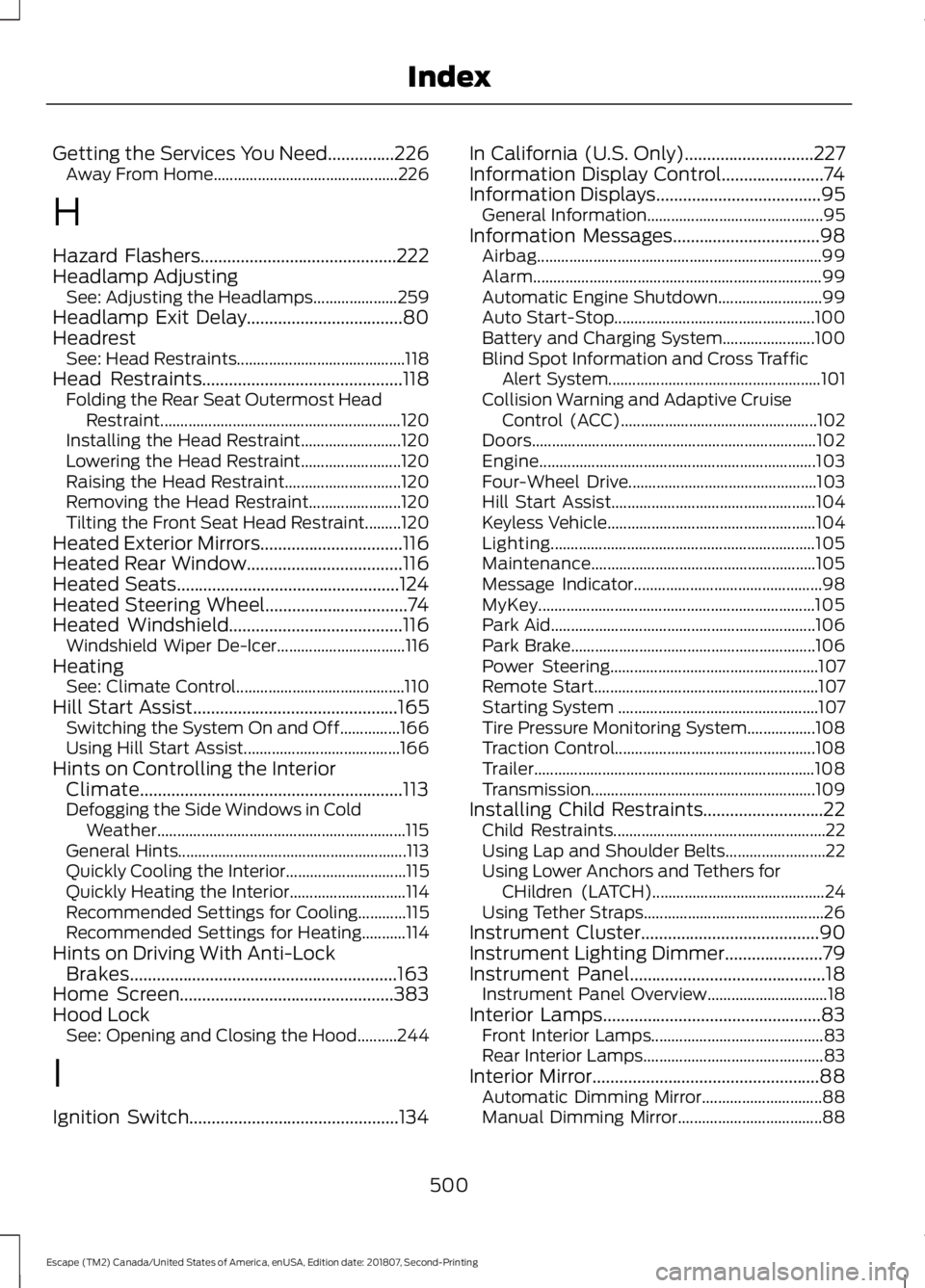
Getting the Services You Need...............226
Away From Home.............................................. 226
H
Hazard Flashers............................................222
Headlamp Adjusting See: Adjusting the Headlamps..................... 259
Headlamp Exit Delay
...................................80
Headrest See: Head Restraints.......................................... 118
Head Restraints
.............................................118
Folding the Rear Seat Outermost Head
Restraint............................................................ 120
Installing the Head Restraint......................... 120
Lowering the Head Restraint......................... 120
Raising the Head Restraint............................. 120
Removing the Head Restraint....................... 120
Tilting the Front Seat Head Restraint.........120
Heated Exterior Mirrors................................116
Heated Rear Window...................................116
Heated Seats
..................................................124
Heated Steering Wheel................................74
Heated Windshield
.......................................116
Windshield Wiper De-Icer................................ 116
Heating See: Climate Control.......................................... 110
Hill Start Assist
..............................................165
Switching the System On and Off...............166
Using Hill Start Assist....................................... 166
Hints on Controlling the Interior Climate...........................................................113
Defogging the Side Windows in Cold Weather.............................................................. 115
General Hints......................................................... 113
Quickly Cooling the Interior.............................. 115
Quickly Heating the Interior............................. 114
Recommended Settings for Cooling............115
Recommended Settings for Heating...........114
Hints on Driving With Anti-Lock Brakes............................................................163
Home Screen................................................383
Hood Lock See: Opening and Closing the Hood..........244
I
Ignition Switch
...............................................134 In California (U.S. Only).............................227
Information Display Control.......................74
Information Displays
.....................................95
General Information............................................ 95
Information Messages
.................................98
Airbag....................................................................... 99
Alarm........................................................................\
99
Automatic Engine Shutdown.......................... 99
Auto Start-Stop.................................................. 100
Battery and Charging System....................... 100
Blind Spot Information and Cross Traffic Alert System..................................................... 101
Collision Warning and Adaptive Cruise Control (ACC)................................................. 102
Doors....................................................................... 102
Engine..................................................................... 103
Four-Wheel Drive............................................... 103
Hill Start Assist................................................... 104
Keyless Vehicle.................................................... 104
Lighting.................................................................. 105
Maintenance........................................................ 105
Message Indicator............................................... 98
MyKey..................................................................... 105
Park Aid.................................................................. 106
Park Brake............................................................. 106
Power Steering.................................................... 107
Remote Start........................................................ 107
Starting System .................................................. 107
Tire Pressure Monitoring System.................108
Traction Control.................................................. 108
Trailer...................................................................... 108
Transmission........................................................ 109
Installing Child Restraints...........................22 Child Restraints..................................................... 22
Using Lap and Shoulder Belts......................... 22
Using Lower Anchors and Tethers for CHildren (LATCH)........................................... 24
Using Tether Straps............................................. 26
Instrument Cluster
........................................90
Instrument Lighting Dimmer......................79
Instrument Panel
............................................18
Instrument Panel Overview.............................. 18
Interior Lamps
.................................................83
Front Interior Lamps........................................... 83
Rear Interior Lamps............................................. 83
Interior Mirror...................................................88 Automatic Dimming Mirror.............................. 88
Manual Dimming Mirror.................................... 88
500
Escape (TM2) Canada/United States of America, enUSA, Edition date: 201807, Second-Printing Index