traction control FORD ESCAPE 2021 Owners Manual
[x] Cancel search | Manufacturer: FORD, Model Year: 2021, Model line: ESCAPE, Model: FORD ESCAPE 2021Pages: 589, PDF Size: 9.2 MB
Page 11 of 589
Hill Start Assist
What Is Hill Start Assist
............................227
How Does Hill Start Assist Work ...........
227
Hill Start Assist Precautions ...................
227
Hill Start Assist – Troubleshooting .......
227
Auto Hold
How Does Auto Hold Work .....................
228
Switching Auto Hold On and Off ..........
228
Using Auto Hold ..........................................
228
Auto Hold Indicators ..................................
228
Traction Control
How Does Traction Control Work .........
229
Switching Traction Control On and Off ........................................................................\
229
Traction Control Indicator .......................
229
Traction Control – Troubleshooting .....
229
Stability Control
How Does Stability Control Work ..........
231
Switching Stability Control On and Off ........................................................................\
232
Stability Control Indicator ........................
232
Stability Control – Troubleshooting .....
232
Steering
Electric Power Steering ............................
233
Steering – Troubleshooting ....................
234
Parking Aids
Parking Aid Precautions ...........................
235
Rear Parking Aid ..........................................
235
Front Parking Aid ........................................
236
Side Parking Aid - Vehicles With: Active Park Assist .................................................
237
Parking Aid Indicators ...............................
238
Parking Aids – Troubleshooting ............
239Rear View Camera
What Is the Rear View Camera
.............
240
Rear View Camera Precautions ............
240
Locating the Rear View Camera ...........
240
Rear View Camera Guide Lines ............
240
Rear View Camera Object Distance Indicators ....................................................
241
Rear View Camera Settings .....................
241
Active Park Assist
What Is Active Park Assist .......................
243
How Does Active Park Assist Work ......
243
Active Park Assist Precautions ..............
243
Switching Active Park Assist On and Off ........................................................................\
243
Entering a Parallel Parking Space ........
243
Entering a Perpendicular Parking Space ........................................................................\
244
Exiting a Parking Space ............................
244
Active Park Assist – Troubleshooting ........................................................................\
245
Cruise Control
What Is Cruise Control ..............................
247
Switching Cruise Control On and Off ........................................................................\
247
Setting the Cruise Control Speed .........
247
Canceling the Set Speed .........................
248
Resuming the Set Speed .........................
248
Cruise Control Indicators .........................
248
Adaptive Cruise Control
How Does Adaptive Cruise Control With Stop and Go Work .................................
249
Adaptive Cruise Control Precautions ........................................................................\
249
Adaptive Cruise Control Limitations ........................................................................\
250
Switching Adaptive Cruise Control On and Off ........................................................
252
Adaptive Cruise Control Automatic Cancellation ..............................................
252
8
Escape (CTC) Canada/United States of America, Vehicles Built From: 02-11-2020, enUSA, Edition date: 202011, First-Printing Table of Contents
Page 68 of 589
Emergency Assistance
If you set emergency assistance to always
on, you cannot switch it off with a MyKey.
Do Not Disturb
If you set do not disturb to always on, you
cannot switch it off with a MyKey.
Note:
If a phone is connected using Apple
CarPlay or Android Auto while driving with
a MyKey, the driver can receive phone calls
and text messages even if the do not disturb
restriction is on, and if the vehicle is
equipped with satellite radio, the adult
content is not restricted.
Traction Control
If you set traction control to always on, you
cannot switch it off with a MyKey.
CREATING A MYKEY -
VEHICLES WITH: PUSH
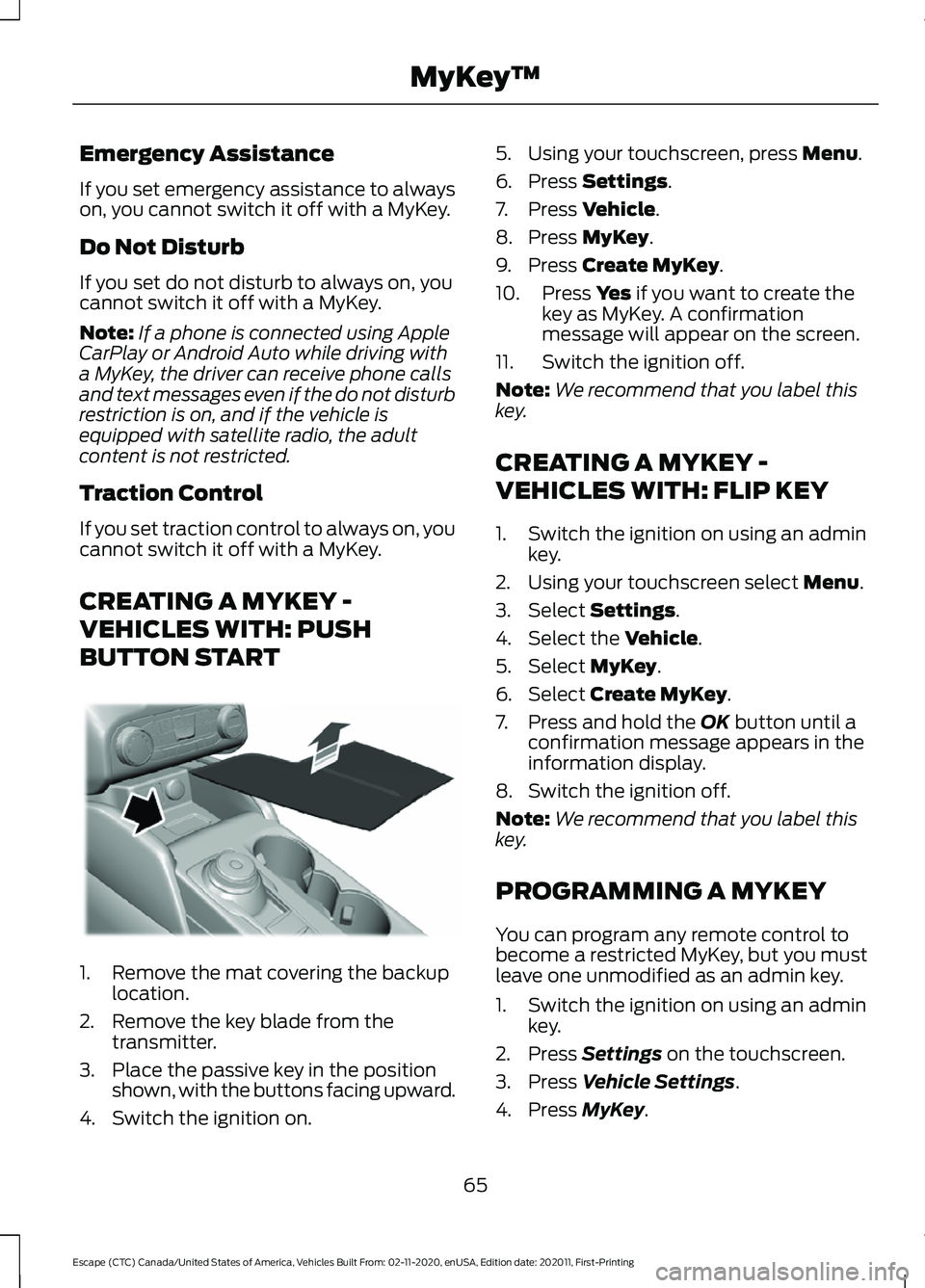
BUTTON START 1. Remove the mat covering the backup
location.
2. Remove the key blade from the transmitter.
3. Place the passive key in the position shown, with the buttons facing upward.
4. Switch the ignition on. 5. Using your touchscreen, press Menu.
6. Press
Settings.
7. Press
Vehicle.
8. Press
MyKey.
9. Press
Create MyKey.
10. Press
Yes if you want to create the
key as MyKey. A confirmation
message will appear on the screen.
11. Switch the ignition off.
Note: We recommend that you label this
key.
CREATING A MYKEY -
VEHICLES WITH: FLIP KEY
1. Switch the ignition on using an admin key.
2. Using your touchscreen select
Menu.
3. Select
Settings.
4. Select the
Vehicle.
5. Select
MyKey.
6. Select
Create MyKey.
7. Press and hold the
OK button until a
confirmation message appears in the
information display.
8. Switch the ignition off.
Note: We recommend that you label this
key.
PROGRAMMING A MYKEY
You can program any remote control to
become a restricted MyKey, but you must
leave one unmodified as an admin key.
1. Switch the ignition on using an admin key.
2. Press
Settings on the touchscreen.
3. Press
Vehicle Settings.
4. Press
MyKey.
65
Escape (CTC) Canada/United States of America, Vehicles Built From: 02-11-2020, enUSA, Edition date: 202011, First-Printing MyKey
™E306769
Page 125 of 589
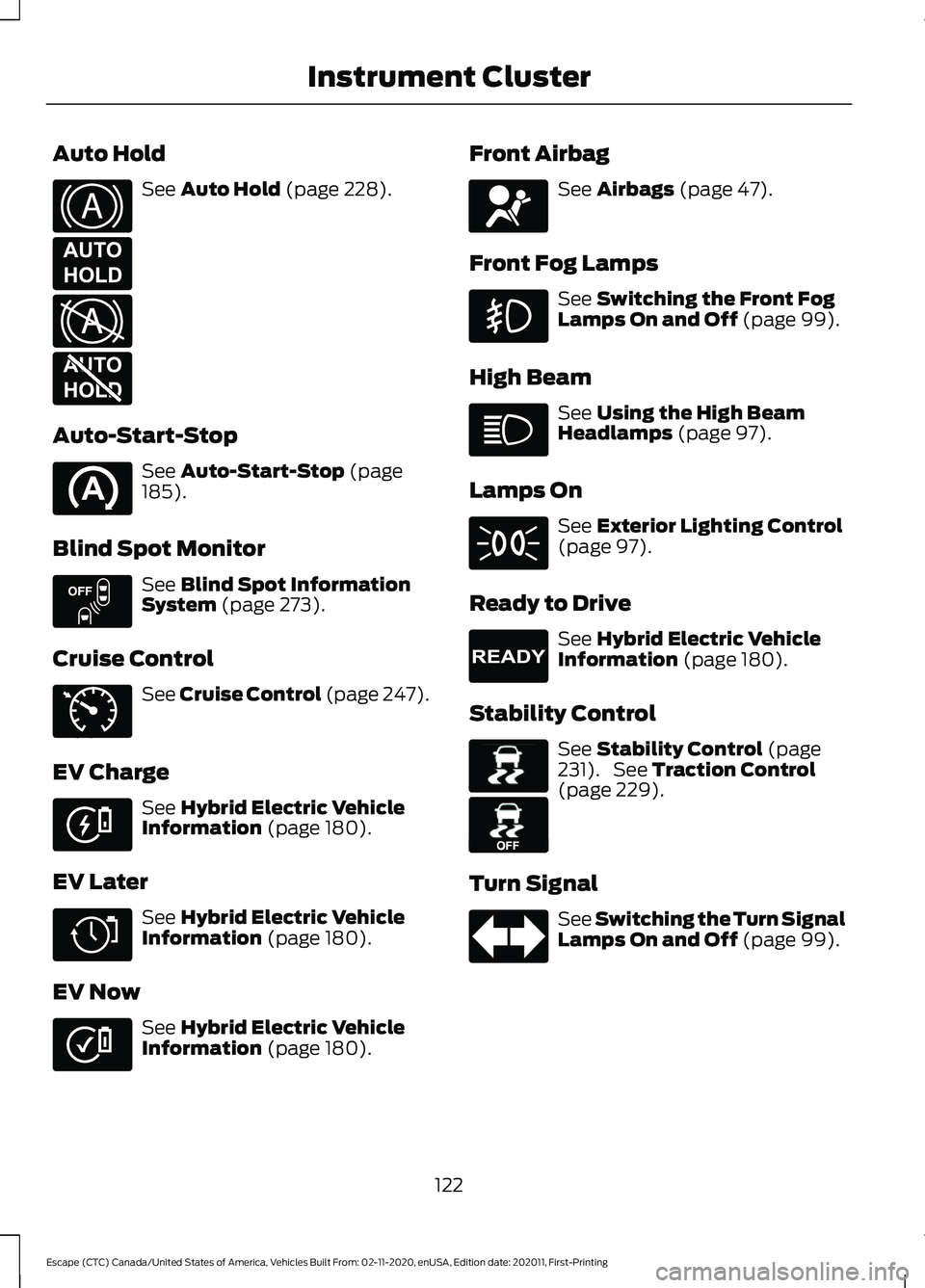
Auto Hold
See Auto Hold (page 228).
Auto-Start-Stop See
Auto-Start-Stop (page
185).
Blind Spot Monitor See
Blind Spot Information
System (page 273).
Cruise Control See
Cruise Control (page 247).
EV Charge See
Hybrid Electric Vehicle
Information (page 180).
EV Later See
Hybrid Electric Vehicle
Information (page 180).
EV Now See
Hybrid Electric Vehicle
Information (page 180). Front Airbag See
Airbags (page 47).
Front Fog Lamps See
Switching the Front Fog
Lamps On and Off (page 99).
High Beam See
Using the High Beam
Headlamps (page 97).
Lamps On See
Exterior Lighting Control
(page 97).
Ready to Drive See
Hybrid Electric Vehicle
Information (page 180).
Stability Control See
Stability Control (page
231). See Traction Control
(page 229).
Turn Signal See Switching the Turn Signal
Lamps On and Off
(page 99).
122
Escape (CTC) Canada/United States of America, Vehicles Built From: 02-11-2020, enUSA, Edition date: 202011, First-Printing Instrument ClusterE322410 E197933 E322411 E197934 E151262 E71340 E281479 E281477 E281476 E67017 E224090 E138639 E130458
Page 220 of 589
HOW DOES ALL-WHEEL DRIVE
WORK
All-wheel drive uses all four wheels to
power the vehicle. This increases traction,
enabling you to drive over terrain and road
conditions that a conventional two-wheel
drive vehicle cannot. The AWD system
turns on when needed and does not require
input from you.
Note:
The AWD feature gives your vehicle
some limited off-road capabilities in which
driving surfaces are relatively level,
obstruction-free and otherwise similar to
normal on-road driving conditions.
Operating your vehicle in conditions other
than those, could subject the vehicle to
excess stress which might result in damage
which is not covered under your warranty.
ALL-WHEEL DRIVE
PRECAUTIONS WARNING: If you are driving in
slippery conditions that require tire
chains or cables, then it is critical that
you drive cautiously. Keep speeds down,
allow for longer stopping distances and
avoid aggressive steering to reduce the
chances of a loss of vehicle control
which can lead to serious injury or death.
If the rear end of your vehicle slides while
cornering, steer in the direction of the
slide until you regain control of your
vehicle. WARNING:
Do not become
overconfident in the ability of all-wheel
drive vehicles. Although an all-wheel
drive vehicle may accelerate better than
a two-wheel drive vehicle in low traction
situations, it won't stop any faster than
two-wheel drive vehicles. Always drive
at a safe speed. ALL-WHEEL DRIVE
LIMITATIONS
When using a mismatch spare tire on your
vehicle the all-wheel drive system can
become limited in function. To regain full
all-wheel drive capabilities have the
standard wheel replaced.
Different tire sizes between the front and
rear axles can cause system damage, or
disable the all-wheel drive system.
ALL-WHEEL DRIVE DRIVING
HINTS
Emergency Maneuvers
In an unavoidable emergency where a
sudden sharp turn will be made, remember
to avoid over-driving your vehicle, for
example, turn the steering wheel only as
rapidly and as far as required to avoid the
emergency. Apply smooth pressure to the
accelerator pedal or brake pedal as
needed. Avoid abrupt steering,
acceleration and braking changes. Abrupt
changes could increase the risk of vehicle
roll over, loss of vehicle control and
personal injury. Use all available road
surfaces to bring your vehicle under
control.
In the event of an emergency stop, avoid
skidding and do not attempt any sharp
steering wheel movements.
217
Escape (CTC) Canada/United States of America, Vehicles Built From: 02-11-2020, enUSA, Edition date: 202011, First-Printing All-Wheel Drive
(If Equipped)
Page 221 of 589
Driving In Sand
When driving over sand, try to keep all four
wheels on the most solid area of the trail.
Shift to a lower gear and drive steadily
through the terrain. Apply the accelerator
slowly and avoid excessive wheel slip. Do
not drive your vehicle in deep sand for an
extended period of time. This will cause
the system to overheat. A message
appears in the information display. See
All-Wheel Drive – Information
Messages (page 220).
Note: If your vehicle gets stuck in sand, it
may be rocked out by shifting between
forward and reverse gears, stopping
between shifts in a steady pattern. Press
lightly on the accelerator in each gear.
Note: Do not rock your vehicle if the engine
is not at normal operating temperature, as
damage to the transmission may occur.
Note: Do not rock your vehicle for more
than a minute, as damage to the
transmission and tires may occur or the
engine may overheat.
Driving Through Mud and Water
Mud
Be cautious of sudden changes in vehicle
speed or direction when you are driving in
mud. Even all-wheel drive vehicles can lose
traction in mud. If your vehicle does slide,
steer in the direction of the slide until you
regain control of your vehicle.
After driving through mud, clean off residue
stuck to rotating driveshafts and tires.
Excess mud stuck on tires and rotating
driveshafts can cause an imbalance that
could damage drive components.
Note: If your vehicle gets stuck in mud, it
may be rocked out by shifting between
forward and reverse gears, stopping
between shifts in a steady pattern. Press
lightly on the accelerator in each gear. Note:
Do not rock your vehicle if the engine
is not at normal operating temperature, as
damage to the transmission may occur.
Note: Do not rock your vehicle for more
than a minute, as damage to the
transmission and tires may occur or the
engine may overheat.
Water
If you must drive through deep water, drive
slowly. The water could limit traction or
brake capability. See Driving Through
Shallow Water (page 311).
When driving through water, determine the
depth and avoid water higher than the
center of the wheel.
Once through water, always try the brakes.
Wet brakes will not stop your vehicle as
quickly as dry brakes. Apply light pressure
to the brake pedal while slowly moving the
vehicle to dry the brakes.
Note: Driving through deep water could
cause damage to the transmission. If the
front or rear axle is submerged in water, the
axle lubricant and power transfer unit
lubricant should be checked and changed
if necessary.
Driving on Hilly or Sloping Terrain
Although natural obstacles could make it
necessary to travel diagonally up or down
a hill or steep incline, you should try to drive
straight up or straight down.
Note: Avoid turning on steep slopes or
hills. A danger lies in losing traction, slipping
sideways and possible vehicle roll over.
Whenever driving on a hill, determine
beforehand the route you can use. Do not
drive over the crest of a hill without seeing
what conditions are on the other side. Do
not drive in reverse over a hill without the
aid of an observer.
218
Escape (CTC) Canada/United States of America, Vehicles Built From: 02-11-2020, enUSA, Edition date: 202011, First-Printing All-Wheel Drive
(If Equipped)
Page 222 of 589
Apply just enough power to the wheels to
climb the hill. Too much power will cause
the tires to slip, spin or lose traction, and
you could lose control of your vehicle.
When descending a steep hill, do not
descend the hill in neutral. Avoid sudden
hard braking to keep the front wheels
rolling and to maintain your vehicle's
steering.
Note:
If your vehicle has anti-lock brakes,
apply the brakes steadily. Do not pump the
brakes.
Note: If your vehicle gets stuck driving on
hilly or sloping terrain, it may be rocked out
by shifting between forward and reverse
gears, stopping between shifts in a steady
pattern. Press lightly on the accelerator in
each gear.
Note: Do not rock your vehicle if the engine
is not at normal operating temperature, as
damage to the transmission may occur.
Note: Do not rock your vehicle for more
than a minute, as damage to the
transmission and tires may occur or the
engine may overheat.
Driving on Snow and Ice WARNING: If you are driving in
slippery conditions that require tire
chains or cables, then it is critical that
you drive cautiously. Keep speeds down,
allow for longer stopping distances and
avoid aggressive steering to reduce the chances of a loss of vehicle control
which can lead to serious injury or death.
If the rear end of your vehicle slides while
cornering, steer in the direction of the
slide until you regain control of your
vehicle.
Avoid sudden applications of power and
quick changes of direction on snow and
ice. Apply the accelerator slowly and
steadily when starting from a full stop.
Avoid sudden braking. Although an
all-wheel drive vehicle accelerates better
than a two-wheel drive vehicle in snow and
ice, it cannot stop any faster as braking
occurs at all four wheels. Do not become
overconfident of the road conditions.
Make sure that you allow sufficient
distance between your vehicle and other
vehicles for stopping. On ice and snow, you
should drive more slowly than usual. In
emergency stopping situations, steadily
apply the brake. Your vehicle has a four
wheel anti-lock brake system, do not pump
the brake pedal.
See Anti-Lock Braking
System Limitations (page 221).
Note: If your vehicle gets stuck driving on
snow and ice, it may be rocked out by
shifting between forward and reverse gears,
stopping between shifts in a steady pattern.
Press lightly on the accelerator in each gear.
Note: Do not rock your vehicle if the engine
is not at normal operating temperature, as
damage to the transmission may occur.
Note: Do not rock your vehicle for more
than a minute, as damage to the
transmission and tires may occur or the
engine may overheat.
219
Escape (CTC) Canada/United States of America, Vehicles Built From: 02-11-2020, enUSA, Edition date: 202011, First-Printing All-Wheel Drive
(If Equipped)
Page 232 of 589
HOW DOES TRACTION
CONTROL WORK
If your vehicle begins to slide, the system
applies the brakes to individual wheels
and, when needed, reduces power at the
same time. If the wheels spin when
accelerating on slippery or loose surfaces,
the system reduces power in order to
increase traction.
SWITCHING TRACTION
CONTROL ON AND OFF
WARNING: The stability and
traction control light illuminates steadily
if the system detects a failure. Make sure
you did not manually disable the traction
control system using the information
display controls or the switch. If the
stability control and traction control light
is still illuminating steadily, have the
system serviced by an authorized dealer
immediately. Operating your vehicle with
the traction control disabled could lead
to an increased risk of loss of vehicle
control, vehicle rollover, personal injury
and death.
The traction control system turns on each
time you switch the power on.
If your vehicle is stuck in mud or snow,
switching traction control off may be
beneficial as this allows the wheels to spin. Note:
When you switch traction control off,
stability control remains fully active.
Your vehicle could have MyKey restrictions
regarding this feature. See
What Is
MyKey (page 64).
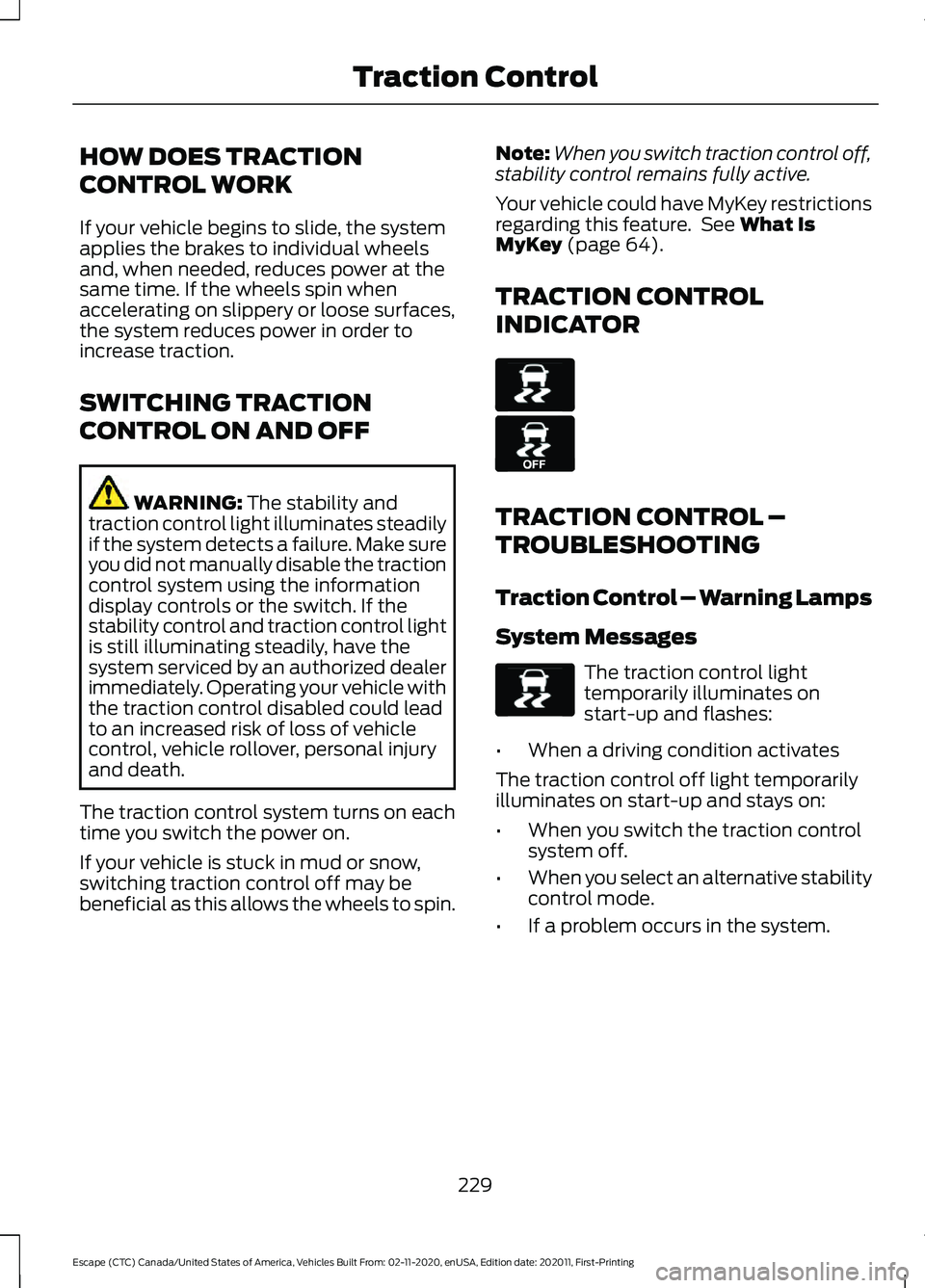
TRACTION CONTROL
INDICATOR TRACTION CONTROL –
TROUBLESHOOTING
Traction Control – Warning Lamps
System Messages
The traction control light
temporarily illuminates on
start-up and flashes:
• When a driving condition activates
The traction control off light temporarily
illuminates on start-up and stays on:
• When you switch the traction control
system off.
• When you select an alternative stability
control mode.
• If a problem occurs in the system.
229
Escape (CTC) Canada/United States of America, Vehicles Built From: 02-11-2020, enUSA, Edition date: 202011, First-Printing Traction ControlE138639 E130458 E138639
Page 233 of 589
Traction Control – Information Messages
AdvanceTrac
™ and Traction Control Action
Message
The system detects a condition that requires service. Contactan authorized dealer as soon as possible.
Service AdvanceTrac
The status of the AdvanceTrac system after you switched it off.
AdvanceTrac Off
The status of the AdvanceTrac system after you switched it on.
AdvanceTrac On
The status of the AdvanceTrac sport mode after you switched it on.
AdvanceTrac SPORT
MODE
The status of the traction control system after you switched it off.
Traction Control Off
The status of the traction control system after you switched it on.
Traction Control On
230
Escape (CTC) Canada/United States of America, Vehicles Built From: 02-11-2020, enUSA, Edition date: 202011, First-Printing Traction Control
Page 234 of 589
HOW DOES STABILITY
CONTROL WORK
WARNING: Vehicle modifications
involving braking system, aftermarket
roof racks, suspension, steering system,
tire construction and wheel and tire size
may change the handling characteristics
of your vehicle and may adversely affect
the performance of the electronic
stability control system. In addition,
installing any stereo loudspeakers may
interfere with and adversely affect the
electronic stability control system. Install
any aftermarket stereo loudspeaker as
far as possible from the front center
console, the tunnel, and the front seats
in order to minimize the risk of interfering
with the electronic stability control
sensors. Reducing the effectiveness of
the electronic stability control system
could lead to an increased risk of loss of
vehicle control, vehicle rollover, personal
injury and death. WARNING:
Remember that even
advanced technology cannot defy the
laws of physics. It's always possible to
lose control of a vehicle due to
inappropriate driver input for the
conditions. Aggressive driving on any
road condition can cause you to lose
control of your vehicle increasing the risk
of personal injury or property damage.
Activation of the electronic stability
control system is an indication that at
least some of the tires have exceeded
their ability to grip the road; this could
reduce the operator's ability to control
the vehicle potentially resulting in a loss
of vehicle control, vehicle rollover,
personal injury and death. If your
electronic stability control system
activates, SLOW DOWN. If a driving condition activates either the
stability control or the traction control
system you may experience the following
conditions:
•
The stability and traction control light
flashes.
• Your vehicle slows down.
• Reduced engine power.
The stability control system has several
features built into it to help you maintain
control of your vehicle:
Electronic Stability Control
Electronic stability control enhances your
vehicle ’s ability to prevent skids or lateral
slides by applying brakes to one or more
of the wheels individually and, if necessary,
reducing engine power.
Roll Stability Control
Roll stability control enhances your
vehicle ’s ability to prevent rollovers by
detecting your vehicle ’s roll motion and
the rate at which it changes by applying
the brakes to one or more wheels
individually.
Curve Control
Curve control enhances your vehicle ’s
ability to follow the road when cornering
severely or avoiding objects in the roadway.
Curve control operates by reducing engine
power and, if necessary, applying brakes
to one or more of the wheels individually.
Traction Control
Traction control enhances your vehicle ’s
ability to maintain traction of the wheels
by detecting and controlling wheel spin.
See
How Does Traction Control Work
(page 229).
231
Escape (CTC) Canada/United States of America, Vehicles Built From: 02-11-2020, enUSA, Edition date: 202011, First-Printing Stability Control
Page 235 of 589
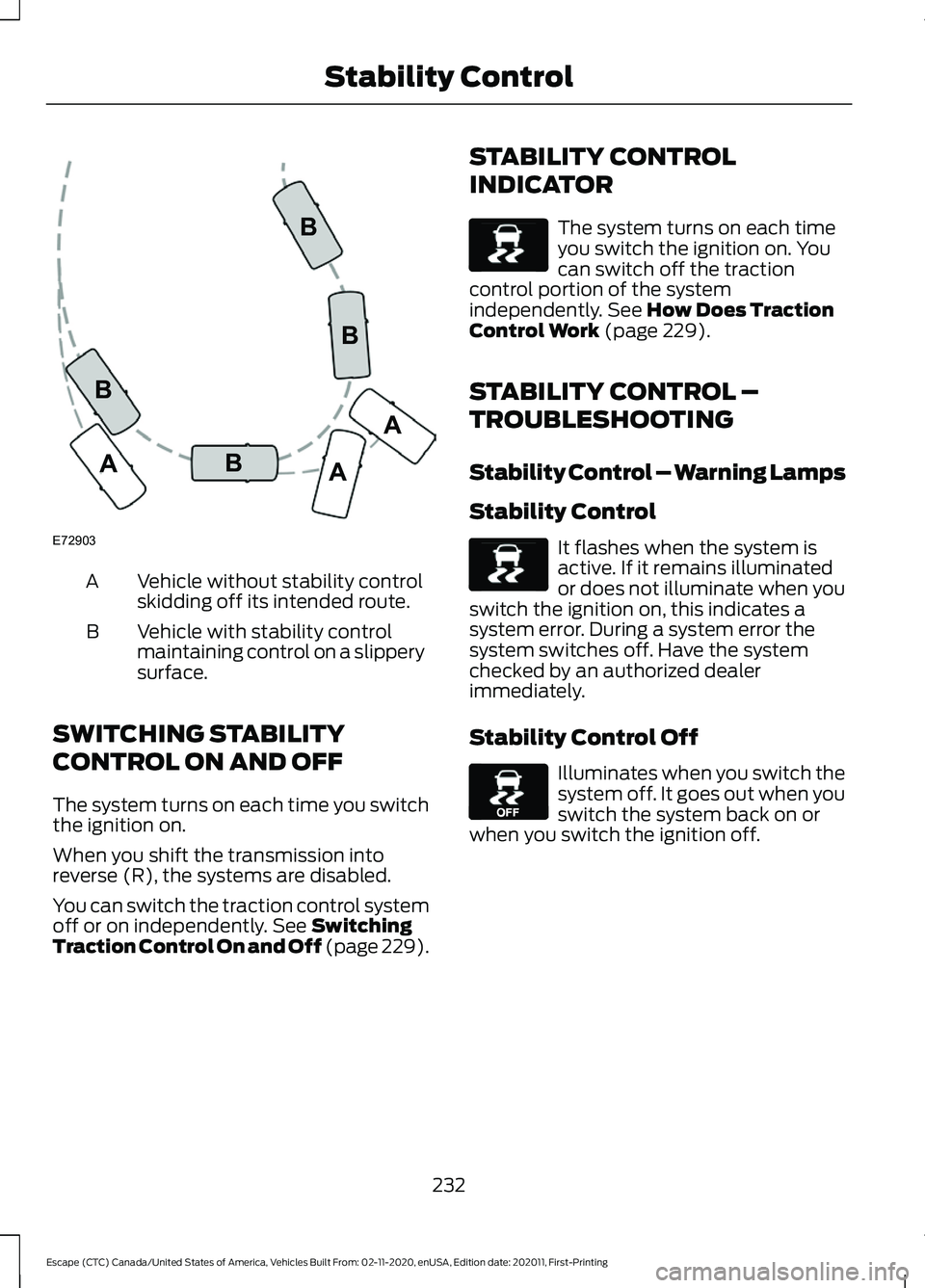
Vehicle without stability control
skidding off its intended route.
A
Vehicle with stability control
maintaining control on a slippery
surface.
B
SWITCHING STABILITY
CONTROL ON AND OFF
The system turns on each time you switch
the ignition on.
When you shift the transmission into
reverse (R), the systems are disabled.
You can switch the traction control system
off or on independently. See Switching
Traction Control On and Off (page 229). STABILITY CONTROL
INDICATOR The system turns on each time
you switch the ignition on. You
can switch off the traction
control portion of the system
independently.
See How Does Traction
Control Work (page 229).
STABILITY CONTROL –
TROUBLESHOOTING
Stability Control – Warning Lamps
Stability Control It flashes when the system is
active. If it remains illuminated
or does not illuminate when you
switch the ignition on, this indicates a
system error. During a system error the
system switches off. Have the system
checked by an authorized dealer
immediately.
Stability Control Off Illuminates when you switch the
system off. It goes out when you
switch the system back on or
when you switch the ignition off.
232
Escape (CTC) Canada/United States of America, Vehicles Built From: 02-11-2020, enUSA, Edition date: 202011, First-Printing Stability ControlE72903A
AA
B
BB
B E138639 E138639 E130458