airbags FORD ESCAPE 2022 User Guide
[x] Cancel search | Manufacturer: FORD, Model Year: 2022, Model line: ESCAPE, Model: FORD ESCAPE 2022Pages: 585, PDF Size: 6.15 MB
Page 57 of 585
CRASH SENSORS AND
AIRBAG INDICATOR
WARNING: Modifying or adding
equipment to the front of your vehicle
could affect the performance of the
airbag system, increasing the risk of
injury. This includes the hood, bumper
system, frame, front body structure, tow
hooks, hood pins, push bar and
snowplows.
Your vehicle has a collection of crash and
occupant sensors. These sensors provide
information to the restraints control
module which deploys (activates) the
following:
• Seatbelt pretensioners.
• Driver airbag.
• Passenger airbag.
• Knee airbag(s).
• Seat mounted side airbags.
• Safety Canopy.
Based on the type of crash, the restraints
control module deploys the appropriate
safety devices.
The restraints control module also
monitors the readiness of the above safety
devices plus the crash and occupant
sensors. The readiness of the safety
system is indicated by a warning indicator
light in the instrument cluster or by a
backup tone if the warning light is not
working. Routine maintenance of the
airbag is not required.
A difficulty with the system is indicated by
one or more of the following:
E67017
The readiness light will not
illuminate immediately after you
switch the ignition on. € The readiness light either flashes or
stays on.
€ You hear a series of five beeps. The tone pattern repeats periodically until
the problem, the light or both are
repaired.
If any of these things happen, even
intermittently, have the supplemental
restraint system serviced at an authorized
dealer immediately. Unless serviced, the
system may not function properly in the
event of a crash.
The fact that the seatbelt pretensioners
or front airbags did not activate for both
front seat occupants in a crash does not
mean that something is wrong with the
system. Rather, it means the restraints
control module determined the accident
conditions (crash severity, seatbelt usage)
were not appropriate to activate these
safety devices.
€ The design of the front airbags is to activate only in frontal and near-frontal
crashes (not rollovers, side impacts or
rear impacts) unless the crash causes
sufficient frontal deceleration.
€ The design of the front seatbelt pretensioners is to activate in frontal,
near-frontal and side crashes, and in
rollovers. The design of the rear
seatbelt pretensioners is to activate in
frontal crashes and in rollovers.
€ The design of the knee airbag(s) is to deploy based on crash severity and
occupant conditions.
54
Airbags
Page 58 of 585
• The design of the side airbags is toinflate in certain side impact crashes
or rollover events. Side airbags may
activate in other types of crashes if the
vehicle experiences sufficient sideways
motion or deformation.
• The design of the Safety Canopy is to inflate in certain side impact crashes
or rollover events. The Safety Canopy
may activate in other types of crashes
if the vehicle experiences sufficient
sideways motion or deformation, or a
certain likelihood of rollover.
DISPOSING OF AIRBAGS
Contact your authorized dealer as soon as
possible. Airbags must be disposed of by
qualified personnel.
55
Airbags
Page 125 of 585
Auto Hold
E322410E322410
E197933
EE322411
E197934
See Auto Hold (page 224).
Auto-Start-Stop
See Auto-Start-Stop (page
184).
Blind Spot Monitor
E151262
See Blind Spot Information
System (page 268).
Cruise Control
E71340
See Cruise Control (page 242).
EV Charge
E281479
See Plug-In Hybrid Electric
Vehicle Drive Modes (page
259).
EV Later
E281477
See Plug-In Hybrid Electric
Vehicle Drive Modes (page
259).
EV Now
E281476
See Plug-In Hybrid Electric
Vehicle Drive Modes (page
259).
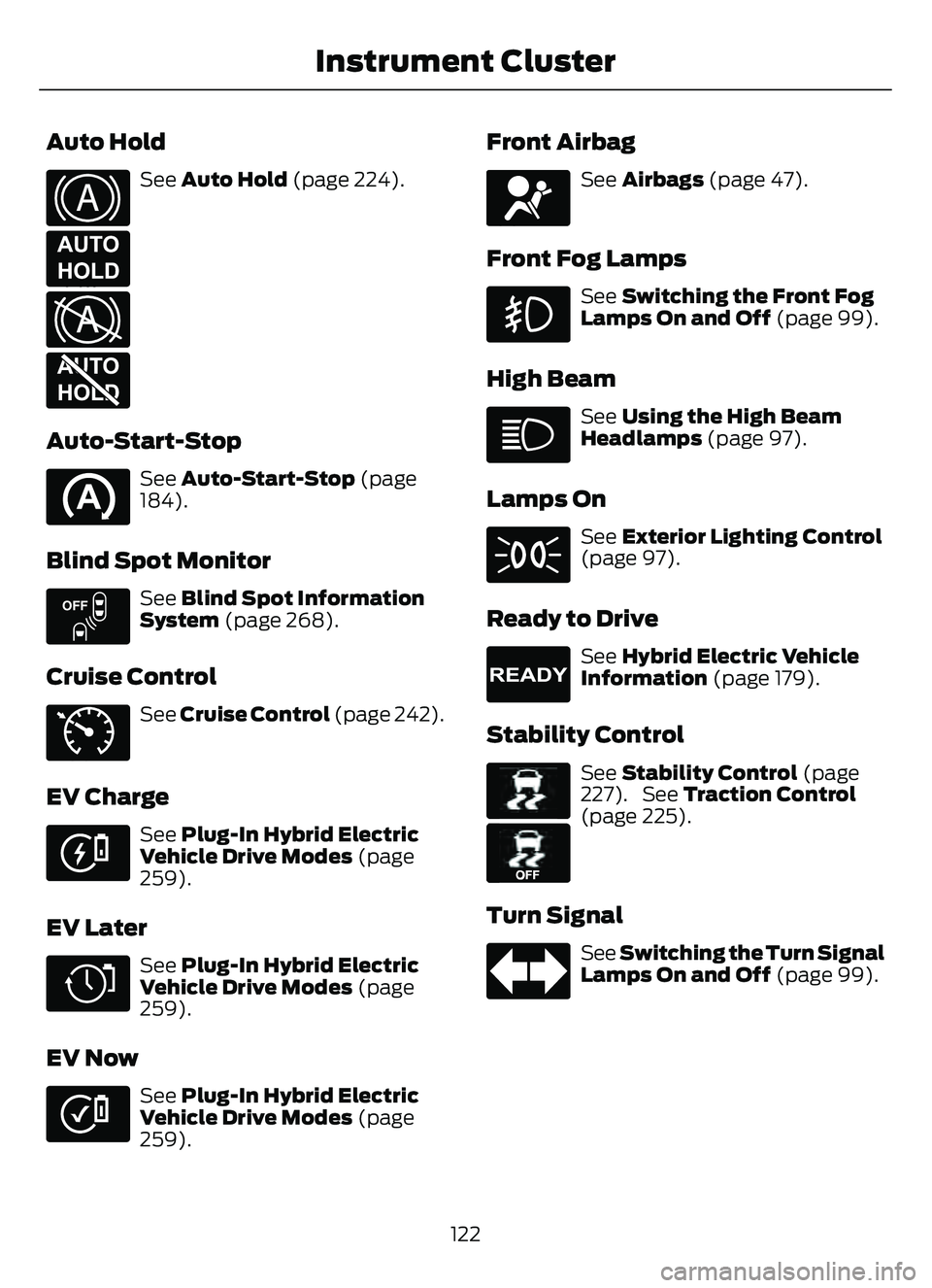
Front Airbag
E67017
See Airbags (page 47).
Front Fog Lamps
See Switching the Front Fog
Lamps On and Off (page 99).
High Beam
See Using the High Beam
Headlamps (page 97).
Lamps On
See Exterior Lighting Control
(page 97).
Ready to Drive
E224090
See Hybrid Electric Vehicle
Information (page 179).
Stability Control
E138639
E130458
See Stability Control (page
227). See Traction Control
(page 225).
Turn Signal
See Switching the Turn Signal
Lamps On and Off (page 99).
122
Instrument Cluster
Page 151 of 585
FRONT SEAT PRECAUTIONS
WARNING: Sitting improperly, out
of position or with the seatback reclined
too far can take weight off the seat
cushion and affect the decision of the
passenger sensing system, resulting in
serious injury or death in the event of a
crash. Always sit upright against your
seat back, with your feet on the floor.
WARNING: Do not recline the seat
backrest too far as this can cause the
occupant to slide under the seatbelt,
resulting in personal injury in the event
of a crash.
WARNING: Do not place objects
higher than the top of the seat backrest.
Failure to follow this instruction could
result in personal injury or death in the
event of a sudden stop or crash.
WARNING: Do not adjust the driver
seat or seat backrest when your vehicle
is moving. This may result in sudden seat
movement, causing the loss of control
of your vehicle.
SITTING IN THE CORRECT
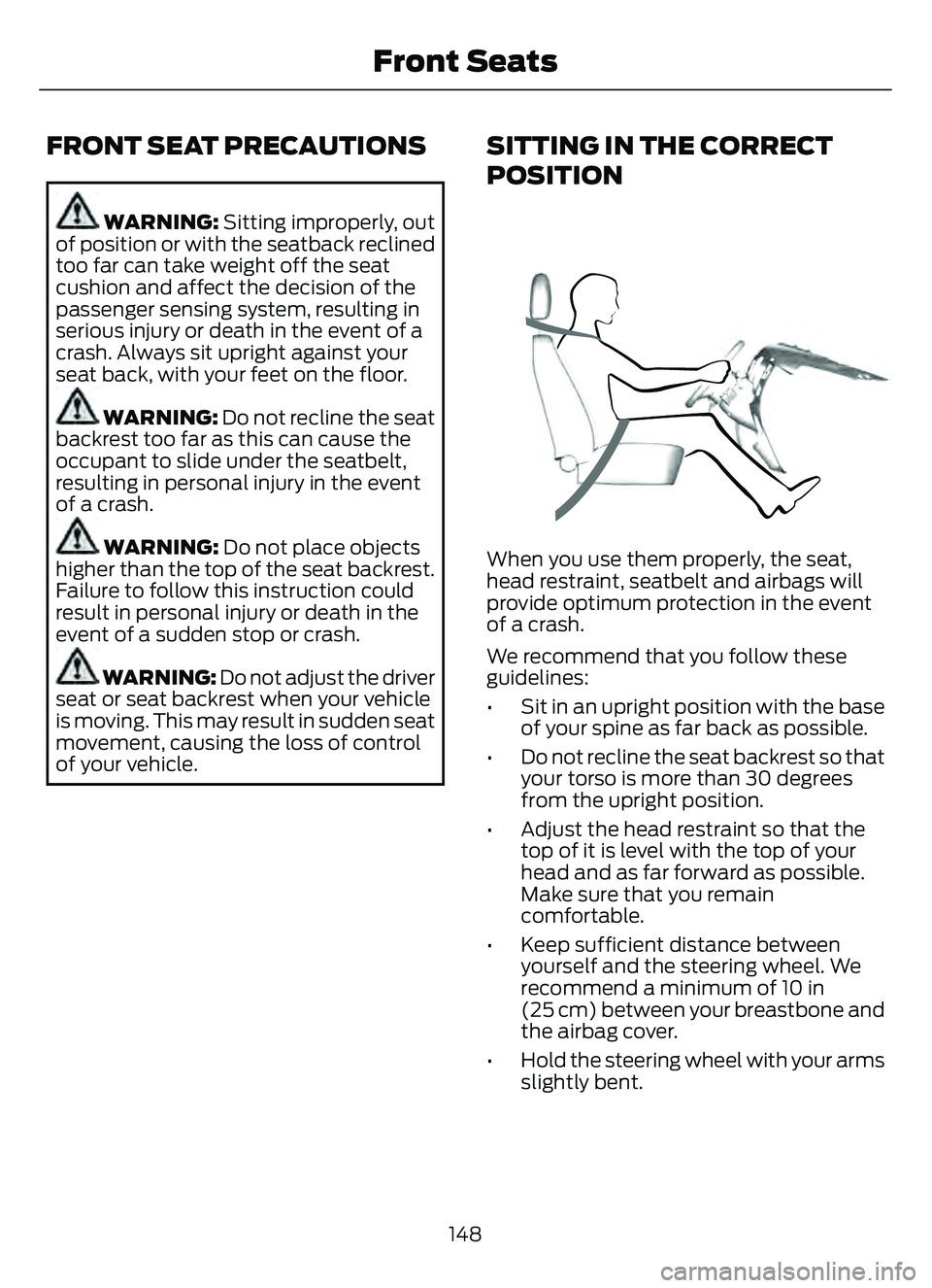
POSITION
When you use them properly, the seat,
head restraint, seatbelt and airbags will
provide optimum protection in the event
of a crash.
We recommend that you follow these
guidelines:
• Sit in an upright position with the base of your spine as far back as possible.
• Do not recline the seat backrest so that your torso is more than 30 degrees
from the upright position.
• Adjust the head restraint so that the top of it is level with the top of your
head and as far forward as possible.
Make sure that you remain
comfortable.
• Keep sufficient distance between yourself and the steering wheel. We
recommend a minimum of 10 in
(25 cm) between your breastbone and
the airbag cover.
• Hold the steering wheel with your arms slightly bent.
148
Front Seats
Page 178 of 585
The heater uses 0.4 to 1.0 kilowatt-hours
of energy per hour of use. The system does
not have a thermostat. It achieves
maximum temperature after
approximately three hours of operation.
Using the engine block heater longer than
three hours does not improve system
performance and unnecessarily uses
electricity.
STOPPING THE ENGINE
STOPPING THE ENGINE WHEN
YOUR VEHICLE IS STATIONARY
Vehicles Without Push Button
Start
1. Shift into park (P).
2. Apply the parking brake.
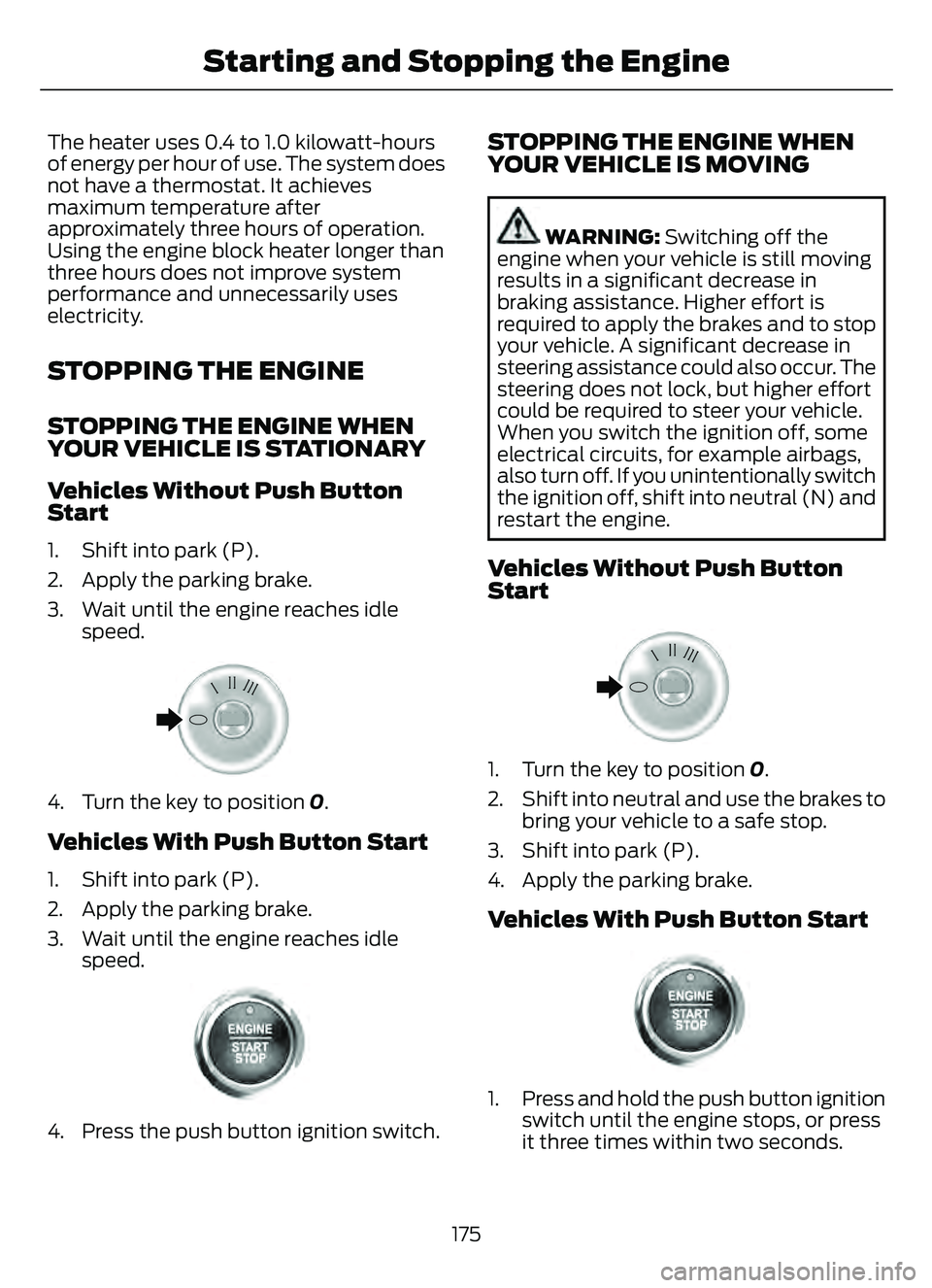
3. Wait until the engine reaches idlespeed.
E322405E322405
4. Turn the key to position 0.
Vehicles With Push Button Start
1. Shift into park (P).
2. Apply the parking brake.
3. Wait until the engine reaches idle
speed.
E321258E321258
4. Press the push button ignition switch.
STOPPING THE ENGINE WHEN
YOUR VEHICLE IS MOVING
WARNING: Switching off the
engine when your vehicle is still moving
results in a significant decrease in
braking assistance. Higher effort is
required to apply the brakes and to stop
your vehicle. A significant decrease in
steering assistance could also occur. The
steering does not lock, but higher effort
could be required to steer your vehicle.
When you switch the ignition off, some
electrical circuits, for example airbags,
also turn off. If you unintentionally switch
the ignition off, shift into neutral (N) and
restart the engine.
Vehicles Without Push Button
Start
E322405E322405
1. Turn the key to position 0.
2. Shift into neutral and use the brakes to bring your vehicle to a safe stop.
3. Shift into park (P).
4. Apply the parking brake.
Vehicles With Push Button Start
E321258E321258
1. Press and hold the push button ignition switch until the engine stops, or press
it three times within two seconds.
175
Starting and Stopping the Engine
Page 355 of 585
CLEANING DISPLAYS AND
SCREENS
We recommend that you only use a
microfiber cloth in a circular motion to
clean off the fingerprint or dust.
If dirt or fingerprints are still on the screen,
apply a small amount of alcohol to the
cloth and try to clean it again.
Note:Do not pour or spray alcohol onto the
touchscreen.
Note: Do not use detergent or any type of
solvent to clean the touchscreen.
CLEANING LEATHER AND VINYL
We recommend that you only clean the
leather and vinyl surfaces in the following
way:
1. Remove dust and loose dirt with a vacuum cleaner.
2. Wipe the surface with a soft, damp cloth and a mild soap and water
solution. Dry the area with a clean, soft
cloth.
3. Make sure the leather is dry, then apply a small amount of conditioner to a
clean, dry cloth.
4. Rub the conditioner into the leather until it disappears. Allow the
conditioner to dry, then repeat the
process for the entire interior. If a film
appears, wipe it off with a dry, clean
cloth.
5. For additional information and assistance, we recommend that you
contact an authorized dealer.
CLEANING FABRIC SEATS AND
HEADLINERS
WARNING: On vehicles equipped
with seat-mounted airbags, do not use
chemical solvents or strong detergents.
Such products could contaminate the
side airbag system and affect
performance of the side airbag in a crash.
We recommend that you only clean the
fabric seats and headliners in the following
way:
1. Remove dust and loose dirt with a vacuum cleaner.
2. Wipe the surface with a soft, damp cloth and a mild soap and water
solution. Dry the area with a clean, soft
cloth.
3. For additional information and assistance, we recommend that you
contact an authorized dealer.
For heavy stains, spot clean the area. If a
ring forms on the fabric, clean the entire
area immediately, but do not oversaturate
or the ring could set.
CLEANING CARPETS AND FLOOR
MATS
We recommend that you only clean your
carpets in the following way:
1. Remove dust and loose dirt with a vacuum cleaner.
2. Wipe the surface with a soft, damp cloth and a mild soap and water
solution. Dry the area with a clean, soft
cloth.
3. For additional information and assistance, we recommend that you
contact an authorized dealer.
352
Vehicle Care
Page 562 of 585
ELECTROMAGNETIC
COMPATIBILITY
WARNING: Do not place objects
or mount equipment on or near the
airbag cover, on the side of the front or
rear seatbacks, or in areas that may
come into contact with a deploying
airbag. Failure to follow these
instructions may increase the risk of
personal injury in the event of a crash.
WARNING: Do not fasten antenna
cables to vehicle wiring, fuel pipes and
brake pipes.
WARNING: Keep antenna and
power cables at least 4 in (10 cm) from
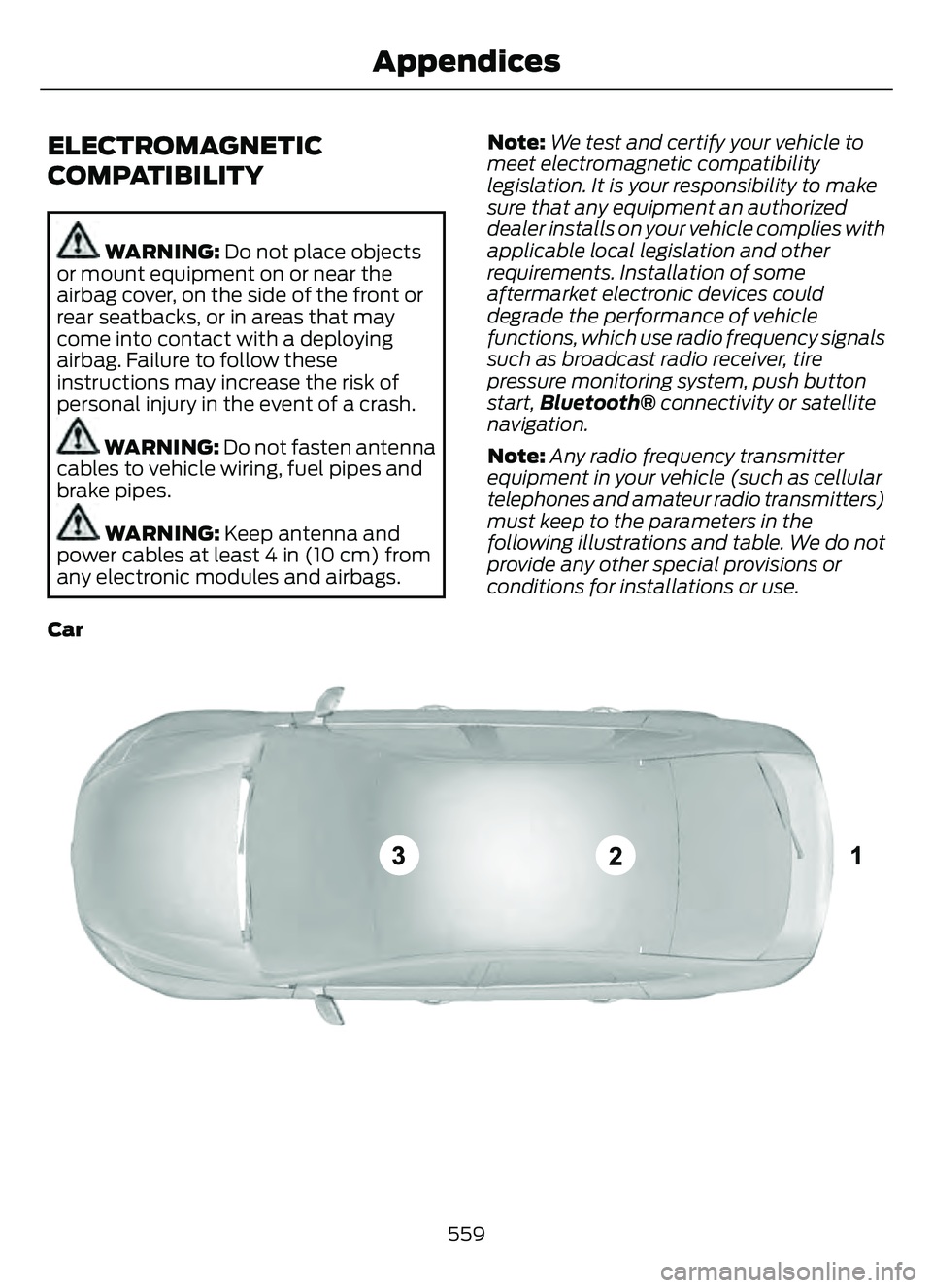
any electronic modules and airbags. Note:
We test and certify your vehicle to
meet electromagnetic compatibility
legislation. It is your responsibility to make
sure that any equipment an authorized
dealer installs on your vehicle complies with
applicable local legislation and other
requirements. Installation of some
aftermarket electronic devices could
degrade the performance of vehicle
functions, which use radio frequency signals
such as broadcast radio receiver, tire
pressure monitoring system, push button
start, Bluetooth® connectivity or satellite
navigation.
Note: Any radio frequency transmitter
equipment in your vehicle (such as cellular
telephones and amateur radio transmitters)
must keep to the parameters in the
following illustrations and table. We do not
provide any other special provisions or
conditions for installations or use.
Car
E239120
559
Appendices
Page 566 of 585
1
12V Battery......................................................34112V Battery Precautions...................................341
Battery Management SystemLimitations.......................................................342
How Does the Battery Management System Work..................................................342
Recycling and Disposing of the 12V Battery..............................................................342
Resetting the Battery Sensor........................342
What Is the Battery Management System..............................................................342
9
911 Assist............................................................57
A
A/CSee: Climate Control..........................................137About This Publication..................................17
ABS
See: Brakes............................................................217Accessing the Trip Computer - VehiclesWith: 4.2 Inch Instrument Cluster
Display Screen............................................129
Accessing the Trip Computer - Vehicles With: 6.5 Inch Instrument Cluster
Display Screen/ 12.3 Inch Instrument
Cluster Display Screen.............................129
Accessories....................................................479
AC Charging...................................................205
Connecting the Charger..................................205
Stopping Charging............................................206
Active Park Assist........................................238Active Park Assist –
Trouble shooting............................................240
Active Park Assist Precautions...............238
Active Park Assist –
Troubleshooting........................................240
Active Park Assist – Frequently Asked
Questions ........................................................240
Active Park Assist – Information Messages.........................................................240
Adaptive Cruise Control............................244Adaptive Cruise Control –Troubleshooting............................................ 254
Intelligent Adaptive Cruise Control.............253
Lane Centering...................................................250
Adaptive Cruise Control Automatic Cancellation................................................247
Adaptive Cruise Control Indicators.......250
Adaptive Cruise Control Limitations..................................................245
Adaptive Cruise Control Precautions.................................................244
Adaptive Cruise Control – Troubleshooting........................................254
Adaptive Cruise Control – Information
Messages.........................................................254
Adjusting the Exterior Mirrors..................108
Adjusting the Headlamps........................344
Adjusting the Instrument Panel LightingBrightness....................................................103
Adjusting the Seatbelt Height...................42
Adjusting the Seatbelts During Pregnancy......................................................42
Adjusting the Sound Settings...................411
Adjusting the Steering Wheel....................91
Adjusting the Volume.................................410
Aid Mode.........................................................263
How Does Aid Mode Work.............................263
What Is Aid Mode..............................................263
Airbag Precautions........................................49
Airbags................................................................47
Front Passenger Sensing System...................51Air ConditioningSee: Climate Control..........................................137Air Conditioning System Capacity and Specification - 1.5L EcoBoost™.........400
Air Conditioning System Capacity and Specification - 2.0L EcoBoost™.........401
Air Conditioning System Capacity and Specification - 2.5L, Hybrid Electric
Vehicle (HEV)/Plug-In Hybrid Electric
Vehicle (PHEV).........................................402
Air Filter
See: Changing the Engine Air Filter - 1.5L
EcoBoost™/2.0L EcoBoost™.................338
See: Changing the Engine Air Filter - 2.5L, Hybrid Electric Vehicle (HEV)/Plug-In
Hybrid Electric Vehicle (PHEV)...............339
563
Index
Page 569 of 585
Identifying the Fuses in the Body ControlModule Fuse Box...........................................325
Locating the Body Control Module Fuse Box......................................................................325
Body Styling Kit Precautions...................354
Body Styling Kits..........................................354
Bonnet Lock
See: Opening and Closing the Hood..........328Booster Seats..................................................36
Brake Fluid Specification...........................218
Brake Over Accelerator...............................217
Brake Precautions.........................................217
Brakes................................................................217
Anti-Lock Braking System...............................217
Brakes – Troubleshooting...............................219
Brakes – Troubleshooting.........................219Brakes – Frequently AskedQuestions.........................................................219
Brakes – Warning Lamps.................................219
Breaking-In....................................................304
C
Calculating Payload...................................290
Calculating the Load Limit......................290
Canceling the Set Speed..........................243
Capacities and Specifications................387
Catalytic Converter......................................198
Catalytic Converter – Troubleshooting.............................................198
Catalytic Converter Precautions............198
Catalytic Converter –Troubleshooting........................................198
Catalytic Converter – Warning
Lamps................................................................198
Changing a Flat Tire....................................382
Changing a Road Wheel...........................382
Changing the 12V Battery.........................343
Changing the Engine Air Filter - 1.5LEcoBoost™/2.0L EcoBoost™.............338
Changing the Engine Air Filter - 2.5L, Hybrid Electric Vehicle (HEV)/Plug-In
Hybrid Electric Vehicle (PHEV)...........339
Changing the Fuel Filter - Gasoline, Hybrid Electric Vehicle (HEV)..............340
Changing the Remote Control Battery - Vehicles With: Flip Key...............................61 Changing the Remote Control Battery -
Vehicles With: Push Button Start.........60
Changing the Vehicle Wi-Fi Hotspot Name or Password..................................409
Charge Port Indicators..............................204
Charging a Device.........................................167
Charging a Wireless Device......................169
Charging Equipment..................................200
Charging Your Vehicle...............................200
AC Charging.........................................................205
Charging Your Vehicle –
Troubleshooting............................................207
Charging Your VehiclePrecautions................................................200
Charging Your Vehicle – Troubleshooting........................................207
Charging Your Vehicle – Frequently Asked
Questions........................................................ 208
Charging Your Vehicle – Information Messages.........................................................207
Checking MyKey System Status..............66
Checking the Brake Fluid...........................218
Checking the Coolant................................334
Checking the Seatbelts...............................44
Checking the Tire Pressures....................368
Checking the Wiper Blades........................94
Children and Airbags....................................50
Child Restraint Anchor Points...................29
Locating the Child Restraint Lower AnchorPoints...................................................................29
Locating the Child Restraint Top Tether Anchor Points...................................................30
What Are the Child Restraint Anchor Points...................................................................29
Child Restraints..............................................30Child Restraint Position Information............30
Child Restraints Recommendation................31
Child Safety......................................................28Child Restraint Anchor Points.........................29
Child Restraints....................................................30
Installing Child Restraints..................................31
Child Safety Locks.........................................38
Child Safety Precautions.............................28
Cleaning Products.......................................349
Cleaning the Exterior..................................349
Cleaning Camera Lenses andSensors..............................................................351
566
Index
Page 571 of 585
Customizing the Instrument ClusterDisplay - Vehicles With: 4.2 Inch
Instrument Cluster Display
Screen............................................................124
Customizing the Instrument Cluster Display - Vehicles With: 6.5 Inch
Instrument Cluster Display Screen/ 12.3
Inch Instrument Cluster Display
Screen............................................................124
D
Data Privacy......................................................22
Declaration of Conformity........................561
Department of Transportation UniformTire Quality Grades...................................357
Digital Radio...................................................412
Digital Radio Indicators....................................413
Digital Radio Limitations.................................413
How Does Digital Radio Work........................412
Switching Digital Radio Reception On and
Off.....................................................................\
...413
What Is Digital Radio.........................................412
Disposing of Airbags.....................................55
Distance Alert................................................278
Adjusting the Sensitivity of Distance Alert....................................................................278
What Is Distance Alert.....................................278
Distance Indication......................................276Distance Indication Indicator.........................278
Switching Distance Indication On and Off.......................................................................2\
78
What Is Distance Indication...........................276
Doors and Locks Audible Warnings..........71
Doors and Locks.............................................69
Autolock...................................................................70\
Autounlock.............................................................70
Doors and Locks – Troubleshooting...............71
Mislock.....................................................................70
Operating the Doors From Inside Your Vehicle.................................................................69
Operating the Doors From Outside Your Vehicle.................................................................69
Doors and Locks – Troubleshooting........71Doors and Locks – Frequently AskedQuestions............................................................72
Doors and Locks – Information Messages.............................................................71 Doors and Locks – Warning Lamps................71
Drive Belt Routing Overview - 1.5L
EcoBoost™................................................340
Drive Belt Routing Overview - 2.0L EcoBoost™..................................................341
Drive Mode Control......................................257
Drive Modes.........................................................258
Plug-In Hybrid Electric Vehicle Drive
Modes...............................................................259
Drive Modes...................................................258Deep Snow/Sand..............................................258
Eco........................................................................\
..258
Normal...................................................................258
Slippery.................................................................258
Sport....................................................................\
...258
Driver Alert......................................................282Driver Alert – Troubleshooting.....................283Driver Alert Indicators................................283
Driver Alert Limitations..............................282
Driver Alert Precautions............................282
Driver Alert – Troubleshooting...............283
Driver Alert – Information Messages..........283Driving Economically.................................304
Driving Hints..................................................304
Driving in Special Conditions........................304Driving in Special Conditions..................304Driving In Sand...................................................306
Driving on Hilly or Sloping Terrain...............305
Driving Through Mud and Water.................304
Emergency Maneuvers....................................304
Driving Through Shallow Water............306
E
Easy Entry and Exit.........................................77
Electric Parking Brake AudibleWarning..........................................................221
Electric Parking Brake................................220
Electric Parking Brake –
Troubleshooting .............................................221
Electric Parking Brake –
Troubleshooting.........................................221
Electric Parking Brake – Information
Messages..........................................................222
Electric Parking Brake – Warning Lamps.................................................................22\
1
Electric Power Steering.............................229Electric Power Steering Precautions..........229
568
Index