keys FORD ESCAPE 2022 User Guide
[x] Cancel search | Manufacturer: FORD, Model Year: 2022, Model line: ESCAPE, Model: FORD ESCAPE 2022Pages: 585, PDF Size: 6.15 MB
Page 71 of 585
MYKEY – FREQUENTLY ASKED
QUESTIONS - VEHICLES WITH:
PUSH BUTTON START
What is an admin key?An admin key is a key that you have
not created as a MyKey. See Creating
a MyKey (page 65).
Why am I not able create a MyKey? You have not placed the admin key in
the backup position. See Creating a
MyKey (page 65). The key used to
switch the ignition on is not an admin
key. The key used to switch the ignition
on is the only admin key. There has to
be at least one admin key. You did not
switch the ignition off after creating
the last MyKey.
Why am I not able to program a MyKey? The admin key is not inside your
vehicle. The key used to switch the
ignition on is not an admin key. You
have not created any MyKeys. See
Creating a MyKey (page 65).
Why am I not able to clear the MyKeys? The admin key is not inside your
vehicle. The key used to switch the
ignition on is not an admin key. You
have not created any MyKeys. See
Creating a MyKey (page 65).
Why is the MyKey distance not
accumulating? The key used to start the engine is an
admin key. An admin key and a MyKey
are inside your vehicle. You have not
created any MyKeys. See Creating a
MyKey (page 65). You have cleared
the MyKeys. See Clearing All
MyKeys (page 66). Why am I not able to start the engine
with a MyKey?
An admin key and a MyKey are inside
your vehicle. The system recognizes
only the admin key when both are
present.
MYKEY – FREQUENTLY ASKED
QUESTIONS - VEHICLES WITH:
FLIP KEY
What is an admin key?An admin key is a key that you have
not created as a MyKey. See Creating
a MyKey (page 65).
Why am I not able to create a MyKey? The key used to switch the ignition on
is not an admin key. The key used to
switch the ignition on is the only admin
key. There has to be at least one admin
key.
Why am I not able to program a MyKey? The key used to switch the ignition on
is not an admin key. You have not
created any MyKeys. See Creating a
MyKey (page 65).
Why am I not able to clear the MyKeys? The key used to switch the ignition on
is not an admin key. You have not
created any MyKeys. See Creating a
MyKey (page 65).
Why is the MyKey distance not
accumulating? The key used to start the engine is an
admin key. You have not created any
MyKeys. See Creating a MyKey
(page 65). You have cleared the
MyKeys. See Clearing All MyKeys
(page 66).
68
MyKey™
Page 76 of 585
LOCATING THE KEYLESS
ENTRY KEYPAD
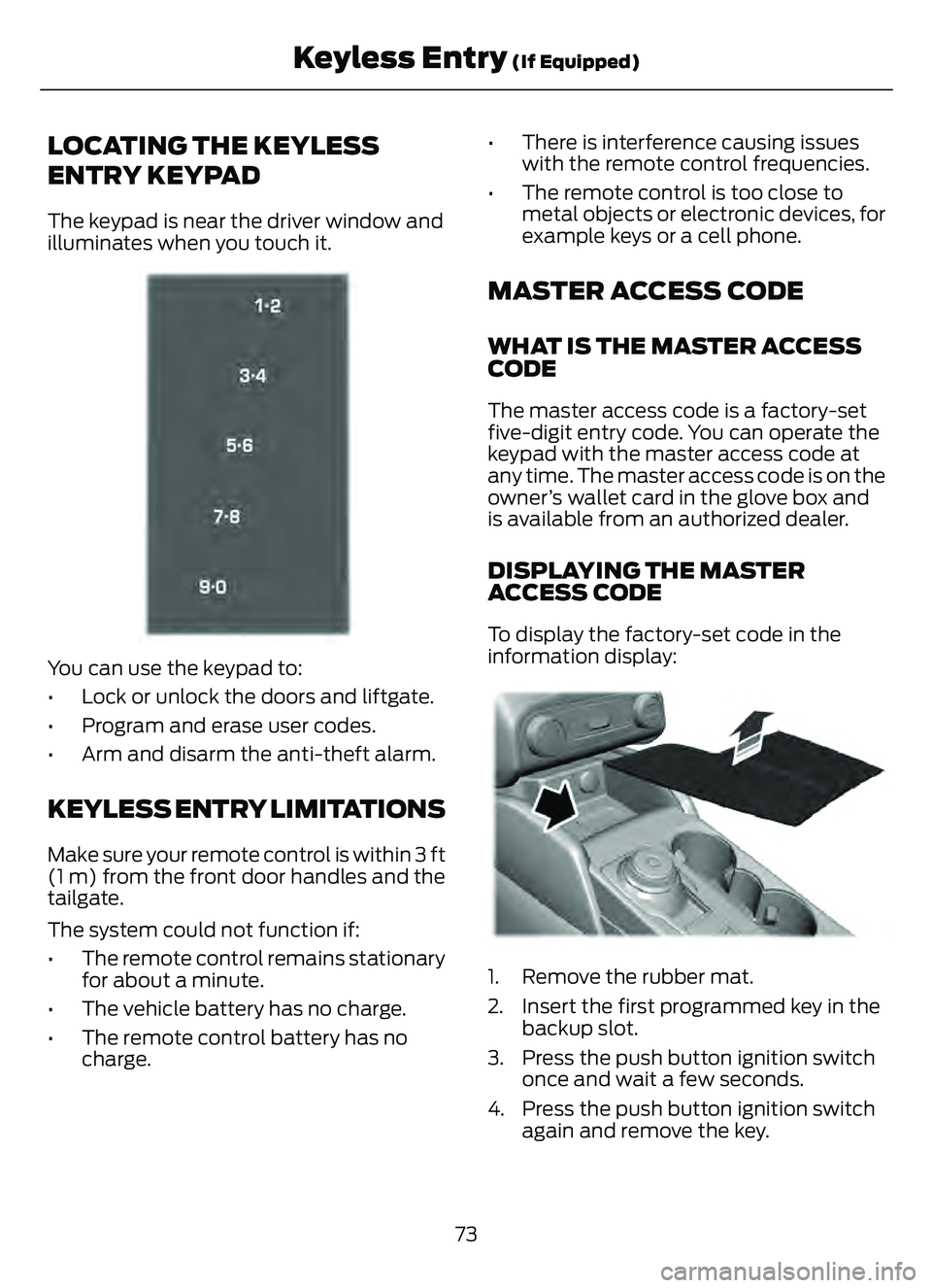
The keypad is near the driver window and
illuminates when you touch it.
E333628
You can use the keypad to:
• Lock or unlock the doors and liftgate.
• Program and erase user codes.
• Arm and disarm the anti-theft alarm.
KEYLESS ENTRY LIMITATIONS
Make sure your remote control is within 3 ft
(1 m) from the front door handles and the
tailgate.
The system could not function if:
• The remote control remains stationaryfor about a minute.
• The vehicle battery has no charge.
• The remote control battery has no charge. • There is interference causing issues
with the remote control frequencies.
• The remote control is too close to metal objects or electronic devices, for
example keys or a cell phone.
MASTER ACCESS CODE
WHAT IS THE MASTER ACCESS
CODE
The master access code is a factory-set
five-digit entry code. You can operate the
keypad with the master access code at
any time. The master access code is on the
owner’s wallet card in the glove box and
is available from an authorized dealer.
DISPLAYING THE MASTER
ACCESS CODE
To display the factory-set code in the
information display:
306 69E306 769E306769
1. Remove the rubber mat.
2. Insert the first programmed key in the
backup slot.
3. Press the push button ignition switch once and wait a few seconds.
4. Press the push button ignition switch again and remove the key.
73
Keyless Entry (If Equipped)
Page 77 of 585
5. Within 10 seconds, place a secondprogrammed intelligent access key in
the backup slot and press the push
button ignition switch.
The factory-set code appears in the
information display for a few seconds.
Note: You need to have two programmed
intelligent access keys for this procedure.
Note: The code may not display until after
any other warning messages first display.
KEYLESS ENTRY SETTINGS
SWITCHING KEYLESS ENTRY ON
AND OFF
1. Switch the ignition on using an original key that has not been created as a
MyKey.
2. Press Settings on the touchscreen.
3. Press Vehicle Settings .
4. Press Locks.
REPROGRAMMING THE
UNLOCKING FUNCTION
You can enable two-stage unlocking
function allowing you to unlock only the
driver door when you touch the unlock
sensor.
Press and hold both the lock and unlock
buttons on the remote control for four
seconds to disable or enable two-stage
unlocking.
If you program the unlocking function so
that only the driver door unlocks, you can
unlock all of the other doors from inside
your vehicle using the power door lock
control. You can unlock individual doors
by pulling the interior door handles on
those doors.
CREATING PERSONAL ACCESS
CODES
To create your own personal access code:
1. Enter the factory-set code.
2. Press 1·2 on the keypad within five
seconds.
3. Enter your personal five-digit code.
4. Press 1·2 on the keypad to save
personal code one.
The doors lock then unlock to confirm that
programming was successful.
To program additional personal access
codes, repeat Steps 1-3, then for Step 4:
• Press 3·4 to save personal code two.
• Press 5·6 to save personal code three.
• Press 7·8 to save personal code four.
• Press 9·0 to save personal code five.
Hints:
• Do not set a code that uses five of the same number.
• Do not use five numbers in sequential order.
• The factory-set code works even if you have set your own personal code.
CLEARING ALL PERSONAL
ACCESS CODES
1. Enter the factory-set five-digit code.
2. Press and release 1·2 on the keypadwithin five seconds.
3. Press and hold 1·2 for a few seconds. This must be done within five seconds
of completing Step 2.
All personal codes erase and only the
factory-set five-digit code works.
74
Keyless Entry (If Equipped)
Page 79 of 585
Why does the passive key not work?The system deactivates passive keys
left inside your vehicle when you lock
it. You cannot switch the ignition on
using a deactivated passive key. Press
the unlock button on the remote
control to reactivate a passive key.
Why does the keypad not function? The keypad goes into an anti-scan
mode if you enter a wrong code seven
times. The anti-scan mode disables
the keypad for one minute and the red
light flashes.
76
Keyless Entry (If Equipped)
Page 83 of 585
LIFTGATE PRECAUTIONS
WARNING: It is extremely
dangerous to ride in a cargo area, inside
or outside of a vehicle. In a crash, people
riding in these areas are more likely to be
seriously injured or killed. Do not allow
people to ride in any area of your vehicle
that is not equipped with seats and
seatbelts. Make sure everyone in your
vehicle is in a seat and properly using a
seatbelt. Failure to follow this warning
could result in serious personal injury or
death.
WARNING: Make sure that you fully
close the liftgate to prevent exhaust
fumes from entering your vehicle. If you
are unable to fully close the liftgate,
open the air vents or the windows to
allow fresh air to enter your vehicle.
Failure to follow this instruction could
result in personal injury or death.
WARNING: Keep keys out of reach
of children. Do not allow children to
operate or play near an open or moving
power liftgate. You should supervise the
operation of the power liftgate at all
times.
OPENING THE LIFTGATE
OPENING THE LIFTGATE FROM
INSIDE YOUR VEHICLE
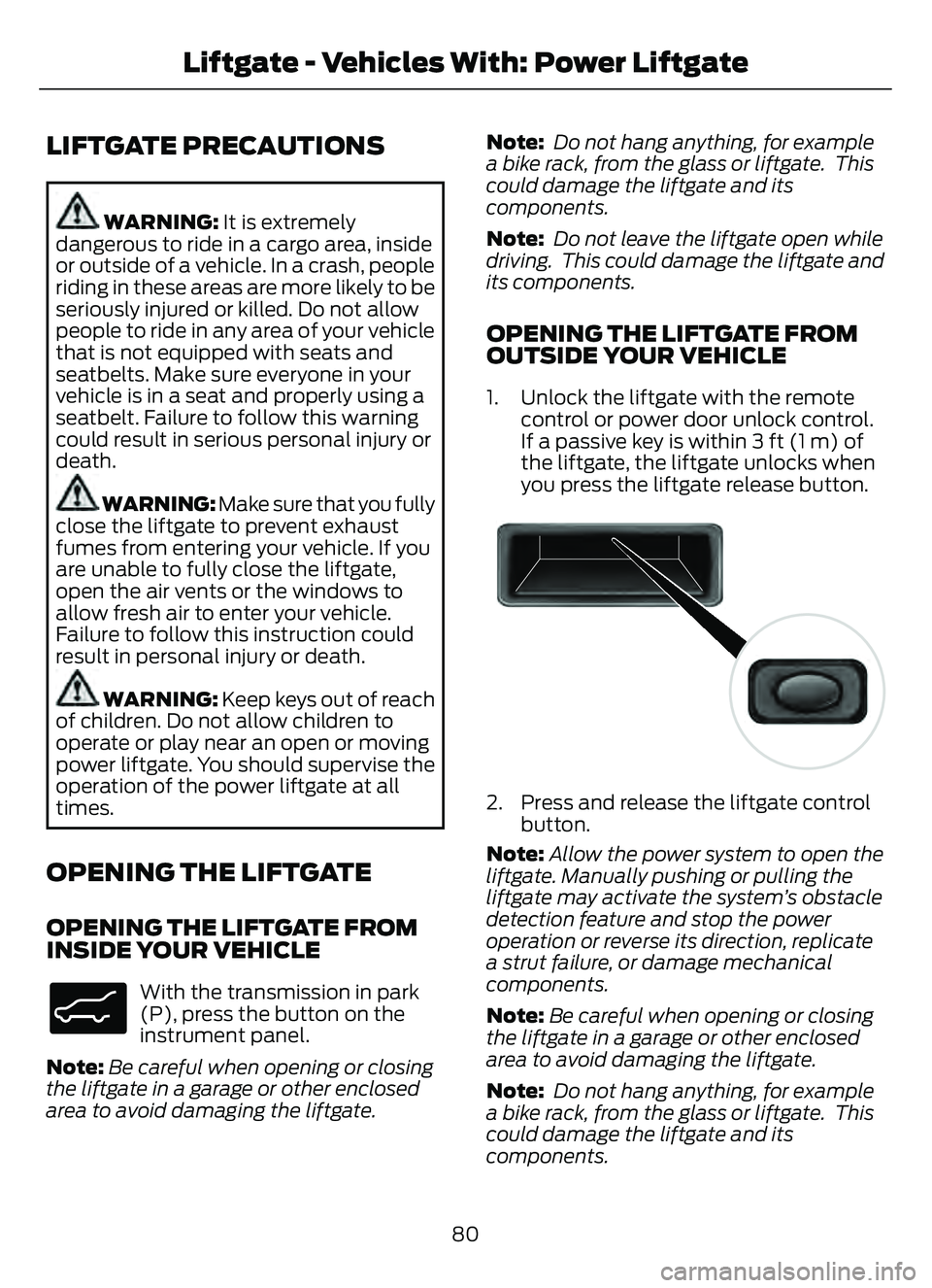
E138633
With the transmission in park
(P), press the button on the
instrument panel.
Note: Be careful when opening or closing
the liftgate in a garage or other enclosed
area to avoid damaging the liftgate. Note:
Do not hang anything, for example
a bike rack, from the glass or liftgate. This
could damage the liftgate and its
components.
Note: Do not leave the liftgate open while
driving. This could damage the liftgate and
its components.
OPENING THE LIFTGATE FROM
OUTSIDE YOUR VEHICLE
1. Unlock the liftgate with the remote control or power door unlock control.
If a passive key is within 3 ft (1 m) of
the liftgate, the liftgate unlocks when
you press the liftgate release button.
E138632
2. Press and release the liftgate controlbutton.
Note: Allow the power system to open the
liftgate. Manually pushing or pulling the
liftgate may activate the system’s obstacle
detection feature and stop the power
operation or reverse its direction, replicate
a strut failure, or damage mechanical
components.
Note: Be careful when opening or closing
the liftgate in a garage or other enclosed
area to avoid damaging the liftgate.
Note: Do not hang anything, for example
a bike rack, from the glass or liftgate. This
could damage the liftgate and its
components.
80
Liftgate - Vehicles With: Power Liftgate
Page 90 of 585
PASSIVE ANTI-THEFT
SYSTEM
WHAT IS THE PASSIVE ANTI-
THEFT SYSTEM
The passive anti-theft system prevents
someone from starting the vehicle with an
incorrectly coded key.
Note:Do not leave a duplicate coded key
in your vehicle. Always take the keys and
lock all the doors when leaving your vehicle.
HOW DOES THE PASSIVE ANTI-
THEFT SYSTEM WORK
The passive anti-theft system arms when
you switch the ignition off.
It disarms when the ignition is switched on
with a correctly coded key.
Note: The system is not compatible with
non-Ford aftermarket remote start systems.
Note: Do not leave a duplicate coded key
in your vehicle. Always take the keys and
lock all doors when leaving your vehicle.
ANTI-THEFT ALARM SYSTEM
WHAT IS THE ANTI-THEFT ALARM
SYSTEM
The Anti-Theft Alarm System warns you
of an unauthorized entry to your vehicle.
HOW DOES THE ANTI-THEFT
ALARM SYSTEM WORK
When armed, the anti-theft alarm is
triggered in any of the following ways:
• If someone opens a door, the liftgate or the hood without a correctly coded
key or remote control.
• If you turn the power on without a correctly coded key.
• If the interior sensors detect movement inside your vehicle.
• If the inclination sensors detect an attempt to raise your vehicle.
• If someone disconnects the vehicle battery or the battery backup alarm.
If the anti-theft alarm is triggered, the
alarm horn sounds for 30 seconds and the
direction indicators flash for 5 minutes.
Any further attempts to carry out one of
the above sounds the alarm again.
WHAT IS THE PERIMETER ALARM
The perimeter alarm is designed to detect
unauthorized access to your vehicle.
WHAT ARE THE INTERIOR
SENSORS
The interior sensors are designed to detect
any movement inside your vehicle.
The interior sensors are in the overhead
console.
Note: Do not cover the interior sensors.
WHAT ARE THE INCLINATION
SENSORS
The inclination sensor is designed to detect
an attempt to raise your vehicle, for
example to remove a wheel or to tow it
away.
87
Security
Page 121 of 585
POWER GAUGE - HYBRID
ELECTRIC VEHICLE (HEV)/
PLUG-IN HYBRID ELECTRIC
VEHICLE (PHEV), VEHICLES
WITH: 6.5 INCH INSTRUMENT
CLUSTER DISPLAY SCREEN
(IF
EQUIPPED)
The power gauge displays power to the
wheels when accelerating or maintaining
speed. When slowing down by lifting your
foot off the accelerator pedal or pressing
the brake, the gauge displays the power
captured by the regenerative braking
system and returned to the high voltage
battery.
POWER GAUGE - HYBRID
ELECTRIC VEHICLE (HEV)/
PLUG-IN HYBRID ELECTRIC
VEHICLE (PHEV), VEHICLES
WITH: 12.3 INCH INSTRUMENT
CLUSTER DISPLAY SCREEN
(IF
EQUIPPED)
The power gauge displays power to the
wheels when accelerating or maintaining
speed. The high voltage battery power and
engine power contributions are
distinguished by color and added together
to indicate total power to the wheels.
When slowing down by lifting your foot off
the accelerator pedal or pressing the brake,
the gauge displays the power captured by
the regenerative braking system and
returned to the high voltage battery.
SPEEDOMETER
Indicates the vehicle speed.
FUEL GAUGE
WHAT IS THE FUEL GAUGE
Indicates approximately how much fuel is
in the fuel tank.
FUEL GAUGE LIMITATIONS
The fuel gauge may not provide an
accurate reading when your vehicle is on
an incline.
LOCATING THE FUEL FILLER
DOOR
The arrow adjacent to the fuel pump
symbol indicates on which side of your
vehicle the fuel filler door is located.
WHAT IS THE LOW FUEL
REMINDER
A low fuel level reminder displays and
sounds when the distance to empty
reaches 75 mi (120 km) to empty for
MyKey, and at 50 mi (80 km), 25 mi
(40 km), 12 mi (20 km) and 0 mi (0 km)
for all vehicle keys.
Note: The low fuel reminder can appear at
different fuel gauge positions depending on
fuel economy conditions. This variation is
normal.
WHAT IS DISTANCE TO EMPTY -
GASOLINE, HYBRID ELECTRIC
VEHICLE (HEV)
Indicates the approximate distance your
vehicle can travel on the fuel remaining in
the tank. Changes in driving pattern can
cause the value to not only decrease but
also increase or stay constant for periods
of time.
118
Instrument Cluster
Page 163 of 585
HOW DOES THE MEMORY
FUNCTION WORK
The memory function recalls the position
of these features:
• Driver seat.
• Power mirrors.
MEMORY FUNCTION
PRECAUTIONS
WARNING: Before activating the
memory seat, make sure that the area
immediately surrounding the seat is clear
of obstructions and that all occupants
are clear of moving parts.
WARNING: Do not use the memory
function when your vehicle is moving.
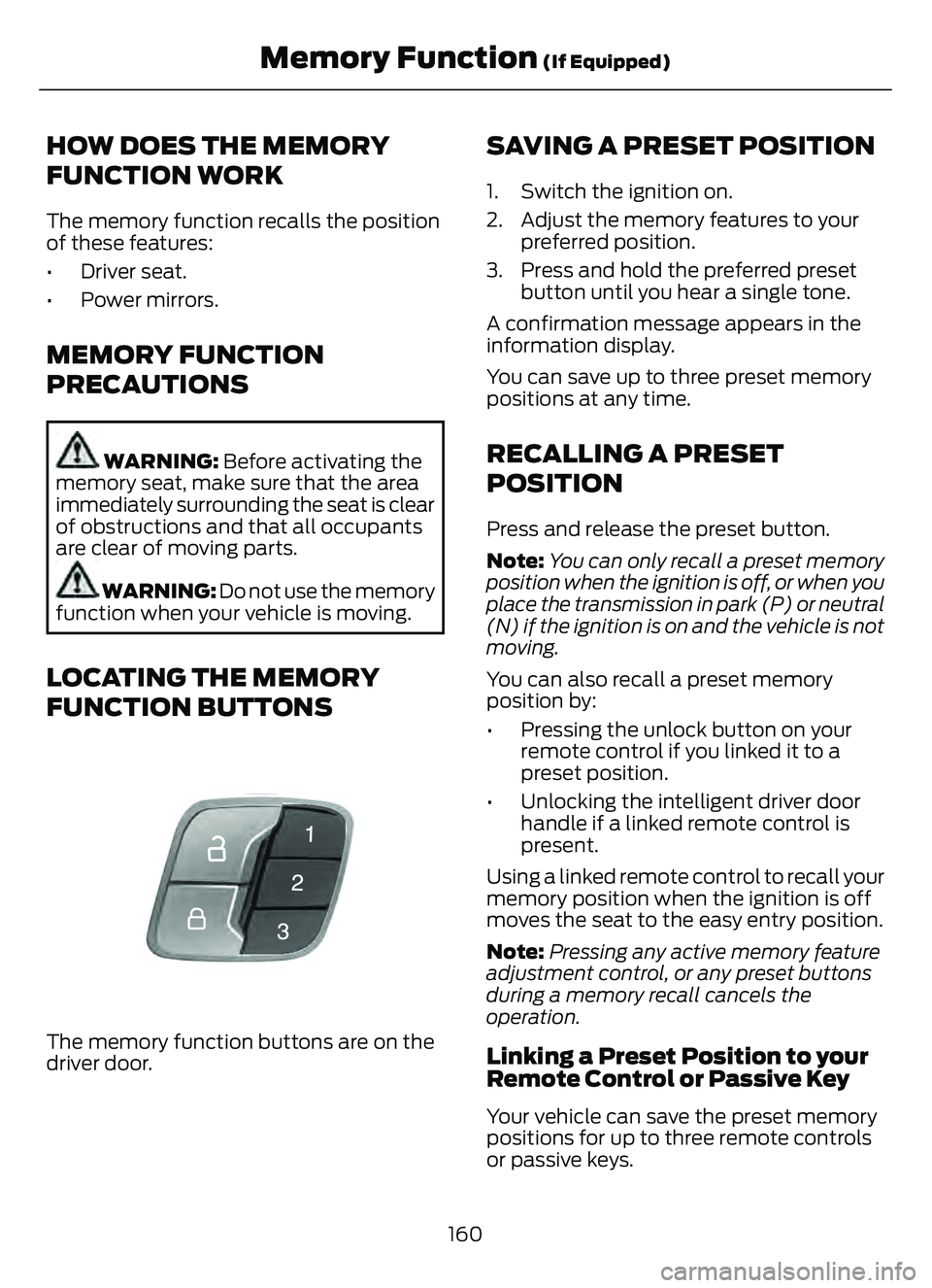
LOCATING THE MEMORY
FUNCTION BUTTONS
E142554
The memory function buttons are on the
driver door.
SAVING A PRESET POSITION
1. Switch the ignition on.
2. Adjust the memory features to your preferred position.
3. Press and hold the preferred preset button until you hear a single tone.
A confirmation message appears in the
information display.
You can save up to three preset memory
positions at any time.
RECALLING A PRESET
POSITION
Press and release the preset button.
Note: You can only recall a preset memory
position when the ignition is off, or when you
place the transmission in park (P) or neutral
(N) if the ignition is on and the vehicle is not
moving.
You can also recall a preset memory
position by:
• Pressing the unlock button on your remote control if you linked it to a
preset position.
• Unlocking the intelligent driver door handle if a linked remote control is
present.
Using a linked remote control to recall your
memory position when the ignition is off
moves the seat to the easy entry position.
Note: Pressing any active memory feature
adjustment control, or any preset buttons
during a memory recall cancels the
operation.
Linking a Preset Position to your
Remote Control or Passive Key
Your vehicle can save the preset memory
positions for up to three remote controls
or passive keys.
160
Memory Function (If Equipped)
Page 175 of 585
Starting the Engine
Turn the key to position III. Release the
key when the engine starts.
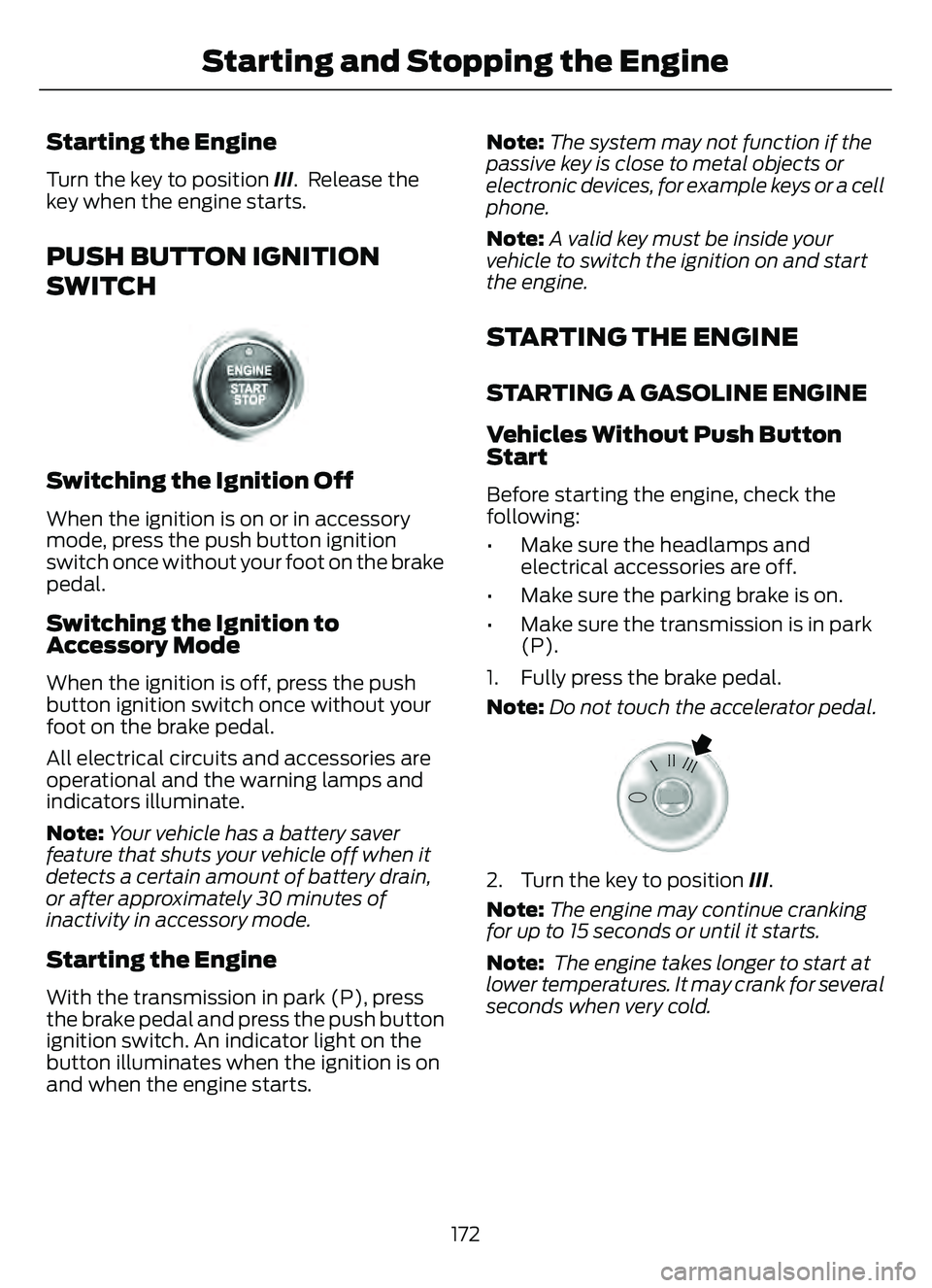
PUSH BUTTON IGNITION
SWITCH
E321258E321258
Switching the Ignition Off
When the ignition is on or in accessory
mode, press the push button ignition
switch once without your foot on the brake
pedal.
Switching the Ignition to
Accessory Mode
When the ignition is off, press the push
button ignition switch once without your
foot on the brake pedal.
All electrical circuits and accessories are
operational and the warning lamps and
indicators illuminate.
Note:Your vehicle has a battery saver
feature that shuts your vehicle off when it
detects a certain amount of battery drain,
or after approximately 30 minutes of
inactivity in accessory mode.
Starting the Engine
With the transmission in park (P), press
the brake pedal and press the push button
ignition switch. An indicator light on the
button illuminates when the ignition is on
and when the engine starts. Note:
The system may not function if the
passive key is close to metal objects or
electronic devices, for example keys or a cell
phone.
Note: A valid key must be inside your
vehicle to switch the ignition on and start
the engine.
STARTING THE ENGINE
STARTING A GASOLINE ENGINE
Vehicles Without Push Button
Start
Before starting the engine, check the
following:
• Make sure the headlamps and electrical accessories are off.
• Make sure the parking brake is on.
• Make sure the transmission is in park (P).
1. Fully press the brake pedal.
Note: Do not touch the accelerator pedal.
E322354E322354
2. Turn the key to position III.
Note: The engine may continue cranking
for up to 15 seconds or until it starts.
Note: The engine takes longer to start at
lower temperatures. It may crank for several
seconds when very cold.
172
Starting and Stopping the Engine
Page 241 of 585
WHAT IS ACTIVE PARK
ASSIST
Assists you with parking in and out of
parking spaces.
HOW DOES ACTIVE PARK
ASSIST WORK
Active park assist uses sensors to detect
parking spaces. Active park assist controls
steering, acceleration, braking and shifting
as required to maneuver into or out of a
parking space when activate.
ACTIVE PARK ASSIST
PRECAUTIONS
WARNING: You must remain in
your vehicle when the system turns on.
At all times, you are responsible for
controlling your vehicle, supervising the
system and intervening, if required.
Failure to take care may result in the loss
of control of your vehicle, serious
personal injury or death.
WARNING: The sensors may not
detect objects in heavy rain or other
conditions that cause interference.
WARNING: You are responsible for
controlling your vehicle at all times. The
system is designed to be an aid and does
not relieve you of your responsibility to
drive with due care and attention. Failure
to follow this instruction could result in
the loss of control of your vehicle,
personal injury or death.
WARNING: Do not use the system
with accessories that extend beyond the
front or rear of your vehicle, for example
a trailer hitch or bike rack. The system is
not able to make corrections for the
additional length of the accessories.
SWITCHING ACTIVE PARK
ASSIST ON AND OFF
E146186
Press the active park assist
button to bring up full screen
notifications.
Press the soft keys on the touchscreen to
switch between parallel park in,
perpendicular park in or parallel park out
parking modes.
Cancelling Active Park Assist
To cancel parking assistance at any time:
• Press the active park assist button during operation.
• Grab the steering wheel during operation.
• Drive above 22 mph (35 km/h) for a short period of time when searching for
a parking space.
• Drive above 6 mph (9 km/h) during operation.
• Switch traction control off.
ENTERING A PARALLEL
PARKING SPACE
1. Press the parking aid button.
Note: The system detects other vehicles
and curbs to find a parking space.
2. Press the active park assist icon on the touchscreen.
3. Select parallel parking.
238
Active Park Assist (If Equipped)