locks FORD ESCAPE 2022 User Guide
[x] Cancel search | Manufacturer: FORD, Model Year: 2022, Model line: ESCAPE, Model: FORD ESCAPE 2022Pages: 585, PDF Size: 6.15 MB
Page 83 of 585
LIFTGATE PRECAUTIONS
WARNING: It is extremely
dangerous to ride in a cargo area, inside
or outside of a vehicle. In a crash, people
riding in these areas are more likely to be
seriously injured or killed. Do not allow
people to ride in any area of your vehicle
that is not equipped with seats and
seatbelts. Make sure everyone in your
vehicle is in a seat and properly using a
seatbelt. Failure to follow this warning
could result in serious personal injury or
death.
WARNING: Make sure that you fully
close the liftgate to prevent exhaust
fumes from entering your vehicle. If you
are unable to fully close the liftgate,
open the air vents or the windows to
allow fresh air to enter your vehicle.
Failure to follow this instruction could
result in personal injury or death.
WARNING: Keep keys out of reach
of children. Do not allow children to
operate or play near an open or moving
power liftgate. You should supervise the
operation of the power liftgate at all
times.
OPENING THE LIFTGATE
OPENING THE LIFTGATE FROM
INSIDE YOUR VEHICLE
E138633
With the transmission in park
(P), press the button on the
instrument panel.
Note: Be careful when opening or closing
the liftgate in a garage or other enclosed
area to avoid damaging the liftgate. Note:
Do not hang anything, for example
a bike rack, from the glass or liftgate. This
could damage the liftgate and its
components.
Note: Do not leave the liftgate open while
driving. This could damage the liftgate and
its components.
OPENING THE LIFTGATE FROM
OUTSIDE YOUR VEHICLE
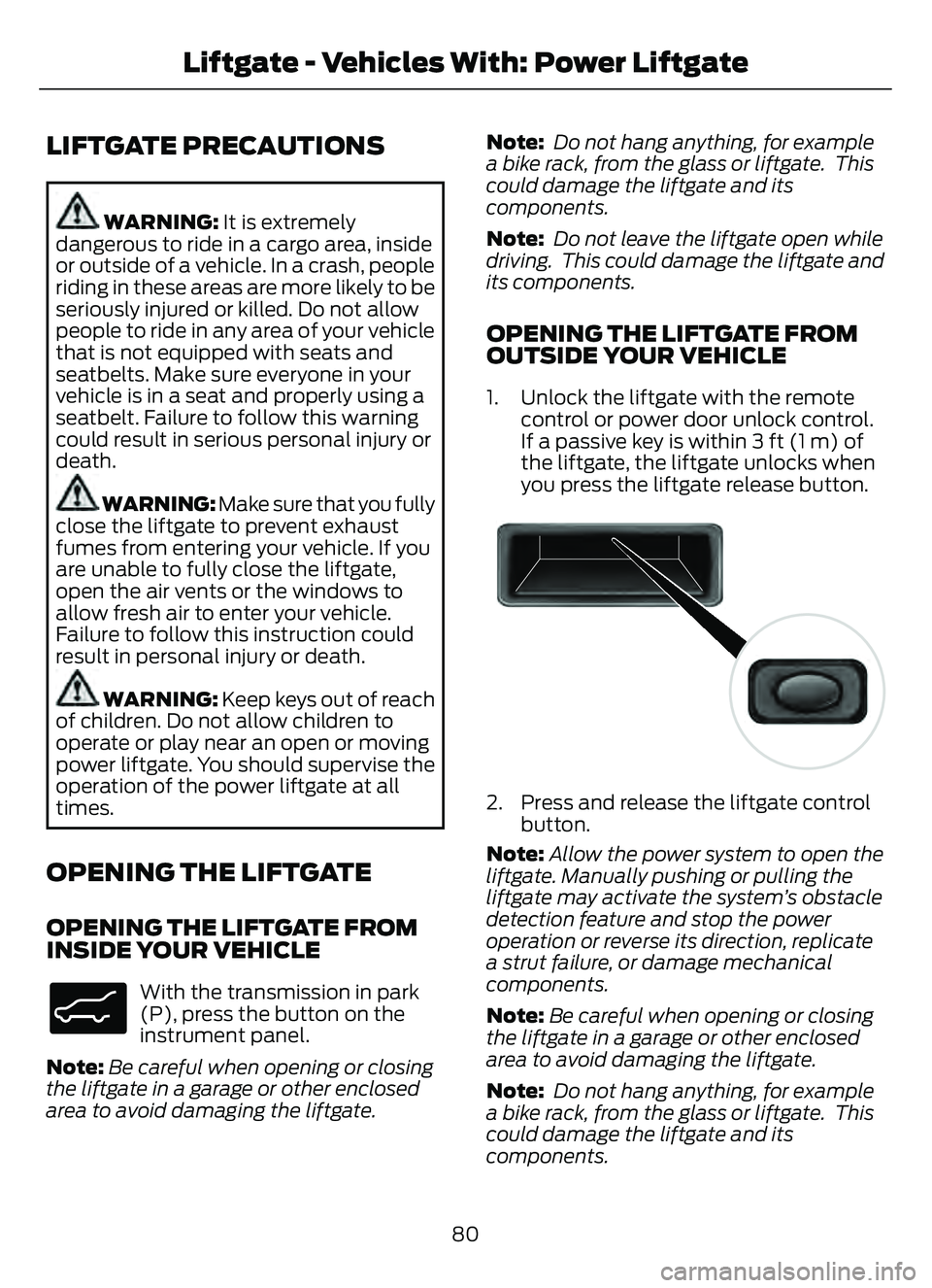
1. Unlock the liftgate with the remote control or power door unlock control.
If a passive key is within 3 ft (1 m) of
the liftgate, the liftgate unlocks when
you press the liftgate release button.
E138632
2. Press and release the liftgate controlbutton.
Note: Allow the power system to open the
liftgate. Manually pushing or pulling the
liftgate may activate the system’s obstacle
detection feature and stop the power
operation or reverse its direction, replicate
a strut failure, or damage mechanical
components.
Note: Be careful when opening or closing
the liftgate in a garage or other enclosed
area to avoid damaging the liftgate.
Note: Do not hang anything, for example
a bike rack, from the glass or liftgate. This
could damage the liftgate and its
components.
80
Liftgate - Vehicles With: Power Liftgate
Page 97 of 585
CHECKING THE WIPER
BLADES
E142463
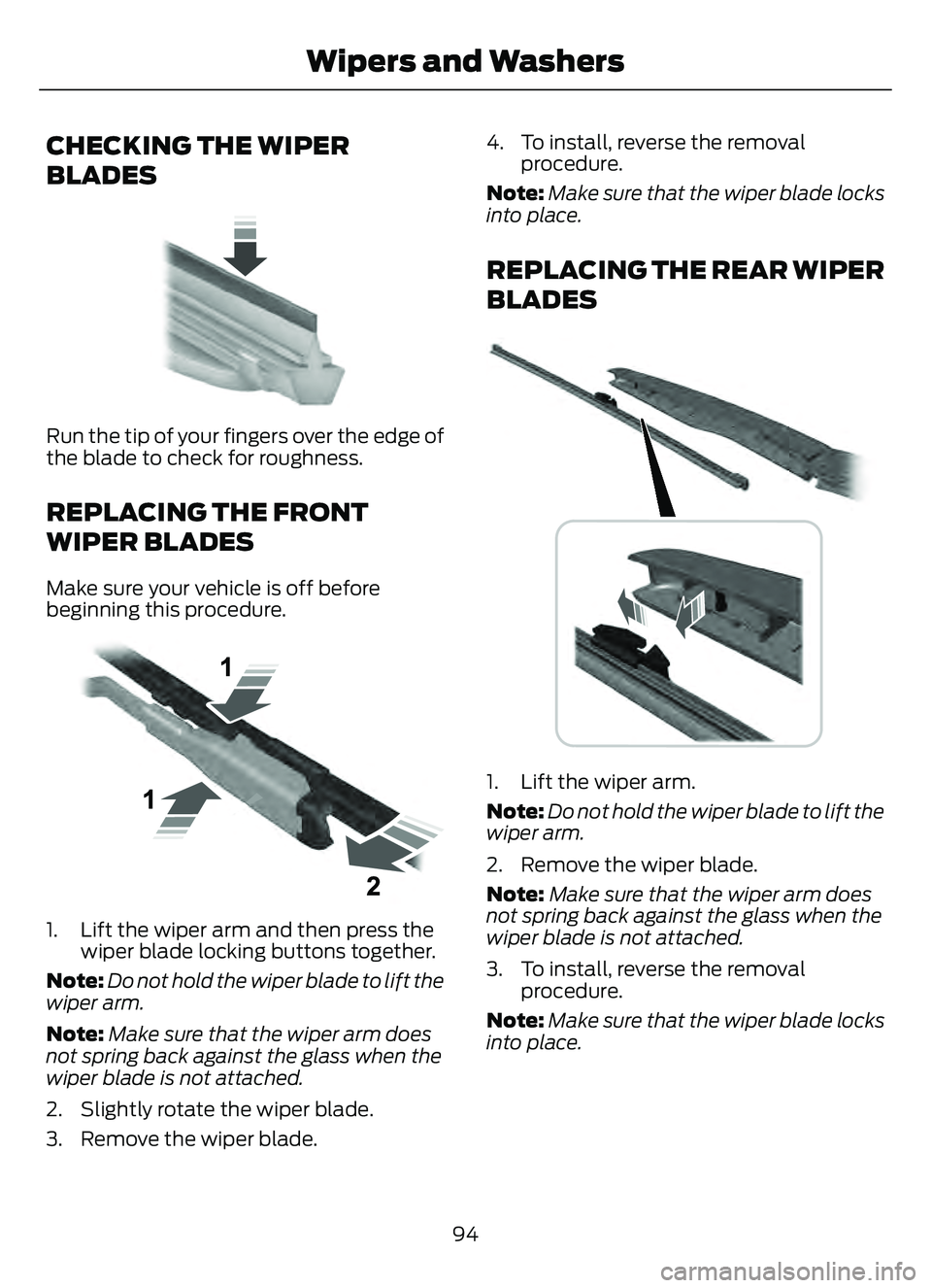
Run the tip of your fingers over the edge of
the blade to check for roughness.
REPLACING THE FRONT
WIPER BLADES
Make sure your vehicle is off before
beginning this procedure.
E1299990E1299990
1. Lift the wiper arm and then press thewiper blade locking buttons together.
Note: Do not hold the wiper blade to lift the
wiper arm.
Note: Make sure that the wiper arm does
not spring back against the glass when the
wiper blade is not attached.
2. Slightly rotate the wiper blade.
3. Remove the wiper blade. 4. To install, reverse the removal
procedure.
Note: Make sure that the wiper blade locks
into place.
REPLACING THE REAR WIPER
BLADES
E271380
1. Lift the wiper arm.
Note: Do not hold the wiper blade to lift the
wiper arm.
2. Remove the wiper blade.
Note: Make sure that the wiper arm does
not spring back against the glass when the
wiper blade is not attached.
3. To install, reverse the removal procedure.
Note: Make sure that the wiper blade locks
into place.
94
Wipers and Washers
Page 153 of 585
E144727
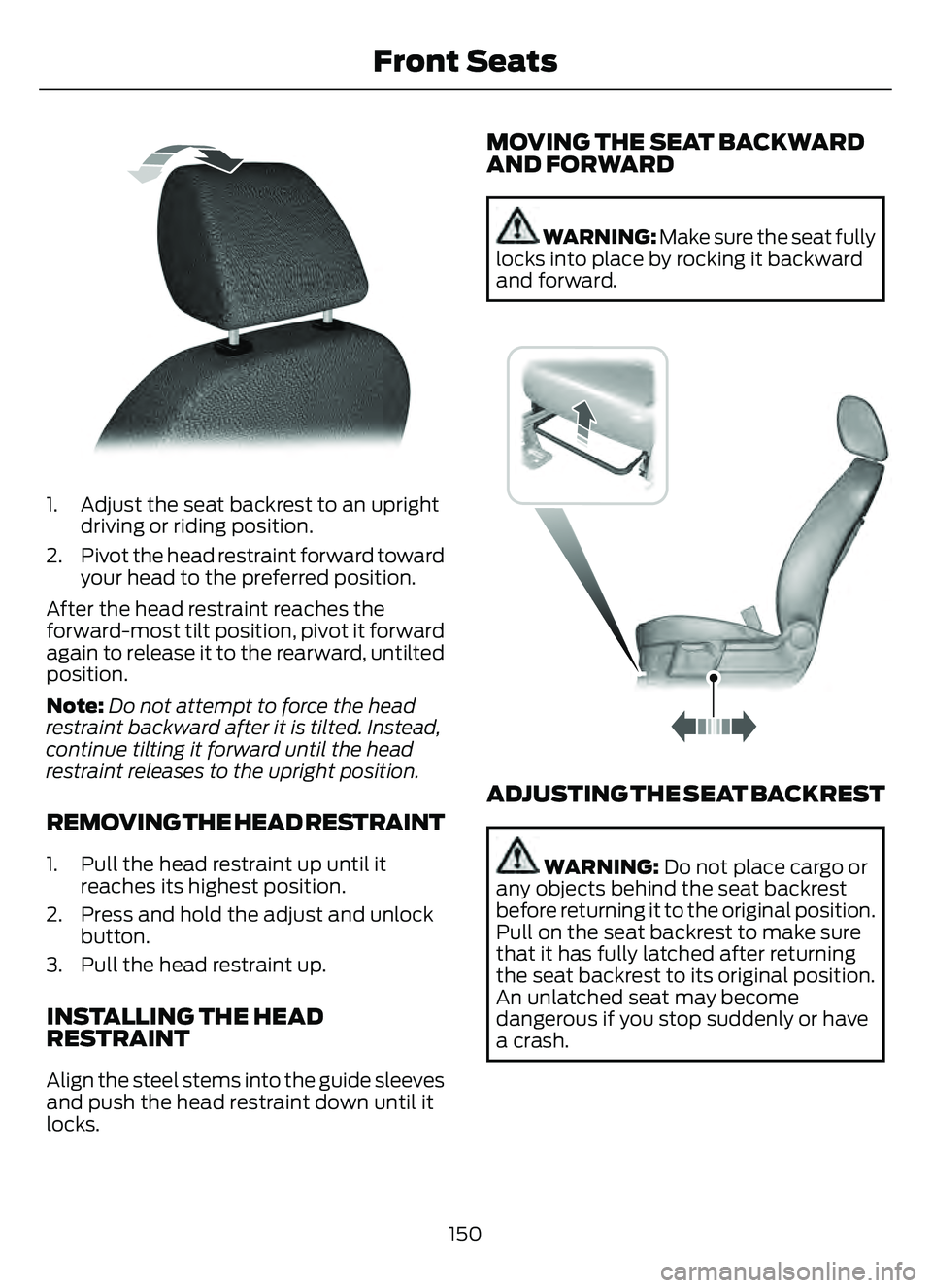
1. Adjust the seat backrest to an uprightdriving or riding position.
2. Pivot the head restraint forward toward your head to the preferred position.
After the head restraint reaches the
forward-most tilt position, pivot it forward
again to release it to the rearward, untilted
position.
Note: Do not attempt to force the head
restraint backward after it is tilted. Instead,
continue tilting it forward until the head
restraint releases to the upright position.
REMOVING THE HEAD RESTRAINT
1. Pull the head restraint up until it reaches its highest position.
2. Press and hold the adjust and unlock button.
3. Pull the head restraint up.
INSTALLING THE HEAD
RESTRAINT
Align the steel stems into the guide sleeves
and push the head restraint down until it
locks.
MOVING THE SEAT BACKWARD
AND FORWARD
WARNING: Make sure the seat fully
locks into place by rocking it backward
and forward.
E163870E163870
ADJUSTING THE SEAT BACKREST
WARNING: Do not place cargo or
any objects behind the seat backrest
before returning it to the original position.
Pull on the seat backrest to make sure
that it has fully latched after returning
the seat backrest to its original position.
An unlatched seat may become
dangerous if you stop suddenly or have
a crash.
150
Front Seats
Page 155 of 585
WARNING: Adjust the head
restraints for all passengers before you
drive your vehicle. This will help minimize
the risk of neck injury in the event of a
crash. Do not adjust the head restraints
when your vehicle is moving.
Note: Adjust the seat backrest to an upright
driving position before adjusting the head
restraint. Adjust the head restraint so that
the top of it is level with the top of your head
and as far forward as possible. Make sure
that you remain comfortable. If you are
extremely tall, adjust the head restraint to
its highest position.
Pull the head restraint up to raise it.
To lower the head restraint:
1. Press and hold the adjust and unlock button.
2. Push the head restraint down.
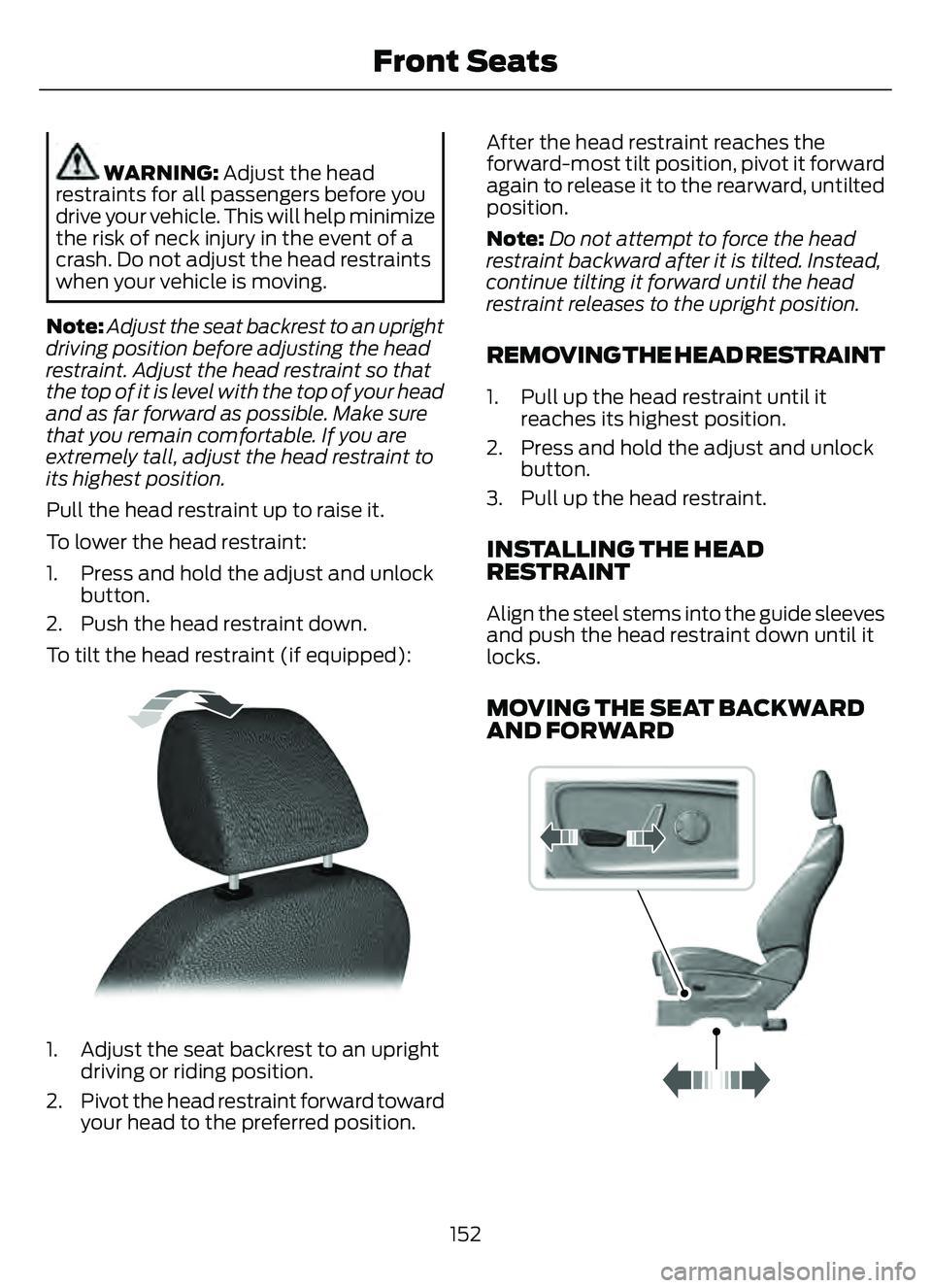
To tilt the head restraint (if equipped):
E144727
1. Adjust the seat backrest to an upright driving or riding position.
2. Pivot the head restraint forward toward your head to the preferred position. After the head restraint reaches the
forward-most tilt position, pivot it forward
again to release it to the rearward, untilted
position.
Note:
Do not attempt to force the head
restraint backward after it is tilted. Instead,
continue tilting it forward until the head
restraint releases to the upright position.
REMOVING THE HEAD RESTRAINT
1. Pull up the head restraint until it reaches its highest position.
2. Press and hold the adjust and unlock button.
3. Pull up the head restraint.
INSTALLING THE HEAD
RESTRAINT
Align the steel stems into the guide sleeves
and push the head restraint down until it
locks.
MOVING THE SEAT BACKWARD
AND FORWARD
989E298944
152
Front Seats
Page 157 of 585
HEATED SEATS (IF EQUIPPED)
HEATED SEAT PRECAUTIONS
WARNING: Use caution when using
the heated seat if you are unable to feel
pain to your skin because of advanced
age, chronic illness, diabetes, spinal cord
injury, medication, alcohol use,
exhaustion or other physical conditions.
The heated seat could cause burns even
at low temperatures, especially if used
for long periods of time. Failure to follow
this instruction could result in personal
injury.
WARNING: Do not poke sharp
objects into the seat cushion or seat
backrest. This could damage the heated
seat element and cause it to overheat.
Failure to follow this instruction could
result in personal injury.
WARNING: Do not place anything
on the seat that blocks the heat, for
example a seat cover or a cushion. This
could cause the seat to overheat. Failure
to follow this instruction could result in
personal injury.
Do not:
• Place heavy objects on the seat.
• Operate the heated seat if water or any other liquid spills on the seat. Allow the
seat to dry.
SWITCHING THE HEATED SEATS
ON AND OFF
The vehicle must be running to use this
feature.
E146322
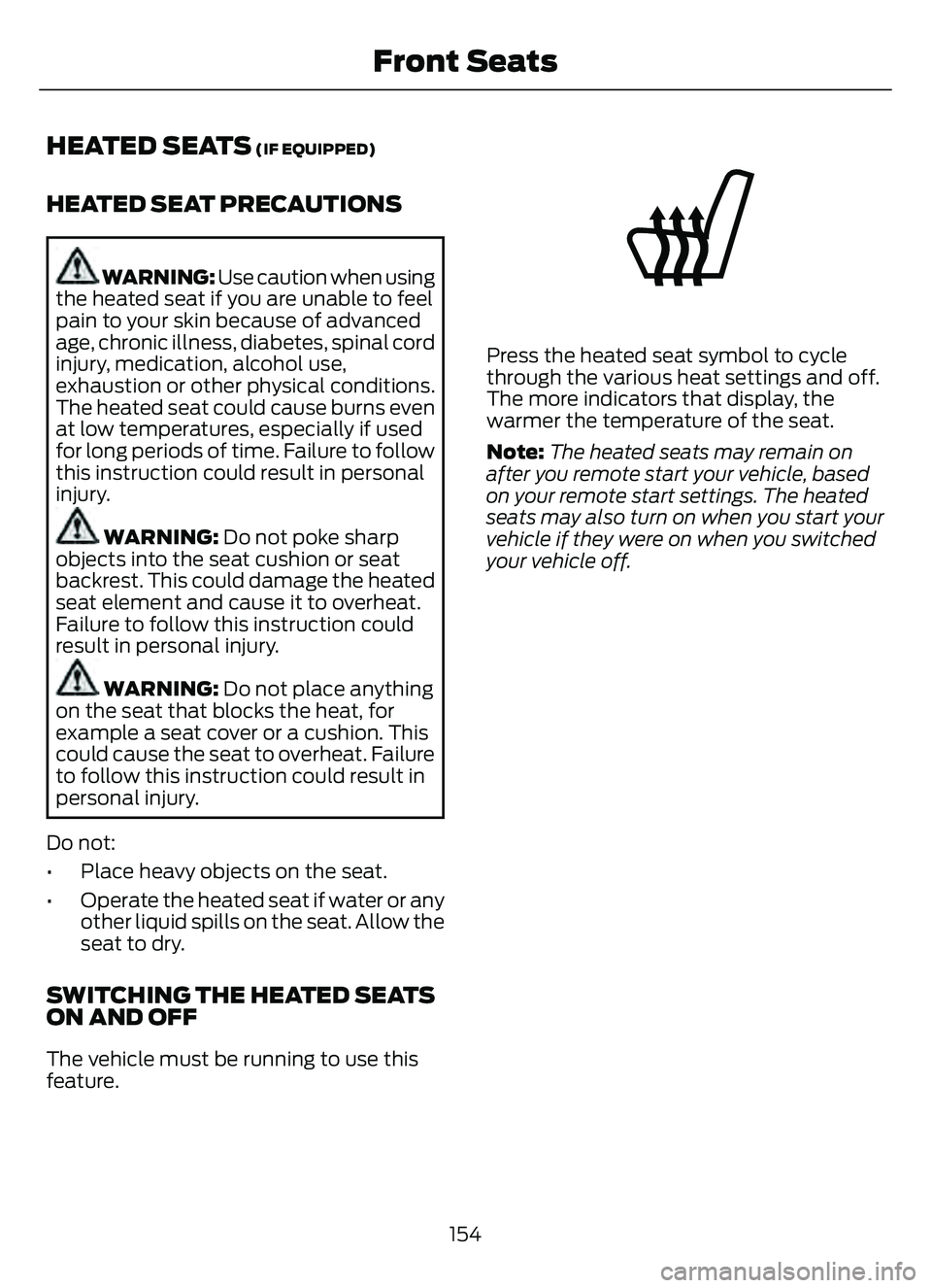
Press the heated seat symbol to cycle
through the various heat settings and off.
The more indicators that display, the
warmer the temperature of the seat.
Note: The heated seats may remain on
after you remote start your vehicle, based
on your remote start settings. The heated
seats may also turn on when you start your
vehicle if they were on when you switched
your vehicle off.
154
Front Seats
Page 159 of 585
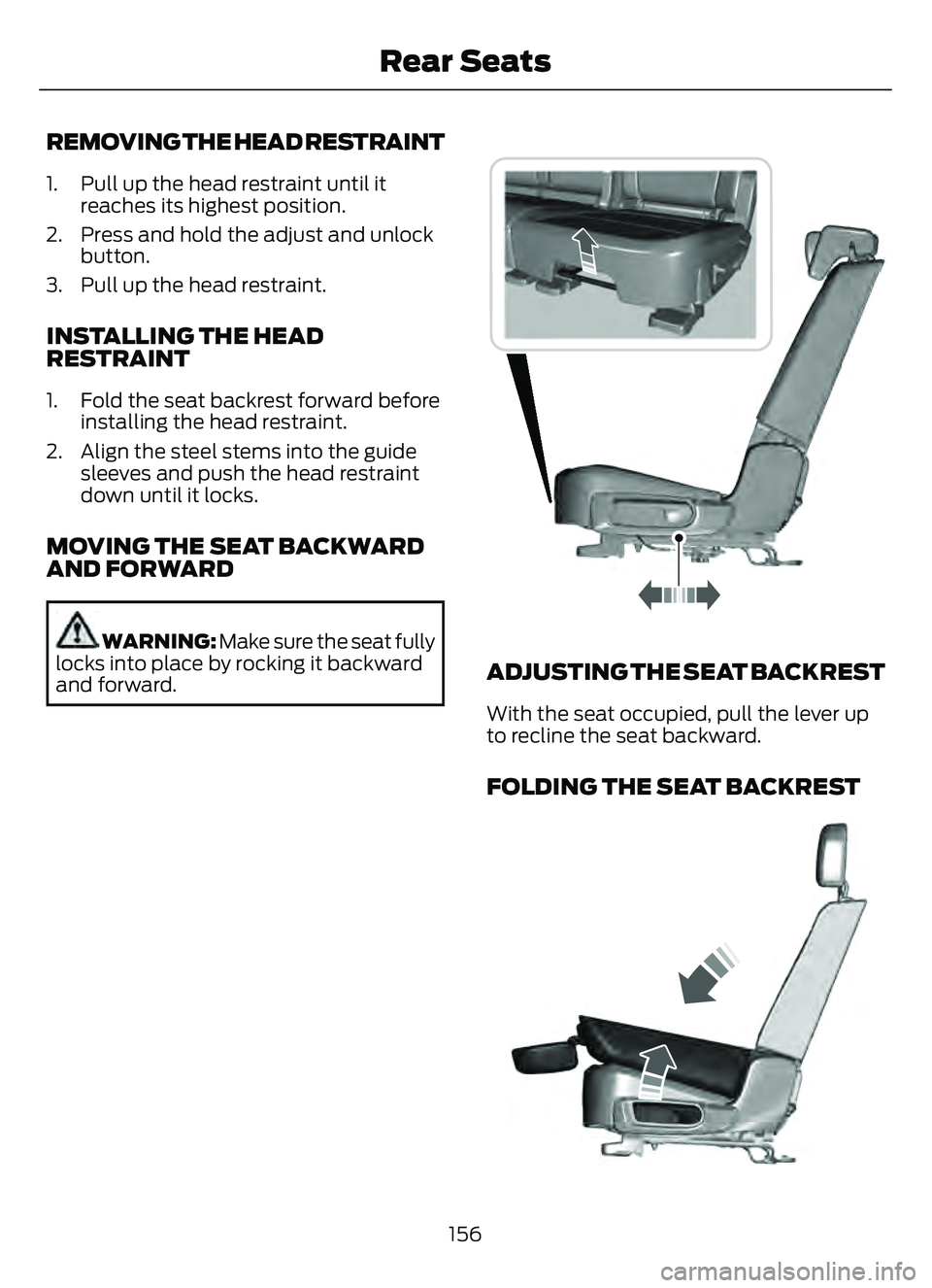
REMOVING THE HEAD RESTRAINT
1. Pull up the head restraint until itreaches its highest position.
2. Press and hold the adjust and unlock button.
3. Pull up the head restraint.
INSTALLING THE HEAD
RESTRAINT
1. Fold the seat backrest forward before installing the head restraint.
2. Align the steel stems into the guide sleeves and push the head restraint
down until it locks.
MOVING THE SEAT BACKWARD
AND FORWARD
WARNING: Make sure the seat fully
locks into place by rocking it backward
and forward.E298125E298125
ADJUSTING THE SEAT BACKREST
With the seat occupied, pull the lever up
to recline the seat backward.
FOLDING THE SEAT BACKREST
E3331247E3331247
156
Rear Seats
Page 165 of 585
WHAT IS THE GARAGE DOOR
OPENER
HomeLink Wireless Control
System
E18821E1882111
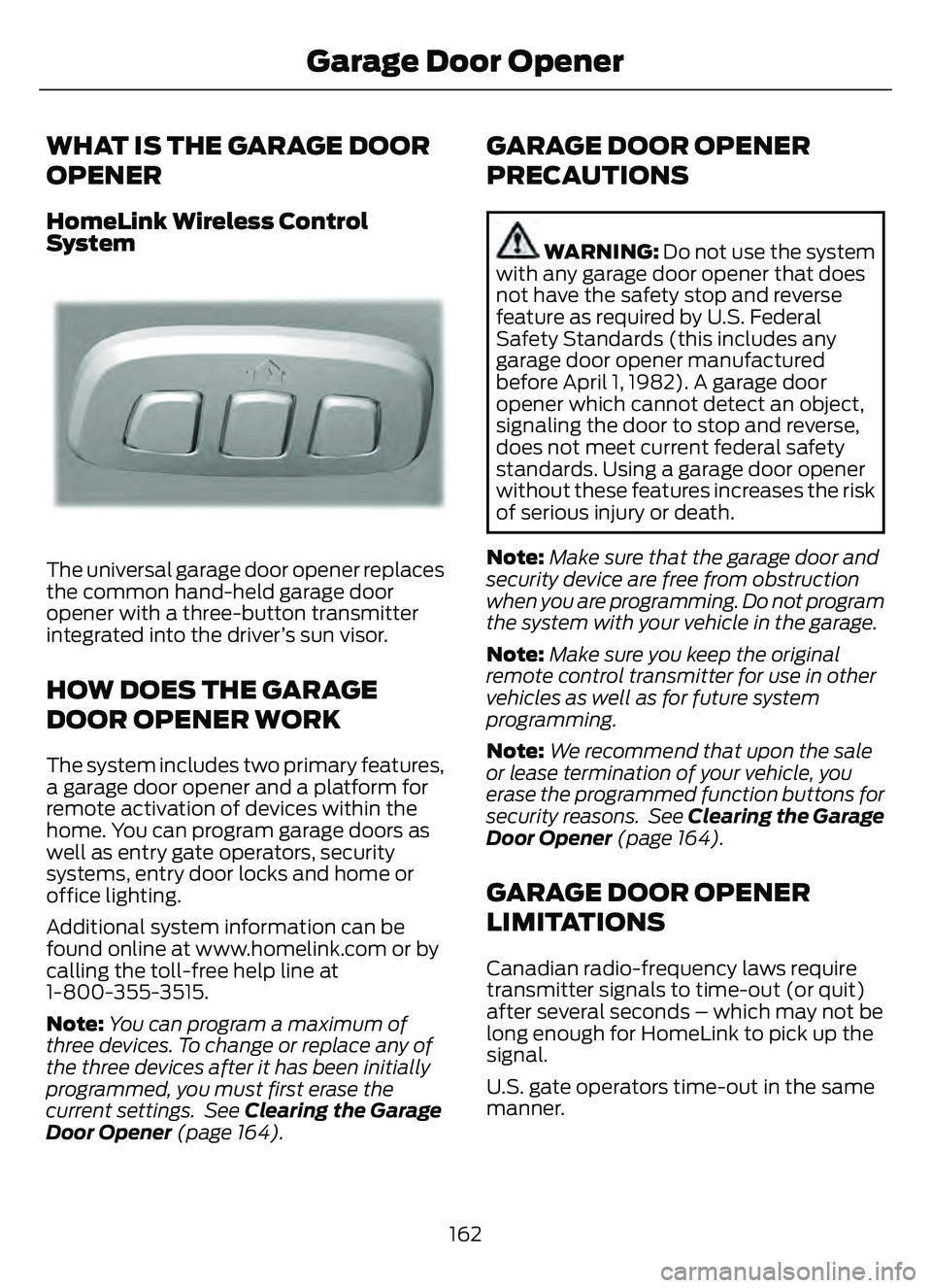
The universal garage door opener replaces
the common hand-held garage door
opener with a three-button transmitter
integrated into the driver’s sun visor.
HOW DOES THE GARAGE
DOOR OPENER WORK
The system includes two primary features,
a garage door opener and a platform for
remote activation of devices within the
home. You can program garage doors as
well as entry gate operators, security
systems, entry door locks and home or
office lighting.
Additional system information can be
found online at www.homelink.com or by
calling the toll-free help line at
1-800-355-3515.
Note:You can program a maximum of
three devices. To change or replace any of
the three devices after it has been initially
programmed, you must first erase the
current settings. See Clearing the Garage
Door Opener (page 164).
GARAGE DOOR OPENER
PRECAUTIONS
WARNING: Do not use the system
with any garage door opener that does
not have the safety stop and reverse
feature as required by U.S. Federal
Safety Standards (this includes any
garage door opener manufactured
before April 1, 1982). A garage door
opener which cannot detect an object,
signaling the door to stop and reverse,
does not meet current federal safety
standards. Using a garage door opener
without these features increases the risk
of serious injury or death.
Note: Make sure that the garage door and
security device are free from obstruction
when you are programming. Do not program
the system with your vehicle in the garage.
Note: Make sure you keep the original
remote control transmitter for use in other
vehicles as well as for future system
programming.
Note: We recommend that upon the sale
or lease termination of your vehicle, you
erase the programmed function buttons for
security reasons. See Clearing the Garage
Door Opener (page 164).
GARAGE DOOR OPENER
LIMITATIONS
Canadian radio-frequency laws require
transmitter signals to time-out (or quit)
after several seconds – which may not be
long enough for HomeLink to pick up the
signal.
U.S. gate operators time-out in the same
manner.
162
Garage Door Opener
Page 212 of 585
AUTOMATIC TRANSMISSION
PRECAUTIONS
WARNING: When your vehicle is
stationary, keep the brake pedal fully
pressed when shifting gears. Failure to
follow this instruction could result in
personal injury, death or property
damage.
WARNING: Do not apply the brake
pedal and accelerator pedal
simultaneously. Applying both pedals
simultaneously for more than a few
seconds will limit power, which may
result in difficulty maintaining speed in
traffic and could lead to serious injury.
WARNING: Apply the parking
brake, shift into park (P), switch the
vehicle off and remove the key or remote
control before you leave your vehicle.
Failure to follow this instruction could
result in personal injury or death.
Note: You may not be able to shift out of
park (P) unless the intelligent access key is
inside your vehicle.
AUTOMATIC TRANSMISSION
POSITIONS
PARK (P)
WARNING: Move the transmission
selector lever to park (P) only when your
vehicle is stationary.
This position locks the driveline. Come to
a complete stop before shifting into and
out of park (P). The electric parking brake could apply
when you shift to park (P) without the
brake pedal fully pressed. The electric
parking brake applies when you shift to
park (P) on large slopes. The electric
parking brake releases with the drive away
release function. See Electric Parking
Brake (page 220).
Note:
A tone sounds if you attempt to exit
your vehicle without the transmission in park
(P).
Note: Your vehicle may not shift out of park
(P) if the vehicle battery has run out of
charge. See Jump Starting the Vehicle
(page 310).
Note: Your vehicle may not shift out of park
(P) if a fuse is blown. See Fuses (page 319).
Note: Your vehicle may not shift out of park
(P) unless the key or remote control is inside
your vehicle.
Note: Your vehicle shifts into park (P) if you
attempt to exit your vehicle without the
transmission in park (P). See How Does
Automatic Return to Park (P) Work (page
212).
Note: If you shift into park (P) without fully
pressing the brake, the parking brake could
apply. If you shift into park (P) on a slope,
the parking brake could apply. See
Automatically Releasing the Electric
Parking Brake (page 221).
Note: You can start your vehicle in this
position.
Note: A tone could sound when you select
park (P).REVERSE (R)
WARNING: Move the transmission
selector lever to reverse (R) only when
your vehicle is stationary and the engine
is at idle speed.
209
Automatic Transmission
Page 249 of 585
A message displays if something obstructs
the camera or the sensor. When something
blocks the sensor, the system cannot
detect a vehicle ahead and does not
function. See Adaptive Cruise Control
– Information Messages (page 254).
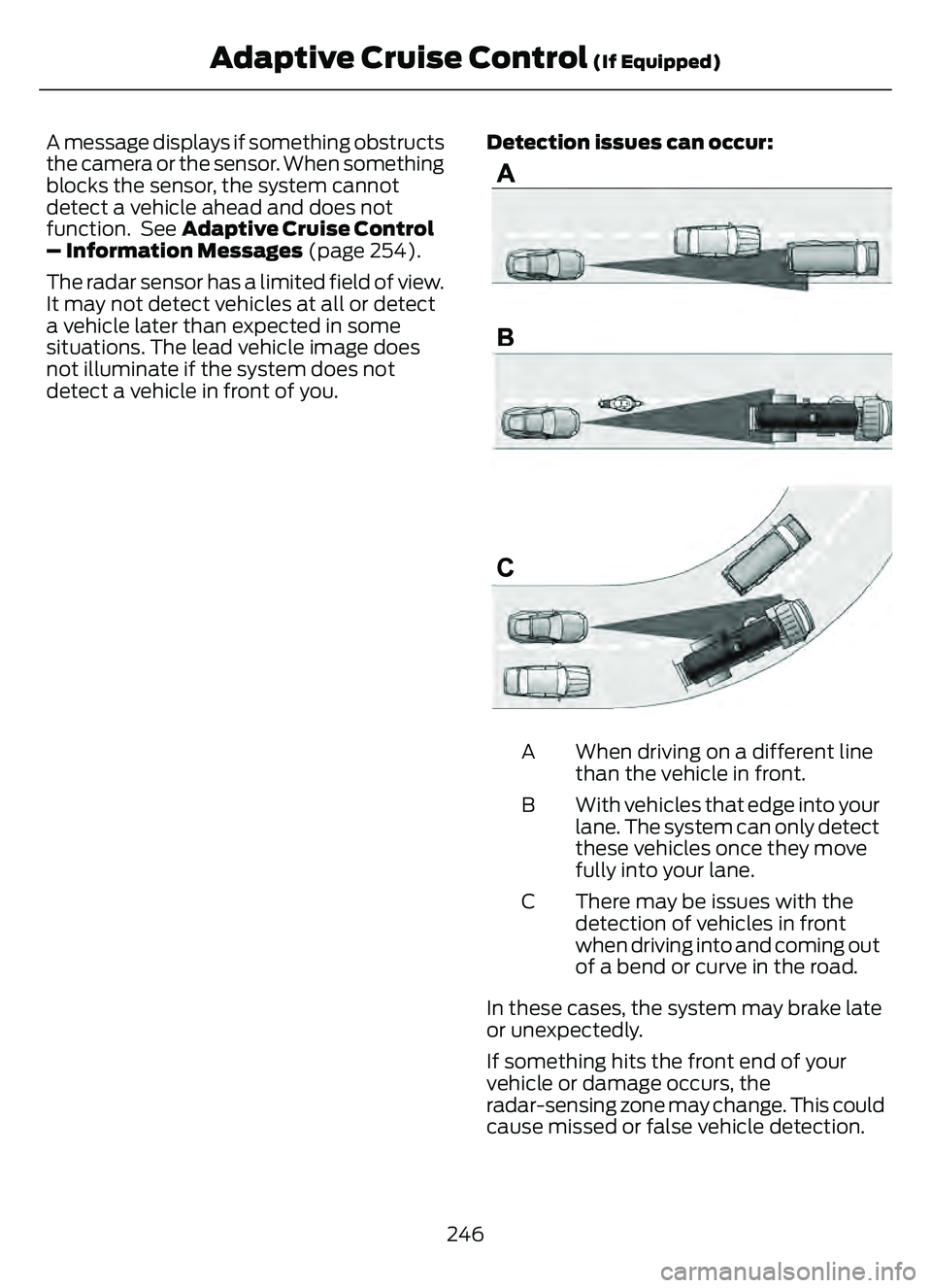
The radar sensor has a limited field of view.
It may not detect vehicles at all or detect
a vehicle later than expected in some
situations. The lead vehicle image does
not illuminate if the system does not
detect a vehicle in front of you.Detection issues can occur:
E71621
When driving on a different line
than the vehicle in front.
A
With vehicles that edge into your
lane. The system can only detect
these vehicles once they move
fully into your lane.
B
There may be issues with the
detection of vehicles in front
when driving into and coming out
of a bend or curve in the road.
C
In these cases, the system may brake late
or unexpectedly.
If something hits the front end of your
vehicle or damage occurs, the
radar-sensing zone may change. This could
cause missed or false vehicle detection.
246
Adaptive Cruise Control (If Equipped)
Page 305 of 585
WHAT IS THE MAXIMUM LOADED
TRAILER WEIGHT
The maximum loaded trailer
weight is the highest possible
weight of a fully loaded trailer the
vehicle can tow.
CALCULATING THE MAXIMUM
LOADED TRAILER WEIGHT FOR
YOUR VEHICLE
1. Start with the gross combinedweight rating for your vehicle
model and axle ratio.
2. Subtract all of the following that apply to your vehicle:
• Vehicle curb weight.
• Hitch hardware weight, for example a draw bar, ball, locks
or weight distributing hardware.
• Driver weight.
• Passenger weight.
• Payload, cargo and luggage weight.
• Aftermarket equipment weight.
This equals the maximum loaded
trailer weight for this combination.
Note: The trailer tongue load is
considered part of the payload for
your vehicle. Reduce the total
payload by the final trailer tongue
weight.
Note: Consult an authorized dealer
to determine the maximum trailer
weight allowed for your vehicle if
you are not sure.
302
Towing a Trailer