power steering FORD ESCAPE 2022 Owner's Manual
[x] Cancel search | Manufacturer: FORD, Model Year: 2022, Model line: ESCAPE, Model: FORD ESCAPE 2022Pages: 585, PDF Size: 6.15 MB
Page 354 of 585
Note:If your vehicle has an engine cover
remove the cover before application of
shampoo and degreaser.
• Spray an approved engine shampoo and degreaser on all parts that require
cleaning and rinse with water.
CLEANING STRIPES OR
GRAPHICS
It is recommended to wash your vehicle by
hand however, pressure washing may be
used under the following conditions:
• Use a spray with a 40° wide sprayangle pattern.
• Keep the nozzle at a 12 in (305 mm) distance and 90° angle to your
vehicle's surface.
• Do not use water pressure higher than 2,000 psi (14,000 kPa).
• Do not use water hotter than 179°F (82°C).
Note: Holding the pressure washer nozzle
at an angle to the vehicle's surface may
damage graphics and cause the edges to
peel away from the vehicle's surface.
CLEANING CAMERA LENSES AND
SENSORS
We recommend that you only use
lukewarm or cold water and a soft cloth
to clean the camera lens and sensors.
Note: Do not pressure wash camera lens
and sensors.
CLEANING THE UNDERBODY
Flush the complete underside of your
vehicle frequently. Keep body and door
drain holes free from packed dirt. Rear suspension components may require
regular cleaning with a power washer or a
thorough rinse with a strong stream of
water if the vehicle is operated in dusty or
muddy environments. Rear leaf springs or
other suspension components may emit
squeaking or popping noises while
operating the vehicle if particles, such as
dirt, rocks, or other debris, are present in
the components.
CLEANING THE INTERIOR
CLEANING THE INSTRUMENT
PANEL
WARNING: Do not use chemical
solvents or strong detergents when
cleaning the steering wheel or
instrument panel to avoid contamination
of the airbag system.
We recommend that you only clean the
instrument panel and cluster lens with a
damp soft cloth. Dry the area with a clean,
soft cloth.
For additional information and assistance,
we recommend that you contact an
authorized dealer.
Note: Avoid cleaners or polishes that
increase the gloss of the upper portion of
the instrument panel. The dull finish in this
area helps protect you from undesirable
windshield reflection.
CLEANING PLASTIC
We recommend that you only use a mild
soap and water solution on a soft cloth.
Dry the area with a clean, soft cloth.
351
Vehicle Care
Page 370 of 585
WARNING: Remember that even
advanced technology cannot defy the
laws of physics. It's always possible to
lose control of a vehicle due to
inappropriate driver input for the
conditions. Aggressive driving on any
road condition can cause you to lose
control of your vehicle increasing the risk
of personal injury or property damage.
Activation of the electronic stability
control system is an indication that at
least some of the tires have exceeded
their ability to grip the road; this could
reduce the operator's ability to control
the vehicle potentially resulting in a loss
of vehicle control, vehicle rollover,
personal injury and death.
WARNING: Wheels and tires must
be the same size, load index and speed
rating as those originally fitted on the
vehicle. Use of any other tire or wheel
can affect the safety and performance
of your vehicle. Additionally, the use of
non-recommended tires and wheels can
cause steering, suspension, axle, transfer
case or power transfer unit failure.
Follow the recommended tire inflation
pressures found on the Safety
Compliance Certification label, or the
Tire Label on the B-Pillar or the edge of
the driver door. Failure to follow this
instruction could result in loss of vehicle
control, vehicle rollover, or personal injury
or death.
The tires on your vehicle could have
all-weather treads to provide traction in
rain and snow. In some climates you will
need to use snow tires and chains on your
vehicle in emergency situations or if
required by law.
Note: The suspension insulation and
bumpers will help prevent vehicle damage.
Do not remove these components from your
vehicle when using snow tires and chains. Note:
Driving too fast for road conditions
creates the possibility of loss of vehicle
control. Driving at very high speeds for
extended periods of time may result in
damage to vehicle components.
Follow these guidelines when using snow
tires and chains:
• Chains may damage aluminum wheels.
• Use ultra low profile cables, 10 mm or less in dimension as measured on the
sidewall of your tire, only with
225/60R18 all season tires.
• Do not use snow chains or cables with 225/55R19, or 245/45R20.
• Not all S-class snow chains or cables meet these restrictions. Chains of this
size restriction will include a tensioning
device.
• Purchase chains or cables from a manufacturer that clearly labels body
to tire dimension restrictions. The snow
chains or cables must be mounted in
pairs on the rear tires only.
• When driving with snow chains do not exceed 30 mph (50 km/h) or the
maximum speed recommended by the
chain manufacturer, whichever is less.
• Install cables securely, verifying that the cables do not touch any wiring or
brake lines.
• Drive cautiously. If you hear the cables rub or bang against the vehicle, stop
and retighten them. If this does not
work, remove the cables to prevent
vehicle damage.
• Remove the tire chains when they are no longer needed. Do not use tire
chains on dry roads.
If you have any questions regarding snow
chains or cables, please contact your
authorized dealer.
367
Wheel and Tire Information
Page 465 of 585
Note:Cabin conditioning can perform
differently depending on if you plug in with
the included convenience cord or a higher
power charging station. The power available
for conditioning is limited to the charging
station power available.
Note: Your vehicle may not always reach
the set cabin temperature due to charging
and ambient temperature conditions. This
is normal operation.
APPS
The system allows you interact with select
mobile apps while keeping your eyes on
the road. Voice commands, your steering
wheel buttons, or a quick tap on your
touchscreen give you advanced control of
compatible mobile apps. You can also
stream your favorite music or podcasts,
share your time of arrival with friends, and
keep connected safely.
When you start an app through the system
for the first time, you could be asked to
grant certain permissions. You can review
and change the permissions that you have
granted at any time when your vehicle is
not moving. We recommend that you
check your data plan before using your
apps through the system. Using them
could result in additional charges. We also
recommend that you check the app
provider's terms and conditions and
privacy policy before using their app. Make
sure that you have an active account for
apps that you want to use through the
system. Some apps will work with no
setup. Others require you to configure
some personal settings before you can use
them.
Note: For more information about available
apps, visit catalog.ford.com.
Using Apps on an iOS Device
Select the apps option on the
feature bar.
1. If your device is connected via USB, switch Apple CarPlay off. See Phone
(page 450).
2. Connect your device to a USB port or pair and connect using Bluetooth.
3. If prompted to enable CarPlay, select Disable.
4. Start the apps on your device that you want to use through SYNC.
Note: If you close the apps on your device,
you will not be able to use them through the
system.
5. Select the app that you want to use on the touchscreen.
Note: Connect your device to a USB port if
you want to use a navigation app. When
using a navigation app, keep your device
unlocked and the app open.
Using Apps on an Android Device
Select the apps option on the
feature bar.
1. If your device is connected via USB, switch Android Auto off. See Phone
(page 450).
2. Pair your device. See Phone (page 450).
3. Start the apps on your device that you want to use through SYNC.
Note: If you close the apps on your device,
you will not be able to use them through the
system.
4. Select Find Mobile Apps.
Note: The system searches and connects
to compatible apps that are running on your
device.
5. Select the app that you want to use on the touchscreen.
462
SYNC™ 3 (If Equipped)
Page 571 of 585
Customizing the Instrument ClusterDisplay - Vehicles With: 4.2 Inch
Instrument Cluster Display
Screen............................................................124
Customizing the Instrument Cluster Display - Vehicles With: 6.5 Inch
Instrument Cluster Display Screen/ 12.3
Inch Instrument Cluster Display
Screen............................................................124
D
Data Privacy......................................................22
Declaration of Conformity........................561
Department of Transportation UniformTire Quality Grades...................................357
Digital Radio...................................................412
Digital Radio Indicators....................................413
Digital Radio Limitations.................................413
How Does Digital Radio Work........................412
Switching Digital Radio Reception On and
Off.....................................................................\
...413
What Is Digital Radio.........................................412
Disposing of Airbags.....................................55
Distance Alert................................................278
Adjusting the Sensitivity of Distance Alert....................................................................278
What Is Distance Alert.....................................278
Distance Indication......................................276Distance Indication Indicator.........................278
Switching Distance Indication On and Off.......................................................................2\
78
What Is Distance Indication...........................276
Doors and Locks Audible Warnings..........71
Doors and Locks.............................................69
Autolock...................................................................70\
Autounlock.............................................................70
Doors and Locks – Troubleshooting...............71
Mislock.....................................................................70
Operating the Doors From Inside Your Vehicle.................................................................69
Operating the Doors From Outside Your Vehicle.................................................................69
Doors and Locks – Troubleshooting........71Doors and Locks – Frequently AskedQuestions............................................................72
Doors and Locks – Information Messages.............................................................71 Doors and Locks – Warning Lamps................71
Drive Belt Routing Overview - 1.5L
EcoBoost™................................................340
Drive Belt Routing Overview - 2.0L EcoBoost™..................................................341
Drive Mode Control......................................257
Drive Modes.........................................................258
Plug-In Hybrid Electric Vehicle Drive
Modes...............................................................259
Drive Modes...................................................258Deep Snow/Sand..............................................258
Eco........................................................................\
..258
Normal...................................................................258
Slippery.................................................................258
Sport....................................................................\
...258
Driver Alert......................................................282Driver Alert – Troubleshooting.....................283Driver Alert Indicators................................283
Driver Alert Limitations..............................282
Driver Alert Precautions............................282
Driver Alert – Troubleshooting...............283
Driver Alert – Information Messages..........283Driving Economically.................................304
Driving Hints..................................................304
Driving in Special Conditions........................304Driving in Special Conditions..................304Driving In Sand...................................................306
Driving on Hilly or Sloping Terrain...............305
Driving Through Mud and Water.................304
Emergency Maneuvers....................................304
Driving Through Shallow Water............306
E
Easy Entry and Exit.........................................77
Electric Parking Brake AudibleWarning..........................................................221
Electric Parking Brake................................220
Electric Parking Brake –
Troubleshooting .............................................221
Electric Parking Brake –
Troubleshooting.........................................221
Electric Parking Brake – Information
Messages..........................................................222
Electric Parking Brake – Warning Lamps.................................................................22\
1
Electric Power Steering.............................229Electric Power Steering Precautions..........229
568
Index
Page 579 of 585
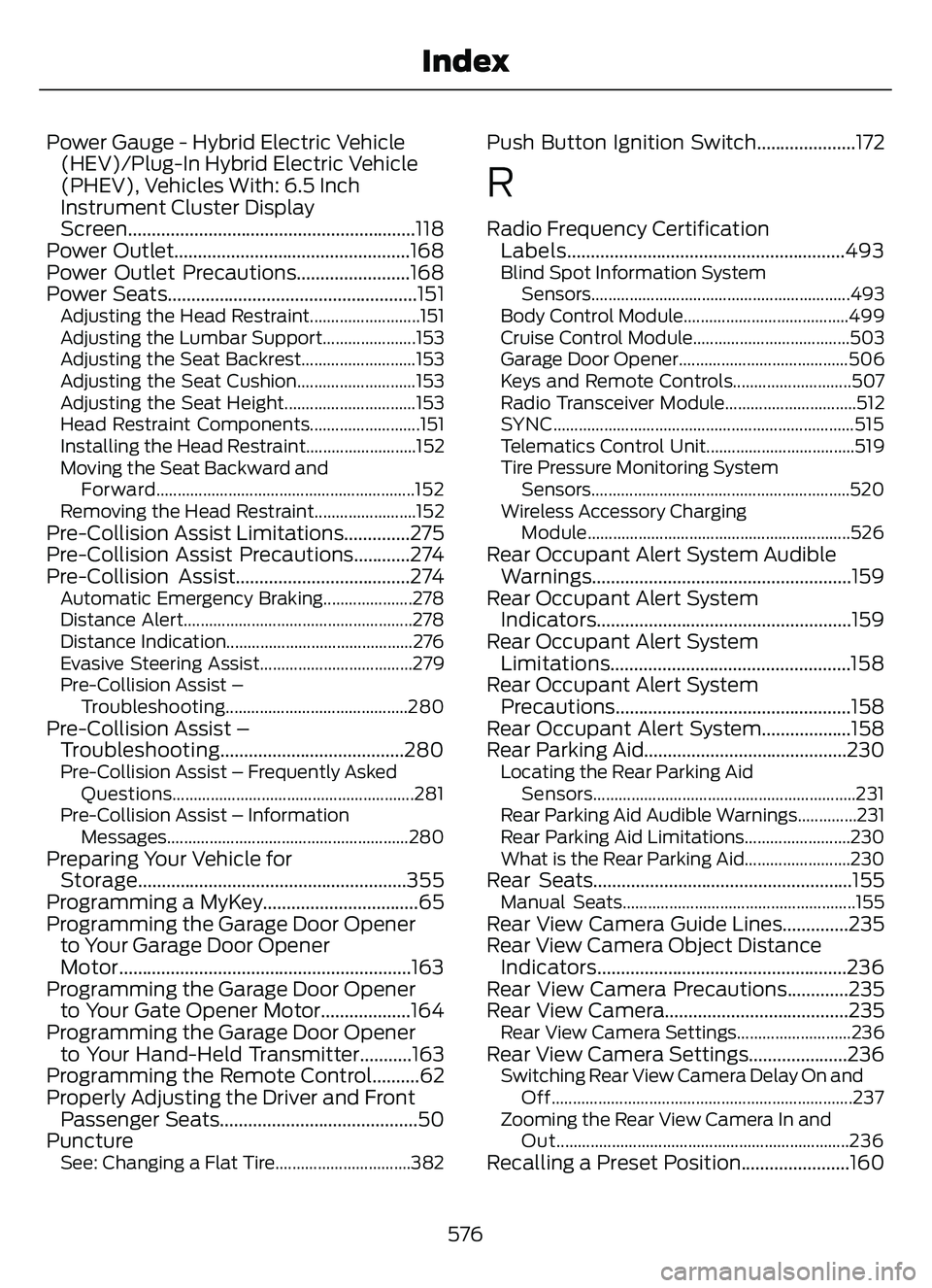
Power Gauge - Hybrid Electric Vehicle(HEV)/Plug-In Hybrid Electric Vehicle
(PHEV), Vehicles With: 6.5 Inch
Instrument Cluster Display
Screen.............................................................118
Power Outlet..................................................168
Power Outlet Precautions........................168
Power Seats.....................................................151
Adjusting the Head Restraint..........................151
Adjusting the Lumbar Support......................153
Adjusting the Seat Backrest...........................153
Adjusting the Seat Cushion............................153
Adjusting the Seat Height...............................153
Head Restraint Components..........................151
Installing the Head Restraint..........................152
Moving the Seat Backward and
Forward.............................................................152
Removing the Head Restraint........................152
Pre-Collision Assist Limitations..............275
Pre-Collision Assist Precautions............274
Pre-Collision Assist.....................................274
Automatic Emergency Braking.....................278
Distance Alert......................................................278
Distance Indication............................................276
Evasive Steering Assist....................................279
Pre-Collision Assist – Troubleshooting...........................................280
Pre-Collision Assist –Troubleshooting.......................................280
Pre-Collision Assist – Frequently Asked
Questions.........................................................281
Pre-Collision Assist – Information Messages.........................................................280
Preparing Your Vehicle forStorage.........................................................355
Programming a MyKey.................................65
Programming the Garage Door Opener to Your Garage Door Opener
Motor..............................................................163
Programming the Garage Door Opener to Your Gate Opener Motor...................164
Programming the Garage Door Opener to Your Hand-Held Transmitter...........163
Programming the Remote Control..........62
Properly Adjusting the Driver and Front Passenger Seats..........................................50
Puncture
See: Changing a Flat Tire................................382
Push Button Ignition Switch.....................172
R
Radio Frequency Certification Labels...........................................................493
Blind Spot Information System
Sensors.............................................................493
Body Control Module.......................................499
Cruise Control Module.....................................503
Garage Door Opener........................................506
Keys and Remote Controls............................507
Radio Transceiver Module...............................512
SYNC.......................................................................5\
15
Telematics Control Unit...................................519
Tire Pressure Monitoring System Sensors.............................................................520
Wireless Accessory Charging Module.............................................................. 526
Rear Occupant Alert System Audible
Warnings.......................................................159
Rear Occupant Alert System Indicator s......................................................159
Rear Occupant Alert System Limitations...................................................158
Rear Occupant Alert System Precautions..................................................158
Rear Occupant Alert System...................158
Rear Parking Aid...........................................230
Locating the Rear Parking Aid
Sensors..............................................................231
Rear Parking Aid Audible Warnings..............231
Rear Parking Aid Limitations.........................230
What is the Rear Parking Aid.........................230
Rear Seats.......................................................155Manual Seats.......................................................155Rear View Camera Guide Lines..............235
Rear View Camera Object Distance Indicators.....................................................236
Rear View Camera Precautions.............235
Rear View Camera.......................................235
Rear View Camera Settings...........................236Rear View Camera Settings.....................236Switching Rear View Camera Delay On and
Off.......................................................................2\
37
Zooming the Rear View Camera In and Out.....................................................................236
Recalling a Preset Position.......................160
576
Index
Page 582 of 585

Starting a Gasoline Engine..............................172
Starting a Hybrid Electric VehicleSystem...............................................................173
Steering...........................................................229Electric Power Steering...................................229
Steering – Troubleshooting...........................229
Steering – Troubleshooting.....................229Steering – Information Messages...............229Steering Wheel................................................91
Stopping the Engine....................................184
Stopping the Engine When Your Vehicle isMoving................................................................175
Stopping the Engine When Your Vehicle is Stationary..........................................................175
Stopping the Liftgate Movement............84
Storage.............................................................170
Cup Holders..........................................................170
Glasses Holder.....................................................170
Storing Your Vehicle....................................355
Sunroof
See: Moonroof.....................................................109Switching Active Park Assist On andOff..................................................................238
Switching Adaptive Cruise Control On and Off..........................................................247
Switching All of the Interior Lamps On and Off..........................................................103
Switching Auto Hold On and Off...........224
Switching Auto-Start-Stop On and Off...................................................................184
Switching Blind Spot Information System On and Off..................................268
Switching Cross Traffic Alert On and Off....................................................................271
Switching Cruise Control On and Off...................................................................242
Switching Driver Alert On and Off.........282
Switching Easy Entry and Exit On and Off......................................................................77
Switching From Adaptive Cruise Control to Cruise Control.......................................250
Switching Pre-Collision Assist On and Off...................................................................275
Switching Rear Occupant Alert System On and Off...................................................158
Switching Repeat Mode On and Off...................................................................410 Switching Shuffle Mode On and
Off...................................................................410
Switching Stability Control On and Off...................................................................22\
8
Switching the Audio Unit On and Off...................................................................410
Switching the Front Interior Lamps On and Off..........................................................103
Switching the Hazard Flashers On and Off...................................................................310
Switching the Head Up Display On and Off.....................................................................131
Switching the Heated Steering Wheel On and Off......................................................91
Switching the Lane Keeping System Mode..............................................................262
Switching the Lane Keeping System On and Off..........................................................262
Switching the Rear Interior Lamps On and Off..........................................................103
Switching the Rear Window Wiper On and Off............................................................93
Switching Traction Control On and Off...................................................................225
Switching Trailer Sway Control On and Off..................................................................303
Symbols Glossary...........................................19
Symbols Used on Your Vehicle..................19
SYNC™ 3.........................................................431
General Information..........................................431SYNC™ 3 Troubleshooting.....................466
SYNC™ Applications and Services.......419
SYNC™............................................................415
General Information..........................................415SYNC™ Troubleshooting..........................421
T
Tachometer - Excluding: Hybrid Electric Vehicle (HEV)/Plug-In Hybrid Electric
Vehicle (PHEV)............................................117
Technical Specifications
See: Capacities and Specifications............387Temporary Neutral Mode............................211Entering Temporary Neutral Mode................211
Exiting Temporary Neutral Mode...................211
Temporary Neutral Mode Limitations..........211
What Is Temporary Neutral Mode.................211
579
Index