change time FORD ESCAPE 2022 Owners Manual
[x] Cancel search | Manufacturer: FORD, Model Year: 2022, Model line: ESCAPE, Model: FORD ESCAPE 2022Pages: 585, PDF Size: 6.15 MB
Page 2 of 585
The information contained in this publication was correct at the time of going to print. In the interest of
continuous development, we reserve the right to change specifications, design or equipment at any time
without notice or obligation. No part of this publication may be reproduced, transmitted, stored in a
retrieval system or translated into any language in any form by any means without our written permission.
Errors and omissions excepted.
© Ford Motor Company 2021
All rights reserved.
Part Number: 20210825141848
California Proposition 65
WARNING: Operating, servicing and
maintaining a passenger vehicle or off-highway
motor vehicle can expose you to chemicals
including engine exhaust, carbon monoxide,
phthalates, and lead, which are known to the
State of California to cause cancer and birth
defects or other reproductive harm. To minimize
exposure, avoid breathing exhaust, do not idle the
engine except as necessary, service your vehicle
in a well-ventilated area and wear gloves or wash
your hands frequently when servicing your vehicle.
For more information go to
www.P65Warnings.ca.gov/passenger-vehicle.
WARNING: Battery posts, terminals and
related accessories contain lead and lead
compounds, chemicals known to the State of
California to cause cancer and reproductive harm.
Wash your hands after handling.
Page 25 of 585
WARNING: Do not connect
wireless plug-in devices to the data link
connector. Unauthorized third parties
could gain access to vehicle data and
impair the performance of safety related
systems. Only allow repair facilities that
follow our service and repair instructions
to connect their equipment to the data
link connector.
We respect your privacy and are
committed to protecting it. The
information contained in this publication
was correct at the time of release, but as
technology rapidly changes, we
recommend that you visit the local Ford
website for the latest information.
Your vehicle has electronic control units
that have data recording functionality and
the ability to permanently or temporarily
store data. This data could include
information on the condition and status of
your vehicle, vehicle maintenance
requirements, events and malfunctions.
The types of data that can be recorded are
described in this section. Some of the data
recorded is stored in event logs or error
logs.
Note: Error logs are reset following a service
or repair.
Note: We may provide information in
response to requests from law enforcement,
other government authorities and third
parties acting with lawful authority or
through a legal process. Such information
could be used by them in legal proceedings.
Data recorded includes, for example:
• Operating states of system components, for example fuel level,
tire pressure and battery charge level.
• Vehicle and component status, for example wheel speed, deceleration,
lateral acceleration and seatbelt
status. • Events or errors in essential systems,
for example headlamps and brakes.
• System responses to driving situations, for example airbag deployment and
stability control.
• Environmental conditions, for example temperature.
Some of this data, when used in
combination with other information, for
example an accident report, damage to a
vehicle or eyewitness statements, could
be associated with a specific person.
Services That We Provide
If you use our services, we collect and use
data, for example account information,
vehicle location and driving characteristics,
that could identify you. We transmit this
data through a dedicated, protected
connection. We only collect and use data
to enable your use of our services to which
you have subscribed, with your consent or
where permitted by law. For additional
information, see the terms and conditions
of the services to which you have
subscribed.
For additional information about our
privacy policy, refer to the local Ford
website.
Services That Third Parties
Provide
We recommend that you review the terms
and conditions and data privacy
information for any services equipped with
your vehicle or to which you subscribe. We
take no responsibility for services that third
parties provide.
22
Data Privacy
Page 101 of 585
HEADLAMPS –
TROUBLESHOOTING
HEADLAMPS – FREQUENTLY
ASKED QUESTIONS
Why is there condensation in the
headlamps?Headlamps have vents to
accommodate normal changes in air
pressure. Condensation can be a
natural by-product of this design.
When moist air enters the lamp
assembly through the vents, there is a
possibility that condensation can
occur when the temperature is cold.
When normal condensation occurs, a
fine mist can form on the interior of the
lens. The fine mist eventually clears
and exits through the vents during
normal operation.
How much condensation is
acceptable? The presence of a fine mist, for
example no streaks, drip marks or
large droplets. A fine mist covers less
than 50% of the lens.
How long may it take for the
acceptable condensation to be
cleared? Clearing time may take as long as 48
hours under dry weather conditions.
How much condensation is
unacceptable? A water puddle inside the lamp.
Streaks, drip marks or large droplets
present on the interior of the lens.
What should I do if unacceptable
condensation is present? Have your vehicle checked as soon as
possible. Why do my headlamps turn off when I
have them switched on when I switch
my vehicle off?
The battery saver turns the headlamps
off after a short period of time after
you switch your vehicle off.AUTOLAMPS
WHAT ARE AUTOLAMPS
WARNING: The system does not
relieve you of your responsibility to drive
with due care and attention. You may
need to override the system if it does not
turn the headlamps on in low visibility
conditions, for example daytime fog.
Autolamps turn the headlamps on in low
light situations or when the windshield
wipers operate.
AUTOLAMP SETTINGS
1. Press Settings on the touchscreen.
2. Press Vehicle Settings .
3. Press Lighting.
4. Press Autolamp Delay.
5. Press a setting.
98
Exterior Lighting
Page 121 of 585
POWER GAUGE - HYBRID
ELECTRIC VEHICLE (HEV)/
PLUG-IN HYBRID ELECTRIC
VEHICLE (PHEV), VEHICLES
WITH: 6.5 INCH INSTRUMENT
CLUSTER DISPLAY SCREEN
(IF
EQUIPPED)
The power gauge displays power to the
wheels when accelerating or maintaining
speed. When slowing down by lifting your
foot off the accelerator pedal or pressing
the brake, the gauge displays the power
captured by the regenerative braking
system and returned to the high voltage
battery.
POWER GAUGE - HYBRID
ELECTRIC VEHICLE (HEV)/
PLUG-IN HYBRID ELECTRIC
VEHICLE (PHEV), VEHICLES
WITH: 12.3 INCH INSTRUMENT
CLUSTER DISPLAY SCREEN
(IF
EQUIPPED)
The power gauge displays power to the
wheels when accelerating or maintaining
speed. The high voltage battery power and
engine power contributions are
distinguished by color and added together
to indicate total power to the wheels.
When slowing down by lifting your foot off
the accelerator pedal or pressing the brake,
the gauge displays the power captured by
the regenerative braking system and
returned to the high voltage battery.
SPEEDOMETER
Indicates the vehicle speed.
FUEL GAUGE
WHAT IS THE FUEL GAUGE
Indicates approximately how much fuel is
in the fuel tank.
FUEL GAUGE LIMITATIONS
The fuel gauge may not provide an
accurate reading when your vehicle is on
an incline.
LOCATING THE FUEL FILLER
DOOR
The arrow adjacent to the fuel pump
symbol indicates on which side of your
vehicle the fuel filler door is located.
WHAT IS THE LOW FUEL
REMINDER
A low fuel level reminder displays and
sounds when the distance to empty
reaches 75 mi (120 km) to empty for
MyKey, and at 50 mi (80 km), 25 mi
(40 km), 12 mi (20 km) and 0 mi (0 km)
for all vehicle keys.
Note: The low fuel reminder can appear at
different fuel gauge positions depending on
fuel economy conditions. This variation is
normal.
WHAT IS DISTANCE TO EMPTY -
GASOLINE, HYBRID ELECTRIC
VEHICLE (HEV)
Indicates the approximate distance your
vehicle can travel on the fuel remaining in
the tank. Changes in driving pattern can
cause the value to not only decrease but
also increase or stay constant for periods
of time.
118
Instrument Cluster
Page 122 of 585
VEHICLE RANGE DISPLAY -
PLUG-IN HYBRID ELECTRIC
VEHICLE (PHEV)
E308653E308653
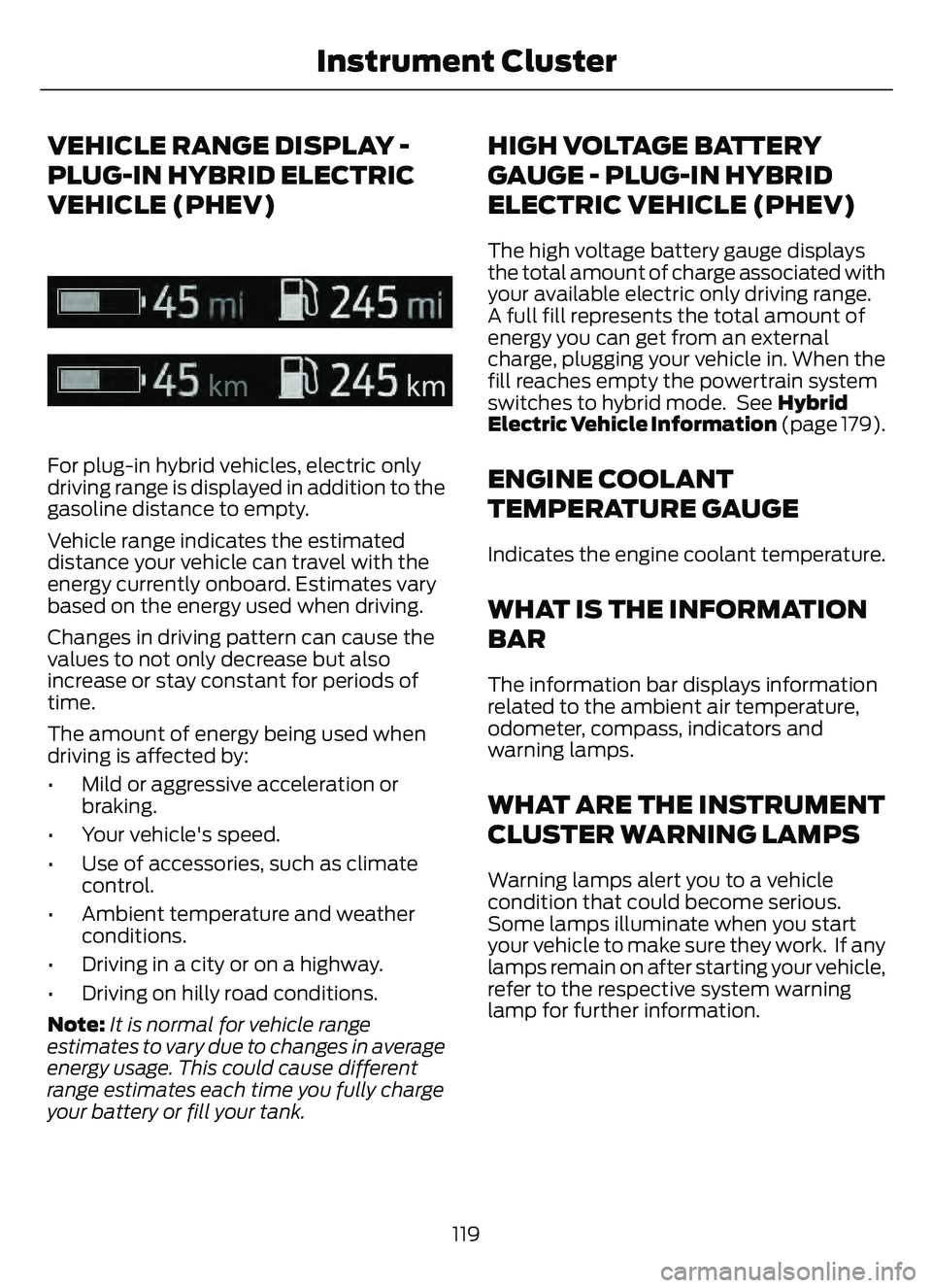
For plug-in hybrid vehicles, electric only
driving range is displayed in addition to the
gasoline distance to empty.
Vehicle range indicates the estimated
distance your vehicle can travel with the
energy currently onboard. Estimates vary
based on the energy used when driving.
Changes in driving pattern can cause the
values to not only decrease but also
increase or stay constant for periods of
time.
The amount of energy being used when
driving is affected by:
• Mild or aggressive acceleration orbraking.
• Your vehicle's speed.
• Use of accessories, such as climate control.
• Ambient temperature and weather conditions.
• Driving in a city or on a highway.
• Driving on hilly road conditions.
Note: It is normal for vehicle range
estimates to vary due to changes in average
energy usage. This could cause different
range estimates each time you fully charge
your battery or fill your tank.
HIGH VOLTAGE BATTERY
GAUGE - PLUG-IN HYBRID
ELECTRIC VEHICLE (PHEV)
The high voltage battery gauge displays
the total amount of charge associated with
your available electric only driving range.
A full fill represents the total amount of
energy you can get from an external
charge, plugging your vehicle in. When the
fill reaches empty the powertrain system
switches to hybrid mode. See Hybrid
Electric Vehicle Information (page 179).
ENGINE COOLANT
TEMPERATURE GAUGE
Indicates the engine coolant temperature.
WHAT IS THE INFORMATION
BAR
The information bar displays information
related to the ambient air temperature,
odometer, compass, indicators and
warning lamps.
WHAT ARE THE INSTRUMENT
CLUSTER WARNING LAMPS
Warning lamps alert you to a vehicle
condition that could become serious.
Some lamps illuminate when you start
your vehicle to make sure they work. If any
lamps remain on after starting your vehicle,
refer to the respective system warning
lamp for further information.
119
Instrument Cluster
Page 165 of 585
WHAT IS THE GARAGE DOOR
OPENER
HomeLink Wireless Control
System
E18821E1882111
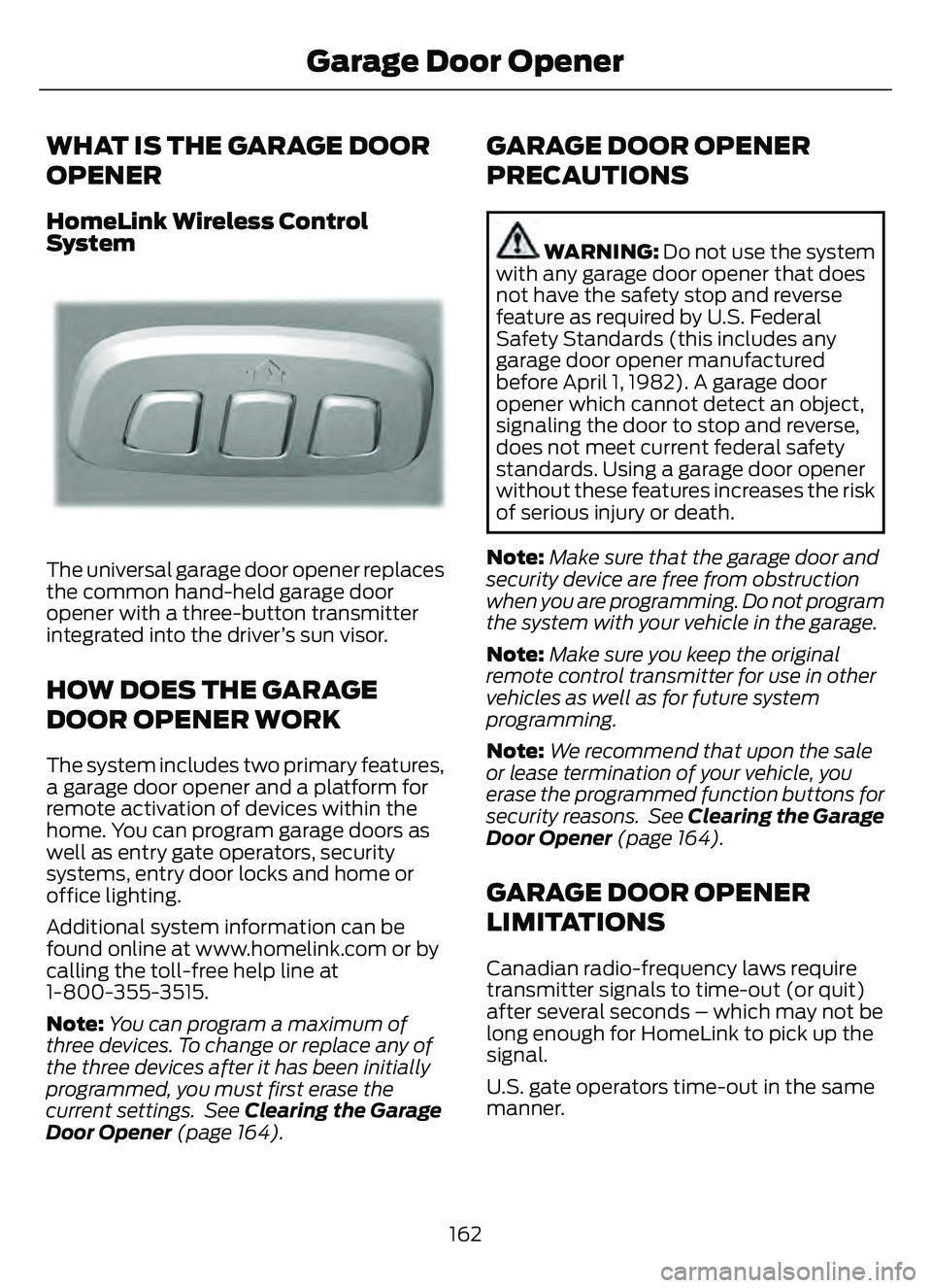
The universal garage door opener replaces
the common hand-held garage door
opener with a three-button transmitter
integrated into the driver’s sun visor.
HOW DOES THE GARAGE
DOOR OPENER WORK
The system includes two primary features,
a garage door opener and a platform for
remote activation of devices within the
home. You can program garage doors as
well as entry gate operators, security
systems, entry door locks and home or
office lighting.
Additional system information can be
found online at www.homelink.com or by
calling the toll-free help line at
1-800-355-3515.
Note:You can program a maximum of
three devices. To change or replace any of
the three devices after it has been initially
programmed, you must first erase the
current settings. See Clearing the Garage
Door Opener (page 164).
GARAGE DOOR OPENER
PRECAUTIONS
WARNING: Do not use the system
with any garage door opener that does
not have the safety stop and reverse
feature as required by U.S. Federal
Safety Standards (this includes any
garage door opener manufactured
before April 1, 1982). A garage door
opener which cannot detect an object,
signaling the door to stop and reverse,
does not meet current federal safety
standards. Using a garage door opener
without these features increases the risk
of serious injury or death.
Note: Make sure that the garage door and
security device are free from obstruction
when you are programming. Do not program
the system with your vehicle in the garage.
Note: Make sure you keep the original
remote control transmitter for use in other
vehicles as well as for future system
programming.
Note: We recommend that upon the sale
or lease termination of your vehicle, you
erase the programmed function buttons for
security reasons. See Clearing the Garage
Door Opener (page 164).
GARAGE DOOR OPENER
LIMITATIONS
Canadian radio-frequency laws require
transmitter signals to time-out (or quit)
after several seconds – which may not be
long enough for HomeLink to pick up the
signal.
U.S. gate operators time-out in the same
manner.
162
Garage Door Opener
Page 167 of 585
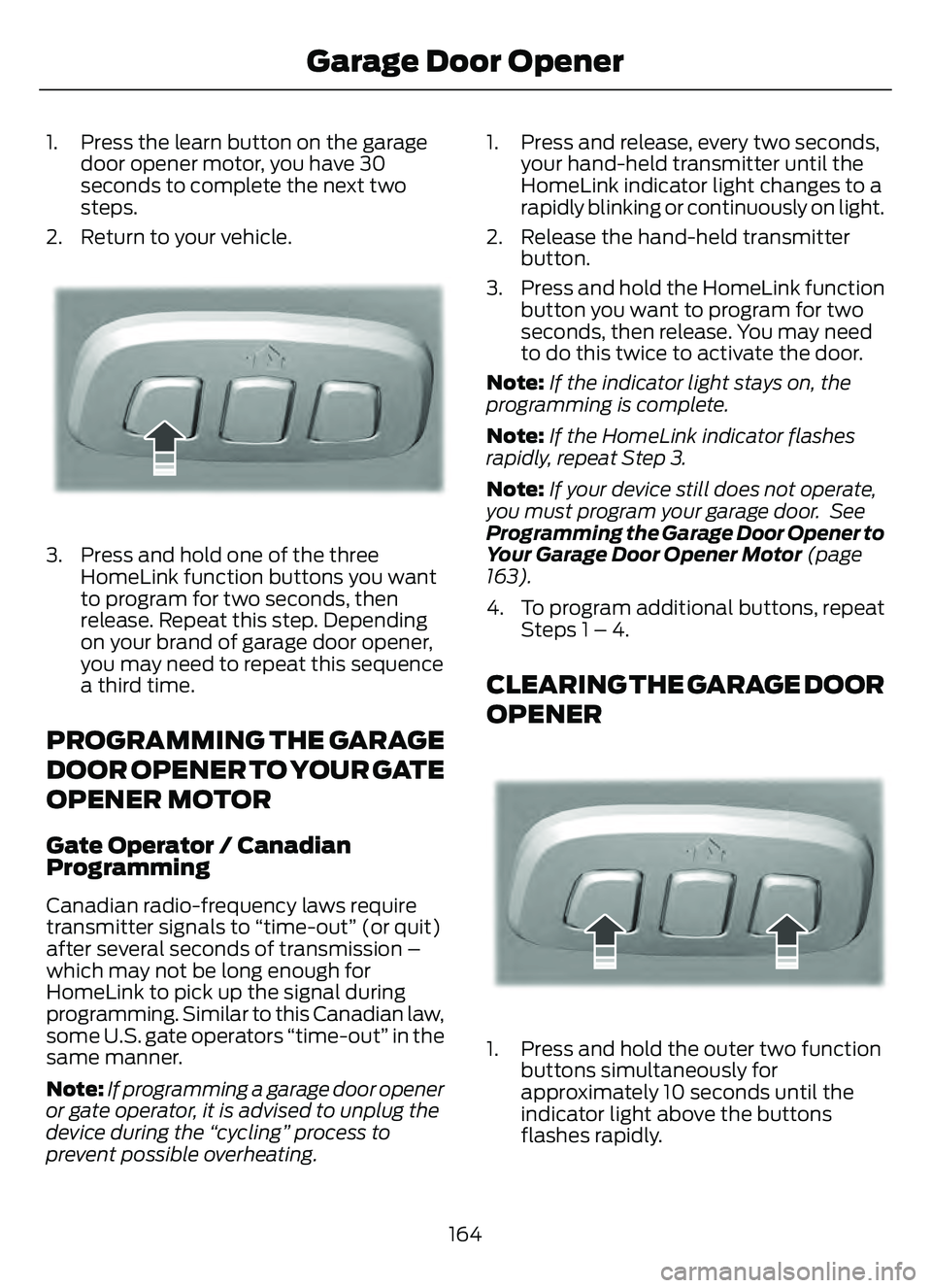
1. Press the learn button on the garagedoor opener motor, you have 30
seconds to complete the next two
steps.
2. Return to your vehicle.
E188212E188212
3. Press and hold one of the three HomeLink function buttons you want
to program for two seconds, then
release. Repeat this step. Depending
on your brand of garage door opener,
you may need to repeat this sequence
a third time.
PROGRAMMING THE GARAGE
DOOR OPENER TO YOUR GATE
OPENER MOTOR
Gate Operator / Canadian
Programming
Canadian radio-frequency laws require
transmitter signals to “time-out” (or quit)
after several seconds of transmission –
which may not be long enough for
HomeLink to pick up the signal during
programming. Similar to this Canadian law,
some U.S. gate operators “time-out” in the
same manner.
Note: If programming a garage door opener
or gate operator, it is advised to unplug the
device during the “cycling” process to
prevent possible overheating. 1. Press and release, every two seconds,
your hand-held transmitter until the
HomeLink indicator light changes to a
rapidly blinking or continuously on light.
2. Release the hand-held transmitter button.
3. Press and hold the HomeLink function button you want to program for two
seconds, then release. You may need
to do this twice to activate the door.
Note: If the indicator light stays on, the
programming is complete.
Note: If the HomeLink indicator flashes
rapidly, repeat Step 3.
Note: If your device still does not operate,
you must program your garage door. See
Programming the Garage Door Opener to
Your Garage Door Opener Motor (page
163).
4. To program additional buttons, repeat Steps 1 – 4.
CLEARING THE GARAGE DOOR
OPENER
E188213E188213
1. Press and hold the outer two functionbuttons simultaneously for
approximately 10 seconds until the
indicator light above the buttons
flashes rapidly.
164
Garage Door Opener
Page 185 of 585
You could also notice that your engine
continues to run instead of shutting off
during extended downhill driving. The
engine stays on during this engine braking
but is not using any fuel.
You could also hear a slight whine or
whistle when operating your vehicle. This
is the normal operation of the electric
motor in the hybrid system.
PLUG-IN HYBRID ELECTRIC
VEHICLE INDICATORS
E293827
When you start your vehicle, a
green ready indicator light
appears in the instrument cluster
letting you know that your vehicle is ready
for driving.
The engine may not start because your
vehicle has a silent key start feature. This
fuel saving feature allows your vehicle to
be ready to drive without requiring the gas
engine to be running.
The indicator remains on when your vehicle
is on, whether the engine is running or not,
to indicate your vehicle is capable of
movement using the electric motor, gas
engine or both.
Typically, the engine does not start unless
the vehicle is cold, a climate control
change is requested or you press the
accelerator pedal.
WHAT IS LOW ENGINE USE MODE
Low engine use mode maintains proper
engine lubrication at sufficient temperature
and activates when you drive your vehicle
with limited engine operation.
HOW DOES LOW ENGINE USE
MODE WORK
When in low engine use mode, your vehicle
runs the engine as necessary. When low
engine use mode begins, a message
appears in the information display. If low
engine use mode does not complete
before you switch your vehicle off, it
continues the next time you start your
vehicle and the message reappears.
Note: EV now mode is not available when
in low engine use mode.
Note: Cold temperatures affect the engine
warm up time and the low engine use mode
may operate more frequently.
Note: An oil change is not required but gives
you the option of not running a low engine
use cycle. Resetting the oil life monitoring
system suspends the low engine use mode.
PLUG-IN HYBRID ELECTRIC
VEHICLE INFORMATION –
TROUBLESHOOTING
PLUG-IN HYBRID ELECTRIC
VEHICLE INFORMATION –
WARNING LAMPS
E144693
It illuminates if your vehicle's
electrical system requires service
to identify the cause for your
vehicle to shutdown or enter a limited
operating mode. A message may appear
in the instrument cluster display. Have your
vehicle checked as soon as possible.
182
Hybrid Electric Vehicle Information (If Equipped)
Page 201 of 585
WHAT IS THE CATALYTIC
CONVERTER
The catalytic converter is part of your
vehicle's emissions system and filters
harmful pollutants from the exhaust gas.
CATALYTIC CONVERTER
PRECAUTIONS
WARNING: Do not park, idle or
drive your vehicle on dry grass or other
dry ground cover. The emission system
heats up the engine compartment and
exhaust system, creating the risk of fire.
WARNING: The normal operating
temperature of the exhaust system is
very high. Never work around or attempt
to repair any part of the exhaust system
until it has cooled. Use special care when
working around the catalytic converter.
The catalytic converter heats up to a very
high temperature after only a short
period of engine operation and stays hot
after the engine is switched off.
WARNING: Exhaust leaks may
result in entry of harmful and potentially
lethal fumes into the passenger
compartment. If you smell exhaust
fumes inside your vehicle, have your
vehicle inspected immediately. Do not
drive if you smell exhaust fumes.
To avoid damaging the catalytic converter:
• Do not crank the engine for more than 10 seconds at a time.
• Do not run the engine with a spark plug lead disconnected.
• Do not push-start or tow-start your vehicle. Use booster cables. See Jump
Starting the Vehicle (page 311). • Use the correct fuel. See Fuel and
Refueling (page 187).
• Do not switch the ignition off when your vehicle is moving.
• Avoid running out of fuel.
• Have the items listed in scheduled maintenance information performed
according to the specified schedule.
Note: Do not make any unauthorized
changes to your vehicle or engine. By law,
vehicle owners and anyone who
manufactures, repairs, or services a fleet of
vehicles are not permitted to intentionally
remove an emission control device or
prevent it from working.
CATALYTIC CONVERTER –
TROUBLESHOOTING
CATALYTIC CONVERTER –
WARNING LAMPS
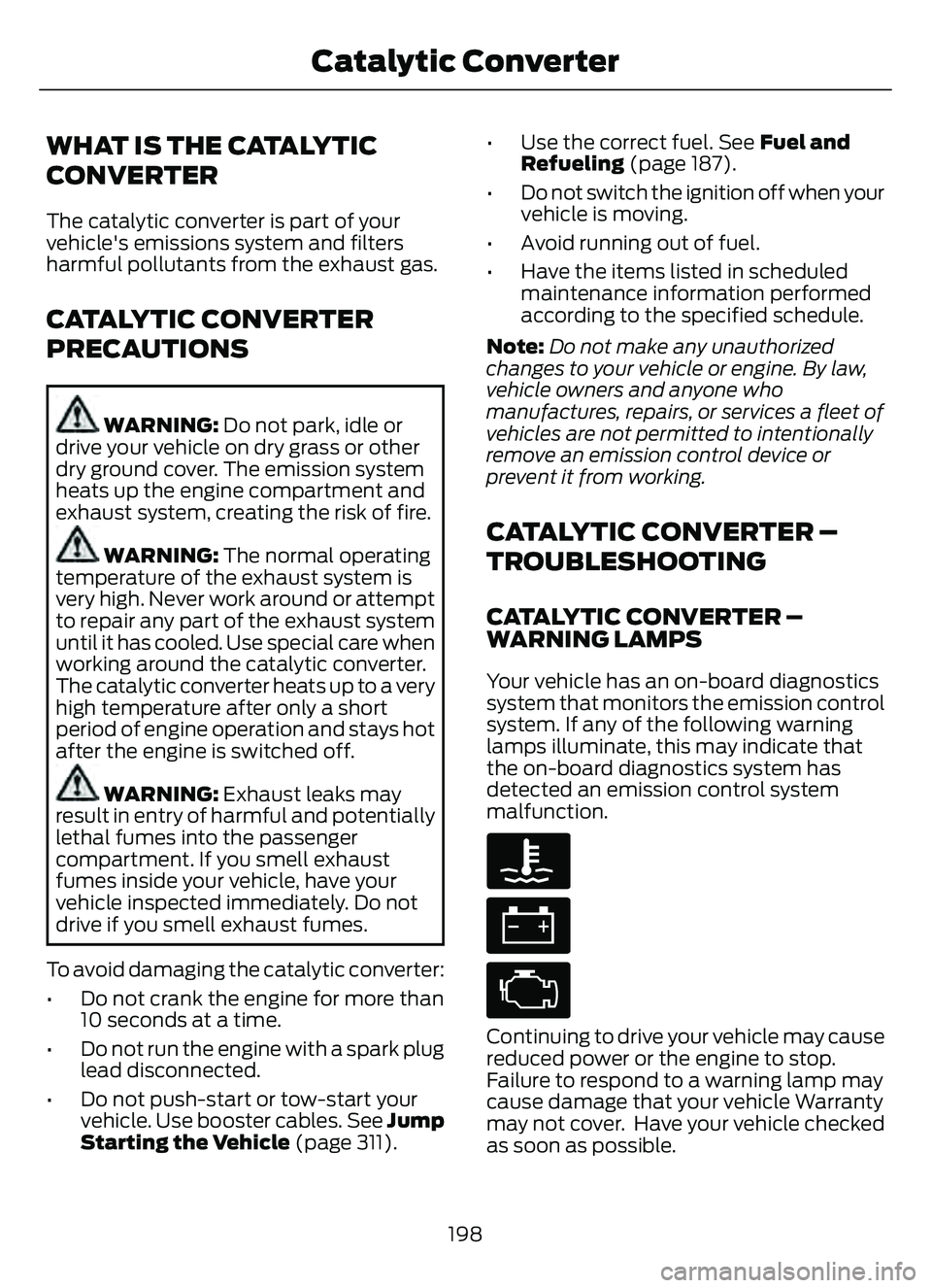
Your vehicle has an on-board diagnostics
system that monitors the emission control
system. If any of the following warning
lamps illuminate, this may indicate that
the on-board diagnostics system has
detected an emission control system
malfunction.
Continuing to drive your vehicle may cause
reduced power or the engine to stop.
Failure to respond to a warning lamp may
cause damage that your vehicle Warranty
may not cover. Have y our vehicle checked
as soon as possible.
198
Catalytic Converter
Page 222 of 585
BRAKES –
TROUBLESHOOTING
BRAKES – WARNING LAMPS
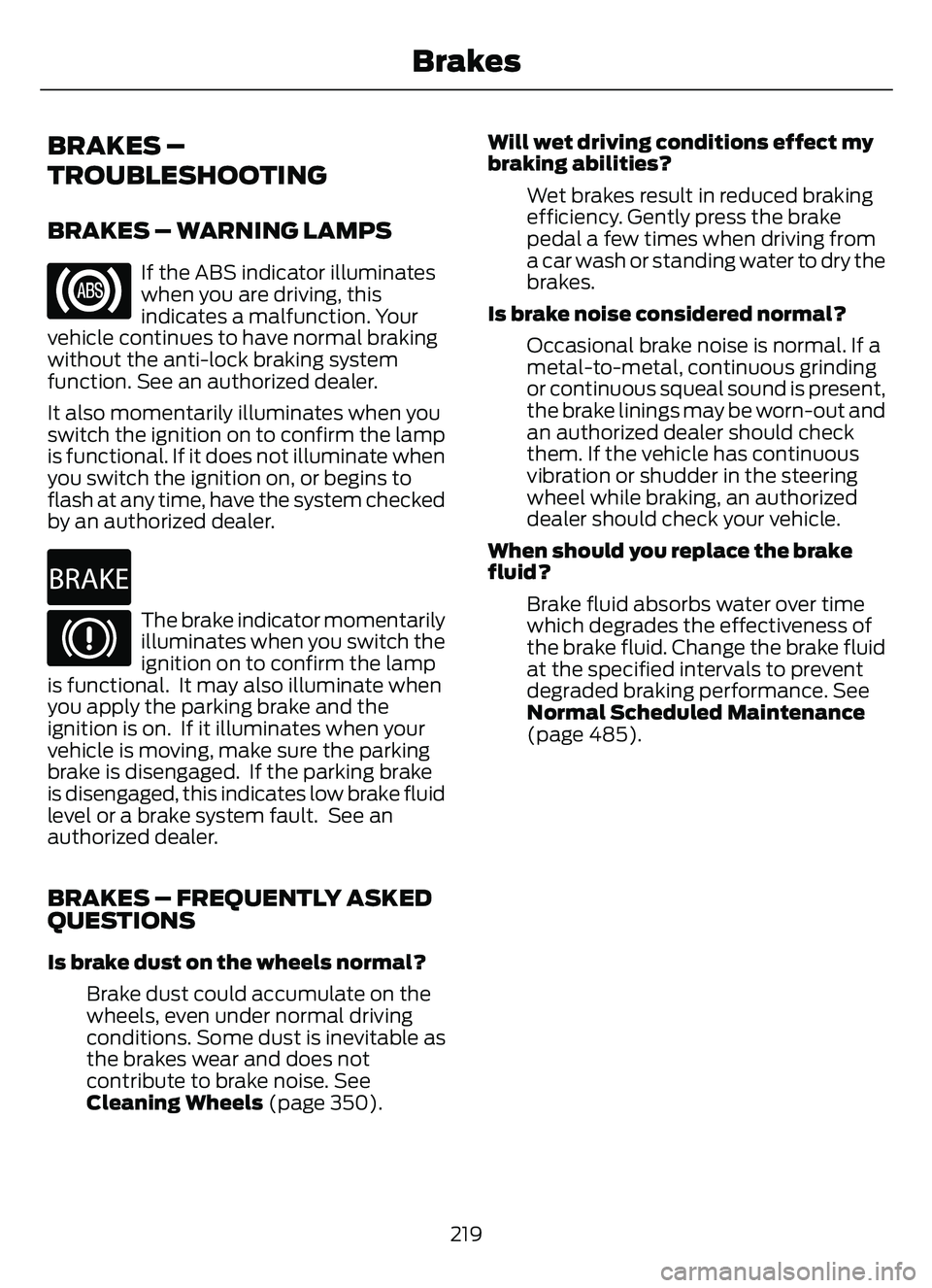
If the ABS indicator illuminates
when you are driving, this
indicates a malfunction. Your
vehicle continues to have normal braking
without the anti-lock braking system
function. See an authorized dealer.
It also momentarily illuminates when you
switch the ignition on to confirm the lamp
is functional. If it does not illuminate when
you switch the ignition on, or begins to
flash at any time, have the system checked
by an authorized dealer.
E270480The brake indicator momentarily
illuminates when you switch the
ignition on to confirm the lamp
is functional. It may also illuminate when
you apply the parking brake and the
ignition is on. If it illuminates when your
vehicle is moving, make sure the parking
brake is disengaged. If the parking brake
is disengaged, this indicates low brake fluid
level or a brake system fault. See an
authorized dealer.
BRAKES – FREQUENTLY ASKED
QUESTIONS
Is brake dust on the wheels normal?
Brake dust could accumulate on the
wheels, even under normal driving
conditions. Some dust is inevitable as
the brakes wear and does not
contribute to brake noise. See
Cleaning Wheels (page 350). Will wet driving conditions effect my
braking abilities?
Wet brakes result in reduced braking
efficiency. Gently press the brake
pedal a few times when driving from
a car wash or standing water to dry the
brakes.
Is brake noise considered normal? Occasional brake noise is normal. If a
metal-to-metal, continuous grinding
or continuous squeal sound is present,
the brake linings may be worn-out and
an authorized dealer should check
them. If the vehicle has continuous
vibration or shudder in the steering
wheel while braking, an authorized
dealer should check your vehicle.
When should you replace the brake
fluid? Brake fluid absorbs water over time
which degrades the effectiveness of
the brake fluid. Change the brake fluid
at the specified intervals to prevent
degraded braking performance. See
Normal Scheduled Maintenance
(page 485).
219
Brakes