fog light FORD EXPEDITION 2003 2.G Owners Manual
[x] Cancel search | Manufacturer: FORD, Model Year: 2003, Model line: EXPEDITION, Model: FORD EXPEDITION 2003 2.GPages: 320, PDF Size: 3.67 MB
Page 8 of 320
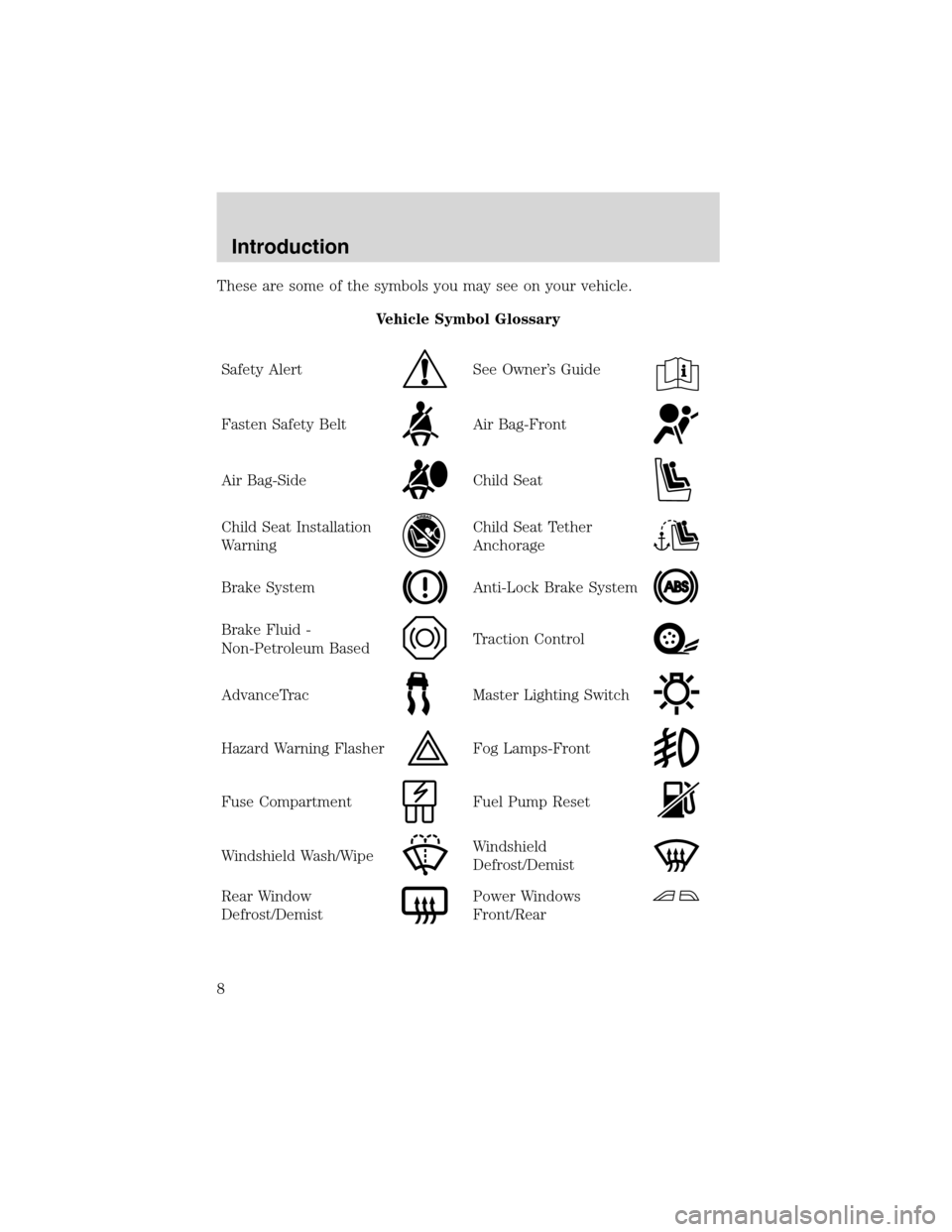
These are some of the symbols you may see on your vehicle.
Vehicle Symbol Glossary
Safety Alert
See Owner’s Guide
Fasten Safety BeltAir Bag-Front
Air Bag-SideChild Seat
Child Seat Installation
WarningChild Seat Tether
Anchorage
Brake SystemAnti-Lock Brake System
Brake Fluid -
Non-Petroleum BasedTraction Control
AdvanceTracMaster Lighting Switch
Hazard Warning FlasherFog Lamps-Front
Fuse CompartmentFuel Pump Reset
Windshield Wash/WipeWindshield
Defrost/Demist
Rear Window
Defrost/DemistPower Windows
Front/Rear
Introduction
8
Page 70 of 320
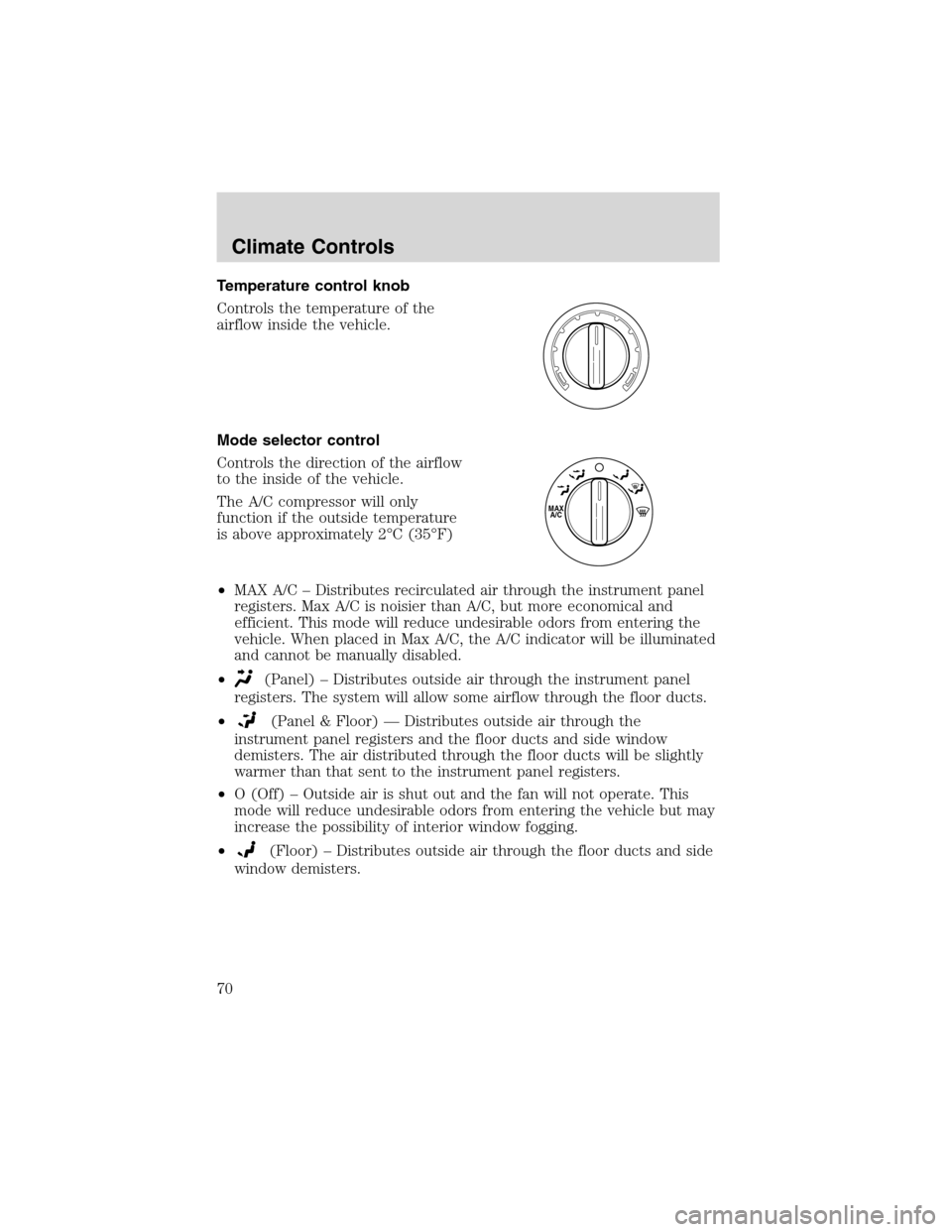
Temperature control knob
Controls the temperature of the
airflow inside the vehicle.
Mode selector control
Controls the direction of the airflow
to the inside of the vehicle.
The A/C compressor will only
function if the outside temperature
is above approximately 2°C (35°F)
•MAX A/C–Distributes recirculated air through the instrument panel
registers. Max A/C is noisier than A/C, but more economical and
efficient. This mode will reduce undesirable odors from entering the
vehicle. When placed in Max A/C, the A/C indicator will be illuminated
and cannot be manually disabled.
•
(Panel)–Distributes outside air through the instrument panel
registers. The system will allow some airflow through the floor ducts.
•
(Panel & Floor)—Distributes outside air through the
instrument panel registers and the floor ducts and side window
demisters. The air distributed through the floor ducts will be slightly
warmer than that sent to the instrument panel registers.
•O (Off)–Outside air is shut out and the fan will not operate. This
mode will reduce undesirable odors from entering the vehicle but may
increase the possibility of interior window fogging.
•
(Floor)–Distributes outside air through the floor ducts and side
window demisters.
MAX
A/C
Climate Controls
70
Page 71 of 320
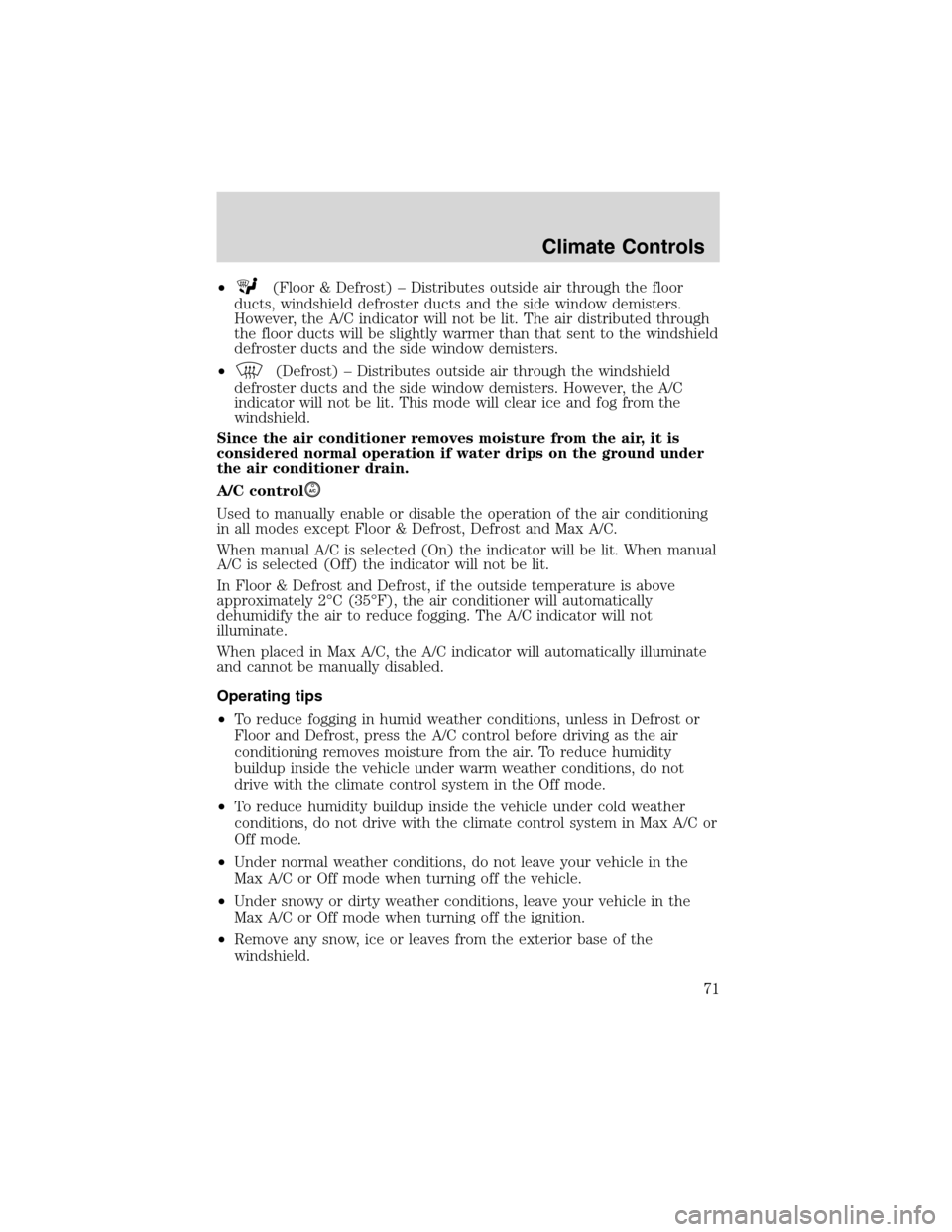
•(Floor & Defrost)–Distributes outside air through the floor
ducts, windshield defroster ducts and the side window demisters.
However, the A/C indicator will not be lit. The air distributed through
the floor ducts will be slightly warmer than that sent to the windshield
defroster ducts and the side window demisters.
•
(Defrost)–Distributes outside air through the windshield
defroster ducts and the side window demisters. However, the A/C
indicator will not be lit. This mode will clear ice and fog from the
windshield.
Since the air conditioner removes moisture from the air, it is
considered normal operation if water drips on the ground under
the air conditioner drain.
A/C control
A/C
Used to manually enable or disable the operation of the air conditioning
in all modes except Floor & Defrost, Defrost and Max A/C.
When manual A/C is selected (On) the indicator will be lit. When manual
A/C is selected (Off) the indicator will not be lit.
In Floor & Defrost and Defrost, if the outside temperature is above
approximately 2°C (35°F), the air conditioner will automatically
dehumidify the air to reduce fogging. The A/C indicator will not
illuminate.
When placed in Max A/C, the A/C indicator will automatically illuminate
and cannot be manually disabled.
Operating tips
•To reduce fogging in humid weather conditions, unless in Defrost or
Floor and Defrost, press the A/C control before driving as the air
conditioning removes moisture from the air. To reduce humidity
buildup inside the vehicle under warm weather conditions, do not
drive with the climate control system in the Off mode.
•To reduce humidity buildup inside the vehicle under cold weather
conditions, do not drive with the climate control system in Max A/C or
Off mode.
•Under normal weather conditions, do not leave your vehicle in the
Max A/C or Off mode when turning off the vehicle.
•Under snowy or dirty weather conditions, leave your vehicle in the
Max A/C or Off mode when turning off the ignition.
•Remove any snow, ice or leaves from the exterior base of the
windshield.
Climate Controls
71
Page 77 of 320
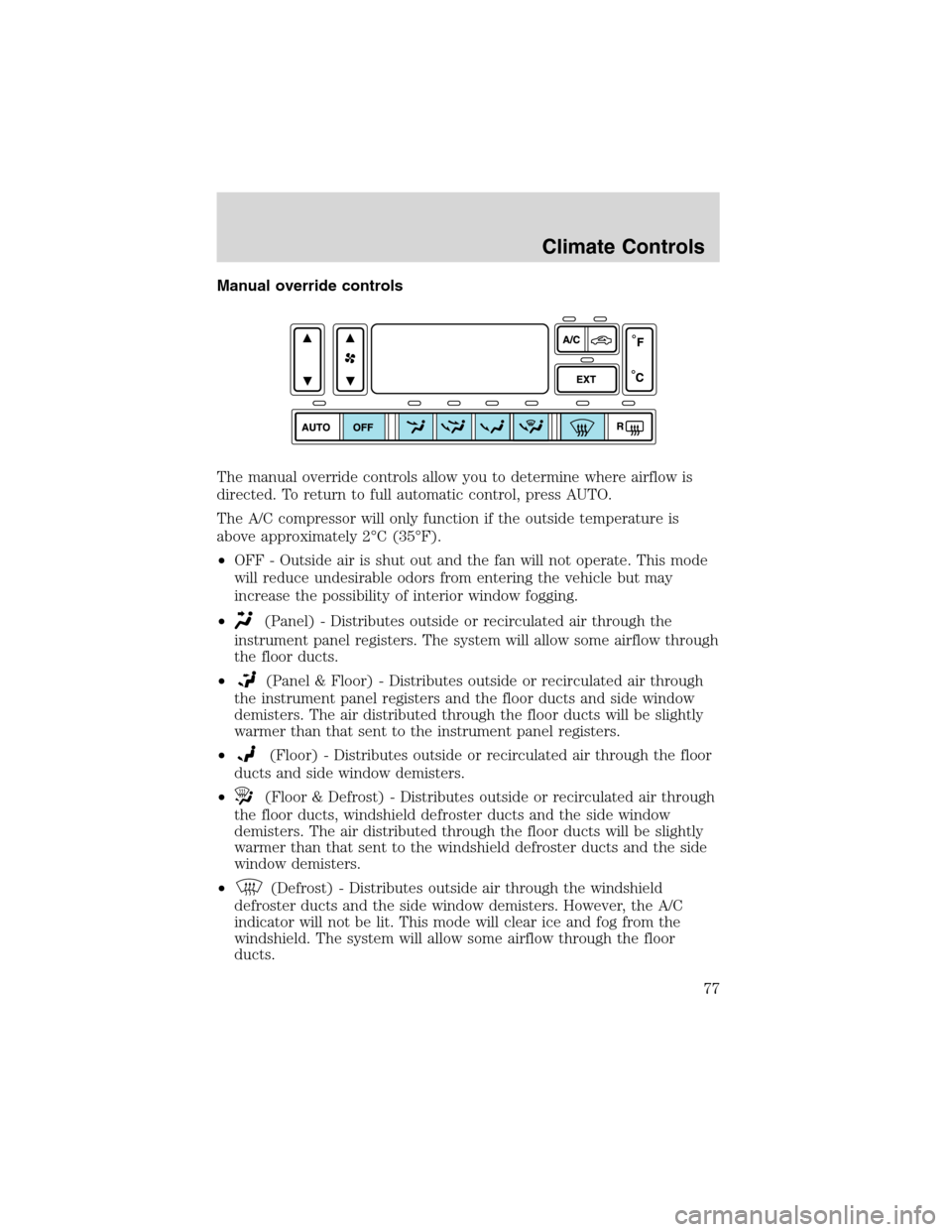
Manual override controls
The manual override controls allow you to determine where airflow is
directed. To return to full automatic control, press AUTO.
The A/C compressor will only function if the outside temperature is
above approximately 2°C (35°F).
•OFF - Outside air is shut out and the fan will not operate. This mode
will reduce undesirable odors from entering the vehicle but may
increase the possibility of interior window fogging.
•
(Panel) - Distributes outside or recirculated air through the
instrument panel registers. The system will allow some airflow through
the floor ducts.
•
(Panel & Floor) - Distributes outside or recirculated air through
the instrument panel registers and the floor ducts and side window
demisters. The air distributed through the floor ducts will be slightly
warmer than that sent to the instrument panel registers.
•
(Floor) - Distributes outside or recirculated air through the floor
ducts and side window demisters.
•
(Floor & Defrost) - Distributes outside or recirculated air through
the floor ducts, windshield defroster ducts and the side window
demisters. The air distributed through the floor ducts will be slightly
warmer than that sent to the windshield defroster ducts and the side
window demisters.
•
(Defrost) - Distributes outside air through the windshield
defroster ducts and the side window demisters. However, the A/C
indicator will not be lit. This mode will clear ice and fog from the
windshield. The system will allow some airflow through the floor
ducts.
Climate Controls
77
Page 78 of 320
Operating tips
•To reduce fogging in humid weather conditions, unless in Defrost and
Floor & Defrost, press the A/C control before driving as the air
conditioning removes moisture form the air.
•To reduce humidity buildup inside the vehicle in warm weather
conditions, don’t drive with the climate control system in the OFF
position.
•To reduce humidity buildup inside the vehicle in cold weather
conditions, don’t drive with the climate control system in the
recirculation mode or OFF mode.
•Remove any snow, ice or leaves from the exterior base of the
windshield.
•To increase the efficiency of the A/C, drive with the windows slightly
open for 2–3 minutes after start up or until the vehicle has been
“aired out.”
•Do not place objects under the front seat or over the defroster ducts.
They may reduce visibility, fall into the ducts, or degrade the
performance of your climate control system.
Do not place objects on top of the instrument panel, as these
objects may become projectiles in a collision or sudden stop.
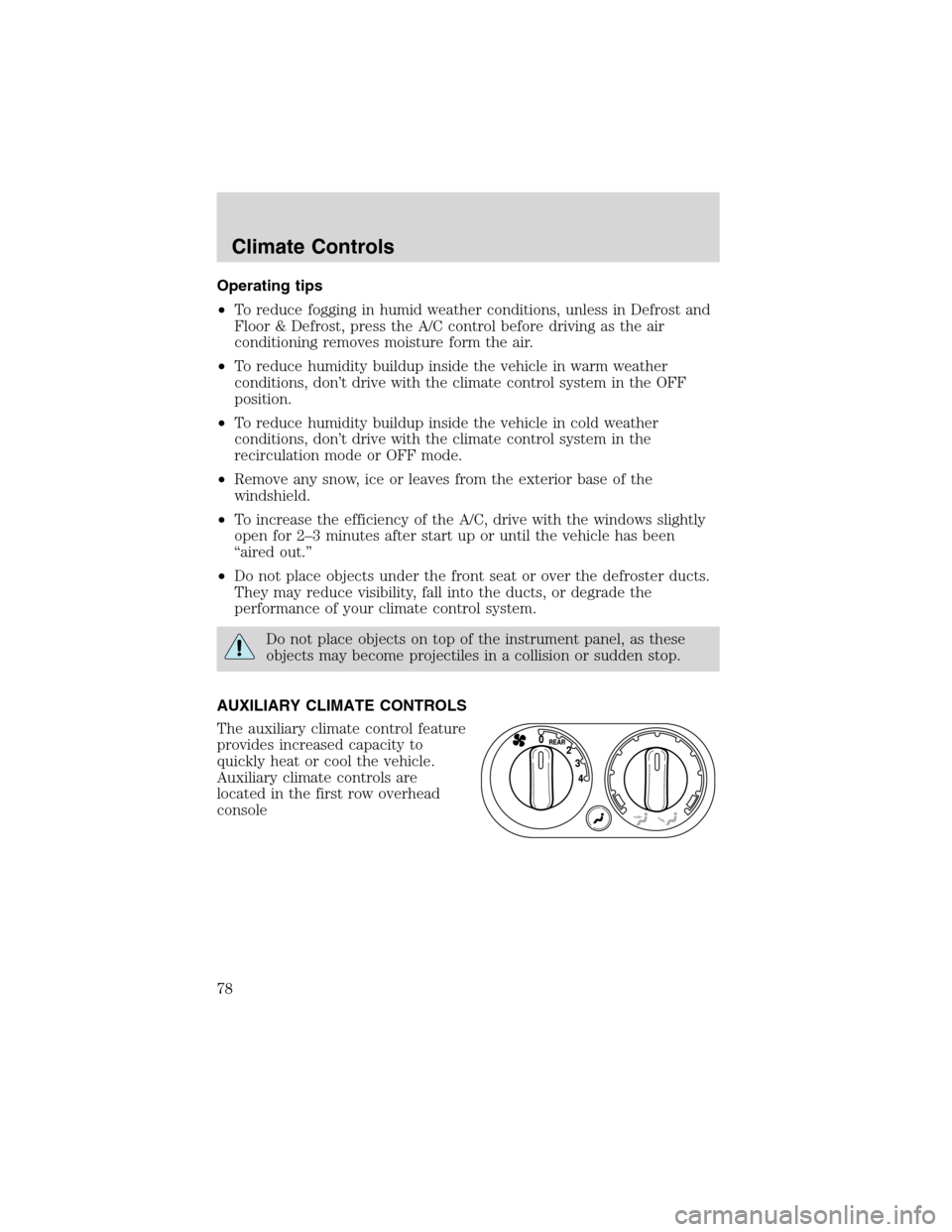
AUXILIARY CLIMATE CONTROLS
The auxiliary climate control feature
provides increased capacity to
quickly heat or cool the vehicle.
Auxiliary climate controls are
located in the first row overhead
console
Climate Controls
78
Page 81 of 320
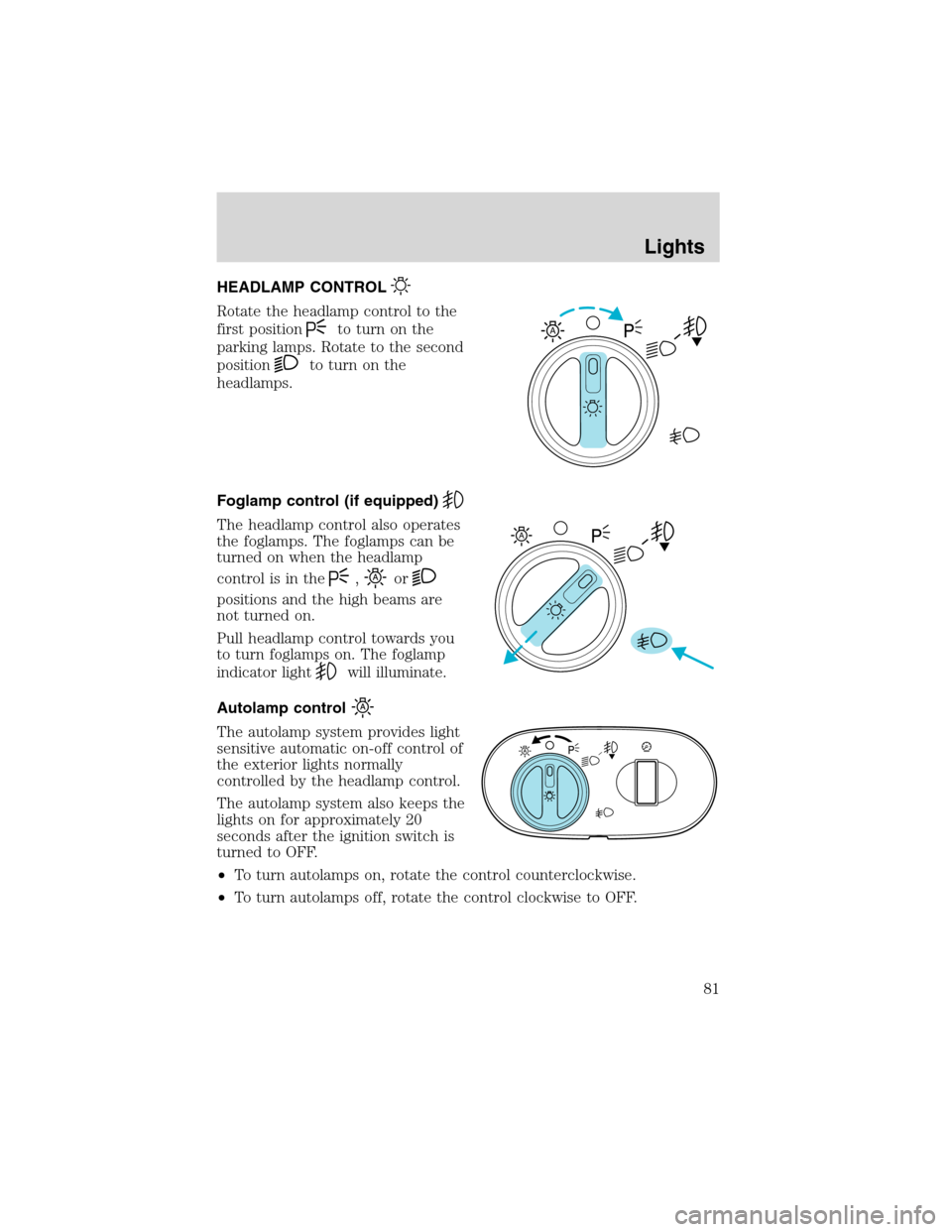
HEADLAMP CONTROL
Rotate the headlamp control to the
first position
to turn on the
parking lamps. Rotate to the second
position
to turn on the
headlamps.
Foglamp control (if equipped)
The headlamp control also operates
the foglamps. The foglamps can be
turned on when the headlamp
control is in the
,or
positions and the high beams are
not turned on.
Pull headlamp control towards you
to turn foglamps on. The foglamp
indicator light
will illuminate.
Autolamp control
The autolamp system provides light
sensitive automatic on-off control of
the exterior lights normally
controlled by the headlamp control.
The autolamp system also keeps the
lights on for approximately 20
seconds after the ignition switch is
turned to OFF.
•To turn autolamps on, rotate the control counterclockwise.
•To turn autolamps off, rotate the control clockwise to OFF.
A
A
Lights
81
Page 82 of 320
Daytime running lamps (DRL) (if equipped)
Turns the foglamps on at full intensity output. To activate:
•the ignition must be in the ON position and
•the headlamp control must be in the OFF or Parking lamps position.
Always remember to turn on your headlamps at dusk or during
inclement weather. The Daytime Running Lamp (DRL) system
does not activate with your tail lamps and generally may not provide
adequate lighting during these conditions. Failure to activate your
headlamps under these conditions may result in a collision.
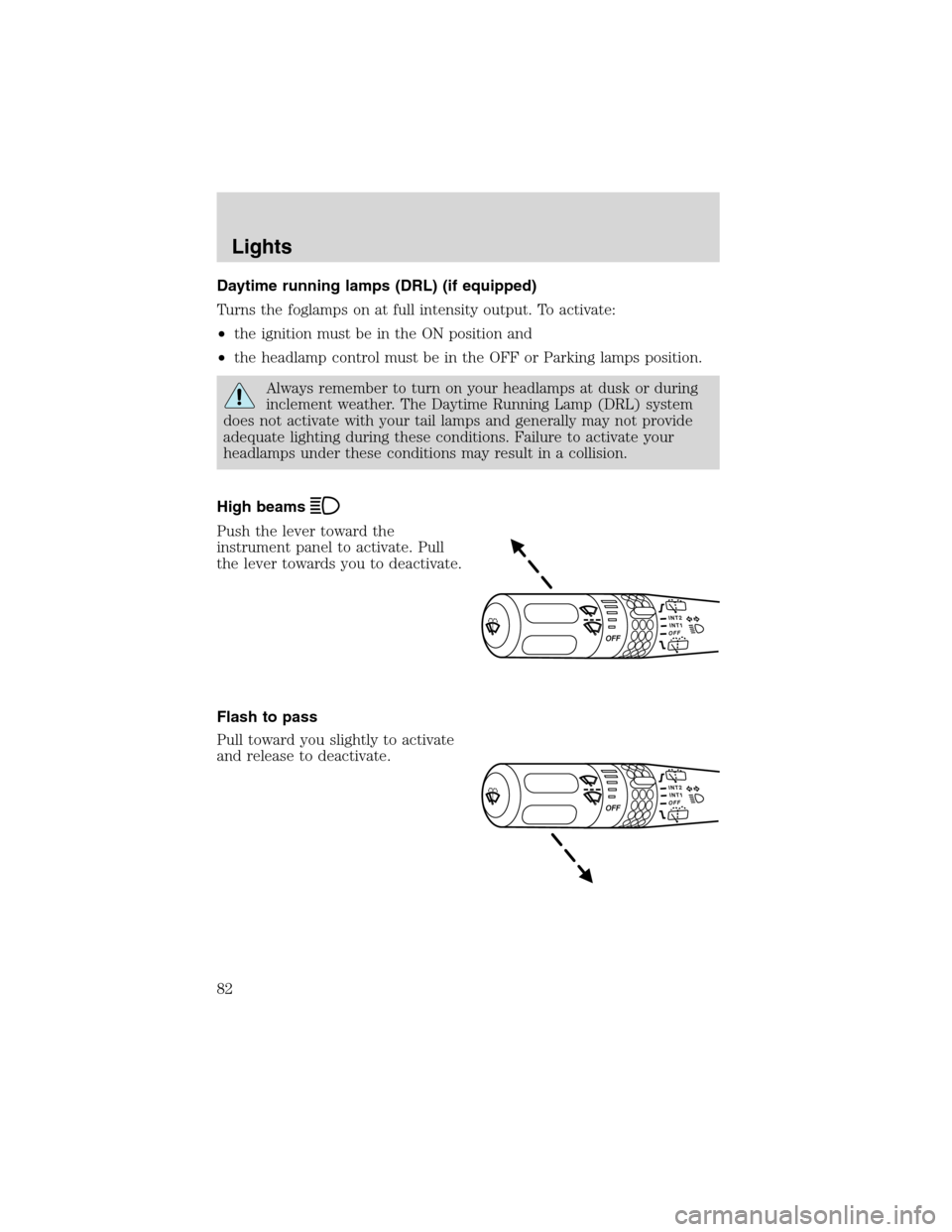
High beams
Push the lever toward the
instrument panel to activate. Pull
the lever towards you to deactivate.
Flash to pass
Pull toward you slightly to activate
and release to deactivate.
Lights
82
Page 86 of 320
BULBS
Replacing exterior bulbs
Check the operation of all the bulbs frequently.
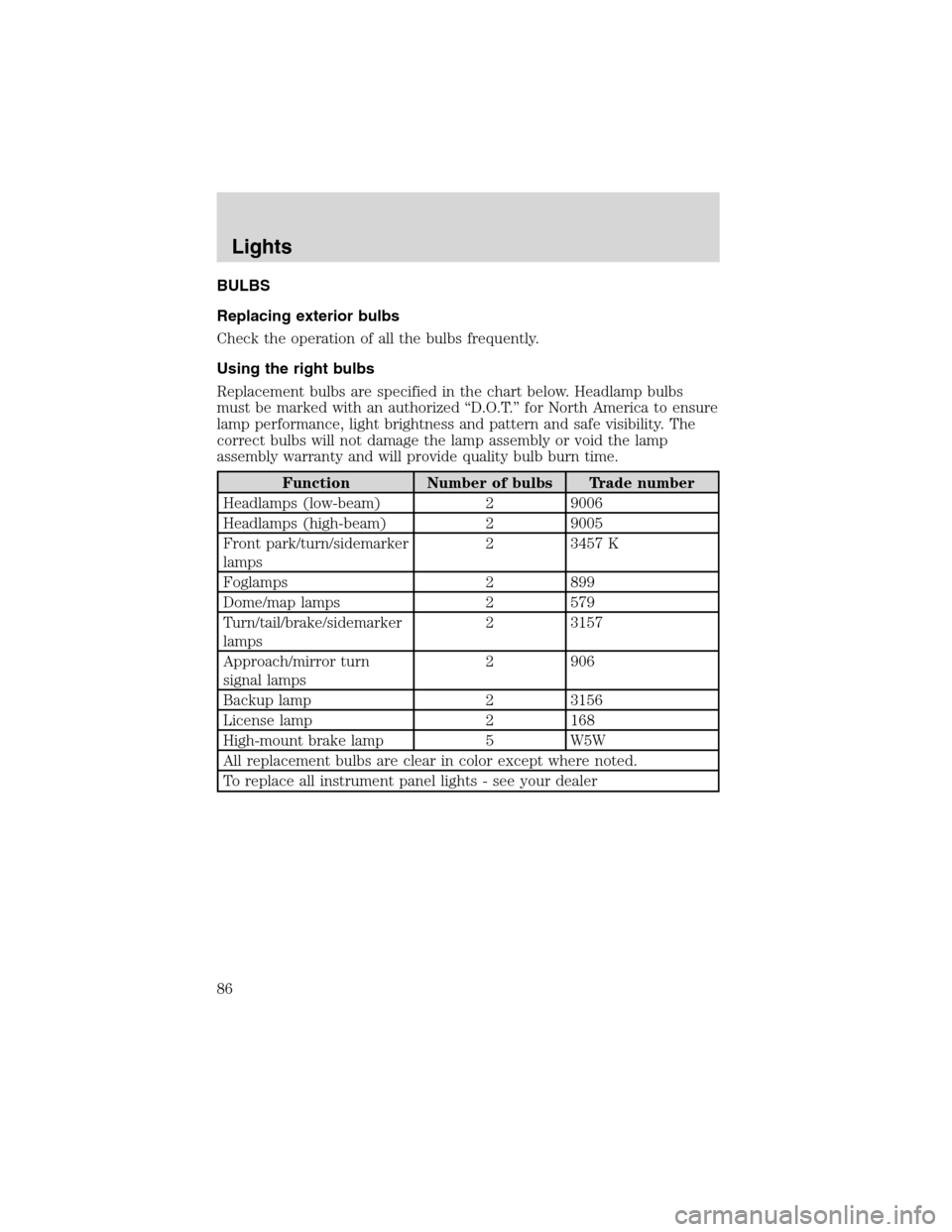
Using the right bulbs
Replacement bulbs are specified in the chart below. Headlamp bulbs
must be marked with an authorized“D.O.T.”for North America to ensure
lamp performance, light brightness and pattern and safe visibility. The
correct bulbs will not damage the lamp assembly or void the lamp
assembly warranty and will provide quality bulb burn time.
Function Number of bulbs Trade number
Headlamps (low-beam) 2 9006
Headlamps (high-beam) 2 9005
Front park/turn/sidemarker
lamps2 3457 K
Foglamps 2 899
Dome/map lamps 2 579
Turn/tail/brake/sidemarker
lamps2 3157
Approach/mirror turn
signal lamps2 906
Backup lamp 2 3156
License lamp 2 168
High-mount brake lamp 5 W5W
All replacement bulbs are clear in color except where noted.
To replace all instrument panel lights - see your dealer
Lights
86
Page 90 of 320
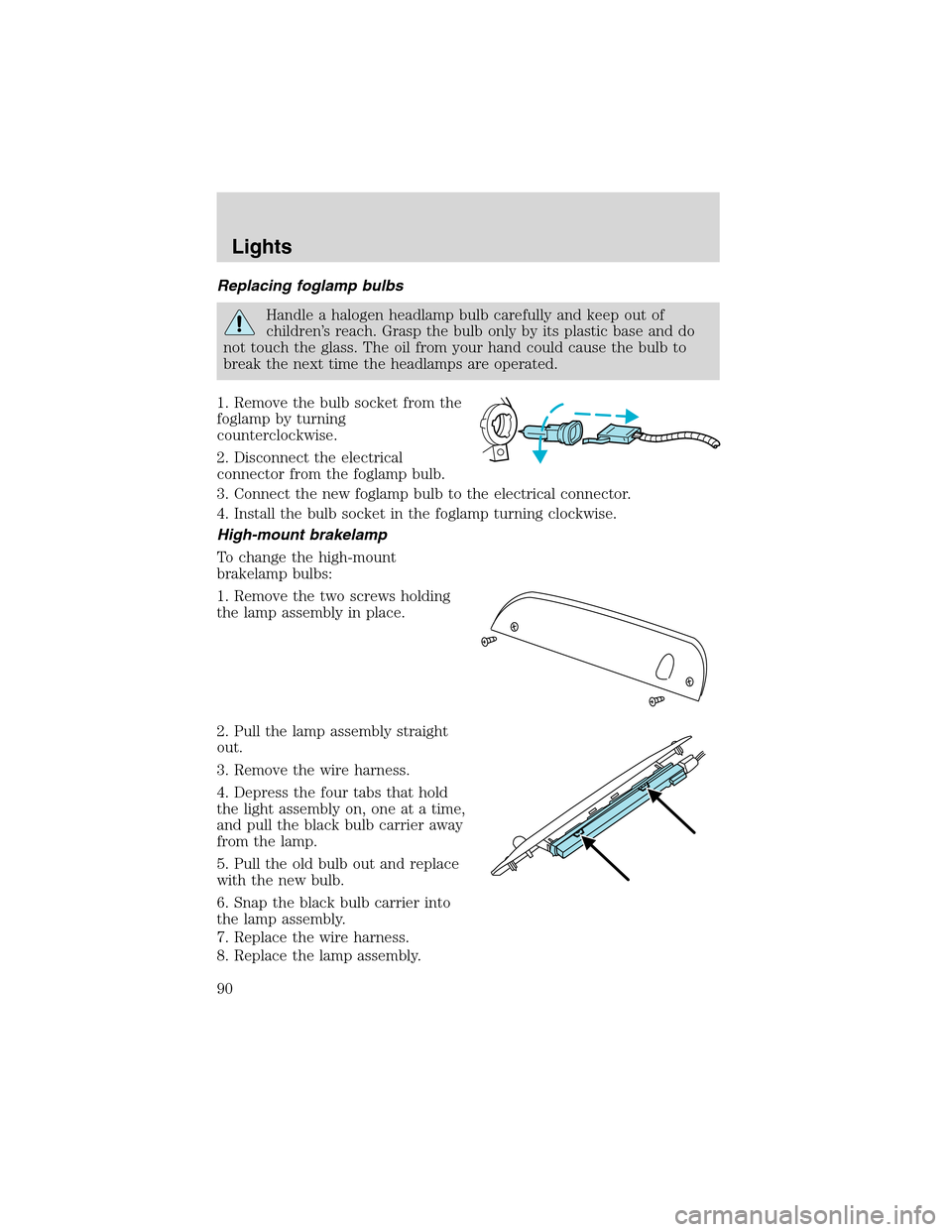
Replacing foglamp bulbs
Handle a halogen headlamp bulb carefully and keep out of
children’s reach. Grasp the bulb only by its plastic base and do
not touch the glass. The oil from your hand could cause the bulb to
break the next time the headlamps are operated.
1. Remove the bulb socket from the
foglamp by turning
counterclockwise.
2. Disconnect the electrical
connector from the foglamp bulb.
3. Connect the new foglamp bulb to the electrical connector.
4. Install the bulb socket in the foglamp turning clockwise.
High-mount brakelamp
To change the high-mount
brakelamp bulbs:
1. Remove the two screws holding
the lamp assembly in place.
2. Pull the lamp assembly straight
out.
3. Remove the wire harness.
4. Depress the four tabs that hold
the light assembly on, one at a time,
and pull the black bulb carrier away
from the lamp.
5. Pull the old bulb out and replace
with the new bulb.
6. Snap the black bulb carrier into
the lamp assembly.
7. Replace the wire harness.
8. Replace the lamp assembly.
Lights
90
Page 310 of 320
Trailgate table
Tail lamp surrounds (chrome)
Tire step
Swivel hitch/quick step
Travel equipment
Bike rack
Canoe carrier
Daytime running lights (DRL)
Factory luggage rack adaptors
First aid kit
Fog lights
Framed luggage covers
Hard shell cargo box
Highway safety kit
Hitch mount bike carrier
Kayak carrier
Mega Warrior carrier basket
Pet guard/divider
Removable luggage rack (Track rider bars)
Removable luggage rack adapters
Ski/snowboard carrier
Soft luggage cover
Trailer hitch bars and balls
Trailer hitch receiver cover
Accessories
310