fold FORD EXPEDITION 2005 2.G Owners Manual
[x] Cancel search | Manufacturer: FORD, Model Year: 2005, Model line: EXPEDITION, Model: FORD EXPEDITION 2005 2.GPages: 368, PDF Size: 11.76 MB
Page 29 of 368
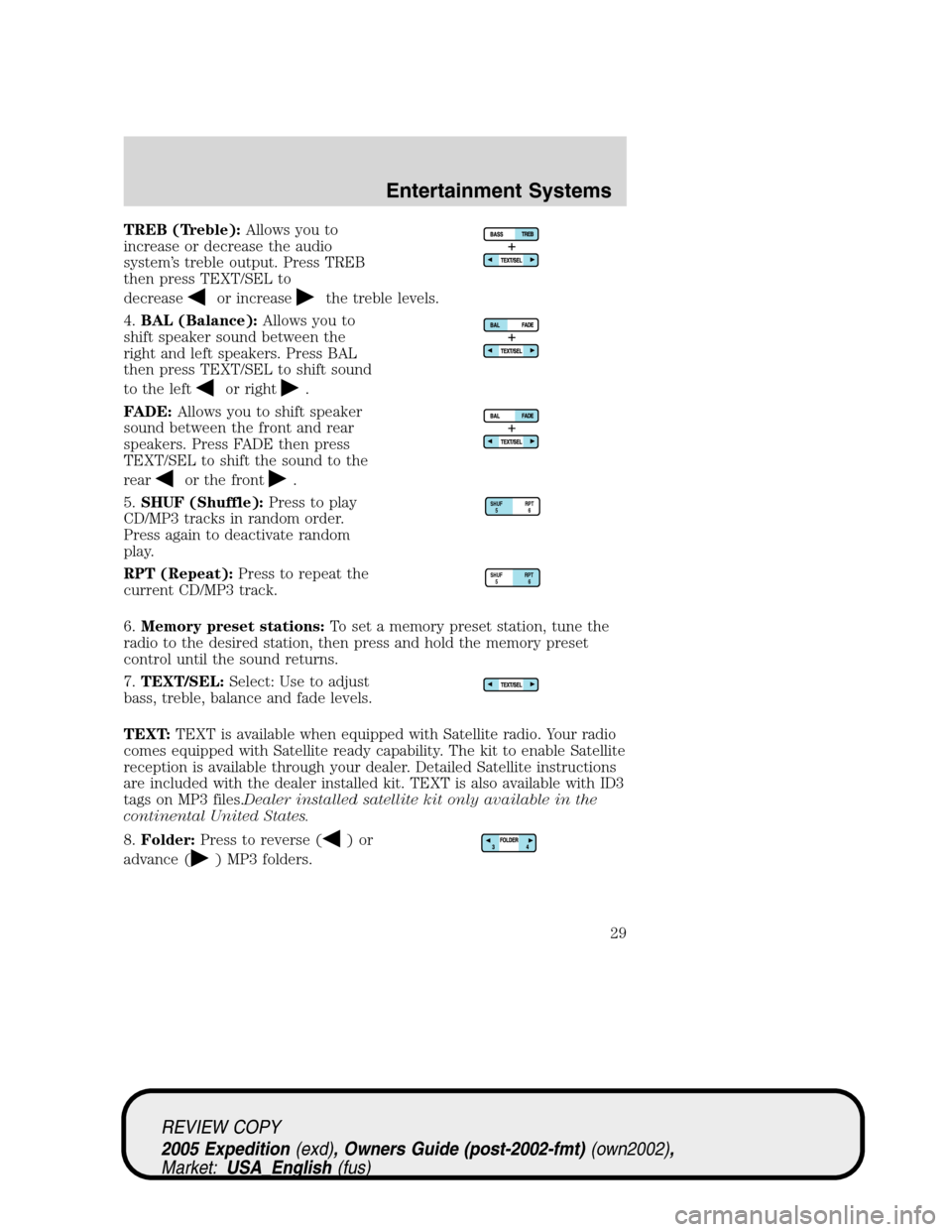
TREB (Treble):Allows you to
increase or decrease the audio
system’s treble output. Press TREB
then press TEXT/SEL to
decrease
or increasethe treble levels.
4.BAL (Balance):Allows you to
shift speaker sound between the
right and left speakers. Press BAL
then press TEXT/SEL to shift sound
to the left
or right.
FADE:Allows you to shift speaker
sound between the front and rear
speakers. Press FADE then press
TEXT/SEL to shift the sound to the
rear
or the front.
5.SHUF (Shuffle):Press to play
CD/MP3 tracks in random order.
Press again to deactivate random
play.
RPT (Repeat):Press to repeat the
current CD/MP3 track.
6.Memory preset stations:To set a memory preset station, tune the
radio to the desired station, then press and hold the memory preset
control until the sound returns.
7.TEXT/SEL:Select: Use to adjust
bass, treble, balance and fade levels.
TEXT:TEXT is available when equipped with Satellite radio. Your radio
comes equipped with Satellite ready capability. The kit to enable Satellite
reception is available through your dealer. Detailed Satellite instructions
are included with the dealer installed kit. TEXT is also available with ID3
tags on MP3 files.Dealer installed satellite kit only available in the
continental United States.
8.Folder:Press to reverse (
)or
advance (
) MP3 folders.
RPTSHUF
56
RPTSHUF
56
REVIEW COPY
2005 Expedition(exd), Owners Guide (post-2002-fmt)(own2002),
Market:USA_English(fus)
Entertainment Systems
29
Page 31 of 368
Press TEXT/SEL to increase/decreasevolume compensation
levels. The selected level will appear in the display.
•Compression:In CD/MP3 modes, select to bring loud and soft
passages together for a more consistent listening level.
•Folder/Track mode:In MP3 mode, press MENU until MODE appears
in teh display. Use SEL to toggle between FOLDER (only tracks within
selected folder are accessible) or TRACK (all tracks on disc are
accessible).
13.TUNE/CAT:In radio mode,
press to manually advance up/down
the frequency band. In satellite
radio mode, press CAT for a listing of available music categories.
CAT:CAT is only available when equipped with Satellite Radio. Your
radio comes equipped with Satellite ready capability. The kit to enable
Satellite reception is available through your dealer. Detailed Satellite
instructions are included with the dealer installed kit.Dealer installed
satellite kit only available in the continental United States.
For information regarding SIRIUS Satellite Radio, please call toll-free
888-539-SIRIUS (888-539-7474) or visit the SIRIUS website at
www.siriusradio.com
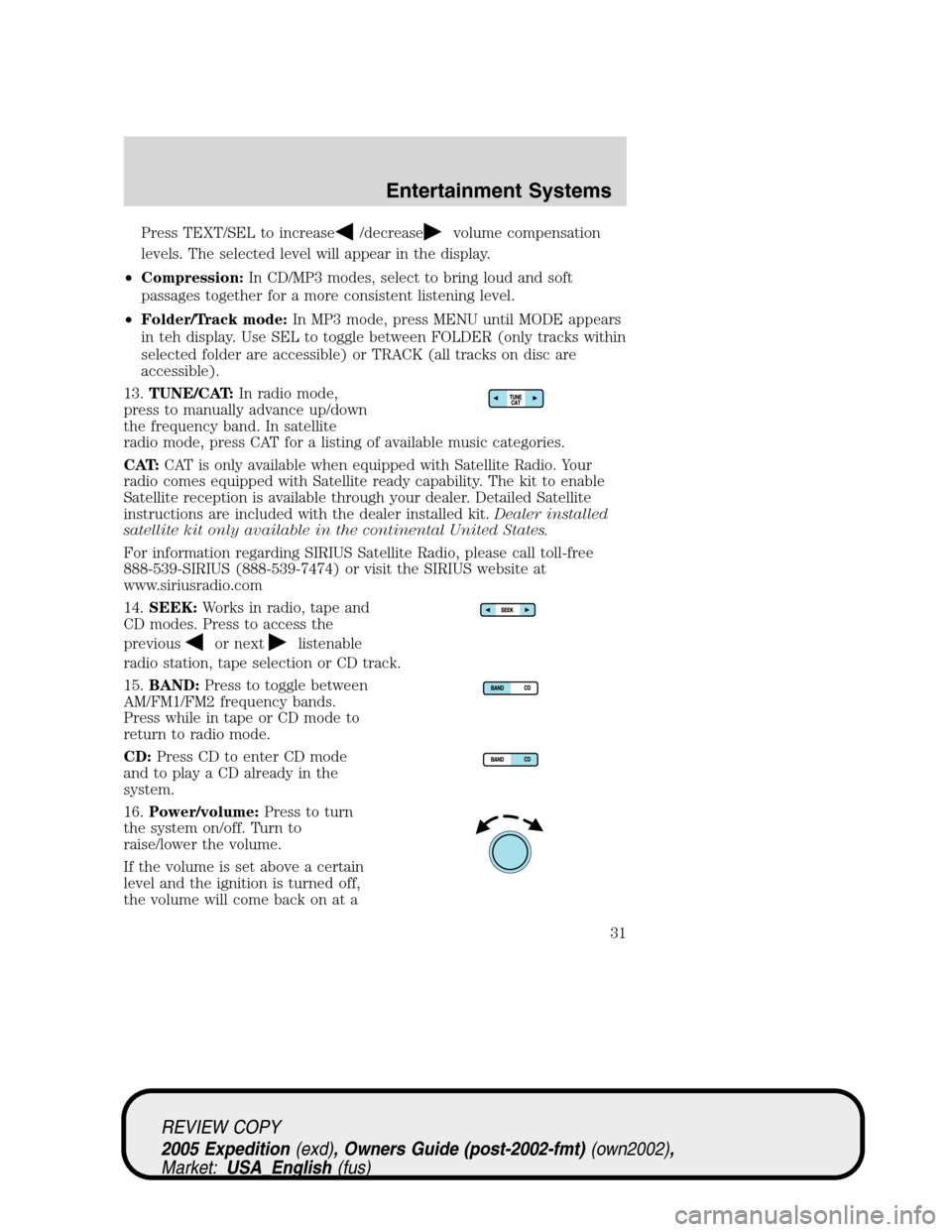
14.SEEK:Works in radio, tape and
CD modes. Press to access the
previous
or nextlistenable
radio station, tape selection or CD track.
15.BAND:Press to toggle between
AM/FM1/FM2 frequency bands.
Press while in tape or CD mode to
return to radio mode.
CD:Press CD to enter CD mode
and to play a CD already in the
system.
16.Power/volume:Press to turn
the system on/off. Turn to
raise/lower the volume.
If the volume is set above a certain
level and the ignition is turned off,
the volume will come back on at a
REVIEW COPY
2005 Expedition(exd), Owners Guide (post-2002-fmt)(own2002),
Market:USA_English(fus)
Entertainment Systems
31
Page 35 of 368
Traffic (if equipped):Allows you to hear traffic broadcasts. With the
feature ON, press SEEK or SCAN to find a station broadcasting a traffic
report (if it is broadcasting RDS data).Traffic information is not
available in most U.S. markets.
FIND Program type (if equipped):Allows you to search
RDS-equipped stations for a certain category of music format: Classic,
Country, Info, Jazz, Oldies, R&B, Religious, Rock, Soft, Top 40.
Show TYPE (if equipped):Displays the station’s call letters and
format.
Compression:Brings soft and loud CD passages together for a more
consistent listening level when in CD mode. Press MENU until
compression status is displayed. Press the SEL control to enable the
compression feature when COMPRESS OFF is displayed. Press the SEL
control again to disable the feature when COMPRESS ON is displayed.
Occupancy mode (if equipped):Press SEL to select ALL, DRIVER or
REAR SEAT occupancy mode.
Folder/Track Mode:In MP3 mode, press MENU until MODE appears in
the display. Use SEL to toggle between FOLDER (only tracks within
selected folder are accessible) or TRACK (all tracks on the disc are
accessible).
Autoset:Allows you to set the strongest local radio stations without
losing your original manually set preset stations for AM/FM1/FM2 . Press
MENU until AUTOSET appears in the display. Press SEL to toggle
ON/OFF. When the six strongest stations are filled, the station stored in
preset 1 will begin playing. If there are less than six strong stations, the
system will store the last one in the remaining presets. Press again to
disengage.
Speed sensitive volume:Radio volume changes automatically and
slightly with vehicle speed to compensate for road and wind noise.
Recommended level is 1–3. Level 0 turns the feature off and level 7 is
the maximum setting.
Press MENU until SPEED VOL X appears in the display. Then press SEL
to increase (
) or decrease () the volume setting. The level will
appear in the display.
Setting the clock:Press MENU until SELECT HOUR or SELECT
MINUTE is displayed. Use SEL to manually increase (
) or decrease
(
) the hours/minutes. Press MENU again to disengage clock mode.
REVIEW COPY
2005 Expedition(exd), Owners Guide (post-2002-fmt)(own2002),
Market:USA_English(fus)
Entertainment Systems
35
Page 36 of 368
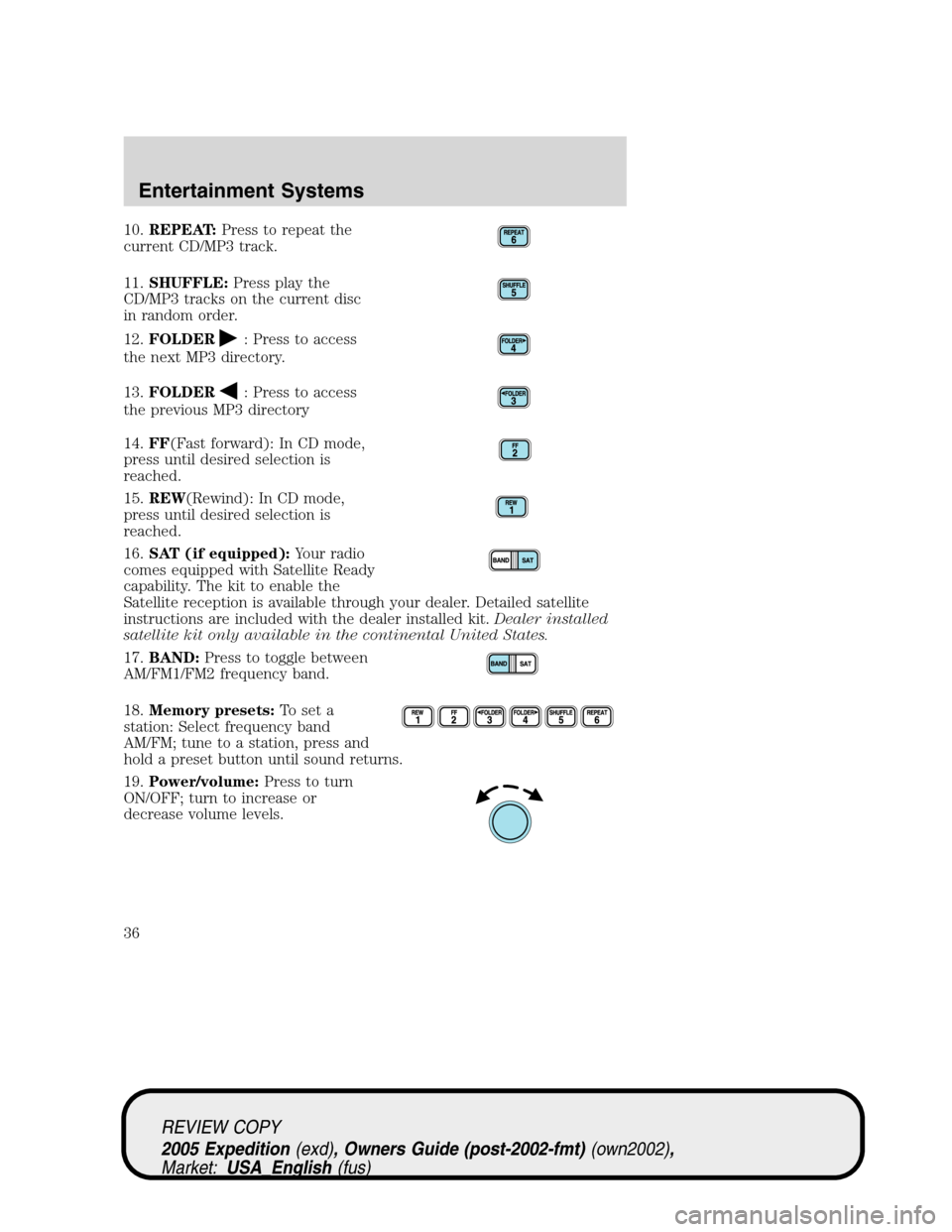
10.REPEAT:Press to repeat the
current CD/MP3 track.
11.SHUFFLE:Press play the
CD/MP3 tracks on the current disc
in random order.
12.FOLDER
: Press to access
the next MP3 directory.
13.FOLDER
: Press to access
the previous MP3 directory
14.FF(Fast forward): In CD mode,
press until desired selection is
reached.
15.REW(Rewind): In CD mode,
press until desired selection is
reached.
16.SAT (if equipped):Your radio
comes equipped with Satellite Ready
capability. The kit to enable the
Satellite reception is available through your dealer. Detailed satellite
instructions are included with the dealer installed kit.Dealer installed
satellite kit only available in the continental United States.
17.BAND:Press to toggle between
AM/FM1/FM2 frequency band.
18.Memory presets:To set a
station: Select frequency band
AM/FM; tune to a station, press and
hold a preset button until sound returns.
19.Power/volume:Press to turn
ON/OFF; turn to increase or
decrease volume levels.
REVIEW COPY
2005 Expedition(exd), Owners Guide (post-2002-fmt)(own2002),
Market:USA_English(fus)
Entertainment Systems
36
Page 112 of 368
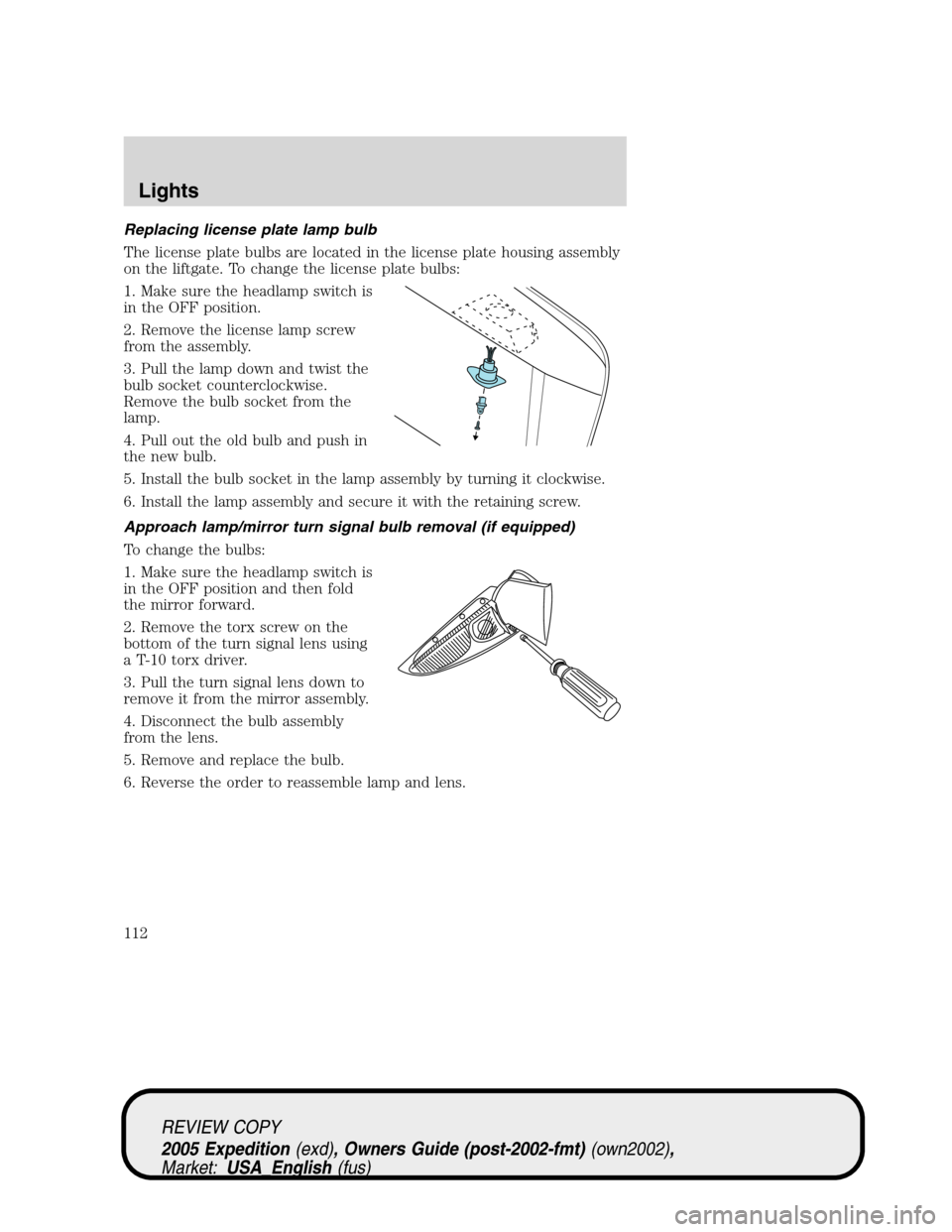
Replacing license plate lamp bulb
The license plate bulbs are located in the license plate housing assembly
on the liftgate. To change the license plate bulbs:
1. Make sure the headlamp switch is
in the OFF position.
2. Remove the license lamp screw
from the assembly.
3. Pull the lamp down and twist the
bulb socket counterclockwise.
Remove the bulb socket from the
lamp.
4. Pull out the old bulb and push in
the new bulb.
5. Install the bulb socket in the lamp assembly by turning it clockwise.
6. Install the lamp assembly and secure it with the retaining screw.
Approach lamp/mirror turn signal bulb removal (if equipped)
To change the bulbs:
1. Make sure the headlamp switch is
in the OFF position and then fold
the mirror forward.
2. Remove the torx screw on the
bottom of the turn signal lens using
a T-10 torx driver.
3. Pull the turn signal lens down to
remove it from the mirror assembly.
4. Disconnect the bulb assembly
from the lens.
5. Remove and replace the bulb.
6. Reverse the order to reassemble lamp and lens.
REVIEW COPY
2005 Expedition(exd), Owners Guide (post-2002-fmt)(own2002),
Market:USA_English(fus)
Lights
112
Page 115 of 368
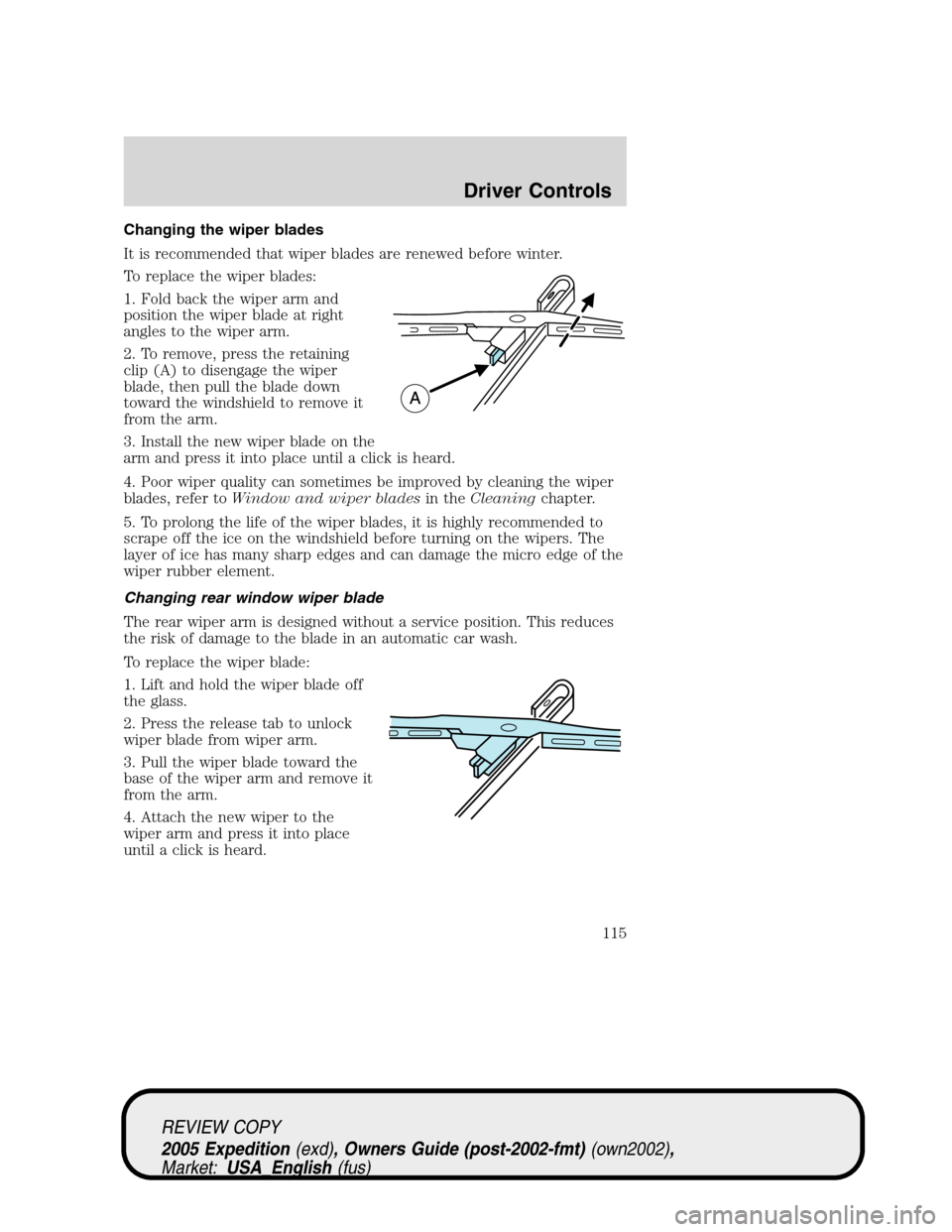
Changing the wiper blades
It is recommended that wiper blades are renewed before winter.
To replace the wiper blades:
1. Fold back the wiper arm and
position the wiper blade at right
angles to the wiper arm.
2. To remove, press the retaining
clip (A) to disengage the wiper
blade, then pull the blade down
toward the windshield to remove it
from the arm.
3. Install the new wiper blade on the
arm and press it into place until a click is heard.
4. Poor wiper quality can sometimes be improved by cleaning the wiper
blades, refer toWindow and wiper bladesin theCleaningchapter.
5. To prolong the life of the wiper blades, it is highly recommended to
scrape off the ice on the windshield before turning on the wipers. The
layer of ice has many sharp edges and can damage the micro edge of the
wiper rubber element.
Changing rear window wiper blade
The rear wiper arm is designed without a service position. This reduces
the risk of damage to the blade in an automatic car wash.
To replace the wiper blade:
1. Lift and hold the wiper blade off
the glass.
2. Press the release tab to unlock
wiper blade from wiper arm.
3. Pull the wiper blade toward the
base of the wiper arm and remove it
from the arm.
4. Attach the new wiper to the
wiper arm and press it into place
until a click is heard.
REVIEW COPY
2005 Expedition(exd), Owners Guide (post-2002-fmt)(own2002),
Market:USA_English(fus)
Driver Controls
115
Page 123 of 368
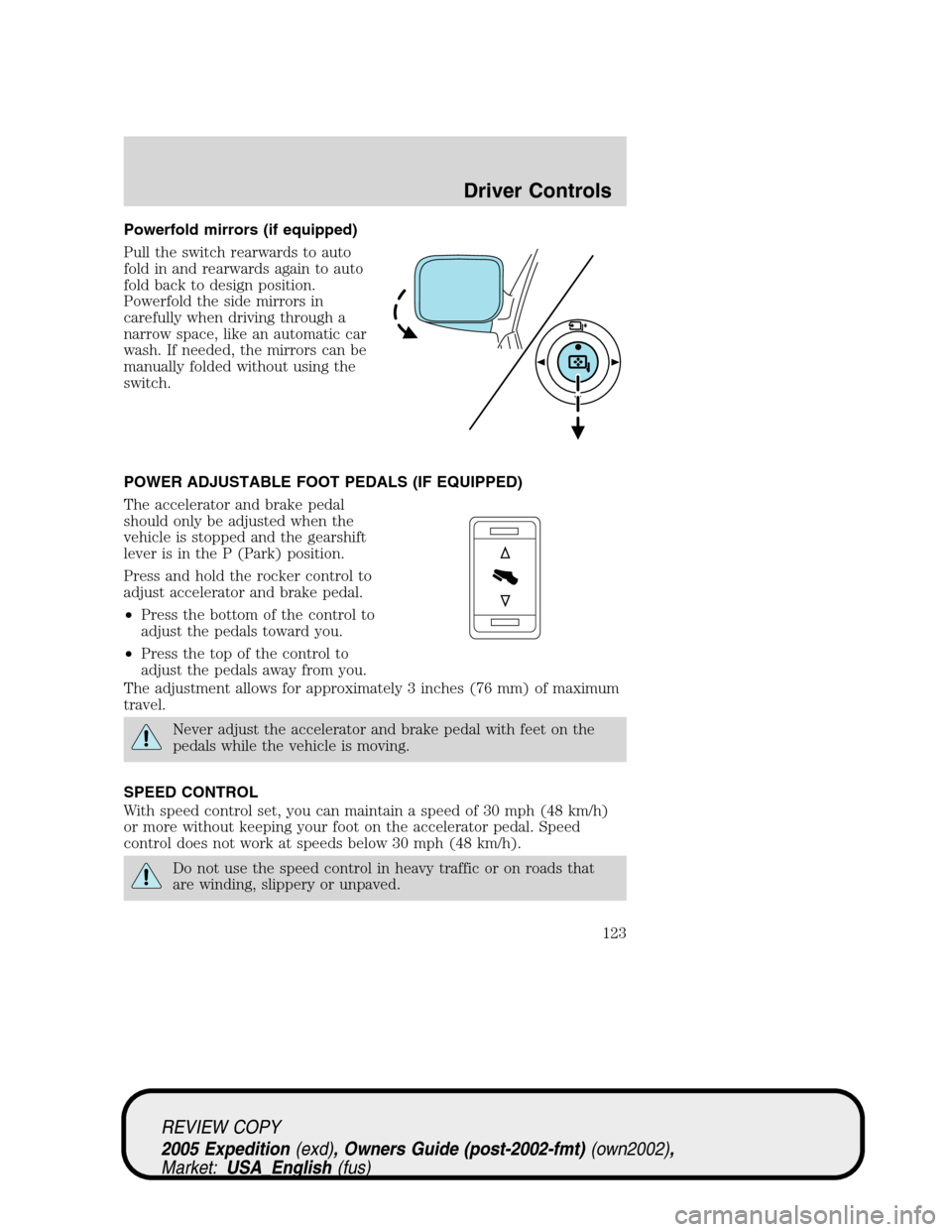
Powerfold mirrors (if equipped)
Pull the switch rearwards to auto
fold in and rearwards again to auto
fold back to design position.
Powerfold the side mirrors in
carefully when driving through a
narrow space, like an automatic car
wash. If needed, the mirrors can be
manually folded without using the
switch.
POWER ADJUSTABLE FOOT PEDALS (IF EQUIPPED)
The accelerator and brake pedal
should only be adjusted when the
vehicle is stopped and the gearshift
lever is in the P (Park) position.
Press and hold the rocker control to
adjust accelerator and brake pedal.
•Press the bottom of the control to
adjust the pedals toward you.
•Press the top of the control to
adjust the pedals away from you.
The adjustment allows for approximately 3 inches (76 mm) of maximum
travel.
Never adjust the accelerator and brake pedal with feet on the
pedals while the vehicle is moving.
SPEED CONTROL
With speed control set, you can maintain a speed of 30 mph (48 km/h)
or more without keeping your foot on the accelerator pedal. Speed
control does not work at speeds below 30 mph (48 km/h).
Do not use the speed control in heavy traffic or on roads that
are winding, slippery or unpaved.
REVIEW COPY
2005 Expedition(exd), Owners Guide (post-2002-fmt)(own2002),
Market:USA_English(fus)
Driver Controls
123
Page 167 of 368
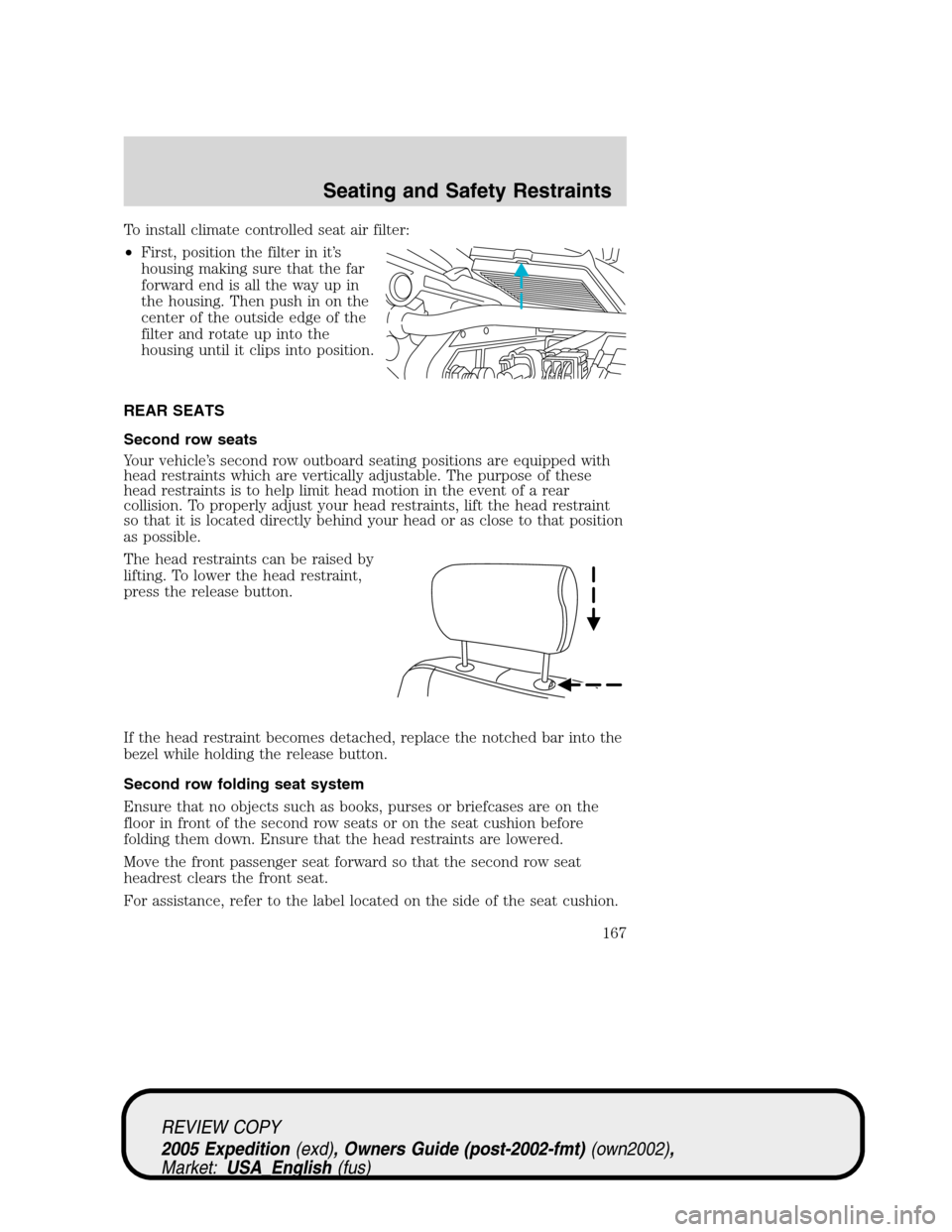
To install climate controlled seat air filter:
•First, position the filter in it’s
housing making sure that the far
forward end is all the way up in
the housing. Then push in on the
center of the outside edge of the
filter and rotate up into the
housing until it clips into position.
REAR SEATS
Second row seats
Your vehicle’s second row outboard seating positions are equipped with
head restraints which are vertically adjustable. The purpose of these
head restraints is to help limit head motion in the event of a rear
collision. To properly adjust your head restraints, lift the head restraint
so that it is located directly behind your head or as close to that position
as possible.
The head restraints can be raised by
lifting. To lower the head restraint,
press the release button.
If the head restraint becomes detached, replace the notched bar into the
bezel while holding the release button.
Second row folding seat system
Ensure that no objects such as books, purses or briefcases are on the
floor in front of the second row seats or on the seat cushion before
folding them down. Ensure that the head restraints are lowered.
Move the front passenger seat forward so that the second row seat
headrest clears the front seat.
For assistance, refer to the label located on the side of the seat cushion.
REVIEW COPY
2005 Expedition(exd), Owners Guide (post-2002-fmt)(own2002),
Market:USA_English(fus)
Seating and Safety Restraints
167
Page 170 of 368
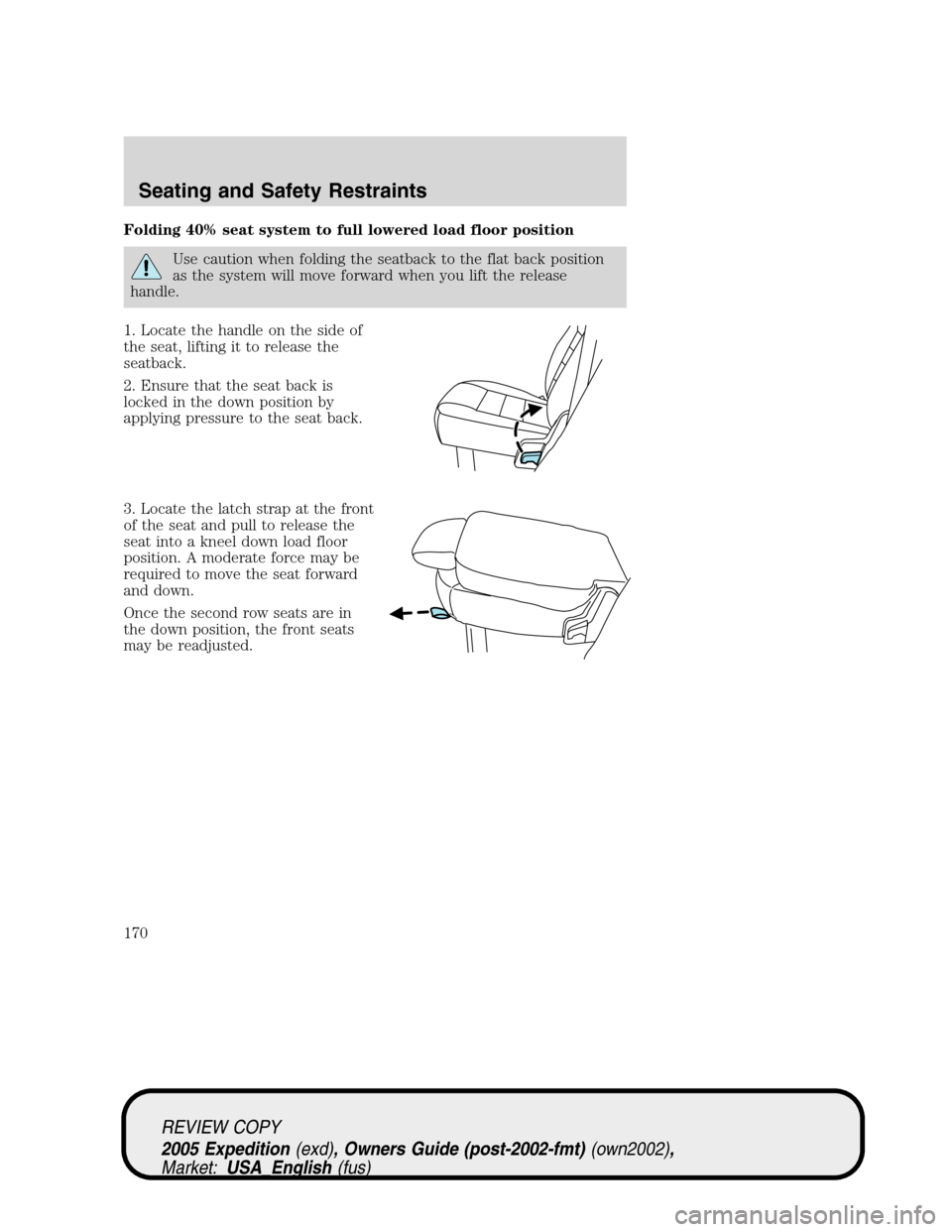
Folding 40% seat system to full lowered load floor position
Use caution when folding the seatback to the flat back position
as the system will move forward when you lift the release
handle.
1. Locate the handle on the side of
the seat, lifting it to release the
seatback.
2. Ensure that the seat back is
locked in the down position by
applying pressure to the seat back.
3. Locate the latch strap at the front
of the seat and pull to release the
seat into a kneel down load floor
position. A moderate force may be
required to move the seat forward
and down.
Once the second row seats are in
the down position, the front seats
may be readjusted.
REVIEW COPY
2005 Expedition(exd), Owners Guide (post-2002-fmt)(own2002),
Market:USA_English(fus)
Seating and Safety Restraints
170
Page 172 of 368
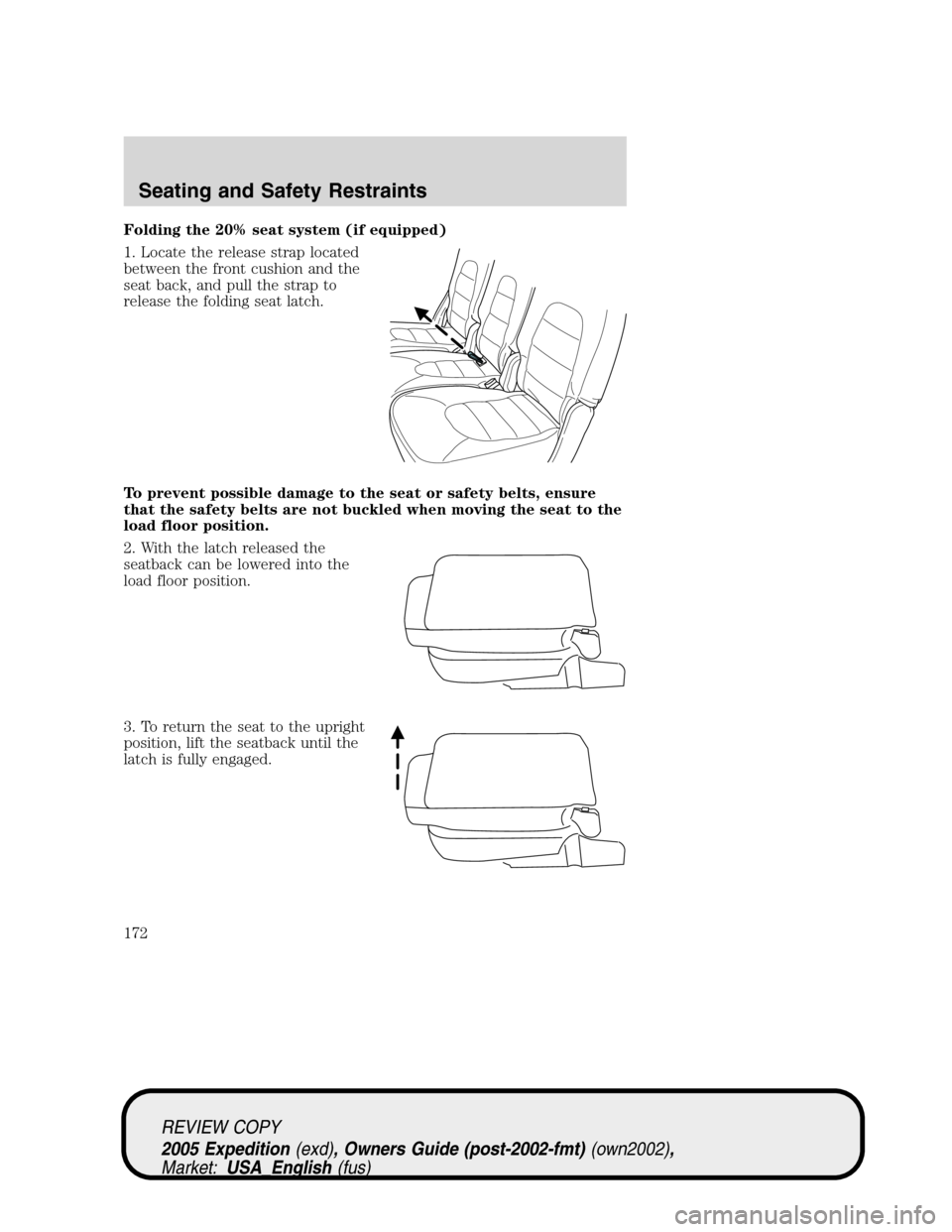
Folding the 20% seat system (if equipped)
1. Locate the release strap located
between the front cushion and the
seat back, and pull the strap to
release the folding seat latch.
To prevent possible damage to the seat or safety belts, ensure
that the safety belts are not buckled when moving the seat to the
load floor position.
2. With the latch released the
seatback can be lowered into the
load floor position.
3. To return the seat to the upright
position, lift the seatback until the
latch is fully engaged.
REVIEW COPY
2005 Expedition(exd), Owners Guide (post-2002-fmt)(own2002),
Market:USA_English(fus)
Seating and Safety Restraints
172