ignition FORD EXPEDITION 2005 2.G User Guide
[x] Cancel search | Manufacturer: FORD, Model Year: 2005, Model line: EXPEDITION, Model: FORD EXPEDITION 2005 2.GPages: 368, PDF Size: 11.76 MB
Page 52 of 368
•When the temperature of the DVD player becomes too hot, the high
temperature sensor circuit stops machine operation. DVD/CD HOT will
illuminate in the radio display.
•The DVD player will remain inactive until it cools to a normal
operating temperature. Length of time to cool will vary depending on
conditions.
General operating tips
•When the engine is not running, use the system sparingly. Otherwise,
it will run the battery down.
•When the ignition is turned to OFF, the Rear Seat Entertainment DVD
System is also turned OFF. When the ignition is turned ON, the
system will begin playback from the last selected media source when
the play control is pressed.
•To disable the DVD player, simultaneously press the 3 and 5 memory
presets on the radio face. To enable the DVD player again, press the 3
and 5 presets simultaneously.
•The DVD player is only capable of reading the bottom side of a disc.
When inserting a single sided disc, the label should be up. For a
multi-sided disc, the desired play side should be down when the disc
is inserted into the player.
•The DVD player is capable of playback of DVDs, DVDR/RW, CDs,
CDR/RW and MP3s.
•DVDs are formatted by regions. This DVD system can only play region
1 DVDs (DVDs manufactured for U.S. and Canada).
This unit is designed to play commercially pressed 4.75 (12 cm)
audio compact discs and DVDs only. Due to technical
incompatibility, certain recordable and re-recordable compact
discs may not function correctly when used in Ford DVD/CD
players. Irregular shaped discs, discs with a scratch protection
film attached, and discs with homemade paper (adhesive) labels
should not be inserted into the player. The label may peel and
cause the disc to become jammed. It is recommended that
homemade discs be identified with permanent felt tip marker
rather than adhesive labels. Ball point pens may damage discs.
Please contact your dealer for further information.
Inserting a CD/DVD
Partially insert the CD/DVD into the slot and the system will fully pull in
the disc. Inserting the disc too far could cause the disc to jam in the
system.
REVIEW COPY
2005 Expedition(exd), Owners Guide (post-2002-fmt)(own2002),
Market:USA_English(fus)
Entertainment Systems
52
Page 53 of 368
Inserting a CD/DVD into the DVD player automatically turns the power
ON and playback should begin.
The counter is automatically reset to 0:00:00.
Removing a CD/DVD
1. Press the STOP/EJECT control to stop playback.
2. Press the STOP/EJECT control again to eject the CD/DVD.
If the CD/DVD is not removed within the allotted time, the system will
pull the CD/DVD back into the system for safety purposes. If the
CD/DVD will not eject from the system, press and hold the EJECT
control for approximately 2 seconds. The disc should eject whether the
vehicle ignition is ON or OFF.
Playing a video game/auxiliary device
1. Connect the video line from your video game device to the YELLOW
auxiliary input jack.
2. Connect the left and right audio lines to the WHITE and RED auxiliary
input jacks respectively.
3. Press the MODE control until DVD/CD AUX (no disc in player) or
DVD/CD play (disc in player) illuminates in the radio display. If a disc is
in the system, playback should begin. To enable the aux inputs, press the
STOP control or press the AUX control on the DVD player.
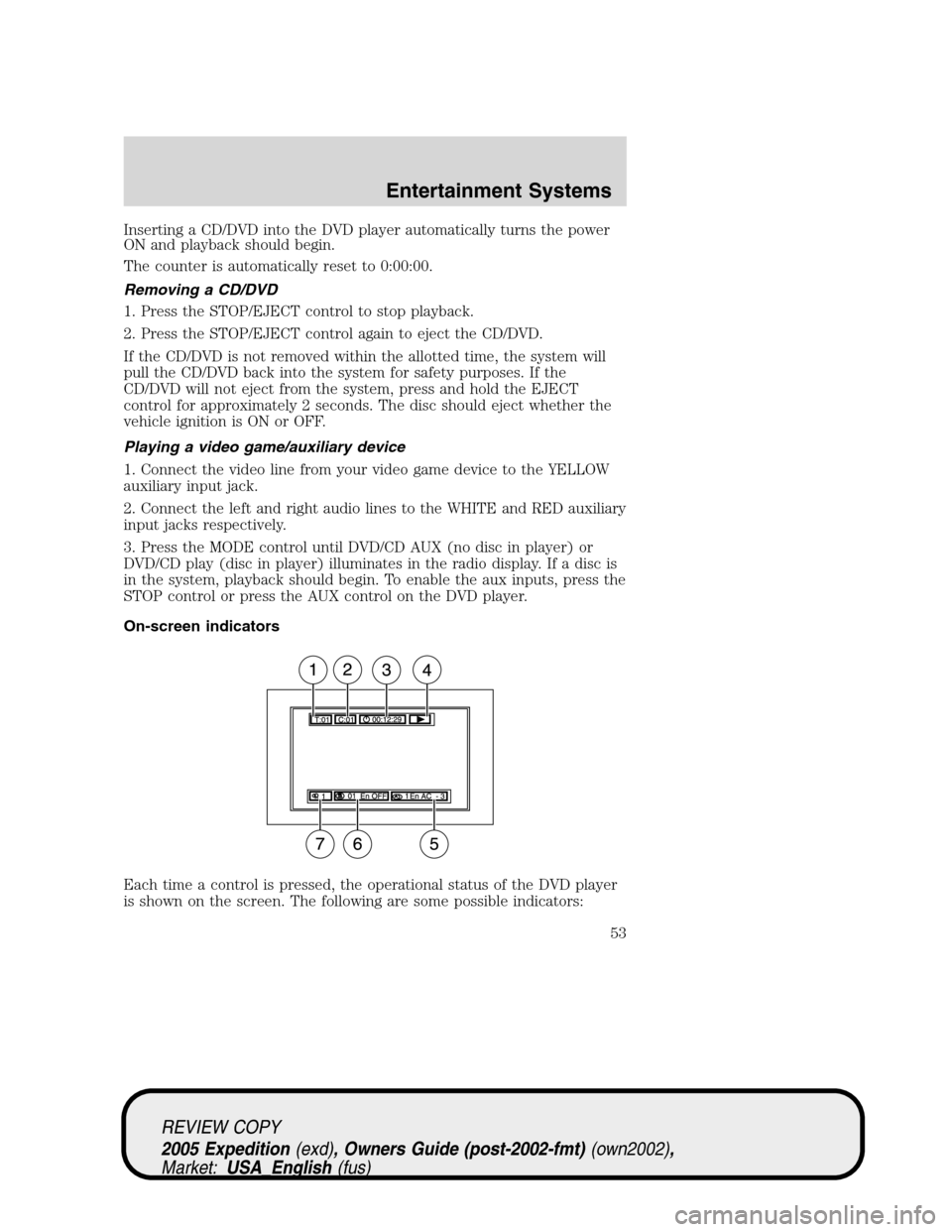
On-screen indicators
Each time a control is pressed, the operational status of the DVD player
is shown on the screen. The following are some possible indicators:
REVIEW COPY
2005 Expedition(exd), Owners Guide (post-2002-fmt)(own2002),
Market:USA_English(fus)
Entertainment Systems
53
Page 57 of 368
Safety information
Please read and follow all stated safety precautions. Failure to do
so may increase your risk of collision and personal injury.
Ford Motor Company shall not be liable for any damages of any
type arising from failure to follow these guidelines.
Do not attempt to service, repair or modify the system. See your Ford or
Lincoln Mercury dealer.
The driver must not attempt to operate any detailed operation of
the navigation system while the vehicle is in motion. Give full
attention to driving and to the road. Pull off the road and park in a
safe place before performing detailed operations.
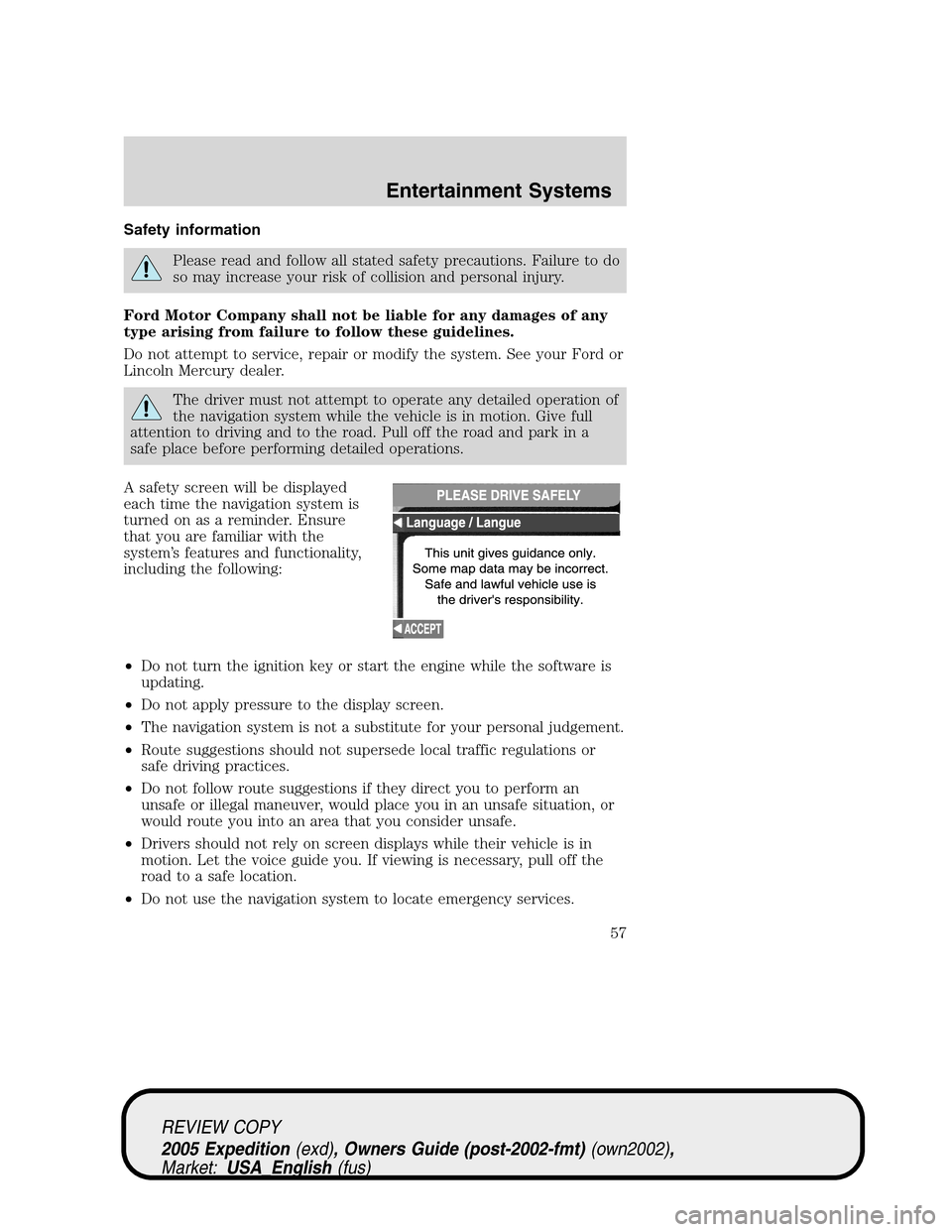
A safety screen will be displayed
each time the navigation system is
turned on as a reminder. Ensure
that you are familiar with the
system’s features and functionality,
including the following:
•Do not turn the ignition key or start the engine while the software is
updating.
•Do not apply pressure to the display screen.
•The navigation system is not a substitute for your personal judgement.
•Route suggestions should not supersede local traffic regulations or
safe driving practices.
•Do not follow route suggestions if they direct you to perform an
unsafe or illegal maneuver, would place you in an unsafe situation, or
would route you into an area that you consider unsafe.
•Drivers should not rely on screen displays while their vehicle is in
motion. Let the voice guide you. If viewing is necessary, pull off the
road to a safe location.
•Do not use the navigation system to locate emergency services.
REVIEW COPY
2005 Expedition(exd), Owners Guide (post-2002-fmt)(own2002),
Market:USA_English(fus)
Entertainment Systems
57
Page 61 of 368
14.MENU:The MENU control
works in both the audio and
navigation mode. Press to access
various menus in both modes.
15.HERE:The HERE control works
in the navigation mode. Press the
control to identify the current
location of the vehicle.
Quick start – how to get going
To play a radio station:
1. Ensure that the ignition and the Vehicle Navigation Radio (VNR)
system are ON.
2. Press the AM/FM control to select
the desired frequency band.
3. Press the SEEK control to locate
a station.
To play a CD in the VNR:
1. Ensure that the ignition and the
VNR system are ON.
2. Insert a CD into the single slot of
the VNR and the CD will automatically begin play. If a CD is already
loaded into the system, press the CD control.
To play a CD in the CD DJ:
1. Ensure that the ignition and the
VNR system are ON.
2. Insert CD(s) into the CD DJ
magazine. Insert magazine into CD DJ. If the CD DJ magazine is already
loaded, press the CD control to toggle through CD, CD DJ and DVD (if
equipped).
MENU
HERE
AM/FM
SEEK
REVIEW COPY
2005 Expedition(exd), Owners Guide (post-2002-fmt)(own2002),
Market:USA_English(fus)
Entertainment Systems
61
Page 62 of 368
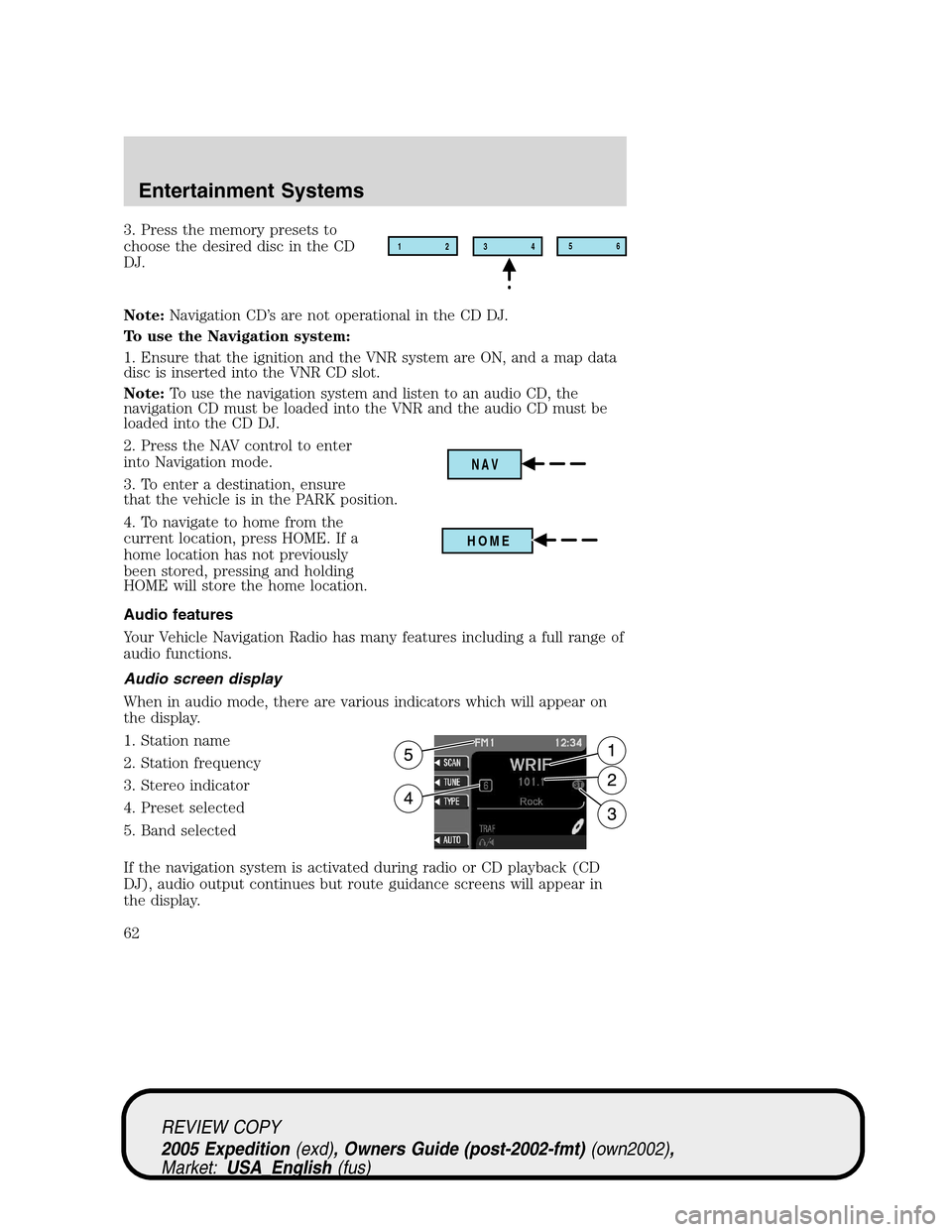
3. Press the memory presets to
choose the desired disc in the CD
DJ.
Note:Navigation CD’s are not operational in the CD DJ.
To use the Navigation system:
1. Ensure that the ignition and the VNR system are ON, and a map data
disc is inserted into the VNR CD slot.
Note:To use the navigation system and listen to an audio CD, the
navigation CD must be loaded into the VNR and the audio CD must be
loaded into the CD DJ.
2. Press the NAV control to enter
into Navigation mode.
3. To enter a destination, ensure
that the vehicle is in the PARK position.
4. To navigate to home from the
current location, press HOME. If a
home location has not previously
been stored, pressing and holding
HOME will store the home location.
Audio features
Your Vehicle Navigation Radio has many features including a full range of
audio functions.
Audio screen display
When in audio mode, there are various indicators which will appear on
the display.
1. Station name
2. Station frequency
3. Stereo indicator
4. Preset selected
5. Band selected
If the navigation system is activated during radio or CD playback (CD
DJ), audio output continues but route guidance screens will appear in
the display.12
3456
NAV
HOME
REVIEW COPY
2005 Expedition(exd), Owners Guide (post-2002-fmt)(own2002),
Market:USA_English(fus)
Entertainment Systems
62
Page 87 of 368
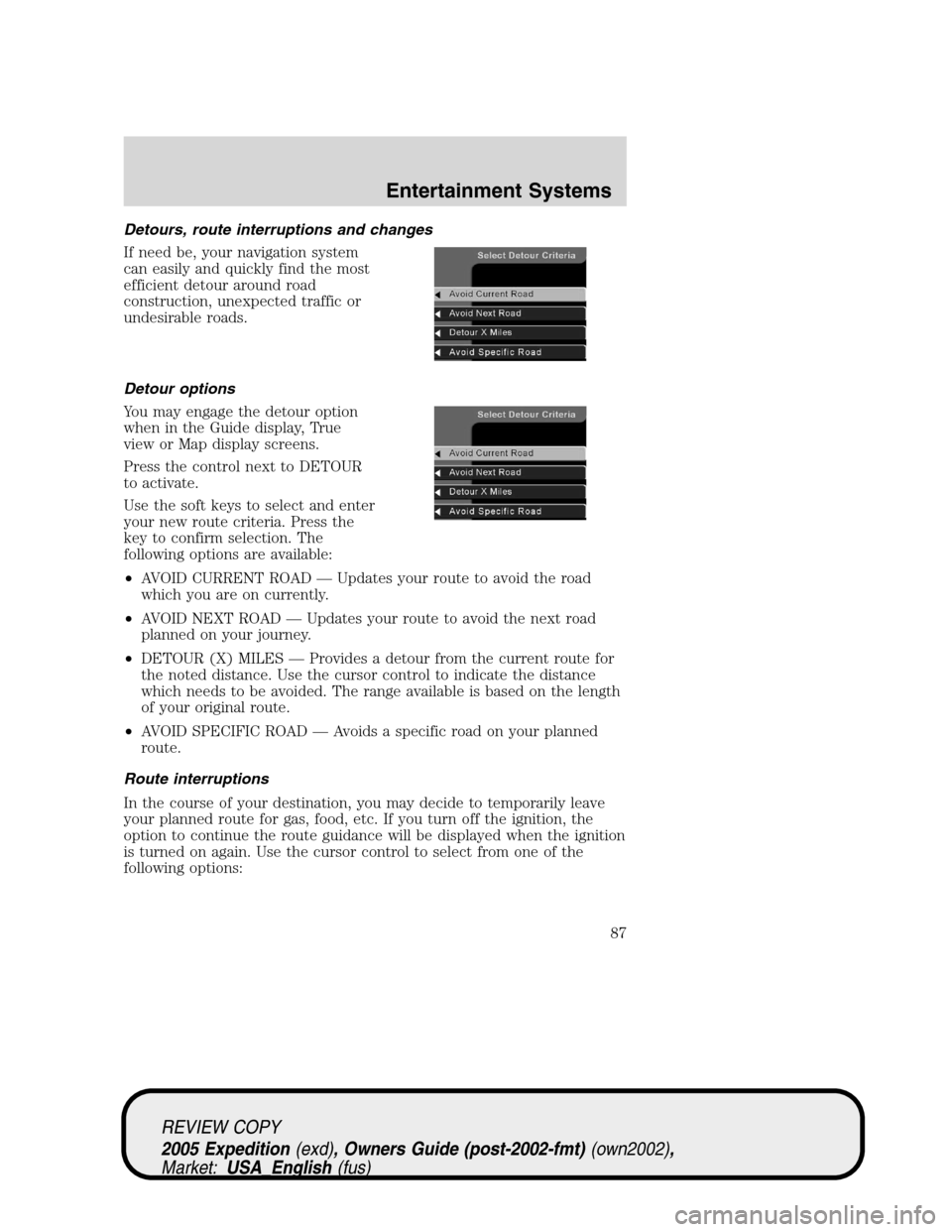
Detours, route interruptions and changes
If need be, your navigation system
can easily and quickly find the most
efficient detour around road
construction, unexpected traffic or
undesirable roads.
Detour options
You may engage the detour option
when in the Guide display, True
view or Map display screens.
Press the control next to DETOUR
to activate.
Use the soft keys to select and enter
your new route criteria. Press the
key to confirm selection. The
following options are available:
•AVOID CURRENT ROAD — Updates your route to avoid the road
which you are on currently.
•AVOID NEXT ROAD — Updates your route to avoid the next road
planned on your journey.
•DETOUR (X) MILES — Provides a detour from the current route for
the noted distance. Use the cursor control to indicate the distance
which needs to be avoided. The range available is based on the length
of your original route.
•AVOID SPECIFIC ROAD — Avoids a specific road on your planned
route.
Route interruptions
In the course of your destination, you may decide to temporarily leave
your planned route for gas, food, etc. If you turn off the ignition, the
option to continue the route guidance will be displayed when the ignition
is turned on again. Use the cursor control to select from one of the
following options:
REVIEW COPY
2005 Expedition(exd), Owners Guide (post-2002-fmt)(own2002),
Market:USA_English(fus)
Entertainment Systems
87
Page 88 of 368
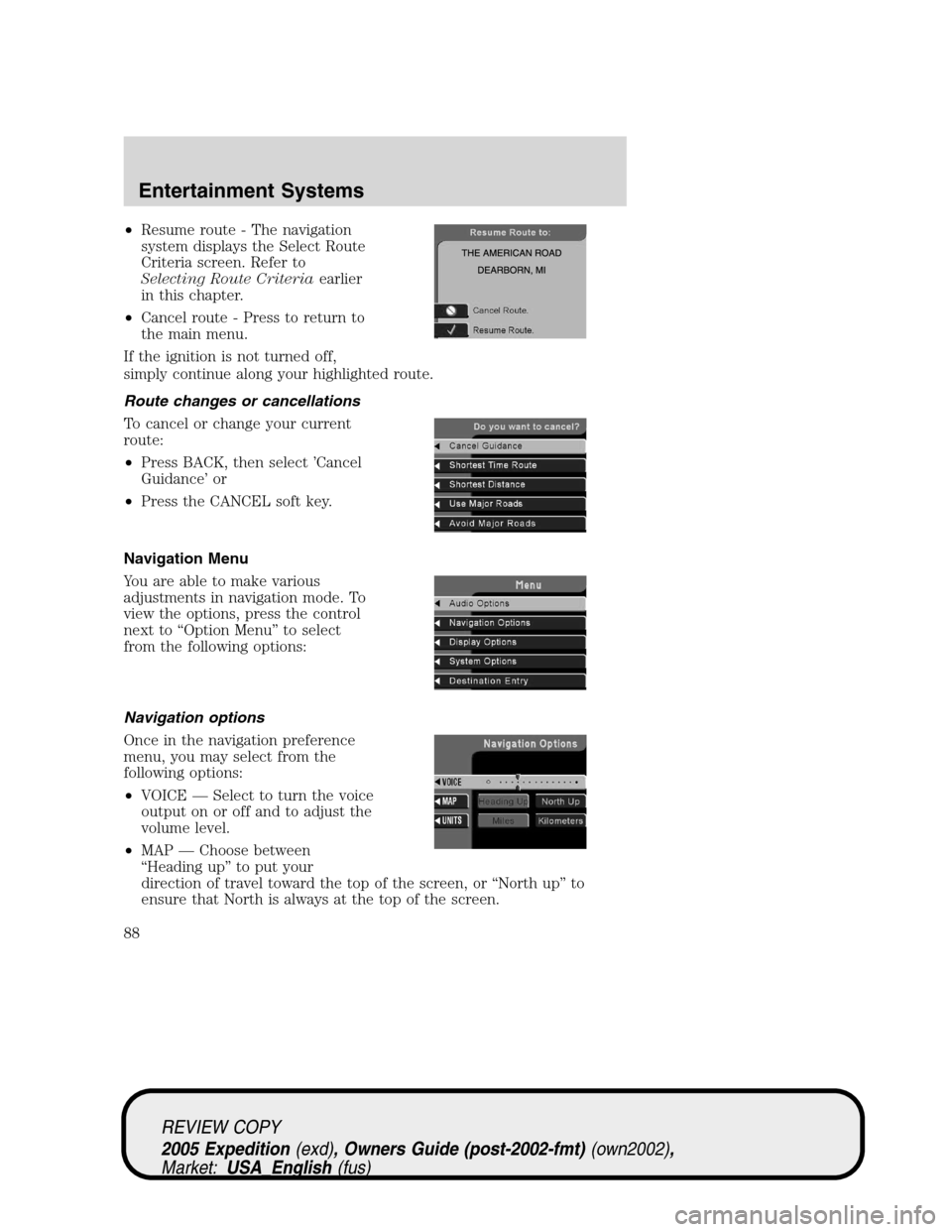
•Resume route - The navigation
system displays the Select Route
Criteria screen. Refer to
Selecting Route Criteriaearlier
in this chapter.
•Cancel route - Press to return to
the main menu.
If the ignition is not turned off,
simply continue along your highlighted route.
Route changes or cancellations
To cancel or change your current
route:
•Press BACK, then select ’Cancel
Guidance’ or
•Press the CANCEL soft key.
Navigation Menu
You are able to make various
adjustments in navigation mode. To
view the options, press the control
next to “Option Menu” to select
from the following options:
Navigation options
Once in the navigation preference
menu, you may select from the
following options:
•VOICE — Select to turn the voice
output on or off and to adjust the
volume level.
•MAP — Choose between
“Heading up” to put your
direction of travel toward the top of the screen, or “North up” to
ensure that North is always at the top of the screen.
REVIEW COPY
2005 Expedition(exd), Owners Guide (post-2002-fmt)(own2002),
Market:USA_English(fus)
Entertainment Systems
88
Page 98 of 368
Press and hold AUTO for about two seconds to toggle between single
zone and dual zone temperature control.
12.Driver heated seat:Press to turn on the driver side heated seat.
Press once for full heat (three lights above driver heated seat control will
be illuminated). Press a second time to select medium heat (two lights).
Press a third time to select low heat (one light). Press a fourth time to
disengage the feature (all lights will be off).Note:The driver heated
seat will turn off automatically after 15 minutes of use.
13.Driver cooled seat:Press to turn on the driver side cooled seat.
Press once for full cool (three lights above driver cooled seat control will
be illuminated). Press a second time to select medium cool (two lights).
Press a third time to select low cool (one light). Press a fourth time to
disengage the feature (all lights will be off).Note:The driver cooled
seat will turn off automatically after 30 minutes of use.
14.Driver’s side temperature
control:Controls the temperature
on the driver side of the vehicle in
dual zone and controls the
temperature of the entire vehicle in single zone.
15.Fan Speed:Press to manually
increase/decrease fan speed. In
manual mode, the display will
show
with a bar graph to
indicate fan speed. Fan speed can be manually adjusted in AUTO mode.
To allow the system to automatically control fan speed, press AUTO.
Note:The vehicle’s blower motor may run for a varied amount of time
after the ignition has been turned to the OFF position in order to purge
the evaporator case of moisture.
16.EXT control:Press to display
the outside air temperature. Press
again to return to interior
temperature. Exterior readings are most accurate when the vehicle is
moving.
17.Temperature conversion:
Press to toggle between Fahrenheit
and Celsius temperature on the
DEATC display only. The set point temperatures in Celsius will be
displayed in half-degree increments.
EXT
F C
REVIEW COPY
2005 Expedition(exd), Owners Guide (post-2002-fmt)(own2002),
Market:USA_English(fus)
Climate Controls
98
Page 102 of 368
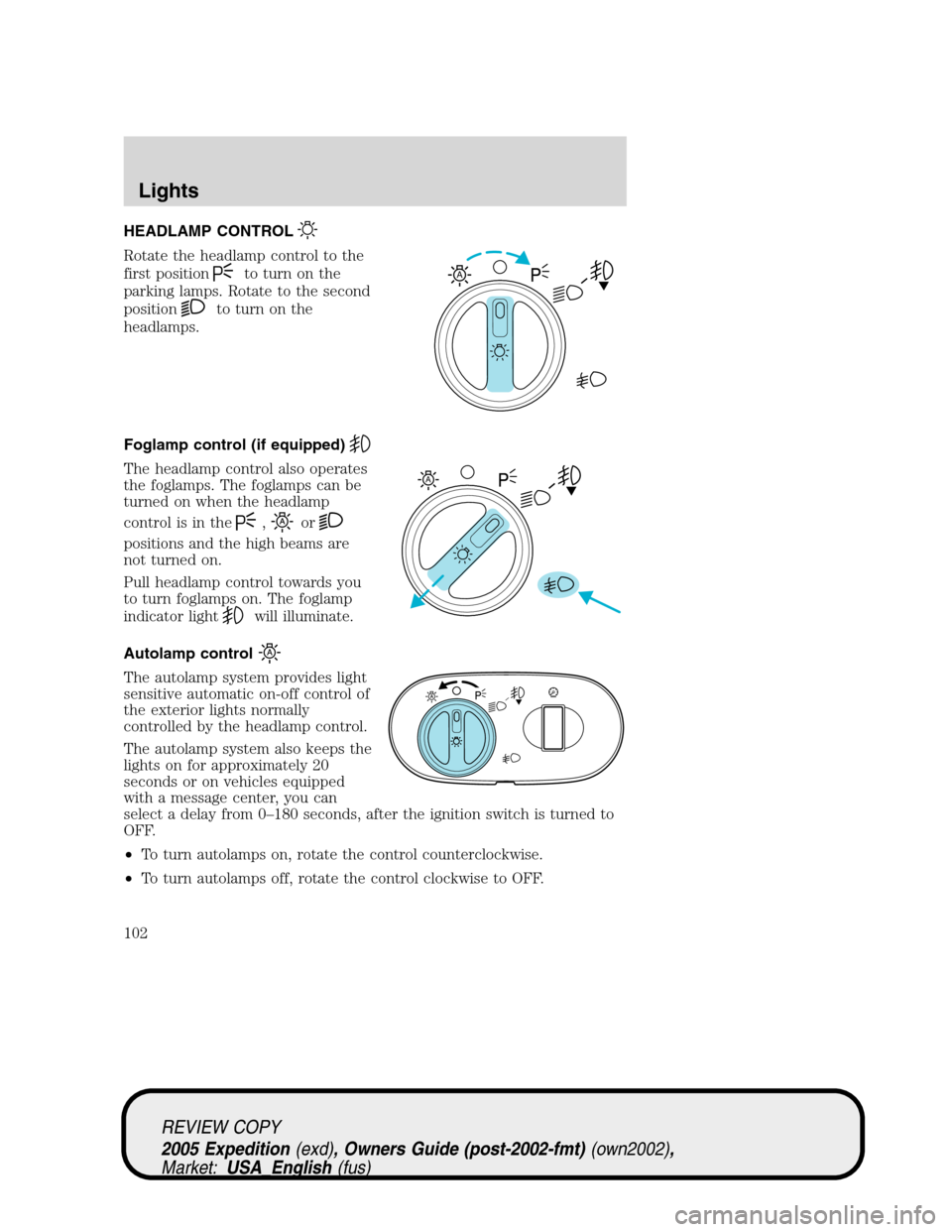
HEADLAMP CONTROL
Rotate the headlamp control to the
first position
to turn on the
parking lamps. Rotate to the second
position
to turn on the
headlamps.
Foglamp control (if equipped)
The headlamp control also operates
the foglamps. The foglamps can be
turned on when the headlamp
control is in the
,or
positions and the high beams are
not turned on.
Pull headlamp control towards you
to turn foglamps on. The foglamp
indicator light
will illuminate.
Autolamp control
The autolamp system provides light
sensitive automatic on-off control of
the exterior lights normally
controlled by the headlamp control.
The autolamp system also keeps the
lights on for approximately 20
seconds or on vehicles equipped
with a message center, you can
select a delay from 0–180 seconds, after the ignition switch is turned to
OFF.
•To turn autolamps on, rotate the control counterclockwise.
•To turn autolamps off, rotate the control clockwise to OFF.
A
A
REVIEW COPY
2005 Expedition(exd), Owners Guide (post-2002-fmt)(own2002),
Market:USA_English(fus)
Lights
Lights
102
Page 103 of 368
Daytime running lamps (DRL) (if equipped)
Turns the foglamps on at full intensity output. To activate:
•the ignition must be in the ON position and
•the headlamp control must be in the OFF or Parking lamps position.
Always remember to turn on your headlamps at dusk or during
inclement weather. The Daytime Running Lamp (DRL) system
does not activate the tail lamps and generally may not provide
adequate lighting during these conditions. Failure to activate your
headlamps under these conditions may result in a collision.
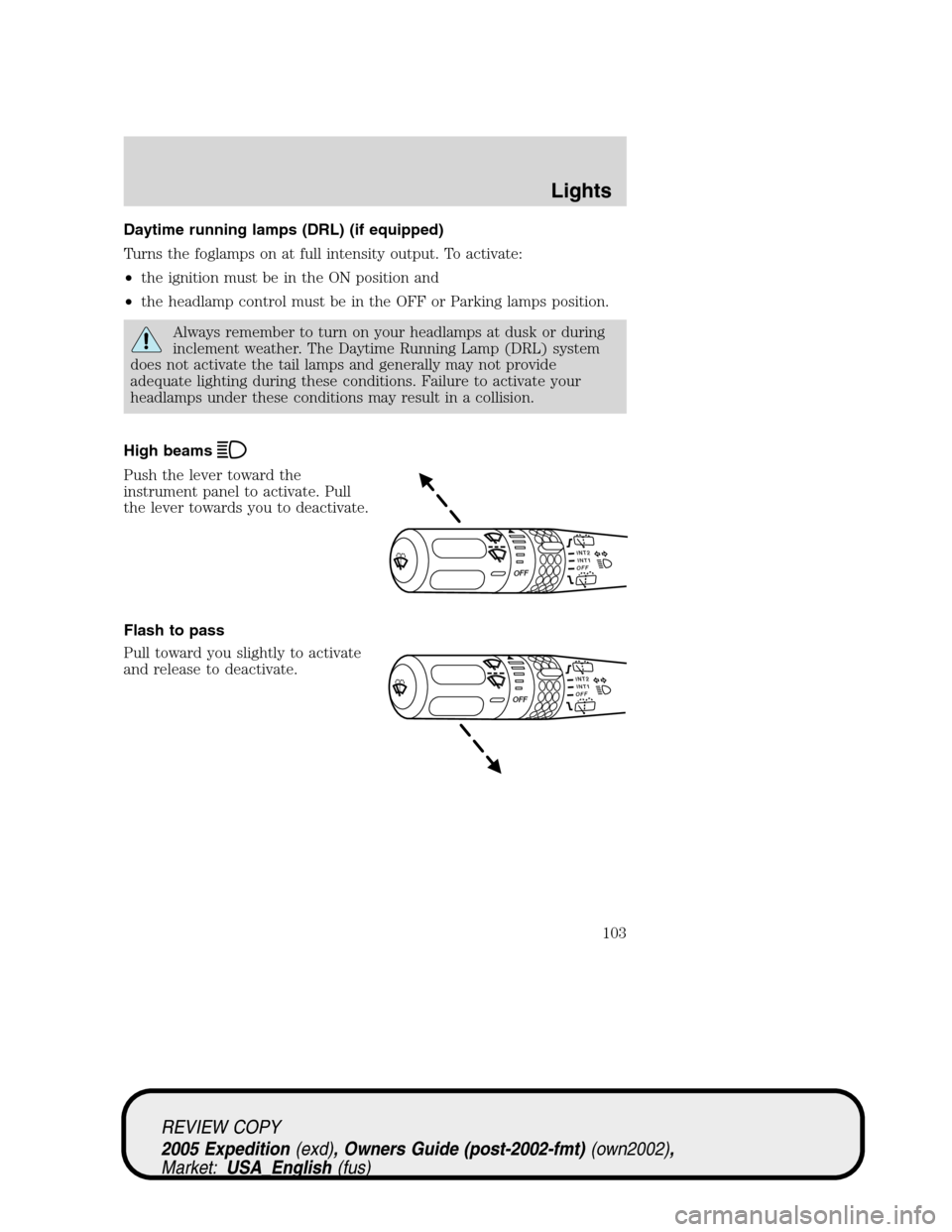
High beams
Push the lever toward the
instrument panel to activate. Pull
the lever towards you to deactivate.
Flash to pass
Pull toward you slightly to activate
and release to deactivate.
INT2OFFOFFINT1
INT2OFFOFFINT1
REVIEW COPY
2005 Expedition(exd), Owners Guide (post-2002-fmt)(own2002),
Market:USA_English(fus)
Lights
103