driver FORD EXPEDITION 2005 2.G Owners Manual
[x] Cancel search | Manufacturer: FORD, Model Year: 2005, Model line: EXPEDITION, Model: FORD EXPEDITION 2005 2.GPages: 368, PDF Size: 11.76 MB
Page 1 of 368
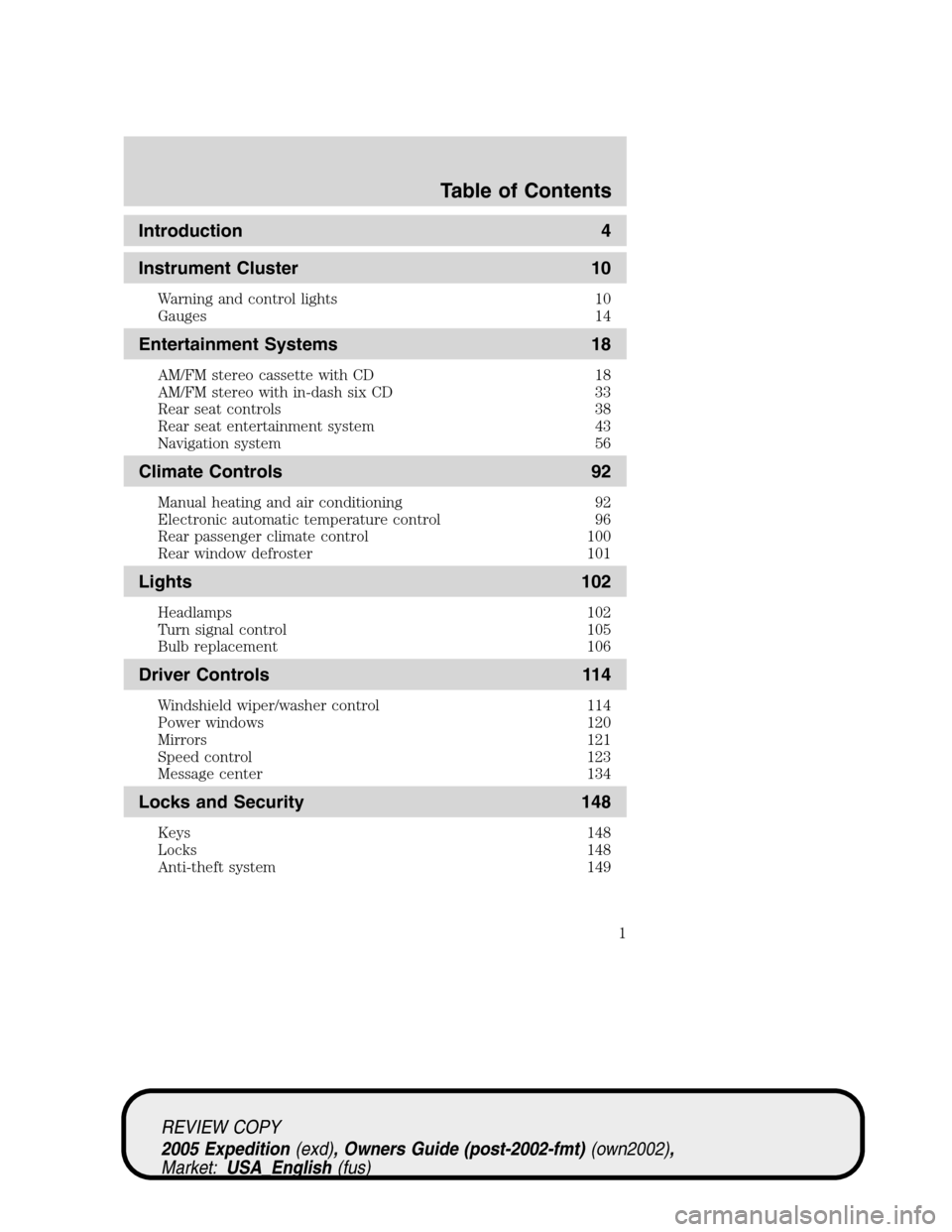
Introduction 4
Instrument Cluster 10
Warning and control lights 10
Gauges 14
Entertainment Systems 18
AM/FM stereo cassette with CD 18
AM/FM stereo with in-dash six CD 33
Rear seat controls 38
Rear seat entertainment system 43
Navigation system 56
Climate Controls 92
Manual heating and air conditioning 92
Electronic automatic temperature control 96
Rear passenger climate control 100
Rear window defroster 101
Lights 102
Headlamps 102
Turn signal control 105
Bulb replacement 106
Driver Controls 114
Windshield wiper/washer control 114
Power windows 120
Mirrors 121
Speed control 123
Message center 134
Locks and Security 148
Keys 148
Locks 148
Anti-theft system 149
Table of Contents
1
REVIEW COPY
2005 Expedition(exd), Owners Guide (post-2002-fmt)(own2002),
Market:USA_English(fus)
Table of Contents
Page 6 of 368
SPECIAL NOTICES
Emission warranty
The New Vehicle Limited Warranty includes Bumper-to-Bumper
Coverage, Safety Restraint Coverage, Corrosion Coverage, and 6.0L
Power Stroke Diesel Engine Coverage. In addition, your vehicle is eligible
for Emissions Defect and Emissions Performance Warranties. For a
detailed description of what is covered and what is not covered, refer to
theWarranty Guidethat is provided to you along with your Owner’s
Guide.
Service Data Recording
Service data recorders in your vehicle are capable of collecting and
storing diagnostic information about your vehicle. This potentially
includes information about the performance or status of various systems
and modules in the vehicle, such as engine, throttle, steering or brake
systems. In order to properly diagnose and service your vehicle, Ford
Motor Company, Ford of Canada, and service and repair facilities may
access vehicle diagnostic information through a direct connection to your
vehicle when diagnosing or servicing your vehicle.
Event Data Recording
Other modules in your vehicle — event data recorders — are capable of
collecting and storing data during a crash or near crash event. The
recorded information may assist in the investigation of such an event.
The modules may record information about both the vehicle and the
occupants, potentially including information such as:
•how various systems in your vehicle were operating;
•whether or not the driver and passenger seatbelts were buckled;
•how far (if at all) the driver was depressing the accelerator and/or the
brake pedal;
•how fast the vehicle was traveling; and
•where the driver was positioning the steering wheel.
To access this information, special equipment must be directly connected
to the recording modules. Ford Motor Company and Ford of Canada do
not access event data recorder information without obtaining consent,
unless pursuant to court order or where required by law enforcement,
other government authorities or other third parties acting with lawful
authority. Other parties may seek to access the information
independently of Ford Motor Company and Ford of Canada.
REVIEW COPY
2005 Expedition(exd), Owners Guide (post-2002-fmt)(own2002),
Market:USA_English(fus)
Introduction
6
Page 11 of 368
Under engine misfire conditions, excessive exhaust temperatures
could damage the catalytic converter, the fuel system, interior
floor coverings or other vehicle components, possibly causing a fire.
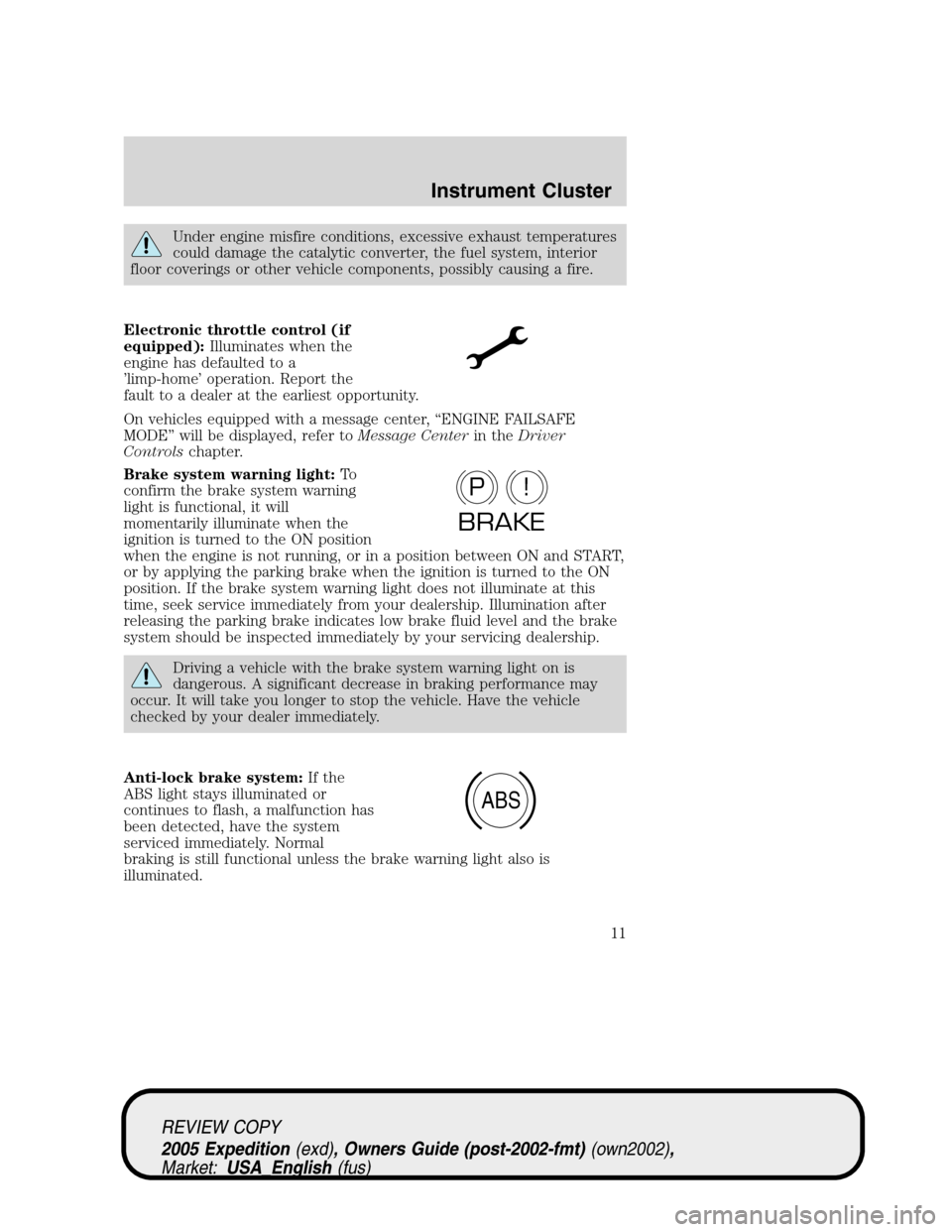
Electronic throttle control (if
equipped):Illuminates when the
engine has defaulted to a
’limp-home’ operation. Report the
fault to a dealer at the earliest opportunity.
On vehicles equipped with a message center, “ENGINE FAILSAFE
MODE” will be displayed, refer toMessage Centerin theDriver
Controlschapter.
Brake system warning light:To
confirm the brake system warning
light is functional, it will
momentarily illuminate when the
ignition is turned to the ON position
when the engine is not running, or in a position between ON and START,
or by applying the parking brake when the ignition is turned to the ON
position. If the brake system warning light does not illuminate at this
time, seek service immediately from your dealership. Illumination after
releasing the parking brake indicates low brake fluid level and the brake
system should be inspected immediately by your servicing dealership.
Driving a vehicle with the brake system warning light on is
dangerous. A significant decrease in braking performance may
occur. It will take you longer to stop the vehicle. Have the vehicle
checked by your dealer immediately.
Anti-lock brake system:If the
ABS light stays illuminated or
continues to flash, a malfunction has
been detected, have the system
serviced immediately. Normal
braking is still functional unless the brake warning light also is
illuminated.
P!
BRAKE
ABS
REVIEW COPY
2005 Expedition(exd), Owners Guide (post-2002-fmt)(own2002),
Market:USA_English(fus)
Instrument Cluster
11
Page 14 of 368
four-wheel drive is engaged. If the light fails to illuminate when the
ignition is turned ON, continues to flash or remains on, have the system
serviced immediately.
Door ajar (if equipped):
Illuminates when the ignition is in
the ON position and any door,
liftgate or the liftgate glass is open.
Turn signal:Illuminates when the
left or right turn signal or the
hazard lights are turned on. If the
indicators stay on or flash faster, check for a burned out bulb.
High beams:Illuminates when the
high beam headlamps are turned on.
Key-in-ignition warning chime:Sounds when the key is left in the
ignition in the OFF/LOCK or ACCESSORY position and the driver’s door
is opened.
Headlamps on warning chime:Sounds when the headlamps or parking
lamps are on, the ignition is off (the key is not in the ignition) and the
driver’s door is opened.
Door ajar warning chime:Sounds when any door, liftgate or the
liftgate glass is opened (or not fully closed).
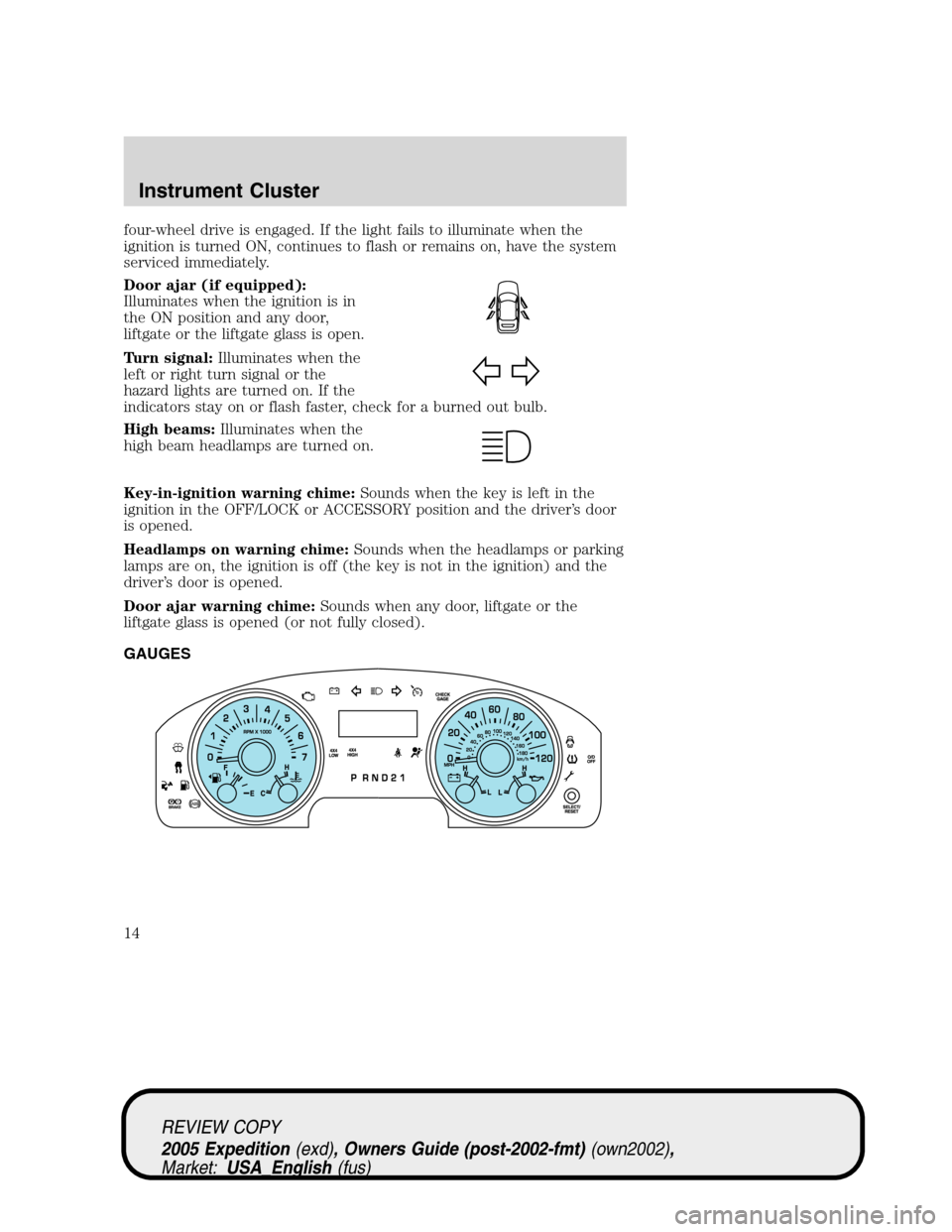
GAUGES
REVIEW COPY
2005 Expedition(exd), Owners Guide (post-2002-fmt)(own2002),
Market:USA_English(fus)
Instrument Cluster
14
Page 15 of 368
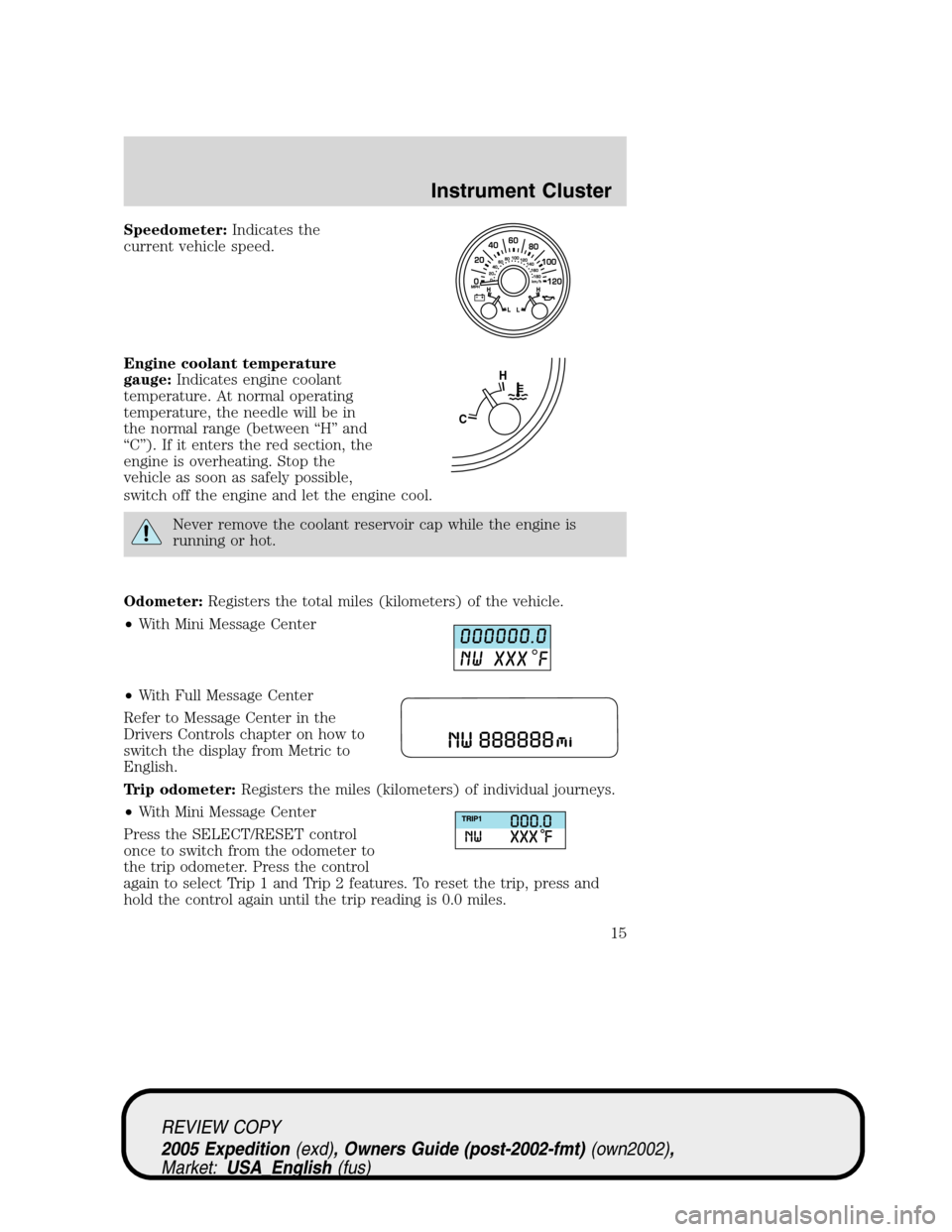
Speedometer:Indicates the
current vehicle speed.
Engine coolant temperature
gauge:Indicates engine coolant
temperature. At normal operating
temperature, the needle will be in
the normal range (between “H” and
“C”). If it enters the red section, the
engine is overheating. Stop the
vehicle as soon as safely possible,
switch off the engine and let the engine cool.
Never remove the coolant reservoir cap while the engine is
running or hot.
Odometer:Registers the total miles (kilometers) of the vehicle.
•With Mini Message Center
•With Full Message Center
Refer to Message Center in the
Drivers Controls chapter on how to
switch the display from Metric to
English.
Trip odometer:Registers the miles (kilometers) of individual journeys.
•With Mini Message Center
Press the SELECT/RESET control
once to switch from the odometer to
the trip odometer. Press the control
again to select Trip 1 and Trip 2 features. To reset the trip, press and
hold the control again until the trip reading is 0.0 miles.
CH
REVIEW COPY
2005 Expedition(exd), Owners Guide (post-2002-fmt)(own2002),
Market:USA_English(fus)
Instrument Cluster
15
Page 24 of 368
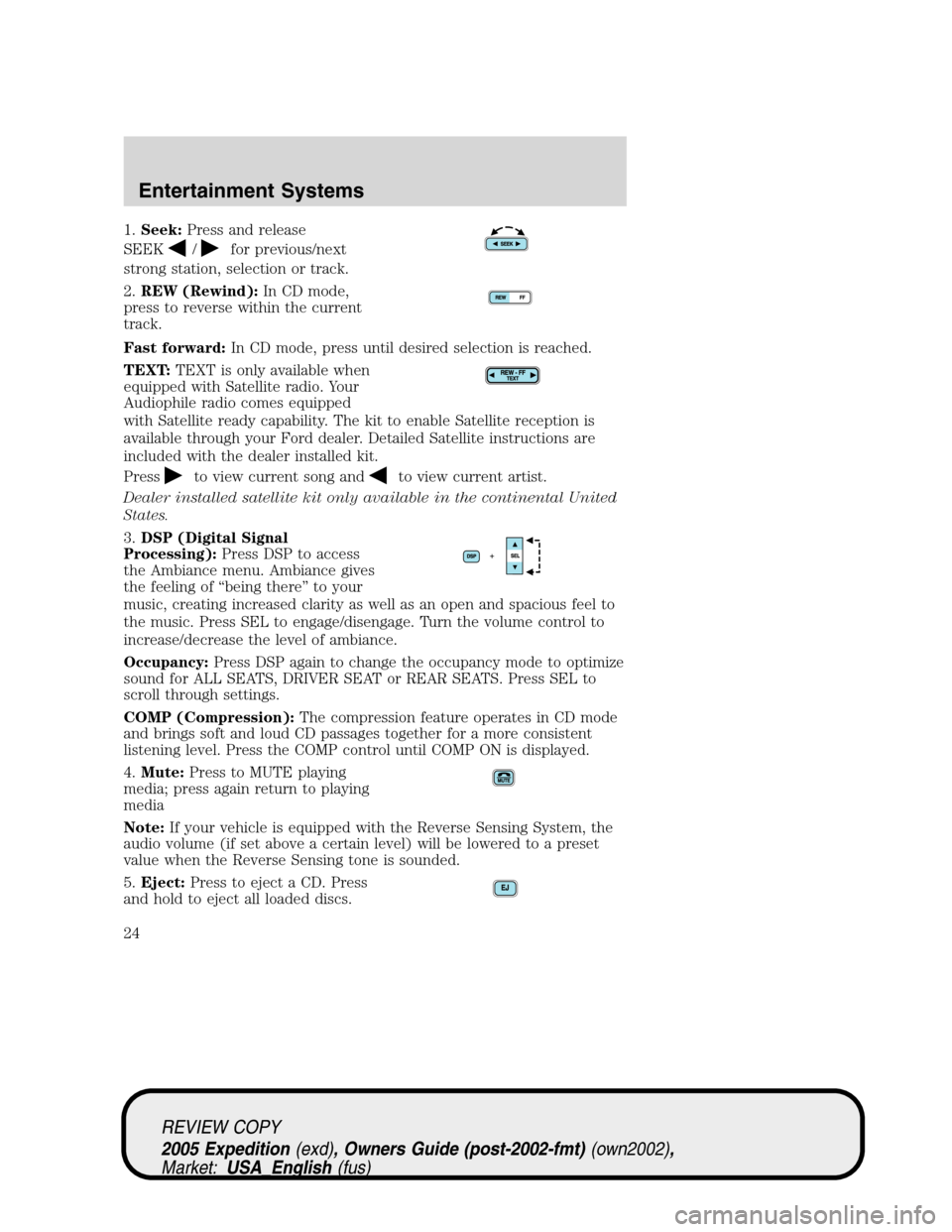
1.Seek:Press and release
SEEK
/for previous/next
strong station, selection or track.
2.REW (Rewind):In CD mode,
press to reverse within the current
track.
Fast forward:In CD mode, press until desired selection is reached.
TEXT:TEXT is only available when
equipped with Satellite radio. Your
Audiophile radio comes equipped
with Satellite ready capability. The kit to enable Satellite reception is
available through your Ford dealer. Detailed Satellite instructions are
included with the dealer installed kit.
Press
to view current song andto view current artist.
Dealer installed satellite kit only available in the continental United
States.
3.DSP (Digital Signal
Processing):Press DSP to access
the Ambiance menu. Ambiance gives
the feeling of “being there” to your
music, creating increased clarity as well as an open and spacious feel to
the music. Press SEL to engage/disengage. Turn the volume control to
increase/decrease the level of ambiance.
Occupancy:Press DSP again to change the occupancy mode to optimize
sound for ALL SEATS, DRIVER SEAT or REAR SEATS. Press SEL to
scroll through settings.
COMP (Compression):The compression feature operates in CD mode
and brings soft and loud CD passages together for a more consistent
listening level. Press the COMP control until COMP ON is displayed.
4.Mute:Press to MUTE playing
media; press again return to playing
media
Note:If your vehicle is equipped with the Reverse Sensing System, the
audio volume (if set above a certain level) will be lowered to a preset
value when the Reverse Sensing tone is sounded.
5.Eject:Press to eject a CD. Press
and hold to eject all loaded discs.
REVIEW COPY
2005 Expedition(exd), Owners Guide (post-2002-fmt)(own2002),
Market:USA_English(fus)
Entertainment Systems
24
Page 35 of 368
Traffic (if equipped):Allows you to hear traffic broadcasts. With the
feature ON, press SEEK or SCAN to find a station broadcasting a traffic
report (if it is broadcasting RDS data).Traffic information is not
available in most U.S. markets.
FIND Program type (if equipped):Allows you to search
RDS-equipped stations for a certain category of music format: Classic,
Country, Info, Jazz, Oldies, R&B, Religious, Rock, Soft, Top 40.
Show TYPE (if equipped):Displays the station’s call letters and
format.
Compression:Brings soft and loud CD passages together for a more
consistent listening level when in CD mode. Press MENU until
compression status is displayed. Press the SEL control to enable the
compression feature when COMPRESS OFF is displayed. Press the SEL
control again to disable the feature when COMPRESS ON is displayed.
Occupancy mode (if equipped):Press SEL to select ALL, DRIVER or
REAR SEAT occupancy mode.
Folder/Track Mode:In MP3 mode, press MENU until MODE appears in
the display. Use SEL to toggle between FOLDER (only tracks within
selected folder are accessible) or TRACK (all tracks on the disc are
accessible).
Autoset:Allows you to set the strongest local radio stations without
losing your original manually set preset stations for AM/FM1/FM2 . Press
MENU until AUTOSET appears in the display. Press SEL to toggle
ON/OFF. When the six strongest stations are filled, the station stored in
preset 1 will begin playing. If there are less than six strong stations, the
system will store the last one in the remaining presets. Press again to
disengage.
Speed sensitive volume:Radio volume changes automatically and
slightly with vehicle speed to compensate for road and wind noise.
Recommended level is 1–3. Level 0 turns the feature off and level 7 is
the maximum setting.
Press MENU until SPEED VOL X appears in the display. Then press SEL
to increase (
) or decrease () the volume setting. The level will
appear in the display.
Setting the clock:Press MENU until SELECT HOUR or SELECT
MINUTE is displayed. Use SEL to manually increase (
) or decrease
(
) the hours/minutes. Press MENU again to disengage clock mode.
REVIEW COPY
2005 Expedition(exd), Owners Guide (post-2002-fmt)(own2002),
Market:USA_English(fus)
Entertainment Systems
35
Page 57 of 368
Safety information
Please read and follow all stated safety precautions. Failure to do
so may increase your risk of collision and personal injury.
Ford Motor Company shall not be liable for any damages of any
type arising from failure to follow these guidelines.
Do not attempt to service, repair or modify the system. See your Ford or
Lincoln Mercury dealer.
The driver must not attempt to operate any detailed operation of
the navigation system while the vehicle is in motion. Give full
attention to driving and to the road. Pull off the road and park in a
safe place before performing detailed operations.
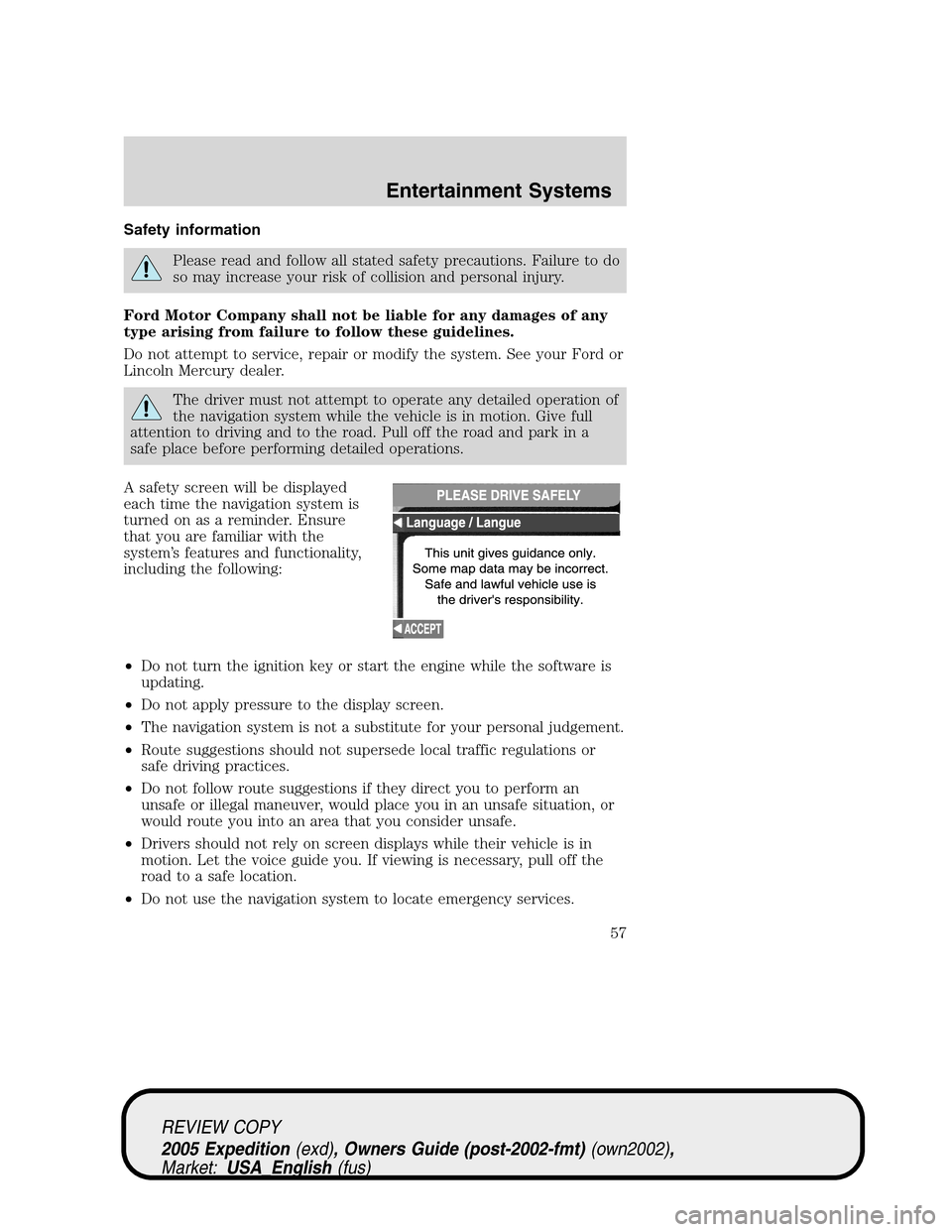
A safety screen will be displayed
each time the navigation system is
turned on as a reminder. Ensure
that you are familiar with the
system’s features and functionality,
including the following:
•Do not turn the ignition key or start the engine while the software is
updating.
•Do not apply pressure to the display screen.
•The navigation system is not a substitute for your personal judgement.
•Route suggestions should not supersede local traffic regulations or
safe driving practices.
•Do not follow route suggestions if they direct you to perform an
unsafe or illegal maneuver, would place you in an unsafe situation, or
would route you into an area that you consider unsafe.
•Drivers should not rely on screen displays while their vehicle is in
motion. Let the voice guide you. If viewing is necessary, pull off the
road to a safe location.
•Do not use the navigation system to locate emergency services.
REVIEW COPY
2005 Expedition(exd), Owners Guide (post-2002-fmt)(own2002),
Market:USA_English(fus)
Entertainment Systems
57
Page 58 of 368
•For road safety reasons, the driver should program the system only
when the vehicle is stationary. Certain functions will therefore not
operate while the vehicle is in motion.
•The navigation CD does not reflect road detours, closures or
construction, road characteristics such as rough road surface, slope or
grade, weight or height restrictions, traffic congestion, weather or
similar conditions.
•To use the system as effectively and safely as possible, obtain
up-to-date navigation CD’s whenever they become available.
•Set the volume level so that you can hear directions clearly.
•Do not disassemble or modify the system as this may lead to damage
and void your warranty. If a problem occurs, stop using the system
immediately and contact your Ford or Lincoln Mercury dealer.
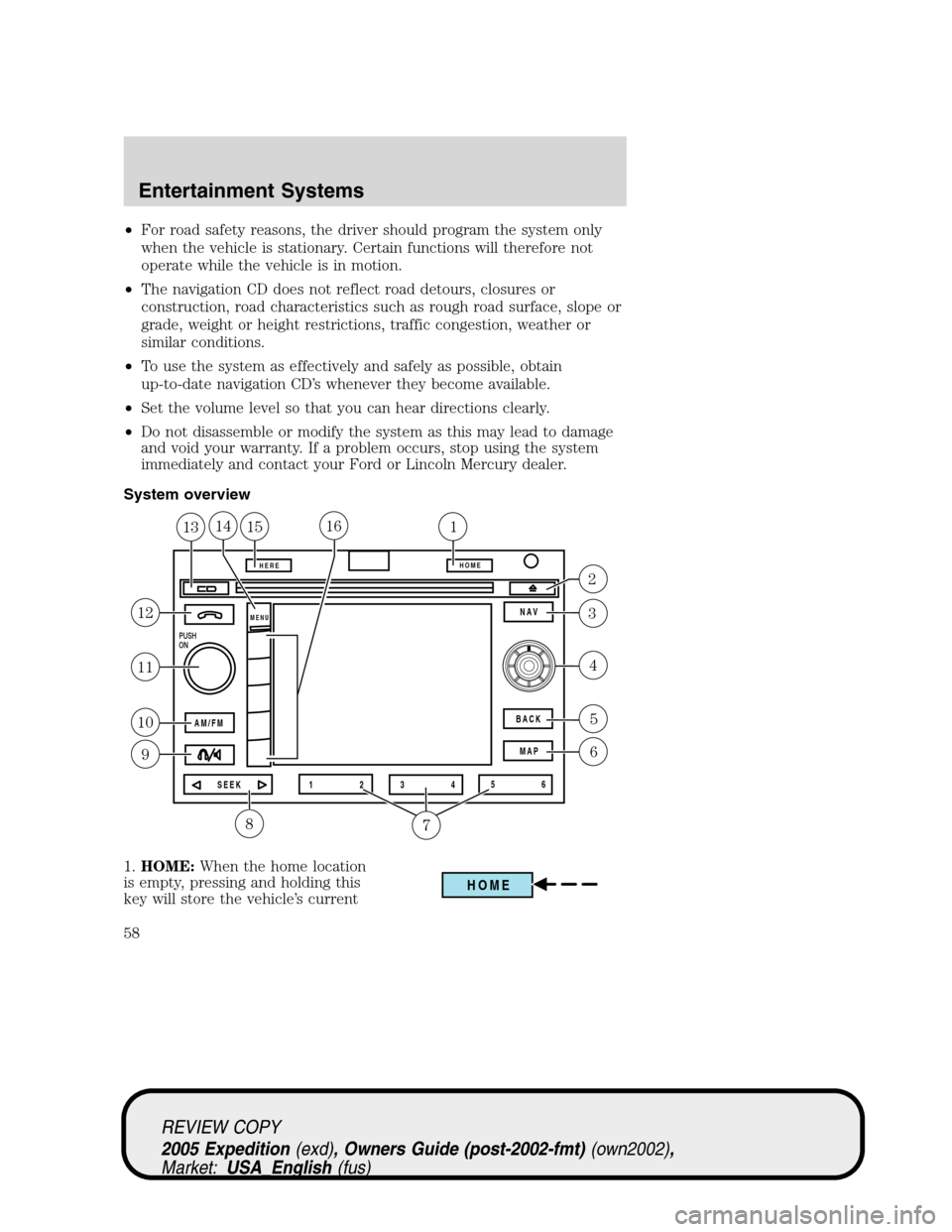
System overview
1.HOME:When the home location
is empty, pressing and holding this
key will store the vehicle’s current
PUSH
ON
AM/FM
SEEK 12
3456 MAP BACK
HEREHOME
MENUNAV
8
12
11
10
9
5
6
4
2
3
151131416
7
HOME
REVIEW COPY
2005 Expedition(exd), Owners Guide (post-2002-fmt)(own2002),
Market:USA_English(fus)
Entertainment Systems
58
Page 66 of 368
4. Use the cursor control to increase
or lower the bass and treble levels
or to adjust the sound between the
front and rear or between the left
and right speakers.
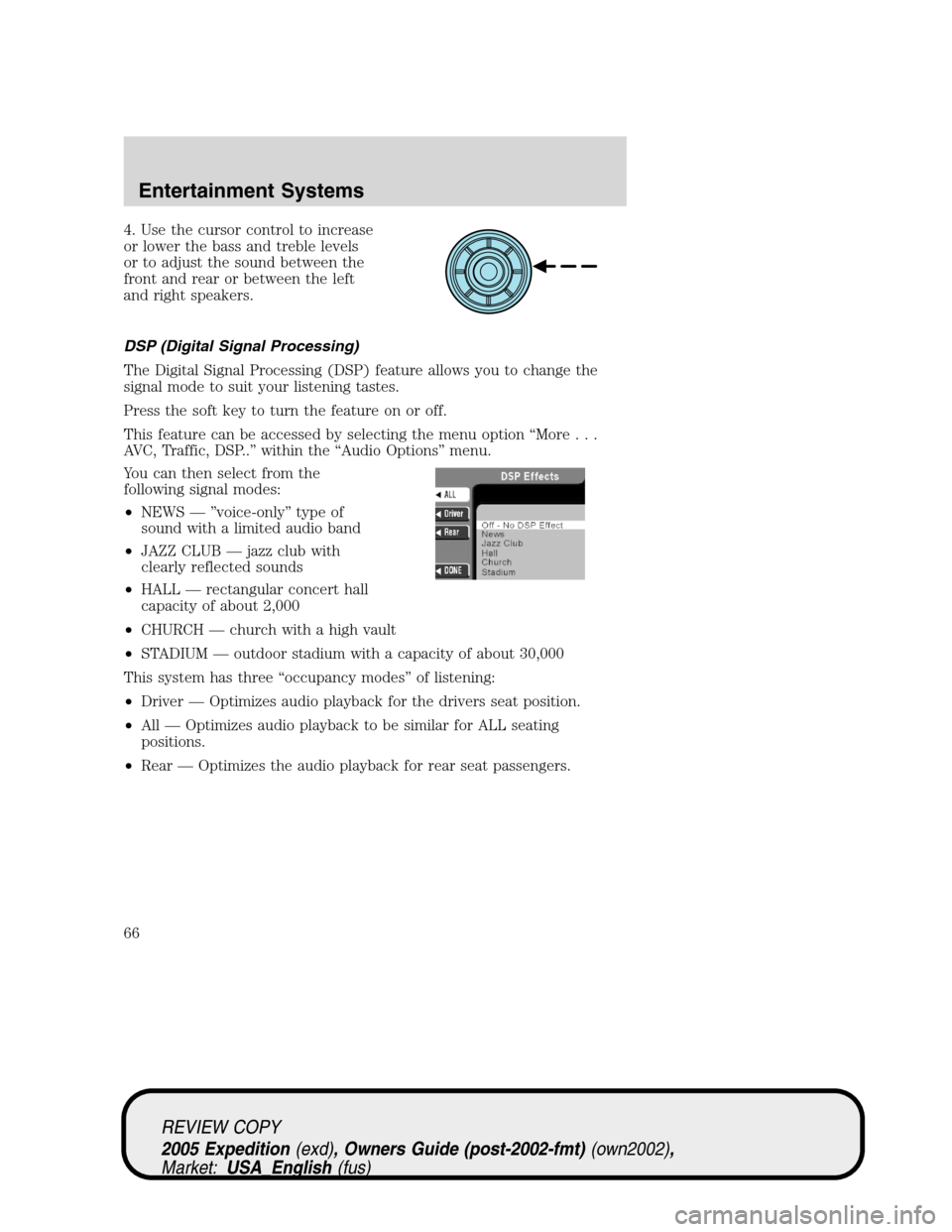
DSP (Digital Signal Processing)
The Digital Signal Processing (DSP) feature allows you to change the
signal mode to suit your listening tastes.
Press the soft key to turn the feature on or off.
This feature can be accessed by selecting the menu option “More...
AVC, Traffic, DSP..” within the “Audio Options” menu.
You can then select from the
following signal modes:
•NEWS — ”voice-only” type of
sound with a limited audio band
•JAZZ CLUB — jazz club with
clearly reflected sounds
•HALL — rectangular concert hall
capacity of about 2,000
•CHURCH — church with a high vault
•STADIUM — outdoor stadium with a capacity of about 30,000
This system has three “occupancy modes” of listening:
•Driver — Optimizes audio playback for the drivers seat position.
•All — Optimizes audio playback to be similar for ALL seating
positions.
•Rear — Optimizes the audio playback for rear seat passengers.
REVIEW COPY
2005 Expedition(exd), Owners Guide (post-2002-fmt)(own2002),
Market:USA_English(fus)
Entertainment Systems
66