radio FORD EXPEDITION 2006 2.G Owner's Guide
[x] Cancel search | Manufacturer: FORD, Model Year: 2006, Model line: EXPEDITION, Model: FORD EXPEDITION 2006 2.GPages: 360, PDF Size: 3.6 MB
Page 57 of 360
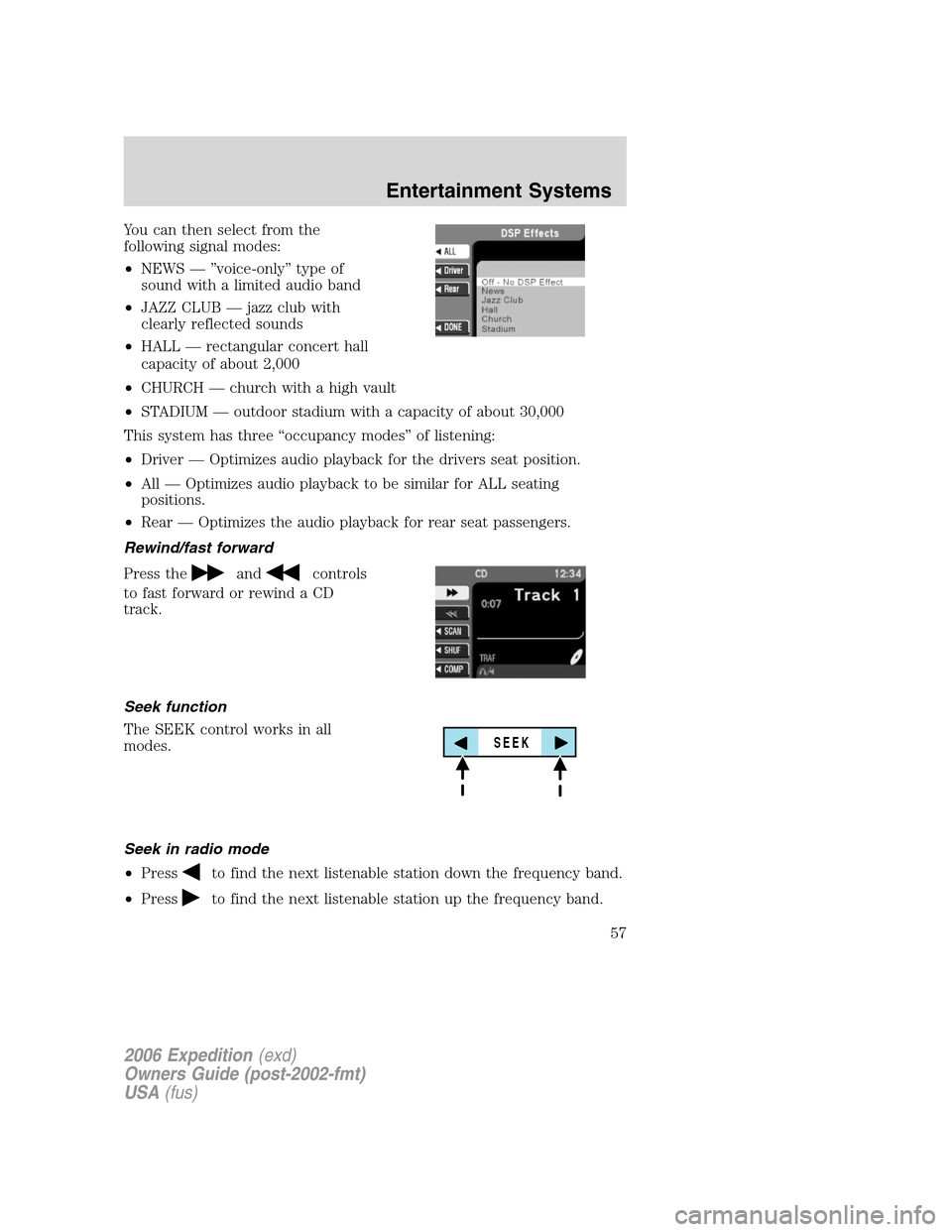
You can then select from the
following signal modes:
•NEWS — ”voice-only” type of
sound with a limited audio band
•JAZZ CLUB — jazz club with
clearly reflected sounds
•HALL — rectangular concert hall
capacity of about 2,000
•CHURCH — church with a high vault
•STADIUM — outdoor stadium with a capacity of about 30,000
This system has three “occupancy modes” of listening:
•Driver — Optimizes audio playback for the drivers seat position.
•All — Optimizes audio playback to be similar for ALL seating
positions.
•Rear — Optimizes the audio playback for rear seat passengers.
Rewind/fast forward
Press the
andcontrols
to fast forward or rewind a CD
track.
Seek function
The SEEK control works in all
modes.
Seek in radio mode
•Press
to find the next listenable station down the frequency band.
•Press
to find the next listenable station up the frequency band.
SEEK
2006 Expedition(exd)
Owners Guide (post-2002-fmt)
USA(fus)
Entertainment Systems
57
Page 58 of 360
Seek in CD or CD DJ mode
•Press
to seek to the previous track of the current disc. If a
selection has been playing for three seconds or more and you
press
, the CD changer will replay that selection from the
beginning.
•Press
to seek forward to the next track of the current disc. After
the last track has been completed, the first track of the current disc
will automatically replay.
Seek in navigation mode
•Press
orto access the next audio station if in radio mode, and
next track if in CD mode.
Radio station memory preset
The radio is equipped with six station memory preset controls. These
controls can be used to select up to six preset AM stations and twelve
FM stations (six in FM1 and six in FM2).
The presets will also allow you to access CDs which are loaded in the CD
DJ. When in CD mode, simply press the preset number which
corresponds to the desired disc.
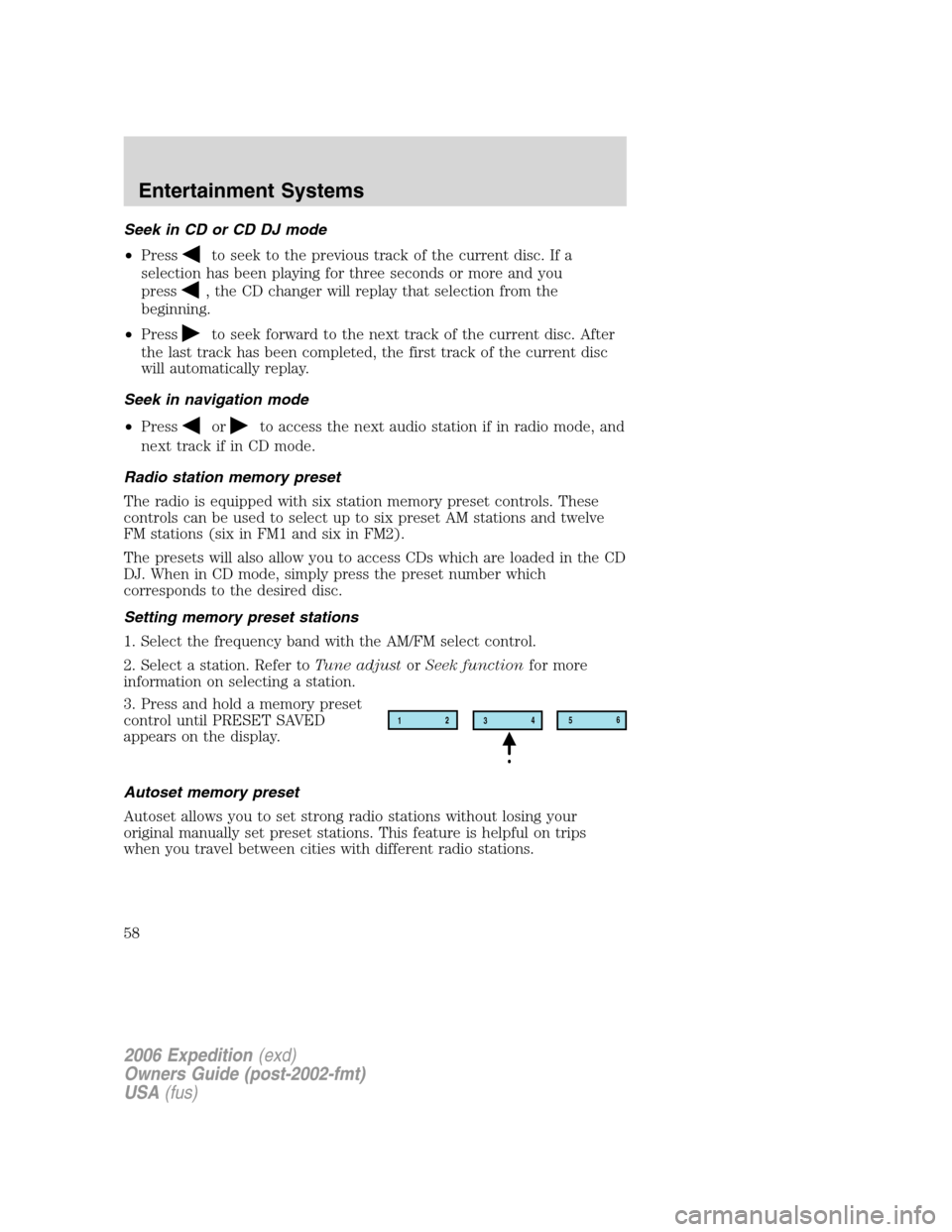
Setting memory preset stations
1. Select the frequency band with the AM/FM select control.
2. Select a station. Refer toTune adjustorSeek functionfor more
information on selecting a station.
3. Press and hold a memory preset
control until PRESET SAVED
appears on the display.
Autoset memory preset
Autoset allows you to set strong radio stations without losing your
original manually set preset stations. This feature is helpful on trips
when you travel between cities with different radio stations.
12
3456
2006 Expedition(exd)
Owners Guide (post-2002-fmt)
USA(fus)
Entertainment Systems
58
Page 59 of 360
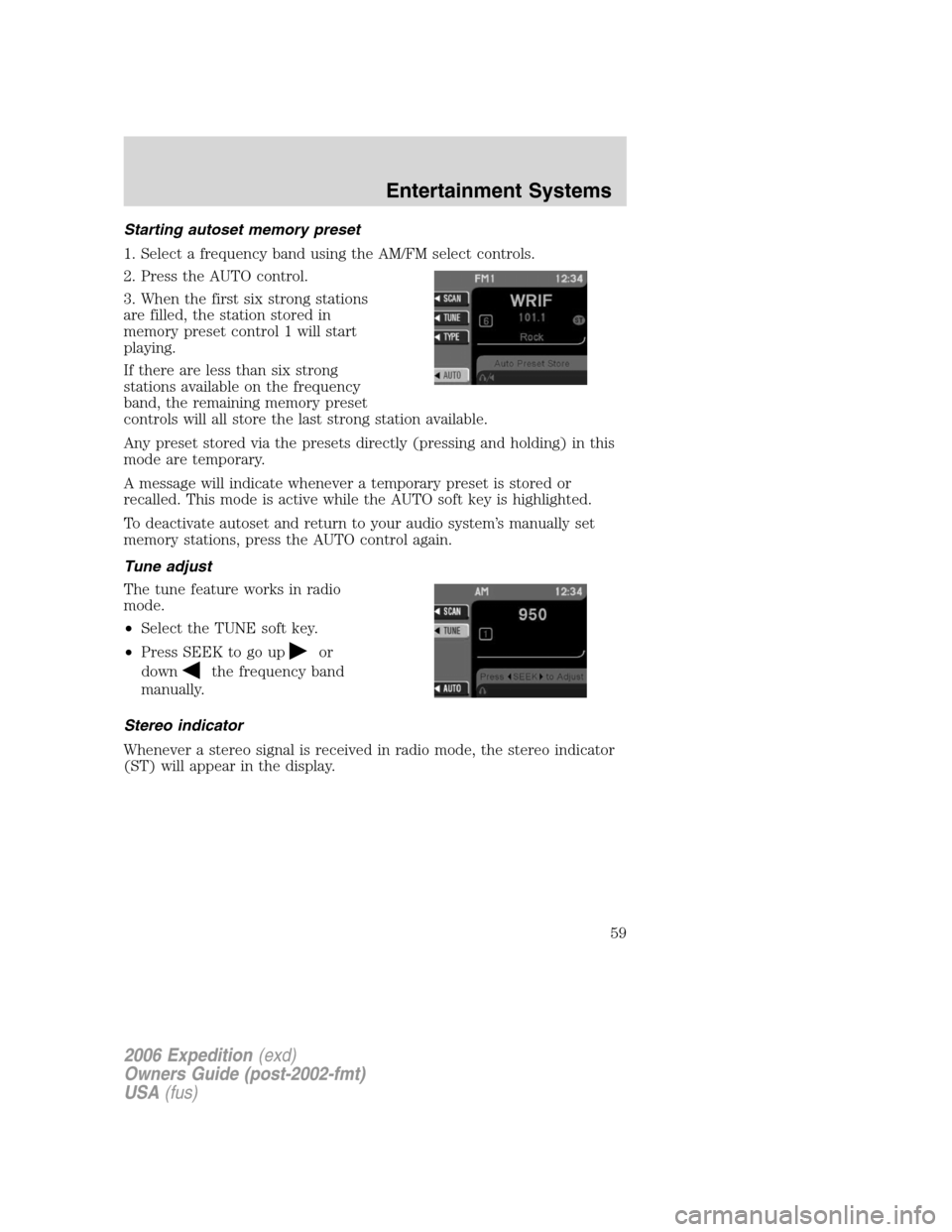
Starting autoset memory preset
1. Select a frequency band using the AM/FM select controls.
2. Press the AUTO control.
3. When the first six strong stations
are filled, the station stored in
memory preset control 1 will start
playing.
If there are less than six strong
stations available on the frequency
band, the remaining memory preset
controls will all store the last strong station available.
Any preset stored via the presets directly (pressing and holding) in this
mode are temporary.
A message will indicate whenever a temporary preset is stored or
recalled. This mode is active while the AUTO soft key is highlighted.
To deactivate autoset and return to your audio system’s manually set
memory stations, press the AUTO control again.
Tune adjust
The tune feature works in radio
mode.
•Select the TUNE soft key.
•Press SEEK to go up
or
down
the frequency band
manually.
Stereo indicator
Whenever a stereo signal is received in radio mode, the stereo indicator
(ST) will appear in the display.
2006 Expedition(exd)
Owners Guide (post-2002-fmt)
USA(fus)
Entertainment Systems
59
Page 60 of 360
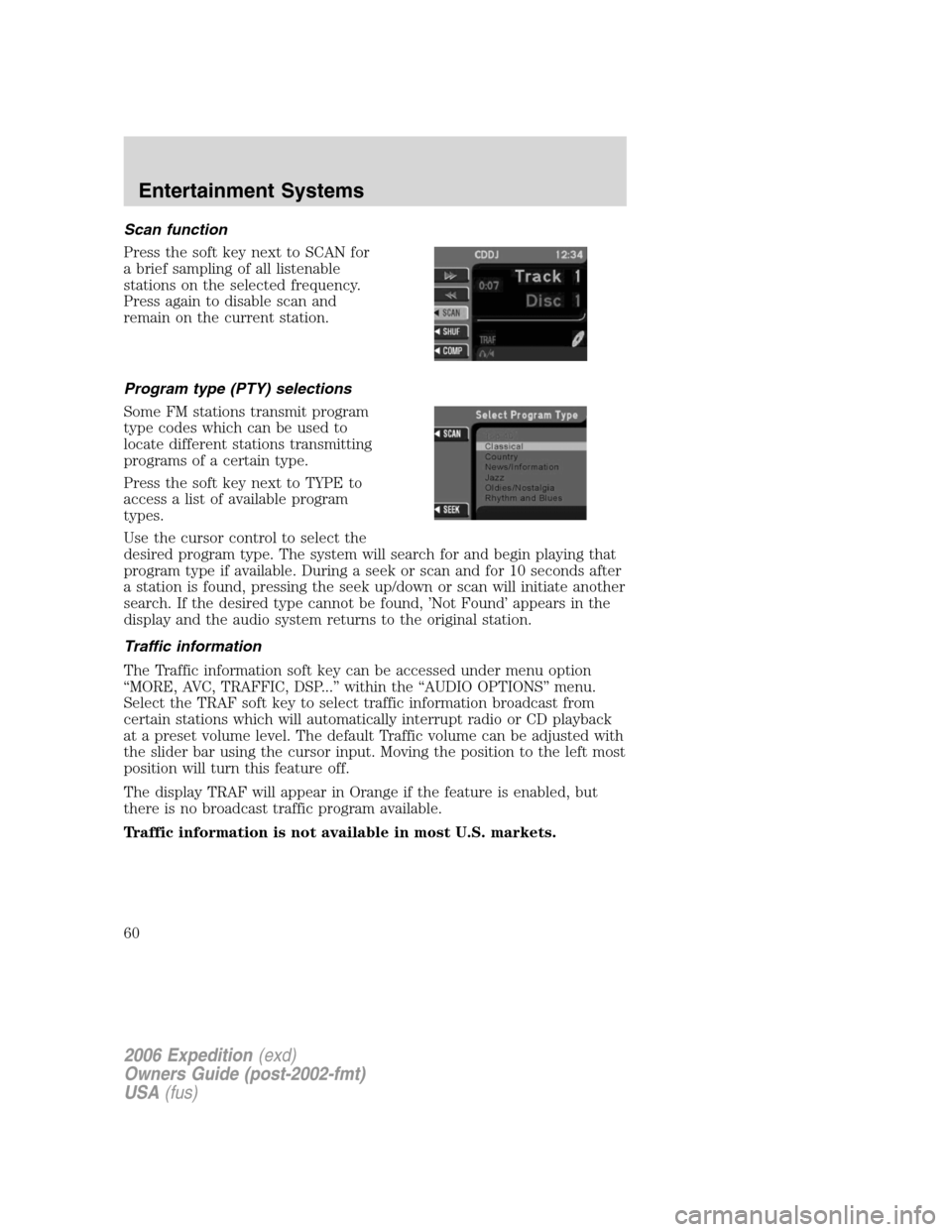
Scan function
Press the soft key next to SCAN for
a brief sampling of all listenable
stations on the selected frequency.
Press again to disable scan and
remain on the current station.
Program type (PTY) selections
Some FM stations transmit program
type codes which can be used to
locate different stations transmitting
programs of a certain type.
Press the soft key next to TYPE to
access a list of available program
types.
Use the cursor control to select the
desired program type. The system will search for and begin playing that
program type if available. During a seek or scan and for 10 seconds after
a station is found, pressing the seek up/down or scan will initiate another
search. If the desired type cannot be found, ’Not Found’ appears in the
display and the audio system returns to the original station.
Traffic information
The Traffic information soft key can be accessed under menu option
“MORE, AVC, TRAFFIC, DSP...” within the “AUDIO OPTIONS” menu.
Select the TRAF soft key to select traffic information broadcast from
certain stations which will automatically interrupt radio or CD playback
at a preset volume level. The default Traffic volume can be adjusted with
the slider bar using the cursor input. Moving the position to the left most
position will turn this feature off.
The display TRAF will appear in Orange if the feature is enabled, but
there is no broadcast traffic program available.
Traffic information is not available in most U.S. markets.
2006 Expedition(exd)
Owners Guide (post-2002-fmt)
USA(fus)
Entertainment Systems
60
Page 61 of 360
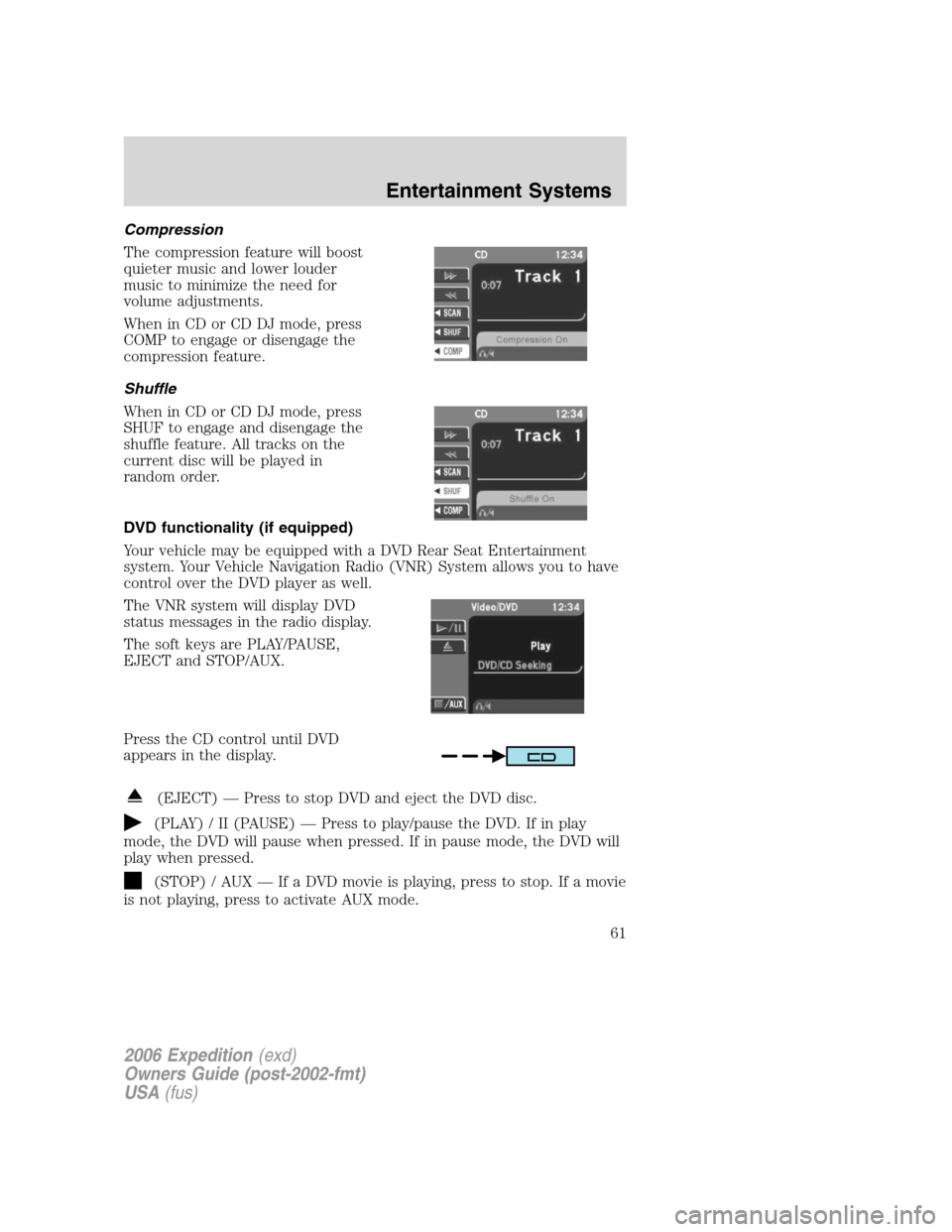
Compression
The compression feature will boost
quieter music and lower louder
music to minimize the need for
volume adjustments.
When in CD or CD DJ mode, press
COMP to engage or disengage the
compression feature.
Shuffle
When in CD or CD DJ mode, press
SHUF to engage and disengage the
shuffle feature. All tracks on the
current disc will be played in
random order.
DVD functionality (if equipped)
Your vehicle may be equipped with a DVD Rear Seat Entertainment
system. Your Vehicle Navigation Radio (VNR) System allows you to have
control over the DVD player as well.
The VNR system will display DVD
status messages in the radio display.
The soft keys are PLAY/PAUSE,
EJECT and STOP/AUX.
Press the CD control until DVD
appears in the display.
(EJECT) — Press to stop DVD and eject the DVD disc.
(PLAY) / II (PAUSE) — Press to play/pause the DVD. If in play
mode, the DVD will pause when pressed. If in pause mode, the DVD will
play when pressed.
(STOP) / AUX — If a DVD movie is playing, press to stop. If a movie
is not playing, press to activate AUX mode.
2006 Expedition(exd)
Owners Guide (post-2002-fmt)
USA(fus)
Entertainment Systems
61
Page 62 of 360
CD DJ
Your vehicle is equipped with a CD DJ (CD changer). It is located in the
center console.
Radio power must be turned on to play the CDs in the CD DJ. The
magazine may be stored in the glove box when not being used.
The CD magazine may be inserted or ejected with the radio power off.
ONLY use the magazine supplied with the CD DJ, other types will
damage the unit.
Keep the CD DJ door closed. Coins and foreign objects will damage the
CD player and void your audio system warranty.
The CD magazine does not have to be full (all 6 disks) for the CD DJ to
function.
CD units are designed to play commercially pressed 12 cm (4.75 in)
audio compact discs only. Due to technical incompatibility, certain
recordable and re-recordable compact discs may not function
correctly when used in Ford CD players. Irregular shaped CDs,
CDs with a scratch protection film attached, and CDs with
homemade paper (adhesive) labels should not be inserted into
the CD player. The label may peel and cause the CD to become
jammed. It is recommended that homemade CDs be identified
with permanent felt tip marker rather than adhesive labels.
Ballpoint pens may damage CDs. Please contact your dealer for
further information.
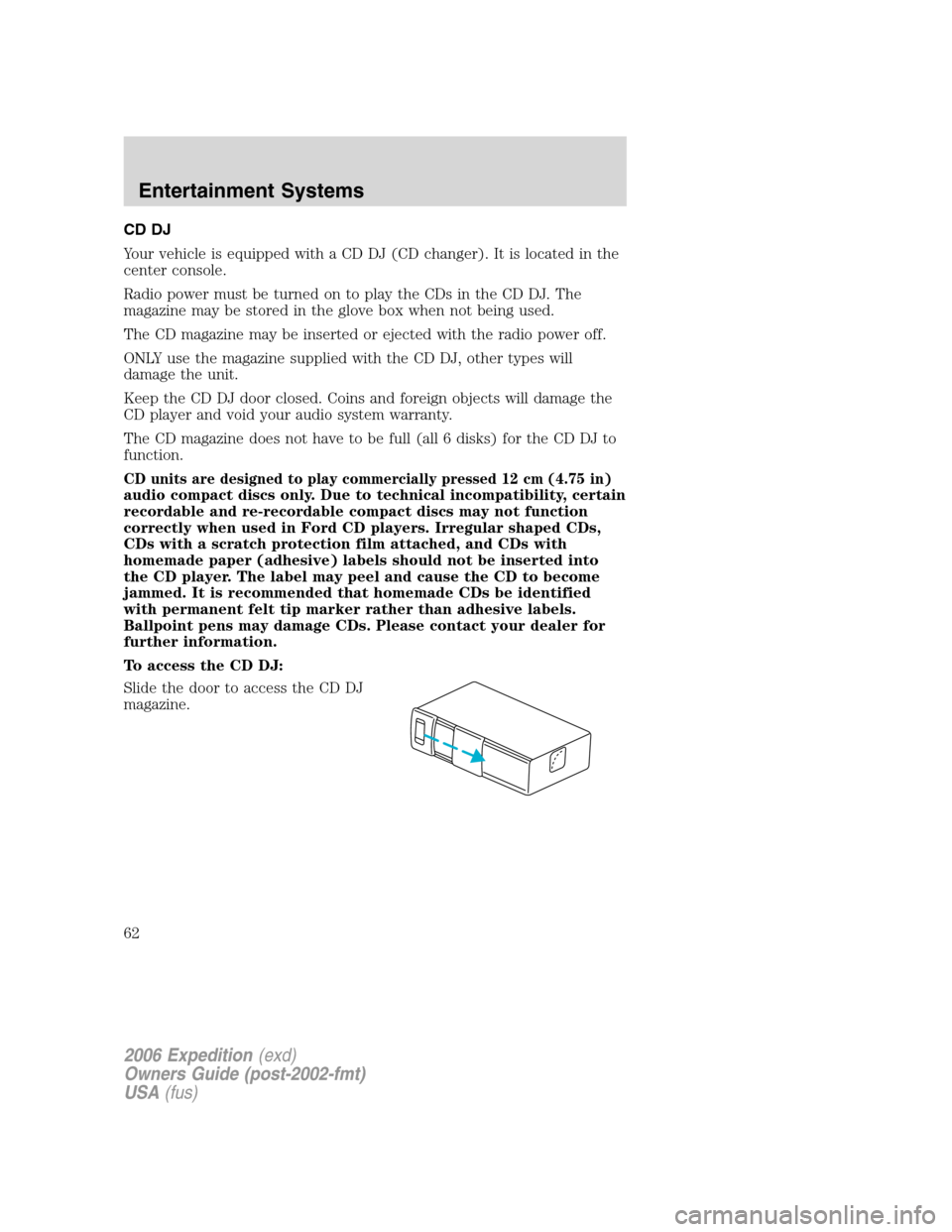
To access the CD DJ:
Slide the door to access the CD DJ
magazine.
2006 Expedition(exd)
Owners Guide (post-2002-fmt)
USA(fus)
Entertainment Systems
62
Page 64 of 360
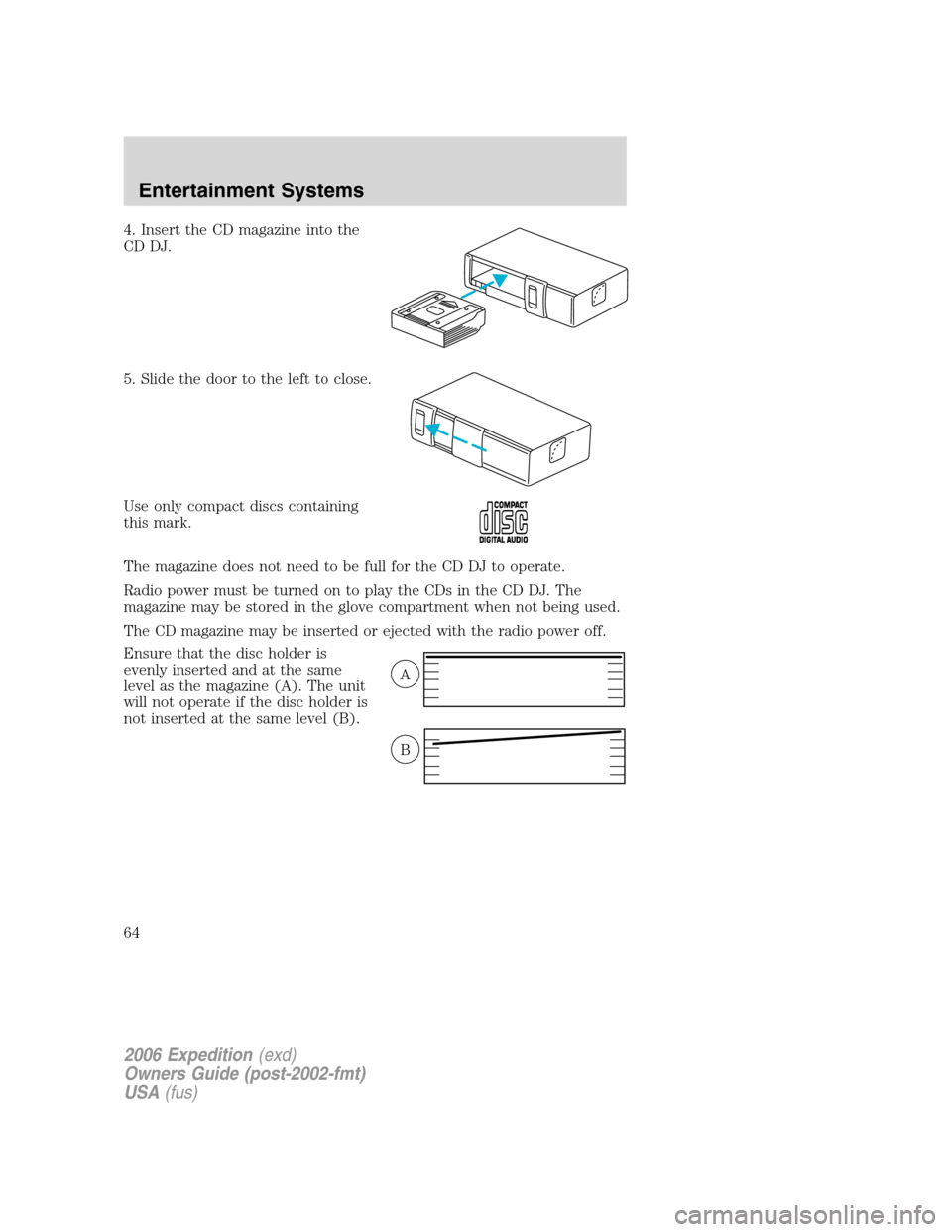
4. Insert the CD magazine into the
CD DJ.
5. Slide the door to the left to close.
Use only compact discs containing
this mark.
The magazine does not need to be full for the CD DJ to operate.
Radio power must be turned on to play the CDs in the CD DJ. The
magazine may be stored in the glove compartment when not being used.
The CD magazine may be inserted or ejected with the radio power off.
Ensure that the disc holder is
evenly inserted and at the same
level as the magazine (A). The unit
will not operate if the disc holder is
not inserted at the same level (B).
A
B
2006 Expedition(exd)
Owners Guide (post-2002-fmt)
USA(fus)
Entertainment Systems
64
Page 67 of 360
When RSC is active, pressing presets 2 and 4 simultaneously on the radio
will enable Dual Play mode (or the RSC can enable Dual Play mode by
pressing the
/button). The front speakers play the selected media
and the rear speakers mute. In this mode, the rear passengers may
adjust the volume and other levels using the rear seat control.
Additionally in Dual Play mode, the front and rear seat passengers can
listen to the same playing media. However, rear seat passengers listen to
the media over their headphones (thereby being able to adjust the
volume) and the front seat passengers listen via the front seat speakers.
Press the headphone/speaker control again to disengage the rear seat
controls (and Dual Play mode). The system returns to Single Play mode.
Front and rear speakers will play the selected media.
For further information on the rear seat controls, refer toRear Seat
Controlssection found earlier in this chapter.
Navigation features
The route guidance navigation system in your audio unit will not function
unless a navigation CD is inserted.
Ensure that you follow highway code restrictions and do not take
any risks. For example, if you are unable to make a U-turn,
continue on your journey. The navigation system will recalculate
your route to get you back to an appropriate road to your
destination.
For road safety reasons, information should only be entered
when the vehicle is stationary.
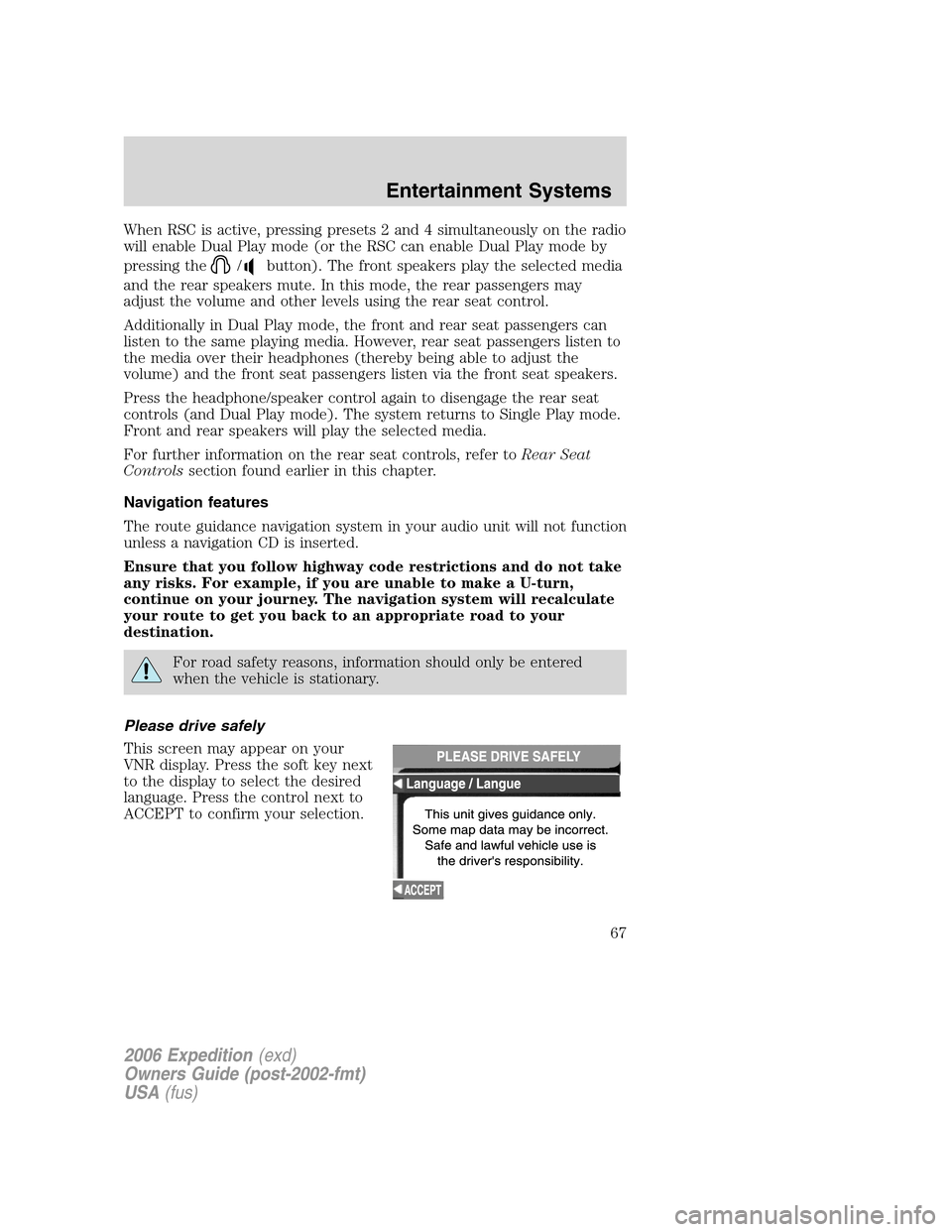
Please drive safely
This screen may appear on your
VNR display. Press the soft key next
to the display to select the desired
language. Press the control next to
ACCEPT to confirm your selection.
2006 Expedition(exd)
Owners Guide (post-2002-fmt)
USA(fus)
Entertainment Systems
67
Page 81 of 360
General information
Federal Communication Commission (FCC) Compliance
Changes or modifications not approved by Ford or Lincoln Mercury could
void user’s authority to operate the equipment. This equipment has been
tested and found to comply with the limits for a Class B digital device,
pursuant to Part 15 of the FCC Rules. These limits are designed to
provide reasonable protection against harmful interference in a
residential installation. This equipment generates, uses and can radiate
radio frequency energy and, if not installed and used in accordance with
the instructions, may cause harmful interference to radio
communications.
However, there is no guarantee that interference will not occur in a
particular installation. If this equipment does cause harmful interference
to radio or television reception, which can be determined by turning the
equipment off and on, the user is encouraged to consult the dealer or an
experienced radio/TV technician for help.
Cleaning the display
Do not spray cleaning fluid directly onto the unit. Instead, spray onto a
soft cloth and gently wipe the unit. Only recommended products should
be used.
Do not clean any part of the system with benzene, paint thinner or any
other solvent.
Do not spill liquids of any kind onto the unit.
The navigation system utilizes a database stored in a special format on a
CD. It is recommended always to use the latest update of this map CD.
•The navigation system will only work with CDs specifically intended
for your navigation system.
•Always store the map CDs in their protective cases when not in use.
2006 Expedition(exd)
Owners Guide (post-2002-fmt)
USA(fus)
Entertainment Systems
81
Page 118 of 360
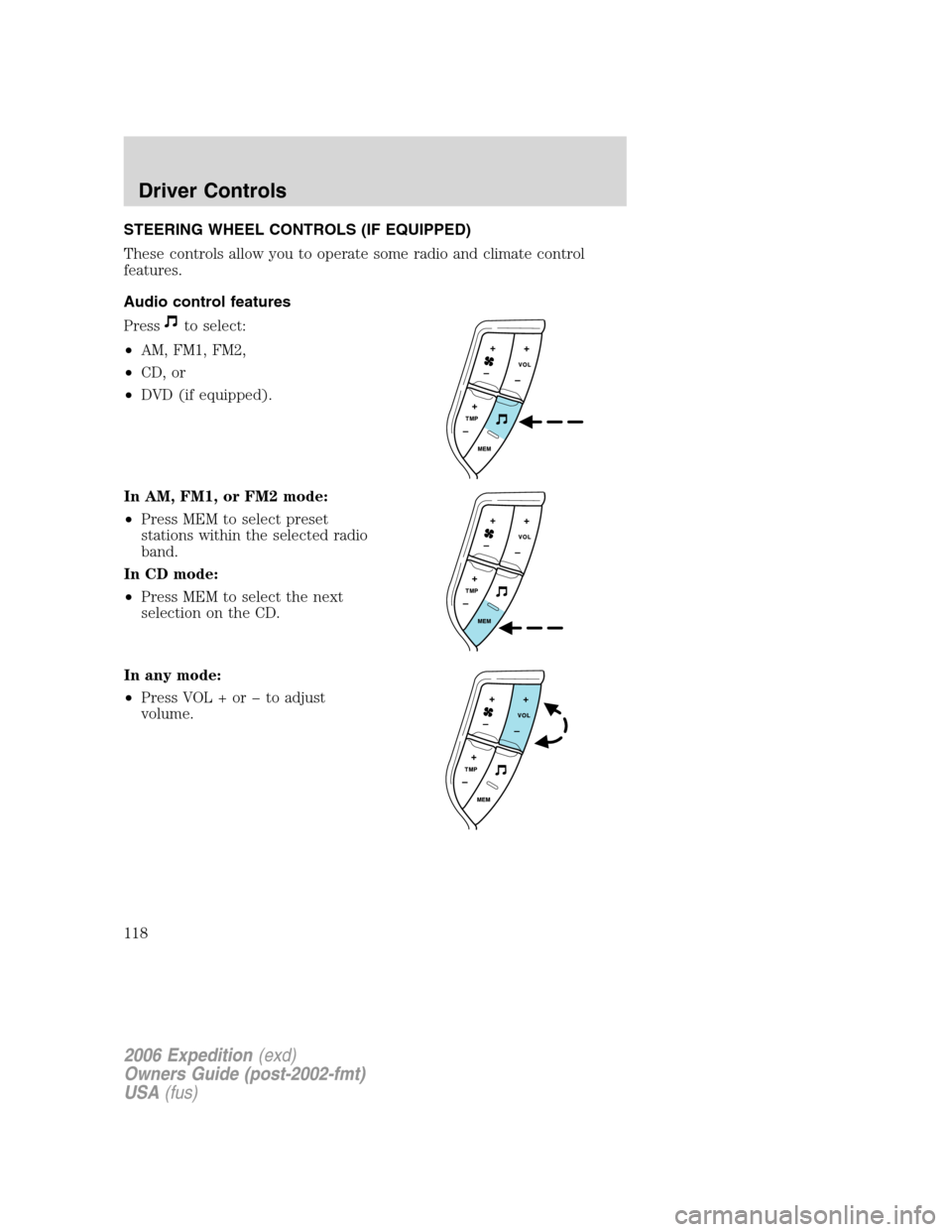
STEERING WHEEL CONTROLS (IF EQUIPPED)
These controls allow you to operate some radio and climate control
features.
Audio control features
Press
to select:
•AM, FM1, FM2,
•CD, or
•DVD (if equipped).
In AM, FM1, or FM2 mode:
•Press MEM to select preset
stations within the selected radio
band.
In CD mode:
•Press MEM to select the next
selection on the CD.
In any mode:
•Press VOL + or to adjust
volume.
2006 Expedition(exd)
Owners Guide (post-2002-fmt)
USA(fus)
Driver Controls
118