lock FORD EXPEDITION 2008 3.G Owner's Guide
[x] Cancel search | Manufacturer: FORD, Model Year: 2008, Model line: EXPEDITION, Model: FORD EXPEDITION 2008 3.GPages: 392, PDF Size: 3.34 MB
Page 137 of 392
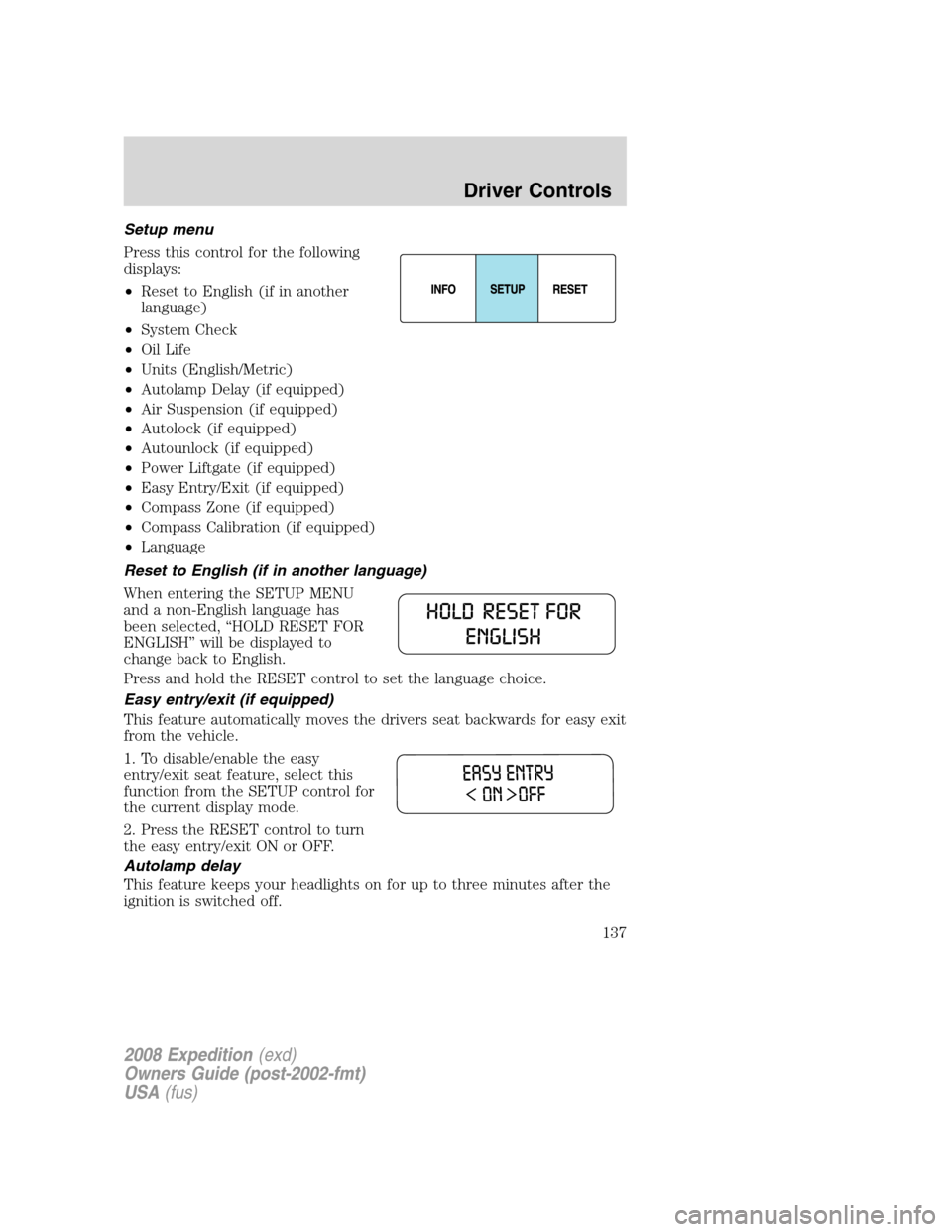
Setup menu
Press this control for the following
displays:
•Reset to English (if in another
language)
•System Check
•Oil Life
•Units (English/Metric)
•Autolamp Delay (if equipped)
•Air Suspension (if equipped)
•Autolock (if equipped)
•Autounlock (if equipped)
•Power Liftgate (if equipped)
•Easy Entry/Exit (if equipped)
•Compass Zone (if equipped)
•Compass Calibration (if equipped)
•Language
Reset to English (if in another language)
When entering the SETUP MENU
and a non-English language has
been selected, “HOLD RESET FOR
ENGLISH” will be displayed to
change back to English.
Press and hold the RESET control to set the language choice.
Easy entry/exit (if equipped)
This feature automatically moves the drivers seat backwards for easy exit
from the vehicle.
1. To disable/enable the easy
entry/exit seat feature, select this
function from the SETUP control for
the current display mode.
2. Press the RESET control to turn
the easy entry/exit ON or OFF.
Autolamp delay
This feature keeps your headlights on for up to three minutes after the
ignition is switched off.
2008 Expedition(exd)
Owners Guide (post-2002-fmt)
USA(fus)
Driver Controls
137
Page 138 of 392
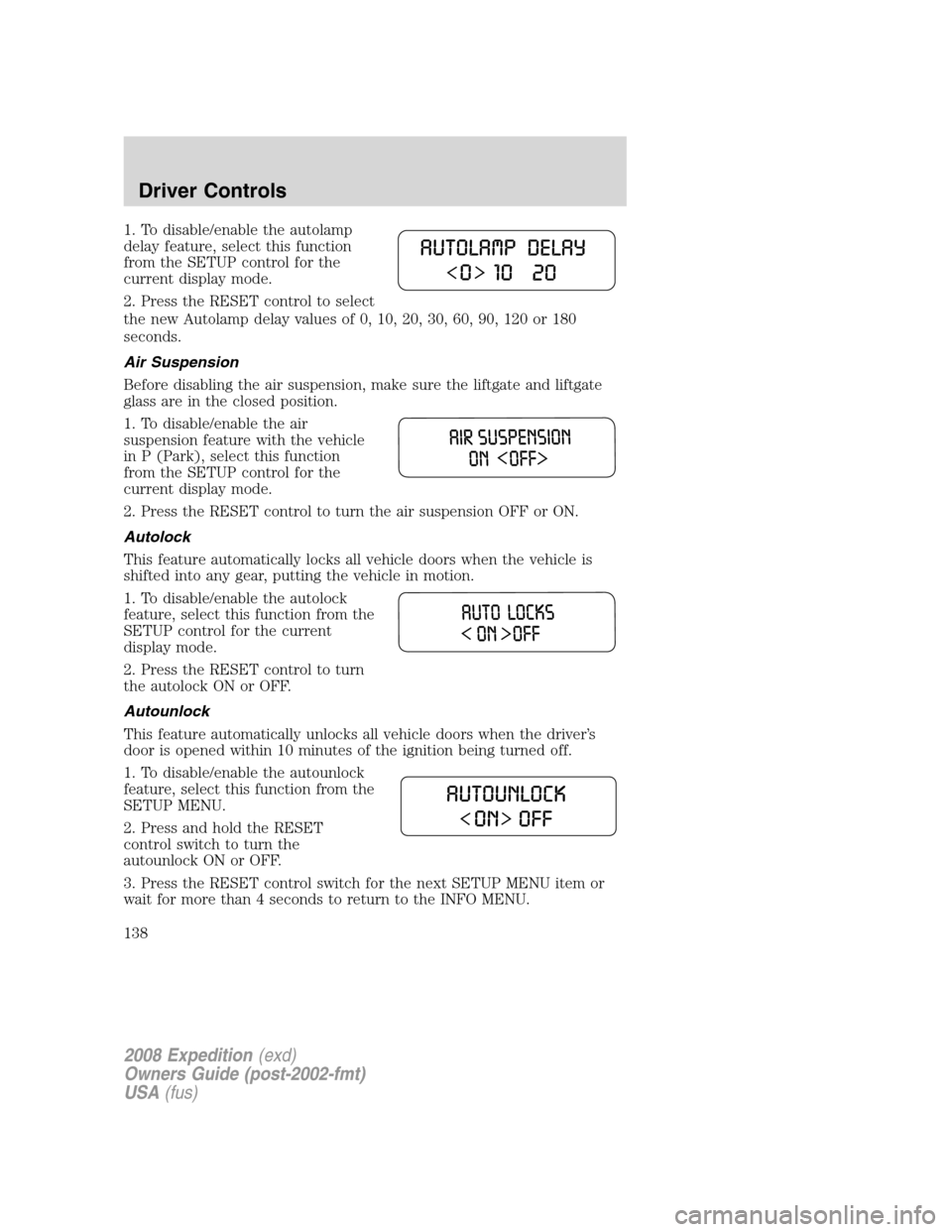
1. To disable/enable the autolamp
delay feature, select this function
from the SETUP control for the
current display mode.
2. Press the RESET control to select
the new Autolamp delay values of 0, 10, 20, 30, 60, 90, 120 or 180
seconds.
Air Suspension
Before disabling the air suspension, make sure the liftgate and liftgate
glass are in the closed position.
1. To disable/enable the air
suspension feature with the vehicle
in P (Park), select this function
from the SETUP control for the
current display mode.
2. Press the RESET control to turn the air suspension OFF or ON.
Autolock
This feature automatically locks all vehicle doors when the vehicle is
shifted into any gear, putting the vehicle in motion.
1. To disable/enable the autolock
feature, select this function from the
SETUP control for the current
display mode.
2. Press the RESET control to turn
the autolock ON or OFF.
Autounlock
This feature automatically unlocks all vehicle doors when the driver’s
door is opened within 10 minutes of the ignition being turned off.
1. To disable/enable the autounlock
feature, select this function from the
SETUP MENU.
2. Press and hold the RESET
control switch to turn the
autounlock ON or OFF.
3. Press the RESET control switch for the next SETUP MENU item or
wait for more than 4 seconds to return to the INFO MENU.
2008 Expedition(exd)
Owners Guide (post-2002-fmt)
USA(fus)
Driver Controls
138
Page 145 of 392
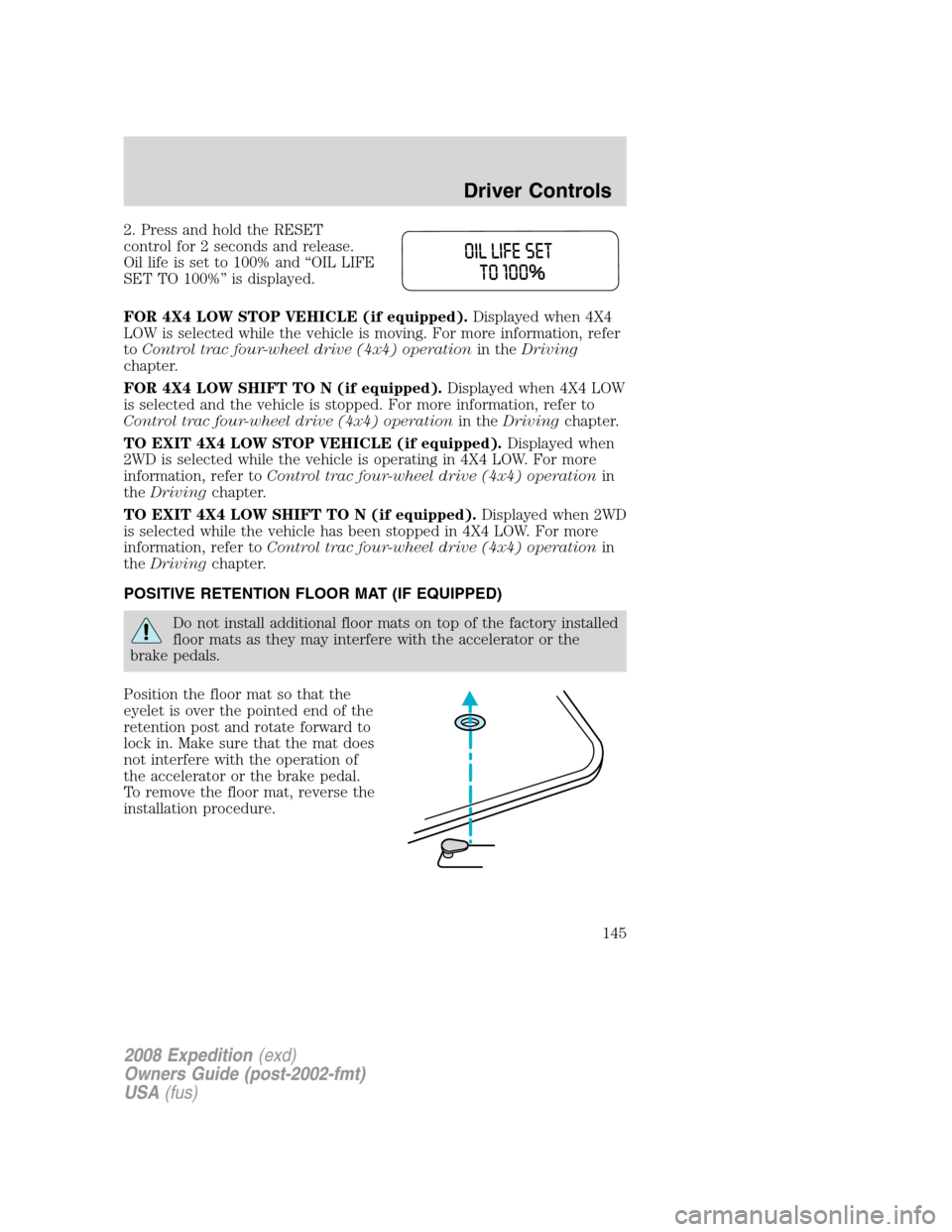
2. Press and hold the RESET
control for 2 seconds and release.
Oil life is set to 100% and “OIL LIFE
SET TO 100%” is displayed.
FOR 4X4 LOW STOP VEHICLE (if equipped).Displayed when 4X4
LOW is selected while the vehicle is moving. For more information, refer
toControl trac four-wheel drive (4x4) operationin theDriving
chapter.
FOR 4X4 LOW SHIFT TO N (if equipped).Displayed when 4X4 LOW
is selected and the vehicle is stopped. For more information, refer to
Control trac four-wheel drive (4x4) operationin theDrivingchapter.
TO EXIT 4X4 LOW STOP VEHICLE (if equipped).Displayed when
2WD is selected while the vehicle is operating in 4X4 LOW. For more
information, refer toControl trac four-wheel drive (4x4) operationin
theDrivingchapter.
TO EXIT 4X4 LOW SHIFT TO N (if equipped).Displayed when 2WD
is selected while the vehicle has been stopped in 4X4 LOW. For more
information, refer toControl trac four-wheel drive (4x4) operationin
theDrivingchapter.
POSITIVE RETENTION FLOOR MAT (IF EQUIPPED)
Do not install additional floor mats on top of the factory installed
floor mats as they may interfere with the accelerator or the
brake pedals.
Position the floor mat so that the
eyelet is over the pointed end of the
retention post and rotate forward to
lock in. Make sure that the mat does
not interfere with the operation of
the accelerator or the brake pedal.
To remove the floor mat, reverse the
installation procedure.
2008 Expedition(exd)
Owners Guide (post-2002-fmt)
USA(fus)
Driver Controls
145
Page 146 of 392
POWER LIFTGATE (IF EQUIPPED)
The liftgate can be operated by the following:
•instrument panel control button
•key fob button
•outside release handle
•control button in the rear cargo area
Note:The liftgate can be reversed with a second press on a control
button or key fob and can be manually closed at any time.
The liftgate will only operate with the vehicle in P (Park). The chime will
beep once if conditions are not correct to start an operation. These
conditions include:
•the vehicle speed is at or above 3 mph (5 kph)
•or the ignition is in Run and the transmission is not in Park
•or the Battery Voltage is below the minimum operating voltage
WARNING: Make sure all persons are clear of the power liftgate
area before using the power liftgate control.
Keep keys out of reach of children. Do not allow children to play
near an open or moving power liftgate.
Do not open the liftgate in a garage or other enclosed area with a low
ceiling. If the liftgate is raised the liftgate could be damaged against a
low ceiling.
To open the liftgate from the
Instrument panel:
Press the button once to open the
liftgate, press it again to close.
To open the liftgate with the Remote entry transmitter:
Refer toRemote Entry Systemin theLocks and securitychapter.
2008 Expedition(exd)
Owners Guide (post-2002-fmt)
USA(fus)
Driver Controls
146
Page 147 of 392
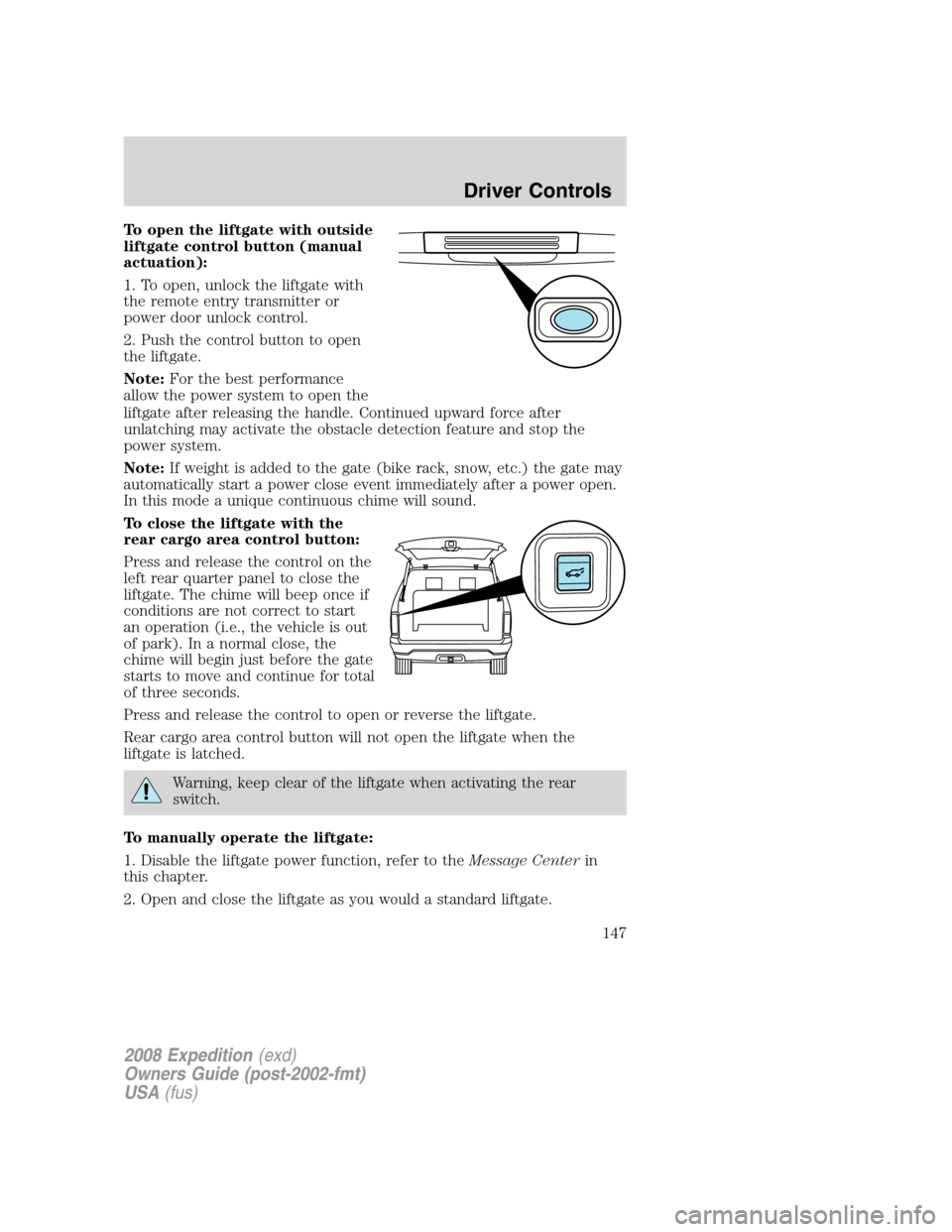
To open the liftgate with outside
liftgate control button (manual
actuation):
1. To open, unlock the liftgate with
the remote entry transmitter or
power door unlock control.
2. Push the control button to open
the liftgate.
Note:For the best performance
allow the power system to open the
liftgate after releasing the handle. Continued upward force after
unlatching may activate the obstacle detection feature and stop the
power system.
Note:If weight is added to the gate (bike rack, snow, etc.) the gate may
automatically start a power close event immediately after a power open.
In this mode a unique continuous chime will sound.
To close the liftgate with the
rear cargo area control button:
Press and release the control on the
left rear quarter panel to close the
liftgate. The chime will beep once if
conditions are not correct to start
an operation (i.e., the vehicle is out
of park). In a normal close, the
chime will begin just before the gate
starts to move and continue for total
of three seconds.
Press and release the control to open or reverse the liftgate.
Rear cargo area control button will not open the liftgate when the
liftgate is latched.
Warning, keep clear of the liftgate when activating the rear
switch.
To manually operate the liftgate:
1. Disable the liftgate power function, refer to theMessage Centerin
this chapter.
2. Open and close the liftgate as you would a standard liftgate.
2008 Expedition(exd)
Owners Guide (post-2002-fmt)
USA(fus)
Driver Controls
147
Page 149 of 392
Make sure the liftgate is closed to prevent exhaust fumes from
being drawn into the vehicle. If you must drive with the liftgate
open, keep the vents open so outside air comes into the vehicle.
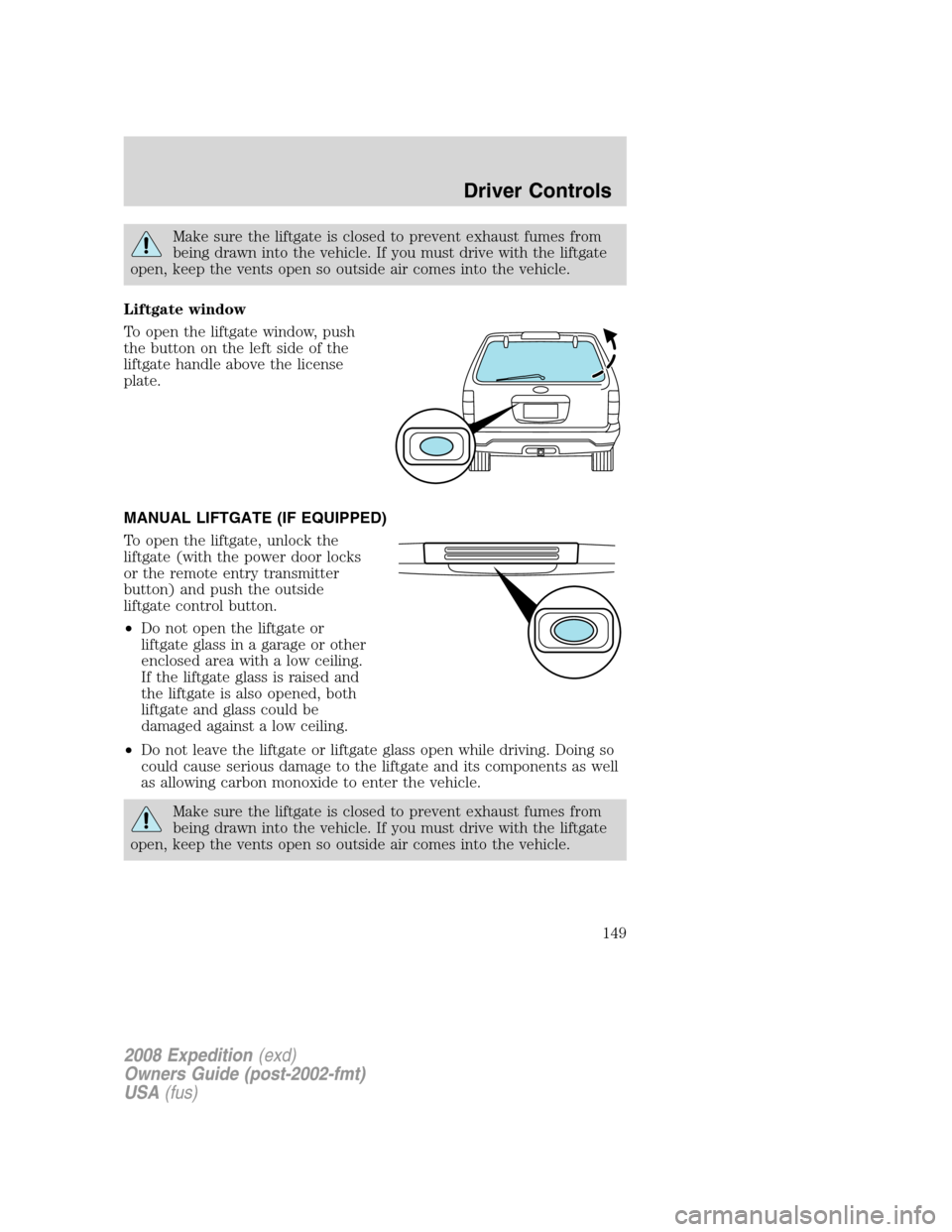
Liftgate window
To open the liftgate window, push
the button on the left side of the
liftgate handle above the license
plate.
MANUAL LIFTGATE (IF EQUIPPED)
To open the liftgate, unlock the
liftgate (with the power door locks
or the remote entry transmitter
button) and push the outside
liftgate control button.
•Do not open the liftgate or
liftgate glass in a garage or other
enclosed area with a low ceiling.
If the liftgate glass is raised and
the liftgate is also opened, both
liftgate and glass could be
damaged against a low ceiling.
•Do not leave the liftgate or liftgate glass open while driving. Doing so
could cause serious damage to the liftgate and its components as well
as allowing carbon monoxide to enter the vehicle.
Make sure the liftgate is closed to prevent exhaust fumes from
being drawn into the vehicle. If you must drive with the liftgate
open, keep the vents open so outside air comes into the vehicle.
2008 Expedition(exd)
Owners Guide (post-2002-fmt)
USA(fus)
Driver Controls
149
Page 152 of 392
KEYS
One key operates all the locks and starts the vehicle. Always carry a
spare key with you in case of an emergency.
Your keys are programmed to your vehicle; using a non-programmed key
will not permit your vehicle to start. If you lose your authorized dealer
supplied keys, replacement keys are available through your authorized
dealer. Refer to theSecuriLock™ passive anti-theft systemsection
later in this chapter for more information.
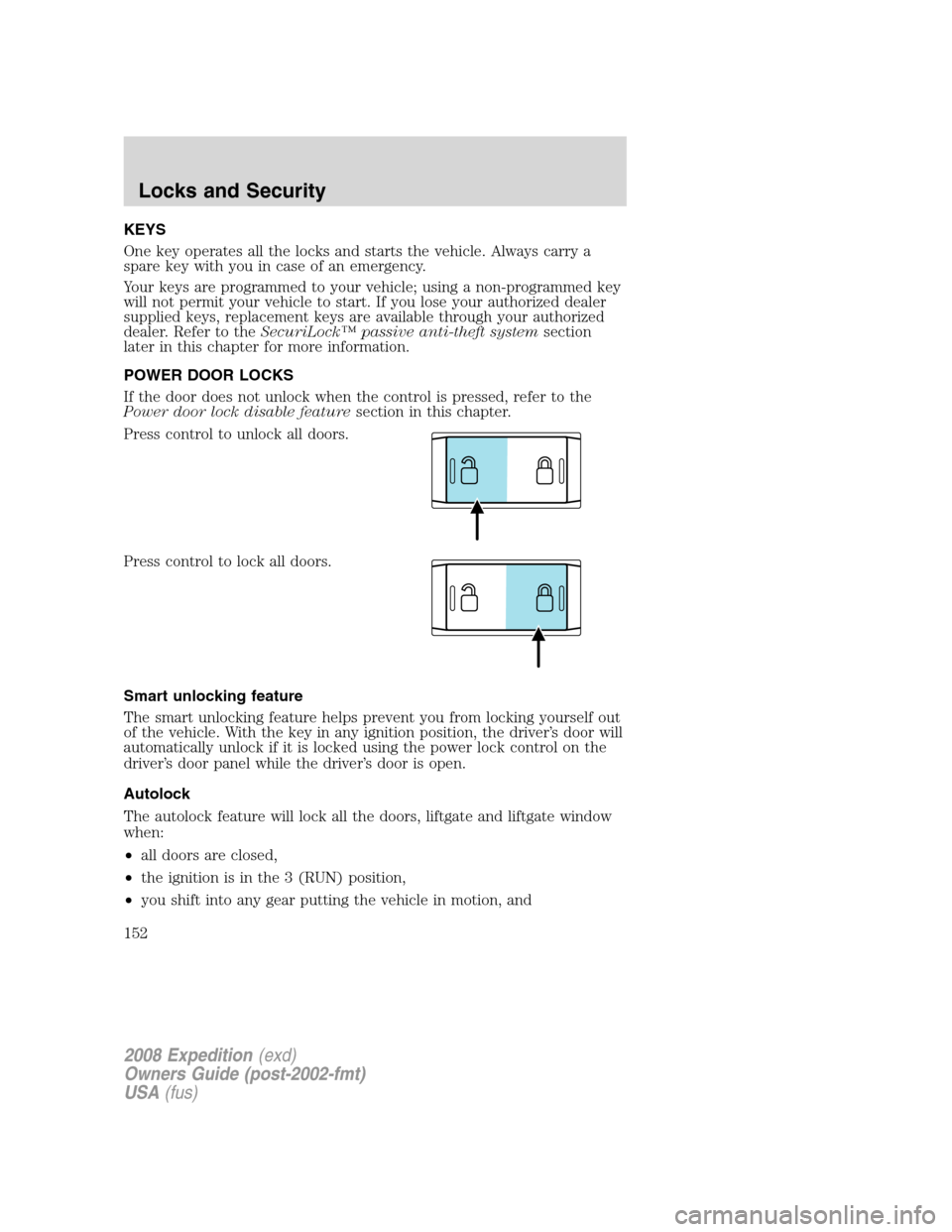
POWER DOOR LOCKS
If the door does not unlock when the control is pressed, refer to the
Power door lock disable featuresection in this chapter.
Press control to unlock all doors.
Press control to lock all doors.
Smart unlocking feature
The smart unlocking feature helps prevent you from locking yourself out
of the vehicle. With the key in any ignition position, the driver’s door will
automatically unlock if it is locked using the power lock control on the
driver’s door panel while the driver’s door is open.
Autolock
The autolock feature will lock all the doors, liftgate and liftgate window
when:
•all doors are closed,
•the ignition is in the 3 (RUN) position,
•you shift into any gear putting the vehicle in motion, and
2008 Expedition(exd)
Owners Guide (post-2002-fmt)
USA(fus)
Locks and Security
152
Page 153 of 392
•the vehicle attains a speed greater than 12 mph (20 km/h).
The autolock feature repeats when:
•any door is opened then closed while the ignition is in the 3 (RUN)
position and the vehicle speed is 9 mph (15 km/h) or lower, and
•the vehicle attains a speed greater than 12 mph (20 km/h).
Deactivating/activating autolock
Your vehicle comes with the autolock feature enabled. There are four
methods to enable/disable this feature:
•Through your authorized dealer, or
•Performing the power door lock control procedure,
•Performing the keyless entry key pad (if equipped) procedure, or
•Performing the message center (if equipped) procedure.
Before following the activation or deactivation procedures, make sure
that the anti-theft system is not armed, ignition is in the 1 (OFF/LOCK)
position, and all vehicle doors, liftgate and liftgate window are closed.
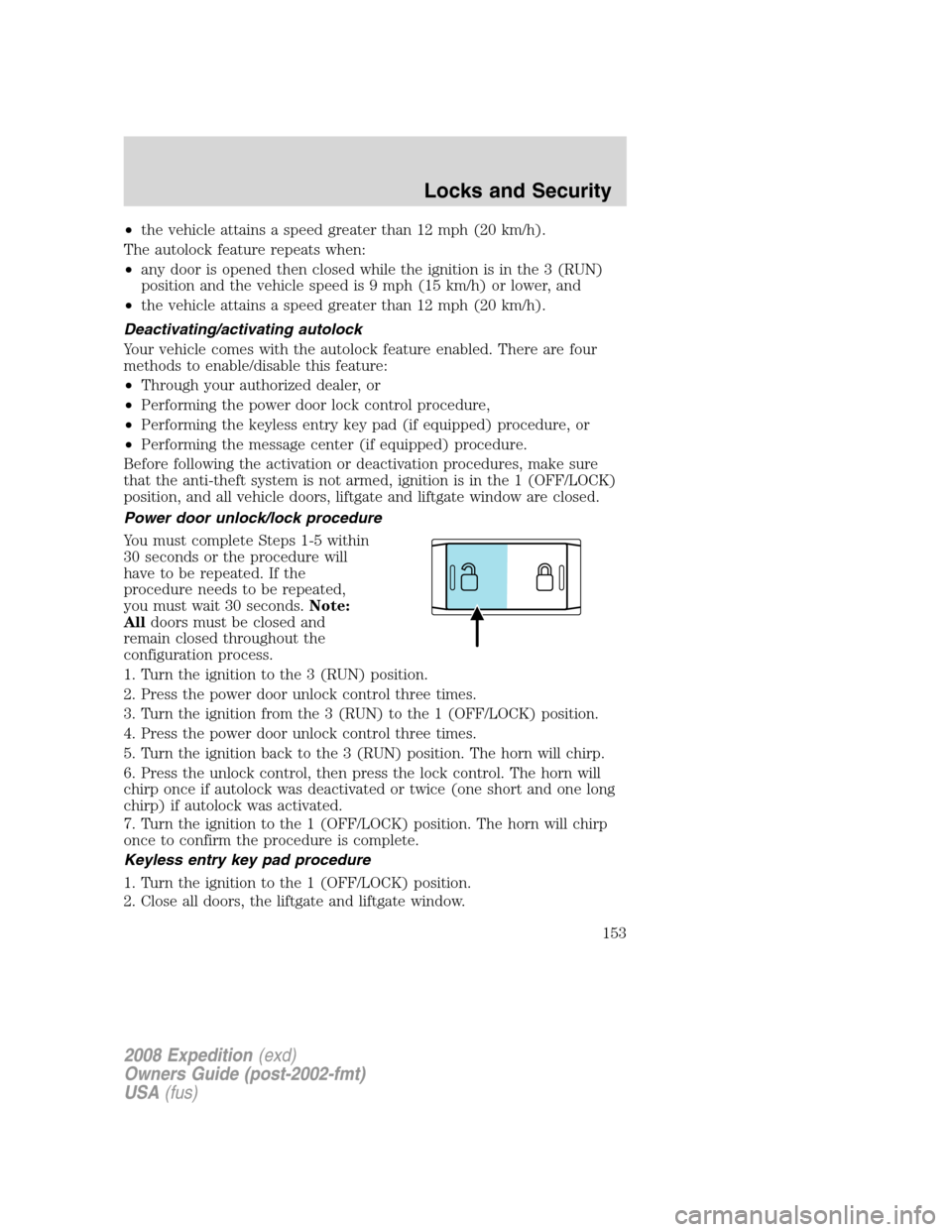
Power door unlock/lock procedure
You must complete Steps 1-5 within
30 seconds or the procedure will
have to be repeated. If the
procedure needs to be repeated,
you must wait 30 seconds.Note:
Alldoors must be closed and
remain closed throughout the
configuration process.
1. Turn the ignition to the 3 (RUN) position.
2. Press the power door unlock control three times.
3. Turn the ignition from the 3 (RUN) to the 1 (OFF/LOCK) position.
4. Press the power door unlock control three times.
5. Turn the ignition back to the 3 (RUN) position. The horn will chirp.
6. Press the unlock control, then press the lock control. The horn will
chirp once if autolock was deactivated or twice (one short and one long
chirp) if autolock was activated.
7. Turn the ignition to the 1 (OFF/LOCK) position. The horn will chirp
once to confirm the procedure is complete.
Keyless entry key pad procedure
1. Turn the ignition to the 1 (OFF/LOCK) position.
2. Close all doors, the liftgate and liftgate window.
2008 Expedition(exd)
Owners Guide (post-2002-fmt)
USA(fus)
Locks and Security
153
Page 154 of 392
3. Enter 5–digit entry code
4. Press and hold the 3•4. While holding the 3•4 press the 7•8.
5. Release the 7•8.
6. Release the 3•4.
The user should receive a horn chirp to indicate the system has been
disabled or a chirp followed by a honk to indicate the system has been
enabled.
Message center procedure
For information on activating/deactivating the autolock feature using the
vehicle’s message center (if equipped), refer toMessage center
information in theDriver Controlschapter.
Autounlock feature
The autounlock feature will unlock all the doors, liftgate, and liftgate
window when:
•the ignition is in the 3 (RUN) position, all the doors are closed, and
the vehicle has been in motion at a speed greater than 12 mph
(20 km/h);
•the vehicle has then come to a stop and the ignition is turned to the 1
(LOCK) or 2 (ACC) position; and
•the driver door is opened within 10 minutes of the ignition being
transitioned to the 1 (LOCK) or 2 (ACC) position.
Note:The doors will not autounlock if the vehicle has been
electronically locked before the driver door is opened.
Deactivating/activating autounlock feature
Your vehicle comes with the autounlock features activated; there are four
methods to enable/disable this feature:
•Through your authorized dealer,
•by using a power door unlock/lock sequence,
•using a keypad procedure (if equipped), or
•or by using the instrument cluster message center (if equipped). Refer
toMessage centerin theDriver Controlschapter.
Note:The autounlock feature can be activated/deactivated
independently of the autolock feature.
2008 Expedition(exd)
Owners Guide (post-2002-fmt)
USA(fus)
Locks and Security
154
Page 155 of 392
Power door lock switch autounlock enable/disable procedure
Before starting, ensure the ignition is in the 1 (LOCK) position and all
vehicle doors are closed. You must complete Steps 1–5 within 30 seconds
or the procedure will have to be repeated. If the procedure needs to be
repeated, wait a minimum of 30 seconds before beginning again.
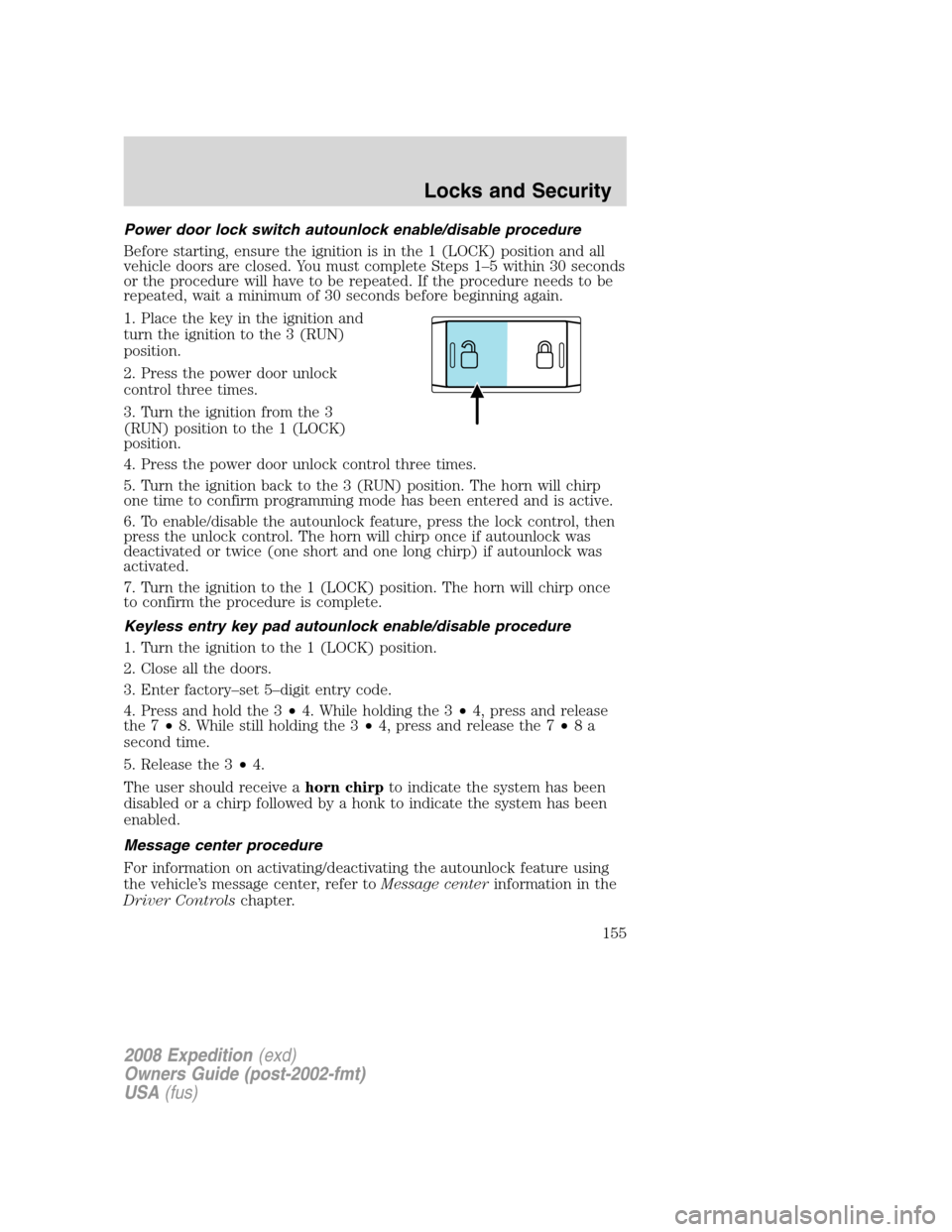
1. Place the key in the ignition and
turn the ignition to the 3 (RUN)
position.
2. Press the power door unlock
control three times.
3. Turn the ignition from the 3
(RUN) position to the 1 (LOCK)
position.
4. Press the power door unlock control three times.
5. Turn the ignition back to the 3 (RUN) position. The horn will chirp
one time to confirm programming mode has been entered and is active.
6. To enable/disable the autounlock feature, press the lock control, then
press the unlock control. The horn will chirp once if autounlock was
deactivated or twice (one short and one long chirp) if autounlock was
activated.
7. Turn the ignition to the 1 (LOCK) position. The horn will chirp once
to confirm the procedure is complete.
Keyless entry key pad autounlock enable/disable procedure
1. Turn the ignition to the 1 (LOCK) position.
2. Close all the doors.
3. Enter factory–set 5–digit entry code.
4. Press and hold the 3•4. While holding the 3•4, press and release
the 7•8. While still holding the 3•4, press and release the 7•8a
second time.
5. Release the 3•4.
The user should receive ahorn chirpto indicate the system has been
disabled or a chirp followed by a honk to indicate the system has been
enabled.
Message center procedure
For information on activating/deactivating the autounlock feature using
the vehicle’s message center, refer toMessage centerinformation in the
Driver Controlschapter.
2008 Expedition(exd)
Owners Guide (post-2002-fmt)
USA(fus)
Locks and Security
155