lock FORD EXPEDITION 2008 3.G Workshop Manual
[x] Cancel search | Manufacturer: FORD, Model Year: 2008, Model line: EXPEDITION, Model: FORD EXPEDITION 2008 3.GPages: 392, PDF Size: 3.34 MB
Page 166 of 392

Programming your own personal entry code
To create your own personal entry code:
1. Enter the factory set code.
2. Within five seconds press the 1•2 on the keypad.
3. Enter your personal 5–digit code.
Each number must be entered
within five seconds of each other.
4. Three unique personal entry
codes can be stored:
•Pressing 1•2 assigns driver 1 settings.
•Pressing 3•4 assigns driver 2 settings.
•Pressing 5•6, 7•8, or 9•0 assigns Driver 3 settings.
5. The doors will again lock then unlock to confirm that your personal
keycode has been programmed to the module.
•Do not use five numbers in sequential order.
•The factory set code will work even if you have set your own personal
code.
Erasing personal code
1. Enter the factory set 5–digit code.
2. Within five seconds, press the 1•2 on the keypad and release.
3. Press and hold the 1•2 for two seconds. This must be done within
five seconds of completing Step 2.
Your personal code is now erased and only the factory set 5–digit code
will work.
Anti-scan feature
If the wrong code has been entered 7 times (35 consecutive button
presses), the keypad will go into an anti-scan mode. This mode disables
the keypad for one minute and the keypad lamp will flash.
The anti-scan feature will turn off after:
•one minute of keypad inactivity,
•pressing the UNLOCK control on the remote entry transmitter,
•or the ignition position changes.
2008 Expedition(exd)
Owners Guide (post-2002-fmt)
USA(fus)
Locks and Security
166
Page 167 of 392
Unlocking and locking the doors and liftgate using keyless entry
To unlock the driver’s door,enter the factory set 5-digit code or your
personal code. Each number must be pressed within five seconds of each
other. The interior lamps will illuminate.
To unlock all doors and liftgate,press the 3•4 control within five
seconds.
To lock all doors and liftgate,press the 7•8 and the 9•0atthe
same time.Note:The driver’s door must be closed. Youdo notneed to
enter the keypad code first.
To open the liftglass,press the 5•6.
SECURILOCK™ PASSIVE ANTI-THEFT SYSTEM
SecuriLock™ passive anti-theft system is an engine immobilization
system. This system is designed to help prevent the engine from being
started unless acoded key programmed to your vehicleis used.
The SecuriLock™ passive anti-theft system is not compatible with
non-Ford aftermarket remote start systems. Use of these systems may
result in vehicle starting problems and a loss of security protection.
Anti-theft indicator
The anti-theft indicator is located in
the instrument cluster.
•When the ignition is in the 1 (OFF/LOCK) position, the indicator will
flash once every 2 seconds to indicate the SecuriLock™ system is
functioning as a theft deterrent.
•When the ignition is in the 3 (ON) position, the indicator will glow for
3 seconds to indicate normal system functionality.
If a problem occurs with the SecuriLock™ system, the indicator will flash
rapidly or glow steadily when the ignition is in the 3 (ON) position. If
this occurs, the vehicle should be taken to an authorized dealer for
service.
2008 Expedition(exd)
Owners Guide (post-2002-fmt)
USA(fus)
Locks and Security
167
Page 168 of 392
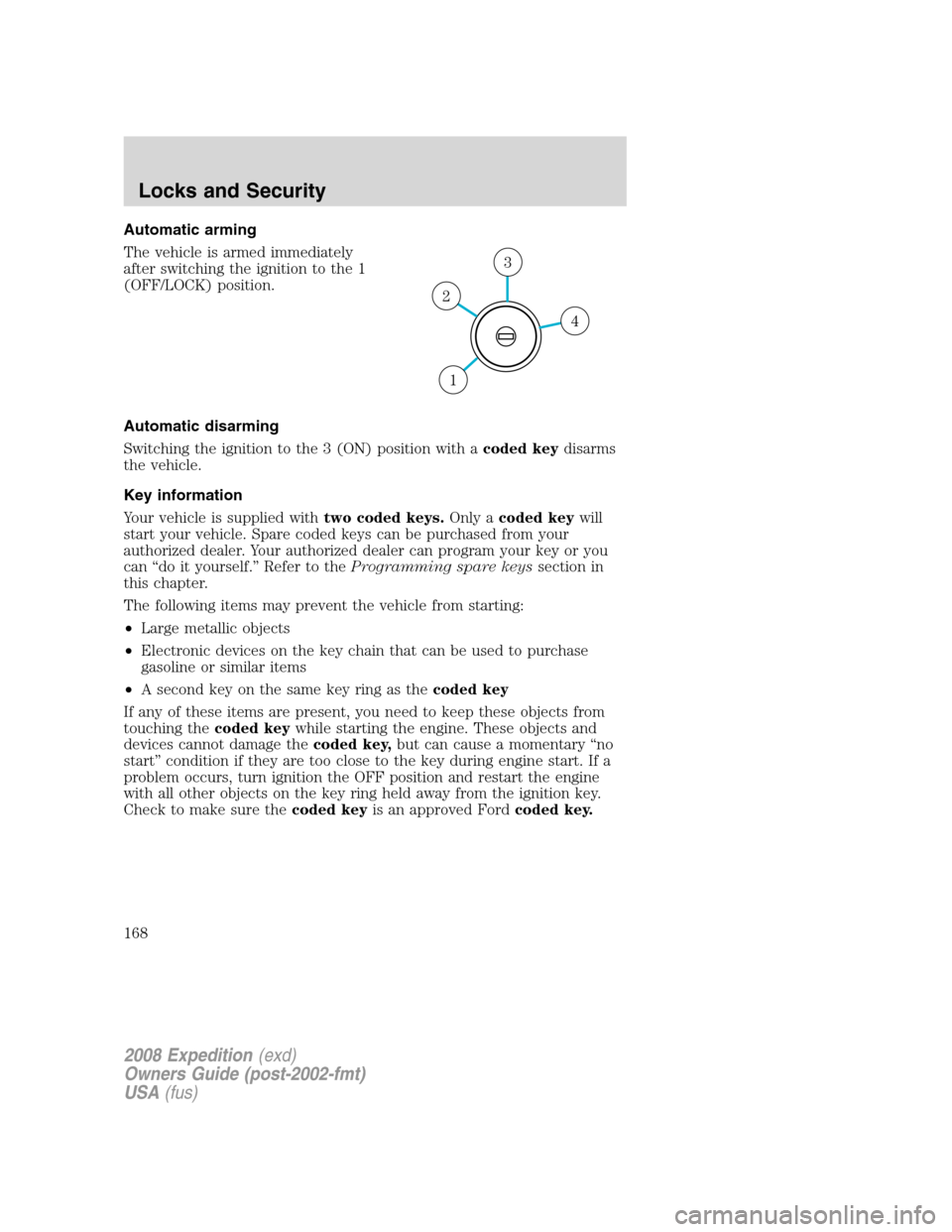
Automatic arming
The vehicle is armed immediately
after switching the ignition to the 1
(OFF/LOCK) position.
Automatic disarming
Switching the ignition to the 3 (ON) position with acoded keydisarms
the vehicle.
Key information
Your vehicle is supplied withtwo coded keys.Only acoded keywill
start your vehicle. Spare coded keys can be purchased from your
authorized dealer. Your authorized dealer can program your key or you
can “do it yourself.” Refer to theProgramming spare keyssection in
this chapter.
The following items may prevent the vehicle from starting:
•Large metallic objects
•Electronic devices on the key chain that can be used to purchase
gasoline or similar items
•A second key on the same key ring as thecoded key
If any of these items are present, you need to keep these objects from
touching thecoded keywhile starting the engine. These objects and
devices cannot damage thecoded key,but can cause a momentary “no
start” condition if they are too close to the key during engine start. If a
problem occurs, turn ignition the OFF position and restart the engine
with all other objects on the key ring held away from the ignition key.
Check to make sure thecoded keyis an approved Fordcoded key.
4
3
2
1
2008 Expedition(exd)
Owners Guide (post-2002-fmt)
USA(fus)
Locks and Security
168
Page 169 of 392
If your keys are lost or stolen you will need to do the following:
•Use your spare key to start the vehicle, or
•Have your vehicle towed to a authorized dealer or a locksmith. The
key codes will need to be erased from your vehicle and new key codes
will need to be re-coded.
Replacing coded keys can be very costly and you may want to store an
extra programmed key away from the vehicle in a safe place to prevent
an unforeseen inconvenience.
The correctcoded keymust be used for your vehicle. The use of the
wrong type ofcoded keymay lead to a “no start” condition.
If an unprogrammed key is used in the ignition it will cause a “no
start” condition.
Programming spare keys
A maximum of eight keys can be coded to your vehicle. Only
SecuriLock™ keys can be used. To program acoded keyyourself, you
will need two previously programmedcoded keys(keys that already
operate your vehicle’s engine) and the new unprogrammed key(s) readily
accessible for timely implementation of each step in the procedure.
If two previously programmed coded keys are not available, you must
bring your vehicle to your authorized dealer to have the spare coded
key(s) programmed.
Please read and understand the entire procedure before you begin.
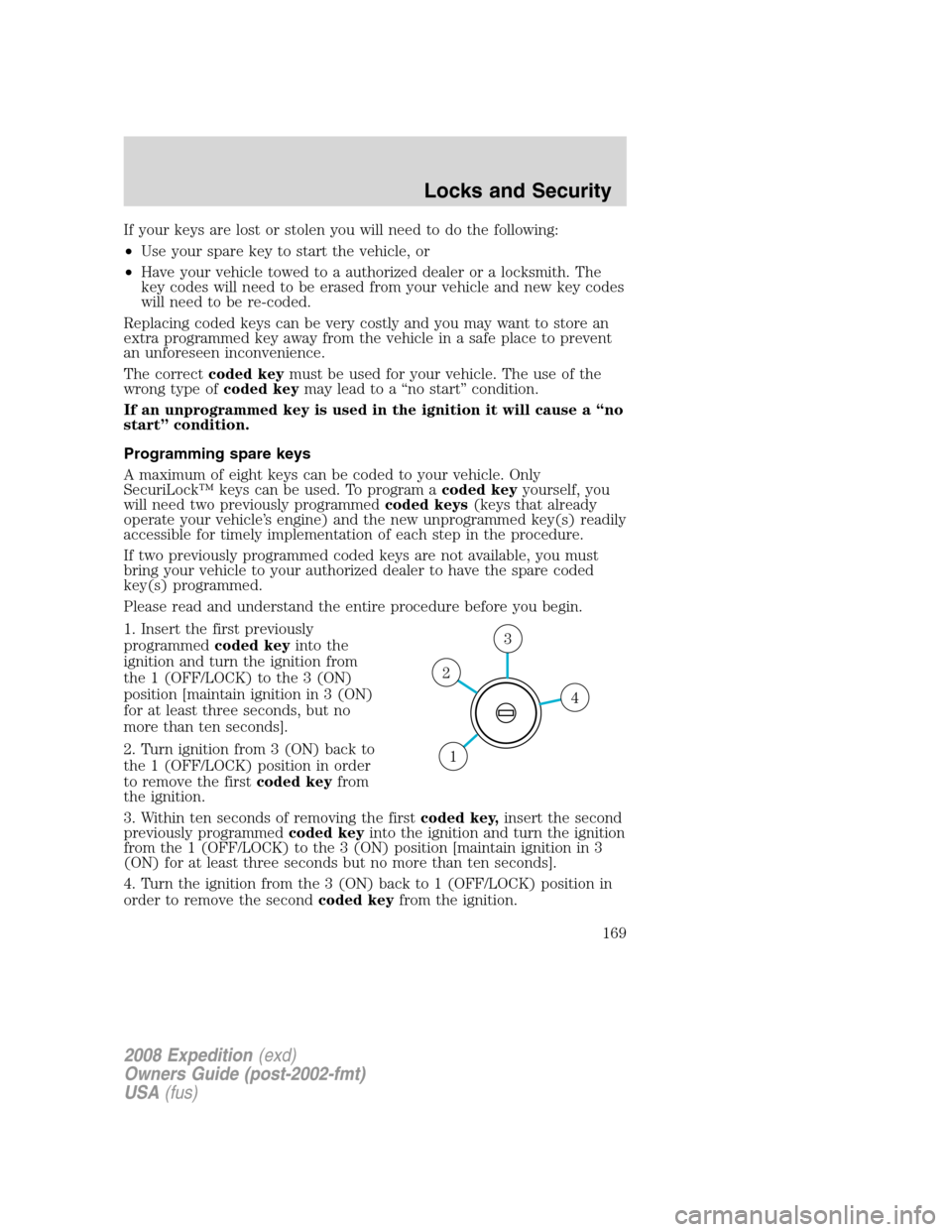
1. Insert the first previously
programmedcoded keyinto the
ignition and turn the ignition from
the 1 (OFF/LOCK) to the 3 (ON)
position [maintain ignition in 3 (ON)
for at least three seconds, but no
more than ten seconds].
2. Turn ignition from 3 (ON) back to
the 1 (OFF/LOCK) position in order
to remove the firstcoded keyfrom
the ignition.
3. Within ten seconds of removing the firstcoded key,insert the second
previously programmedcoded keyinto the ignition and turn the ignition
from the 1 (OFF/LOCK) to the 3 (ON) position [maintain ignition in 3
(ON) for at least three seconds but no more than ten seconds].
4. Turn the ignition from the 3 (ON) back to 1 (OFF/LOCK) position in
order to remove the secondcoded keyfrom the ignition.
4
3
2
1
2008 Expedition(exd)
Owners Guide (post-2002-fmt)
USA(fus)
Locks and Security
169
Page 170 of 392
5. Within 10 seconds of removing the secondcoded key,insert the new
unprogrammed key (new key/valet key) into the ignition and turn the
ignition from the 1 (OFF/LOCK) to the 3 (ON) position [maintain
ignition in 3 (ON) for at least three seconds, but no more than ten
seconds]. This step will program your new key to a coded key.
6. To program additional new unprogrammed key(s), repeat this
procedure from Step 1.
If successful, the new coded key(s) will start the vehicle’s engine and the
theft indicator will illuminate for three seconds and then go out.
If not successful, the new coded key(s) will not start the vehicle’s engine
and the theft indicator will flash on and off and you may repeat Steps 1
through 5. If failure repeats, bring your vehicle to your authorized dealer
to have the new spare key(s) programmed.
2008 Expedition(exd)
Owners Guide (post-2002-fmt)
USA(fus)
Locks and Security
170
Page 173 of 392
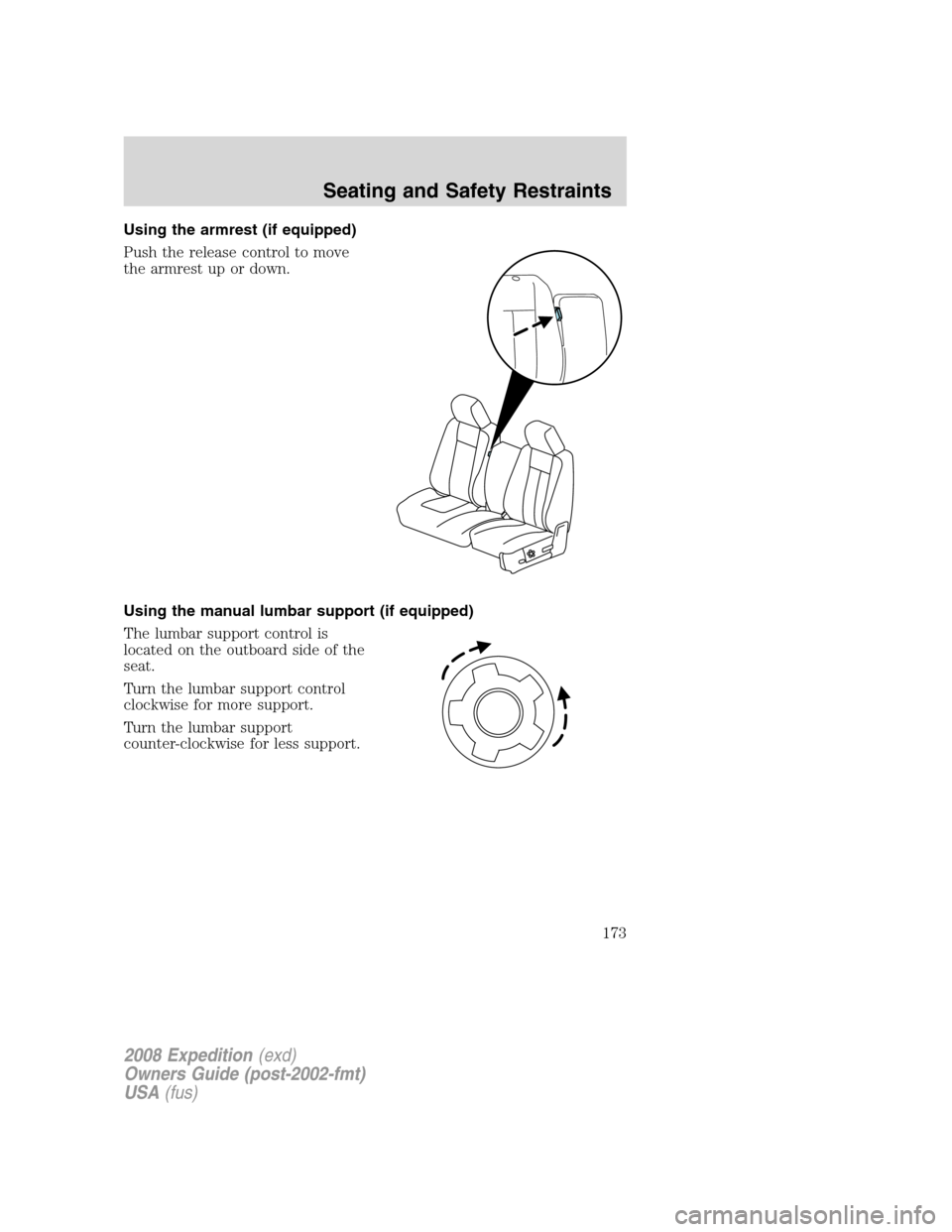
Using the armrest (if equipped)
Push the release control to move
the armrest up or down.
Using the manual lumbar support (if equipped)
The lumbar support control is
located on the outboard side of the
seat.
Turn the lumbar support control
clockwise for more support.
Turn the lumbar support
counter-clockwise for less support.
2008 Expedition(exd)
Owners Guide (post-2002-fmt)
USA(fus)
Seating and Safety Restraints
173
Page 176 of 392
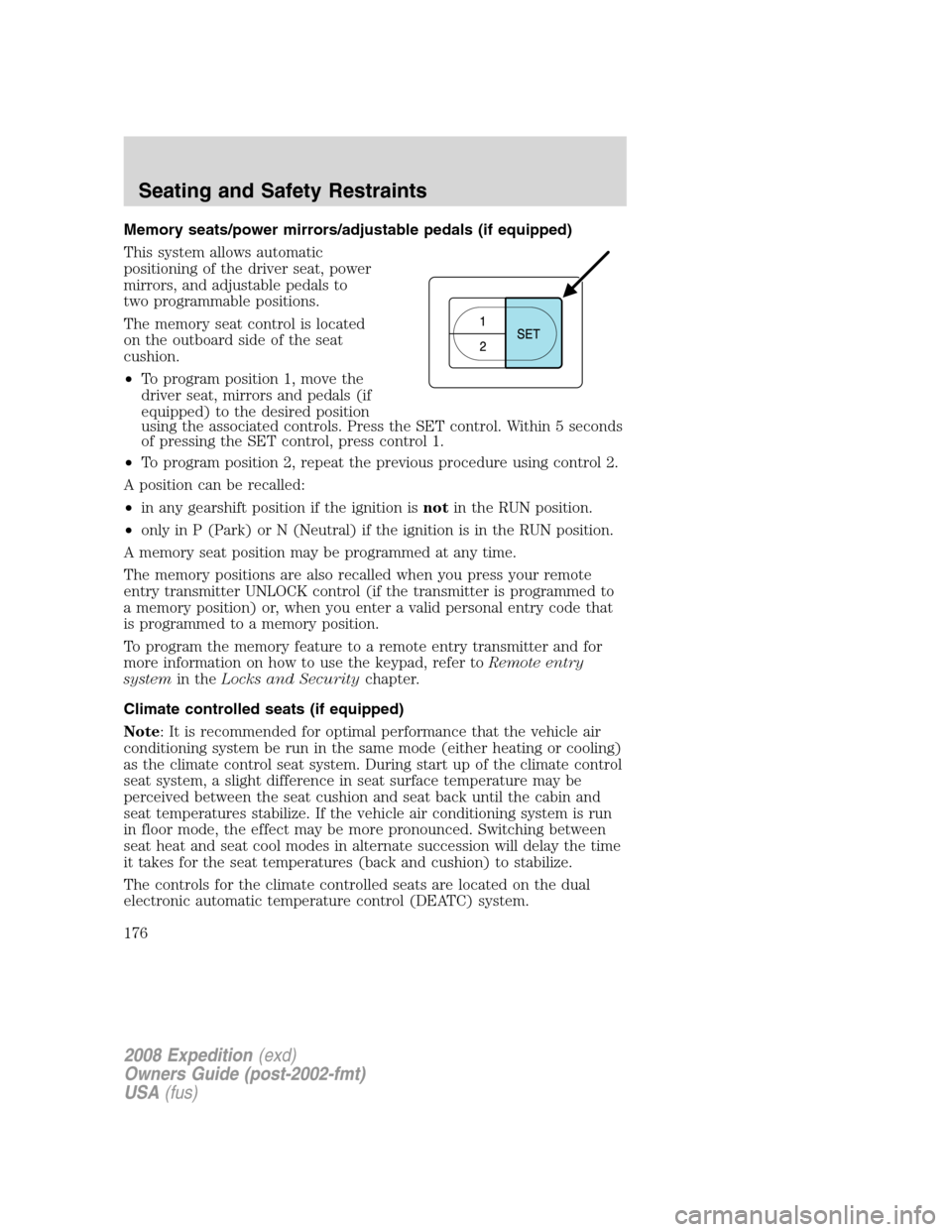
Memory seats/power mirrors/adjustable pedals (if equipped)
This system allows automatic
positioning of the driver seat, power
mirrors, and adjustable pedals to
two programmable positions.
The memory seat control is located
on the outboard side of the seat
cushion.
•To program position 1, move the
driver seat, mirrors and pedals (if
equipped) to the desired position
using the associated controls. Press the SET control. Within 5 seconds
of pressing the SET control, press control 1.
•To program position 2, repeat the previous procedure using control 2.
A position can be recalled:
•in any gearshift position if the ignition isnotin the RUN position.
•only in P (Park) or N (Neutral) if the ignition is in the RUN position.
A memory seat position may be programmed at any time.
The memory positions are also recalled when you press your remote
entry transmitter UNLOCK control (if the transmitter is programmed to
a memory position) or, when you enter a valid personal entry code that
is programmed to a memory position.
To program the memory feature to a remote entry transmitter and for
more information on how to use the keypad, refer toRemote entry
systemin theLocks and Securitychapter.
Climate controlled seats (if equipped)
Note: It is recommended for optimal performance that the vehicle air
conditioning system be run in the same mode (either heating or cooling)
as the climate control seat system. During start up of the climate control
seat system, a slight difference in seat surface temperature may be
perceived between the seat cushion and seat back until the cabin and
seat temperatures stabilize. If the vehicle air conditioning system is run
in floor mode, the effect may be more pronounced. Switching between
seat heat and seat cool modes in alternate succession will delay the time
it takes for the seat temperatures (back and cushion) to stabilize.
The controls for the climate controlled seats are located on the dual
electronic automatic temperature control (DEATC) system.
2008 Expedition(exd)
Owners Guide (post-2002-fmt)
USA(fus)
Seating and Safety Restraints
176
Page 180 of 392
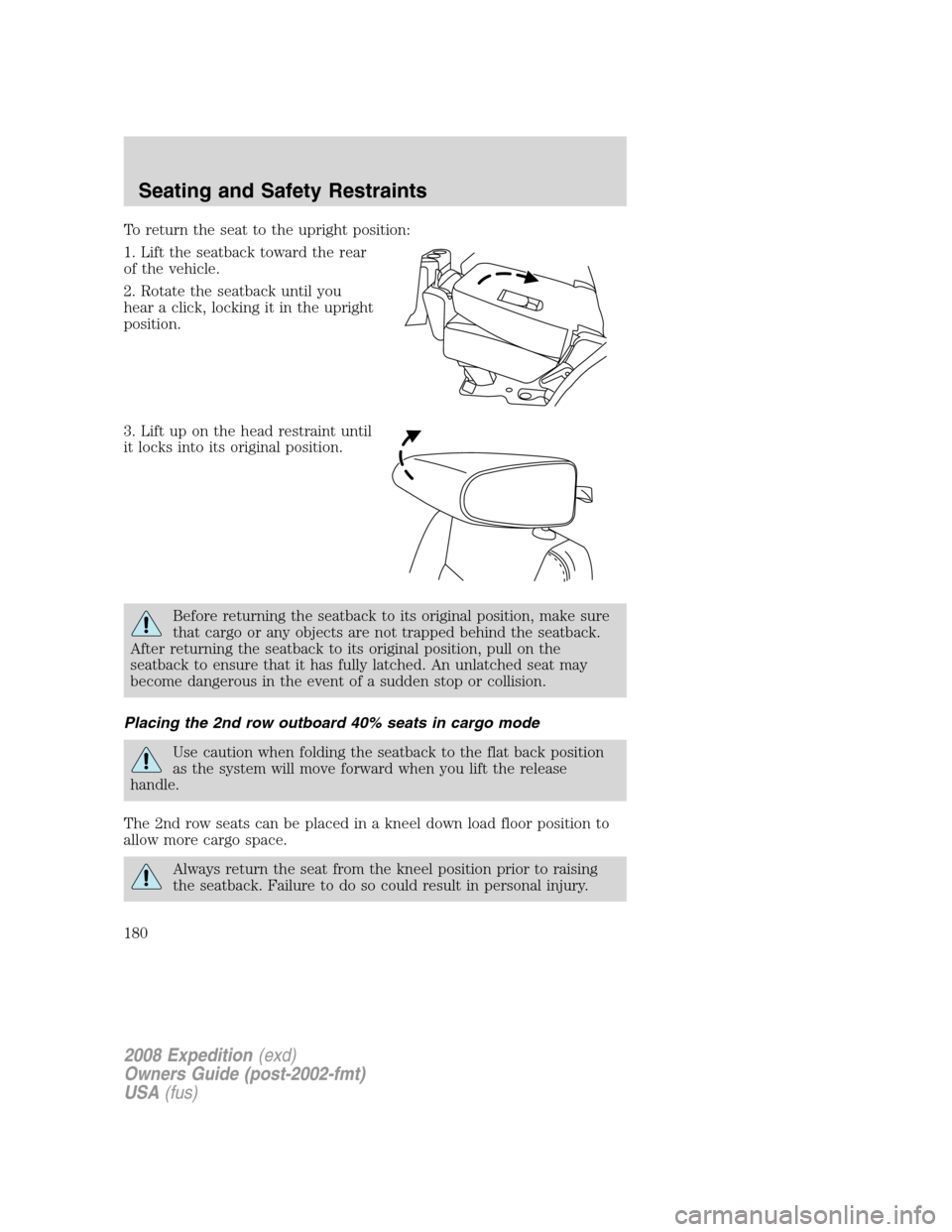
To return the seat to the upright position:
1. Lift the seatback toward the rear
of the vehicle.
2. Rotate the seatback until you
hear a click, locking it in the upright
position.
3. Lift up on the head restraint until
it locks into its original position.
Before returning the seatback to its original position, make sure
that cargo or any objects are not trapped behind the seatback.
After returning the seatback to its original position, pull on the
seatback to ensure that it has fully latched. An unlatched seat may
become dangerous in the event of a sudden stop or collision.
Placing the 2nd row outboard 40% seats in cargo mode
Use caution when folding the seatback to the flat back position
as the system will move forward when you lift the release
handle.
The 2nd row seats can be placed in a kneel down load floor position to
allow more cargo space.
Always return the seat from the kneel position prior to raising
the seatback. Failure to do so could result in personal injury.
2008 Expedition(exd)
Owners Guide (post-2002-fmt)
USA(fus)
Seating and Safety Restraints
180
Page 182 of 392
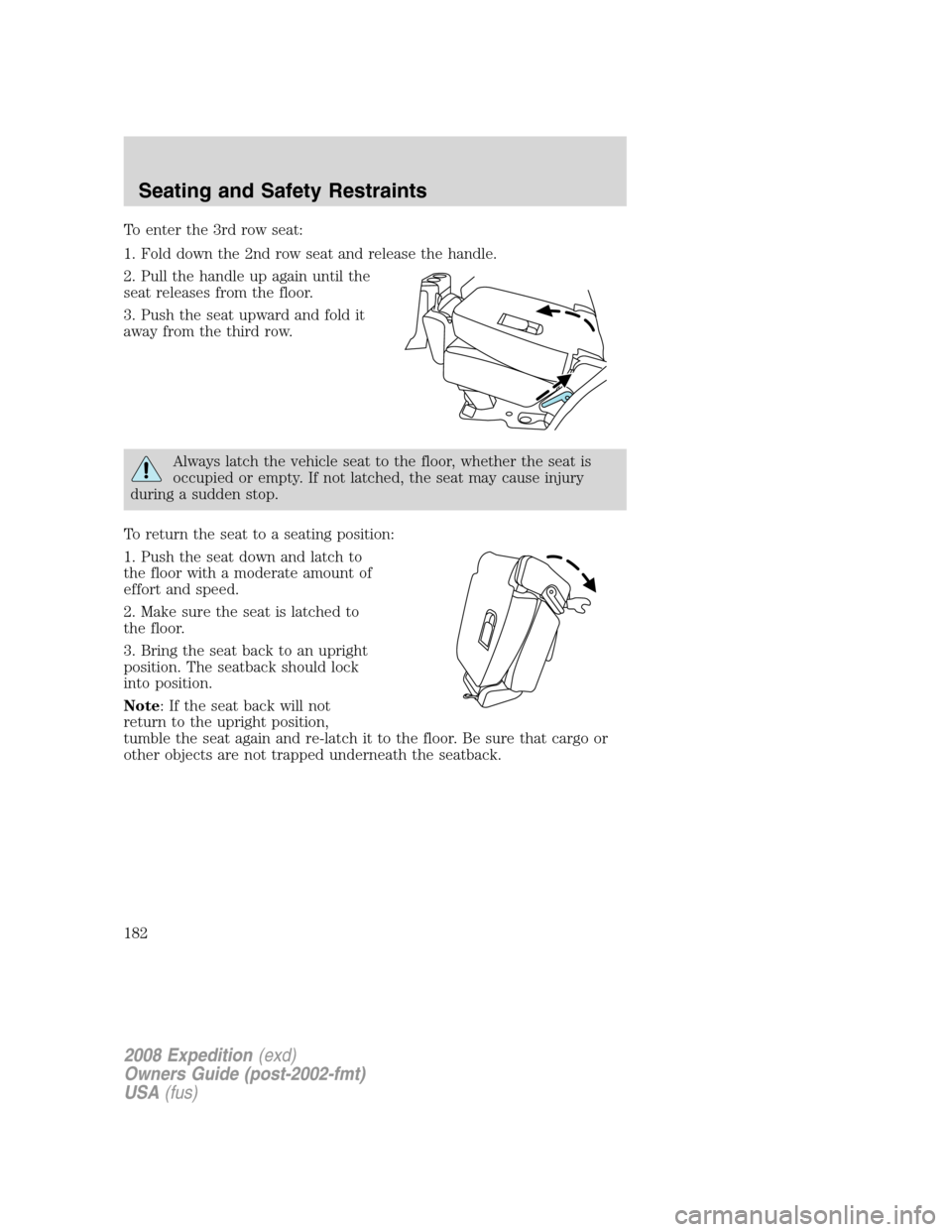
To enter the 3rd row seat:
1. Fold down the 2nd row seat and release the handle.
2. Pull the handle up again until the
seat releases from the floor.
3. Push the seat upward and fold it
away from the third row.
Always latch the vehicle seat to the floor, whether the seat is
occupied or empty. If not latched, the seat may cause injury
during a sudden stop.
To return the seat to a seating position:
1. Push the seat down and latch to
the floor with a moderate amount of
effort and speed.
2. Make sure the seat is latched to
the floor.
3. Bring the seat back to an upright
position. The seatback should lock
into position.
Note: If the seat back will not
return to the upright position,
tumble the seat again and re-latch it to the floor. Be sure that cargo or
other objects are not trapped underneath the seatback.
2008 Expedition(exd)
Owners Guide (post-2002-fmt)
USA(fus)
Seating and Safety Restraints
182
Page 188 of 392
door, pressing the unlock button on the key fob, pressing any
keyless entry keypad button, or turning the ignition key.
SAFETY RESTRAINTS
Personal Safety System™
The Personal Safety System™ provides an improved overall level of
frontal crash protection to front seat occupants and is designed to help
further reduce the risk of airbag-related injuries. The system is able to
analyze different occupant conditions and crash severity before activating
the appropriate safety devices to help better protect a range of
occupants in a variety of frontal crash situations.
Your vehicle’s Personal Safety System™ consists of:
•Driver and passenger dual-stage airbag supplemental restraints.
•Front safety belts with pretensioners, energy management retractors,
and safety belt usage sensors.
•Driver’s seat position sensor.
•Front crash severity sensor.
•Restraints Control Module (RCM).
•Restraint system warning light and back-up tone.
•The electrical wiring for the airbags, crash sensor(s), safety belt
pretensioners, front safety belt usage sensors, driver seat position
sensor, and indicator lights.
How does the Personal Safety System™ work?
The Personal Safety System™ can adapt the deployment strategy of your
vehicle’s safety devices according to crash severity and occupant
conditions. A collection of crash and occupant sensors provides
information to the Restraints Control Module (RCM). During a crash, the
RCM activates the safety belt pretensioners and/or either one or both
stages of the dual-stage airbag supplemental restraints based on crash
severity and occupant conditions.
The fact that the pretensioners or airbags did not activate for both front
seat occupants in a collision does not mean that something is wrong with
the system. Rather, it means the Personal Safety System™ determined
the accident conditions (crash severity, belt usage, etc.) were not
appropriate to activate these safety devices. Front airbags are designed
to activate only in frontal and near-frontal collisions, not rollovers,
side-impacts, or rear-impacts unless the collision causes sufficient
longitudinal deceleration.
2008 Expedition(exd)
Owners Guide (post-2002-fmt)
USA(fus)
Seating and Safety Restraints
188