instrument panel FORD EXPEDITION 2011 3.G Owners Manual
[x] Cancel search | Manufacturer: FORD, Model Year: 2011, Model line: EXPEDITION, Model: FORD EXPEDITION 2011 3.GPages: 395, PDF Size: 2.72 MB
Page 33 of 395
POWER LIFTGATE (if equipped)
This feature allows users to open/close the rear liftgate at the touch of a
button.
Press the RESET button to turn the power liftgate on or off. If disabled,
the outside release handle and the rear cargo area control button are off.
The instrument panel button will continue to function the liftgate in
power mode.
EASY ENTRY (if equipped)
This feature automatically moves the driver’s seat backwards for easy
exit/entry from the vehicle.
Press the RESET button to turn the easy entry/exit seat on or off.
AIR SUSPENSION (if equipped)
Before disabling the air suspension, make sure the liftgate and liftgate
glass are in the closed position.
With the vehicle in P (Park), press RESET to turn the air suspension off
or on.
REAR PARK AID (if equipped)
This feature sounds a warning tone to warn the driver of obstacles near
the rear bumper, and functions only when R (Reverse) gear is selected.
To disable/enable park aid, press RESET when reaching this menu from
the setup sequence or put the vehicle in R (Reverse) and press RESET.
TRAILER SWAY (if equipped)
This feature uses the electronic stability control to mitigate trailer sway,
Press the RESET button to turn trailer sway on or off.
CREATE MYKEY / MYKEY SETUP / CLEAR MYKEY
For more information refer toMyKey™in theLocks and Securitychapter.
COMPASS
The compass heading is displayed as one of N, NE, E, SE, S, SW, W and
NW in the message center display.
The compass reading may be affected when you drive near large buildings,
bridges, power lines and powerful broadcast antenna. Magnetic or metallic
objects placed in, on or near the vehicle may also affect compass accuracy.
Usually, when something affects the compass readings, the compass will
correct itself after a few days of operating your vehicle in normal conditions.
If the compass still appears to be inaccurate, a manual calibration may be
necessary. Refer toCompass zone/calibration adjustment.
Instrument Cluster
33
2011 Expedition(exd)
Owners Guide, 1st Printing
USA(fus)
Page 60 of 395
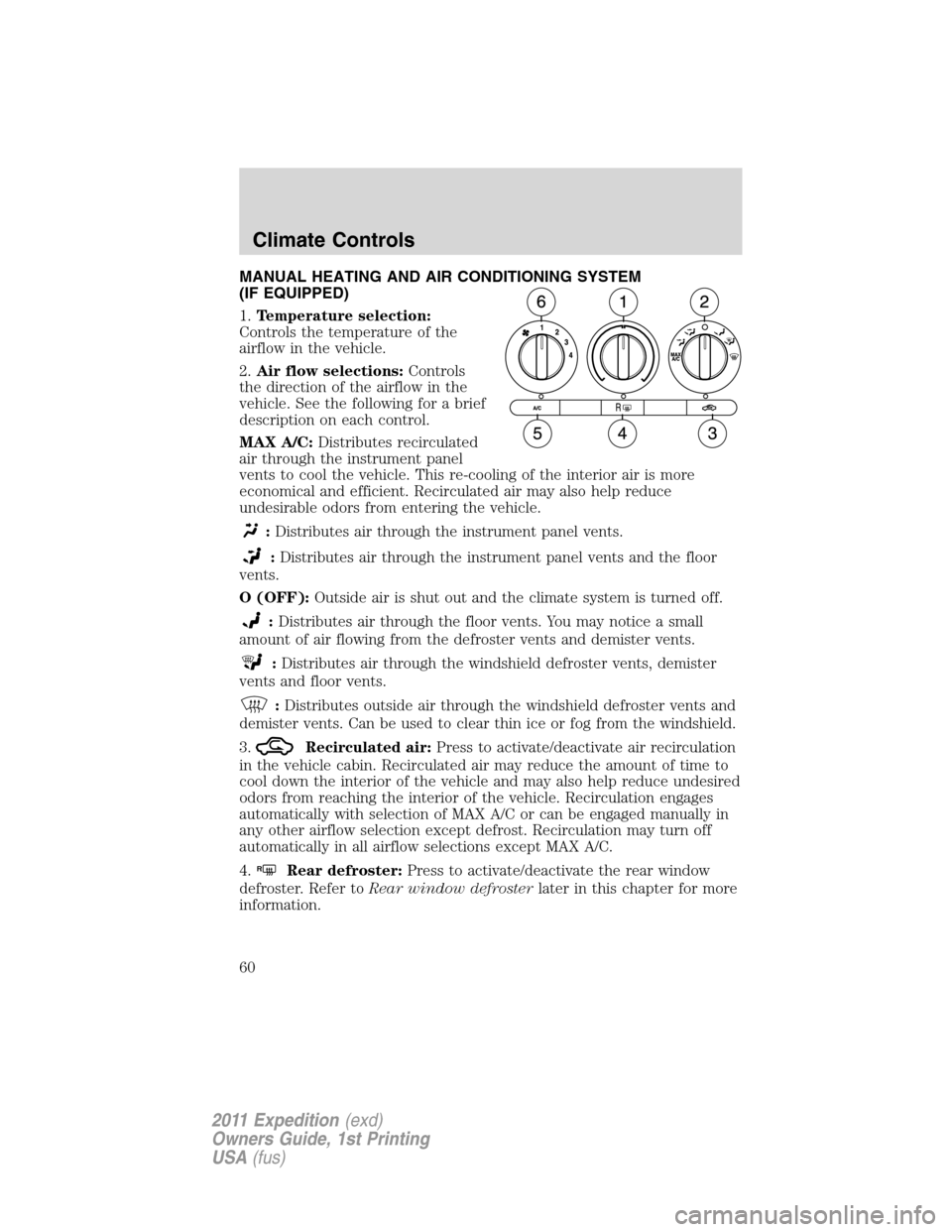
MANUAL HEATING AND AIR CONDITIONING SYSTEM
(IF EQUIPPED)
1.Temperature selection:
Controls the temperature of the
airflow in the vehicle.
2.Air flow selections:Controls
the direction of the airflow in the
vehicle. See the following for a brief
description on each control.
MAX A/C:Distributes recirculated
air through the instrument panel
vents to cool the vehicle. This re-cooling of the interior air is more
economical and efficient. Recirculated air may also help reduce
undesirable odors from entering the vehicle.
:Distributes air through the instrument panel vents.
:Distributes air through the instrument panel vents and the floor
vents.
O (OFF):Outside air is shut out and the climate system is turned off.
:Distributes air through the floor vents. You may notice a small
amount of air flowing from the defroster vents and demister vents.
:Distributes air through the windshield defroster vents, demister
vents and floor vents.
:Distributes outside air through the windshield defroster vents and
demister vents. Can be used to clear thin ice or fog from the windshield.
3.
Recirculated air:Press to activate/deactivate air recirculation
in the vehicle cabin. Recirculated air may reduce the amount of time to
cool down the interior of the vehicle and may also help reduce undesired
odors from reaching the interior of the vehicle. Recirculation engages
automatically with selection of MAX A/C or can be engaged manually in
any other airflow selection except defrost. Recirculation may turn off
automatically in all airflow selections except MAX A/C.
4.
RRear defroster:Press to activate/deactivate the rear window
defroster. Refer toRear window defrosterlater in this chapter for more
information.
Climate Controls
60
2011 Expedition(exd)
Owners Guide, 1st Printing
USA(fus)
Page 61 of 395
5.A/C:Press to activate/deactivate air conditioning. Use with
recirculated air to improve cooling performance and efficiency. Engages
automatically in MAX A/C,
(defrost) and(floor/defrost).
6.Fan speed adjustment:Controls the volume of air circulated in the
vehicle.
Manual heating and air conditioning system with rear passenger
compartment climate control (if equipped)
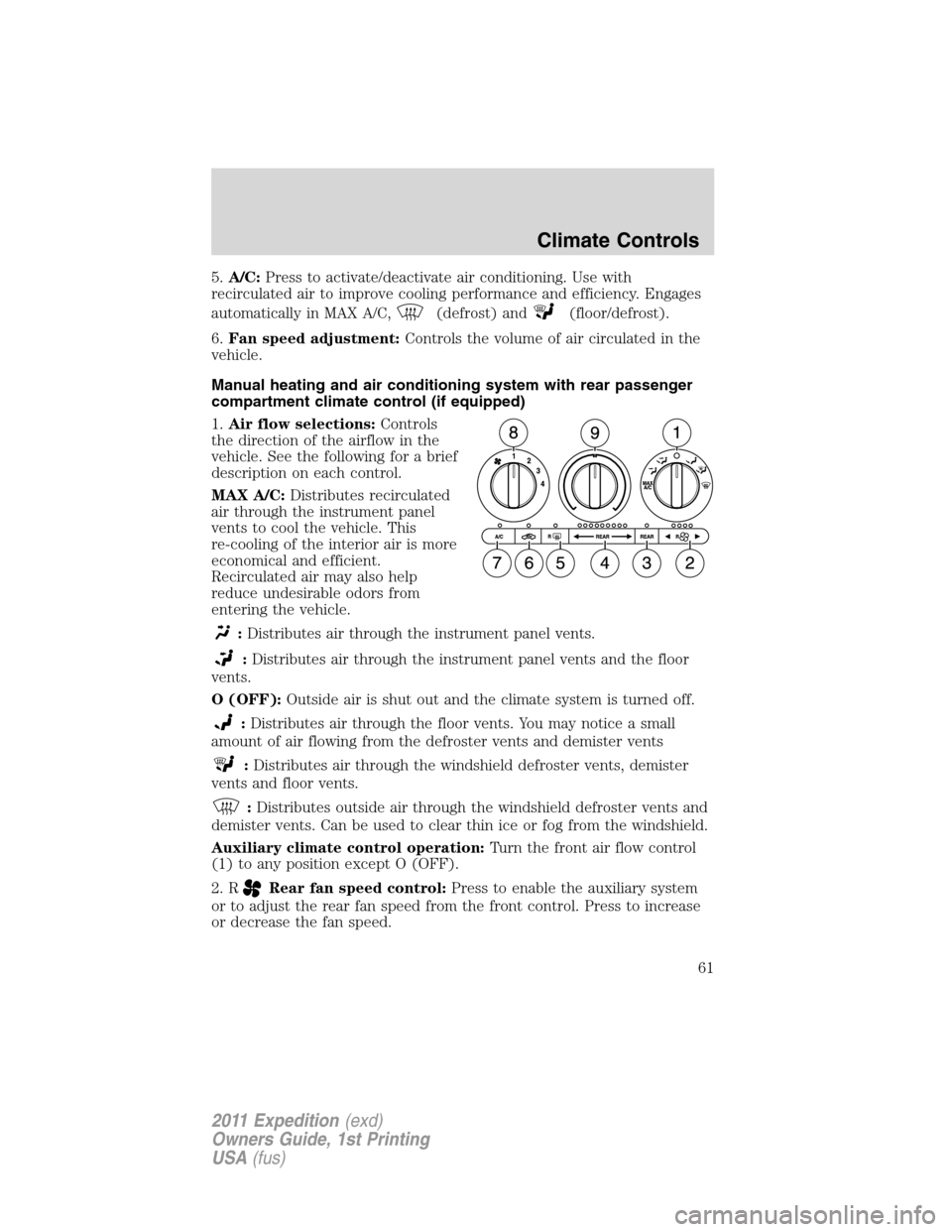
1.Air flow selections:Controls
the direction of the airflow in the
vehicle. See the following for a brief
description on each control.
MAX A/C:Distributes recirculated
air through the instrument panel
vents to cool the vehicle. This
re-cooling of the interior air is more
economical and efficient.
Recirculated air may also help
reduce undesirable odors from
entering the vehicle.
:Distributes air through the instrument panel vents.
:Distributes air through the instrument panel vents and the floor
vents.
O (OFF):Outside air is shut out and the climate system is turned off.
:Distributes air through the floor vents. You may notice a small
amount of air flowing from the defroster vents and demister vents
:Distributes air through the windshield defroster vents, demister
vents and floor vents.
:Distributes outside air through the windshield defroster vents and
demister vents. Can be used to clear thin ice or fog from the windshield.
Auxiliary climate control operation:Turn the front air flow control
(1) to any position except O (OFF).
2. R
Rear fan speed control:Press to enable the auxiliary system
or to adjust the rear fan speed from the front control. Press to increase
or decrease the fan speed.
Climate Controls
61
2011 Expedition(exd)
Owners Guide, 1st Printing
USA(fus)
Page 63 of 395
Operating tips
•To reduce fog build-up on the windshield during humid weather, place
the air flow selector in the
position.
•To reduce humidity build-up inside the vehicle: do not drive with the
air flow selector in the O (off) or (in cold weather) MAX A/C position.
•Under normal weather conditions, do not leave the air flow selector in
MAX A/C or O (off) when the vehicle is parked. This allows the
vehicle to “breathe” using the outside air inlet vents.
•To improve the A/C cool down, drive with the windows slightly open
for 2-3 minutes after start up or until the vehicle has been “aired out”.
•During extreme high ambient temperatures when idling stationary for
extended periods of time in gear, it is recommended to run the A/C in
the MAX A/C position, turn off the rear A/C unit, reduce blower fan
speed from the highest setting and put the vehicle’s transmission into
the P (Park) position to continue to receive cool air from your A/C
system.
•Do not put objects under the front seats that will interfere with the
airflow to the back seats.
•Remove any snow, ice or leaves from the air intake area at the base of
the windshield.
•A small amount of air may be felt from the floor vent regardless of the
air distribution setting that is selected.
To aid in side window defogging/demisting in cold weather:
1. Select
.
2. Select A/C.
3. Adjust the temperature control to maintain comfort.
4. Set the fan speed to the highest setting.
5. Direct the outer instrument panel vents towards the side windows.
To increase airflow to the outer instrument panel vents, close the vents
located in the middle of the instrument panel.
Climate Controls
63
2011 Expedition(exd)
Owners Guide, 1st Printing
USA(fus)
Page 65 of 395
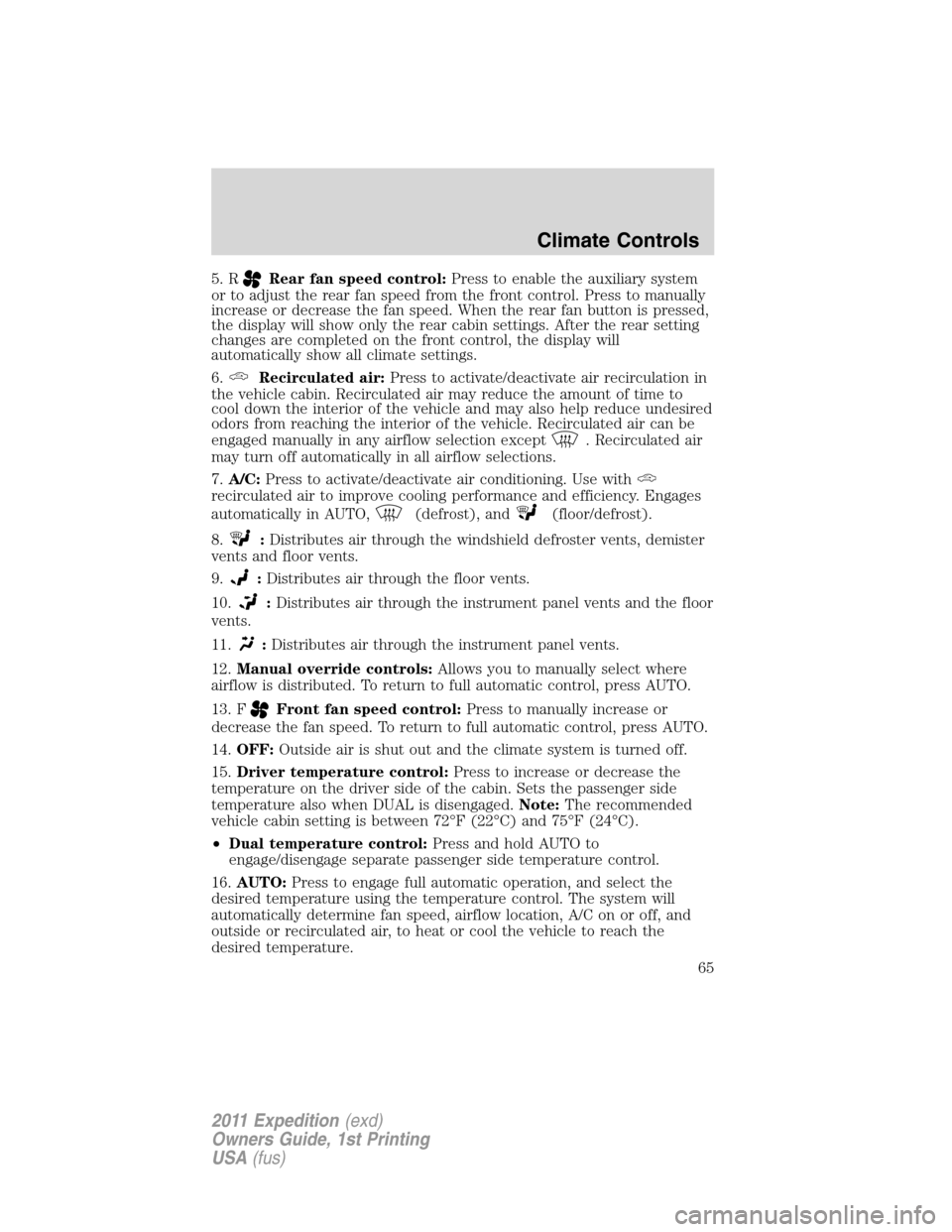
5. RRear fan speed control:Press to enable the auxiliary system
or to adjust the rear fan speed from the front control. Press to manually
increase or decrease the fan speed. When the rear fan button is pressed,
the display will show only the rear cabin settings. After the rear setting
changes are completed on the front control, the display will
automatically show all climate settings.
6.
Recirculated air:Press to activate/deactivate air recirculation in
the vehicle cabin. Recirculated air may reduce the amount of time to
cool down the interior of the vehicle and may also help reduce undesired
odors from reaching the interior of the vehicle. Recirculated air can be
engaged manually in any airflow selection except
. Recirculated air
may turn off automatically in all airflow selections.
7.A/C:Press to activate/deactivate air conditioning. Use with
recirculated air to improve cooling performance and efficiency. Engages
automatically in AUTO,
(defrost), and(floor/defrost).
8.
:Distributes air through the windshield defroster vents, demister
vents and floor vents.
9.
:Distributes air through the floor vents.
10.
:Distributes air through the instrument panel vents and the floor
vents.
11.
:Distributes air through the instrument panel vents.
12.Manual override controls:Allows you to manually select where
airflow is distributed. To return to full automatic control, press AUTO.
13. F
Front fan speed control:Press to manually increase or
decrease the fan speed. To return to full automatic control, press AUTO.
14.OFF:Outside air is shut out and the climate system is turned off.
15.Driver temperature control:Press to increase or decrease the
temperature on the driver side of the cabin. Sets the passenger side
temperature also when DUAL is disengaged.Note:The recommended
vehicle cabin setting is between 72°F (22°C) and 75°F (24°C).
•Dual temperature control:Press and hold AUTO to
engage/disengage separate passenger side temperature control.
16.AUTO:Press to engage full automatic operation, and select the
desired temperature using the temperature control. The system will
automatically determine fan speed, airflow location, A/C on or off, and
outside or recirculated air, to heat or cool the vehicle to reach the
desired temperature.
Climate Controls
65
2011 Expedition(exd)
Owners Guide, 1st Printing
USA(fus)
Page 67 of 395
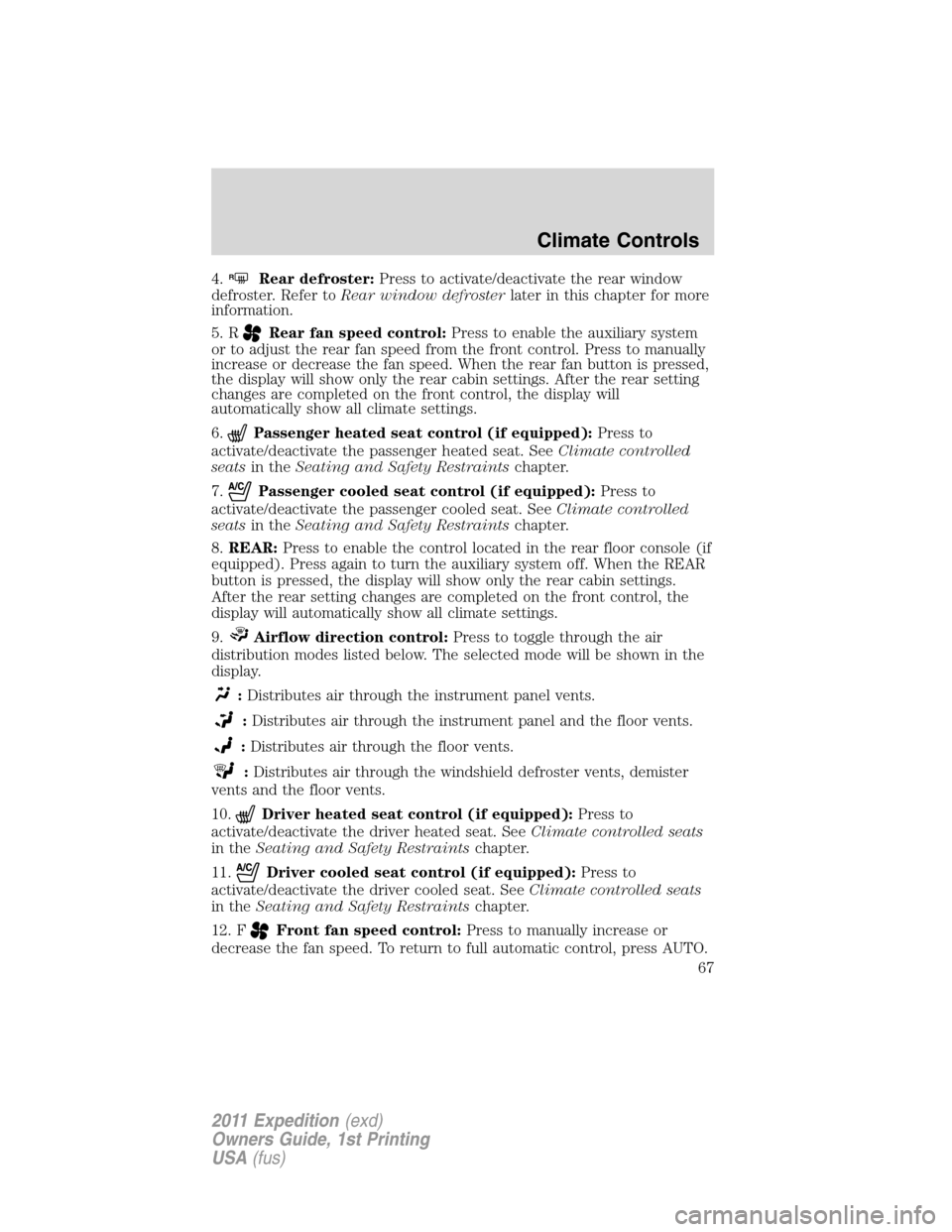
4.RRear defroster:Press to activate/deactivate the rear window
defroster. Refer toRear window defrosterlater in this chapter for more
information.
5. R
Rear fan speed control:Press to enable the auxiliary system
or to adjust the rear fan speed from the front control. Press to manually
increase or decrease the fan speed. When the rear fan button is pressed,
the display will show only the rear cabin settings. After the rear setting
changes are completed on the front control, the display will
automatically show all climate settings.
6.
Passenger heated seat control (if equipped):Press to
activate/deactivate the passenger heated seat. SeeClimate controlled
seatsin theSeating and Safety Restraintschapter.
7.
Passenger cooled seat control (if equipped):Press to
activate/deactivate the passenger cooled seat. SeeClimate controlled
seatsin theSeating and Safety Restraintschapter.
8.REAR:Press to enable the control located in the rear floor console (if
equipped). Press again to turn the auxiliary system off. When the REAR
button is pressed, the display will show only the rear cabin settings.
After the rear setting changes are completed on the front control, the
display will automatically show all climate settings.
9.
Airflow direction control:Press to toggle through the air
distribution modes listed below. The selected mode will be shown in the
display.
:Distributes air through the instrument panel vents.
:Distributes air through the instrument panel and the floor vents.
:Distributes air through the floor vents.
:Distributes air through the windshield defroster vents, demister
vents and the floor vents.
10.
Driver heated seat control (if equipped):Press to
activate/deactivate the driver heated seat. SeeClimate controlled seats
in theSeating and Safety Restraintschapter.
11.
Driver cooled seat control (if equipped):Press to
activate/deactivate the driver cooled seat. SeeClimate controlled seats
in theSeating and Safety Restraintschapter.
12. F
Front fan speed control:Press to manually increase or
decrease the fan speed. To return to full automatic control, press AUTO.
Climate Controls
67
2011 Expedition(exd)
Owners Guide, 1st Printing
USA(fus)
Page 69 of 395
•A small amount of air may be felt from the floor vent regardless of the
air distribution setting that is selected.
During extreme high ambient temperatures when idling stationary for
extended periods of time in gear, it is recommended to run the A/C with
recirculation mode.
selected, turn off the rear A/C unit, reduce blower
fan speed from the highest setting and put the vehicle’s transmission into
the P (Park) position to continue to receive cool air from your A/C
system.
For maximum cooling performance, (MAX A/C):
•In AUTO: Press AUTO control and set to desired temperature.
•In manual override: Press the
(panel), A/C, and recirculated
air
, set the temperature to 60°F (16°C) and the fan to the highest
blower setting.
To aid in side window defogging/demisting in cold weather:
1. Select
.
2. Select A/C.
3. Adjust the temperature control to maintain comfort.
4. Set the fan speed to the highest setting.
5. Direct the outer instrument panel vents towards the side windows.
To increase airflow to the outer instrument panel vents, close the vents
located in the middle of the instrument panel.
AUXILIARY CLIMATE CONTROL
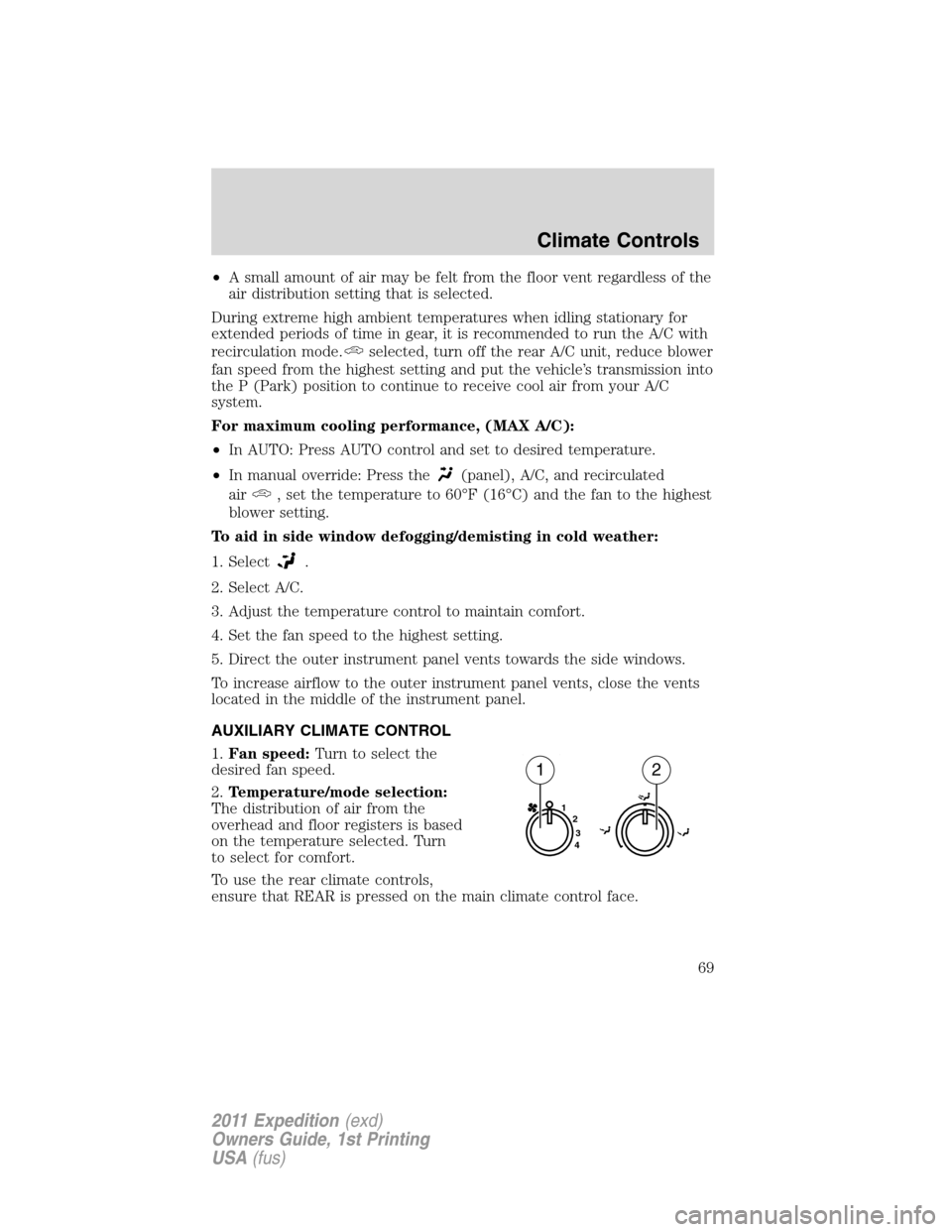
1.Fan speed:Turn to select the
desired fan speed.
2.Temperature/mode selection:
The distribution of air from the
overhead and floor registers is based
on the temperature selected. Turn
to select for comfort.
To use the rear climate controls,
ensure that REAR is pressed on the main climate control face.
1
2
3
4
12
Climate Controls
69
2011 Expedition(exd)
Owners Guide, 1st Printing
USA(fus)
Page 72 of 395
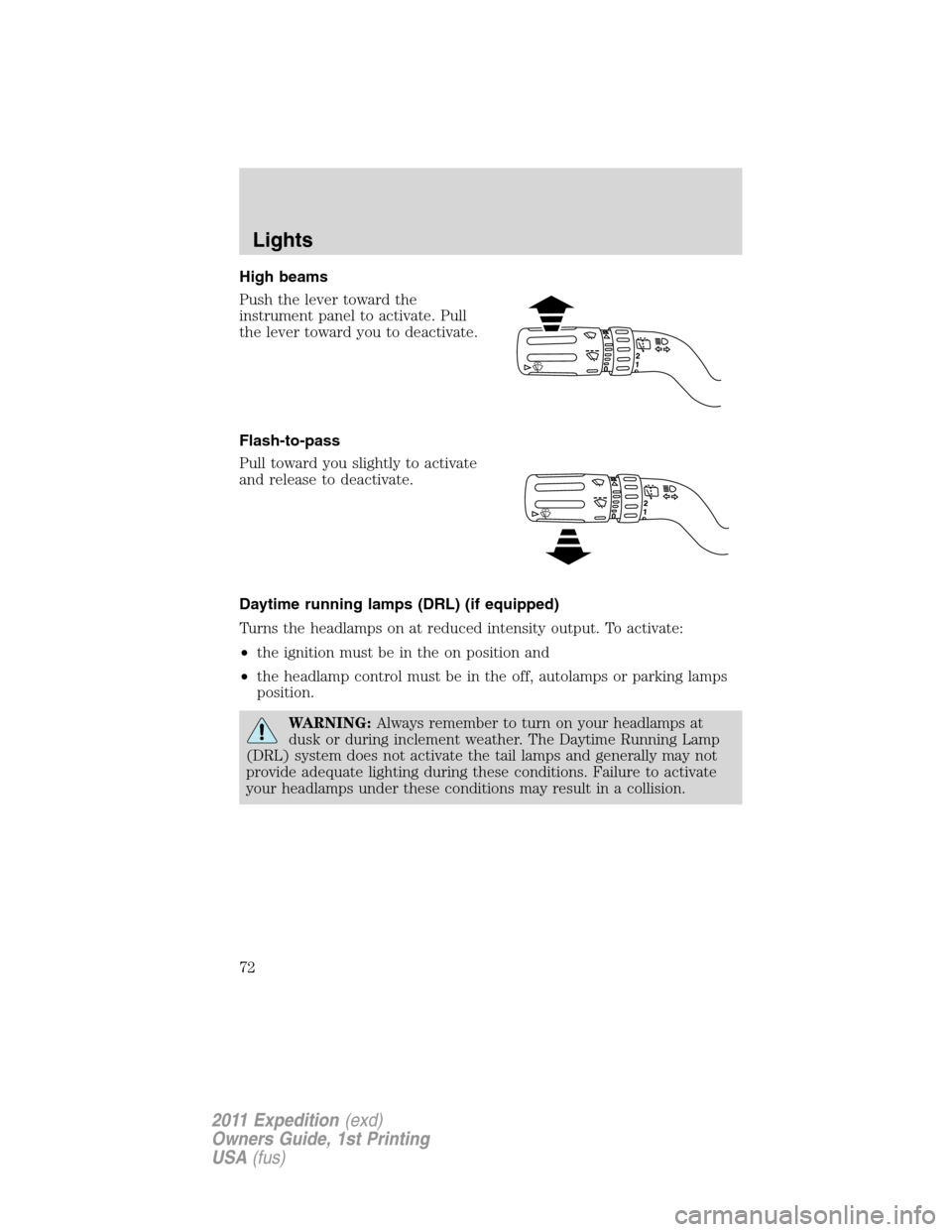
High beams
Push the lever toward the
instrument panel to activate. Pull
the lever toward you to deactivate.
Flash-to-pass
Pull toward you slightly to activate
and release to deactivate.
Daytime running lamps (DRL) (if equipped)
Turns the headlamps on at reduced intensity output. To activate:
•the ignition must be in the on position and
•the headlamp control must be in the off, autolamps or parking lamps
position.
WARNING:Always remember to turn on your headlamps at
dusk or during inclement weather. The Daytime Running Lamp
(DRL) system does not activate the tail lamps and generally may not
provide adequate lighting during these conditions. Failure to activate
your headlamps under these conditions may result in a collision.
Lights
72
2011 Expedition(exd)
Owners Guide, 1st Printing
USA(fus)
Page 73 of 395
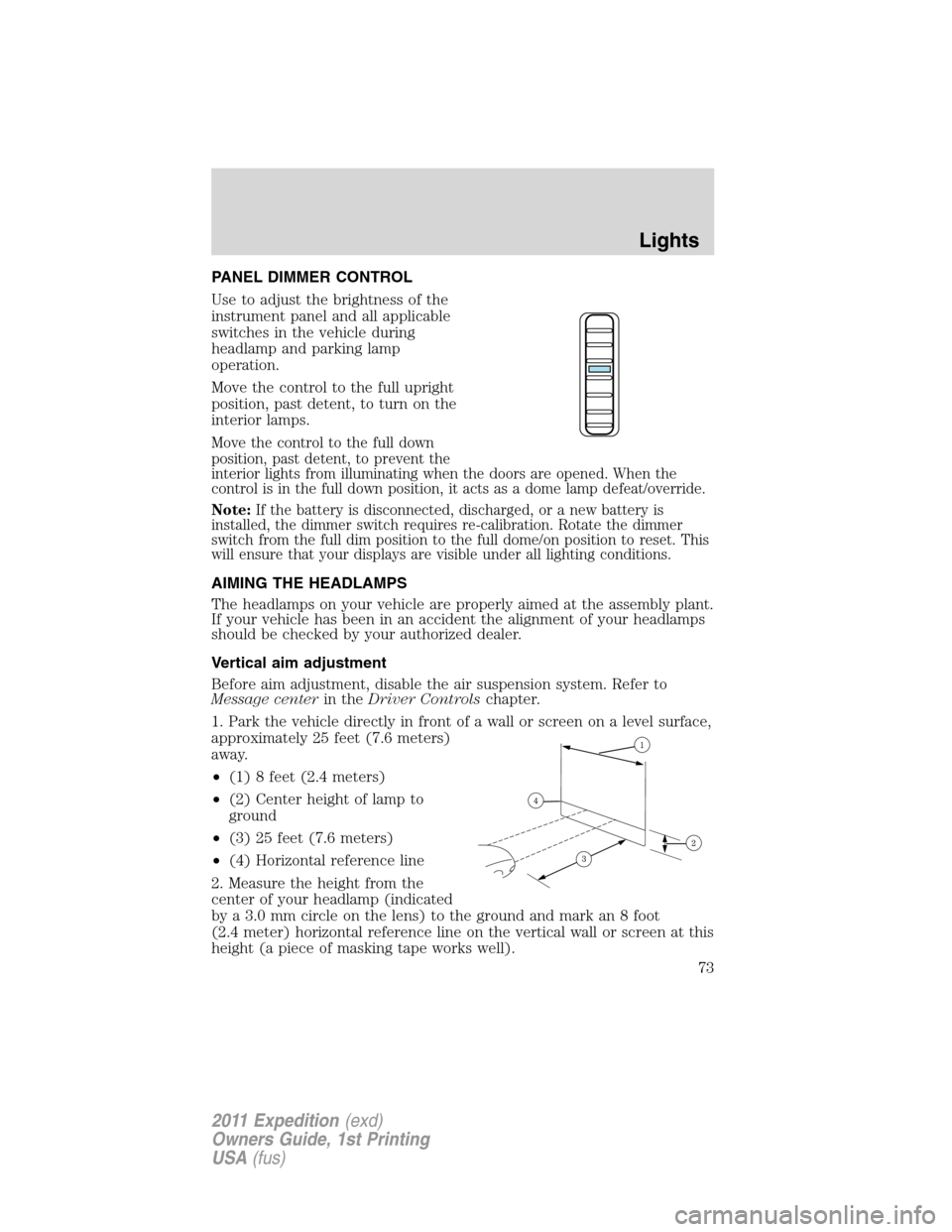
PANEL DIMMER CONTROL
Use to adjust the brightness of the
instrument panel and all applicable
switches in the vehicle during
headlamp and parking lamp
operation.
Move the control to the full upright
position, past detent, to turn on the
interior lamps.
Move the control to the full down
position, past detent, to prevent the
interior lights from illuminating when the doors are opened. When the
control is in the full down position, it acts as a dome lamp defeat/override.
Note:If the battery is disconnected, discharged, or a new battery is
installed, the dimmer switch requires re-calibration. Rotate the dimmer
switch from the full dim position to the full dome/on position to reset. This
will ensure that your displays are visible under all lighting conditions.
AIMING THE HEADLAMPS
The headlamps on your vehicle are properly aimed at the assembly plant.
If your vehicle has been in an accident the alignment of your headlamps
should be checked by your authorized dealer.
Vertical aim adjustment
Before aim adjustment, disable the air suspension system. Refer to
Message centerin theDriver Controlschapter.
1. Park the vehicle directly in front of a wall or screen on a level surface,
approximately 25 feet (7.6 meters)
away.
•(1) 8 feet (2.4 meters)
•(2) Center height of lamp to
ground
•(3) 25 feet (7.6 meters)
•(4) Horizontal reference line
2. Measure the height from the
center of your headlamp (indicated
by a 3.0 mm circle on the lens) to the ground and mark an 8 foot
(2.4 meter) horizontal reference line on the vertical wall or screen at this
height (a piece of masking tape works well).
Lights
73
2011 Expedition(exd)
Owners Guide, 1st Printing
USA(fus)
Page 75 of 395
INTERIOR LAMPS
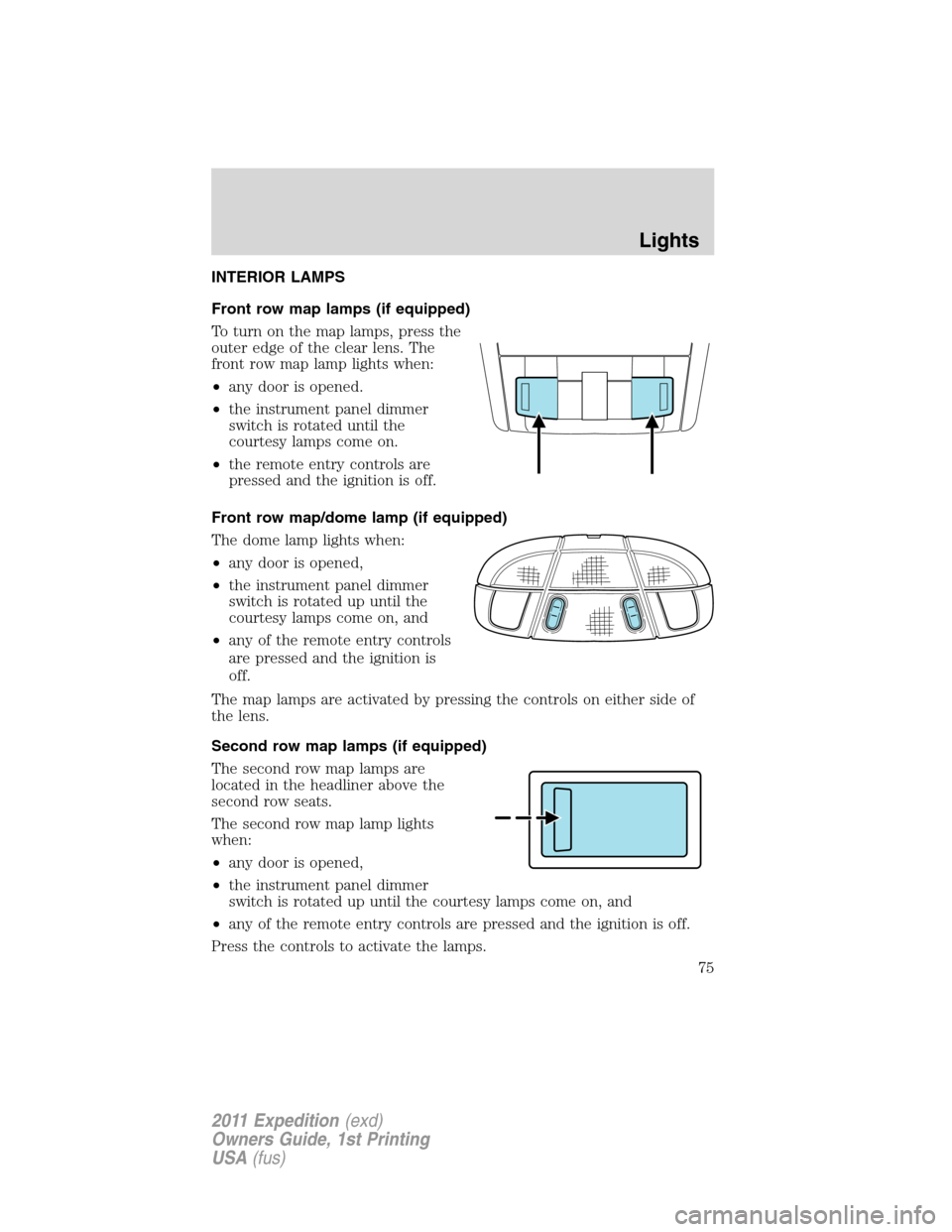
Front row map lamps (if equipped)
To turn on the map lamps, press the
outer edge of the clear lens. The
front row map lamp lights when:
•any door is opened.
•the instrument panel dimmer
switch is rotated until the
courtesy lamps come on.
•the remote entry controls are
pressed and the ignition is off.
Front row map/dome lamp (if equipped)
The dome lamp lights when:
•any door is opened,
•the instrument panel dimmer
switch is rotated up until the
courtesy lamps come on, and
•any of the remote entry controls
are pressed and the ignition is
off.
The map lamps are activated by pressing the controls on either side of
the lens.
Second row map lamps (if equipped)
The second row map lamps are
located in the headliner above the
second row seats.
The second row map lamp lights
when:
•any door is opened,
•the instrument panel dimmer
switch is rotated up until the courtesy lamps come on, and
•any of the remote entry controls are pressed and the ignition is off.
Press the controls to activate the lamps.
Lights
75
2011 Expedition(exd)
Owners Guide, 1st Printing
USA(fus)