AUX FORD EXPEDITION 2013 3.G User Guide
[x] Cancel search | Manufacturer: FORD, Model Year: 2013, Model line: EXPEDITION, Model: FORD EXPEDITION 2013 3.GPages: 497, PDF Size: 5.64 MB
Page 148 of 497
MANUAL HEATING AND AIR CONDITIONING SYSTEM WITH
AUXILIARY CLIMATE CONTROL
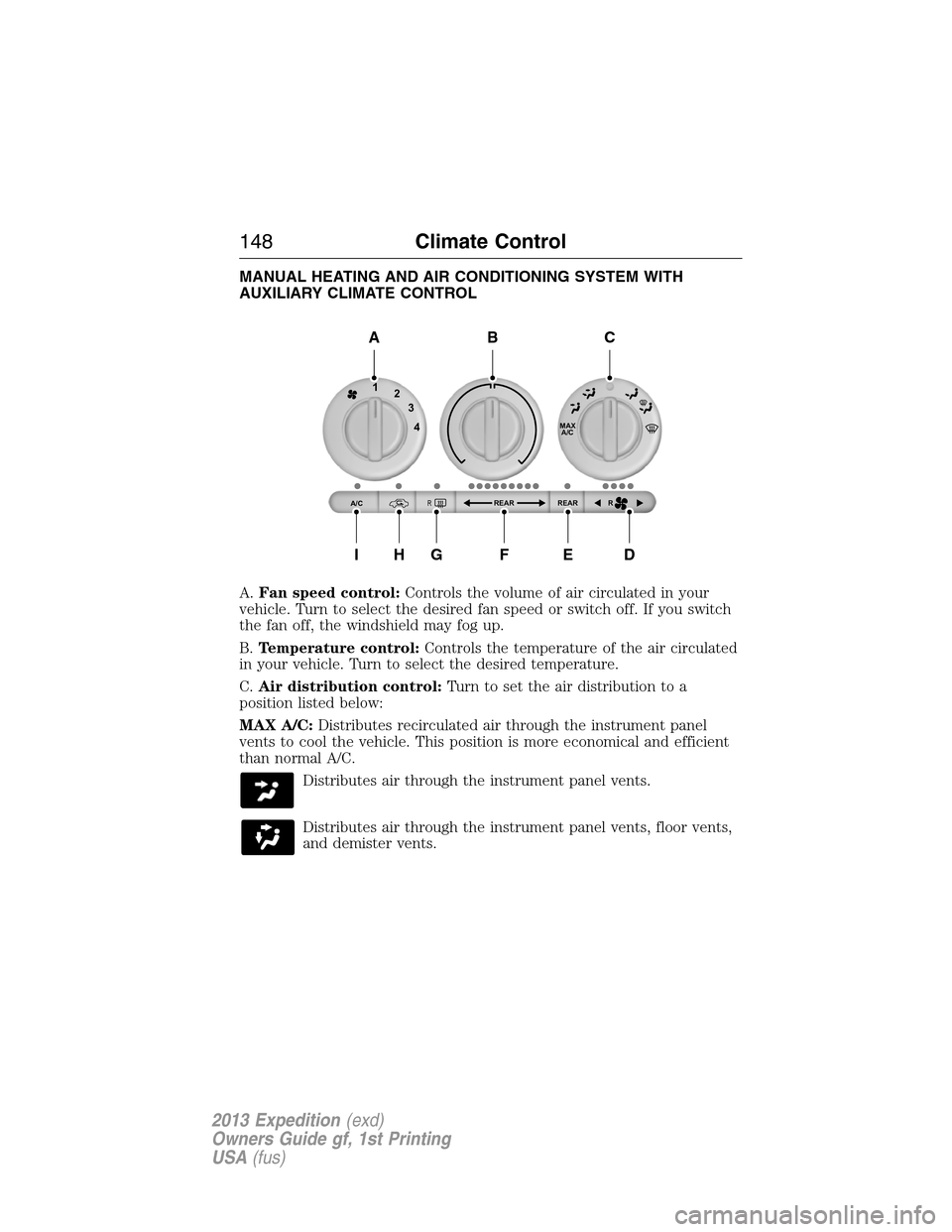
A.Fan speed control:Controls the volume of air circulated in your
vehicle. Turn to select the desired fan speed or switch off. If you switch
the fan off, the windshield may fog up.
B.Temperature control:Controls the temperature of the air circulated
in your vehicle. Turn to select the desired temperature.
C.Air distribution control:Turn to set the air distribution to a
position listed below:
MAX A/C:Distributes recirculated air through the instrument panel
vents to cool the vehicle. This position is more economical and efficient
than normal A/C.
Distributes air through the instrument panel vents.
Distributes air through the instrument panel vents, floor vents,
and demister vents.
MAX
A/C
REAR R REAR
1
2
3
4
A/CR
A
IHGFED
BC
148Climate Control
2013 Expedition(exd)
Owners Guide gf, 1st Printing
USA(fus)
Page 149 of 497
O (Off):Turns the system on and off. When the system is off, outside
air is prevented from entering the vehicle.
Distributes air through the floor vents.
Distributes air through the windshield defroster vents, demister
vents and floor vents.
Distributes air through the windshield defroster vents and
demister vents. This setting can also be used to defog and clear
the windshield of a thin covering of ice.
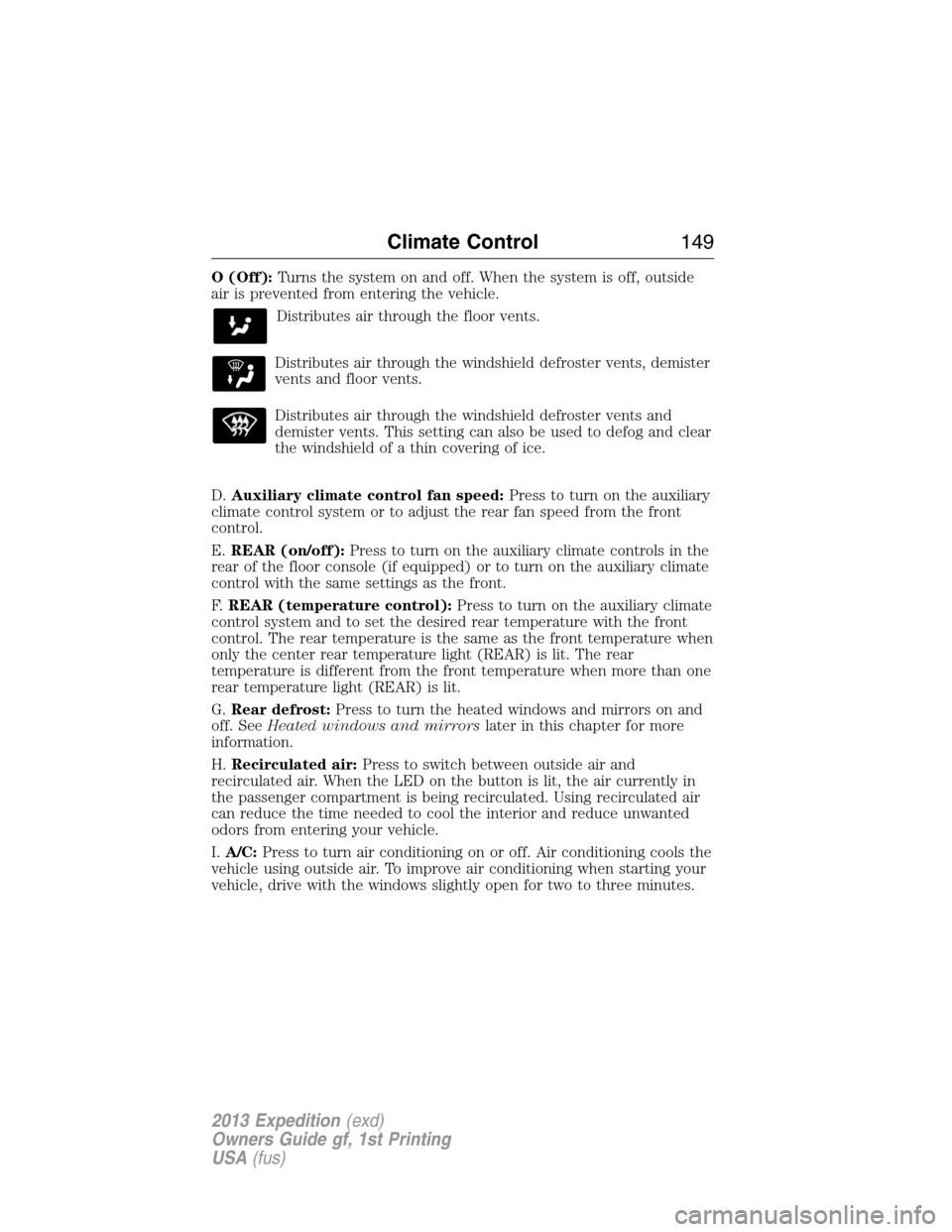
D.Auxiliary climate control fan speed:Press to turn on the auxiliary
climate control system or to adjust the rear fan speed from the front
control.
E.REAR (on/off):Press to turn on the auxiliary climate controls in the
rear of the floor console (if equipped) or to turn on the auxiliary climate
control with the same settings as the front.
F.REAR (temperature control):Press to turn on the auxiliary climate
control system and to set the desired rear temperature with the front
control. The rear temperature is the same as the front temperature when
only the center rear temperature light (REAR) is lit. The rear
temperature is different from the front temperature when more than one
rear temperature light (REAR) is lit.
G.Rear defrost:Press to turn the heated windows and mirrors on and
off. SeeHeated windows and mirrorslater in this chapter for more
information.
H.Recirculated air:Press to switch between outside air and
recirculated air. When the LED on the button is lit, the air currently in
the passenger compartment is being recirculated. Using recirculated air
can reduce the time needed to cool the interior and reduce unwanted
odors from entering your vehicle.
I.A/C:Press to turn air conditioning on or off. Air conditioning cools the
vehicle using outside air. To improve air conditioning when starting your
vehicle, drive with the windows slightly open for two to three minutes.
Climate Control149
2013 Expedition(exd)
Owners Guide gf, 1st Printing
USA(fus)
Page 150 of 497
DUAL AUTOMATIC TEMPERATURE CONTROL SYSTEM WITHOUT
HEATED AND COOLED SEATS
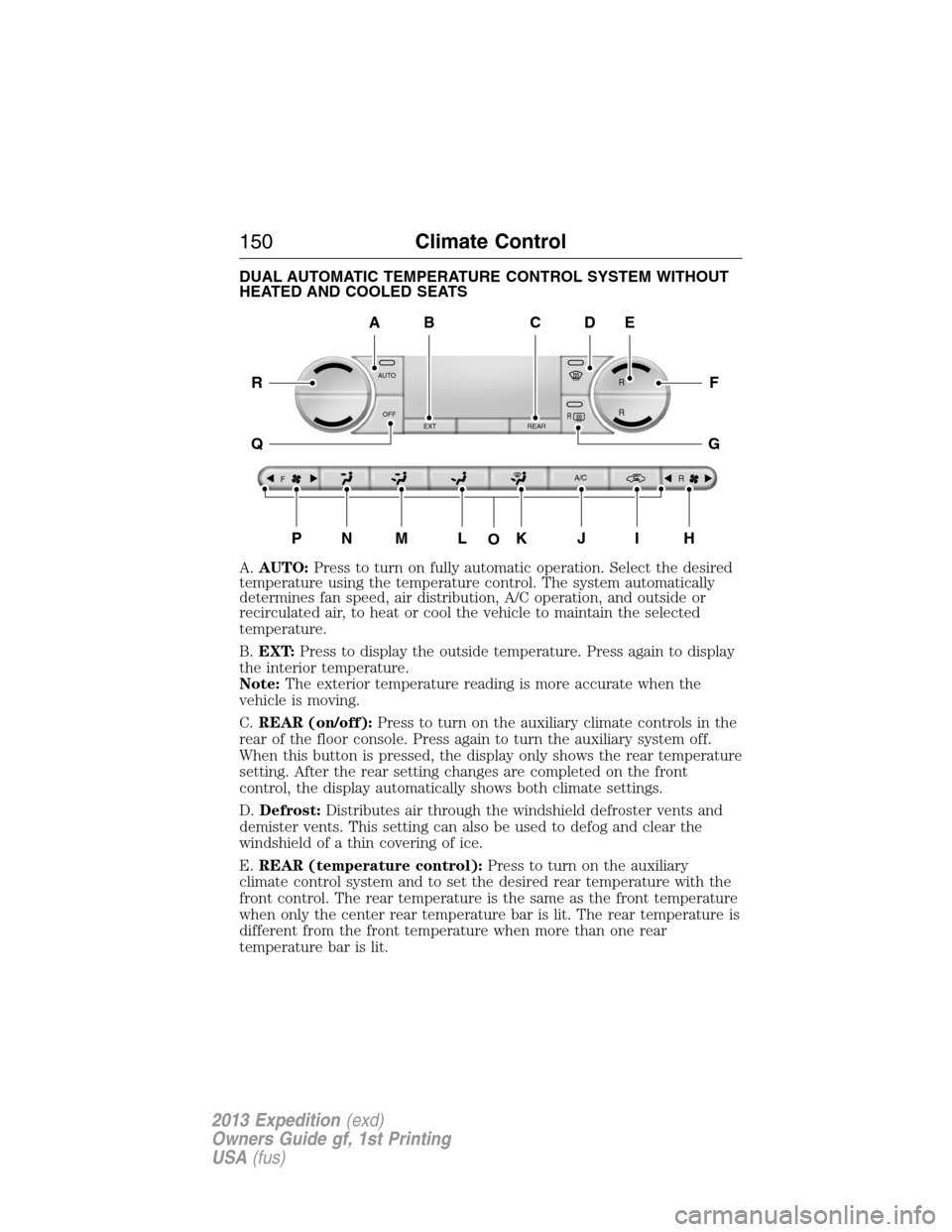
A.AUTO:Press to turn on fully automatic operation. Select the desired
temperature using the temperature control. The system automatically
determines fan speed, air distribution, A/C operation, and outside or
recirculated air, to heat or cool the vehicle to maintain the selected
temperature.
B.EXT:Press to display the outside temperature. Press again to display
the interior temperature.
Note:The exterior temperature reading is more accurate when the
vehicle is moving.
C.REAR (on/off):Press to turn on the auxiliary climate controls in the
rear of the floor console. Press again to turn the auxiliary system off.
When this button is pressed, the display only shows the rear temperature
setting. After the rear setting changes are completed on the front
control, the display automatically shows both climate settings.
D.Defrost:Distributes air through the windshield defroster vents and
demister vents. This setting can also be used to defog and clear the
windshield of a thin covering of ice.
E.REAR (temperature control):Press to turn on the auxiliary
climate control system and to set the desired rear temperature with the
front control. The rear temperature is the same as the front temperature
when only the center rear temperature bar is lit. The rear temperature is
different from the front temperature when more than one rear
temperature bar is lit.
AUTO
OFF
EXT REAR
FA/C
R
R R
R
O
A
PNMLKJIH
DE
F
G
R
Q
BC
150Climate Control
2013 Expedition(exd)
Owners Guide gf, 1st Printing
USA(fus)
Page 151 of 497
When this button is pressed, the display only shows the rear temperature
setting. After the rear setting changes are completed on the front
control, the display automatically shows both climate settings.
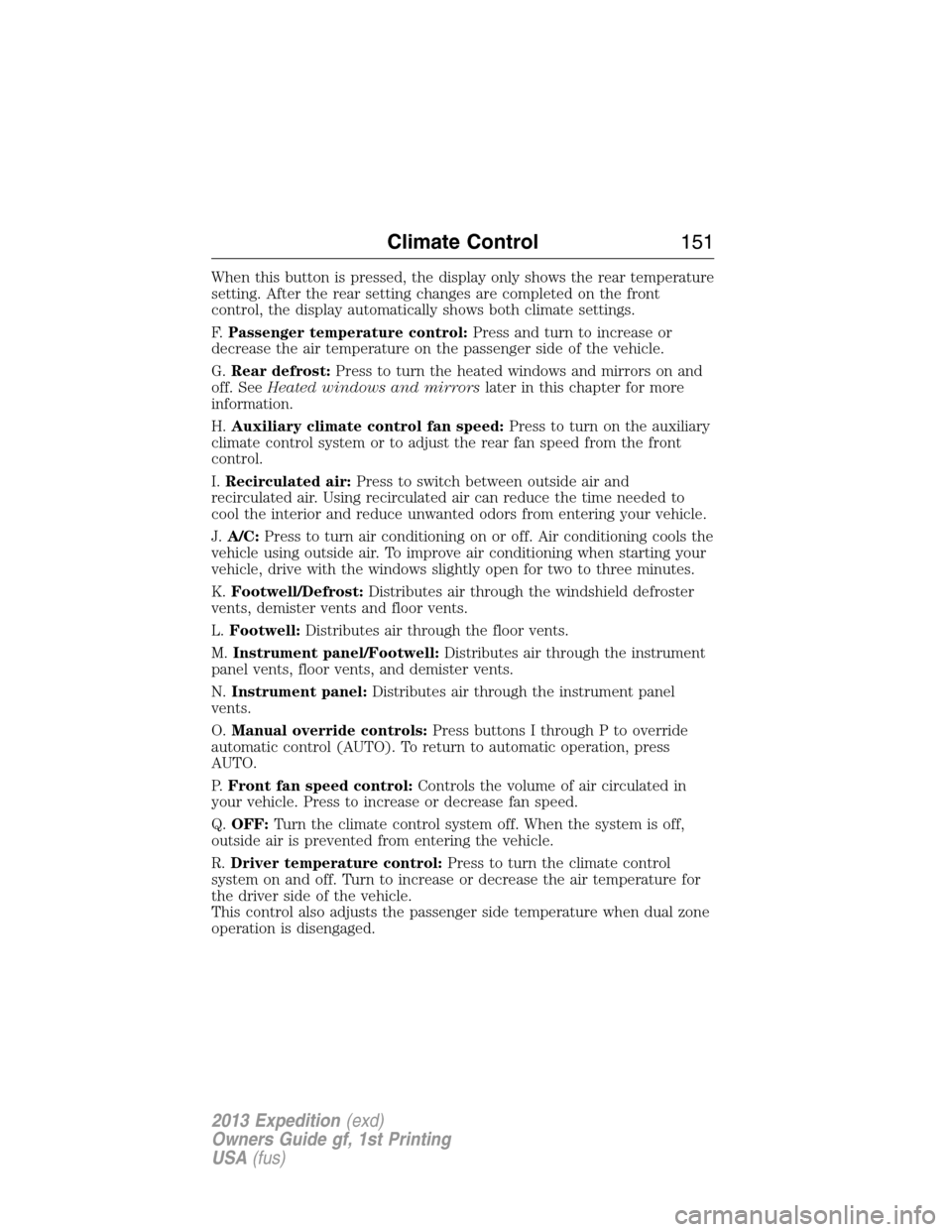
F.Passenger temperature control:Press and turn to increase or
decrease the air temperature on the passenger side of the vehicle.
G.Rear defrost:Press to turn the heated windows and mirrors on and
off. SeeHeated windows and mirrorslater in this chapter for more
information.
H.Auxiliary climate control fan speed:Press to turn on the auxiliary
climate control system or to adjust the rear fan speed from the front
control.
I.Recirculated air:Press to switch between outside air and
recirculated air. Using recirculated air can reduce the time needed to
cool the interior and reduce unwanted odors from entering your vehicle.
J.A/C:Press to turn air conditioning on or off. Air conditioning cools the
vehicle using outside air. To improve air conditioning when starting your
vehicle, drive with the windows slightly open for two to three minutes.
K.Footwell/Defrost:Distributes air through the windshield defroster
vents, demister vents and floor vents.
L.Footwell:Distributes air through the floor vents.
M.Instrument panel/Footwell:Distributes air through the instrument
panel vents, floor vents, and demister vents.
N.Instrument panel:Distributes air through the instrument panel
vents.
O.Manual override controls:Press buttons I through P to override
automatic control (AUTO). To return to automatic operation, press
AUTO.
P.Front fan speed control:Controls the volume of air circulated in
your vehicle. Press to increase or decrease fan speed.
Q.OFF:Turn the climate control system off. When the system is off,
outside air is prevented from entering the vehicle.
R.Driver temperature control:Press to turn the climate control
system on and off. Turn to increase or decrease the air temperature for
the driver side of the vehicle.
This control also adjusts the passenger side temperature when dual zone
operation is disengaged.
Climate Control151
2013 Expedition(exd)
Owners Guide gf, 1st Printing
USA(fus)
Page 153 of 497
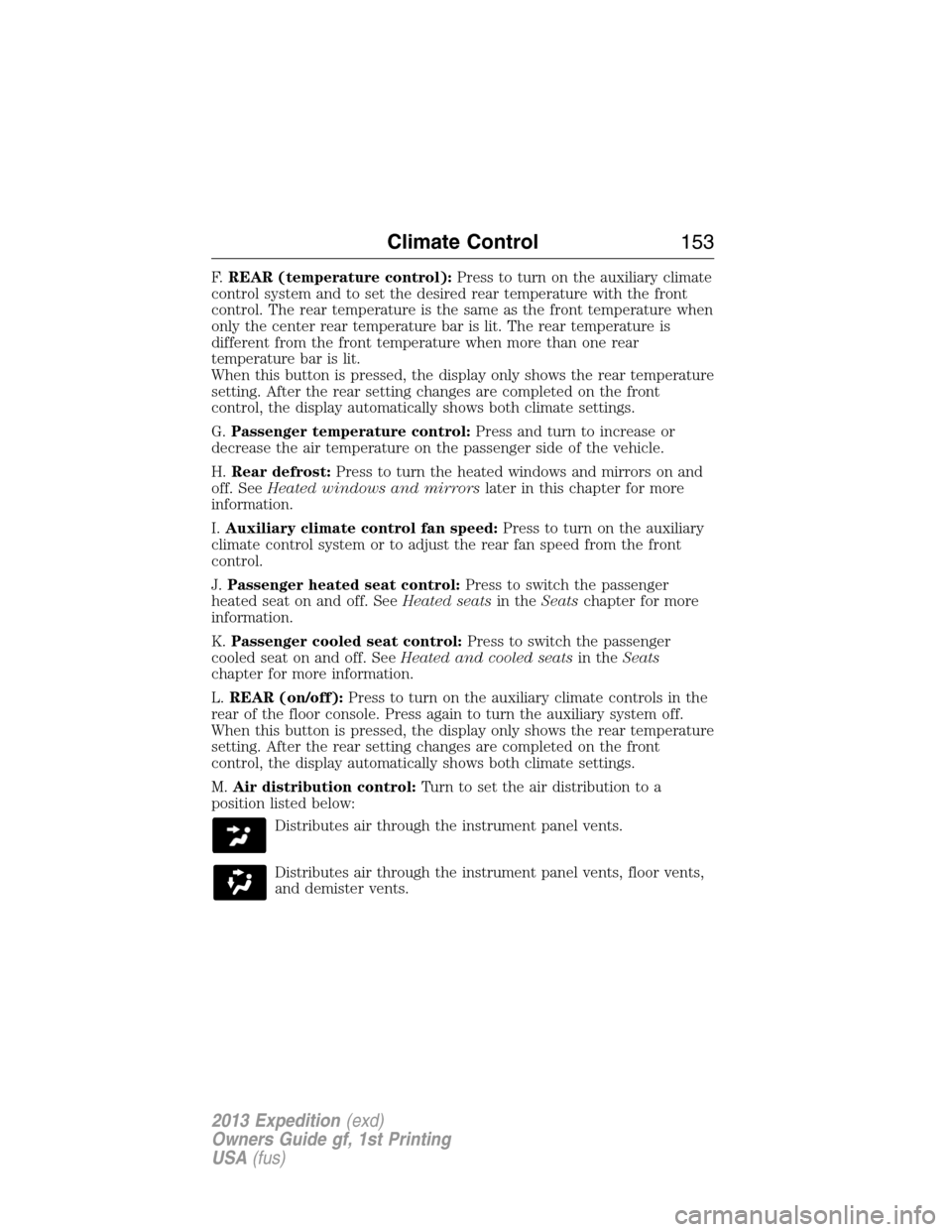
F.REAR (temperature control):Press to turn on the auxiliary climate
control system and to set the desired rear temperature with the front
control. The rear temperature is the same as the front temperature when
only the center rear temperature bar is lit. The rear temperature is
different from the front temperature when more than one rear
temperature bar is lit.
When this button is pressed, the display only shows the rear temperature
setting. After the rear setting changes are completed on the front
control, the display automatically shows both climate settings.
G.Passenger temperature control:Press and turn to increase or
decrease the air temperature on the passenger side of the vehicle.
H.Rear defrost:Press to turn the heated windows and mirrors on and
off. SeeHeated windows and mirrorslater in this chapter for more
information.
I.Auxiliary climate control fan speed:Press to turn on the auxiliary
climate control system or to adjust the rear fan speed from the front
control.
J.Passenger heated seat control:Press to switch the passenger
heated seat on and off. SeeHeated seatsin theSeatschapter for more
information.
K.Passenger cooled seat control:Press to switch the passenger
cooled seat on and off. SeeHeated and cooled seatsin theSeats
chapter for more information.
L.REAR (on/off):Press to turn on the auxiliary climate controls in the
rear of the floor console. Press again to turn the auxiliary system off.
When this button is pressed, the display only shows the rear temperature
setting. After the rear setting changes are completed on the front
control, the display automatically shows both climate settings.
M.Air distribution control:Turn to set the air distribution to a
position listed below:
Distributes air through the instrument panel vents.
Distributes air through the instrument panel vents, floor vents,
and demister vents.
Climate Control153
2013 Expedition(exd)
Owners Guide gf, 1st Printing
USA(fus)
Page 155 of 497
AUXILIARY CLIMATE CONTROL (IF EQUIPPED)
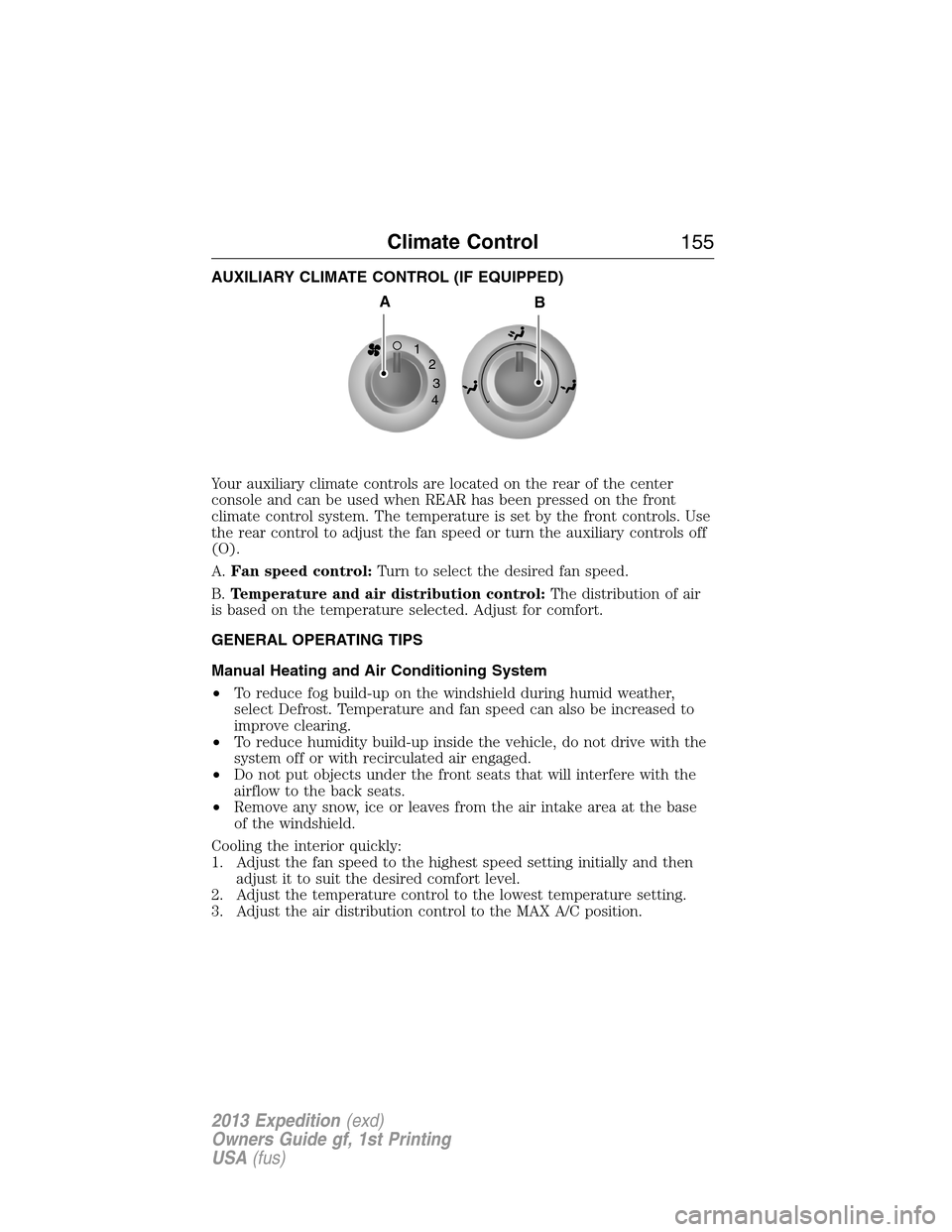
Your auxiliary climate controls are located on the rear of the center
console and can be used when REAR has been pressed on the front
climate control system. The temperature is set by the front controls. Use
the rear control to adjust the fan speed or turn the auxiliary controls off
(O).
A.Fan speed control:Turn to select the desired fan speed.
B.Temperature and air distribution control:The distribution of air
is based on the temperature selected. Adjust for comfort.
GENERAL OPERATING TIPS
Manual Heating and Air Conditioning System
•To reduce fog build-up on the windshield during humid weather,
select Defrost. Temperature and fan speed can also be increased to
improve clearing.
•To reduce humidity build-up inside the vehicle, do not drive with the
system off or with recirculated air engaged.
•Do not put objects under the front seats that will interfere with the
airflow to the back seats.
•Remove any snow, ice or leaves from the air intake area at the base
of the windshield.
Cooling the interior quickly:
1. Adjust the fan speed to the highest speed setting initially and then
adjust it to suit the desired comfort level.
2. Adjust the temperature control to the lowest temperature setting.
3. Adjust the air distribution control to the MAX A/C position.
1
2
3
4
AB
Climate Control155
2013 Expedition(exd)
Owners Guide gf, 1st Printing
USA(fus)
Page 189 of 497
AUXILIARY POWER POINTS
WARNING:Do not plug optional electrical accessories into the
cigarette lighter socket (if equipped). Improper use of the lighter
can cause damage not covered by your warranty, and can result in fire
or serious injury.
Note:If used when the engine is not running, the battery will discharge.
There may be insufficient power to restart your engine.
Note:Do not insert objects other than an accessory plug into the power
point. This will damage the outlet and blow the fuse.
Note:Do not hang any type of accessory or accessory bracket from the
plug.
Note:Do not use the power point over the vehicle capacity of 12 volt
DC 180 watts or a fuse may blow.
Note:Do not use the power point for operating a cigarette lighter
element.
Note:Improper use of the power outlet can cause damage not covered
by your warranty.
Note:Always keep the power point caps closed when not in use.
Run the engine for full capacity use of the power point. To prevent the
battery from being discharged:
•Do not use the power point longer than necessary when the engine is
not running.
•Do not leave devices plugged in overnight or when the vehicle is
parked for extended periods.
Locations
Power points may be found:
•on the instrument panel
•by the passenger’s ankle near the floor on the front console
•on the rear of the center console
•on the right rear quarter panel.
Auxiliary Power Points189
2013 Expedition(exd)
Owners Guide gf, 1st Printing
USA(fus)
Page 190 of 497
110 Volt AC Power Point (If Equipped)
WARNING:Do not keep electrical devices plugged in the
powerpoint whenever the device is not in use. Do not use any
extension cord with the 110 volt AC power point, since it will defeat
the safety protection design. Doing so my cause the powerpoint to
overload due to powering multiple devices that can reach beyond the
150 watt load limit and could result in fire or serious injury.
Note:The cap should always be closed whenever the power point outlet
is not in use.
Note:The power point will turn off after 13 minutes if the ignition is on
without the engine running. Keep the engine running to use the power
point.
The 110 volt AC power point outlet is used for powering electrical
devices that require up to 150 watt. Exceeding the 150 watt limit will
cause the power point to cut off the power temporarily to provide
overload protection.
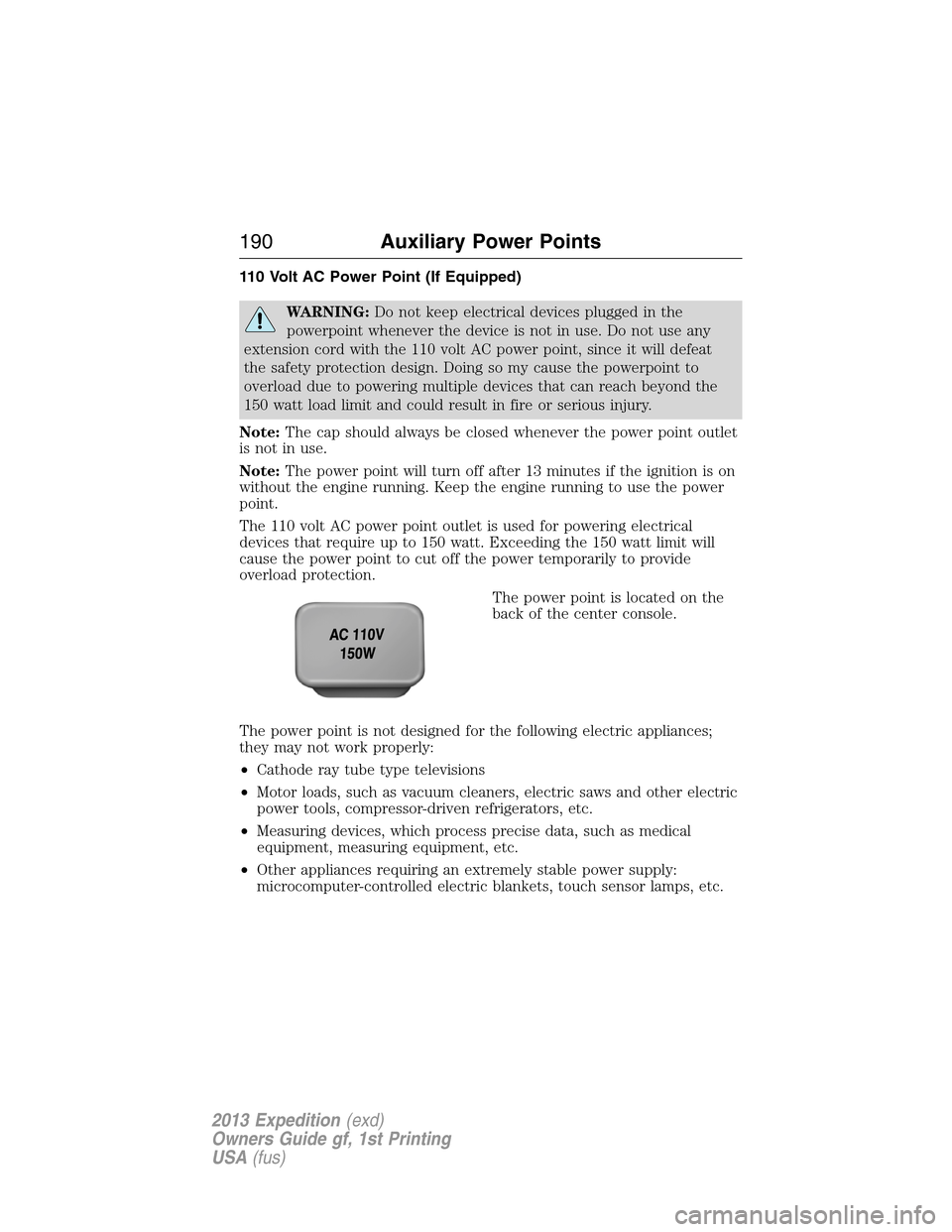
The power point is located on the
back of the center console.
The power point is not designed for the following electric appliances;
they may not work properly:
•Cathode ray tube type televisions
•Motor loads, such as vacuum cleaners, electric saws and other electric
power tools, compressor-driven refrigerators, etc.
•Measuring devices, which process precise data, such as medical
equipment, measuring equipment, etc.
•Other appliances requiring an extremely stable power supply:
microcomputer-controlled electric blankets, touch sensor lamps, etc.
190Auxiliary Power Points
2013 Expedition(exd)
Owners Guide gf, 1st Printing
USA(fus)
Page 191 of 497
The power point can switch to a fault mode when it is overloaded,
overheated, or shorted. Unplug your device and turn the ignition off then
on for overloading and shorting conditions. Let the system cool off, then
turn the ignition off then on for an overheating condition.
The power point can provide power whenever the ignition is on and the
indicator light is on. The indicator light is located in the top left corner
of the power point.
When the indicator light is:
•on — power point is ready to supply power
•off — power point power supply is off; ignition is not on
•blinking — power point is in fault mode
Auxiliary Power Points191
2013 Expedition(exd)
Owners Guide gf, 1st Printing
USA(fus)
Page 284 of 497
Fuse/Relay
LocationFuse Amp
RatingProtected Circuits
33 40A** 110 volt AC power point
34 30A** Auxiliary blower motor
35 30A** Powertrain control module relay
36 30A** Power liftgate
37 — Trailer tow left hand stop/turn
relay
38 — Trailer tow right hand stop/turn
relay
39 — Backup lamps relay
40 — Electronic fan 2 relay
41 10A* Powertrain control module
keep-alive power
42 — Not used
43 5A* Brake on/off switch
44 20A* Fuel pump relay
45 25A* Trailer tow stop/turn lamps relay
46 — Not used
47 — Not used
48 30A** Rear air suspension module
49 — Not used
50 30A** Front wiper motor relay
51 40A** Rear window defroster/heated
mirror relay
52 10A* Anti-lock brake system run/start
feed
53 10A* Rear air suspension module
54 — Not used
55 5A* Fuel pump relay coil run/start
feed
56 30A* Passenger compartment fuse
panel R/S feed
57 10A* Blower motor relay coil
284Fuses
2013 Expedition(exd)
Owners Guide gf, 1st Printing
USA(fus)