light FORD EXPEDITION 2015 3.G Repair Manual
[x] Cancel search | Manufacturer: FORD, Model Year: 2015, Model line: EXPEDITION, Model: FORD EXPEDITION 2015 3.GPages: 564, PDF Size: 6.71 MB
Page 203 of 564
If Your Vehicle Gets Stuck in Mud or Snow
Note:Do not rock the vehicle if the engine is not at normal operating
temperature or damage to the transmission may occur.
Note:Do not rock the vehicle for more than a minute or damage to the
transmission and tires may occur, or the engine may overheat.
If your vehicle gets stuck in mud or snow, it may be rocked out by
shifting between forward and reverse gears, stopping between shifts in a
steady pattern. Press lightly on the accelerator in each gear.
202Transmission
2015 Expedition(exd)
Owners Guide gf, 1st Printing, July 2014
USA(fus)
Page 204 of 564
USING FOUR-WHEEL DRIVE (4WD) (IF EQUIPPED )
WARNING:For important information regarding safe operation
of this type of vehicle, seeGeneral Informationin theWheels
and Tireschapter.
Note:Do not use 4X4 mode on dry, hard surfaced roads. Doing so will
produce excessive noise, increase tire wear and may damage drive
components. 4X4 mode is only intended for consistently slippery or loose
surfaces.
Note:If 4X4 low is selected while the vehicle is moving above 3 mph
(5 km/h), the 4WD system will not perform a shift. This is normal and
should be no reason for concern. Refer toShifting to/from 4L (4X4
Low)for proper operation.
4WD Indicator Lights
The indicator lights illuminate in the message center in the
reconfigurable telltale (RTT) location under the following conditions.
Refer toWarning Lamps and Indicatorsin theInstrument Cluster
chapter.
Note:When a 4X4 system fault is present, the system will typically
remain in whichever 4X4 mode was selected prior to the fault condition
occurring. It will not default to 4X2 in all circumstances. When this
warning is displayed, have your vehicle serviced by an authorized dealer.
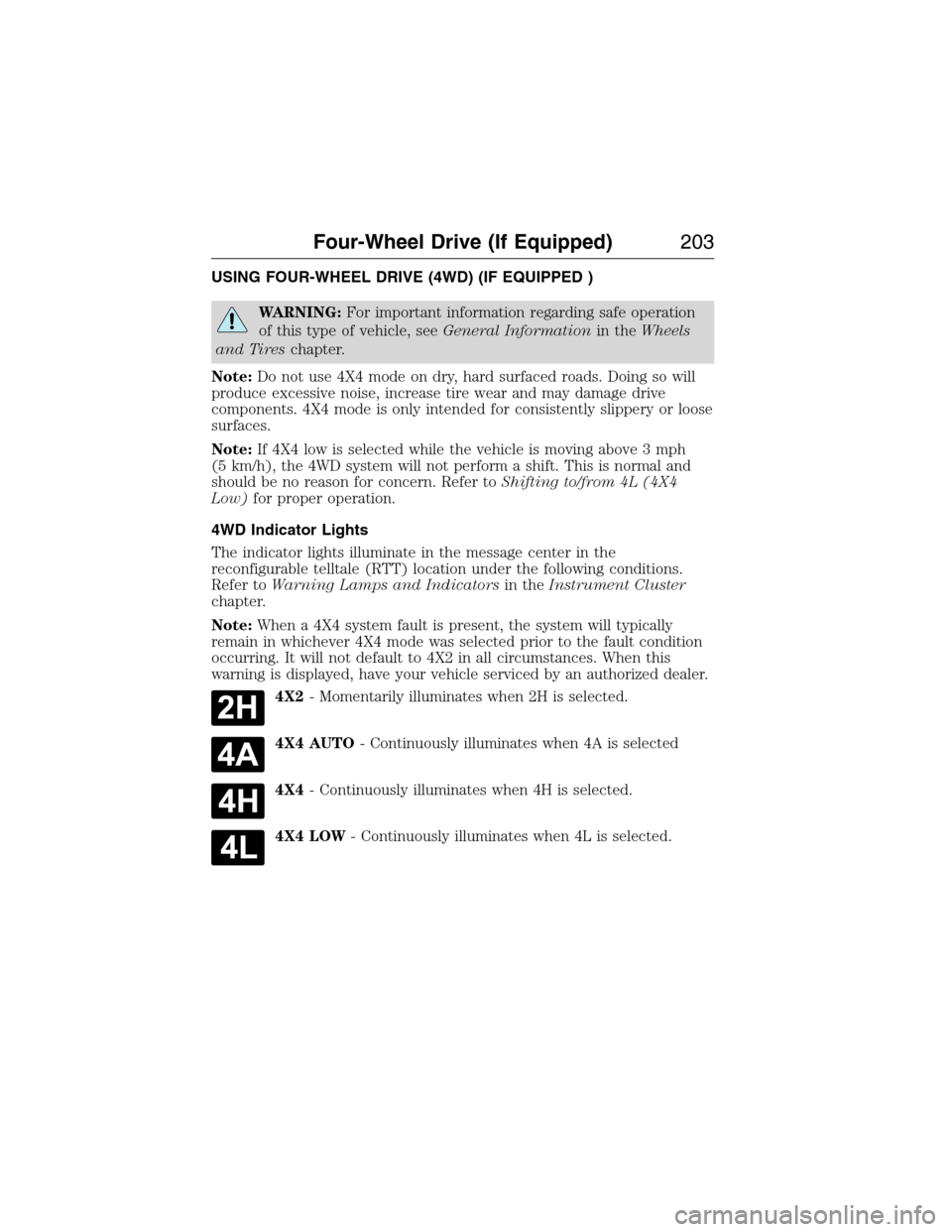
4X2- Momentarily illuminates when 2H is selected.
4X4 AUTO- Continuously illuminates when 4A is selected
4X4- Continuously illuminates when 4H is selected.
4X4 LOW- Continuously illuminates when 4L is selected.
Four-Wheel Drive (If Equipped)203
2015 Expedition(exd)
Owners Guide gf, 1st Printing, July 2014
USA(fus)
Page 209 of 564
If your vehicle gets stuck
WARNING:Do not spin the wheels at over 35 mph (56 km/h).
The tires may fail and injure a passenger or bystander.
Note:Do not rock the vehicle if the engine is not at normal operating
temperature or damage to the transmission may occur.
Note:Do not rock the vehicle for more than a few minutes or damage to
the transmission and tires may occur or the engine may overheat.
If your vehicle gets stuck in mud or snow it may be rocked out by
shifting between forward and reverse gears, stopping between shifts, in a
steady pattern. Press lightly on the accelerator in each gear.
Emergency maneuvers
•In an unavoidable emergency situation where a sudden sharp turn
must be made, remember to avoid over-driving your vehicle, i.e., turn
the steering wheel only as rapidly and as far as required to avoid the
emergency. Excessive steering will result in less vehicle control, not
more. Additionally, smooth variations of the accelerator and/or brake
pedal pressure should be utilized if changes in vehicle speed are called
for. Avoid abrupt steering, acceleration or braking which could result
in an increased risk of loss of vehicle control, vehicle rollover and/or
personal injury. Use all available road surface to return the vehicle to a
safe direction of travel.
•In the event of an emergency stop, avoid skidding the tires and do not
attempt any sharp steering wheel movements.
•If the vehicle goes from one type of surface to another (i.e., from
concrete to gravel) there will be a change in the way the vehicle
responds to a maneuver (steering, acceleration or braking). Again,
avoid these abrupt inputs.
Sand
When driving over sand, try to keep all four wheels on the most solid
area of the trail. Avoid reducing the tire pressures but shift to a lower
gear and drive steadily through the terrain. Apply the accelerator slowly
and avoid spinning the wheels.
Avoid excessive speed because vehicle momentum can work against you
and cause the vehicle to become stuck to the point that assistance may
be required from another vehicle. Remember, you may be able to back
out the way you came if you proceed with caution.
208Four-Wheel Drive (If Equipped)
2015 Expedition(exd)
Owners Guide gf, 1st Printing, July 2014
USA(fus)
Page 210 of 564
Mud and water
Note:Driving through deep water may damage the vehicle.
If you must drive through high water, drive slowly. Traction or brake
capability may be limited.
When driving through water, determine the depth; avoid water higher
than the bottom of the hubs (if possible) and proceed slowly. If the
ignition system gets wet, the vehicle may stall.
Once through water, always try the brakes. Wet brakes do not stop the
vehicle as effectively as dry brakes. Drying can be improved by moving
your vehicle slowly while applying light pressure on the brake pedal.
Be cautious of sudden changes in vehicle speed or direction when you
are driving in mud. Even 4WD vehicles can lose traction in slick mud. As
when you are driving over sand, apply the accelerator slowly and avoid
spinning your wheels. If the vehicle does slide, steer in the direction of
the slide until you regain control of the vehicle.
If the transmission, transfer case or front axle are submerged in water,
their fluids should be checked and changed, if necessary.
If the front or rear axle is submerged in water, the axle lubricant should
be replaced.
After driving through mud, clean off residue stuck to rotating driveshafts
and tires. Excess mud stuck on tires and rotating driveshafts causes an
imbalance that could damage drive components.
“Tread Lightly” is an educational
program designed to increase public
awareness of land-use regulations and
responsibilities in our nations
wilderness areas. Ford Motor
Company joins the U.S. Forest Service
and the Bureau of Land Management in encouraging you to help preserve
our national forest and other public and private lands by “treading lightly.”
Driving on hilly or sloping terrain
Note:Avoid driving crosswise or turning on steep slopes or hills.
Although natural obstacles may make it necessary to travel diagonally up
or down a hill or steep incline, you should always try to drive straight up
or straight down. . A danger lies in losing traction, slipping sideways and
possibly rolling over. Whenever driving on a hill, determine beforehand
the route you will use. Do not drive over the crest of a hill without
seeing what conditions are on the other side. Do not drive in reverse
over a hill without the aid of an observer.
Four-Wheel Drive (If Equipped)209
2015 Expedition(exd)
Owners Guide gf, 1st Printing, July 2014
USA(fus)
Page 213 of 564
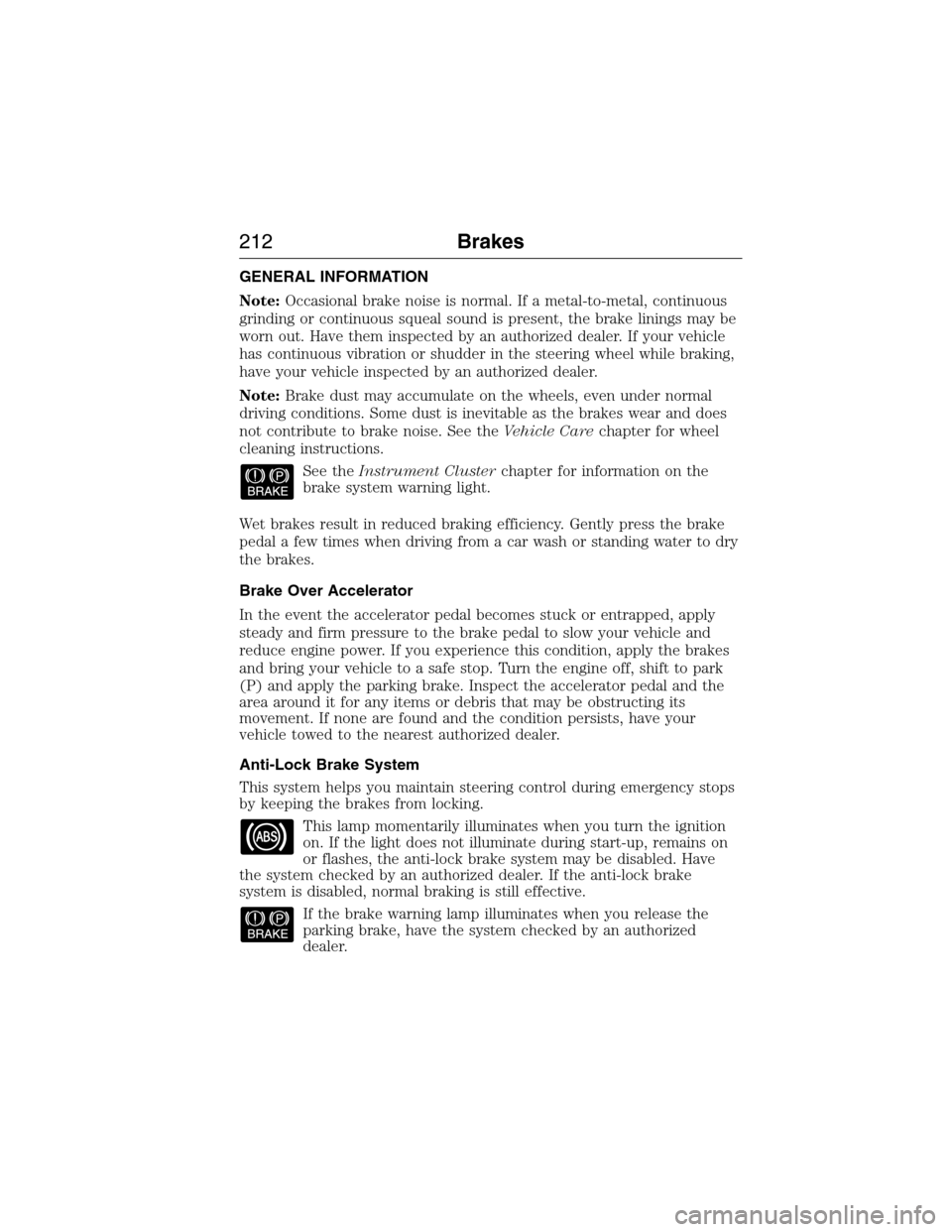
GENERAL INFORMATION
Note:Occasional brake noise is normal. If a metal-to-metal, continuous
grinding or continuous squeal sound is present, the brake linings may be
worn out. Have them inspected by an authorized dealer. If your vehicle
has continuous vibration or shudder in the steering wheel while braking,
have your vehicle inspected by an authorized dealer.
Note:Brake dust may accumulate on the wheels, even under normal
driving conditions. Some dust is inevitable as the brakes wear and does
not contribute to brake noise. See theVehicle Carechapter for wheel
cleaning instructions.
See theInstrument Clusterchapter for information on the
brake system warning light.
Wet brakes result in reduced braking efficiency. Gently press the brake
pedal a few times when driving from a car wash or standing water to dry
the brakes.
Brake Over Accelerator
In the event the accelerator pedal becomes stuck or entrapped, apply
steady and firm pressure to the brake pedal to slow your vehicle and
reduce engine power. If you experience this condition, apply the brakes
and bring your vehicle to a safe stop. Turn the engine off, shift to park
(P) and apply the parking brake. Inspect the accelerator pedal and the
area around it for any items or debris that may be obstructing its
movement. If none are found and the condition persists, have your
vehicle towed to the nearest authorized dealer.
Anti-Lock Brake System
This system helps you maintain steering control during emergency stops
by keeping the brakes from locking.
This lamp momentarily illuminates when you turn the ignition
on. If the light does not illuminate during start-up, remains on
or flashes, the anti-lock brake system may be disabled. Have
the system checked by an authorized dealer. If the anti-lock brake
system is disabled, normal braking is still effective.
If the brake warning lamp illuminates when you release the
parking brake, have the system checked by an authorized
dealer.
212Brakes
2015 Expedition(exd)
Owners Guide gf, 1st Printing, July 2014
USA(fus)
Page 215 of 564
Hill start assist keeps your vehicle stationary long enough to move your
foot from the brake pedal to the accelerator pedal when your vehicle is
on a slope.
The brakes are released automatically once the engine has developed
sufficient drive to prevent the vehicle from rolling down the slope. This
is an advantage when pulling away on a slope, (for example from a car
park ramp, traffic lights or when reversing uphill into a parking space).
Using Hill Start Assist
1. Press the brake pedal to bring the vehicle to a complete standstill.
Keep the brake pedal pressed.
2. If the sensors detect that the vehicle is on a slope, the hill start assist
feature will be activated automatically.
3. When you remove your foot from the brake pedal, the vehicle will
remain on the slope without rolling away for approximately two or three
seconds. This hold time will automatically be extended if you are in the
process of driving off.
4. Drive off in the normal manner. The brakes will be released
automatically.
214Brakes
2015 Expedition(exd)
Owners Guide gf, 1st Printing, July 2014
USA(fus)
Page 216 of 564
PRINCIPLES OF OPERATION
The traction control system helps avoid drive wheel spin and loss of
traction.
If your vehicle begins to slide, the system applies the brakes to individual
wheels and, when needed, reduces engine power at the same time. If the
wheels spin when accelerating on slippery or loose surfaces, the system
reduces engine power in order to increase traction.
USING TRACTION CONTROL
In certain situations (for example, stuck in snow or mud), turning the
traction control off may be beneficial as this allows the wheels to spin
with full engine power.
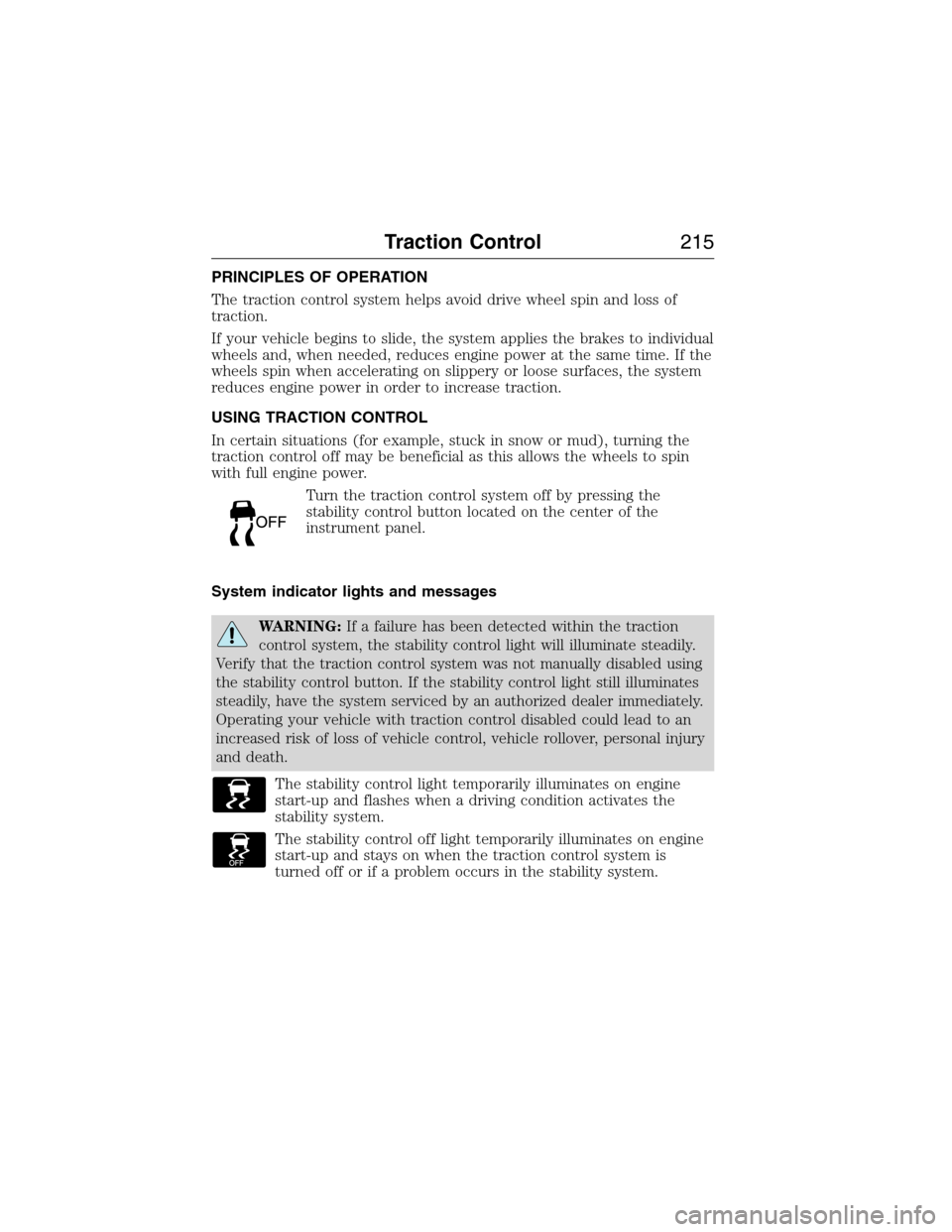
Turn the traction control system off by pressing the
stability control button located on the center of the
instrument panel.
System indicator lights and messages
WARNING:If a failure has been detected within the traction
control system, the stability control light will illuminate steadily.
Verify that the traction control system was not manually disabled using
the stability control button. If the stability control light still illuminates
steadily, have the system serviced by an authorized dealer immediately.
Operating your vehicle with traction control disabled could lead to an
increased risk of loss of vehicle control, vehicle rollover, personal injury
and death.
The stability control light temporarily illuminates on engine
start-up and flashes when a driving condition activates the
stability system.
The stability control off light temporarily illuminates on engine
start-up and stays on when the traction control system is
turned off or if a problem occurs in the stability system.
Traction Control215
2015 Expedition(exd)
Owners Guide gf, 1st Printing, July 2014
USA(fus)
Page 218 of 564
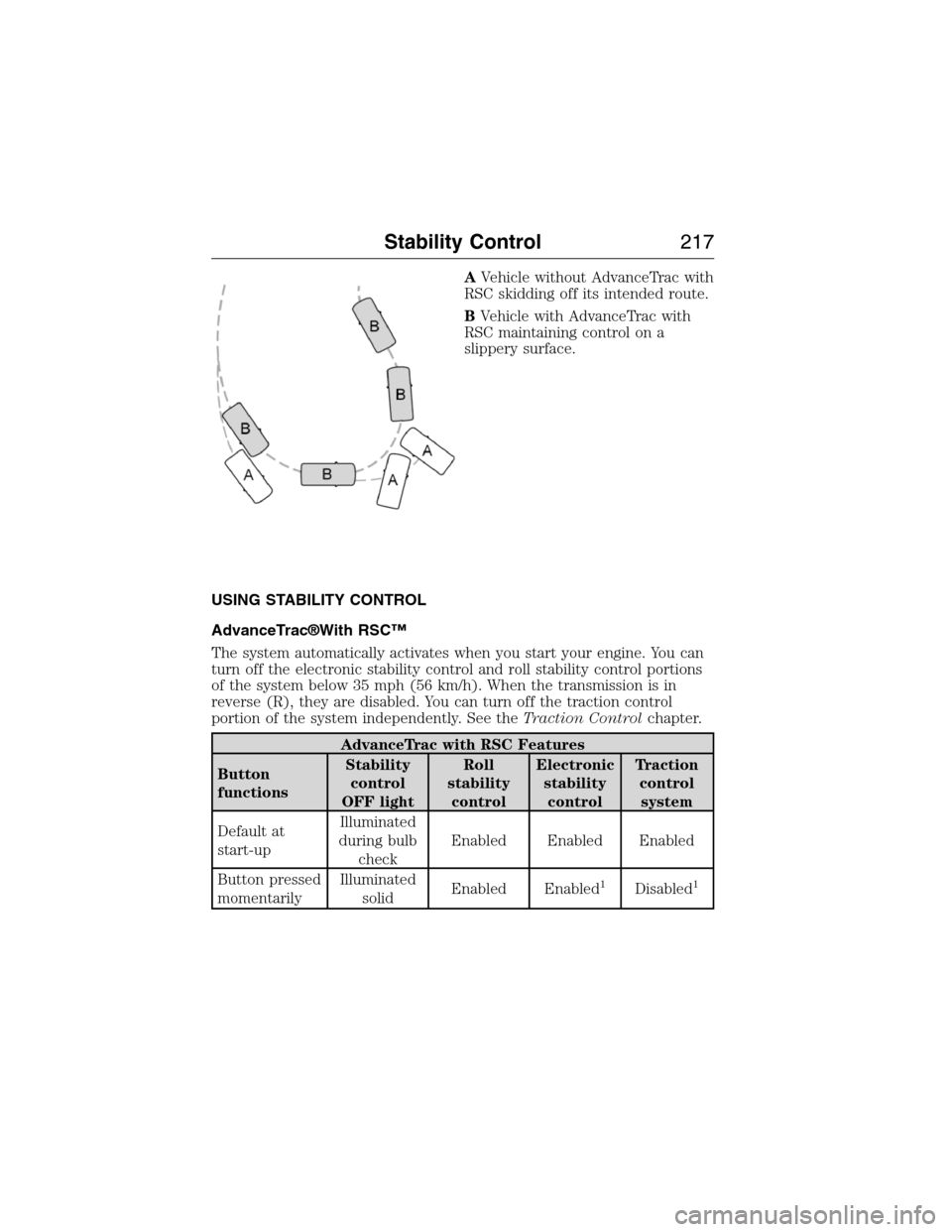
AVehicle without AdvanceTrac with
RSC skidding off its intended route.
BVehicle with AdvanceTrac with
RSC maintaining control on a
slippery surface.
USING STABILITY CONTROL
AdvanceTrac®With RSC™
The system automatically activates when you start your engine. You can
turn off the electronic stability control and roll stability control portions
of the system below 35 mph (56 km/h). When the transmission is in
reverse (R), they are disabled. You can turn off the traction control
portion of the system independently. See theTraction Controlchapter.
AdvanceTrac with RSC Features
Button
functionsStability
control
OFF lightRoll
stability
controlElectronic
stability
controlTraction
control
system
Default at
start-upIlluminated
during bulb
checkEnabled Enabled Enabled
Button pressed
momentarilyIlluminated
solidEnabled Enabled
1Disabled1
Stability Control217
2015 Expedition(exd)
Owners Guide gf, 1st Printing, July 2014
USA(fus)
Page 219 of 564
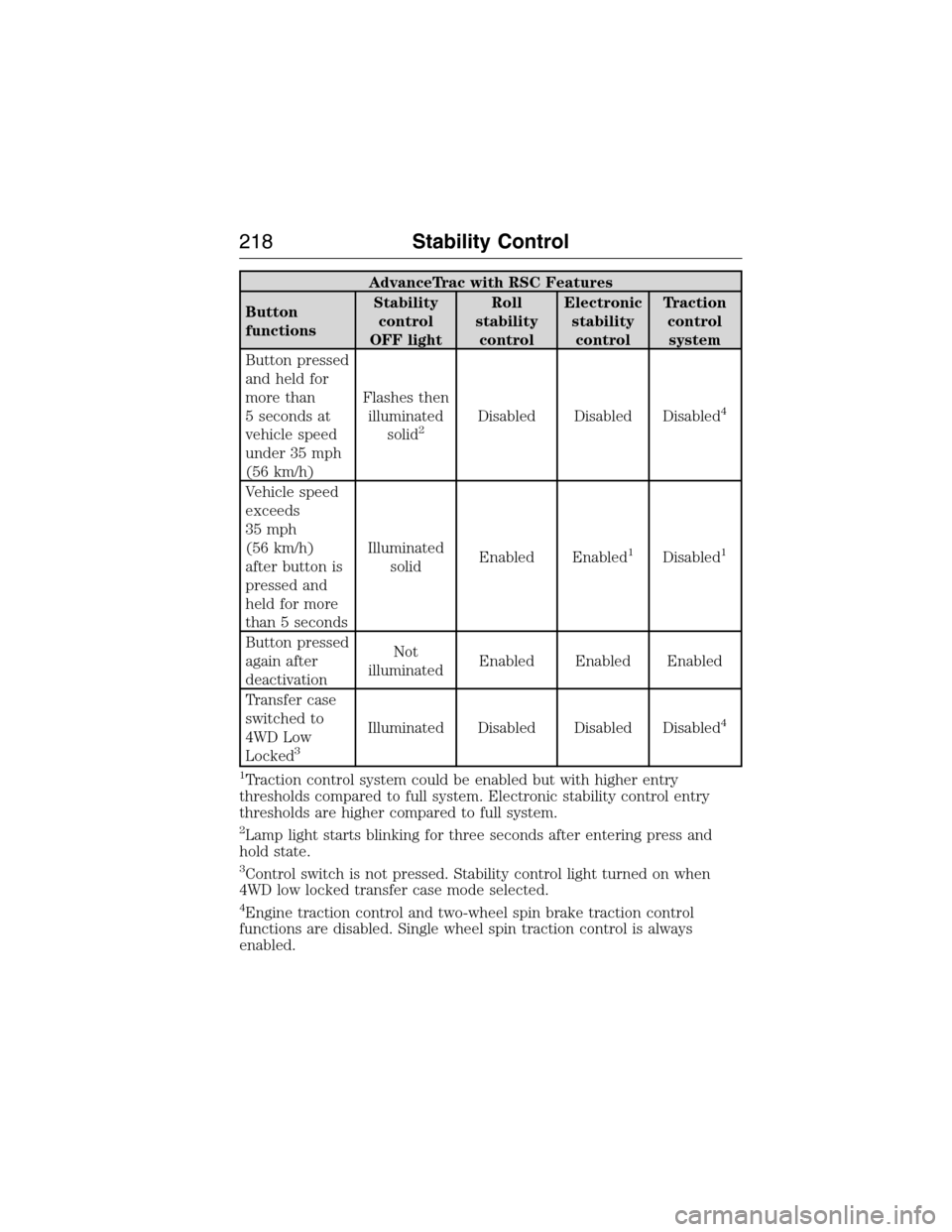
AdvanceTrac with RSC Features
Button
functionsStability
control
OFF lightRoll
stability
controlElectronic
stability
controlTraction
control
system
Button pressed
and held for
more than
5 seconds at
vehicle speed
under 35 mph
(56 km/h)Flashes then
illuminated
solid
2Disabled Disabled Disabled4
Vehicle speed
exceeds
35 mph
(56 km/h)
after button is
pressed and
held for more
than 5 secondsIlluminated
solidEnabled Enabled
1Disabled1
Button pressed
again after
deactivationNot
illuminatedEnabled Enabled Enabled
Transfer case
switched to
4WD Low
Locked
3
Illuminated Disabled Disabled Disabled4
1
Traction control system could be enabled but with higher entry
thresholds compared to full system. Electronic stability control entry
thresholds are higher compared to full system.
2Lamp light starts blinking for three seconds after entering press and
hold state.
3Control switch is not pressed. Stability control light turned on when
4WD low locked transfer case mode selected.
4Engine traction control and two-wheel spin brake traction control
functions are disabled. Single wheel spin traction control is always
enabled.
218Stability Control
2015 Expedition(exd)
Owners Guide gf, 1st Printing, July 2014
USA(fus)
Page 220 of 564
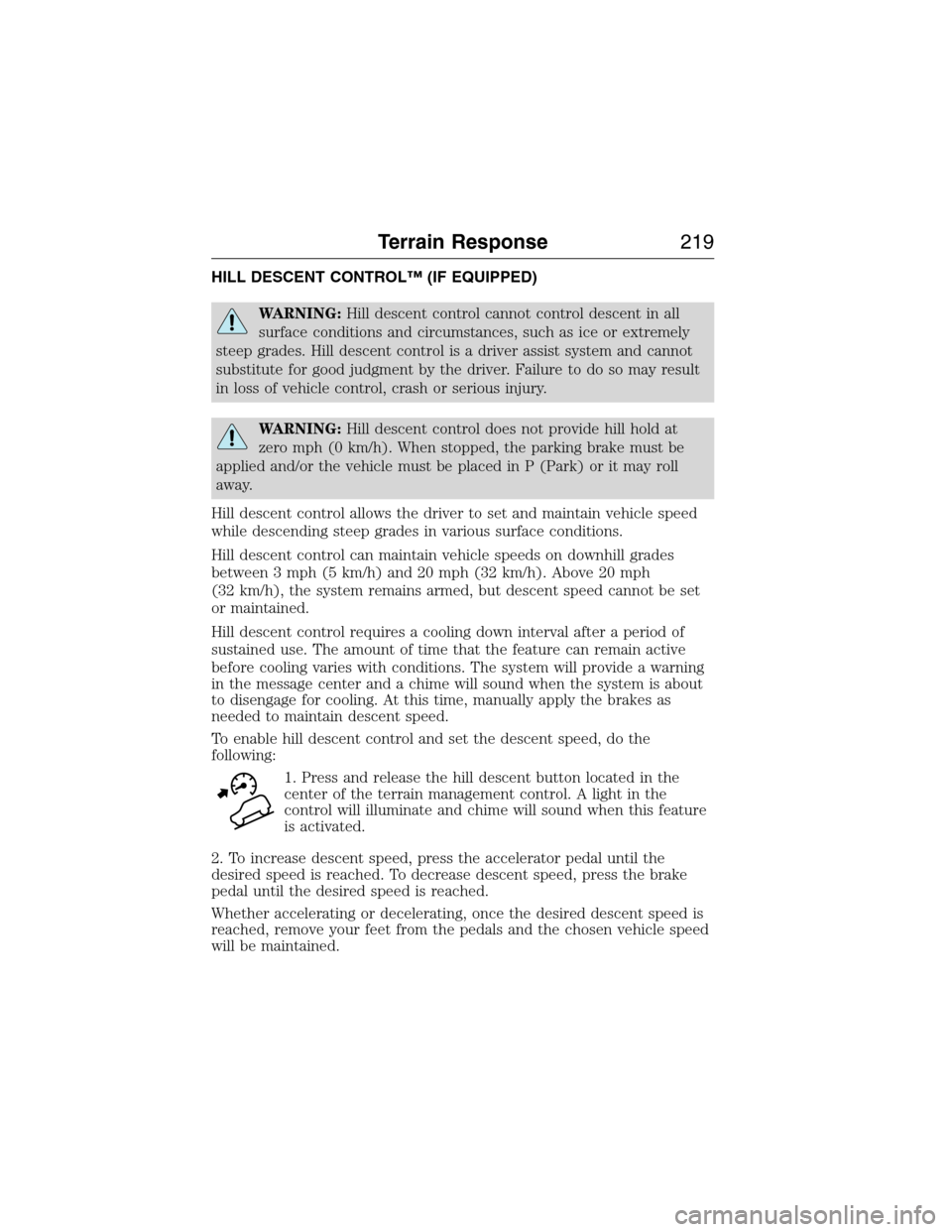
HILL DESCENT CONTROL™ (IF EQUIPPED)
WARNING:Hill descent control cannot control descent in all
surface conditions and circumstances, such as ice or extremely
steep grades. Hill descent control is a driver assist system and cannot
substitute for good judgment by the driver. Failure to do so may result
in loss of vehicle control, crash or serious injury.
WARNING:Hill descent control does not provide hill hold at
zero mph (0 km/h). When stopped, the parking brake must be
applied and/or the vehicle must be placed in P (Park) or it may roll
away.
Hill descent control allows the driver to set and maintain vehicle speed
while descending steep grades in various surface conditions.
Hill descent control can maintain vehicle speeds on downhill grades
between 3 mph (5 km/h) and 20 mph (32 km/h). Above 20 mph
(32 km/h), the system remains armed, but descent speed cannot be set
or maintained.
Hill descent control requires a cooling down interval after a period of
sustained use. The amount of time that the feature can remain active
before cooling varies with conditions. The system will provide a warning
in the message center and a chime will sound when the system is about
to disengage for cooling. At this time, manually apply the brakes as
needed to maintain descent speed.
To enable hill descent control and set the descent speed, do the
following:
1. Press and release the hill descent button located in the
center of the terrain management control. A light in the
control will illuminate and chime will sound when this feature
is activated.
2. To increase descent speed, press the accelerator pedal until the
desired speed is reached. To decrease descent speed, press the brake
pedal until the desired speed is reached.
Whether accelerating or decelerating, once the desired descent speed is
reached, remove your feet from the pedals and the chosen vehicle speed
will be maintained.
Terrain Response219
2015 Expedition(exd)
Owners Guide gf, 1st Printing, July 2014
USA(fus)