reset FORD EXPEDITION 2015 3.G Owners Manual
[x] Cancel search | Manufacturer: FORD, Model Year: 2015, Model line: EXPEDITION, Model: FORD EXPEDITION 2015 3.GPages: 564, PDF Size: 6.71 MB
Page 11 of 564
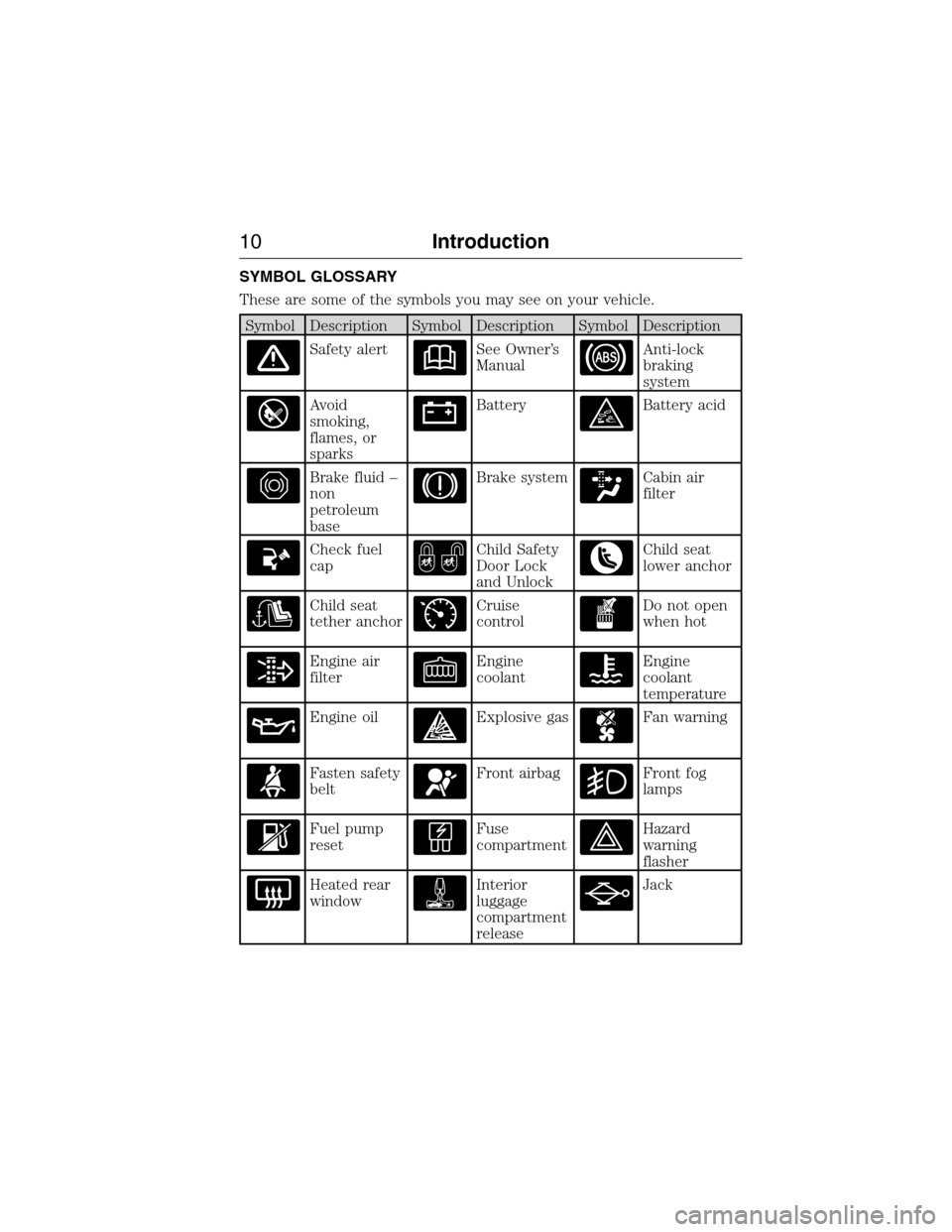
SYMBOL GLOSSARY
These are some of the symbols you may see on your vehicle.
Symbol Description Symbol Description Symbol Description
Safety alertSee Owner’s
ManualAnti-lock
braking
system
Avoid
smoking,
flames, or
sparksBatteryBattery acid
Brake fluid –
non
petroleum
baseBrake systemCabin air
filter
Check fuel
capChild Safety
Door Lock
and UnlockChild seat
lower anchor
Child seat
tether anchorCruise
controlDo not open
when hot
Engine air
filterEngine
coolantEngine
coolant
temperature
Engine oilExplosive gasFan warning
Fasten safety
beltFront airbagFront fog
lamps
Fuel pump
resetFuse
compartmentHazard
warning
flasher
Heated rear
windowInterior
luggage
compartment
releaseJack
10Introduction
2015 Expedition(exd)
Owners Guide gf, 1st Printing, July 2014
USA(fus)
Page 64 of 564
•Audio system maximum volume of 45% for some audio systems. A
message will be shown in the display when you attempt to exceed the
limited volume. Also, the speed-sensitive or compensated automatic
volume control will be disabled.
•Always on setting. When this is selected, you will not be able to turn
off certain features.
CREATING A MYKEY
Use the information display to create a MyKey.
1. Insert the key you want to program into the ignition.
2. Switch the ignition on.
3. Access the main menu on the information display. PressSETUP
using the information display buttons untilPRESS RESET TO
CREATE MYKEYis displayed.
4. Press and release theRESETbutton.HOLD RESET TO
CONFIRM MYKEYwill be displayed.
5. Press and hold theRESETbutton for two seconds untilMARK
THIS AS RESTRICTEDis displayed Wait untilKEY
RESTRICTED AT NEXT STARTis displayed.
MyKey is successfully created. Make sure you label it so you can
distinguish it from the admin keys.
You can also program configurable settings for the key(s). Refer to
Programming/Changing Configurable Settings.
Programming/Changing Configurable Settings
Use the Information display to access your configurable MyKey settings:
1.
Switch the ignition on with an admin key. If your vehicle has keyless
start, place the intelligent access transmitter into the backup slot. The
location of your backup slot is in another chapter. SeeStarting and
Stopping the Engine.
2. Access the main menu on the information display controls and press
SETUPuntil you seeRESET FOR MYKEY SETTINGSin the display.
3. Press and release theRESETbutton to display the MyKey setup menus.
4. Press theSETUPbutton to display the next menu and scroll through
your choices.
5. Within any of the menus, pressRESETto highlight your choice. Use the
arrow buttons to make a selection.
6. PressSETUPto enter your choice. The next configurable setting will
display.
7. Repeat Steps 4 and 5 until you are done changing the configurable
settings.
MyKey63
2015 Expedition(exd)
Owners Guide gf, 1st Printing, July 2014
USA(fus)
Page 65 of 564
CLEARING ALL MYKEYS
You can clear all MyKeys within the same key cycle as you created the
MyKey. If you switch your ignition off, however, you will need to use an
admin key to clear your MyKeys.
Note:When you clear your MyKeys, you remove all restrictions and
return all MyKeys to their original admin key status at once.
To clear all MyKeys of all MyKey settings, use the information display to
do the following:
1. PressSETUPuntil you seePRESS RESET TO CLEAR MYKEYin
the display.
2. Press and release theRESETbutton. You will seeHOLD RESET
TO CONFIRM CLEARin the display.
3. Press and hold theRESETbutton for two seconds until you see
ALL MYKEYS CLEAREDin the display.
CHECKING MYKEY SYSTEM STATUS
You can find information about your programmed MyKeys by using the
information display.
MYKEY DISTANCE
Tracks the distance when drivers use a MyKey. The only way to delete
the accumulated distance is by using an admin key to clear your MyKey.
If the distance does not accumulate as expected, then the intended user
is not using the MyKey, or an admin key user recently cleared and then
recreated a MyKey.
NUMBER OF MYKEY(S)
Indicates the number of MyKeys programmed to your vehicle. Use this
feature to detect how many MyKeys you have for your vehicle and
determine when a MyKey has been deleted.
NUMBER OF ADMIN KEY(S)
Indicates how many admin keys are programmed to your vehicle. Use
this feature to determine how many unrestricted keys you have for your
vehicle, and detect if an additional MyKey has been programmed.
64MyKey
2015 Expedition(exd)
Owners Guide gf, 1st Printing, July 2014
USA(fus)
Page 69 of 564
Condition Potential causes
I lost the only admin
key.•Purchase a new key from your authorized
dealer.
I lost a key.•Program a spare key. SeeSecuriLockin the
Securitychapter.
I accidentally
programmed all keys
as MyKeys.•The vehicle has a remote start system that
is recognized as an admin key. Clear all
MyKeys by using the remote start. SeeUsing
MyKey With Remote Start Systems.
•Your vehicle’s system does not recognize any
programmed MyKeys. SeeCreating a MyKey.
MyKey total includes
one additional key.•An unknown key has been created as a
MyKey.
•The vehicle has a remote start system. See
Using MyKey With Remote Start Systems.
Admin key total
includes one additional
key.•An unknown key has been programmed to
the vehicle as an admin key.
•The vehicle has a remote start system. See
Using MyKey With Remote Start Systems.
MyKey distances do
not accumulate.•The MyKey user is not using the MyKey.
•An admin key holder cleared the MyKeys
and created new MyKeys.
•The key system has been reset.
No MyKey functions
with the Intelligent
Access key.•An admin fob is present at the vehicle start.
•No MyKeys are created. SeeCreating a
MyKey.
68MyKey
2015 Expedition(exd)
Owners Guide gf, 1st Printing, July 2014
USA(fus)
Page 77 of 564
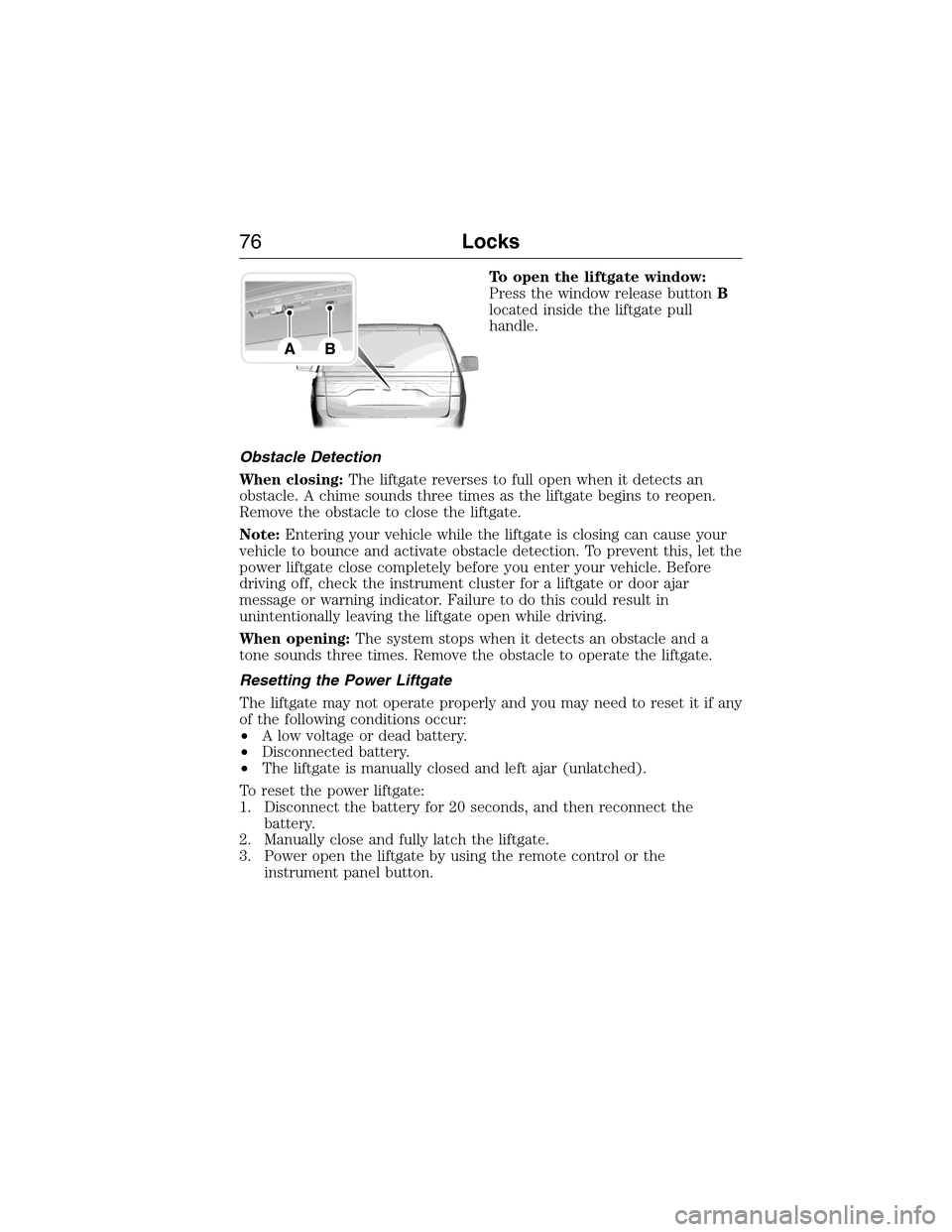
To open the liftgate window:
Press the window release buttonB
located inside the liftgate pull
handle.
Obstacle Detection
When closing:The liftgate reverses to full open when it detects an
obstacle. A chime sounds three times as the liftgate begins to reopen.
Remove the obstacle to close the liftgate.
Note:Entering your vehicle while the liftgate is closing can cause your
vehicle to bounce and activate obstacle detection. To prevent this, let the
power liftgate close completely before you enter your vehicle. Before
driving off, check the instrument cluster for a liftgate or door ajar
message or warning indicator. Failure to do this could result in
unintentionally leaving the liftgate open while driving.
When opening:The system stops when it detects an obstacle and a
tone sounds three times. Remove the obstacle to operate the liftgate.
Resetting the Power Liftgate
The liftgate may not operate properly and you may need to reset it if any
of the following conditions occur:
•A low voltage or dead battery.
•Disconnected battery.
•The liftgate is manually closed and left ajar (unlatched).
To reset the power liftgate:
1. Disconnect the battery for 20 seconds, and then reconnect the
battery.
2. Manually close and fully latch the liftgate.
3. Power open the liftgate by using the remote control or the
instrument panel button.
76Locks
2015 Expedition(exd)
Owners Guide gf, 1st Printing, July 2014
USA(fus)
Page 87 of 564
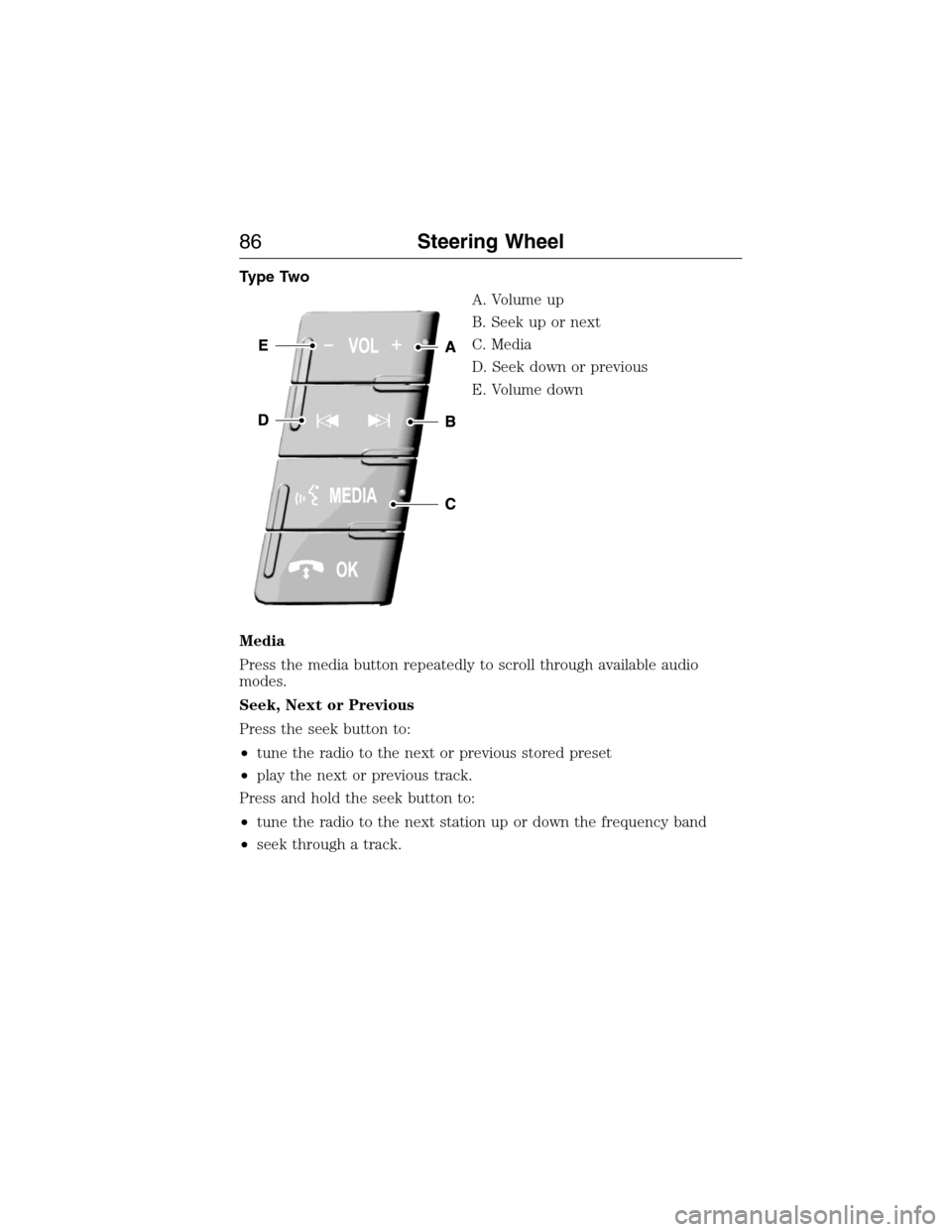
Type Two
A. Volume up
B. Seek up or next
C. Media
D. Seek down or previous
E. Volume down
Media
Press the media button repeatedly to scroll through available audio
modes.
Seek, Next or Previous
Press the seek button to:
•tune the radio to the next or previous stored preset
•play the next or previous track.
Press and hold the seek button to:
•tune the radio to the next station up or down the frequency band
•seek through a track.
86Steering Wheel
2015 Expedition(exd)
Owners Guide gf, 1st Printing, July 2014
USA(fus)
Page 100 of 564
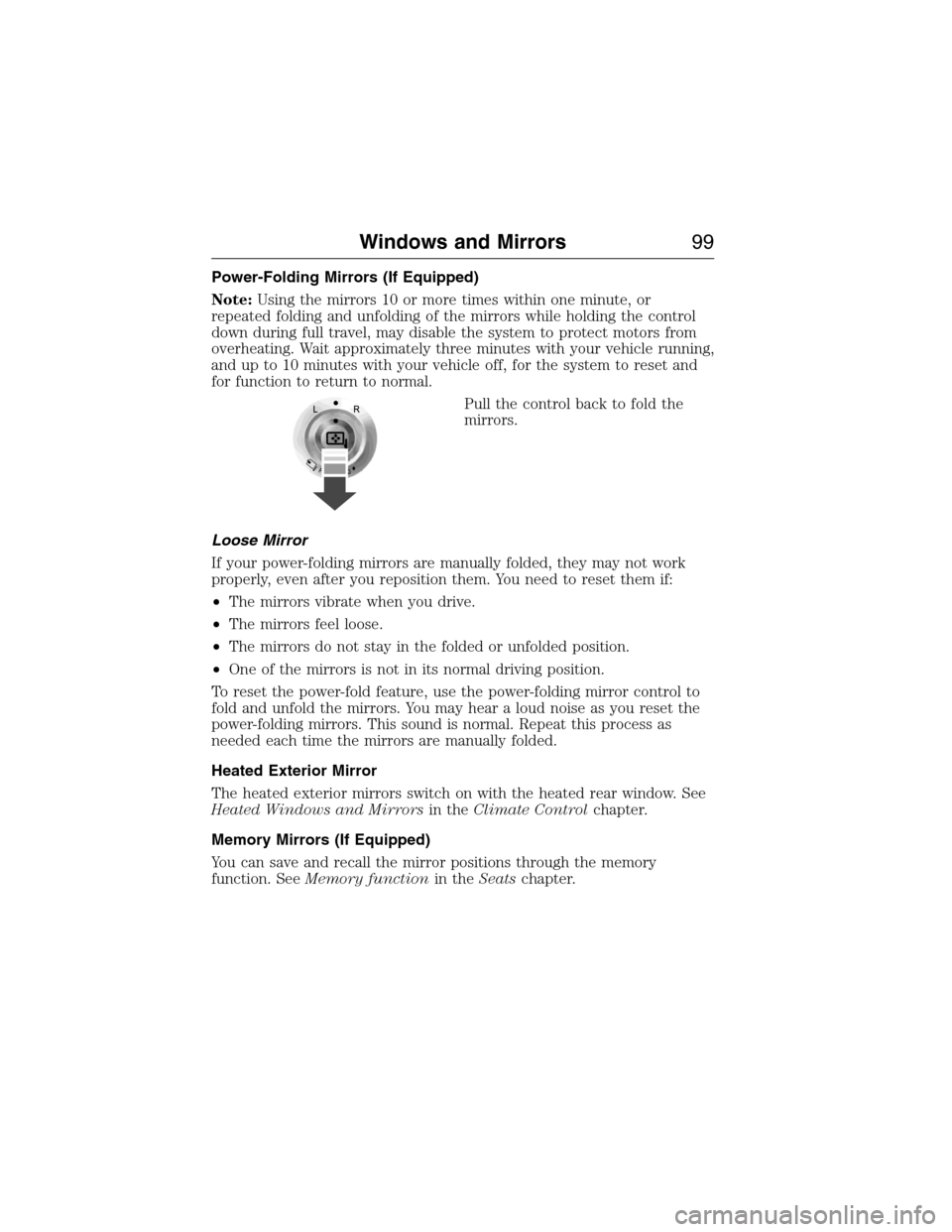
Power-Folding Mirrors (If Equipped)
Note:Using the mirrors 10 or more times within one minute, or
repeated folding and unfolding of the mirrors while holding the control
down during full travel, may disable the system to protect motors from
overheating. Wait approximately three minutes with your vehicle running,
and up to 10 minutes with your vehicle off, for the system to reset and
for function to return to normal.
Pull the control back to fold the
mirrors.
Loose Mirror
If your power-folding mirrors are manually folded, they may not work
properly, even after you reposition them. You need to reset them if:
•The mirrors vibrate when you drive.
•The mirrors feel loose.
•The mirrors do not stay in the folded or unfolded position.
•One of the mirrors is not in its normal driving position.
To reset the power-fold feature, use the power-folding mirror control to
fold and unfold the mirrors. You may hear a loud noise as you reset the
power-folding mirrors. This sound is normal. Repeat this process as
needed each time the mirrors are manually folded.
Heated Exterior Mirror
The heated exterior mirrors switch on with the heated rear window. See
Heated Windows and Mirrorsin theClimate Controlchapter.
Memory Mirrors (If Equipped)
You can save and recall the mirror positions through the memory
function. SeeMemory functionin theSeatschapter.
Windows and Mirrors99
2015 Expedition(exd)
Owners Guide gf, 1st Printing, July 2014
USA(fus)
Page 114 of 564
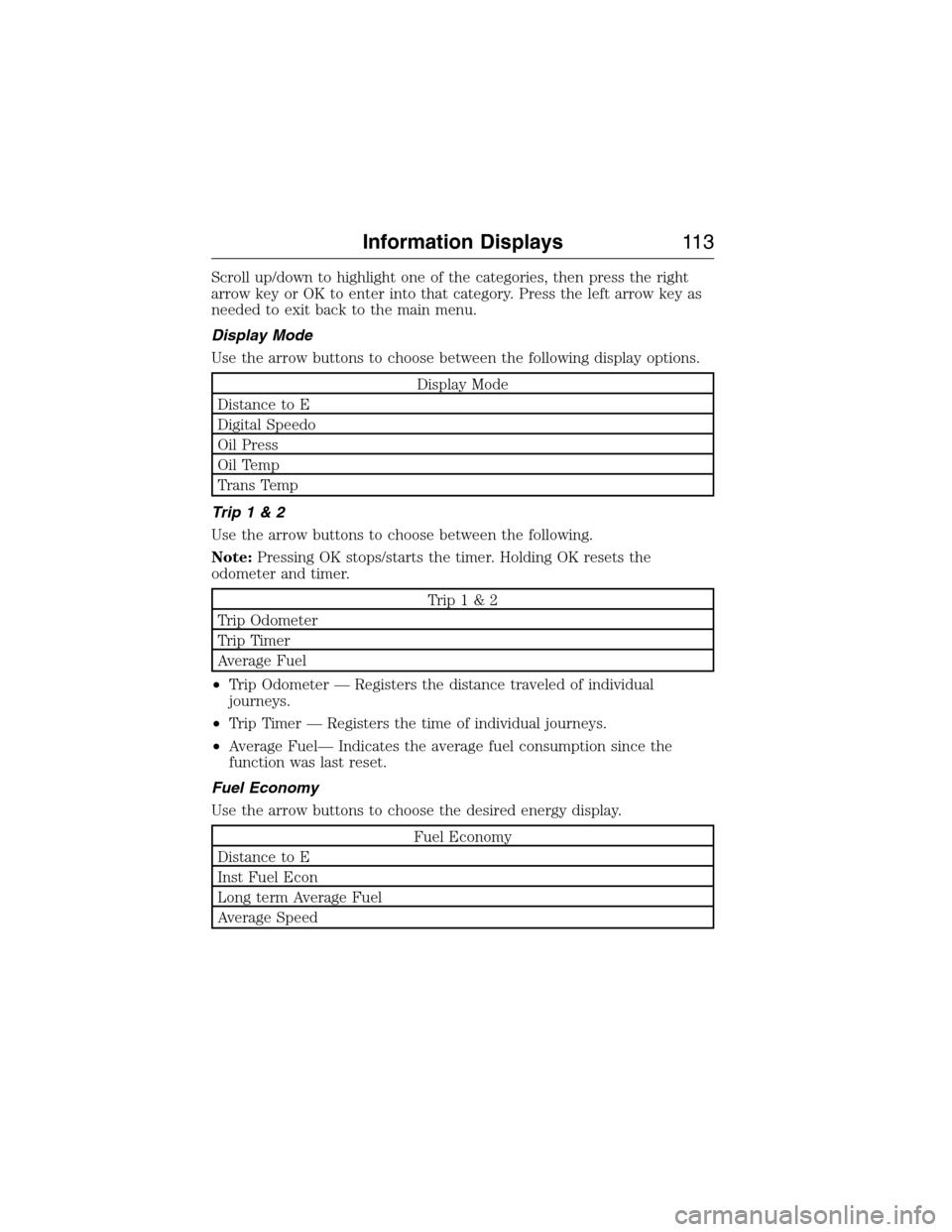
Scroll up/down to highlight one of the categories, then press the right
arrow key or OK to enter into that category. Press the left arrow key as
needed to exit back to the main menu.
Display Mode
Use the arrow buttons to choose between the following display options.
Display Mode
Distance to E
Digital Speedo
Oil Press
Oil Temp
Trans Temp
Trip1&2
Use the arrow buttons to choose between the following.
Note:Pressing OK stops/starts the timer. Holding OK resets the
odometer and timer.
Trip1&2
Trip Odometer
Trip Timer
Average Fuel
•Trip Odometer — Registers the distance traveled of individual
journeys.
•Trip Timer — Registers the time of individual journeys.
•Average Fuel— Indicates the average fuel consumption since the
function was last reset.
Fuel Economy
Use the arrow buttons to choose the desired energy display.
Fuel Economy
Distance to E
Inst Fuel Econ
Long term Average Fuel
Average Speed
Information Displays11 3
2015 Expedition(exd)
Owners Guide gf, 1st Printing, July 2014
USA(fus)
Page 115 of 564
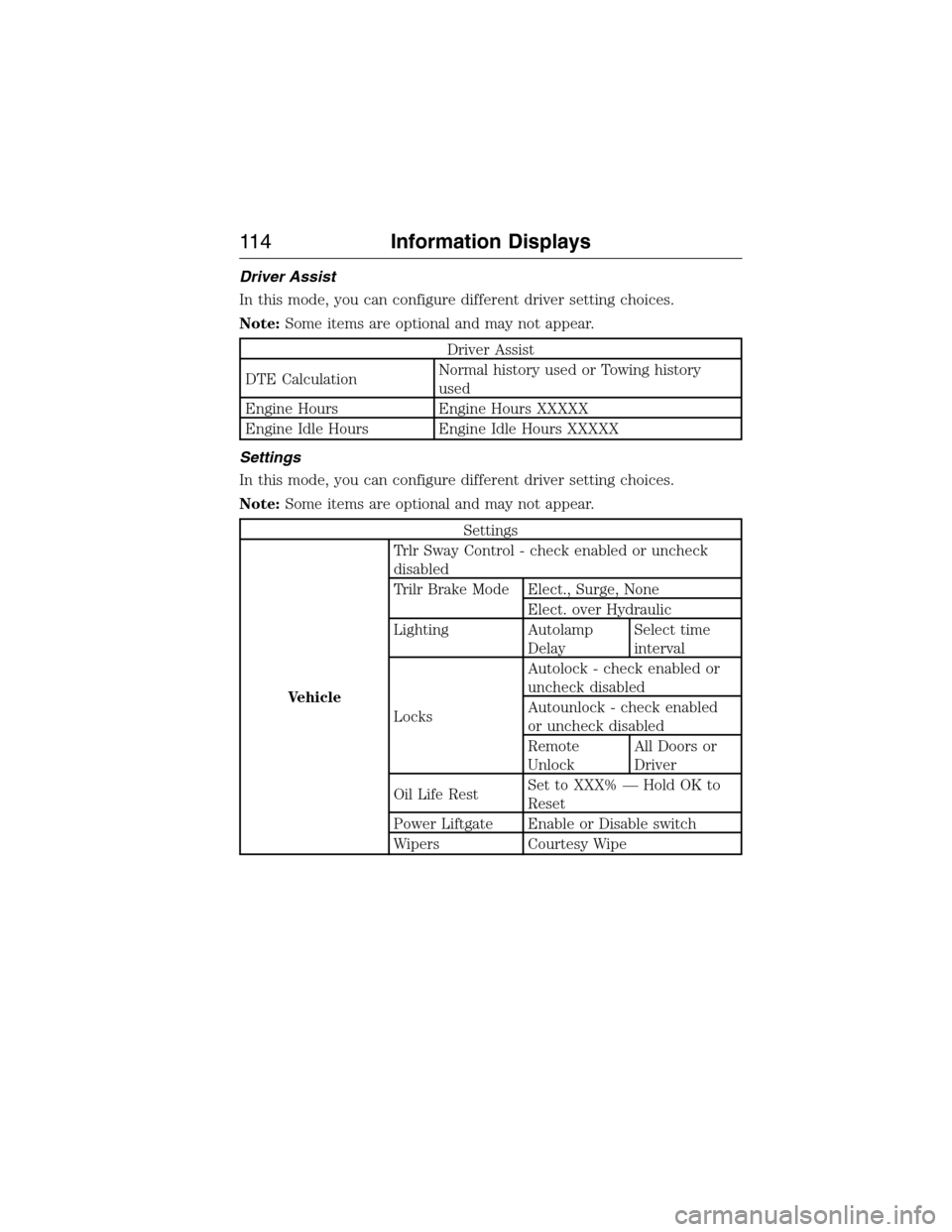
Driver Assist
In this mode, you can configure different driver setting choices.
Note:Some items are optional and may not appear.
Driver Assist
DTE CalculationNormal history used or Towing history
used
Engine Hours Engine Hours XXXXX
Engine Idle Hours Engine Idle Hours XXXXX
Settings
In this mode, you can configure different driver setting choices.
Note:Some items are optional and may not appear.
Settings
VehicleTrlr Sway Control - check enabled or uncheck
disabled
Trilr Brake Mode Elect., Surge, None
Elect. over Hydraulic
Lighting Autolamp
DelaySelect time
interval
LocksAutolock - check enabled or
uncheck disabled
Autounlock - check enabled
or uncheck disabled
Remote
UnlockAll Doors or
Driver
Oil Life RestSet to XXX% — Hold OK to
Reset
Power Liftgate Enable or Disable switch
Wipers Courtesy Wipe
11 4Information Displays
2015 Expedition(exd)
Owners Guide gf, 1st Printing, July 2014
USA(fus)
Page 117 of 564
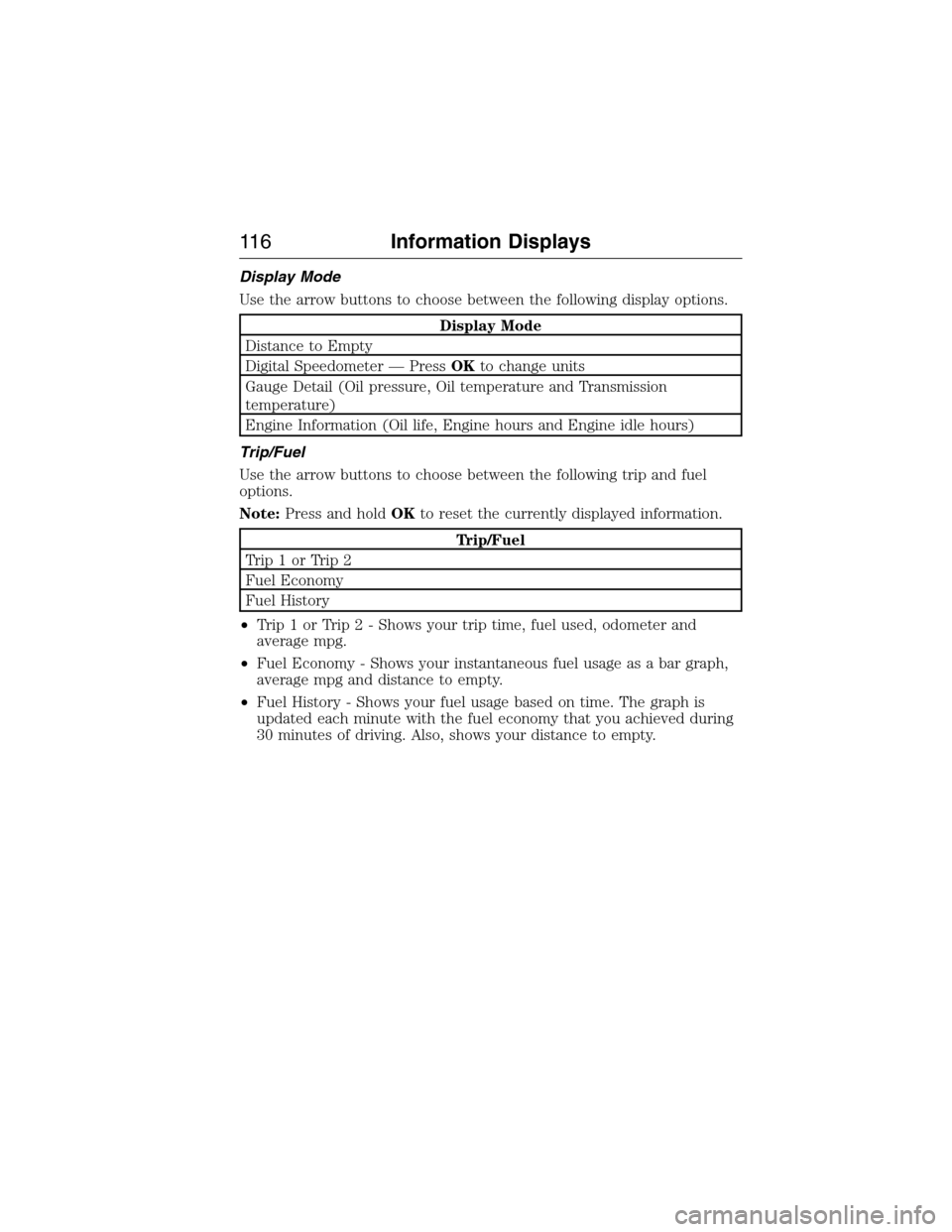
Display Mode
Use the arrow buttons to choose between the following display options.
Display Mode
Distance to Empty
Digital Speedometer — PressOKto change units
Gauge Detail (Oil pressure, Oil temperature and Transmission
temperature)
Engine Information (Oil life, Engine hours and Engine idle hours)
Trip/Fuel
Use the arrow buttons to choose between the following trip and fuel
options.
Note:Press and holdOKto reset the currently displayed information.
Trip/Fuel
Trip1orTrip2
Fuel Economy
Fuel History
•Trip 1 or Trip 2 - Shows your trip time, fuel used, odometer and
average mpg.
•Fuel Economy - Shows your instantaneous fuel usage as a bar graph,
average mpg and distance to empty.
•Fuel History - Shows your fuel usage based on time. The graph is
updated each minute with the fuel economy that you achieved during
30 minutes of driving. Also, shows your distance to empty.
11 6Information Displays
2015 Expedition(exd)
Owners Guide gf, 1st Printing, July 2014
USA(fus)