suspension FORD EXPEDITION 2015 3.G Owners Manual
[x] Cancel search | Manufacturer: FORD, Model Year: 2015, Model line: EXPEDITION, Model: FORD EXPEDITION 2015 3.GPages: 564, PDF Size: 6.71 MB
Page 6 of 564
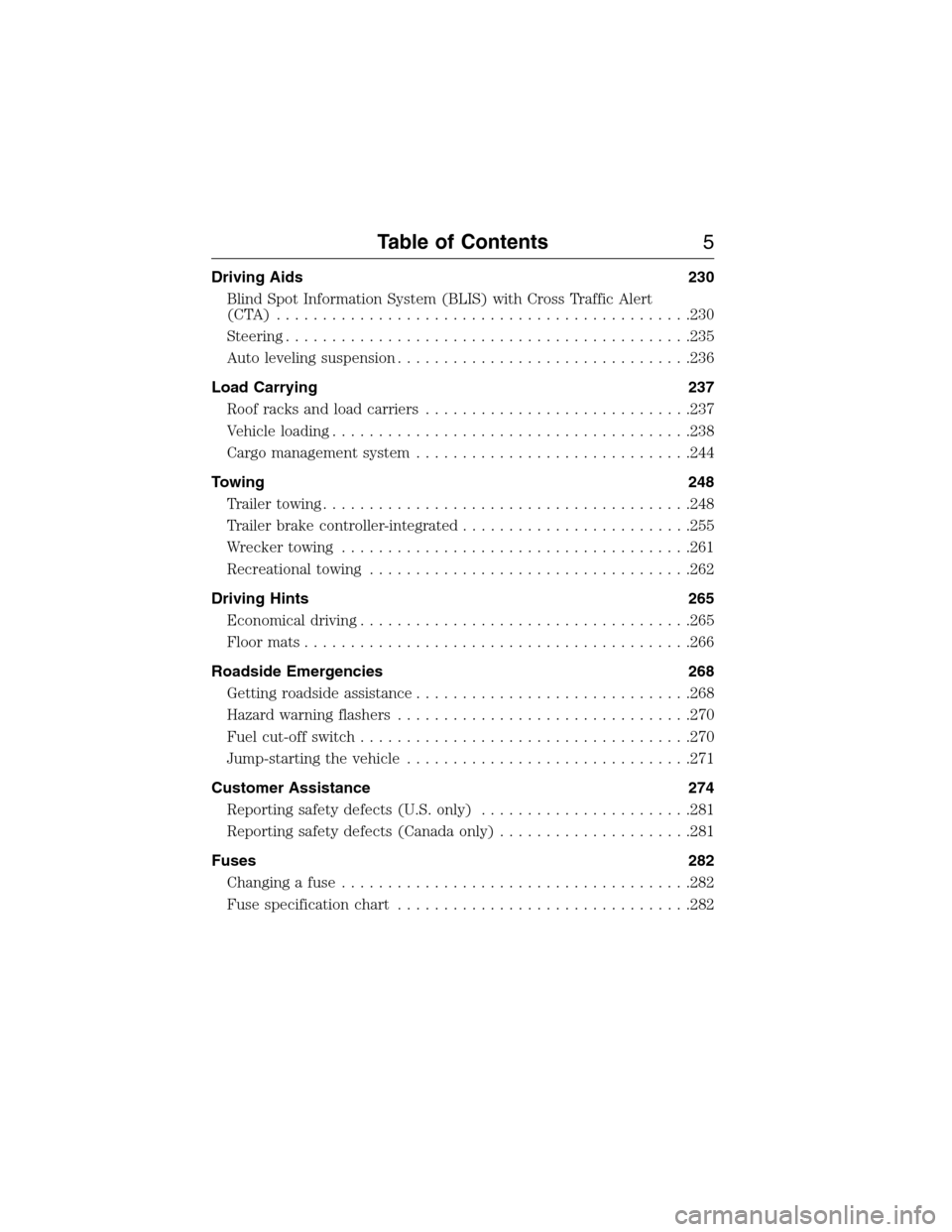
Driving Aids 230
Blind Spot Information System (BLIS) with Cross Traffic Alert
(CTA) .............................................230
Steering............................................235
Auto leveling suspension................................236
Load Carrying 237
Roof racks and load carriers.............................237
Vehicle loading.......................................238
Cargo management system..............................244
Towing 248
Trailertowing........................................248
Trailer brake controller-integrated.........................255
Wrecker towing......................................261
Recreational towing...................................262
Driving Hints 265
Economical driving....................................265
Floormats..........................................266
Roadside Emergencies 268
Getting roadside assistance..............................268
Hazard warning flashers................................270
Fuel cut-off switch....................................270
Jump-starting the vehicle...............................271
Customer Assistance 274
Reporting safety defects (U.S. only).......................281
Reporting safety defects (Canada only).....................281
Fuses 282
Changing a fuse......................................282
Fuse specification chart................................282
Table of Contents5
2015 Expedition(exd)
Owners Guide gf, 1st Printing, July 2014
USA(fus)
Page 119 of 564
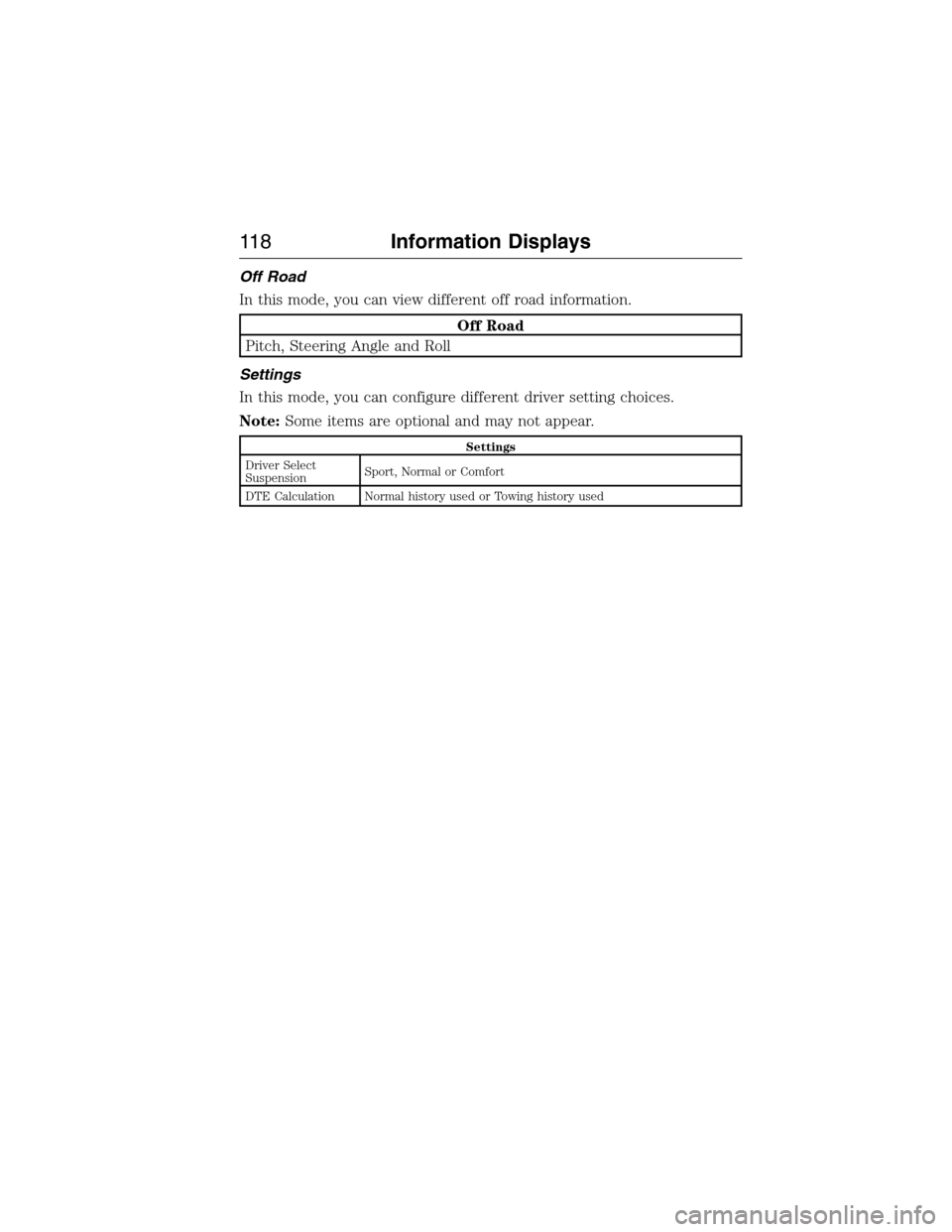
Off Road
In this mode, you can view different off road information.
Off Road
Pitch, Steering Angle and Roll
Settings
In this mode, you can configure different driver setting choices.
Note:Some items are optional and may not appear.
Settings
Driver Select
SuspensionSport, Normal or Comfort
DTE Calculation Normal history used or Towing history used
11 8Information Displays
2015 Expedition(exd)
Owners Guide gf, 1st Printing, July 2014
USA(fus)
Page 124 of 564
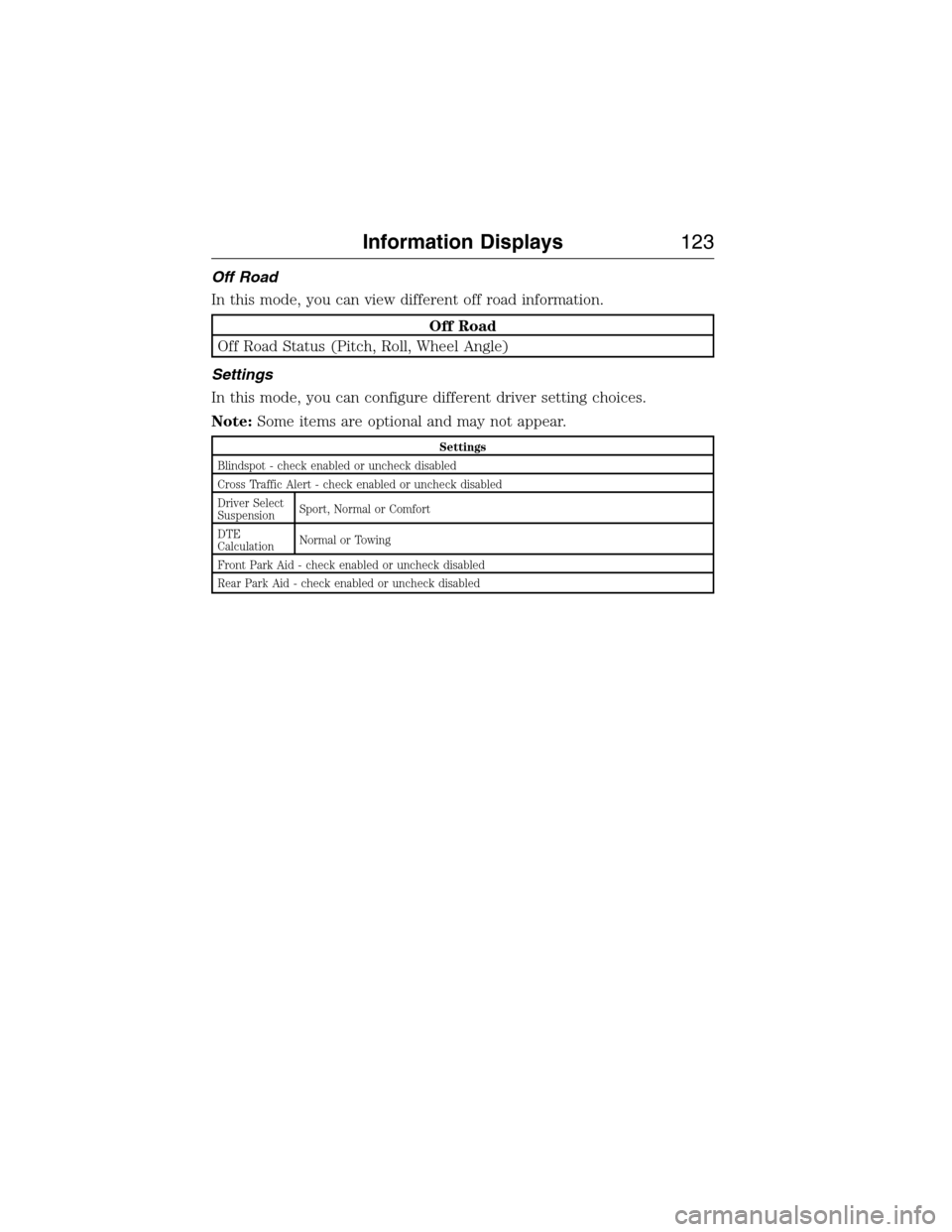
Off Road
In this mode, you can view different off road information.
Off Road
Off Road Status (Pitch, Roll, Wheel Angle)
Settings
In this mode, you can configure different driver setting choices.
Note:Some items are optional and may not appear.
Settings
Blindspot - check enabled or uncheck disabled
Cross Traffic Alert - check enabled or uncheck disabled
Driver Select
SuspensionSport, Normal or Comfort
DTE
CalculationNormal or Towing
Front Park Aid - check enabled or uncheck disabled
Rear Park Aid - check enabled or uncheck disabled
Information Displays123
2015 Expedition(exd)
Owners Guide gf, 1st Printing, July 2014
USA(fus)
Page 133 of 564
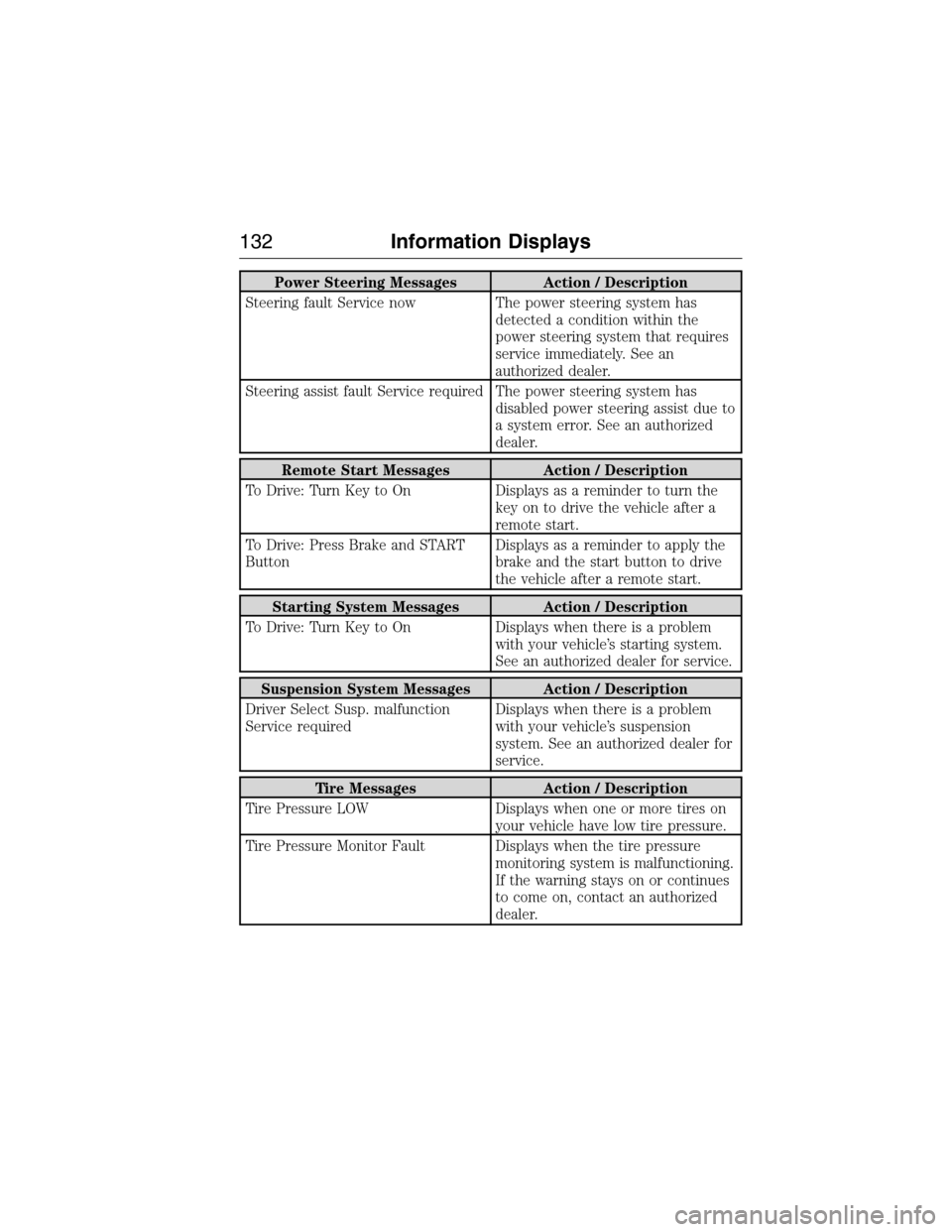
Power Steering Messages Action / Description
Steering fault Service now The power steering system has
detected a condition within the
power steering system that requires
service immediately. See an
authorized dealer.
Steering assist fault Service required The power steering system has
disabled power steering assist due to
a system error. See an authorized
dealer.
Remote Start Messages Action / Description
To Drive: Turn Key to On Displays as a reminder to turn the
key on to drive the vehicle after a
remote start.
To Drive: Press Brake and START
ButtonDisplays as a reminder to apply the
brake and the start button to drive
the vehicle after a remote start.
Starting System Messages Action / Description
To Drive: Turn Key to On Displays when there is a problem
with your vehicle’s starting system.
See an authorized dealer for service.
Suspension System Messages Action / Description
Driver Select Susp. malfunction
Service requiredDisplays when there is a problem
with your vehicle’s suspension
system. See an authorized dealer for
service.
Tire Messages Action / Description
Tire Pressure LOW Displays when one or more tires on
your vehicle have low tire pressure.
Tire Pressure Monitor Fault Displays when the tire pressure
monitoring system is malfunctioning.
If the warning stays on or continues
to come on, contact an authorized
dealer.
132Information Displays
2015 Expedition(exd)
Owners Guide gf, 1st Printing, July 2014
USA(fus)
Page 212 of 564
Avoid sudden applications of power and quick changes of direction on
snow and ice. Apply the accelerator slowly and steadily when starting
from a full stop.
Avoid sudden braking as well. Although a 4WD vehicle may accelerate
better than a two-wheel drive vehicle in snow and ice, it won’t stop any
faster, because as in other vehicles, braking occurs at all four wheels. Do
not become overconfident as to road conditions.
Make sure you allow sufficient distance between you and other vehicles
for stopping. Drive slower than usual and consider using one of the lower
gears. In emergency stopping situations, apply the brake steadily. Do not
pump the brakes. Refer to theBrakessection of this chapter for
additional information on the operation of the Anti-lock Brake System
(ABS).
Maintenance and modifications
The suspension and steering systems on your vehicle have been designed
and tested to provide predictable performance whether loaded or empty
and durable load carrying capability. For this reason, Ford Motor
Company strongly recommends that you do not make modifications such
as adding or removing parts (such as lift kits or stabilizer bars) or by
using replacement parts not equivalent to the original factory equipment.
Any modifications to a vehicle that raise the center of gravity can make
it more likely the vehicle will roll over as a result of a loss of control.
Ford Motor Company recommends that caution be used with any vehicle
equipped with a high load or device (such as ladder racks or pickup box
cover).
Failure to maintain your vehicle properly may void the warranty, increase
your repair cost, reduce vehicle performance and operational capabilities
and adversely affect driver and passenger safety. Frequent inspection of
vehicle chassis components is recommended if the vehicle is subjected to
heavy off-road usage.
Four-Wheel Drive (If Equipped)211
2015 Expedition(exd)
Owners Guide gf, 1st Printing, July 2014
USA(fus)
Page 217 of 564
PRINCIPLES OF OPERATION
WARNING:Vehicle modifications involving braking system,
aftermarket roof racks, suspension, steering system, tire
construction or wheel and tire size may change the handling
characteristics of the vehicle and may adversely affect the performance
of the AdvanceTrac® system. In addition, installing any stereo
loudspeakers may interfere with and adversely affect the AdvanceTrac®
system. Install any aftermarket stereo loudspeaker as far as possible
from the front center console, the tunnel, and the front seats in order
to minimize the risk of interfering with the AdvanceTrac® sensors.
Reducing the effectiveness of the AdvanceTrac® system could lead to
an increased risk of loss of vehicle control, vehicle rollover, personal
injury and death.
WARNING:Remember that even advanced technology cannot
defy the laws of physics. It’s always possible to lose control of a
vehicle due to inappropriate driver input for the conditions. Aggressive
driving on any road condition can cause you to lose control of your
vehicle increasing the risk of personal injury or property damage.
Activation of the AdvanceTrac® system is an indication that at least
some of the tires have exceeded their ability to grip the road; this could
reduce the operator’s ability to control the vehicle potentially resulting
in a loss of vehicle control, vehicle rollover, personal injury and death. If
your AdvanceTrac® system activates, SLOW DOWN.
The AdvanceTrac® with Roll Stability Control™ system helps you keep
control of your vehicle when on a slippery surface. The electronic
stability control portion of the system helps avoid skids and lateral slides
and roll stability control helps avoid a vehicle rollover. The traction
control system helps avoid drive wheel spin and loss of traction. See the
Traction Controlchapter for details on traction control system
operation.
216Stability Control
2015 Expedition(exd)
Owners Guide gf, 1st Printing, July 2014
USA(fus)
Page 237 of 564
for you to steer. This occurs to prevent internal overheating and
permanent damage to your steering system. If this should occur, you will
neither lose the ability to steer the vehicle manually nor will it cause
permanent damage. Typical steering and driving maneuvers will allow the
system to cool and steering assist will return to normal.
When a steering system error is detected, steering messages may appear
in the information display.
Steering Tips
If the steering wanders or pulls, check for:
•an improperly inflated tire
•uneven tire wear
•loose or worn suspension components
•loose or worn steering components
•improper vehicle alignment
A high crown in the road or high crosswinds may also make the steering
seem to wander/pull.
AUTO LEVELING SUSPENSION SYSTEM (if equipped)
The automatic leveling suspension system is designed to improve ride,
handling and general vehicle performance during:
•Certain road conditions
•Steering maneuvers
•Braking
•Acceleration
•Towing
This system keeps the rear of your vehicle at a constant level through a
hydraulic pump inside each rear shock. Depending on the payload or
road surface conditions it will take approximately 2 miles (3.2 km) for
the leveling to complete.
If the loaded vehicle is not moved for approximately 12 hours, the
leveling system may bleed down to a lower height. This can be especially
apparent if a trailer is left attached to the parked vehicle for long periods
of time. You must drive your vehicle in order to re-level the suspension.
If a self-equalizing hitch is being used, your vehicle should be drive
approximately 2 miles (3.2 km) with the trailer prior to adjusting
(leveling) the hitch.
236Driving Aids
2015 Expedition(exd)
Owners Guide gf, 1st Printing, July 2014
USA(fus)
Page 249 of 564
TOWING A TRAILER
WARNING:Do not exceed the GVWR or the GAWR specified on
the certification label.
WARNING:Towing trailers beyond the maximum recommended
gross trailer weight exceeds the limit of your vehicle and could
result in engine damage, transmission damage, structural damage, loss
of vehicle control, vehicle rollover and personal injury.
Note:For information on electrical items such as fuses or relays, see the
Fuseschapter.
The load capacity of your vehicle is designated by weight not volume.
You may not necessarily be able to use all available space when loading
your vehicle or trailer.
Towing a trailer places extra load on the engine, transmission, axle,
brakes, tires, and suspension. Inspect these components before, during
and after towing.
Load Placement
To help minimize how trailer movement affects your vehicle when
driving:
•Load the heaviest items closest to the trailer floor.
•Load the heaviest items centered between the left and right side
trailer tires.
•Load the heaviest items above the trailer axles or just slightly forward
toward the trailer tongue. Do not allow the final trailer tongue weight
to go above or below 10–15% of the loaded trailer weight.
•Select a tow bar with the correct rise or drop. When both the loaded
vehicle and trailer are connected, the trailer frame should be level, or
slightly angled down toward your vehicle, when viewed from the side.
When driving with a trailer or payload, a slight takeoff vibration or
shudder may be present due to the increased payload weight. You can
find more information about proper trailer loading and setting your
vehicle up for towing underLoad limitin theLoad Carryingchapter.
You can also find information in theRV and Trailer Towing Guide
available at your authorized dealer.
248Towing
2015 Expedition(exd)
Owners Guide gf, 1st Printing, July 2014
USA(fus)
Page 253 of 564
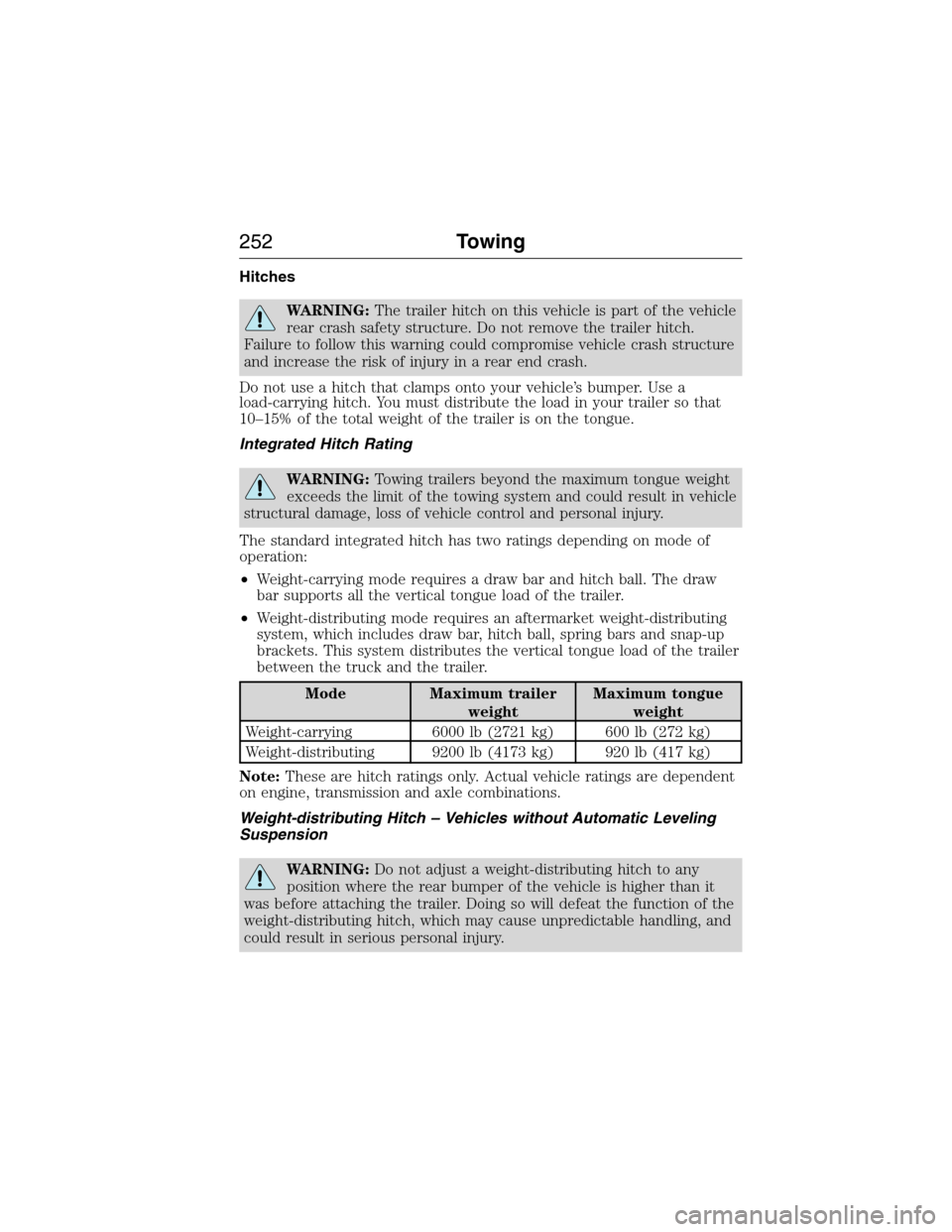
Hitches
WARNING:The trailer hitch on this vehicle is part of the vehicle
rear crash safety structure. Do not remove the trailer hitch.
Failure to follow this warning could compromise vehicle crash structure
and increase the risk of injury in a rear end crash.
Do not use a hitch that clamps onto your vehicle’s bumper. Use a
load-carrying hitch. You must distribute the load in your trailer so that
10–15% of the total weight of the trailer is on the tongue.
Integrated Hitch Rating
WARNING:Towing trailers beyond the maximum tongue weight
exceeds the limit of the towing system and could result in vehicle
structural damage, loss of vehicle control and personal injury.
The standard integrated hitch has two ratings depending on mode of
operation:
•Weight-carrying mode requires a draw bar and hitch ball. The draw
bar supports all the vertical tongue load of the trailer.
•Weight-distributing mode requires an aftermarket weight-distributing
system, which includes draw bar, hitch ball, spring bars and snap-up
brackets. This system distributes the vertical tongue load of the trailer
between the truck and the trailer.
Mode Maximum trailer
weightMaximum tongue
weight
Weight-carrying 6000 lb (2721 kg) 600 lb (272 kg)
Weight-distributing 9200 lb (4173 kg) 920 lb (417 kg)
Note:These are hitch ratings only. Actual vehicle ratings are dependent
on engine, transmission and axle combinations.
Weight-distributing Hitch – Vehicles without Automatic Leveling
Suspension
WARNING:Do not adjust a weight-distributing hitch to any
position where the rear bumper of the vehicle is higher than it
was before attaching the trailer. Doing so will defeat the function of the
weight-distributing hitch, which may cause unpredictable handling, and
could result in serious personal injury.
252Towing
2015 Expedition(exd)
Owners Guide gf, 1st Printing, July 2014
USA(fus)
Page 254 of 564
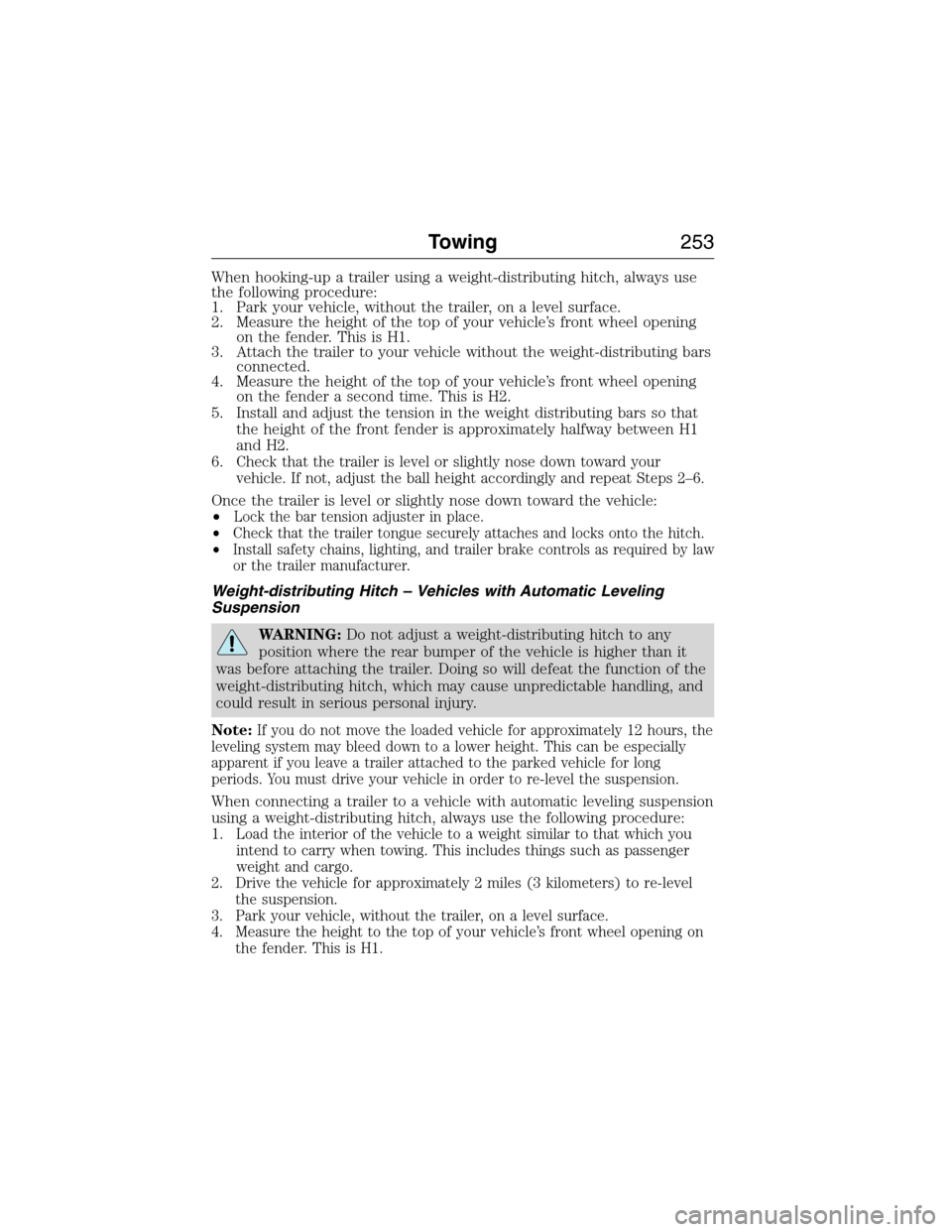
When hooking-up a trailer using a weight-distributing hitch, always use
the following procedure:
1. Park your vehicle, without the trailer, on a level surface.
2. Measure the height of the top of your vehicle’s front wheel opening
on the fender. This is H1.
3. Attach the trailer to your vehicle without the weight-distributing bars
connected.
4. Measure the height of the top of your vehicle’s front wheel opening
on the fender a second time. This is H2.
5. Install and adjust the tension in the weight distributing bars so that
the height of the front fender is approximately halfway between H1
and H2.
6.
Check that the trailer is level or slightly nose down toward your
vehicle. If not, adjust the ball height accordingly and repeat Steps 2–6.
Once the trailer is level or slightly nose down toward the vehicle:
•
Lock the bar tension adjuster in place.
•Check that the trailer tongue securely attaches and locks onto the hitch.
•Install safety chains, lighting, and trailer brake controls as required by law
or the trailer manufacturer.
Weight-distributing Hitch – Vehicles with Automatic Leveling
Suspension
WARNING:Do not adjust a weight-distributing hitch to any
position where the rear bumper of the vehicle is higher than it
was before attaching the trailer. Doing so will defeat the function of the
weight-distributing hitch, which may cause unpredictable handling, and
could result in serious personal injury.
Note:
If you do not move the loaded vehicle for approximately 12 hours, the
leveling system may bleed down to a lower height. This can be especially
apparent if you leave a trailer attached to the parked vehicle for long
periods. You must drive your vehicle in order to re-level the suspension.
When connecting a trailer to a vehicle with automatic leveling suspension
using a weight-distributing hitch, always use the following procedure:
1.
Load the interior of the vehicle to a weight similar to that which you
intend to carry when towing. This includes things such as passenger
weight and cargo.
2. Drive the vehicle for approximately 2 miles (3 kilometers) to re-level
the suspension.
3. Park your vehicle, without the trailer, on a level surface.
4. Measure the height to the top of your vehicle’s front wheel opening on
the fender. This is H1.
Towing253
2015 Expedition(exd)
Owners Guide gf, 1st Printing, July 2014
USA(fus)