ECO mode FORD EXPEDITION 2017 3.G Owner's Manual
[x] Cancel search | Manufacturer: FORD, Model Year: 2017, Model line: EXPEDITION, Model: FORD EXPEDITION 2017 3.GPages: 500, PDF Size: 4.83 MB
Page 130 of 500
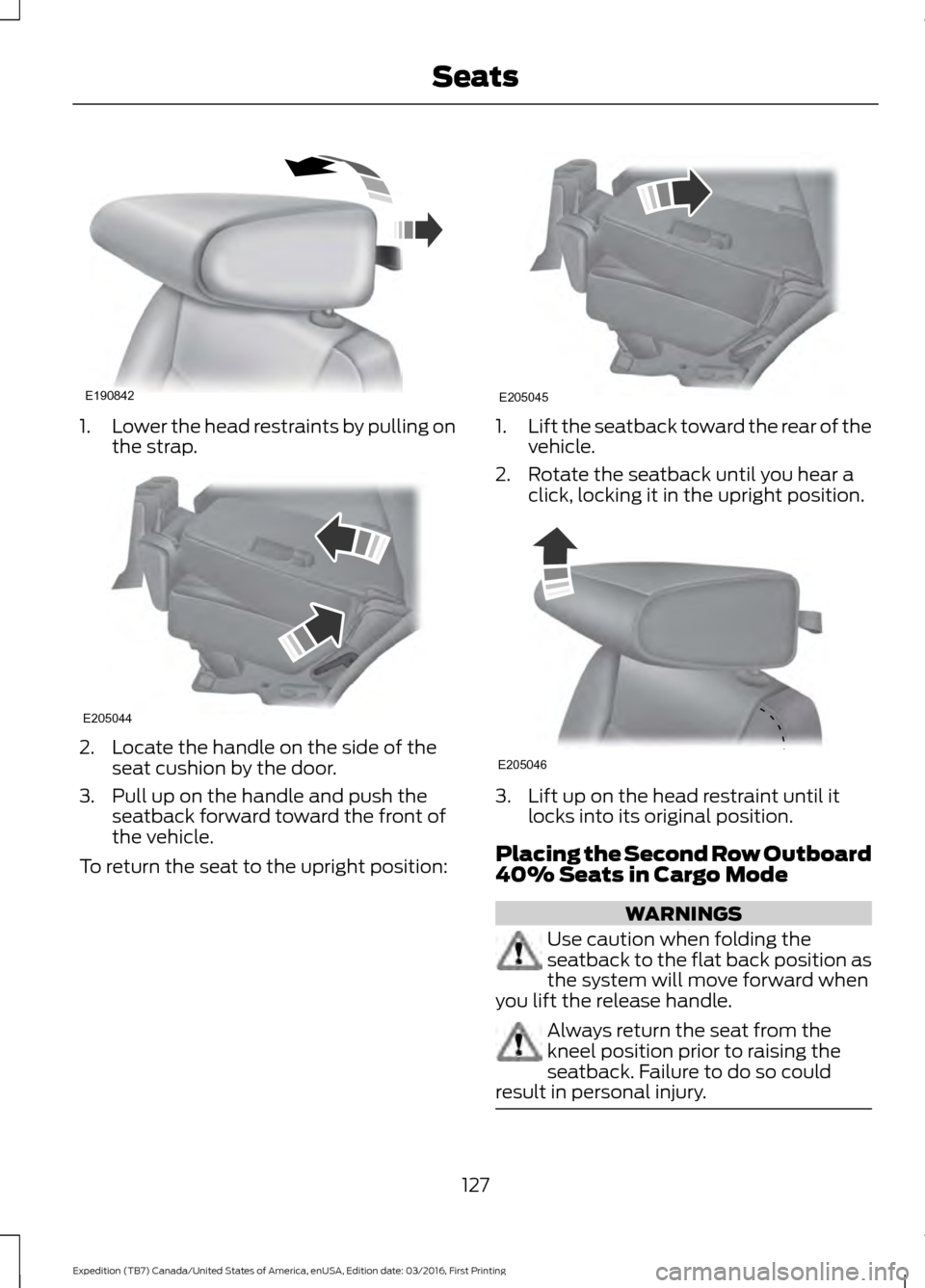
1.
Lower the head restraints by pulling on
the strap. 2. Locate the handle on the side of the
seat cushion by the door.
3. Pull up on the handle and push the seatback forward toward the front of
the vehicle.
To return the seat to the upright position: 1.
Lift the seatback toward the rear of the
vehicle.
2. Rotate the seatback until you hear a click, locking it in the upright position. 3. Lift up on the head restraint until it
locks into its original position.
Placing the Second Row Outboard
40% Seats in Cargo Mode WARNINGS
Use caution when folding the
seatback to the flat back position as
the system will move forward when
you lift the release handle. Always return the seat from the
kneel position prior to raising the
seatback. Failure to do so could
result in personal injury. 127
Expedition (TB7) Canada/United States of America, enUSA, Edition date: 03/2016, First Printing SeatsE190842 E205044 E205045 E205046
Page 131 of 500
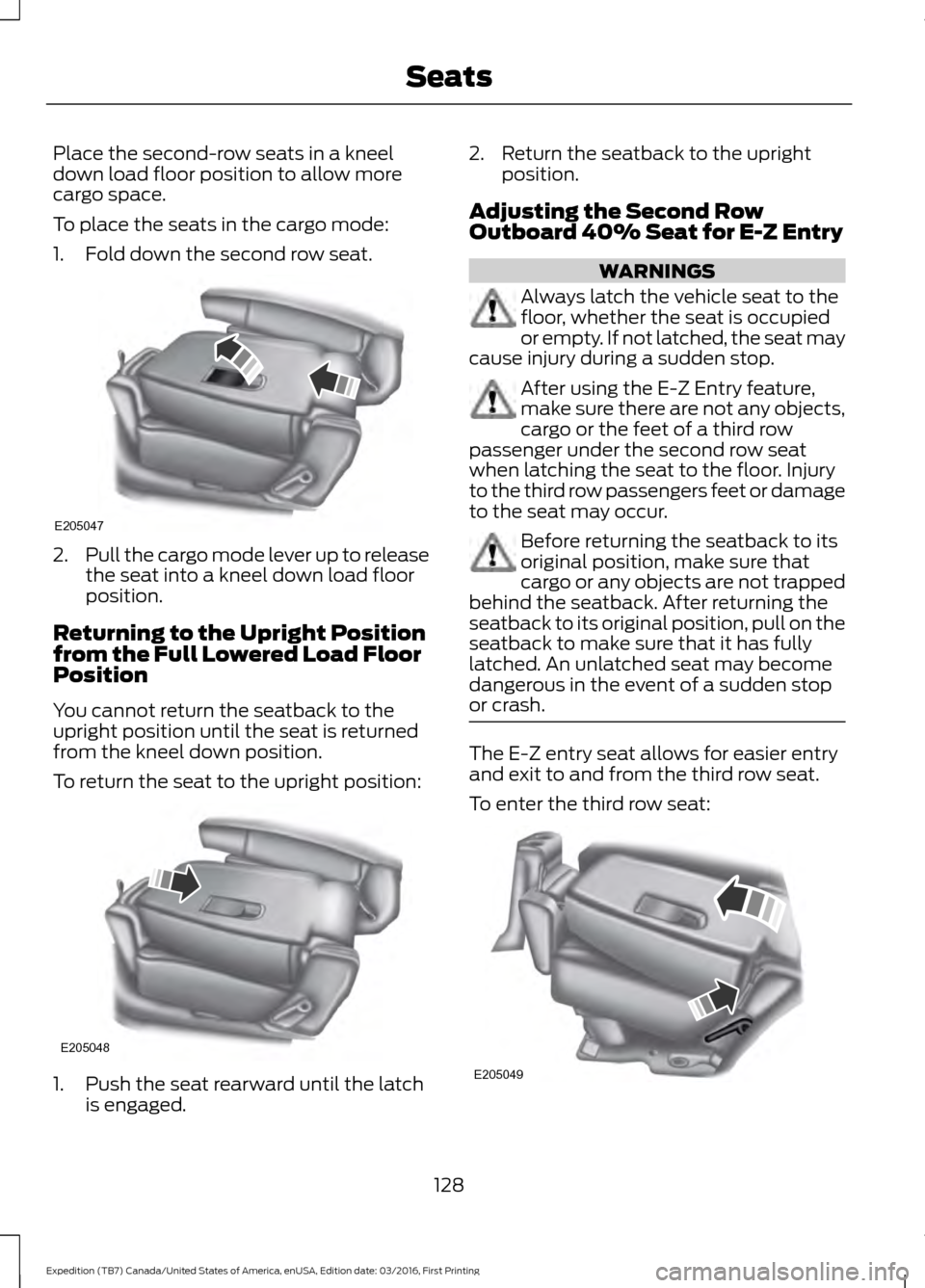
Place the second-row seats in a kneel
down load floor position to allow more
cargo space.
To place the seats in the cargo mode:
1. Fold down the second row seat.
2.
Pull the cargo mode lever up to release
the seat into a kneel down load floor
position.
Returning to the Upright Position
from the Full Lowered Load Floor
Position
You cannot return the seatback to the
upright position until the seat is returned
from the kneel down position.
To return the seat to the upright position: 1. Push the seat rearward until the latch
is engaged. 2. Return the seatback to the upright
position.
Adjusting the Second Row
Outboard 40% Seat for E-Z Entry WARNINGS
Always latch the vehicle seat to the
floor, whether the seat is occupied
or empty. If not latched, the seat may
cause injury during a sudden stop. After using the E-Z Entry feature,
make sure there are not any objects,
cargo or the feet of a third row
passenger under the second row seat
when latching the seat to the floor. Injury
to the third row passengers feet or damage
to the seat may occur. Before returning the seatback to its
original position, make sure that
cargo or any objects are not trapped
behind the seatback. After returning the
seatback to its original position, pull on the
seatback to make sure that it has fully
latched. An unlatched seat may become
dangerous in the event of a sudden stop
or crash. The E-Z entry seat allows for easier entry
and exit to and from the third row seat.
To enter the third row seat:
128
Expedition (TB7) Canada/United States of America, enUSA, Edition date: 03/2016, First Printing SeatsE205047 E205048 E205049
Page 141 of 500
Gate Operator / Canadian
Programming
Canadian radio-frequency laws require
transmitter signals to
“time-out” (or quit)
after several seconds of transmission –
which may not be long enough for
HomeLink to pick up the signal during
programming. Similar to this Canadian law,
some U.S. gate operators are designed to
“time-out” in the same manner.
Note: If programming a garage door opener
or gate operator, it is advised to unplug the
device during the “cycling” process to
prevent possible overheating.
1. Press and hold the HomeLink button while you press and release, every two
seconds, your hand-held transmitter
until the HomeLink indicator light
changes from a slow to a rapidly
blinking light.
2. Release both the HomeLink and hand-held transmitter buttons.
3. Continue programing HomeLink. See In-Vehicle Programming
.
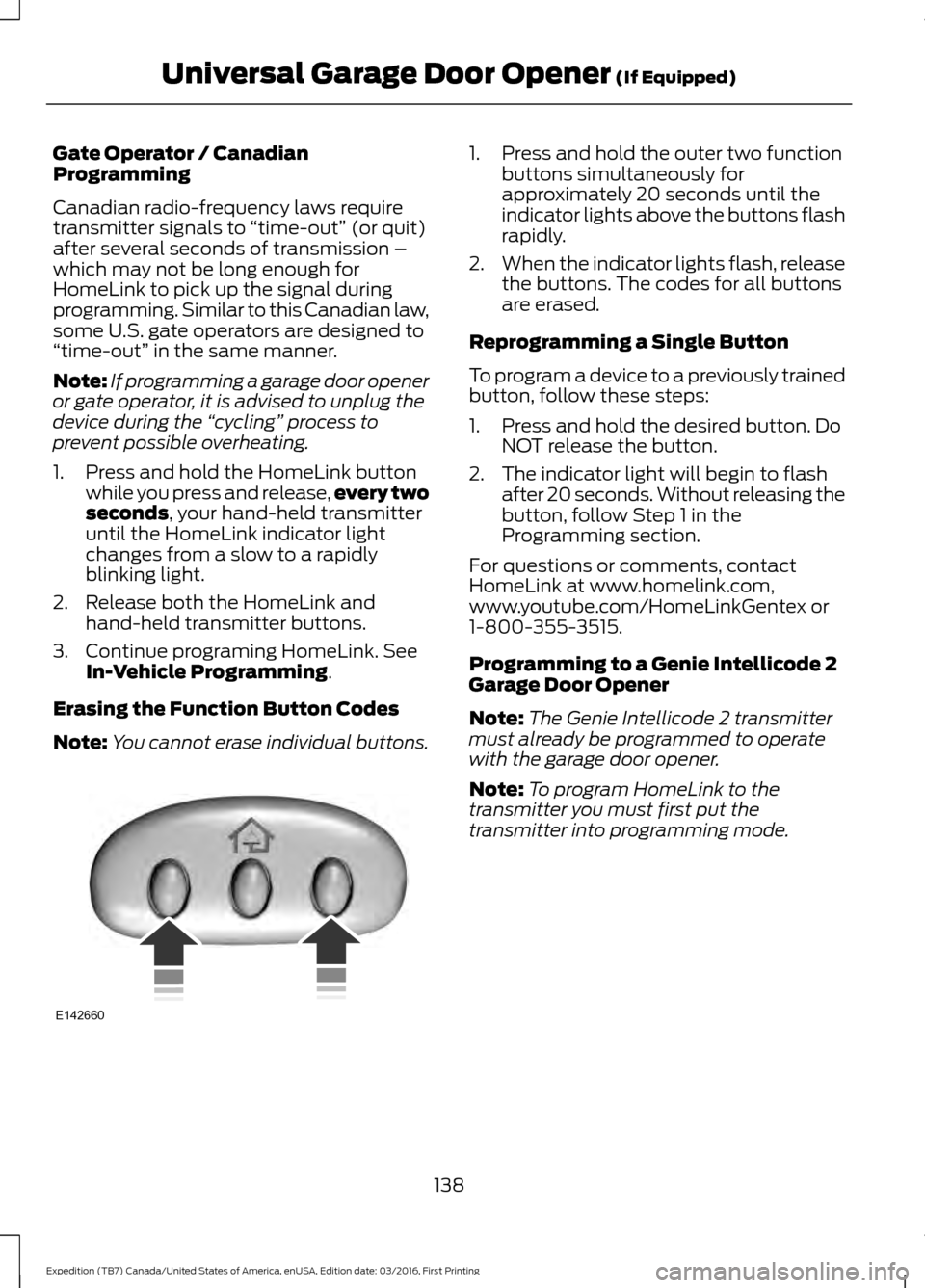
Erasing the Function Button Codes
Note: You cannot erase individual buttons. 1. Press and hold the outer two function
buttons simultaneously for
approximately 20 seconds until the
indicator lights above the buttons flash
rapidly.
2. When the indicator lights flash, release
the buttons. The codes for all buttons
are erased.
Reprogramming a Single Button
To program a device to a previously trained
button, follow these steps:
1. Press and hold the desired button. Do NOT release the button.
2. The indicator light will begin to flash after 20 seconds. Without releasing the
button, follow Step 1 in the
Programming section.
For questions or comments, contact
HomeLink at www.homelink.com,
www.youtube.com/HomeLinkGentex or
1-800-355-3515.
Programming to a Genie Intellicode 2
Garage Door Opener
Note: The Genie Intellicode 2 transmitter
must already be programmed to operate
with the garage door opener.
Note: To program HomeLink to the
transmitter you must first put the
transmitter into programming mode.
138
Expedition (TB7) Canada/United States of America, enUSA, Edition date: 03/2016, First Printing Universal Garage Door Opener
(If Equipped)E142660
Page 142 of 500
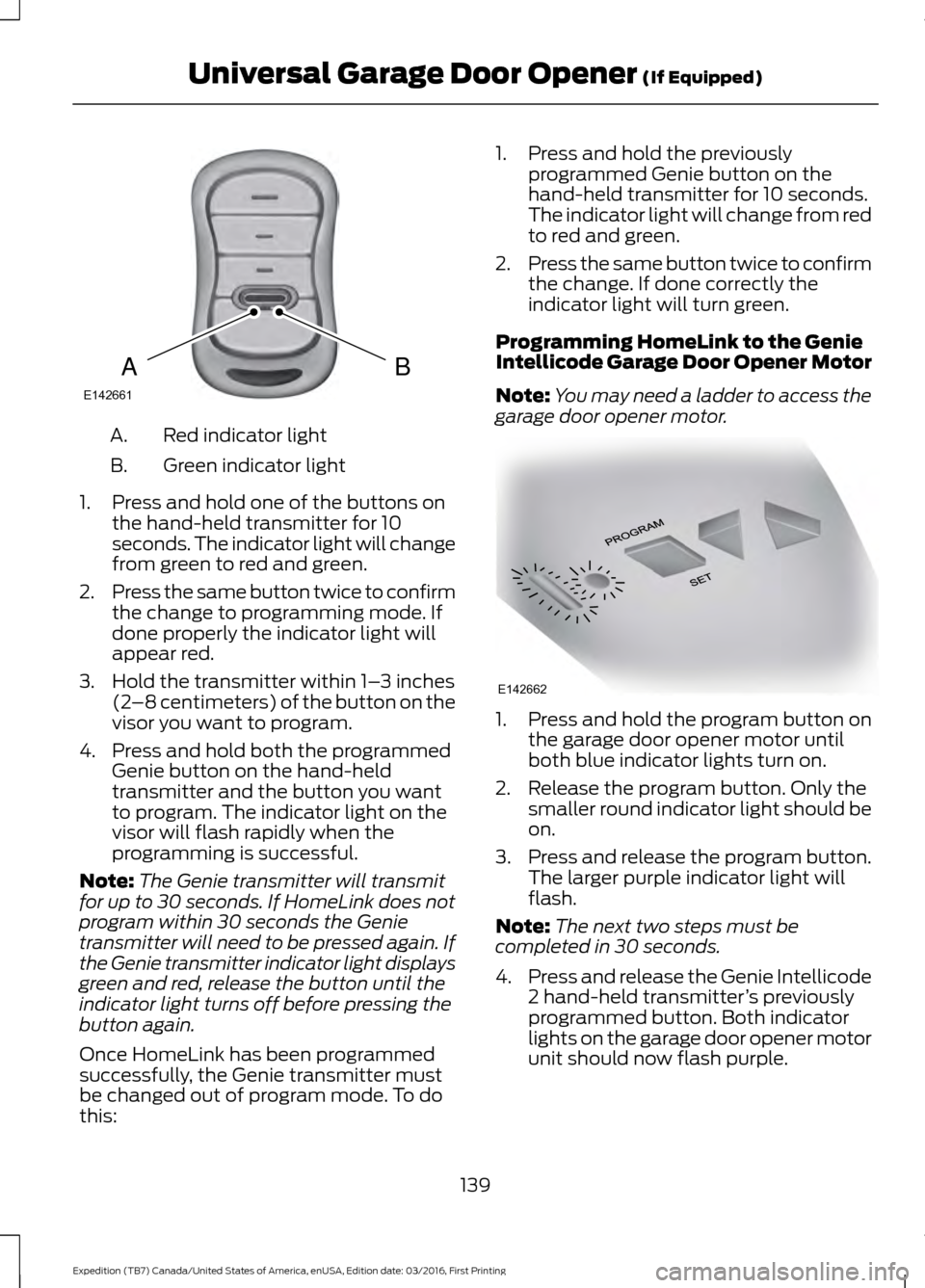
Red indicator light
A.
Green indicator light
B.
1. Press and hold one of the buttons on the hand-held transmitter for 10
seconds. The indicator light will change
from green to red and green.
2. Press the same button twice to confirm
the change to programming mode. If
done properly the indicator light will
appear red.
3. Hold the transmitter within 1– 3 inches
(2 –8 centimeters) of the button on the
visor you want to program.
4. Press and hold both the programmed Genie button on the hand-held
transmitter and the button you want
to program. The indicator light on the
visor will flash rapidly when the
programming is successful.
Note: The Genie transmitter will transmit
for up to 30 seconds. If HomeLink does not
program within 30 seconds the Genie
transmitter will need to be pressed again. If
the Genie transmitter indicator light displays
green and red, release the button until the
indicator light turns off before pressing the
button again.
Once HomeLink has been programmed
successfully, the Genie transmitter must
be changed out of program mode. To do
this: 1. Press and hold the previously
programmed Genie button on the
hand-held transmitter for 10 seconds.
The indicator light will change from red
to red and green.
2. Press the same button twice to confirm
the change. If done correctly the
indicator light will turn green.
Programming HomeLink to the Genie
Intellicode Garage Door Opener Motor
Note: You may need a ladder to access the
garage door opener motor. 1. Press and hold the program button on
the garage door opener motor until
both blue indicator lights turn on.
2. Release the program button. Only the smaller round indicator light should be
on.
3. Press and release the program button.
The larger purple indicator light will
flash.
Note: The next two steps must be
completed in 30 seconds.
4. Press and release the Genie Intellicode
2 hand-held transmitter ’s previously
programmed button. Both indicator
lights on the garage door opener motor
unit should now flash purple.
139
Expedition (TB7) Canada/United States of America, enUSA, Edition date: 03/2016, First Printing Universal Garage Door Opener (If Equipped)BAE142661 E142662
Page 143 of 500
5. Press and hold the previously
programmed button on the visor for 2
seconds. Repeat this step up to 3 times
until the garage door moves.
Programming is now complete.
Clearing a HomeLink Device
To erase programming from the three
HomeLink buttons press and hold the two
outer HomeLink buttons until the indicator
light begins to flash. The indicator light will
begin flashing in 10 to 20 seconds, at which
time both buttons should be released.
Programming has now been erased, and
the indicator light should blink slowly to
indicate the device is in train mode when
any of the three HomeLink buttons are
pressed.
FCC and RSS-210 Industry Canada
Compliance
This device complies with Part 15 of the
FCC Rules and with RSS-210 of Industry
Canada. Operation is subject to the
following two conditions: (1) this device
may not cause harmful interference, and
(2) this device must accept any
interference received, including
interference that may cause undesired
operation.
Changes or modifications to your device
not expressly approved by the party
responsible for compliance can void the
user ’s authority to operate the equipment.
140
Expedition (TB7) Canada/United States of America, enUSA, Edition date: 03/2016, First Printing Universal Garage Door Opener (If Equipped)
Page 148 of 500
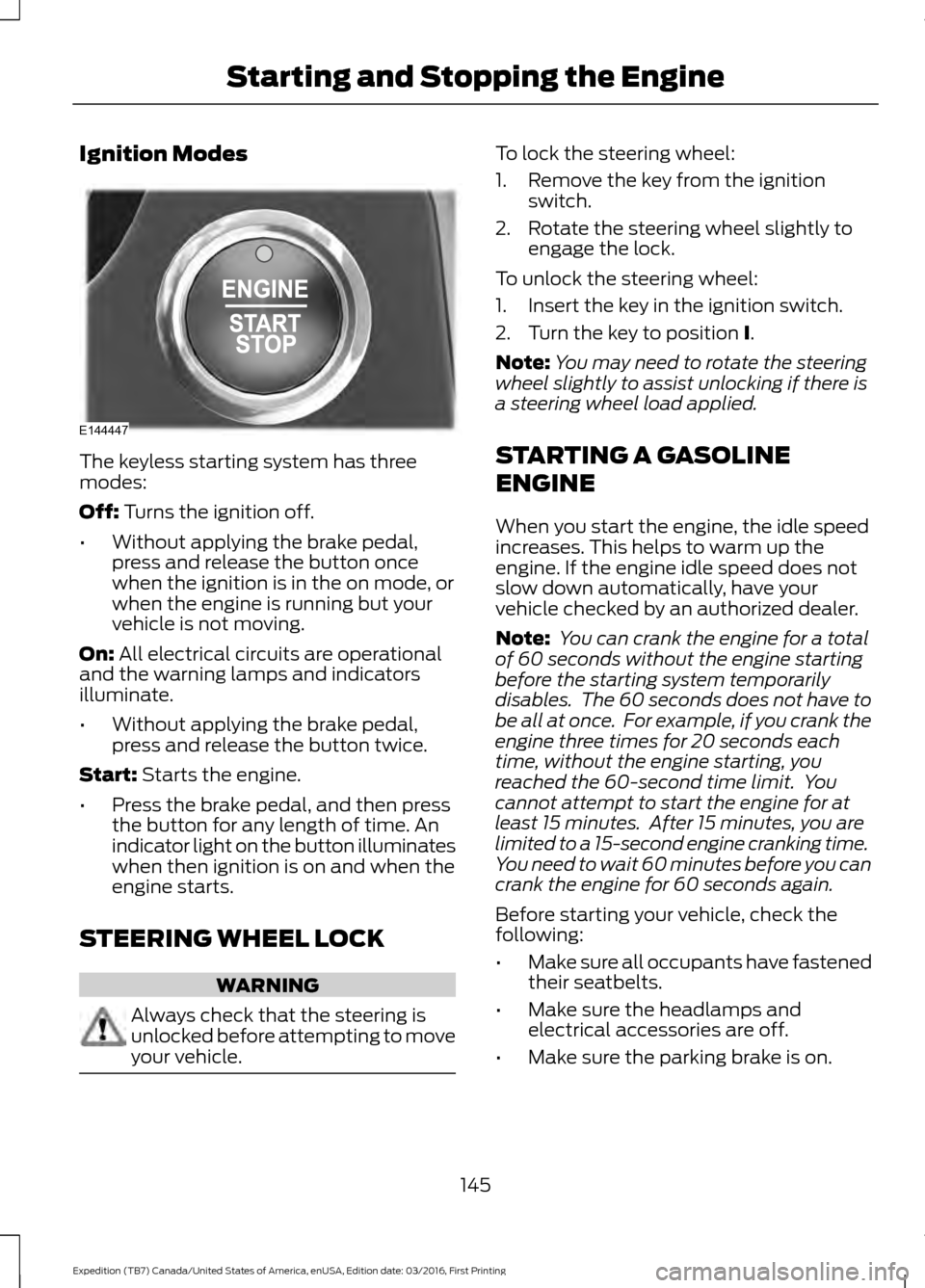
Ignition Modes
The keyless starting system has three
modes:
Off: Turns the ignition off.
• Without applying the brake pedal,
press and release the button once
when the ignition is in the on mode, or
when the engine is running but your
vehicle is not moving.
On:
All electrical circuits are operational
and the warning lamps and indicators
illuminate.
• Without applying the brake pedal,
press and release the button twice.
Start:
Starts the engine.
• Press the brake pedal, and then press
the button for any length of time. An
indicator light on the button illuminates
when then ignition is on and when the
engine starts.
STEERING WHEEL LOCK WARNING
Always check that the steering is
unlocked before attempting to move
your vehicle. To lock the steering wheel:
1. Remove the key from the ignition
switch.
2. Rotate the steering wheel slightly to engage the lock.
To unlock the steering wheel:
1. Insert the key in the ignition switch.
2. Turn the key to position
I.
Note: You may need to rotate the steering
wheel slightly to assist unlocking if there is
a steering wheel load applied.
STARTING A GASOLINE
ENGINE
When you start the engine, the idle speed
increases. This helps to warm up the
engine. If the engine idle speed does not
slow down automatically, have your
vehicle checked by an authorized dealer.
Note: You can crank the engine for a total
of 60 seconds without the engine starting
before the starting system temporarily
disables. The 60 seconds does not have to
be all at once. For example, if you crank the
engine three times for 20 seconds each
time, without the engine starting, you
reached the 60-second time limit. You
cannot attempt to start the engine for at
least 15 minutes. After 15 minutes, you are
limited to a 15-second engine cranking time.
You need to wait 60 minutes before you can
crank the engine for 60 seconds again.
Before starting your vehicle, check the
following:
• Make sure all occupants have fastened
their seatbelts.
• Make sure the headlamps and
electrical accessories are off.
• Make sure the parking brake is on.
145
Expedition (TB7) Canada/United States of America, enUSA, Edition date: 03/2016, First Printing Starting and Stopping the EngineE144447
Page 163 of 500
Second (2)
Transmission operates in second (2) gear
only. Use second (2) gear to start-up on
slippery roads.
First (1)
•
Transmission operates in first (1) gear
only.
• Provides maximum engine braking.
• Allows upshifts by moving gearshift
lever.
• Will not downshift into first (1) gear at
high speeds; allows for first (1) gear
when vehicle reaches slower speeds.
Tow/Haul Mode WARNING
Do not use the tow/haul feature
when driving in icy or slippery
conditions as the increased engine
braking can cause the rear wheels to slide
and your vehicle to swing around with the
possible loss of vehicle control. To activate tow/haul, press the
button on the gearshift lever
once. The TOW HAUL indicator
light will illuminate in the instrument
cluster. The tow/haul feature:
•
Delays upshifts to reduce the frequency
of transmission shifting.
• Provides engine braking in all forward
gears, which will slow your vehicle and
assist you in controlling your vehicle
when descending a grade.
• Depending on driving conditions and
load conditions, may downshift the
transmission, slow your vehicle and
control your vehicle speed when
descending a hill, without pressing the
accelerator pedal. The amount of
downshift braking provided will vary
based upon the amount the brake
pedal is pressed.
The tow/haul feature improves
transmission operation when towing a
trailer or a heavy load. All transmission
gear ranges are available when using
tow/haul.
To deactivate the tow/haul feature and
return to normal driving mode, press the
button on the gearshift lever twice. The
TOW HAUL light will deactivate. Tow/haul
will also deactivate when you power down
your vehicle.
Forced Downshifts
• Allowed in drive (D) with the tow/haul
feature on or off.
• Press the accelerator to the floor.
• Allows transmission to select an
appropriate gear.
160
Expedition (TB7) Canada/United States of America, enUSA, Edition date: 03/2016, First Printing TransmissionE161509
Page 164 of 500
Automatic Transmission Adaptive
Learning
This feature may increase durability and
provide consistent shift feel over the life
of your vehicle. A new vehicle or
transmission may have firm shifts, soft
shifts or both. This operation is considered
normal and will not affect function or
durability of the transmission. Over time,
the adaptive learning process will fully
update transmission operation.
SelectShift™ Automatic
Transmission (If Equipped)
This feature gives you the ability to change
gears up or down as desired.
As long as the engine speed does not
exceed the maximum allowable limit you
can downshift. SelectShift automatically
downshifts at low engine speeds in order
to prevent engine stalls.
Note: Engine damage may occur if you
maintain excessive engine revving without
shifting.
SelectShift does not automatically upshift,
even if the engine is approaching the RPM
limit, unless the accelerator pedal is at full
travel. Take notice of the shift indicator
lamp, which alerts you when to shift to
make sure you achieve the highest level of
efficiency and fuel economy.
Press the + toggle switch on the side
of the gearshift lever to activate
SelectShift.
• Press the (+) button to upshift.
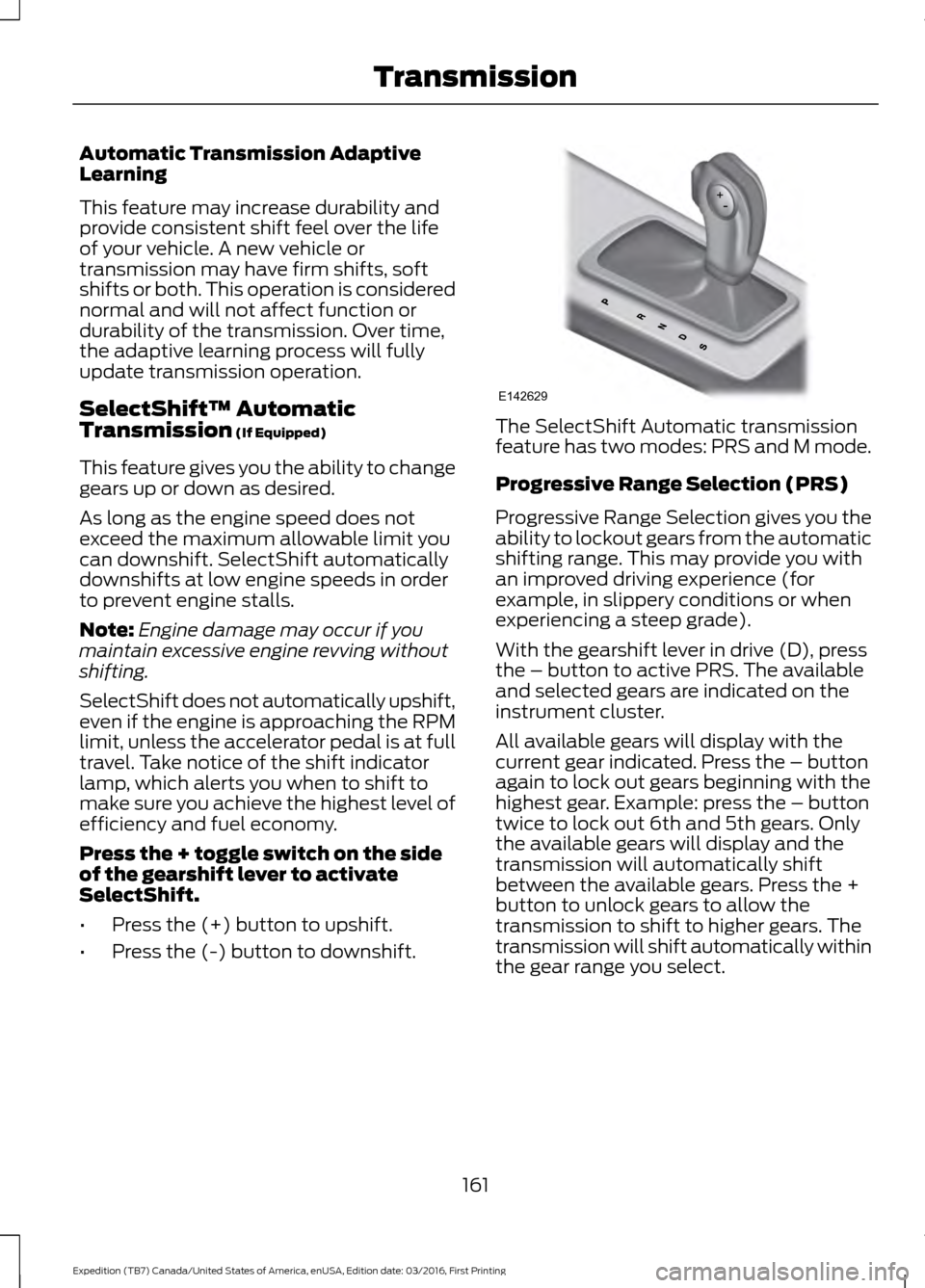
• Press the (-) button to downshift. The SelectShift Automatic transmission
feature has two modes: PRS and M mode.
Progressive Range Selection (PRS)
Progressive Range Selection gives you the
ability to lockout gears from the automatic
shifting range. This may provide you with
an improved driving experience (for
example, in slippery conditions or when
experiencing a steep grade).
With the gearshift lever in drive (D), press
the – button to active PRS. The available
and selected gears are indicated on the
instrument cluster.
All available gears will display with the
current gear indicated. Press the – button
again to lock out gears beginning with the
highest gear. Example: press the – button
twice to lock out 6th and 5th gears. Only
the available gears will display and the
transmission will automatically shift
between the available gears. Press the +
button to unlock gears to allow the
transmission to shift to higher gears. The
transmission will shift automatically within
the gear range you select.
161
Expedition (TB7) Canada/United States of America, enUSA, Edition date: 03/2016, First Printing TransmissionE142629
Page 168 of 500
USING FOUR-WHEEL DRIVE
WARNING
For important information regarding
safe operation of this type of vehicle,
see General Information in the
Wheels and Tires chapter. Note:
Do not use 4H or 4L mode on dry,
hard surfaced roads. Doing so will produce
excessive noise, increase tire wear and may
damage drive components. 4H and 4L mode
is only intended for consistently slippery or
loose surfaces.
Note: If 4L mode is selected while your
vehicle is moving above 3 mph (5 km/h),
the 4WD system will not perform a shift.
This is normal and should be no reason for
concern. Refer to Shifting to or from 4L for
proper operation.
4WD Indicator Lights
The indicator lights illuminate in the
information display in the reconfigurable
telltale (RTT) location under the following
conditions. See
Warning Lamps and
Indicators (page 87).
Note: When a 4X4 system fault is present,
the system will typically remain in whichever
4WD mode was selected prior to the fault
condition occurring. It will not default to 4X2
in all circumstances. When this warning is
displayed, have your vehicle serviced by an
authorized dealer.
4X2 Momentarily illuminates when
2H is selected.
4X4 AUTO Continuously illuminates when
4A is selected. 4X4 HIGH Continuously illuminates when
4H is selected.
4X4 LOW Continuously illuminates when
4L is selected.
4WD Switch Positions WARNING
Utility and four-wheel drive vehicles
are not designed for cornering at
speeds as high as passenger cars any
more than low-slung sports cars are
designed to perform satisfactorily under
off-road conditions. Avoid sharp turns or
abrupt maneuvers in these vehicles. Note:
If your vehicle is equipped with
AdvanceTrac® with RSC®, the system will
automatically turn off the stability
enhancement feature when you shift the
4WD system into 4L (4X4 LOW). You can
manually turn the system off by pressing
the AdvanceTrac button. See Using
Traction Control (page 176). This will
disable the engine management feature,
allowing the vehicle to maintain full power
and enhanced momentum through the
obstacle. The brake traction enhancement
feature will still be enabled.
Note: The Control Trac® selector switch
should not be changed while the rear wheels
are slipping.
165
Expedition (TB7) Canada/United States of America, enUSA, Edition date: 03/2016, First Printing Four-Wheel Drive
(If Equipped)E181778 E181781 E181779 E181780
Page 169 of 500
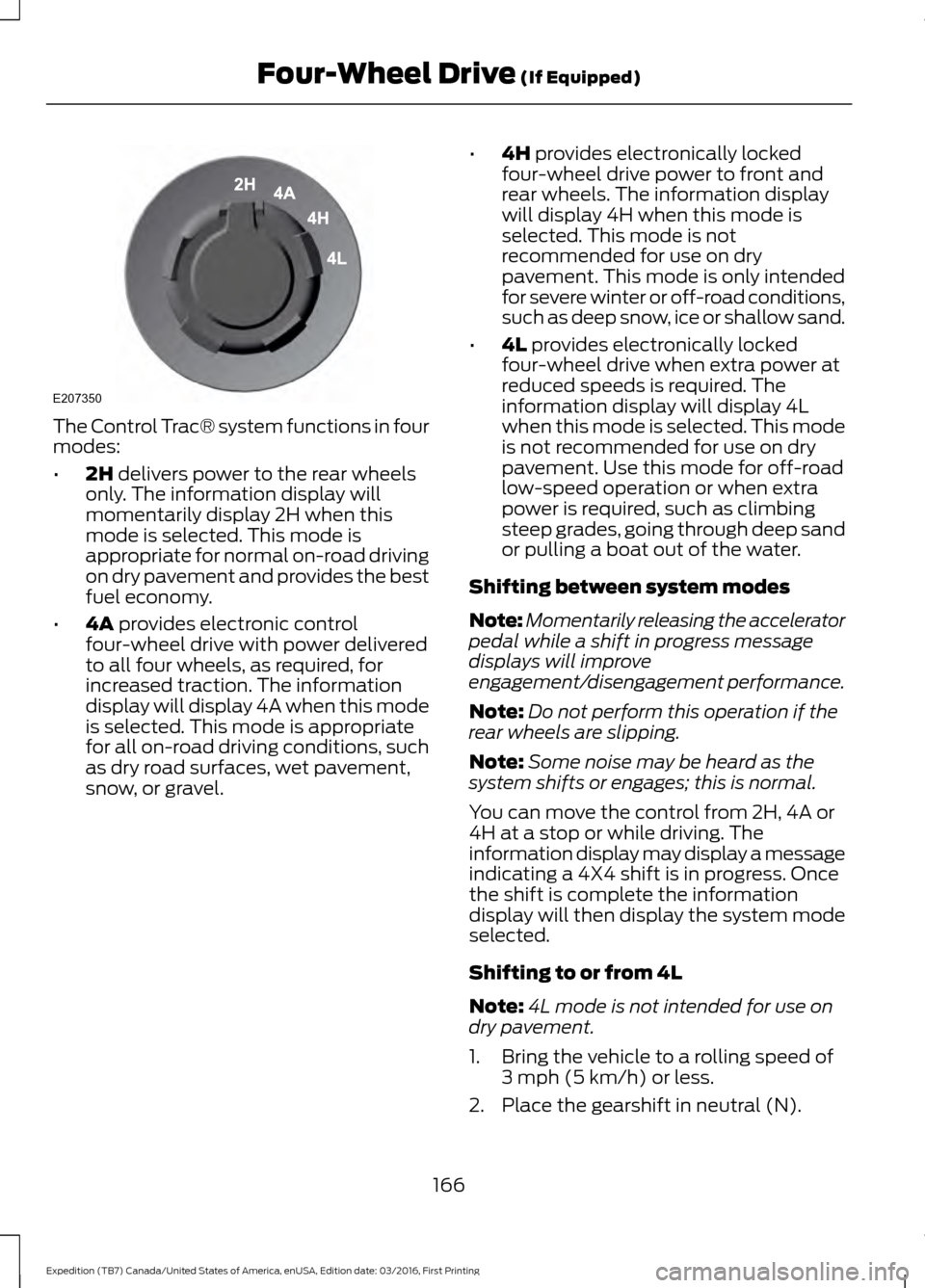
The Control Trac® system functions in four
modes:
•
2H delivers power to the rear wheels
only. The information display will
momentarily display 2H when this
mode is selected. This mode is
appropriate for normal on-road driving
on dry pavement and provides the best
fuel economy.
• 4A
provides electronic control
four-wheel drive with power delivered
to all four wheels, as required, for
increased traction. The information
display will display 4A when this mode
is selected. This mode is appropriate
for all on-road driving conditions, such
as dry road surfaces, wet pavement,
snow, or gravel. •
4H
provides electronically locked
four-wheel drive power to front and
rear wheels. The information display
will display 4H when this mode is
selected. This mode is not
recommended for use on dry
pavement. This mode is only intended
for severe winter or off-road conditions,
such as deep snow, ice or shallow sand.
• 4L
provides electronically locked
four-wheel drive when extra power at
reduced speeds is required. The
information display will display 4L
when this mode is selected. This mode
is not recommended for use on dry
pavement. Use this mode for off-road
low-speed operation or when extra
power is required, such as climbing
steep grades, going through deep sand
or pulling a boat out of the water.
Shifting between system modes
Note: Momentarily releasing the accelerator
pedal while a shift in progress message
displays will improve
engagement/disengagement performance.
Note: Do not perform this operation if the
rear wheels are slipping.
Note: Some noise may be heard as the
system shifts or engages; this is normal.
You can move the control from 2H, 4A or
4H at a stop or while driving. The
information display may display a message
indicating a 4X4 shift is in progress. Once
the shift is complete the information
display will then display the system mode
selected.
Shifting to or from 4L
Note: 4L mode is not intended for use on
dry pavement.
1. Bring the vehicle to a rolling speed of 3 mph (5 km/h)
or less.
2. Place the gearshift in neutral (N).
166
Expedition (TB7) Canada/United States of America, enUSA, Edition date: 03/2016, First Printing Four-Wheel Drive
(If Equipped)E207350