ignition FORD EXPEDITION 2018 Owners Manual
[x] Cancel search | Manufacturer: FORD, Model Year: 2018, Model line: EXPEDITION, Model: FORD EXPEDITION 2018Pages: 571, PDF Size: 25.8 MB
Page 465 of 571
Menu Item
The waypoint list then appears and you are
able to re-order all of your waypoints by
selecting the menu icon on the right hand
side of the location. You can select up to
five waypoints.
Add Waypoint
Optimize Order
You can also have the system set the order
for you by pressing:
Go
To return to your route, press:
SYNC AppLink
The AppLink app allows you to use some
SYNC 3 navigation features on your phone.
First Mile Navigation
When you switch your ignition off, the
location of your vehicle is recorded and
sent to your SYNC AppLink app. The
location of your vehicle can be viewed
within the app. You can also view walking
directions to your vehicle.
Last Mile Navigation
When you park near your destination, the
system provides walking directions to your
destination.
POI Search
Your paired phone can be used to access
additional points of interest (POI). These
points of interest can only be access when
your phone is paired.
Send To Car
You can send destinations to your
navigation system using a computer or
phone using AppLink. cityseeker (If Equipped)
Note: cityseeker point of interest (POI)
information is limited to approximately 1,110
cities (1,049 in the United States, 36 in
Canada and 15 in Mexico). cityseeker, when available, is a service that
provides more information about certain
points of interest such as restaurants,
hotels and attractions.
When you have selected a point of interest,
the location and information appear, such
as address, phone number and a star
rating.
Press
More Information to see a photo,
a review, a list of services and facilities, the
average room or meal price and the web
address. This screen displays the point of
interest icons.
462
Expedition (TB8) Canada/United States of America, enUSA, Edition date: 201708, Third-Printing- SYNC™ 3E225487
Page 481 of 571

Action and Description
Menu Item
Allows you to turn the hotspot on and off.
Wi-Fi Hotspot
On/Off
Allows you to view and edit hotspot settings such as the SSID and
password.
Settings
Allows you to view your vehicle's hotspot plan and data usage.
Data Usage
Allows you to manage devices connected to your hotspot.
Manage Devices
Note: The Vehicle Wi-Fi Hotspot (Vehicle
Hotspot) may be operational while ignition
is On and may remain operational while the
ignition is Off.
Note: Vehicle Hotspot services are provided
by the vehicle network carrier, subject to
your vehicle network carrier agreement,
coverage and availability.
Note: It is the account owner ’s
responsibility to remove the vehicle from
the vehicle network carrier account when
ownership of the vehicle is transferred. If the
owner would like to remove the vehicle from
the account for any reason, please contact
your vehicle network carrier for more
information.
Note: Data, such as the Vehicle
Identification Number (VIN), SIM Card ID,
and data plan usage, is shared between us
and the vehicle network carrier to provide
the Vehicle Hotspot service in accordance
with your vehicle network carrier agreement,
coverage and availability, and may be used
to enable a seamless transition from an old
to new embedded modem and to confirm
any updates are successfully delivered.
Note: For your convenience data usage may
be available for monitoring under Settings
but may not reflect actual or current usage.
The vehicle network carrier is responsible
for providing information about your
account. Please contact the vehicle network
carrier for more information. Note:
We may need to update operating
system software on your vehicle, including
security updates and bug fixes, to keep
connected services current, like Vehicle
Hotspot, without prior notice to you.
Ambient Lighting (If Equipped)
Tap a color once to active ambient lighting.
This sets the color to the highest intensity.
You can drag the colors up and down to
increase or decrease the intensity.
To switch ambient lighting off, press the
active color once or drag the active color
all the way down to zero intensity.
Vehicle
Note: Your vehicle may not have all of
these features.
You can select the following features to
update their settings.
Door Keypad Code
Select this button to add or erase a
personal door keypad code. To add or
erase a personal code, you first need to
enter the five-digit factory set code. You
can find this code on the owner's wallet
card in the glove box or from your
authorized dealer.
478
Expedition (TB8) Canada/United States of America, enUSA, Edition date: 201708, Third-Printing- SYNC™ 3
Page 490 of 571
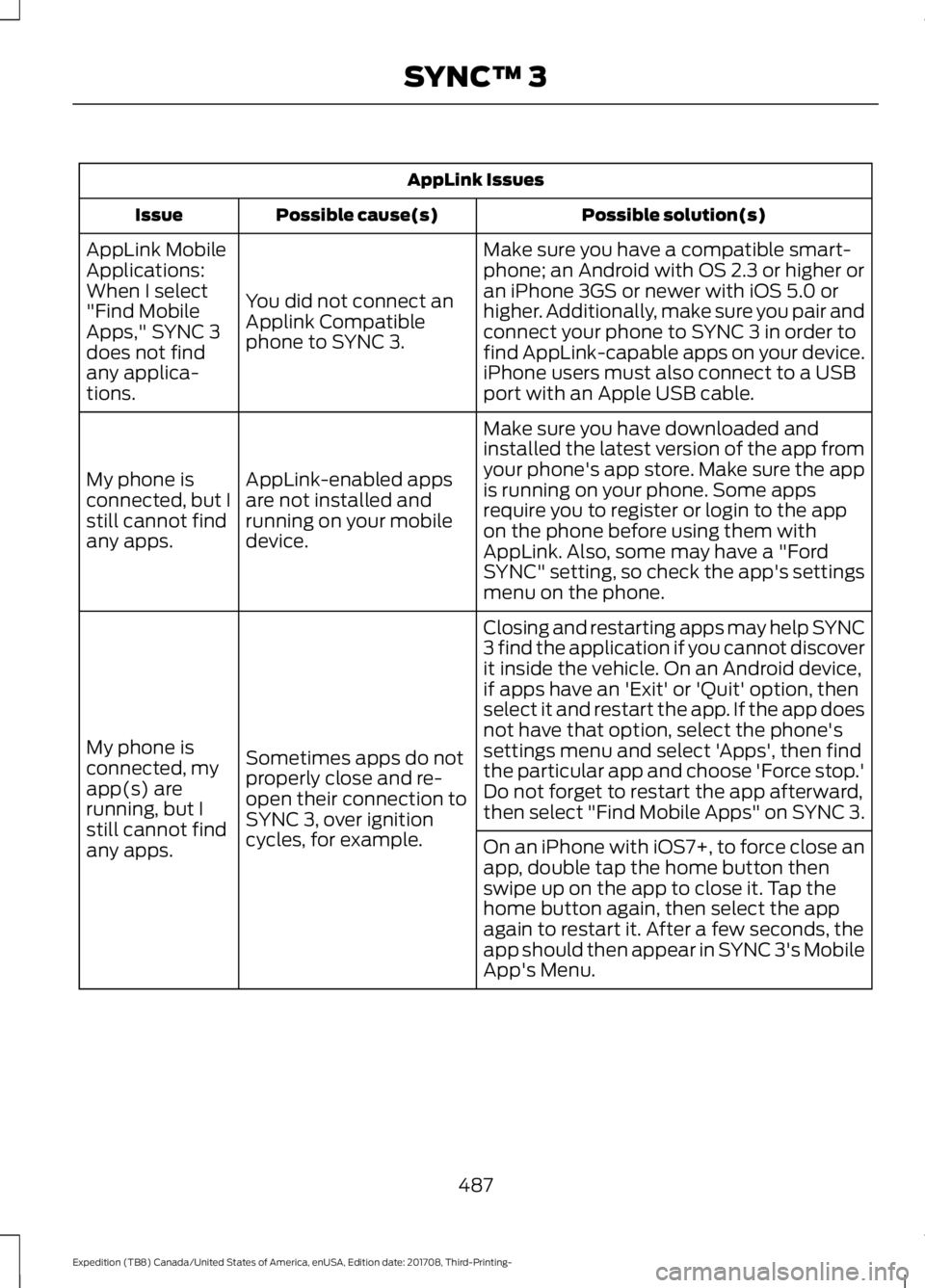
AppLink Issues
Possible solution(s)
Possible cause(s)
Issue
Make sure you have a compatible smart-
phone; an Android with OS 2.3 or higher or
an iPhone 3GS or newer with iOS 5.0 or
higher. Additionally, make sure you pair and
connect your phone to SYNC 3 in order to
find AppLink-capable apps on your device.
iPhone users must also connect to a USB
port with an Apple USB cable.
You did not connect an
Applink Compatible
phone to SYNC 3.
AppLink Mobile
Applications:
When I select
"Find Mobile
Apps," SYNC 3
does not find
any applica-
tions.
Make sure you have downloaded and
installed the latest version of the app from
your phone's app store. Make sure the app
is running on your phone. Some apps
require you to register or login to the app
on the phone before using them with
AppLink. Also, some may have a "Ford
SYNC" setting, so check the app's settings
menu on the phone.
AppLink-enabled apps
are not installed and
running on your mobile
device.
My phone is
connected, but I
still cannot find
any apps.
Closing and restarting apps may help SYNC
3 find the application if you cannot discover
it inside the vehicle. On an Android device,
if apps have an 'Exit' or 'Quit' option, then
select it and restart the app. If the app does
not have that option, select the phone's
settings menu and select 'Apps', then find
the particular app and choose 'Force stop.'
Do not forget to restart the app afterward,
then select "Find Mobile Apps" on SYNC 3.
Sometimes apps do not
properly close and re-
open their connection to
SYNC 3, over ignition
cycles, for example.
My phone is
connected, my
app(s) are
running, but I
still cannot find
any apps.
On an iPhone with iOS7+, to force close an
app, double tap the home button then
swipe up on the app to close it. Tap the
home button again, then select the app
again to restart it. After a few seconds, the
app should then appear in SYNC 3's Mobile
App's Menu.
487
Expedition (TB8) Canada/United States of America, enUSA, Edition date: 201708, Third-Printing- SYNC™ 3
Page 494 of 571
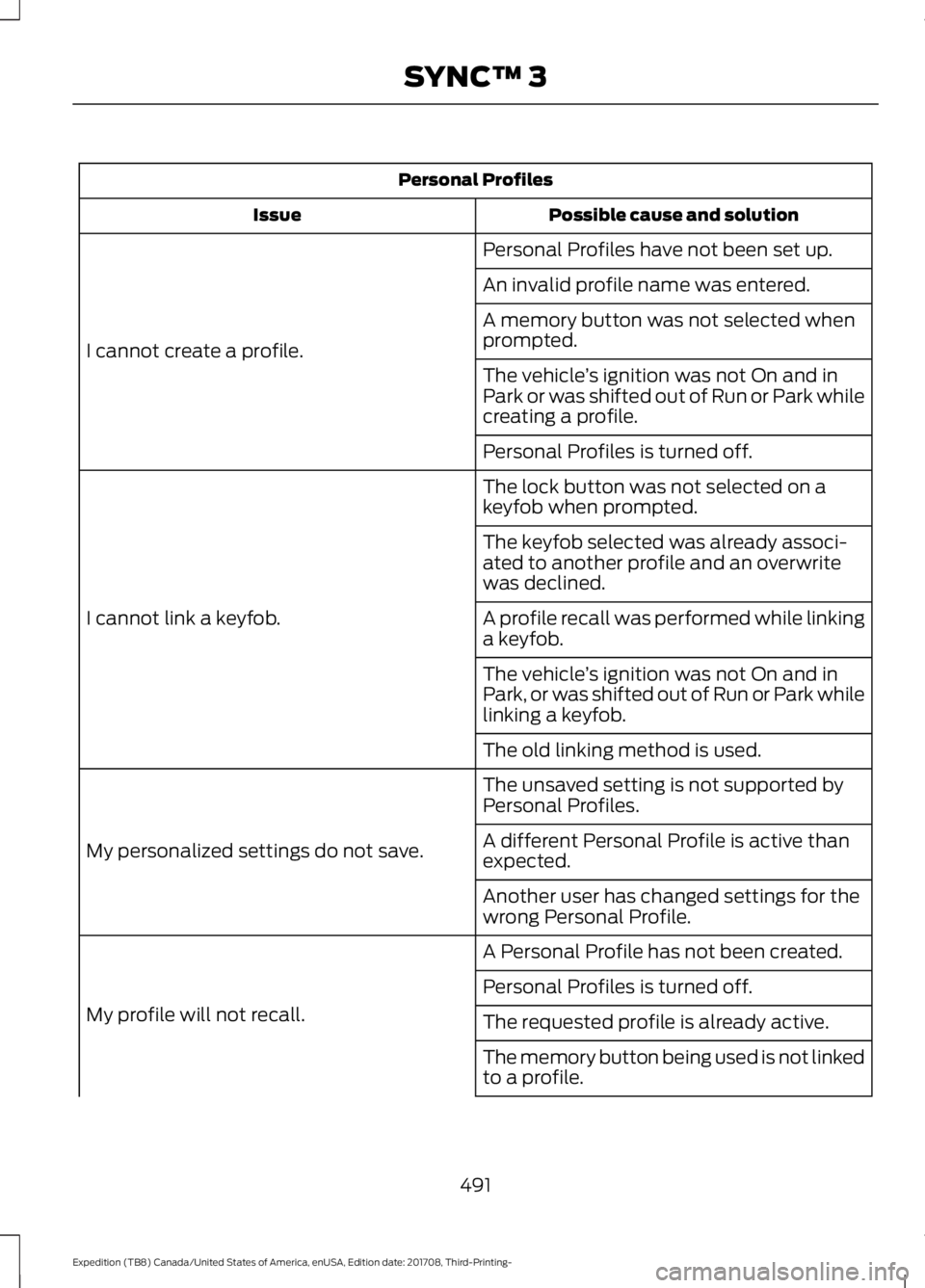
Personal Profiles
Possible cause and solution
Issue
Personal Profiles have not been set up.
I cannot create a profile. An invalid profile name was entered.
A memory button was not selected when
prompted.
The vehicle
’s ignition was not On and in
Park or was shifted out of Run or Park while
creating a profile.
Personal Profiles is turned off.
The lock button was not selected on a
keyfob when prompted.
I cannot link a keyfob. The keyfob selected was already associ-
ated to another profile and an overwrite
was declined.
A profile recall was performed while linking
a keyfob.
The vehicle
’s ignition was not On and in
Park, or was shifted out of Run or Park while
linking a keyfob.
The old linking method is used.
The unsaved setting is not supported by
Personal Profiles.
My personalized settings do not save. A different Personal Profile is active than
expected.
Another user has changed settings for the
wrong Personal Profile.
A Personal Profile has not been created.
My profile will not recall. Personal Profiles is turned off.
The requested profile is already active.
The memory button being used is not linked
to a profile.
491
Expedition (TB8) Canada/United States of America, enUSA, Edition date: 201708, Third-Printing- SYNC™ 3
Page 522 of 571
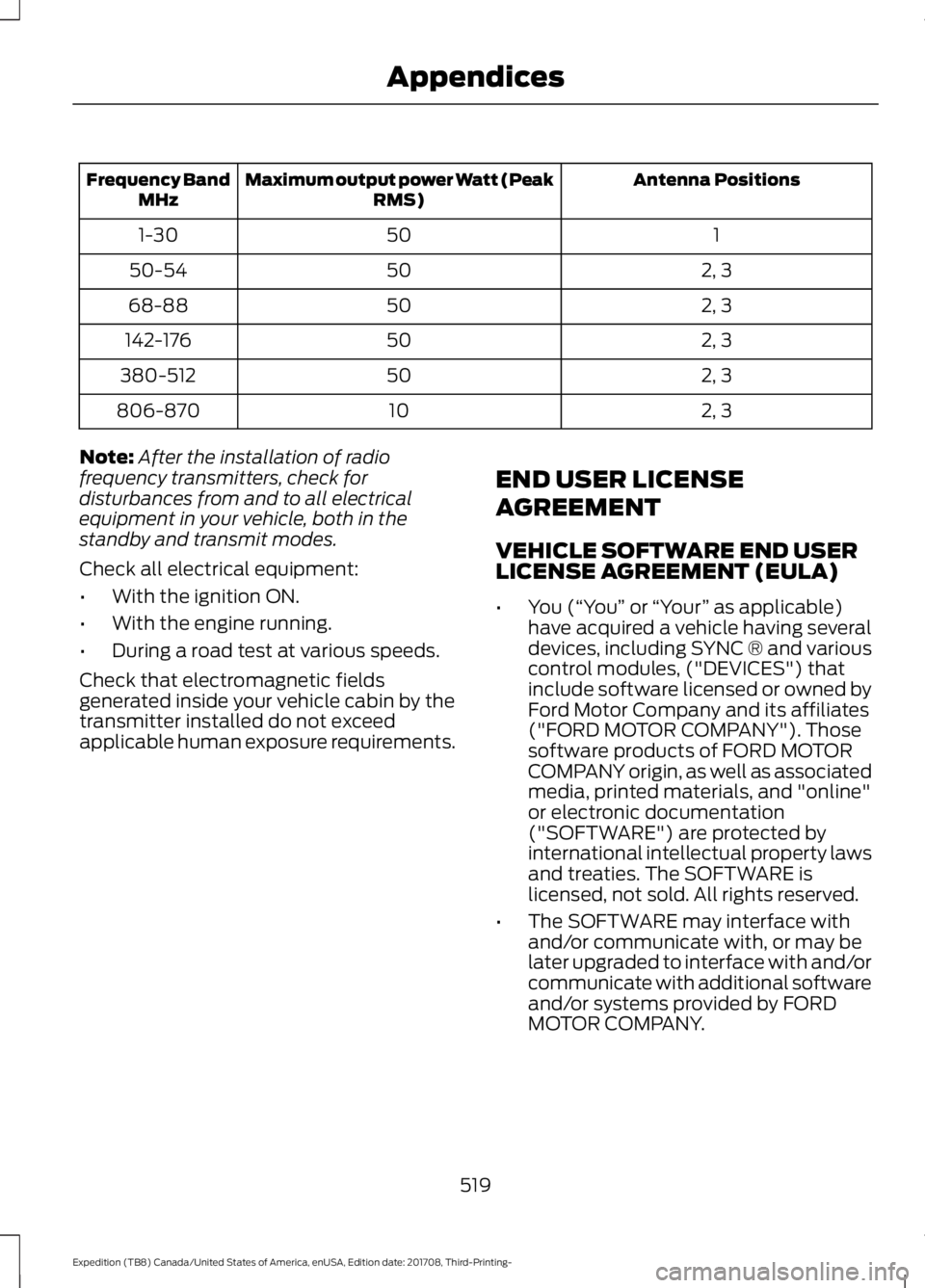
Antenna Positions
Maximum output power Watt (Peak
RMS)
Frequency Band
MHz
1
50
1-30
2, 3
50
50-54
2, 3
50
68-88
2, 3
50
142-176
2, 3
50
380-512
2, 3
10
806-870
Note: After the installation of radio
frequency transmitters, check for
disturbances from and to all electrical
equipment in your vehicle, both in the
standby and transmit modes.
Check all electrical equipment:
• With the ignition ON.
• With the engine running.
• During a road test at various speeds.
Check that electromagnetic fields
generated inside your vehicle cabin by the
transmitter installed do not exceed
applicable human exposure requirements. END USER LICENSE
AGREEMENT
VEHICLE SOFTWARE END USER
LICENSE AGREEMENT (EULA)
•
You (“You” or “Your ” as applicable)
have acquired a vehicle having several
devices, including SYNC ® and various
control modules, ("DEVICES") that
include software licensed or owned by
Ford Motor Company and its affiliates
("FORD MOTOR COMPANY"). Those
software products of FORD MOTOR
COMPANY origin, as well as associated
media, printed materials, and "online"
or electronic documentation
("SOFTWARE") are protected by
international intellectual property laws
and treaties. The SOFTWARE is
licensed, not sold. All rights reserved.
• The SOFTWARE may interface with
and/or communicate with, or may be
later upgraded to interface with and/or
communicate with additional software
and/or systems provided by FORD
MOTOR COMPANY.
519
Expedition (TB8) Canada/United States of America, enUSA, Edition date: 201708, Third-Printing- Appendices
Page 560 of 571
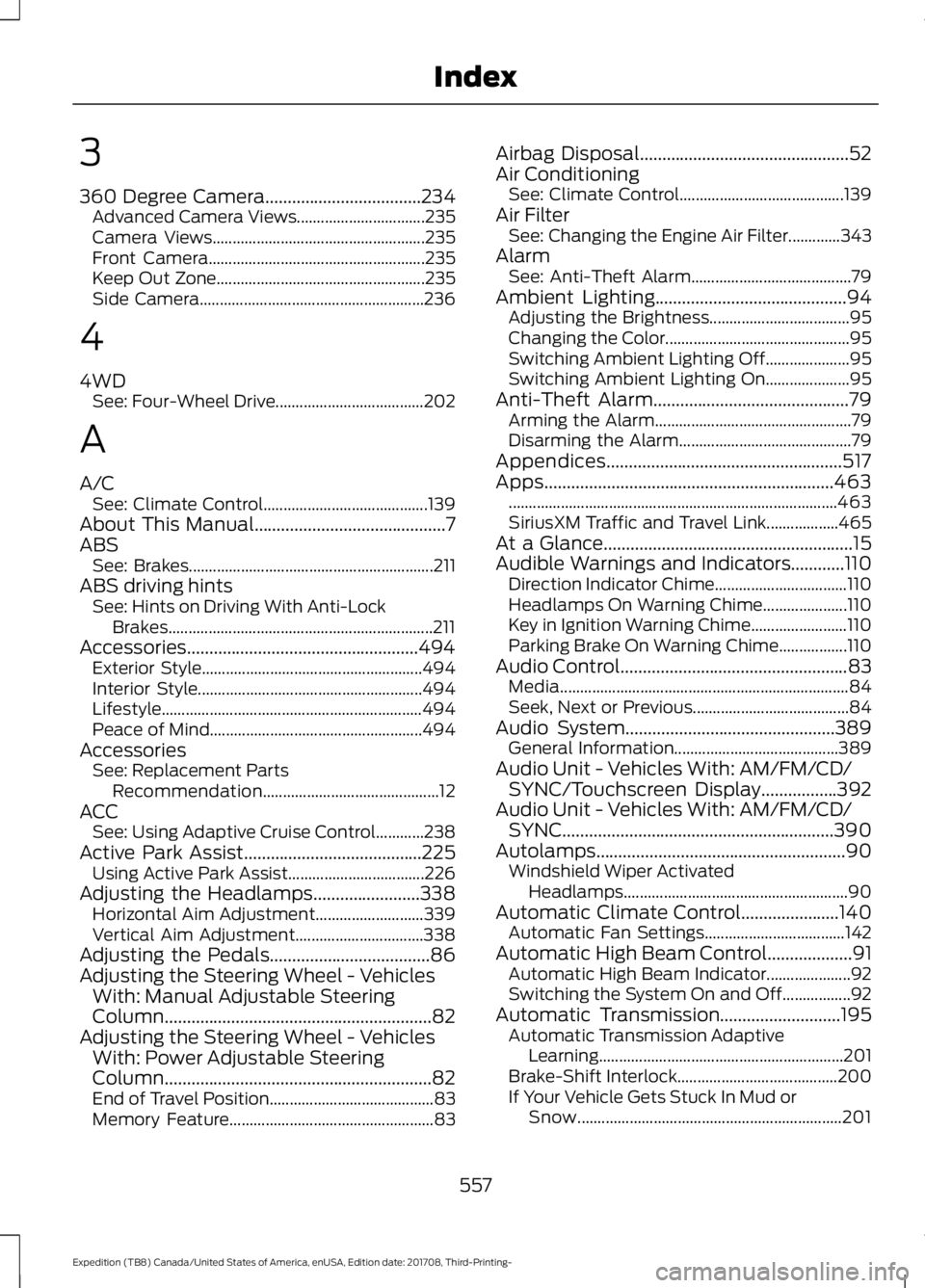
3
360 Degree Camera...................................234
Advanced Camera Views................................ 235
Camera Views..................................................... 235
Front Camera...................................................... 235
Keep Out Zone.................................................... 235
Side Camera........................................................ 236
4
4WD See: Four-Wheel Drive..................................... 202
A
A/C See: Climate Control......................................... 139
About This Manual...........................................7
ABS See: Brakes............................................................. 211
ABS driving hints See: Hints on Driving With Anti-Lock
Brakes.................................................................. 211
Accessories....................................................494 Exterior Style....................................................... 494
Interior Style........................................................ 494
Lifestyle................................................................. 494
Peace of Mind..................................................... 494
Accessories See: Replacement Parts
Recommendation............................................ 12
ACC See: Using Adaptive Cruise Control............238
Active Park Assist........................................225 Using Active Park Assist.................................. 226
Adjusting the Headlamps
........................338
Horizontal Aim Adjustment........................... 339
Vertical Aim Adjustment................................ 338
Adjusting the Pedals
....................................86
Adjusting the Steering Wheel - Vehicles With: Manual Adjustable Steering
Column............................................................82
Adjusting the Steering Wheel - Vehicles With: Power Adjustable Steering
Column............................................................82
End of Travel Position......................................... 83
Memory Feature................................................... 83Airbag Disposal
...............................................52
Air Conditioning See: Climate Control......................................... 139
Air Filter See: Changing the Engine Air Filter.............343
Alarm See: Anti-Theft Alarm........................................ 79
Ambient Lighting
...........................................94
Adjusting the Brightness................................... 95
Changing the Color.............................................. 95
Switching Ambient Lighting Off..................... 95
Switching Ambient Lighting On..................... 95
Anti-Theft Alarm
............................................79
Arming the Alarm................................................. 79
Disarming the Alarm........................................... 79
Appendices.....................................................517
Apps.................................................................463 ........................................................................\
.......... 463
SiriusXM Traffic and Travel Link..................465
At a Glance........................................................15
Audible Warnings and Indicators............110 Direction Indicator Chime................................. 110
Headlamps On Warning Chime.....................110
Key in Ignition Warning Chime........................110
Parking Brake On Warning Chime.................110
Audio Control
...................................................83
Media........................................................................\
84
Seek, Next or Previous....................................... 84
Audio System
...............................................389
General Information......................................... 389
Audio Unit - Vehicles With: AM/FM/CD/ SYNC/Touchscreen Display.................392
Audio Unit - Vehicles With: AM/FM/CD/ SYNC.............................................................390
Autolamps........................................................90 Windshield Wiper Activated
Headlamps........................................................ 90
Automatic Climate Control......................140 Automatic Fan Settings................................... 142
Automatic High Beam Control...................91 Automatic High Beam Indicator.....................92
Switching the System On and Off.................92
Automatic Transmission
...........................195
Automatic Transmission Adaptive
Learning............................................................. 201
Brake-Shift Interlock........................................ 200
If Your Vehicle Gets Stuck In Mud or Snow.................................................................. 201
557
Expedition (TB8) Canada/United States of America, enUSA, Edition date: 201708, Third-Printing- Index
Page 564 of 571
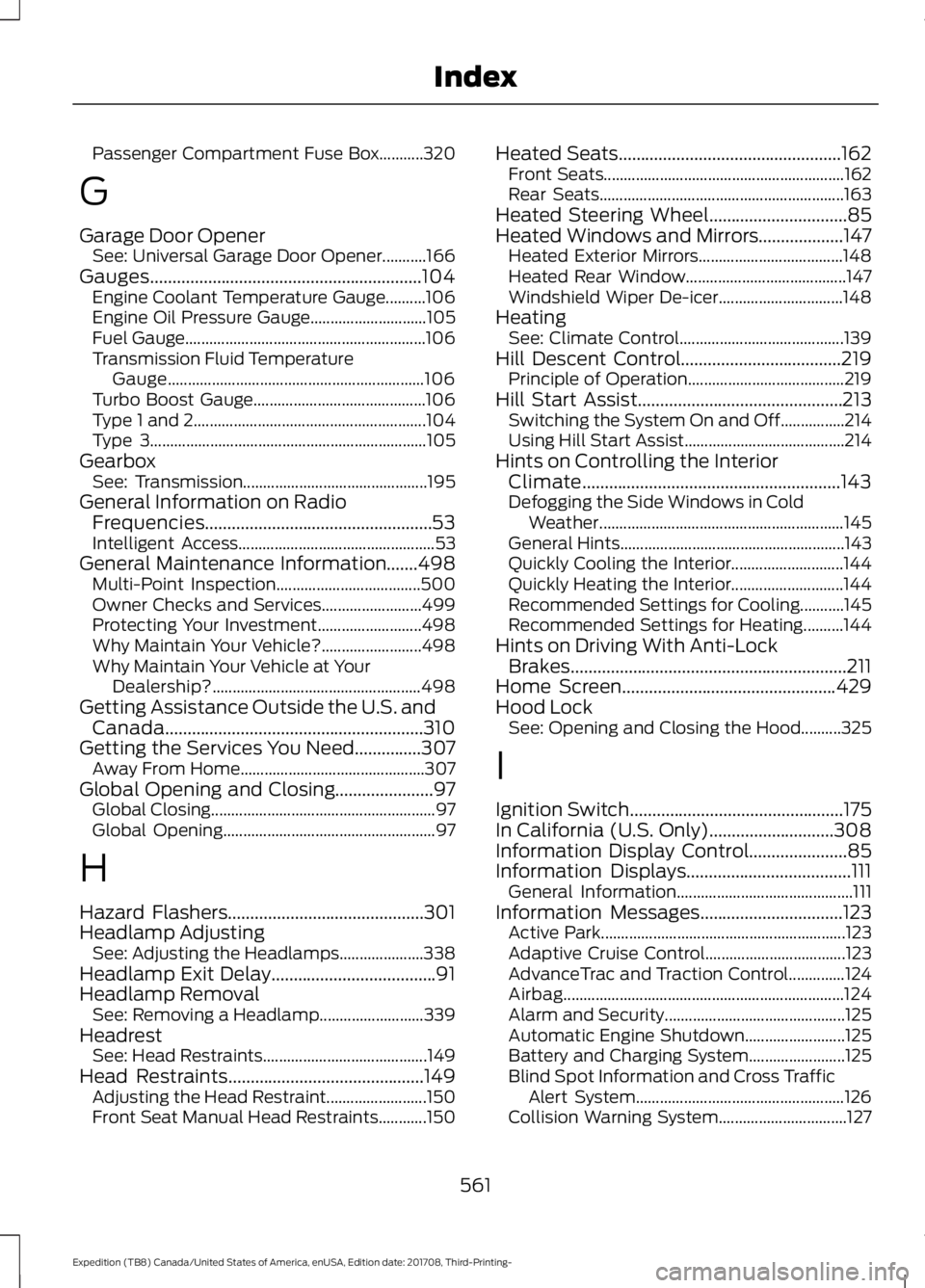
Passenger Compartment Fuse Box...........320
G
Garage Door Opener See: Universal Garage Door Opener...........166
Gauges.............................................................104
Engine Coolant Temperature Gauge..........106
Engine Oil Pressure Gauge............................. 105
Fuel Gauge............................................................ 106
Transmission Fluid Temperature Gauge................................................................ 106
Turbo Boost Gauge........................................... 106
Type 1 and 2.......................................................... 104
Type 3..................................................................... 105
Gearbox See: Transmission.............................................. 195
General Information on Radio Frequencies...................................................53
Intelligent Access................................................. 53
General Maintenance Information.......498 Multi-Point Inspection.................................... 500
Owner Checks and Services......................... 499
Protecting Your Investment.......................... 498
Why Maintain Your Vehicle?......................... 498
Why Maintain Your Vehicle at Your Dealership?.................................................... 498
Getting Assistance Outside the U.S. and Canada..........................................................310
Getting the Services You Need
...............307
Away From Home.............................................. 307
Global Opening and Closing......................97 Global Closing........................................................ 97
Global Opening..................................................... 97
H
Hazard Flashers............................................301
Headlamp Adjusting See: Adjusting the Headlamps..................... 338
Headlamp Exit Delay.....................................91
Headlamp Removal See: Removing a Headlamp.......................... 339
Headrest See: Head Restraints......................................... 149
Head Restraints
............................................149
Adjusting the Head Restraint......................... 150
Front Seat Manual Head Restraints............150 Heated Seats
..................................................162
Front Seats............................................................ 162
Rear Seats............................................................. 163
Heated Steering Wheel...............................85
Heated Windows and Mirrors...................147 Heated Exterior Mirrors.................................... 148
Heated Rear Window........................................ 147
Windshield Wiper De-icer............................... 148
Heating See: Climate Control......................................... 139
Hill Descent Control
....................................219
Principle of Operation....................................... 219
Hill Start Assist..............................................213 Switching the System On and Off................214
Using Hill Start Assist........................................ 214
Hints on Controlling the Interior Climate..........................................................143
Defogging the Side Windows in Cold Weather............................................................. 145
General Hints........................................................ 143
Quickly Cooling the Interior............................ 144
Quickly Heating the Interior............................ 144
Recommended Settings for Cooling...........145
Recommended Settings for Heating..........144
Hints on Driving With Anti-Lock Brakes..............................................................211
Home Screen
................................................429
Hood Lock See: Opening and Closing the Hood..........325
I
Ignition Switch
................................................175
In California (U.S. Only)............................308
Information Display Control......................85
Information Displays.....................................111 General Information............................................ 111
Information Messages................................123 Active Park............................................................. 123
Adaptive Cruise Control................................... 123
AdvanceTrac and Traction Control..............124
Airbag...................................................................... 124
Alarm and Security............................................. 125
Automatic Engine Shutdown......................... 125
Battery and Charging System........................ 125
Blind Spot Information and Cross Traffic Alert System.................................................... 126
Collision Warning System................................ 127
561
Expedition (TB8) Canada/United States of America, enUSA, Edition date: 201708, Third-Printing- Index
Page 565 of 571
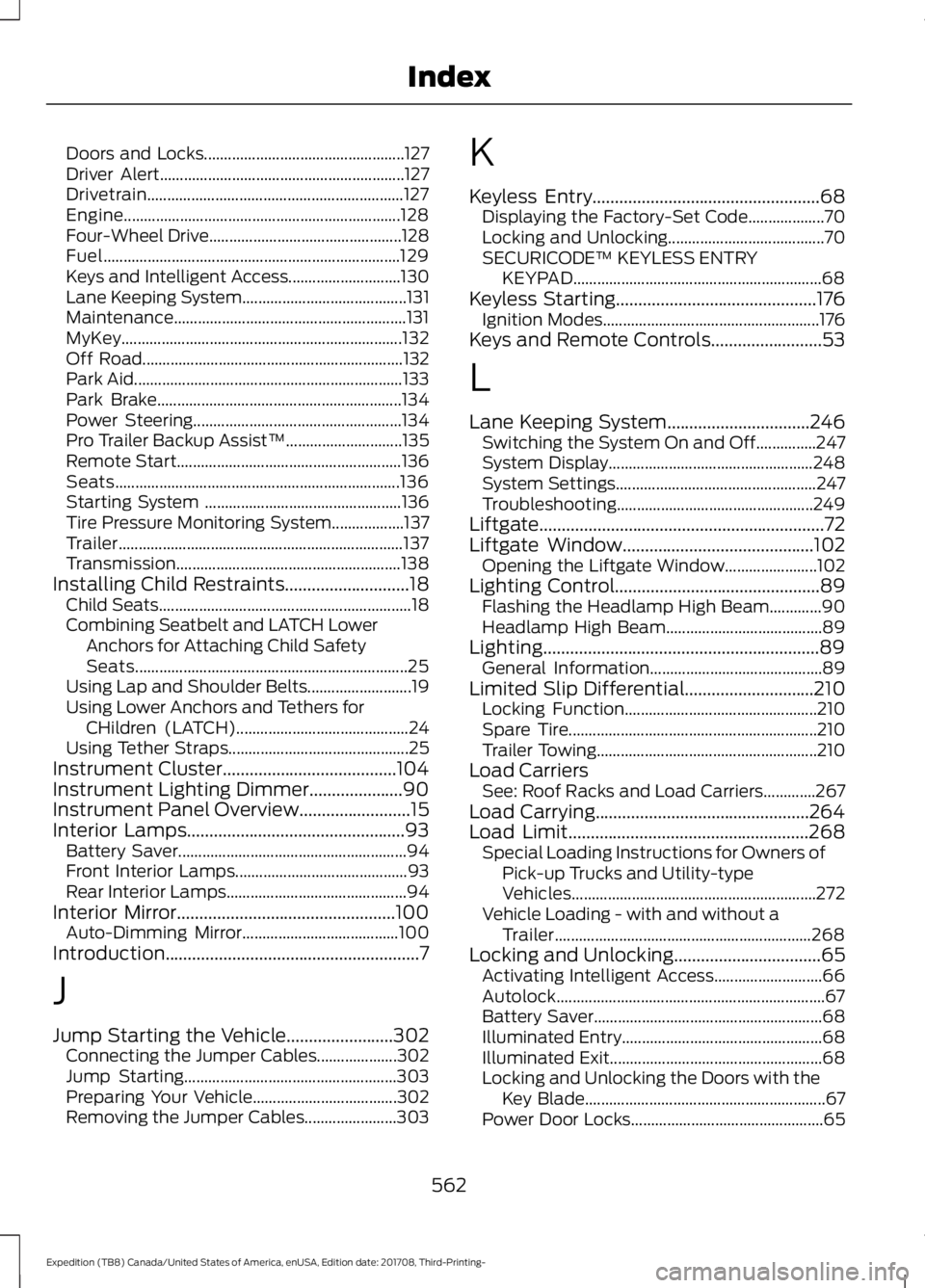
Doors and Locks..................................................
127
Driver Alert............................................................. 127
Drivetrain................................................................ 127
Engine..................................................................... 128
Four-Wheel Drive................................................ 128
Fuel........................................................................\
.. 129
Keys and Intelligent Access............................ 130
Lane Keeping System......................................... 131
Maintenance.......................................................... 131
MyKey...................................................................... 132
Off Road................................................................. 132
Park Aid................................................................... 133
Park Brake............................................................. 134
Power Steering.................................................... 134
Pro Trailer Backup Assist™............................. 135
Remote Start........................................................ 136
Seats....................................................................... 136
Starting System ................................................. 136
Tire Pressure Monitoring System.................. 137
Trailer....................................................................... 137
Transmission........................................................ 138
Installing Child Restraints............................18
Child Seats............................................................... 18
Combining Seatbelt and LATCH Lower Anchors for Attaching Child Safety
Seats.................................................................... 25
Using Lap and Shoulder Belts.......................... 19
Using Lower Anchors and Tethers for CHildren (LATCH)........................................... 24
Using Tether Straps............................................. 25
Instrument Cluster.......................................104
Instrument Lighting Dimmer.....................90
Instrument Panel Overview
.........................15
Interior Lamps.................................................93
Battery Saver......................................................... 94
Front Interior Lamps........................................... 93
Rear Interior Lamps............................................. 94
Interior Mirror
.................................................100
Auto-Dimming Mirror....................................... 100
Introduction.........................................................7
J
Jump Starting the Vehicle........................302 Connecting the Jumper Cables.................... 302
Jump Starting..................................................... 303
Preparing Your Vehicle.................................... 302
Removing the Jumper Cables....................... 303K
Keyless Entry
...................................................68
Displaying the Factory-Set Code................... 70
Locking and Unlocking....................................... 70
SECURICODE™ KEYLESS ENTRY KEYPAD.............................................................. 68
Keyless Starting.............................................176 Ignition Modes...................................................... 176
Keys and Remote Controls.........................53
L
Lane Keeping System
................................246
Switching the System On and Off...............247
System Display................................................... 248
System Settings.................................................. 247
Troubleshooting................................................. 249
Liftgate................................................................72
Liftgate Window...........................................102 Opening the Liftgate Window....................... 102
Lighting Control
..............................................89
Flashing the Headlamp High Beam.............90
Headlamp High Beam....................................... 89
Lighting..............................................................89 General Information........................................... 89
Limited Slip Differential
.............................210
Locking Function................................................ 210
Spare Tire.............................................................. 210
Trailer Towing....................................................... 210
Load Carriers See: Roof Racks and Load Carriers.............267
Load Carrying................................................264
Load Limit
......................................................268
Special Loading Instructions for Owners of
Pick-up Trucks and Utility-type
Vehicles............................................................. 272
Vehicle Loading - with and without a Trailer................................................................ 268
Locking and Unlocking.................................65 Activating Intelligent Access........................... 66
Autolock................................................................... 67
Battery Saver......................................................... 68
Illuminated Entry.................................................. 68
Illuminated Exit..................................................... 68
Locking and Unlocking the Doors with the Key Blade............................................................ 67
Power Door Locks................................................ 65
562
Expedition (TB8) Canada/United States of America, enUSA, Edition date: 201708, Third-Printing- Index
Page 568 of 571
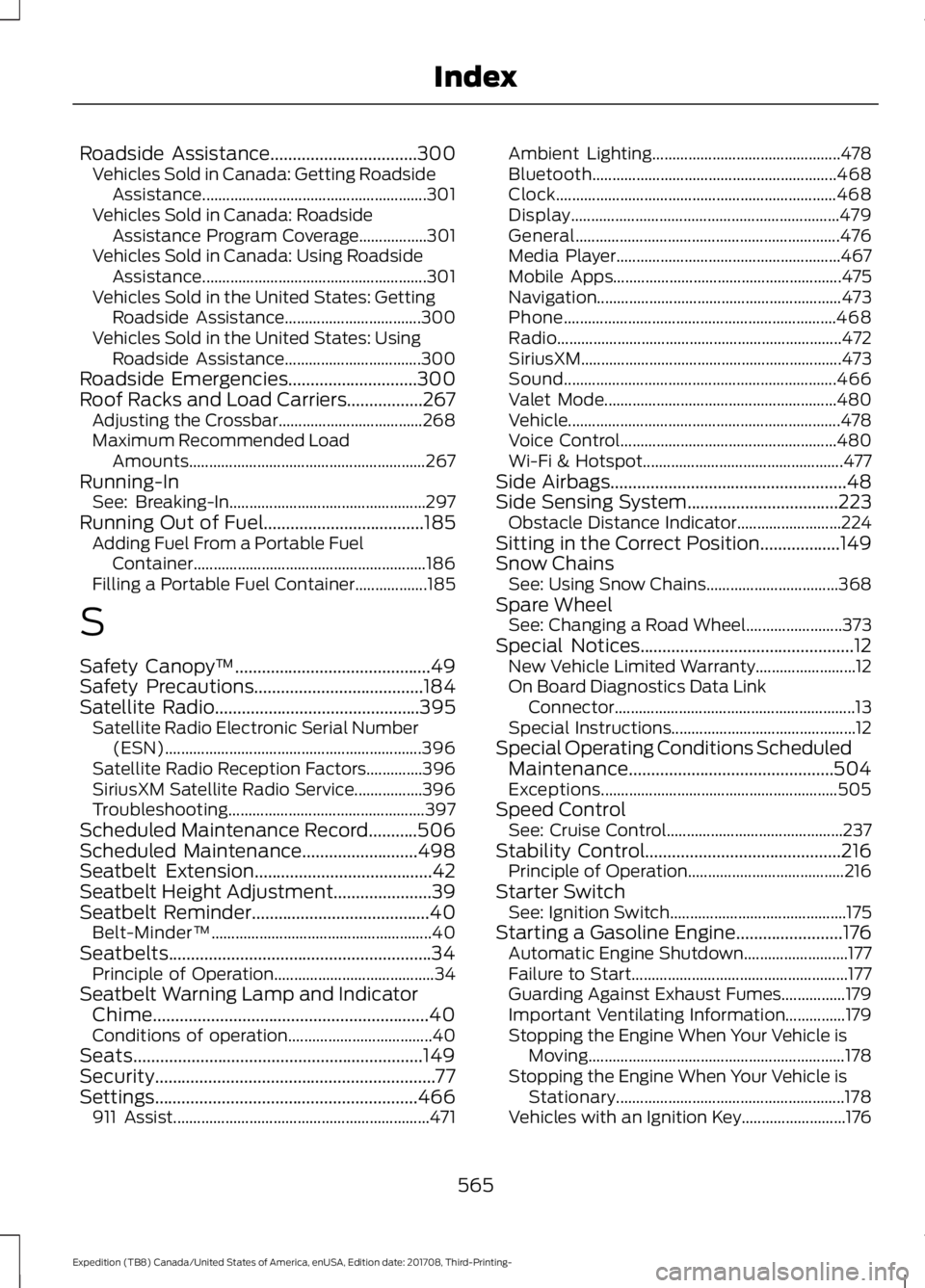
Roadside Assistance.................................300
Vehicles Sold in Canada: Getting Roadside
Assistance........................................................ 301
Vehicles Sold in Canada: Roadside Assistance Program Coverage.................301
Vehicles Sold in Canada: Using Roadside Assistance........................................................ 301
Vehicles Sold in the United States: Getting Roadside Assistance.................................. 300
Vehicles Sold in the United States: Using Roadside Assistance.................................. 300
Roadside Emergencies.............................300
Roof Racks and Load Carriers.................267 Adjusting the Crossbar.................................... 268
Maximum Recommended Load Amounts........................................................... 267
Running-In See: Breaking-In................................................. 297
Running Out of Fuel
....................................185
Adding Fuel From a Portable Fuel
Container.......................................................... 186
Filling a Portable Fuel Container.................. 185
S
Safety Canopy ™
............................................49
Safety Precautions......................................184
Satellite Radio..............................................395 Satellite Radio Electronic Serial Number
(ESN)................................................................ 396
Satellite Radio Reception Factors..............396
SiriusXM Satellite Radio Service.................396
Troubleshooting................................................. 397
Scheduled Maintenance Record...........506
Scheduled Maintenance
..........................498
Seatbelt Extension........................................42
Seatbelt Height Adjustment......................39
Seatbelt Reminder
........................................40
Belt-Minder™....................................................... 40
Seatbelts...........................................................34 Principle of Operation........................................ 34
Seatbelt Warning Lamp and Indicator Chime..............................................................40
Conditions of operation.................................... 40
Seats.................................................................149
Security...............................................................77
Settings...........................................................466 911 Assist................................................................ 471Ambient Lighting...............................................
478
Bluetooth............................................................. 468
Clock...................................................................... 468
Display................................................................... 479
General.................................................................. 476
Media Player........................................................ 467
Mobile Apps......................................................... 475
Navigation............................................................. 473
Phone.................................................................... 468
Radio....................................................................... 472
SiriusXM................................................................. 473
Sound.................................................................... 466
Valet Mode.......................................................... 480
Vehicle.................................................................... 478
Voice Control...................................................... 480
Wi-Fi & Hotspot.................................................. 477
Side Airbags
.....................................................48
Side Sensing System..................................223
Obstacle Distance Indicator.......................... 224
Sitting in the Correct Position..................149
Snow Chains See: Using Snow Chains................................. 368
Spare Wheel See: Changing a Road Wheel........................ 373
Special Notices................................................12 New Vehicle Limited Warranty......................... 12
On Board Diagnostics Data Link Connector............................................................ 13
Special Instructions.............................................. 12
Special Operating Conditions Scheduled Maintenance..............................................504
Exceptions........................................................... 505
Speed Control See: Cruise Control............................................ 237
Stability Control
............................................216
Principle of Operation....................................... 216
Starter Switch See: Ignition Switch............................................ 175
Starting a Gasoline Engine........................176 Automatic Engine Shutdown.......................... 177
Failure to Start...................................................... 177
Guarding Against Exhaust Fumes................179
Important Ventilating Information...............179
Stopping the Engine When Your Vehicle is Moving................................................................ 178
Stopping the Engine When Your Vehicle is Stationary......................................................... 178
Vehicles with an Ignition Key..........................176
565
Expedition (TB8) Canada/United States of America, enUSA, Edition date: 201708, Third-Printing- Index